BHS-600 - Headphones Camos - Free user manual and instructions
Find the device manual for free BHS-600 Camos in PDF.


User questions about BHS-600 Camos
0 question about this device. Answer the ones you know or ask your own.
Ask a new question about this device
Download the instructions for your Headphones in PDF format for free! Find your manual BHS-600 - Camos and take your electronic device back in hand. On this page are published all the documents necessary for the use of your device. BHS-600 by Camos.
USER MANUAL BHS-600 Camos
Instruction manual BHS-500 / BHS-600
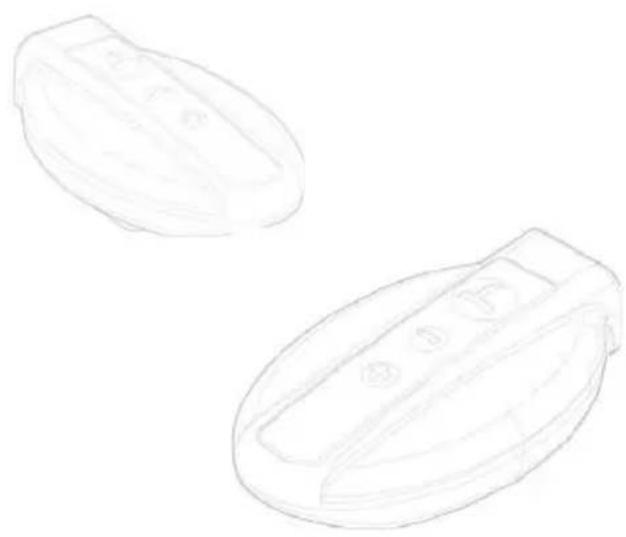
Headset for Wireless Communication via Bluetooth Technology
natural_image
Two hand-drawn oval objects with internal compartments, no text or symbols present
natural_image
Row of seven gray icons representing music, radio, mobile phone, wireless signal, and abstract shapes (no text or symbols)
Preliminary Remarks
Thank you for purchasing this product.
Please read this instruction manual thoroughly for proper usage and application before connecting and operating the equipment.
CAMOS owns all intellectual property rights including copyright on the instruction manual, hardware and related software of the BHS-500 and BHS-600 which will be protected by Copyright Act. Without CAMOS's written permission, they cannot be copied, re-printed or translated into other languages.
Designs and specifications are subject to change without prior notice.
If you find any strange occurrences or malfunction in the product or any foreign substance gets into the product, please contact the authorized retailer where you purchased the product.
Warranty
The manufacturer would not take any responsibility on the sales of products nor entrust the responsibilities to the 3rd party. Product warranty shall not apply to any failure or malfunction which results from improper maintenance, operation or unauthorized modification of the product.
During the warranty period, Camos does not warrant the repairing of the products resulting from any of the following circumstances:
1) Improper maintenance
2) Modification or replacement of parts in the user's disposition
3) Using improper power source
4) Natural disaster including flood, fire and earthquake
5) Replacement of expendable parts
The warranty only covers the manufactured goods. If there are any repairs after the warranty period is finished, the repairs will be charged to the user. Please contact the distributor and service center for A/S.
Safety Rules
Important warnings
Do not use the product in a bathtub. Do not pull the plug with wet hands.
This may cause an electric shock.
Do not use unapproved power voltage.
This may cause fi re or electric shock.
Do not use a damaged electric cord.
This may cause fi re and (or) electric shock.
Be careful when thunder and lightening occurs.
There is a danger of electric shock.
Do not attempt to open, disassemble or repair the product by any person except an authorized service dealer.
This may cause an electric shock and/or malfunction. You should request an authorized service dealer for any inspection and repair of the product.
Do not put pins or needles into the product or the electric cord of the product.
If this happens, stop the operation of the product immediately. Continuous use may cause fire, electric shock and/or malfunction.
Stop using the product immediately when you drop it or damage the outside shell.
Continuous use may cause fire, electric shock and/or malfunction.
Often clean the product.
Dust in the area may cause fire.
Regulatory Information

FCC compliance Information
This device complies with part 15 of FCC Rules. The operation is subject to the following two conditions:
- This device may not cause harmful interference, and
- This device must accept any interference received.
Including interference that may cause undesired operation.
User information
This equipment has been tested and found to comply with the limits for a Class B digital device, Pursuant to part 15 of the FCC Rules. These limits are designed to provide reasonable protection against harmful interference in a residential installation. This equipment generates, uses and can radiate radio Frequency energy and, if not installed and used in accordance with the instructions, may cause harmful interference to radio communications. However, there is no guarantee that interference will not occur in a particular installation. If this equipment does cause harmful interference to radio or television reception, which can be determined by turning the equipment off and on, the user is encouraged to try to correct the interference by one or more of the following measures:
- Reorient or relocate the receiving antenna.
- Increase the separation between the equipment and receiver
- Connect the equipment into an outlet on a circuit different from that to which the receiver is connected.
- Consult the dealer or an experienced radio/TV technician for help.
FCC WARNING:
This equipment may generate or use radio frequency energy. Changes or modifications to this equipment may cause harmful interference unless the modifications are expressly approved in the instruction manual. The user could lose the authority to operate this equipment if an unauthorized change or modification is made.

Hereby, CAMOS Co.Ltd., declares that this BHS-500 and BHS-600 are in compliance with the essential requirements and other relevant provisions of Directive 1999/5/EC.
Content
Introduction
| Box content | 6 | |
| Recharge battery | 7 | |
| Function overview | 8 | |
| Product description | 9 | |
| Key functionalities | 10 | |
| LED Signals | 12 | |
| Headset mounting/dismounting | 14 |
Settings
| Headset power on/off | 15 |
| Headset registrations & connections | 16 |
Functions
| BHS-500 & 600 | |
| Accept call | 20 |
| Make a call | 20 |
| Play music | 22 |
BHS-600
| Intercom functionality | 23 |
| Intercom functionality during listening to music | 23 |
| Making a call during listening to music | 24 |
| Making a call during intercom conversation | 26 |
Appendix
| Battery recharge time | 26 |
| Headset specifications | 27 |
Introduction
Box content
Headset Box
natural_image
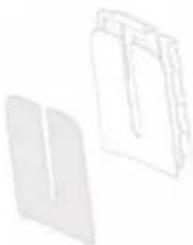
Two abstract 3D geometric shapes resembling folded paper or panels, one plain gray and one outlined in black (no text or symbols)Bracket A with tape
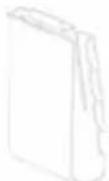
Bracket B with clip
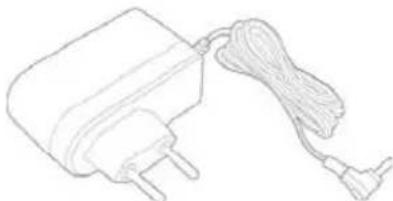
natural_image
Line drawing of a connected electrical plug with a cord and terminal connector (no text or symbols)Recharger 5V
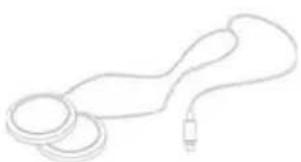
natural_image
Simple line drawing of a cord with two loops and a plug (no text or symbols)Earphones
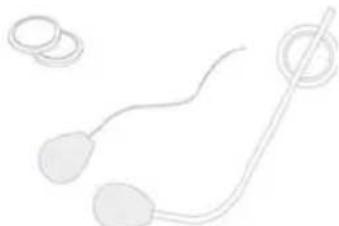
natural_image
Simple line drawing of a sperm with two legs and a string, no text or symbols present1 microphone for Full-face helmet
1 microphone for Jet/Flip-up helmet
Additional:
Instruction manual
Double-sided adhesive tape
Recharge battery
The original headset is equipped with a Li-Polymer rechargeable battery. Before using the headset for the first time, completely recharge the battery. The recharge time of the battery is two hours.
1) Charging
Only recharge the unit with the included 5V recharger. Connect the headset to the charge socket. The red LED will shine during recharging process.
2) End of recharging process
Recharge the battery for 2 hours. If the battery is full, the red light disappears automatically. Now disconnect the recharger from the headset box.
3) Empty battery signal
If the battery is almost empty, a signal will be heard. The signal disappears as soon as the headset is connected to the recharger.
Only use the recharger included in the package! Other rechargers could damage the unit and could result in a loss of guarantee.
Function overview
The unit includes the following functions:
Telephone functions
• Automatic call detection
- Redialing
- Re-direct call to headset
- Voice dialing / VOX
- Finish call
- Adjust volume
Music functions
- Play music
- Stop music
- Adjust volume
Talk/Intercom functions (nur BHS-600)
- Intercom functionality between driver & passenger
- Call acceptance during intercom functionality; at incoming call, the intercom functionality will be muted automatically
- Interrupt intercom functionality
- Start intercom functionality
Product description
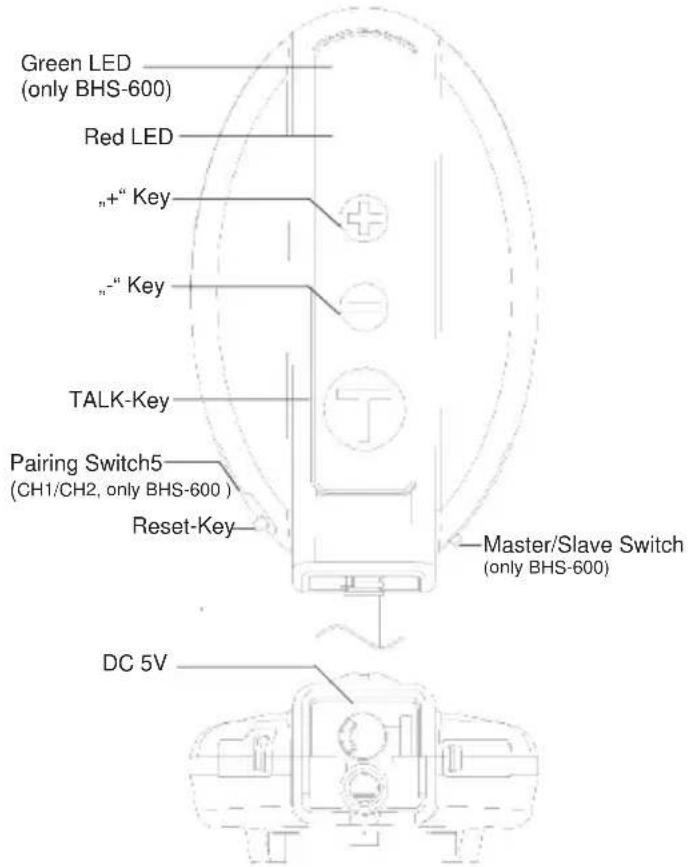
text_image
Green LED (only BHS-600) Red LED "+" Key "-" Key TALK-Key Pairing Switch5 (CH1/CH2, only BHS-600 ) Reset-Key Master/Slave Switch (only BHS-600) DC 5V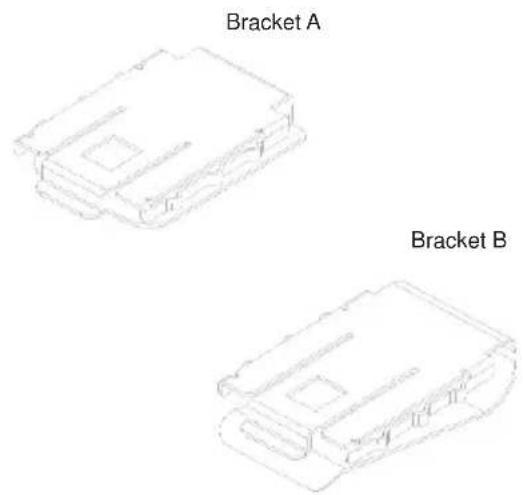
text_image
Bracket A Bracket BKey functionalities
| Functionalities | |||
| No. | Key Channel 1 (BHS-500 & 600) Channel 2 (only BHS-600) | ||
| 1 „-“ key | • Power on/off: Press key for 3 seconds • Minimize volume• Minimize volume | ||
| 2 „+“ key | • Maximize volume • Power on/off: Press key for 3 seconds• Pairing BHS-500: Press the key for 3 sec. until the red LED is blinking very fast | • Mazimise volume | |
| 3 „T“ key | • Redialing: Press key 1x• Re-direct call: Press key during ringing for 2 sec.• Voice dialing: Press key for 2 sec.• Finish call | ||
| 4 | Pairing switch (sideways) | • BHS-600: Pairing channel 1(Move switch to position CH1) | • Pairing channel 2(Move switch to position CH2) |
| Functions | |||
| No. Key Channel 1 (BHS-500 & 600) Channel 2 (nur BHS-600) | |||
| 5 | Choose Master / Slave for channel 2 (Switch sideways) | / | • For pairing channel 2 change to Master or Slave according to usage |
| 6 | Reset Key (Below CH1/CH2 switch) | Reset of all settings. | |
| 7 „-“ & „+“ Key • Play/stop | music: Press both keys together for 3 Sec. | • Start/interrupt conversation: Press both keys together for 3 Sec. | |
LED signals
| Mode Key Key operation time | Display red LED Display green LED | |||
| Activate CH 1: | „-“ Key 3 sec. | Flashing for 2 sec., then Stand-by mode | / | |
| Activate CH 2: | „+“ Key 3 sec. | / | Flashing for 2 sec., then Stand-by mode | |
| Stand-by / / Every 100 ms 1x fl ashing/Sec. | ||||
| Switch off CH 1: | „-“ Key | 2 sec. interval fl ashing, then the LED will be turned off | / | |
| Switch off CH 2: | „+“ Key | / | 2 sec. interval-fl ashing, then the LED will be turned off | |
| Pairing Mode | Pairing switch 3 sec. | Fast fl ashing for 3 sec.; Pairing failed : Flashing 1 x /Sec. | / | |
| Pairing successful | / | / | Flashing 2x /Sec. | / |
| Redialing | „T“ Key Press shortly | / | / | |
| Re-direct call | „T“ Key | 2 sec. | / | / |
| Mode Key Key | operation | time | Display red LED Display green | LED |
| Voice dialing „T“ Key 2 Sec. | / | / | ||
| Finish call „T“ Key Press shortly | / | / | ||
| Play music | „-“ & „+“ Key | Press together for 3 Sec. | / | / |
| Stop music | „-“ & „+“ Key | Press together for 3 Sec. | / | / |
| Low battery status | / | / | Interval fl ashing every 3 Sec. | / |
Headset mounting/dismounting
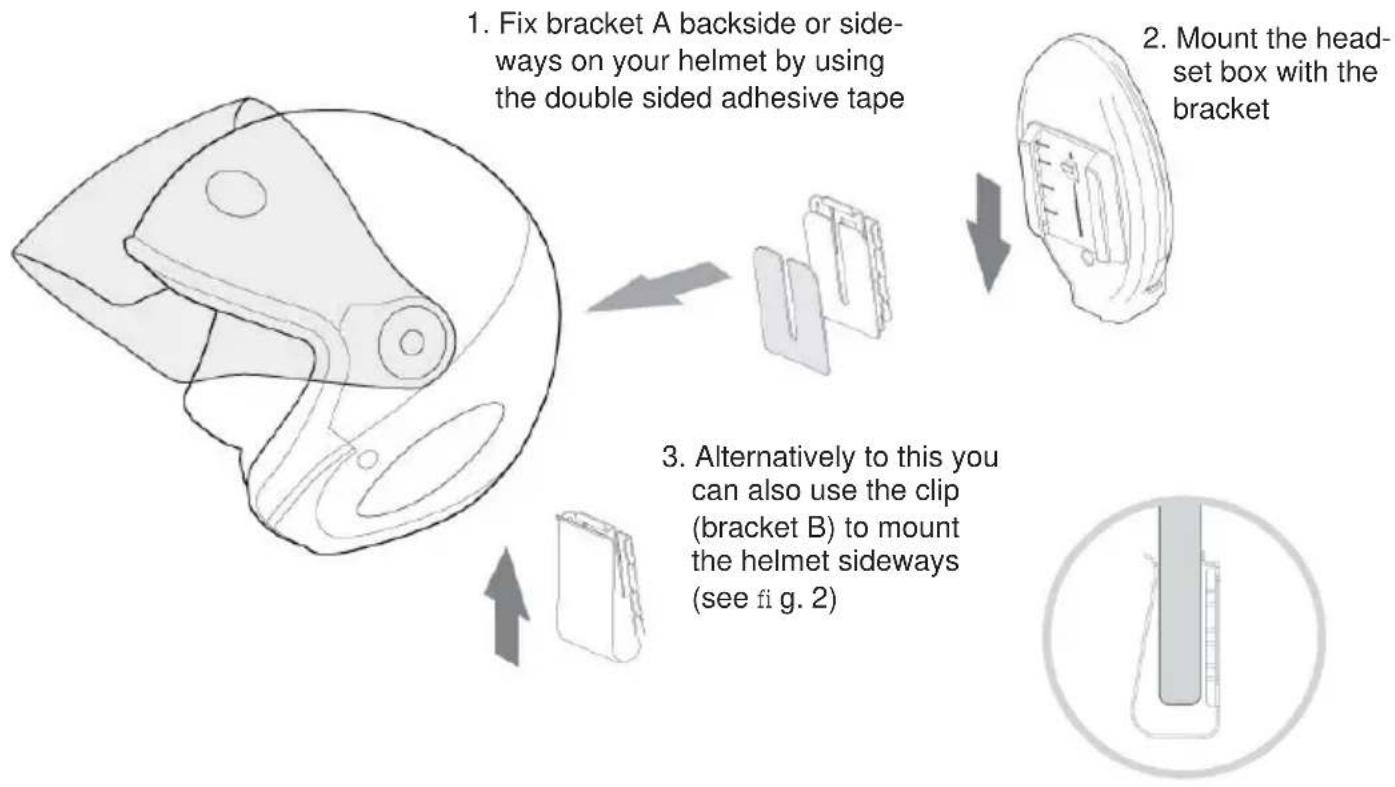
-
Fix bracket A backside or sideways on your helmet by using the double sided adhesive tape
-
Mount the head-set box with the bracket
-
Alternatively to this you can also use the clip (bracket B) to mount the helmet sideways (see fig. 2)
Settings
Headset power on/off
The headsets will be switched on/off differently depending on the channel. If you want to switch on the headset, please press the relevant key for 3 sec. If you press this key again, the headset will be switched off.
| CH 1 CH2 | ||
| „-“ Key Power on: Press key for 3 sec.Power off: Press key for 3 sec. | / | |
| „+“ Key / Power on: Press key for 3 sec. | Power off: Press key for 3 sec. | |
Volume
Press „+“ or „-“ key to change the volume. The volume can be changed at any time during driving.
Headset registration & connection
To use the headset, you have to connect it to another wireless Bluetooth device. If this device has a display, the headsets will be displayed as CAMOS BHS-600 or CAMOS BHS-500.
1.) Connect headset with mobile phone (Channel 1)
1a) BHS-500: Press the „-“ key to activate the headset. After this, press the „+“ key until the red LED is blinking fast. Activate the Bluetooth function of your mobile phone simultaneously.
1b) BHS-600: After the headset has been switched on, enable the headset on channel 1 (CH 1) and press the „-“ key for 3 sec. Activate the Bluetooth function of your mobile phone simultaneously.
2) Switch the pairing key of your headset from position CH1 for a short time to position CH2 and back to CH1.
3) The Pairing-Mode is now activated. Generally the mobile phone will ask for a four-digit code. Most mobile phones accept 0000. In case this code is not accepted, please make use of your mobile phones' manual. Once the devices are paired successfully they will keep on recognizing each other automatically.
Notes:
- If you want to listen to music via your mobile phone, please make use of your mobile phone's instruction manual.
- If you want to disconnect your mobile phone, switch off the bluetooth function of your mobile phone. The headset can now be linked to another bluetooth compliant device.
2.) Connect the headset with audio device (Channel 1)
1a) BHS-500: Press the „-“ key to activate the headset. After this, press the „+“ key until the red LED is blinking fast. Activate the Bluetooth function of your audio device simultaneously.
1b) BHS-600: After the headset has been switsched on, enable the headset on channel 1 (CH 1) and press the „-“ key for 3 sec. Activate the Bluetooth function of your mobile phone simultaneously.
2) Switch the pairing key of your headset from position CH1 for a short time to position CH2 and back to CH1.
3) Please make use of the instruction manual of your audio device to see how to connect it to the headset.
If you want to disconnect your audio device, switch off the bluetooth function of the device. The next time you switch on both units simultaneously, they will be connected automatically.
3.) Activate the intercom function (Channel 2 / only BHS-600)
1) To activate the intercom function on channel 2, make sure that the relevant key has been moved to the position „master“ at one of the headsets and on the other headset to the position „slave“.
2) After you switched on both headsets, activate channel 2 (CH 2) by pressing the „+“ key on both headsets for 3 Sec.
3) Switch the pairing key of your headsets from position CH2 for a short time to position CH1 and back to CH2. After a short fast blinking of the red LED, the headsets are connected.
4.) Connect Two Way Radio on channel 2 (only BHS-600)
Instead of intercom function you can link a two way radio which is equipped with a bluetooth adapter.
1) Switch the headset's key in „Slave Mode“ position.
2) Switch the Pairing-key of your headset from position CH2 for a short time to position CH1 and back to CH2.
5.) Connect mobile phone on channel 2 (only BHS-600)
If you don't need the intercom function the BHS-600 enables you to connect a mobile phone on channel 2. Unlike channel 1 the mobile phone has to support Monofunction and has only secondary priority.
1) During an incoming call while channel 1 is activated on your device, you will hear both channels simultaneously.
2) To accept a call you have to say loud and clear „Hello“ to your microphone. Channel 1 will be muted an you can start the conversation.
3) If you remain silent longer than 5 seconds, the device on channel 1 will be reactivated. To mute channel 1 you have to say „hello“ again.
Important notes to 3
- Channel 1 can only be used for the connection to another Bluetooth device.
- Channel 2 is for intercom functionality between two wireless Bluetooth BHS-600 headsets.
- If you want to change the Bluetooth device on channel 1, you have to switch off the firstly connected Bluetooth unit before you can connect it to another Bluetooth device.
- Once connected, the paired Bluetooth devices will find each other automatically if the Bluetooth functionality is activated on both units.
Functions
1.) Accept call
1) After you connected the headset with your mobile phone as described before, you can make calls and accept them. (Please consider your local laws/road traffic regulations).
2) Both headsets, BHS-500 & 600, enable automatic call acceptance with your mobile phone. Please make sure that this functionality is also activated in your phone menu. Otherwise this functionality will not work.
3) To finish the call, shortly press the „T“ button.
2.) Make a call
1) Re-dialing To activate the re-dialing, shortly press the „T“ button.
2) Re-direct call to your headset
- After finishing the dialing process, press the „T“ button for 2 sec. to re-direct the call to your headset. - You can redirect the call to your mobile phone by pressing the „T“ button again for 2 sec.
3) Voice dialing / VOX
Press the „T“ button for 2 sec. to activate the voice dialing. Before you can use this function, you have to save all speech orders in your mobile phone.
Important notes
- Please study your mobile phone manual to make sure that your phone supports voice dialing.
- If the connection between headset and mobile phone is interrupted because of an extremely long distance between these two devices, the headset will automatically try to reconnect the systems within the next 30 minutes as soon as the two devices get nearer than 10 meters.
- When these 30 minutes are over, shortly press the „-“ or „+“ button again to automatically reconnect the two devices. If this process failes, just switch the devices on and off to get the connection again.
3.) Play music
1) Listening to music through mobile phone
a) Connect your headset with your mobile phone.
b) Activate the music function of your mobile phone. Please refer to the manual of your mobile phone as well.
c) To stop the music, press both buttons, „-“ & „+“, for three seconds at the same time.
d) To start the music, press both buttons, „-“ & „+“, for three seconds at the same time.
Depending on your mobile phone, only MP3 files can be played through the headset.
2) Listening to music via audio device
a) Connect the headset with the audio device
b) Activate the music function of your audio device. Please compare to the manual of the audio device as well.
c) To stop the music, press both buttons, „-“ & „+“, for three seconds at the same time.
d) To start the music, press both buttons, „-“ & „+“, for three seconds at the same time.
If you interrupt the music reception of your headset, the audio device won't be stopped automatically. The playing/interrupting of the music through pressing the „-“ & „+“ buttons at the same time is only possible during music mode.
4.) Intercom functionality (only BHS-600)
a) After you connected both BHS-600 headsets, you can use the intercom functionality.
b) To stop the conversation, press both buttons, „-“ & „+“, for 1 second at the same time.
c) To go on with the conversation, press both buttons, „-“ & „+“, for 2 seconds at the same time.
5.) Intercom functionality while listening to music (only BHS-600)
a) Connect channel 1 with your mobile phone or audio device and activate the music.
b) Connect the two BHS-600 on channel 2.
c) As soon as the driver or passenger speaks into its microphone, channel 1 (music) will be muted.
d) If there is no conversation for more than 10 sec., channel 1 will be automatically activated again.
e) You can totally switch off the intercom functionality if pressing the „-“ & „+“ buttons for 1 sec. at the same time.
f) To activate the intercom functionality again, just press the „-“ & „+“ buttons again for 1 sec. at the same time.
6.) Incoming call while listening to music
1) Receiving a call and listening to music via mobile phone
Important note: This functionality is not possible with all mobile phones. Please check with the manual of your mobile phone.
a) Connect your phone with your headset on channel 1.
b) At incoming call, the music will be automatically muted so that you can answer the call.
If you finish the call with the „T“ button, the music gets switched on automatically again. If the telephone function gets activated with the „T“ button, the music stays muted. To listen to music as well, press „-“ & „+“ button for 3 sec. at the same time.
2) Receiving a call during listening to music through another stereo-audio-device
You have the possibility to connect one Bluetooth mobile phone and one stereo-audio-device on channel 1 of your BHS-500 & 600 headset which you can use at the same time.
a) Connect your mobile phone with your headset.
b) Disconnect them again.
c) Connect your headset with the Bluetooth stereo-audio-device and start the music.
d) Activate the Bluetooth mode of your mobile phone again.
e) If you receive an incoming call on your mobile phone, the connection to your audio device will be interrupted automatically and you can start the call.
Important notes to 6/2
- The music on your audio device can be automatically activated again, if you press the „T“ button to fi nish the call.
- If you want to connect a mobile phone & audio device to one channel at the same time, please note that you have to use a stereo-audio-device only.
- If you shortly press the „T“ button, the music will be interrupted and the phone dials the last dialed number. At some phones, the „T“ button must be pressed twice.
- If the phone gets switched off or the connection is interrupted because of a too long distance while you are listening to music on another device, both connections get interrupted and the music gets switched off.
7.) Incoming call during intercom conversation (only BHS-600)
a) Connect two headsets like described on page 43.
b) Connect your phone with your headset (channel 1).
c) If you receive an incoming call, the intercom functionality will be interrupted during the call.
d) After the call is finished, you can automatically talk to your passenger again.
Please note: Making a call and intercom conversation at the same time is not allowed!
Battery recharging and durability
| Recharge time Durability | |||
| ~ 2 hours Stand- | By Using channel 1 | or 2 Using channel 1 + 2 | |
| 180 hours 13 | hours 8 hours | ||
Specifications of BHS-500 & BHS-600
| Name Wireless data communication system (BHS-500 / BHS-600) | |
| Bluetooth version 2.0 | |
| Frequency 2,4022 ~ 2,480 MHz | |
| Transmission output 0,25 ~ 2,5 mW | |
| Wireless distance Up to 10m | |
| Dimensions (WxHxD) 51 x 90 x 20,5 | |
| Weight 120g | |
| Operating temperature -20 ~ 50°C | |
| Recharger AC 100 ~ 240V , 50/60Hz | |
| DC power DC 5V, 1A | |
Contact address for Europe:
Camos motorcom / iMC GmbH Camos Co. Ltd.
Car-Zeiss-Str. 3
D-22946 Trittau
Tel. +49 (0)4154 80 83 0
www.imc-motorcom.com
Contact address for America:
424-9, Chongchon-dong
Pupyong-Ku, Inchon, Korea
Tel. +82 (0)32 522 9175
www.camos.co.kr
CE1177
Printed in Korea