
Sound 4 - Pregnant Alphatronics - Free user manual and instructions
Find the device manual for free Sound 4 Alphatronics in PDF.


| Product Type | Bluetooth Stereo Headset |
| Brand | Alphatronics |
| Model | Sound 4 |
| Dimensions | 176 x 165 x 32 mm |
| Weight | Approx 172.8 g |
| Battery Capacity | 430 mAh |
| Music Play Time | Up to 16 hours |
| Standby Time | Approx 450 hours |
| Charging Time | About 3 hours |
| Charging Input | DC 5.0V, 340mA |
| Bluetooth Version | V4.0 |
| Bluetooth Profiles | HSP, HFP, A2DP, AVRCP |
| Operating Range | Up to 10 meters (Class II) |
| Supported Devices | Bluetooth cell phones, PDAs, Bluetooth transmitters |
| Pairing Memory | Up to 8 devices |
| Multi-Device Connection | Up to 2 devices simultaneously |
| Call Features | Answer, end, reject, redial, voice dial, volume control, mute, call transfer |
| Music Control | Play/pause, previous/next track, volume control |
| Design | Foldable and retractable, portable |
| Care Instructions | Keep dry, avoid direct sunlight and high temperatures, not water-resistant |
| Safety Notices | Do not use during sports to avoid sweat damage |
Frequently Asked Questions - Sound 4 Alphatronics
User questions about Sound 4 Alphatronics
0 question about this device. Answer the ones you know or ask your own.
Ask a new question about this device
Download the instructions for your Pregnant in PDF format for free! Find your manual Sound 4 - Alphatronics and take your electronic device back in hand. On this page are published all the documents necessary for the use of your device. Sound 4 by Alphatronics.
USER MANUAL Sound 4 Alphatronics
Welcome to use this Bluetooth stereo headset, alphatronicsSound 4. Pleas this user's manual carefully before use.
Brief introduction
1. Bluetooth wireless communication technology
Bluetooth is a standard of close range wireless communication technology that was drawn up by Ericsson, IBM, Intel, Nokia and Toshiba. With Blue technology, we can achieve the highest transmission rate among cell phones computers, printers, PDAs and other devices. The max transmission range class II is 10 meters while the max transmission ranges of class I can reach 100 meters.
2. About alphatronicsSound 4
alphatronicsSound 4 is a Bluetooth stereo headset. Foldable and retractable design is very easy to take with you. It supports the following Bluetooth p
HSP —— Headset Profile
HFP —— Hands-free Profile
A2DP—— Advanced Audio Distribution Profile
AVRCP——Audio/Video Remote Control Profile
You can enjoy music wirelessly by using alphatronicsSound 4. It has the features:
1) Pairing with a Bluetooth cell phone or PDA supporting HFP profile.
- Answer a call, end a call and reject a call
• Redial last number
- Voice dial
- Adjust the volume e
- Call transfer between the headset and your Bluetooth cell phone
- Microphone mute
2) Pairing with a Bluetooth cell phone or Bluetooth transmitter supporting A2DP profile.
- Enjoy music wirelessly
- Adjust the volume
- Remote control pause/play
- Remote control previous/next track
3) Easy to switch between the call and music, you will not miss the incoming call during listening to music.
4) Every time the headset is turned on, it will connect to last connected device automatically.
Note: In order to complete above function, the Bluetooth profiles of paired must be same as the headset. And even though the paired device and the h support the same Bluetooth profiles, functions may vary due to specifici differences of the paired devices.
©
©
2. Pairing the headset with Bluetooth devices
1) How to enter pairing mode
Functions Operation LED indicator
Enter pairing mode
Ensure the headset is off, and then press and hold MFB button for 5\~6 seconds until red and blue LED flash alternately
Red and blue LED flash alternately
Remark: Pairing mode will last 2 minutes. If no devices can be connected after 2 minutes, it will return to standby mode automatically.
2) Pairing the headset with a Bluetooth cell phone
Prior to using the headset for the first time, you have to pair it with a Bluetooth-enabled cell phone. The pairing procedures are subject to different models of cell phones. Please refer to your cell phone user's manual for further information. The general pairing procedures are as follows:
- Keep your headset and phone within 1 meter when pairing;
- Make the headset enter pairing mode (please refer to "How to enter pairing mode);
- Activate your cell phone's Bluetooth function and set your cell phone to search for Bluetooth devices within range, and select "alpha4" from the list of devices shown;
- According to the indication, enter password or PIN No: "0000";
- If prompted by your cell phone to connect, select "Yes" (this will vary among cell phone models);
- After successful connecting, blue LED flashes twice every 4 seconds.
Remarks:
- If pairing is failed, please turn off the headset first and then re-pair according to steps 1-6 mentioned above.
- After pairing is successful, the headset and the cell phone will remember each other, they will no need to re-pair next time. The headset can remember 8 paired devices, when the number of paired devices exceeds 8, the first one will be replaced.
- Every time the headset is turned on, it will connect to last connected device automatically. If you want to pair it with other devices, please turn off the Bluetooth function of last connected devices first and pair the headset with the new device according to steps 1-6 mentioned above.
3) Pairing the headset with a Bluetooth transmitter
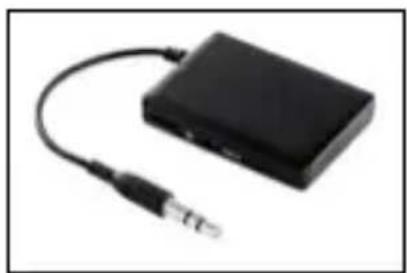
You can connect the headset to a Bluetooth transmitter to enjoy music wirelessly. Hereby take BA1 (Bluetooth transmitter for mobiles, TVs etc. not included) for example. The pairing steps are as follows:
natural_image
Black electronic device with attached cable and connector (no visible text or symbols)- Keep your headset and phone within 1 meter when pairing;
- Make the headset enter pairing mode (Please refer to "How to enter pairing mode);
- Turn on the Bluetooth transmitter and make it enter paring mode. It will search for Bluetooth devices automatically and send a pairing request;
- When the headset requests to enter a PIN No., the transmitter will response "0000" automatically;
- After successful pairing and connecting, blue LED of the headset flashes twice every 4 seconds.
Remarks:
- The pairing password of alphatronicsSound 4 is "0000". So, the headset can only pair with a Bluetooth transmitter whose pairing password is "0000".
- If pairing still fails after several tries, please refer to the Bluetooth transmitter's user's manual for further information.
4) Pairing headsets with Multi-devices
The headset can connect with two Bluetooth devices at most. If you want to finish the multi-pairing, please refer to the following steps:
- Firstly, pair and connect the headset with Bluetooth device one (refer to "pairing the headset with a Bluetooth cell phone);
- Turn off the headset and make it enter paring mode again, pair and connect with Bluetooth device two(refer to “pairing the headset with a Bluetooth cell phone);
- Operate Bluetooth device one to connect with headset. The headset has already connected with Bluetooth device one and two, the headset also can connect with these two devices automatically next time.
Remarks :
• After successful multi-pairing, the paired devices will remember each other.
- The headset will connect with last connected two devices automatically after turn on.
- Turn off multi-pair function: the headset in standby mode, not connect with device, press MFB and volume down button for 5 seconds simultaneously and release it until hear a prompt tone.
- Turn on multi-pair function: the headset in standby mode, not connect with device, press MFB and volume up button for 5 seconds simultaneously and release it until hear a prompt tone.
3. Reconnecting with a Bluetooth device
1) Automatic connecting
Every time the headset is turned on, it will connect to last connected device automatically.
2) Manual connecting
When the headset is in standby mode and not connect with device, short press any button of headset, it will connect to last connected device.
Remarks:
- Before connecting to a Bluetooth device, please turn on the Bluetooth function of Bluetooth device.
- On some Bluetooth devices, take some Nokia cell phones for example, you have to allow automatic connecting in the cell phone's settings. Please refer to your cell phone's manual for further information.
4. Making a call with the headset
1) Basic operation
Functions Status of headset Operation
Cancel a call Calling Short press MFB once
Answer a call Incoming ringing Short press MFB once
Reject a call Incoming ringing Long press MFB for 2
seconds and release it until listen a tone
End a call During a call Short press MFB once
Volume up During a call Short or long press + button
Volume down During a call Short or long press – button
©
©
©
©
7. Indication tone
Indication tone Status of the headset
Continuous two prompt tone every 10 seconds Conversation mode and microphone mute
Three "dong" warning tone every 30 seconds Low battery
8. Factory Reset
In the status of standby mode and not connect with device, long press MFB and ▶II button for 3\~4 seconds simultaneously and release it until the red and blue LED on simultaneously.
Remarks:
- For factory reset, you should press MFB button first, and then press button or press MFB and ▶ II button simultaneously.
- After factory reset, the paired list of headset will be deleted. When you turn on the headset again, it will enter paired mode automatically, but it won't connect with device automatically, you should re-pair and connect with devices.

Care and maintenance
Read the following recommendations carefully before using alphatronicsSound 4. Following these you will be able to enjoy this product for many years.
- Keep it dry and don't put it in the dump place to avoid the product's internal circuit being affected.
- Keep the product away from direct sunlight or hot places. High temperatures will shorten the life of electronic devices, destroy the battery or distort certain plastic parts.
- Don't use this product during sport to avoid the sweat into product so that damage the product. This product is not water-resistant.
- Don't expose the product to cold areas. It may damage the internal circuit board.
©
d) Make sure the distance between the headset and the cell phone is in the available Bluetooth range.
- Why the headset can not hear the voice clearly in conversation?
a) Make sure the mobile phone is in the strong signal area;
b) Make sure the headset is in the available range of this product.
- Why can't control pause, play, last song and next song when playing music?
This function needs your Bluetooth device supports AVRCP (Audio/Video Remote Control profile)
Specifications
| Bluetooth version Bluetooth V4.0 | |
| Bluetooth profiles Headset, Hands free, A2DP, | AVRCP |
| Operating distance 10meters | |
| Headset working time Music up to 16 hours | |
| Headset standby time Approx 450 hours | |
| Charging input DC5.0V 340mA | |
| Headset charging time About 3 hours | |
| Dimension 176*165*32mm | |
| Weight Approx 172.8g | |
| Battery capacity 430mAh |
©
alphatronics
©
