
PD-35D30ES - TV JVC - Free user manual and instructions
Find the device manual for free PD-35D30ES JVC in PDF.


User questions about PD-35D30ES JVC
0 question about this device. Answer the ones you know or ask your own.
Ask a new question about this device
Download the instructions for your TV in PDF format for free! Find your manual PD-35D30ES - JVC and take your electronic device back in hand. On this page are published all the documents necessary for the use of your device. PD-35D30ES by JVC.
USER MANUAL PD-35D30ES JVC
PDP FARBFERNSEHGERÄT
PDP TELEVISEUR COULEUR
PDP KLEURENTELEVISIE
PDP TELEVISOR A COLOR
PDP TELEVISORE A COLORI
PDP TELEVISOR A CORES
BEDIENUNGSANLEITUNG
MANUEL D'INSTRUCTIONS
GEBRUIKSAANWIJZING
natural_image
Illustration of a JVC TV set with two speakers and a CD, no text or symbols present
natural_image
Abstract geometric pattern with diagonal black and white stripes (no text or symbols)D.I.S.T.
Digital Image Scaling Technology
InteríArt
T-V LINK

Speaker
plain English approved
by the word centre
natural_image
Illustration of two people standing at a table with nameplates, no text or symbols present
text_image
19:03natural_image
Illustration of two people standing at a desk with nameplates (no text or symbols present)
natural_image
Solid gray rectangle with two vertical white borders on the left (no text or symbols)D.I.S.T.-Demonstration
Super DigiPure.... 26
EMPFANGSSYSTEM 27
KINO-EFFEKT 27
4:3 AUTO ZOOM 27
COLOUR MANAGEMENT 27
PIP 28
SOUND EINSTELLUNG...... 29
STEREO / I • II 29
Toneinstellungen.... 29
LAUTSPRECHER 29
BBE 29
3D SOUND....29
SUBWOOFER.... 29
KOPFHÖRER 30
natural_image
Illustration of a flat-screen monitor with a blank screen (no text or symbols)Fernsehgerät
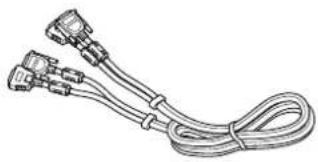
natural_image
Line drawing of a multi-pin electrical connector with coiled cable (no text or symbols)Systemkabel
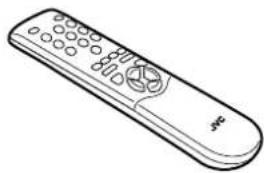
natural_image
Line drawing of a remote control with keypad and scroll (no text or symbols)Fernbedienung
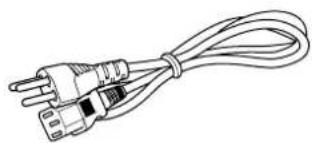
natural_image
Line drawing of a cord with two connected power plugs (no text or symbols)natural_image
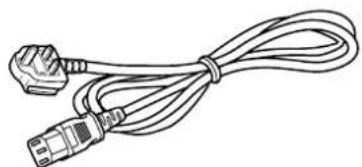
Line drawing of a cord with two connectors (no text or symbols)Netzkabel
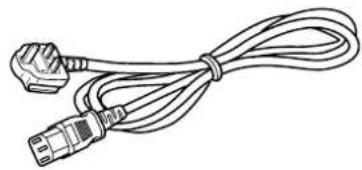
natural_image
Line drawing of a cable with two connectors (no text or symbols)natural_image
Illustration of a beige electronic device with a label and control panel (no readable text or symbols)Empfänger
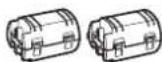
Ferritkern × 2
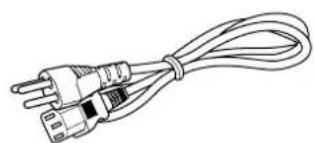
natural_image
Line drawing of a straight electrical plug with three leads, tied with a coiled cable (no text or symbols)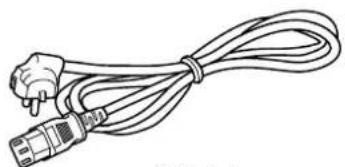
natural_image
Line drawing of a cord with two connectors (no text or symbols)Netzkabel
natural_image
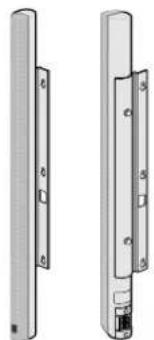
Line drawing of a cable with two connectors (no text or symbols)Lautsprecher
natural_image
Two views of a vertical cylindrical device with mounting holes and a separate internal component (no text or symbols visible)natural_image
Illustration of a white rectangular device with a black vertical bar on the side (no text or symbols)Subwoofer
natural_image
Exterior view of a server rack unit with ventilation grilles and a cable inserted (no text or symbols visible)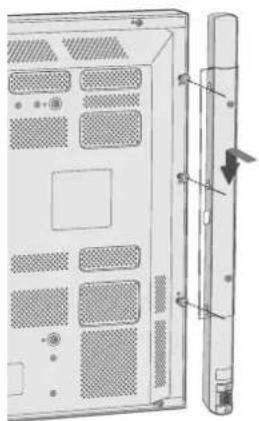
natural_image
Diagram of a server rack with ventilation slots and a separate vertical panel, showing no text or symbols.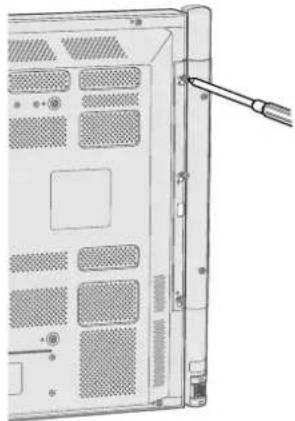
natural_image
Back view of a computer tower with ventilation grilles and a cable inserted (no text or symbols visible)1 Festdrehen der
natural_image
Diagram of a server rack with ventilation grilles and a cable inserted (no text or symbols)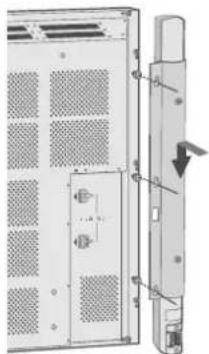
natural_image
Technical diagram of a server rack with ventilation grilles and door lock, showing internal components and a close-up view of the right side (no text or symbols)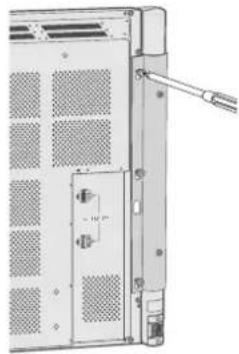
natural_image
Technical diagram of a server rack with ventilation grilles and a door, showing no text or symbolsnatural_image
Illustration of a desktop television set with an open screen and a smaller cabinet (no text or symbols visible)natural_image
Diagram of a remote control panel with battery and switch (no text or symbols)natural_image
Diagram of a hand inserting a small component into a cylindrical device (no text or symbols)
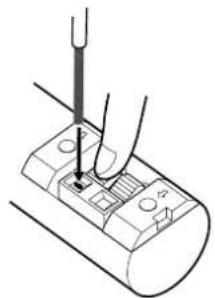
natural_image
Diagram of a hand using a tool to press or install electronic components on a cylindrical device (no text or symbols visible)natural_image
Diagram of a mechanical or electrical component with a curved wire and internal structure (no text or symbols)
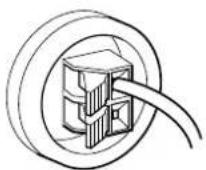
text_image
FRONT SPEAKER OUT + R - MAX OUT IMPEDANCEtext_image
FRONT SPEAKER OUT ⊕ B MAX OUT = LOW IMPEDANCE = 8Ωtext_image
Diagram showing three steps of electrical plug installation: wire, socket, and plug outlet with power lines.text_image
Diagram of a device rear panel with labeled ports and connectors, showing internal wiring and connector layout.natural_image
Close-up of a door panel with a vertical line and a power button on top (no text or symbols visible)text_image
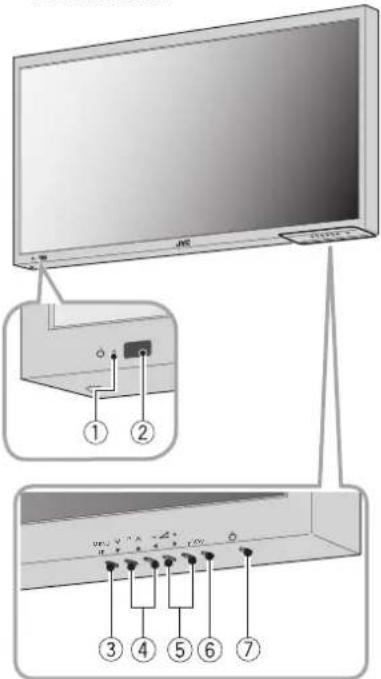
Diagram showing a monitor with labeled ports and an inset view of the front panel with numbered labels 1 through 7.
text_image
Diagram showing connection of a monitor to an antenna, with labeled components and wiring connectionsnatural_image
Illustration of a hand holding a remote control with an arrow indicating rotation (no text or symbols)PD-42D30ES/PD-35D30ES