
GO SE - Caméra auto Xblitz - Free user manual and instructions
Find the device manual for free GO SE Xblitz in PDF.


| Product Type | Dash Camera |
| Brand | Xblitz |
| Model | GO SE |
| Dimensions (approx.) | 10.0 x 5.0 x 3.0 cm |
| Weight (approx.) | 80 g |
| Power Supply | 5V DC via USB cable |
| Battery | Built-in lithium polymer battery |
| Recording Resolution | Full HD 1080p |
| Viewing Angle | 170° wide angle |
| G-Sensor | Built-in, for impact detection |
| Loop Recording | Yes, with automatic overwriting |
| Night Vision | Infrared LEDs for low light |
| Storage | MicroSD card (up to 32GB, not included) |
| Display | 2.0 inch LCD screen |
| Mounting | Suction cup mount for windshield |
| Maintenance | Clean lens with soft, dry cloth |
| Safety | Low battery voltage protection |
| Operating Temperature | -10°C to 60°C |
| Spare Parts Available | Mount, charger, USB cable |
| Repairability | Designed for replacement of accessories |
| Language Support | English, French, Spanish, etc. |
Frequently Asked Questions - GO SE Xblitz
User questions about GO SE Xblitz
0 question about this device. Answer the ones you know or ask your own.
Ask a new question about this device
Download the instructions for your Caméra auto in PDF format for free! Find your manual GO SE - Xblitz and take your electronic device back in hand. On this page are published all the documents necessary for the use of your device. GO SE by Xblitz.
USER MANUAL GO SE Xblitz
User's manual in English lanugage - EN
natural_image
Black Xbeta digital camera with lens and screen displaying a sunset scene (no text or symbols on device body)


natural_image
Abstract geometric shape with diagonal light gray fill on white background (no text or symbols)[GOSE]
INSTRUKCJA OBSŁUGI
![Xblitz GO SE - [GOSE] - 1](/content/2026/05/765977/images/e1b371f14551437ad24c092515951929acafa8493436fdce481638c6cdb601b5.jpg)
natural_image
Black Xbitz digital camera with lens and screen displaying a scenic road scene (no text or symbols on device body)PL
PRZED UŻYCIEM
natural_image
Close-up of a camera lens with purple lens and black frame (no visible text or symbols)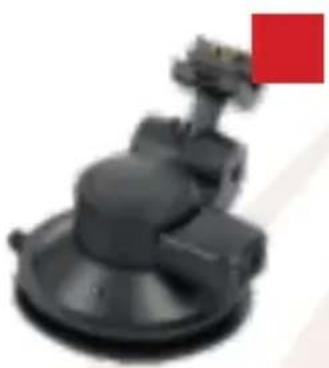
natural_image
Close-up of a black mechanical component with a red square marker on the top right (no visible text or symbols)![Xerox [XO] RNG / COMPRETANT 100%](/content/2026/05/765977/images/1d326a51bc476cebffe1dc242a340524c4d7828d12f089bf5f35fba6f4f39a72.jpg)
natural_image
Close-up of a black USB flash drive with a red square label containing the number 4 (no text or symbols on the device itself)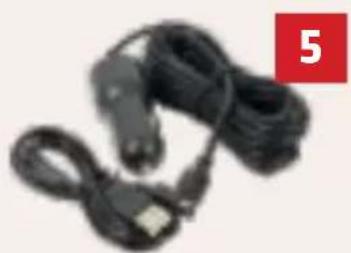
natural_image
Coiled black cable with a small USB port, no visible text or symbolsMONTAŻ KAMERY
PL
Xblitz®
[GOSE]
USER'S MANUAL
![Xblitz GO SE - [GOSE] - 1](/content/2026/05/765977/images/961b8f8a1ed88876c221fec0114a6817de034dffa8acd31fb7d799989f5403ae.jpg)
natural_image
Black Xbitz digital camera with lens and screen displaying a sunset on road (no text or symbols visible)EN
BEFORE FIRST USE
- It is recommended to use brand microSD memory cards class 10th (8GB - 64GB capacity).
- Before inserting the card into the car camera it is recommended to format it to the FAT32 file format in the PC, and than in the recorder.
- Memory card should be installed when the device is turned off, otherwise the memory card and the device may be damaged. The same refers to putting the memory card out of the device.
- The internal battery allows for recording without the power supply for no longer than 5 minutes.
- When the memory card is full, the odlest, unprotected files will be overwritten.
- It is recommended to use the product's features with their intended use, e.g. Motion detection or parking mode during driving should be turned off, as it may cause automatic turning on / off the recording e.g. during the stay at the traffic lights.
- It is recommended to use the G-sensor feature at the minimum level so not to protect unnecessary files and lose space on the memory card. The memory card should be formatted into the FAT32 file format into the PC, and than in the recorder.
- Sound: the device has a capacitive microphone, which records all the sounds from the surrounding. The sounds may overlap causing distortions.
THE SET CONTAINS
natural_image
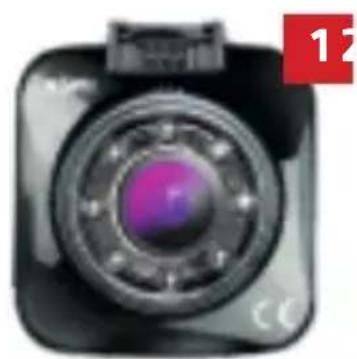
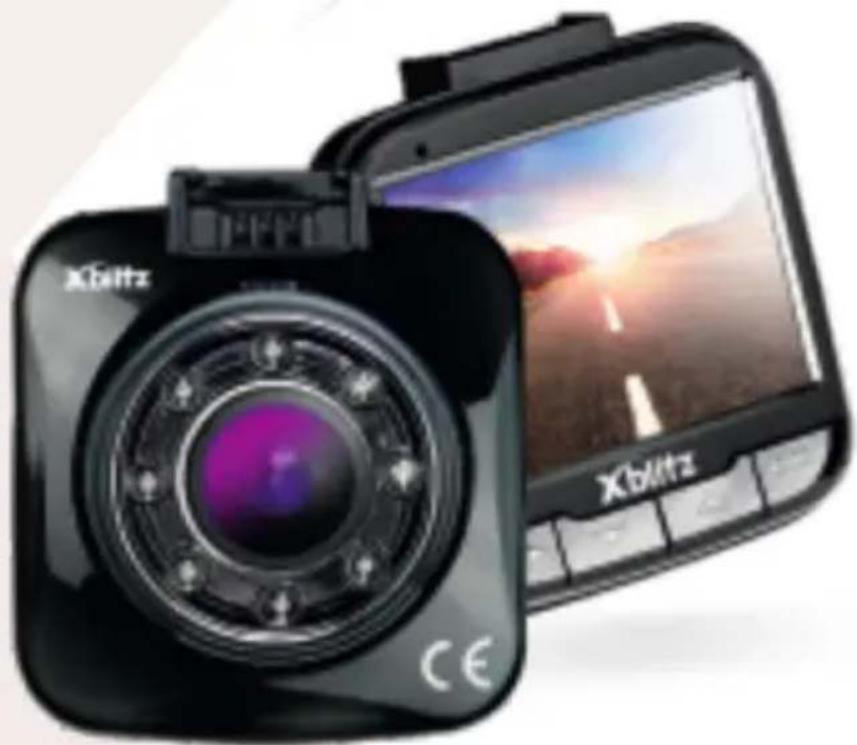
Close-up of a camera lens with purple lens and black frame (no visible text or symbols)- Car camera
- Car grip
- User's manual
- MicroSD memory card reader
- Car charger
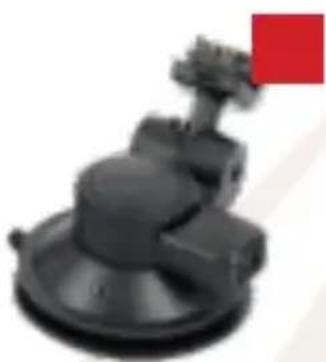
natural_image
3D rendered mechanical component with a red square marker on the top right corner (no text or symbols visible)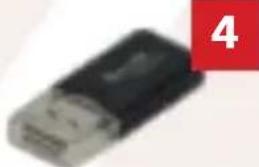
natural_image
Close-up of a black USB flash drive with a red label showing the number 4 (no text or symbols on the device itself)![Xerox [60-] Non-Device 3.0](/content/2026/05/765977/images/cfccaacc74f3c1b15b38a48326cae588c88ebc2ff5e38ec7b70a2f68978e8677.jpg)
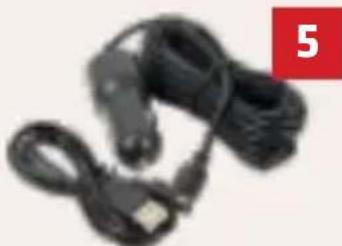
natural_image
Coiled black cable with USB port, no visible text or symbolsCAMERA INSTALLATION
EN
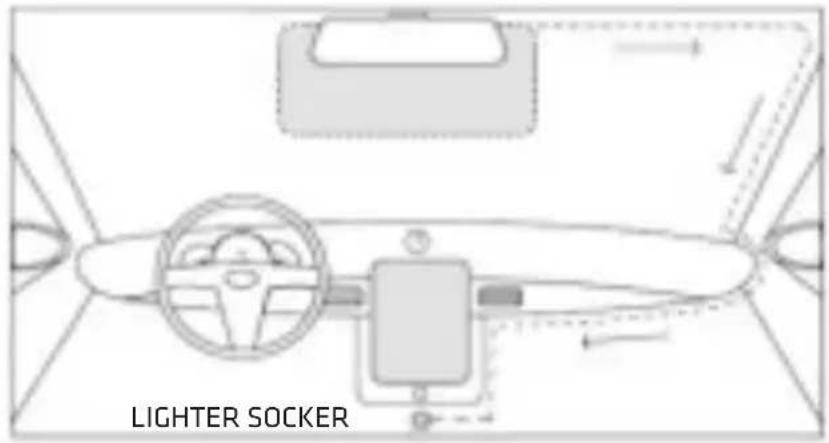
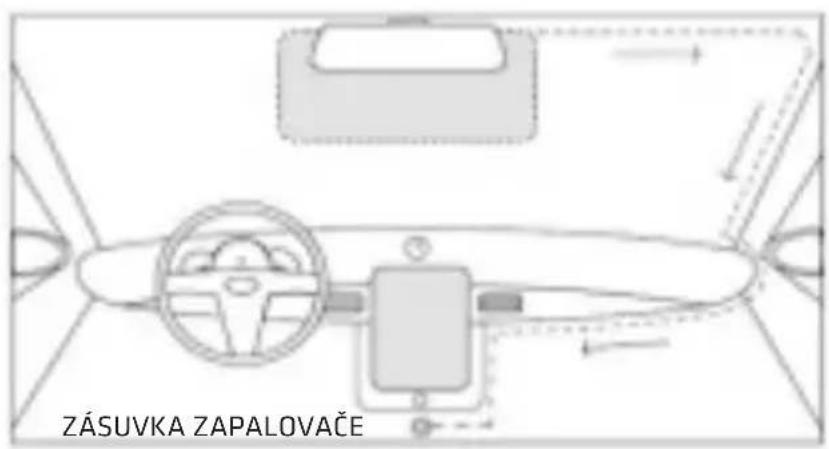
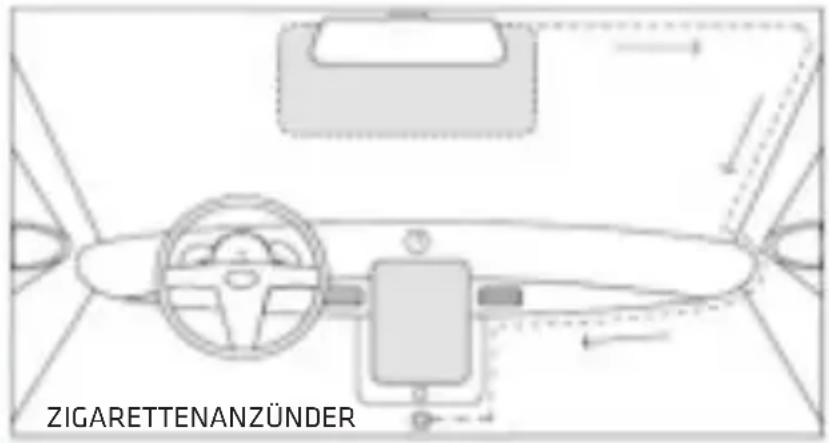
- Select and clean up the place destined for the camera installation.
- Mount the camera grip.
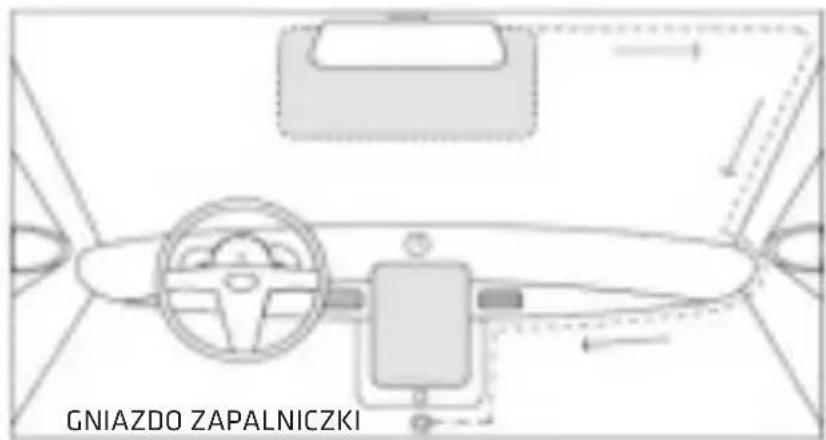
- Route the power cable.
- Insert the power adapter into the cigarette lighter socket.
- Insert the memory card into the camera.
- Attach the camera to the grip.
01. GETTING STARTED
- Mount and connect the camera into the power adapter.
- Insert (already formatted into the FAT32 file format) microSD memory card.
NOTE: the memory card should be putted in /out only when the device is off.
- Set in the menu:
a. Date & time
b. Loop recording (adjust the length of the recordings). If you turn loop recording off, the files will not be overwritten.
c. Set the highest available resolution.
d. Set the G-Sensor on minimal possible sensitivity so the camera does not detect road inequalities and protects unnecessary videos.
e. Turn WDR on.
4. Make sure that the motion detection and parking mode are turned off. If these functions stay on during normal usage, they will negatively affect the recordings.
Turning these functions on is recommended only when the vehicle is parked.
- Camera will automatically start to record every time we turn the ignition on (unless there is no constant power supply in the car cigarette lighter socket of your vehicle).
02. MAIN FEATURES
■ Adopting 170° view angle lens
■ Supporting FHD1080P HD image
■ Adopting advanced H.264 video compression technique
2.0 inch HD LCD
■ Supporting HD image transmission
G-sensor supported
- Seamless loop recording, no data missed
- Can be turned on automatically and starting recording when car starts
■ Auto loop recording, recroding time can be set to each file
■ Image can be monitored during driving, supporting spot playback
■ Improve date/time display, no need to reset when restarting
One key to lock the file
One key to turn off the audio
- Charging by USB port
- Attached with special suction mount, easy to install
Max support 64GB TF card
03. PRODUCT DESCRIPTION
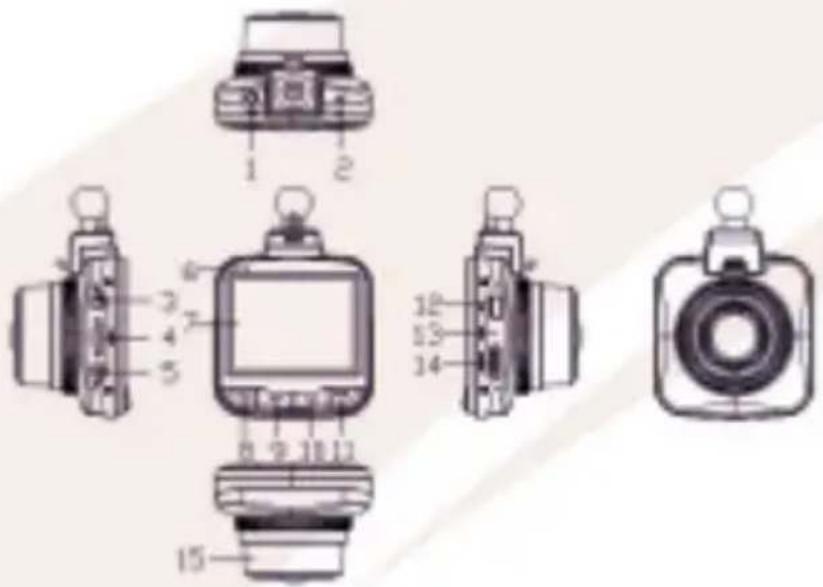
- AV out
- Reset button
- Power button
- microSD card slot
-
Menu button
-
LED indicator
- LCD screen
- Mode button
- Down button
-
Up button
-
OK button
- USB port
- Microphone
- HDMI port
- Lens
04. KEY FUNCTIONS
Menu Key
Short press to enter menu setting; continuous short press to switch the settings; to lock the current file if short pressing the key during recording.
Up Key
In the menu setting options, press Up key to select functions; in the standby or recording mode, press Up key to zoom in.
OK. Button
Confirm button for recording video and taking photo. In the recording mode, short press OK to start recording, and short press again to stop recording. In the photo mode, short press OK to take a photo. In the menu setting state, press OK to confirm the option.
Down Key
In the menu setting options, press Down key to select functions; in the standby mode, short press the key to turn on/off the audio; short press the key to zoom out after zooming in.
Mode Key
Short press the key to switch the modes among recording, photo and playback.
HDMI
HD output port
TFT Card Slot
Memory card slot
USB
Used for charging by external power source or for working power supply.
Reset
Reset button when the unit crashes.
Power Key
Long press the key to turn on/off the unit.
Power Indicator
The indicator will turn on when power on
Charging Indicator:
Connected with USB cable, the indicator being on means charging, and being off means battery full charged.
MIC
Audio receiver
05. SPECIAL FUNCTIONS DESCRIPTION
1. G-sensor
When the sensor is on in the moment of collision, the file is automatically protected from being overwritten. It is recommended to set the lowest possible value (low or medium) so the camera does not detect road inequalities.
2. Auto on/off
Supports to turn on and start recording automatically when car starts after vehicle power supply connected and auto turn off and save the videos after car shuts down.
3. Loop recording
The dashcam divides the recordings according to the selected time. You can choose the length of the files. When the memory card becomes full, the oldest recording will be overwritten.
4. Parking mode
When this function is turned on, the camera left in the car and plugged into the power supply detects shakes of the vehicle (e.g. during parking collision), it turns itself on and starts to record.
06. INSTRUCTION
1. Start and Shutdown
Long press the power key to start up the unit, and the yellow indicator will light up. Long press the power key again to turn off the unit, and the yellow indicator will go out.
Attention: the unit will remind low power when the power is low then turn off automatically.
2. Recording Mode
Short press Mode key to switch the unit to the recording mode, there is a dv icon on the top left corner of the LCD. And then short press the OK button to start recording, the DV icon and the recording indicator will flicker, which means the unit is recording.
3. Photo Mode
Short press Mode key to switch the unit to the photo mode, there is a camera icon on the top left corner of the LCD. Short press OK button to take a photo and the LCD will flicker once, which means photo shoot finished.
4. Video/Photo Playback
Short press Mode key to switch the unit to the photo mode, there is a playback icon on the top left corner of the LCD.
Short press the Up key to select upward files; Short press the Down key to select downward files; Short press the OK key to play back the video file selected.
5. Menu Settings 21
Short press the Menu key to tune out the setting menu. Short press Up or Down key to select the options circularly up and down. Press OK to enter into the selection if any option needs setting.
6. Exit setting menu
Short press Menu key to exit the setting state.
7. Time Setting
Continuously to short press the menu key to enter into the setting menu. Short press the Down key to the date settling, then to short press the OK button to switch the setting among Year/Month/Date /Hour/Minute/Second. Adjust the values by pressing up/down key. Finally press the OK button to confirm the adjustment.
07. BATTERY
Battery power levels:
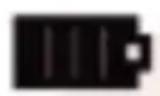
Fully charged
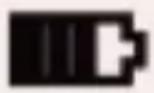
Medium level
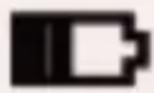
Low level
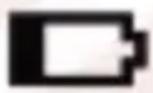
Discharged
There're 4 ways to charge the battery. And the red indicator will light up during charging. It will take about 60mins to charge 22 the battery fully. The red indicator will turn off automatically.
- To charge the battery by the power adapter
- To charge the battery by PC-USB
- To charge the battery by vehicle power supply
- To charge the battery by DC
Remarks: When the product crashes during using caused by improper operation, to reboot the product by removing the battery or resetting the product.

NOTE: Only use chargers with a charging current up to 5V/1.5 A. (Do not connect directly to the 220 / 230V socket). Failure to follow the instructions may cause damage cameras or, in extreme cases, lighting up the device.
08. TECHNICAL SPECIFICATION
Product feature: Full HD camera
G-sensor: Built-in
LCD screen: 2.0" TFT
Lens: 170°
Language: Polish, english, chinese, russian
Video format: MOV
Video resolution: 1920 x 1080p @ 30 fps
File compression: H.264
Color: Standard
Loop Recording: Yes
Automatic start / stop: Yes
Motion Detector: Yes
Time / date setting: Yes
Photo format: JPEG
Memory card: microSD; up to 64GB
Microphone: Yes
TV: PAL / NTSC
Frequency: 50 Hz / 60 Hz
Power supply: 5V; 1,5A
Battery: Built-in 300mAh

NOTE: Playing files on a computer: The camcorder does not have a mass memory mode. To play files on the computer, remove the memory card from the camera and connect using a computer reader.
09. FAQ
- Can't take a photo or not record a video. Please check if the TF card is full or locked.
- The device auto stop when recording
Please use the high speed card compatible with SDHC, which is marked with C4 or C6, since the HD video data is huge.
- "File Error" occurs when playback the videos and photos.
It's because something goes wrong when the TF card saves the files, which makes the files incomplete. Please use the "Format" function on the DVR to format the TF card.
- Hazy image taken by the DVR.
Please check if there's some dirt or finger print on the lens. Please clean the lens with soft cloth before using.
- The image is dark when shooting some scenes, the sky, water, etc. When the scenes are with big contrast, the auto exposure will be affected. Please adjust the EV value.
- The color performs not good enough in cloudy day or indoors. Please check if the "White Balance" set to Auto on the menu.
- There's cross stripe on the image.
This is because the “Frequency” is set wrong. Please set the frequency to “50Hz” or “60Hz” according to the local value. - Crash. Please short press the Reset to restore the device.
10. WARRANTY / CLAIMS
This product is covered by a 24-month warranty. The warranty conditions are available on the website: https://xblitz.pl/warranty/
Complaints should be submitted with the complaint form which can be found at http://reklamacje.kgktrade.pl/
Contact details and the address of the service can be found on the website: www.xblitz.pl
Specifications and contents of the kit are subject to change without notice, We apologise for any inconvenience.
Xblitz logo is a registered trademark.
Manufacturer:
KGK Trade sp. z o.o. sp. k.
Os. Urocze 12
31-953 Cracow
Poland
Made in P.R.C.

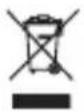
The crossed out trash can symbol indicates that unusable electrical or electronic devices, its accessories (such as power supplies, cords) or components (for example batteries, if included) cannot be disposed of alongside with household waste. In order to dispose of the devices or its components (for example, batteries) deliver the device to the collection point, where it will be accepted free of charge. Disposal is subject to the recast version of the WEEE Directive (2012/19 / EU) and the Directive on batteries and accumulators (2006/66 / EC). Proper disposal of the device prevents degradation of the natural environment. Information about the collection points of the facilities is issued by the competent local authorities. Incorrect disposal of waste is subject to penalties provided for by the law in force in the given area.

Xblitz®
[GOSE]
NÁVOD K OBSLUZE
![Xblitz GO SE - [GOSE] - 1](/content/2026/05/765977/images/668c221e85fb12aca4e71cf1ae75423770d7794b5175bee67b97b7f5dba49ad1.jpg)
natural_image
Black Xbitz digital camera with lens and screen displaying a scenic road scene (no text or symbols on device body)PŘED POUŽITÍM
natural_image
Close-up of a camera lens with purple lens and black frame (no visible text or symbols)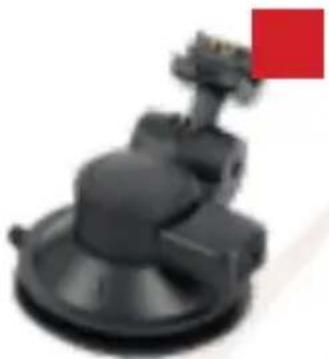
natural_image
Close-up of a black mechanical component with a red square marker on the top right (no visible text or symbols)![Xilinx [50°] RIOVITROMANOSO 1987](/content/2026/05/765977/images/ab8ac19b3f7ccd665e9f28c04d01d520df1ba3186dd6decc8347e932a946a1fa.jpg)
natural_image
Close-up of a USB flash drive with a black body and red label showing number 4 (no text or symbols on the device itself)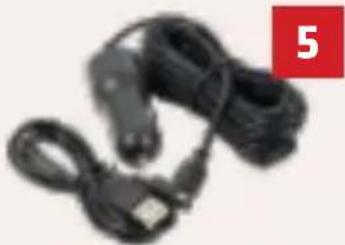
natural_image
Coiled black cable with a red label showing the number 5 (no text or symbols on the cable itself)MONTÁŽ FOTOAPARÁTU
KGK Trade Sp. z o.o. sp.k
os. Urocze 12
31-953 Krakov
Polsko
Vyrobeno v C.R.L.
Xblitz®
[GOSE]
BEDIENUNGSANLEITUNG
natural_image
Black Xbitz digital camera with lens and screen displaying a sunset road scene (no text or symbols on device body)DE
VOR ERSTER NUTZUNG
natural_image
Close-up of a camera lens with purple lens and black frame (no text or symbols visible)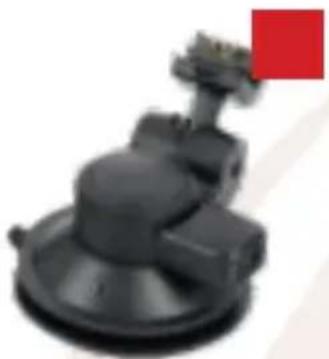
natural_image
Close-up of a black mechanical component with a red square marker on the left (no visible text or symbols)![Xerox [XO-] DATA/CONTROL/TOB](/content/2026/05/765977/images/53d69c131cc1a27e9e352a84e598bfbc5dedb54338f4f09186b6d6dc493be604.jpg)
natural_image
Close-up of a black USB flash drive with a red square label containing the number 4 (no text or symbols on the device itself)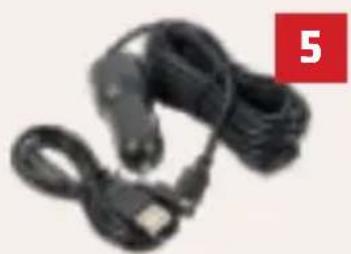
natural_image
Black cable with USB port and connector, no visible text or symbolsKAMERA-MONTAGE
https://xblitz.pl/warranty/
KGK Trade sp. z o.o. sp.k
os. Urocze 12
31-953 Krakau
Polen
In P.R.C. hergestellt

Xblitz® LOOK INTO THE FUTURE...

- [GOSE]
- PRZED UŻYCIEM
- MONTAŻ KAMERY
- BEFORE FIRST USE
- THE SET CONTAINS
- CAMERA INSTALLATION
- GETTING STARTED
- MAIN FEATURES
- PRODUCT DESCRIPTION
- KEY FUNCTIONS
- Menu Key
- Up Key
- Button
- Down Key
- Mode Key
- HDMI
- TFT Card Slot
- USB
- Reset
- Power Key
- Power Indicator
- Charging Indicator:
- MIC
- SPECIAL FUNCTIONS DESCRIPTION
- G-sensor
- Auto on/off
- Loop recording
- Parking mode
- INSTRUCTION
- Start and Shutdown
- Recording Mode
- Photo Mode
- Video/Photo Playback
- Menu Settings 21
- Exit setting menu
- Time Setting
- BATTERY
- TECHNICAL SPECIFICATION
- FAQ
- WARRANTY / CLAIMS
- Manufacturer:
- PŘED POUŽITÍM
- MONTÁŽ FOTOAPARÁTU
- BEDIENUNGSANLEITUNG
- VOR ERSTER NUTZUNG
- KAMERA-MONTAGE
- Xblitz® LOOK INTO THE FUTURE...
Brand : Xblitz
Model : GO SE
Category : Caméra auto