
MR601 - Vacuum Cleaner Maestro - Free user manual and instructions
Find the device manual for free MR601 Maestro in PDF.


| Product Type | Cylinder Vacuum Cleaner |
| Model | MR601 |
| Brand | Maestro |
| Power Consumption | 700W |
| Rated Voltage | 220-240V AC |
| Rated Frequency | 50Hz |
| Protection Class | II |
| IP Rating | IPX0 |
| Dust Container | Transparent, bagless (cyclonic) |
| Filtration System | Multistage with washable HEPA filter, engine protection filter, and output HEPA filter |
| Telescopic Tube | Yes, adjustable length |
| Universal Nozzle | Floor/carpet with retractable brush |
| Airflow Regulator | On hose handle, adjustable suction |
| Cord Rewinder | Yes, with automatic rewind button |
| Carrying Handle | Yes |
| Power Cord Marks | Yellow (working length) and Red (maximum) |
| Nozzle Included | Floor/carpet brush, crevice tool (not explicitly named but shown) |
| Intended Use | Household only |
Frequently Asked Questions - MR601 Maestro
User questions about MR601 Maestro
0 question about this device. Answer the ones you know or ask your own.
Ask a new question about this device
Download the instructions for your Vacuum Cleaner in PDF format for free! Find your manual MR601 - Maestro and take your electronic device back in hand. On this page are published all the documents necessary for the use of your device. MR601 by Maestro.
USER MANUAL MR601 Maestro
natural_image
Black-and-white photo of a compact vacuum cleaner with exposed mechanical components and wheels (no text or symbols visible)Model/Модель: MR601

091
Certificated in Ukraine
Dear customer, we thank you for purchase of goods

Functionality, design and conformity to the quality standards guarantee to you reliability and convenience in use of this device. Please read and comply with these original instructions prior to the initial operation of your appliance and store them for later use of subsequent owners.
The cylinder vacuum cleaner is intended for home use only. Under condition of observance of user regulations and a special-purpose designation, a parts of appliance do not contain unhealthy substances.
Technical specifications
Model MR-601
Electrical supply:
Alternating current- AC;
Rated voltage 220-240V;
Rated frequency 50Hz;
Power consumption: 700W
Protective class II
Protection class IPX0
Features of this vacuum cleaner are:
• Highly effective multistage air purification system using HEPA technology;
- Transparent dust container (without bag);
• Air flow regulator on hose handle;
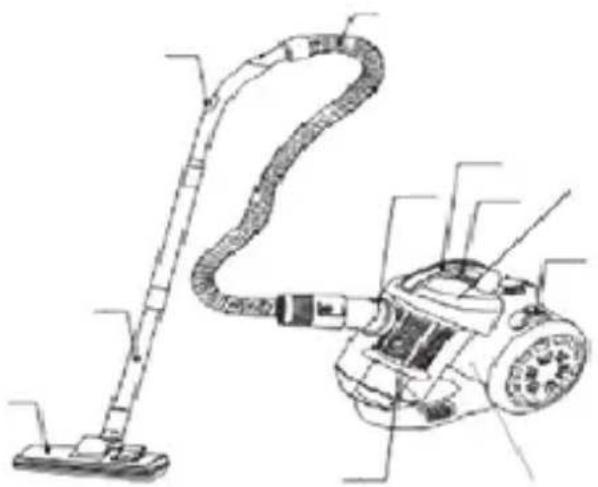
Description of the appliance
Picture 1
- Universal nozzle "floor/carpet"
- Telescopic tube
- Body
- Airflow Control
- Hose
- Filter
- Cord-rewinder Button
- Power on/off Button
- Hose Guider
- Carrying Handle
- Waste container
natural_image
Technical line drawing of a vacuum cleaner with attached circuit board (no text or labels)Safety instructions
When using your appliance, basic safety precautions should always be followed, including the following:
ATTENTION!
- Do not immerse the appliance or power cord and plug in water or other liquids, keep it away from rain and moisture.
- The appliance must always be unplugged before cleaning or maintenance takes place.
- Never touch the plug with wet hands. Do not operate the appliance outside or in rooms with a high level of humidity.
Failure to observe these rules may result in electric shock!
ATTENTION! Particularly prohibited:
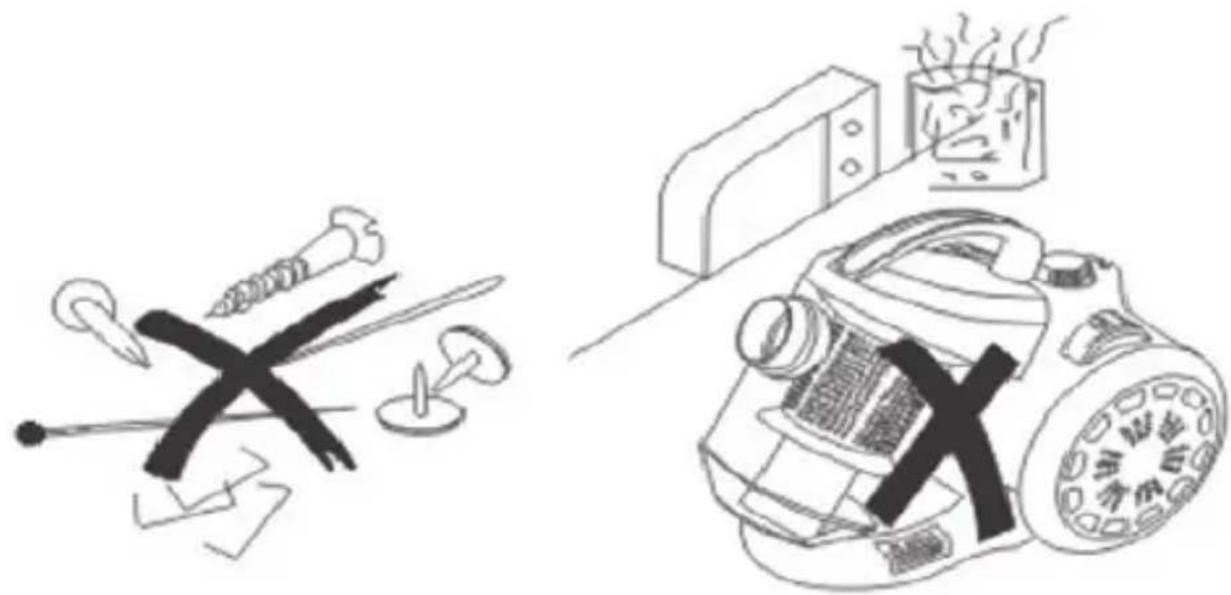
- Use in the vicinity of explosive or highly-flammable substances. There is a risk of fire or explosion.
- To use the appliance outdoors. There is danger of rain or dirt destroying the appliance.
- Sticking objects into the appliance's openings. It could overheat.
- To modify or repair the appliance yourself.
- Vacuuming of:
- Persons, animals, plants, especially hair, fingers and other parts of the body as well as articles of clothing on the body. These might be drawn in. This could result in injuries.
- Water and other fluids, especially damp carpet cleaners. Moisture inside the appliance can cause a short-circuit.
- Toner (for laser printers, copying machines, etc.). There is danger of fire or explosion.
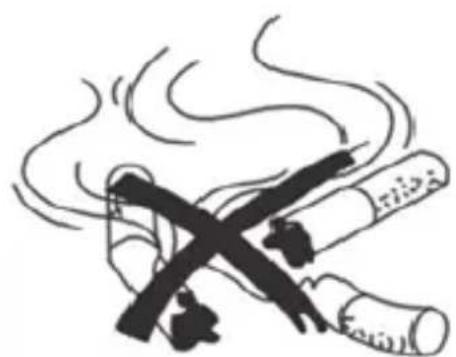
- Hot ash, burning cigarettes or matches. This could cause a fire.
natural_image
Illustration of a cigarette emitting smoke from its mouth (no text or symbols)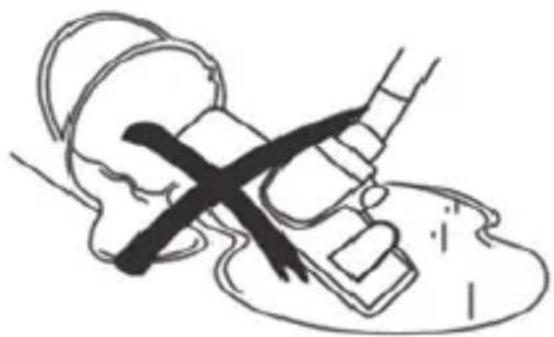
natural_image
Simple line drawing of a medical procedure with a tool and a cross mark (no text or symbols)- Pointed objects, such as glass shards, nails, etc. They can damage the appliance.
- Rubble, plaster, cement, fine drilling-dust, make-up, etc. These might damage the appliance.
natural_image
Illustration of a crossed hammer and screwdriver next to a washing machine with a lid (no text or symbols)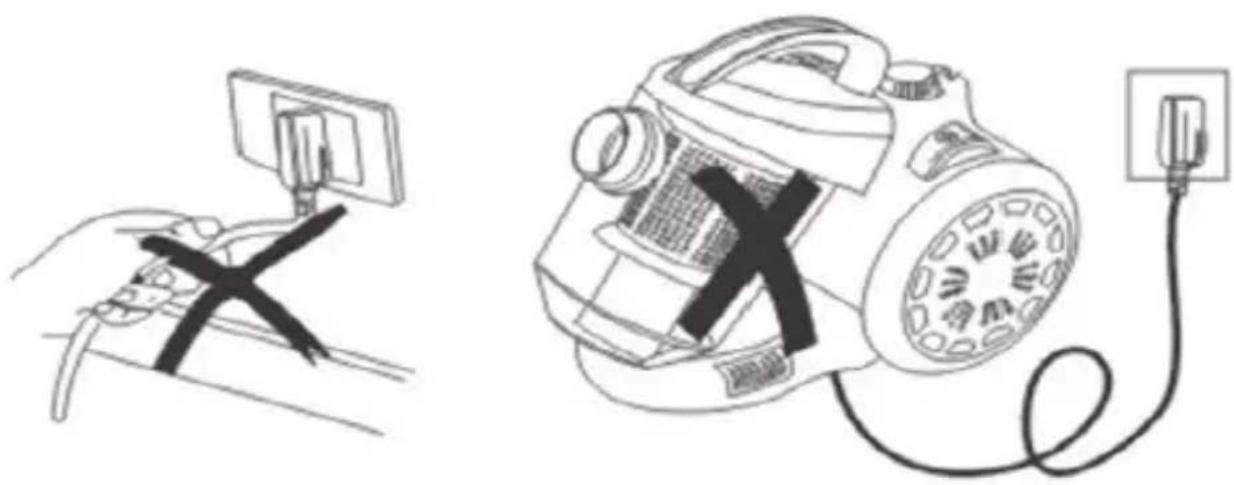
natural_image
Illustration of a hand holding a monitor and connecting to a handheld device with a plug, no text or symbols present.- DO NOT leave the appliance unnecessarily plugged in. Disconnect the plug from the mains when the appliance is not being used.
- DO NOT leave the appliance exposed to the weather (rain, sun, etc.).
- In the interest of safety, regular periodic close checks should be carried out on the supply cord to ensure no damage is evident. Should there be any signs that the cord is damaged in the slightest degree, the entire appliance should be returned to authorized service engineer.
- This appliance is not intended for use by persons (including children) with reduced physical, sensory or mental capabilities, or lack of experience and knowledge, unless they have been given supervision or instruction concerning use of the appliance by a person responsible for their safety.
- Never carry the appliance by its power cord. It could be damaged. - THIS APPLIANCE IS FOR HOUSEHOLD USE ONLY. DO NOT USE THE APPLIANCE FOR ANYTHING OTHER THAN INTENDED USE.
Purchase industrial devices for commercial use.
Actions in extreme situations:
- If a device tumbled into water, immediately, unplug the device, not touching to the device or water.
- In case of appearance from appliance of smoke, sparkling, strong smell of a burn isolation, immediately stop use the device, unplug the device, appeal to the nearest service center.
Operation
Before the first use:
Remove packing and advertising materials and stickers.
Unwind the power line cord completely. Inspect the appliance and make sure that there are no damages to the device, power line cord, and plug.
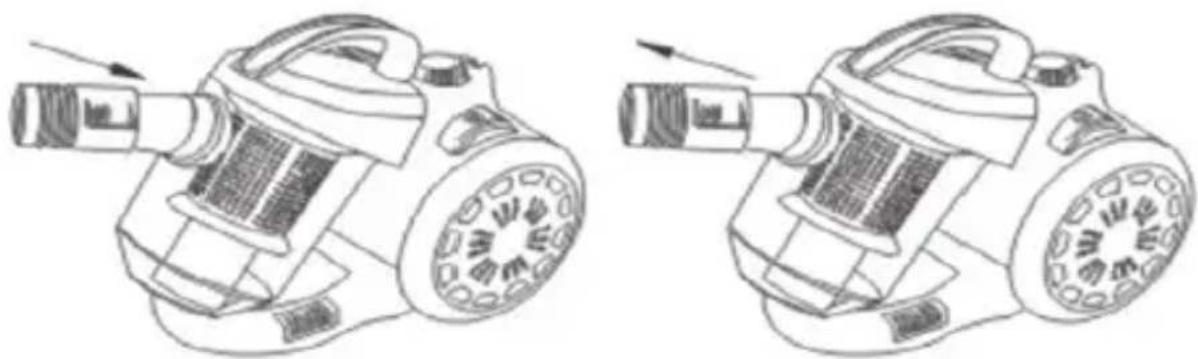
Insert the hose connector into the hole in the front of the vacuum cleaner (Fig 2).
natural_image
Line drawings of two different types of industrial vacuum purifiers, shown from different angles (no text or symbols present)Fig. 2
EN
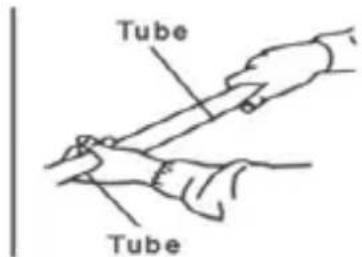
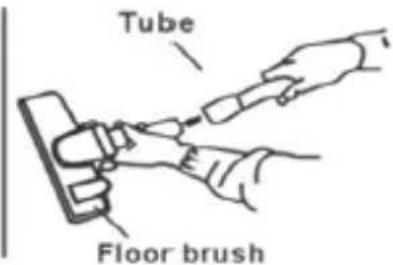
Attach the extension tube to the hose handle (Fig. 3).
Set the length of the telescopic tube that is convenient for use Attach the extension tube to the hose handle (Fig. 3).
Set the length of the telescopic tube that is convenient for use
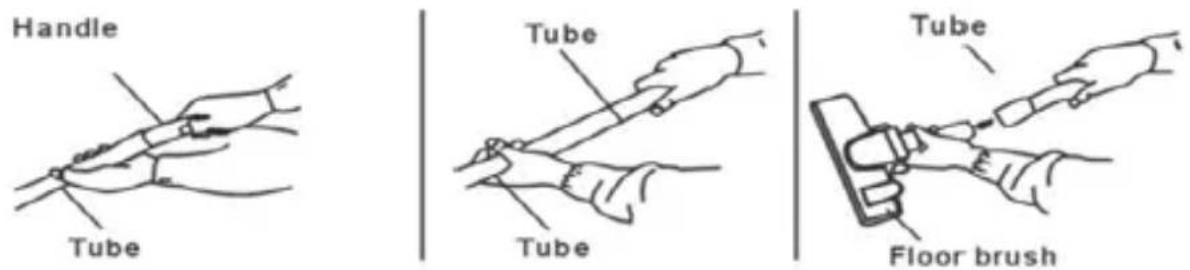
Fig. 3
ATTENTION! Before changing the conductor, the vacuum cleaner should be switched off.
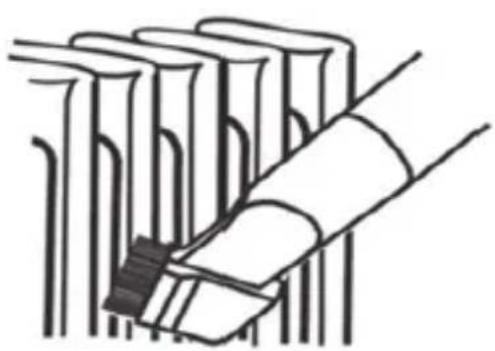
Rimose conductor
Using this conductor, you can easily remove dust in such hard-to-reach places as openings in heating batteries, creases in curtains, corners, chandeliers, etc. (Fig. 4).
natural_image
Illustration of a rolled-up document or scroll with a magnifying glass, no text or symbols present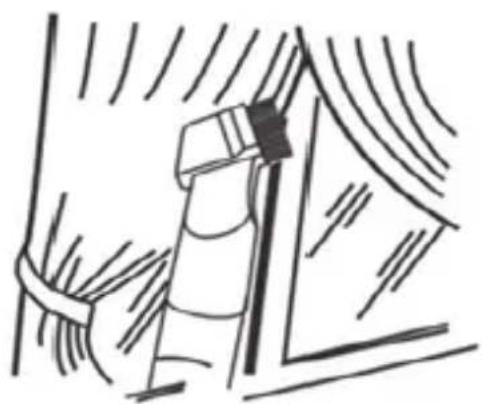
natural_image
Simple line drawing of a window with curtains and a ladder (no text or symbols)Fig.4
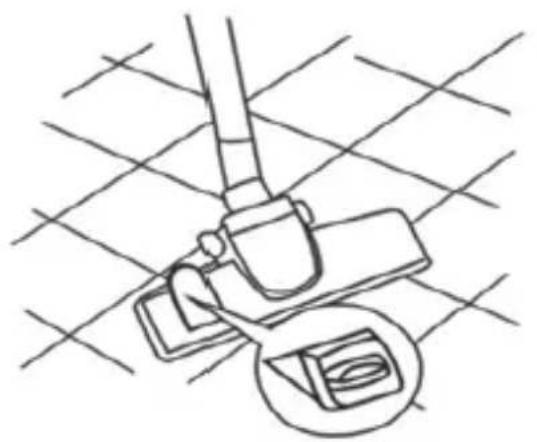
Universal conductor - «Floor-Carpet» brush
With its help, you can clean both hard and smooth floor surfaces and objects, as well as fleecy, such as carpets and similar coverings.
The conductor has a switch with which the brush is pulled out or retracted and can be easily and quickly adapted for the required cleaning conditions.
For smooth floors, the use of a brush is effective, for cleaning carpets, it is better to retracted the brush inside the conductor (Fig. 5).
natural_image
Line drawing of a mechanical device with a circular base and handle, set against a grid background (no text or symbols)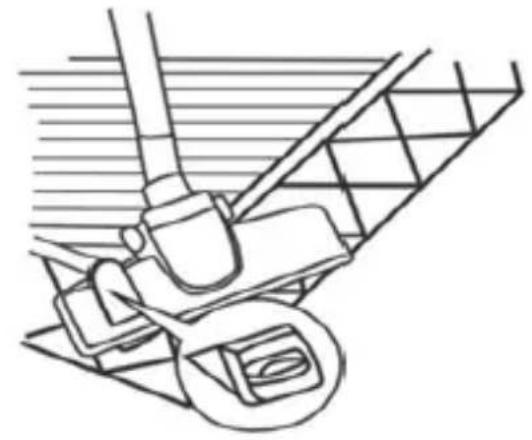
natural_image
Line drawing of a mechanical device with wheels and a handle (no text or symbols)Fig. 5
ATTENTION! Do not pull out the power-line cord beyond the red mark. A yellow mark indicates the working length of the cord, a red one – maximum.
(Fig. 6). If a red light appears, press the button for the cord to reel on and roll the cord part back until it becomes yellow.
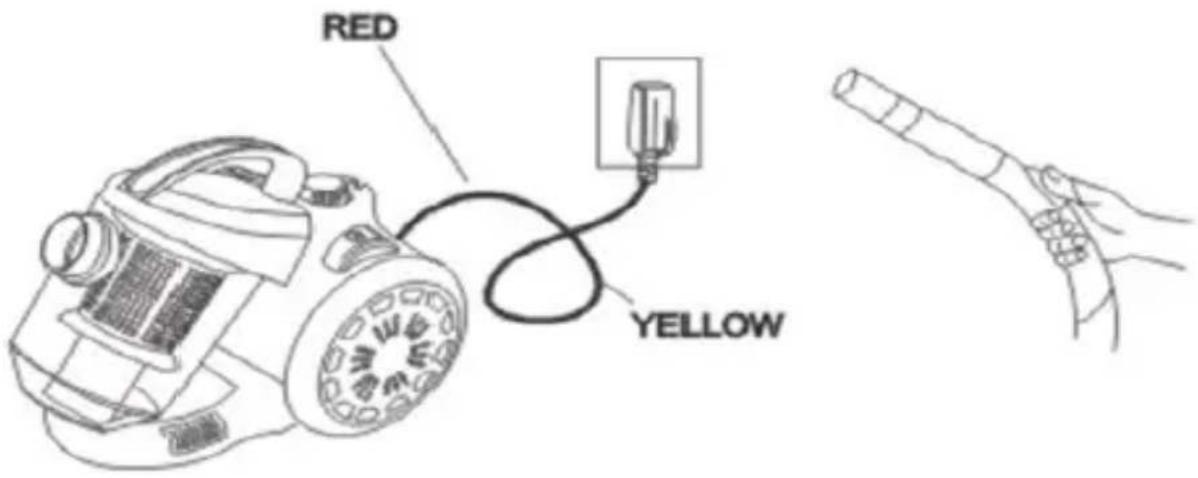
Fig.6
Powering on, handling
Set the power control to the minimum level, and plug the apparatus' power plug into an electrical outlet.
Press the power button, to start the vacuum cleaner.
Set the power control to the required speed (power), depending on the quality of the dust and the surface. For curtains and similar surfaces it must be reduced.
To regulate the intake air flow during operation it is convenient to do so with the help of the regulator mounted on the handle of the apparatus.
To open the regulator, pull upwards, press down to close it.
The following positions of regulator are recommended for different items:
The regulator is fully open (suction force is minimal) for curtains, and other light materials.
Mid-position(suction force is medium) for soft furniture, mattresses, carpets.
The regulator is completely closed (maximum suction force) for hard floor coverings and other hard and heavy objects.
After use, press the switch button when the vacuum cleaner turns off, unplug the power cord.
Press the cord reel button and the cord will automatically enter the vacuum cleaner body. While reeling on, gently hold the cord to prevent the plug from hitting the vacuum cleaner body.
If the cord does not fully come or stopped, pull it out slightly and press the button again. If the cord is still not completely reeled on, it is recommended to pull it to the yellow mark and repeat the reeling on procedure.
Cleaning the garbage container
The cyclone cleaning system does not require the use of garbage bags. All garbage and dust are collected in a special container. Air is cleaned from dust in a special washable filter located in the garbage container, and additional filters installed in front of the engine section and the output grid of the vacuum cleaner (HEPA).
ATTENTION! Do not use the vacuum cleaner with damaged filters or without them, this will damage the engine of the vacuum cleaner.
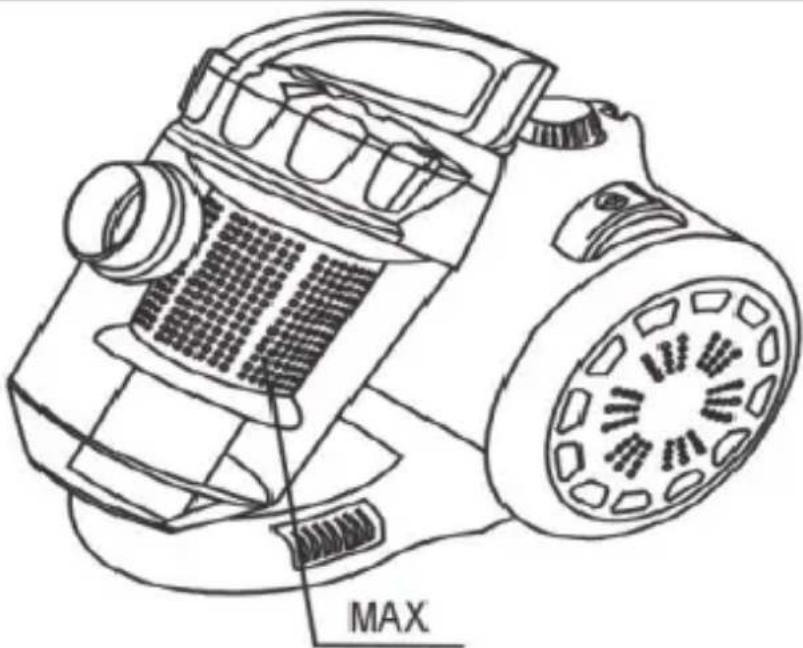
It is easy to clean the container. When you see that the container is full (Fig.7), do the following:
-
Switch off the vacuum cleaner with a switch and disconnect the plug from the socket.
-
Release the container from the clips in the body and pull it out with the cleaning system by the carrying handle. Fig.7
natural_image
Line drawing of a mechanical device with labeled 'MAX' and no visible text or symbols on the device itself.Fig.7
-
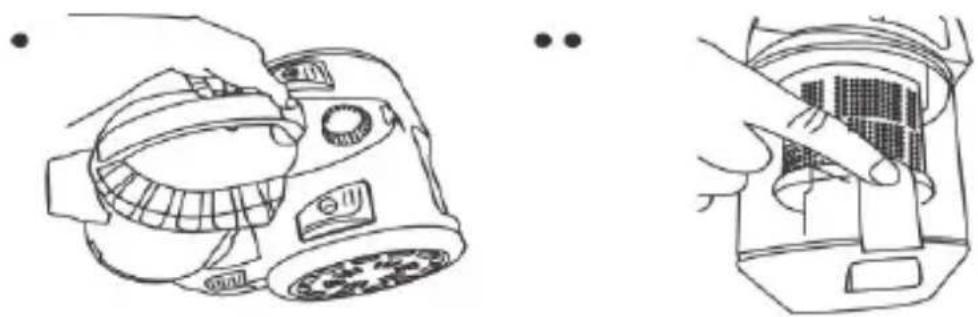
While holding the container above the bin, press the button located on the side of the container, you can shake out the garbage and clean up the container. Recommendation: if the container is full of garbage, you can put a plastic bag on it and shake the garbage inside the package. This will prevent the spillage of dust and debris.
-
Clean the container, inspect it, and if it is necessary to clean the liter of the container (for more details, see cleaning the liter), also check and clean the liters. After cleaning, rinse out the container with water.
-
Allow all parts to dry completely. Install the iter . Install the garbage container in the cleaner body until the latch snaps into place. Your vacuum cleaner is ready for use.
Maintenance of filters
For a long and effective work of the vacuum cleaner it is necessary to clean the Iters installed in it regularly. It is better to perform this procedure at the same time as cleaning the garbage container.
Cleaning the container filter.
- Remove and clean the garbage container as above.
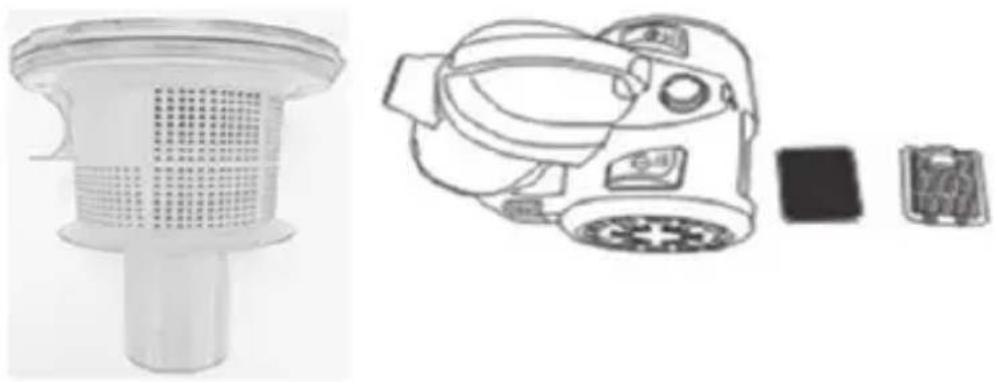
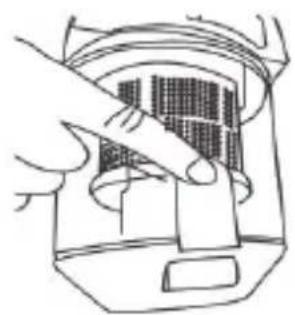
- Open the cover of the container and remove the filter.
- Wash the filter under live clean water. Do not use soap, washing powders or other cleaning abstergents. The use of abstergent will damage the filter.
- Allow the filter to dry completely. Install the filter in the cover, and install the cover in the waste container and into the vacuum cleaner body until the latch snaps into place.
natural_image
Line drawings of a camera and its internal components, showing hands adjusting parts (no text or symbols)Cleaning the engine protection filter.
The filter serves to protect the engine from dust. Inspect and, if necessary, clean the filter.
Cleaning the output filter (HEPA)
This filter is installed in the air outlet grille behind the vacuum cleaner body. It performs the final cleaning of the air ejected from the vacuum cleaner.
EN
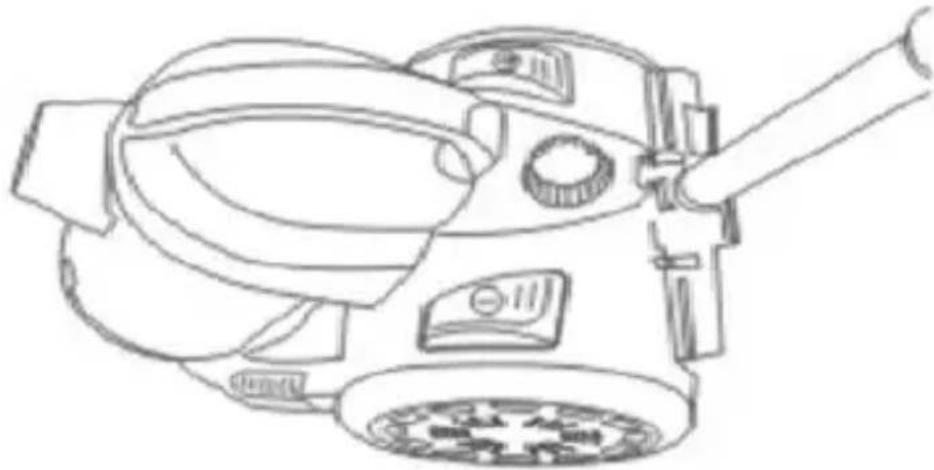
To clean it up:
- Disconnect the vacuum cleaner.
- Press the clip and open the rear grille.
- Remove the filter, clean and wash out under live clean water. Do not use soap, washing powders or other cleaning abstergents. The use of abstergent will damage the filter.
- Allow the filter to dry completely, install the filter back, and close the grille.
In the event of damage or severe contamination that cannot be cleaned up, replace the filter with a new one.
natural_image
Technical line drawing of a cleaning or cleaning device with a grid-patterned filter and a mounted device (no text or symbols)ATTENTION! Do not wash filters in a washing machine or dishwasher and do not dry it with electric heaters.
Do not use the vacuum cleaner without filters or with dirty filters.
Do not use the vacuum cleaner without filters or with dirty filters.
Possible deviations in the operation of the apparatus, their causes, and methods of resolvent
In the operation of any electrical apparatus, deviations that are not related to a malfunction and which are not a malfunction.
Before contacting a service center, check your apparatus for similar situations as shown in the table.
| Deviation from normal operation | Possible reason Resolvent | |
| Vacuum cleaner does not work at all | The vacuum cleaner is not connected to the electricity mains, the outlet has no voltage | Plug the power-line cord into an outlet, check the outlet (for example, plug the lamp into it). |
| The vacuum cleaner works, but the suction is weak | The air flow regulator on the hose handle is open | Close the flow regulator |
| The power (speed) regulator is at the minimum position. | Add engine speed with the regulator. | |
| The object or litter is stuck in the hose or conductor and blocked the air | Disconnect the hose from the vacuum cleaner and take off the conductors, then remove any trapped debris. | |
| The garbage bag is full and / or the filters are dirty. (The lights for filling are red). | Clean or replace the garbage bag and filters | |
| Filters are not installed properly. | Install the filters correctly. | |
| The cover or container does not fit. | The container is not properly assembled or installed. | Assemble and install the container correctly. |
| Whistling during the operation of the vacuum cleaner (the first few hours of operation). | It is not a malfunction | The whistle usually disappears after some time in use. |
ATTENTION!
- Never clean the device while it is connected to the mains.
- Do not use abrasive and aggressive detergents, solvents, alkaline, metal objects and wash-ups.
- Never submerge electric drive, its mains cable and plug in water or other liquid, do not wash the drive in water or in a dish washing machine.
For cleaning, wipe the surface of the vacuum cleaner and the trash bag compartment with a soft, slightly damp, lint-free cloth. If necessary, a little mild abstergent may be used to clean the surface of the body. Then wipe the apparatus with a dry cloth, and allow it to dry completely.
Over time, at the wheels of the vacuum cleaner some pile, thread, etc. may accumulate.
Periodically clean them, this will ensure the ease of movement of the vacuum cleaner.
- Accept for the cleaning of garbage container and filters inside the vacuum cleaner there are no parts requiring maintenance by the owner, any other maintenance should be performed by qualified personnel at the service center.
Storage
- Before storage disconnect the device and wait for full stop of moving parts. Clean the appliance before storage.
- Store the device in a cool, dry and clean place beyond the assess of children and people with limited physical and mental abilities.
natural_image
Line drawing of a mechanical device with gears and a lever (no text or symbols)Environmental protection
Old appliances contain valuable materials that can be recycled. Please arrange for the proper recycling of old appliances. Please dispose your old appliances using appropriate collection systems.
Subject to technical modifications!
Technical specifications
Modell: MR-601
Stromversorgung:
Strom: variabel;
natural_image
Line drawing of a vacuum cleaner with attached circuit board (no text or symbols)natural_image
Illustration of a washing machine with tools and a microwave, no text or symbols presentnatural_image
Line drawings of a vacuum cleaner with attached power plug and cable, shown in two different orientations (no text or symbols)natural_image
Line drawings of two different types of industrial vacuum purifiers with internal components and directional arrows indicating motion (no text or symbols)Abbildung 2
natural_image
Line drawing of a mechanical device with a circular inset showing a magnified view (no text or symbols)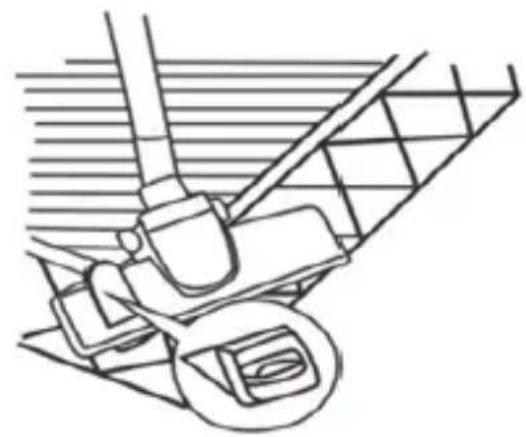
natural_image
Line drawing of a mechanical device with wheels and a handle, no text or symbols presentAbbildung 5
natural_image
Line drawing of a mechanical device with labeled 'MAX' (no other text or symbols)Abbildung 7
natural_image
Line drawings of a camera and its internal components, showing hands adjusting parts (no text or symbols)natural_image
Technical line drawing of a vacuum cleaner with internal components and a separate view of its internal structure (no text or symbols)natural_image
Line drawing of a mechanical device with gears and a lever (no text or symbols)Entsorgung
natural_image
Technical line drawing of a vacuum cleaner with attached circuit board (no text or symbols)natural_image
Illustration of a crossed hammer and screwdriver next to a washing machine with steam rising (no text or symbols)natural_image
Illustration of a hand holding a monitor and connecting a device to a plug, with no visible text or symbols.natural_image
Line drawings of two different types of industrial vacuum purifiers with arrows indicating motion (no text or symbols)Rysunek 2
Rysunek 3
natural_image
Illustration of a pencil drawing into a stack of books (no text or symbols)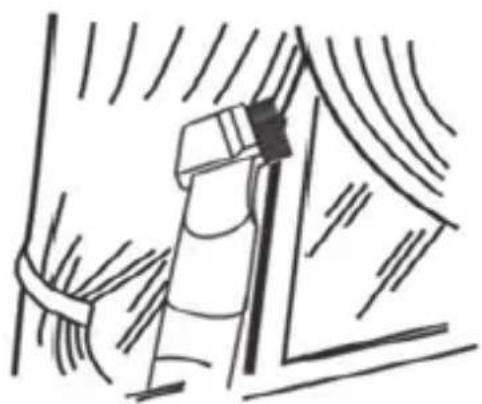
natural_image
Simple line drawing of a window with curtains and a ladder (no text or symbols)Rysunek 4
natural_image
Line drawing of a mechanical device with a circular inset showing a component (no text or symbols)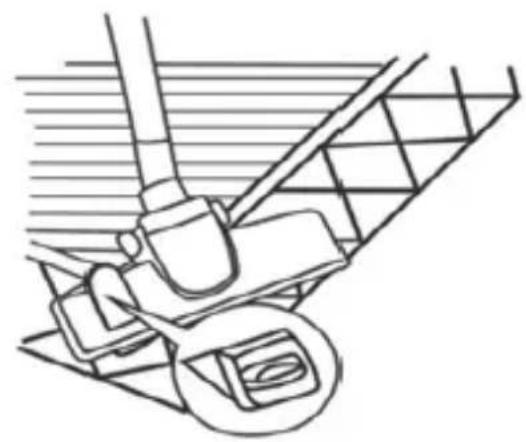
natural_image
Line drawing of a mechanical device with gears and a lever (no text or symbols)Rysunek 5
natural_image
Line drawing of a mechanical device with labeled MAX component (no text or symbols on the diagram itself)Rysunek 7
natural_image
Line drawing of a DSLR camera with lens and buttons (no text or symbols)• •
natural_image
Line drawing of a hand using a tool to cut a component into a device (no text or symbols)natural_image
Technical line drawing of a cleaning or cleaning device with a mesh filter and a mounted device (no text or symbols)natural_image
Line drawing of a mechanical device with gears and a lever (no text or symbols)Utylizacja
Current electric alternativ;
Frecventa nominala: 50 Hz;
natural_image
Line drawing of a vacuum cleaner with attached circuit board (no text or symbols)natural_image
Illustration of two crossed cigarette sticks emitting smoke (no text or symbols)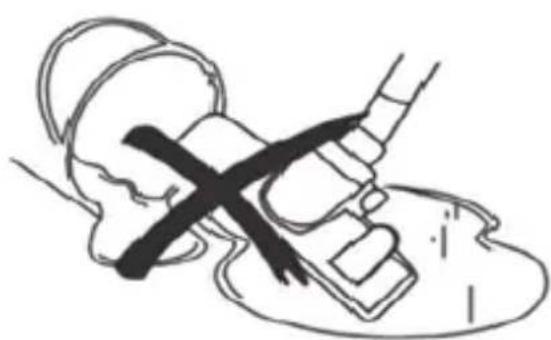
natural_image
Simple line drawing of a hand holding a tool with a cross mark, no text or symbols presentnatural_image
Illustration of a kitchen appliance with tools and a microwave oven (no text or symbols)natural_image
Illustration of a hand holding a monitor and cable connected to a vacuum cleaner with a plug (no text or symbols present)natural_image
Technical line drawings of two different types of industrial vacuum purifiers, showing internal components and assembly (no text or symbols)Des. 2
Des. 3
natural_image
Line drawing of a portable air purifier with labeled 'MAX' (no other text or symbols)Des. 7
natural_image
Line drawings of a camera and its internal components, showing hand positioning and assembly (no text or symbols)natural_image
Technical line drawing of a cleaning or cleaning device with a mesh filter and a mounted device (no text or symbols)natural_image
Line drawing of a mechanical device with gears and a handle (no text or symbols)Reciclarea
natural_image
Line drawing of a vacuum cleaner with attached circuit board (no text or symbols)Меры безопасности
natural_image
Illustration of two crossed cigarette sticks emitting smoke (no text or symbols)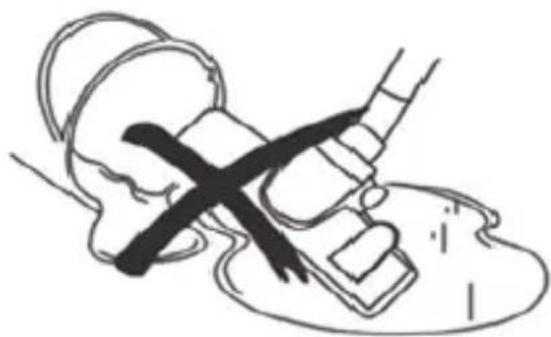
natural_image
Simple line drawing of a medical procedure with a tool and a cross mark (no text or symbols)natural_image
Illustration of a washing machine with a crossed handle and tools, alongside a microwave oven (no text or symbols)natural_image
Illustration of a vacuum cleaner connected to a power plug, with no text or symbols present.natural_image
Technical line drawings of two different industrial vacuum cleaner designs (no text or symbols)Рис. 2
Рис.3
natural_image
Illustration of a rolled document or scroll with a magnifying glass, no text or symbols present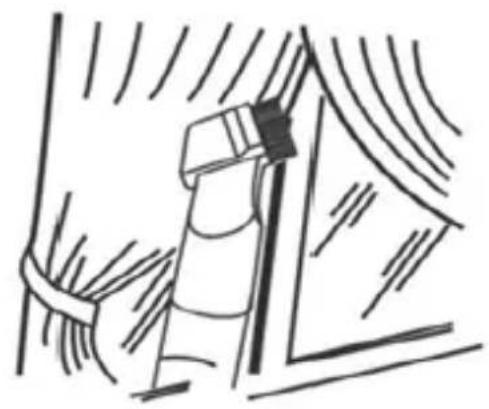
natural_image
Simple line drawing of a window with a handle and curtain, no text or symbols presentРис.4
natural_image
Simple line drawing of a mechanical device with a circular inset showing a component (no text or symbols)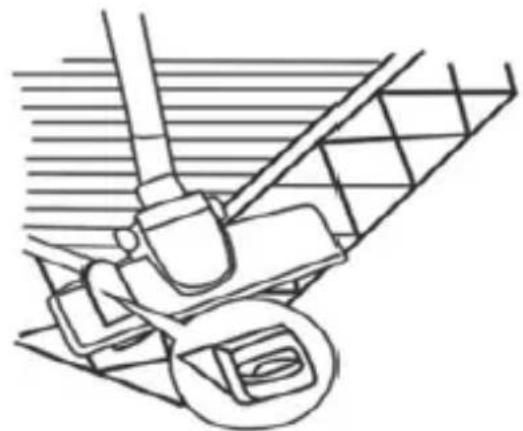
natural_image
Line drawing of a mechanical component with no visible text or symbolsРис.5
natural_image
Line drawing of a mechanical device with labeled 'MAX' and no other text or symbolsпереноски.
Рис.6
natural_image
Line drawings of a camera and its internal components, showing hand positioning and assembly (no text or symbols)natural_image
Technical line drawing of a vacuum cleaner with internal structure and mounting bracket (no text or symbols)natural_image
Line drawing of a mechanical device with gears and a lever (no text or symbols)Утилизация
natural_image
Technical line drawing of a vacuum cleaner with attached circuit board (no text or labels)Заходи безпеки
natural_image
Illustration of two crossed cigarette sticks emitting smoke (no text or symbols)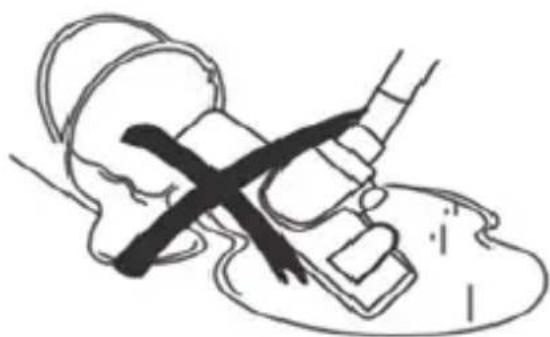
natural_image
Simple line drawing of a medical procedure with a tool and a cross mark (no text or symbols)natural_image
Illustration of a washing machine with tools and a microwave, no text or symbols presentnatural_image
Illustration of a hand holding a small electronic device connected to a portable air purifier with cable (no text or symbols present)natural_image
Line drawings of two different types of industrial vacuum purifiers, shown from different angles (no text or symbols present)Мал. 2
трубки.
Мал.3
natural_image
Line drawing of a vacuum cleaner with labeled MAX component (no text or symbols beyond label)natural_image
Line drawings of a camera and its internal components, showing hands adjusting parts (no text or symbols)natural_image
Pure diagram of a cylindrical container with internal grid pattern (no text or symbols)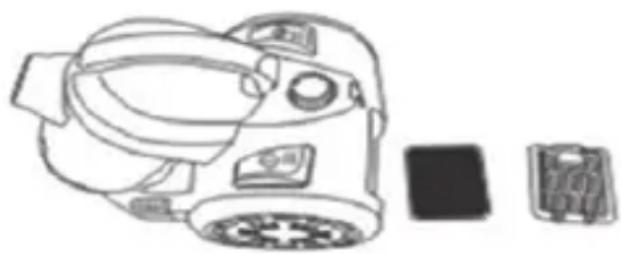
natural_image
Line drawing of a camera with display cases and a separate view (no text or symbols)natural_image
Line drawing of a mechanical device with gears and a lever (no text or symbols)Утилізація
Made in P.R.C. for Maestro
- Dear customer, we thank you for purchase of goods
- Technical specifications
- Model MR-601
- Electrical supply:
- Features of this vacuum cleaner are:
- Description of the appliance
- Picture 1
- Safety instructions
- When using your appliance, basic safety precautions should always be followed, including the following:
- ATTENTION!
- Failure to observe these rules may result in electric shock!
- ATTENTION! Particularly prohibited:
- Actions in extreme situations:
- Operation
- Before the first use:
- EN
- Rimose conductor
- Universal conductor - «Floor-Carpet» brush
- Powering on, handling
- Cleaning the garbage container
- Maintenance of filters
- Cleaning the container filter.
- Cleaning the engine protection filter.
- Cleaning the output filter (HEPA)
- Possible deviations in the operation of the apparatus, their causes, and methods of resolvent
- Storage
- Environmental protection
- Entsorgung
- Utylizacja
- Reciclarea
- Меры безопасности
- Заходи безпеки
- Утилізація
Brand : Maestro
Model : MR601
Category : Vacuum Cleaner