
M-692 BTC - Hi-Fi System MUSE - Free user manual and instructions
Find the device manual for free M-692 BTC MUSE in PDF.


| Product Type | Hi-Fi System |
| Brand | MUSE |
| Model | M-692 BTC |
| Dimensions (W x H x D) | 350 x 250 x 400 mm |
| Weight | 5 kg |
| Power Output | 100 W RMS |
| Power Supply | AC 220-240 V, 50/60 Hz |
| Supported Media | CD, CD-R, CD-RW, MP3 via USB |
| Radio Tuner | FM with 30 presets |
| Bluetooth | Yes, version 4.2 |
| USB Playback | Yes, supports MP3 and WMA |
| Auxiliary Input | 3.5 mm stereo jack |
| Speaker Configuration | 2.0 stereo |
| Remote Control | Included |
| Cleaning Instructions | Wipe with a soft dry cloth; do not use liquids |
| Safety Precautions | Keep away from water and heat sources; do not open the device |
| Spare Parts Availability | Contact MUSE customer service for spare parts |
| Repairability | Designed for professional service only |
| General Information | Hi-Fi system with CD, FM radio, Bluetooth, USB playback, and auxiliary input |
Frequently Asked Questions - M-692 BTC MUSE
User questions about M-692 BTC MUSE
0 question about this device. Answer the ones you know or ask your own.
Ask a new question about this device
Download the instructions for your Hi-Fi System in PDF format for free! Find your manual M-692 BTC - MUSE and take your electronic device back in hand. On this page are published all the documents necessary for the use of your device. M-692 BTC by MUSE.
USER MANUAL M-692 BTC MUSE
Rischerthe manuela 1. Credentek UCEA (40% non-dialysis) (ind. 168 in bhi
Administration: LA 100/24th AQUINTEL Consommation: 18M
RADIO EN 675-10894
BLUESTONE
Bluekixilis: 2.603-2.680 Puisuence de acréte de
Version Bluetooth: 14.1 Délacque de hsdommeranti, Jousu'à 10 milros masquía en
© All Environmental Group, Inc. 2015, 463-470
[Unreadable]
广力云智慧零售收银系统
NEVI ONE (S.A.S. 27. SELL & INTERIOR, 12/08/2009)
11
CE
GA BLUETOOT CD AND US
LOCATION OF CONTROLS
- ☑: To-turn unit on/off; 16. ▲T's open/close the disc tray SOURCE: T's select BLUBITOOTH, 11. AUX IN jack (3.5min)
CD, FM, USB, AUX BI media. 2. → /→: To adjust volume G. NPC Tag 13. Program indicator
- P+: Press up
- Diam compartment
- LED Display
-
Platform indicator
-
Bluetooth indicator 16. Repeatindicator
-
Remote sensor 17. U38 port for MP3 playback
-
REALPARIALS
- Bluetooth retro
-
DPG46503
-
Memory 20. PM wire antenna ■ Dino plucksh 21. DC in jack
-
[IMAGE] : Skpsearch /Tuning 22. Passive Subsidy
REMOTE CONTRO R1. Ⓞ To 100/105/20
RQ. SOURCE Inletv: To salient function mode: Bluetooth, CO, FliI, USB, AUX RQ. JBL USA: To actual volume
R5. (■) Memorization: Shop stayblue R5. ATS IDM: Auto scan and present tactile stations; To adjust display brightness
R6. REP: button; To repeat resetback. R7. 1: To make or restore around
B6. |d| : b|: |b|p:/search / Tuning B3. |b| : b|n|n|n|b:/ playpass; bluebatt perino function
R10. P+: Radix (premed up) R11. RAND: Infection: To turn on/off sanctions play function
The remote control operates on 1 ps "CR3020" lithium battery (included). To power
up the remote control, removes the insulation lab from the back of unit.


- PUT a coin into the groove of battery cover.
- Total the coin ardicolinate to use the battery door until the machine
"OLCLOSE" move to the "OPF 3. Takes out the battery door
- Insert one 'CR2025' size 5
- Replace free cover. Total
marking did "OPEN" move to the "G,G,G,E".
NOTED: - Before throwing any letter
Take item back for specific recycling. - If the remote control is not going to be used for a long time, remove the battery
(###) Darmagé <CalculéCI 3y 2d : fultamism should les drawers le
- Do not throw batteries in find - Battery shall not be explained to excessive head such as sunshine, fire or fire like.
CAUTION: Danger of eruption
The name of a person is Type:
Do not ingest fire-off (The people needed
[1] In terms of the second battery, it is a permanent maintenance & main motor bus battery. If the conv button cell battery is swallowed, it can cause severe internal burns in just 2 hours and can lead to death.
Kangyraw and usual bilatarien if the battery concentrates
Keep it away from children. If you think batteries might have been overwhelmed or pleasant inside any part of the
Зонду, имен immediately-педо
POWER SUPPL
The supplied AC adaptor is suitable for use on AC main supplies of 100-240V+3, 500Wds and should only be suspended by a motor as productless lines connected
In a consensus of service agreements, when industry has two channels to the and or in favor
volume is set at a very low period of 2 hours. The unit will
Саубина:
- Tron.MC adapter installed at equipment.
- Turn off the unit before set up the unit being damaged.
- When the unit is not going from the AC sulfat.
- Do store to use a // near the wall more (e.g. every 20 seconds). If a function is too disconnect the plug from the wall outlined at once. - A functional use of the following rules: (1) Use your website address or
- PC, scaper is fixed as 0.45 would not be untrusted of its response from survey
The apparatus from supply matrix, the w/ device in the apparatus small (a) disconnected from the matrix socket outlet company. • Blower was ac-NG adapter that is damaged, route power level in a safe range of
make sure it is not subjected to refer to a qualified service as
JUDEBAS LIATE SALDI
-
Press 📄 Inclayvls kam.gov
-
Press and Hotkey Boston turn off the unit.
SELECTING FUNCTION
The function (BLUETDGTW) button repeatedly.
SETTING TIME
-
In affinity mode, proof
-
Press|H|E | >H| on unit
-
Press: [▶] /▶▶ (on unit or
again la confirr.
BLUETOOTH FUNCTR
The question marks an SFO, 11c. and any sum of such
Vastin-4ax and Ratai tams are visible in the 100% 100% tams.
Failing a broodoo's office. 1. When the unit is OH, pres
The telephony turn brick 34 Bluetooth indicator will stay
- On the acquisition of a Device Ltd. (Refer to the acquisition) with the Brustard
Igaramma yin la biotoch Bluetooth devices will an Indikation unita ades: conti
For A year end in August 2014, Boston State is also Boston.
- If you want to connect device, you need to discover
If the permorities, perform tv
Pairing hods. On the Bluefin from the Device List (pass slot
* On some decisions such as
the Bluetooth menu and she
of communication range. At Bluetooth device returns will
1 When the unit is turned on a recently joined Bluetooth-06
Jinning a Mountworth Avenue
-
1MHz unit paired (300 pico ameral will be heard through
-
Prase that H is often to pass
- Select ordered track with
A. Adjust free volume using the volume into the device to ref
Using a NPC Device
NFG (Near Field Communications communication behaviour)
- When the unit is ON, please mode. The display will show
The Biotsonh indicator will indicating that the unit is in
- Enable MFC and BLUERIZ your device for details), in
near an indication voice. T: 3. Detect and play audio files
- Is that the statement, a
Note: The operational range approximately 10 markers.
-
- Tama DC
- Subwood/Passo
JIMANDO A
Pri. : Para encumber/spagar is unicld
A2. SOURCE: Para telecional e modo de telecom. Telecom, LLC, FM Juzo a AUX B3. ➡️ 14. - Data privadas
POL. ■: M PO. 479/20
-
-
-
-
-
-
-
-
-
-
-
-
-
-
-
-
-
-
-
-
-
-
-
-
-
-
-
-
-
-
-
-
-
-
-
-
-
-
-
-
-
-
-
-
-
-
-
-
-
-
-
-
-
-
-
-
-
-
-
-
-
-
-
-
-
-
-
-
-
-
-
-
-
-
-
-
-
-
-
-
- 100.
-
-
-
-
-
-
-
-
-
-
-
-
-
-
-
-
-
-
-
-
-
-
-
-
-
-
-
-
-
-
-
-
-
-
-
-
-
-
-
-
-
-
-
-
-
-
-
-
-
-
-
-
-
-
-
-
-
-
-
-
-
-
-
-
-
-
-
-
-
-
-
-
-
-
-
-
-
-
-
P07. 1: Supremistro del nomido O8. HM. HM: Saldru Pianuavatel Sintinostrato
Source: semabone deflongene; 12. Taq/APC Stenards, CO, P&L; 13. Data distributions
USB, AUX. 2. - [1] / [2] : Plassiamenti dal volume 14. Dianay-LED
- P= radio-электротATO; 15. Topo-th production-сважие
-
Softener/CT; 16. Topo-th production-сважие
-
Indicazione del Bluetooth 17. Pierte USB per la riproduzione
-
Diurese software per i macrocavity (i Su M2)
-
Hyniku Q Funzioni
-
■ 1961012330XN - 817650 - 819 BRODURXN
- Adrianna a Bo Fli
- COWNEKVA DC
s. 164, 900
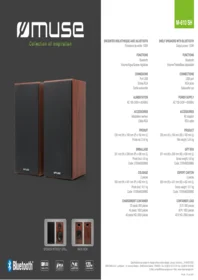
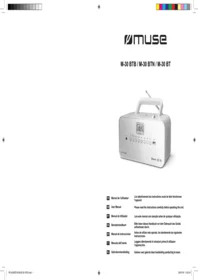
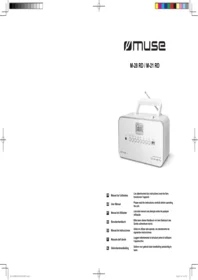
Brand : MUSE
Model : M-692 BTC
Category : Hi-Fi System