
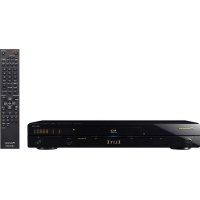
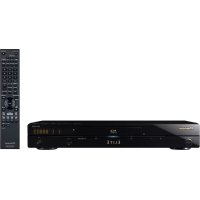
BDP-333 - Blu-ray player PIONEER - Free user manual and instructions
Find the device manual for free BDP-333 PIONEER in PDF.


Pick your language and provide your email: we'll send you a specifically translated version.
| Product Type | Blu-ray Player |
| Brand | Pioneer |
| Model | BDP-333 |
| Dimensions (W x H x D) | 435 x 85 x 250 mm |
| Weight | 3.2 kg |
| Power Supply | 110-240 V, 50/60 Hz |
| Power Consumption (operating) | 25 W |
| Power Consumption (standby) | 0.5 W |
| Compatible disc formats | Blu-ray, DVD, CD |
| Video outputs | HDMI, Composite |
| Audio outputs | HDMI, Coaxial digital audio, Stereo analog |
| Maximum video resolution | 1080p |
| Main features | Blu-ray, DVD, CD playback; 1080p upscaling; File playback via USB |
| Maintenance and cleaning | Clean the casing with a soft, dry cloth. Use a lens cleaning disc for the player. |
| Safety | Do not block ventilation slots. Disconnect before cleaning. |
| Spare parts and repairability | Contact authorized after-sales service for spare parts. |
| General information | User manual available for download on the manufacturer's website. |
Frequently Asked Questions - BDP-333 PIONEER
How to connect the Blu-ray player to the TV?
Use an HDMI cable to connect the HDMI output of the player to the HDMI input of your TV. Make sure both devices are turned off when connecting.
What to do if the disc does not play?
Check that the disc is clean and free of scratches. Try cleaning the disc with a soft cloth from the center outward. Also ensure the disc format is compatible with the player.
How to update the firmware of the BDP-333?
The update can be done via USB. Download the latest firmware from Pioneer's website, copy it to a USB drive, insert it into the player, and follow the on-screen instructions.
The player does not turn on, what to do?
Check that the power cord is properly connected and the outlet works. Try another outlet. If the problem persists, contact after-sales service.
How to adjust the audio output?
Go to the setup menu, select 'Audio', then choose the output type according to your equipment (HDMI, optical, etc.).
Can I play multimedia files via USB?
Yes, the BDP-333 supports playback of video, audio, and image files via the front USB port. Check the manual for supported formats.
How to clean the player?
Clean the exterior with a soft, dry cloth. For the disc tray, use a specific lens cleaning disc. Never use liquids directly on the device.
What does the 'No Disc' message mean?
This message indicates that no disc is detected. Insert a disc properly, printed side up. Check that the disc is not damaged or dirty.
How to activate parental control?
Access the setup menu, select 'Parental control', and set a password. You can then restrict playback based on disc rating.
Is it normal for the player to heat up?
Slight heat is normal. Ensure ventilation slots are not blocked. If the device becomes very hot, turn it off and let it cool down.
User questions about BDP-333 PIONEER
0 question about this device. Answer the ones you know or ask your own.
Ask a new question about this device
No questions yet. Be the first to ask one.
Download the instructions for your Blu-ray player in PDF format for free! Find your manual BDP-333 - PIONEER and take your electronic device back in hand. On this page are published all the documents necessary for the use of your device. BDP-333 by PIONEER.
USER MANUAL BDP-333 PIONEER
Manual assistant
Powered by Anthropic
Waiting for your message
Product information
Brand : PIONEER
Model : BDP-333
Category : Blu-ray player