
CineEye - Security Camera Accsoon - Free user manual and instructions
Find the device manual for free CineEye Accsoon in PDF.


| Product Type | 5G Wireless Video Transmitter (Security Camera accessory) |
| Brand | Accsoon |
| Model | CineEye (WIT01) |
| Dimensions | 90 × 63 × 21 mm |
| Weight | 175 g |
| Battery Capacity | 3.6V 3500 mAh (Li-ion) |
| Battery Life | 3.5 hours (connected to one mobile device) |
| Charging | USB Type-C, 5V/2A, charges while in use |
| Video Input | HDMI: 1080p/720p/480p at 60/59.94/50/30/29.97/25/24/23.98 fps |
| Wireless Frequency | 5 GHz (5180-5240 MHz, 5745-5825 MHz) |
| Transmission Power | 17 dBm |
| Range | Up to 100 meters (open area, no obstruction) |
| Simultaneous Receivers | Up to 3 mobile devices (iOS/Android) |
| Compatible Apps | CineEye App (iOS 8.0+ / Android 6.0+) |
| Latency | Very low (real-time monitoring) |
| Operating Temperature | -10°C to 40°C |
| Warranty | 1 year (15-day replacement for defects) |
| Safety Features | Auto shut-off if no HDMI input for 10 min; battery charging stops above 45°C |
| Reset Function | Factory reset via reset button (press 3 seconds) |
| LED Indicators | Power (battery level), Charging (green blinking/solid), Status (white/red) |
| Mounting | 1/4" thread mounting hole |
| Included in Box | CineEye unit, antenna (pre-installed), USB-C charging cable, user manual |
Frequently Asked Questions - CineEye Accsoon
User questions about CineEye Accsoon
0 question about this device. Answer the ones you know or ask your own.
Ask a new question about this device
Download the instructions for your Security Camera in PDF format for free! Find your manual CineEye - Accsoon and take your electronic device back in hand. On this page are published all the documents necessary for the use of your device. CineEye by Accsoon.
USER MANUAL CineEye Accsoon
5G Wireless Video Transmitter
User Manual
CineEye Wireless Video Transmitter
Introduction
CineEye is a revolutionary product, different from traditional video transmitters, the CineEye use the mobile devices as receiver and monitor.
CineEye can accept 1080p@60fps video input and transmit the video to the mobile devices through 5G WiFi, it offers real-time monitoring on up to 3 mobile devices at very low latency and the transmission range up to 100 meters in open areas.
As a transmission solution targeted for mobile devices, CineEye supports both Android & iOS platforms with state-of-the-art monitoring app that can turn your mobile devices into professional monitors, it offers many assisting features often seen on high-end monitors.
01 CineEye Diagram
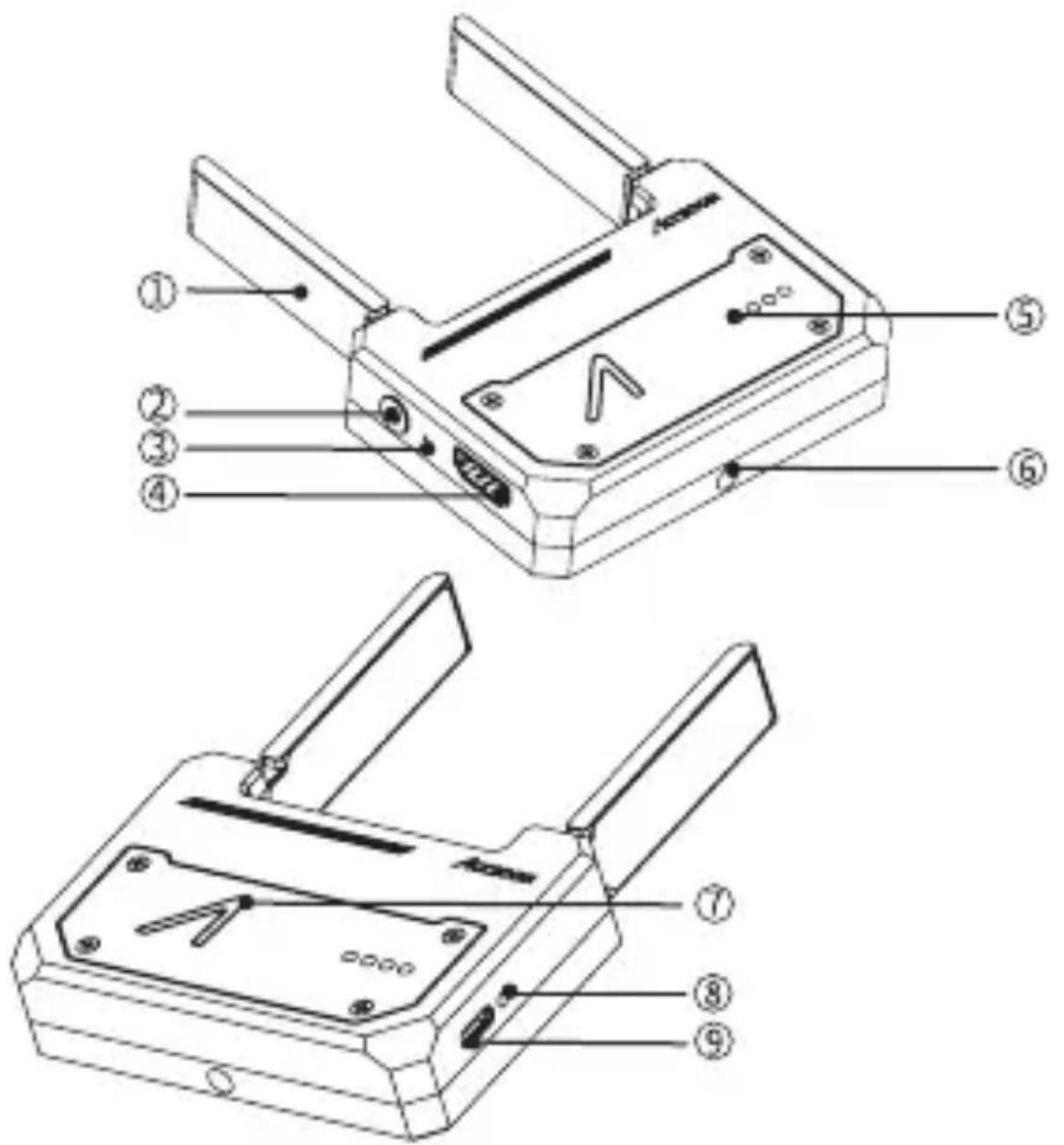
① Antenna
⑥ 1/4' Mounting Hole
② Power Button
⑦ Status LED
③ Reset Button
⑧ Charging LED
④ HDMI Input
⑨ USB Type-C Charging Port
⑤ Power LED
02
Charging
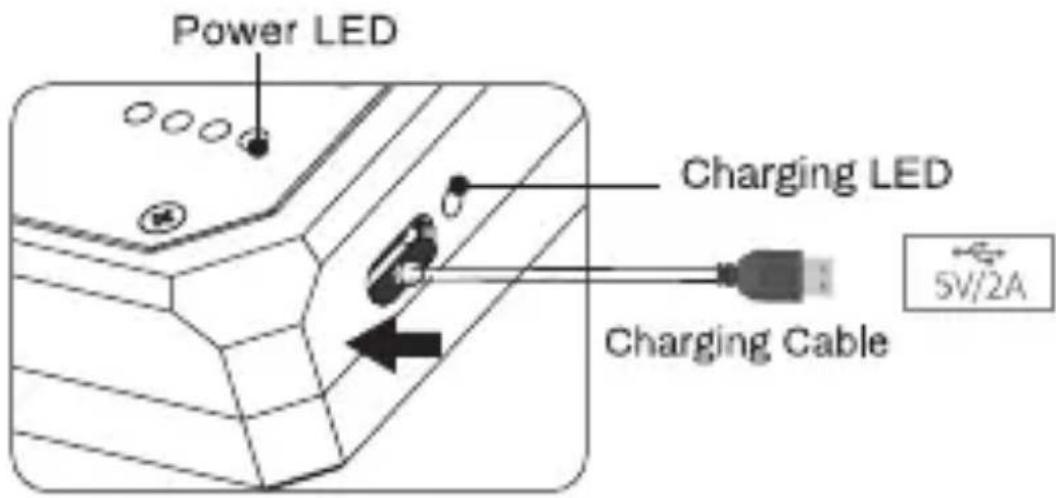
- While charging, the green led will blinking. When the battery is fully charged the green led will turn into solid.
• The CineEye support charging when in use. - Please use 5V/2A charger or power bank for charging.
- For safety, charging will stop if the battery temperature higher than 45°C.
Power LED
| Power LED State | Current Battery Level |
| ● ● ● ● | 75%-100% |
| ● ● ● | 50%-75% |
| ● ● | 25%-50% |
| ● | 2%-25% |
| Flashes quickly | Out of battery |
03Connection
Unfold the antenna
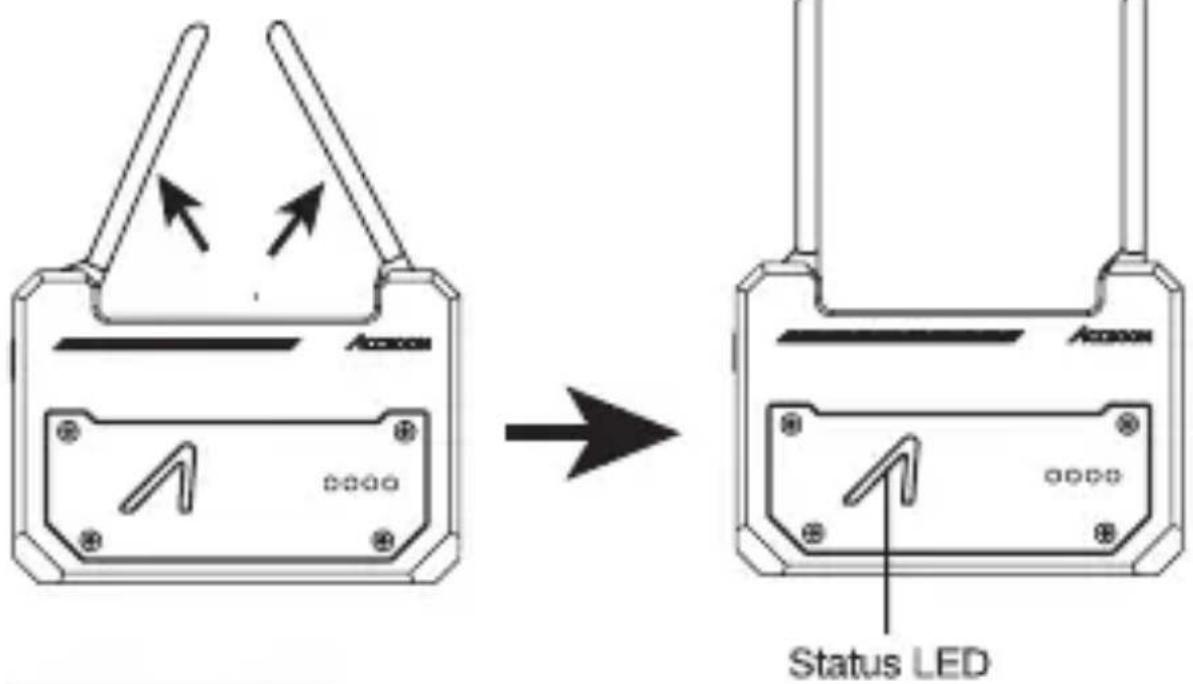
Connect HDMI
Connect the HDMI output from your video source to the HDMI input connector.
Status LED
| Status led | Current level |
| White flashing | Starting |
| White solid | Working |
| Red flashing | Resetting |
| Red solid | No valid video input |
04 Power On/Off and Reset
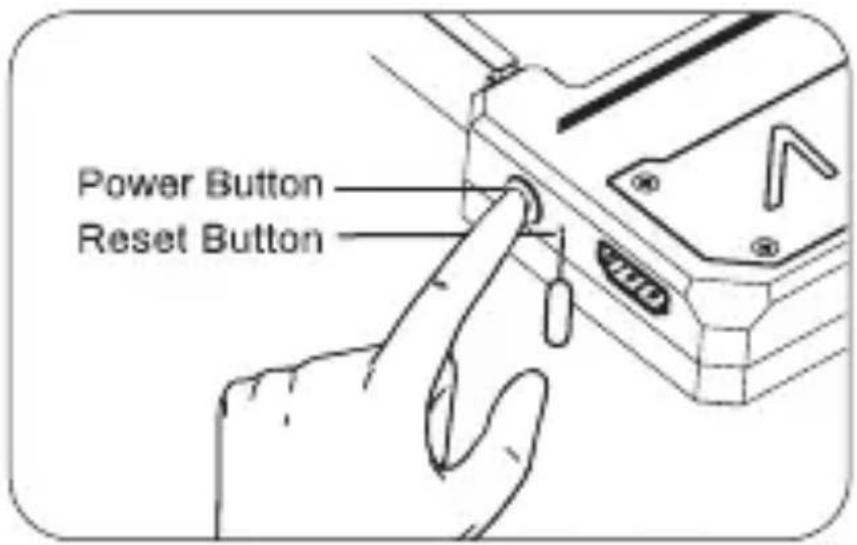
Power On
Press the power button for 1 second.
Power Off
- Press the power button for 1 second.
- No HDMI video stream input more than 10 minutes.
- Out of battery.
Reset
Turn on the CineEye, then use a tiny tool to press the reset button for 3 second to perform complete factory reset.
05 APP
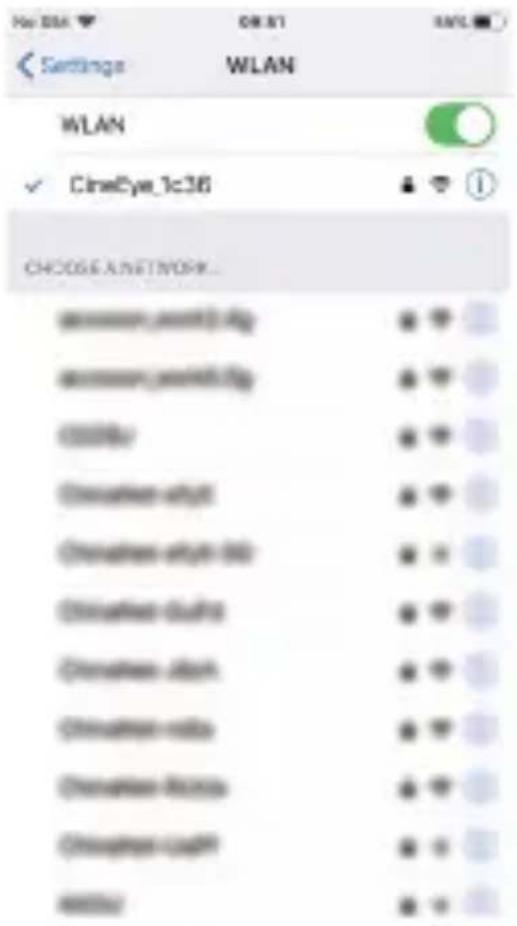
- Launch the CineEye APP.Click "WiFi Setting" to open the WLAN page of the mobile devices, search and connect the CineEye WiFi (Name Format:CineEye_XXXX.initial password:12345678)
- Back to the CineEye page, click "Into the Main"
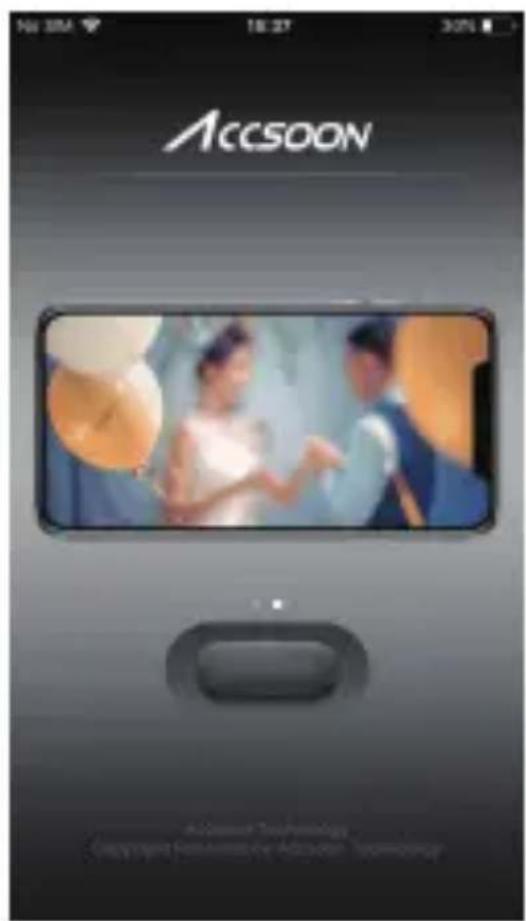
- Click ⏻ to start monitoring.
Some models of smart phones may need to turn off Mobile Data connection, or the CineEye APP cannot receive and display the image.
06 Specification
| Input | 1080p/720p/480p |
| 60/59.94/50/30/29.97/25/24/23.98fps | |
| Frequency | 5180~5240MHz, 5745~5825MHz |
| Transmission Power | 17dBm |
| Range | 100meters(no obstruction no interference) |
| APP | iOS8.0 or above/Android6.0 or above |
| Battery | 3.6V 3500mAh |
| Battery Work Time | 3.5h (Connected to one mobile device) |
| Operating Temperature | -10°C~40°C |
| Dimensions | 90×63×21mm |
| Weight | 175g |

- For safety, please do not leave the product in excessive heat or exposed to moist conditions.
- Avoid storing the product where there are corrosive chemicals
07 Warranty
Warranty Period
- 15-day warranty from the received date,If there any quality problem happening to our products,we will be responsible for giving free maintain or replace for free.
- The warranty time is one year. Within warranty period, if under the usage of instruction sheet, any product problems, we will offer the repair service for free.
Warranty Service Won't be given under the following circumstance
● Unauthorized maintenance, misusage, collision, liquid infiltration, modification.
- Incorrect use of the product, tearing up or altering lable and flase proof mark.
- It has already exceeded the period of validity of 3-warranty.
● Damage due to fire, flood disaster, light storke and the like.
Process to get warranty service
Customer shall contact with the local dealer to solve the quality. If there is none, please contact with our company through E-mail(sales@accsoon.com) or our website(www.accsoon.com). You will get detailed information from them. We reserve the ultimate right to review the damaged products.
Product Name: 5G Wireless Video Transmitter
Product Model: WIT01
Serial number:
09 FCC Statement
This device complies with part 15 of the FCC rules. Operation is subject to the following two conditions (1) this device may not cause harmful interference, and (2) this device must accept any interference received, including interference that may cause undesired operation. Changes or modifications not expressly approved by the party responsible for compliance could void the user's authority to operate the equipment.
This equipment has been tested and found to comply with the limits for a Class B digital device, pursuant to Part 15 of the FCC Rules. These limits are designed to provide reasonable protection against harmful interference in a residential installation. This equipment generates uses and can radiate radio frequency energy and, if not installed and used in accordance with the instructions, may cause harmful interference to radio communications. However, there is no guarantee that interference will not occur in a particular installation. If this equipment does cause harmful interference to radio or television reception, which can be determined by turning the equipment off and on, the user is encouraged to try to correct the interference by one or more of the following measures:
-- Reorient or relocate the receiving antenna.
-- Increase the separation between the equipment and receiver.
-- Connect the equipment into an outlet on a circuit different from that to which the receiver is connected.
-- Consult the dealer or an experienced radio/TV technician for help

Available on the
App Store

Get it on
Google play
Web: www.accsoon.com


- CineEye Wireless Video Transmitter
- Introduction
- CineEye Diagram
- 02
- Charging
- Power LED
- 03Connection
- Connect HDMI
- Power On/Off and Reset
- Power On
- Power Off
- Reset
- APP
- Specification
- Warranty
- Warranty Period
- Warranty Service Won't be given under the following circumstance
- Process to get warranty service
- FCC Statement
Brand : Accsoon
Model : CineEye
Category : Security Camera