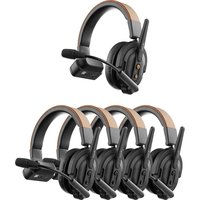
CoMo SE - Headphones Accsoon - Free user manual and instructions
Find the device manual for free CoMo SE Accsoon in PDF.


Pick your language and provide your email: we'll send you a specifically translated version.
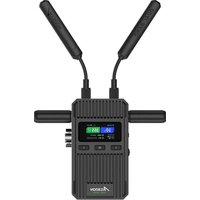
| Product Type | Wireless Video Transmitter |
| Brand | Accsoon |
| Model | CoMo SE |
| Dimensions (Transmitter) | 95 x 56 x 22 mm |
| Weight (Transmitter) | 140 g |
| Video Input | HDMI 1.4 |
| Video Output | HDMI (Receiver) |
| Maximum Transmission Distance | 300 meters (line of sight) |
| Latency | < 60 ms |
| Frequency Band | 5 GHz |
| Power Supply | 5V USB-C (Transmitter and Receiver) |
| Battery Capacity | Built-in rechargeable Li-ion 1100 mAh |
| Operating Time | Up to 2 hours |
| Supported Resolutions | 1080p 60fps, 720p 60fps |
| Compatibility | Cameras with HDMI output, monitors with HDMI input |
| Number of Receivers Supported | Up to 4 |
| Cooling | Passive cooling |
| Housing Material | Heat-resistant plastic |
| Certifications | CE, FCC, RoHS |
| Maintenance | Clean with soft dry cloth. Avoid abrasive cleaners. |
| Safety | Do not expose to moisture or extreme temperatures. Use only supplied charger. |
| Spare Parts | Not available separately. Contact support. |
| Repairability | No user-serviceable parts inside. Do not disassemble. |
| General Information | Designed for professional video production. Warranty: 1 year limited. |
Frequently Asked Questions - CoMo SE Accsoon
How do I connect the CoMo SE to my camera?
Connect the transmitter to your camera's HDMI output using a standard HDMI cable. Ensure the camera is set to output video via HDMI.
What is the maximum transmission range of the CoMo SE?
The maximum transmission distance is 300 meters in open line-of-sight conditions. Obstacles like walls may reduce range.
Can I use multiple receivers with one transmitter?
Yes, the CoMo SE supports up to 4 receivers simultaneously, allowing multiple monitors to receive the same video feed.
How do I charge the CoMo SE?
Use the USB-C port to charge the built-in battery. A 5V charger is recommended. Charging time is approximately 2 hours.
What should I do if there is no video output?
First, check that the HDMI cable is securely connected and the camera is outputting video. Then ensure both transmitter and receiver are paired (they auto-pair by default). Restart both devices if needed.
How do I update firmware on the CoMo SE?
Download the latest firmware from the Accsoon website. Connect the device to your computer via USB-C and follow the update instructions provided with the firmware file.
Is the CoMo SE compatible with my camera?
It works with any camera that has a standard HDMI output supporting 1080p 60fps or lower. Check your camera's specifications for HDMI output resolution.
How do I clean the CoMo SE?
Use a soft, dry cloth to wipe the exterior. Do not use alcohol, solvents, or abrasive cleaners. Keep the ports free of dust.
Is the CoMo SE waterproof?
No, the CoMo SE is not waterproof. It should be protected from rain, splashes, and excessive humidity. It is designed for indoor or dry outdoor use.
How do I pair the transmitter and receiver?
Both devices auto-pair when powered on within range. If pairing fails, press the pairing button (if available) or power cycle both units. Refer to the manual for manual pairing steps.
User questions about CoMo SE Accsoon
0 question about this device. Answer the ones you know or ask your own.
Ask a new question about this device
No questions yet. Be the first to ask one.
Download the instructions for your Headphones in PDF format for free! Find your manual CoMo SE - Accsoon and take your electronic device back in hand. On this page are published all the documents necessary for the use of your device. CoMo SE by Accsoon.
USER MANUAL CoMo SE Accsoon


Manual assistant
Powered by Anthropic
Waiting for your message
Product information
Brand : Accsoon
Model : CoMo SE
Category : Headphones