
C4 Cactus (2017) - Automotive CITROEN - Free user manual and instructions
Find the device manual for free C4 Cactus (2017) CITROEN in PDF.


| Product Type | Automobile |
| Brand | Citroën |
| Model | C4 Cactus (2017) |
| Category | Compact SUV / Crossover |
| Dimensions (L x W x H) | 4160 mm x 1830 mm x 1490 mm |
| Wheelbase | 2595 mm |
| Kerb Weight | 1100 - 1200 kg (depending on engine) |
| Fuel Type | Petrol or Diesel |
| Engine Options | 1.2L PureTech 110 hp (petrol), 1.6L BlueHDi 100 hp (diesel) |
| Transmission | 5-speed manual or 6-speed automatic |
| Seating Capacity | 5 |
| Trunk Capacity | 358 liters (standard) |
| Fuel Consumption (combined) | 4.5 - 5.0 L/100 km (depending on engine) |
| CO2 Emissions | 100 - 115 g/km |
| Safety Features | ABS, ESP, multiple airbags, hill start assist |
| Maintenance Interval | Every 20,000 km or 1 year |
| Warranty | 3 years / 100,000 km |
| Spare Parts Availability | Available through Citroën dealerships and authorized service centers |
| Repairability Index | 7.5 / 10 (based on user feedback) |
Frequently Asked Questions - C4 Cactus (2017) CITROEN
User questions about C4 Cactus (2017) CITROEN
0 question about this device. Answer the ones you know or ask your own.
Ask a new question about this device
Download the instructions for your Automotive in PDF format for free! Find your manual C4 Cactus (2017) - CITROEN and take your electronic device back in hand. On this page are published all the documents necessary for the use of your device. C4 Cactus (2017) by CITROEN.
USER MANUAL C4 Cactus (2017) CITROEN
From the appropriate Store, download the Scan MyCitroën application for smartphone.

Then select:
- the vehicle,
- the print edition appropriate for the date of 1 ^st registration of your vehicle.
Download the content of the vehicle's Handbook.

The Handbook is available on the CITROËN website, in the "MyCitroën" section or at the following address: http://service.citroen.com/ddb/
Select:
- the language,
- the vehicle, its body style,
- the print edition of your handbook appropriate for the date of 1 ^st registration of your vehicle.
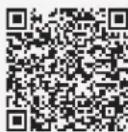
Direct access to the Handbook.

This symbol indicates the latest information available.
Welcome
Thank you for choosing a Citroën C4 Cactus.
This document presents the information and recommendations required for you to be able to explore your vehicle in complete safety.
Your vehicle will be fitted with only some of the equipment described in this document, depending on its trim level, version and the specification for the country in which it was sold.
The descriptions and illustrations are given as indications only.
Automobiles CITROËN reserves the right to modify the technical specifications, equipment and accessories without having to update this edition of the guide.
If ownership of your vehicle is transferred, please ensure this Complete Handbook is passed on to the new owner.
In this document you will find all of the instructions and recommendations on use that will allow you to enjoy your vehicle to the fullest. It is strongly recommended that you familiarise yourself with it as well as the Maintenance and Warranty Guide which will provide you with information about warranties, servicing and roadside assistance associated with your vehicle.
Key

Safety warning

Additional information

Contributes to the protection of the environment

Left-hand drive vehicle

Right-hand drive vehicle
Contents
Overview
Instruments and controls 4
Eco-driving
Eco-driving
6
Dashboard instruments
Instrument panel 8
Warning and indicator lamps 9
Indicators
Touch screen 24
Trip computer 27
Distance recorders 28
Setting the date and time 29
Lighting dimmer 30
1
20
Access
Remote control and key 31
Keyless Entry and Starting 33
Central locking 35
Recommendations
Emergency procedures 36
Doors
Boot
Alarm
Front electric window controls 41
Rear door windows 42
Ease of use and comfort
Front seats
Rear seats
Steering wheel adjustment
Mirrors
Ventilation
Recommendations for ventilation and air
conditioning
Heating/Manual air conditioning
Automatic air conditioning
Recirculation of interior air
Front demisting – defrosting
Rear screen demisting – defrosting
Courtesy lamps
Boot lamp
Panoramic glazed sunroof
Interior fittings
Boot fittings
Rear parcel shelf (commercial version)
2
35
39
39
40
3
43
45
46
46
48
49
50
51
53
54
54
54
55
55
56
59
60
Lighting and visibility
4
Lighting control stalk
Direction indicators
Automatic illumination of headlamps
Daytime running lamps/Sidelamps (LEDs)
Parking lamps
Guide-me-home lighting
Headlamp beam height adjustment
Cornering lighting
Wiper control stalk
61
62
63
63
64
64
64
65
65
Safety
5
General safety recommendations
Hazard warning lamps
Horn
Emergency or assistance call
Electronic stability control (ESC)
Grip control
Seat belts
Airbags
Child seats
Deactivating the front passenger airbag
ISOFIX mountings and child seats
i-Size child seats
Child lock
70
70
70
72
74
75
78
81
82
88
91
93
Driving
Driving recommendations 94
Anti-theft protection 95
Starting/Switching off the engine
with the key 96
Starting/Switching off the engine with
Keyless Entry and Starting 97
Parking brake 100
5-speed manual gearbox 100
6-speed manual gearbox 100
Automatic gearbox (EAT6) 101
Electronic gearbox (ETG) 103
Gear efficiency indicator 106
Hill start assist 107
Stop & Start 107
Recognition of speed limit signs and
recommendation 110
Speed limiter 113
Cruise control 114
Collision Risk Alert and Active Safety Brake117
Fatigue detection system 120
Lane Departure Warning System 122
Blind spot monitoring 123
Parking sensors 125
Reversing camera 127
Park Assist 127
Tyre under-inflation detection 132
Practical information
Compatibility of fuels 136
Fuel tank 137
Misfuel prevention (Diesel) 138
Snow chains 138
Very cold climate screens 139
Towing device 140
Load reduction mode 140
Energy economy mode 140
Changing a wiper blade 141
Roof bars 142
Bonnet 143
Engines 144
Checking levels 144
Checks 147
AdBlue ^® (BlueHDi engines) 149
Advice on care and maintenance 152
In the event of a breakdown
Running out of fuel (Diesel) 153
Warning triangle (storage) 153
Temporary puncture repair kit 153
Spare wheel 157
Changing a bulb 161
Changing a fuse 166
12 V battery 171
Towing 174
7
Technical data
9
Engine technical data and towed loads 176
Engines and towed loads – Petrol 177
Engines and towed loads – Diesel 178
Dimensions 179
Identification markings 179
Audio and telematics
■
CITROËN Connect Nav
CITROËN Connect Radio
Alphabetical index
■
8


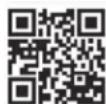

bit.ly/helpPSA
Overview
Instruments and controls
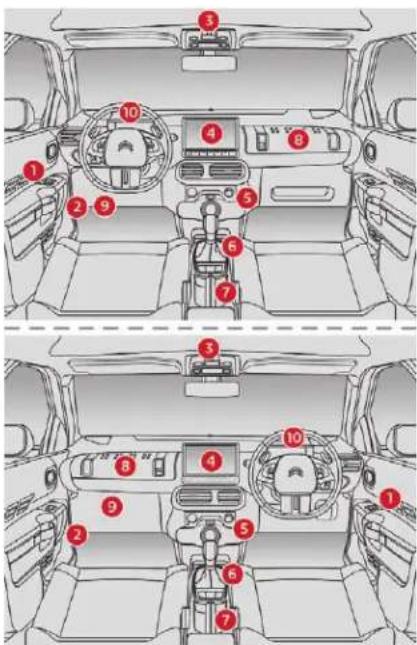
1
Front electric window controls
2
Bonnet release
3
Courtesy lamp Interior rear view mirror Emergency or assistance call
4
Touch screen with CITROËN Connect Radio or CITROËN Connect Nav Set time-date Brightness of instruments and controls Heating, ventilation Manual air conditioning Automatic air conditioning
5
12 V accessory socket USB port
6
5/6-speed manual gearbox Automatic gearbox (EAT6) Electronic gearbox (ETG6) Hill start assist
7
Parking brake
8
Glove box Jack auxiliary socket
9
Dashboard fuses
10
Instrument panel Warning lamps Indicator (servicing, engine oil level, gear efficiency) Distance recorders
Steering mounted controls
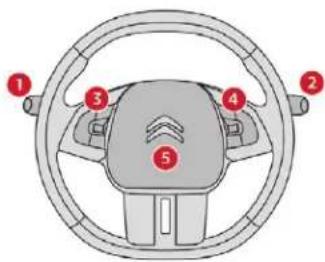
1
Lighting control stalk Automatic illumination of headlamps Direction indicators
2
Wiper control stalk Trip computer
3
Speed limiter Cruise control
| 4 |
| Audio system adjustment controls |
| 5 |
| Horn |
Side switch panel
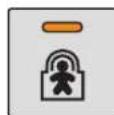
Electric child lock
Alarm activation lamp
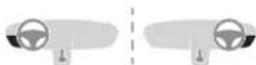
Electric door mirrors adjustment
Manual headlamp beam height adjustment
Central switch panel
Front demisting/defrosting
Rear screen demisting/defrosting
Locking/Unlocking from inside
Stopping the heating/ventilation and air conditioning
Activation of Park Assist

Hazard warning lamps

Starting – Switching off the engine: START/STOP
Grip control
Overvie
Eco-driving
Eco-driving is a range of everyday practices that allow the motorist to optimise their fuel consumption and CO_2 emissions.
Optimise the use of your gearbox
With a manual gearbox, move off gently and change up without waiting. During acceleration, change up early.
With an automatic or electronic gearbox, give preference to automatic mode and avoid pressing the accelerator pedal heavily or suddenly.
The gear efficiency indicator invites you to engage the most suitable gear: as soon as the indication is displayed in the instrument panel, follow it straight away.
For vehicles fitted with an electronic or automatic gearbox, this indicator appears only in manual mode.
Adopt a smooth driving style
Maintain a safe distance between vehicles, use engine braking rather than the brake pedal, and press the accelerator progressively. These practices contribute towards a reduction in fuel consumption and CO_2 emissions and also help to reduce the background traffic noise.
If your vehicle has cruise control, make use of the system at speeds above 25 mph (40 km/h) when the traffic is flowing well.
Control the use of your electrical equipment
Before moving off, if the passenger compartment is too warm, ventilate it by opening the windows and air vents before using the air conditioning.
Above 31 mph (50 km/h), close the windows and leave the air vents open.
Remember to make use of equipment that can help keep the temperature in the passenger compartment down (sunroof and window blinds, etc.).
Switch off the air conditioning, unless it has automatic regulation, as soon as the desired temperature is attained.
Switch off the demisting and defrosting controls when not required, if they are not automatically controlled.
Switch off the heated seat as soon as possible.
Switch off the lamps and foglamps when the ambient light level does not require their use.
Avoid running the engine before moving off, particularly in winter; your vehicle will warm up much faster while driving.
As a passenger, if you avoid connecting your multimedia devices (film, music, video game, etc.), you will contribute towards limiting the consumption of electrical energy, and so of fuel.
Disconnect your portable devices before leaving the vehicle.
Limit the causes of excess consumption
Spread loads throughout the vehicle; place the heaviest items in the bottom of the boot, as close as possible to the rear seats. Limit the loads carried in the vehicle and reduce wind resistance (roof bars, roof rack, bicycle carrier, trailer, etc.). Preferably, use a roof box.
Remove roof bars and roof racks after use.
At the end of winter, remove snow tyres and refit your summer tyres.
Observe the recommendations on maintenance
Check the tyre pressures regularly, when cold, referring to the label in the door aperture, driver's side.
Carry out this check in particular:
- before a long journey,
- at each change of season,
- after a long period out of use.
Do not forget the spare wheel and the tyres on any trailer or caravan.
Have your vehicle serviced regularly (engine oil, oil filter, air filter, cabin filter, etc.) and observe the schedule of operations in the manufacturer's service schedule.
With a BlueHDi Diesel engine, if the SCR system is faulty, your vehicle becomes polluting. Visit a CITROËN dealer or a qualified workshop as soon as possible to bring your vehicle's nitrogen oxides emissions back in line with the regulations.
When refuelling, do not continue after the 3^rd cut-off of the nozzle to avoid any overflow.
At the wheel of your new vehicle, it is only after the first 1,900 miles (3,000 kilometres) that you will see the fuel consumption settle down to a consistent average.
Instruments
Instrument panel
Display screens
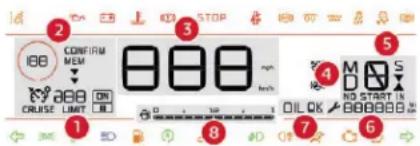
- Cruise control or speed limiter settings.
- Speed suggested by the speed limit recognition
- Digital speedometer (mph or km/h).
- Information related to the automatic or electronic gearbox.
- Gear efficiency indicator.
- Service indicator, then total distance recorder (miles or km). These functions are displayed successively on switching on the ignition.
- Engine oil level indicator.
- Fuel gauge.
Warning and indicator lamps
Displayed as symbols, visual indicators which inform the driver of the occurrence of a malfunction (warning lamps) or of the operation of a system (operation or deactivation indicator lamps). Certain lamps light up in two ways (fixed or flashing) and/or in several colours.
Associated warnings
The illumination of a lamp may be accompanied by an audible signal and/or a message displayed in a screen.
Relating the type of illumination to the operating status of the vehicle can determine whether the situation is normal or a fault has occurred: refer to the description of each lamp for further information.
When the ignition is switched on
Certain red or orange warning lamps come on for a few seconds when the ignition is switched on. These warning lamps should go off as soon as the engine is started.
Persistent warning lamp
When the engine is running or the vehicle is being driven, the illumination of a red or orange warning lamp indicates a fault that needs further investigation, using any associated message and the description of the warning lamp in the documentation.
Where a warning lamp remains lit
The references (1), (2) and (3) in the warning lamp description indicate whether you should contact a qualified professional in addition to the immediate recommended actions.
(1): You must stop as soon as it is safe to do so and switch off the ignition.
(2): Contact a CITROËN dealer or a qualified workshop.
(3): Go to a CITROËN dealer or a qualified workshop.
List of warning and indicator lamps
| Warning/indicator lamp State Cause Action/Observations | ||||
| Red warning/indicator lamps | ||||
| STOP | STOP Fixed, associated with another warning lamp, accompanied by the display of a message and an audible signal. | Indicates a serious fault with the engine, braking system, power steering, automatic gearbox or a major electrical fault. | Carry out (1) and then (2). | |
| Engine oil pressure | Fixed. There is a fault with the engine oil lubrication circuit. | Carry out (1) and then (2). | ||
| Brakes Fixed. The brake fluid level has dropped | significantly. | Carry out (1), then top up with brake fluid that complies with the manufacturer's recommendations. If the problem persists, carry out (2). | ||
| Brakes Fixed, associated with the ABS warning lamp. | The electronic brake force distribution (EBFD) system has a fault. | Carry out (1) and then (2). | ||
| Parking brake Fixed. The parking brake is applied or not properly released. | ||||
| Maximum coolant temperature | Fixed. The temperature of the cooling system is too high. | Carry out (1), then wait until the engine has cooled down before topping up to the required level if necessary. If the problem persists, carry out (2). | ||
| Warning/indicator lamp State Cause Action/Observations | ||||
| [KBGY] | Battery charge Fixed. The battery charging circuit has a fault (dirty or loose terminals, slack or cut alternator belt, etc.). | Clean and retighten the terminals. If the warning lamp does not go off when the engine is started, carry out (2). | ||
| [ABOH] | Seat belt not fastened/unfastened | Fixed or flashing, accompanied by an audible signal. | A seat belt has not been fastened or has been unfastened. | |
| Orange warning/indicator lamps | ||||
 | Anti-lock braking system (ABS) | Fixed. The anti-lock braking system has a fault. | The vehicle retains conventional braking. Drive carefully at reduced speed, then carry out (3). | |
(1): You must stop as soon as it is safe to do so and switch off the ignition.
(2): Contact a CITROËN dealer or a qualified workshop.
(3): Go to a CITROËN dealer or a qualified workshop.
| Warning/Indicator lamp State Cause Action/Observations | ||||
| Service Temporarily on, accompanied by the display of a message. | One or more minor faults have been detected, for which there is no specific warning lamp. | Identify the cause of the fault using the message displayed in the instrument panel. You can deal with certain anomalies yourself, for example an open door or the start of saturation of the particle filter. For any other problems, such as a fault with the tyre under-inflation detection system, carry out (3). | ||
| Fixed, accompanied by the display of a message. | One or more major faults have been detected, for which there is no specific warning lamp. | |||
| + | Service warning lamp fixed and service spanner flashing then fixed. | The service is overdue. Only with BlueHDi Diesel versions. Your vehicle must be serviced as soon as possible. | ||
| Warning/Indicator lamp State Cause Action/Observations | ||||
| AdBlue+ | AdBlue®(1.6 BlueHDi Euro 6.1) | Fixed, on switching on the ignition, accompanied by an audible signal and a message indicating the remaining driving range. | The remaining driving range is between 1,500 and 375 miles (2,400 and 600 km). | Top up the AdBlue® as soon as possible, or carry out (3). |
| Flashing, accompanied by an audible signal and a message indicating the remaining driving range. | The remaining driving range is between 375 and 0 miles (600 and 0 km). | You must top up the AdBlue® to avoid a breakdown, or carry out (3). | ||
| Flashing, accompanied by an audible signal and a message indicating that starting is prevented. | The AdBlue® tank is empty: the starting prevention system required by legislation prevents starting of the engine. | To restart the engine, top up the AdBlue®, or carry out (2).It is essential to add at least 5 litres of AdBlue® to its tank. | ||
(1): You must stop as soon as it is safe to do so and switch off the ignition.
(2): Contact a CITROËN dealer or a qualified workshop.
(3): Go to a CITROËN dealer or a qualified workshop.
| Warning/Indicator lamp State Cause Action/Observations | ||||
| AdBlue | AdBlue®(1.5 BlueHDi Euro 6.2) | Switched on for around thirty seconds when switching on the ignition, accompanied by an audible signal and a message indicating the remaining driving range. | The remaining driving range is between 1,500 and 500 miles (2,400 and 800 km). | Top up the AdBlue®.You can add up to 10 litres of AdBlue®to its tank. |
| Fixed, on switching on the ignition, accompanied by an audible signal and a message indicating the remaining driving range. | The remaining driving range is between 500 and 60 miles (800 and 100 km). | Top up the AdBlue®quickly, or carry out (3).You can add up to 10 litres of AdBlue®to its tank. | ||
| Flashing, accompanied by an audible signal and a message indicating the remaining driving range. | The driving range is less than 60 miles (100 km). | You must top up the AdBlue®to avoid a breakdown, or carry out (3).You can add up to 10 litres of AdBlue®to its tank. | ||
| Flashing, accompanied by an audible signal and a message indicating that starting is prevented. | The AdBlue®tank is empty: the starting prevention system required by legislation prevents starting of the engine. | To restart the engine, top up the AdBlue®, or carry out (2).It isessentialto add at least 5 litres of AdBlue®to its tank. | ||
(1): You must stop as soon as it is safe to do so and switch off the ignition.
(2): Contact a CITROËN dealer or a qualified workshop.
(3): Go to a CITROËN dealer or a qualified workshop.
| Warning/Indicator lamp State Cause Action/Observations | ||||
| AdBlue+ | SCR emissions control system (BlueHDi Diesel) | Fixed, on switching on the ignition, associated with the Service and engine diagnostic warning lamps, accompanied by an audible signal and a message. | A fault with the SCR emissions control system has been detected. | This alert disappears once the exhaust emissions return to normal levels. |
| Flashing, on switching on the ignition, associated with the Service and engine diagnostic warning lamps, accompanied by an audible signal and a message indicating the remaining driving range. | Depending on the message displayed, you can continue driving for up to 685 miles (1,100 km) before the engine starting prevention system is triggered. | Carry out (3) as soon as possible to avoid a breakdown. | ||
| Flashing, on switching on the ignition, associated with the Service and engine diagnostic warning lamps, accompanied by an audible signal and a message. | An engine immobiliser prevents the engine from restarting (over the authorised driving limit after confirmation of a fault with the emissions control system). | To start the engine, carry out (2). | ||
| Engine diagnostic system | Flashing. The engine management system has a fault. | There is a risk that the catalytic converter will be destroyed.Carry out (2) without fail. | ||
| Fixed. The emissions control system has a fault. | The warning lamp should go off when the engine is started.Carry out (3) quickly. | |||
| Warning/Indicator lamp State Cause Action/Observations | ||||
| Collision Risk Alert/Active Safety Brake | Flashing. The system is operating. | The vehicle brakes briefly so as to reduce the speed of collision with the vehicle ahead. | ||
| Fixed, accompanied by a message and an audible signal. | The system has a fault. Carry out (3). | |||
| Collision Risk Alert/Active Safety Brake | Fixed, accompanied by a message. | The system has been deactivated via the vehicle configuration menu. | ||
| Dynamic stability control (DSC/ASR) | Flashing. The DSC/ASR adjustment is activated if there is a loss of grip or trajectory. | |||
| Fixed. The DSC/ASR system has a fault. Carry out (3). | ||||
| Dynamic stability control (DSC/ASR) | Fixed. | The DSC/ASR is deactivated. | Press the button to activate the DSC/ASR. The DSC/ASR system is activated automatically when the vehicle is started. If the system is deactivated, it is reactivated automatically once a speed of around 31 mph (50 km/h) is reached. | |
(1): You must stop as soon as it is safe to do so and switch off the ignition.
(2): Contact a CITROËN dealer or a qualified workshop.
(3): Go to a CITROËN dealer or a qualified workshop.
Instruments
| Warning/indicator lamp State Cause Action/Observations | ||||
 | Under-inflation Fixed, accompanied by an audible signal and a message. | The pressure in one or more tyres is too low. | Check the pressure of the tyres as soon as possible.Reinitialise the detection system after adjusting the pressure. | |
  | Under-inflation Flashing then fixed, accompanied by the Service warning lamp. | The system is faulty: tyre pressures are no longer monitored. | As soon as possible, check the pressure of the tyres and carry out (3). | |
| Diesel engine pre-heating | Fixed.The period of illumination depends on the climatic conditions. | The ignition is on. Wait until the lamp goes off before starting.If the engine does not start, switch the ignition off and then on, wait until the lamp goes off again, then start the engine. | ||
 | Front passenger airbag (ON) | Fixed. The front passenger airbag is activated.The control is in the "ON" position. | In this case, do NOT install a "rearward facing" child seat on the front passenger seat – Risk of serious injury! | |
 | Front passenger airbag (OFF) | Fixed. The front passenger airbag is deactivated.The control is in the "OFF" position. | You can install a "rearward facing" child seat, unless there is a fault with the airbags (Airbags warning lamp on). | |
 | Airbags Fixed. One of the airbags or seat belt | pyrotechnic pretensioners is faulty. | Carry out (3). | |
| Warning/Indicator lamp State Cause Action/Observations | ||||
 | Low fuel level Fixed | , accompanied by an audible signal and a message. Until sufficient fuel has been added, this warning lamp reappears every time the ignition is switched on, accompanied by an audible warning and a message. The audible warning and the message are repeated with increasing frequency as the fuel level drops towards zero. | When it first comes on, there remains approximately 5 litres of fuel in the tank (reserve). | Refuel without delay to avoid running out of fuel.Never drive until completely empty, this could damage the emissions and injection systems. |
 | Lane departure warning system | Flashing, accompanied by an audible signal. | A lane is being crossed, right side (or left side). | Turn the steering wheel in the opposite direction to return to the correct trajectory. |
 + + | Lane departure warning system | Fixed, accompanied by the Service warning lamp. | The lane departure warning system is faulty. | Carry out (3). |
 | Rear foglamp Fixed. | The rear foglamp is lit. | ||
Instruments
| Warning/Indicator lamp State Cause Action/Observations | ||||
| Green warning/indicator lamps | ||||
 | Stop & Start | Fixed. | When the vehicle stops, the Stop & Start puts the engine into STOP mode. | |
| Flashing temporarily. STOP mode is momentarily unavailable or START mode is automatically triggered. | ||||
 | Left-hand direction indication | Flashing with audible signal. The lamps are lit | ||
 | Right-hand direction indicator | Flashing with audible signal. The lamps are lit. | ||
 | Sidelamps Fixed. The lamps are lit. | |||
 | Dipped beam headlamps | Fixed. The lamps are lit. | ||
 | Front foglamps Fixed. The front foglamps are lit. | |||
| Blue warning lamps | ||||
| Main beam headlamps | Fixed. The main beams are lit. | |||
| Black/white warning/indicator lamps | ||||
| Foot on brake Fixed | Omission or insufficient pressure on the brake pedal. | With an electronic gearbox, selector in position N, to start the engine.With an automatic gearbox, engine running and before releasing the parking brake, to move out of position P. | ||
| Flashing. With an electronic gearbox, the clutch will overheat if you hold the vehicle on a slope using the accelerator for too long. | Use the brake pedal and/or the parking brake. | |||
| AUTO | Automatic wiping | Fixed. Automatic front wiping is activated. | ||
Instruments
Indicators
Service indicator
The service indicator is displayed on the instrument panel. Depending on the vehicle version:
- the distance recorder display line indicates the distance remaining before the next service is due, or the distance travelled since it was due preceded by the sign "-".
- an alert message indicates the distance remaining as well as the period before the next service is due or since it was overdue.
The distance indicated (in kilometres or miles) is calculated according to the mileage covered and the time elapsed since the last service.
The alert may be triggered close to a due date.
| Warning/indicator lamp | State Cause Action/ | Observations | ||
| Service spanner | Lights up temporarily when the ignition is switched on. | Between 1,900 miles (3,000 km) and 620 miles (1,000 km) remain before the next service is due. | ||
| Fixed, when the ignition is switched on. | The service is due in less than 620 miles (1,000 km). | Have your vehicle serviced very soon. | ||
| Service spanner flashing | Flashing then fixed, when the ignition is switched on. (For BlueHDi Diesel versions, associated with the Service warning lamp). | The service is overdue. | Have your vehicle serviced as soon as possible. | |
Resetting the service indicator
OIL OK
□
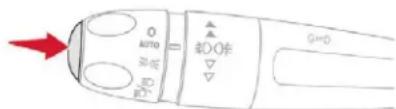
After each service, the service indicator must be reset to zero.
If you have carried out the service on your vehicle yourself:
switch off the ignition,
press and hold the button on the end of the lighting control stalk,
switch on the ignition; the distance recorder display begins a countdown,
when the display indicates "=0", release the button; the spanner disappears.
Following this operation, if you wish to disconnect the battery, lock the vehicle and wait at least five minutes for the zero reset to be registered.
Retrieving the service information
You can access the service information at any time in the touch screen.

In the Driving/Vehicle menu, select the "Driving functions" tab, then "Diagnostics".
The servicing information is displayed in the screen.
Engine oil level indicator
(depending on version)
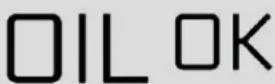
On versions fitted with an electric oil level indicator, the state of the engine oil level is displayed in the instrument panel for a few seconds, after the servicing information.
The level read will only be correct if the vehicle is on level ground and the engine has been off for more than 30 minutes.
Oil level correct
Oil level incorrect
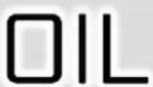
This is indicated by the display of a message in the instrument panel screen, accompanied by the Service warning lamp and an audible signal.
If the low oil level is confirmed by a check using the dipstick, the level must be topped up to avoid damage to the engine.
For more information on Checking levels, refer to the corresponding section.
Oil level indicator fault

This is indicated by a message in the instrument panel.
Contact a CITROËN dealer or a qualified workshop.
In the event of a fault with the electric indicator, the oil level is no longer monitored.
If the system is faulty, you must check the engine oil level using the manual dipstick located under the bonnet.
For more information on Checking levels, refer to the corresponding section.
AdBlue® range indicators
These range indicators are present only on BlueHDi Diesel versions.
Once the AdBlue ^® tank is on reserve or after detection of a fault with the SCR emissions control system, when the ignition is switched on, an indicator displays an estimate of the distance that can be covered, the range, before engine starting is prevented.
Instruments
In the event of the risk of non-starting related to a lack of AdBlue®
! The engine starting prevention system required by regulations is activated automatically once the AdBlue ^® tank is empty.
Range greater than 1,500 miles (2,400 km)
When switching on the ignition, there is no automatic display of range in the instrument panel.
Range less than 1,500 miles (2,400 km) You can check the remaining range for your vehicle at any time on the touch screen.

- You can access this information via the Driving/Vehicle touch screen menu, by selecting the "Driving functions" tab, then "Diagnostics".
Remaining range between 1,500 and 500 miles (2,400 and 800 km) (1.5 BlueHDi Euro 6.2)

When switching on the ignition, this warning lamp comes on for about thirty seconds, accompanied by the display of a message ("NO START IN and a distance" or "Top up AdBlue: Starting impossible in x miles/km") indicating the remaining range expressed in miles or kilometres.
The reserve level has been reached; it is recommended that you top up as soon as possible.
These messages are accompanied by the recommendation not to top up with more than 10 litres of AdBlue.
Remaining range between 1,500 and 375 miles (2,400 and 600 km) (1.6 BlueHDi Euro 6.1)

When switching on the ignition, this warning lamp comes on, accompanied by an audible signal and the display of a message ("NO START IN and a distance" or "Top up AdBlue: Starting impossible in x miles/km") indicating the remaining range expressed in miles or kilometres.
When driving, the message comes up every 185 miles (300 km) until the tank is topped up. The reserve level has been reached; it is recommended that you top up as soon as possible.
Remaining range between 500 and 60 miles (800 and 100 km) (1.5 BlueHDI Euro 6.2)

When switching on the ignition, this warning lamp comes on, accompanied by an audible signal (1 beep) and the display of a message ("NO START IN and a distance" or "Top up AdBlue: Starting impossible in x miles/km") indicating the remaining range expressed in miles or kilometres.
When driving, the audible signal and the message display are triggered every 60 miles (100 km) until the level is topped up. It is essential to top up as soon as possible and before the tank is completely empty, otherwise it will not be possible to restart the engine.
Remaining range less than 375 miles (600 km) (1.6 BlueHDi Euro 6.1)

When switching on the ignition, this warning lamp flashes, accompanied by the permanent lighting of the Service warning lamp, an audible signal and the display of a message ("NO START IN and a distance" or "Top up AdBlue: Starting impossible in x miles/km") indicating the remaining range expressed in miles or kilometres.
When driving, this message is displayed every thirty seconds until the AdBlue level has been topped up.
It is essential to top up as soon as possible and before the tank is completely empty, otherwise it will not be possible to restart the engine.
Remaining range less than 60 miles (100 km) (1.5 BlueHDi Euro 6.2)

When switching on the ignition, this warning lamp flashes, accompanied by an audible signal (1 beep) and the display of a message ("NO START IN and a distance" or "Top up AdBlue: Starting impossible in x miles/km") indicating the remaining range expressed in miles or kilometres.
When driving, the audible signal and the message display are triggered every 6 miles (10 km) until the AdBlue tank is topped up. It is essential to top up as soon as possible and before the tank is completely empty, otherwise it will not be possible to restart the engine.
Breakdown due to a lack of AdBlue®
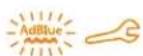
When switching on the ignition, this warning lamp flashes and the Service warning lamp comes on, accompanied by an audible signal and the temporary display of "NO START IN 0 km or miles" or "Top up AdBlue: Starting impossible".
The AdBlue ^® tank is empty: the starting prevention system required by legislation prevents starting of the engine.
! To be able to restart the engine, it is essential to add at least 5 litres of AdBlue ^® to its tank.
For more information on AdBlue ^® (BlueHDi engines), and, in particular, on topping up, refer to the corresponding section.
In the event of a fault with the SCR emissions control system
A system that prevents engine starting is activated automatically from 685 miles (1,100 km) after confirmation of a fault with the SCR emissions control system. Have the system checked by a CITROËN dealer or a qualified workshop as soon as possible.
In the event of the detection of a fault

These warning lamps come on, accompanied by an audible signal and the display of the "Emissions fault" message.
The alert is triggered while driving as soon as the fault is detected for the first time, then when switching on the ignition for subsequent journeys, while the fault persists.
If it is a temporary fault, the alert disappears during the next journey, after self-diagnostic checks of the SCR emissions control system.
Instruments
During the permitted driving phase (between 685 and 0 miles (1,100 and 0 km))

If a fault with the SCR system is confirmed (after 31 miles (50 km) covered with the permanent display of the message signalling a fault), these warning lamps come on and the AdBlue warning lamp flashes, associated with an audible signal and the display of a message (e.g. "NO START IN 200 miles" or "Emissions fault: Starting prevented in 200 miles") indicating the remaining range expressed in miles or kilometres.
While driving, the message is displayed every thirty seconds while the fault with the SCR emissions control system persists. The alert is repeated when switching on the ignition.
You should go to a CITROËN dealer or a qualified workshop as soon as possible. Otherwise you will not be able to restart the vehicle.
Starting prevented

Each time the ignition is switched on, these warning lamps come on and the AdBlue warning lamp flashes, accompanied by an audible signal and the display of the message "NO START IN 0 miles" or "Emissions fault: Starting prevented".
You have exceeded the authorised driving limit: the starting prevention system inhibits engine starting.
To be able to restart the engine, you must call a CITROËN dealer or a qualified workshop.
Touch screen
The touch screen gives access to:
- the heating/air conditioning controls,
- menus for adjusting settings for vehicle functions and systems,
- audio system and telephone controls and the display of associated information, and, depending on equipment, allows:
- the display of alert messages and the visual parking sensors information,
- the permanent display of the time and the exterior temperature (a blue warning lamp appears when there is a risk of ice),
- access to the internet services and navigation system controls and the display of associated information.
As a safety measure, the driver must only carry out operations that require sustained attention with the vehicle stationary.
Some functions are not accessible when driving.
Recommendations
This screen is of the capacitive type.
Use is possible in all temperatures.
Do not use pointed objects on the touch screen.
Do not touch the touch screen with wet hands.
Use a soft clean cloth to clean the touch screen.
Touch screen
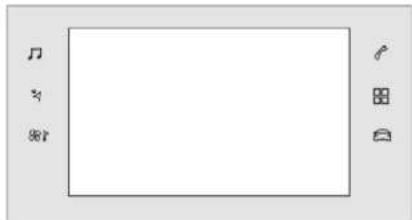
Use the buttons on each side of the touch screen to access the menus, then use the buttons that appear on the touch screen.
Certain functions may be displayed over 1 or 2 pages.
To deactivate/activate a function, press OFF/ON.
To modify a setting (lighting duration, etc.) or access additional information, press the symbol for the function.

After a few moments with no action on the secondary page, the primary page is displayed automatically.

Use this button to confirm.

Use this button to return to the previous page.
Menus
natural_image
Empty rectangular frame with musical notes and control buttons on both sides (no text or symbols)
Radio Media.
See the "Audio and telematics" section.

Mirror Screen or Connected
navigation.
See the "Audio and telematics" section

Air conditioning.
Allows control of the settings for temperature, air flow, etc.
For more information on Heating, Manual air conditioning and Automatic air conditioning, refer to the corresponding sections.

Telephone.
See the "Audio and telematics" section.

Applications.
Allows the display of the connected services available. See the "Audio and telematics" section.

Vehicle or Driving.\*
Allows the activation, deactivation and adjustment of settings for certain functions.
The functions accessible from this menu are arranged under two tabs: "Vehicle settings" and "Driving functions".

Volume control/mute.
See the "Audio and telematics" section.

Press with three fingers on the touch screen to access the menu carousel.
Upper bar
Certain information is always present in the upper bar of the touch screen:
- Reminder of the air conditioning information, and access to a simplified menu (temperature and air flow adjustment only).
- Reminder of information from the Radio Media and Telephone menus and navigation instructions*.
- Notifications zone (texts and email)*.

- Access to Configuration.
* Depending on equipment
Instruments
"Vehicle" menu/"Driving" menu
"Vehicle settings" tab
The functions are grouped into 4 families.
| Families Functions | |
 "Parking" "Parking" | - "Rear wiper in reverse": activation/deactivation of the rear wiper with reverse gear.- "Automatic folding of mirrors": activation/deactivation of the automatic door mirror folding/unfolding when locking/unlocking. |
| [×CT2]"Headlamps" | - "Guide-me-home lighting": activation/deactivation of automatic guide-me-home lighting.- "Welcome lighting": activation/deactivation of exterior welcome lighting.- "Daytime running lamps" (depending on country of sale).- "Directional headlamps" activation/deactivation of the cornering lighting. |
 "Comfort" "Comfort" | - "Unlock: Boot only": activation/deactivation of selective unlocking of the tailgate. |
 "Safety" "Safety" | - "Fatigue Detection System": activation/deactivation of the driver fatigue detection system.- "Recommended speed display" activation/deactivation of speed limit display.- "Collision risk alert and automatic braking": activation/deactivation of the collision risk alert and automatic emergency braking.- "Blind spot sensors": activation/deactivation of blind spot sensors. |
"Driving functions" tab
| Function Comments | |
| Park Assist Activation of the function. | |
| Stop & Start Activation/deactivation of the function. | |
| Parking sensors Activation/deactivation of the function. | |
| Traction control Activation/deactivation of the function. | |
| Blind spot sensors | Activation/deactivation of the function. |
| Under-inflation Initialisation | Reinitialisation of the under-inflation detection system. |
| Diagnostics List of current alerts. | |
Configuration

The functions available via the upper bar are detailed in the table below. Some settings are accessible on a secondary page.
CITROËN Connect Nav
| Button Comments | |
 | Theme. |
 | Audio settings. |
 | Turn off screen. |
 | System administration. |
 | Languages. |
 | Setting the date and time. |
 | Adjustment of the display parameters (text scrolling, animations, etc.) and brightness. |
 | Choice and settings for three user profiles. |
CITROËN Connect Radio
| Button Comments | |
 | Switch off the screen. |
 | Brightness adjustment. |
 | Choice and settings for three user profiles. |
 | Choice of units:- temperature (°Celsius or °Fahrenheit)- distances and fuel consumption (l/100 km, mpg or km/l). |
 | Theme. |
 | Languages. |
 | Adjustment of the display parameters (text scrolling, animations, etc.) and brightness. |
 | Setting the date and time. |
Trip computer
Information displayed about the current journey (range, fuel consumption, average speed, etc.).
The information is accessible via the touch screen.
Display of information in the touch screen

In the "Applications" menu, select the "Vehicle application" tab, then "Trip computer".
The trip computer information is displayed on the page.
Press one of the buttons to display the desired tab.
For a temporary display in a specific window, press the end of the wiper control stalk for access to the information and scroll through the different tabs.
- The current information tab with:
• the remaining range,
• the current fuel consumption,
• the Stop & Start time counter.
Instruments
- The trip "1" tab with:
- the average speed,
• the average fuel consumption,
• the distance travelled, for the first trip.
- The trip "2" tab with:
• the average speed,
• the average fuel consumption,
• the distance travelled, for the second trip.
Resetting the trip recorder
When the desired trip is displayed, press the "Reset" button or the end of the wiper control stalk until zeros appear.
Trips "1" and "2" are independent. For example, trip "1" can be used for daily figures, and trip "2" for monthly figures.
A few definitions...
Range
(miles or km)

The distance which can still be travelled with the fuel remaining in the tank (related to the average fuel consumption over the last few miles (kilometres) travelled).
This value may fluctuate if a change of driving style or terrain results in a significant change in the current fuel consumption.
Dashes are displayed when the range falls below 19 miles (30 km).
After filling with at least 5 litres of fuel, the range is recalculated and is displayed if it exceeds 60 miles (100 km).
! If dashes instead of figures continue to be displayed when driving, contact a CITROËN dealer or a qualified workshop.
Current fuel consumption
(mpg or l/100 km or km/l)

Calculated during the last few seconds.
This function is only displayed at speeds above 19 mph (30 km/h).
Average fuel consumption
(mpg or l/100 km or km/l)

Calculated since the last trip computer reset.
Average speed
(mph or km/h)

Calculated since the last trip computer reset.
Distance travelled
(miles or km)

Calculated since the last trip computer reset.

Stop & Start time counter (minutes/seconds or hours/minutes)
A cumulative time counter for periods in STOP mode during a journey. It resets to zero every time the ignition is switched on.
Distance recorders
The total and trip distances are displayed for thirty seconds when the ignition is switched off, when the driver's door is opened and when the vehicle is locked or unlocked.

When travelling abroad, you may have to change the units of distance: the display of road speed must be in the official units (miles or km) for the country. The change of units is done via the screen configuration menu, with the vehicle stationary.
Total distance recorder
25873
It measures the total distance travelled by the vehicle since its first registration.
Trip recorder
It measures the distance travelled since it was reset to zero by the driver.
This function can be accessed by the touch screen's trip computer.

In the "Applications" menu, select the "Vehicle Application" tab, then "Trip Computer".
Select the trip "1" or trip "2" tab.
To reset the trip recorder to zero, press the "Reset" button or the end of the wiper control stalk until zeros appear.
Setting the date and time
With CITROËN Connect Radio

Select the Settings menu. Then "Configuration".
Select "System configuration".

Select "Date and time".
Select "Date" or "Time".
Choose the display formats.
Change the date and/or time using the numeric keypad.
Confirm with "OK".
With CITROËN Connect Nav
Setting of the time and date is only available if synchronisation with the GPS is deactivated.

Select the Settings menu.
Press the "OPTIONS" button to go to the secondary page.

Select "Setting the time-date".
Select the "Date" or "Time" tab.
Set the date and/or time using the numeric keypad.
Confirm with "OK".
Additional adjustments
You can choose:
- To change the display format of the date and time (12h/24h).
- To activate or deactivate the summer/winter time management function.
- To activate or deactivate the synchronisation with the GPS (UTC).
Instruments
Lighting dimmer
Permits manual adjustment of the brightness of the instruments and controls to suit the ambient light level.
i Only works when the vehicle lamps are on (except daytime running lamps) and in night mode.
This function can be accessed by the touch screen.

Select the "Settings" menu.
Then press the "Brightness" button.

Select the "Configuration" menu.
Then press the "Screen configuration" button and select the Brightness" tab.
Adjust the brightness by pressing the arrows or moving the cursor.
The brightness can be adjusted differently for day mode (lighting control stalk in position "0") and night mode (lighting control stalk in any other position).
Remote control and key Remote control function
natural_image
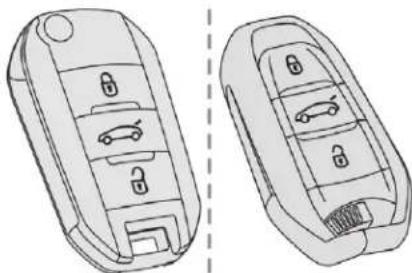
Technical line drawing of a car key rear panel showing internal compartments and mounting points (no text or symbols)The remote control can be used for the following remote functions, depending on version:
- unlocking/locking/deadlocking the vehicle,
- unlocking and partial opening of the boot,
- opening the fuel tank cap (without Keyless Entry and Starting),
- locking/unlocking the fuel filler flap (with Keyless Entry and Starting),
- locating the vehicle, - vehicle immobiliser.
The remote control includes a conventional key that allows the central locking or unlocking of the vehicle using the door lock, and starting and switching off the engine.
Under normal operating conditions, it is preferable to use the remote control.
Emergency procedures allow the vehicle to be locked or unlocked in the event of a failure of the remote control, the central locking, the battery, etc. For more information on the Emergency procedures, refer to the corresponding section.
Integral key
natural_image
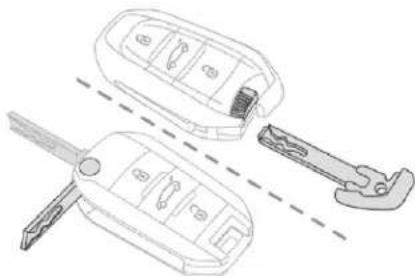
Technical line drawing of a keychain with two views: one open showing internal components, the other closed with a wrench inserted (no text or symbols)The key built into the remote control can be used for the following functions, depending on version:
- unlocking/locking/deadlocking the vehicle,
- turning the manual child lock on or off,
- activating/deactivating the front passenger airbag,
- emergency door locking,
- switching on the ignition and starting/switching off the engine.
Access
Ejecting the key
natural_image
Diagram of a car door handle mechanism with red arrows indicating rotation (no text or symbols)Version without Keyless Entry and Starting
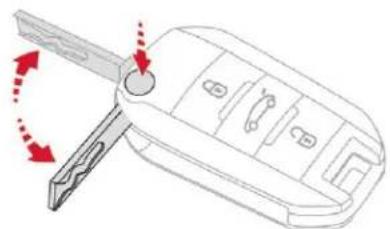
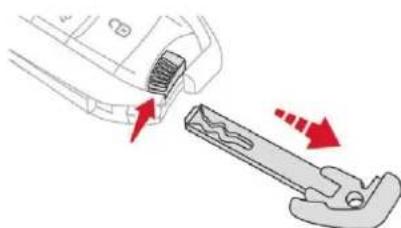
To eject the key from the housing, press the button.
Press the button before folding the key back to avoid damaging the mechanism.
natural_image
Diagram showing a tool interacting with a mechanical component, with red arrows indicating direction of movement (no text or symbols present)Version with Keyless Entry and Starting
To eject the key from the housing, pull and hold the button.
Pull and hold the button before returning the key.
Access
Unlocking the vehicle
With the remote control

Press this button to unlock the vehicle.
Rapid flashing of the direction indicators for a few seconds signals:
- the unlocking of the vehicle for versions without an alarm,
- the deactivation of the alarm for other versions.
Depending on version, the door mirrors unfold, and the welcome lighting comes on.
With the key
Turn the key in the driver's door lock towards the front of the vehicle to unlock it.
Selective unlocking of the boot

Press this button to unlock and release the boot. The doors remain locked.
By default, selective unlocking of the boot is activated.
If selective unlocking of the boot is deactivated, pressing this button also unlocks the doors. Activate or deactivate selective unlocking of the boot via the touch screen:

In the Driving/Vehicle menu, select the "Vehicle settings" tab, then "Comfort" and activate/deactivate "Unlock boot only".
Remember to close and lock the boot again by pressing the closed padlock.
Locking the vehicle
With the remote control

Press this button to lock the vehicle.
The continuous illumination of the direction indicators for a few seconds signals:
- the locking of the vehicle for versions without an alarm,
- the activation of the alarm for other versions.
Depending on version, the door mirrors fold.
If one of the doors or the boot is still open, the central locking does not work; the vehicle locks, then immediately unlocks, identifiable by the locks making a rebounding sound.

When the vehicle is locked, if it is unlocked without opening a door or the boot, it will automatically lock itself again after thirty seconds.

The folding and automatic unfolding of the door mirrors can be deactivated by the vehicle's configuration menu.
With the key
Turn the key in the driver's door lock towards the rear of the vehicle to lock it.

Check that the doors and boot are fully closed.
Locating your vehicle
This function allows you to identify your vehicle from a distance, particularly in poor light. Your vehicle must be locked.

Press this button. The courtesy lamps will come on and the direction indicators will flash for a few seconds.
Deadlocking

! Deadlocking deactivates the exterior and interior door controls as well as the central locking button on the dashboard. You must therefore never leave anyone inside the vehicle when it is deadlocked.
With the remote control

Press this button once to lock the vehicle completely. Within five seconds, press the button again to deadlock the vehicle.
For versions without an alarm, deadlocking is confirmed by illumination of the direction indicators for few seconds on the second press of the locking button.
Depending on version, the door mirrors fold.
If your vehicle is fitted with an alarm, activation is confirmed by fixed illumination of the direction indicators for a few seconds.
With the key
Turn the key to the rear in the driver's door lock to lock the vehicle completely.
Turn the key to the rear again within five seconds to deadlock the vehicle.
Keyless Entry and Starting
Access
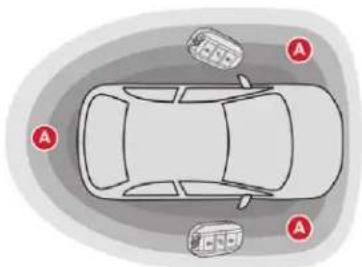
This system allows the unlocking, locking and starting of the vehicle, while carrying the electronic key on your person in the recognition zone "A" around the vehicle.
The electronic key also acts as a remote control. For more information on the Remote control, refer to the corresponding section.
Unlocking the vehicle
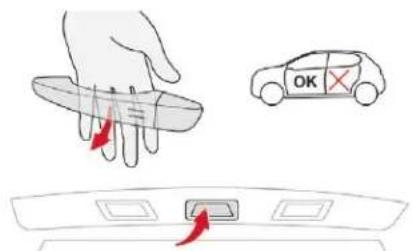
With the electronic key on your person in the recognition zone, pass your hand behind the door handle of one of the front doors or press the tailgate opening control.
The unlocking is confirmed by flashing of the direction indicators for a few seconds. The door mirrors unfold at the same time (depending on version).
Access
Accumulations (water, dust, grime, salt, etc.) on the inner surface of the door handle may affect detection. If cleaning the inner surface of the door handle using a cloth does not restore detection, contact a CITROËN dealer or a qualified workshop. A sudden splash of water (stream of water, high pressure jet washer, etc.) may be identified by the system as the desire to open the vehicle.
For safety and theft protection reasons, do not leave your electronic key in the vehicle, even when you are close to it. It is recommended that you keep it with you.
If one of the doors or the boot is still open or if the electronic key for the Keyless Entry and Starting system has been left inside the vehicle, the central locking does not take place.
If the vehicle is unlocked inadvertently and there is then no action on the doors or boot, the vehicle will automatically lock itself again after about thirty seconds. The folding and automatic unfolding of the door mirrors can be deactivated by the vehicle's configuration menu.
As a safety measure (children on board), never leave the vehicle without taking the electronic key for the Keyless Entry and Starting system with you, even for a short period. Be aware of the risk of theft when the electronic key for the Keyless Entry and Starting system is in one of the defined zones with the vehicle unlocked.
In order to preserve the battery in the electronic key and the vehicle's battery, the "hands-free" functions are put into long-term standby after 21 days without use. To restore these functions, press one of the remote control buttons or start the engine with the electronic key in the reader. For more information on Starting/ Switching off the engine with Keyless Entry and Starting, refer to the corresponding section.
Locking the vehicle
Normal locking
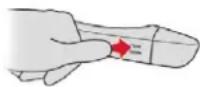
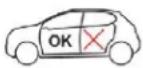
With the electronic key in the recognition zone, press with your finger or thumb on one of the front door handles (at the markings) to lock the vehicle. It is not possible to lock the vehicle if one of the keys is left inside it.
Deadlocking

! Deadlocking deactivates the exterior and interior door controls as well as the central locking button on the dashboard. You must therefore never leave anyone inside the vehicle when it is deadlocked.
With the electronic key in the recognition zone, press one of the front door handles once with your finger or thumb (at the markings) to lock the vehicle.
Within five seconds, press the door handle again to deadlock the vehicle.
Central locking
Manual
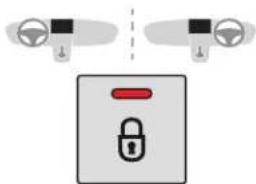
Press this button to operate the central locking of the vehicle (doors and boot) from inside the vehicle. The button indicator lamp comes on.
Pressing the button again unlocks the vehicle completely. The button indicator lamp goes off.
! The central locking does not work if one of the doors is open.
If the vehicle is deadlocked or locked from the outside, the button is not active. If the vehicle is not deadlocked, use the remote control to unlock the vehicle or pull an interior door handle to open a door.
Automatic (anti-intrusion security)
The doors and boot can lock automatically while driving (speed above 6 mph (10 km/h)). To activate or deactivate this function (activated by default):
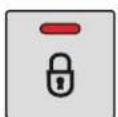
Press the button until an audible signal is heard and a message appears in the screen.
i Transporting long or voluminous objects Press the central locking control to drive with the boot open and the doors unlocked.
Recommendations
When purchasing a second-hand vehicle Have the key codes memorised by a CITROËN dealer, to ensure that the keys in your possession are the only ones which can start the vehicle.
Remote control
The high frequency remote control is a sensitive system; do not handle it in your pocket as it may unlock the vehicle without you being aware of it.
Do not repeatedly press the buttons of your remote control out of range and out of sight of your vehicle. The remote control may stop working and need to be reinitialised.
The remote control does not operate when the key is in the ignition, even when the ignition is switched off.
Locking the vehicle
Driving with the doors locked may make access to the passenger compartment by the emergency services more difficult in an emergency.
As a safety precaution (with children on board), remove the key from the ignition or take the electronic key when you leave the vehicle, even for a short time.
Electrical interference
The Keyless Entry and Starting electronic key may not operate if close to certain electronic devices: telephone, laptop computer, strong magnetic fields, etc.
Anti-theft protection
Do not make any modifications to the electronic vehicle immobiliser system as this could cause malfunctions.
For vehicles with an ignition switch, do not forget to remove the key and turn the steering to engage the steering lock.
Emergency procedures
Lost keys, remote control, electronic key
Visit a CITROËN dealer with the vehicle's registration certificate, your personal identification documents and if possible, the label bearing the key code.
The CITROËN dealer will be able to retrieve the key code and the transponder code required to order a new key.
Complete unlocking/locking of the vehicle with the key
Use these procedures in the following cases:
- remote control cell battery flat,
- remote control fault,
- vehicle in an area subject to strong electromagnetic interference.
In the first case, you can also replace the remote control cell battery.
In the second case, you can also reinitialise the remote control.
Refer to the corresponding sections.
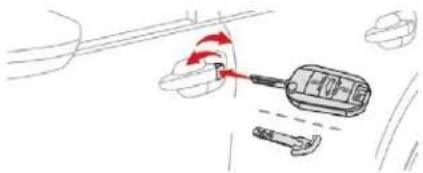
natural_image
Simple line drawing of a tool interacting with a device, no text or symbols presentInsert the key in the door lock.
Turn the key towards the front of the vehicle to unlock it, or towards the rear to lock it.
Turn the key towards the rear again within 5 seconds to deadlock the vehicle.
For versions without an alarm, the lighting of the direction indicators for a few seconds confirms that the procedure has been completed correctly.
If your vehicle is fitted with an alarm, this function will not be activated when locking with the key. If the alarm is activated, the siren sounds on opening the door; switch on the ignition to stop it.
Central locking not functioning
Use these procedures in the following cases:
- central locking fault,
- battery disconnected or discharged.
In the event of a malfunction with the central locking system, the battery must be disconnected to lock the boot and thus ensure that the vehicle is locked fully.
Driver's door
Turn the key towards the rear of the vehicle to lock it, or towards the front to unlock it.
Passenger doors
Unlocking
Pull the interior door opening handle.
Locking
Open the door.
On the rear doors, check that the child lock is not activated. Refer to the corresponding section.
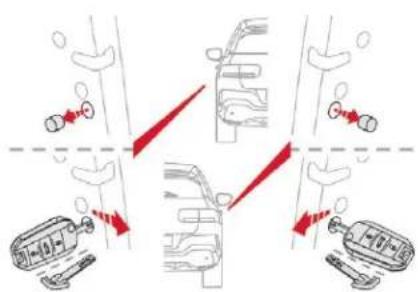
Remove the black cap on the edge of the door, using the key.
Without forcing, insert the key into the aperture, then, without turning it, move the latch sideways towards the inside of the door.
Remove the key and refit the black cap.
Close the doors and check from the outside that the vehicle is locked.
Changing the battery

If the battery is flat, you are informed by illumination of this warning lamp, an audible signal and a message in the screen.
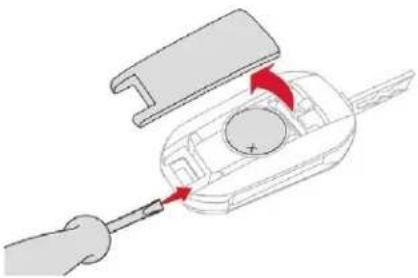
Version without Keyless Entry and Starting Battery type: CR1620/3 volts.
natural_image
Diagram of a hand using a screwdriver to adjust a car interior component (no text or symbols visible)Access
Access
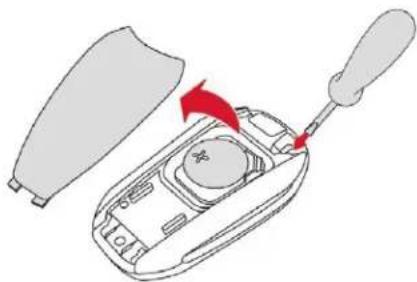
Version with Keyless Entry and Starting Battery type: CR2032/3 volts.
natural_image
Diagram of a car shift lever mechanism with a red arrow indicating motion (no text or symbols present)Unclip the cover by inserting a small screwdriver in the slot and raise the cover.
Remove the flat battery from its housing.
Insert the new battery with the correct polarity and clip the cover onto the housing.
Reinitialise the remote control.
For more information on Reinitialising the remote control, refer to the corresponding section.

Do not throw remote control batteries away as they contain metals which are harmful to the environment. Take them to an approved collection point.
Reinitialising the remote control
Following replacement of the battery or in the event of a remote control fault, it may be necessary to reinitialise the remote control.
Version without Keyless Entry and Starting
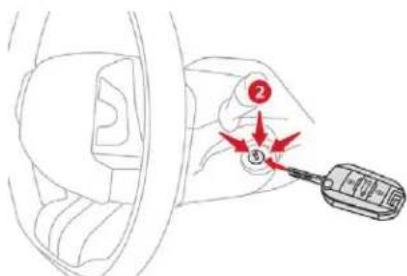
Switch off the ignition.
Turn the key to position 2 (Ignition on).
Press the closed padlock immediately for a few seconds.
Switch off the ignition and remove the key from the ignition switch.
The remote control is fully operational again.
Version with Keyless Entry and Starting
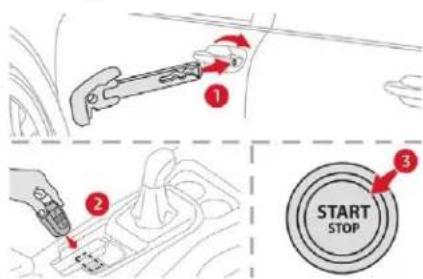
Place the mechanical key (integral with the remote control) in the lock to unlock your vehicle.
Place the electronic key against the back-up reader under the parking brake lever and hold it there until the ignition is switched on.
With a manual gearbox, place the gear lever in neutral then fully depress the clutch pedal.
With an automatic gearbox, from mode P, fully depress the brake pedal.
With an electronic gearbox, from mode N, fully depress the brake pedal.
Access
Switch on the ignition by pressing the "START/STOP" button. The electronic key is now fully operational again.
If the fault persists after reinitialisation, contact a CITROËN dealer or a qualified workshop without delay.
Doors
Opening
From outside
natural_image
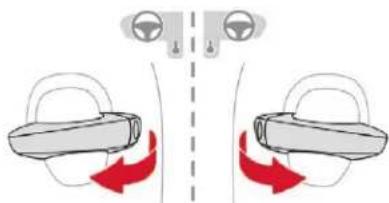
Diagram showing two car seats with red directional arrows indicating movement or force (no text or symbols)After unlocking the vehicle using the remote control or the key, pull the door handle.
From inside
natural_image
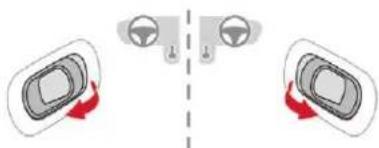
Diagram showing two car interior compartments with directional arrows indicating movement or movement (no text or symbols)Pull the interior opening control of a door; this unlocks the whole vehicle.
The interior opening control on a rear door does not work if the child lock is on. For more information on the Child Lock, refer to the corresponding section.
Closing
When a door is not closed correctly:
- with the engine running or the vehicle moving (speed below 6 mph (10 km/h)). a message appears in the screen.
- with the vehicle moving (speed above 6 mph (10 km/h)), a message appears in the screen, accompanied by an audible signal.
Boot
Opening
natural_image
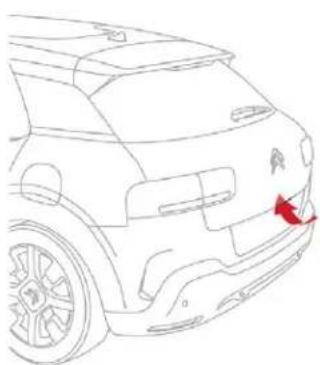
Line drawing of a car's rear window and side door, showing no text or symbolsWith the vehicle unlocked or with the electronic key of the Keyless Entry and Starting system in the recognition zone, press the central tailgate control.
Raise the tailgate.
Unlocking the boot using the remote control opens the tailgate slightly.
For more information on the Remote control or on Keyless Entry and Starting, refer to the corresponding section.
Access
In case of malfunction or difficulties moving the tailgate when opening or closing it, have it checked as soon as possible by a CITROËN dealer or a qualified workshop to ensure that this inconvenience does not get worse, making the tailgate fall and causing serious injuries.
Closing
natural_image
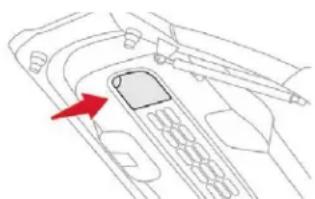
Diagram of a device interior with a red arrow pointing to a component (no text or symbols present)^27 Lower the tailgate using the interior grab handle.
If the tailgate is not fully closed:
- with the engine running or the vehicle moving (speed below 6 mph (10 km/h)), a message appears in the screen.
- with the vehicle moving (speed above 6 mph (10 km/h)), a message appears in the screen, accompanied by an audible signal.
Emergency control
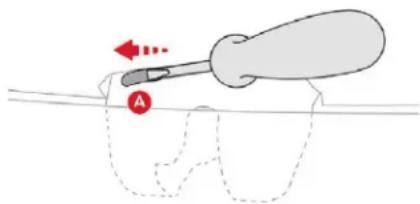
To unlock the boot manually in the event of a battery or central locking failure.
To unlock the boot
natural_image
Diagram of a screwdriver with a red arrow and dotted outline, no text or symbols presentFold the rear seats to gain access to the lock from inside the boot.
Insert a small screwdriver into hole A of the lock.
Move the latch to the left.
To re-lock the boot
If the problem persists, the boot will remain locked after opening and closing.
Alarm
System which protects and provides a deterrent against theft and break-ins. It provides the following type of monitoring:
- Exterior perimeter:
The system checks whether the vehicle is opened. The alarm is triggered if anyone tries to open a door, the boot or the bonnet.
! Self-protection function: the system checks for the putting out of service of its own components. The alarm is triggered if the battery, button or siren wiring is disconnected or damaged.
! For all work on the alarm system, contact a CITROËN dealer or a qualified workshop.
Locking the vehicle with alarm system
Activation

Switch off the ignition and get out of the vehicle.
Lock or deadlock the vehicle using the remote control or Keyless Entry and Starting system.
When the monitoring system is active, the button indicator lamp flashes once per second and the direction indicators come on for about two seconds.
The exterior perimeter monitoring is activated after five seconds.
If a door, boot, etc. is not properly closed, the vehicle is not locked but the exterior perimeter monitoring will be activated after 45 seconds.
Deactivation

Press the unlocking button on the remote control.
or
Unlock the vehicle with the Keyless Entry and Starting system.

The monitoring system is deactivated: the indicator lamp in the button goes off and the direction indicators flash for about 2 seconds.
When the vehicle automatically locks itself again (as happens if a door or boot is not opened within 30 seconds of unlocking), the monitoring system is automatically reactivated.
Triggering of the alarm
This is indicated by sounding of the siren and flashing of the direction indicators for 30 seconds.
The monitoring functions remain active until the alarm has been triggered eleven times consecutively.
When the vehicle is unlocked using the remote control or the Keyless Entry and Starting system, rapid flashing of the locking button indicator lamp informs you that the alarm was triggered during your absence. When the ignition is switched on, this flashing stops immediately.
Locking the vehicle without activating the alarm
Lock or deadlock the vehicle using the key (integral to the remote control) in the driver's door lock.
Failure of the remote control
To deactivate the monitoring functions:
* unlock the vehicle using the key (integral to the remote control) in the driver's door lock,
Open the door; this sets off the alarm.
Upon switching on the ignition, the alarm stops. The button indicator lamp goes off.
Malfunction
When the ignition is switched on, and for 10 seconds afterwards, the flashing of the locking button indicator lamp indicates a system fault.
Have the system checked by a CITROËN dealer or a qualified workshop.
Front electric window controls
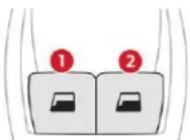
- Front left.
- Front right.
Manual operation
To open or close the window, press or pull the switch gently, without exceeding the resistance point. The window stops as soon as the switch is released.
Access
Automatic operation
To open or close the window, press or pull the switch fully, beyond the resistance point: the window opens or closes completely when the switch is released. Pressing the switch again stops the movement of the window.
The electric window switches remain operational for approximately 45 seconds after switching off the ignition. Once this time has elapsed, the electric windows will not operate. To reactivate them, switch the ignition on again.
Anti-pinch
When the window rises and meets an obstacle, it stops and immediately partially lowers again.
To reinitialise normal operation, press the switch until the window opens completely, then pull the switch immediately until the window closes fully. Continue to hold the switch for approximately one more second.
The anti-pinch safety function is not active whilst the function is being activated.
Reinitialisation of the electric windows
Following reconnection of the battery, the anti-pinch function must be reinitialised.
The anti-pinch function is not active during these operations.
For each window:
- bring the window down completely, then bring it back up. It will go up by a few centimetres each time. Perform the operation again until the window is fully closed,
- continue to pull the switch for at least one second after reaching the window closed position.
In the event of contact (pinching) during operation of the windows, you must reverse the movement of the window. To do this, press the switch concerned.
When the driver operates the passenger electric window switch, it is important to ensure that nothing can prevent the window from closing properly.
Be particularly aware of children when operating the windows.
Rear door windows
Each window can be hinged open to provide ventilation at the rear seats.
Opening
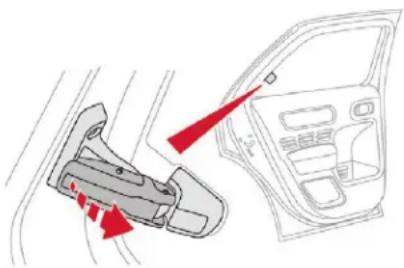
natural_image
Diagram of a car interior showing a hand valve and dashboard with red arrows indicating direction (no text or symbols)Tilt the lever outwards.
Push it fully to secure the window in the open position.
Closing
√ Pull the lever to release the window.
Tilt the lever fully inwards to secure the window in the closed position.
Front seats
As a safety measure, adjustments to the driver's seat must only be done when stationary.
Correct driving position
Before taking to the road and to make the most of the ergonomic layout of the instruments and controls, carry out these adjustments in the following order:
- height of the head restraint.
- backrest angle.
- seat cushion height,
- longitudinal position of the seat,
- the height and reach of the steering wheel,
- the interior and door mirrors.
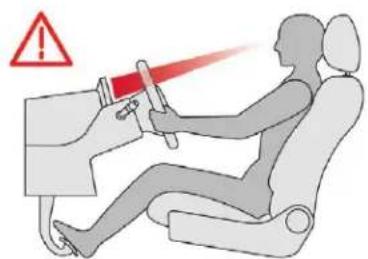
! Once these adjustments have been made, check the instrument panel can be viewed correctly from your driving position.
Settings
Longitudinal
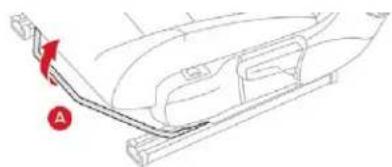
natural_image
Technical line drawing of a car interior showing a curved bracket and seat (no text or symbols)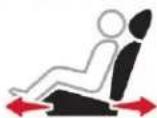
Raise the control A and slide the seat forwards or backwards.
Before moving the seat backwards, ensure that there is no object or person in the way, preventing full travel of the seat. There is a risk of trapping or pinching passengers if present in the rear seats or jamming the seat if large objects are placed on the floor behind the seat.
Backrest angle
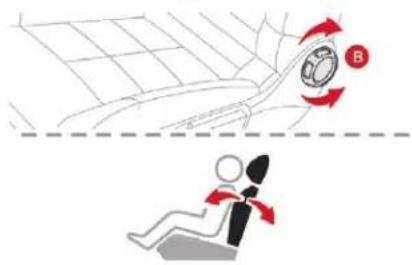
Turn the knob B to adjust the backrest.
Height
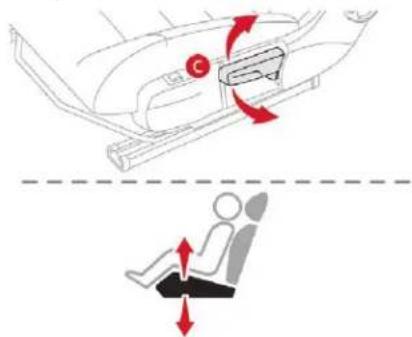
Pull the control C upwards to raise the seat or push it downwards to lower it, as many times as required, to obtain the desired position.
Ease of use and comfort
Lumbar support
(driver only)
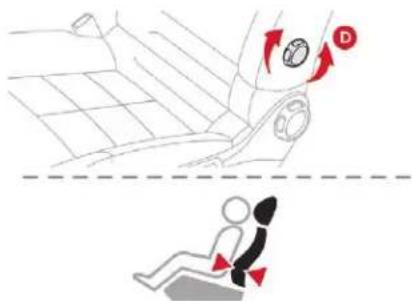
Turn the knob D manually to obtain the desired level of lumbar support.
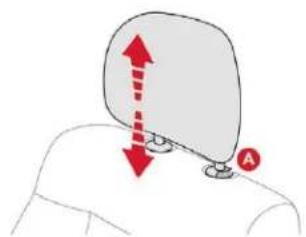
Head restraint height
natural_image
Diagram showing a person's head with a curved object and red arrows indicating upward and downward motion (no text or symbols)To raise a head restraint, pull it upwards.
To remove it, press the lug A and pull it upwards.
To put the head restraint back in place, engage the head restraint rods in the openings keeping them in line with the seat backrest.
To lower the head restraint, press the lug A and push down on the head restraint at the same time.
natural_image
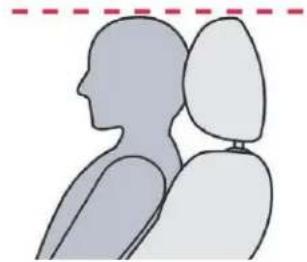
Silhouette of a person in profile view with head and shoulders, no text or symbols presentThe head restraint has a frame with notches which prevents it from lowering; this is a safety device in case of impact. The adjustment is correct when the upper edge of the head restraint is level with the top of the head. Never drive with the head restraints removed; they must be fitted and correctly adjusted.
Heated seats
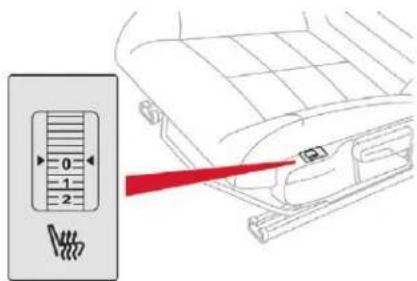
With the engine running, use the control wheel to switch on and select the level of heating required:
0: Off.
1: Low.
2: Medium.
3: High.

The front seats can be heated individually.

Before leaving the vehicle, ensure that the control wheel for the passenger seat is at position 0, so that the heating is not operating for no reason when no passenger is present, during the next journey.

Do not use the function when the seat is not occupied.
Reduce the intensity of the heating as soon as possible.
When the seat and passenger compartment have reached an adequate temperature, you can stop the function; reducing the consumption of electrical current reduces fuel consumption.

Prolonged use at the highest setting is not recommended for those with sensitive skin.
There is a risk of burns for people whose perception of heat is impaired (illness, taking medication, etc.).
There is a risk of overheating the system if material with insulating properties is used, such as cushions or seat covers.
Do not use the system:
- if wearing damp clothing,
- if child seats are fitted.
To avoid breaking the heating element in the seat: - do not place heavy objects on the seat,
- do not kneel or stand on the seat,
- do not place sharp objects on the seat.
- do not spill liquids onto the seat.
To avoid the risk of short-circuit: - do not use liquid products for cleaning the seat.
- never use the heating function when the seat is damp.
Rear seats
Bench seat with fixed one-piece cushion and folding backrest (1/3 - 2/3) to adapt the loading space in the boot.
Folding the backrest
natural_image
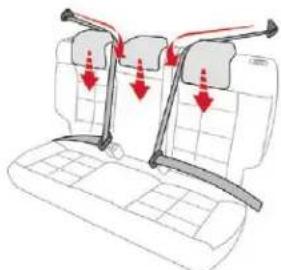
Diagram of a car interior with three seats and directional arrows indicating movement or force (no text or symbols)Move the front seats forward if necessary.
Position the seat belts on the backrest and buckle them.
Place the head restraints in the low position.
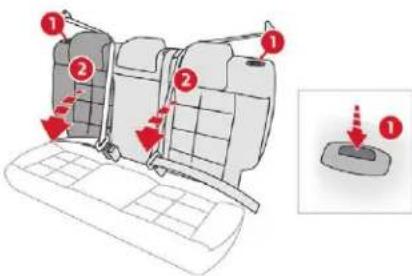
Press the corresponding control 1 to release the backrest 2.
Fold the backrest 2 onto the cushion.
Ease of use and comfort
When folding the seat, the centre seat belt should not be fastened but laid out flat on the backrest.
The rear seat cushion remains fixed. To increase the boot volume, fold the backrest onto the cushion.
Returning the backrest to the normal position
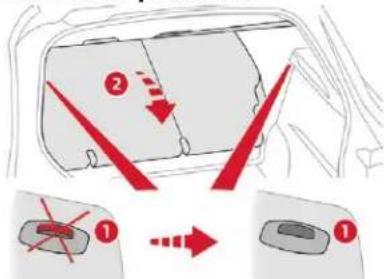
Straighten the backrest 2 and secure it.
Unfasten and return the seat belts to the sides of the backrest.
When repositioning the backrest, ensure that the seat belts are not trapped and the red indicator, located next to the controls 1, is no longer visible.
Rear head restraints
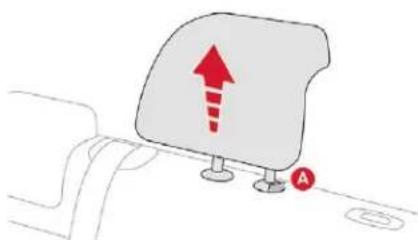
These have one position for use (up) and a stowed position (down).
natural_image
Simple line drawing of a document with an upward arrow and a small circle labeled 'A' (no text or symbols present)They can be removed and are interchangeable side to side.
To remove a head restraint:
Pull the head restraint upwards as far as possible.
Then, press the lug A.
To refit a head restraint:
Engage the head restraint rods in the openings, keeping the head restraint in line with the seat backrest.
To lower a head restraint:
Press down on the head restraint and on lug A at the same time.
Never drive with the head restraints removed; they must be in place and adjusted to the normal position (up).
Steering wheel adjustment
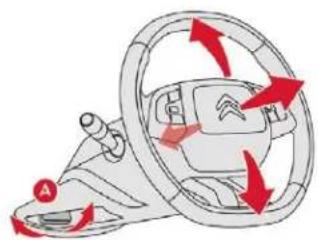
natural_image
Diagram of a car steering wheel with red directional arrows indicating clockwise motion (no text or symbols)When stationary, lower the control lever A to release the steering wheel adjustment mechanism.
Adjust the steering wheel height and reach to suit your driving position.
- Raise the control lever A to lock the steering wheel adjustment mechanism.
As a safety precaution, these operations should only be carried out while the vehicle is stationary.
Mirrors
Door mirrors
! The objects observed are, in reality, closer than they appear.
Take this into account in order to correctly judge the distance of vehicles approaching from behind.
Electric adjustment
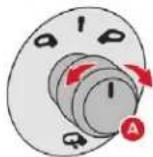
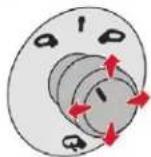
Turn control A to the right or left to select the corresponding mirror.
Move the control in all four directions to adjust.
Return the control to the central position.
As a safety measure, the mirrors should be adjusted to reduce the "blind spots".
Manual folding
You can manually fold the mirrors (parking obstruction, narrow garage, etc.).
Turn the mirror towards the vehicle.
Electric folding
If your vehicle is fitted with this function, the mirrors can be folded electrically from the inside, with the vehicle parked and the ignition on:
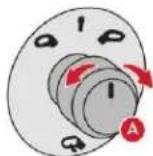
Turn control A to opposite the mark.
From outside: lock the vehicle using the remote control or the Keyless Entry and Starting system.
The folding and unfolding of the door mirrors when locking or unlocking the vehicle can be deactivated via the vehicle configuration menu.
Demisting – Defrosting

Demisting-defrosting of the door mirrors operates with the engine running, by switching on the heated rear screen.
For more information on Rear screen demisting – defrosting, refer to the corresponding section.
Rear view mirror
Equipped with an anti-dazzle system, which darkens the mirror glass and reduces the nuisance to the driver caused by the sun, headlamps of other vehicles, etc.
Manual model
Adjustment
Adjust the mirror so that the glass is directed correctly in the "day" position.
Day/night position
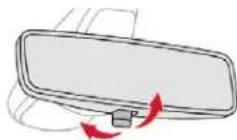
Pull the lever to change to the "night" anti-dazzle position.
Push the lever to change to the normal "day" position.
Automatic "electrochrome" model
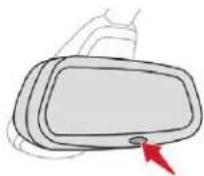
Ease of use and comfort
This system automatically and progressively changes between the day and night uses by means of a sensor, which measures the light from the rear of the vehicle.
In order to ensure optimum visibility during your manoeuvres, the mirror lightens automatically when reverse gear is engaged.
Ventilation
Air intake
The air circulating in the passenger compartment is filtered and originates either from the outside via the grille located at the base of the windscreen or from the inside in air recirculation mode.
Air treatment
The incoming air follows various routes depending on the controls selected by the driver:
- direct arrival in the passenger compartment (air intake),
- passage through a heating circuit (heating),
- passage through a cooling circuit (air conditioning).
Control panel

The controls of this system are accessible in the "Air conditioning" menu of the touch screen A.
The demisting/defrosting controls for the windscreen and rear screen are located below the touch screen.
Air distribution
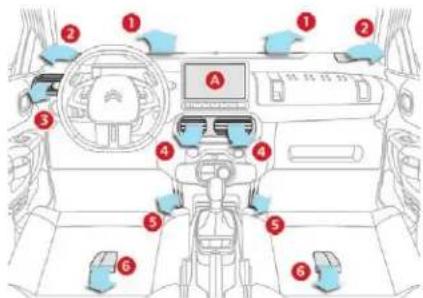
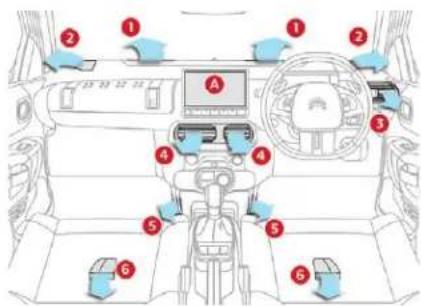
- Windscreen demisting/defrosting vents.
- Front side window demisting/defrosting vents.
- Adjustable side air vent (driver only).
- Central adjustable air vents.
- Air outlets to the front footwells.
- Air outlets to the rear footwells.
Recommendations for ventilation and air conditioning
In order for these systems to be fully effective, follow the operation and maintenance guidelines below:
To ensure that the air is distributed evenly, keep the external air intake grilles at the base of the windscreen, the nozzles, the vents, the air outlets and the air extractor in the boot free from obstructions.
Do not cover the sunshine sensor, located on the dashboard; this is used for regulation of the automatic air conditioning system.
Operate the air conditioning system for at least 5 to 10 minutes once or twice a month to keep it in perfect working order.
Replace the filter elements regularly. We recommend the use of a combined passenger compartment filter. Thanks to its special active additive, it contributes to the purification of the air breathed by the occupants and the cleanliness of the passenger compartment (reduction of allergic symptoms, bad odours and greasy deposits).
To ensure correct operation of the air conditioning system, have it checked according to the recommendations in the Maintenance and Warranty Guide.
If the system does not produce cold air, switch it off and contact a CITROËN dealer or a qualified workshop.
When towing the maximum load on a steep gradient in high temperatures, switching off the air conditioning increases the available engine power and so improves the towing ability.
To avoid the windows misting up and deterioration in the quality of the air:
- do not drive for too long with the ventilation switched off.
- do not keep air recirculation set for an extended period.
If the interior temperature is very high after the vehicle has stood for a long time in the sunshine, air the passenger compartment for a few moments. Put the air flow control at a setting high enough to quickly change the air in the passenger compartment.
The condensation created by the air conditioning results in a discharge of water under the vehicle which is perfectly normal.
Stop & Start
The heating and air conditioning systems only work when the engine is running. Temporarily deactivate the Stop & Start system to maintain a comfortable temperature in the passenger compartment.
For more information on Stop & Start, refer to the corresponding section.
Ease of use and comfort
Heating/Manual air conditioning
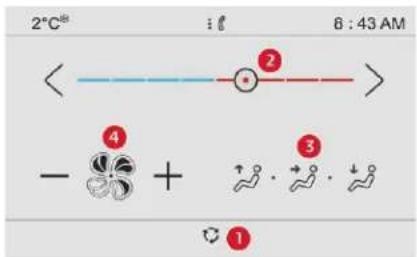
The heating only operates when the engine is running.
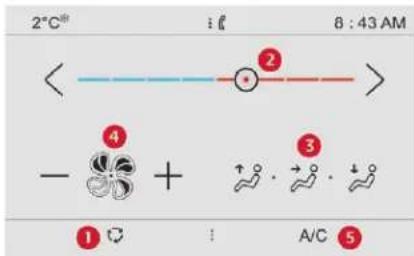
The manual air conditioning operates with the engine running.
- Recirculation of interior air.
- Temperature adjustment.
- Air distribution adjustment.
- Air flow adjustment.
- Air conditioning On/Off.

Select the Air conditioning menu in the touch screen to display the controls page for the system.
Temperature adjustment
Press one of the arrows 2, or move the slider from blue (cold) to red (hot) to adjust the temperature to your liking.
Air flow adjustment
Press one of the buttons 4 to increase or decrease the speed of the air booster fan.
The symbol for air flow (a fan) fills progressively according to the air flow setting made. By reducing the air flow to the minimum, you are stopping ventilation of the passenger compartment.
Avoid driving for too long without ventilation – Risk of misting and deterioration of air quality!
Air distribution adjustment
You can vary the air distribution in the passenger compartment using the buttons 3.

Windscreen.

Central and side vents.

Footwells.
Each press of a button activates or deactivates the function.

The three buttons can be activated simultaneously. In this case, the flows of air from the central and side vents and the footwell vents are favoured.
Air conditioning On/Off
The air conditioning is designed to operate effectively in all seasons, with the windows closed.
It allows you:
- in summer, to lower the temperature,
- to increase the effectiveness of the demisting in winter, above 3°C.
Press button 5 to activate/deactivate the air conditioning system.
When the indicator lamp is on, the air conditioning function is activated.
The air conditioning does not operate when the air flow adjustment is inhibited.
Switching the system off
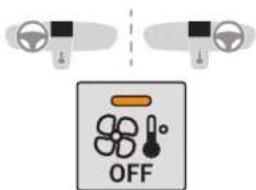
Press this button; the indicator lamp in the button comes on.
This action switches off all of the functions of the system.
The temperature is no longer controlled. However, a slight flow of air, due to the movement of the vehicle, can still be felt. Pressing any button reactivates the system with the settings that were previously in use.
Avoid driving for long periods with the system off – Risk of misting and deterioration of air quality!
Automatic air conditioning
The air conditioning operates with the engine running, but the ventilation and its controls are available with the ignition on.
Operation of the air conditioning and regulation of temperature, air flow and air distribution in the passenger compartment are automatic.
Select the Air conditioning menu in the touch screen to display the controls page for the system.
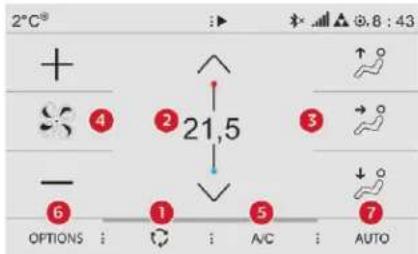
-
Recirculation of interior air.
-
Temperature adjustment.
-
Air distribution adjustment.
- Air flow adjustment.
- Air conditioning On/Off.
- Access to the secondary page.
- Automatic mode. Depending on equipment.
The locations of the buttons of the lower band may vary, depending on equipment.
Temperature adjustment
Press one of the buttons 2 to decrease (blue) or increase (red) the value.
The value indicated corresponds to a level of comfort and not to a precise temperature.
For maximum cooling or heating of the passenger compartment, press the temperature setting button down or up until LO or HI is displayed.
Automatic comfort programme
Press the "AUTO" button 7 to activate or deactivate the automatic mode of the air conditioning system.
Ease of use and comfort
The air conditioning system operates automatically: the system manages the temperature, air flow and air distribution in the passenger compartment in an optimum way according to the comfort level you have selected.
Go to the secondary page by pressing button 6 "OPTIONS" to adjust the automatic comfort programme by choosing one of the available settings.

To change the current setting, press the button several times in succession to access the desired mode:
"Soft": provides soft and quiet operation by limiting air flow.
"Normal": offers the best compromise between a comfortable temperature and quiet operation (default setting).
"Fast": provides strong and effective air flow.
This setting is associated with AUTO mode only. However, on deactivation of AUTO mode, the last setting used remains set.
Changing the setting does not reactivate AUTO mode if deactivated.
In cold weather with the engine cold, the air flow is increased gradually until the comfort setting has been reached, in order to limit the delivery of cold air into the passenger compartment. On entering the vehicle, if the interior temperature is much colder or warmer than the comfort setting requested, there is no need to alter the value displayed in order to reach more quickly the required level of comfort. The system compensates automatically and corrects the temperature difference as quickly as possible.
You can manually adjust the air flow and distribution.
As soon as you modify a setting, the automatic comfort programme is deactivated.
Press the "AUTO" button 7 to activate the automatic comfort programme again.
Air flow adjustment
Press one of the buttons 4 to increase or decrease the air flow from the system. The symbol for air flow (a fan) fills progressively according to the air flow setting made. By reducing the air flow to minimum, you are stopping ventilation. "OFF" is displayed alongside the fan.
Avoid driving for too long without ventilation – Risk of misting and deterioration of air quality!
Air distribution adjustment
You can vary the air distribution in the passenger compartment using the buttons 3.

Windscreen.

Central and side vents.

Footwells.
Each press of a button activates or deactivates the function.

The three buttons can be activated simultaneously. In this case, the flows of air from the central and side vents and the footwell vents are favoured.
Air conditioning On/Off
The air conditioning is designed to operate effectively in all seasons, with the windows closed.
It allows you:
- in summer, to lower the temperature,
- to increase the effectiveness of the demisting in winter, above 3°C.
Press button 5 to activate/deactivate the air conditioning system.
When the indicator lamp is on, the air conditioning function is activated.

The air conditioning does not operate when the air flow adjustment is inhibited.
Ventilation function with the ignition on
When the ignition is switched on, you can use the ventilation system to adjust the air flow settings and the air distribution in the passenger compartment for a duration which depends on the battery charge.
This function does not operate the air conditioning.
Switching the system off
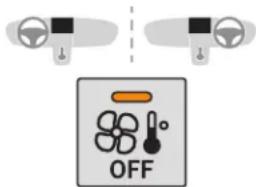
Press this button; the indicator lamp in the button comes on.
This action switches off all of the functions of the system.
The temperature is no longer controlled. However, a slight flow of air, due to the movement of the vehicle, can still be felt. Pressing any button reactivates the system with the settings that were previously in use.
Avoid driving for long periods with the system off – Risk of misting and deterioration of air quality!
Recirculation of interior air
The intake of exterior air helps avoid and eliminate misting of the windscreen and side windows.
Recirculation of the interior air isolates the passenger compartment from exterior odours and fumes.

When so required, this function also allows faster heating or cooling of the air in the passenger compartment.
Press button 1 to recirculate the interior air or to permit the intake of outside air.

Avoid the prolonged use of interior air recirculation – Risk of misting and deterioration of air quality!
Ease of use and comfort
Front demisting – defrosting
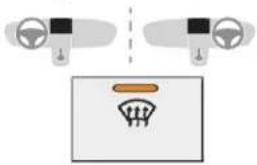
natural_image
Diagram showing two car dashboard controls connected to a vehicle dashboard with a speedometer (no text or symbols)On/Off
Press this button to demist or defrost the windscreen and side windows as quickly as possible. The indicator lamp in the button comes on.
The system automatically manages the air conditioning (depending on version), air flow and air intake, and provides optimum distribution towards the windscreen and side windows.
To switch off demisting/defrosting, press this button again. The indicator lamp goes off.
With Stop & Start, when demisting – defrosting has been activated, STOP mode is not available.
Rear screen demisting – defrosting
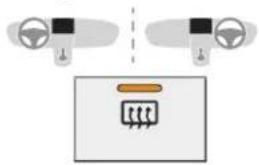
natural_image
Diagram showing two car seats above a control panel with a circuit symbol (no text or labels)On/Off
Press this button to demist or defrost the rear screen and (depending on version) the door mirrors. The indicator lamp in the button comes on.
Demisting/defrosting switches off automatically to prevent excessive electrical consumption.
It is possible to stop the demisting/defrosting operation before it is switched off automatically by pressing this button again. The button indicator lamp goes off.

Switch off the demisting/defrosting of the rear screen and door mirrors as soon as appropriate, as lower current consumption results in reduced fuel consumption.
i Rear screen demisting – defrosting can only be operated when the engine is running.
Courtesy lamps
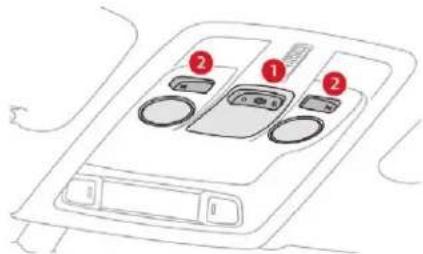
- Front courtesy lamp
- Front map reading lamps
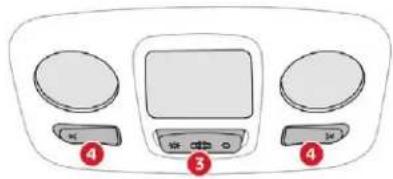
natural_image
Front view of a home air conditioner unit with two circular fans and a central monitor (no text or symbols visible)- Rear courtesy lamp
- Rear map reading lamps
Front and rear courtesy lamps
In this position, the courtesy lamp comes on gradually:
- when the vehicle is unlocked,
-
when the key is removed from the ignition,
-
when opening a door,
- when the remote control locking button is activated, in order to locate your vehicle.
It switches off gradually: - when the vehicle is locked.
- when the ignition is switched on,
- 30 seconds after the last door is closed.

Permanently off.
Permanent lighting.
In "permanent lighting" mode, the lighting time varies according to the circumstances:
- when the ignition is off, approximately ten minutes,
- in energy saving mode, approximately thirty seconds.
- with the engine running, unlimited.
When the courtesy lamp is in the "permanent lighting" position, the rear courtesy lamp also comes on, except if it is in the "permanently off" position. To switch off the rear courtesy lamp, put it in the "permanently off" position.
Front and rear map reading lamps

With the ignition on, press the corresponding switch.
Take care to avoid leaving anything in contact with the courtesy lamps.
Boot lamp
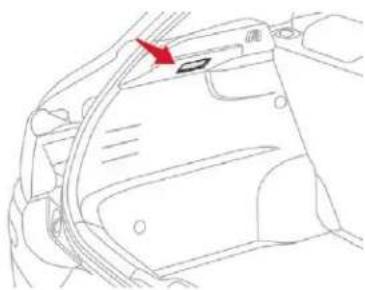
natural_image
Line drawing of a car interior showing a door and seat, with a red arrow pointing to the door handle (no text or symbols present)It comes on automatically when the boot is opened.
Different lighting times are provided: - with the ignition off, approximately ten minutes,
- in energy economy mode, approximately thirty seconds,
- with the engine running, unlimited.
Panoramic glazed sunroof
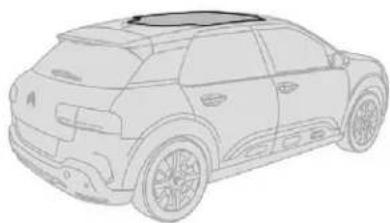
natural_image
Line drawing of a small SUV in profile view (no text or symbols)This glazed roof provides increased visibility and light in the passenger compartment, while maintaining normal temperatures thanks to its "high thermal protection" coating.
Advice on care
In order to preserve the properties of the glazed roof, we recommend wiping or cleaning the inner glass using a clean, soft and dry cloth.
For stubborn stains, the glass should be cleaned using screenwash fluid, rinsed with clean water, then dried with a clean, soft cloth.
Do not use soapy water, abrasive products, detergents (particularly those with an ammonia base), solvents, solutions with a high concentration of alcohol, petrol, etc.
Ease of use and comfort
Interior fittings
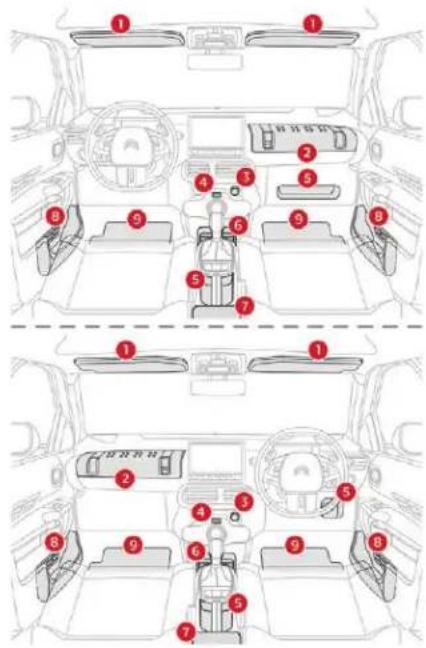
- Sun visor.
- Glove box.
It houses an auxiliary JACK socket.
- 12 V power socket (max. 120 W).
-
USB port.
-
Open storage.
(depending on version). - Cup holder.
- Front armrest with storage.
(depending on version). - Front door pockets.
- Mats.
Sun visors
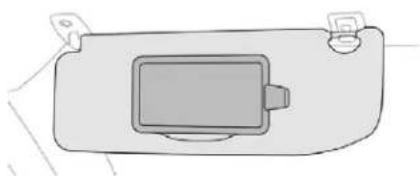
natural_image
Simple line drawing of a rectangular device with a central screen and two side connectors (no text or symbols)The driver's sun visor is fitted with a vanity mirror, with a concealing flap and a card holder (or ticket holder).
Do not attach or stick anything to the passenger's sun visor; this could cause injuries if the front airbag (fitted in the dashboard) is deployed.
Glove box
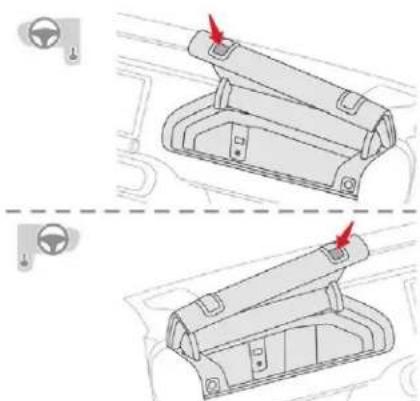
natural_image
Diagram showing two car interior compartments with red arrows indicating movement or force points (no text or symbols present)It can be used to hold a water bottle, the vehicle's handbook pack, etc.
To open the glove box, raise the control and guide the lid to its open position notch.
It houses an auxiliary JACK socket and the front passenger airbag deactivation switch.
! Never drive with the glove box open when a passenger is at the front – it may cause injury during sharp deceleration!
12 V socket
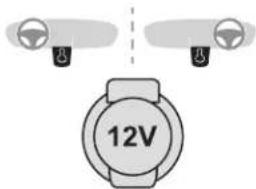
To connect a 12 V accessory (max power: 120 Watts), lift the cover and connect a suitable adaptor.
Do not exceed the maximum power rating of the socket (otherwise this could cause damage to your portable device).
The connection of an electrical device not approved by CITROËN, such as a USB charger, may adversely affect the operation of vehicle electrical systems, causing faults such as poor telephone reception or interference with displays in the screens.
USB port
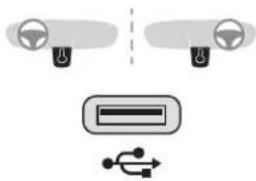
natural_image
Diagram showing car dashboard and steering wheel (no text or symbols)A USB port is located on the central console. It allows the connection of a portable device or a USB memory stick.
It reads the audio files which are sent to your audio system and played via the vehicle's speakers.
You can manage these files using the steering mounted controls or those on the touch screen.
When the USB port is used, the portable device charges automatically. A message is displayed if the power drawn by the portable device exceeds the current supplied by the vehicle.
Ease of use and comfort
Auxiliary socket (JACK)
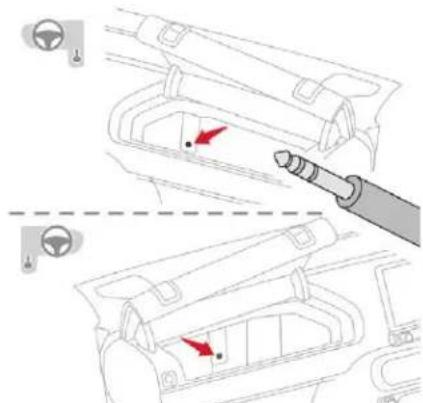
To connect a portable device so that you can listen to your music files via the vehicle's speakers.
The management of the files is done using your portable device.
For more information on Audio and telematics and, in particular, the use of this equipment, refer to the corresponding section.
Ease of use and comfort
Front armrest
Opening
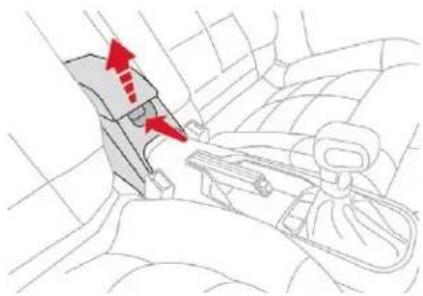
natural_image
Interior view of a car seatbelt mechanism showing red directional arrows indicating movement or force (no text or symbols present)For access to the closed storage space, lift the lever to open the lid.
This storage space can be used to house portable devices (mobile phone, MP3 player, etc.) which can be connected to the USB/Jack socket or charged from the 12 V socket in the centre console.
Clothes hooks
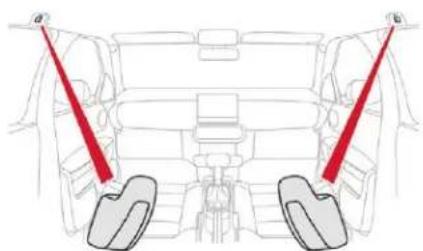
natural_image
Diagram of a car interior showing seatbelt and rear seats with red safety belt (no text or labels)They are located above each rear door.
Mats
Fitting
When fitting the mat for the first time, on the driver's side, use only the fixings provided. The other mats are simply placed on the carpet.
Removing
To remove the mat on the driver's side:
move the seat as far back as possible,
unclip the fixings,
remove the mat.
Refitting
To refit the mat on the driver's side:
position the mat correctly,
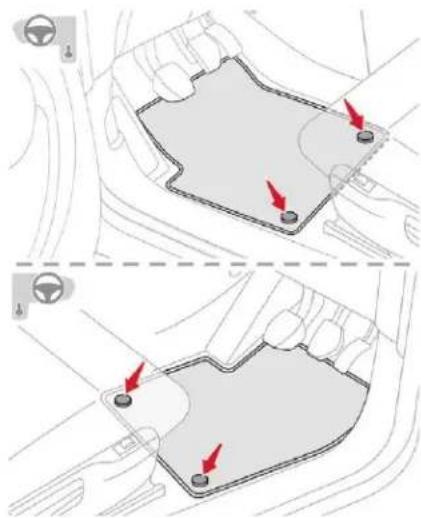
reattach the fixings by pressing,
check that the mat is secured correctly.
To avoid any risk of jamming of the pedals:
- only use mats which are suited to the fixings already present in the vehicle; these fixings must be used,
- do not fit one mat on top of another. The use of mats not approved by CITROËN may interfere with access to the pedals and hinder the operation of the cruise control/speed limiter.
The mats approved by CITROËN have two fixings located below the seat.
- Rear parcel shelf.
- Hook.
- Storage box.
- Storage net (accessory).
- Storage net fixing rings.
! The storage net fixing rings are not intended to secure loads or restrain baggage.
! For versions with storage box: it must be in place before loading the boot.
Storage box
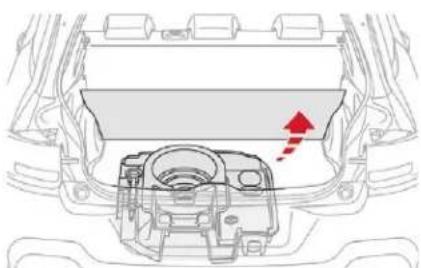
natural_image
Diagram of a car engine bay with a red arrow indicating direction (no text or symbols)Remove the boot carpet for access to the storage box.
Depending on the configuration, it is laid out for storing:
- a towing eye,
- a temporary puncture repair kit,
- a warning triangle,
- etc.
Hook
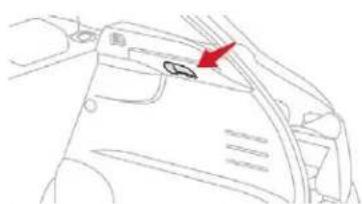
natural_image
Line drawing of a car interior with a red arrow pointing to the door panel (no text or symbols)It can be used to secure shopping bags.
! Take care to only hang up lightweight bags.
Rear parcel shelf
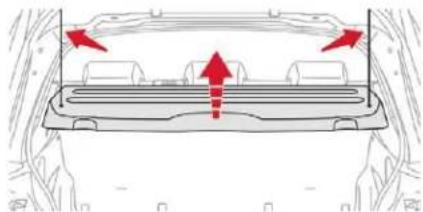
natural_image
Top-down view of a car's rearview showing dashboard and side-mounted seats with red arrows indicating direction (no text or symbols)To remove the shelf:
release the two cords,
Ease of use and comfort
gently lift the shelf, then remove it.
There are several ways of storing it:
- either upright behind the front seats,
- or flat on the bottom of the boot.
Rear parcel shelf (commercial version)
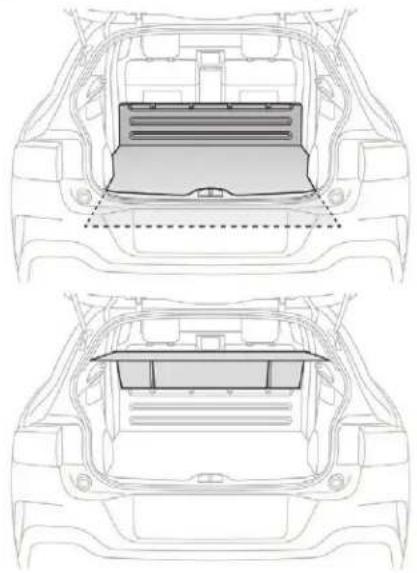
natural_image
Technical line drawing of a car backhaul with internal compartments and structural framing (no text or symbols)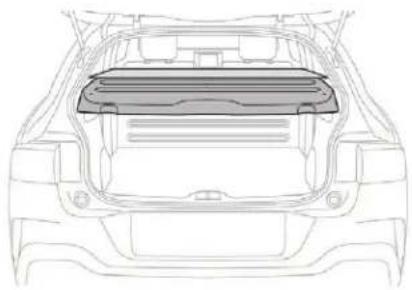
natural_image
Front view line drawing of a car's rear canopy structure (no text or symbols)It conceals the interior of the vehicle in combination with the existing shelf.
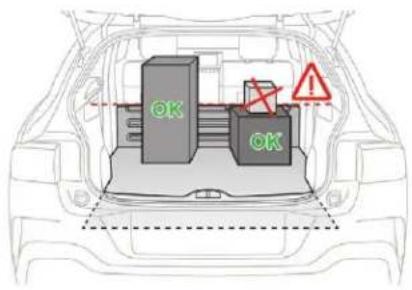
Do not place objects above the load stop.
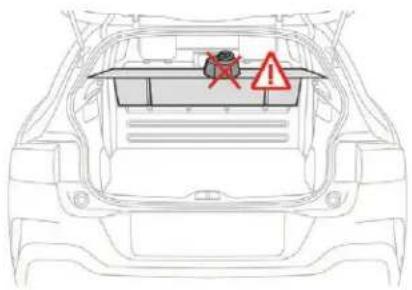
Do not place hard or heavy objects on the rear parcel shelf. They can become dangerous projectiles in the event of a sudden braking or impact.
Lighting control stalk
In some weather conditions (e.g. low temperature or humidity), the presence of misting on the internal surface of the glass of the headlamps and rear lamps is normal; it disappears after the lamps have been on for a few minutes.
If one or more lamps fails, a message asks you to check the lamp or lamps concerned.
i Travelling abroad
If planning to use your vehicle in a country that drives on the other side of the road, the headlamp dipped beams must be adjusted to avoid dazzling oncoming drivers. Contact a CITROËN dealer or a qualified workshop.
Main lighting
Selection of main lighting mode
Turn the ring to align the desired symbol with the marking.

Lighting off/Daytime running lamps.

Sidelamps only.

Dipped or main beam headlamps.

Automatic illumination of headlamps.
Without AUTO lighting
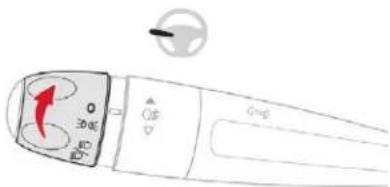
With AUTO lighting
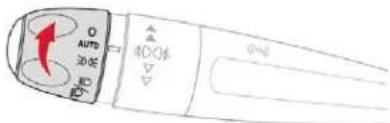
Headlamp dipping

Pull the stalk to switch between dipped and main beam headlamps.
In the lighting off and sidelamps modes, the driver can switch on the main beam headlamps temporarily ("headlamp flash"), for as long as the stalk is kept pulled.
Display
Illumination of the corresponding indicator lamp in the instrument panel confirms that the lighting selected is on.
Foglamps
The foglamps operate with the dipped and main beam headlamps.
Rear foglamp

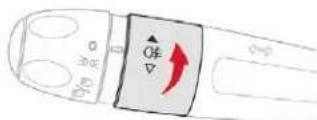
To switch it on, turn the ring forwards.
Lighting and visibility
When the lighting is switched off automatically (with AUTO model), the foglamp and the dipped beam headlamps will remain on.
To switch it off, turn the ring rearwards.
Front and rear foglamps

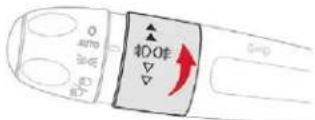
Rotate and release the ring:
once forwards to switch on the front foglamps,
forwards a second time to switch on the rear foglamps,
once backwards to switch off the rear foglamps,
backwards a second time to switch off the front foglamps.
When the lighting is switched off automatically (with AUTO model), or when the dipped beam headlamps are switched off manually, the foglamps and sidelamps remain on.
Turn the ring backwards to switch off the foglamps, the sidelamps will then switch off.
In good or rainy weather, both day and night, using the front foglamps and the rear foglamp is prohibited. In these situations, the power of their beams may dazzle other drivers. They should only be used in fog or falling snow. In these weather conditions, it is your responsibility to switch on the foglamps and dipped beam headlamps manually as the sunshine sensor may detect sufficient light. Switch off the front and rear foglamps when they are no longer necessary.
Switching off of the lighting when the ignition is switched off
On switching off the ignition, all of the lighting turns off immediately, except for dipped beam if automatic guide-me-home lighting is activated.
Switching on the lighting after switching off the ignition
To reactivate the lighting control stalk, rotate the ring to position "0" – lighting off, then to the desired position. When the driver's door is opened, a temporary audible signal warns you that the vehicle's lighting is on.
The lighting, with the exception of the sidelamps, will switch off automatically after a maximum duration of thirty minutes to prevent discharging of the battery.
Direction indicators
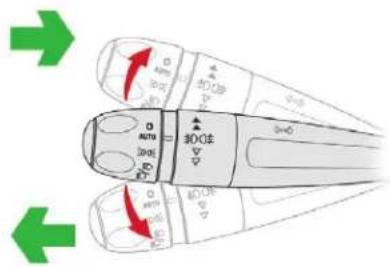
Left: lower the lighting control stalk beyond the point of resistance.
Right: raise the lighting control stalk beyond the point of resistance.
Three flashes
Press briefly upwards or downwards, without going beyond the point of resistance; the direction indicators will flash 3 times.
Automatic illumination of headlamps
As soon as the light returns to a sufficient level or after the windscreen wipers are switched off, the lamps are switched off automatically.
Switching on
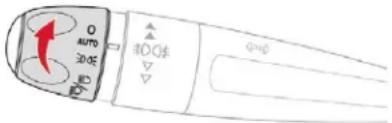
Turn the ring to the "AUTO" position. The activation of the function is accompanied by the display of a message.
Switching off
Turn the ring to another position. Deactivation of the function is accompanied by the display of a message.
Malfunction

In the event of a malfunction of the sunshine sensor, the lamps come on, this warning lamp is displayed on the instrument panel together with an audible signal and/or a message. Contact a CITROEN dealer or a qualified workshop.
Do not cover the sunshine sensor, integrated with the rain sensor and located at the top centre of the windscreen behind the rear view mirror; the associated functions would no longer be controlled.
In fog or snow, the sunshine sensor may detect sufficient light. In this case, the lighting will not come on automatically.
Daytime running lamps/ Sidelamps (LEDs)
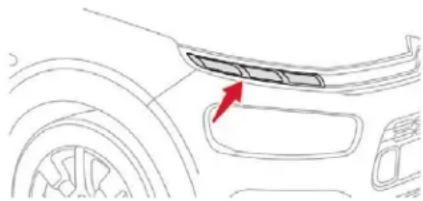
natural_image
Line drawing of a car's front bumper and side panel, with a red arrow pointing to the bumper area (no text or symbols)The light-emitting diodes (LEDs) come on automatically when the engine is started. They provide the following functions:
- Daytime running lamps (lighting control stalk at position "0" or "AUTO" with adequate light level).
- Sidelamps (lighting control stalk in position "AUTO" with low light level or "Sidelamps only" or "Main or dipped beam headlamps").
The LEDs are brighter when operating as daytime running lamps.
Lighting and visibility
Parking lamps
Vehicle side marking by illumination of the sidelamps on the traffic side only.
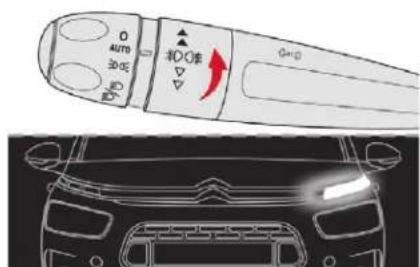
Depending on version, within one minute of switching off the ignition, operate the lighting control stalk up or down depending on the traffic side (for example, when parking on the right, move the lighting control stalk downwards; the left-hand sidelamps light up).
This is confirmed by an audible signal and illumination of the corresponding direction indicator lamp in the instrument panel. To switch off the parking lamps, return the lighting control stalk to the central position.
Guide-me-home lighting
Automatic
When the automatic illumination of headlamps is activated, if the ambient light level is low, the dipped beam headlamps come on automatically when switching off the ignition.
Activation or deactivation, as well as the duration for the guide-me-home lighting can be set in the touch screen.

In the Driving/Vehicle menu, select the "Vehicle settings" tab, then "Headlamps" and activate/deactivate "Guide-Me-Home Lighting".
Manual
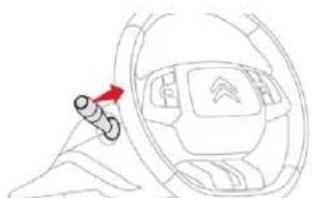
natural_image
Diagram of a car interior showing steering wheel and red directional arrow (no text or symbols)The temporary illumination of the dipped beam headlamps after the vehicle's ignition has been switched off makes the driver's exit easier when the light is poor.
Switching on
With the ignition off, "flash" the headlamps using the lighting control stalk.
Another "headlamp flash" switches the function off.
Switching off
The manual guide-me lighting goes off automatically at the end of a given period of time.
Headlamp beam height adjustment
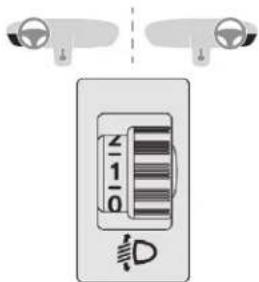
To avoid causing a nuisance to other road users, the headlamp beams should be adjusted for height according to the vehicle's load.
- Driver only or driver + front passenger.
-
Driver + front passenger + rear passengers.
-
Driver + front passenger + rear passengers + load in the boot.
- Driver + front passenger + rear passengers + load in the boot.
- Driver only + maximum authorised load in the boot.

The initial setting is position 0.
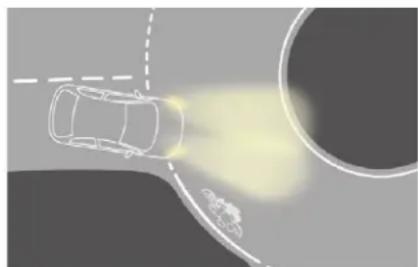
natural_image
Top-down illustration of a car driving on a curved road with a circular background and a light source, no text or symbols present.Without cornering lighting
Cornering lighting
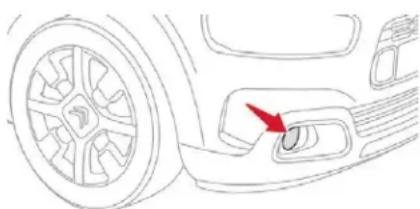
natural_image
Line drawing of a car's side profile showing wheel, handle, and keyhole (no text or symbols)If your vehicle is so equipped, this system makes use of the beam from a front foglamp to illuminate the inside of a bend, when the main or dipped beam headlamps are on and the vehicle speed is below 25 mph (40 km/h) (urban driving, winding road, intersections, parking manoeuvres, etc.).
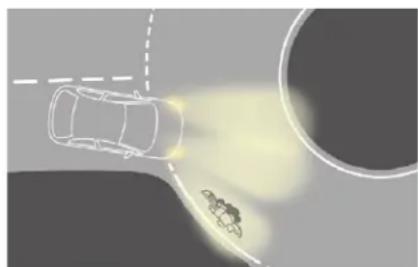
natural_image
Top-down illustration of a car on a curved road with a speedometer and a small vehicle nearby (no text or symbols)With cornering lighting
Switching on
This system starts:
- when the corresponding direction indicator is switched on,
or
- from a certain angle of rotation of the steering wheel.
Switching off
The system does not operate:
- below a certain angle of rotation of the steering wheel,
- above 25 mph (40 km/h),
- when reverse gear is engaged.
Activation/Deactivation
The system is activated or deactivated via the vehicle configuration menu.

In the Driving/Vehicle menu of the touch screen, select the "Vehicle settings" tab then "Headlamps" and activate/deactivate "Directional headlamps".
Wiper control stalk
In wintry conditions, remove snow, ice or frost present on the windscreen, around the wiper arms and blades and the windscreen seal, before operating the wipers.
Lighting and visibility

Do not operate the wipers on a dry windscreen. Under extremely hot or cold conditions, ensure that the wiper blades are not stuck to the windscreen before operating the wipers.
Manual controls
The wipers are controlled directly by the driver.
With manual wiping
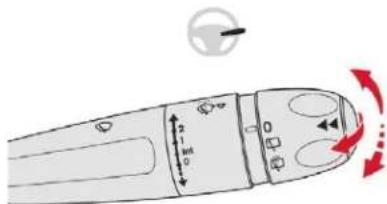
With AUTO wiping
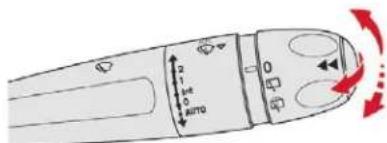
Windscreen wipers
Raise or lower the control to the desired position to change the wiping speed.

Fast wiping (heavy rain).

Normal wiping (moderate rain).

Intermittent wiping (proportional to the speed of the vehicle).

Off.

Single wipe (press downwards or pull the stalk briefly towards you, then release).
or
AUTO ↓
Automatic wiping (press down, then release) or single wipe (pull the stalk briefly towards you).
Rear wiper
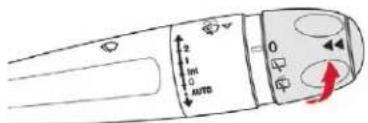
Rear wiper selection ring:

Off.

Intermittent wiping.

Wash-wipe (set duration).
Reverse gear
When reverse gear is engaged, the rear wiper will come into operation automatically if the windscreen wipers are operating.
The system is activated or deactivated via the vehicle configuration menu.

This system is activated by default.

If a significant accumulation of snow or ice is present, or when using a bicycle carrier on the boot, deactivate the automatic rear wiper.

In the Driving/Vehicle menu of the touch screen, select the "Vehicle settings" tab then "Parking" and activate/deactivate "Rear wiper in reverse".
Front screenwash
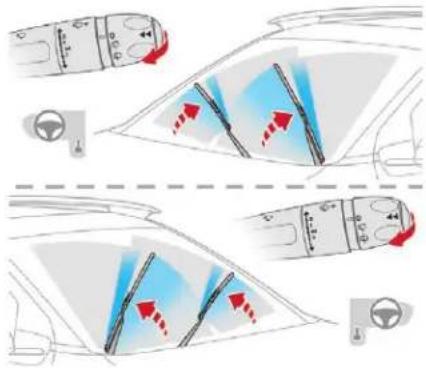
Pull the wiper control stalk towards you. The screenwash and windscreen wiper operate for as long as the control stalk is pulled. Stopping the screenwash is followed by a final wiping cycle.
Your vehicle is fitted with an innovative front screenwash system.
The screenwash fluid is sprayed all along the length of the wiper blade, so avoiding impairment of the driver's view or that of the passengers.
To avoid damaging the wiper blades, do not operate the screenwash if the screenwash reservoir is empty. Only operate the screenwash if there is no risk of the fluid freezing on the windscreen and hindering visibility. Always use screenwash fluid suitable for low temperatures during the winter period.
Special position of the windscreen wipers
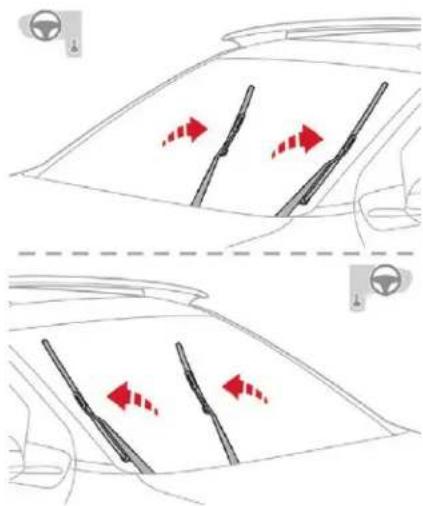
This position permits release of the windscreen wiper blades. It is used for cleaning or replacing the wiper blades. It can also be useful, in winter, to release the wiper blades from the windscreen.
Operate the wiper stalk within one minute after switching off the ignition to position the wiper blades vertically on the windscreen.
To park the wiper blades again, switch on the ignition and operate the wiper stalk.
To maintain the effectiveness of the wiper blades, it is advisable to:
- handle them with care,
- clean them regularly using soapy water,
- avoid using them to retain cardboard on the windscreen,
- replace them at the first signs of wear.
Lighting and visibility
Automatic windscreen wipers
The windscreen wipers operate automatically once rain is detected (sensor behind the rear view mirror), adapting their speed to the intensity of the rain without any action on the part of the driver.
Switching on
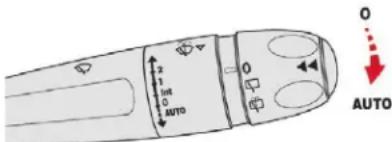

Give a short downwards push to the control.
A wiping cycle confirms that the instruction has been accepted.
This lamp comes on in the instrument panel and a message is displayed.
Switching off

Give the control stalk a brief push downwards or place the control stalk in another position (Int, 1 or 2).
This lamp goes off in the instrument panel and a message is displayed.
The automatic rain sensitive windscreen wipers must be reactivated by pushing the control stalk downwards, if the ignition has been off for more than one minute.
Operating fault
If a fault occurs with the automatic rain sensitive wipers, the wipers will operate in intermittent mode.
Have them checked by a CITROËN dealer or a qualified workshop.
Do not cover the rain sensor, integrated with the sunshine sensor and located at the top centre of the windscreen, behind the rear view mirror.
When using an automatic car wash, switch off the automatic rain sensitive wipers. In winter, it is advisable to wait until the windscreen is completely clear of ice before activating the automatic rain sensitive wipers.
Safety
General safety recommendations
! Labels are attached in different places on your vehicle. They include safety warnings as well as identification information for your vehicle. Do not remove them: they are an integral part of your vehicle.
For any work on your vehicle, use a qualified workshop that has the technical information, skills and equipment required, all of which a CITROËN dealer is able to provide.
! We draw your attention to the following points:
- The fitting of electrical equipment or accessories not approved by CITROËN may cause excessive current consumption and faults and failures with the electrical system of your vehicle. Contact a CITROËN dealer for information on the range of recommended accessories.
- As a safety measure, access to the diagnostic socket, used for the vehicle's electronic systems, is reserved strictly for CITROËN dealers or qualified workshops, equipped with the special tools required (risk of malfunctions of the vehicle's electronic systems that could cause breakdowns or serious accidents). The manufacturer cannot be held responsible if this advice is not followed.
- Any modification or adaptation not intended or authorised by CITROËN or carried out without meeting the technical requirements defined by the manufacturer will result in the suspension of the legal and contractual warranties.
! Installation of accessory radio communication transmitters
Before installing a radio communication transmitter, you must contact a CITROËN dealer for the specification of transmitters which can be fitted (frequency, maximum power, aerial position, specific installation requirements), in line with the Vehicle Electromagnetic Compatibility Directive (2004/104/EC).
Depending on country regulations, some safety equipment may be compulsory: high visibility safety vests, warning triangles, breathalysers, spare bulbs, spare fuses, fire extinguisher, first aid kit, mud flaps at the rear of the vehicle, etc.
Safety
Hazard warning lamps
When you press this red button, all four direction indicators flash.
They can operate with the ignition off.
Automatic operation of hazard warning lamps
When braking in an emergency, depending on the deceleration, the hazard warning lamps come on automatically.
They switch off automatically the first time you accelerate.
You can also switch them off by pressing the button.
Horn
natural_image
Diagram of a car dashboard with a red arrow indicating clockwise motion (no text or symbols)Press the central part of the steering wheel.
Emergency or assistance call
Localised Emergency Call

In an emergency, press this button for more than 2 seconds. The flashing green LED and the voice message confirm that the call has been made to the "Localised Emergency Call" service*.
Pressing this button again cancels the command and the green LED goes off.
The green LED remains on (without flashing) when communication is established. It goes off at the end of the call.
"Localised Emergency Call" immediately locates your vehicle and contacts you in your own language**, and – if necessary – requests that relevant emergency services be dispatched**. In countries where the service is not available, or when the locating service has been expressly declined, the call is sent directly to the emergency services (112) without the vehicle location.
If an impact is detected by the airbag control unit, an emergency call is made automatically and independently of possible deployment of any airbags.
* In accordance with the general conditions of service available from dealers and subject to technological and technical limitations.
** As per the geographic coverage of "Localised Emergency Call", "Localised Assistance Call" and the official national language chosen by the owner of the vehicle.
The list of countries covered and of Telematic services is available from dealers or on the website for your country.
Operation of the system
When the ignition is switched on, the green indicator lamp comes on for 3 seconds indicating that the system is operating correctly.
For all countries except Russia, Belarus and Kazakhstan.
If the red indicator lamp flashes then goes off: there is a system fault. If the red indicator lamp is on continuously: replace the back-up battery.
For Russia, Belarus and Kazakhstan.
If the red indicator lamp is on continuously: there is a system fault.
If the red indicator lamp flashes: replace the back-up battery.
In both cases, the emergency and assistance calls service may not work.
Contact a qualified repairer as soon as possible.
The fault with the system does not prevent the vehicle from being driven.
Localised Assistance Call

Press this button for more than 2 seconds to request assistance if the vehicle breaks down.
A voice message confirms that the call has been made**.
Pressing this button again immediately cancels the request.
The cancellation is confirmed by a voice message.
** As per the geographic coverage of "Localised Emergency Call", "Localised Assistance Call" and the official national language chosen by the owner of the vehicle.
The list of countries covered and of Telematic services is available from dealers or on the website for your country.
Geolocation

You can deactivate geolocation by simultaneously pressing the "Localised Emergency Call" and "Localised Assistance Call" buttons, followed by pressing "Localised Assistance Call" to confirm.
To reactivate geolocation, simultaneously press the "Localised Emergency Call" and "Localised Assistance Call" buttons again, followed by pressing "Localised Assistance Call" to confirm.
If you purchased your vehicle outside the CITROËN dealer network, we invite you to have a dealer check the configuration of these services and, if desired, modify it to suit your wishes. In a multilingual country, configuration is possible in the official national language of your choice.
For technical reasons and, in particular, to improve the quality of Telematic services to customers, the manufacturer reserves the right to carry out updates to the vehicle's on-board telematic system.
Safety
If you benefit from the Citroën Connect Box offer with the SOS and assistance pack included, there are additional services available to you in your personal space, via the website for your country.
Electronic stability control (ESC)
Electronic stability control integrating the following systems:
- anti-lock braking system (ABS) and electronic brake force distribution (EBFD),
- emergency braking assistance (EBA),
- wheel anti-slip regulation (ASR) or traction control,
- dynamic stability control (DSC).
Definitions
Anti-lock braking system (ABS) and electronic brake force distribution (EBFD)
This system improves the stability and manoeuvrability of your vehicle when braking and contributes towards improved control on corners, in particular on poor or slippery road surfaces. The ABS prevents wheel lock in the event of emergency braking. The electronic brake force distribution system (EBFD) manages the braking pressure wheel by wheel.
Emergency braking assistance (EBA)
In an emergency, this system permits the optimum braking pressure to be reached more quickly, therefore reducing the stopping distance.
It is triggered in relation to the speed at which the brake pedal is pressed. The effect of this is a reduction in the resistance of the pedal and an increase in braking efficiency.
Anti-slip regulation (ASR)
The ASR system (also known as Traction Control) optimises traction in order to limit wheel slip by acting on the brakes of the driving wheels and on the engine. It also improves the directional stability of the vehicle on acceleration.
Dynamic stability control (DSC)
If there is a difference between the path followed by the vehicle and that required by the driver, the DSC monitors each wheel and automatically acts on the brake of one or more wheels and on the engine to return the vehicle to the required path, within the limits of the laws of physics.
Anti-lock braking system (ABS) and electronic brake force distribution (EBFD)

The fixed illumination of this warning lamp indicates that there is a fault with the ABS.

If this warning lamp comes on, in conjunction with the STOP and ABS warning lamps, an audible signal and a message, this indicates

that the electronic brake force distribution (EBFD) is faulty. You must stop as soon as it is safe to do so.

In both cases, have the system checked by a CITROËN dealer or a qualified workshop as soon as possible.
When changing wheels (tyres and rims), ensure that these are approved for your vehicle.
Normal operation of the ABS may make itself felt by slight vibration of the brake pedal.
! If you need to brake in an emergency, press the brake pedal very firmly and keep the pressure applied.
Dynamic stability control (DSC) and anti-slip regulation (ASR)
Operation
These systems are activated automatically every time the vehicle is started.
They come into operation in the event of a problem with grip or trajectory.

This is indicated by this warning lamp flashing in the instrument panel.
Activation
These systems are activated automatically every time the vehicle is started.
As soon as they detect a problem of grip or trajectory, these systems act on the operation of the engine and brakes.

This is indicated by this warning lamp flashing in the instrument panel.
Deactivating the ASR
In exceptional conditions (starting a vehicle which is bogged down, stuck in snow, on soft ground, etc.), it may be advisable to deactivate the ASR system, so that the wheels can move freely and regain grip.
It is however recommended that the system be reactivated as soon as possible.

In the Driving/Vehicle menu of the touch screen, select the "Driving functions" tab, then "Traction control".
Or depending on version:

Turn the "Grip control" knob to this position.

Deactivation is signalled by the illumination of this warning lamp, accompanied by a message as well as illumination of the knob (depending on version).
The ASR system no longer acts on the operation of the engine or the brakes in the event of an involuntary change of trajectory.
Reactivating the ASR
The system is reactivated automatically each time the ignition is switched back on or from 31 mph (50 km/h).
Below 31 mph (50 km/h), you can reactivate it manually:

In the Driving/Vehicle menu of the touch screen, select the "Driving functions" tab, then "Traction control".
Or depending on version:

Turn the "Grip control" knob to this position.
Operating fault

The illumination of this warning lamp, accompanied by an audible signal and a message, indicates that there is a fault with the system.
Contact a CITROËN dealer or a qualified workshop to have the system checked.
After an impact, have the system checked by a CITROËN dealer or a qualified workshop.
Safety

ASR/DSC
These systems offer increased safety in normal driving, but they should not encourage the driver to take extra risks or drive at high speed.
It is in conditions of reduced grip (rain, snow, ice) that the risk of loss of grip increases. It is therefore important for your safety to keep these systems activated in all conditions, and particularly in difficult conditions.
The correct operation of these systems depends on observation of the manufacturer's recommendations regarding as much the wheels (tyres and rims), braking and electronic components as the assembly and repair procedures used by CITROËN dealers.
To benefit in full from the effectiveness of these systems in wintry conditions, the vehicle must be fitted with four snow tyres, allowing the vehicle to retain neutral behaviour on the road.
Grip control
Special patented traction control system which improves traction on snow, mud and sand. This system, the operation of which has been optimised for each situation, allows you to manoeuvre in most conditions of poor grip (encountered when using a passenger car).
Associated with 205/50 R17 all-season M+S (Mud and Snow) tyres, this system offers a compromise between safety, grip and traction. These tyres are efficient in winter and summer conditions.
The accelerator pedal should be pressed sufficiently to allow the system to use the power of the engine. Operation at high engine speeds is completely normal.
A five-position selector knob allows you to choose the setting best suited to the driving conditions encountered.
An indicator lamp associated with each mode comes on to confirm your choice.
A specific and additional display appears temporarily in the touch screen to confirm the selection made with the knob.
Standard (ESC)
This mode is calibrated for a low level of wheel spin, based on the different levels of grip normally encountered on the road.

Place the knob in this position.

Every time the ignition is switched off, the system automatically resets to this mode.
Snow
This mode adapts its strategy to the conditions of grip encountered for each of the two front wheels on moving off.
(mode active up to 50 mph (80 km/h))

Place the knob in this position.
Safety
All road (mud, damp grass, etc.)
This mode, when moving off, allows considerable spin on the wheel with the least grip to optimise clearing of the mud and regain grip. At the same time, the wheel with the most grip is controlled in such a way as to pass as much torque as possible.
When moving, the system optimises wheel spin to respond to the driver's requirements as fully as possible.
(mode active up to 31 mph (50 km/h))

Place the knob in this position.
Sand
This mode allows little spin on the two driving wheels at the same time to allow the vehicle to move forward and limit the risks of getting stuck in the sand.
(mode active up to 75 mph (120 km/h))

Place the knob in this position.
Do not use the other modes on sand as the vehicle may become stuck.


You can deactivate the ASR and DSC systems by turning the knob to the "OFF" position.
The ASR and DSC systems will no longer have an effect on engine operation or the brakes in the event of an involuntary change of trajectory.
These systems are reactivated automatically from 31 mph (50 km/h) or every time the ignition is switched on.

Driving recommendations
Your vehicle is designed principally to drive on tarmac roads but it allows you to occasionally drive on other less passable terrain.
However, it does not permit off-road driving such as:
- crossing and driving on terrain which could damage the underbody or strip away components (fuel pipe, fuel cooler, etc.) due to obstacles or stones in particular.
- driving on terrain with steep gradients and poor grip,
- crossing a stream.
Seat belts
Front seat belts
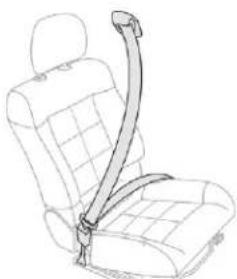
natural_image
Line drawing of a car seatbelt with a belt buckle (no text or symbols)The front seat belts are fitted with a pretensioning and force limiting system. This system improves safety in the front seats in the event of a front or side impact. Depending on the severity of the impact, the pretensioning system instantly tightens the seat belts against the body of the occupants. The pretensioning seat belts are active when the ignition is on.
The force limiter reduces the pressure of the seat belt on the occupant's chest, thus improving their protection.
Safety
Fastening
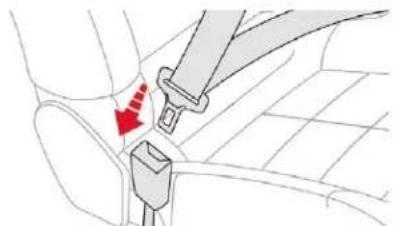
natural_image
Diagram showing a car seatbelt buckle being inserted into the seat, with a red arrow indicating the insertion direction (no text or symbols present)Pull the strap then insert the tongue in the buckle.
Check that the seat belt is fastened correctly by pulling the strap.
Unfastening
Press the red button on the buckle.
Guide the seat belt as it reels in.
Rear seat belts
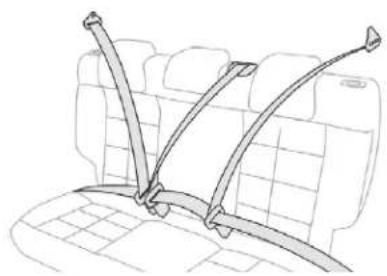
natural_image
Line drawing of a car backrest with three car seat straps attached (no text or symbols)The rear seats are each fitted with a three-point seat belt.
Fastening
Pull the strap then insert the tongue in the buckle.
Check that the seat belt is fastened correctly by pulling the strap.
Unfastening
Press the red button on the buckle.
Guide the seat belt as it reels in.
Seat belt(s) not fastened/unfastened warning lamp(s)
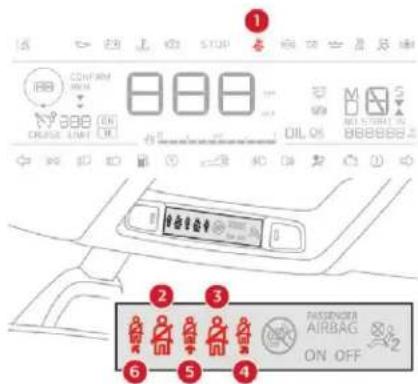
- Front seat belts not fastened/unfastened warning lamp in the instrument panel.
- Front left seat belt warning lamp.
- Front right seat belt warning lamp.
- Rear right seat belt warning lamp.
- Rear centre seat belt warning lamp.
- Rear left seat belt warning lamp.
From approximately 12 mph (20 km/h), the warning lamp(s) flash(es) for two minutes, associated with an audible signal. Once these two minutes have elapsed, the warning lamp(s) remain(s) on until the driver or front passenger fastens their seat belt.
Front seat belt warning lamp(s)
On switching on the ignition, warning lamp 1 comes on in the instrument panel and the corresponding warning lamp (2 and 3) comes on in red in the seat belts and front passenger airbag warning lamps display if the driver's seat belt or front passenger's seat belt is not fastened or is unfastened.
Rear seat belt warning lamp(s)
The corresponding warning lamp (4 to 6) comes on in red in the seat belts and front passenger airbag warning lamps display if one or more rear passengers unfasten their seat belts.
Advice
! The driver must ensure that passengers use the seat belts correctly and that they are all fastened before setting off.
Wherever you are seated in the vehicle, always fasten your seat belt, even for short journeys.
Do not interchange the seat belt buckles as they will not fulfil their role fully.
The seat belts are fitted with an inertia reel permitting automatic adjustment of the length of the strap to your size. The seat belt is stowed automatically when not in use. Before and after use, ensure that the seat belt is reeled in correctly.
The lower part of the strap must be positioned as low as possible on the pelvis. The upper part must be positioned in the hollow of the shoulder.
The inertia reels have an automatic locking device at the time of a collision, during sudden braking or if the vehicle turns over.
You can release the device by pulling the strap firmly and then releasing it so that it reels in slightly.
In order to be effective, a seat belt must:
- be tightened as close to the body as possible,
- be pulled in front of you with a smooth movement, checking that it does not twist,
- be used to restrain only one person,
- not show any signs of cuts or fraying,
- not be converted or modified to avoid affecting its performance.
In accordance with current safety regulations, for all repairs on your vehicle's seat belts, go to a qualified workshop with the skills and equipment needed, which a CITROËN dealer is able to provide.
Have your seat belts checked regularly by a CITROËN dealer or a qualified workshop, particularly if the straps show signs of damage.
Clean the seat belt straps with soapy water or a textile cleaning product, sold by CITROËN dealers.
After folding or moving a seat or rear bench seat, ensure that the seat belt is positioned and reeled in correctly.
Recommendations for children
Use a suitable child seat if the passenger is less than 12 years old or shorter than one and a half metres.
Never use the same seat belt to secure more than one person.
Never allow a child to travel on your lap.
For more information on Child seats, refer to the corresponding section.
In the event of an impact
Depending on the nature and seriousness of the impact, the pyrotechnic pretensioner device may be deployed before and independently of the airbags. Deployment of the pretensioners is accompanied by a slight discharge of harmless smoke and a noise, due to the activation of the pyrotechnic cartridge incorporated in the system.
In all cases, the airbag warning lamp comes on.
Following an impact, have the seat belt system checked, and, if necessary, replaced, by a CITROËN dealer or a qualified workshop.
Safety
Airbags
General information
System designed to contribute towards improving passenger safety (with the exception of the rear centre passenger) in the event of violent collisions. The airbags supplement the action of the seat belts fitted with force limiters (all except the rear centre passenger). If a collision occurs, the electronic detectors record and analyse the front and side impacts sustained in the impact detection zones:
- in the case of a serious impact, the airbags are deployed instantly and contribute towards better protection of the occupants of the vehicle (with the exception of the rear centre passenger); immediately after the impact, the airbags deflate rapidly so that they do not hinder visibility or the exit of the occupants,
- in the case of a minor or rear impact or in certain rollover conditions, the airbags may not be deployed; the seat belt alone contributes towards ensuring your protection in these situations.
! The airbags do not operate when the ignition is switched off.
This equipment will only deploy once. If a second impact occurs (during the same or a subsequent accident), the airbag will not be deployed again.
Impact detection zones
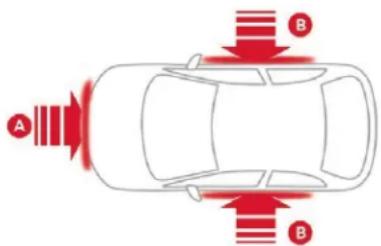
natural_image
Top-down diagram of a car with red directional arrows indicating traffic flow or movement (no text or symbols)A. Front impact zone.
B. Side impact zone.
The deployment of an airbag is accompanied by a slight emission of smoke and a noise, due to the detonation of the pyrotechnic charge incorporated in the system.
This smoke is not harmful, but sensitive individuals may experience slight irritation. The detonation noise associated with the deployment of an airbag may result in a slight loss of hearing for a short time.
Front airbags
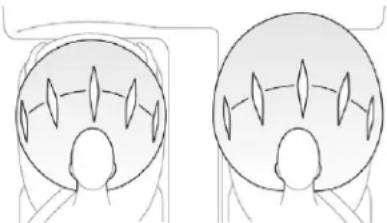
natural_image
Two identical line drawings of a human head in different angles, showing head and torso views with no text or symbols.System which protects the driver and front passenger in the event of a serious front impact in order to limit the risk of injury to the head and thorax.
The driver's airbag is fitted in the centre of the steering wheel; the front passenger airbag is fitted in the dashboard above the glove box.
Deployment
The airbags are deployed, except the front passenger airbag if it is deactivated, in the event of a serious front impact to all or part of the front impact zone A, in the longitudinal centreline of the vehicle on a horizontal plane and directed from the front to the rear of the vehicle.
The front airbag inflates between the thorax and head of the front occupant of the vehicle and the steering wheel, driver's side, and the dashboard, passenger's side, to cushion their forward movement.
Malfunction

If this warning lamp comes on in the instrument panel, you must contact a CITROËN dealer or a qualified workshop to have the system checked. The airbags may no longer be deployed in the event of a serious impact.
Lateral airbags
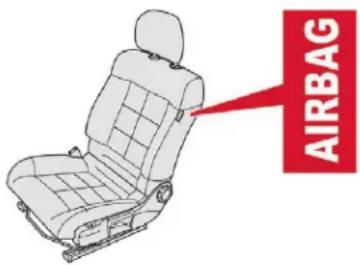
System which protects the driver and front passenger in the event of a serious side impact in order to limit the risk of injury to the chest, between the hip and the shoulder.
Each lateral airbag is fitted in the seat backrest frame, door side.
Deployment
The lateral airbag is deployed unilaterally in the event of a severe side impact covering all or part of side impact zone B, perpendicular to the longitudinal centreline of the vehicle on a horizontal plane and directed from the outside towards the inside of the vehicle.
The lateral airbag inflates between the hip and shoulder of the front occupant and the corresponding door trim panel.
Curtain airbags
System contributing towards greater protection for the driver and passengers (with the exception of the rear centre passenger) in the event of a serious side impact in order to limit the risk of injury to the side of the head.
Each curtain airbag is built into the pillars and the upper passenger compartment area.
Deployment
The curtain airbag is deployed at the same time as the corresponding lateral airbag in the event of a serious side impact applied to all or part of the side impact zone B, perpendicular to the longitudinal centreline of the vehicle on a horizontal plane and directed from the outside towards the inside of the vehicle.
The curtain airbag inflates between the front or rear occupant of the vehicle and the windows.
Malfunction

If this warning lamp comes on in the instrument panel, you must contact a CITROËN dealer or a qualified workshop to have the system checked.
The airbags may no longer be deployed in the event of a serious impact.
In the event of a minor impact or bump on the side of the vehicle or if the vehicle rolls over, the airbags may not be deployed. In the event of a rear or front collision, none of the lateral airbags are deployed.
Advice
! For the airbags to be fully effective, observe the safety recommendations below.
Adopt a normal and upright sitting position.
Fasten your seat belt, ensuring it is positioned correctly.
Do not leave anything between the occupants and the airbags (a child, pet, object, etc.), nor fix or attach anything close to the inflation trajectory of the airbags; this could cause injuries during their deployment.
Never modify the original definition of your vehicle, particularly in the area directly around the airbags.
After an accident or if the vehicle has been stolen or broken into, have the airbag systems checked.
All work on the airbag systems must be carried out by a CITROËN dealer or a qualified workshop.
Even if all of the precautions mentioned are observed, a risk of injury or of minor burns to the head, chest or arms when an airbag is deployed cannot be ruled out. The airbag inflates almost instantly (within a few milliseconds) then deflates within the same time discharging the hot gas via openings provided for this purpose.
Front airbags
Do not drive holding the steering wheel by its spokes or resting your hands on the centre part of the wheel.
Passengers must not place their feet on the dashboard.
Do not smoke as deployment of the airbags can cause burns or the risk of injury from a cigarette or pipe.
Never remove or pierce the steering wheel or hit it violently.
Do not fit or attach anything to the steering wheel or dashboard, this could cause injuries with deployment of the airbags.
Lateral airbags
Use only approved covers on the seats, compatible with the deployment of the lateral airbags. For information on the range of seat covers suitable for your vehicle, contact a CITROËN dealer.
Do not attach anything to or hang anything from the seat backrests (clothes, etc.) as this could cause injuries to the thorax or arm if the lateral airbag is deployed.
Do not sit with the upper part of the body any nearer to the door than necessary.
The vehicle's front door panels include side impact sensors.
A damaged door or any unauthorised or incorrectly executed work (modification or repair) on the front doors or their interior trim could compromise the operation of these sensors – risk of malfunction of the lateral airbags!
Such work must only be done by a CITROËN dealer or a qualified workshop.
Curtain airbags
Do not attach anything or hang anything to the roof, as this could cause head injuries when the curtain airbag is deployed. If fitted to your vehicle, do not remove the grab handles installed on the roof, they play a part in securing the curtain airbags.
General points relating to child seats
The regulations on carrying children are specific to each country. Refer to the legislation in force in your country.
For maximum safety, please observe the following recommendations:
- In accordance with European regulations, all children under the age of 12 or less than one and a half metres tall must travel in approved child seats suited to their weight, on seats fitted with a seat belt or ISOFIX mountings.
- Statistically, the safest seats in your vehicle for carrying children are the rear seats.
- A child weighing less than 9 kg must travel in the rearward facing position both in the front and in the rear.
It is recommended that children travel on the rear seats of your vehicle:
- "rearward facing" up to the age of 3,
- "forward facing" over the age of 3.
! Ensure that the seat belt is positioned and tightened correctly.
For child seats with a support leg, ensure that the latter is in firm and steady contact with the floor.
In the front: if necessary, adjust the passenger seat.
At the rear: if necessary, adjust the relevant front seat.
Remove and stow the head restraint before installing a child seat with backrest on a passenger seat.
Refit the head restraint once the child seat has been removed.
Child seat at the rear
"Rearward facing"
When a "rearward facing" child seat is installed on a rear passenger seat, move the vehicle's front seat forwards and straighten the backrest so that the "rearward facing" child seat does not touch the vehicle's front seat.
"Forward facing"
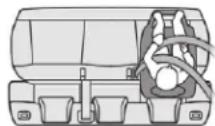
When a "forward facing" child seat is installed on a rear passenger seat, move the vehicle's front seat forward and straighten the backrest so that the legs of the child in the "forward facing" child seat do not touch the vehicle's front seat.
Centre rear seat
A child seat with a support leg must never be installed on the centre rear passenger seat.
Child seat at the front
"Rearward facing"


When a "rearward facing" child seat is installed on the front passenger seat, adjust the seat to the intermediate longitudinal position, with the backrest straightened.
Safety
! The front passenger airbag must be deactivated. Otherwise, the child risks being seriously injured or killed if the airbag is deployed.
"Forward facing"


When a "forward facing" child seat is installed on the front passenger seat, adjust the vehicle's seat to the intermediate longitudinal position with the backrest straightened and leave the front passenger airbag activated.
Ensure that the seat belt is correctly tensioned. For child seats with a support leg, ensure that the latter is in firm contact with the floor. If necessary, adjust the passenger seat.
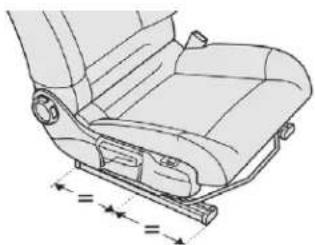
natural_image
Technical line drawing of a car seat assembly with no text or symbolsPassenger seat adjusted to the intermediate longitudinal position.
Deactivating the front passenger airbag
Never install a "rearward facing" child restraint system on a seat protected by an active front airbag. This could cause the death of the child or serious injury.
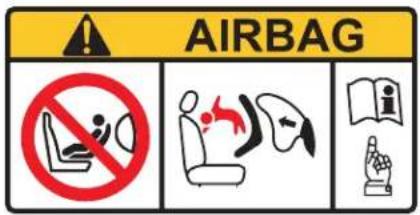
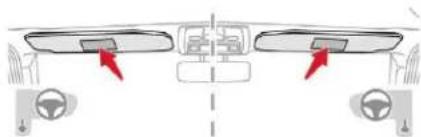
natural_image
Diagram of a car dashboard with two seats and steering wheel, no text or symbols presentThe warning label present on both sides of the passenger sun visor repeats this advice. In line with current legislation, this warning is available in all of the languages required on the following pages.
Passenger airbag OFF

This label is located on the middle door pillar, passenger side.
For more information on the Airbags, refer to the corresponding section.
Deactivating the front passenger airbag
Only the front passenger airbag can be deactivated.
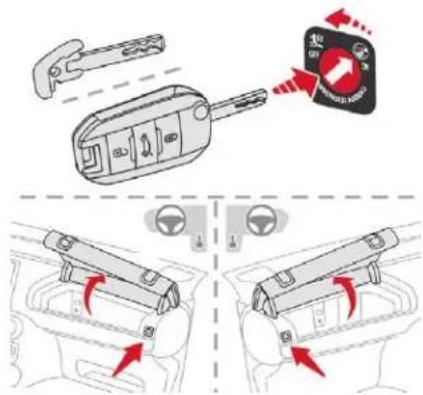
With the ignition off, insert the key into the passenger airbag deactivation switch.
Turn it to the OFF position.
Remove the key, leaving the switch in this position.

When the ignition is switched on, this warning lamp comes on in the seat belts and front passenger airbag warning lamps display or in the instrument panel. It stays on while the airbag is deactivated.
To ensure the safety of your child, the front passenger airbag must be deactivated when you install a "rearward facing" child seat on the front passenger seat. Otherwise, the child could risk being seriously injured or killed if the airbag were deployed.
Reactivating the front passenger airbag
Once you have removed a "rearward facing" child seat, with the ignition off, turn the switch to the ON position to reactivate the airbag and so ensure the safety of a front passenger in the event of an accident.

When the ignition is switched on, this warning lamp comes on in the seat belts and front passenger airbag warning lamps display or in the instrument panel for approximately one minute to signal that the front airbag is activated.
Safety
| AR | لا يجب airport تركب نظام لاحлас الطال vlع ال戸ه بتجاه الوراه على مقد سبارة مجهز ووسادة أمان هوائية ألمية مفولة، ققد يويدي هذا إلى التسب بموّت الطّقى أو يeaśba Ś خطرية لنیه. |
| BG | НИКОГА НЕ инсталирайте детско столче на седалка с АКТИВИРАНА предна ВЪЗДУШНА ВЪЗГЛАВНИЦА. Това може да причини СМЪРТ или СЕРИОЗНО НАРАНЯВАНЕ на детето. |
| CS | NIKDY neumist'ujte dětské zádržné zařízení orientované směrem dozadu na sedadlo chráněné AKTIVOVANÝM čelním AIRBAGEM. Hrozí nebezpečí SMRTI DÍTÊTE nebo VÁŽNÉHO ZRANĚNÍ. |
| DA | Brug ALDRIG en bagudvendt barnestol på et sæde, der er beskyttet af en AKTIV AIRBAG. BARNET risikerer at blive ALVORLIGT KVÆSTET eller DRÆBT. |
| DE | Montieren Sie auf einem Sitz mit AKTIVIERTEM Front-Airbag NIEMALS einen Kindersitz oder eine Babyschale entgegen der Fahrtrichtung, das Kind könnte schwere oder sogar tödliche Verletzungen erleiden. |
| EL | Μη χρησιμοποιείτε ΠΟΤΕ παιδικό κάθισμα με την πλάτη του προς το εμπρός μέρος του autokivnțou, σε μια θέση που προστατεύεται από ΜΕΤΩΠΙΚΟ αερόσακο που είναι ΕΝΕΡΓΟΣ. Autó μπορεί να έχει σαν συνέπεια το ΘΑΝΑΤΟ ή το ΣΟΒΑΡΟ ΤΡΑΥΜΑΤΙΣΜΟ του ΠΑΙΔΙΟΥ |
| EN | NEVER use a rearward facing child restraint on a seat protected by an ACTIVE AIRBAG in front of it, DEATH or SERIOUS INJURY to the CHILD can occur |
| ES | NO INSTALAR NUNCA un sistema de retención para niños de espaldas al sentido de la marcha en un asiento protegido mediante un AIRBAG frontal ACTIVADO, ya que podría causar lesiones GRAVES o incluso la MUERTE del niño. |
| ET | Ärge MITTE KUNAGI paigaldage "seljaga sõidusuunas" lapseistet juhi körvalistmele, mille ESITURVAPADI on AKTIVEERITUD. Turvapadja avanemine vöib last TÖSISELT vöi ELUOHTLIKULT vigastada. |
| FI | ÄLÄ KOSKAAN aseta lapsen turvaistuinta selkä ajosuuntaan istuimelle, jonka edessä suojana on käyttöön aktivoitu TURVATYYNY. Sen laukeaminen voi aiheuttaa LAPSEN KUOLEMAN tai VAKAVAN LOUKKAANTUMISEN. |
| FR | NE JAMAIS installer de système de retenue pour enfants faisant face vers l'arrière sur un siège protégé par un COUSSIN GONFLABLE frontal ACTIVÉ. Cela peut provoquer la MORT de l'ENFANT ou le BLESSER GRAVEMENT. |
| HR | NIKADA ne postavljati dječju sjedalicu leđima u smjeru vožnje na sjedalo zaštićeno UKLJUČENIM prednjim ZRAČNIM JASTUKOM. To bi moglo uzrokovati SMRT ili TEŠKU OZLJEDU djeteta. |
| HU | SOHA ne használjon menetiránynak háttal beszerelt gyermekülést AKTIVÁLT (BEKAPCSOLT) FRONTLÉGZSÁKKAL védett ülésen. Ez a gyermek HALÁLÁT vagy SÚLYOS SÉRÜLÉSÉT okozhatja. |
| IT | NON installare MAI seggiolini per bambini posizionati in senso contrario a quello di marcia su un sedile protetto da un AIRBAG frontale ATTIVATO. Ciò potrebbe provocare la MORTE o FERITE GRAVI al bambino. |
| LT | NIEKADA nejrenkite vaiko prilaikymo priemonés su atgal atgręžtu vaiku ant sèdynès, kuri saugoma VEIKIANČIOS priekinés ORO PAGALVÉS. Išsiskleidus oro pagalvei vaikas gali būti MIRTINAI arba SUNKIAI TRAUMUOTAS. |
Safety
| LV | NEKAD NEuzstādiet uz aizmuguri vērstu bērnu sēdeklīti priekšējā pasažiera sēdvietā, kurā ir AKTIVIZĒTS priekšējais DROŠĪBAS GAISA SPILVENS. Tas var izraisīt BĒRNA NĀVI vai radīt NOPIETNUS IEVAINOJUMUS. |
| MT | Qatt m'ghandek thalli tifel/tifla marbut f'siggu dahru lejn l-Airbag attiva, ghaliex tista' tikkawza korriment serju jew anke mewt lit-tifel/tifla |
| NL | Plaats NOOIT een kinderzitje met de rug in de rijrichting op een zitplaats waarvan de AIRBAG is INGESCHAKELD. Bij het afgaan van de airbag kan het KIND LEVENSGEVAARLIJK GEWOND RAKEN |
| NO | Installer ALDRI et barnesete med ryggen mot kjøreretningen i et sete som er beskyttet med en frontal AKTIVERT KOLLISJONSPUTE, BARNET risikerer à bli DREPT eller HARDT SKADET. |
| PL | NIGDY nie instalować fotelika dziecięcego w pozycji "tyłem do kierunku jazdy" na siedzeniu wyposażonym w CZOŁOWĄ PODUSZKĘ POWIETRZNĄ w stanie AKTYWNYM. Może to doprowadzić do ŚMIERCI DZIECKA lub spowodować u niego POWAŻNE OBRAŻENIA CIAŁA. |
| PT | NUNCA instale um sistema de retenção para crianças de costas para a estrada num banco protegido por um AIRBAG frontal ACTIVADO. Esta instalação poderá provocar FERIMENTOS GRAVES ou a MORTE da CRIANÇA. |
| RO | Nu instalati NICIODATA un sistem de retinere pentru copii, dispus cu spatele in directia de mers, pe un loc din vehicul protejat cu AIRBAG frontal ACTIVAT. Aceasta ar putea provoca MOARTEA COPILULUI sau RANIREA lui GRAVA. |
| RU | BO BCEX CLYЧАЯХ ЗАПРЕЩАЕТСЯ использовать обращенное назад детское удерживающее устройство на сиденье, защищенном ФУНКЦИОНИРУЮЩЕЙ ПОДУШКОЙ БЕЗОПАСНОСТИ, установленной перед этим сиденьем. Это может привести к ГИБЕЛИ РЕБЕНКА или НАНЕСЕНИЮ ЕМУ СЕРЬЕЗНЫХ ТЕЛЕСНЫХ ПОВРЕЖДЕНИЙ |
| SK | NIKDY neinštalujte delské zádržné zariadenie orientované smerom dozadu na sedadlo chránené AKTIVOVANÝM čelným AIRBAGOM. Mohlo by dôjsť k SMRTELŇÉMU alebo VÁŽNEMU PORANENIU DIĚTĄTA. |
| SL | NIKOLI ne nameščajte otroškega sedeža s hrbtom v smeri vožnje, će je VARNOSTNA BLAZINA pred sprednjim sopotnikovim sedežem AKTIVIRANA. Takšna namestitev lahko povzroči SMRT OTROKA ali HUDE POŠKODBE. |
| SR | NIKADA ne koristite dečje sedište koje se okreće unazad na sedištu zaštićenim AKTIVNIM VAZDUŠNIM JASTUKOM ispred njega, jer mogu nastupiti SMRT ili OZBILJNA POVREDA DETETA. |
| SV | Passagerarkrockkudden fram MÅSTE vara avaktiverad om en bakåtvänd bilbarnstol installeras på denna plats. Annars riskerar barnet att DÕDAS eller SKADAS ALLVARLIGT. |
| TR | KESĪNLKLE HAVA YASTIĞI AKTĪF olan ön koltuğa yüzü arkaya dönük bir çocuk koltuğu yerleştirmeyiniz. Bu ÇOCUĞUN ÖLMESĪNE veya ÇOK AGĪR YARALANMASINA sebep olabilir. |
Safety
Recommended child seats
Range of recommended child seats which are secured using a three-point seat belt.
Group 0+: from birth to 13 kg
L1
"RÖMER Baby-Safe Plus" Installed in the rearward facing position.
Groups 2 and 3: from 15 to 36 kg
L4
"KLIPPAN Optima" From 22 kg (approximately 6 years), the booster is used on its own.
Groups 2 and 3: from 15 to 36 kg
L5
"RÖMER KIDFIX"
Can be fitted to the vehicle's ISOFIX mountings.
The child is restrained by the seat belt.
Locations for child seats secured using a seat belt
In accordance with European regulations, this table indicates the options for installing child seats secured using the seat belt and universally approved (a) in relation to the weight of the child and the seat in the vehicle.
| Seat | Weight of the child/indicative age | |||||
| Groups 0 (b) and 0+Birth to 13 kgUp to about 1 year | Group 1From 9 to 18 kgFrom about 1 to 3 years | Group 2From 15 to 25 kgFrom about 3 to 6 years | Group 3From 22 to 36 kgFrom about 6 to 10 years | |||
| 1^st row | Front passenger seat (c) without height adjustment (d) |  | UUUU | |||
| 2^nd row | Outer rear seats (e) U U |  | ||||
| Centre rear seat (e) |  | U (f) | U (f) | U | U | |
(a) Universal child seat: child seat that can be installed in any vehicle using the seat belt. (b) Group 0: from birth to 10 kg. Carrycots and "car cots" cannot be installed on the front passenger seat.
When installed in the 2^nd row, they may prevent the use of one or more seats.
(c) Refer to the legislation in force in your country before putting your child in this position.
(d) When a "rearward facing" child seat is placed on the front passenger seat, the front passenger airbag must be deactivated. Otherwise, the child could risk being seriously injured or killed if the airbag were deployed. When a "forward facing" child seat is installed on the front passenger seat, leave the front passenger airbag activated.
(e) To install a child seat on a rear seat, "rearward facing" or "forward facing", move the front seat forward, then straighten the backrest to allow enough space for the child seat and the child's legs.
(f) A child seat with support leg must never be installed on the centre rear seat.
U: seating position suitable for the installation of a child seat secured using the seat belt and universally approved "rearward facing" and/or "forward facing".
Safety
ISOFIX mountings
The seats, illustrated below, are fitted with regulation ISOFIX mountings:
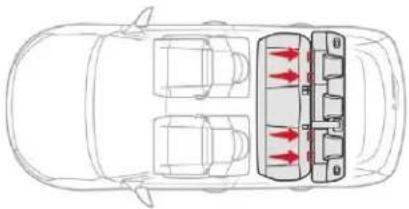
natural_image
Top-down diagram of a car showing three cars and three internal compartments with red arrows indicating flow or movement (no text or symbols)There are three rings for each seat:
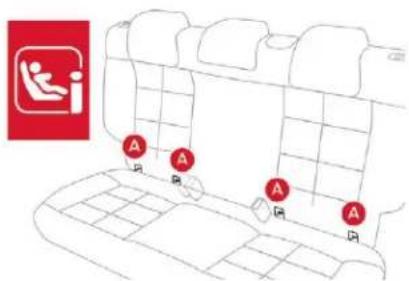
- two rings A, located between the vehicle seat backrest and cushion, indicated by a marking.
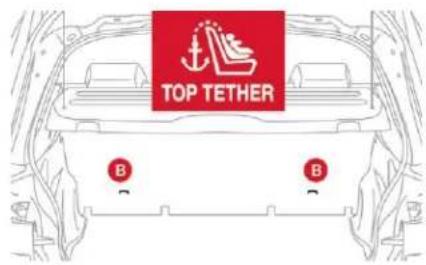
- a ring B, behind the seat and identified by a marking, referred to as the TOP TETHER, for fixing the upper strap.
This arrangement reduces forward tipping of the child seat in the event of a front impact. This ISOFIX mounting system provides fast, reliable and safe fitting of the child seat in your vehicle.
The ISOFIX child seats are fitted with two latches which are secured to the two rings A. Some seats also have a upper strap, which is attached to ring B.
To secure the child seat at the TOP TETHER:
remove and stow the head restraint before installing the child seat on the seat (refit it once the child seat has been removed),
pass the upper strap of the child seat behind the seat backrest, centring it between the apertures of the head restraint rods,
attach the hook of the upper strap to ring B,
tighten the upper strap.
When fitting an ISOFIX child seat to the left-hand rear position of the bench seat, before fitting the seat, first move the centre rear seat belt towards the middle of the vehicle, so as to avoid interference with the operation of the seat belt.
The incorrect installation of a child seat in a vehicle compromises the child's protection in the event of an accident. Strictly follow the fitting instructions provided in the user guide supplied with the child seat.
For information on the possibilities for installing ISOFIX child seats in your vehicle, refer to the summary table.
Recommended ISOFIX child seats

Also consult the installation notes from the child seat's manufacturer to find out how to install and remove the seat.
"RÖMER Baby-Safe Plus and its ISOFIX base"
(size category: E)
Group 0+: from birth to 13 kg
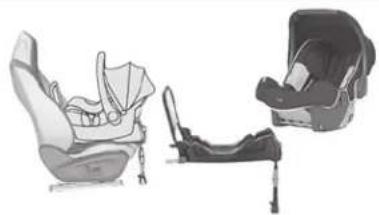
natural_image
Illustration of three car seats in different sizes (no text or symbols)Installed rearward facing using an ISOFIX base attached to rings A.
The base has a support leg, height-adjustable, which rests on the vehicle's floor. This child seat can also be secured with a seat belt. In this case, only the shell is used and attached to the vehicle seat using the three-point seat belt.
"RÖMER Duo Plus ISOFIX"
(size category: B1)
Group 1: from 9 to 18 kg
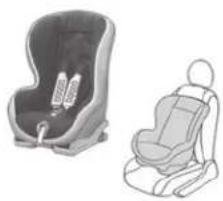
natural_image
Two baby car seats shown side by side, one with a seatbelt and the other with a seatbelt (no text or symbols visible)Is installed only in the forward facing position. Is attached to the rings A and the upper ring B, referred to as the TOP TETHER, using an upper strap.
3 seat body angles: sitting, reclining and lying down.
This child seat can also be used on seats not equipped with ISOFIX mountings. In this case, it must be secured to the vehicle's seat by the three-point seat belt. Adjust the position of the vehicle's front seat so that the child's feet are not touching the backrest.
Summary table of locations for ISOFIX child seats
In line with European regulations, this table indicates the options for installing ISOFIX child seats on the vehicle seats fitted with ISOFIX mountings. In the case of universal and semi-universal ISOFIX child seats, the ISOFIX size category of the child seat, determined by a letter between A to G, is indicated on the child seat next to the ISOFIX logo.
| Weight of the child/indicative age | |||||||||||
| Under 10 kg (group 0) Up to about 6 months | Under 10 kg (group 0) Under 13 kg (group 0+) Up to about 1 year | From 9 to 18 kg (group 1) From about 1 to 3 years | |||||||||
| Type of ISOFIX child seat | Carrycot | rearward facing | rearward facing | forward facing | |||||||
| ISOFIX size category F G C D E C D A B B1 | |||||||||||
| 1^st row | Front passenger seat |  | Not ISOFIX | ||||||||
| 2^nd row | Outer rear seats |  | IL-SU* | IL-SU | IL-SU | IL-SU | IL-SU | IUF IL-SU | |||
| Centre rear seat | Not ISOFIX | ||||||||||
* The ISOFIX carrycot, secured to the lower rings of an ISOFIX seat, occupies all of the space on the rear bench seat.
IUF: seat suitable for the installation of an Isofix Universal seat, "Forward facing" secured using the upper strap.
IL-SU: seat position suitable for the installation of an Isofix Semi-Universal seat either:
- "rearward facing" fitted with an upper strap or a support leg,
- "forward facing" fitted with a support leg,
- a carrycot seat fitted with an upper strap or a support leg.
For more information on ISOFIX child seats and the upper strap, refer to the corresponding section.
Safety
Locations for i-Size child seats
i-Size child seats have two latches that engage on the two rings A.
i-Size child seats also have:
- either an upper strap that is attached to ring B,
- or a support leg resting on the vehicle floor, compatible with the approved i-Size seat, the role of which is to prevent the child seat from tipping forward in the event of a collision. For more information on ISOFIX mountings refer to the corresponding section.
In accordance with the new European regulations, this table indicates the options for installing i-Size child seats on seats in the vehicle fitted with ISOFIX mountings approved for i-Size.
| i-Size child seat | |||
| 1^st row | Front passengerseat | Not i-Size | |
| 2^nd row | Outer rear seats(a) | i-U | |
| Centre rear seat Not i-Size | |||
i-U: suitable for i-Size restraint systems in the "Universal" category, forward facing and rearward facing.
(a) To install a child seat at the rear, rearward or forward facing, move the front seat forward, then adjust the backrest to an upright position to allow enough room for the child seat and the child's legs.
Advice
! The incorrect installation of a child seat in a vehicle compromises the child's protection in the event of an accident.
Ensure that there is no seat belt or seat belt buckle under the child seat, as this could destabilise it.
Remember to fasten the seat belts or the child seat harnesses keeping the slack relative to the child's body to a minimum, even for short journeys.
When installing a child seat using the seat belt, ensure that the seat belt is tightened correctly on the child seat and that it secures the child seat firmly on the seat of your vehicle. If your passenger seat is adjustable, move it forwards if necessary.
At rear seating positions, always leave sufficient space between the front seat and:
- a "rearward facing" child seat,
- the child's feet for a child seat fitted "forward facing".
To do this, move the front seat forwards and, if necessary, move its backrest into the upright position.
For optimal installation of the "forward facing" child seat, verify that its backrest is as close as possible to the backrest of the vehicle seat, if possible in contact with it.
The head restraint must be removed before installing a child seat with a backrest on a passenger seat.
Ensure that the head restraint is stored or attached securely to prevent it from being thrown around the vehicle in the event of sharp braking. Refit the head restraint when the child seat is removed.
Children in front
The legislation on carrying children on the front passenger seat is specific to each country. Refer to the legislation in force in your country.
Deactivate the front passenger airbag when a "rearward facing" child seat is installed on the front passenger seat.
Otherwise, there is a risk of serious or fatal injury to the child if the airbag is deployed.
Installing a booster seat
The chest part of the seat belt must be positioned on the child's shoulder without touching the neck.
Ensure that the lap part of the seat belt passes correctly over the child's thighs. We recommend using a booster seat with a backrest equipped with a belt guide at shoulder level.
As a safety precaution, do not leave:
- a child or children alone and unattended in a vehicle,
- a child or an animal in a vehicle which is exposed to the sun, with the windows closed.
- the keys within reach of children inside the vehicle.
To prevent accidental opening of the doors and rear windows, use the child lock.
Take care not to open the rear windows by more than one third.
To protect young children from the rays of the sun, fit side blinds on the rear windows.
Safety
Manual child lock

Mechanical system to prevent opening of a rear door using its interior control.
The control is located on the edge of each rear door.
Locking
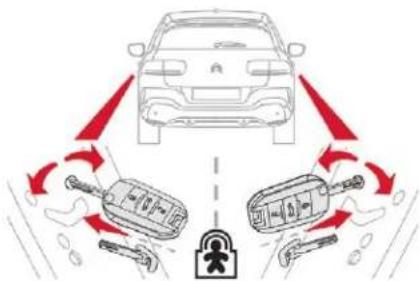
Using the ignition key or the integral key, depending on version, turn the red control as far as it will go:
- to the right on the left-hand rear door,
- to the left on the right-hand rear door.
Unlocking
Using the ignition key or the integral key, depending on version, turn the red control as far as it will go:
- to the left on the left-hand rear door,
- to the right on the right-hand rear door.
Do not confuse the child lock control, which is red, with the back-up locking control, which is black.
Electric child lock

Remotely operated system to prevent opening of the rear doors using their interior controls.
Activation/Deactivation
With the ignition on:
press this button; its indicator lamp comes on, accompanied by a message to confirm the activation,
press this button again; its indicator lamp goes off, accompanied by a message to confirm the deactivation.
The indicator lamp remains on for as long as the child lock is activated. Opening the doors from the outside remains possible.
The indicator lamp remains off for as long as the child lock is deactivated.
! Any other state of the indicator lamp indicates a fault with the electric child lock. Have it checked by a CITROËN dealer or a qualified workshop.
This system is independent and in no circumstances does it take the place of the central locking control. Check the status of the child locks each time you switch on the ignition. Always remove the key from the ignition when leaving the vehicle, even for a short time.
Driving
Driving recommendations
Observe the driving regulations and remain vigilant whatever the traffic conditions.
Pay close attention to the traffic and keep your hands on the wheel so that you are ready to react at any time to any eventuality.
As a safety measure, the driver should only carry out any operations that require close attention when the vehicle is stationary.
On a long journey, a break every two hours is strongly recommended.
In bad weather, drive smoothly, anticipate the need to brake and increase the distance from other vehicles.
Never leave the engine running in an enclosed area without adequate ventilation: internal combustion engines emit toxic exhaust gases, such as carbon monoxide. There is a risk of poisoning and death!
In very severe wintry conditions (temperatures below -23°C), to guarantee correct operation and the longevity of the mechanical elements of your vehicle, engine and gearbox, the engine must be left running for 4 minutes before driving.
Important!
! Never drive with the parking brake applied – Risk of overheating and damage to the braking system!
As the exhaust system of your vehicle is very hot, even several minutes after switching off the engine, never park or run the engine on inflammable surfaces (dry grass, fallen leaves, etc.): Risk of fire!
Never leave a vehicle unsupervised with the engine running. If you have to leave your vehicle with the engine running, apply the parking brake and put the gearbox into neutral or position N or P, depending on the type of gearbox.
Driving on flooded roads
We strongly advise against driving on flooded roads, as this could cause serious damage to the engine or gearbox, as well as to the electrical systems of your vehicle.
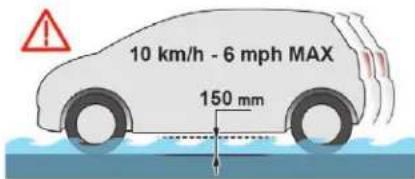
If you are obliged to drive through water:
- check that the depth of water does not exceed 15 cm, taking account of waves that might be generated by other users,
- deactivate the Stop & Start function,
- drive as slowly as possible without stalling. Under no circumstances exceed 6 mph (10 km/h),
- do not stop and do not switch off the engine. On leaving the flooded road, as soon as circumstances allow, make several light brake applications to dry the brake discs and pads. If in doubt about the state of your vehicle, contact a CITROËN dealer or a qualified workshop.
In case of towing
! Driving with a trailer places greater demands on the towing vehicle and requires extra care from the driver.
Side wind
Take into account the increased sensitivity to wind.
Cooling
Towing a trailer on a slope increases the temperature of the coolant.
As the fan is electrically controlled, its cooling capacity is not dependent on the engine speed.
To lower the engine speed, reduce your speed.
The maximum towed load on an incline depends on the gradient and the exterior temperature.
In all cases, keep a check on the coolant temperature.

If this warning lamp and the STOP warning lamp come on, stop the vehicle and switch off the engine as soon as possible.
New vehicle
Do not pull a trailer before having driven at least 620 miles (1,000 kilometres).
Braking
Towing a trailer increases the braking distance. To avoid overheating of the brakes, the use of engine braking is recommended.
Tyres
Check the tyre pressures of the towing vehicle and of the trailer, observing the recommended pressures.
Lighting
Check the electrical lighting and signalling on the trailer and the headlamp beam height of your vehicle.
For more information on Headlamp beam height adjustment, refer to the corresponding section.
Certain driving or manoeuvring aid functions are automatically disabled if an approved towing device is used.
If the exterior temperature is high, it is recommended that the engine be allowed to idle for 1 to 2 minutes after the vehicle comes to a stop, to facilitate its cooling.
Anti-theft protection
Electronic immobiliser
The key contains an electronic chip which has a secret code. When the ignition is switched on, this code must be recognised to enable vehicle start.
This electronic engine immobiliser locks the engine management system a moment after the ignition is switched off and prevents unauthorised engine starting.

In the event of a fault, you are informed by the illumination of this warning lamp, an audible signal and a message in the screen.
In this case, your vehicle will not start; contact a CITROËN dealer or a qualified workshop as soon as possible.
For safety and theft protection reasons, do not leave your electronic key in the vehicle, even when you are close to it. It is recommended that you keep it with you.
Driving
Starting/Switching off the engine with the key
Ignition switch
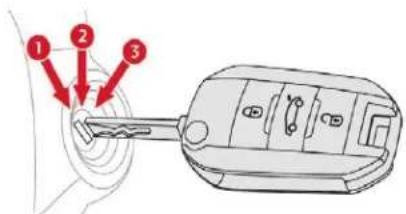
It has 3 positions:
- position 1 (Stop): inserting and removing the key, steering column locked,
- position 2 (Ignition on): steering column unlocked, ignition on, Diesel pre-heating, engine running,
- position 3 (Starting).
Ignition on position (2)
It allows the use of the vehicle's electric equipment or portable devices to be charged. Once the state of charge of the battery drops to the reserve level, the system switches to energy economy mode: the power supply is cut off automatically to preserve the remaining battery charge.
Avoid attaching heavy objects to the key or the remote control, which would weigh down on its blade in the ignition switch and could cause a malfunction.
! Switching off the engine leads to a loss of braking assistance.
Starting the engine
Parking brake applied:
With a manual gearbox, place the gear lever in neutral then depress the clutch pedal fully.
With an automatic gearbox, place the gear selector in mode N or P then depress the brake pedal fully.
With an electronic gearbox, place the gear selector in mode N then depress the brake pedal fully.
Insert the key into the ignition switch; the system recognises the code.
Unlock the steering column by simultaneously turning the steering wheel and the key.
In certain cases, you may have to apply more force to the steering wheel (wheels on full lock, for example).
With a petrol engine, operate the starter motor by turning the key to position 3 without pressing the accelerator pedal, until the engine starts. Once the engine is running, release the key.
With a Diesel engine, turn the key to position 2, ignition on, to operate the engine pre-heating system.

Wait until this warning lamp goes off in the instrument panel, then operate the starter motor by turning the key to position 3 without pressing the accelerator pedal, until the engine starts. Once the engine is running, release the key.
In wintry conditions, the warning lamp can stay on for a longer period. When the engine is hot, the warning lamp does not come on.
If the engine does not start straight away, switch off the ignition. Wait a few moments before operating the starter motor again. If the engine does not start after several attempts, do not keep trying: you risk damaging the starter motor or the engine. Contact a CITROËN dealer or a qualified workshop.
In temperate conditions, do not let the engine idle to warm up but move off straight away and drive at moderate speed.
Never leave the engine running in an enclosed area without adequate ventilation: internal combustion engines emit toxic exhaust gases, such as carbon monoxide. Danger of poisoning and death! In very extreme wintry conditions (temperature below -23°C), to guarantee correct operation and the longevity of the mechanical elements of your vehicle, engine and gearbox, the engine must be left running for four minutes before starting the vehicle.
Switching off the engine
Stop the vehicle.
With the engine running in idle, turn the key to position 1.
Remove the key from the ignition switch.
To lock the steering column, turn the steering wheel until it locks.
To facilitate unlocking of the steering column, it is recommended that the wheels be returned to the straight ahead position before switching off the engine.
Check that the parking brake is correctly applied, particularly on sloping ground.
Never switch off the ignition before the vehicle is at a complete stop. With the engine off, the braking and steering assistance systems are also cut off: risk of loss of control of the vehicle.
When you leave the vehicle, keep the key with you and lock the vehicle.
Energy economy mode
After switching off the engine (position 1 – Stop), for a maximum of 30 minutes you can still use functions such as the audio and telematics system, the wipers, dipped beam headlamps, courtesy lamps, etc.
For more information on Energy economy mode, refer to the corresponding section.
i Key left in
If the key has been left in the ignition switch at position 2 (Ignition on), the ignition will be switched off automatically after one hour.
To switch the ignition back on, turn the key to position 1 (Stop), then back to position 2 (Ignition on).
Starting/Switching off the engine with Keyless Entry and Starting
Starting the engine
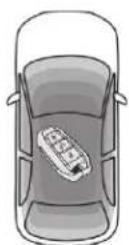

Place the electronic key inside the vehicle, in the recognition zone.
With a manual gearbox, place the gear lever in neutral then depress the clutch pedal fully.
Driving
With an automatic gearbox, place the gear selector in mode P or N then depress the brake pedal fully.
With an electronic gearbox, place the gear selector in mode N then depress the brake pedal fully.
Briefly press the "START/STOP" button while maintaining pressure on the pedal until the engine starts.
The steering column unlocks and the engine starts.
For Diesel engines, when the temperature is below zero and/or the engine is cold, starting will only be done once the pre-heater warning lamp is off.

If this warning lamp comes on after pressing the "START/STOP" button:
With a manual gearbox, you should keep the clutch pedal fully depressed until the warning lamp goes off and not press the "START/STOP" button again until the engine is running.
With an automatic or electronic gearbox, you should keep the brake pedal fully depressed until the warning lamp goes off and not press the "START/STOP" button again until the engine is running.
The presence of the "Keyless Entry and Starting" electronic key in the recognition zone is essential. If the electronic key is not detected in this zone, a message is displayed. Move the electronic key into this zone so that the engine can be started. If there is still a problem, refer to the "Key not detected – Back-up starting" section.
! If one of the starting conditions is not met, a reminder message is displayed in the instrument panel.
In some circumstances, it is necessary to turn the steering wheel slightly while pressing the "START/STOP" button to assist unlocking of the steering column; a message warns you when this is needed.
! For safety reasons, never leave the vehicle while the engine is running.
Switching off the engine
Immobilise the vehicle, engine at idle.
With a manual gearbox, put the gear lever into neutral.
With an automatic gearbox, place the gear selector in mode P or N.
With an electronic gearbox, select mode N.
With the electronic key inside the vehicle, press the "START/STOP" button.
The engine stops and the steering column locks.
In some circumstances, it is necessary to turn the steering wheel slightly to lock the steering column.

If the vehicle is not immobilised, the engine will not stop.

Never leave your vehicle with the electronic key still inside.

Switching off the engine leads to a loss of braking assistance.
Switching the ignition on (without starting)
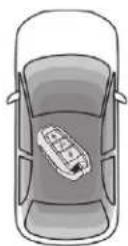
With the Keyless Entry and Starting remote control inside the vehicle, pressing the "START/STOP" button, with no action on the pedals, allows the ignition to be switched on. This also allows the accessories to be used (for example: audio system, lighting, etc.).
Press the "START/STOP" button, the instrument panel comes on but the engine does not start.
Press the button again to switch off the ignition and allow the vehicle to be locked.
With the ignition on, the system automatically goes into energy economy mode to maintain an adequate state of charge in the battery.
Key not detected
Back-up starting
A back-up reader is fitted underneath the parking brake lever so that the engine can be started if the system does not detect the key in the recognition zone, or when the battery in the electronic key is flat.
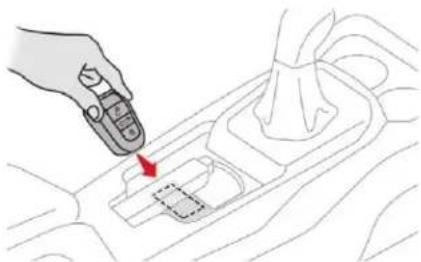
natural_image
Line drawing of a hand holding a remote control device on a car intake tray (no text or symbols)Place and hold the remote control against the reader.
With a manual gearbox, place the gear lever in neutral, then fully depress the clutch pedal.
With an automatic gearbox, select mode P, then fully depress the brake pedal.
With an electronic gearbox, select mode N, then fully depress the brake pedal.
Press the "START/STOP" button. The engine starts.
Driving
Back-up switch-off
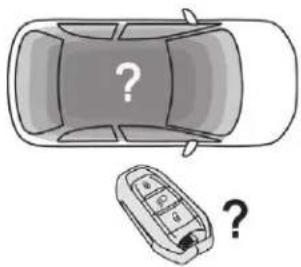
natural_image
Top-down illustration of a car with a question mark and a small mobile phone icon (no text or symbols)When the electronic key is not detected or is no longer in the recognition zone, a message appears on the touch screen when closing a door or trying to switch off the engine.
To confirm the instruction to switch off the engine, press the "START/STOP" button for about three seconds. In the event of a fault with the electronic key, contact a CITROËN dealer or a qualified workshop.
Emergency switch-off
In the event of an emergency only, the engine can be switched off without conditions (even when driving). Press the "START/STOP" button for about three seconds. In this case, the steering column locks as soon as the vehicle stops.
Driving
Parking brake
Applying
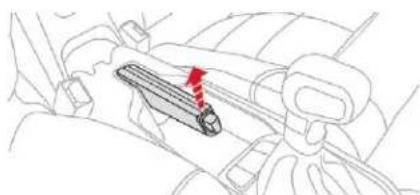
natural_image
Line drawing of a car interior showing a vehicle seatbelt with a red arrow indicating direction (no text or symbols)Pull the parking brake lever up to immobilise your vehicle.
When parking on a slope, turn the wheels against the kerb, apply the parking brake, engage a gear and switch off the ignition.
Releasing
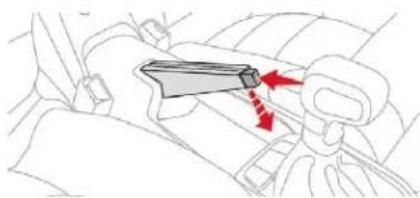
natural_image
Line drawing of a car seatbelt with a lever mechanism and red directional arrows indicating motion (no text or symbols)Pull the parking brake lever up gently, press the release button then lower the lever fully.
(①)
When the vehicle is being driven, if this warning lamp and the STOP warning lamp come on, accompanied by an audible signal and a message on the screen, this indicates that the parking brake is still on or has not been fully released.
5-speed manual gearbox
Engaging reverse gear
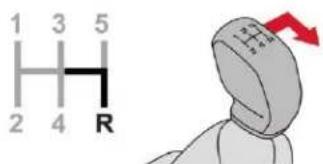
Fully depress the clutch pedal.
Move the gear lever fully to the right, then pull it back.
! Only engage reverse gear when the vehicle is stationary with the engine at idle.
As a safety precaution and to facilitate starting the engine;
- always select neutral,
- press the clutch pedal.
6-speed manual gearbox
Engaging 5 ^th or 6 ^th gear
Move the lever fully to the right to engage 5 ^th or 6 ^th gear.
Failure to follow this advice could cause permanent damage to the gearbox (inadvertent engagement of 3^rd or 4^th gear).
Engaging reverse gear
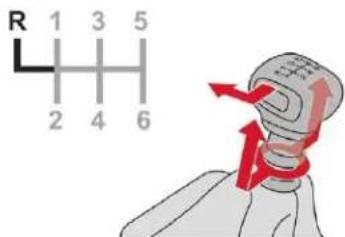
Raise the ring under the knob and move the gear lever to the left, then forwards.
! Only engage reverse gear when the vehicle is stationary with the engine at idle.

As a safety precaution and to facilitate starting the engine:
- always select neutral,
- press the clutch pedal.
Automatic gearbox (EAT6)
Six-speed automatic gearbox which offers a choice between the comfort of fully automatic operation, enhanced by a sport programme, or manual gear changing.
Two driving modes are available:
- automatic operation with electronic management of the gears by the gearbox, with a sport programme for a more dynamic driving style,
- manual operation for sequential changing of the gears by the driver.
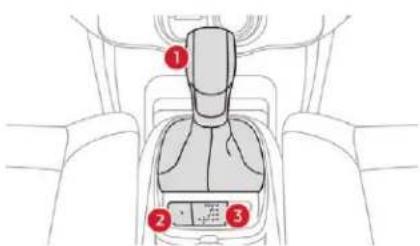
- Gear selector.
-
"S" (sport) button.
-
Gear selector positions graphic.
Gear selector positions
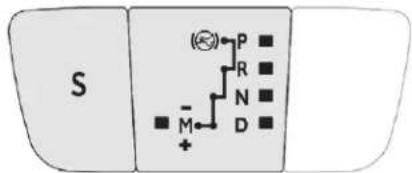
P. Parking.
- Immobilisation of the vehicle, parking brake on or off.
- Starting the engine.
R. Reverse.
- Reversing manoeuvres, vehicle stationary, engine at idle.
N. Neutral.
- Immobilisation of the vehicle, parking brake on.
- Starting the engine.
D. Automatic operation.
M +/-. Manual operation with sequential changing of the six gears.
Pull back to change up a gear. or
→ Push forwards to change down a gear.
Displays in the instrument panel
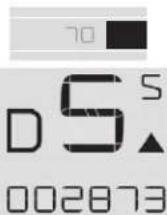
When you move the selector to select a position, the corresponding indicator is displayed in the instrument panel.
P. Parking.
R. Reverse.
N. Neutral.
D. Drive (automatic driving).
S. Sport programme.
1 2 3 4 5 6. Gears engaged during manual operation
-. Invalid value during manual operation.
Foot on brake

Press the brake pedal when this indicator lamp is displayed on the instrument panel (e.g. starting the engine).
Driving
Starting the vehicle
Apply the parking brake.
Select position P or N.
Start the engine.
If these conditions are not met, there is an audible signal, accompanied by the display of a warning message.
With the engine running, press the brake pedal.
Release the parking brake.
Select position R, D or M.
Gradually release the brake pedal.
The vehicle moves off immediately.
If position N is selected inadvertently while driving, allow the engine to return to idle, then select position D to accelerate. If the temperature is below -23^ , the engine should be left at idle for four minutes, to ensure the correct operation and longevity of the engine and gearbox.
When the engine is running at idle, with the brakes released, if position R, D or M is selected, the vehicle moves even without the accelerator being pressed. Do not leave children unsupervised inside the vehicle when the engine is running. When carrying out maintenance with the engine running, apply the parking brake and select position P.
Automatic operation
Select position D for automatic changing of the six gears.
The gearbox then operates in auto-adaptive mode, without any action needed from the driver. It continuously selects the most suitable gear according to the style of driving, the profile of the road and the load in the vehicle.
For maximum acceleration without touching the selector, press the accelerator pedal down fully (kick down). The gearbox changes down automatically or maintains the gear selected until the maximum engine speed is reached.
On braking, the gearbox changes down automatically to provide efficient engine braking.
If you release the accelerator sharply, the gearbox will not change to a higher gear for safety reasons.
! Never select position N while the vehicle is moving. Never select position P or R unless the vehicle is completely stationary.
Sport programme "S"
Press button S, after starting the engine. The gearbox automatically favours a dynamic style of driving. S appears in the instrument panel.
Return to standard automatic operation
At any time, press the selected button again to quit the programme engaged and return to auto-adaptive mode.
Manual operation
Select position M for sequential changing of the six gears.
Move the selector towards the + sign to change up a gear.
Move the selector towards the - sign to change down a gear.
It is only possible to change from one gear to another if the vehicle speed and engine speed permit; otherwise, the gearbox will operate temporarily in automatic mode.
D disappears, and the gears engaged appear in succession on the instrument panel.
If the engine speed is too low or too high, the selected gear flashes for a few seconds, then the actual gear engaged is displayed.
It is possible to change from position D (automatic) to position M (manual) at any time. When the vehicle is stationary or moving very slowly, the gearbox engages first gear automatically.
The sport programme is inactive in manual operation.
Invalid value during manual operation

This symbol is displayed if a gear is not engaged correctly (selector between two positions).
Stopping the vehicle
Before switching off the engine, you can engage position P or N to place the gearbox in neutral.
In both cases, apply the parking brake to immobilise the vehicle.
If the selector is not in position P, when the driver's door is opened or approximately 45 seconds after the ignition is switched off, a warning message appears in the screen.
Return the selector to position P; the message disappears.
When driving on flooded roads or when crossing a ford, proceed at walking pace.
Malfunction

When the ignition is on, the lighting of this warning lamp, associated with an audible signal and an alert message on the screen, indicates a gearbox fault.
In this case, the gearbox switches to back-up mode and is locked in 3^rd gear. You may feel a substantial jolt when changing from P to R and from N to R. This will not cause any damage to the gearbox.
Do not exceed 62 mph (100 km/h), local speed restrictions permitting.
Contact a CITROËN dealer or a qualified workshop as soon as possible.
There is a risk of damage to the gearbox:
- if you press the accelerator and brake pedals at the same time,
- if you force the movement of the selector from position P to another position when the battery is flat.
To reduce fuel consumption when at a prolonged standstill with the engine running (traffic jam, etc.), put the selector in position N and apply the parking brake.
! If your vehicle has an automatic gearbox, never try to start the engine by pushing the vehicle.
Electronic gearbox (ETG6)
Six-speed electronic gearbox offering automatic gear control, without driver intervention.
You can temporarily take control of gear changes at any time, using the steering mounted control paddles.
Driving
Control panel
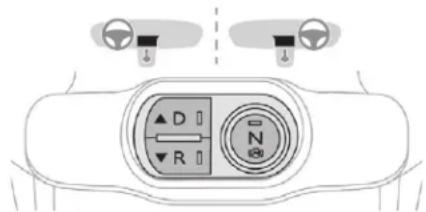
N Neutral: with your foot on the brake, press this control to put the gearbox into neutral and for starting the engine.
D Drive: press this control to engage forward drive with automatic operation of the gears.
R Reverse: with your foot on the brake, press this control to engage reverse.
Steering mounted control paddles
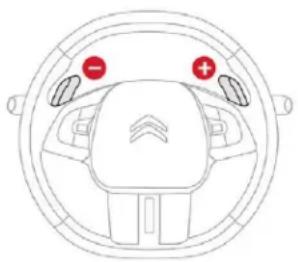
natural_image
Top-down line drawing of a car head and steering wheel (no text or symbols)
Operate the right-hand control under the steering wheel to change up.
Operate the left-hand control under the steering wheel to change down.
You cannot use the steering mounted control paddles to select neutral or to engage or disengage reverse gear.
Displays in the instrument panel
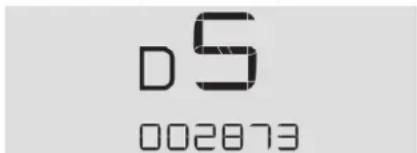
N Neutral.
D and 1 2 3
456
R Reverse.
Drive (forward) and the gear engaged.
Place your foot on the brake when this warning lamp flashes.

Starting the vehicle
Switch on the ignition.
Select neutral (control N).
The indicator lamp in the control comes on.
Fully depress the brake pedal.
Start the engine.
You must press the brake pedal when starting the engine.
The "Foot on brake" warning lamp and the associated control panel indicator lamp flash if the brake pedal is not pressed when starting the engine.
Press more firmly on the brake pedal.
N appears in the instrument panel.
i N flashes in the instrument panel, accompanied by an audible signal and a message, if the control N is not activated on starting.
Press control N to select neutral.
Select forward drive (control D) or reverse (control R).
The associated indicator lamp comes on in the control panel.
D and 1 or R appear in the instrument panel.
Release the parking brake.
Progressively release the brake pedal. The vehicle moves off immediately.
Creep function
This function facilitates manoeuvring of the vehicle at low speed (when parking, in traffic jams, etc.).
After pressing control D or R, the vehicle moves as soon as you take your foot off the brake pedal, at low speed and with the engine at idle.
! Never leave children unattended in the vehicle when the engine is running.
The creep function may be temporarily unavailable if the clutch temperature is too high or the slope too steep.
Forward drive
Press control D.
The indicator lamp in the control comes on.
D and the gear engaged appear in the instrument panel.
The gearbox then operates in auto-active mode, without any intervention on the part of the driver. It continuously selects the most suitable gear according to the following parameters:
- fuel consumption optimisation,
- driving style,
- road conditions,
- vehicle load.
For optimum acceleration, when overtaking another vehicle for example, fully depress the accelerator pedal, beyond the point of resistance.
! Never select neutral (position N) when moving.
Do not press the brake and accelerator pedals at the same time: this could cause very rapid wear of the clutch.
Temporary control of gear changing
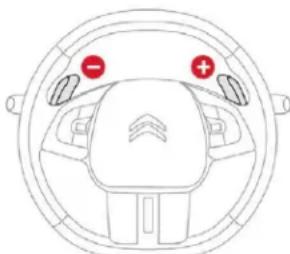
natural_image
Top-down view of a car dashboard with red and green indicator lights (no text or symbols)You can temporarily take over control of gear changes using the steering mounted + and - control paddles: if the engine speed allows, the gear change is carried out.
This function allows you to anticipate certain situations, such as overtaking another vehicle or approaching a bend in the road.
After a few moments with no action on the control paddles, the gearbox returns to automatic operation.
Reverse gear
To engage reverse gear, the vehicle must be stationary with your foot on the brake pedal.
Press control R.
The indicator lamp in the control comes on.
Driving
There is an audible signal upon engagement of reverse.
If reverse gear is requested when moving, the warning lamp N flashes and the gearbox goes into neutral automatically.
To engage reverse, stop the vehicle then, with your foot on the brake pedal, press control N, then R.
Stopping the vehicle
Before switching off the engine, you can:
- press control N to be in neutral, or
- leave the vehicle in gear; in this case the vehicle cannot be moved.
For all parking situations, you must apply the parking brake to immobilise the vehicle.
When immobilising the vehicle with the engine running, you must select neutral N.
When immobilising the vehicle with the engine running, you must select neutral N.
Before doing anything under the bonnet, ensure that control N has been pressed and that the parking brake is applied.
Operating fault

With the ignition on, illumination of this warning lamp, accompanied by an audible signal and a message, indicates a gearbox fault.
Have it checked by a CITROËN dealer or a qualified workshop.
Gear efficiency indicator
This system helps reduce fuel consumption by recommending the most appropriate gear.
Operation
Depending on the driving situation and your vehicle's equipment, the system may advise you to skip one (or more) gear(s). You can follow this instruction without engaging the intermediate gears.
Gear efficiency recommendations are for information only. In fact, the road layout, the traffic density and safety remain the deciding factors when choosing the best gear. The driver therefore remains responsible for deciding whether or not to follow the indications issued by the system.
This function cannot be disabled.
The system is only active on vehicles fitted with a manual gearbox.
On certain BlueHDi Diesel versions with manual gearbox, in certain driving conditions the system may suggest changing into neutral so that the engine can go into standby (STOP mode with Stop & Start). In this case, N is displayed in the instrument panel.
Example:
- You are in third gear.
- You press the accelerator pedal.
- The system may suggest that you engage a higher gear.
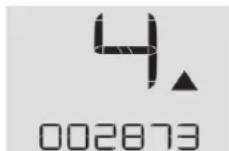
The information appears in the instrument panel in the form of an arrow.
The system adapts its gear change recommendation according to the driving conditions (slope, load, etc.) and the demands of the driver (power, acceleration, braking, etc.). The system never suggests:
- engaging first gear,
- engaging reverse gear.
- engaging a lower gear.
On vehicle fitted with a manual gearbox, the arrow may be accompanied by the gear recommended.
Hill start assist
System which keeps your vehicle stationary for a short time (approximately two seconds) when starting on a gradient, the time it takes to move your foot from the brake pedal to the accelerator pedal.
It is only active when:
- the vehicle is completely stationary, with your foot on the brake pedal.
- certain conditions of gradient are met,
- the driver's door is closed.
The hill start assist system cannot be deactivated.
Do not leave the vehicle while it is being held temporarily in the hill start assist phase.
If you need to leave the vehicle with the engine running, apply the parking brake manually then ensure that the parking brake warning lamp is showing fixed on the instrument panel.
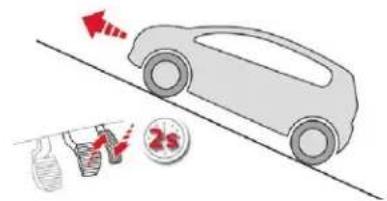
On an ascending slope, with the vehicle stationary, the vehicle is held for a short time when you release the brake pedal.
With a manual gearbox, if you are in first gear or in neutral.
With an automatic gearbox, if you are in D or M.
With an electronic gearbox, if you are in D.
Driving
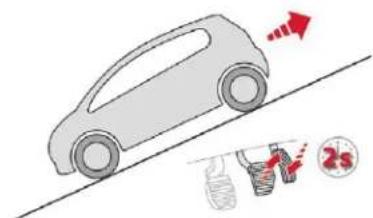
On a descending slope, with the vehicle stationary and reverse gear engaged, the vehicle is held for a short time when you release the brake pedal.
Operating fault

If a fault in the system occurs, this warning lamp comes on accompanied by a message. Contact a CITROËN dealer or a qualified workshop to have the system checked.

Stop & Start
The Stop & Start system puts the engine temporarily into standby – STOP mode – during stops in traffic (red lights, traffic jams, etc.). The engine restarts automatically – START mode – as soon as you want to move off.
The restart takes place instantly, quickly and silently.
Driving
Perfect for urban use, the Stop & Start system reduces fuel consumption and exhaust emissions as well as the noise level when stationary.
Going into engine STOP mode

This indicator lamp comes on in the instrument panel and the engine goes into standby automatically.
- With a manual gearbox, at speeds below 2 mph (3 km/h) or with the vehicle stationary (depending on version), when you place the gear lever in neutral and release the clutch pedal,
- With an automatic gearbox, at speeds below 2 mph (3 km/h), or when the vehicle is stationary (depending on version), when you press the brake pedal or place the gear selector into position N.
- With an electronic gearbox, at speeds below 2 mph (3 km/h), or when the vehicle is stationary (depending on version), when you press the brake pedal or place the gear selector into position N.

Time counter of the Stop & Start. (minutes/seconds or hours/minutes)
If your vehicle is fitted with this system, a time counter calculates the sum of the periods in STOP mode during a journey. It resets to zero every time the ignition is switched on.
For your comfort, during parking manoeuvres, STOP mode is not available for a few seconds after coming out of reverse gear. The Stop & Start system does not affect the functionality of the vehicle, such as for example, braking, power steering, etc.
! Never refuel with the engine in STOP mode; you must switch off the ignition with the "START/STOP" button.
Special cases: STOP mode not available
STOP mode is not activated when:
- the vehicle is on a steep slope (uphill or downhill),
- the driver's door is open,
- the driver's seat belt is not fastened,
- the vehicle has not exceeded 6 mph (10 km/h) since the last engine start,
- the engine is needed to maintain a comfortable temperature in the passenger compartment,
- demisting is active,
- some special conditions (battery charge, engine temperature, braking assistance, exterior temperature, etc.) where the engine is needed to control the system.

In this case, this indicator lamp flashes for a few seconds then goes off.
This operation is perfectly normal.
Going into engine START mode

This indicator lamp goes off and the engine starts automatically:
- With a manual gearbox, when you fully depress the clutch pedal.
- With an automatic gearbox:
- gear selector in position D or M, when you release the brake pedal,
- or gear selector in position N and brake pedal released, when you place the gear selector in position D or M,
• or when you engage reverse gear.
- With an electronic gearbox:
- gear selector in position D, when you release the brake pedal,
- or gear selector in position N and brake pedal released, when you place the gear selector in position D,
• or when you engage reverse gear.
Special cases: START activated automatically
As a safety measure or to maintain comfort levels in the vehicle, START mode is activated automatically when:
- you open the driver's door,
- the driver's seat belt is not fastened,
- the speed of the vehicle exceeds 7 mph (11 km/h) with an electronic gearbox,
- some special conditions (battery charge, engine temperature, braking assistance, exterior temperature, etc.) where the engine is needed to control the system or the vehicle.

In this case, this indicator lamp flashes for a few seconds, then goes off.
This operation is perfectly normal.
Deactivation/Reactivation
In certain circumstances, such as the need to maintain the temperature in the passenger compartment, it may be useful to deactivate the Stop & Start system.
The system can be deactivated at any time, once the ignition is switched on. If the engine is in STOP mode, it then restarts. The Stop & Start system is reactivated automatically every time the ignition is switched on.

In the Driving/Vehicle menu of the touch screen, select the "Driving functions" tab, then "Stop & Start".
Opening the bonnet
Before doing anything under the bonnet, deactivate the Stop & Start system to avoid any risk of injury resulting from an automatic change to START mode.
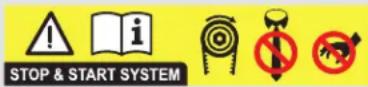
Driving on flooded roads
Before driving in a flooded area, it is strongly recommended that you deactivate the Stop & Start system.
For more information on Driving recommendations, particularly on flooded roads, refer to the corresponding section.
Operating fault

In the event of a fault with the system, this warning lamp flashes in the instrument panel.
Have it checked by a CITROËN dealer or a qualified workshop.
In the event of a fault in STOP mode, the vehicle may stall.
All of the instrument panel warning lamps come on.
It is then necessary to switch off the ignition, then restart the engine.
Depending on the version, an alert message may also be displayed, asking you to change to neutral (N) and to press the brake pedal. You must switch off the ignition, then start the engine again.
Driving
! The Stop & Start system requires a 12 V battery of specific technology and specification.
All work on this type of battery must be carried out only by a CITROËN dealer or a qualified workshop.
For more information on the 12 V battery, refer to the corresponding section.
Recognition of speed limit signs and recommendation
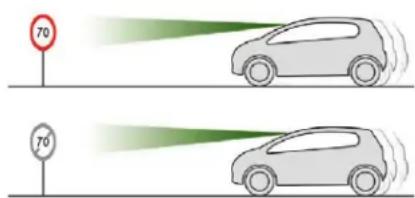
This system allows the speed limit detected by the camera to be displayed in the instrument panel.
The system also processes speed limit details from the navigation system mapping.
You should update your navigation mapping regularly in order to receive accurate speed limit information from the system.
Specific speed limits, such as those for heavy goods vehicles, are not displayed. The display of the speed limit in the instrument panel is updated as you pass a speed limit sign intended for cars (light vehicles).
The units for the speed limits (km/h or mph) depend on the country in which you are driving. This should be taken into account in order to observe the speed limit. For the system to operate correctly when you change country, the units for speed in the instrument panel must be set to those for the country in which you are driving.
Automatic reading of road signs is a driving assistance system and does not always display speed limits correctly.
The speed limit signs present on the road always take priority over the display by the system.
The system cannot in any circumstances replace the need for vigilance on the part of the driver.
The driver must observe the driving regulations and must adapt the speed of the vehicle to suit the weather and traffic. It is possible for the system to not display the speed limit if it does not detect a speed limit sign within a preset period.
The system is designed to detect signs that conform to the Vienna Convention on road signs.
To maintain correct operation of the system: regularly clean the area in front of the camera.
The internal surface of the windscreen can also become misted around the camera. In humid and cold weather, demist the windscreen regularly.
Driving
Display in the instrument panel
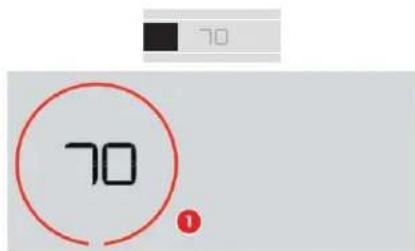
- Speed limit indication.
Display of the speed
The system is active but is not detecting speed limit information.
On detection of speed limit information, the system displays the value.
The driver can adjust the vehicle's speed according to the information given by the system.
Activation/Deactivation
The system is activated or deactivated via the vehicle configuration menu.

In the Driving/Vehicle menu of the touch screen, select the "Vehicle settings" tab then "Safety" and activate/deactivate "Recommended speed display".
Operating limits
The legislation on speed limits is specific to each country.
The system does not take account of reduced speed limits in the following cases:
- poor weather (rain, snow),
- atmospheric pollution,
- trailer, caravan,
- driving with a space-saver type spare wheel or snow chains fitted.
- puncture repair using the temporary repair kit,
- young drivers, etc.
The following situations may interfere with the operation of the system or prevent it working:
- poor visibility (inadequate street lighting, falling snow, rain, fog).
- windscreen area located in front of the camera dirty, misted, frost-covered, snow-covered, damaged or covered by a sticker,
- fault with the camera,
- obsolete or incorrect mapping,
- hidden road signs (other vehicles, vegetation, snow),
- speed limit signs that do not conform to the standard, are damaged or distorted.
Driving
Memorising the speed setting
This memorisation is in addition to the display of Recognition of speed limit signs.
The driver can choose to change the speed setting to the suggested speed limit, by pressing the memorisation button for the speed limiter or cruise control twice.
This speed setting then replaces the previous speed setting for the speed limiter and/or cruise control.
For more information on the Speed limiter or the Cruise control, refer to the corresponding sections.
Steering mounted controls

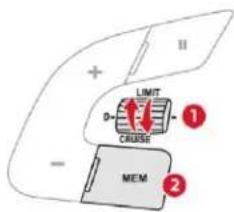
- Select speed limiter/cruise control mode.
- Memorise a speed setting.
Displays in the instrument panel
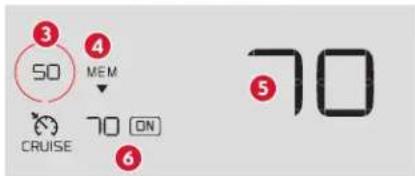
- Speed limit indication.
- Memorise the speed.
- Current speed of the vehicle.
- Current speed setting.
Memorising the speed
Switch on the speed limiter/cruise control. Speed limiter/cruise control information is displayed.
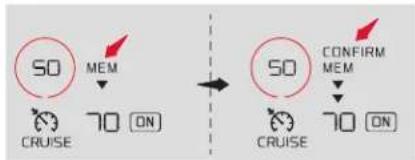
flowchart
graph TD
    A["50"] -->|MEM| B["70 ON"]
    C["50"] -->|CONFIRM MEM| D["70 ON"]
On detection of a speed limit sign, the system displays the speed limit and a message offering to make it a new speed setting.
"MEM" flashes in the screen for a few seconds.
If there is a difference of less than 6 mph (10 km/h) between the speed setting and the speed displayed by the recognition system, the MEM symbol is not displayed.
Press the "MEM" button 2 once to request the recommended speed to be saved.
A message asks you to confirm the request with a second press.
Press the "MEM" button 2 again to confirm and save the new speed setting.
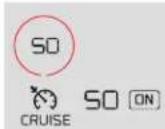
50
Speed limiter

The system prevents the vehicle from exceeding the speed setting programmed by the driver.
The speed limiter is switched on manually. The minimum programmed speed is 19 mph (30 km/h). The programmed speed remains in the system memory when the ignition is switched off.
! The speed limiter is a driving aid only. It does not exempt the driver from the need to observe speed limits or to remain vigilant at all times.
Steering mounted controls

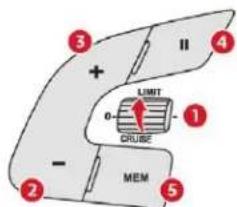
- Select speed limiter mode.
- Decrease the programmed speed setting.
- Increase the programmed speed setting.
- Speed limiter On/Pause.
- Use the speed suggested by the speed limit recognition system.
For more information on Recognition of speed limit signs, refer to the corresponding section.
Displays in the instrument panel
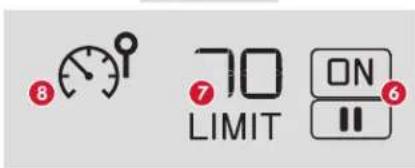
Driving
- Speed limiter On/Pause indication.
- Programmed speed setting value.
- Speed limiter mode selected.
Switching on
Turn the wheel 1 to the LIMIT position to select the speed limiter; the function is paused.
If the speed setting is suitable (last speed setting programmed in the system) press button 4 to switch the speed limiter on.
- Pressing button 4 temporarily interrupts the function (pause).
Adjusting the limit speed setting
You do not have to switch the speed limiter on in order to set the speed.
Select the speed limiter mode (wheel 1 in LIMIT position).
To modify the limit speed setting:
in steps of +/- 1 mph (km/h), make successive short presses on button 2 or 3,
continuously, in steps of +/- 5 mph (km/h), press and hold button 2 or 3.
Driving
To modify the speed limiter setting using the speed suggested by the speed limit sign recognition system:
the speed suggested is displayed in the instrument panel,
make a first press on button 5; a message is displayed to confirm the memorisation request,
press button 5 again to save the suggested speed.
The speed displays immediately in the instrument panel as the new speed setting.
Temporarily exceeding the speed setting
Press firmly on the accelerator pedal, going beyond the point of resistance, to exceed the programmed speed limit.
The speed limiter is deactivated temporarily and the displayed programmed speed flashes.
On a steep descent or in the event of sharp acceleration, the speed limiter will not be able to prevent the vehicle from exceeding the programmed speed.
When the limit speed is exceeded but this is not due to action by the driver, there is an audible signal to supplement the visual alert (setting flashes).
Once the vehicle slows down to the programmed setting, the speed limiter is active again: the speed setting display is fixed once more.
Switching off
Turn the wheel 1 to the position 0: the display of information about the speed limiter disappears.
Operating fault
Flashing dashes indicate a fault with the speed limiter.
Have it checked by a CITROËN dealer or a qualified workshop.
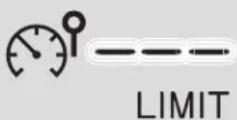

The use of mats not approved by CITROËN may interfere with the operation of the speed limiter.
To avoid any risk of jamming of the pedals:
- ensure that the mat is positioned correctly,
- do not fit one mat on top of another.
Cruise control

System which automatically maintains the speed of the vehicle at the value programmed by the driver, without any action on the accelerator pedal.
The cruise control is switched on manually.
It requires a minimum vehicle speed of 25 mph (40 km/h) as well as:
- with a manual gearbox, the engagement of third or fourth gear or higher,
- with a automatic or electronic gearbox, the engagement of second gear or higher.
The function remains active after changing gear on vehicles fitted with an automatic gearbox.
The cruise control is paused manually or by pressing the brake or clutch pedal or if the ESC system is invoked for safety reasons.
Once switched on, you can pause the cruise control at any time by pressing button 4: the screen confirms the pause.
Switching off the ignition cancels any programmed speed setting.
The cruise control system is a driving aid that cannot, in any circumstances, replace the need to observe speed limits, nor the need for vigilance on the part of the driver. As a safety measure, you are advised to keep your feet near the pedals at all times.
Steering mounted controls

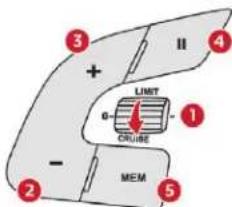
- Select cruise control mode.
- Set the current speed of the vehicle as the cruise setting or lower the cruise setting.
- Set the current speed of the vehicle as the cruise setting or raise the cruise setting.
- Cruise control Pause/Resume.
- Use the speed suggested by the speed limit recognition system.
For more information on Recognition of speed limit signs, refer to the corresponding section.
Displays in the instrument panel


- Cruise control pause/resume indication.
- Programmed speed setting value.
- Cruise control selection indication.
Switching on
Turn the wheel 1 to the CRUISE position to select cruise control mode; the function is paused.
To start the cruise control and set a cruise speed, once the vehicle has reached the desired speed, press button 2 or 3: the current speed of your vehicle becomes the cruise speed setting.
You can release the accelerator pedal.
Pressing button 4 interrupts operation of the system (pause).
Driving
Pressing button 4 again restores operation of the cruise control (ON).
Modifying the cruise speed setting
The cruise control must be active.
As a precaution, it is recommended that the cruise speed chosen be close to the current speed of your vehicle, so as to avoid any sudden acceleration or deceleration of the vehicle.
To modify the cruise speed setting from the current speed of the vehicle:
in steps of +/- 1 mph (km/h), make repeated short presses on button 2 or 3,
continuously, in increments of +/- 5 mph (km/h), press and hold button 2 or 3.
Take care: pressing and holding button 2 or 3 results in a rapid change in the speed of your vehicle.
To modify the cruise speed setting using the speed suggested by the speed limit sign recognition system:
the speed suggested is displayed in the instrument panel,
Driving
make a first press on button 5; a message is displayed to confirm the memorisation request,
press button 5 again to save the suggested speed.
The speed displays immediately in the instrument panel as the new speed setting.
Temporarily exceeding the speed setting
If needed (for overtaking, etc.), it is possible to exceed the programmed speed by pressing the accelerator pedal.
The cruise control is temporarily overridden and the programmed speed setting flashes.
To return to the speed setting, release the accelerator pedal.
Once the vehicle has returned to the programmed speed, the cruise control takes over again: the display of the programmed speed setting becomes steady again.
When descending a steep hill, the cruise control system cannot prevent the vehicle from exceeding the programmed speed.
You may have to brake to control the speed of your vehicle. In this case, the cruise control is automatically paused.
To activate the system again, with the speed of the vehicle above 25 mph (40 km/h), press button 4.
Switching off
Turn wheel 1 to position 0: the cruise control information disappears from the screen.
Operating fault
Flashing dashes indicate a fault with the cruise control system.
Have it checked by a CITROËN dealer or a qualified workshop.
Use the cruise control only where the driving conditions allow running at a constant speed and at an adequate safe distance.
Do not activate the cruise control in urban areas, in heavy traffic, on winding or steep roads, on slippery or flooded roads, or in conditions of poor visibility (heavy rain, fog, falling snow, etc.).
In some circumstances, it may not be possible to maintain or reach the cruise speed set: towing, vehicle heavily loaded, steep climb.
! The use of mats not approved by CITROËN may interfere with the operation of the cruise control.
To avoid any risk of jamming of the pedals:
- ensure that the mat is positioned correctly,
- do not fit one mat on top of another.
Collision Risk Alert and Active Safety Brake

This system is a driving aid that includes three functions.
Collision Risk Alert: it warns the driver if their vehicle is at risk of collision with the vehicle in front or a pedestrian present in their traffic lane. Intelligent emergency braking assistance: it supplements the braking action taken by the driver if this is inadequate.
Active Safety Brake: it intervenes following the alert if the driver does not react quickly enough and does not operate the vehicle's brakes.
If the driver fails to act, it contributes towards avoiding a collision or limiting its severity by reducing the speed of your vehicle.
Activation and operating conditions
The vehicle has a camera located at the top of the windscreen.
natural_image
Line drawing of a car with a green highlight on the side, no text or symbols presentThe system is activated from 3 mph (5 km/h). It takes account of:
- registered vehicles running in the same direction or stationary,
- pedestrians in the traffic lane (bicycles, motorcycles, animals and objects on the road are not necessarily detected).
This system is designed to assist the driver and improve road safety. It is the driver's responsibility to continuously monitor the state of the traffic, observing the driving regulations. This system does not avoid the need for vigilance on the part of the driver.
As soon as the system detects a potential obstacle, it prepares the braking circuit in case automatic braking is needed. This may cause a slight noise and a slight sensation of deceleration.
Operating limits
In the following cases, deactivating the system via the vehicle's configuration menu is recommended:
- when towing a trailer,
- when carrying long objects on roof bars or a roof rack,
- before using an automatic car wash, with the engine running,
- before placing the vehicle on a rolling stand in a workshop,
- when the vehicle is being towed, with the engine running,
- when a "space-saver" type spare wheel is fitted (depending on version),
- following impact damage to the windscreen close to the detection camera,
- if the brake lamps are not working.
It is possible that warnings are not given, are given too late or seem unjustified. Consequently, always stay alert and be prepared to react at any time to avoid an accident.
Driving
Collision Risk Alert
Depending on the degree of risk of collision detected by the system and the alert threshold chosen by the driver, different levels of alert can be triggered and displayed in the instrument panel.

Level 1 (orange): visual alert only, signalling to you that the vehicle in front is very close.
The message "Vehicle close" is displayed.
This level of alert is based on the inter-vehicle time between your vehicle and the vehicle in front.

Level 2 (red): visual and audible alert, warning you that a collision is imminent.
The message "Brake!" is displayed.
This level of alert is based on the time before collision. It takes account of the vehicle dynamics, the speed of your vehicle and the one in front, the environmental conditions, the operation of the vehicle (cornering, pedals pressed, etc.) to trigger the alert at the best moment.
Where the speed of your vehicle is too high approaching another vehicle, the first level of alert may not be displayed: the level 2 alert may be displayed directly. Important: alert level 1 is never displayed when the "Close" trigger threshold has been selected.
Modifying the alert trigger threshold
This threshold determines how you wish to be alerted of the presence of a moving or stationary vehicle in front of you, or a pedestrian present in your traffic lane.
The current threshold can be modified via the vehicle configuration menu.
You can select one of three predefined thresholds:
- "Distant",
- "Normal",
- "Close"
The last threshold selected is kept in the memory when the ignition is switched off.
Intelligent emergency braking assistance
If the driver brakes, but not sufficiently to avoid a collision, this system will supplement the braking, within the limits of the laws of physics. This assistance will only be provided if you press the brake pedal.
Active Safety Brake
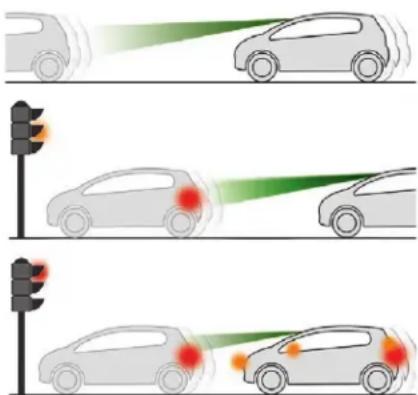
This function, also called automatic emergency braking, aims to reduce the speed of impact or avoid a frontal collision with your vehicle where the driver fails to react.
Using the camera, this function acts on the vehicle's braking system.

If the camera has confirmed the presence of a vehicle or a pedestrian, this warning lamp flashes once the function is acting on the vehicle's brakes.

Important: if operation of the automatic emergency braking is triggered, you should take back control of your vehicle and brake with the pedal to add to or finish the automatic braking action.
The driver can take back control of the vehicle at any time by sharply turning the steering wheel and/or pressing the accelerator pedal.
The point at which braking is triggered may be adjusted depending on the driving actions of the driver, such as movement of the steering wheel or actions on the accelerator pedal.
Operation of the function may be felt by slight vibration in the brake pedal. If the vehicle comes to a complete stop, the automatic braking is maintained for 1 to 2 seconds.
! With a manual gearbox, in the event of automatic emergency braking until the vehicle comes to a complete stop, the engine may stall. With an automatic or electronic gearbox, in the event of automatic emergency braking until the vehicle comes to a complete stop, keep the brake pedal pressed down to prevent the vehicle from starting off again.
Specific conditions for operation
The vehicle's speed must be between 3 mph and 53 mph (5 km/h and 85 km/h) when a moving vehicle is detected.
The vehicle's speed must not exceed 50 mph (80 km/h) when a stopped vehicle is detected. The vehicle's speed must not exceed 37 mph (60 km/h) when a pedestrian is detected. The ESC system must not be faulty. The ASR system must not be deactivated. All passenger seat belts must be fastened. Sporty driving or driving on winding roads may impede the function.
After an impact, the function automatically stops operating. Consult a CITROËN dealer or a qualified workshop to have the system checked.
Deactivation/Activation
By default, the system is automatically activated at every engine start-up.

Deactivation of the system is signalled by the illumination of this indicator lamp, accompanied by the display of a message.

In the Driving/Vehicle menu of the touch screen, select the "Vehicle settings" tab then "Safety" and activate/deactivate "Collision risk and auto braking".
! The camera may be disrupted or not work in the following situations:
- poor visibility (inadequate street lighting, falling snow, heavy rain, dense fog, etc.),
- dazzle (headlamps of an oncoming vehicle, low sun, reflections on a damp road, leaving a tunnel, alternating shade and light, etc.),
- camera obstructed (mud, frost, snow, condensation, etc.).
On versions with camera alone, this message indicates to you that the camera is obstructed: "Driving aids camera: visibility limited, see user guide". In these situations, detection performance may be reduced.
Driving
Clean the windscreen regularly, particularly the area in front of the camera. The internal surface of the windscreen can also become misted around the camera. In humid and cold weather, demist the windscreen regularly. Do not allow snow to accumulate on the bonnet or roof of the vehicle as this could conceal the detection camera.
The system is automatically deactivated after the use of the "space-saver" type spare wheel is detected, or if a fault with the side brake lamps is detected.
Malfunction

In the event of a fault with the system, you are alerted by the illumination of this warning lamp, accompanied by the display of a message and an audible signal.
Contact a CITROËN dealer or a qualified workshop to have the system checked.
Fatigue detection system
Take a break as soon as you feel tired or at least every two hours.
The function has the "Driving time warning" combined with the "Driver inattention alert".
! The system cannot in any circumstances replace the need for vigilance on the part of the driver. Do not take the wheel if you are tired.
Activation/Deactivation
The system is activated or deactivated via the vehicle configuration menu.

In the Driving/Vehicle menu of the touch screen, select the "Vehicle settings" tab then "Safety" and activate/deactivate "Fatigue detection".
Driving time warning

The system triggers an alert once it detects that the driver has not taken a break after two hours of driving at a speed above 40 mph (65 km/h).

This alert is issued via the display of a message encouraging you to take a break, accompanied by an audible signal. If the driver does not follow this advice, the alert is repeated hourly until the vehicle is stopped.
The system resets itself if one of the following conditions is met:
- engine running, the vehicle has been stationary for more than fifteen min
- the ignition has been switched off for a few minutes,
- the driver's seat belt is unfastened and their door is open.
As soon as the vehicle's speed drops below 40 mph (65 km/h), the system goes into standby. Driving time monitoring resumes when the vehicle travels at above 40 mph (65 km/h).
Driver inattention alert
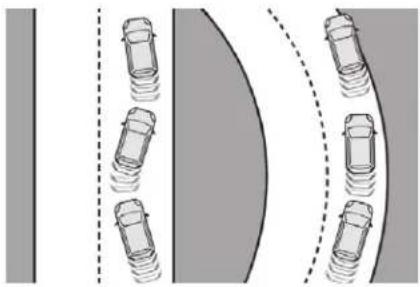
natural_image
Diagram showing vehicle positions on a curved road with dashed lines indicating lane boundaries (no text or symbols)
Using a camera placed at the top of the windscreen, the system assesses the driver's level of vigilance by identifying variations in trajectory compared to the lane markings.
This system is particularly suited to fast roads (speed higher than 40 mph (65 km/h)).
When the system interprets the behaviour of the vehicle as indicating a certain fatigue or inattention threshold on the part of the driver, it triggers the first level of alert.
The driver is then alerted by the message "Take care!", accompanied by an audible signal.
After three first level alerts, the system triggers a new alert with the message "Take a break!", accompanied by a more pronounced audible signal.
In certain driving conditions (poor road surface or strong winds), the system may give alerts independent of the driver's level of vigilance.
Driving
! The following situations may interfere with the operation of the system or prevent it working:
- poor visibility (inadequate lighting of the roadway, falling snow, heavy rain, dense fog, etc.),
- dazzle (headlamps of an oncoming vehicle, low sun, reflections on a damp road, leaving a tunnel, alternating shade and light, etc.),
- windscreen area located in front of the camera: dirty, misted up, frost-covered, snow-covered, damaged or covered by a sticker.
- lane markings absent, worn, hidden (snow, mud) or multiple (roadworks, etc.),
- close to the vehicle ahead (lane markings not detected),
- roads that are narrow, winding, etc.
Driving
Clean the windscreen regularly, particularly the area in front of the camera. The internal surface of the windscreen can also become misted around the camera. In humid and cold weather, demist the windscreen regularly. Do not allow snow to accumulate on the bonnet or roof of the vehicle as this could conceal the detection camera.
Lane Departure Warning System
System which, using a camera which recognises solid or broken lines, detects the involuntary crossing of longitudinal traffic lane markings on the ground. The camera analyses the image then, if the driver's attention drops and the speed is higher than 37 mph (60 km/h), triggers a warning if there is an unexpected change of direction. This system is particularly useful on motorways and main roads.
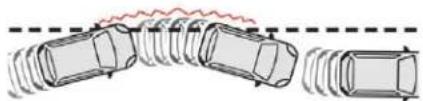
natural_image
Diagram of vehicle collision with a red wavy trajectory line, showing multiple cars (no text or symbols)This system is a driving aid that cannot, in any circumstances, replace the need for vigilance on the part of the driver.
Activation/Deactivation
The system is activated and deactivated in the vehicle configuration menu.

In the Driving/Vehicle menu of the touch screen, select the "Vehicle settings" tab then "Safety" and activate/deactivate "Lane departure warning system".
Detection

You are alerted by the flashing of this warning lamp in the instrument panel, accompanied by an audible signal.
No warning is transmitted while a direction indicator is active.
Operating fault
The flashing and then constant illumination of the warning lamp, accompanied by illumination of the Service warning lamp indicates a fault in the system.
Have the system checked by a CITROËN dealer or a qualified workshop.
The detection may be impeded: - if the markings on the ground are worn, - if there is little contrast between the markings on the road and the road surface, - if the windscreen is dirty, - in certain weather conditions: fog, heavy rain, snow, shade, bright sunlight or direct exposure to the sun (low sun, leaving a tunnel, etc.).
Clean the windscreen regularly, particularly the area in front of the camera. The internal surface of the windscreen can also become misted around the camera. In humid and cold weather, demist the windscreen regularly. Do not allow snow to accumulate on the bonnet or roof of the vehicle as this could conceal the detection camera.
Blind spot monitoring
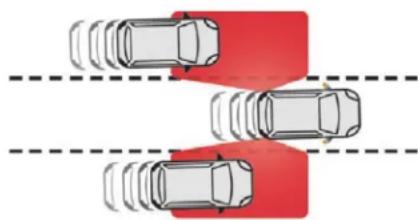
natural_image
Top-down diagram of three cars with red highlighted sections, no text or symbols presentThis system warns the driver of the presence of another vehicle in the blind spot angle of their vehicle (areas hidden from the driver's field of vision), as soon as this presents a potential danger.
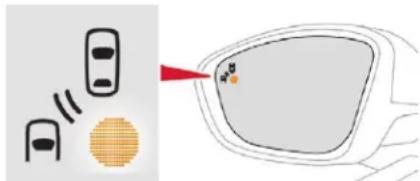
A warning lamp appears in the door mirror on the side in question:
- immediately, when being overtaken,
- after a delay of about one second, when overtaking a vehicle slowly.
This driving aid system is designed to improve safety when driving and is in no circumstances a substitute for the use of the interior rear view mirror and door mirrors. It is the driver's responsibility to constantly check the traffic, to assess the distances and relative speeds of other vehicles and to predict their movements before deciding whether to change lane. This system is a driving aid that cannot, in any circumstances, replace the need for vigilance on the part of the driver.
Activation/Deactivation
Activation and deactivation of the system is done in the vehicle configuration menu.

In the Driving/Vehicle menu of the touch screen, select the "Vehicle settings" tab then "Safety" and activate/deactivate "Blind spot sensors".
Sensors fitted in the front and rear bumpers monitor the blind spots. The status of the system remains in memory when the ignition is switched off.
The system is automatically deactivated when towing with a towing device approved by CITROËN.
Operation
The alert is given by a warning lamp which comes on in the door mirror on the side in question as soon as a vehicle – car, lorry, bicycle – is detected.
The following conditions must be met for this:
- all vehicles are moving in the same direction and in adjacent lanes,
- the speed of your vehicle must be between 7 and 87 mph (12 and 140 km/h),
- you overtake a vehicle with a speed difference of less than 6 mph (10 km/h),
- a vehicle overtakes you with a speed difference of less than 16 mph (25 km/h),
- traffic is flowing normally,
- when overtaking a vehicle over a certain period of time and the vehicle being overtaken remains in the blind spot,
- you are driving on a straight or slightly curved road,
- your vehicle is not pulling a trailer, a caravan, etc.
Driving
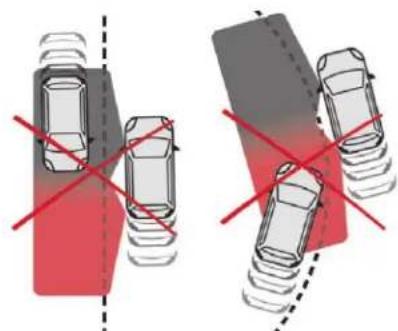
natural_image
Two identical car parking scenarios with red crosshair indicators, no text or symbols presentNo alert will be given in the following situations:
- in the presence of non-moving objects (parked vehicles, barriers, street lamps, road signs, etc.),
- oncoming traffic,
- driving on a winding road or a sharp corner,
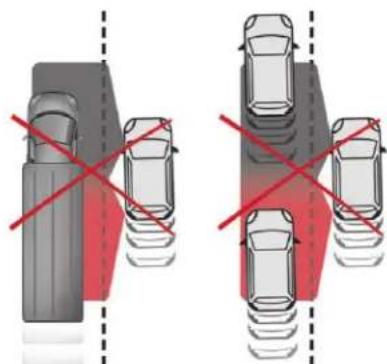
natural_image
Two identical car parking scenarios with red crosshair indicators, no text or symbols present- when overtaking or being overtaken by a very long vehicle (lorry, bus, etc.) that is detected in the rear blind spot but is also present in the driver's front field of vision,
- when overtaking quickly,
- in very heavy traffic: vehicles detected in front and behind are confused with a lorry or a stationary object.
Operating fault
In the event of a malfunction, you are warned by the display of a message.
Contact a CITROËN dealer or a qualified workshop to have the system checked.
The system may suffer temporary interference in certain weather conditions (rain, hail, etc.).
In particular, driving on a wet surface or moving from a dry area to a wet area can cause false alerts (for example, the presence of a fog of water droplets in the blind spot angle is interpreted as a vehicle).
In bad weather or in winter, ensure that the sensors are not covered with mud, ice or snow.
Take care not to cover the warning zone in the door mirrors or the detection zones on the front and rear bumpers with adhesive labels or other objects; they may hamper the correct operation of the system.
i High pressure jet wash
When washing your vehicle, direct the lance at least 30 cm away from the sensors.
Parking sensors
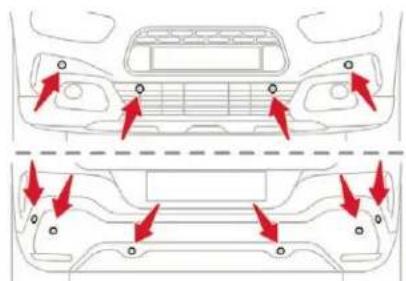
natural_image
Top-down and side-view diagram of a car showing front and rear structural components with red arrows indicating movement or force directions (no text or symbols)Using sensors located in the bumper, this function warns of the proximity of obstacles (e.g. pedestrian, vehicle, tree, barrier) entering their field of detection.
This function is a manoeuvring aid which cannot, in any circumstances, replace the need for vigilance on the part of the driver. The driver must remain attentive and stay in control of their vehicle. They must always check the vehicle's surroundings before undertaking a manoeuvre. During the entire manoeuvre, the driver must ensure that the space remains clear.
Rear parking sensors
The system is switched on by engaging reverse gear.
This is confirmed by an audible signal.
The system is switched off when you come out of reverse gear.
Audible assistance
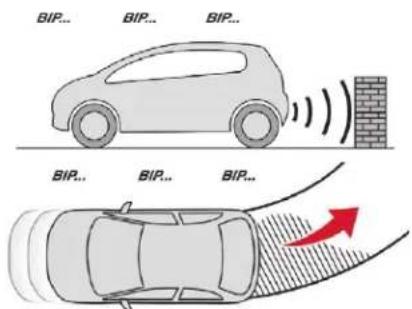
The function signals the presence of obstacles both within the sensor detection zone and in the vehicle path defined by the orientation of the steering wheel.
In the example shown, only the obstacles present in the shaded area will be signalled by the audible assistance.
Driving
The information on proximity is given by an intermittent sound signal, the frequency of which becomes more rapid as the vehicle approaches the obstacle.
When the distance between the vehicle and the obstacle becomes less than about thirty centimetres, the sound signal becomes continuous.
The sound emitted by the speaker (right or left) allows you to identify which side the obstacle is on.
Adjusting the audible signal

On versions equipped with CITROËN Connect Radio, pressing this button opens the audible signal volume adjustment window.
Visual assistance
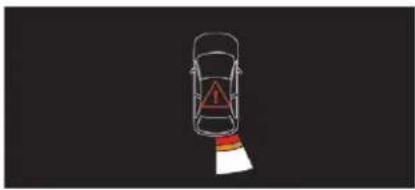
natural_image
Top-down diagram of a car with a warning triangle and red stripe, no text or symbols presentDriving
It supplements the audible assistance, regardless of the vehicle's path, by displaying on the screen those whose location represents the distance between the obstacle and the vehicle (white: more distant obstacles, orange: close obstacles, red: very close obstacles). When the obstacle is very close, the "Danger" symbol is displayed on the screen.
Front parking sensors
In addition to the rear parking sensors, the front parking sensors are triggered when an obstacle is detected in front and the speed of the vehicle is still below 6 mph (10 km/h). The front parking sensors are interrupted if the vehicle stops for more than three seconds in forward gear, if no further obstacles are detected or when the speed of the vehicle exceeds 6 mph (10 km/h).
The sound emitted by the speaker (front or rear) locates the obstacle in relation to the vehicle – in the vehicle trajectory, in front or behind.
Activation/Deactivation
The system is activated or deactivated via the vehicle configuration menu.

In the Driving/Vehicle menu of the touch screen, select the "Driving functions" tab, then deactivate/activate "Parking sensors".
The system will be deactivated automatically if a trailer is attached or a bicycle carrier is fitted on a towbar (vehicle fitted with a towbar installed in line with the manufacturer's recommendations).
The parking sensors are deactivated while the Park Assist system is measuring a space. For more information on Park Assist, refer to the corresponding section.
Operating limits
- Certain obstacles located in the sensors' blind spots may not be detected or no longer be detected during the manoeuvre.
-
Sounds such as those emitted by noisy vehicles and machinery (e.g. lorries, pneumatic drills, etc.) may interfere with the vehicle's sensors.
-
Certain materials (fabrics) absorb sound waves: pedestrians may not be detected.
- Accumulated snow or dead leaves on the road surface can interfere with the vehicle's sensors.
- A front or rear impact to the vehicle can distort the settings of the sensors, which is not always detected by the system: distance measurements may be incorrect.
- The tilting of the vehicle if the boot is very loaded can affect the distance measurements.
- The sensors may be affected by poor weather conditions (heavy rain, thick fog, snowfall, etc.).
Recommendations on care
In bad or wintry weather, ensure that the sensors are not covered with mud, ice or snow. When reverse gear is engaged, an audible signal (long beep) indicates that the sensors may be dirty.

High pressure washing
When washing your vehicle, direct the lance at least 30 cm away from the sensors.
Operating fault

If a fault occurs when shifting to reverse, this warning lamp comes on in the instrument panel, accompanied by a message and an audible signal (short beep).
Contact a CITROËN dealer or a qualified workshop to have the system checked.
Reversing camera
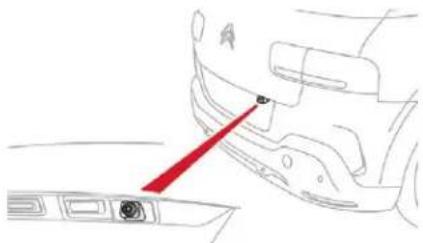
natural_image
Line drawing of a car's front panel and dashboard with a red arrow pointing to the dashboard (no text or symbols)The reversing camera is activated automatically when reverse gear is engaged. The image is displayed on the touch screen.

The reversing camera function may be supplemented with parking sensors.

The reversing camera cannot, in any circumstances, replace the need for vigilance on the part of the driver.
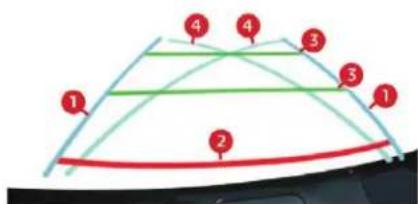
The superimposed representation of guide lines helps with the manoeuvre.

They are represented by lines marked "on the ground" and do not allow the position of the vehicle to be determined relative to tall obstacles (for example: other vehicles, etc.). Some distortion of the image is normal. It is normal to have part of the number plate showing in the bottom of the screen.
The blue lines 1 represent the general direction of the vehicle (the gap represents the width of your vehicle except for the door mirrors). The red line 2 represents a distance of about 30 cm beyond the edge of your vehicle's rear bumper.
The green lines 3 represent distances of about one and two metres beyond the edge of your vehicle's rear bumper. The turquoise blue curves 4 represent the maximum turning circle.

Opening the tailgate causes the display to disappear.

Clean the reversing camera regularly using a soft, dry cloth.

High pressure washing When washing your vehicle, keep the lance at least 30 cm away from the camera lens.
Park Assist
This system provides active parking assistance: it detects a parking space and then steers in the appropriate direction to park in this space while the driver controls the driving direction, engagement of gears, acceleration and braking.
To assist the driver in monitoring the correct manoeuvring operation, the system automatically triggers the display of the rear view camera and the activation of the parking sensors.
Driving
This system is a manoeuvring aid that cannot under any circumstances replace the vigilance of the driver. The driver must remain in control of their vehicle. They must always check the surroundings of the vehicle before undertaking a manoeuvre and ensure that the space remains clear during the entire manoeuvre.
The system performs the measurements of available parking spaces and calculations of distances to obstacles using ultrasonic sensors built in the front and rear bumpers of the vehicle.
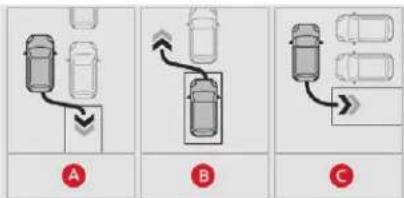
flowchart
graph TD
    A["Top Panel: Car Position 1"] --> B["Top Panel: Car Position 2"]
    B --> C["Top Panel: Car Position 3"]
    C --> D["Top Panel: Car Position 4"]
    style A fill:#f9f,stroke:#333
    style B fill:#ccf,stroke:#333
    style C fill:#cfc,stroke:#333
The system assists with the following manoeuvres:
A. Parking when entering a "parallel" parking space.
B. Leaving a "parallel" parking space.
C. Parking when entering a "bay" parking space.
Operation
When approaching a parking area, reduce the speed of your vehicle to 19 mph (30 km/h) or less.
Function activation
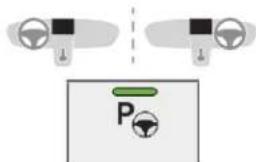
Press this button to activate the function.
! Activating the function deactivates the blind spot sensors.
At any time, up to starting the entry manoeuvre or leaving the parking space, pressing the arrow located in the top left-hand corner of the display page deactivates the function.
Select type of manoeuvre
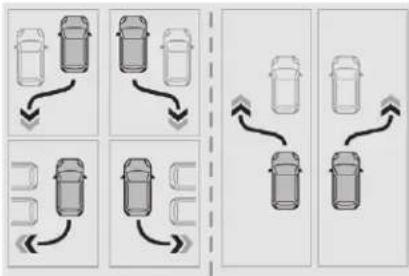
flowchart
graph TD
    A["Top Panel: Car Position 1"] --> B["Downward Arrow"]
    C["Top Panel: Car Position 2"] --> D["Downward Arrow"]
    E["Bottom Panel: Car Position 3"] --> F["Downward Arrow"]
    G["Bottom Panel: Car Position 4"] --> H["Downward Arrow"]
    I["Top Panel: Car Position 5"] --> J["Upward Arrow"]
    K["Top Panel: Car Position 6"] --> L["Upward Arrow"]
A manoeuvre selection page is displayed on the touch screen: by default, the "Entry" page if the vehicle has been running since the ignition was switched on, otherwise, the "Exit" page.
Select the type and side of the manoeuvre to activate the parking space search. The selected manoeuvre can be changed at any time, even when searching for an available space.

The selection is accompanied by the indicator lamp for this button coming on.
Driving
Parking space search
You should drive at a distance of between 0.50 m and 1.50 m from the row of parked vehicles, without ever exceeding 19 mph (30 km/h), until the system finds an available space.
The parking space search stops over this limit. The function automatically deactivates once the vehicle speed exceeds 31 mph (50 km/h).
For "parallel" parking, the space must at a minimum be equal to the length of your vehicle plus 0.60 m. For "bay" parking, the width of the space must be equal to the width of your vehicle plus 0.70 m.
If the parking sensors function has been deactivated in the Driving/Vehicle menu of the touch screen, it will be automatically reactivated when the system is activated.
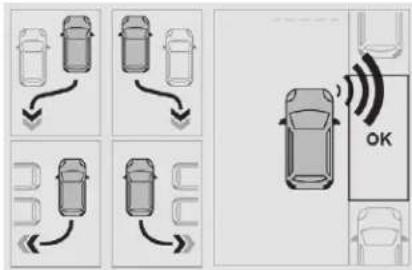
When the system finds an available space, "OK" is displayed on the parking view, accompanied by an audible signal.
Preparing for the manoeuvre
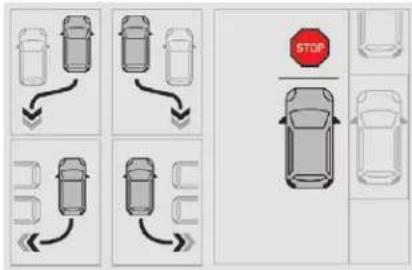
flowchart
graph TD
    A["Top Section"] --> B["Left Side Bus"]
    B --> C["Right Side Bus"]
    C --> D["Left Side Car"]
    D --> E["Right Side Car"]
    E --> F["Bottom Section"]
    F --> G["Left Side Car"]
    G --> H["Right Side Car"]
    H --> I["Left Side Car"]
    I --> J["Right Side Car"]
    J --> K["Stop Sign"]
    style K fill:#f9f,stroke:#333
Move very slowly until the request to stop the vehicle is displayed: "Stop the vehicle" and the "STOP" panel accompanied by an audible signal.
Once the vehicle has stopped, an instructions page is displayed on the screen.
To prepare for the manoeuvre, follow the instructions.
This symbol is displayed to confirm that you have followed the instructions.
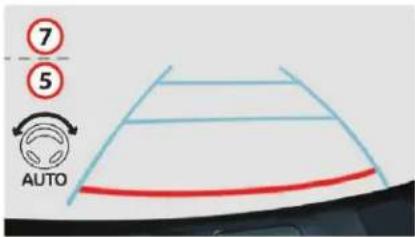
The start of the manoeuvre is indicated by the display of this page, with the message "Manoeuvre under way", accompanied by an audible signal.
Reversing is indicated by this message: "Release the steering wheel, reverse".
The reversing camera and parking sensors are automatically activated to help you monitor the close surrounding area of your vehicle during the manoeuvre.
Driving
During the manoeuvre
The system takes over the vehicle's steering. It gives instructions on the manoeuvring direction when starting the entry and exit parallel parking manoeuvres and for all entry manoeuvres for bay parking.
There instructions are displayed as a symbol accompanied by a message:
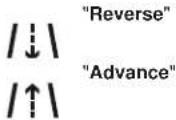
The manoeuvring status is indicated by these symbols:


Manoeuvre in progress (green).
Manoeuvre cancelled or finished (red) (the arrows indicate that the driver must take back control of their vehicle).
The maximum speed limit indications during the manoeuvres are signalled by these symbols:

5 mph or 7 km/h, for parking space entry.

3 mph or 5 km/h, for parking space exit.
! During a manoeuvre the steering wheel rotates rapidly: do not hold the steering wheel nor place your hand between the spokes of the steering wheel. Watch out for anything likely to block the manoeuvre (loose and bulky clothing, scarves, ties, etc.) – Risks of injury! It is the driver's responsibility to monitor the state of the traffic continuously, especially vehicles coming towards you. The driver should check that no object or person can hinder the advance of the vehicle.
The images from the camera(s) displayed on the touch screen may be distorted by the relief. In the presence of areas in shade, or in conditions of bright sunlight or inadequate lighting, the image may be darkened and be of lower contrast.
The manoeuvre can be interrupted definitively at any time, either by the action of the driver or automatically by the system.
By the action of the driver:
- taking over control of the steering,
- activating the direction indicator lamps on the opposite side to that of the manoeuvre,
- unfastening the driver's seat belt,
- switching off the ignition.
Interruption by the system:
- exceeding the speed limit: 5 mph (7 km/h) during the parking space entry manoeuvres and 3 mph (5 km/h) during the parking space exit manoeuvres,
- triggering the anti-slip regulation on a slippery road,
- opening a door or the boot,
- stalling the engine,
- system malfunction,
- after ten manoeuvres to enter or exit a parallel parking space and after seven manoeuvres to enter a parking bay.
Interrupting the manoeuvre automatically deactivates the function.
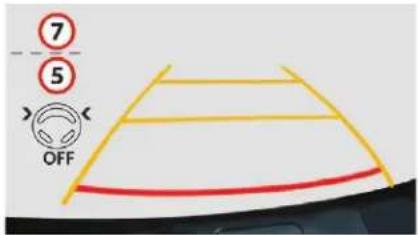
The manoeuvring symbol is displayed in red, accompanied by the "Manoeuvre cancelled" message on the touch screen.
A message encourages the driver to take back control of their vehicle.
The function is deactivated after a few seconds and returns to the initial display.
End of the parking space entry or exit manoeuvre
The vehicle stops as soon as the manoeuvre is completed.
The manoeuvre symbol is displayed in red accompanied by the message "Manoeuvre completed" on the touch screen.
When deactivated, the indicator lamp in the button goes off, accompanied by an audible signal.
If entering a parking space, the driver may be required to complete the manoeuvre.
Operating limits
- The system can suggest an inappropriate parking space (parking prohibited, work in progress with damaged road surface, location alongside a ditch, etc.).
- The system is not designed for performing the parking manoeuvre on a sharp curve.
- The system does not detect spaces that are much larger than the vehicle itself or that are delimited by obstacles that are too low (pavements, studs, etc.) or too thin (trees, posts, wire fences, etc.).
- Certain obstacles located in the sensors' blind spots may not be detected or no longer detected during the manoeuvre.
- Certain materials (fabrics) absorb sound waves: pedestrians may not be detected.
- A front or rear impact to the vehicle can upset the sensor settings which is not always detected by the system: distance measurements may be falsified.
- If the boot is heavily loaded, the tilt of the vehicle towards the rear may interfere with the distance measurements.
The vehicle's sensors and camera(s) may be impaired by:
- accumulated snow or fallen leaves on the road,
- adverse weather conditions (heavy rain, thick fog, falling snow),
- noise interference from noisy vehicles and machinery (lorries, pneumatic drills, etc.).
Do not use the system:
- Alongside a soft shoulder (ditch) or quay or on a cliff edge.
- When carrying an object extending beyond the vehicle size (ladder on the roof bars, bike carrier on the tailgate, etc.).
- With a non-approved tow ball in place.
- With snow chains fitted.
- In the event of under-inflation of a tyre.
- When driving on a small-diameter or "space-saver" type spare wheel.
- When the wheels fitted are different from the original ones.
- If one of the bumpers is damaged.
- After modifying one or both bumpers (adding protection, etc.).
- If a camera is faulty.
- If the sensors have been repainted outside the CITROËN dealer network.
- With sensors not approved for your vehicle.
- When the road surface is slippery (ice, etc.).
Driving
Recommendations on care
- Regularly check that the sensors and cameras are clean. If necessary, clean the camera lenses with a soft, dry cloth.
- If using a high-pressure washer, do not direct the lance less than 30 cm from the sensors and cameras.
- In bad weather, or during the winter, ensure that the sensors and cameras are not covered with mud, ice or snow.
Operating faults

When the function is not activated, the button warning lamp flashing and an audible signal indicates a system fault.
If the fault occurs during the use of the system, the warning lamp goes off.

If the fault in the parking sensors, indicated by this warning lamp coming on, occurs during use, it causes the function to deactivate.
In the event of a fault, have the system checked by a CITROËN dealer or a qualified workshop.
STOP
In the event of a fault with the power steering, this warning lamp flashes in the instrument panel, accompanied by a message.
You must stop as soon as it is safe to do so. Contact a CITROËN dealer or a qualified workshop.
Tyre under-inflation detection
System which automatically checks the pressures of the tyres while driving.
The system monitors the pressure in all four tyres, as soon as the vehicle is moving. It compares the information given by the wheel speed sensors with reference values, which must be reinitialised after every tyre pressure adjustment or wheel change.
The system triggers an alert as soon as it detects a drop in the pressure of one or more tyres.
The tyre under-inflation detection system does not replace the need for vigilance on the part of the driver.
This system still requires you to check the tyre inflation pressure (including the spare wheel) every month as well as before a long journey.
Driving with under-inflated tyres impairs handling, extends braking distances and causes premature tyre wear, particularly in adverse conditions (heavy loads, high speeds, long journeys).

Driving with under-inflated tyres increases fuel consumption.
The tyre pressure specifications for your vehicle can be found on the tyre pressure label.
For more information on the Identification markings, refer to the corresponding section.
Tyre pressures should be checked when the tyres are "cold" (vehicle stopped for 1 hour or after a journey of less than 6 miles (10 km) at moderate speeds). Otherwise (when hot), add 0.3 bar to the pressures shown on the label.
Under-inflation alert

This warning is indicated by continuous illumination of this lamp, an audible signal and a message displayed on the screen.
Reduce speed immediately, avoid excessive steering movements and sudden braking.
Stop as soon as it is safe to do so.
The loss of pressure detected does not always cause visible bulging of the tyre. Do not rely on a simple visual check.
If you have a compressor (such as the one in the temporary puncture repair kit), check the pressures of the four tyres when cold. If it is not possible to make this check immediately, drive carefully at reduced speed.
or In the event of a puncture, use the temporary puncture repair kit or the spare wheel (depending on equipment).
The warning remains active until the system is reinitialised.
Reinitialisation
The system must be reinitialised after any adjustment to the pressures of one or more tyres, and after changing one or more wheels.
Before reinitialising the system, ensure that the pressures of the four tyres are correct for the conditions of use of the vehicle and conform to the recommendations on the tyre pressure label. The under-inflation alert can only be relied on if the reinitialisation of the system has been done with the pressures in the four tyres correctly adjusted. The under-inflation detection system does not give a warning if a pressure is incorrect at the time of reinitialisation.
Reinitialisation of the system is done via the touch screen, with the ignition on and the vehicle stationary.

In the Driving/Vehicle menu, select the "Driving functions" tab, then "Reset under-inflation detection".
Select "Yes" to confirm.
The reinitialisation is confirmed by the display of a message and an audible signal.
Snow chains
The system does not have to be reinitialised after fitting or removing snow chains.
Driving
The under-inflation alert can only be relied on if the reinitialisation of the system has been done with the pressures in the four tyres correctly adjusted.
Operating fault

The flashing and then fixed illumination of the under-inflation warning lamp accompanied by illumination of the Service warning lamp indicates a fault in the system.
In this case, under-inflation monitoring of the tyres is no longer assured. Have the system checked by a CITROËN dealer or a qualified workshop.
After carrying out any work on the system, the pressures of the four tyres must be checked and the system reinitialised.
CITROËN prefers TOTAL


For more than 45 years, TOTAL and CITROEN have shared common values: excellence, creativity and technological innovation. It is in this same spirit that TOTAL has developed a range of TOTAL QUARTZ lubricants adapted to CITROEN engines, making them even more fuel efficient and environmentally friendly. TOTAL and CITROEN test the reliability and the performance of their products during motorsport races in extreme conditions.
Choose TOTAL QUARTZ lubricants for servicing your vehicle; this is your assurance of optimum durability and performance from your engine.
Practical information
Compatibility of fuels
Fuel used for petrol engines
The petrol engines are compatible with biofuels that conform to current and future European standards and which can be obtained from filling stations:

Petrol that meets standard EN228, mixed with a biofuel that meets standard EN15376.


The only petrol additives authorised for use are those that meet the B715001 standard.
Fuel used for Diesel engines
The Diesel engines are compatible with biofuels that conform to current and future European standards and which can be obtained from filling stations:

Diesel fuel that meets standard EN590 mixed with a biofuel that meets standard EN14214 (possibly containing up to 7% Fatty Acid Methyl Ester),







Diesel fuel that meets standard EN16734 mixed with a biofuel that meets standard EN14214 (possibly containing up to 10% Fatty Acid Methyl Ester),

Paraffinic Diesel fuel that meets standard EN15940 mixed with a biofuel that meets standard EN14214 (possibly containing up to 7% Fatty Acid Methyl Ester).

B20 or B30 fuel that meets the standard EN16709 can be used with your Diesel engine. However, the use of this fuel, even occasional, requires strict application of the special servicing conditions referred to as "Arduous conditions".
For more information, contact a CITROËN dealer or a qualified workshop.
The use of any other type of (bio)fuel (vegetable or animal oils, pure or diluted, domestic fuel, etc.) is strictly prohibited (risk of damage to the engine and fuel system).

The only Diesel additives authorised for use are those that meet the B715000 standard.
Diesel at low temperature
At temperatures below 0^ C ( +32^ F), the formation of paraffins in summer-type Diesel fuels could entail an abnormal operation of the fuel supply circuit. To avoid this, we recommend using winter-type Diesel fuel and keeping the fuel tank more than 50% full. If, despite this, at temperatures below -15^ C ( +5^ F) the engine has problems starting, just leave the vehicle in a garage or heated workshop for a little while.
Travelling abroad
Certain fuels could damage the engine of your vehicle.
In certain countries, the use of a particular fuel may be required (specific octane rating, specific trade name, etc.) to ensure correct operation of the engine.
For any additional information, contact a dealer.
Fuel tank
Tank capacity:
- Petrol: approximately 50 litres.
- Diesel: approximately 45 or 50 litres (depending on version).
! If you have put in the wrong fuel for your vehicle, you must have the tank drained and refilled with the correct fuel before you start the engine.
Low fuel level

When the low fuel level is reached, this warning lamp in the instrument panel comes on, accompanied by an audible warning, a message and the last bar of the fuel gauge flashes in red.
When it first comes on, about 5 litres of fuel remain in the tank.
Until sufficient fuel has been added, this warning lamp appears every time the ignition is switched on, accompanied by an audible signal and a message. This audible warning and message are repeated with increasing frequency as the fuel level drops towards "0". You must refuel as soon as possible to avoid running out.
For more information on Running out of fuel (Diesel), refer to the corresponding section.
Refilling
A label on the inside of the fuel filler flap reminds you of the type of fuel to use, depending on your engine type. Additions of fuel must be of at least 5 litres, in order to be registered by the fuel gauge. Opening the filler cap may create a noise caused by an inrush of air. This is entirely normal and results from the sealing of the fuel system.
To refuel in complete safety:
You must switch off the engine.
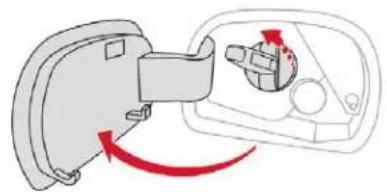
natural_image
Diagram showing a mechanical component with red arrows indicating rotation or movement (no text or symbols)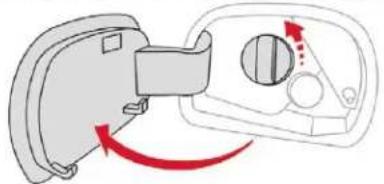
natural_image
Diagram showing a device with a handle and a circular component, connected by red arrows indicating rotation or movement (no text or symbols present)With the vehicle unlocked, press the rear-central part of the filler flap.
Take care to select the pump that delivers the correct type of fuel for your vehicle.
Insert the key in the cap then turn it to the left, or turn the cap by hand to the left (depending on version).
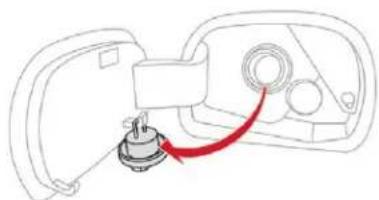
natural_image
Line drawing of a device with a red cable connecting a component to a housing (no text or symbols)Remove the cap and place it on its support (on the filler flap).
Insert the filler nozzle as far as possible before starting the filling (risk of splashing).
Fill up the tank, but do not continue after the 3^rd cut-off of the nozzle; this could cause malfunctions.
Once you have finished refuelling:
Refit the filler cap.
Turn the key to the right then remove it from the cap, or turn the cap manually to the right (depending on version).
Push the fuel flap to close it.
Practical information
! If your vehicle is fitted with Stop & Start, never refuel with the engine in STOP mode; you must switch off the ignition using the key, or the START/STOP button if your vehicle has Keyless Entry and Starting.
Fuel cut-off
Your vehicle is equipped with a safety device which cuts off the fuel supply in the event of a collision.
Misfuel prevention (Diesel)
(Depending on the country of sale.) Mechanical device which prevents filling the tank of a Diesel vehicle with petrol. It helps avoid the risk of engine damage that can result from filling with the wrong fuel.
Operation
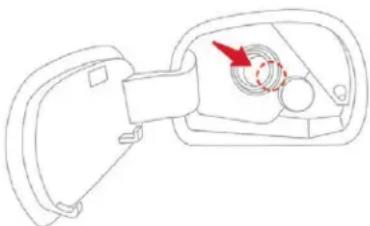
natural_image
Line drawing of a mechanical component with a red arrow indicating direction (no text or symbols)When a petrol filler nozzle is introduced into the Diesel tank, it comes into contact with the flap. The system remains closed and prevents filling. Do not persist but introduce a Diesel type filler nozzle.
It remains possible to use a fuel can to fill the tank. In order to ensure a good flow of fuel, do not place the nozzle of the fuel can in direct contact with the flap of the misfuel prevention device and pour slowly.
i Travelling abroad
As Diesel fuel pump nozzles may be different in other countries, the presence of the misfuel prevention device may make refuelling impossible. Not all Diesel vehicles are fitted with misfuel protection, so before travelling abroad, we recommend that you check with the CITROËN dealer network whether your vehicle is suitable for the fuel pumps in the country in which you intend to travel.
Snow chains
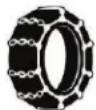
In wintry conditions, snow chains improve traction as well as the behaviour of the vehicle when braking.
! Snow chains must be fitted only to the front wheels. They must never be fitted to "space-saver" type spare wheels.
Take account of the legislation in force in your country on the use of snow chains and the maximum authorised speed.
Installation tips
If you have to fit the chains during a journey, stop the vehicle on a flat surface on the side of the road.
Apply the parking brake and position any wheel chocks to prevent movement of your vehicle.
Fit the chains following the instructions provided by the manufacturer.
Move off gently and drive for a few moments, without exceeding 31 mph (50 km/h).
Stop your vehicle and check that the snow chains are correctly tightened.
It is strongly recommended that before you leave, you practise fitting the snow chains on a level and dry surface.
Avoid driving with snow chains on roads that have been cleared of snow to avoid damaging your vehicle's tyres and the road surface. If your vehicle is fitted with alloy wheels, check that no part of the chain or its fixings is in contact with the wheel rim.
Use only the chains designed to be fitted to the type of wheel fitted to your vehicle:
| Original tyre size Chain types | |
| 205/55 R16 Maximum | 9 mm link |
| 205/50 R17 | Cannot be fitted with chains |
For more information on snow chains, contact a CITROËN dealer or a qualified workshop.
Very cold climate screens
Removable protective screens which prevent the accumulation of snow at the radiator cooling fan.
Before fitting or removing a screen, ensure that the engine is off and the cooling fan has stopped.
It is recommended that the screens be fitted and removed by a CITROËN dealer or a qualified workshop.
Fitting
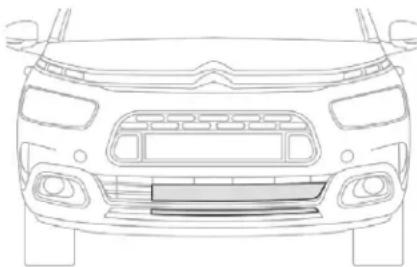
natural_image
Front view line drawing of a car (no text or symbols)- Offer up the corresponding screen to the front bumper upper grille.
Press on the edge to engage its fixing elements one by one.
Proceed in the same way for the screen on the lower grille.
Removing
- Unclip one by one the fixing elements of each screen.
Do not forget to remove the very cold climate screens:
- when the exterior temperature exceeds 10^ C,
- when towing,
- at speeds above 75 mph (120 km/h).
Practical information
Towing device
Load distribution
Distribute the load in the trailer so that the heaviest items are as close as possible to the axle and the nose weight approaches the maximum permitted without exceeding it.
Air density decreases with altitude, thus reducing engine performance. The maximum towed load must be reduced by 10 % for every 1,000 metres of altitude.
Use towing devices and their genuine harnesses approved by CITROËN. It is recommended that the installation be performed by a CITROËN dealer or a qualified workshop.
If the towing device is not fitted by a CITROËN dealer, it must still be fitted in accordance with the vehicle manufacturer's instructions.
Certain driving or manoeuvring aid functions are automatically disabled if an approved towing device is used.
! Observe the maximum authorised towable weight, indicated on your vehicle's registration certificate, the manufacturer's label as well as in the Technical data section of this guide.
Complying with the maximum authorised nose weight (ball joint) also includes the use of accessories (bicycle carriers, tow boxes, etc.).
! Observe the legislation in force in the country in which you are driving.
Remove the quickly detachable towball when not towing a trailer.
Load reduction mode
System which manages the use of certain functions according to the level of charge remaining in the battery.
When the vehicle is being driven, the load reduction function temporarily deactivates certain functions, such as air conditioning, heated rear screen, etc.
The deactivated functions are reactivated automatically as soon as conditions permit.
Energy economy mode
System which manages the duration of use of certain functions to conserve a sufficient level of charge in the battery.
After the engine has stopped, you can still use functions such as the audio and telematics system, windscreen wipers, dipped beam headlamps, courtesy lamps, etc. for a maximum combined duration of about forty minutes.
Entering the mode
A message appears on the touch screen indicating that the vehicle has switched to economy mode and the active functions are put on standby.
If a telephone call is being made at this time, it will be maintained for around 10 minutes with the Bluetooth hands-free system of your audio system.
Exiting the mode
These functions will be automatically restored the next time the vehicle is used. In order to restore the use of these functions immediately, start the engine and let it run:
- for less than ten minutes, to use the equipment for approximately five minutes,
- for more than ten minutes, to use the equipment for up to approximately thirty minutes.
Let the engine run for the duration specified to ensure that the battery charge is sufficient.
Do not repeatedly and continuously restart the engine in order to charge the battery.
A flat battery prevents the engine from starting.
For more information on the 12 V battery, refer to the corresponding section.
Changing a wiper blade
Before removing a front wiper blade
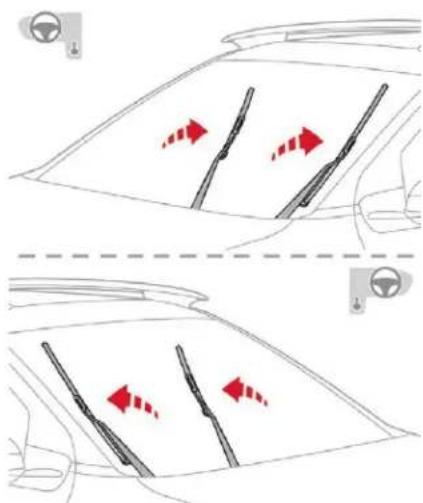
natural_image
Diagram showing two car dashboard panels with red directional arrows indicating movement or flow, no text or symbols present.Within one minute after switching off the ignition, operate the wiper stalk to position the wiper blades vertically on the windscreen.
Or One minute or more after switching off the ignition, straighten the arms manually.
Removing
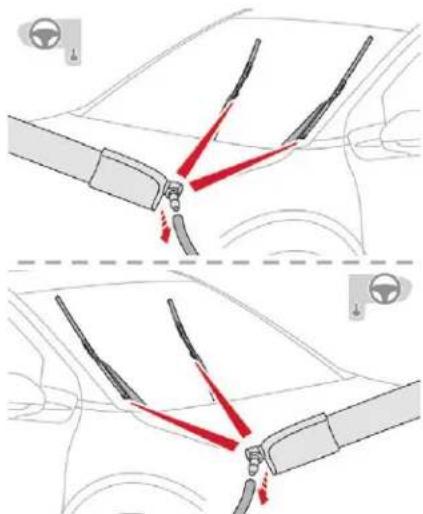
natural_image
Diagram showing car steering wheel and dashboard joint movements, with red arrows indicating motion direction (no text or symbols)- Raise the corresponding wiper arm.
√ Pull the screenwash delivery pipe to disconnect it from the jet (located on the wiper blade).
Unclip the wiper blade and remove it.
Refitting
Put the corresponding new wiper blade in place and clip it.
Connect the screenwash delivery pipe to the jet on the wiper blade.
Carefully lower the wiper arm.
Practical information
After refitting a front wiper blade
Switch on the ignition.
Operate the wiper stalk again to park the wiper blades.
Replacement of wiper arms should be carried out only by a CITROËN dealer or in a qualified workshop.
Roof bars
! For safety reasons and to avoid damaging the roof, it is essential to use the transverse bars approved for your vehicle.
i Observe the fitting instructions and the conditions of use in the guide supplied with the roof bars.
Version without longitudinal bars
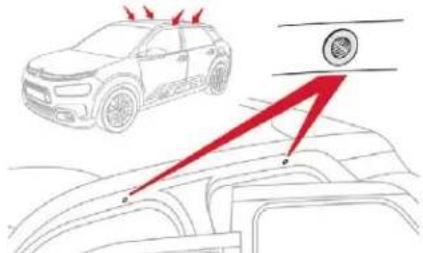
To install the roof bars, you must secure them only to the four fixing points in the roof frame. These points are masked by the vehicle's doors when closed.
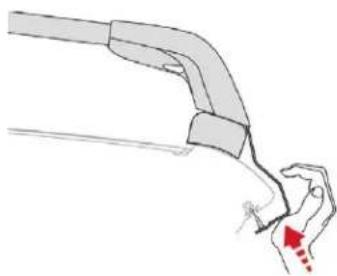
natural_image
Diagram of a mechanical component with a red arrow indicating a specific part (no text or symbols present)The roof bar fixings include a lug to be fitted into the hole at each fixing point.
Version with longitudinal bars
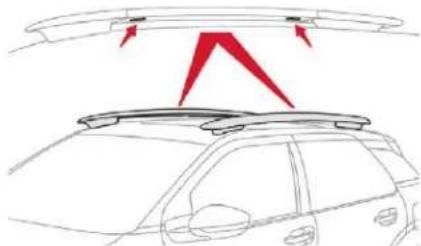
natural_image
Line drawing of a car's rearview structure with red arrows indicating direction (no text or symbols)You must fit the transverse bars to the longitudinal bars at the fixing points indicated by engraved markings on the longitudinal bars.
Recommendations
- Distribute the load uniformly, taking care to avoid overloading one of the sides.
Arrange the heaviest part of the load as close as possible to the roof.
Lash the load down securely and fit a warning flag if it overhangs the vehicle.
Drive gently: the vehicle will be more susceptible to the effects of side winds (stability may be affected).
Remove the roof bars once they are no longer needed.
i Maximum load, distributed over the roof bars, for a loading height not exceeding 40 cm: 80 kg.
As this value may change, please verify the maximum load quoted in the instructions supplied with the roof bars. If the height exceeds 40 cm, adapt the speed of the vehicle to the profile of the road to avoid damaging the roof bars and the fixings on the vehicle.
Be sure to refer to national legislation in order to comply with the regulations for transporting objects which are longer than the vehicle.
Bonnet
Opening
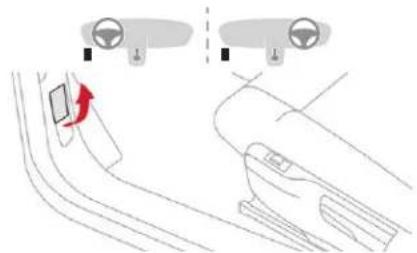
natural_image
Diagram showing a car interior with steering wheel and dashboard, connected to a hand handle (no text or symbols)Open the left-hand front door.
Pull the release lever, located at the bottom of the door aperture, towards you.
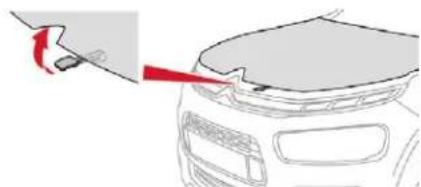
natural_image
Diagram showing a car's front bumper with a red arrow pointing to the bumper area (no text or symbols present)Lift the lever and raise the bonnet.
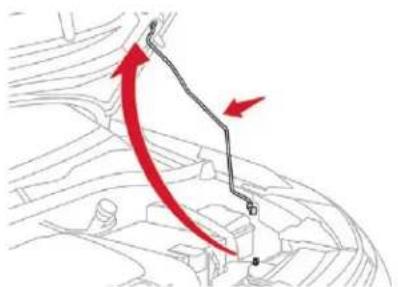
Unclip the stay from its housing and place it in the support slot to hold the bonnet open.
Closing
Take the stay out of the support slot.
Clip the stay in its housing.
Lower the bonnet and release it near the end of its travel.
Pull on the bonnet to check that it is fully latched.
The location of the interior bonnet release lever prevents the opening of the bonnet when the left-hand front door is shut.
When the engine is hot, handle the exterior safety catch and the stay with care (risk of burns), using the protected area. When the bonnet is open, take care not to damage the safety catch. Do not open the bonnet under very windy conditions.
STOP & START SYSTEM
Before doing anything under the bonnet, deactivate the Stop & Start system to avoid the risk of injury related to an automatic change to START mode.
! The cooling fan may start after switching off the engine: take care with articles and clothing that might be caught by the fan blades.
Practical information
Because of the presence of electrical equipment under the bonnet, it is recommended that exposure to water (rain, washing, etc.) be limited.
Engines
Petrol
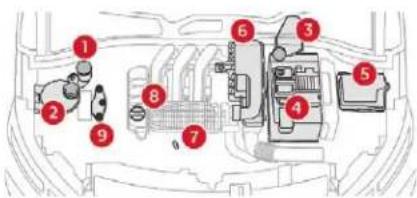
Diesel
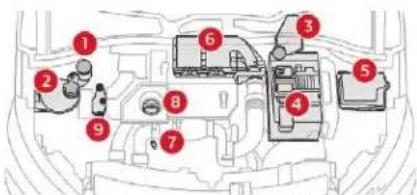
These engines are examples provided as a guide.
The locations of the following elements may vary:
- Air filter.
- Engine oil dipstick.
-
Engine oil filler cap.
-
Screenwash fluid reservoir.
- Engine coolant reservoir.
- Brake fluid reservoir.
- Battery
- Fusebox
- Air filter.
- Engine oil dipstick.
- Engine oil filler cap.
- Remote earth point.
! The Diesel fuel system operates under very high pressure. All work on this circuit must be carried out only by a CITROËN dealer or a qualified workshop.
Checking levels
Check all of these levels regularly, in line with the manufacturer's service schedule. Top them up if necessary, unless otherwise indicated. If a level drops significantly, have the corresponding system checked by a CITROËN dealer or a qualified workshop.
! The fluid must comply with the manufacturer's recommendations and with the vehicle's engine.
Take care when working under the bonnet, as certain areas of the engine may be extremely hot (risk of burns) and the cooling fan could start at any time (even with the ignition off).
Used products
Avoid prolonged contact of used oil or fluids with the skin. Most of these fluids are harmful to health or indeed very corrosive.
Do not discard used oil or fluids into sewers or onto the ground. Take used oil to a CITROËN dealer or a qualified workshop and dispose of it in the containers reserved for this purpose.
Engine oil level

The check is carried out either when the ignition is switched on using the oil level indicator in the instrument panel for vehicles equipped with an electric gauge, or using the dipstick.
To ensure that the reading is correct, your vehicle must be parked on a level surface with the engine stopped for more than 30 minutes.
It is normal to top up the oil level between two services (or oil changes). CITROËN recommends that you check the level, and top up, if necessary, every 3,000 miles (5,000 km).
Checking using the dipstick
The location of the dipstick is shown in the corresponding underbonnet layout view.
Take the dipstick by its coloured grip and pull it out completely.
Wipe the end of the dipstick using a clean non-fluffy cloth.
Refit the dipstick and push fully down, then pull it out again to make the visual check: the correct level is between marks A and B.
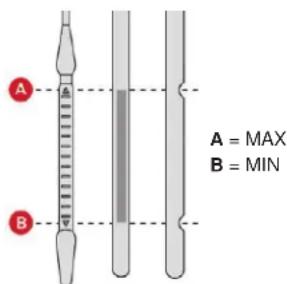
If you find that the level is above the A mark or below the B mark, do not start the engine.
- If the level is above the MAX mark (risk of damage to the engine), contact a CITROËN dealer or a qualified workshop.
- If the level is below the MIN mark, you must top up the engine oil.
Oil grade
Before topping up the oil or changing the oil, check that the oil is the correct grade for your engine and conforms to the manufacturer's recommendations.
Practical information
Topping up the engine oil level
The location of the oil filler cap is shown in the corresponding underbonnet layout view.
Unscrew the oil filler cap to access the filler opening.
Add oil in small quantities, avoiding any spills on engine components (risk of fire).
3 Wait a few minutes before checking the level again using the dipstick.
- Add more oil if necessary.
After checking the level, carefully refit the oil filler cap and the dipstick in its tube.
After topping up the oil, the check when switching on the ignition with the oil level indicator in the instrument panel is not valid during the 30 minutes after topping up.
Engine oil change
In order to maintain the reliability of the engine and emissions control system, never use additives in the engine oil.
Practical information
Brake fluid level

The fluid level should be close to the "MAX" mark. If it is not, check the brake pad wear.
Brake fluid change
Refer to the manufacturer's service schedule for details of the interval for this operation.
Fluid specification
The fluid must conform to the manufacturer's recommendations.
Coolant level

Check the coolant level regularly. It is normal to top up the fluid between two services.
To ensure that the reading is correct, your vehicle must be parked on a level surface with the engine cool.
The coolant level should be close to the "MAX" mark but should never exceed it. If the level is close to or below the "MIN" mark, it is essential to top up. A low coolant level presents a risk of serious damage to your engine.
When the engine is warm, the temperature of the coolant is regulated by the fan.
In addition, as the cooling system is pressurised, wait at least one hour after switching off the engine before carrying out any work.
To avoid the risk of scalding when you need to top up in an emergency, place a cloth around the cap and unscrew the cap by two turns to allow the pressure to drop.
Once the pressure has dropped, remove the cap and top up the coolant.
! The cooling fan may start after switching off the engine: take care with articles and clothing that might be caught by the fan blades.
Fluid specification
The fluid must conform to the manufacturer's recommendations.
Screenwash fluid level

Top up the level when necessary.
Fluid specification
The screenwash fluid must be topped up with a ready for use mix.
In winter (temperatures below zero), a fluid with antifreeze must be used that is appropriate for the prevailing conditions, in order to preserve the elements of the system (pump, tank, ducts, etc.).
Filling with pure water is prohibited under all circumstances (risk of freezing, limestone deposits, etc.).
Diesel additive level (Diesel engine with particle filter)

The additive reservoir low level is indicated by fixed illumination of this warning lamp, accompanied by an audible signal and a message that the particle filter additive level is too low.
Topping up
The reservoir must be topped up without delay by a CITROËN dealer or a qualified workshop.
AdBlue level
An alert is triggered once the reserve level is reached.
To avoid the vehicle being immobilised as per regulations, you must top up with AdBlue.
For more information on AdBlue and the SCR system, and, in particular, topping it up, refer to the corresponding section.
Checks
Unless otherwise indicated, check these components in accordance with the manufacturer's service schedule and according to your engine.
Otherwise, have them checked by a CITROËN dealer or a qualified workshop.
12 V battery

The battery does not require any maintenance.
However, check regularly that the terminals are correctly tightened (versions without quick release terminals) and that the connections are clean.
For more information on the precautions to take before starting work on the 12 V battery, refer to the corresponding section.
! Versions equipped with Stop & Start are fitted with a 12 V lead-acid battery of specific technology and specification. Its replacement should be carried out only by a CITROËN dealer or a qualified workshop.
Air filter

Depending on the environment (e.g. dusty atmosphere) and the use of the vehicle (e.g. city driving), replace it twice as often, if necessary.
Passenger compartment filter

Depending on the environment (e.g. dusty atmosphere) and the use of the vehicle (e.g. city driving), replace it twice as often, if necessary.
A clogged passenger compartment filter may have an adverse effect on the performance of the air conditioning system and generate undesirable odours.
Oil filter

Change the oil filter each time the engine oil is changed.
Particle filter (Diesel)

The start of saturation of the particle filter is indicated by the constant illumination of this warning lamp accompanied by an alert message.
Practical information
As soon as the traffic conditions permit, regenerate the filter by driving at a speed of at least 37 mph (60 km/h) until the warning lamp goes off. If the warning lamp stays on, this indicates a low Diesel additive level. For more information on Checking the levels and particularly on the level of Diesel additive, refer to the corresponding section. On a new vehicle, the first particle filter regeneration operations may be accompanied by a "burning" smell, which is perfectly normal. Following prolonged operation of the vehicle at very low speed or at idle, you may, in exceptional circumstances, notice the emission of water vapour at the exhaust on acceleration. This does not affect the behaviour of the vehicle or the environment.
Manual gearbox

The gearbox does not require any maintenance (no oil change).
Automatic gearbox

The gearbox does not require any maintenance (no oil change).
Electronic gearbox

The gearbox does not require any maintenance (no oil change).
Brake pads

Brake wear depends on the style of driving, particularly in the case of vehicles used in town, over short distances. It may be necessary to have the condition of the brakes checked, even between vehicle services.
Unless there is a leak in the circuit, a drop in the brake fluid level indicates that the brake pads are worn.
Brake disc/drum wear

For information on checking brake disc/drum wear, contact a CITROËN dealer or a qualified workshop.
Parking brake

If excessive travel or a loss of effectiveness of this system is noticed, the parking brake must be checked, even between two services.
This system must be checked by a CITROËN dealer or a qualified workshop.
Only use products recommended by CITROËN or products of equivalent quality and specification. In order to optimise the operation of units as important as those in the braking system, CITROËN selects and offers very specific products. After washing the vehicle, dampness, or in wintry conditions, ice can form on the brake discs and pads: braking efficiency may be reduced. Make light brake applications to dry and defrost the brakes.
AdBlue® (BlueHDi engines)
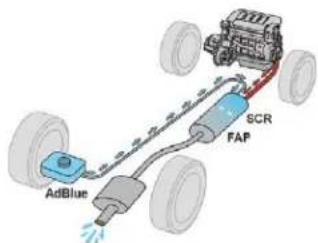
To respect the environment and ensure compliance with the Euro 6 standard, without adversely affecting the performance or fuel consumption of its Diesel engines, CITROËN has taken the decision to equip its vehicles with a system that combines SCR (Selective Catalytic Reduction) with a Diesel particle filter (DPF) for the treatment of exhaust gases.
SCR system
Using a liquid called AdBlue ^ that contains urea, a catalytic converter turns up to 85% of the nitrogen oxides (NOx) into nitrogen and water, which are harmless to health and the environment.

The AdBlue ^® is contained in a special tank holding about 17 litres.
An alert system is triggered automatically once the reserve level is reached: you can then drive for a further 1,500 miles (2,400 km) before the tank is empty.
If the estimated distance travelled by your vehicle between two services is greater than 12,500 miles (20,000 km), it will be necessary to top up the AdBlue.
Once the AdBlue® tank is empty, a system required by regulations prevents starting of the engine.
If the SCR system is faulty, the level of emissions from your vehicle will no longer meet the Euro 6 standard: your vehicle becomes polluting.
In the event of a confirmed fault with the SCR system, you must go to a CITROËN dealer or a qualified workshop as soon as possible: after travelling the distance of 685 miles (1,100 km), a system preventing the engine starting will be triggered automatically.
In either case, a range indicator gives you the distance you can travel before the vehicle is immobilised.
Practical information
For more information on the Warning and indicator lamps and the associated alerts, refer to the corresponding section.
Freezing of the AdBlue® AdBlue® freezes at temperatures below around -11°C. The SCR system includes a heater for the AdBlue® tank, allowing you to continue driving in very cold conditions.
Supply of AdBlue®
It is recommended that the AdBlue ^v be topped up as soon as the first alert is issued indicating that the reserve level has been reached.
In order to ensure that the SCR system operates correctly:
- Use only AdBlue ^® liquid that meets the ISO 22241 standard.
- Never transfer AdBlue ^® to another container: it would lose its purity.
- Never dilute AdBlue ^® with water.
Practical information
You can obtain AdBlue ^® from a CITROËN dealer or a qualified workshop.
You can also visit a service station equipped with AdBlue ^® pumps specially designed for private vehicles (for those versions with access to the AdBlue ^® tank via the fuel filler flap).
! Never top up from an AdBlue ^® dispenser reserved for heavy goods vehicles.
Recommendations on storage
AdBlue® freezes at about -11°C and deteriorates above 25°C. It should be stored in a cool place and protected from direct sunlight. Under these conditions, the fluid can be kept for at least a year. If the additive has frozen, it can be used once it has completely thawed out.
! Never keep containers or bottles of AdBlue® in your vehicle.
Precautions in use
AdBlue ^® is a urea-based solution. This liquid is non-flammable, colourless and odourless (kept in a cool area).
In the event of contact with the skin, wash the affected area with soap and running water. In the event of contact with the eyes, immediately rinse the eyes with large amounts of water or with an eye wash solution for at least 15 minutes. If a burning sensation or irritation persists, get medical attention. If swallowed, immediately rinse the mouth with clean water and then drink plenty of water. In certain conditions (high temperature, for example), the risk of releasing ammonia cannot be discounted: do not inhale the fluid. Ammonia vapour has an irritant effect on mucous membranes (eyes, nose and throat).
Keep AdBlue ^® out of reach of children, in its original container or bottle.
Procedure
Before starting the top up procedure, ensure that the vehicle is parked on a flat and level surface.
In winter, check that the temperature of the vehicle is above -11^ . If not, in freezing weather, the AdBlue® cannot be poured into the tank. Park your vehicle somewhere warmer for a few hours before topping up.
In the event of an AdBlue ^® breakdown, confirmed by the message "Add AdBlue: Starting impossible", you must top up with at least 5 litres.
! Never pour AdBlue ^® into the Diesel fuel tank.
For the specifics associated with the access configuration for the AdBlue ^® tank (via the boot or via the fuel filler flap), refer to the descriptions given in detail further on.
If any AdBlue ^® is splashed, or if there are any spillages on the side of the body, rinse immediately with cold water or wipe with a damp cloth.
If the fluid has crystallised, clean it off using a sponge and hot water.
Important: in the event of a top-up after a breakdown because of a lack of AdBlue, you must wait around 5 minutes before switching on the ignition, without opening the driver's door, locking the vehicle, introducing the key into the ignition switch, or introducing the key of the Keyless Entry and Starting system into the passenger compartment.
Switch on the ignition, then wait for 10 seconds before starting the engine.
Access to the AdBlue ^® tank via the boot
Filling the AdBlue ^® tank is an operation included in every routine service on your vehicle by a CITROËN dealer or a qualified workshop.
Nevertheless, given the capacity of the tank, it may be necessary to top up the fluid between services, as soon as an alert (warning lamps and a message) indicates it.
You are recommended to go to a CITROËN dealer or a qualified workshop.
If you intend to do the topping-up yourself, read the following procedure carefully.
The supply in a non-drip bottle simplifies the topping-up.
Switch off the ignition and remove the key.
Or
With Keyless Entry and Starting, press the "START/STOP" button to switch off the engine.
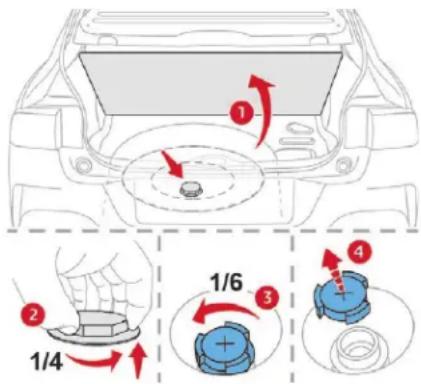
From the boot, lift the carpet and then, depending on the equipment, lift out the spare wheel and/or the storage box.
Without pressing, turn the black cap a quarter turn anti-clockwise and lift it off.
Turn the blue cap anti-clockwise.
Take non-drip bottles of AdBlue ^® . After first checking the use-by date, read carefully the instructions on use on the label before pouring the contents of the bottle into your vehicle's AdBlue ^® tank.
After filling, perform the same operations in reverse order.
Access to the AdBlue ^® tank via the fuel filler flap
A blue cap under the fuel filler flap indicates access to the AdBlue ^® tank.
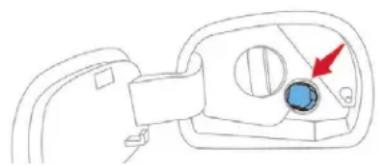
natural_image
Simple line drawing of a mechanical component with a blue circular feature and red arrow indicating direction (no text or symbols)Read the following procedure carefully to be able to top up properly.
Switch off the ignition and remove the key.
Or
With Keyless Entry and Starting, press the "START/STOP" button to switch off the engine.
Practical information
With the vehicle unlocked and the fuel filler flap open, turn the AdBlue ^® blue filler cap anti-clockwise.
Obtain a container of AdBlue ^® . After first checking the use-by date, read carefully the instructions on use on the label before pouring the contents of the container into your vehicle's AdBlue ^® tank.
Or
Insert the AdBlue® pump nozzle and fill the tank until the nozzle stops automatically.

Important:
To prevent the AdBlue ^® tank from overflowing, it is recommended:
To top up between 10 and 13 litres using AdBlue ^® containers.
Or
If filling in a service station, stop after the third automatic shut-off of the nozzle.
After refilling, carry out these same operations in reverse order.
Advice on care and maintenance
Recommendations on the care and maintenance of your vehicle are given in the Maintenance and Warranty Guide.
Leather
Leather is a natural product. Appropriate regular care and cleaning is essential for its durability.

Refer to your vehicle's Maintenance and Warranty Guide for information on all the special precautions to observe.
Care of the stickers
These styling stickers are treated to give good resistance to ageing and tearing.
They have been designed to allow you to customise your vehicle's bodywork.
When using a high pressure jet wash, keep the end of the lance at least 30 centimetres from the stickers.

For the care of the stickers in the rear door windows, we recommend the following:
- Use a wide jet at a temperature of between 25^ C and 40^ C.
- Where possible, direct the jet at right angles to the stickers.
Running out of fuel (Diesel)
On vehicles fitted with HDi engines, the fuel system must be primed if you run out of fuel.
! If the engine does not start first time, do not keep trying, but start the procedure again from the beginning.
BlueHDi engines
Fill the fuel tank with at least five litres of Diesel fuel.
Switch on the ignition (without starting the engine).
Wait around 6 seconds and switch off the ignition.
Repeat the operation 10 times.
Operate the starter to run the engine.
Warning triangle (storage)
This safety device is used in addition to the hazard warning lamps. Its presence in the vehicle may be mandatory, depending on country.
The triangle may be stowed under the boot carpet (in the storage box) or, depending on version, under the front passenger seat.
Before leaving your vehicle to set up and install the triangle, switch on the hazard warning lamps and put on your high visibility vest.
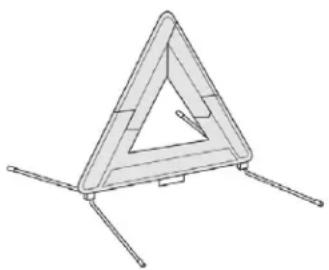
natural_image
Technical line drawing of a triangular structural component with three legs (no text or symbols)Refer to the manufacturer's instructions on using the triangle.
Placing the triangle on the road
Place the triangle behind the vehicle, as required by the legislation in force in your country.
The triangle is available as an accessory; contact a CITROËN dealer or a qualified workshop.
Temporary puncture repair kit
i Scan the QR code on page 3 to view explanatory videos.
Comprising a compressor and a sealant cartridge, it allows the temporary repair of a tyre so that you can drive to the nearest garage.
It is designed to repair most punctures which could affect the tyre, located on the tyre tread or shoulder.
Only the 12 V socket at the front of the vehicle allows the compressor to be connected for long enough to repair or inflate the vehicle tyre.
The other 12 V sockets of the vehicle are not designed to be used with the compressor.
In the event of a breakdown

Under-inflation detection
After repair of the tyre, the warning lamp will remain on until the system is reinitialised.
For more information on Tyre under-inflation detection, refer to the corresponding section.
Access to the kit
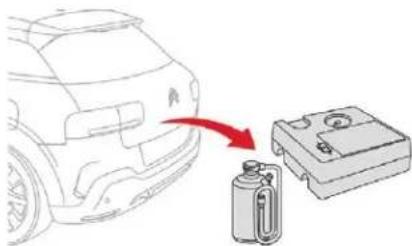
natural_image
Diagram showing a car's rear side with a red arrow pointing to a battery and a compact electronic device (no text or symbols present)This kit is installed in the storage box, under the boot floor.
List of tools
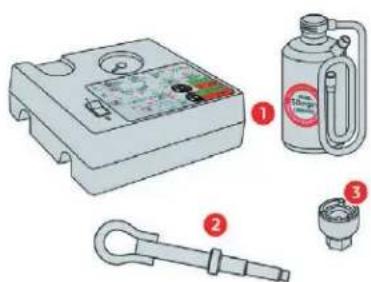
natural_image
Illustration of mechanical components including a pressure gauge, a bottle, a tool, and a connector (no text or symbols present)- Temporary puncture repair kit.
Contains a sealant cartridge for the temporary repair of a tyre and can also be used for adjusting tyre pressures.
- Socket for the security bolts (located in the glove box or in the tool box) (depending on version).
Serves for adapting the wheelbrace to the special "security" bolts.
- Removable towing eye.
For more information on Towing the vehicle and using the removable towing eye, refer to the corresponding section.
Composition of the kit
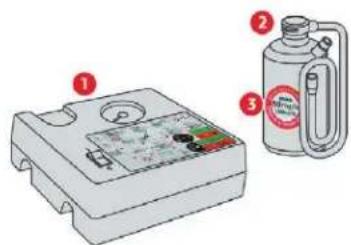
- 12 V compressor, with built-in pressure gauge.
- Bottle of sealant, with built-in hose.
- Speed limit sticker.

The tyre inflation pressures are given on this label.
Repair procedure
Park the vehicle without obstructing any traffic and apply the parking brake.
Follow the safety instructions (hazard warning lamps, warning triangle, wearing high visibility vest, etc.) according to the legislation in force in the country where you are driving.
Switch off the ignition.
Uncoil the pipe stowed under the compressor.
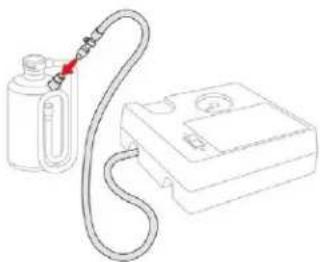
natural_image
Line drawing of a gas collection device with a coiled tube and a rectangular housing (no text or symbols)Connect the pipe from the compressor to the bottle of sealant.
Avoid removing any foreign bodies which have penetrated into the tyre.
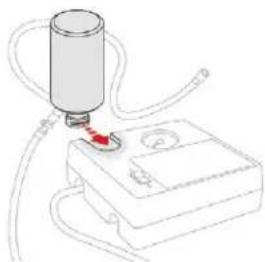
natural_image
Diagram of a medical or laboratory setup with a cylindrical device connected to a box, showing tubing and a red arrow indicating a point of interest (no text or symbols present)Turn the sealant bottle over and secure it in the cut-out provided on the compressor.
Remove the valve cap from the tyre to be repaired, and place it in a clean area.
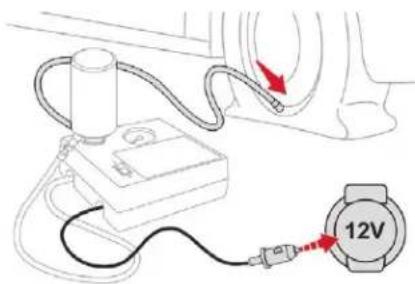
Connect the hose from the bottle of sealant to the valve of the tyre to be repaired and tighten firmly.
Check that the compressor switch is at the "O" position.
- Uncoil fully the electric cable, stowed under the compressor.
Connect the compressor's electrical connector to the vehicle's 12 V socket.
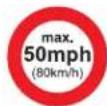
Affix the speed limit sticker.
The speed limit sticker must be secured to the interior of the vehicle in the driver's field of vision, to remind you that a wheel is in temporary use.
The tyre inflation pressures are given on this label.
Switch on the ignition.
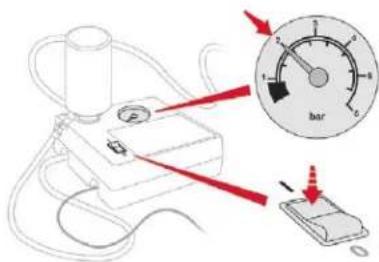
Start the compressor by turning the switch to the "I" position until the pressure of the tyre reaches 2.0 bars. The sealant product is injected under pressure into the tyre; do not disconnect the hose of the valve during this operation (risk of blowback).
In the event of a breakdown
After about 7 minutes, if a pressure of 2 bars is not reached, this indicates that the tyre is not repairable; contact a CITROËN dealer or a qualified workshop for assistance.
Place the switch in the "O" position.
Disconnect the compressor's electric plug from the vehicle's 12 V socket.
Refit the cap on the valve.
Remove the kit.
Remove and then store the bottle of sealant.
! Take care, the sealant product is harmful if swallowed and causes irritation to the eyes.
Keep this product out of the reach of children.
The use-by date is marked on the bottle. After use, do not discard the bottle by the roadside, take it to a CITROËN dealer or an authorised waste disposal site.
Do not forget to obtain a new bottle of sealant, available from a CITROËN dealer or a qualified workshop.
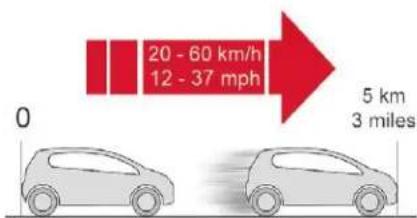
Drive immediately for approximately three miles (five kilometres), at reduced speed (between 12 and 37 mph (20 and 60 km/h)), to plug the puncture.
Stop to check the repair and measure the tyre pressure using the kit.
Do not exceed the speed of 50 mph (80 km/h) when driving with a tyre repaired using this type of kit.
Checking/adjusting tyre pressures
You can also use the compressor, without injecting sealant, to check and, if necessary, adjust the tyre pressures
Remove the valve cap from the tyre and place it in a clean area.
- Uncoil the pipe stowed under the compressor.
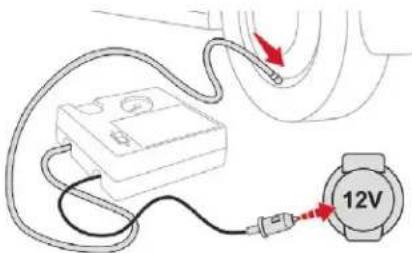
Screw the pipe onto the valve and tighten firmly.
Check that the compressor switch is at the "O" position.
Uncoil fully the electric cable, stowed under the compressor.
Connect the compressor's electrical connector to the vehicle's 12 V socket.
Switch on the ignition.
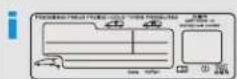
The tyre inflation pressures are given on this label.
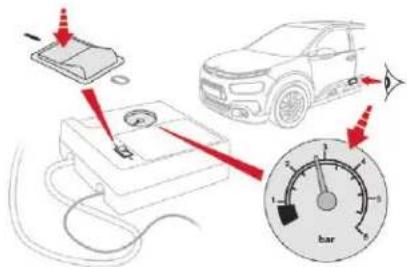
Start the compressor by placing the switch at the "I" position and adjust the pressure to the value shown on the vehicle's tyre pressure label. To deflate: press the black button located on the compressor pipe, near the valve connection.
! If a pressure of 2 bars is not reached after 7 minutes, this indicates that the tyre is not repairable; contact a CITROËN dealer or a qualified workshop for assistance.
Once the correct pressure is reached, put the switch to the "O" position.
Remove the kit then stow it.
Do not drive more than 125 miles (200 km) with the repaired tyre; see a CITROËN dealer or a qualified workshop to change the tyre.
Should the pressure of one or more tyres be adjusted, it is necessary to reinitialise the under-inflation detection system. For more information on Tyre under-inflation detection, refer to the corresponding section.
Spare wheel
i Scan the QR code on page 3 to view explanatory videos.
Procedure for changing a damaged wheel with the spare wheel using the tools provided with the vehicle.
In the event of a breakdown
Access to tools
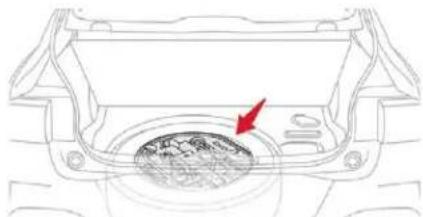
natural_image
Diagram of a car interior showing a circular vent with a red arrow pointing to the vent (no text or symbols present)The tools are installed in the boot under the floor.
Remove the boot carpet for access.
List of tools
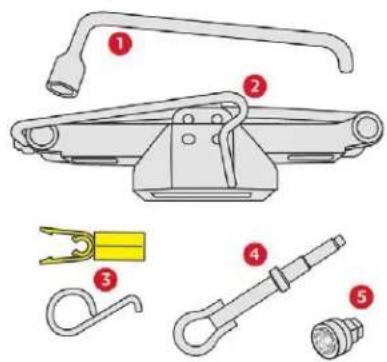
- Wheelbrace.
- Jack with built-in handle. Used to raise the vehicle.
In the event of a breakdown
- Wheel bolt cover removal tool.
To remove the alloy wheel bolt covers or the central bolt cover (depending on version).
-
Removable towing eye.
-
Socket for the security bolts (located in the glove box or in the tool box) (depending on country of sale).
Serves for adapting the wheelbrace to the special "security" bolts.
For more information on Towing, refer to the corresponding section.
! All of these tools are specific to your vehicle and can vary according to the level of equipment. Do not use them for any other purposes.
! The jack should only be used to change a wheel with a damaged or punctured tyre. Do not use any jack other than the one supplied with this vehicle. If the vehicle does not have its original jack, contact a CITROËN dealer or a qualified workshop to obtain the correct jack for it. The jack meets European standards, as defined in the Machinery Directive 2006/42/EC. The jack does not require any maintenance.
Access to the spare wheel
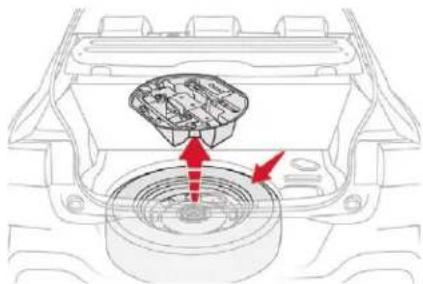
natural_image
Diagram of a car engine interior showing a component with red arrows pointing to a central hub (no text or symbols present)The spare wheel is located in the boot under the floor.
Depending on engine, the spare wheel is a standard wheel or the space-saver type.
Taking out the wheel
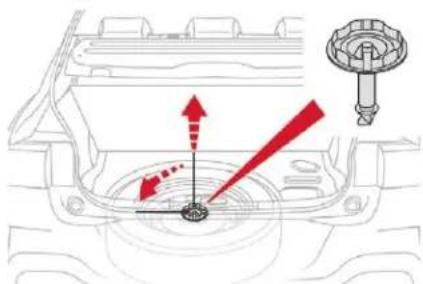
- Unclip and take out the tool storage box.
Loosen the central nut.
Remove the fastening device (nut and bolt).
- Raise the spare wheel towards you from the rear.
Take the wheel out of the boot.
Putting the wheel back in place
Put the wheel back in its housing.
Loosen the nut on the bolt by a few turns.
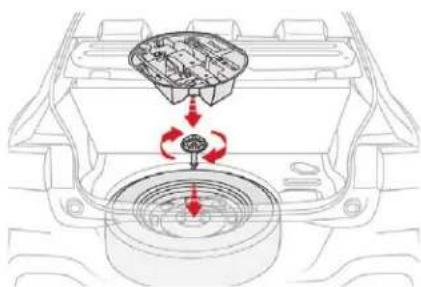
natural_image
Diagram of a car engine interior showing internal components and airflow direction (no text or labels)Position the fastening device (nut and bolt) in the middle of the wheel.
Tighten the central nut to retain the wheel correctly.
Clip the tool storage box into place.
If there is no wheel in the well, the fastening device (nut and bolt) cannot be refitted.
Removing a wheel
Parking the vehicle
Park the vehicle where it does not block traffic: the ground must be level, stable and non-slippery.
With a manual gearbox, engage first gear then switch off the ignition to block the wheels.
With an automatic gearbox, place the gear selector at position P then switch off the ignition to block the wheels.
With an electronic gearbox, place the gear selector at position D then switch off the ignition to block the wheels.
Apply the parking brake and check that the warning lamp is on in the instrument panel.
The passengers must get out of the vehicle and wait in safety.
Make sure that the jack is correctly positioned at one of the vehicle's jacking points.
Incorrect use of the jack could cause the vehicle to drop.
Never go underneath a vehicle raised using a jack; use an axle stand.
Wheel with hub cap
When refitting the wheel, after tightening the wheel bolts, refit the hub cap, starting by placing its aperture in line with the valve and then pushing it into place all round its edge with the palm of your hand.
List of operations
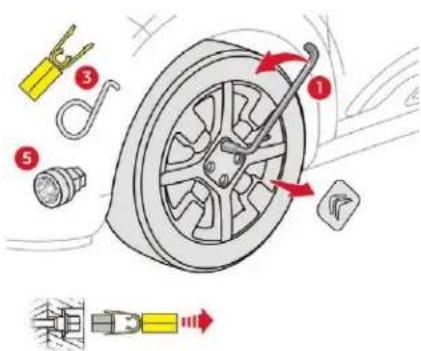
If your vehicle has steel wheels, remove the hub cap.
If your vehicle has alloy wheels, remove the bolt cover(s) using tool 3.
If your vehicle has security wheel bolts, fit security bolt socket 5 to wheelbrace 1 to slacken the security bolt.
Loosen the other bolts using wheelbrace 1 only.
Ensure that the jack is stable. If the ground is slippery or loose, the jack may slip or collapse – Risk of injury! Ensure that the jack is positioned strictly at one of jacking points, A or B, under the vehicle, making sure that the vehicle's contact surface is centred on the head of the jack. Otherwise, the vehicle could be damaged and/or the jack could collapse – Risk of injury!
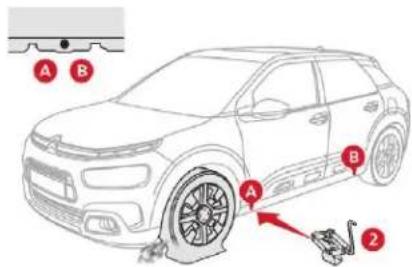
Place the base plate of the jack 2 on the ground and ensure that it is directly below the front A or rear B jacking point provided on the chassis, whichever is closest to the wheel to be changed.
In the event of a breakdown
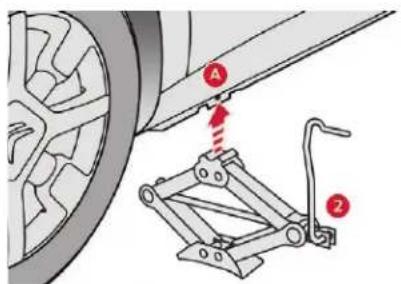
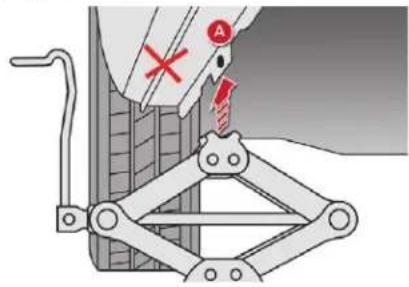
Extend the jack 2 until its head comes into contact with the jacking point A or B, whichever is used: the contact area A or B on the vehicle must be correctly inserted into the central part of the head of the jack.
Lift the vehicle until there is a sufficient space between the wheel and the ground to mount the spare (not punctured) wheel easily.
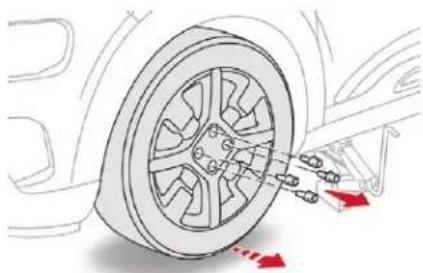
natural_image
Diagram of a car wheel with attached suspension components and red directional arrows indicating motion (no text or symbols)Remove the bolts and keep them in a clean place.
Remove the wheel.
Stowing the damaged wheel
The damaged wheel can be stowed under the floor, in the standard spare wheel housing.
To stow an alloy wheel, first remove the trim from the middle of the wheel so that the fastening device (nut and bolt) can be put in place.
In the case of a "space-saver" type spare wheel, the damaged wheel cannot be stowed under the floor. It must be stowed in the boot; use a cover to protect the inside of the boot.
Fitting a wheel
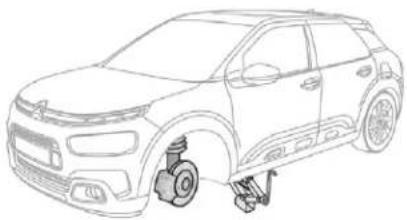
natural_image
Line drawing of a car showing suspension components and wheel assembly (no text or symbols)i
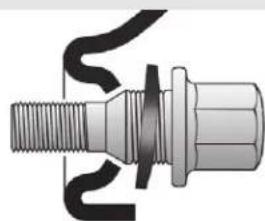
natural_image
Mechanical component diagram showing threaded shaft and threaded fastener with coiled cable (no text or symbols)Fitting the "space-saver" spare wheel If your vehicle is fitted with alloy wheels, when tightening the bolts on fitting, it is normal to notice that the washers do not come into contact with the "space-saver" spare wheel. The wheel is secured by the conical contact of each bolt.
After changing a wheel
Do not exceed 50 mph (80 km/h) when driving with the "space-saver" type spare wheel fitted.
Visit a CITROËN dealer or a qualified workshop as soon as possible to have the tightness of the bolts and the pressure of the spare wheel checked.
Have the punctured wheel checked. After inspection, the technician will let you know if the tyre can be repaired or if it must be replaced.
List of operations
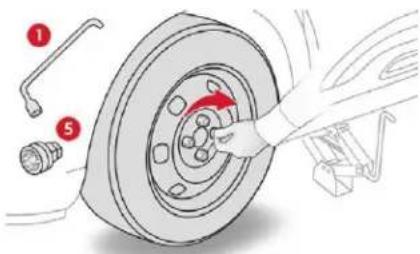
Put the wheel in place on the hub.
Screw in the bolts fully by hand.
If your vehicle is so equipped, pre-tighten the security bolt using the wheelbrace 1 fitted with the security socket 5.
Pre-tighten the other bolts using the wheelbrace 1 only.
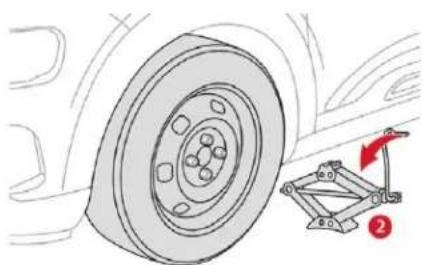
natural_image
Technical illustration of a car wheel and suspension bracket assembly (no text or symbols)Lower the vehicle fully.
Fold jack 2 and detach it.
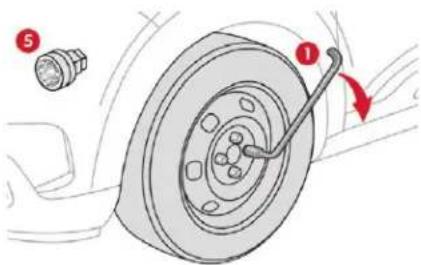
If your vehicle is so equipped, tighten the security bolt using the wheelbrace 1 fitted with the security socket 5.
Tighten the other bolts using the wheelbrace 1 only.
Stow the tools in their box.
Changing a bulb
! The headlamps have polycarbonate lenses with a protective coating:
do not clean them using a dry or abrasive cloth, nor with a detergent or solvent product,
use a sponge and soapy water or a pH neutral product,
when using a high pressure washer on persistent marks, do not keep the lance directed towards the lamps or their edges for too long, so as not to damage their protective coating and seals.
Changing a bulb must only be done with the ignition off and after the lamp has been switched off for several minutes – Risk of serious burns!
Do not touch the bulb directly with your fingers, use a lint-free cloth.
It is essential only to use anti-ultraviolet (UV) type bulbs, so as not to damage the headlamp.
Always replace a failed bulb with a new bulb with the same type and specification.
In the event of a breakdown

Light-emitting diodes (LED)
For the replacement of this type of bulb, you must contact a CITROËN dealer or a qualified workshop.

In some weather conditions (e.g. low temperature or humidity), the presence of misting on the internal surface of the glass of the headlamps and rear lamps is normal; it disappears after the lamps have been on for a few minutes.
Front lamps
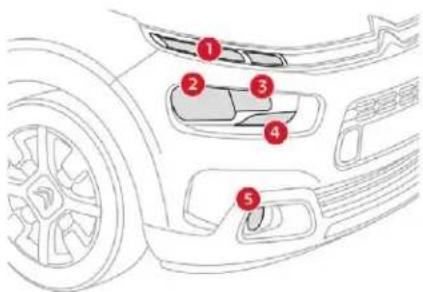
- Daytime running lamps/sidelamps (LED).
- Dipped beam headlamps (H7).
- Main beam headlamps (H1).
- Direction indicators (PY21W).
- Foglamps (PS24W).
Daytime running lamps/sidelamps (LEDs)
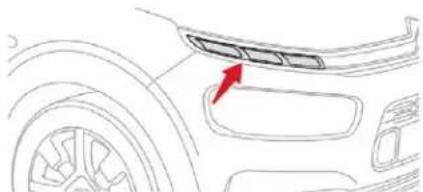
natural_image
Line drawing of a car's front bumper with a red arrow pointing to the grille (no text or symbols)For the replacement of the light-emitting diodes (LED), contact a CITROËN dealer or a qualified workshop.
Dipped beam headlamps
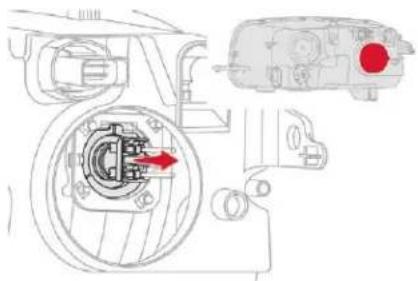
natural_image
Technical diagram of a mechanical assembly with internal components and a highlighted red circular component (no text or labels)Remove the protective cover by pulling the tab.
Take the connector and bulb holder, then lift the assembly upwards to unclip it.
Remove the assembly of connector and bulb holder.
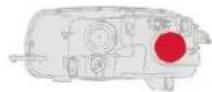
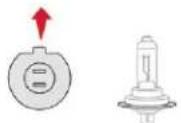
Disconnect the bulb connector.
Pull the bulb out and change it.
To refit, perform these operations in reverse order, turning the bulb's positioning lug upwards.
Main beam headlamps
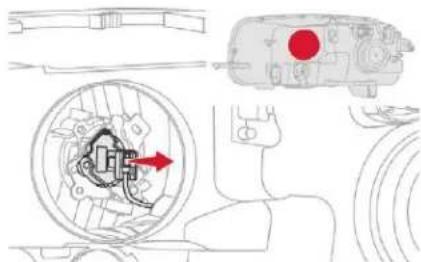
Remove the protective cover by pulling the tab.
- Disconnect the bulb connector (do not remove the earth connector located below).
Push on the spring, then move it towards the middle of the vehicle to release the bulb.
Pull the bulb out and change it.
To refit, carry out these operations in reverse order.
Direction indicators
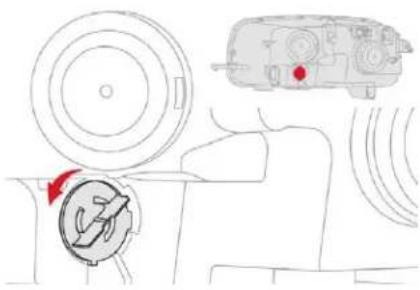
natural_image
Diagram of a vehicle interior showing steering wheel, dashboard, and gear shift (no text or labels)i Quicker flashing of the direction indicator lamp (left or right) indicates the failure of one of the bulbs on the corresponding side.
Turn the bulb holder an eighth of a turn anti-clockwise and extract it.
Remove the bulb and replace it.
To refit, carry out these operations in reverse order.
i Amber colour bulbs, such as the direction indicators, must be replaced by bulbs with identical colour and specifications.
Foglamps
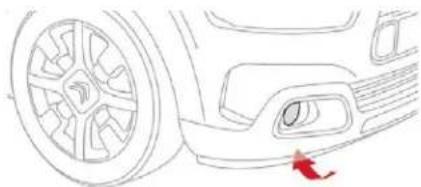
natural_image
Line drawing of a car front wheel and side bumper (no text or symbols)Below the front bumper, unscrew the three wheel arch liner fixing screws.
- Move the wheel arch aside to allow access to the front foglamp.
Disconnect the connector from the bulb holder by pressing on its tab, located at the top.
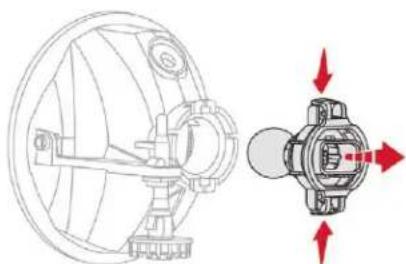
natural_image
Technical line drawing of a mechanical device with internal components and directional arrows (no text or symbols)Remove the bulb holder by squeezing the two clips (top and bottom) with the thumb and forefinger.
Replace the module (bulb holder and bulb).
To refit, carry out these operations in reverse order.
You can also contact a CITROËN dealer or a qualified workshop for the replacement of these bulbs.
Integrated direction indicator side repeaters
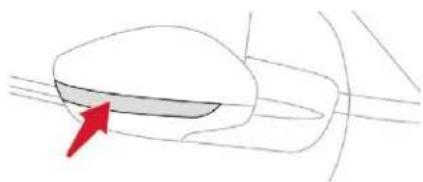
natural_image
Simple line drawing of a car wheel with a red arrow pointing to the wheel (no text or symbols)For the replacement of these bulbs, contact a CITROËN dealer or a qualified workshop.
In the event of a breakdown
Rear lamps
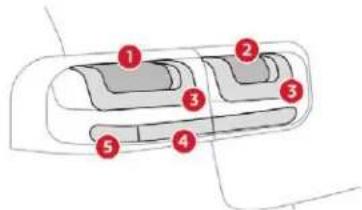
- Brake lamps (P21W).
- Foglamp(s) (LED).
- Sidelamps (LED).
- Reversing lamps (W16W).
- Direction indicators (PY21W).
Changing bulbs
These bulbs are changed from inside the boot.
Open the boot.
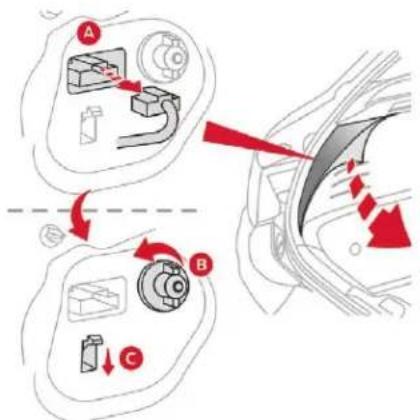
Remove the side trim to access the lamp mountings.
Disconnect the lamp unit connector A by pressing the release button (located under the connector for the right-hand side and above the connector for the left-hand side).
Unscrew the nut B and remove it (ensure it does not fall inside the wing).
Press down on the retaining tab of lamp unit C, then carefully remove it towards the outside.
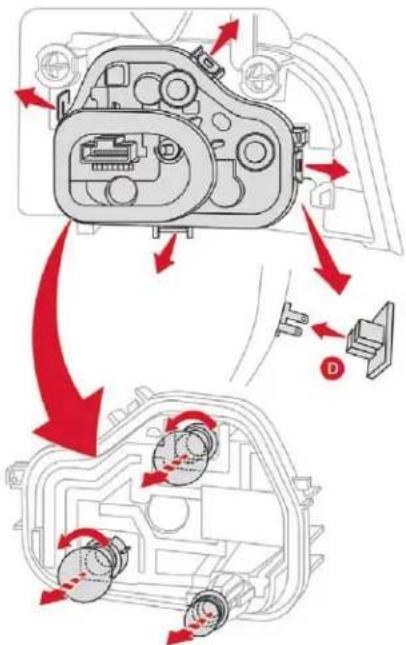
Spread the retaining tabs of the bulb holder apart and remove it.
Disconnect the sidelamp connector D and remove the bulb holder.
Replace the faulty bulb:
- for the reversing lamp, pull the bulb (lower).
In the event of a breakdown
- for the other lamps, press gently from the top and turn the corresponding bulb a quarter turn anti-clockwise.
To refit, carry out these operations in reverse order.
Make sure the reversing lamp is connected properly before refitting the bulb holder. Take care to engage the lamp in its guides while remaining within the vehicle's centreline. Tighten sufficiently to ensure sealing, but without damaging the lamp.
Sidelamps (LED) and foglamps (LED)
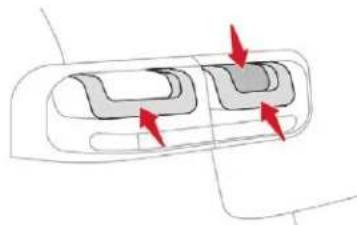
natural_image
Diagram of a car interior with two curved compartments and directional arrows indicating movement (no text or symbols)For the replacement of LEDs, contact a CITROËN dealer or a qualified workshop.
Third brake lamp (LED)
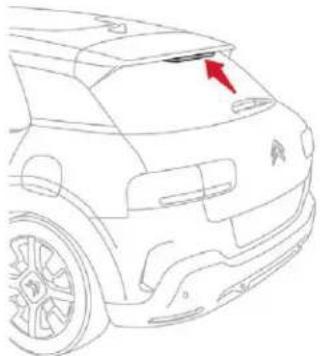
natural_image
Side profile sketch of a car's front bumper with red arrow pointing to the nose (no text or symbols)For the replacement of LEDs, contact a CITROËN dealer or a qualified workshop.
Number plate lamps (W5W)
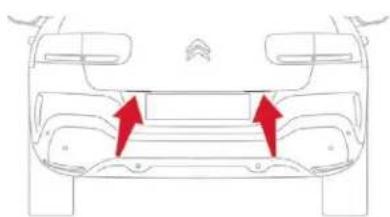
natural_image
Top-down line drawing of a car's front panel showing two red arrows pointing to the side panel (no text or symbols present)Insert a thin screwdriver into one of the cut-outs in the lens.
Push it outwards to unclip it.
Remove the lens.
Change the faulty bulb.
To refit, press on the lens to clip it in place.
Interior lighting
Courtesy lamp with bulbs (W5W)
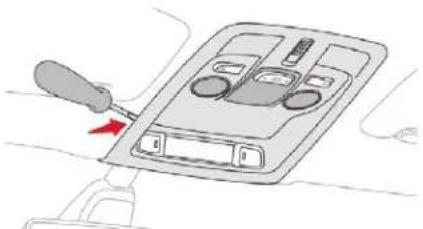
natural_image
Diagram of a car air intake device with a screwdriver inserted, showing mode buttons and control panel (no text or symbols)Using a thin, flap tip screwdriver, unclip the entire console surrounding the courtesy lamp.
Pull the faulty bulb out and change it.
Put in place the console around the courtesy lamp and clip it correctly.
Courtesy lamp with LED
For the replacement of LEDs, contact a CITROËN dealer or a qualified workshop.
In the event of a breakdown
Boot (W5W)
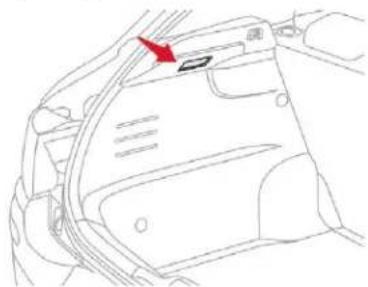
natural_image
Line drawing of a car interior showing a door and seat with a red arrow pointing to the door (no text or symbols)Unclip the lamp by pushing the base from behind.
Pull the bulb out and replace it.
Refit the lamp back in place.
Changing a fuse
Access to the tools
The extraction tweezers are fitted to the back of the dashboard fusebox cover.
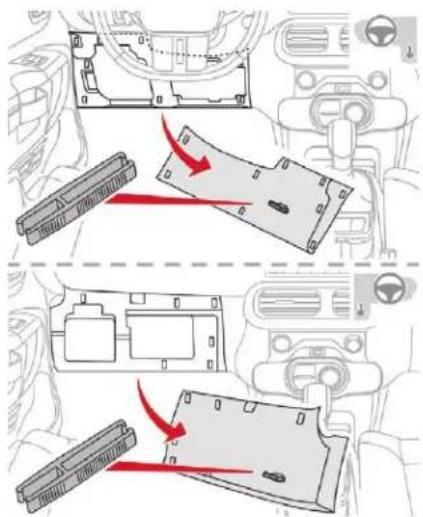
∞ Unclip the cover by pulling at the top left, then right.
Disengage the cover completely and turn it over.
Remove the tweezers from the back of the cover.
Changing a fuse
Before changing a fuse:
the cause of the failure must be identified and rectified.
all electrical consumers must be switched off,
the vehicle must be immobilised with the ignition off,
identify the faulty fuse using the existing allocation tables and diagrams.
To remove or fit a fuse, it is essential to:
use the special tweezers to extract the fuse from its housing and check the condition of its filament.
always replace the failed fuse with a fuse of the same rating (same colour); using a different rating could cause faults (risk of fire).
If the fault recurs after replacing a fuse, have the electrical system checked by a CITROËN dealer or a qualified workshop.
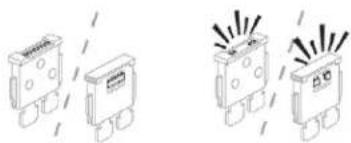
natural_image
Four identical electrical component diagrams with radiating lines, no text or symbols presentGood Failed
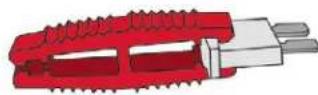
Tweezers
Replacement of a fuse not shown in the allocation tables below may cause a serious malfunction of your vehicle. Contact a CITROËN dealer or a qualified workshop.
Installing electrical accessories
Your vehicle's electrical system is designed to operate with standard or optional equipment.
Before installing other electrical equipment or accessories on your vehicle, contact a CITROËN dealer or a qualified workshop to verify that they are compatible.
CITROËN accepts no responsibility for the cost incurred in repairing your vehicle or for rectifying malfunctions resulting from the installation of accessories not supplied and not recommended by CITROËN and not installed in accordance with specifications, in particular when the combined power consumption of all of the additional equipment connected exceeds 10 milliamperes.
Fuses in the dashboard
The 2 fuseboxes are located in the lower part of the dashboard, underneath the steering wheel for left-hand drive vehicles or underneath the glove box for right-hand drive vehicles.
Access to the fuses
Unclip the cover by pulling at the top left. then right.
Left-hand fusebox
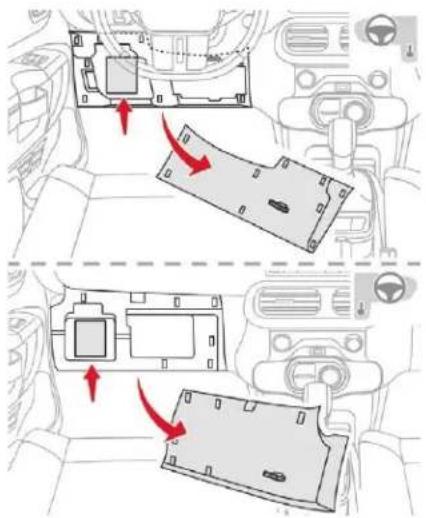
In the event of a breakdown
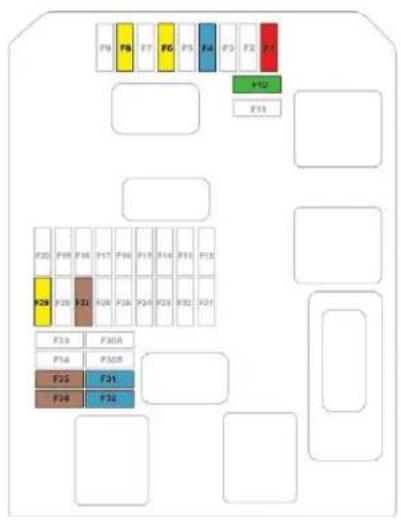
| Fuse No. | Rating (A) | Functions |
| F1 10 Door mirrors (electric adjustment). | ||
| F4 15 Horn. | ||
| F6 20 Front and rear screenwash. | ||
| F8 20 Rear wiper. | ||
| F10 30 Locks. | ||
| F27 5 Alarm (pre-equipment). | ||
| F29 20 Touch screen. | ||
| F31 15 Radio. | ||
| F32 15 12 volt socket. | ||
| F35 5 Headlamp height adjustment, Grip control. | ||
| F36 5 Courtesy lamp, map reading lamps. | ||
In the event of a breakdown
Right-hand fusebox
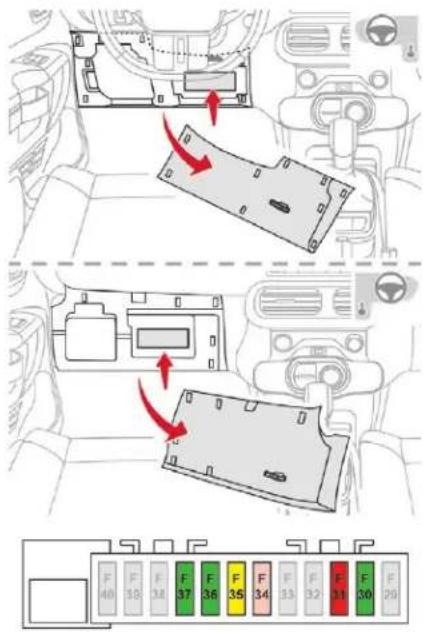
| Fuse No. | Rating (A) | Functions |
| F30 30 Heated rear screen. | ||
| F31 10 Heated mirrors. | ||
| F34 25 Trailer interface unit. | ||
| F35 20 Trailer interface unit. | ||
| F36 30 Front one-touch electric windows. | ||
| F37 30 Front heated seats. | ||
In the event of a breakdown
Fuses in the engine compartment
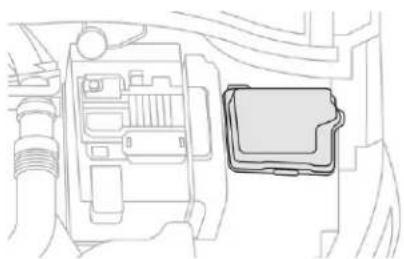
natural_image
Technical line drawing of a mechanical component with no visible text or symbolsThe fusebox is placed in the engine compartment near the battery.
Access to the fuses
Unclip the cover.
Change the fuse.
When you have finished, close the cover very carefully to ensure correct sealing of the fusebox.
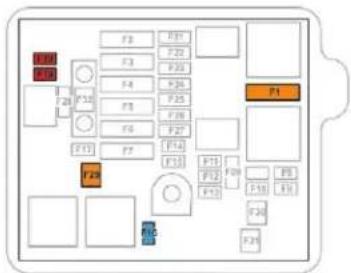
| Fuse No. | Rating (A) | Functions |
| F1 40 Air conditioning. | ||
| F16 15 Front foglamps. | ||
| F18 10 Right-hand main beam headlamp. | ||
| F19 10 Left-hand main beam headlamp. | ||
| F29 40 Windscreen wipers. | ||
12 V battery
Procedure for starting the engine using another battery or charging a discharged battery.
Lead-acid starter batteries

Batteries contain harmful substances such as sulphuric acid and lead.
They must be disposed of in accordance with regulations and must not, in any circumstances, be discarded with household waste.
Take used remote control batteries and vehicle batteries to a special collection point.

Protect your eyes and face before handling the battery.
All operations on the battery must be carried out in a well ventilated area and away from naked flames and sources of sparks, so as to avoid the risk of explosion or fire.
Wash your hands afterwards.
Access to the battery
The battery is located under the bonnet.
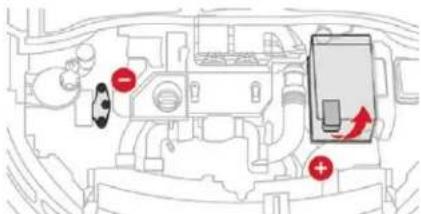
For access to the (+) terminal:
release the bonnet using the interior lever, then the exterior safety catch,
lift the bonnet, then fix it in place with its stay.
(+) Positive terminal.
It has a quick-release clamp.
(-) Negative terminal.
The negative terminal is not accessible, use the engine mounting.
Starting using another battery
When your vehicle's battery is flat, the engine can be started using a backup battery (external or from another vehicle) and jump leads or a battery booster.
In the event of a breakdown
! Never try to start the engine by connecting a battery charger.
Never use a 24 V or higher battery booster.
Check beforehand that the backup battery has a nominal voltage of 12 V and a capacity at least equal to that of the discharged battery.
The two vehicles must not be in contact with each other.
Switch off all the electrical consumers on both vehicles (audio system, wipers, lighting, etc.).
Make sure that the jump leads are not close to moving parts of the engine (fan, belts, etc.).
Do not disconnect the (+) terminal while the engine is running.
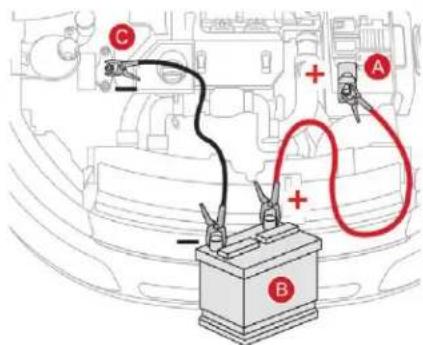
In the event of a breakdown
Lift the plastic cover on the (+) terminal, if your vehicle has one.
Connect the red cable to the positive terminal (+) of the flat battery A (at the metal elbow) then to the positive terminal (+) of the backup battery B or the booster.
Connect one end of the green or black cable to the negative terminal (-) of the backup battery B or the booster (or an earth point on the other vehicle).
Connect the other end of the green or black cable to the earth point C on the broken-down vehicle.
Start the engine of the vehicle with the good battery and leave it running for a few minutes.
Start the engine on the broken-down vehicle and let it run.
If the engine does not start straight away, switch off the ignition and wait a few moments before trying again.
Wait until the engine returns to idle then disconnect the jump lead cables in the reverse order.
Refit the plastic cover to the (+) terminal, if your vehicle has one.
Allow the engine to run for at least 30 minutes, by driving or with the vehicle stationary, so that the battery reaches an adequate state of charge.
i Some functions, including Stop & Start, are not available if the battery is not sufficiently charged.
Charging the battery using a battery charger
For optimum service life of the battery, it is essential to maintain an adequate state of charge.
In some circumstances it may be necessary to charge the battery:
- if you use your vehicle mostly for short journeys,
- if the vehicle is to be taken off the road for several weeks.
Contact a CITROËN dealer or a qualified workshop.
If you plan to charge your vehicle's battery yourself, use only a charger compatible with lead-acid batteries with a nominal voltage of 12 V.
! Follow the instructions provided by the manufacturer of the charger. Never reverse polarities.
It is not necessary to disconnect the battery.
Switch off the ignition. Switch off all electrical consumers (audio system, lamps, wipers, etc.).
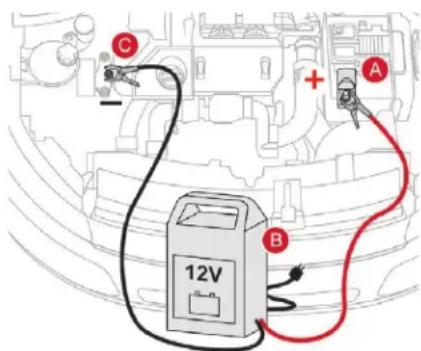
Switch off the charger B before connecting the cables to the battery, so as to avoid any dangerous sparks.
^7 Ensure that the charger cables are in good condition.
F Raise the plastic cover, if your vehicle has one, on the (+) terminal.
Connect the charger B cables as follows:
- the positive (+) red cable to the (+)
terminal of the battery A,
- the negative (-) black cable to the earth
point C on the vehicle.
Once the battery is charged, switch off the charger B before disconnecting the cables from the battery A.
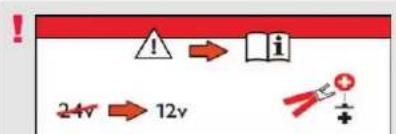
If this label is present, it is essential to use only a 12 V charger to avoid causing irreversible damage to the electrical components related to the Stop & Start system.
! Never try to charge a frozen battery – risk of explosion! If the battery has frozen, have it checked by a CITROËN dealer or by a qualified workshop who will check that the internal components have not been damaged and that the container has not cracked, which would mean a risk of toxic and corrosive acid leaking.
Disconnecting the battery
In order to maintain an adequate state of charge for starting the engine, it is recommended that the battery be disconnected if the vehicle is taken out of service for a long period.
In the event of a breakdown
Before disconnecting the battery:
√ close all openings (doors, tailgate, windows, sunroof),
switch off all electrical consumers (audio system, wipers, lighting, etc.),
switch off the ignition and wait for four minutes.
At the battery, it is only necessary to disconnect the (+) terminal.
Quick-release terminal clamp
Disconnecting the (+) terminal
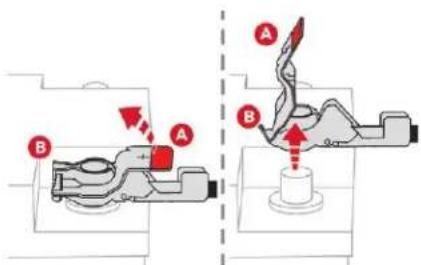
- Raise the lever A fully to release the clamp B.
Remove the clamp B by lifting it off.
Reconnecting the (+) terminal
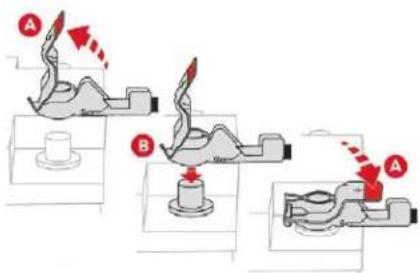
Raise the lever A fully.
Refit the open clamp B on the (+) terminal.
Push the clamp B fully down.
Lower the lever A to lock the clamp B.
Do not force the lever as locking will not be possible if the clamp is not positioned correctly; start the procedure again.
After reconnecting the battery
After reconnecting the battery, turn on the ignition and wait 1 minute before starting the engine, in order to enable the electronic systems to initialise.
If minor problems nevertheless persist following this operation, contact a CITROËN dealer or a qualified workshop.
In the event of a breakdown
You must reinitialise certain systems yourself, by referring to the corresponding section, such as:
- the remote control or electronic key (depending on version),
- the electric windows,
- the date and time,
- the radio preset stations.
The Stop & Start system may not be operational during the trip following the first engine start. In this case, the system will only be available again after a continuous period of immobilisation of the vehicle, a period which depends on the exterior temperature and the state of charge of the battery (up to about 8 hours).
Towing
Procedure for having your vehicle towed or for towing another vehicle using the towing eye.
Access to tools
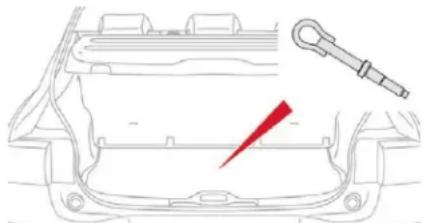
natural_image
Line drawing of a car front bumper with a red lightning bolt symbol and a tool handle (no text or labels)The towing eye is installed in the boot under the floor.
To access it:
open the boot,
^F lift the floor and remove it,
remove the towing eye from the holder.
General recommendations
Observe the legislation in force in the country where you drive.
Ensure that the weight of the towing vehicle is higher than that of the towed vehicle.
The driver must remain at the wheel of the towed vehicle and must have a valid driving licence.
When towing a vehicle with all four wheels on the ground, always use an approved towbar; rope and straps are prohibited.
The towing vehicle must move off gently. When the vehicle is towed with its engine off, there is no longer braking and steering assistance.
In the following cases, you must always call on a professional recovery service:
- vehicle broken down on a motorway or a main road,
- four-wheel drive vehicle,
- when it is not possible to put the gearbox into neutral, unlock the steering, or release the parking brake,
- when it is not possible to tow a vehicle with an automatic gearbox, with the engine running.
- towing with only two wheels on the ground,
- where there is no approved towbar available, etc.
Towing your vehicle
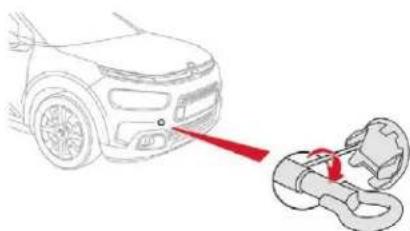
natural_image
Diagram showing a car head with a red laser beam interacting with a mechanical component (no text or symbols present)On the front bumper, unclip the cover by pressing at the bottom.
Screw the towing eye in fully.
Install the towbar.
With a manual gearbox, move the gear lever into neutral.
With an automatic or electronic gearbox, place the gear selector in position N.
Failure to observe this instruction could result in damage to certain components (braking, transmission, etc.) and the absence of braking assistance the next time the engine is started.
Unlock the steering and release the parking brake.
Switch on the hazard warning lamps on both vehicles.
Move off gently, drive slowly and for a short distance.
Towing another vehicle
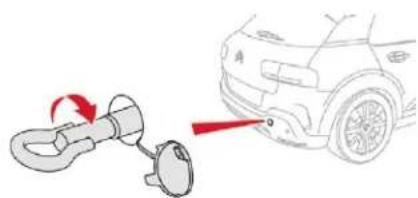
natural_image
Diagram showing a car's side panel being adjusted to a keybell, with no text or symbols present.On the rear bumper, unclip the cover by pressing at the bottom.
Screw the towing eye in fully.
Install the towbar.
Switch on the hazard warning lamps on both vehicles.
Move off gently, drive slowly and for a short distance.
Technical data
Engine technical data and towed loads
Engines
The engine specifications (cubic capacity, max. power, max. speed, energy, CO_2 emissions, etc.) for your vehicle are given in the registration document and in the sales literature.
These characteristics correspond to the values type-approved on a test bed, under conditions defined in European legislation (Directive 1999/99/EC).
For more information, contact a CITROËN dealer or a qualified workshop.
Weights and towed loads
The maximum weights and towed loads for your vehicle are given in the registration document, as well as in sales brochures.
These values are also given on the manufacturer's plate or label.
For more information, contact a CITROËN dealer or a qualified workshop.
The GTW (Gross Train Weight) and towed load values indicated are valid up to a maximum altitude of 1,000 metres. The towed load value must be reduced by 10% for each additional 1,000 metres of altitude.
The maximum authorised nose weight corresponds to the weight permitted on the towbar.
When exterior temperatures are high, the vehicle performance may be limited in order to protect the engine. If the exterior temperature is above 37^ C, limit the towed load.
! Towing using a lightly loaded vehicle can adversely affect roadholding. Braking distances are increased when towing a trailer.
When using a vehicle to tow, never exceed a speed of 62 mph (100 km/h) (observe the local legislation in force).
If the exterior temperature is high, it is recommended that the engine be allowed to idle for 1 to 2 minutes after the vehicle comes to a stop, to facilitate its cooling.
Engines and towed loads – Petrol
| Engine PureTech 82 PureTech 110 S&S | PureTech 130 S&S | |||||
| Gearbox | 5-speed manual (BVM5) | 5-speed manual (BVM5) | 5-speed manual (BVM5) | 6-speed automatic (EAT6) | 6-speed manual (BVM6) | |
| Code EB2F - MA EB2DT - BE EB2DTM - BE EB2DT - AT6 | EB2DTM - AT6 | EB2DTS - MCM | ||||
| Model codes | 0PHMW | 0PHNZ/B | 0PHNV/B | 0PHNZ/W | 0PHNV/W | 0PHNY/HC1 |
| Cubic capacity ( cm^3 ) | 1,199 | 1,199 | 1,199 | 1,199 | 1,199 | 1,199 |
| Max power: EC standard (kW) | 60 | 81 | 81 | 81 | 81 | 96 |
| Fuel | Unleaded | Unleaded | Unleaded | Unleaded | Unleaded | Unleaded |
| Braked trailer (within the GTW limit) on a 10% or 12% slope (kg) | 780 | 950 | 450 | 920 | 450 | 900 |
| Unbraked trailer (kg) | 540 | 550 | 560 | 570 | 570 | 560 |
| Maximum authorised nose weight (kg) | 55 | 55 | 55 | 55 | 55 | 55 |
Engines and towed loads – Diesel
| Engine BlueHDi 100 BlueHDi 100 S&S | |||
| Gearbox | 5-speed manual (BVM5) | 5-speed manual (BVM5) | 6-speed electronic (ETG6) |
| Code DV6FD - BE DV6FD - BE DV6FD - MCP | |||
| Model codes 0BBHY 0BBHY | |||
| Cubic capacity ( cm^2 ) 1,560 1,560 | |||
| Max power: EC standard (kW) 73 73 | |||
| Fuel Diesel | Diesel | ||
| Braked trailer (within the GTW limit) on a 10 or 12% slope (kg) | 950 | 950 | 950 |
| Unbraked trailer (kg) | 575 | 575 | 615 |
| Maximum authorised nose weight (kg) | 55 | 55 | 55 |
Dimensions (in mm)
These dimensions have been measured on an unladen vehicle.
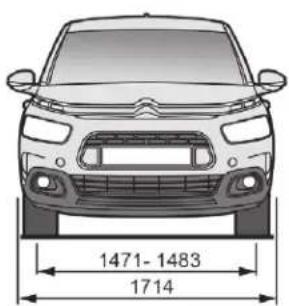
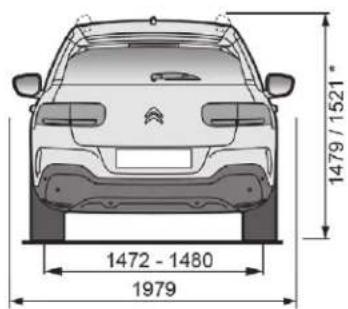
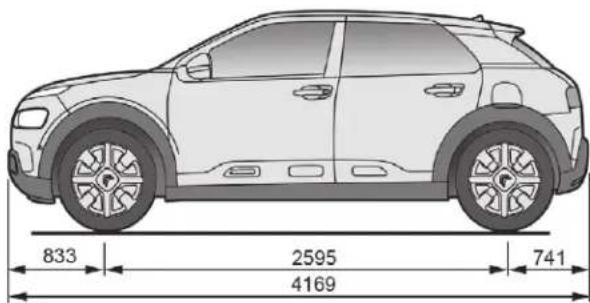
* Version with longitudinal bars.
Identification markings
Various visible markings for identifying and searching for information on your vehicle.
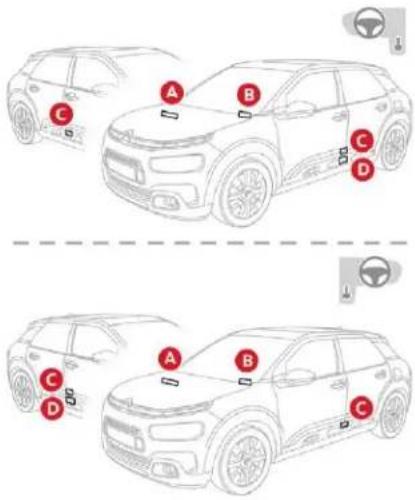
A. Vehicle identification number (V.I.N.), under the bonnet.
This number is engraved on the chassis near the right-hand front wheel arch.
B. Vehicle identification number (V.I.N.), on the windscreen lower cross member.
This number is indicated on a self-adhesive label which is visible through the windscreen.
Technical data
C. Manufacturer's label.
This tamperproof label on the middle door pillar, right or left-hand side, contains the following information:
- the name of the manufacturer,
- the European Whole Vehicle Type Approval number,
- the vehicle identification number (V.I.N.),
- the maximum authorised weight (gross vehicle weight),
- the maximum authorised weight with trailer (gross train weight),
- the maximum front axle weight,
- the maximum rear axle weight.
D. Tyre/paint label.
This label on the middle door pillar, driver's side, contains the following information:
- the tyre pressures, unloaded and loaded,
- the tyre sizes (including the load index and speed rating for the tyre),
- the spare tyre inflation pressure,
- the paint colour code.
The vehicle may be originally equipped with tyres with higher load and speed indices than those indicated on the label, without affecting inflation pressure.
Checking tyre pressures
The tyre pressures should be checked when cold at least monthly.
The pressures given on the label are valid for cold tyres. If you have driven for more than 10 minutes or more than 6 miles (10 kilometres) at more than 31 mph (50 km/h), the tyres will be warm; in this case 0.3 bar (30 kPa) should be added to the pressures given on the label.
! Never reduce the pressure of a warm tyre.
Low tyre pressures increase fuel consumption.
CITROËN Connect Nav

GPS satellite navigation – Applications – Multimedia audio system – Bluetooth® telephone
Contents
First steps 2
Steering mounted controls 3
Menus 4
Voice commands 5
Navigation 13
Connected navigation 15
Applications 18
Radio 23
DAB radio (Digital Audio Broadcasting) 24
Media 25
Telephone 27
Settings 31
Frequently asked questions 33
CITROËN Connect Nav
The different functions and settings described vary according to the version and configuration of your vehicle.
As a safety measure and because it requires sustained attention by the driver, the pairing of a Bluetooth mobile telephone with the Bluetooth hands-free system of your audio system must be done with the vehicle stationary and the ignition on.
The system is protected in such a way that it will only operate in your vehicle. The display of the message Energy Economy Mode signals that a change to standby is imminent.
The link below gives access to OSS (Open Source Software) codes for the system. https://www.groupe-psa.com/fr/oss/ https://www.groupe-psa.com/en/oss/
CITROËN Connect Nav
First steps

With the engine running, a press mutes the sound.
With the ignition off, a press turns the system on.
Increase or decrease the volume using the wheel or the "plus" or "minus" buttons (depending on the equipment).
Use the menu buttons on either side of or below the touch screen for access to the menus, then press the virtual buttons in the touch screen.
Depending on the model, use the "Source" or "Menu" buttons to access the menus, then press the virtual buttons in the touch screen.
You can display the menus at any time by pressing the screen briefly with three fingers.
All of the touch areas of the screen are white. Press the back arrow to go back a level. Press "OK" to confirm.
! The touch screen is of the "capacitive" type.
To clean the screen, use a soft, non-abrasive cloth (e.g. spectacles cloth) with no additional cleaning product.
Do not use sharp objects on the screen. Do not touch the screen with wet hands.
Certain information is displayed permanently in the side bars or in the upper bar of the touch screen (depending on equipment):
- Reminder of the air conditioning information (depending on version), and direct access to the corresponding menu.
- Go directly to the selection of the audio source, to the list of radio stations (or list of titles depending on the source).
- Go to the "Notifications" of messages, emails, map updates and, depending on the services, the navigation notifications.
- Go to the settings for the touch screen and the digital instrument panel.
natural_image
Two vertical gray bars on a white background, no text or symbols present.
natural_image
Blank white image with no visible content or textSelecting the sound source (depending on equipment):
- FM/DAB/AM radio stations (depending on equipment).
- Telephone connected via Bluetooth and Bluetooth multimedia broadcast (streaming).
- USB memory stick.
- Media player connected via the auxiliary socket (depending on equipment).
- CD Player (depending on equipment).
- Video (depending on equipment).


In the "Settings" menu you can create a profile for just one person or a group of people with shared interests, with the possibility of entering multiple settings (radio presets, audio settings, navigation history, contact favourites, etc.); these settings are taken into account automatically.
In very hot conditions, the volume may be limited to protect the system. It may go into standby (screen and sound off) for at least 5 minutes
The return to normal takes place when the temperature in the passenger compartment has dropped.
Steering mounted controls

Voice commands:
This control is located on the steering wheel or at the end of the lighting control stalk (depending on equipment).
Short press, system voice commands.
Long press, smartphone voice commands via the system.

Increase volume.

Mute/Restore the sound (depending on equipment). Or
Mute by pressing the volume increase and decrease buttons simultaneously (depending on equipment).
Restore the sound by pressing one of the two volume buttons.

Decrease volume.
SRC
Media (short press): change the multimedia source.
CITROËN Connect Nav

Telephone (short press): start telephone call.
Call in progress (short press): access telephone menu.
Telephone (long press): reject an incoming call, end call; when no call is in progress, access telephone menu.

Radio (rotate): automatic search for the previous/next station.
Media (rotate): previous/next track, move through a list.
Short press: confirm a selection; if nothing selected, access to presets.
LIST
Radio: display the list of stations.
Media: display the list of tracks.
Radio (press and hold): update the list of stations received.
CITROËN Connect Nav
Menus
Connected navigation
Depending on equipment/Depending on version.

Enter navigation settings and choose a destination.
Use services available in real time, depending on equipment.
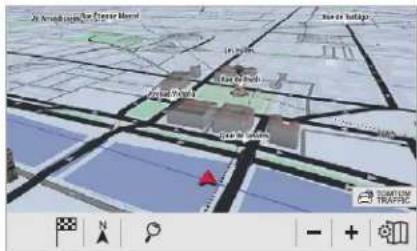
Applications
Depending on equipment/Depending on version.

Operate certain applications on a smartphone connected via
CarPlay ^® , MirrorLink ^™ (available depending on the country) or Android Auto.
Check the state of the Bluetooth ^® and Wi-Fi connections.
natural_image
Four gray navigation and play button icons arranged horizontally (no text or symbols)Radio Media
Depending on equipment/Depending on version.

Select an audio source, a radio station, display photographs.
Telephone
Depending on equipment/Depending on version.

Connect a telephone via Bluetooth ^® , read messages and emails and send quick messages.
Depending on equipment/Depending on version.

Configure a personal profile and/or configure the sound (balance, ambience, etc.) and the display (language, units, date, time, etc.).
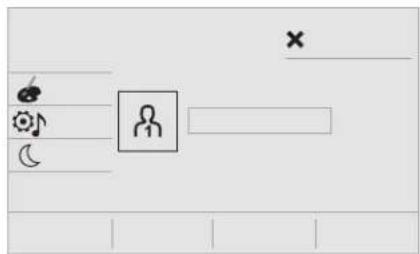
Vehicle
Depending on equipment/Depending on version.

Activate, deactivate or configure certain vehicle functions.
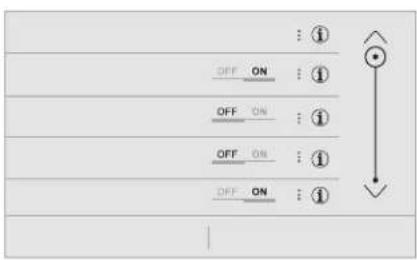
Air conditioning
Depending on equipment/Depending on version.

Manage the different temperature and air flow settings.
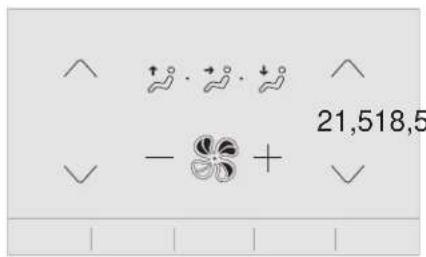
Voice commands
Steering mounted controls

Pressing this button activates the voice commands function.
CITROËN Connect Nav
! To ensure that voice commands are always recognised by the system, please observe the following recommendations:
- speak natural language in a normal tone without breaking up words or raising your voice.
- always wait for the "beep" (audible signal) before speaking.
- for optimum operation, it is recommended that the windows and sunroof be closed to avoid exterior interference (depending on version),
- before making a voice command, ask other passengers not to speak.
First steps

Example of a "voice command" for navigation:
"Navigate to address 11 Regent Street, London"
Example of a "voice command" for the radio and media:
"Play artist Madonna"
Example of a "voice command" for the telephone:
"Call David"
! The voice commands, with a choice of 17 languages (Arabic, Brazilian, Czech, Danish, Dutch, English, Farsi, French, German, Italian, Norwegian, Polish, Portuguese, Russian, Spanish, Swedish, Turkish), are made using the language previously chosen and set in the system. For some voice commands, there are alternative synonyms. Example: Guide to/Navigate to/Go to/... The voice commands in Arabic for: "Navigate to address" and "Display POI in the city" are not available.
Information – Using the system
Press the Push To Talk voice command button and tell me what you'd like after the tone. Remember you can interrupt me at any time by pressing this button. If you press it again while I'm waiting for you to speak, it'll end the conversation. If you need to interrupt the action in progress, say "cancel". If you want to undo something and start over, say "undo". To get information and tips at any time, just say "help". If you ask me to do something and there's some information missing that I need, I'll give you some examples or take you through it step by step. There's more information available in "beginner" mode. You can set the dialogue mode to "expert" when you feel comfortable.

When the voice commands are activated, by briefly pressing the button, help is displayed on the touch screen, offering various menus and allowing you to interact with system by voice.
Upon selecting a menu item you have a choice of commands.
Global voice commands
These commands can be made from any screen page after pressing the "Voice commands" button located on the steering wheel, as long as there is no telephone call in progress.
Voice commands Help messages |  |
| There are lots of topics I can help you with. You can say: "help with phone", "help with navigation", "help with media" or "help with radio". For an overview on how to use voice controls, you can say "help with voice controls". | |
| Say "yes" if I got that right. Otherwise, say "no" and we'll start that again. | |
| Set dialogue mode as novice - expert | |
| Select user 1/Select profile John | |
| Increase temperature | |
| Decrease temperature |
"Navigation" voice commands
These commands can be made from any screen page after pressing the "Voice commands" button located on the steering wheel, as long as there is no telephone call in progress.
Voice commands Help messages | — |
| Navigate home | To plan a route, say "navigate to" followed by the address, the contact name or an intersection. For example, "navigate to address 11 Regent Street, London", "navigate to contact, John Miller", or "navigate to intersection of Regent Street, London". You can specify if it's a preferred address, or a Point of Interest. For example, say "navigate to preferred address, Tennis club", or "navigate to POI Heathrow Airport in London". Or, you can just say, "navigate home". To see Points of Interest on a map, you can say things like "show POI hotels in Banbury". For more information say "help with points of interest" or "help with route guidance".To choose a destination, say something like "navigate to line three" or "select line two". If you can't find the destination but the street's right, say for example "select the street in line three". To move around a displayed list, you can say "next page" or "previous page". You can undo your last action and start over by saying "undo", or say "cancel" to cancel the current action. |
| Navigate to work | |
| Navigate to preferred address, Tennis club | |
| Navigate to contact, John Miller | |
| Navigate to address 11 regent street, London | |
| Tell me the remaining distance | You can say "stop" or "resume route guidance". To get information about your current route, you can say "tell me the remaining time", "remaining distance" or "arrival time". To learn more commands, try saying "help with navigation". |
| Tell me the remaining time | |
| Tell me the arrival time | |
| Stop route guidance | |
| Show POI "hotel" at the destination | To see points of interest on a map, you can say things like "show hotels in Banbury", "show nearby parking", "show hotel at the destination" or "show petrol station along the route". If you prefer to navigate directly to a point of interest, you can say "navigate to nearby petrol station". If you feel you are not being well understood, try to say the word "POI" in front of the point of interest. For example say "navigate to POI restaurant at the destination". |
| Show nearby POI petrol station" | |
| Navigate to POI Heathrow Airport in London | To choose a POI, say something like "select line 2". If you've searched for a Point of Interest and don't see the one you're after, you can filter further by saying something like "select POI in line 2", or "select the city in line 3". You can also scroll through the list by saying "next page" or "previous page". |
| Navigate to POI petrol station along the route |

Depending on the country, give the destination instructions (address) in the language used by the system.
"Radio Media" voice commands
These commands can be made from any screen page after pressing the "Voice commands" button located on the steering wheel, as long as there is no telephone call in progress.
Voice commands Help messages | [58x3] |
| Turn on source radio - Streaming Bluetooth – ... | You can select an audio source by saying "turn on source" followed by the device name. For example, "turn on source, Streaming Bluetooth", or "turn on source, radio". Use the command "play" to specify the type of music you'd like to hear. You can choose between "song", "artist", or "album". Just say something like "play artist, Madonna", "play song, Hey Jude", or "play album, Thriller". |
| Tune to channel BBC Radio 2 | You can pick a radio station by saying "tune to" and the station name or frequency. For example "tune to channel Talksport" or "tune to 98.5 FM". To listen to a preset radio station, say for example "tune to preset number five". |
| Tune to 98.5 FM | |
| Tune to preset number five | |
| What's playing? | To choose what you'd like to play, start by saying "play" and then the item. For example, say "play song Hey Jude", "play line 3" or "select line 2". You can undo your last action and start over by saying "undo", or say "cancel" to cancel the current action. |
| Play song Hey Jude | I'm not sure what you'd like to play. Please say "play" and then a song title, an album title, or an artist name. For example, say "play song Hey Jude", "play artist Madonna" or "play album Thriller". To select a line number from the display, say "select line two". To move around a displayed list, you can say "next page" or "previous page". You can undo your last action and start over by saying "undo", or say "cancel" to cancel the current action. |
| Play artist Madonna | |
| Play album Thriller |
Media voice commands are available only for a USB connection.
"Telephone" voice commands
These commands can be made from any screen page after pressing the "Voice commands" button located on the steering wheel, as long as there is no telephone call in progress. If there is no telephone connected by Bluetooth, a voice message announces: "Please first connect a telephone", and the voice session will be closed.
| Voice commands Help messages | |
| Call David Miller" To make a phone call, say "call" followed by the contact name, for example: "Call David Miller". You can also include the phone type, for example: "Call David Miller at home". To make a call by number, say "dial" followed by the phone number, for example, "Dial 107776 835 417". You can check your voicemail by saying "call voicemail". To send a text, say "send quick message to", followed by the contact, and then the name of the quick message you'd like to send. For example, "send quick message to David Miller, I'll be late". To display the list of calls, say "display calls". For more information on SMS, you can say "help with texting". To choose a contact, say something like "select line three". To move around the list say "next page" or "previous page". You can undo your last action and start over by saying "undo", or say "cancel" to cancel the current action. | |
| Call voicemail* | |
| Display calls* | |
* This function is available only if the telephone connected to the system supports downloading of contacts and recent calls and if the download has been done.
"Text message" voice commands
These commands can be made from any screen page after pressing the "Voice commands" button located on the steering wheel, as long as there is no telephone call in progress.
If there is no telephone connected by Bluetooth, a voice message announces: "Please first connect a telephone", and the voice session will be closed.
The voice commands function "Text messages" allows you to dictate and send an SMS. Dictate your text taking care to make a short pause between each word. At the end of the operation, the voice recognition system will automatically create an SMS.
| Voice commands Help messages | |
| Send quick message to Bill Carter, I'll be late | From the list of quick messages, say the name of the one you'd like to send. To move around the list you can say "go to start", "go to end", "next page" or "previous page". You can undo your last action and start over by saying "undo", or say "cancel" to cancel the current action. |
| Send SMS to John Miller, I'm just arriving | Please say "call" or "send quick message to", and then select a line from the list. To move around a list shown on the display, you can say "go to start", "go to end", "next page" or "previous page". You can undo your last action and start over by saying "undo", or say "cancel" to cancel the current action. |
| Send SMS to David Miller at the office, don't wait for me | |
| Listen to most recent message* To hear your last message, you can say "listen to most recent message". When you want to send a text, there's a set of quick messages ready for you to use. Just use the quick message name and say something like "send quick message to Bill Carter, I'll be late". Check the phone menu for the names of the supported messages. | |
* This function is available only if the telephone connected to the system supports downloading of contacts and recent calls and if the download has been done.
The system only sends pre-recorded "Quick messages".
Navigation
Choice of a destination
To a new destination

Press Navigation to display the primary page.
Press the "MENU" button to go to the secondary page.

Select "Enter address".

Select the "Country".

Enter the "City", the "Street" and the "Number" and confirm by pressing on the suggestions displayed.

Press "OK" to select the "Guidance criteria".
And/Or

Select "See on map" to select the "Guidance criteria".

Press "OK" to start navigation.

Zoom out/zoom in using the touch buttons or with two fingers on the screen.
In order to be able to use the navigation, it is necessary to fill in the "City", the "Street" and the "Number" on the virtual keyboard or take it from the list in "Contact" or in the "History" of addresses.
i Without confirmation of the street number, you will be guided to one end of the street.
To a recent destination

Press Navigation to display the primary page.
Press the "MENU" button to go to the secondary page.

Select "My destinations".
Select the "Recent" tab.
Select the address chosen in the list to display the "Guidance criteria.

Press "OK" to start navigation.
i Select "Position" to visualise the arrival point geographically.
To "My home" or "My work"

Press Navigation to display the primary page.
Press the "MENU" button to go to the secondary page.

Select "My destinations".
Select the "Preferred" tab.

Select "My home".
Or

Select "My work".
Or
Select a preset favourite destination.
To a contact in the directory

Press Navigation to display the primary page.
Press the "MENU" button to go to the secondary page.
CITROËN Connect Nav

Select "My destinations".
Select the "Contact" tab.
Select a contact in the list to start navigation.
To points of interest (POI)
Points of Interest (POI) are listed in different categories.

Press Navigation to display the primary page.
Press the "MENU" button to go to the secondary page.

Select "Points of interest".

Select the "Travel", or "Leisure" or "Commercial" or "Public" or "Geographic" tab.
Or

Select "Search" to enter the name and address of a POI.

Press "OK" to start calculation of the route.
To a point on the map

Press Navigation to display the primary page.
Explore the map by sliding a finger on the screen.
Select the destination by pressing on the map.

Tap the screen to place a marker and display the sub-menu.

Press this button to start navigation.
Or

Press this button to save the address displayed.

A long press on an item opens a list of POIs nearby.
To GPS coordinates

Press Navigation to display the primary page.
Explore the map by sliding a finger on the screen.
Touch the screen with a finger to go to the next image.

Press this button to display the world map. Using the grid, select by zoom the desired country or region.

Press this button to display or enter the GPS coordinates.

A marker is displayed in the middle of the screen, with the "Latitude" and "Longitude" coordinates.
Choose the type of coordinates: DMS for: Degrees, Minutes, Seconds. DD for: Degrees, Decimals.

Press this button to start navigation.
Or

Press this button to save the address displayed.
OR

Press this button to enter the value for "Latitude" using the virtual keypad.
And

Press this button to enter the value for "Longitude" using the virtual keypad.
TMC (Traffic Message Channel)
TMC (Traffic Message Channel) messages are linked to a European standard on the broadcasting of traffic information via the RDS system on FM radio, transmitting traffic information in real time. The TMC information is then displayed on a GPS Navigation system map and taken into account straight away during navigation, so as to avoid accidents, traffic jams and closed roads.
The display of danger zones depends on the legislation in force and subscription to the service.
Connected navigation
Depending on version
Depending on the equipment level of the vehicle
Network connection provided by the vehicle

OR
Network connection provided by the user
For the list of eligible smartphones, go to the brand's internet website in your country.

Connected navigation connection
As a safety measure and because it requires sustained attention by the driver, using a smartphone when driving is prohibited. All operations must be done with the vehicle stationary.
For access to connected navigation, you can use the connection provided by the vehicle via the "Emergency or assistance call" services or use your smartphone as a modem. Activate and enter settings for sharing the smartphone connection.
Network connection provided by the vehicle

The system is automatically connected to the modem included for the "Emergency or assistance calls" services and does not require a connection provided by the user via their smartphone.
Network connection provided by the user
USB connection

Connect a USB cable. The smartphone charges when connected by a USB cable.
Bluetooth connection

Activate the Bluetooth function on the telephone and ensure that it is visible to all (see the "Applications" section).
CITROËN Connect Nav
Wi-Fi connection

Select a Wi-Fi network found by the system and connect.
This function is only available if it has been activated either via the "Notifications" or via the "Applications" menu.

Press "Notifications".

Select Wi-Fi to activate it.
OR

Press Applications to display the primary page.
Press the "OPTIONS" button to go to the secondary page.

Select "Wi-Fi network connection".

Select the "Secured" or "Not secured" or "Stored" tab.

Select a network.

Using the virtual keypad, enter the "Key" for the Wi-Fi network and the "Password".
OK
Press "OK" to start the connection.
Restrictions of use:
- With CarPlay ^® , connection sharing is only with a Wi-Fi connection.
- With MirrorLink ^TM , connection sharing is only with a USB connection.
The quality of services depends on the quality of the network connection.
TOMTOM TRAFFIC
With the arrival of "TOMTOM TRAFFIC", the services are available.
i The services offered with connected navigation are as follows.
A Connected Services pack:
- Weather.
- Filling stations,
- Car park,
- Traffic.
- POI local search.
A Danger zone pack (option).
The principles and standards are constantly changing; for the communication process between the smartphone and the system to work correctly, we recommend that you update the operating system of the smartphone as well as the date and time of the smartphone and the system.
Settings specific to connected navigation
In the "Settings" menu you can create a profile for just one person or a group of people with shared interests, with the possibility of entering multiple settings (radio presets, audio settings, navigation history, contact favourites, etc.); these settings are taken into account automatically.

Press Navigation to display the primary page.
Press the "MENU" button to go to the secondary page.

Select "Settings".
Select "Map".

Activate or deactivate:
- "Allow declaration of danger zones".
- "Guidance to final destination on foot"
These settings must be made according to each profile.
Select "Alerts".

Activate or deactivate "Advise of car parks nearby".

Activate or deactivate "Filling station alert".

Activate or deactivate "Risk areas alert".

Next, select this button.

Activate: "Safety zones alert"

Activate: "Give an audible warning"

Activate or deactivate "Advise of POI 1 nearby".

Activate or deactivate "Advise of POI 2 nearby".
! For access to connected navigation, you must select the option: "Authorise sending information" in "Settings".
You can access the "Notifications" at any time in the top bar.
The display of danger zones depends on the legislation in force and subscription to the service.
Declaration of "Danger zones"
! To distribute information on the declaration of danger zones, you should check the option: "Allow declaration of danger zones".

Press Navigation to display the primary page.

Press the "Declare a new danger zone" button located in the side bars or the upper bar of the touch screen (depending on equipment).

Select the option "Type" to choose the type of "danger zone".

Select the "Speed" option and enter it using the virtual keypad.

Press "OK" to save and distribute the information.
Authorise sending information

Press Settings to display the primary page.
Press the "OPTIONS" button to go to the secondary page.

Select "System settings".

Select the "Privacy mode" tab.

Activate or deactivate:
- "Activating privacy mode".
- "Deactivating geolocation data"
- "Deactivating privacy mode"
CITROËN Connect Nav
"Danger zones" pack updates

Press Settings to display the primary page.
Press the "OPTIONS" button to go to the secondary page.

Select "System settings".

Select the "System info" tab.

Select "View" to display the versions of the different modules installed in the system.

Select "Update(s) due".
You can download the system and map updates from the Brand's website. The update procedure can also be found on the website.
Once you have downloaded the updates, the installation on the vehicle must be done with the engine running and vehicle stationary.
Display the weather

Press Navigation to display the primary page.

Press this button to display the list of services.

Select "View map".

Select "Weather".

Press this button to display primary information.

Press this button to display the detailed weather information.
The temperature displayed at 6 a.m. will be the maximum temperature for the day. The temperature displayed at 6 p.m. will be the minimum temperature for the night.
Applications
Connectivity

Press Applications to display the primary page.
Press "Connectivity" to go to the CarPlay®, MirrorLink™ or Android Auto functions.
CarPlay® smartphone connection
As a safety measure and because it requires sustained attention by the driver, using a smartphone when driving is prohibited. All operations must be done with the vehicle stationary.
The synchronisation of a personal smartphone allows users to display applications compatible with the smartphone's CarPlay® technology on the vehicle screen when the smartphone's CarPlay® function has been previously activated.
As the principles and standards are constantly changing, it is recommended that you keep your smartphone's operating system updated.
For the list of eligible smartphones, go to the brand's internet website in your country.

Connect a USB cable. The smartphone charges when connected by a USB cable.

Press on "Telephone" to display the CarPlay® interface.
Or

Connect a USB cable. The smartphone charges when connected by a USB cable.

From the system, press "Applications" to display the primary page.
Press "Connectivity" to go to the CarPlay ^® function.

Press "CarPlay" to display the CarPlay® interface.
On connecting the USB cable, the CarPlay® function deactivates the system's Bluetooth® mode.
MirrorLink™ smartphone connection
Available depending on the country of sale.
As a safety measure and because it requires sustained attention by the driver, using a smartphone when driving is prohibited. All operations must be done with the vehicle stationary.
The synchronisation of a personal smartphone allows users to display applications adapted for the smartphone's MirrorLink™ technology on the vehicle screen. The principles and standards are constantly changing, for the communication process between the smartphone and the system to operate, it is essential that the smartphone be unlocked; update the operating system of the smartphone as well as the date and time of the smartphone and the system.
For the list of eligible smartphones, go to the brand's internet website in your country.
As a safety measure, applications can only be viewed with the vehicle stationary; display is interrupted once the vehicle is moving.
The MirrorLink™ function requires the use of a compatible smartphone and applications.

When connecting a smartphone to the system, it is recommended that Bluetooth ^® be started on the smartphone
CITROËN Connect Nav

Connect a USB cable. The smartphone charges when connected by a USB cable.

From the system, press "Applications" to display the primary page.
Press "Connectivity" to go to the MirrorLink ^TM function.

Press "MirrorLink™" to start the application in the system.
Depending on the smartphone, it may be necessary to activate the "MirrorLink TM" function.

During the procedure, several screen pages relating to certain functions are displayed. Accept to start and complete the connection.
Once the connection is established, a page is displayed with the applications already downloaded to your smartphone and adapted to MirrorLink™ technology.
Access to the different audio sources remains accessible in the margin of the MirrorLink ^™ display, using touch buttons in the upper bar. Access to the menus for the system is possible at any time using the dedicated buttons.
There may be a wait for the availability of applications, depending on the quality of your network.
Android Auto smartphone connection
As a safety measure and because it requires sustained attention by the driver, using a smartphone when driving is prohibited. All operations must be done with the vehicle stationary.
The synchronisation of a personal smartphone allows users to display applications adapted for the smartphone's Android Auto technology on the vehicle screen. The principles and standards are constantly changing, for the communication process between the smartphone and the system to operate, it is essential that the smartphone be unlocked; update the operating system of the smartphone as well as the date and time of the smartphone and the system. For the list of eligible smartphones, go to the brand's internet website in your country.
As a safety measure, applications can only be viewed with the vehicle stationary; display is interrupted once the vehicle is moving.
The "Android Auto" function requires the use of a compatible smartphone and applications.

Connect a USB cable. The smartphone charges when connected by a USB cable.

From the system, press "Applications" to display the primary page.
Press "Connectivity" to go to the Android Auto function.

Press "Android Auto" to start the application in the system.

During the procedure, several screen pages relating to certain functions are displayed. Accept to start and complete the connection.
Different audio sources remain accessible in the margin of the Android Auto display, using touch buttons in the upper bar.
Access to the menus for the system is possible at any time using the dedicated buttons.
In Android Auto mode, the function to display the menus by pressing the screen briefly with three fingers is deactivated.
There may be a wait for the availability of applications, depending on the quality of your network.
Vehicle apps

Press Applications to display the primary page.
Press "Vehicle Apps" to display the applications home page.
Internet Browser

Press Applications to display the primary page.
Press "Connectivity" to go to the "Internet Browser" function.
Press "Internet Browser" to display the browser home page.

Select your country of residence.
OK
Press "OK" to save and start the browser.
i Connection to the internet is via one of the network connections provided by the vehicle or the user.
Bluetooth® connection
As a safety measure and because they require prolonged attention on the part of the driver, the operations for pairing of the Bluetooth mobile telephone with the Bluetooth hands-free system of your audio system must be carried out with the vehicle stationary and the ignition on.
i Activate the Bluetooth function on the telephone and ensure that it is "visible to all" (telephone configuration).
Procedure from the telephone

Select the system name in the list of devices detected.
In the system, accept the connection request from the telephone.
To complete the pairing, whichever procedure used (from the telephone or from the system), ensure that the code is the same in the system and in the telephone.
Procedure from the system

Press Applications to display the primary page.
Press the "OPTIONS" button to go to the secondary page.

Press "Bluetooth connection".

Select "Search".
The list of telephones detected is displayed.
If the pairing procedure fails, it is recommended that you deactivate and then reactivate the Bluetooth function in your telephone.

Select the name of the chosen telephone in the list.
Depending on the type of telephone, you may be asked to accept or not the transfer of your contacts and messages.
CITROËN Connect Nav
Connection sharing
The system offers to connect the telephone with 3 profiles:
- "Telephone" (hands-free kit, telephone only),
- "Streaming" (streaming: wireless playing of the audio files on the telephone),
- "Mobile internet data".
The "Mobile internet data" profile must be activated for connected navigation (where the vehicle does not have "Emergency and assistance call" services), having first activated sharing of this connection on your smartphone.

Select one or more profiles.

Press "OK" to confirm.
Wi-Fi connection
Network connection via the smartphone's Wi-Fi.

Press Applications to display the primary page.
Press the "OPTIONS" button to go to the secondary page.

Select "Wi-Fi network connection".

Select the "Secured" or "Not secured" or "Stored" tab.

Select a network.

Using the virtual keypad, enter the "Key" for the Wi-Fi network and the "Password".

Press "OK" to start the connection.
The Wi-Fi connection and the sharing of the Wi-Fi connection are exclusive.
Wi-Fi connection sharing
Creation of a local Wi-Fi network by the system.

Press Applications to display the primary page.
Press the "OPTIONS" button to go to the secondary page.

Select "Share Wi-Fi connection".
Select the "Activation" tab to activate or deactivate sharing of the Wi-Fi connection.
And/Or
Select the "Settings" tab to change the name of the system network and the password.

Press "OK" to confirm.
To protect against unauthorised access and to make your systems as secure as possible, the use of a complex security code or password is recommended.
Manage connections

Press Applications to display the primary page.
Press the "OPTIONS" button to go to the secondary page.

Select "Manage connection".
With this function you can view the access to connected services, the availability of connected services and modify the connection mode.
Radio
Selecting a station

Press Radio Media to display the primary page.
Press "Frequency".

Press one of the buttons for an automatic search for radio stations.
Or

Move the cursor for a manual search for frequencies up or down.
Or

Press Radio Media to display the primary page.
Press the "OPTIONS" button to go to the secondary page.

Select "Radio stations" in the secondary page.
Press "Frequency".

Enter the values using the virtual keypad. First enter the units then click on the decimals zone to enter the figures after the decimal point.
OK
Press "OK" to confirm.
! Radio reception may be affected by the use of electrical equipment not approved by the Brand, such as a USB charger connected to the 12 V socket. The exterior environment (hills, buildings, tunnels, basement car parks, etc.) may block reception, including in RDS mode. This is a normal effect of the way in which radio waves are transmitted and does not indicate any failure of the audio equipment.
Presetting a station
Select a radio station or frequency. (refer to the corresponding section)
Press "Presets".

Make a long press on one of the buttons to preset the station.
Changing waveband

Press Radio Media to display the primary page.
To change the waveband, press "Band..." displayed at the top right of the screen.
Activate/Deactivate the RDS

Press Radio Media to display the primary page.
Press the "OPTIONS" button to go to the secondary page.

Select "Radio settings".
Select "General".

Activate/Deactivate "Station tracking".

Press "OK" to confirm.
RDS, if activated, enables you to continue listening to the same station by automatically retuning to alternative frequencies. However, in certain conditions, coverage of this RDS station may not be assured throughout the entire country as radio stations do not cover 100% of the territory. This explains the loss of reception of a station during a journey.
Display text information
The "Radio Text" function allows information transmitted by the radio station and related to the station or the song playing to be displayed.

Press Radio Media to display the primary page.
Press the "OPTIONS" button to go to the secondary page.

Select "Radio settings".
Select "General".

Activate/Deactivate "Display radio text".

Press "OK" to confirm.
Play TA messages
! The TA (Traffic Announcement) function gives priority to TA alert messages. To operate, this function needs good reception of a radio station that carries this type of message. While traffic information is being broadcast, the current media is automatically interrupted so that the TA message can be heard. Normal play of the media previously playing is resumed at the end of the message.
Select "Announcements".

Activate/Deactivate "Traffic announcement".

Press "OK" to confirm.
DAB (Digital Audio Broadcasting) radio Terrestrial Digital Radio
Digital radio provides higher quality reception. The various "multiplexes/ensembles" offer a choice of radio stations arranged in alphabetical order.

Press Radio Media to display the primary page.
Press "Band..." at the top right of the screen to display the DAB waveband.
DAB-FM tracking
DAB does not cover 100% of the territory. When the digital radio signal is poor, "DAB-FM tracking" allows you to continue listening to the same station, by automatically switching to the corresponding FM analogue station (if there is one).

Press Radio Media to display the primary page.
Press the "OPTIONS" button to go to the secondary page.

Select "Radio settings".
Select "General".

Activate/Deactivate "FM-DAB Tracking".

Activate/Deactivate "Station tracking".
OK
Press "OK".
If "DAB-FM tracking" is activated, there is a difference of a few seconds when the system switches to FM analogue radio with sometimes a variation in volume. Once the digital signal quality is restored, the system automatically changes back to DAB.
! If the DAB station being listened to is not available on FM ("DAB-FM" option greyed out), or "DAB-FM tracking" is not activated, the sound will cut out while the digital signal is too weak.
Media
USB port
natural_image
Illustration of a USB cable connector with a separate icon pointing to it (no text or symbols present)Insert the USB memory stick in the USB port or connect the USB device to the USB port using a suitable cable (not supplied).

To protect the system, do not use a USB hub.
The system builds playlists (in temporary memory), an operation which can take from a few seconds to several minutes at the first connection.
Reduce the number of non-music files and the number of folders to reduce the waiting time. The playlists are updated every time the ignition is switched off or a USB memory stick is connected. The lists are memorised: if they are not modified, the subsequent loading time will be shorter.
Auxiliary socket (AUX)
Depending on equipment
natural_image
Illustration of a screwdriver tip cutting into a circular target (no text or symbols)This source is only available if "Auxiliary input" has been checked in the audio settings.
CITROËN Connect Nav
Connect the portable device (MP3 player, etc.) to the jack socket using an audio cable (not supplied).
First adjust the volume of your portable device (to a high level). Then adjust the volume of your audio system.
Operation of controls is via the portable device.
CD player
Depending on equipment Insert the CD in the player.
Selecting the source

Press Radio Media to display the primary page.
Select "Source".
Choose the source.
Watching a video
For safety reasons and because it requires the sustained attention of the driver, viewing a video is only possible when the vehicle is stationary and the ignition is switched on; as soon as movement resumes, the video stops.
CITROËN Connect Nav
Insert a USB memory stick in the USB port.
i Video control commands are accessible only through the touch screen.

Press Radio Media to display the primary page.
Select "Source".

Select Video to start the video.

To remove the USB memory stick, press the pause button to stop the video, then remove the memory stick.
Bluetooth® audio streaming
Streaming allows you to listen to music from your smartphone.
The Bluetooth profile must be activated, first adjust the volume on your portable device (to a high level).
Then adjust the volume of your audio system.
If play does not start automatically, it may be necessary to start the audio playback from the telephone.
Control is from the portable device or by using the system's touch buttons.
Once connected in streaming mode, the telephone is considered to be a media source.
Connecting Apple® players
Connect the Apple ^® player to the USB port using a suitable cable (not supplied). Play starts automatically.
Control is via the audio system.
The classifications available are those of the portable device connected (artists/albums/genres/playlists/audiobooks/podcasts).
The default classification used is by artists. To modify the classification used, return to the first level of the menu then select the desired classification (playlists for example) and confirm to go down through the menu to the desired track.
The version of software in the audio system may not be compatible with the generation of your Apple ^® player.
Information and advice
! The system supports USB mass storage devices, BlackBerry ^® devices or Apple ^® players via USB ports. The adapter cable is not supplied. Device management is done by the audio system controls.
Other peripherals, not recognised on connection, must be connected to the auxiliary socket using a Jack cable (not supplied) or via Bluetooth streaming, depending on compatibility.
! To protect the system, do not use a USB hub.
The audio equipment will only play audio files with ".wma", ".aac", ".flac", ".ogg" and ".mp3" file extensions and with a bitrate of between 32 Kbps and 320 Kbps.
It also supports VBR (Variable Bitrate) mode. No other file types (.mp4, etc.) can be played. Files of the ".wma" type should be to the wma 9 standard.
The sampling rates supported are 32, 44 and 48 kHz.
To avoid any playback or display issues, it is advisable to create file names that have less than 20 characters and without using any special characters (e.g. " ? . ; ù).
Use only USB memory sticks in FAT32 format (File Allocation Table).

It is recommended that the original USB cable for the portable device be used.
CD player (depending on equipment). In order to be able to play a burned CDR or CDRW, select ISO 9660 level 1, 2 or Joliet standards if possible when burning the CD. If the disc is burned in another format, it may not be played correctly.
It is recommended that the same burning standard be always used on an individual disc, with the lowest speed possible (4x maximum) for the best acoustic quality.
In the particular case of a multi-session CD, the Joliet standard is recommended.
Telephone
Pairing a Bluetooth® telephone
As a safety measure and because it requires sustained attention by the driver, the pairing of a Bluetooth mobile telephone with the Bluetooth hands-free system of your audio system must be done with the vehicle stationary and the ignition on.
i Activate the Bluetooth function on the telephone and ensure that it is "visible to all" (telephone configuration).
Procedure from the telephone

Select the system name in the list of devices detected.
In the system, accept the connection request from the telephone.
To complete the pairing, whichever procedure used (from the telephone or from the system), ensure that the code is the same in the system and in the telephone.
Procedure from the system

Press Telephone to display the primary page.

Press "Bluetooth search".
Or

Select "Search". The list of telephones detected is displayed.
If the pairing procedure fails, it is recommended that you deactivate and then reactivate the Bluetooth function in your telephone.

Select the name of the chosen telephone in the list.
Connection sharing
The system offers to connect the telephone with 3 profiles:
"Telephone" (hands-free kit, telephone only).
- "Streaming" (streaming: wireless playing of the audio files on the telephone),
- "Mobile internet data".
CITROËN Connect Nav
i Activation of the profile; "Mobile Internet data" is obligatory for connected navigation having first activated sharing of this connection on your smartphone.

Select one or more profiles.

Press "OK" to confirm.
Depending on the type of telephone, you may be asked to accept or not the transfer of your contacts and messages.
Automatic reconnection
On return to the vehicle, if the last telephone connected is present again, it is automatically recognised and within around 30 seconds after switching on the ignition the pairing is done without any action on your part, (Bluetooth activated).
To modify the connection profile:

Press Telephone to display the primary page.
Press the "OPTIONS" button to go to the secondary page.

Select "Bluetooth connection" to display the list of paired devices.
Press the "details" button.

Select one or more profiles.

Press "OK" to confirm.

! The ability of the system to connect to just one profile depends on the telephone. All three profiles may connect by default.
The available services depend on the network, SIM card, and the devices' Bluetooth compatibility. Consult your telephone's manual and your operator to find out which services are available to you.
The profiles compatible with the system are: HFP, OPP, PBAP, A2DP, AVRCP, MAP and PAN.
Go to the Brand's website for more information (compatibility, additional help, etc.).
Managing paired telephones
This function allows the connection or disconnection of a peripheral device as well as the deletion of a pairing.

Press Telephone to display the primary page.
Press the "OPTIONS" button to go to the secondary page.

Select "Bluetooth connection" to display the list of paired devices.

Press on the name of the telephone chosen in the list to disconnect it. Press again to connect it.
Deleting a telephone

Select the basket at top right of the screen to display a basket alongside the telephone chosen.

Press the basket alongside the telephone chosen to delete it.
Receiving a call
An incoming call is announced by a ring and a superimposed display in the screen.

Make a short press on the steering mounted telephone button to accept an incoming call.
And

Make a long press

on the steering mounted telephone button to reject the call.
Or

Select "End call" on the touch screen.
Making a call

Using the telephone is not recommended while driving.
Park the vehicle.
Make the call using the steering mounted controls.
Calling a new number

Press Telephone to display the primary page.

Enter the phone number using the digital keypad.

Press "Call" to start the call.
Calling a contact

Press Telephone to display the primary page.

Or make a long press

on the steering mounted button.
Select "Contact".
Select the desired contact from the list offered.

Select "Call".
Calling a recently used number

Press Telephone to display the primary page.
Or

Make a long press

on the steering mounted button.
Select "Calls".
Select the desired contact from the list offered.

It is always possible to make a call directly from the telephone; as a safety measure, first park the vehicle.
Managing contacts/entries

Press Telephone to display the primary page.
Select "Contact"

Select "Create" to add a new contact.
CITROËN Connect Nav
In the "Telephone" tab, enter the telephone numbers for the contact.
In the "Address" tab, enter the addresses for the contact.
In the "Email" tab, enter the email addresses for the contact.
The "Email" function allows email addresses to be entered for a contact, but the system is not able to send emails.
Managing messages

Press Telephone to display the primary page.
Press the "OPTIONS" button to go to the secondary page.

Select "Messages" to display the list of messages.

Select the "All" or "Incoming" or "Sent" tab.

Select the detail of the message chosen in one of the lists.

Press "Answer" to send a quick message stored in the system.

Press "Call" to start the call.

Press "Play" to hear the message.
! Access to "Messages" depends on the compatibility of the smartphone and the integral system. Depending on the smartphone, access to your messages or email may be slow.
The services available depend on the network, the SIM card and the compatibility of the Bluetooth devices used.
Check in the manual for your smartphone and with your service provider for the services available to you.
Managing quick messages

Press Telephone to display the primary page.
Press the "OPTIONS" button to go to the secondary page.

Select "Quick messages" to display the list of messages.

Select the "Delayed" or "My arrival" or "Not available" or "Other" tab with the possibility of creating new messages.

Press "Create" to write a new message.

Select the message chosen in one of the lists.

Press "Transfer" to select the addressee(s).

Press "Play" to start playing the message.
Managing email

Press Telephone to display the primary page.
Press the "OPTIONS" button to go to the secondary page.

Select "Email" to display the list of messages.

Select the "Incoming" or "Sent" or "Not read" tab.
Select the message chosen in one of the lists.

Press "Play" to start playing the message.
! Access to "Email" depends on the compatibility of the smartphone and the integral system.
Settings
Audio settings

Press Settings to display the primary page.

Select "Audio settings".
Select "Ambience".
Or
"Balance"
Or
"Sound".
Or
"Voice".
Or
"Ringtone".

Press "OK" to save the settings.
! The sound balance (or spatialisation with the Arkamys ^® system) is audio processing that allows the quality of the sound to be adapted according to the number of passengers in the vehicle. Available only with the front and rear speakers configuration.
The audio settings Ambience (6 optional ambiences) and Bass, Medium and Treble are different and independent for each audio source. Activate or Deactivate "Loudness". The settings for "Balance" (All passengers, Driver and Front only) are common to all sources. Activate or Deactivate "Touch tones", "Volume linked to speed" and "Auxiliary input".
Onboard audio: the Sound Staging of Arkamys® optimises the distribution of sound in the passenger compartment.
Profile settings
As a safety measure and because it requires the sustained attention of the driver, changes to settings must only be done with the vehicle stationary.
CITROËN Connect Nav

Press Settings to display the primary page.
Press the "OPTIONS" button to go to the secondary page.

Select "Setting of the profiles".
Select "Profile 1" or "Profile 2" or "Profile 3" or "Common profile".

Press this button to enter a name for the profile using the virtual keypad.

Press "OK" to confirm.

Press this button to add a photograph to the profile.

Insert a USB memory stick containing the photograph in the USB port. Select the photograph.

Press "OK" to accept the transfer of the photograph.

Press "OK" again to save the settings.
CITROËN Connect Nav
The framing for the photograph is square; the system reshapes the original photograph if in another format.
00.0 Press this button to initialise the profile selected.
! Initialisation of the profile selected activates the English language by default.
Select a "Profile" (1 or 2 or 3) to associate the "Audio settings" with it.

Select "Audio settings".
Select "Ambience".
Or
"Balance"
Or
"Sound".
Or
"Voice".
Or
"Ringtone".

Press "OK" to save the settings.
Modifying system settings

Press Settings to display the primary page.
Press the "OPTIONS" button to go to the secondary page.

Select "Screen configuration".
Select "Animation".

Activate or deactivate: "Automatic scrolling".
Select "Brightness".

Move the cursor to adjust the brightness of the screen and/or of the instrument panel.

Press Settings to display the primary page.
Press the "OPTIONS" button to go to the secondary page.

Select "System settings".
Select "Units" to change the units of distance, fuel consumption and temperature.
Select "Factory settings" to return to the initial settings.
! Resetting the system to "Factory Settings" activates English by default, as well as Fahrenheit degrees, and turns off daylight saving (summer) time.
Select "System info" to display the versions of the different modules installed in the system.
Select the language

Press Settings to display the primary page.
Press the "OPTIONS" button to go to the secondary page.

Select "Languages" to change the language.
Setting the date

Press Settings to display the primary page.
Press the "OPTIONS" button to go to the secondary page.

Select "Set time-date".
Select "Date".

Press this button to define the date.

Press "OK" to confirm.

Select the display format of the date.

Adjustment of the time and date is only available if "GPS synchronisation" is deactivated.
Setting the time

Press Settings to display the primary page.
Press the "OPTIONS" button to go to the secondary page.

Select "Set time-date".
Select "Time".

Press this button to adjust the time using the virtual keypad.

Press "OK" to confirm.

Press this button to define the time zone.

Select the display format for the time (12h/24h).

Activate or deactivate summer time (+1 hour).

Activate or deactivate synchronisation with GPS (UTC).

Press "OK" to confirm.

The system does not automatically manage the change between winter and summer time (depending on the country of sale).
Colour schemes
Depending on equipment/Depending on version.

As a safety measure, the procedure for changing the colour scheme is only possible when the vehicle is stationary.

Press Settings to display the primary page.

Select "Colour schemes".

Select a colour scheme in the list then press "OK" to confirm.

Every time the colour scheme is changed, the system restarts, temporarily displaying a black screen.
Frequently asked questions
The following information groups together the answers to the most frequently asked questions concerning your system.
Navigation
| QUESTION RESPONSE SOLUTION | ||
| The route calculation is not successful. The guidance criteria may be in conflict with the current location (exclusion of toll roads on a toll road). | Check the route settings in the "Navigation" menu. | |
| The POIs do not appear. | The POIs have not been selected. | Select the POIs in the list of POIs. |
| The audible warning of "Danger zones" does not work. | The audible warning is not active or the volume is too low. | Activate the audible warning in the "Navigation" menu and check the voice volume in the audio settings. |
| The system does not suggest a detour around an incident on the route. | The guidance criteria do not take account of TMC messages. | Select setting for the "Traffic info " function in the list of route settings (Without. Manual or Automatic). |
| I receive a "Danger zone" alert which is not on my route. | Other than guidance, the system announces all "Danger zones" positioned in a cone located in front of the vehicle. It may provide an alert for "Danger zones" located on nearby or parallel roads. | Zoom in on the map to see the exact position of the "Danger zone". Select "On the route" to no longer receive alerts other than navigation instructions or to reduce the time for the announcement. |
| Certain traffic jams along the route are not indicated in real time. | On starting, it is several minutes before the system begins to receive the traffic information. | Wait until the traffic information is being received correctly (display of the traffic information icons on the map). |
| In certain countries, only major routes (motorways, etc.) are listed for the traffic information. | This is perfectly normal. The system is dependent on the traffic information available. | |
CITROËN Connect Nav
| The altitude is not displayed. On starting, the initialisation of the GPS maytake up to 3 minutes to receive more than4 satellites correctly. | Wait until the system has started up completelyso that there is GPS coverage by at least4 satellites. |
| Depending on the geographical environment(tunnel, etc.) or the weather, the conditions ofreception of the GPS signal may vary. | |
| My navigation is no longer connected. During start-up and in certain geographicalareas, the connection may be unavailable. | Check that the connected services areactivated (settings, contract). |
Radio
| QUESTION RESPONSE SOLUTION | ||
| The reception quality of the tuned radio station gradually deteriorates or the stored stations are not working (no sound, 87.5 MHz is displayed, etc.). | The vehicle is too far from the transmitter of the station or no transmitter is present in the geographical area. | Activate the "RDS" function by means of the short-cut menu to enable the system to check whether there is a more powerful transmitter in the geographical area. |
| The environment (hills, buildings, tunnels, basement car parks, etc.) block reception, including in RDS mode. | This phenomenon is normal and does not indicate a failure of the audio equipment. | |
| The aerial is absent or has been damaged (for example when going through a car wash or into an underground car park). | Have the aerial checked by a dealer. |
CITROËN Connect Nav
| I cannot find some radio stations in the list of stations received.The name of the radio station changes. | The station is not received or has changed its name in the list.Some radio stations send other information in place of their name (the title of the song for example).The system interprets these details as the station name. | Press on the "Update list" button in the "Radio stations" secondary menu. |
Media
| QUESTION RESPONSE SOLUTION | ||
| Playback of my USB memory stick starts only after a very long wait (around 2 to 3 minutes). | Some files supplied with the memory stick may greatly slow down access to reading the memory stick (multiplication by 10 of the catalogue time). | Delete the files supplied with the memory stick and limit the number of sub-folders in the file structure on the memory stick. |
| The CD is ejected every time or is not played. The | CD is upside down, cannot be read, does not contain audio files or contains audio files of a format not recognised by the audio system. The CD has been recorded in a format that is not compatible with the player (udf, etc.). The CD is protected by an anti-pirating system not recognised by the audio system. | Check that the CD is inserted in the player the right way up.Check the condition of the CD: the CD cannot be played if it is too badly damaged.Check the content in the case of a recorded CD: follow the advice in the "AUDIO" section.The audio system CD does not read DVDs.Due to poor quality, certain burned CDs will not be read by the audio system. |
CITROËN Connect Nav
| There is a long waiting period following the insertion of a CD or connection of a USB memory stick. | Upon insertion of a new key, the system reads a certain amount of data (directory, title, artist, etc.). This may take from a few seconds to a few minutes. | This is perfectly normal. |
| The CD sound is of poor quality. The CD used in scratched or of poor quality. Insert good quality CDs and store them in suitable conditions. | ||
| Some information characters in the currently playing media are not displayed correctly. | The audio system does not display some types of characters. | Use standard characters to name tracks and folders. |
| Playback of streaming files does not start. The connected device does not automatically launch playback. | Start playback from the device. | |
| Names of tracks and playing time are not displayed on the audio streaming screen. | The Bluetooth profile does not allow the transfer of this information. | |
Telephone
| QUESTION RESPONSE SOLUTION | ||
| I cannot connect my Bluetooth telephone. The telephone's Bluetooth function may be switched off or the telephone may not be visible. | Check that your telephone has Bluetooth switched on.Check in the telephone settings that it is "visible to all". | |
| The Bluetooth telephone is not compatible with the system. | You can check the compatibility of your telephone at the Brand's website (services). | |
| The volume of the telephone connected in Bluetooth mode is inaudible. | The sound depends on both the system and the telephone. | Increase the volume of the audio system, to maximum if required, and increase the volume of the telephone if necessary. |
| Ambient noise affects the quality of the telephone call. | Reduce the ambient noise level (close the windows, reduce the booster fan speed, slow down, etc.). | |
| Some contacts are duplicated in the list. The options for synchronising contacts are synchronising the contacts on the SIM card, the contacts on the telephone, or both. When both synchronisations are selected, some contacts may be duplicated. | Select "Display SIM card contacts" or "Display telephone contacts". | |
| The contacts are not listed in alphabetical order. | Some telephones offer display options. Depending on the settings chosen, contacts can be transferred in a specific order. | Modify the telephone directory display settings. |
| The system does not receive SMS. The Bluetooth mode does not permit sending SMS text messages to the system. | ||
Settings
| QUESTION RESPONSE SOLUTION | ||
| When changing the setting of treble and bass, the equalizer setting is deselected.When changing the equalizer setting, the treble and bass settings are reset. | The selection of an equalizer setting imposes the settings for treble and bass and vice versa. | Modify the treble and bass or equalizer settings to obtain the desired musical ambience. |
| When changing the balance setting, distribution is deselected.When changing the distribution setting, the balance setting is deselected. | The selection of a distribution setting imposes the balance settings and vice versa. | Modify the balance setting or the distribution setting to obtain the desired sound quality. |
| There is a difference in sound quality between the different audio sources. | To allow for optimal listening quality, the audio settings can be tailored to different sound sources, which can generate audible differences when changing source. | Check that the audio settings are adapted to the sources listened to. It is recommended that the audio settings (Bass:, Treble:, Balance) be adjusted to the middle position, select the "None" musical ambience and set the loudness correction to the "Active" position in CD mode or to the "Inactive" position in radio mode. |
| When the engine is off, the system switches off after several minutes of use. | When the engine is switched off, the system's operating time depends on the state of charge of the battery.The switch-off is normal: the system automatically goes into energy economy mode and switches off to maintain an adequate charge in the battery. | Start then vehicle's engine to increase the charge of the battery. |
| The date and time cannot be set. Setting of the date and time is only available if the synchronisation with the satellites is deactivated. | Settings menu/Options/Time-Date setting.Select the "Time" tab and deactivate the "GPS synchronisation" (UTC). | |
CITROËN Connect Nav
CITROËN Connect Radio

Multimedia audio system – Applications – Bluetooth® telephone
Contents
First steps 2
Steering mounted controls 3
Menus 4
Applications 5
Radio 6
DAB radio (Digital Audio Broadcasting) 8
Media 9
Telephone 11
Settings 16
Frequently asked questions 18
CITROËN Connect Radio
The different functions and settings described vary according to the version and configuration of your vehicle.
As a safety measure and because it requires sustained attention by the driver, the pairing of a Bluetooth mobile telephone with the Bluetooth hands-free system of your audio system must be done with the vehicle stationary and the ignition on.
The system is protected in such a way that it will only operate in your vehicle. The display of the message Energy Economy Mode signals that a change to standby is imminent.
The link below gives access to OSS (Open Source Software) codes for the system. https://www.groupe-psa.com/fr/oss/ https://www.groupe-psa.com/en/oss/
CITROËN Connect Radio
First steps

With the engine running, a press mutes the sound.
With the ignition off, a press turns the system on.
Increase or decrease the volume using the wheel or the "plus" or "minus" buttons (depending on the equipment).
Use the buttons either side of or below the touch screen for access to the menus, then press the virtual buttons in the touch screen.
Depending on the model, use the "Source" or "Menu" buttons on the left-hand side of the touch screen for access to the menus, then press the virtual buttons in the touch screen.
You can display the menu at any time by pressing the screen briefly with three fingers.
All of the touch areas of the screen are white. For pages with multiple tabs at the bottom of the screen, you can switch between pages either by tapping the tab for the desired page, or by using a finger, sliding the pages to the left or to the right.
Press in the grey zone to go back a level or confirm.
Press the back arrow to go back a level or confirm.
! The touch screen is of the "capacitive" type. To clean the screen, use a soft, non-abrasive cloth (e.g. spectacles cloth) with no additional cleaning product. Do not use sharp objects on the screen. Do not touch the screen with wet hands.
Certain information is displayed permanently in the upper bar of the touch screen:
- Reminder of the air conditioning information (depending on version), and direct access to the corresponding menu.
- Reminder of the Radio Media and Telephone menu information.
- Reminder of the privacy information.
- Access to the Settings of the touch screen and digital instrument panel.
Selecting the sound source (depending on equipment):
- FM/DAB/AM radio stations (depending on equipment).
- Telephone connected via Bluetooth and Bluetooth multimedia broadcast (streaming).
- USB memory stick.
- Media player connected via the auxiliary socket (depending on equipment).
- CD player (depending on equipment).
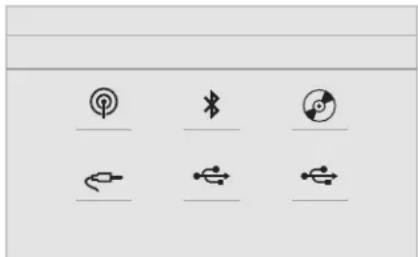
In the "Settings" menu you can create a profile for just one person or a group of people with shared interests, with the possibility of entering multiple settings (radio presets, audio settings, ambiences, etc.); these settings are taken into account automatically.
In very hot conditions, the volume may be limited to protect the system. It may go into standby (screen and sound off) for at least 5 minutes The return to normal takes place when the temperature in the passenger compartment has dropped.
Steering mounted controls
Steering mounted controls – Type 1

Radio:
Select the previous/next preset radio station.
Select the previous/next item in a menu or a list.
Media:
Select the previous/next track. Select the previous/next item in a menu or a list.

Radio:
Short press: display the list of radio stations.
Long press: update the list.
Media:
Short press: display the list of folders. Long press: display the available sorting options.

Change audio source (radio; USB; AUX if equipment connected; CD; streaming).

Confirm a selection.

Increase volume.

Decrease volume.

Mute/Restore sound by simultaneously pressing the increase and decrease volume buttons.
CITROËN Connect Radio
Steering mounted controls – Type 2

Voice commands:
This control is located on the steering wheel or at the end of the lighting control stalk (depending on equipment).
Short press, smartphone voice commands via the system.

Increase volume.

Mute/Restore the sound (depending on equipment).
Or
Mute by pressing the volume increase and decrease buttons simultaneously (depending on equipment).
Restore the sound by pressing one of the two volume buttons.

Decrease volume.
SRC
Media (short press): change the multimedia source.
CITROËN Connect Radio

Telephone (short press): start telephone call.
Call in progress (short press): access telephone menu.
Telephone (long press): reject an incoming call, end call; when no call is in progress, access telephone menu.

Radio (rotate): automatic search for the previous/next station.
Media (rotate): previous/next track, move through a list.
Short press: confirm a selection; if nothing selected, access to presets.
LIST
Radio: display the list of stations. Media: display the list of tracks.
Radio (press and hold): update the list of stations received.
Menus
Applications
Depending on equipment/Depending on version.

Access configurable equipment.
natural_image
Five simple icons representing communication, weather, photo, calendar, and time (no text or symbols)Radio Media
Depending on equipment/Depending on version.

Select an audio source or radio station.
Telephone
Depending on equipment/Depending on version.

Connect a telephone by Bluetooth ^® . Operate certain applications on a smartphone connected via
MirrorLink™, CarPlay® or Android Auto.
natural_image
Four black-and-white icons representing wireless, audio, battery, and camera (no text or symbols)Settings
Depending on equipment/Depending on version.

Configure a personal profile and/or configure the sound (balance, ambience, etc.) and the display (language, units, date, time, etc.).
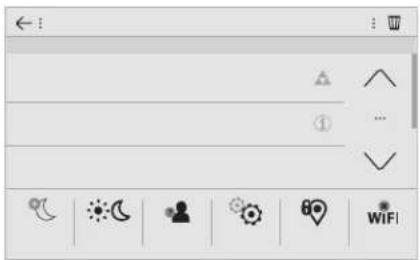
Driving
Depending on equipment/Depending on version.

Activate, deactivate or configure certain vehicle functions.
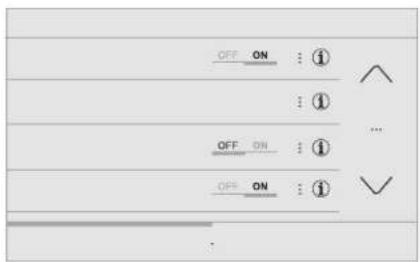
Depending on equipment/Depending on version.

Configure the navigation and select your destination via MirrorLink™, CarPlay® or Android Auto.
Depending on equipment/Depending on version.

Manage the different temperature and air flow settings.
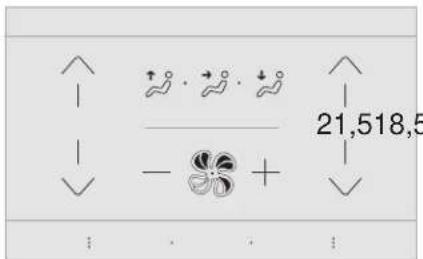
Applications
Viewing photos
Insert a USB memory stick in the USB port.

To protect the system, do not use a USB hub.
The system can read folders and image files in the formats: .tiff; .gif; .jpg/jpeg; .bmp; .png.

Press Applications to display the primary page.

Press "Photos".

Select a folder.

Select an image to view.

Press this button to display the details of the photo.

Press the back arrow to go back a level.
CITROËN Connect Radio
Managing messages

Press Applications to display the primary page.

Press "SMS".

Select the "SMS" tab.

Press this button to select the display settings for messages.

Press this button to search and select a recipient.

Select the "Quick messages" tab.

Press this button to select the display settings for messages.

Press this button to write a new message.

Press the basket alongside the selected message to delete it.

Press this button alongside the selected message to display the secondary page.

Press this button to edit and modify the existing text.

Press this button to write a new message.

Press the basket to delete the message.
Radio
Selecting a station

Press Radio Media to display the primary page.

Press one of the buttons for an automatic search for radio stations.
Or

Move the cursor for a manual search for frequencies up or down.
Or
MHz KHz
Press the frequency.

Enter the FM and AM waveband values using the virtual keypad.
OK
Press "OK" to confirm.

Radio reception may be affected by the use of electrical equipment not approved by the Brand, such as a USB charger connected to the 12 V socket.
The exterior environment (hills, buildings, tunnels, basement car parks, etc.) may block reception, including in RDS mode.
This is a normal effect of the way in which radio waves are transmitted and does not indicate any failure of the audio equipment.
Changing waveband

Press Radio Media to display the primary page.
Press the "OPTIONS" button to go to the secondary page.

Press "Band" to change waveband.

Press in the grey zone to confirm.
Presetting a station
Select a radio station or frequency.

Make a short press on the star outline. If the star is solid, the radio station is already preset.
Or
Select a radio station or frequency.
Press "Preset".

Make a long press on one of the buttons to preset the station.
Activate/Deactivate the RDS

Press Radio Media to display the primary page.
Press the "OPTIONS" button to go to the secondary page.

Activate/Deactivate "RDS".

Press in the grey zone to confirm.
The RDS, if activated, enables you to continue listening to the same station by automatically retuning to alternative frequencies. However, in certain conditions, coverage of this RDS station may not be assured throughout the entire country as radio stations do not cover 100% of the territory. This explains the loss of reception of the station during a journey.
Display text information
The "Radio Text" function allows information transmitted by the radio station and related to the station or the song playing to be displayed.

Press Radio Media to display the primary page.
Press the "OPTIONS" button to go to the secondary page.

Activate/Deactivate "INFO".

Press in the grey zone to confirm.
Play TA messages
The TA (Traffic Announcement) function gives priority to TA alert messages. To operate, this function needs good reception of a radio station that carries this type of message. While traffic information is being broadcast, the current media is automatically interrupted so that the TA message can be heard. Normal play of the media previously playing is resumed at the end of the message.

Press Radio Media to display the primary page.
Press the "OPTIONS" button to go to the secondary page.

Activate/Deactivate "TA".

Press in the grey zone to confirm.
Audio settings

Press Radio Media to display the primary page.
Press the "OPTIONS" button to go to the secondary page.
CITROËN Connect Radio

Press "Audio settings".

Select the "Tone" or "Balance" or "Sound" or "Voice" or "Ringtones" tab to configure the audio settings.

Press the back arrow to confirm.
In the "Tone" tab, the Ambience audio settings, as well as Bass, Medium and Treble are different and independent for each audio source. In the "Balance" tab, the All passengers, Driver and Front only settings are common to all sources. In the "Sound" tab, activate or deactivate "Volume linked to speed", "Auxiliary input" and "Touch tones".
! The sound balance (or spatialisation with the Arkamys ^® system) is audio processing that allows the quality of the sound to be adapted according to the number of passengers in the vehicle.
Onboard audio: the Sound Staging of Arkamys ^® optimises the distribution of sound in the passenger compartment.
DAB (Digital Audio Broadcasting) radio
Terrestrial Digital Radio
Digital radio provides higher quality reception. The various "multiplexes/ensembles" offer a choice of radio stations arranged in alphabetical order.

Press Radio Media to display the primary page.
Press the "OPTIONS" button to go to the secondary page.

Press "Band" to select the "DAB band".

Press in the grey zone to confirm.
FM-DAB Tracking
DAB does not cover 100% of the territory. When the digital radio signal is poor, the "FM-DAB Tracking" allows you to continue listening to the same station, by automatically switching to the corresponding FM analogue station (if there is one).

Press Radio Media to display the primary page.
Press the "OPTIONS" button to go to the secondary page.

Activate/Deactivate "FM-DAB Tracking".

Press in the grey zone to confirm.

If "FM-DAB Tracking" is activated, there is a difference of a few seconds when the system switches to FM analogue radio with sometimes a variation in volume. Once the digital signal quality is restored, the system automatically changes back to DAB.
If the DAB station being listened to is not available on FM, or if the "FM-DAB Tracking" is not activated, the sound will cut out while the digital signal is too weak.
Media
USB port
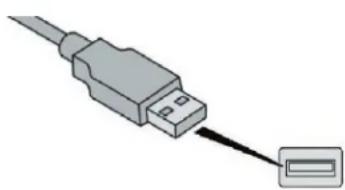
natural_image
Illustration of a USB cable connector with a separate connector (no text or symbols)Insert the USB memory stick in the USB port or connect the USB device to the USB port using a suitable cable (not supplied).
! To protect the system, do not use a USB hub.
The system builds playlists (in temporary memory), an operation which can take from a few seconds to several minutes at the first connection.
Reduce the number of non-music files and the number of folders to reduce the waiting time.
The playlists are updated every time the
ignition is switched off or a USB memory stick is connected. The lists are memorised: if they are not modified, the subsequent loading time will be shorter.
Auxiliary socket (AUX)
Depending on equipment
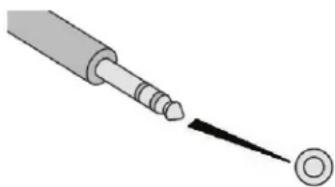
natural_image
Diagram of a screwdriver tip interacting with a circular target (no text or symbols)This source is only available if "Auxiliary input" has been checked in the audio settings.
Connect the portable device (MP3 player, etc.) to the jack socket using an audio cable (not supplied).
First adjust the volume of your portable device (to a high level). Then adjust the volume of your audio system.
Operation of controls is via the portable device.
CITROËN Connect Radio
Selecting the source

Press Radio Media to display the primary page.
Press the "SOURCES" button.
Choose the source.
Bluetooth® audio streaming
Streaming allows you to listen to music from your smartphone.
The Bluetooth profile must be activated, first adjust the volume on your portable device (to a high level).
Then adjust the volume of your system.
If play does not start automatically, it may be necessary to start the audio playback from the smartphone.
Control is from the portable device or by using the system's touch buttons.

Once connected in Streaming mode, the smartphone is considered to be a media source.
Connecting Apple ^® players
Connect the Apple® player to the USB port using a suitable cable (not supplied).
Play starts automatically.
Control is via the audio system.
The classifications available are those of the portable device connected (artists/albums/genres/playlists/audiobooks/podcasts), you can also use a classification structured in the form of a library. The default classification used is by artist. To modify the classification used, return to the first level of the menu then select the desired classification (playlists for example) and confirm to go down through the menu to the desired track.
The version of software in the audio system may not be compatible with the generation of your Apple ^® player.
Information and advice
! The system supports USB Mass Storage devices, BlackBerry ^® devices or Apple ^® players via USB ports. The adapter cable is not supplied. Device management is done by the audio system controls. Other peripherals, not recognised on connection, must be connected to the auxiliary socket using a Jack cable (not supplied) or via Bluetooth streaming, depending on compatibility.
! To protect the system, do not use a USB hub.
The audio equipment will only play audio files with ".wav", ".wma", ".aac", ".ogg" and ".mp3" file extensions and with a bit rate of between 32 Kbps and 320 Kbps. It also supports VBR (Variable Bit Rate) mode. No other file types (".mp4", etc.) can be read. Files of the ".wma" type should be to the wma 9 standard. Sampling frequencies supported are 11, 22, 44 and 48 kHz.
It is advisable to restrict file names to 20 characters, without using special characters (e.g. " " ? . ; ù) so as to avoid any reading or display problems.
Use only USB memory sticks in FAT32 format (File Allocation Table).
It is recommended that the original USB cable for the portable device be used.
In order to be able to play a burned CDR or CDRW, select standards ISO 9660 level 1, 2 or Joliet if possible when burning the CD. If the disc is burned in another format, it may not be played correctly. It is recommended that the same burning standard be always used on an individual disc, with the lowest speed possible (4x maximum) for the best acoustic quality. In the particular case of a multi-session CD, the Joliet standard is recommended.
Telephone MirrorLink™ smartphone connection
As a safety measure and because it requires sustained attention by the driver, using a smartphone when driving is prohibited.
All operations must be done with the vehicle stationary.
The synchronisation of a personal smartphone allows users to display applications adapted for the smartphone's MirrorLink™ technology on the vehicle screen. The processes and standards are constantly changing. For the communication process between the smartphone and the system to operate, it is essential that the smartphone be unlocked; update the operating system of the smartphone as well as the date and time of the smartphone and the system. For the list of eligible smartphones, go to the Brand's internet website in your country.
As a safety measure, applications can only be viewed with the vehicle stationary; display is interrupted once the vehicle is moving.
The "MirrorLink™" function requires a compatible smartphone and applications.
Telephone not connected by Bluetooth®

Connect a USB cable. The smartphone charges when connected by a USB cable.

From the system, press "Telephone" to display the primary page.

Press "MirrorLink™" to start the application in the system.
Depending on the smartphone, it may be necessary to activate the "MirrorLink™" function.

During the procedure, several screen pages relating to certain functions are displayed. Accept to start and complete the connection.
CITROËN Connect Radio

When connecting a smartphone to the system, it is recommended that Bluetooth ^® be started on the smartphone
Telephone connected by Bluetooth®

From the system, press "Telephone" to display the primary page.
Press the "PHONE" button to display the secondary page.

Press "MirrorLink™" to start the application in the system.
Once the connection is established, a page is displayed with the applications already downloaded to your smartphone and adapted to MirrorLink™ technology.
Access to the different audio sources remains accessible in the margin of the MirrorLink ^™ display, using touch buttons in the upper bar. Access to the menus for the system is possible at any time using the dedicated buttons.
There may be a wait for the availability of applications, depending on the quality of your network.
CarPlay ^® smartphone connection
As a safety measure and because it requires sustained attention by the driver, using a smartphone when driving is prohibited. All operations must be done with the vehicle stationary.
The synchronisation of a personal smartphone allows users to display applications compatible with the smartphone's CarPlay® technology on the vehicle screen when the smartphone's CarPlay® function has been previously activated. As the principles and standards are constantly changing, it is recommended that you keep your smartphone's operating system updated. For the list of eligible smartphones, go to the brand's internet website in your country.

Connect a USB cable. The smartphone charges when connected by a USB cable.

From the system, press Telephone to display the CarPlay® interface.
Or

If the smartphone is already connected by Bluetooth ^® .

Connect a USB cable. The smartphone charges when connected by a USB cable.

From the system, press "Telephone" to display the primary page.
Press the "PHONE" button to go to the secondary page.

Press "CarPlay" to display the CarPlay® interface.
On connecting the USB cable, the CarPlay® function deactivates the system's Bluetooth® mode.

You can go to the CarPlay® navigation at any time by pressing the system's Navigation button.
Android Auto smartphone connection
As a safety measure and because it requires sustained attention by the driver, using a smartphone when driving is prohibited. All operations must be done with the vehicle stationary.

On your smartphone, download the Android Auto application.
The synchronisation of a personal smartphone allows users to display applications adapted for the smartphone's Android Auto technology on the vehicle screen. The processes and standards are constantly changing. For the communication process between the smartphone and the system to operate, it is essential that the smartphone be unlocked; update the operating system of the smartphone as well as the date and time of the smartphone and the system. For the list of eligible smartphones, go to the Brand's internet website in your country.
As a safety measure, applications can only be viewed with the vehicle stationary; display is interrupted once the vehicle is moving.
The "Android Auto" function requires the use of a compatible smartphone and applications.
Telephone not connected by Bluetooth®

Connect a USB cable. The smartphone charges when connected by a USB cable.

From the system, press "Telephone" to display the primary page.

Press "Android Auto" to start the application in the system.
Depending on the smartphone, it may be necessary to activate the "Android Auto" function.

During the procedure, several screen pages relating to certain functions are displayed. Accept to start and complete the connection.

When connecting a smartphone to the system, it is recommended that Bluetooth ^® be started on the smartphone
Telephone connected by Bluetooth®

From the system, press "Telephone" to display the primary page.
Press the "PHONE" button to display the secondary page.

Press "Android Auto" to start the application in the system.
Different audio sources remain accessible in the margin of the Android Auto display, using touch buttons in the upper bar. Access to the menus for the system is possible at any time using the dedicated buttons.
There may be a wait for the availability of applications, depending on the quality of your network.
Pairing a Bluetooth® telephone
As a safety measure and because it requires sustained attention by the driver, the pairing of a Bluetooth mobile telephone with the Bluetooth hands-free system of your audio system must be done with the vehicle stationary and the ignition on.
Activate the Bluetooth function on the telephone and ensure that it is "visible to all" (telephone configuration).
Procedure from the telephone

Select the name of the system in the list of devices detected.
In the system, accept the connection request from the telephone.
To complete the pairing, whichever procedure used (from the telephone or from the system), ensure that the code is the same in the system and in the telephone.
Procedure from the system

Press Telephone to display the primary page.

Press "Bluetooth search". The list of telephones detected is displayed.

Select the name of the chosen telephone in the list.
If the pairing procedure fails, it is recommended that you deactivate and then reactivate the Bluetooth function in your telephone.
Depending on the type of telephone, you may be asked to accept or not the transfer of your contacts and messages.
Automatic reconnection
On return to the vehicle, if the last telephone connected is present again, it is automatically recognised and within about 30 seconds of switching on the ignition, the pairing is established without any action on your part (Bluetooth activated).
To modify the connection profile:

Press Telephone to display the primary page.
Press the "PHONE" button to go to the secondary page.

Press "Bluetooth connection" to display the list of paired devices.

Press the "details" button of a paired device.
The system offers to connect the telephone with 3 profiles:
- "Telephone" (hands-free kit, telephone only),
- "Streaming" (streaming: wireless playing of the audio files on the telephone),
- "Internet data".

Select one or more profiles.

Press "OK" to confirm.
! The ability of the system to connect to just one profile depends on the telephone. All three profiles may connect by default.
The available services depend on the network, SIM card, and the devices' Bluetooth compatibility. Consult your telephone's manual and your operator to find out which services are available to you.
The profiles compatible with the system are: HFP, OPP, PBAP, A2DP, AVRCP, MAP and PAN.
Go to the Brand's website for more information (compatibility, additional help, etc.).
Managing paired telephones
This function allows the connection or disconnection of a peripheral device as well as the deletion of a pairing.

Press Telephone to display the primary page.
Press the "PHONE" button to go to the secondary page.

Press "Bluetooth connection" to display the list of paired devices.

Press on the name of the telephone chosen in the list to disconnect it. Press again to connect it.
Deleting a telephone

Press the basket at the top right of the screen to display a basket alongside the telephone chosen.

Press the basket alongside the telephone chosen to delete it.
Receiving a call
An incoming call is announced by a ring and a superimposed display in the screen.

Make a short press on the steering mounted PHONE button to accept an incoming call.
And

Make a long press

on the steering mounted PHONE button to reject the call.
CITROËN Connect Radio
Or

Press "End call".
Making a call
! Using the telephone is not recommended while driving. Park the vehicle. Make the call using the steering mounted controls.
Calling a new number

Press Telephone to display the primary page.

Enter the phone number using the digital keypad.

Press "Call" to start the call.
Calling a contact

Press Telephone to display the primary page.

Or make a long press

on the steering mounted PHONE button.
Press "Contacts".
Select the desired contact from the list offered.

Press "Call".
Calling a recently used number

Press Telephone to display the primary page.
Or

Make a long press

on the steering mounted button.
Press "Recent calls".
Select the desired contact from the list offered.
It is always possible to make a call directly from the telephone; as a safety measure, first park the vehicle.
Setting the ringtone

Press Telephone to display the primary page.
CITROËN Connect Radio
Press the "OPTIONS" button to go to the secondary page.

Press "Ring volume" to display the volume bar.

Press the arrows or move the cursor to set the ring volume.
Settings
Profile settings
As a safety measure and because it requires the sustained attention of the driver, changes to settings must only be done with the vehicle stationary.

Press Settings to display the primary page.

Press "Profiles".
Select "Profile 1" or "Profile 2" or "Profile 3" or "Common profile".

Press this button to enter a name for the profile using the virtual keypad.

Press "OK" to save.

Press the back arrow to confirm.

Press this button to activate the profile.

Press the back arrow again to confirm.

Press this button to initialise the profile selected.
Brightness adjustment

Press Settings to display the primary page.

Press Brightness.

Move the cursor to adjust the brightness of the screen and/or of the instrument panel (depending on the version).
Press in the grey zone to confirm.

Modifying system settings

Press Settings to display the primary page.

Press "Configuration" to go to the secondary page.

Press "System configuration".
Select the "Units" tab to change the units of distance, fuel consumption and temperature.
Press the "Factory settings" tab to return to the initial settings.

Returning the system to factory settings activates the English language by default (depending on version).
Select the "System Info" tab to display the versions of the different modules installed in the system.
Press the "Privacy" tab,
or

Press Settings to display the primary page.

Press "Privacy" to activate or deactivate the privacy data mode.

Activate or deactivate:
- "No sharing (data, vehicle position)".
- "Data sharing only"
- "Sharing data and the vehicle position"

Press the back arrow to confirm.

Press Settings to display the primary page.

Press "Configuration" to go to the secondary page.

Press "Screen configuration".
Press "Brightness".
●●●●
Move the cursor to adjust the brightness of the screen and/or of the instrument panel (depending on the version).

Press the back arrow to confirm.
Press "Animation".

Activate or deactivate: "Automatic scrolling".

Select "Animated transitions".

Press the back arrow to confirm.
Select the language

Press Settings to display the primary page.

Press "Configuration" to go to the secondary page.

Select "Language" to change the language.

Press the back arrow to confirm.
Setting the time

Press Settings to display the primary page.

Press "Configuration" to go to the secondary page.

Press "Date and time".
Select "Time".
CITROËN Connect Radio

Press this button to adjust the time using the virtual keypad.
OK
Press "OK" to save the time.

Press this button to define the time zone.

Select the display format for the time (12h/24h).

Activate or deactivate summer time (+1 hour).

Activate or deactivate synchronisation with GPS (UTC).

Press the back arrow to save the settings.

The system does not automatically manage the change between winter and summer time (depending on the country of sale).
Setting the date

Press Settings to display the primary page.
CITROËN Connect Radio

Press "Configuration" to go to the secondary page.

Press "Date and time".
Select "Date".

Press this button to define the date.

Press the back arrow to save the date.

Select the display format of the date.

Press the back arrow again to confirm.

Adjustment of the time and date is only available if "GPS Synchronisation" is deactivated.
Frequently asked questions
The following information groups together the answers to the most frequently asked questions concerning your system.
Radio
| QUESTION RESPONSE SOLUTION | ||
| The reception quality of the tuned radio station gradually deteriorates or the stored stations are not working (no sound, 87.5 MHz is displayed, etc.). | The vehicle is too far from the transmitter of the station or no transmitter is present in the geographical area. | Activate the "RDS" function by means of the upper band to enable the system to check whether there is a more powerful transmitter in the geographical area. |
| The environment (hills, buildings, tunnels, basement car parks, etc.) block reception, including in RDS mode. | This phenomenon is normal and does not indicate a failure of the audio equipment. | |
| The aerial is absent or has been damaged (for example when going through a car wash or into an underground car park). | Have the aerial checked by a dealer. | |
| I cannot find some radio stations in the list of received stations.The name of the radio station changes. | The station is not received or has changed its name in the list. | Press the round arrow on the "List" tab of the "Radio" page. |
| Some radio stations send other information in place of their name (the title of the song for example).The system interprets these details as the station name. |
Media
| QUESTION RESPONSE SOLUTION | ||
| Playback of my USB memory stick starts only after a very long wait (around 2 to 3 minutes). | Some files supplied with the memory stick may greatly slow down access to reading the memory stick (multiplication by 10 of the catalogue time). | Delete the files supplied with the memory stick and limit the number of sub-folders in the file structure on the memory stick. |
| Some information characters in the currently playing media are not displayed correctly. | The audio system does not display some types of characters. | Use standard characters to name tracks and folders. |
| Playback of streaming files does not start. The connected device does not automatically launch playback. | Start playback from the device. | |
| Names of tracks and playing time are not displayed on the audio streaming screen. | The Bluetooth profile does not allow the transfer of this information. | |
Telephone
| QUESTION RESPONSE SOLUTION | ||
| I am unable to connect my Bluetooth telephone. | The telephone's Bluetooth function may be switched off or the telephone may not be visible. | Check that your telephone has Bluetooth switched on.Check in the telephone settings that it is "visible to all". |
| The Bluetooth telephone is not compatible with the system. | You can check the compatibility of your telephone at the Brand's website (services). | |
| Android Auto and CarPlay do not work. Android Auto and CarPlay may not activate if the USB cables are of poor quality. | Use authentic USB cables to ensure compatibility. | |
| The volume of the telephone connected in Bluetooth mode is inaudible. | The sound depends on both the system and the telephone. | Increase the volume of the audio system, to maximum if required, and increase the volume of the telephone if necessary. |
| Ambient noise affects the quality of the telephone call. | Reduce the ambient noise level (close the windows, reduce the booster fan speed, slow down, etc.). | |
| The contacts are not listed in alphabetical order. | Some phones provide display options. Depending on the chosen settings, contacts can be transferred in a specific order. | Modify the telephone directory display settings. |
Settings
| QUESTION RESPONSE SOLUTION | ||
| When changing the setting of treble and bass, the equalizer setting is deselected.When changing the equalizer setting, the treble and bass settings are reset. | The selection of an equalizer setting imposes the settings for treble and bass and vice versa. | Modify the treble and bass or equalizer settings to obtain the desired musical ambience. |
| When changing the balance setting, distribution is deselected.When changing the distribution setting, the balance setting is deselected. | The selection of a distribution setting imposes the balance settings and vice versa. | Modify the balance setting or the distribution setting to obtain the desired sound quality. |
| There is a difference in sound quality between the different audio sources. | To allow for optimal listening quality, the audio settings can be tailored to different sound sources, which can generate audible differences when changing source. | Check that the audio settings are adapted to the sources listened to. Adjust the audio functions to the middle position. |
| When the engine is off, the system switches off after several minutes of use. | When the engine is switched off, the system's operating time depends on the state of charge of the battery.The switch-off is normal: the system automatically goes into energy economy mode and switches off to maintain an adequate charge in the battery. | Turn the ignition on to increase the charge of the battery. |
A
Accessories 69, 99
Active Safety Brake....15, 117-119
AdBlue ^ 14, 21-22, 149-150
Additive, Diesel 12
Adjusting headlamps 64
Adjusting head restraints 44
Adjusting seats....43
Adjusting the air distribution 50-53
Adjusting the air flow....50-53
Adjusting the date 29, 32, 17
Adjusting the height of the steering wheel .....46
Adjusting the lumbar support....44
Adjusting the temperature .....50-53
Adjusting the time 29, 33, 17
Advice on care and maintenance .....55, 152
Advice on driving 94-95
Airbags 16,78,82
Airbags, curtain....79-80
Airbags, front....78-80, 83
Airbags, lateral....79-80
Air conditioning 6,50
Air conditioning, automatic 49-53
Air conditioning, manual 49, 51
Air intake 50-53
Air vents 48
Alarm 40-41
Anti-lock braking system (ABS)....72
Anti-slip regulation (ASR)....72
Apple CarPlay connection....18, 12
Armrest, front 56, 58
Assistance call 70-71
Assistance, emergency braking .....72, 118
Audio streaming (Bluetooth) 25-26, 9
B
Battery....140, 147, 171, 173
Battery, charging....172-173
Battery, remote control 35-38
Blanking screen (snow shield)....139
Blind spot monitoring system....123-124
Blind spot sensors 123-124
BlueHDi....21-22, 149
Bluetooth (hands-free)....27-28, 13-14
Bluetooth (telephone)......27-28, 13-15
Bonnet....143
Boot 39-40, 55, 59
Brake discs....148
Brake lamps 164
Brakes 9,148
Braking, automatic emergency....15, 117-119
Brightness....16
Bulbs (changing) 161-162, 164
C
Cable, audio....25
Cable, Jack 25
Capacity, fuel tank 137-138
Cap, fuel filler 137-138
CD 25,9
CD, MP3....25, 9
Central locking 32, 34
Changing a bulb.... 161-162, 164-165
Changing a fuse....166-167, 169-170
Changing a wheel 154, 157-158
Changing a wiper blade 67, 141-142
Changing the remote control battery....37
Checking the engine oil level....21
Checking the levels....144, 146
Checking tyre pressures
(using the kit) 153-154, 156
Checks 144, 147-148
Checks, routine 147-148
Child lock....93
Children 87-91
Children (safety)....93
Child seats 77, 81-82, 86-87, 92
Child seats, conventional....86
Child seats, i-Size 91
Child seats, ISOFIX 88-91
Checking tyre pressures
(using the kit) 153-154, 156
Checks 144, 147-148
Checks, routine....147-148
Child lock....93
Children 87-91
Children (safety)....93
Child seats 77, 81-82, 86-87, 92
Child seats, conventional....86
Child seats, i-Size 91
Child seats, ISOFIX 88-91
CITROEN Connect Nav....1
CITROEN Connect Radio....1
Cleaning (advice) 152
Closing the boot 39-40
Closing the doors....34, 39
Coat hanger 58
Collision risk alert 119
Configuration, vehicle 24-27
Connection, Bluetooth ...... 21-22, 27-28, 13-15
Connection, MirrorLink 19, 11-12
Connection, Wi-Fi network 22
Control, electric windows....41
Alphabetical index
Control, emergency boot release ....40
Control, emergency door 36-37
Control, heated seats....44-45
Control stalk, lighting 61, 64
Control stalk, wipers 65-66, 68
Courtesy lamp....165
Courtesy lamps....54-55
Cover, load space 60
Cruise control....112, 114-116
Cruise control by speed limit recognition ..... 112
Cup holder....56
D
DAB (Digital Audio
Broadcasting) – Digital radio....24, 8
Date (setting)....29, 32, 17
Daytime running lamps....61, 63
Daytime running lamps, LED 162
Deactivating the passenger airbag 78-79, 82-83
Deactivation of DSC (ESC)....73
Deadlocking 33, 35
Defrosting....54
Defrosting, front 54
Demisting 54
Demisting, front....54
Dimensions 179
Dipstick....21, 144-145
Direction indicators....62, 64, 162-164
Display screen, instrument panel ....106
Distance alert \~ Collision Risk Alert......117
Doors....39
Driver's attention warning....121
Driving economically....6
Driving time warning 120
Dynamic stability control (DSC)....15, 72-75
E
Earth point, remote 144
Eco-driving (advice) 6
Economy mode 140
Electronic brake force distribution (EBFD).....72
Emergency braking assistance (EBA)....72
Emergency call 70-71
Emergency switching off....99
Emissions control system, SCR 149
Energy economy mode....140
Engine compartment 144
Engine, Diesel....16, 136, 153, 178
Engine, petrol....136, 144, 177
Engines 176-178
Environment....6,38
F
Fatigue detection 120-121
Filling the AdBlue ^® tank 150
Filling the fuel tank....136-138
Filter, air 147
Filter, Diesel fuel 144
Filter, oil 147
Filter, particle 146-147
Filter, passenger compartment.....147
Fitting a wheel....159-161
Fitting roof bars....142
Fittings, boot 59-60
Fittings, interior 56
Flap, fuel filler....137-138
Foglamp, rear 17, 62, 164
Foglamps, front....61-62, 65, 162-163
Foglamps, rear....61
Frequency (radio) 23-24
Fuel....6,136
Fuel consumption....6
Fuel tank....138
Fusebox, engine compartment....170
Fuses....166-167, 169-170
G
Gauge, fuel....137-138
Gearbox, automatic ....6, 101-103, 107-109, 148
Gearbox, electronic 6, 103-106, 148
Gearbox,
manual 6, 56, 58, 100, 107-109, 148
Gear lever 6
Gear lever, electronic gearbox ....148
Gear lever, manual gearbox ....100
Gear shift indicator \~ Gear
efficiency indicator 106
Glove box 56
GPS....14
Grip control 74-75
H
Hazard warning lamps....70, 153
Hazard warning lamps,
automatic operation....70
Headlamps, automatic illumination .....61, 63
Headlamps, dipped beam....61, 162
Headlamps, main beam....18, 61, 162
Head restraints, front 44
Head restraints, rear 46
Heating....6,50-51
Hill start assist....107
Hooks 59
Horn....70
|
Identification, vehicle 179
Ignition....53, 97, 99, 29
Ignition on....99
Immobiliser, electronic....35-36, 95
Indicator, AdBlue ^® range.....21-22
Indicator, engine oil level 21
Indicators, direction 62, 163
Inflating tyres (using the kit)...... 153-154, 156
Instrument panel 8
Internet browser 21
ISOFIX mountings....88
J
Jack 157-158, 25
Jump starting 171
K
Key 31, 33-37
Key, electronic....33-34
Keyless Entry and Starting .....33-36, 95, 97-98
Key not recognised 99
Key with remote control 32, 95
Kit, hands-free 27-28, 13-14
Kit, temporary puncture
repair....59, 153-154, 156
L
Labels, identification....179
Lamp, boot 55, 166
Lamps, parking 64
Lane Departure Warning System (LDWS) ...122
Leather (care)....152
LEDs – Light-emitting diodes ......63, 162
Level, brake fluid 146
Level, Diesel additive....146
Level, engine coolant....146
Level, engine oil 21, 144-145
Levels and checks 144, 146
Level, screenwash fluid 67, 146
Light-emitting diodes – LEDs .....63, 162, 165
Lighting, cornering 65
Lighting dimmer 30
Lighting, directional......65
Lighting, guide-me home 64
Lighting, interior 54-55
Loading 6
Load reduction mode....140
Locating your vehicle 32
Locking 35-36
Locking from the inside....35
Locking the doors 35
Low fuel level 137-138
Lumbar 44
M
Maintenance (advice)......152
Maintenance, routine 6
Map reading lamps 54-55
Markings, identification....179
Mat 56,58
Menu 12
Menus (audio) 4-5, 4-5
Messages....30
Messages, quick 30
Mirror, rear view 47
Misfuel prevention....138
Mountings, ISOFIX 88
N
Number plate lamps....165
O
Obstacle detection....125
Oil change 144-145
Oil consumption 144-145
Oil, engine 144-145
On-board tools 154
Opening the bonnet 143
Opening the boot 33, 39-40
Opening the doors 33, 39
P
Pads, brake....148
Paint colour code 179
Panoramic glass sunroof 55
Parcel shelf, rear....59-60
Park Assist 127
Parking brake....100, 148
Parking sensors, audible and visual....125
Parking sensors, front....126
Parking sensors, rear......125
Plates, identification....179
Player, Apple ^® ......26, 9
Player, MP3 CD....25
Player, USB 25, 9
Port, USB 56-57, 25, 9
Pre-heater, Diesel 16
Pressures, tyres....154, 157, 179-180
Pre-tensioning seat belts....77
Priming pump 153
Priming the fuel system 153
Profiles 31, 16
Protecting children....78-79, 81-83, 87-91
Puncture.... 153-154, 156-157
R
Radio 23, 25, 6-7, 9
Radio, digital (Digital Audio
Broadcasting – DAB)....24, 8
Range, AdBlue....21-23
RDS 23-24,7
Rear screen, demisting....54
Recharging the battery 172-173
Recirculation, air 50-53
Reduction of electrical load 140
Regeneration of the particle filter 147
Reinitialisation of the under-
inflation detection system....133
Reinitialising the remote control....38
Reminder, key in ignition....97
Reminder, lighting on....62
Remote control....31-36
Removing a wheel 159-161
Removing the mat....58
Replacing bulbs 161-162, 164
Replacing fuses 166-167, 169
Replacing the air filter 147
Replacing the oil filter 147
Replacing the passenger
compartment filter 147
Reservoir, screenwash 146
Resetting the service indicator....20-21
Resetting the trip recorder....28-29
Reversing camera....127
Reversing lamp 164
Roof bars....142
Running out of fuel (Diesel) 153
S
Safety, children 78-79, 81-83, 87-91
Screen, cold climate 139
Screen menu map....12
Screenwash, front 67
Screenwash, rear 66
SCR (Selective Catalytic Reduction)......149
Seat belts....10, 76-77, 86
Seat, rear bench 45-46
Seats, front....43
Seats, heated 44-45
Seats, rear 45-46
Selector, gear....101-103
Serial number, vehicle 179
Service indicator 20
Servicing 6,20
Settings, equipment 24-27
Settings, system....32, 16
Sidelamps 61, 63-64, 162, 164-165
Side repeater 163
Snow chains....138-139
Socket, 12 V accessory 56-57
Socket, auxiliary....25, 9
Socket, Jack....57, 25
Sockets, audio 57
Speed limiter 112-114
Speed limit recognition 110-111
Stability control (ESC)....72
Starting a Diesel engine 136
Starting the engine 96
Starting the vehicle 94, 96-98, 101-106
Starting using another battery....99, 171
Station, radio....23-24, 6-7
Stay, bonnet 143
Steering mounted controls, audio ......3, 3
Steering wheel, adjustment 46
Stopping the vehicle .....94, 96-98, 101-106
Stop & Start ....
18, 28, 49, 54, 107-109, 138, 143, 147, 174
Storage....56, 58
Sun visor 56
Switching off the engine 96
Synchronising the remote control....38
Alphabetical index
T
Tables of engines....177-178
Tables of fuses....166-167, 169-170
Tank, fuel 137-138
Technical data....177-178
Telephone 27-30, 13-15
Temperature, coolant....9
Third brake lamp....165
Three flashes (direction indicators) 63
Time (setting)....29, 33, 17
TMC (Traffic info) 15
Tools....157, 157-158
Total distance recorder 28-29
Touch screen....24-27, 1, 1
lowbar....95,140
Towed loads 176
Towing another vehicle 174-175
Towing eye 59
Traction control (ASR) 15, 72-74
Traffic information (TMC)....15
Trailer 95,140
Triangle, warning....59, 153
Trip computer 27-28
Trip distance recorder 28-29
Tyres....6,180
Tyre under-inflation
detection 16, 132-133, 157
U
Under floor storage....59
Under-inflation (detection) 132
Unlocking 32-33
Unlocking from the inside 35
Unlocking the boot....32
Unlocking the doors....32, 35
Updating the date....29, 32, 17
Updating the time....29, 33, 17
USB 25,9
V
Ventilation 6,48-49,51
Visibility 54
Voice commands 5-8, 10-12
W
Warning and indicator lamps....8
Warning lamp, airbag....16
Warning lamp, braking system 9
Warning lamp, Diesel engine pre-heater .....16
Warning lamp, driver's seat
belt not fastened 76
Warning lamp, low fuel level 17
Warning lamp, parking brake....9
Warning lamps 8
Warning lamp, seat belts 76
Warning lamp, Service....11
Warnings and indicators....9
Washing (advice)......152
Weights 176
Wheel, spare....154, 157-158, 180
Window controls 41
Windows, rear doors....42, 152
Windows, rear quarter 152
Wiper blades (changing) 67, 141-142
Wiper, rear....66
Wipers 19,65,68
Wipers, automatic rain sensitive....66, 68
Automobiles CITROËN declares, by application of the provisions of the European legislation (Directive 2000/53) relating to End of Life Vehicles, that it achieves the objectives set by this legislation and that recycled materials are used in the manufacture of the products that it sells.
Reproduction or translation of all or part of this document is prohibited without written authorisation from Automobiles CITROËN.
CONDUENT
4Dconcept
XEROX
Printed in the EU
Anglais
09-17
Automobiles CITROËN

CITROËN
- Welcome
- Contents
- Driving
- Practical information
- In the event of a breakdown
- 7
- Technical data
- 9
- Audio and telematics
- Alphabetical index
- 8
- Overview
- Side switch panel
- Central switch panel
- Eco-driving
- Optimise the use of your gearbox
- Adopt a smooth driving style
- Control the use of your electrical equipment
- Limit the causes of excess consumption
- Observe the recommendations on maintenance
- Instrument panel
- Display screens
- Warning and indicator lamps
- Associated warnings
- When the ignition is switched on
- Persistent warning lamp
- Where a warning lamp remains lit
- Indicators
- Service indicator
- Resetting the service indicator
- Retrieving the service information
- Engine oil level indicator
- Oil level correct
- Oil level incorrect
- Oil level indicator fault
- AdBlue® range indicators
- In the event of the risk of non-starting related to a lack of AdBlue®
- Range greater than 1,500 miles (2,400 km)
- Remaining range between 500 and 60 miles (800 and 100 km) (1.5 BlueHDI Euro 6.2)
- Remaining range less than 375 miles (600 km) (1.6 BlueHDi Euro 6.1)
- Remaining range less than 60 miles (100 km) (1.5 BlueHDi Euro 6.2)
- Breakdown due to a lack of AdBlue®
- In the event of a fault with the SCR emissions control system
- In the event of the detection of a fault
- During the permitted driving phase (between 685 and 0 miles (1,100 and 0 km))
- Starting prevented
- Touch screen
- Recommendations
- Radio Media.
- Mirror Screen or Connected
- Air conditioning.
- Telephone.
- Applications.
- Vehicle or Driving.\*
- Volume control/mute.
- Upper bar
- "Vehicle" menu/"Driving" menu
- "Vehicle settings" tab
- Configuration
- Trip computer
- Display of information in the touch screen
- Instruments
- Resetting the trip recorder
- A few definitions...
- Range
- Current fuel consumption
- Average fuel consumption
- Average speed
- Distance travelled
- Distance recorders
- Total distance recorder
- Trip recorder
- Setting the date and time
- With CITROËN Connect Radio
- With CITROËN Connect Nav
- Additional adjustments
- Lighting dimmer
- Remote control and key Remote control function
- Integral key
- Ejecting the key
- Version without Keyless Entry and Starting
- Version with Keyless Entry and Starting
- Unlocking the vehicle
- With the remote control
- With the key
- Selective unlocking of the boot
- Locking the vehicle
- Locating your vehicle
- Deadlocking
- Keyless Entry and Starting
- Access
- Normal locking
- Central locking
- Manual
- Automatic (anti-intrusion security)
- Remote control
- Electrical interference
- Anti-theft protection
- Emergency procedures
- Lost keys, remote control, electronic key
- Complete unlocking/locking of the vehicle with the key
- Central locking not functioning
- Driver's door
- Passenger doors
- Unlocking
- Locking
- Changing the battery
- Reinitialising the remote control
- Doors
- Opening
- Closing
- Boot
- Emergency control
- To re-lock the boot
- - Exterior perimeter:
- Locking the vehicle with alarm system
- Activation
- Deactivation
- Triggering of the alarm
- Locking the vehicle without activating the alarm
- Failure of the remote control
- Malfunction
- Front electric window controls
- Manual operation
- Automatic operation
- Anti-pinch
- Reinitialisation of the electric windows
- Rear door windows
- Front seats
- Correct driving position
- Settings
- Longitudinal
- Backrest angle
- Height
- Lumbar support
- Head restraint height
- Heated seats
- Rear seats
- Folding the backrest
- Ease of use and comfort
- Rear head restraints
- Steering wheel adjustment
- Mirrors
- Door mirrors
- Electric adjustment
- Manual folding
- Electric folding
- Demisting – Defrosting
- Rear view mirror
- Manual model
- Adjustment
- Day/night position
- Automatic "electrochrome" model
- Ventilation
- Air intake
- Air treatment
- Control panel
- Air distribution
- Recommendations for ventilation and air conditioning
- Heating/Manual air conditioning
- Temperature adjustment
- Air flow adjustment
- Air distribution adjustment
- Air conditioning On/Off
- Automatic air conditioning
- Automatic comfort programme
- Ventilation function with the ignition on
- Switching the system off
- Recirculation of interior air
- Front demisting – defrosting
- On/Off
- Rear screen demisting – defrosting
- Courtesy lamps
- Front and rear courtesy lamps
- Front and rear map reading lamps
- Boot lamp
- Panoramic glazed sunroof
- Advice on care
- V socket
- USB port
- Auxiliary socket (JACK)
- Front armrest
- Mats
- Fitting
- Removing
- Refitting
- Lighting control stalk
- Main lighting
- Selection of main lighting mode
- Without AUTO lighting
- With AUTO lighting
- Headlamp dipping
- Display
- Foglamps
- Rear foglamp
- Lighting and visibility
- Front and rear foglamps
- Switching off of the lighting when the ignition is switched off
- Switching on the lighting after switching off the ignition
- Direction indicators
- Three flashes
- Automatic illumination of headlamps
- Switching on
- Switching off
- Daytime running lamps/ Sidelamps (LEDs)
- Parking lamps
- Guide-me-home lighting
- Automatic
- Headlamp beam height adjustment
- Activation/Deactivation
- Wiper control stalk
- Manual controls
- Windscreen wipers
- AUTO ↓
- Reverse gear
- Automatic windscreen wipers
- Operating fault
- General safety recommendations
- ! We draw your attention to the following points:
- ! Installation of accessory radio communication transmitters
- Hazard warning lamps
- Automatic operation of hazard warning lamps
- Horn
- Emergency or assistance call
- Localised Emergency Call
- Operation of the system
- For all countries except Russia, Belarus and Kazakhstan.
- For Russia, Belarus and Kazakhstan.
- Localised Assistance Call
- Geolocation
- Safety
- Electronic stability control (ESC)
- Definitions
- Anti-lock braking system (ABS) and electronic brake force distribution (EBFD)
- Emergency braking assistance (EBA)
- Anti-slip regulation (ASR)
- Dynamic stability control (DSC)
- Dynamic stability control (DSC) and anti-slip regulation (ASR)
- Operation
- Deactivating the ASR
- Reactivating the ASR
- ASR/DSC
- Grip control
- Standard (ESC)
- Snow
- All road (mud, damp grass, etc.)
- Sand
- Driving recommendations
- Seat belts
- Front seat belts
- Unfastening
- Fastening
- Front seat belt warning lamp(s)
- Rear seat belt warning lamp(s)
- Advice
- Recommendations for children
- In the event of an impact
- Airbags
- General information
- ! The airbags do not operate when the ignition is switched off.
- Deployment
- Lateral airbags
- Curtain airbags
- ! For the airbags to be fully effective, observe the safety recommendations below.
- Front airbags
- General points relating to child seats
- Child seat at the rear
- "Rearward facing"
- "Forward facing"
- Centre rear seat
- Child seat at the front
- Deactivating the front passenger airbag
- Passenger airbag OFF
- Reactivating the front passenger airbag
- Recommended child seats
- Locations for child seats secured using a seat belt
- ISOFIX mountings
- Recommended ISOFIX child seats
- Summary table of locations for ISOFIX child seats
- Locations for i-Size child seats
- The head restraint must be removed before installing a child seat with a backrest on a passenger seat.
- Children in front
- Installing a booster seat
- Manual child lock
- Electric child lock
- Important!
- Driving on flooded roads
- In case of towing
- Side wind
- Cooling
- New vehicle
- Braking
- Tyres
- Lighting
- Electronic immobiliser
- Starting/Switching off the engine with the key
- Ignition switch
- Ignition on position (2)
- Starting the engine
- Switching off the engine
- Energy economy mode
- i Key left in
- Starting/Switching off the engine with Keyless Entry and Starting
- Switching the ignition on (without starting)
- Key not detected
- Back-up starting
- Back-up switch-off
- Emergency switch-off
- Parking brake
- Applying
- Releasing
- (①)
- 5-speed manual gearbox
- Engaging reverse gear
- 6-speed manual gearbox
- Engaging 5 th or 6 th gear
- Automatic gearbox (EAT6)
- Gear selector positions
- Displays in the instrument panel
- Foot on brake
- Starting the vehicle
- Sport programme "S"
- Return to standard automatic operation
- Invalid value during manual operation
- Stopping the vehicle
- Electronic gearbox (ETG6)
- Creep function
- Forward drive
- Temporary control of gear changing
- Gear efficiency indicator
- Hill start assist
- Stop & Start
- Going into engine STOP mode
- Special cases: STOP mode not available
- Going into engine START mode
- Special cases: START activated automatically
- Deactivation/Reactivation
- Opening the bonnet
- Recognition of speed limit signs and recommendation
- Operating limits
- Memorising the speed setting
- Steering mounted controls
- Memorising the speed
- Speed limiter
- Adjusting the limit speed setting
- Temporarily exceeding the speed setting
- Cruise control
- Modifying the cruise speed setting
- Collision Risk Alert and Active Safety Brake
- Activation and operating conditions
- Collision Risk Alert
- Modifying the alert trigger threshold
- Intelligent emergency braking assistance
- Specific conditions for operation
- Deactivation/Activation
- Fatigue detection system
- Driving time warning
- Driver inattention alert
- Lane Departure Warning System
- Detection
- Blind spot monitoring
- Rear parking sensors
- Adjusting the audible signal
- Front parking sensors
- Recommendations on care
- High pressure washing
- Reversing camera
- Park Assist
- Parking space search
- During the manoeuvre
- End of the parking space entry or exit manoeuvre
- Operating faults
- STOP
- Tyre under-inflation detection
- Under-inflation alert
- Reinitialisation
- Compatibility of fuels
- Fuel used for petrol engines
- Fuel used for Diesel engines
- Diesel at low temperature
- Travelling abroad
- Fuel tank
- Tank capacity:
- Low fuel level
- Refilling
- Fuel cut-off
- Misfuel prevention (Diesel)
- i Travelling abroad
- Snow chains
- Installation tips
- Very cold climate screens
- Towing device
- Load distribution
- Load reduction mode
- Entering the mode
- Exiting the mode
- Changing a wiper blade
- Before removing a front wiper blade
- After refitting a front wiper blade
- Roof bars
- Version without longitudinal bars
- Version with longitudinal bars
- Bonnet
- Engines
- Checking levels
- Used products
- Engine oil level
- Checking using the dipstick
- Oil grade
- Topping up the engine oil level
- Engine oil change
- Brake fluid level
- Brake fluid change
- Fluid specification
- Coolant level
- Screenwash fluid level
- Diesel additive level (Diesel engine with particle filter)
- Topping up
- AdBlue level
- Checks
- V battery
- Air filter
- Passenger compartment filter
- Oil filter
- Particle filter (Diesel)
- Manual gearbox
- Automatic gearbox
- Electronic gearbox
- Brake pads
- Brake disc/drum wear
- AdBlue® (BlueHDi engines)
- SCR system
- Supply of AdBlue®
- Recommendations on storage
- Precautions in use
- Procedure
- Access to the AdBlue ® tank via the boot
- Access to the AdBlue ® tank via the fuel filler flap
- Or
- Advice on care and maintenance
- Leather
- Care of the stickers
- Running out of fuel (Diesel)
- BlueHDi engines
- Warning triangle (storage)
- Placing the triangle on the road
- Temporary puncture repair kit
- Under-inflation detection
- Repair procedure
- Checking/adjusting tyre pressures
- Spare wheel
- Access to the spare wheel
- Taking out the wheel
- Putting the wheel back in place
- Removing a wheel
- Parking the vehicle
- Wheel with hub cap
- Stowing the damaged wheel
- After changing a wheel
- Changing a bulb
- Light-emitting diodes (LED)
- Rear lamps
- Changing bulbs
- Interior lighting
- Courtesy lamp with LED
- Changing a fuse
- Access to the tools
- Fuses in the dashboard
- Access to the fuses
- Fuses in the engine compartment
- Lead-acid starter batteries
- Access to the battery
- Starting using another battery
- Charging the battery using a battery charger
- Disconnecting the battery
- Quick-release terminal clamp
- After reconnecting the battery
- Towing
- General recommendations
- Towing your vehicle
- Towing another vehicle
- Engine technical data and towed loads
- Weights and towed loads
- Dimensions (in mm)
- Identification markings
- Manufacturer's label.
- Tyre/paint label.
- Checking tyre pressures
- CITROËN Connect Nav
- First steps
- Voice commands:
- SRC
- LIST
- Menus
- Connected navigation
- Applications
- Radio Media
- Telephone
- Vehicle
- Air conditioning
- Voice commands
- Information – Using the system
- Global voice commands
- "Navigation" voice commands
- "Radio Media" voice commands
- "Telephone" voice commands
- "Text message" voice commands
- Navigation
- Choice of a destination
- To a new destination
- To a recent destination
- To "My home" or "My work"
- To a contact in the directory
- To points of interest (POI)
- To a point on the map
- To GPS coordinates
- TMC (Traffic Message Channel)
- Network connection provided by the vehicle
- Network connection provided by the user
- Connected navigation connection
- Wi-Fi connection
- OK
- TOMTOM TRAFFIC
- Settings specific to connected navigation
- Declaration of "Danger zones"
- Authorise sending information
- "Danger zones" pack updates
- Display the weather
- Connectivity
- CarPlay® smartphone connection
- MirrorLink™ smartphone connection
- Android Auto smartphone connection
- Vehicle apps
- Internet Browser
- Bluetooth® connection
- Procedure from the telephone
- Procedure from the system
- Connection sharing
- Wi-Fi connection sharing
- Manage connections
- Radio
- Selecting a station
- Presetting a station
- Changing waveband
- Activate/Deactivate the RDS
- Display text information
- Play TA messages
- DAB (Digital Audio Broadcasting) radio Terrestrial Digital Radio
- DAB-FM tracking
- Media
- Auxiliary socket (AUX)
- CD player
- Selecting the source
- Watching a video
- Bluetooth® audio streaming
- Connecting Apple® players
- Information and advice
- Pairing a Bluetooth® telephone
- Automatic reconnection
- To modify the connection profile:
- Managing paired telephones
- Deleting a telephone
- Receiving a call
- Making a call
- Calling a new number
- Calling a contact
- Calling a recently used number
- Managing contacts/entries
- Managing messages
- Managing quick messages
- Managing email
- Audio settings
- Profile settings
- Modifying system settings
- Select the language
- Setting the date
- Setting the time
- Colour schemes
- Frequently asked questions
- CITROËN Connect Radio
- Multimedia audio system – Applications – Bluetooth® telephone
- Steering mounted controls – Type 1
- Radio:
- Media:
- Steering mounted controls – Type 2
- Viewing photos
- DAB (Digital Audio Broadcasting) radio
- Terrestrial Digital Radio
- FM-DAB Tracking
- Connecting Apple ® players
- Telephone MirrorLink™ smartphone connection
- Telephone not connected by Bluetooth®
- Telephone connected by Bluetooth®
- CarPlay ® smartphone connection
- Setting the ringtone
- Brightness adjustment
- Select "Date".
- A
- B
- C
- D
- E
- F
- G
- H
- |
- J
- K
- L
- M
- N
- O
- P
- R
- S
- T
- U
- V
- W
Brand : CITROEN
Model : C4 Cactus (2017)
Category : Automotive