
Velop Mesh WHW0101P - Wi-Fi repeater LINKSYS - Free user manual and instructions
Find the device manual for free Velop Mesh WHW0101P LINKSYS in PDF.


| Product Type | Wi-Fi Repeater (Mesh Node) |
| Brand | Linksys |
| Model | Velop Mesh WHW0101P |
| Dimensions (H x W x D) | 7.6 x 7.6 x 18.4 cm |
| Weight | 450 g |
| Power Supply | 12V / 1.5A DC |
| Wi-Fi Standards | 802.11a/b/g/n/ac |
| Frequency Bands | 2.4 GHz and 5 GHz |
| Maximum Data Rate | AC1300 (400 Mbps + 867 Mbps) |
| Number of Ethernet Ports | 1 x Gigabit WAN/LAN |
| Mesh Technology | Intelligent Mesh |
| Security | WPA2, WPA3, SPI Firewall |
| Processor | Quad-core 716 MHz |
| Memory | 512 MB RAM, 256 MB Flash |
| Antennas | Internal dual-band |
| LED Indicators | Power, Wi-Fi, Internet status |
| Buttons | Reset, WPS |
| Operating Temperature | 0°C to 40°C |
| Storage Temperature | -20°C to 60°C |
| Humidity | 10% to 80% non-condensing |
| Maintenance | Clean with dry cloth; avoid liquids |
| Repairability | No user-serviceable parts; contact support |
| Spare Parts | Power adapter available from Linksys |
Frequently Asked Questions - Velop Mesh WHW0101P LINKSYS
User questions about Velop Mesh WHW0101P LINKSYS
0 question about this device. Answer the ones you know or ask your own.
Ask a new question about this device
Download the instructions for your Wi-Fi repeater in PDF format for free! Find your manual Velop Mesh WHW0101P - LINKSYS and take your electronic device back in hand. On this page are published all the documents necessary for the use of your device. Velop Mesh WHW0101P by LINKSYS.
USER MANUAL Velop Mesh WHW0101P LINKSYS
A Velop Plug-in requires an existing Velop system ____ 6
Set Up 7
How to restore factory defaults 8
Velop System Settings 8
Where to find more help 9
Specifications 10
Linksys Velop Plug-in 10
Environmental 10
Product Overview
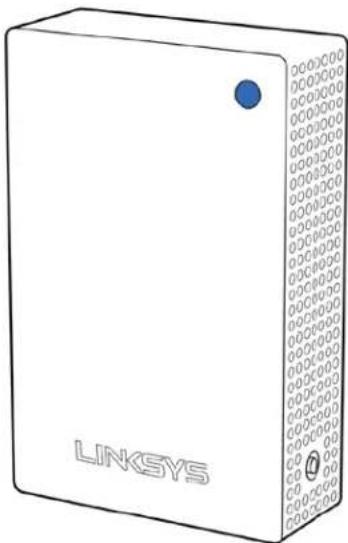
Front
natural_image
Illustration of a white wireless device labeled 'LINKSYS' with a blue circular button and patterned side panel (no additional text or symbols)The light on the front of your node gives you information about the node's operation.
| Light description Status | |
| Blue (blinking) Starting up | Wait for the node to finish starting up. |
| Purple Ready for setup | Open the Linksys app to complete setup. |
| Purple (blinking) | Setup in progressFollow instructions in the app. |
| Blue Connected to internet | Node is online, everything is good. |
| Red | No internetNot online, check with your ISP for service interruptions. |
| Red (blinking) | Out of rangeNode isn't in range of another node. Move it closer. |
| Yellow | Weak connectionYour node is connected to the internet, but the signal is weak.Move it closer to another node to improve the signal. |
Side/Back
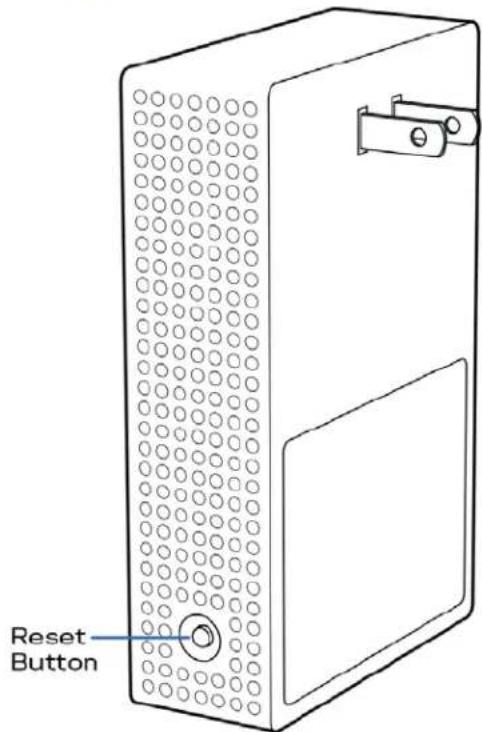
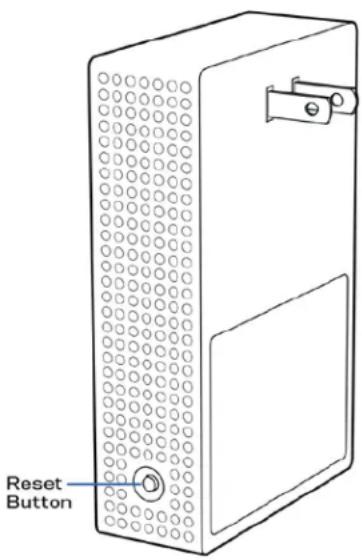
Reset button—Press and hold until the light on front of the node turns red, fades and flashes bright red again to reset the node to its factory defaults.
Network of nodes
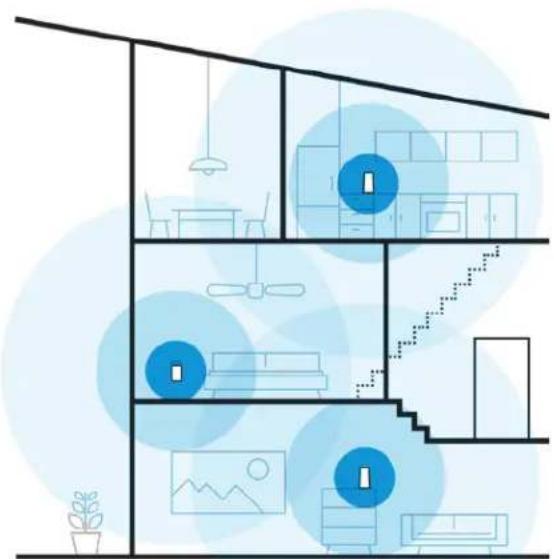
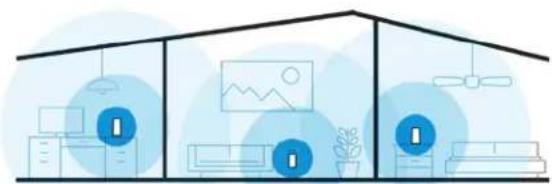
Every home is unique. Velop creates a modular mesh system of Wi-Fi nodes to provide wireless coverage throughout your home. Whether you have one node, three nodes, or more, we'll help you get them in the right spot - one at a time - for the best performance everywhere.
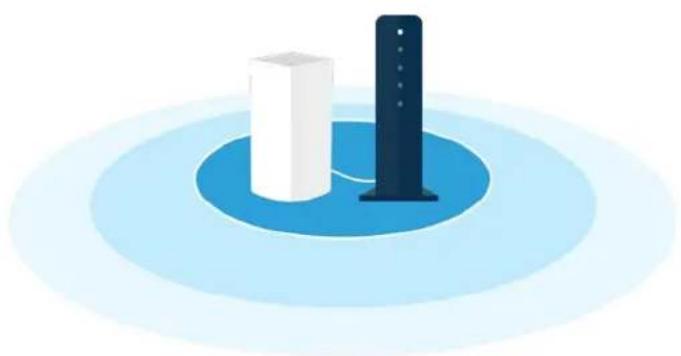
Velop Plug-in must be used with an existing Velop system and requires a Velop primary node connected to your modem with an ethernet cable.
natural_image
Illustration of a multi-level smart home with blue circular overlays and icons, no text or symbols present.Sample multi-story home
natural_image
Illustration of three stylized home structures with icons and symbols, no text or labels presentSample single-story home
Velop Plug-in is designed for indoor use. Do not use outdoors or other areas where it might be affected by rain or other weather conditions.
A Velop Plug-in requires an existing Velop system
natural_image
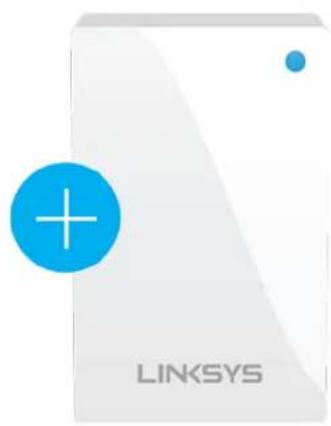
White server icon with a blue plus sign and 'LINKSYS' text, no additional symbols or text present.Be sure your primary node is already set up before adding a plug-in.
natural_image
Illustration of two white cylindrical objects on a blue circular platform with a dark vertical bar, no text or symbols present.Set Up
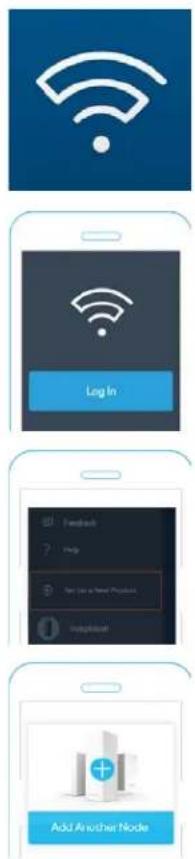
- Open the Linksys app.
- Log in
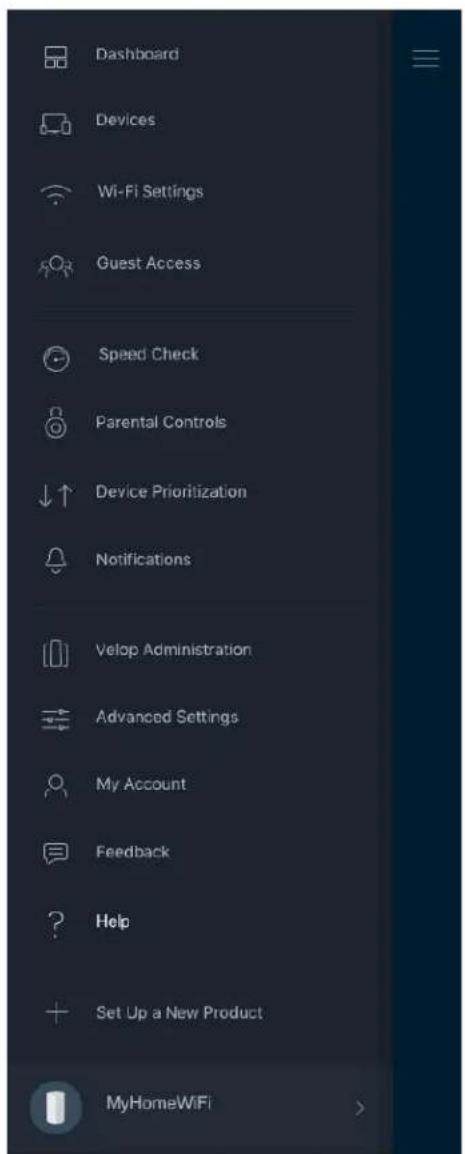
- Find and tap "Set up a New Product" in the main menu.
- Select "Add Another Node" and follow setup instructions.
How to restore factory defaults
You should never need to reset your Velop Plug-in to factory default settings—a very disruptive process. A factory reset restores your Velop Plug-in to the state it was when you took it out of its box, requiring you to go through the setup process again.
To reset your Velop Plug-in to factory defaults:
- With your node plugged in, use a press and hold the Reset button on the side. The light on front of the node will turn red and fade in pulses. Do not release the button until the light goes out and then turns bright red.
Velop System Settings
Using your Linksys app, you can view or change Velop system settings to make your Wi-Fi more secure or to work better with a device or game. You can access settings from anywhere in the world if you have an internet connection, but you can also access your Velop system directly from your home network if you are not online. To view the Velop user guide, detailing how to use the Linksys app go to linksys.com/support/Velop.
Help
Where to find more help
- Linksys.com/support/Velop
- Linksys app help (launch the app and click Help in the main navigation menu)
Note—Licenses and notices for third party software used in this product may be viewed on http://support.linksys.com/en-us/license. Please contact http://support.linksys.com/en-us/gplcodecenter for questions or GPL source code requests.
Specifications
Linksys Velop Plug-in
Model Name Velop Plug-in
Model Number WHW01P
Radio Frequency 2.4 GHz and 5 GHz
# of Antennas 3
Buttons Reset
Lights One, multicolored light for power and status
Security Features WPA2-Personal
Security Key Bits Up to 128-bit encryption
Environmental
Dimensions 3.05" x 2.1" x 4.7" (77.47 mm x 53.34 mm x 119.38 mm)
Unit Weight 0.57 lb (260 g)
Power Internal AC/DC power supply: 100-240V \~1A, 50/60 Hz
Certifications FCC, UL, Wi-Fi (IEEE 802.11a/b/g/n/ac), WPS
Operating Temp. 32^ to 104^ F (0 to 40^ C)
Storage Temp. -4° to 140° F (-20 to 60° C)
Operating Humidity 10% to 80% relative humidity, non-condensing
Storage Humidity 5% to 90% non-condensing
Notes:
For regulatory, warranty, and safety information, go to Linksys.com/support/Velop.
Specifications are subject to change without notice.
Maximum performance derived from IEEE Standard 802.11 specifications. Actual performance can vary, including lower wireless network capacity, data throughput rate, range and coverage.
Performance depends on many factors, conditions and variables, including distance from the access point, volume of network traffic, building materials and construction, operating system used, mix of wireless products used, interference and other adverse conditions.
Visit linksys.com/support/Velop for award-winning technical support.
BELKIN, LINKSYS and many product names and logos are trademarks of the Belkin group of companies. Third-party trademarks mentioned are the property of their respective owners.
© 2018 Belkin International, Inc. and/or its affiliates. All rights reserved.
LNKPG-00565 RevA00