
29Z013 - Microwaves Zelmer - Free user manual and instructions
Find the device manual for free 29Z013 Zelmer in PDF.


| Product Type | Microwave Oven |
| Brand | Zelmer |
| Model | 29Z013 |
| Capacity | 25 Liters |
| Power Output | 900 W |
| Power Consumption | 1400 W |
| Dimensions (W x D x H) | 48.5 x 38.8 x 29.1 cm |
| Weight | 14.5 kg |
| Power Supply | 230 V / 50 Hz |
| Display Type | LED Digital |
| Control Type | Touch & Rotary Dial |
| Functions | Microwave, Grill, Convection, Defrost, Auto Cook Programs |
| Timer | Up to 99 minutes 50 seconds |
| Child Lock | Yes |
| Turntable | Yes, 31.5 cm diameter |
| Interior Light | Yes |
| Door Opening | Left hinged |
| Cleaning | Wipe with damp cloth; do not use abrasive cleaners |
| Safety Features | Child lock, overheat protection, door interlock |
| Spare Parts | Turntable glass plate, roller ring, fuse |
| Repairability Index | 7.5 / 10 |
| Manual Languages | English, German, French, Italian, Spanish, Dutch, Polish, Czech, Slovak, Hungarian, Romanian, Bulgarian, Russian, Ukrainian, Croatian, Serbian |
Frequently Asked Questions - 29Z013 Zelmer
User questions about 29Z013 Zelmer
0 question about this device. Answer the ones you know or ask your own.
Ask a new question about this device
Download the instructions for your Microwaves in PDF format for free! Find your manual 29Z013 - Zelmer and take your electronic device back in hand. On this page are published all the documents necessary for the use of your device. 29Z013 by Zelmer.
USER MANUAL 29Z013 Zelmer
INSTRUKCJE DOTYCZĄCE UZIEMIENIA
USTAWIENIE ZEGARA (Clock/Pre-Set)
A-6: Potato (Ziemniaki)
A-7: Pizza (Pizza)
A-8: Soup (Zupa/Kawa)
NASTAVENÍ HODIN (Clock/Pre-Set)
NASTAVENÍ HODIN (Clock/Pre-Set)
NASTAVOVANIE HODÍN (Clock/Pre-Set)
RIADIACI PANEL
A-2: Vegetable (Zelenina)
A-3: Fish (Ryba)
A-4: Meat (Mäso)
A-5: Pasta (Cestoviny)
A-6: Potato (Zemiaky)
A-7: Pizza (Pizza)
A-8: Soup (Polievka/Káva)
- Cancel/Stop (Anulovanie/Zastavenie)
- Micro./Grill/Combi. (Mikrovlny Gril/Kombinované varenie)
- Quick Start/Start (Rýchly Štart/Štart)
- Otočný gombík:
VEZÉRLŐTÁBLA
ÓRA BEÁLLÍTÁS (Clock/Pre-Set)
ÓRA BEÁLLÍTÁS (Clock/Pre-Set)
INSTRUCTIUNI PRIVIND İMPÄMÂNTAREA
REGLAREA CEASULUI
PANOU DE COMANDĂ
REGLAREA CEASULUI
A-2: Vegetable (Овощи)
A-3: Fish (Рыба)
A-4: Meat (Мясо)
УСТАНОВКА ВРЕМЕНИ
A-2: Vegetable (Овощи)
НАСТРОЙКА НА ЧАСОВНИКА
ПАНЕЛЬ УПРАВЛІННЯ
НАЛАШТУВАННЯ ГОДИННИКА (Clock/Pre-Set)
ПАНЕЛЬ УПРАВЛІННЯ
Congratulations on your choice of our appliance and welcome among the users of Zelmer products.
In order to achieve best possible results we recommend using exclusively original Zelmer accessories. They have been specially designed for this product.
Please read this user manual carefully. Pay special attention to important safety instructions. Keep this user manual for future reference.
Write the SERIAL NUMBER indicated on the oven in the box below and keep for future reference.
SERIAL NUMBER:
PRECAUTIONS TO AVOID POSSIBLE EXPOSURE TO EXCESSIVE MICROWAVE ENERGY
- Do not attempt to operate this oven with the door open since open-door operation can result in harmful exposure to microwave energy. It is important not to defeat or tamper with the safety interlocks.
- Do not place any objects between the oven front face and the door or allow soil or cleaner residue to accumulate on sealing surfaces.
- Do not operate the oven if it is damaged. It is particularly important that the oven door close properly and there is no damage.
- hinges and latches (no cracks or loosening),
• door seals and sealing surfaces, or - "warping".
- The oven can be adjusted or repaired only by properly qualified service personnel.
Table of contents:
Precautions to avoid possible exposure to excessive microwave energy .... 63 Important safety instructions .... 64
Installation 64
Grounding instructions 64
Radio interference 64
Cleaning and maintenance 64
Microwave cooking – tips 64
Protective functions .... 64 Extended fan operation .... 64
Inside light automatic switch off 64
Child lock 64
Kitchen utensils - tips 64
Before you contact the service center 65
Turntable installation 65
MICROWAVE OVEN Type 29Z012 65
Microwave oven features....65
Control panel – description 65
Setting the microwave oven functions 65
Setting the clock 65
Microwave cooking 65
Grill 66
Combination mode (Microwaves + Grill) 66
Defrosting by weight 66
Defrosting by time 66
Quick start
Automatic menu 66
Automatic menu table 66
Checking the mode 67
Setting the program at a given time 67
Multi stage cooking 67
MICROWAVE OVEN Type 29Z013 67
Microwave oven features 67
Control panel
Setting the clock 67
Microwave cooking 68
Grill 68
Combination mode (Microwaves + Grill) 68
Quick start 68
Setting the program at a given time 68
Defrosting by weight 68
Defrosting by time 68
Checking the mode 68
Automatic menu 68
Automatic menu table 69
Multi stage cooking 69
Norm requirements 69
Ecology – environmental protection 69
IMPORTANT SAFETY INSTRUCTIONS
While using electrical appliances basic safety precautions should be followed, including the following:
WARNING: To reduce the risk of burns, electric shock, fire, injury to persons or exposure to excessive microwave energy follow the precautions:
-
The microwave ovens Type 29Z012 and Type 29Z013 are intended for household use only.
-
Plug the oven only to a grounded 230-240 V electrical outlet.
-
Use this appliance only for its intended use as described in the manual. Do not use corrosive chemicals or vapors in this appliance. This oven is especially designed to heat, cook and dry food. It is not designed for industrial or laboratory use.
-
WARNING: Do not operate the microwave oven when it is empty.
-
Do not operate the microwave oven if it has a damaged cord or plug, if it is not working properly or if it has been damaged or dropped.
If the non-detachable part of the cord is damaged, it should be replaced by the producer or at a proper service point or by a qualified person in order to avoid any hazards.
The appliance should be repaired by trained staff only. Improper repair can result in serious hazard for a user. In case of defects we recommend you to contact qualified service desk.
-
WARNING: Only allow children to use the oven without supervision when adequate instructions have been given so that the child is able to use the oven in a safe way and understand the hazards of improper use.
-
In order to reduce the risk of fire inside the microwave oven:
- when heating food in a plastic or paper container, keep an eye on the microwave oven due to the possibility of ignition,
- remove all wire twist-ties from paper or plastic containers/ bags before placing them in the microwave oven,
- if smoke is observed, switch off or unplug the appliance. Do not open the door in order to stifle any flames,
- do not leave paper products, dishes and kitchen utensils or food inside the microwave oven when it is not in use.
-
WARNING: Liquids and other foods must not be heated in tightly closed containers since this may result in their explosion.
-
Microwave heating of beverages can result in delayed eruptive boiling; therefore take care when handling the container.
Do not use the oven to fry food. Hot oil may damage the oven parts or accessories and even cause skin burns.
-
Eggs in shell and whole hard-boiled eggs should not be heated in the microwave oven since they may explode even after microwave heating has ended.
-
Prick food covered with thick skin such as potatoes, whole marrows, apples and chestnuts before cooking.
-
Do not overcook food.
-
WARNING: Do not touch the accessible surfaces when the oven is operating. Their temperature may be high – risk of burns.
-
Stir and shake the contents of feeding bottles and baby food jars. Check the temperature before consumption in order to avoid burns.
-
Kitchen utensils may become hot due to the heat from the food. Use appropriate handles while handling them.
-
Check to make sure that the utensils are suitable for use in the microwave oven before using them.
Utensil test:
a. Fill a dish/ container with 1 cup of cold water (250 ml) and place it in the microwave oven.
b. Cook at the maximum power for 1 minute.
c. When the set time is over, carefully feel the dish/ container. If it is warm, do not use it for microwave cooking.
67 WARNING: Do not exceed 1-minute cooking time.
- WARNING: Microwave oven maintenance and repair which involves removing the cover which gives protection against exposure to microwave energy is dangerous, therefore it can only be performed by a qualified person.
- Children above 8 years old, persons with impaired physical, sensory or mental abilities, and those with lack of experience or knowledge may only use the appliance under supervision or after they have been given instructions on possible hazards and how to safely use the appliance. Prevent children from playing with the appliance. Children above 8 years old may be allowed to clean the appliance and to perform maintenance work under proper supervision only.
- The appliance is not intended to be operated by means of an external timer or separate remote-control system.
- WARNING: It is strictly forbidden to remove the foil located at the inner side of the door. It can result in damage of the appliance.
INSTALLATION
- Make sure all wrappings have been removed from the inside of the oven.
- Remove any protective film from the housing of the microwave oven.
WARNING: Do not remove the light brown Mica cover which protects the magnetron.
WARNING: Check for damage such as a door that is not lined up correctly, damage to door seals and sealing surfaces, broken or loosened hinges or latches, dents inside the oven or on the door.
-
In case of any damage do not operate the appliance and contact the qualified service personnel.
-
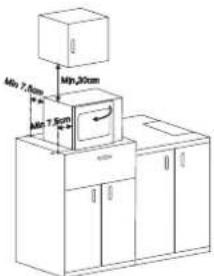
Place the microwave oven on an even and stable surface that is strong enough to hold the oven and the heaviest foods you put in it.
-
Do not expose the microwave oven to high temperatures and humidity. Do not place the oven near flammable materials as well as appliances generating heat.
-
For the oven to work properly provide an appropriate airflow. Leave a clearance of 30 cm above the oven. A clearance of 7.5 cm is required at the sides. One side must be open.
-
Do not cover or block the ventilation openings. Do not remove the legs.
-
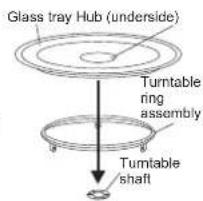
Do not operate without the glass tray and the turntable ring assembly properly installed.
-
Make sure the cord is not damaged, is not placed under the oven or above any hot or sharp surface and does not hang over the tab
-
Ensure an easy access to the outlet so that it is possible to easily unplug the appliance in case of emergency.
-
Do not use and store the oven outdoors.
GROUNDING INSTRUCTIONS
The appliance must be grounded. The oven is equipped with a cord having a grounding wire with a grounding plug.
The plug must be plugged into an outlet that is properly installed and grounded.
In the event of an electrical short circuit, grounding reduces the risk of electric shock by providing an escape wire for the electric current.
The oven should be used in a separate electric circuit.
If an extension cord is used:
- The extension cord must be a grounding-type 3-wire cord.
- Arrange the extension cord so that it is placed away from hot and sharp surfaces and cannot be accidentally pulled or tripped over.
WARNING: Improper plugging can result in the risk of an electric shock.
Notice: In case of any doubts concerning the grounding or plugging instructions contact a qualified electrician or serviceman.
WARNING: Both the manufacturer and the seller do not accept any liability for any oven damages or injuries resulting from not following the plugging instructions.
RADIO INTERFERENCE
Operating the microwave oven may cause interference to the radio, TV or similar equipment.
Interference can be reduced or removed in the following way:
- Clean the door and sealing surfaces of the oven.
- Adjust the receiving antenna of the radio and television.
- Move the microwave oven so that it changes its position towards the receiver.
- Move the microwave oven away from the receiver.
- Plug the microwave oven into a different outlet so that the microwave oven and the receiver are on different branch circuits.
CLEANING AND MAINTAINENECE
- Switch off and unplug the oven before cleaning.
- Keep the inside of the oven clean. If necessary remove the food deposits or spilled liquid from the oven walls with a damp cloth. Use a mild detergent to remove heavier soil. Do not use spray cleaners and other strong cleaning agents as they may stain, tarnish or leave streaks on the surface of the oven and door.
-
Clean the outside surface with a damp cloth. To avoid damaging the subassemblies inside the oven make sure that water does not leak to the inside of the oven ventilation openings.
-
Regularly wipe both sides of the door and window, the door seals and neighboring parts with a damp cloth to remove food deposits or spilled liquid.
Do not use abrasive cleaners.
- Do not use abrasive detergents such as emulsions, cream cleaners, polishes, etc. to clean the housing. They may remove the graphic information symbols such as scales, marks, warning signs etc.
- Do not allow the control panel to moisten. To clean use only a soft, damp cloth. In order to avoid accidental starting of the oven open the door before cleaning the control panel.
- If condensed water vapor begins to appear on the inside or outside of the door, wipe it with a soft cloth. Condensation may occur when the microwave oven is operating under high humidity conditions. In such a case it is a normal situation.
- Take out and clean the glass tray every once in a while. Wash it in warm water with dishwashing liquid or in the dishwasher.
- Regularly clean the turntable ring and the bottom of the oven to avoid noise. Clean the bottom surface with a mild detergent. Wash the turntable ring in water with dishwashing liquid or in the dishwasher. While installing the turntable ring make sure to place it properly.
- To get rid of odors inside the oven boil about 200 ml of water with lemon juice and lemon peel in a microwave safe bowl for 5 minutes. Thoroughly dry the inside of the oven with a dry, soft cloth.
- If it is necessary to replace the inside light bulb, turn to a service center.
- Regularly clean the oven and remove food deposits. Failure to follow these instructions may lead to a degradation of the surface which may affect the lifespan of the appliance and lead to a dangerous situation.
- Carefully arrange the food. Place the thickest pieces next to the edges of the dish.
- Check the cooking time. Cook for the shortest indicated time and if necessary prolong cooking. Heavily burned products may generate smoke or ignite.
- Cover food while cooking. The cover shall prevent the food from "splashing out" and ensure even cooking.
- During cooking turn products in order to speed up the cooking process of food such as chicken or hamburgers. Turn large products such as roast meat at least once.
- Change the arrangement of food products such as meatballs in the middle of the cooking period. Products placed on the top should be moved to the bottom and those in the middle should be moved towards the edges of the dish.
PROTECTIVE FUNCTIONS
1. Extended fan operation
In case of cooking for 5 or more minutes, the microwave oven will automatically switch off after the end of the cooking time, however, the fan will keep on operating for another 15 seconds.
2. Inside light automatic switch off
The inside light switches on after opening the door. If the door is open longer than 10 minutes without performing any actions, the light will be automatically switched off.
3. CHILD LOCK – security against child access
Child lock: In the standby mode press and hold the Cancel/Stop button for 3 seconds. You will hear a long beep indicating that the child lock has been set. The symbol will appear on the display.
To unblock the oven: Press and hold the Cancel/Stop button for 3 seconds. You will hear a long beep indicating that the microwave oven has been unblocked.
KITCHEN UTENSILS-TIPS
Use only microwave safe dishes and kitchen utensils. The ideal material to use in the microwave oven is a transparent one, as it allows energy to infi ltrate through the container and heat the food.
- Do not use metal utensils or dishes with metal trims – microwaves do not infi Itrate through metal.
- Before cooking remove wrappings made of recycled paper, as it may contain metal particles which may cause arcing and/or fire.
- We advise you to use oval/round dishes instead of square/rectangular ones as food in the corners of the dish burns more often.
Protect exposed areas by covering them with narrow stripes of aluminum foil. Remember, however, not to use too much foil and to keep the foil at least 3 cm away from the oven walls.
The list below shall make the choice of the right dishes and kitchen utensils easier.
| Kitchen utensils | Microwaves Grill | Combination mode | |
| Heat-resistant glass | Yes | Yes | Yes |
| Non-heat-resistant glass | No | No | No |
| Heat-resistant ceramic utensils | Yes | Yes | Yes |
| Microwave safe plastic dishes | Yes | No | No |
| Parchment paper | Yes | No | No |
| Metal tray | No | Yes | No |
| Metal gridiron | No | Yes | No |
| Aluminum foil and foil containers | No | Yes | No |
BEFORE YOU CONTACT THE SERVICE CENTER
Normal situation:
- The operation of the microwave oven may cause radio and TV interference. This interference is similar to interference caused by small electrical appliances such as: a food processor, a fan, a vacuum cleaner etc.
- While cooking at low microwave power the inside light of the microwave oven may be dull.
- Water vapor wafts during cooking. Most of the water vapor escapes through the ventilation openings. However, condensed water vapor may appear on the cool parts of the oven (e.g. on the door).
If the oven does not work:
-
Make sure the oven is properly plugged in. If not, unplug the appliance, wait 10 seconds and plug it in again.
-
Check if the fuse is not blown or the circuit breaker tripped. If the above function properly check the electrical outlet by plugging a different electrical appliance.
- Check if the control panel is properly programmed and the time set.
- Check if the door is properly closed and latched. The microwave energy shall not be otherwise supplied to the oven.
- If the glass tray is noisy during operation check if the bottom of the oven and the turntable ring assembly are clean. Clean according to the information in chapter "CLEANING AND MAINTANENCE".
If after performing the above actions the oven still does not work contact the service center. A microwave oven should never be adjusted or repaired by a 'do-it-yourself' repair person.
TURNTABLE INSTALLATION
- Never place the glass tray upside down. The glass tray should never be restricted.
- Both glass tray and turntable ring assembly must always be used during cooking.
- All food and food containers should always be placed on the glass tray.
- If glass tray cracks or breaks contact your nearest service center.
MICROWAVE OVEN TYPE 29Z012
| Rated voltage: 230-240 V~50 HzEnergy consumption: 1200-1250 W-Microwaves;950-1000 W-GrillRated input power (microwaves) 800 W | Microwave frequency: 2450 MHzCapacity: 23 ITurntable: ∅ 270 mm | External dimensions. (H x W xD.) 287 mm x 485 mm x 410 mmInternal dimensions. (H x W x D.) 221 mm x 314 mm x 347 mmNet weight : about 13.2 kg |


Display: indicators – signalling


Weight in grams
Capacity in ml
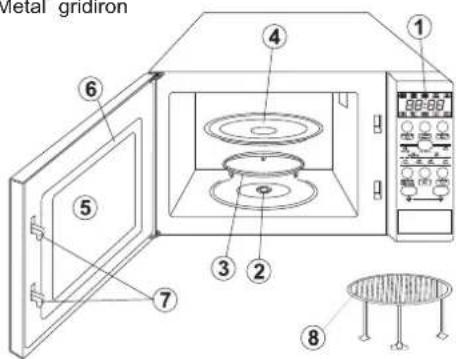
MICROVAVE OVEN FEATURES:
- Control panel
- Turntable shaft
- Turntable ring assembly
- Glass tray
- Window
- Door
- Safety block – cuts off power if door is opened during operation
- Metal gridiron
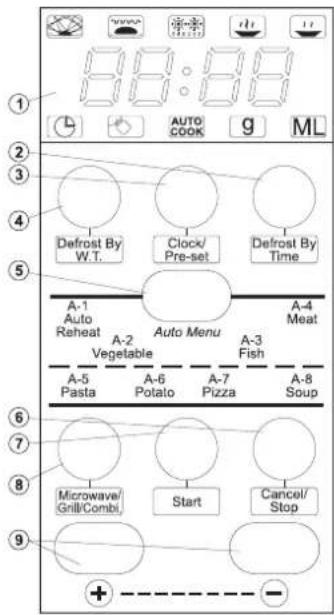
CONTROL PANEL
- Display:clock + indicators
- Defrost By Time
- Clock/Pre-Set
- Defrost By W.T. (Defrost by weight)
- Auto Menu
A-1: Auto Reheat
A-2: Vegetable
A-3: Fish
A-4: Meat
A-5: Pasta
A-6: Potato
A-7: Pizza
A-8: Soup - Cancel/Stop
- Start
- Microwave/Grill/Combi.
- Buttons:
-value increase + -value increase -
By leaps by pressing the button several times or fluently by holding the button.
SETTING THE CLOCK
After plugging the microwave oven you will see "0:00" on the display and you will hear a single beep.
- Press the Clock/Pre-Set button, the hour indicator will start flashing and the clock control lamp will light on the display.
- Press the ⊕ or ⊖, button to set the hour. You can set the digits from 0 to 23. Press ⊕, the display will show digits from 0 to 23. Press ⊖, the display will show digits from 23 to 0.
- Press the Clock/Pre-Set button, the minute indicator will begin to flash.
- Press the ⊕ or ⊖, to set the minutes. You can set the digits from 0 to 59. Press ⊕, the display will show digits from 1 to 59.
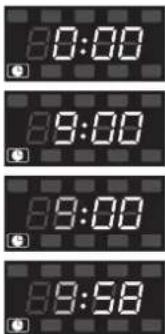
- Press the Clock/Pre-Set button to finish setting the time. The clock control lamp will light out. ":" will start flashing and the display will show the set time.
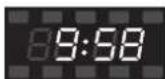
MICROWAVE COOKING
- Press the Microwave/Grill/Combi. several times to select the required power level. The display will show P100, P80, P50, P30, P10 – see table. The ☑ control lamp and the cooking symbol depending on the selected microwave power – ☐, or 📋 will light.
- Press ⊕ or ⊖ to set the cooking time. The cooking time can be set from 0:05 and can be increased by pressing ⊕, to decrease the cooking time press ⊖. Decreasing starts from 95:00. The maximum cooking time is 95 minutes.
- Press Start to start cooking.
EXAMPLE: In order to set the cooking time for 20 minutes at 80% microwave power:
- Press the Microwave/Grill/ Combi. button twice, the display will show P80 and the symbols: and
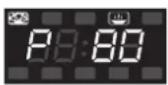
- To set the cooking time keep pressing ⭕ until the display shows „20:00”.
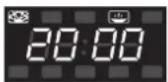
- Press Start to start cooking. You will hear a beep and the cooking program will start to operate. The symbols 🎨 and 🏠 and the remaining cooking time will flash on the display.
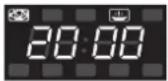
Microwave power table
| Power | Very high | High | Medium Low | Very low | |
| Display P1 | 00 P80 P50 | P30 P10 |
Notice:
The number of seconds/minutes by which the time setting can be changed with the given time value is indicated in the table on the right.
| 0 – 1 minute every 5 seconds | |
| 1 – 5 minutes every 10 seconds | |
| 5 – 10 minutes every 30 seconds | |
| 10 – 30 minutes every minute | |
| 30 – 95 minutes every 5 minutes |
WARNING: Do not use the gridiron for microwave cooking! Always take out the gridiron from the inside of the oven before microwave cooking.
GRILL
- Press the Microwave/Grill/Combi. Button several times to select the required power level. The following will show on the display: P100, P80, P50, P30, P10, G, C-1, C-2".
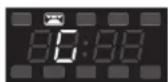
Keep pressing the button until the display will show "G" and the 📄.
-
Press ⊕ or ⊖ to set the grill time. The grilling time can be set from 0:05 seconds, it can be increased by pressing ⊕. The grilling time can be decreased from 95:00 by pressing ⊖. The maximum grilling time is 95 minutes.
-
Press Start to start grilling. You will hear a beep and the grill program will start to operate. The symbol 📄 and the remaining grilling time will flash on the display.
COMBINATION MODE (MICROWAVES + GRILL)
- Press the Microwave/Grill /Combi. Button several times to select the required power level. The display will show the following: P100, P80, P50, P30, P10, G, C-1, C-2.
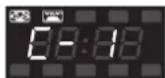
Keep pressing until the display will show C-1, or C-2. The symbols 🎨 and 📌 will appear.
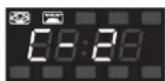
C-1 = 55% of the time – microwave cooking, 45% of the time – grilling
C-2 = 36% of the time – microwave cooking, 64% of the time – grilling
-
Press ⊕ or ⊖, to set the cooking time. The cooking time can be set from 0:05 seconds, it can be increased by pressing ⊕. The cooking time can be decreased from 95:00 by pressing ⊖. The maximum cooking time is 95 minutes.
-
Press Start to start cooking. You will hear a beep and the cooking program will start to operate. The symbols 📋 and 🌐 and the remaining cooking time will flash on the display.
WARNING: When the appliance is operated in the combination mode, children should only use the oven under adult supervision due to the high temperatures generated.
DEFROSTING BY WEIGHT
- Press the Defrost By W.T. button. The display will show dEF1 and the control lamps and will light.
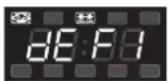
- Press ⊕ or ⊖, to set the weight of the food to be defrosted. The display will show the letter "g". Press ⊕, the display will show the numbers: 100 - 200 -300...1900 - 2000 or press, ⊖ to display them in reverse order.
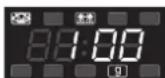
- Press Start to start defrosting. You will hear a beep and the defrosting program will start to operate. The symbols 📁 and 🌐 and the remaining defrosting time will flash on the display.
DEFROSTING BY TIME
- Press the Defrost By Time button. The display will show dEF2 and the and control lamps will light.
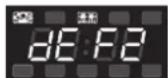
-
Press ⊕ or ⊖ to set the defrosting time. The defrosting time can be set from 0:05. seconds. It can be increased by pressing ⊕ and decreased from 95:00 by pressing ⊖. The maximum defrosting time is 95 minutes.
-
Press Start to start defrosting. The control lamps and will light.
QUICK START
If the oven is in the stand-by mode, press Start to start cooking for 1 minute at full power. Each time you press the button the cooking time will be prolonged for one minute. The maximum cooking time is 95 minutes.
AUTOMATIC MENU
- Press Auto menu several times to select the cooking menu. The and control lamps will appear on the display. The menu can be selected according to the table below in the following way:
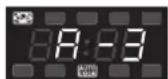
Auto reheat – Vegetables – Fish – Meat – Pasta – Potato – Pizza – Soup/Coffee, the display will show A-1, ..., A-8.
- Press ⊕ or ⊖ to select the weight of the food to be cooked. The display will show Mr . 9
The weight or capacity can be increased by pressing ⊕ or ⊖.
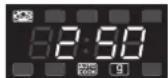
- Press Start to start cooking. You will hear a beep and the cooking program will start to operate. 9, or Will light and the symbols and together with the remaining cooking time will flash.
Automatic menu table
| Menu | Number of pressings | Weight | Display |
| A-1Automaticreheat | 1 | 200 g | 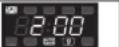 |
| 400 g | 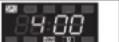 | ||
| 600 g | 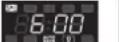 | ||
| A-2Vegetables | 2 | 200 g | 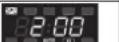 |
| 300 g | 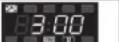 | ||
| 400 g | 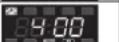 | ||
| A-3Fish | 3 | 250 g | 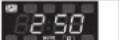 |
| 350 g | 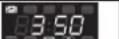 | ||
| 450 g | 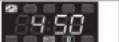 | ||
| A-4Meat | 4 | 250 g | 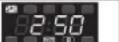 |
| 350 g | 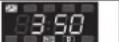 | ||
| 450 g | 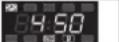 | ||
| A-5Pasta | 5 | 50 g | 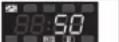 |
| 100 g | 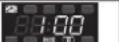 | ||
| A-6Potato | 6 | 200 g | 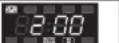 |
| 400 g | 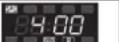 | ||
| 600 g | 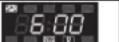 | ||
| A-7Pizza | 7 | 200 g | 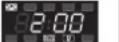 |
| 400 g | 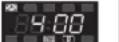 | ||
| 600 g | 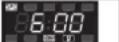 | ||
| A-8Soup | 8 | 200 ml | 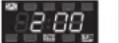 |
| 400 ml | 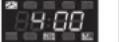 |
CHECKING THE MODE
While cooking using the Microwave/Grill /Combi. mode, press the Microwave/Grill /Combi. button, the current microwave power will appear on the display for 4 seconds. After 4 seconds the indicators will return to the previous state.
SETTING THE PROGRAM AT A GIVEN TIME
- Set the clock (see Setting the clock.)
- Enter a cooking program (see: Microwave cooking).
You can set up to 3 stages. The defrosting program should always be set as the first one.
- Press the Clock/Pre-Set button, the digits of the hour will start to flash and the clock control lamp will appear on the display.
- Press ⊕ or ⊕ to set the hour. You can select digits from 0 to 23.
- Press the Clock/Pre-Set button, the digits will start to flash.
- Press ⊕ or ⓣ to set the minutes. You can select digits from 0 to 59.
- Press Start to finish setting. The clock control lamp Ⓗ will start to
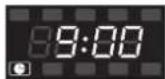
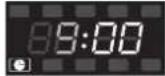
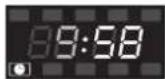
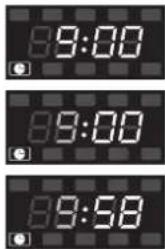
flash. If the door is closed, after the set time is reached, you will hear two beeps, the cooking will start automatically, the clock control lamp will light out and the cooking control lamps will light: and e.g.
MULTI STAGE COOKING
You can set up to 3 cooking stages. In case of multi stage cooking, if defrosting is one of the cooking stages, the defrosting program will be automatically turned on as the first one. After a stage is finished, you will hear a beep and the next stage will start.
Notice: Automatic cooking cannot be one of the programs of multi stage cooking.
EXAMPLE: To set the cooking for 10 minutes at 100% microwave power and for 15 minutes at 80% microwave power do the following:
- Press the Microwave/Grill /Combi. button to select 100% microwave power – P100.
- Press ⊕ or ⊕ to set the cooking time for 10 minutes.
- Press the Microwave/Grill /Combi. button twice to set the microwave power at 80% – P80. The display will show P80 and the symbols 🎨 and 😊
- Press ⊕ or ⊕ to set the cooking time for 12 minutes.
- Press Start to start cooking.
Each time a mode ends you will hear a beep which indicates the end of operation.
MICROWAVE OVEN TYPE 29Z013
| Rated voltage: 230-240 V~50 HzEnergy consumption: 1200-1250 W-Microwaves;950-1000 W-GrillRated input power (microwaves) 800 W | Microwave frequency: 2450 MHzCapacity: 23Turntable: ∅ 270 mm | External dimensions. (H x W x D.) 287 mm x 485 mm x 390 mmInternal dimensions. (H x W x D.) 221 mm x 314 mm x 347 mmNet weight : about 13.3 kg |


Display: indicators – signalling


Weight in grams
Capacity in ml
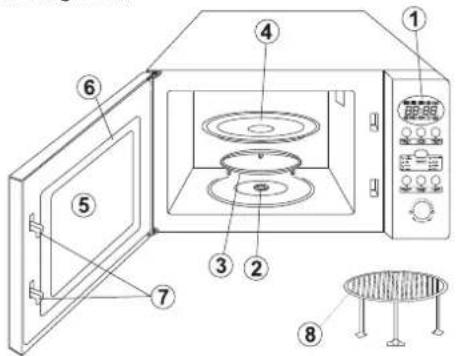
- Control panel
- Turntable shaft
- Turntable ring assembly
- Glass tray
- Window
- Door
- Safety block – cuts off power if door is opened during operation
- Metal gridiron
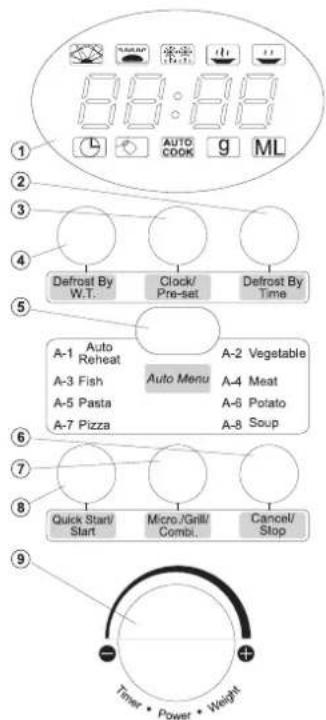
CONTROL PANEL
- Display: clock + indicators
- Defrost By Time
- Clock/Pre-Set
- Defrost By W.T. (Defrost by weight)
- Auto Menu
A-1: Auto Reheat
A-2: Vegetable
A-3: Fish
A-4: Meat
A-5: Pasta
A-6: Potato
A-7: Pizza
A-8: Soup - Cancel/Stop
- Micro./Grill/Combi.
- Quick Start/Start
- Knob:
- value increase towards the symbol +, clockwise
- value decrease towards the symbol ⚡, clockwise
SETTING THE CLOCK
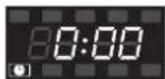
After plugging the microwave oven you will see "0:00" on the display and you will hear a single beep.
- Press the Clock/Pre-Set button, the hour digits will start to fl ash and the clock control lamp will light on the display.
- Turn the knob to set the hour. You can set the digits from 0 to 23 by turning the knob towards + or from 23 to 0 by turning the knob towards - The display will show digits from 0 to 23 or from 23 to 0.
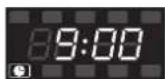
- Press the Clock/Pre-Set button, the minute digits will begin to flash.
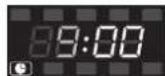
- Turn the knob towards + or - to set the minutes. You can set the digits from 0-59 and from 59-0. The display will show digits from 1 to 59 or from 59 to 1.
- Press the Clock/Pre-Set button to finish setting the time. The clock control lamp will light out. The ":" symbol will light and the time will appear on the display.
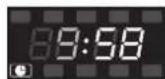
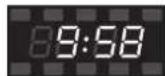
MICROWAVE COOKING
- Press the Micro./Grill/Combi. Button to select the required microwave power. "P100" will appear on the display. The and control lamps will light.
- To select other required microwave power e.g. P80 keep turning the knob towards + or - until the display will show P80 and the symbol.
- Press the Micro./Grill/Combi. button and turn the knob towards or to set the cooking time. The cooking time can be set from 0:05 and increased by turning the knob towards or decreased by turning it towards Start to decrease the cooking time from the value 95:00. The maximum cooking time is 95 minutes.
- Press the QuickStart/Start button to start cooking.
EXAMPLE: In order to set the cooking time for 20 minutes at 80% microwave power do the following:
-
Press the Micro./Grill/ Combi. button. The display will show P100 and the symbols 📋 and 🌐
-
In order to set the required microwave power P80 keep turning the knob towards + or - until the display shows P80 and the symbols and .
-
Press the Micro./Grill/Combi. button and turn the knob towards + or - to set the time for 20 min. The set time will appear on the display.
-
Press the QuickStart/Start button to start cooking.
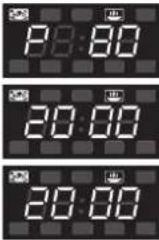
Microwave power table
| Power | Very high | High | Medium Low | Very low | |
| Display | P100 | P80 | P50 | P30 | P10 |
Notice:
The number of seconds/ minutes by which the time setting can be changed with the given time value is indicated in the table on the right.
| 0 – 1 minute | every 5 seconds |
| 1 – 5 minutes | every 10 seconds |
| 5 – 10 minutes | every 30 seconds |
| 10 – 30 minutes | every minute |
| 30 – 95 minutes | every 5 minutes |
WARNING: Do not use the gridiron for microwave cooking! Always take out the gridiron from the inside of the oven before microwave cooking.
GRILL
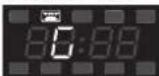
- Press the Micro./Grill/Combi. button. The display will show P100.
- In order to select the required grill mode G, keep turning the knob towards + or - until the display will show G and the symbol 📄
- Press the Micro./Grill/Combi. button and turn the knob towards + or - to set the grilling time. The grilling time can be set from 0:05. It can be increased towards + or decreased towards . -he grilling time can be decreased from the value 95:00. The maximum grilling time is 95 minutes.
- Press the QuickStart/Start to start grilling. You will hear a beep and the grilling program will start to operate. The display will show the symbol 📄 and the remaining grilling time.
Attention: When the half of grilling time is over, the cooker shall stop and you shall hear double sound signal. It is normal. When it happens, please turn the food. In case you do not perform any activity within 1 minute, the cooker shall be switched on again and you will hear one sound signal.
COMBINATION MODE (MICROWAVES + GRILL)
- Press the Micro./Grill/Combi. button. The display will show P100.
- To select the required mode turn the knob towards + or -The display will show the following: P80, P50, P30, P10, G, C-1, C-2 and the symbols 📋 and 🌐
C-1 = 55% of the time – microwave cooking 45% of the time – grilling
C-2 = 30% of the time - microwave cooking
70% of the time - grilling
- After selecting the appropriate mode press the Micro./Grill/Combi. button and turn the knob towards + or - to set the cooking time. The
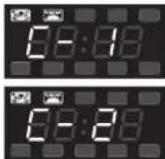
cooking time can be set from 0:05 and increased by turning the knob towards or decreased by turning it towards Start to decrease the cooking time from the value 95:00. The maximum cooking time is 95 minutes.
- Press the QuickStart/Start button to start cooking. You will hear a beep and the cooking program will start to operate. The symbols 📄 and 📞 will flash on the display.
WARNING: When the appliance is operated in the combination mode, children should only use the oven under adult supervision due to the high temperatures generated.
START - (Quick start)
If the oven is in the stand-by mode, press QuickStart/Start, to start cooking for 1 minute at full power. Each time you press the button the cooking time will be prolonged for one minute. The maximum cooking time is 95 minutes.
SETTING THE PROGRAM AT A GIVEN TIME
- Set the clock (see Setting the clock.)
- Enter a cooking program (see: Microwave cooking). You can set up to 3 stages. The defrosting program should always be set as the first one.
- Press the Clock/Pre-Set button, the digits of the hour will start to flash and the display will show the clock control lamp ☐.
- Turn the knob towards + or - to set the time. You can select digits from 0-23 - direction for 23-0 - direction
- Press the Clock/Pre-Set button, the digits of the minutes will start to flash.
- Turn the knob + or - to set the minutes. You can select digits from 0 to 59 - direction + or from 59 to 0 - direction -
- Press the QuickStart/Start button to finish setting the time. The clock control lamp will start to flash. If the door is closed, after the set time is reached, you will hear two beeps, the cooking will start automatically, the clock control lamp will light out and the cooking control lamps will light: and e.g.
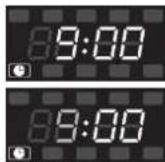
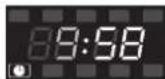
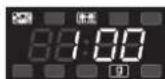
DEFROSTING BY WEIGHT
- Press the Defrost By W.T. button. The display will show dEF1 and the control lamps and will light.
- Turn the knob towards + or - to set the weight of the food to be defrosted. The display will show the letter g. The display will show 100-200...1900-2000 (or in reverse order) – direction
- Press the QuickStart/Start to start defrosting. You will hear a beep and the defrosting program will start to operate. The symbols 📋 and the remaining defrosting time will flash on the display.
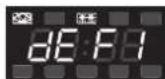
DEFROSTING BY TIME
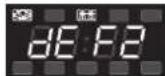
- Press the Defrost By Time button. The display will show dEF2 and the control lamps and will light.
- Turn the knob towards + or - to set the defrosting time. The defrosting time can be set from 0:05. It can be increased by turning the knob towards + and decreased by turning the knob towards . Start to decrease the time from the value 95:00. The maximum defrosting time is 95 minutes.
- Press the QuickStart/Start button to start defrosting. The control lamps 📋 and 📌 will light.
CHECKING THE MODE
While cooking using the Microwave/Grill /Combi. mode, press the Microwave/Grill /Combi. button, the current microwave power will appear on the display for 4 seconds. Press the Clock/Pre-set button to display the current time. After 4 seconds the indicators will return to the previous state.
AUTOMATIC MENU
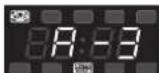
- Press Auto menu several times to select the cooking menu. The control lamps and will appear on the display. The menu can be selected according to the table below in the following way:
Turn the knob to select: Automatic reheat – Vegetables – Fish – Meat – Pasta – Potato – Pizza – Soup/Coffee, the display will show A-1, ..., A-8.
-
After selecting the menu confirm by pressing the Auto menu button.
-
Turn the knob towards + or - to select the weight of the food to be cooked. The display will show ML or .9The weight or value can be increased by turning the knob towards + or decreased by turning it towards -
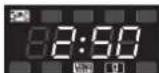
- Press the QuickStart/Start button to start cooking. You will hear a beep and the cooking program will start to operate. Mind will light and the display will show the symbols and and the remaining cooking time.
Automatic menu table
| Menu Weight Display | ||
| A-1Automaticreheat | 200 g | |
| 400 g | ||
| 600 g | ||
| A-2Vegetables | 200 g | |
| 300 g | ||
| 400 g | ||
| A-3Fish | 250 g | |
| 350 g | ||
| 450 g | ||
| A-4Meat | 250 g | |
| 350 g | ||
| 450 g | ||
| A-5Pasta | 50 g | |
| 100 g | ||
| A-6Potato | 200 g | |
| 400 g | ||
| 600 g | ||
| A-7Pizza | 200 g | |
| 400 g | ||
| A-8Soup | 200 ml | |
| 400 ml | ||
MULTI STAGE COOKING
You can set up to 3 cooking stages. In case of multi stage cooking, if defrosting is one of the cooking stages, the defrosting program will be automatically switched on as the first one. After a stage is finished, you will hear a beep and the next stage will start.
Notice: Automatic cooking cannot be one of the programs of multi stage cooking.
EXAMPLE: To set the cooking for 10 minutes at 100% microwave power and for 15 minutes at 80% microwave power do the following:
- Press the Micro./Grill /Combi. twice to select 100% microwave power - P100.
- Turn the knob towards + or 📋 set the cooking time for 10 minutes and confirm by pressing the Micro./Grill /Combi. button. The display will show "P100" and the symbols and .
- Turn the knob towards + or -o set 80% microwave power – P80 and confirm by pressing the Micro./Grill /Combi. button.
- Turn the knob towards + or - to set the cooking time for 15 minutes and confirm by pressing the Micro./Grill /Combi. button.
- Press the QuickStart/Start button to start cooking.
Each time a mode ends you will hear a beep which indicates the end of operation.
NORM REQUIREMENTS
ZELMER microwave oven fulfills the requirements of the following norms:
The appliance is in conformity with the requirements of the directives:
Low voltage appliance (LVD) - 2006/95/EC. -
Electromagnetic compatibility (EMC) - 2004/108/EC.
The appliance was marked by the CE sign on the rating label.
ECOLOGY - ENVIRONMENTAL PROTECTION
Each user can contribute to protect the environment. It is neither difficult nor expensive.
In order to do so:
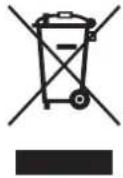
Return cardboard packages to recycling points. Throw polyethylene (PE) bags to appropriate containers. Return a worn out appliance to an appropriate collecting point as the components of the appliance may pose a threat to the environment.
Do not dispose of with household waste!!!
The manufacturer/importer does not accept any liability for any damages resulting from unintended use or improper handling.
The manufacturer/importer reserves his rights to modify the product any time in order to adjust it to law regulations, norms, directives, or due to construction, trade, aesthetic or other reasons, without notifying in advance.
- INSTRUKCJE DOTYCZĄCE UZIEMIENIA
- USTAWIENIE ZEGARA (Clock/Pre-Set)
- NASTAVENÍ HODIN (Clock/Pre-Set)
- NASTAVOVANIE HODÍN (Clock/Pre-Set)
- RIADIACI PANEL
- VEZÉRLŐTÁBLA
- ÓRA BEÁLLÍTÁS (Clock/Pre-Set)
- INSTRUCTIUNI PRIVIND İMPÄMÂNTAREA
- REGLAREA CEASULUI
- PANOU DE COMANDĂ
- УСТАНОВКА ВРЕМЕНИ
- НАСТРОЙКА НА ЧАСОВНИКА
- ПАНЕЛЬ УПРАВЛІННЯ
- НАЛАШТУВАННЯ ГОДИННИКА (Clock/Pre-Set)
- PRECAUTIONS TO AVOID POSSIBLE EXPOSURE TO EXCESSIVE MICROWAVE ENERGY
- Table of contents:
- MICROWAVE OVEN Type 29Z012 65
- MICROWAVE OVEN Type 29Z013 67
- IMPORTANT SAFETY INSTRUCTIONS
- Utensil test:
- INSTALLATION
- GROUNDING INSTRUCTIONS
- RADIO INTERFERENCE
- CLEANING AND MAINTAINENECE
- PROTECTIVE FUNCTIONS
- Extended fan operation
- Inside light automatic switch off
- CHILD LOCK – security against child access
- KITCHEN UTENSILS-TIPS
- BEFORE YOU CONTACT THE SERVICE CENTER
- Normal situation:
- If the oven does not work:
- TURNTABLE INSTALLATION
- MICROVAVE OVEN FEATURES:
- CONTROL PANEL
- SETTING THE CLOCK
- MICROWAVE COOKING
- Notice:
- GRILL
- COMBINATION MODE (MICROWAVES + GRILL)
- DEFROSTING BY WEIGHT
- DEFROSTING BY TIME
- QUICK START
- AUTOMATIC MENU
- CHECKING THE MODE
- SETTING THE PROGRAM AT A GIVEN TIME
- MULTI STAGE COOKING
- START - (Quick start)
- NORM REQUIREMENTS
- ECOLOGY - ENVIRONMENTAL PROTECTION
Brand : Zelmer
Model : 29Z013
Category : Microwaves