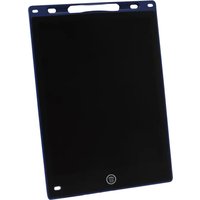
WP10 LCD - Whiteboard and accessories Genie - Free user manual and instructions
Find the device manual for free WP10 LCD Genie in PDF.


| Product type | LCD whiteboard |
| Brand | Genie |
| Model | WP10 LCD |
| Dimensions | 251 x 172 x 5 mm |
| Weight | 113 g |
| Power supply | 1 CR2025 battery (3V) |
| Main functions | Paperless writing and drawing, content lock, button erase |
| Screen lock | LOCK switch to prevent accidental erasure |
| Erasure | ERASE button (requires unlocking) |
| Included stylus | Yes, 1 ballpoint pen |
| Package contents | 1 LCD whiteboard, 1 stylus, 1 CR2025 battery (pre-installed), 1 manual |
| Usage | Indoor only, non-professional |
| Cleaning | Slightly damp lint-free cloth, no chemicals |
| Battery replacement | Battery compartment with screw, replace only with CR2025 |
| Safety instructions | Keep out of reach of children, do not use sharp objects, handle batteries according to instructions |
| Manufacturer | GO Europe GmbH, Zum Kraftwerk 1, 45527 Hattingen, Germany |
| Certification | CE |
Frequently Asked Questions - WP10 LCD Genie
User questions about WP10 LCD Genie
0 question about this device. Answer the ones you know or ask your own.
Ask a new question about this device
Download the instructions for your Whiteboard and accessories in PDF format for free! Find your manual WP10 LCD - Genie and take your electronic device back in hand. On this page are published all the documents necessary for the use of your device. WP10 LCD by Genie.
USER MANUAL WP10 LCD Genie
EN LCD writing tablet
GO Europe GmbH
Zum Kraftwerk 1
45527 Hattingen
Germany
www.go-europe.com
V 1.16
12/2025
ID: 12450
Fragen und Service
Lieber Kunde,
Room 201, Building B, Gushu Hongwan Co., Ltd.
Sanwei Community, Hangcheng Street, Baoan District, Shenzen
Dear customer, We are delighted that you have chosen this equipment. In the case of a defect, please return the device together with the receipt and original packing material to the point of sale.
Intended use
The LCD writing tablet is only suitable for paperless writing/drawing. Any other use or modification is considered improper and poses significant risks of accidents.
Table of contents
Warranty 6
Intended use....6
Important safety instructions....6
Scope of delivery 7
Product overview 7
Usage 8
Replace batteries 8
Cleaning 8
Notes on disposal....8
Technical data....9
Battery information 9
Technical changes 9
Declaration of Conformity....9
Manufacturer 9
Important safety instructions

Danger! Choking hazard due to small parts, packaging materials and protective film! Keep children away from the product and its packaging.

Caution! There are various dangers when handling batteries/rechargeable batteries.
- Never attempt to recharge non-rechargeable batteries, do not short-circuit batteries/rechargeable batteries and/or do not open batteries/rechargeable batteries. Overheating, fire hazard or bursting can be the result.
- Improper handling of batteries/rechargeable batteries can endanger your health and the environment. Batteries/rechargeable batteries may contain toxic and environmentally harmful heavy metals (Cd = cadmium, Hg = mercury, Pb = lead). Separate disposal and recycling of used batteries is therefore essential for the environment and health.
- The connection terminals must not be short-circuited.
- Never dispose of batteries/rechargeable batteries in fire or water.
- Do not expose batteries/rechargeable batteries to mechanical stress.
- Leaking batteries/rechargeable batteries can damage the appliance. If the battery/batteries leak, remove them from the appliance immediately to prevent damage. Be particularly careful when handling damaged or leaking batteries/rechargeable batteries and use protective gloves.
-
Avoid contact with skin, eyes and mucous membranes. In the event of contact with battery acid, rinse the affected areas immediately with plenty of clean water and consult a doctor immediately. Avoid extreme conditions and temperatures that can affect the battery/rechargeable battery, e.g. on radiators or in direct sunlight.
-
Only use the specified battery type/rechargeable battery type.
- Different types of batteries/rechargeable batteries or new and used batteries/rechargeable batteries must not be used together.
- Batteries/rechargeable batteries must be inserted with the correct polarity.
-
Switch off the device and remove the batteries/rechargeable batteries if you are not using the device for a longer period of time.
-
Empty batteries/rechargeable batteries must be removed from the device and disposed of safely.
- The batteries/rechargeable batteries must be removed before disposing of the device.
- You are legally obliged to dispose of batteries/rechargeable batteries at your dealer or via the collection points provided by the responsible waste disposal organisation.
Instructions for use

Please read these operating instructions before using the device. Keep these operating instructions for future reference. Hand over all documents when passing the product on to third parties.
- Protect the product from direct sunlight, naked flames, heat sources, moisture, humidity and dust.
- The product is not intended for commercial use.
- The product may only be used indoors.
- Empty the collection container at regular intervals, otherwise it may result in a paper jam.
Scope of delivery
Check the packaging contents before operating the device. If anything is missing or damaged, do not operate the device under any circumstances. Contact our service team.
1 LCD writing tablet 1 stylus pen
1 x 3V CR2025 battery (included) 1 Operating instructions
Product overview

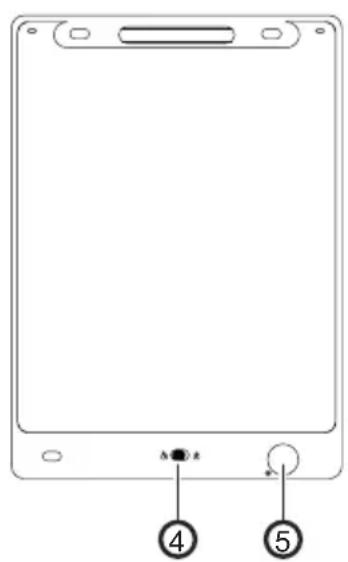
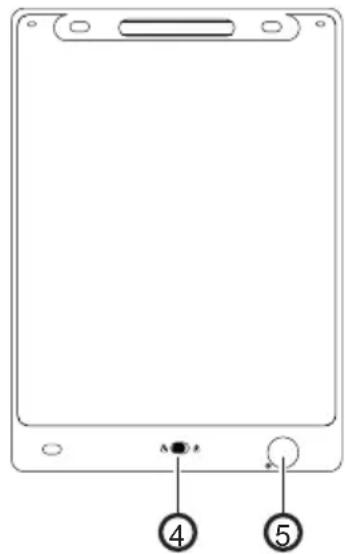
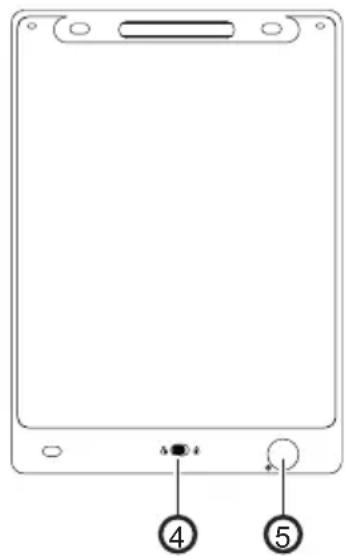
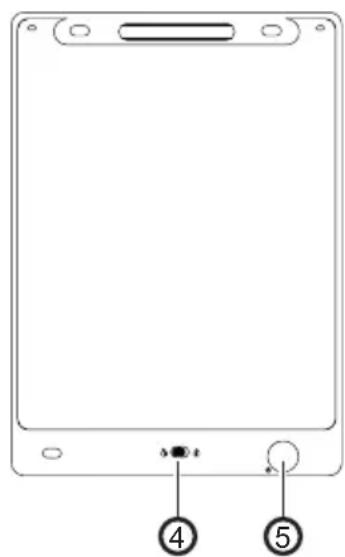
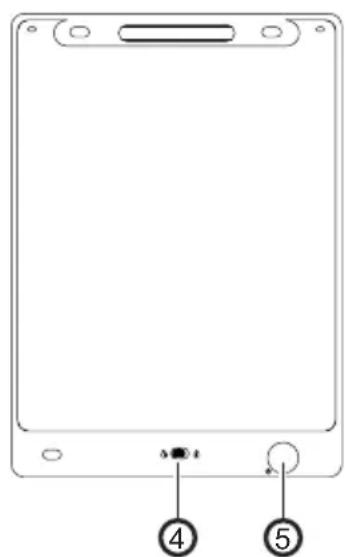
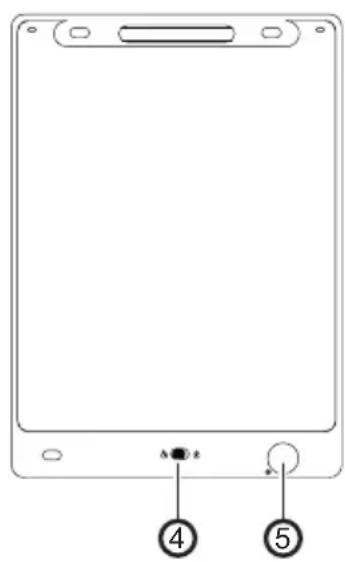
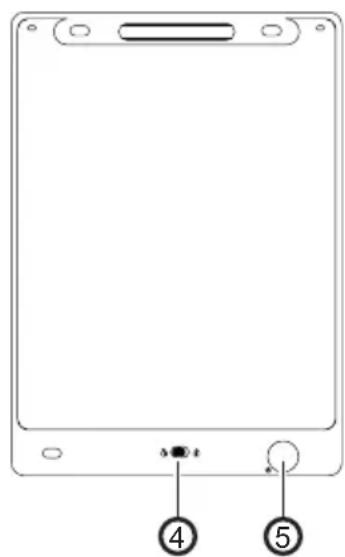
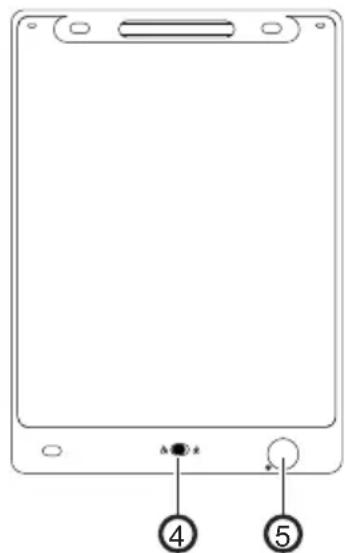
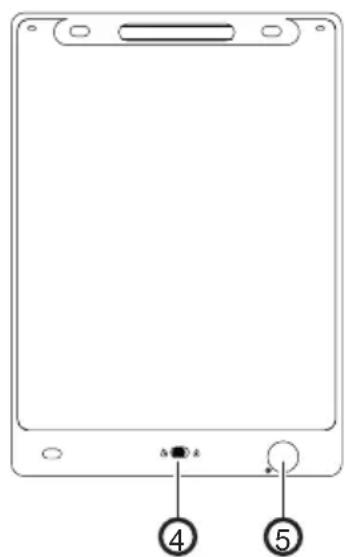
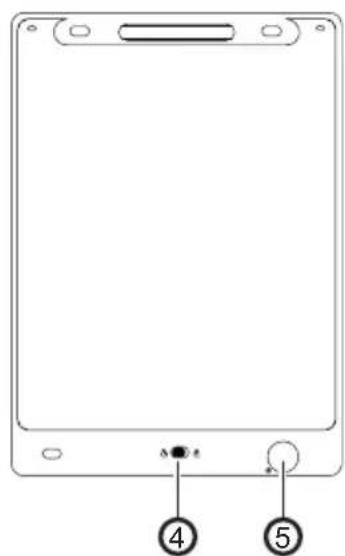
1 LCD screen 4 LOCK switch
2 stylus pen 5 Battery compartment
3 DELETE button
Usage
1 Take the stylus pen from the LCD writing tablet and use it to write down the desired content on the LCD screen.
Note: Do not use sharp or pointed objects to write on the LCD writing tablet.
2 Lock the noted contents with the LOCK switch to prevent accidental deletion.
3 Press the DELETE button to delete the recorded content.
Note: The LCD writing tablet must be unlocked in order to be erased.
Replace batteries
1 Loosen the screw on the battery compartment.
2 Remove the battery compartment from the device.
3 Replace the battery. Only use CR2025 (3V) batteries.
4 Reinsert the battery compartment into the device.
5 Reinsert the screw and tighten it.
Cleaning
Use a slightly damp, lint-free cloth to clean the housing surface. Do not use any cleaning agents or solvents.
Notes on disposal

Find out about the options for taking back old appliances free of charge from your dealer.

The packaging is made from environmentally friendly materials that can be disposed of at local recycling centres. Ask your local authority about the options for correct disposal.

Observe the labelling of the packaging material when separating waste; these are marked with abbreviations (b) and numbers (a) with the following meaning: 1–7: Plastics / 20-22: Paper and cardboard / 80-98: Composite materials.
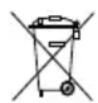
Defective or used batteries must be recycled in accordance with Directive 2006/66/EC and its amendments. Return batteries and/or the device to the collection facilities provided.
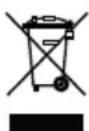
The adjacent symbol means that old electrical and electronic appliances must be disposed of separately from household waste in accordance with legal regulations. Dispose of your appliance at the collection point of your municipal waste disposal organisation.
Technical data
Battery CR2025 3V
Dimensions 251 x 172 x 5 mm
Weight 113 g

Only use the product indoors.
Battery information
Liyuan Battery Technology (Shenzen) Co., Ltd.
Room 201, Building B, Gushu Hongwan Co., Ltd.
Sanwei Community, Hangcheng Street, Baoan District, Shenzen
Technical changes
These operating instructions are for information purposes only. Their content is not the subject matter of the contract. All data shown are only nominal values. The equipment and options described may vary depending on the country-specific requirements.
Declaration of Conformity

The CE mark on the device confirms conformity. The Declaration of Conformity can be found at: www.go-europe.com
Manufacturer
GO Europe GmbH | Zum Kraftwerk 1 | 45527 Hattingen, Germany www.go-europe.com | service@go-europe.com
FR
Garantie
Cher client,
Room 201, Building B, Gushu Hongwan Co., Ltd.
Sanwei Community, Hangcheng Street, Baoan District, Shenzen
Modifications techniques
Room 201, Building B, Gushu Hongwan Co., Ltd.
Sanwei Community, Hangcheng Street, Baoan District, Shenzen
Modifiche tecniche
Room 201, Building B, Gushu Hongwan Co., Ltd.
Sanwei Community, Hangcheng Street, Baoan District, Shenzen
Cambios técnicos
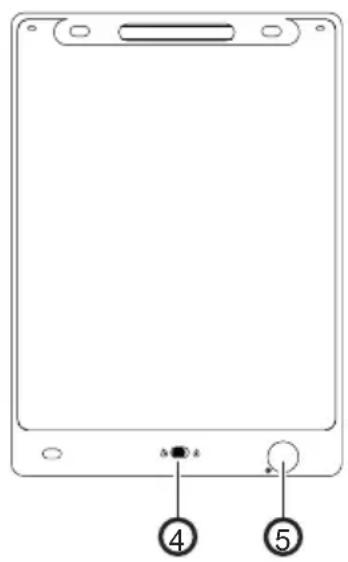
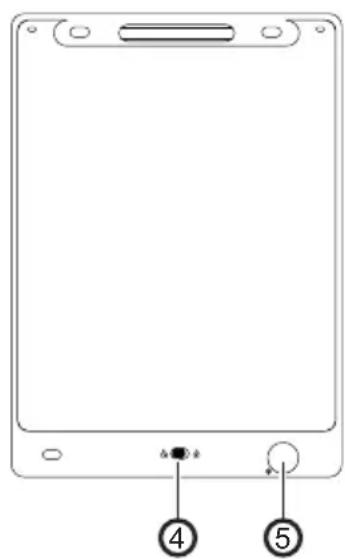
1 LCD-scherm 4 Schakelaar VERGRENDELEN
2 Stylus pen 5 Batterijvak
3 Knop WISSEN
Gebruik
Room 201, Building B, Gushu Hongwan Co., Ltd.
Sanwei Community, Hangcheng Street, Baoan District, Shenzen
Room 201, Building B, Gushu Hongwan Co., Ltd.
Sanwei Community, Hangcheng Street, Baoan District, Shenzen
Zmiany techniczne
natural_image
Front view of a tablet device with labeled buttons (no text or symbols beyond numbers)1 LCD zaslon 4 Prekidač LOCK
2 Stiliz 5 Ležište baterije
3 Gumb DELETE
Upotrebljavati
1 Uzmite olovku za stilus s LCD tableta za pisanje i njome napišite željeni sadržaj na LCD zaslonu.
Room 201, Building B, Gushu Hongwan Co., Ltd.
Sanwei Community, Hangcheng Street, Baoan District, Shenzen
Tehničke promjene
Ovaj priručnik služi u svrhu informiranja. Vaš sadržaj nije predmet ugovora. Svi navedeni podaci su samo nominalne vrijednosti. Opisana oprema i opcije mogu biti različite ovisno o specifičnim zahtjevima zemlje.
Izjava o sukladnosti

Room 201, Building B, Gushu Hongwan Co., Ltd.
Sanwei Community, Hangcheng Street, Baoan District, Shenzen
Technické změny
Room 201, Building B, Gushu Hongwan Co., Ltd.
Sanwei Community, Hangcheng Street, Baoan District, Shenzen
Alterações técnicas
natural_image
Front view of a tablet device with labeled buttons (no text or symbols on the body)Room 201, Building B, Gushu Hongwan Co., Ltd.
Sanwei Community, Hangcheng Street, Baoan District, Shenzen
Τεχνικές αλλαγές
Room 201, Building B, Gushu Hongwan Co., Ltd.
Sanwei Community, Hangcheng Street, Baoan District, Shenzen
natural_image
Front view of a tablet device with labeled buttons (no text or symbols beyond numbers).Room 201, Building B, Gushu Hongwan Co., Ltd
Sanwei Community, Hangcheng Street, Baoan District, Shenzen
تغيرات تقنية


- Fragen und Service
- Intended use
- Table of contents
- Important safety instructions
- Instructions for use
- Scope of delivery
- Product overview
- Usage
- Replace batteries
- Cleaning
- Notes on disposal
- Technical data
- Battery information
- Technical changes
- Declaration of Conformity
- Manufacturer
- FR
- Garantie
- Modifications techniques
- Modifiche tecniche
- Cambios técnicos
- Gebruik
- Zmiany techniczne
- Upotrebljavati
- Tehničke promjene
- Izjava o sukladnosti
- Technické změny
- Alterações técnicas
- Τεχνικές αλλαγές
- تغيرات تقنية
Brand : Genie
Model : WP10 LCD
Category : Whiteboard and accessories