AquaTrio Series 7000 XW7264 - Vacuum Cleaner PHILIPS - Free user manual and instructions
Find the device manual for free AquaTrio Series 7000 XW7264 PHILIPS in PDF.


| Brand | Philips |
| Model | AquaTrio Series 7000 XW7264 |
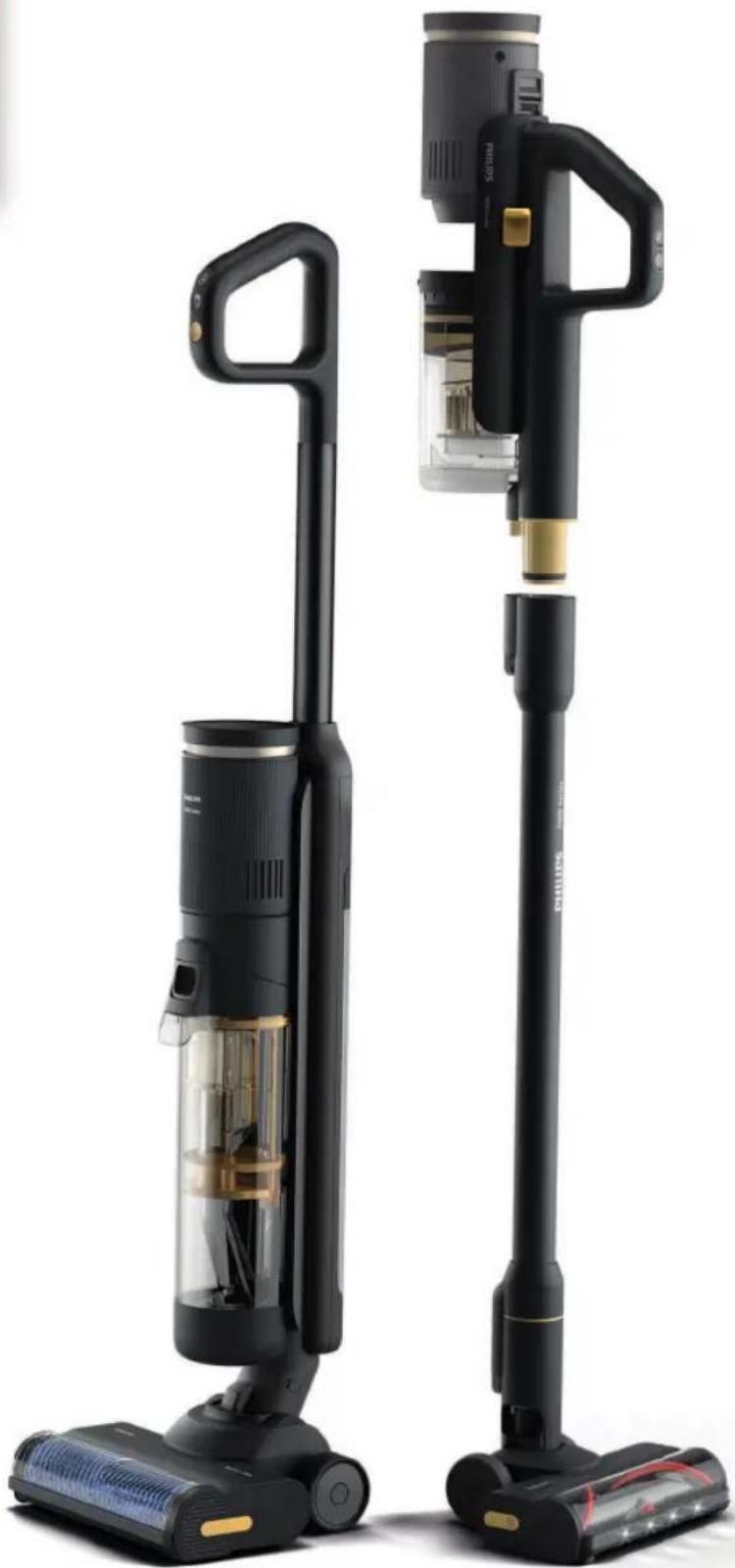
| Product type | 2-in-1 wet and dry stick vacuum cleaner (dry vacuum + wet vacuum) |
| Power supply | Li-Ion battery 25 V, charging time 4 h |
| Cleaning modes (wet vacuum cleaner) | Normal humidity, Intense humidity, Water absorption |
| Cleaning modes (dry vacuum cleaner) | Normal, Turbo (high power) |
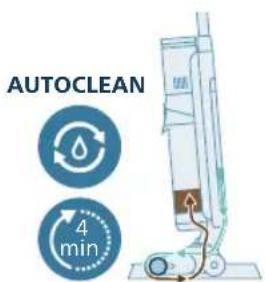
| AutoClean function | Automatic cleaning cycle of the appliance (duration ~4 min) |
| Main brush (washing) | AquaSpin brush with microfibre |
| Main brush (dry) | LED brush with rotating brush |
| Included accessories | Flat nozzle, 2-in-1 nozzle, mini Turbo brush, crevice tool, combination tool, post-cleaning station, post-cleaning tray, wall mount |
| Clean water tank capacity | 450 ml |
| Display indicators | Intense humidity mode, dust compartment full, AutoClean, battery, water absorption, blocked nozzle, error, dry turbo |
| Active protection system | Foreign object detection > automatic stop and flashing icon |
| Operating / charging temperature | 5 °C to 35 °C |
| Filter maintenance | Washable foam filter (at least once a month), drying 24 h |
| Recommended spare parts | Dry filter XV1771/10, wet filter XV1770/10, cleaning brush XV1773/10 |
| Repairability | Parts available at www.philips.com/parts-and-accessories |
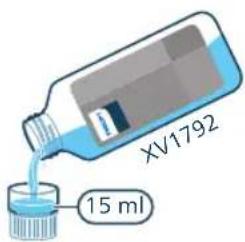
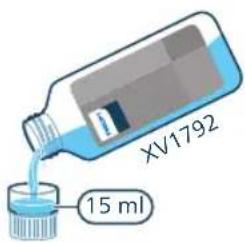
| Recommended floor cleaner | Philips XV1792 (15 ml per tank); other low-foam detergent: 10 ml max. |
Frequently Asked Questions - AquaTrio Series 7000 XW7264 PHILIPS
User questions about AquaTrio Series 7000 XW7264 PHILIPS
0 question about this device. Answer the ones you know or ask your own.
Ask a new question about this device
Download the instructions for your Vacuum Cleaner in PDF format for free! Find your manual AquaTrio Series 7000 XW7264 - PHILIPS and take your electronic device back in hand. On this page are published all the documents necessary for the use of your device. AquaTrio Series 7000 XW7264 by PHILIPS.
USER MANUAL AquaTrio Series 7000 XW7264 PHILIPS
XW6264, XW7263, XW7264
natural_image
Two black vacuum cleaner units with visible internal components and digital display, displayed against a white background (no text or symbols)-1
-1
1_
1
English 4
Čeština 50
Dansk 96
Deutsch 142
Eesti 191
Español 237
Français 284
Hrvatski 331
Italiano 377
Latviešu 424
Lietuviškai 470
Magyar 516
Nederlands 562
Norsk 609
Polski 655
Português 702
Română 748
Shqip 794
Slovenščina 840
Slovensky 885
Srpski 931
Suomi 977
Svenska 1023
Türkçe 1069
Ελληνικά 1115
Български 1164
Македонски 1212
Русский 1260
Українська 1308
Қазақша 1355
4 English
Contents
Overview 4
Introduction 5
General description 5
Before first use 5
Charging 9
Vacuuming and mopping hard floors 12
Vacuuming soft and hard floors 17
Cleaning the Vacuum & Mop set-up 23
Cleaning the Vacuum only set-up 30
Display icons and their meaning 38
Replacement 40
Troubleshooting 41
Overview
Introduction
Thanks for buying this Philips product! To fully benefit from the support that Philips offers, register your product at www.philips.com/myvacuum9000s.
General description
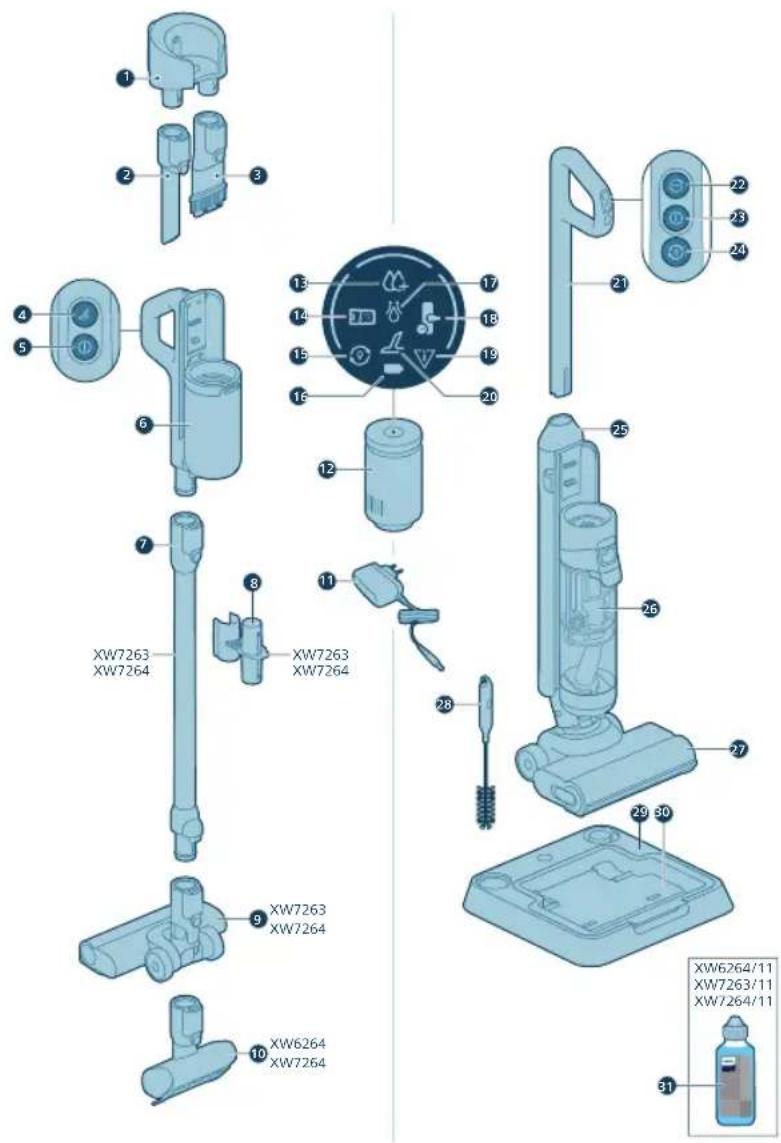
1 Wall mount
2 Crevice nozzle
3 2 in 1 nozzle
4 Turbo button of dry vacuum
5 On/off button of dry vacuum
6 Handle & dust bucket of dry vacuum
7 Extended tube
8 Accessory storage on tube
9 Vacuum nozzle
10 Motorized turbo brush
11 Adapter
12 Power house
13 Intense wet mode indicator
14 DWT full indicator
15 AutoClean indicator
16 Battery indicator
17 Water absorption indicator
18 Nozzle stuck indicator
19 Error indicator
20 Dry turbo indicator
21 Handle of wet vacuum
22 Suction mode change button
23 On/off button of wet vacuum
24 Auto clean button
25 Clean water tank
26 Dirty water tank
27 AquaSpin nozzle
28 Cleaning 2 in 1 brush
29 After-Clean & Storage station
30 After Clean tray
31 Detergent
Before first use
Assembling the After-Clean & Storage station
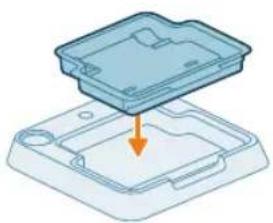
In order to use the AUTOCLEAN function or store and charge the appliance on the After-Clean & Storage station, you need to first assemble the station by clicking the appliance holder into the baseplate.
6 English
natural_image
3D diagram of a device with an orange arrow pointing to a component on a base (no text or symbols)i Note: Make sure that the After-Clean tray is placed in the baseplate and that the temperature in the room where the appliance is stored, charged and cleaned is between 5 °C and 35 °C.
Installing wall mount
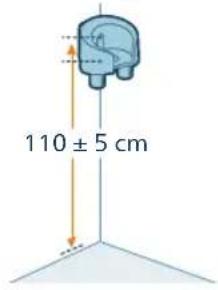
If you want to store and charge the Vacuum only set-up on the wall mount, fasten the wall mount to the wall with the screws supplied. Make sure the wall mount is 105 - 115 cm above the floor.
natural_image
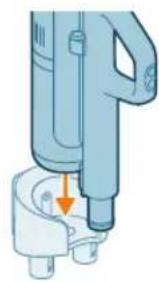
Mechanical component diagram showing a tool interacting with a base, no text or symbols presenti Note: It is not possible to store the Vacuum & Mop set-up on the wall-mount. It is only possible to store the Vacuum only set-up on the wall mount.
i Note: Make sure that the temperature in the room where the appliance is stored or charged is between 5 °C and 35 °C.
Caution: Be careful when you drill holes in the wall to fasten the wall mount, to avoid the risk of electric shock.
Assembling the Vacuum & Mop set-up
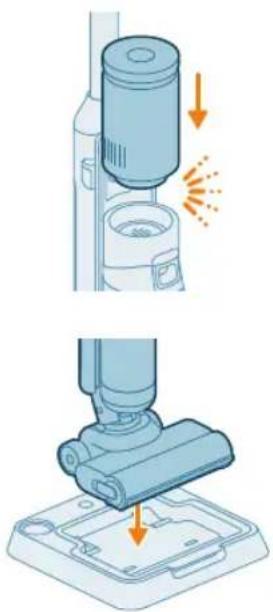
1 To assemble the appliance, insert the handle into the main body ('click').
natural_image
Illustration of a vacuum cleaner performing a step-by-step assembly (no text or symbols present)2 Insert the powerhouse in the wet module stick above the Dirty water tank (Click!).
3 To store the Vacuum & Mop set-up, you can place it in the After-Clean & Storage station.
Disassembling the handle
natural_image
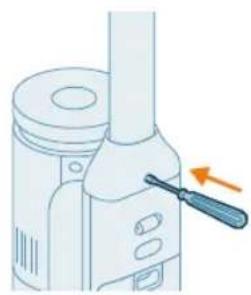
Illustration of a mechanical device with a screwdriver inserted, showing no text or symbolsIf you need to disassemble the appliance again, follow the steps below:
1 Insert a pin/flat screwdriver into the hole in the back of the appliance and pull up the handle.
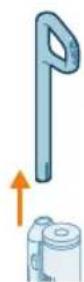
2 Pull the handle out of the appliance while continuing to push the screwdriver into the hole.
i Note: Please note that a small amount of clean water residue may be present inside the nozzle and tanks. This is a result of factory quality checks. Rest assured, the device is thoroughly clean and safe for use.
8 English
Installing the Vacuum only set up
natural_image
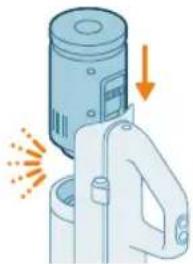
Illustration of a handwashing device with a downward arrow indicating heat or relief (no text or symbols)1 To assemble the vacuum-only set-up, slide the powerhouse in position below the handle (Click!).
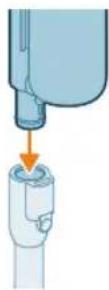
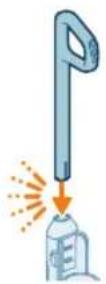
2 Attach the hand-held with bucket to the tube (Click).
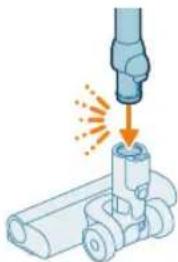
natural_image
Illustration of a mechanical component being welded with a tool, showing sparks and motion (no text or symbols)3 Insert the Tube into the LED nozzle.
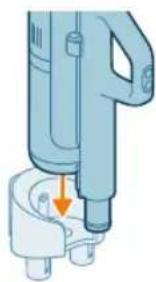
natural_image
Illustration of a handheld device with a downward arrow pointing to a small component (no text or symbols visible)4 To store your vacuum only set-up, place it in the wall mount. Slide the bucket into the wall mount for secure fit.
Removing and attaching the power house
Removing and attaching the powerhouse in Vacuum-only set-up
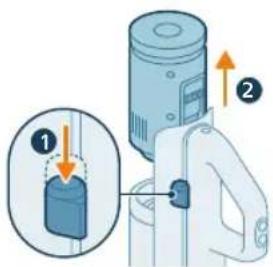
1 Press the button on the side of the handle.
2 While keeping the button pressed, slide out the powerhouse from the handheld.
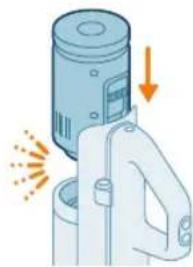
natural_image
Illustration of a mechanical device with a cylindrical component and directional arrows indicating motion (no text or symbols)3 To attach the powerhouse, simply slide it into position below the handle (click!). Make sure to align the connectors properly for a secure fit.
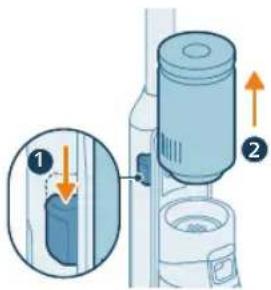
Removing and attaching the powerhouse in Vacuum & Mop set-up
1 Press the button on the side of the device.
2 While keeping the button pressed, slide out the powerhouse from over the dirty water tank.
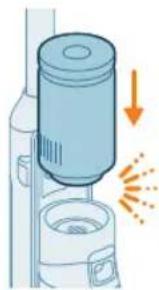
natural_image
Illustration of a spray gun with an orange downward arrow indicating light emission (no text or symbols)3 To attach the powerhouse, simply slide it into position (click!). Make sure to align the connectors properly for a secure fit.
Charging
Charging for the Vacuum & Mop set-up
The appliance is equipped with a 25 V Li-Ion battery. Charging takes 4 hours.
English
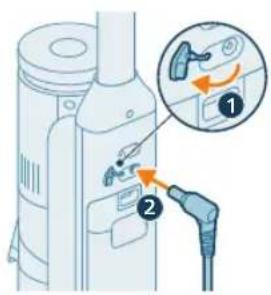
1 To charge the appliance, open the sealing cap on the back of the appliance.
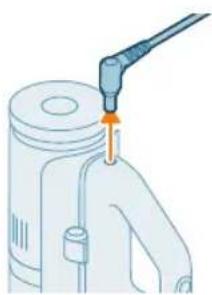
2 Insert the power plug into the socket on the back of the appliance.
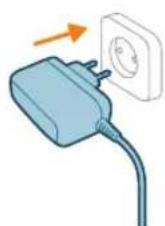
3 Insert the adapter in the wall socket

natural_image
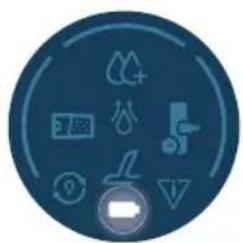
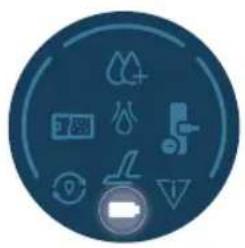
Circular icon set with white symbols including mountains, water, gear, and a starburst (no text or labels)4 The battery icon and circular segments will blink on screen to indicate that the appliance is charging.
natural_image
Circular icon with icons representing water, gas, water, and other symbols (no text or labels)5 When the appliance is fully charged, the battery icon and all circular segments will light up on screen. After a few minutes, the display will switch off.
natural_image
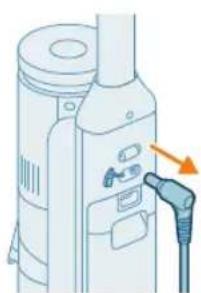
Illustration of a portable electronic device with a cable outlet and a power plug, no text or symbols present.6 Remove the power plug from the socket on the back of the appliance before using it to clean.
natural_image
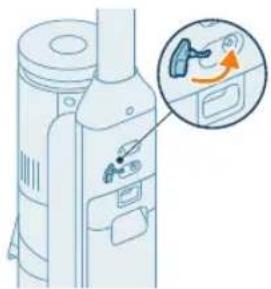
Diagram of a device with an inset showing a close-up of a device's internal components (no text or symbols present)7 Close the sealing cap.
Tip: You can charge the appliance in the After-Clean & Storage station.
Tip: You can charge the appliance separately in a place that suits you best.
Charging for the Vacuum only set-up
natural_image
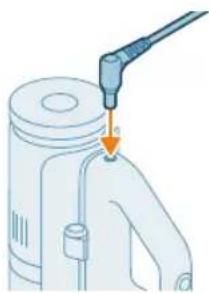
Illustration of a mechanical device with a tool inserted, showing a drop and a small component (no text or symbols)The appliance is equipped with a 25 V Li-Ion battery. Charging takes 4 hours.
1 To charge the appliance, insert the power plug into the socket on the back of the appliance.
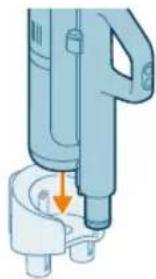
natural_image
Illustration of a handheld electric shaver with a downward arrow indicating compression (no text or symbols)2 Slide the handheld with bucket into the wall mount.
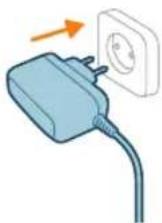
3 Insert the adapter in the wall socket
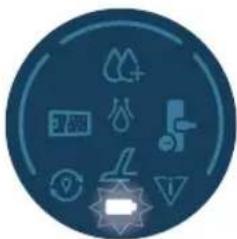
natural_image
Circular icon set with eight distinct symbols including trees, water, and gear (no text or labels)4 The battery icon and circular segments will blink on screen to indicate that the appliance is charging.
12 English
natural_image
Circular icon set with icons including water drop, flame, gear shift, and battery (no text or symbols)5 When the appliance is fully charged, the battery icon and all circular segments will light up on screen. After a few minutes, the display will switch off.
natural_image
Illustration of a mechanical device with a tool inserted, showing a pipe or port (no text or symbols)6 Remove the power plug from the socket on the back of the appliance before using it to clean.
Tip: You can charge the appliance iwhen it is attached to the wall mount.
Tip: You can charge the appliance separately in a place that suits you best.
Vacuuming and mopping hard floors
Using the appliance
The clean water tank and the dirty water tank are already attached to the appliance upon delivery. You can use the appliance to clean hard floors.
i Note: This appliance is suitable for vacuuming and mopping at the same time. It is not necessary to vacuum the floor before mopping. The appliance is suitable for vacuuming and mopping all types of hard floors, except uncoated wooden floors. You can test the appliance on a small area out of direct view, to make sure that the appliance is suitable for your floor.
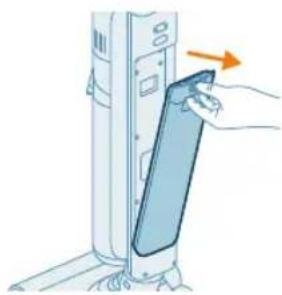
1 Push the button down to unlock the clean water tank and remove the clean water tank.
natural_image
Illustration of a hand inserting a card into a server tower (no text or symbols)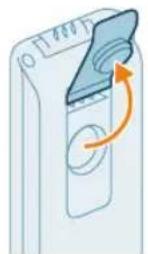
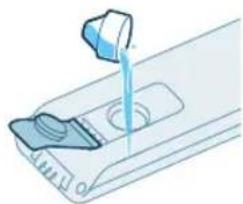
2 Open the cap on the clean water tank.
natural_image
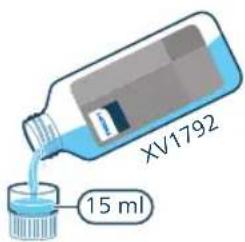
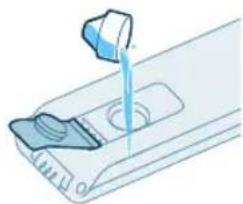
Illustration of a hand pouring liquid into a container with a side panel (no text or symbols)3 Add 15 ml of the XV1792 Philips Floor Cleaner to the clean water tank.
Caution: Philips has tested this appliance with XV1792 Philips Floor Cleaner. Other detergents may lead to excessive foaming, which reduces performance and may cause the appliance to malfunction. XV1792 Philips Floor Cleaner is available in selected markets. When using any other suitable liquid floor cleaner, add a maximum of 10 ml to the clean water tank.
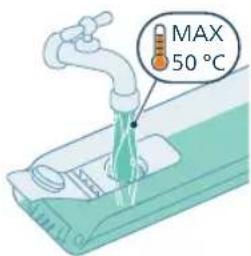
4 Fill the clean water tank up to the top with cold or lukewarm tap water.
Caution: The tap water that is poured into the clean water tank must not be warmer than 50°C.
natural_image
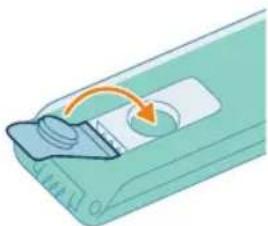
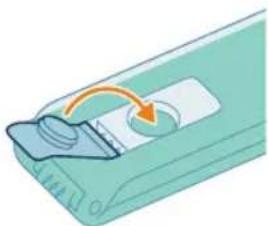
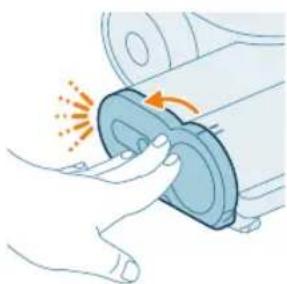
Illustration of a mechanical component with an arrow indicating rotation or movement (no text or symbols)5 Close the sealing cap of the water tank.
14
English
natural_image
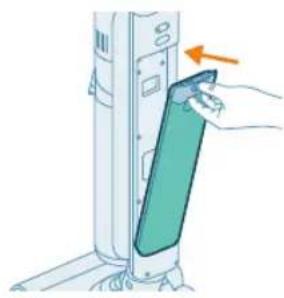
Illustration of a hand inserting a card into a server rack (no text or symbols visible)6 Place the clean water tank back into the appliance.
natural_image
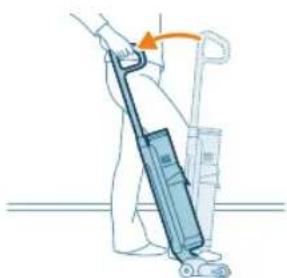
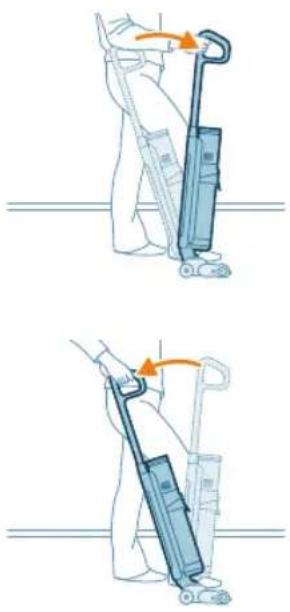
Illustration of a person using a vacuum cleaner to lift a cart (no text or symbols visible)7 Take the appliance out of the After-Clean & Storage station and place it on the floor. Put your foot on the AquaSpin nozzle and pull the handle backwards to unlock the AquaSpin nozzle. The appliance is now ready for use.
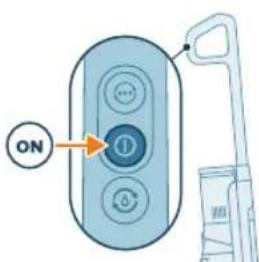
8 To switch on the appliance, press the on/off button.
i Note: The appliance will automatically switch on in the normal wet mode.
Caution: do not leave the appliance unattended when the AquaSpin nozzle is unlocked or when the appliance is switched on.
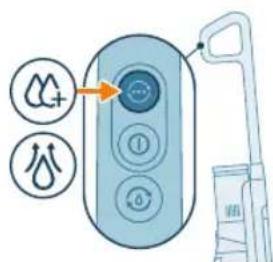
9 Use the mode change button to toggle between three different settings:
- Normal wet mode (automatically upon start up)
- Intense wet mode
- Water absorption mode
The normal wet mode is the default setting when the Vacuum & Mop appliance is switched on. You can use this mode for regular wet cleaning.
The intense wet mode ⚫is for cleaning extra stubborn stains.
If there are wet spots on the floor after cleaning, you can select water absorption mode to clean them up. We also recommend using it when lifting the appliance over a threshold, carpet or stairs.
If you select water absorption mode, the appliance will stop supplying water and increase suction power for 45 seconds to absorb remaining water on the floor.
When you are done using the appliance, switch it off by pressing the on/off button. The appliance will switch to water absorption mode for 6 seconds to clean up any water remaining in the nozzle.
i Note: The appliance can leave a small puddle of water on the floor if you do not move the appliance while switching it off. You can reduce the size of the puddle by moving the appliance while switching it off. If needed, you can remove the last drops with a cloth.
natural_image
Illustration of a person using a vacuum cleaner to lift a cart, showing two sequential motion steps (no text or symbols)i Note: Delay shut off time: After pressing the on/off button, the appliance will run for 6 seconds before completely switching off. This is normal. The extra 6 seconds is required to clean up any water remaining in the nozzle and on the floor
Pause function in Vacuum & Mop set-up
The appliance has a pause function.
During use, if handle is pushed forward and locked in the upright position, the device will go into stand-by mode and pause for 15 seconds.
To restart cleaning, put your foot on the aqua spin nozzle and pull the handle back within 15 seconds. The device will automatically resume cleaning.
i Note: The device will automatically switch off if there is no activity after 15 seconds of engaging the pause function. To restart the device after automatic switch off, simply press the on/off button.
Active protection system
- This appliance is equipped with an active protection system. This active protection system has been designed to recognize when a foreign object other than dirt or liquid is picked up from the floor.
- When the system is activated, the appliance switches off and the nozzle blocked error icon will start flashing on the display (see display icons and their meanings). The active protection system can also be activated when the micro-fiber brush is too wet, when you move the appliance over a carpet or a rug, or when you move it over flooring that is not properly affixed.
Tips and other important information
- It is not necessary to vacuum the floor before mopping, as the Vacuum & Mop set-up actively wet-cleans your hard floor to capture all kinds of dirt, including liquids and stains. On carpets and rugs, use the Vacuum only set-up.
- If your hard floors do not need mopping, simply use the vacuum only set-up which features LED lights and PowerCyclone 12 technology for precise and powerful dirt pick-up.
- You can move the appliance just as quickly as a vacuum cleaner. To remove difficult stains, click the cleaning mode button to activate the intense wet mode and move the appliance slowly over the stains.
- The appliance can leave a small puddle of water on the floor if you do not move the appliance while switching it off. You can reduce the size of the puddle by moving the appliance while switching it off. If needed, you can remove the last drops with a cloth.
- It is recommended to activate the water absorption mode when lifting the appliance over a threshold, carpet or stairs during cleaning. This will prevent dirty water from dripping out of the AquaSpin nozzle.
- When moving the appliance, it is recommended to stretch your arm to reduce unnecessary tension on the muscles. In this position, you have the best control over the appliance when cleaning, and it will be the most comfortable.
i Note: When you use the water absorption mode, no more water comes out of the appliance and the suction power increases. After 45 seconds, if you do not take any action, the appliance automatically switches back to normal wet mode.
i Note: Please note that a small amount of clean water residue may be present inside the nozzle and tanks. This is a result of factory quality checks. Rest assured, the device is thoroughly clean and safe for use.
Usage restrictions
- The Vacuum & Mop set-up is suitable for vacuuming and mopping all types of hard floors, except uncoated wooden floors.
- The Vacuum & Mop set-up is intended for regular cleaning of hard floors. Always follow the cleaning instructions for your hard floor when you use this appliance.
- If you want to add a liquid floor cleaner other than XV1792 Philips Floor Cleaner to the water in the clean water tank, make sure that you use a low-foaming or non-foaming liquid floor cleaner that can be diluted in water like XV1792 Philips Floor Cleaner.
- As the Clean water tank capacity has a capacity of 450ml, you only have to add a few drops (max 15ml) of liquid floor cleaner to the water.
- If you use the Vacuum & Mop set-up on linoleum floors, only do so on linoleum floors that are properly affixed to prevent linoleum from being drawn into the AquaSpin nozzle.
- Do not use the Vacuum & Mop set-up to clean carpets.
- If you move/lift the appliance over a carpet or rug when it is switched off, wastewater droplets may end up on your carpet or rug.
- Do not push the appliance over the floor grilles of convector heaters. As the appliance cannot pick up water that comes out of the nozzle when you move it over the grille, water ends up at the bottom of the convector pit.
- While cleaning, do not lift the AquaSpin nozzle from the floor or move the AquaSpin nozzle sideways, and do not make strong turns, as this leaves water traces. Only move forwards and backwards.
i Note: The operating time depends on the power level used during cleaning.
Vacuuming soft and hard floors
Using the Vacuum only set-up
natural_image
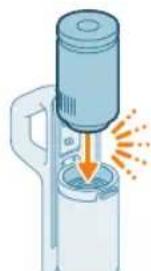
Illustration of a hand holding a cylindrical device with an arrow indicating motion or force (no text or symbols)1 To vacuum soft or hard floors, slide the powerhouse in position in the handheld (Click!).
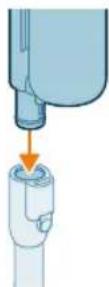
2 Connect the tube to the handheld (click)".

natural_image
Illustration of a hand using a tool to lift a cylindrical component, with no visible text or symbols.3 Insert the other end of the tube into the LED nozzle (click).
Caution: Make sure the filter case is inserted in the dust bucket before proceeding to clean.

4 To switch on the appliance, press the on/off button.
i The normal suction mode is the default setting when the Vacuum only appliance or the vacuum only handheld is switched on.
18
English
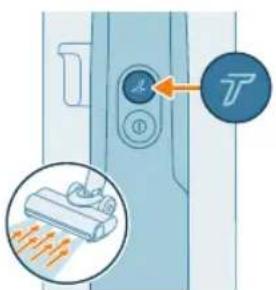
5 Use the Turbo button to switch to a higher suction power setting.
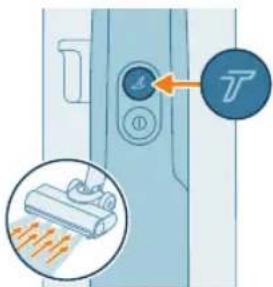
6 Press the Turbo button again to switch back to normal power setting.
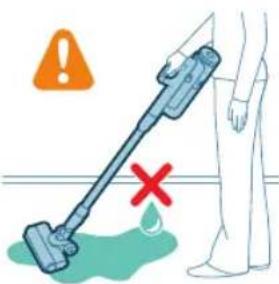
Tip: The LEDs in the LED nozzle make it easier to see dirt on the floor. The tube and LED nozzle allow you to reach under low furniture without the need to twist the appliance.
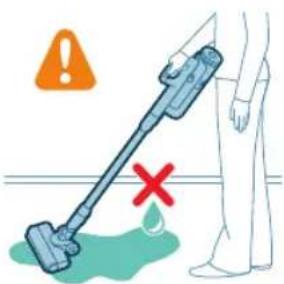
Warning: Do not vacuum up water or other liquids.
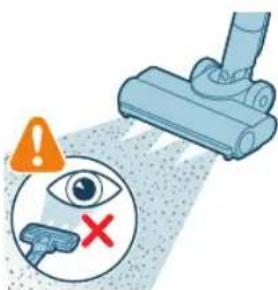
Caution: Do not look directly into the LEDs of the LED nozzle or point the LEDs at someone's eyes. The LED light is very bright.
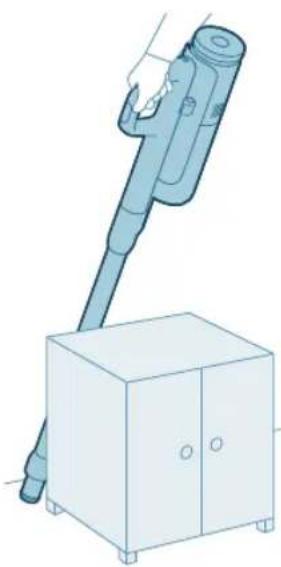
Using the tube
You can attach the tube to the handheld and use it without a nozzle to vacuum tight spaces between or behind pieces of furniture with the end of the tube.
natural_image
Illustration of a handheld device mounted on a cabinet (no text or symbols visible)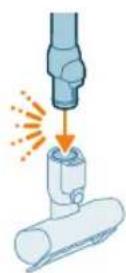
Tip: It is also possible to attach the Mini Turbo brush to the tube.
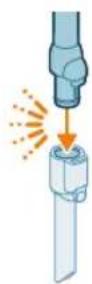
Tip: It is also possible to attach the long crevice tool to the tube.
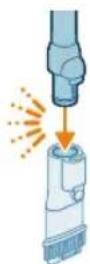
Tip: It is also possible to add the combination tool to the tube.
Using the handheld
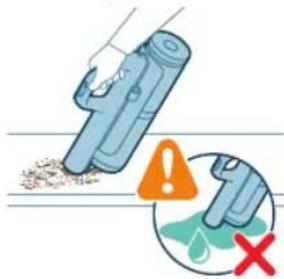
Without the nozzle and tube, you can use the handheld to clean small patches of dust and dirt, such as spilled breadcrumbs, or to vacuum staircases and shelves.

Warning: Do not vacuum up water or other liquids.
Using the LED nozzle
natural_image
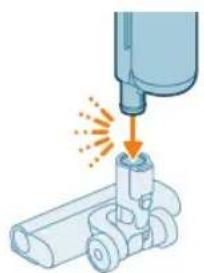
Illustration of a mechanical tool interacting with a cylindrical component (no text or symbols)You can use the LED nozzle to clean areas, such as the steps of a staircase, to vacuum up dirt in corners or on narrow ledges, or to clean small patches of dirt, such as spilled breadcrumbs.
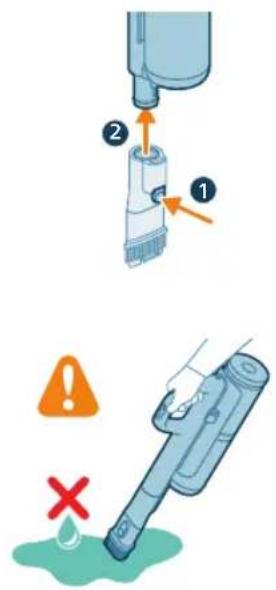
1 To attach the LED nozzle, insert the tube or the handheld into the nozzle.
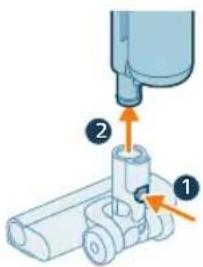
2 To detach the LED nozzle, press the release button (1) and pull the tube or handheld out of the nozzle (2).

Warning: Do not vacuum up water or other liquids.

Note: It is also possible to add the combination tool to the tube.
Using the Mini Turbo brush
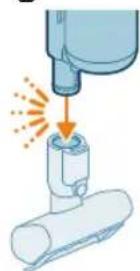
1 To attach the Mini Turbo brush, insert the tube of the handheld into the Mini Turbo brush.
natural_image
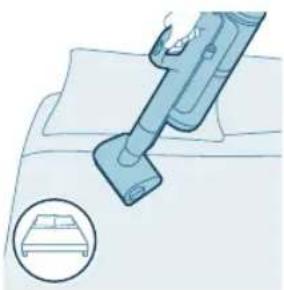
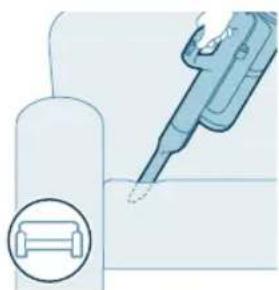
Illustration of a vacuum cleaner cleaning a bed (no text or symbols)2 You can use the Mini Turbo brush for standard cleaning, for instance of soft areas such as beds and couches. You can adjust the power setting to suit your cleaning needs.
natural_image
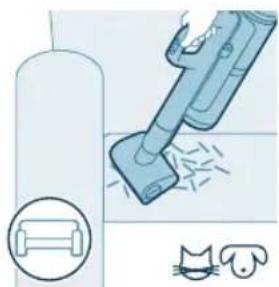
Illustration of a vacuum cleaner sweeping debris from a pipe, with icons for a device and a cat (no text or symbols)3 You can use the Mini Turbo brush for extra thorough cleaning, for instance to vacuum up pet hair, or to clean small patches of dirt, such as spilled breadcrumbs. You can adjust the power setting to suit your cleaning needs.
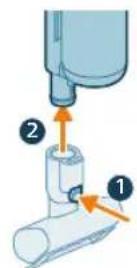
4 To detach the Mini Turbo brush, press the release button (1) and pull the handheld out of the Mini Turbo brush (2).
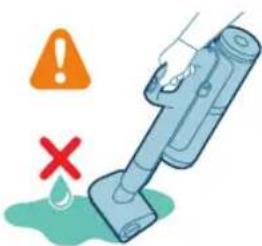
Warning: Do not vacuum up water or other liquids.
Using the long crevice tool
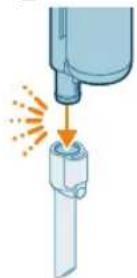
1 To attach the long crevice tool, insert the tube or handheld into the long crevice tool.
22 English
natural_image
Illustration of a medical or laboratory procedure showing a pipette inserted into a container with a magnified inset (no text or symbols)2 You can use the long crevice tool to clean narrow corners or hard-to-reach places. You can adjust the power setting to suit your cleaning needs.
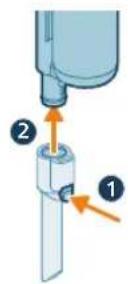
3 To detach the long crevice tool, press the release button (1) and pull the tube or handheld out of the long crevice tool (2).
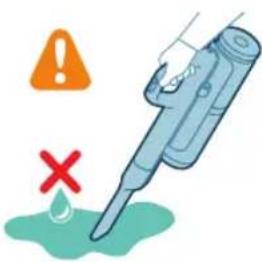
Warning: Do not vacuum up water or other liquids.
Using the combination tool
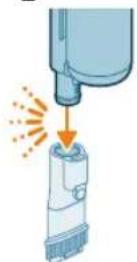
1 To attached the combination tool, insert the tube or handheld into the combination tool.
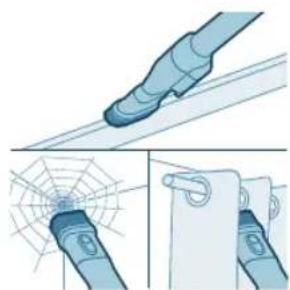
natural_image
Illustration of a blue mechanical component with a spiderweb and magnified detail (no text or symbols)2 The combination tool is designed for cleaning window frames, curtains, or spider webs, with a customizable brush release and illumination settings.
3 To detach the combination tool, press the release button (1) and pull the tube or handheld out of the combination tool (2).
Warning: Do not vacuum up water or other liquids.
Cleaning the Vacuum & Mop set-up
AUTOCLEAN after every use
natural_image
Illustration of a robotic arm gripping a mechanical component with an arrow indicating force (no text or symbols present)To prevent odors and scale deposits, use the AUTOCLEAN function after every use. The AUTOCLEAN mode helps you to clean your full appliance in approximately 4 minutes.
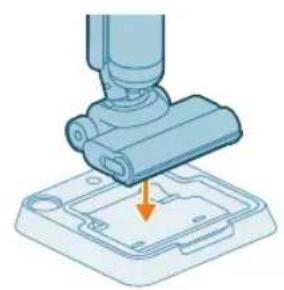
1 Place the Vacuum & Mop set-up in the After-Clean & Storage station.
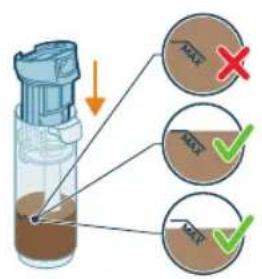
i Note: If the dirty water level is below the AUTOCLEAN level, it is not necessary to empty the tank before starting the AUTOCLEAN program. You can skip the following steps and move forward to step 6.
24 English
natural_image
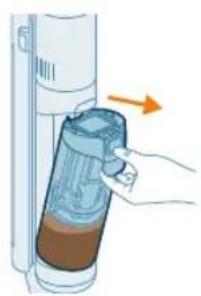
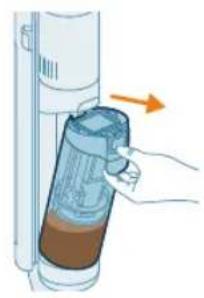
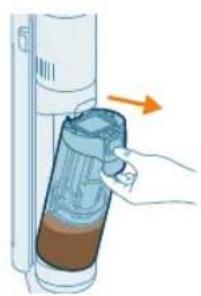
Illustration of a hand holding a device with an arrow indicating direction (no text or symbols)2 Push the button to unlock the dirty water tank and remove it.
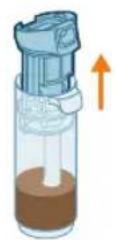
3 Remove the wet filter from the dirty water tank.
natural_image
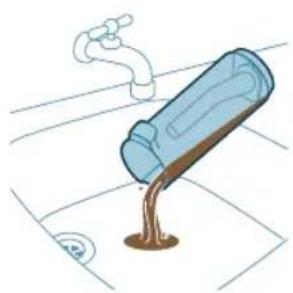
Illustration of a blue bottle pouring liquid into a brown liquid, with a faucet above (no text or symbols)4 Pour the water out of the dirty water tank into the sink.
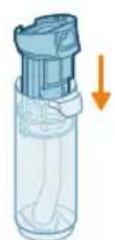
5 Place the wet filter back on the dirty water tank.
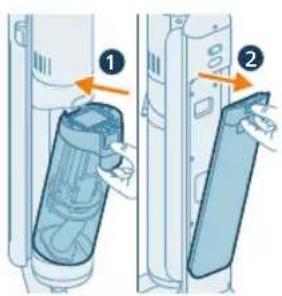
6 Place the empty dirty water tank back into the appliance and take out the clean water tank.
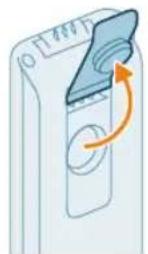
7 Remove the cap from the clean water tank.
natural_image
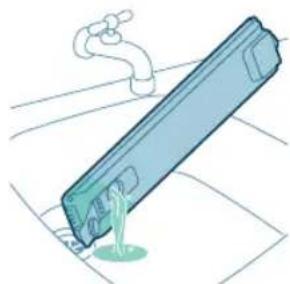
Illustration of a blue cylindrical object with a white pipe inserted, showing liquid flowing from it (no text or symbols)8 Pour any remaining detergent liquid from the clean water tank into the sink.
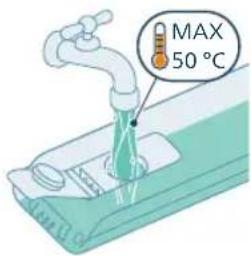
9 Fill the clean water tank with cold or lukewarm tap water at least up to the AUTOCLEAN indication.
Caution: The tap water that is poured into the clean water tank must not be warmer than 50°C.
Caution: Do not use detergent for the AUTOCLEAN as this might lead to excessive foaming.
natural_image
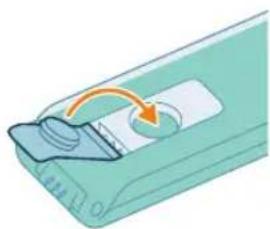
Illustration of a device with a scroll wheel and an arrow indicating rotation (no text or symbols)10 Close the water tank with the sealing cap.
natural_image
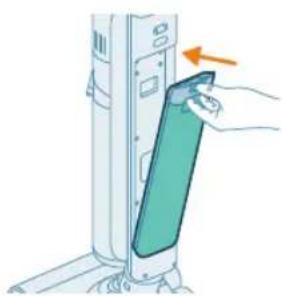
Illustration of a hand inserting a card into a server rack (no text or symbols visible)11 Place the clean water tank back into the appliance.
English

natural_image
Illustration of a remote control with a hand holding a toothbrush and a toothpaste can, no text or symbols present.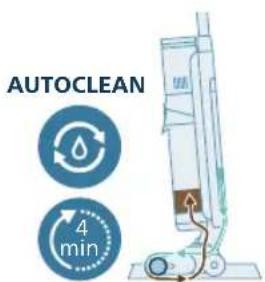
natural_image
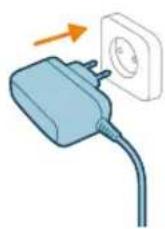
Illustration of a hand inserting a container into a vertical tube with an arrow indicating direction (no text or symbols)12 Charge the appliance. Insert the power plug into the socket on the back of the appliance. Then insert the adapter into the wall socket.
i Note: It's necessary to connect the charger in order to start the AUTOCLEAN function.
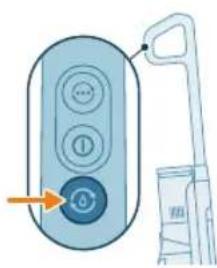
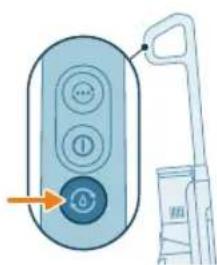
13 To start AUTOCLEAN, press the Auto-Clean button. Make sure the charger is connected before starting Autoclean.
14 The appliance performs the AUTOCLEAN cycle.
i Note: The Autoclean cycle lasts approx. 4 minutes. For best results, let the appliance run through the AUTOCLEAN cycle completely. You can pause or cancel the AUTOCLEAN cycle at any time.
i Note: If you cancel the AUTOCLEAN program, the appliance will suck up the remaining water in the After-clean tray for about 10 seconds.
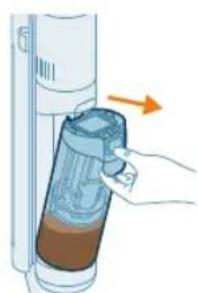
15 After AUTOCLEAN is complete, push the button to unlock the dirty water tank and remove it.

16 Remove the wet filter from the dirty water tank.
17 Pour the water out of the dirty water tank into the sink.
18 Clean the dirty water tank under the tap.
19 Clean the wet filter under the tap.
i Note: Remove the pleated filter before washing the wet filter unit under the tap.
Warning: The pleated filter cannot be washed. If you need to clean it, gently tap it against your bin to release any dirt caught in it.
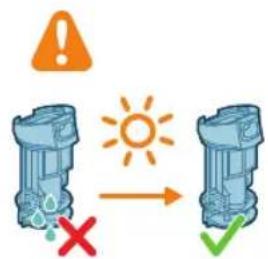
20 Let the wet filter dry.
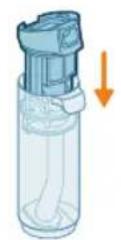
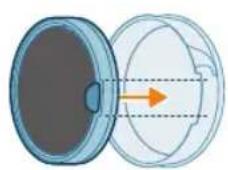
21 Place the wet filter back on the dirty water tank.
i Note: Make sure the pleated filter is inserted into place.
natural_image
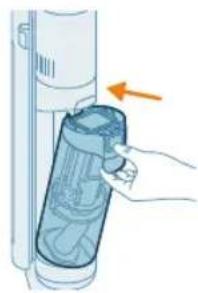
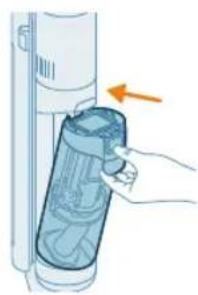
Illustration of a hand inserting a plastic bag into a cylindrical device with an arrow indicating direction (no text or symbols)22 Place the dirty water tank back into the appliance.
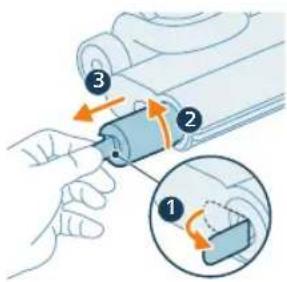
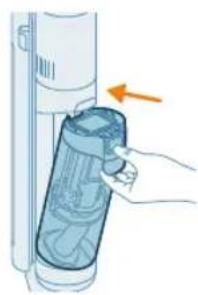
23 To remove the brush, pull out the lever from the side (1) and turn counterclockwise (2). Pull out the brush from the aquaspin nozzle (3)
natural_image
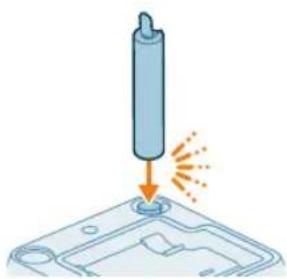
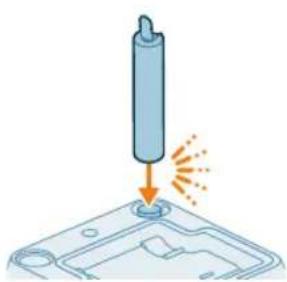
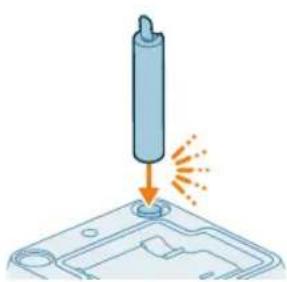
Illustration of a cylindrical object being inserted into a base with an arrow indicating motion (no text or symbols)24 To allow the brush to dry, place the open end of the brush on the designated holder on the After-Clean & Storage Station.
i Note: Drying can take approximately 24 hours.
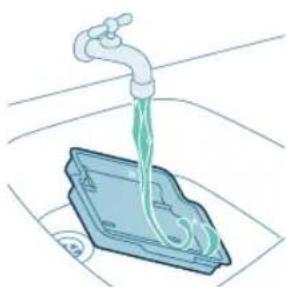
Cleaning the After-Clean tray
If the After-Clean tray gets dirty, you can clean it by following the steps below.
natural_image
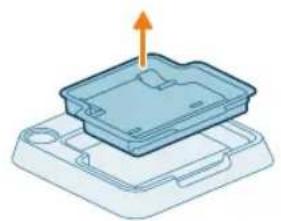
3D diagram of a device with an upward arrow indicating motion or force, no text or symbols present1 Remove the After-Clean tray from the storage station.
natural_image
Illustration of a faucet pouring liquid into a blue container with a green liquid inside (no text or symbols)2 Rinse the After-Clean tray under the tap and let it dry before placing it back in the Storage station.

natural_image
3D diagram of a device with an orange arrow pointing to a component, no text or symbols present3 Make sure to always put the After-Clean tray back in the Storage station. The After-Clean tray is essential to perform the AUTOCLEAN correctly.
Cleaning the AquaSpin nozzle
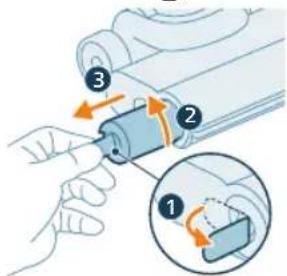
1 To remove the brush, pull out the lever from the side (1) and turn counterclockwise (2). Pull out the brush from the aquaspin nozzle (3).
natural_image
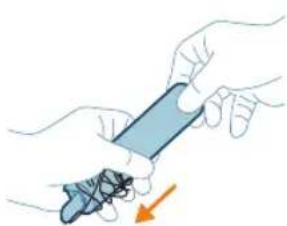
Illustration of hands holding a blue pen or tool with an orange arrow indicating motion (no text or symbols)2 You can remove entangled hair or threads from the microfiber brush by sliding down the microfiber brush with one hand.
natural_image
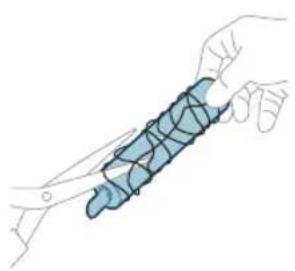
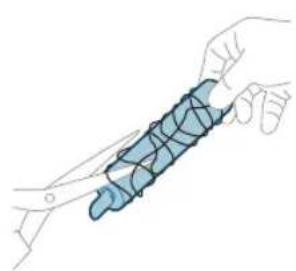
Illustration of a hand holding a blue coiled spring or rope (no text or symbols)Tip: You can also use a pair of scissors to cut hairs and threads that have become entangled around the microfiber brush.
Clearing blockages from the main body
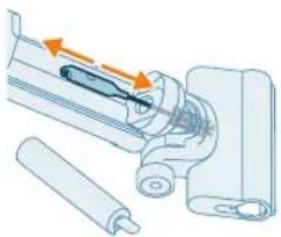
natural_image
Mechanical assembly diagram showing a piston and shaft assembly with directional arrows indicating motion (no text or labels)If there is a blockage in the appliance, first switch off the appliance and remove the dirty water tank. Then remove the blockage by moving the cleaning brush up and down in the suction channel of the main body.
Clearing blockages from the AquaSpin nozzle
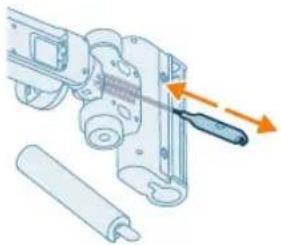
natural_image
Mechanical assembly diagram showing a tool interacting with a motor and rollers (no text or symbols)If there is a blockage in the AquaSpin nozzle, remove the brush from the nozzle. Then move the cleaning brush up and down in the suction channel of the AquaSpin nozzle.
Cleaning the Vacuum only set-up
Emptying the dust bucket
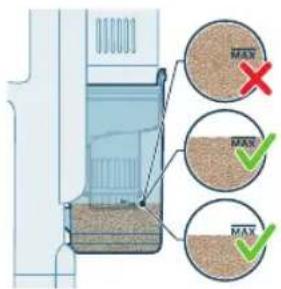
Dust management system maintenance
Empty the dust bucket after each use or when the dust is reaching the MAX level indicator.
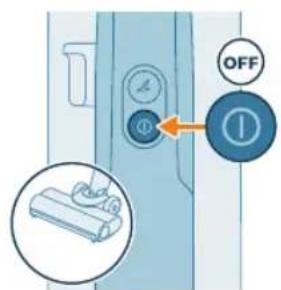
1 Switch off the appliance.
natural_image
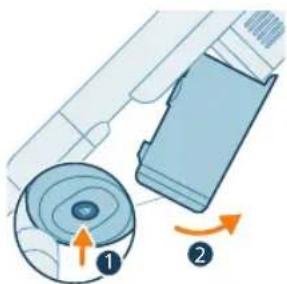
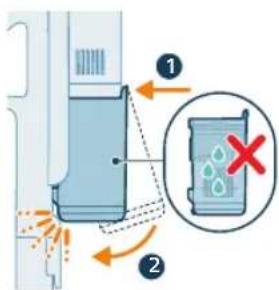
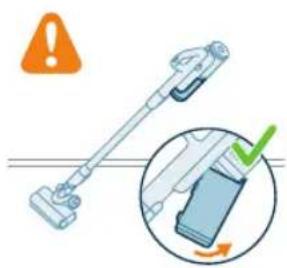
Diagram showing a device with a circular component and a mechanical component, both with directional arrows indicating rotation (no text or symbols present)2 Hold the appliance in a 45 degree angle like shown in the illustration. Remove the dust bucket by pressing the release button. The release button is located at the bottom of the bucket.
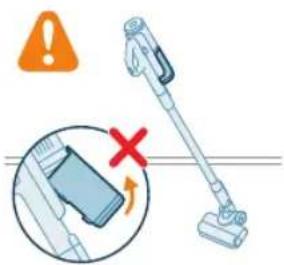
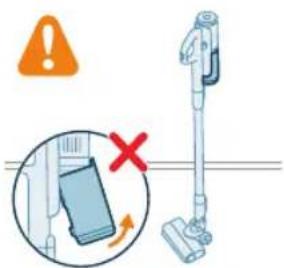
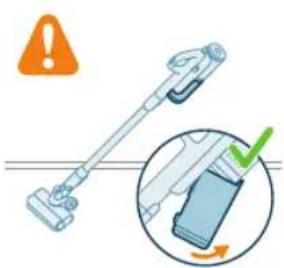
i Note: Remove the dust bucket while keeping the appliance in an upright position.
32 English
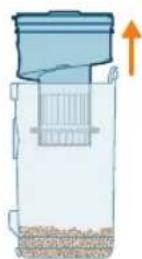
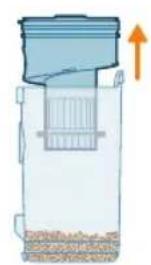
3 Hold onto the black grip. Remove the cyclone from the dust bucket by lifting it out from the bucket
natural_image
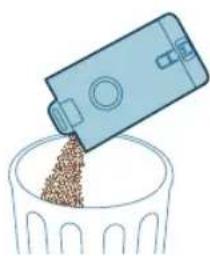
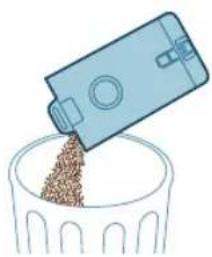
Illustration of a blue plastic container pouring granular material into a glass bowl (no text or symbols)4 Empty the collected dust in the dust bucket over the trash bin.
natural_image
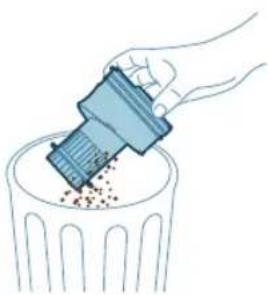
Illustration of a hand using a plastic bin to lift granular material into a trash can (no text or symbols)5 Remove leftover dust from cyclone by tapping it gently against the bin.
natural_image
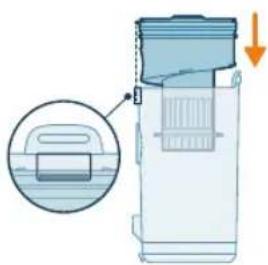
Diagram of a portable device with a handle and internal structure, showing a magnified view of its internal components (no text or symbols present)6 Place the cyclone back in the dust bucket. Make sure the two parts are aligned.
7 Place back the assembled bucket. First align the filter side of the bucket before hinging it in place.
Periodic maintenance intermittently
Dust management system maintenance
Clean the filter at least once every month.
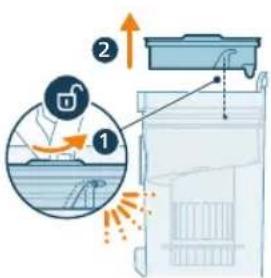
1 Rotate the filter counter-clockwise to remove it from the dust bucket.
natural_image
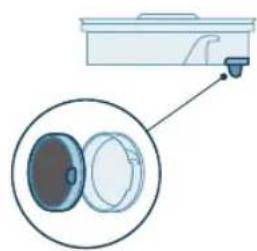
Diagram of a kitchen appliance with a close-up view showing internal components (no text or symbols)2 Remove the washable foam filter from the plastic filter casing.
natural_image
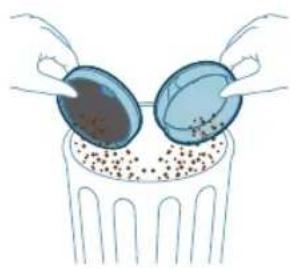
Illustration of two hands inserting a bulb into a container with granular material (no text or symbols)3 Tap both the filter casing and the foam filter over a trash bin.
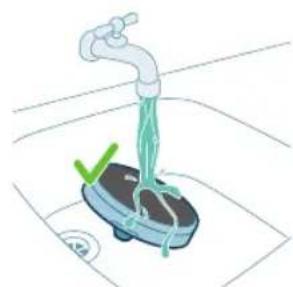
natural_image
Illustration of a hand washing a small water meter with a green checkmark and a blue base, no text or symbols present.34 English

4 Rinse the foam filter and squeeze it till clean water comes out.
i Note: for best cleaning result, run the water through the filter with the filter tab facing downwards, allowing deeply set dust to be washed out.
i Note: Make sure that you wash the filter at least once a month if you use the appliance regularly.
5 Leave the washed filter to dry for 24 hours before reassembling the foam filter in the filter casing.
6 For thorough maintenance, clean the dust bucket and cyclone under a running tap or in warm soapy water.
7 Wipe the cleaned dust bucket and relevant parts dry.
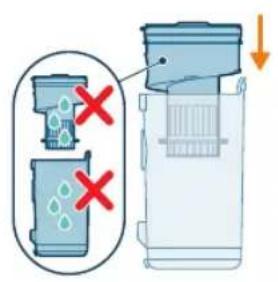
Caution: Make sure all parts are completely dry before you reassemble them.
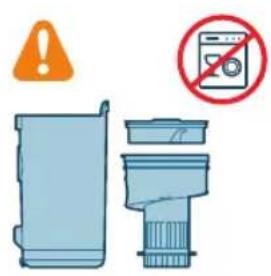
i Note: all parts cannot be cleaned in the dishwasher.
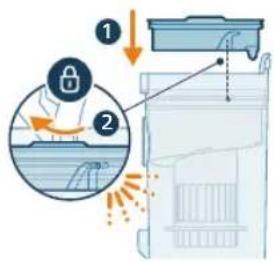
8 Reassemble the filter in the dust bucket. Rotate the filter clock-wise to fix it in place.
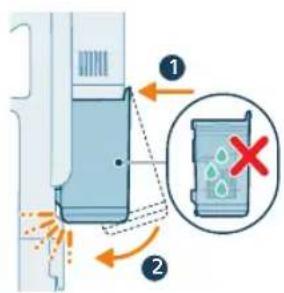
9 Place back the assembled bucket. First align the filter side of the bucket before hinging it in place.
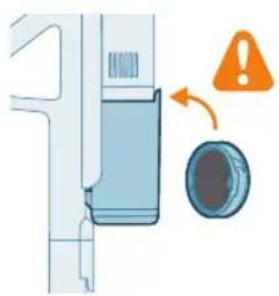
natural_image
Diagram of a door handle mechanism with warning symbol and circular component (no text or labels)i Note: After maintenance, always make sure the filter is assembled in the appliance before using it.
PrecisionPower Smart Nozzle maintenance
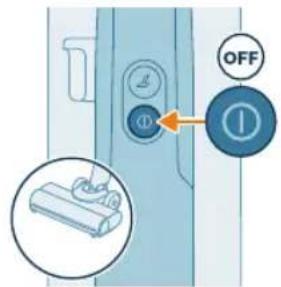
1 Always switch off the appliance before cleaning the nozzle brush roll.
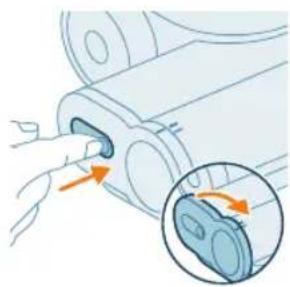
natural_image
Diagram of a mechanical component with an inset showing a close-up of a blue component (no text or symbols present)2 To access the brush roll, locate the button on the side of the nozzle. Press it and rotate to open.
natural_image
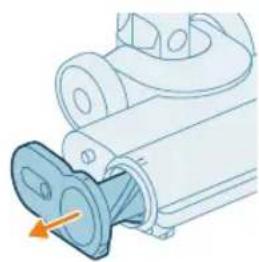
Mechanical component diagram showing a valve inserted into a housing (no text or symbols visible)3 Gently remove the brush roll and the side cap of the nozzle.
natural_image
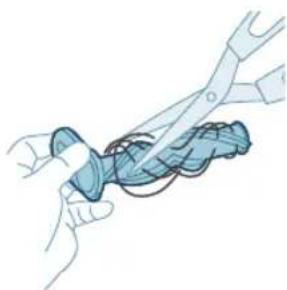
Illustration of hands using pliers to cut a blue object (no text or symbols)4 Carefully detach any tangled hair from the brush roll. Support the removal of pollution with a pair of scissors.
natural_image
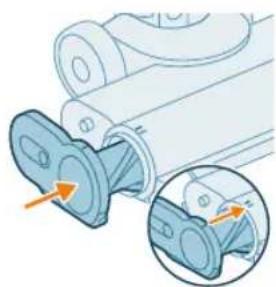
Mechanical component diagram showing a flanged part with an inset close-up of its internal structure (no text or symbols)5 When reassembling, ensure proper alignment of the brush roll.
natural_image
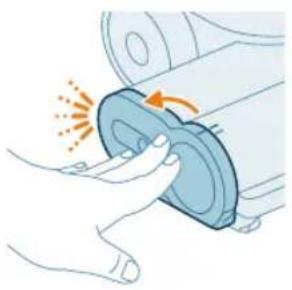
Illustration of a hand pressing a circular component with motion arrows (no text or symbols)6 Lock the nozzle brush roll by securing it until you hear a "CLICK" sound.
Mini TurboBrush maintenance
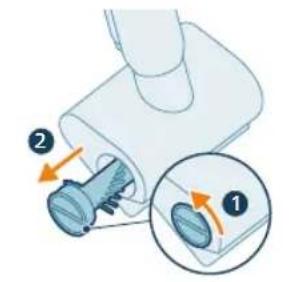
1 Rotate the brush counterclockwise to release. Pull out the brush once lock has been released.
natural_image
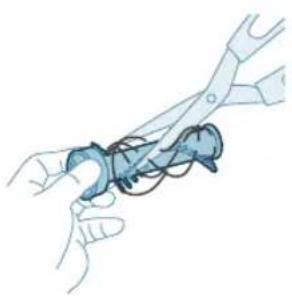
Illustration of hands using pliers to handle a blue object (no text or symbols)2 Use your hands or a pair of scissors to remove any pollution from the brush.
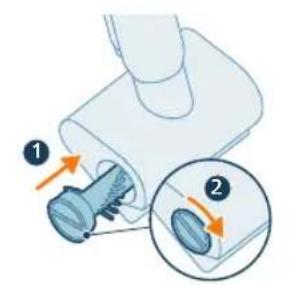
3 Slide the brush into position and rotate clockwise to lock it in position.
Display icons and their meaning
Error codes
Error code Cause Solution

natural_image
Circular icon with abstract symbols and a red triangular symbol (no readable text or labels)There is a system error. Solid red icon means means that your
Philips AquaTrio 7000 series Vacuum Cleaner has a system error.
To solve this, please try one or both of the following options:
-
Remove the powerhouse from the appliance and then reinsert the Powerhouse. Then try to restart the appliance.
-
Disconnect the vacuum only handheld from the tube and press the on/off button on the handheld. If you still see the solid red icon, please contact the Consumer Care Center.
If you do not see the solid read icon and the appliance does still not work, there might be a communication problem with the tube or nozzle. Please contact the Consumer Care Center.
natural_image
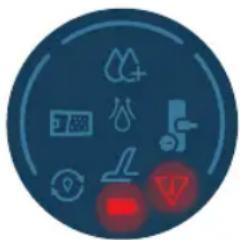
Circular icon with icons including water, fire, gear, and warning symbols (no readable text)The temperature is too low. Blinking battery and error icons Red
together means that the ambient temperature is either too low or too hot. Make sure the temperature in the room where the appliance is used, stored, or charged is above 5 °C.
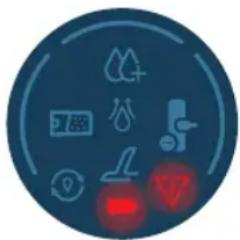
natural_image
Circular icon with icons representing water sources, sensors, and warning symbols (no readable text)The temperature is too high. Blinking battery and error icons Red
together means that the ambient temperature is either too low or too hot Make sure the temperature in the room where the appliance is used, stored, or charged is below 35 °C. Do not expose the device to direct sunlight or high temperatures (near hot stoves, in microwave ovens, or on induction cookers). Batteries may explode if overheated.
Error code Cause Solution
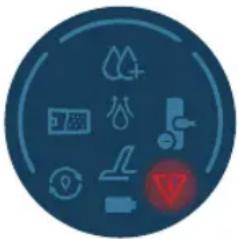 | Blinking red icon means that the air inlet openings are blocked.The air inlet openings are blocked. | Check the air inlet openings for blockages and remove them. If this does not solve the problem, check the whole air passage for blockages and remove them. This refers to the nozzle, the tube, the wet filter in the Vacuum & Mop setup. In the Vacuum only setup, this refers to the nozzle, the tube, the dust bucket and the foam filter. |
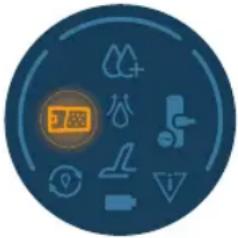 | The dirty water tank is full. Unlock the dirty water tank and remove it.Remove the wet filter from the dirty water tank and keep aside. Pour the water out of the dirty water tank into the sink. | |
 | The AquaSpin nozzle is stuck. This is a safety cut-off if something is stuck in the nozzle (for instance, a power cable or a toy). | Check the brushes, bearings, motor parts, and caps for hair or other obstacles and remove them. If there are no obstacles, switching the appliance off and on might solve the problem. |
| Unplug for use. Unplug the appliance for use. Otherwise, it will not switch on. Only plug in the appliance during charging and AutoClean. | ||
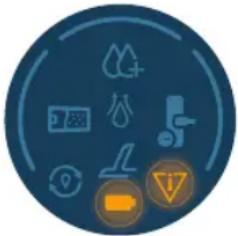 | The wrong charger is connected. | BLINKING Battery and error icons AMBER together means that there is a charging error.Wrong charger is connected: Only use the original adapter to charge the appliance.The charging pin is not correctly/fully inserted: Remove the charging pin and re-insert it into the appliance.Powerhouse not inserted properly: remove and re-insert the powerhouse until you hear definite "click" sound, and connect correct charger |
Error code Cause Solution

natural_image
Circular icon with icons representing water sources, sensors, and control buttons (no text or symbols)The charger is not connected. AutoClean icon + fast blinking battery icon (white)
The charger needs to be connected in order to run the Auto-Clean program.
Make sure the appliance is correctly placed in the After-Clean & Storage station.
Connect the charger.

natural_image
Circular icon with icons including mountains, water, and a red light indicator (no text or symbols)There is not enough battery. AutoClean icon + fast blinking battery icon (red)
If charger is connected and this icon is shown, then that means that the Battery is not enough to run the Auto-Clean Program.
If charger is connected, then wait for up to 30 minutes for battery to charge. Then Press the Auto-clean button to start the program
Replacement
To buy accessories or spare parts, visit www.philips.com/parts-and-accessories or go to your Philips dealer. You can also contact the Philips Consumer Care Center in your country.
Replacement parts and type numbers:
Dry filter XV1771/10

Wet filter XV1770/10
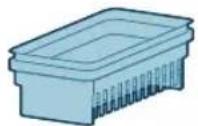
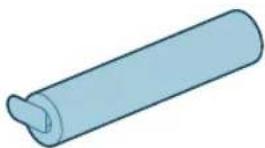
Cleaning brush XV1773/10
natural_image
Simple 3D illustration of a light blue cylindrical object with a flanged end (no text or symbols)i Note: Replace the filter and the microfiber brush every 6 months to ensure maximum performance.
Troubleshooting
This chapter summarizes the most common problems you could encounter with the appliance. If you are unable to solve the problem with the information below, visit www.philips.com/support for a list of frequently asked questions or contact the Consumer Care Center in your country.
Using the Vacuum & Mop set-up
Problem Possible cause Solution
| The appliance does not work when I push the on/off button. | The power house is not connected. | Connect the power house to the Vacuum & Mop handheld. |
| The battery is empty. To charge the battery, connect the Vacuum & Mop appliance with the charger (see 'Charging'). | ||
| You did not take the appliance out of the After-Clean & Storage station. | Take the Vacuum & Mop set-up out of the After-Clean & Storage station before switching on the appliance. | |
| You pushed the on/off button more than one time. | Wait a few seconds and push the on/off button again one more time. Wait a few seconds before trying again. | |
| You did not connect the handle of the vacuum & mop setup to the appliance correctly. | Place the lower body of the appliance on the After-Clean & Storage station. Then connect the handle to it and push down firmly till a click is heard. | |
42 English
Problem Possible cause Solution
| The appliance is clogged. Switch the appliance off and remove the battery or Vacuum & Mop handheld. Then locate and remove the cause of the blockage. After that, restart the appliance. If you cannot identify the cause of the blockage, restart the appliance. This might already solve the problem. Check air inlet openings for blockages and clean them. | ||
| The microfiber brush is stuck. Take the microfiber brush out and place them back. | ||
| The appliance stopped working. | You accidentally touched the on/off button with your hand. | Switch on the appliance by pushing the on/off button. |
| The dirty water tank may be full. In this case, there is an information icon shown on the screen (see 'Display icons and their meaning'). | Empty the dirty water tank. | |
| The floor is less wet than usual. | The water ejection holes are blocked | Remove the microfiber brush, fill some water into the clean water tank and switch the appliance on. Make small forward and backward movements on the same position for around 15 seconds. You should be able to see four water stripes on the floor. If this is not the case, or if one or more water stripes only consist out of a few droplets, the water ejection holes are partially or fully blocked. You can try to carefully open the holes with a needle. |
| One side of the floor under the nozzle is less wet than the other one. | The water ejection holes are blocked. | Remove the microfiber brush, fill some water into the clean water tank and switch the appliance on. Make small forward and backward movements on the same position for around 15 seconds. You should be able to see four water stripes on the floor. If this is not the case, or if one or more water stripes only consist out of a few droplets, the water ejection holes are partially or fully blocked. You can try to carefully open the holes with a needle. |
| There is no water on the floor. | The clean water tank is empty. Refill the clean water tank. | |
| If you have checked the above and there is still no water on the floor, take the appliance to a Philips service center or contact the Consumer Care Center. | ||
Problem Possible cause Solution
| There is more water on the floor or in the After-Clean tray than usual. | The water channel of the wet module and/or AquaSpin nozzle is polluted or blocked. | Use the cleaning brush and clean the water channel of the wet module and/or AquaSpin nozzle. |
| The dirty water tank is not placed correctly. | Place the dirty water tank into the appliance properly. It is closed correctly when you can hear a 'click' sound. | |
| The appliance leaves water traces on the floor. | You have moved the appliance sideways. | To prevent water traces on the floor, try to make less strong turns with your AquaTrio 7000 Series and avoid moving the appliance sideways. You can activate the water absorption mode by pressing the cleaning mode button. All the remaining water on your floor will be absorbed. |
| You made strong turns with the appliance. | To prevent water traces on the floor, try to make less strong turns with your AquaTrio 7000 Series and avoid moving the appliance sideways. You can activate the water absorption mode by pressing the cleaning mode button. All the remaining water on your floor will be absorbed. | |
| You have lifted the appliance over a threshold, carpet or stairs. | Make sure the microfiber brush stay in contact with the floor. Make sure water absorption mode is switched on before you lift the appliance over a threshold, carpet or stairs to prevent water traces on the floor or to prevent water from splashing from the AquaSpin nozzle. | |
| You lifted the appliance up from the floor immediately after you switched it off. | Switch on water absorption mode to absorb any remaining water. Move the appliance forwards and backwards a few times with water absorption mode engaged before switching it off. If you switch off the appliance and lift it up immediately afterwards, the water that was present between the brushes leaves a trace of water on the floor. | |
| The wheels are blocked. Check the condition of the wheels. Remove the dirt that blocks the wheels. | ||
| The appliance does not clean as well as it used to. | The clean water tank is empty. Refill the clean water tank. | |
| The water ejection holes are blocked. | Remove the microfiber brush, fill the clean water tank with some water, and switch the appliance on. Make small forward and backward movements on the same position for around 15 seconds. You should be able to see four water stripes on the floor. If this is not the case, or if one or more water | |
Problem Possible cause Solution
| stripes only consist out of a few droplets,the water ejection holes are partially or fully blocked. You can try to carefully open the holes with a needle. | ||
| The inside of the AquaSpin nozzle is too dirty. | Run the AUTOCLEAN program before returning to cleaning. If there is dirt accumulation in the edges of the nozzle, remove it. Make sure to use the AUTOCLEAN function after each use. | |
| The microfiber brush is not present. | Place the microfiber brush in the AquaSpin nozzle. | |
| If you have checked the above and the appliance still does not clean well, take it to a Philips service center or contact the Consumer Care Center. | ||
| Bigger dirt particles are not sucked up anymore and fall back on the floor. | The water channel of the wet module and/or AquaSpin nozzle is polluted or blocked. | Use the cleaning brush and clean the water channel of the wet module and/or AquaSpin nozzle. |
| The floor dries with stripes. You may have used too much detergent. | Make sure to use the right amount of detergent. | |
| The wheels are dirty. Remove the dirt from the wheels. | ||
| There is too much foam while cleaning, but also during AUTOCLEAN. | You may have used too much detergent. | Make sure to use the right amount of detergent. |
| There are still detergent residues on the floor. | Clean the floor without detergent several times. Wait a moment before going over the same stain again. | |
| It is difficult to clean stains. You may have used too little water or taken too little time to clean the stain. | Apply water and wait a moment. For example you can go with the appliance over the stain to apply water and come back to the same stain in the end of the cleaning session. | |
| The sound of the appliance changed while cleaning. | There might be hairs or other obstacles entangled around the microfiber brush. | Remove the microfiber brush and check for obstacles and remove them. |
| The display indicates that the dirty water tank is full and shuts down, although the dirty water tank is not fully yet. | There may be foam or contamination of the dirty water tank. | Restart the appliance. If that does not solve the problem, clean the dirty water tank. If foaming is the issue, make sure you do not use more than the recommended amount of detergent. |
| Water drips out of the appliance after it is switched off. | The appliance leaves a puddle on the floor because you did not move it while switching it off. This is normal. | The appliance can leave a small puddle of water on the floor if you do not move the appliance while switching it off. You can reduce the size of the puddle by moving |
Problem Possible cause Solution
| the appliance while switching it off. When you switch off the appliance, it will switch to water absorption mode for 6 seconds to clean up any water remaining in the nozzle. If needed, you can remove the last drops with a cloth. | ||
| The appliance is dripping when carrying it over the floor (holding it in the air). | While cleaning, do not lift the AquaSpin nozzle from the floor, as this leaves water traces. Only move forwards and backwards. | |
| Water leaks from the clean water tank because you overfilled the clean water tank. | Do not fill the clean water tank beyond the MAX indication. If you do, water may spill from the clean water tank when you fasten the cap. | |
| There is a crack in one of the tanks. | If one of the tanks is damaged, take it to a Philips service center or contact the Consumer Care Center. | |
| I cannot remove the microfiber brush. | Hair and/or dirt is entangled in the microfiber brush. | Unlock the brush by sliding out the lever. Twist the lever a few times in both directions to loosen up the brush. Twist in anti-clockwise direction to remove the brush. If it is difficult to remove the brush, you can also push it from below the AquaSpin nozzle. Remove the entangled hair or dirt. If it is difficult to pull the brushes out, you can give them a push from below the AquaSpin nozzle. |
| I cannot move the appliance forward or backward. | One or more wheels may be blocked by a small object. | Unlock the brush by sliding out the lever. Twist the lever a few times in both directions to loosen up the brush. Twist in anti-clockwise direction to remove the brush. If it is difficult to remove the brush, you can also push it from below the aqua spin nozzle. |
| The appliance has a lower suction power than usual. | The water channel of the wet module and/or AquaSpin nozzle is polluted or blocked. | Use the cleaning brush and clean the water channel of the wet module and/or AquaSpin nozzle. |
| The mesh in the dirty water tank was not dry enough before being used again. | Clean and dry the dirty water tank. | |
| Hair entanglement on the microfiber brush. | Switch the appliance off and remove the hair from the microfiber brush. | |
| The dirty water tank is not placed correctly. | Place the dirty water tank into the appliance properly. It is closed correctly when you can hear a 'click' sound. |
Problem Possible cause Solution
| The microfiber brush does not turn anymore | The microfiber brush is clogged with hair or dirt. | Clean the microfiber brush with a pair of scissors or by hand. |
| The microfiber brush pops out. | The microfiber brush is not locked correctly. | Place the microfiber brush back in the right position and lock them. |
| The appliance is not charging. | The power plug is not connected properly to the socket or the adapter is not inserted into the wall socket properly. | Make sure that the power plug is connected properly to the socket and that the adapter is inserted into the wall socket properly. |
| The power house is not in. Please insert the power house. | ||
| The power house is not properly inserted. | Please insert the power house until you hear a click sound. | |
| Wrong adapter connected. Please use the original adapter. | ||
| If you have checked the above and the appliance still does not charge, take it to a Philips service center or contact the Consumer Care Center. | ||
| When I use my vacuum cleaner I sometimes feel static electricity shocks. | Your vacuum cleaner builds up static electricity. The lower the air humidity, the more static electricity the appliance builds up. | Make sure to touch the metal pin with your hand while holding the appliance. |
| You vacuumed up dust and dirt. This also causes static electricity. | Make sure to touch the metal pin with your hand while holding the appliance. | |
| The appliance does not switch off immediately. | The delayed switch off is activated. | After pressing the on/off button, the appliance will run for 6 seconds before completely switching off. This is normal. The extra 6 seconds is required to clean up any water remaining in the nozzle and on the floor. |
Using the Vacuum only set-up
Problem Possible cause Solution
| The appliance does not work when I push the on/off Ⓞ button. | You did not connect the power house. | Connect the power house to the Vacuum only handheld. |
| The battery is empty. To charge the battery, connect the Vacuum only appliance with the charger (see 'Charging'). | ||
| You pushed the on/off Ⓞ button more than one time. | Wait a few seconds and push the on/off Ⓞ button again one more time. Wait for a few | |
Problem Possible cause Solution
| seconds before trying again. | ||
| The appliance is clogged. Switch the appliance off and remove the battery or powerhouse. Then locate and remove the cause for the blockage. After that, restart the appliance. If you cannot identify the cause of the blockage, restart the appliance. This might already solve the problem. | ||
| The roller brush is stuck. Take the roller brush out and remove any hair around the brush and the motor and place it back. | ||
| It is not possible, to connect the handheld to the dust bucket. | The filter case is assembled upside down. | Invert the filter case. The round opening should be visible. |
| The filter case is not closed properly. | Make sure you hear a click when closing the filter case. If it is difficult to close, the foam filter is probably placed upside down. | |
| The appliance stopped working. | You accidentally touched the on/off button with your hand. | Switch on the appliance by pushing the on/off button. |
| The appliance is clogged. Switch the appliance off and remove the battery or powerhouse. Then locate and remove the cause for the blockage. After that, restart the appliance. If you cannot identify the cause of the blockage, restart the appliance. This might already solve the problem. | ||
| The sound of the appliance changed while cleaning. | There might be hairs or other obstacles entangled around the roller brush. | Please check for obstacles and remove them. |
| Obstacles are blocking the cyclone. | Check the cyclone for obstacles and remove them. | |
| The appliance has a lower suction power than usual. | The filter and/or the cyclone are dirty. | Empty the dust bucket. Clean the filter and the cyclone. Make sure that you remove any hair and dirt that is stuck in the cyclone. You can remove the cyclone for easy maintenance. Make sure that you wash the filter at least once a month if you use the appliance regularly. |
| Something is blocking the cyclone. | Check the cyclone for objects stuck in it and remove any object that is blocking the cyclone. Make sure that you remove any hair and dirt that is stuck in the cyclone. | |
Problem Possible cause Solution
| The suction channel behind the roller brush is clogged. | Remove the roller brush and check the suction channel for obstacles and remove them. | |
| You have not attached the filter case properly to the dust bucket or you have not attached the dust bucket properly to the appliance. In both cases, there will be a loss of suction power. | Make sure that you attach the filter case to the dust bucket and the dust bucket to the appliance properly. | |
| The brush is clogged with hair or dirt. | Switch the appliance off and clean the roller brush with a pair of scissors or by hand. | |
| Dust escapes from the appliance. | The foam filter is not present in the filter case, or the top cover is missing. | Make sure that the filter is in the appliance and assembled correctly. |
| Dust escapes when opening the dust bucket. | This is normal behavior due to underpressure. | If possible, open the appliance outside. |
| The appliance does not move smoothly across the floor when I am cleaning a carpet. | You selected a too high suction power. | Reduce the suction power by choosing setting 1 or move more slowly over the carpet. |
| The roller brush does not turn anymore. | The roller brush is clogged with hair or dirt. | Clean the roller brush with a pair of scissors or by hand. |
| The roller brush may stop turning when it encounters too much resistance from high-pile carpet. | Switch off the appliance and then switch it back on again. | |
| You have not assembled the roller brush into the nozzle properly after cleaning. | Follow the instructions in this user manual to slide the roller brush into the nozzle properly. Secure the roller brush inside the nozzle by snapping the locking lever in place. | |
| The LEDs in the nozzle do not turn on. | You have not attached the nozzle to the tube or appliance properly. | Attach the nozzle to the tube or appliance properly. If this does not help, please take it to a Philips service center or contact the Consumer Care Center. |
| The appliance is not charging. | The plug is not connected properly to the socket-outlet or the adapter is not inserted into the wall socket properly. | Make sure that the plug is connected properly to the socket-outlet and that the adapter is inserted into the wall socket properly. |
| The power house is not in. Please insert the power house. | ||
| The power house is not completely inserted. | Please insert the power house until you hear a click sound. | |
Problem Possible cause Solution
| Wrong adapter connected. Please use the original adapter. | ||
| If you have checked the above and the appliance still does not charge, take it to a Philips service center or contact the Consumer Care Center. | ||
| The Mini Turbo brush does not function properly. | The roller brush is blocked. Remove hairs from the brush with a pair of scissors. | |
| The roller brush is blocked by fabric or surfaces during cleaning. | Keep the mini Turbo brush aligned with the surface and do not push the Turbo brush into soft surfaces. | |
| The roller brush is not properly inserted into the nozzle. | Make sure the the roller brush is properly inserted into the nozzle and that there is no gap between the parts. | |
| When I use my vacuum cleaner I sometimes feel static electricity shocks. | Your vacuum cleaner builds up static electricity. The lower the air humidity, the more static electricity the appliance builds up. | Make sure to touch the metal pin with your hand while holding the appliance. |
| You vacuumed up dust and dirt. This also causes static electricity. | Make sure to touch the metal pin with your hand, while holding the appliance. | |
Obsah
Přehled 50
Úvod 51
Všeobecný popis 51
Úvod
natural_image
3D diagram of a device with an orange arrow pointing to a component, no text or symbols presentnatural_image
Illustration of a handheld device with a downward arrow pointing to a terminal block (no text or symbols present)natural_image
Illustration of a vacuum cleaner performing a step-by-step assembly (no text or symbols present)natural_image
Illustration of a mechanical device with a screwdriver inserted, showing internal components and a yellow arrow indicating motion (no text or symbols)natural_image
Illustration of a mechanical device emitting sparks, no text or symbols presentnatural_image
Illustration of a hand using a tool to press or install a cylindrical component, with no visible text or symbols.natural_image
Illustration of a handheld device with a downward arrow pointing to a small component (no text or symbols visible)natural_image
Illustration of a mechanical device with a cylindrical component and directional arrows indicating motion (no text or symbols)natural_image
Illustration of a spray gun with an orange downward arrow indicating light emission (no text or symbols)natural_image
Circular icon set with white symbols including mountains, water, gear, and a starburst (no text or labels)natural_image
Circular icon with icons representing water, gas, water, and other symbols (no text or labels)natural_image
Illustration of a portable electric vehicle charging station with a power plug and orange arrow indicating direction (no text or symbols)natural_image
Diagram of a device with an inset showing a close-up of a device's internal components (no text or symbols present)natural_image
Illustration of a mechanical device with a tool inserted, showing a drop and a small component (no text or symbols)natural_image
Illustration of a handheld electric shaver with a downward arrow indicating compression (no text or symbols)natural_image
Circular icon set with eight distinct symbols including trees, water, and gear (no text or labels)natural_image
Circular icon with abstract symbols including mountains, water, and directional arrows (no readable text or labels)natural_image
Illustration of a mechanical device with a tool inserted, showing a pipe or port (no text or symbols)natural_image
Illustration of a hand inserting a smartphone into a device (no text or symbols visible)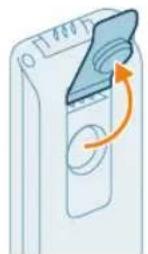
natural_image
Illustration of a hand pouring liquid into a container with a side panel (no text or symbols)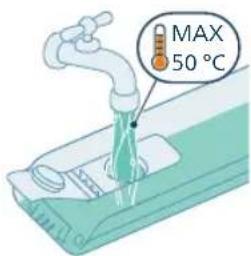
natural_image
Illustration of a device with a scroll wheel and a circular button, no text or symbols presentnatural_image
Illustration of a hand inserting a card into a device (no text or symbols visible)natural_image
Illustration of a person using a vacuum cleaner to lift a vehicle (no text or symbols visible)natural_image
Illustration of a person using a vacuum cleaner to lift a cart, showing two sequential motion steps (no text or symbols)natural_image
Illustration of a device emitting heat from a nozzle (no text or symbols)natural_image
Illustration of a mechanical device with a lever and base, emitting sparks (no text or symbols)natural_image
Illustration of a handheld device mounted on a cabinet (no text or symbols visible)
natural_image
Illustration of a hand using a handheld device to clean material, with warning symbols and a red X mark (no text or labels)natural_image
Illustration of a mechanical assembly with a cylindrical component and a base, showing motion direction (no text or symbols)natural_image
Illustration of a vacuum cleaner cleaning a bed (no text or symbols)natural_image
Illustration of a vacuum cleaner spraying water onto a surface, with icons for a bed and a dog (no text or symbols)natural_image
Illustration of a medical or laboratory procedure showing a pipette inserted into a container with a magnified inset (no text or symbols)natural_image
Illustration of a mechanical component with a spiderweb and two close-up views (no text or symbols)natural_image
Illustration of a robotic arm pressing down on a mechanical component (no text or symbols visible)natural_image
Illustration of a hand holding a cylindrical device with a brown liquid, showing an arrow indicating direction (no text or symbols present)natural_image
Illustration of a blue bottle pouring liquid into a brown liquid, with a faucet above (no text or symbols)natural_image
Illustration of a blue cylindrical object with a water droplet inside, placed on a surface with a faucet above (no text or symbols)natural_image
Illustration of a device with a scroll wheel and an arrow indicating rotation (no text or symbols)natural_image
Illustration of a hand inserting a device into a wall-mounted device with an arrow indicating the motion (no text or symbols present)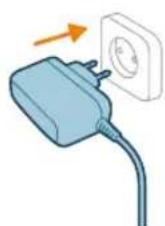
natural_image
Illustration of a remote control with a hand holding a device (no text or symbols visible)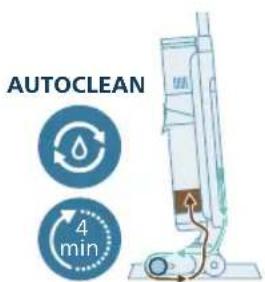
natural_image
Illustration of a hand inserting a device into a container with liquid, showing an arrow indicating direction (no text or symbols)
natural_image
Illustration of a hand inserting a plastic bag into a vertical tube, with an arrow indicating the process (no text or symbols present)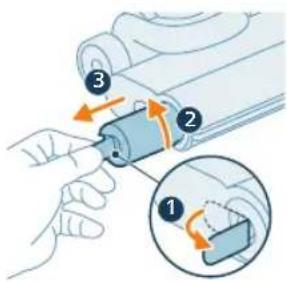
natural_image
Illustration of a cylindrical object being inserted into a tray with a flame, no text or symbols present20 Nechte mokrý filtr uschnout.
natural_image
3D diagram of a mechanical component with an upward arrow indicating force or direction (no text or symbols)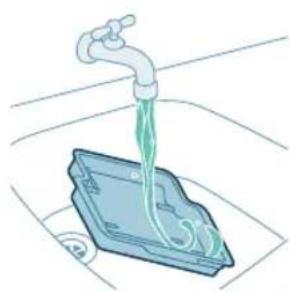
natural_image
Illustration of a faucet dispensing green liquid into a blue plastic container (no text or symbols)natural_image
3D diagram of a device with an orange arrow pointing to a component, no text or symbols presentnatural_image
Illustration of hands holding a pen or tool with an arrow indicating motion (no text or symbols)natural_image
Illustration of two hands holding a blue bandaged object (no text or symbols)natural_image
Mechanical assembly diagram showing a piston and roller mechanism with orange arrows indicating motion direction (no text or labels)natural_image
Mechanical assembly diagram showing a tool interacting with a component, with no visible text or symbols.natural_image
Diagram showing a device with a circular component and an arrow indicating rotation (no text or symbols present)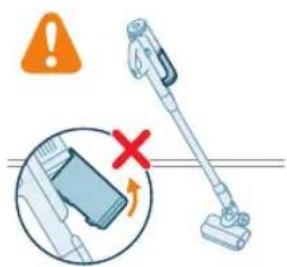

natural_image
Diagram of a container with a lid and internal structure, showing an upward arrow (no text or symbols)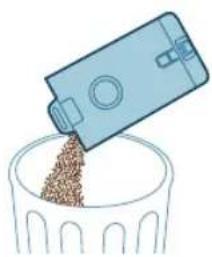
natural_image
Illustration of a blue plastic container pouring granular material into a glass bowl (no text or symbols)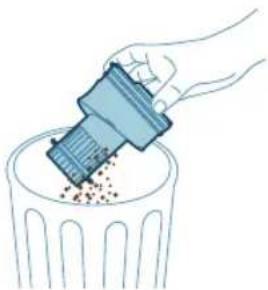
natural_image
Illustration of a hand using a tool to remove or dispose of granular material into a trash bin (no text or symbols)natural_image
Diagram of a water filter device with a magnified inset showing internal components (no text or symbols)natural_image
Diagram of a kitchen sink with a close-up view showing internal components (no text or labels)natural_image
Illustration of a faucet pouring liquid into a container with swirling flow (no text or symbols)natural_image
Illustration of a hand cleaning a rectangular object with a cloth (no text or symbols)natural_image
Diagram of a mechanical component with a circular inset showing a warning symbol (no text or labels present)natural_image
Illustration of a mechanical component with an arrow indicating direction, showing internal components and a magnified inset (no text or symbols)natural_image
Mechanical component diagram showing a shaft inserted into a housing (no text or symbols visible)natural_image
Illustration of hands using scissors to tie a blue object (no text or symbols)natural_image
Mechanical assembly diagram showing a blue component being inserted into a housing, with an inset close-up highlighting the internal structure (no text or symbols present)natural_image
Illustration of a hand pressing a circular component with motion arrows (no text or symbols)natural_image
Illustration of hands using a tool to adjust or install a blue mechanical component (no text or symbols visible)natural_image
Circular icon with medical and hygiene symbols (no readable text or labels)natural_image
Circular icon with icons including water drop, gear, and red warning symbols (no readable text)natural_image
Simple 3D illustration of a light blue cylindrical object with a protruding tip (no text or symbols)Introduktion
natural_image
3D diagram of a device with an orange arrow pointing to a component, no text or symbols presentnatural_image
Illustration of a mechanical device with a downward arrow indicating a component (no text or symbols present)natural_image
Illustration of a vacuum cleaner performing a step-by-step assembly (no text or symbols present)2 Sæt strømforsyningen i stikket på vådmodulet over tanken til snavset vand (Klik!).
natural_image
Illustration of a mechanical device with a screwdriver inserted, showing no text or symbolsnatural_image
Illustration of a mechanical device with an arrow indicating motion or force (no text or symbols)natural_image
Illustration of a hand using a tool to press or install a cylindrical component, with no visible text or symbols.natural_image
Mechanical component diagram showing a lever and base with an arrow indicating motion (no text or symbols)natural_image
Illustration of a mechanical device with a cylindrical component and directional arrows indicating motion (no text or symbols)Afmontering og montering af strømforsyningen i støvsugnings- og moppesystemet
natural_image
Illustration of a mechanical device with a cylindrical component and emitting sparks (no text or symbols)natural_image
Circular icon set with white symbols including mountains, water, gear, and a starburst (no text or labels)natural_image
Circular icon with icons representing water, gas, water, and other symbols (no text or labels)natural_image
Illustration of a portable electronic device with a cable plugged into a plug, showing no text or symbols.natural_image
Diagram of a device with an inset showing a close-up of a device's internal components (no text or symbols present)7 Luk forseglingshætten.
natural_image
Illustration of a mechanical device with a tool inserted, showing a drop and a small component (no text or symbols)natural_image
Illustration of a handheld electric shaver with a downward arrow indicating compression (no text or symbols)natural_image
Circular icon set with eight distinct symbols including trees, water, and gear (no text or labels)natural_image
Circular icon set with icons including water drop, flame, gear shift, and battery (no text or symbols)natural_image
Illustration of a mechanical device with a tool inserted, showing a pipe or component (no text or symbols)natural_image
Illustration of a hand inserting a card into a server tower (no text or symbols)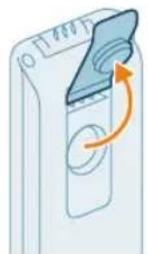
natural_image
Illustration of a hand pouring liquid into a container with a side panel (no text or symbols)natural_image
Illustration of a device with a scroll wheel and an arrow indicating rotation (no text or symbols)natural_image
Illustration of a hand holding a device next to a vertical panel, with an arrow indicating direction (no text or symbols present)natural_image
Illustration of a person using a vacuum cleaner to lift a cart (no text or symbols visible)natural_image
Illustration of a person using a cart-mounted device with two sequential steps showing motion (no text or symbols)natural_image
Illustration of a device emitting heat from a nozzle (no text or symbols)natural_image
Illustration of a mechanical device with a lever and base, emitting sparks (no text or symbols)6 Tryk på turboknappen igen for at skifte tilbage til normal sugestyrketilstand.
natural_image
Illustration of a handheld device mounted on a cabinet (no text or symbols visible)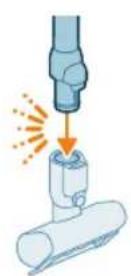
natural_image
Illustration of a hand using a handheld device to clean material, with warning symbols and a red X mark (no text or labels)natural_image
Illustration of a mechanical tool interacting with a cylindrical component (no text or symbols)natural_image
Illustration of a vacuum cleaner cleaning a bed (no text or symbols)natural_image
Illustration of a vacuum cleaner spraying water onto a surface, with icons for a bed and a dog (no text or symbols)natural_image
Illustration of a medical or laboratory procedure showing a pipette inserted into a container with a magnified inset (no text or symbols)natural_image
Illustration of a mechanical component with a spiderweb and two close-up views (no text or symbols)natural_image
Illustration of a robotic arm gripping a mechanical component with an orange arrow indicating force (no text or symbols present)natural_image
Illustration of a hand holding a device with an arrow indicating direction (no text or symbols)natural_image
Illustration of a blue bottle pouring liquid into a brown liquid, with a faucet above (no text or symbols)natural_image
Illustration of a blue cylindrical object with a white pipe inserted, showing liquid flowing from it (no text or symbols)natural_image
Illustration of a device with a scroll wheel and a circular button, no text or symbols presentnatural_image
Illustration of a hand inserting a card into a device (no text or symbols visible)
natural_image
Illustration of a remote control with a hand holding a device (no text or symbols visible)natural_image
Illustration of a hand inserting a container into a cylindrical device with an arrow indicating direction (no text or symbols)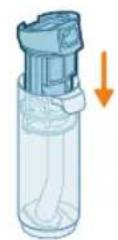
natural_image
Illustration of a hand inserting a plastic bag into a vertical tube, with an arrow indicating the process (no text or symbols present)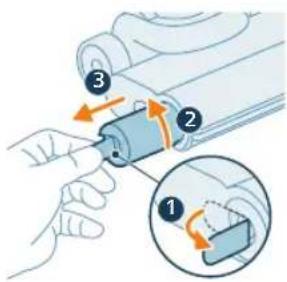
natural_image
Illustration of a cylindrical object being inserted into a base with an arrow indicating motion (no text or symbols)natural_image
3D diagram of a mechanical component with an upward arrow indicating force or direction (no text or symbols)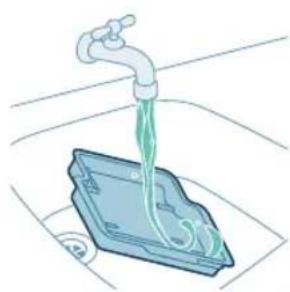
natural_image
Illustration of a faucet dispensing green liquid into a blue plastic container (no text or symbols)natural_image
3D diagram of a device with an orange arrow pointing to a component, no text or symbols presentnatural_image
Illustration of hands holding a pen or tool with an arrow pointing to it (no text or symbols present)2 Du kan fjerne sammenfiltrede här eller tråde fra mikrofiberbørsten ved at skubbe mikrofiberbørsten ned med din ene hånd.
natural_image
Illustration of a hand holding a blue bandage or wire, no text or symbols presentnatural_image
Mechanical assembly diagram showing a piston and roller mechanism with orange arrows indicating motion direction (no text or labels)natural_image
Mechanical assembly diagram showing a tool interacting with a component, with no visible text or symbols.natural_image
Diagram showing a device with a circular component and directional arrows, no text or symbols present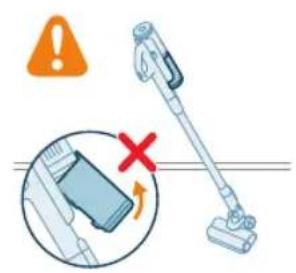
natural_image
Illustration of a hand holding a vacuum cleaner with warning symbols (no text or labels)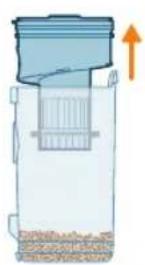
natural_image
Illustration of a blue plastic container pouring granular material into a glass bowl (no text or symbols)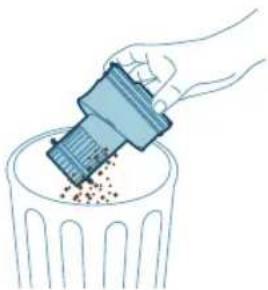
natural_image
Illustration of a hand using a tool to remove or dispose of granular material into a trash bin (no text or symbols)natural_image
Diagram of a water filter device with a magnified inset showing internal components (no text or symbols)natural_image
Diagram of a kitchen sink with a magnified inset showing internal components (no text or labels)natural_image
Illustration of two egg-shaped objects on a trash bin with granular contents (no text or symbols)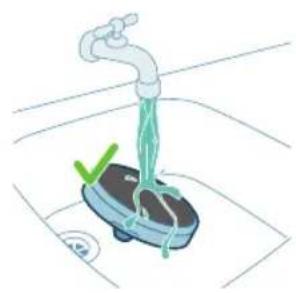
natural_image
Illustration of a hand washing a small water meter with a green checkmark and a blue base, no text or symbols present.
natural_image
Illustration of a hand holding a sponge with liquid droplets (no text or symbols)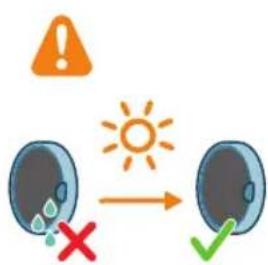
natural_image
Illustration of a faucet pouring liquid into a container with swirling flow (no text or symbols)natural_image
Illustration of a hand cleaning a rectangular object with a cloth (no text or symbols)natural_image
Diagram of a mechanical component with a circular inset showing a warning symbol (no text or labels present)natural_image
Illustration of a mechanical component with an arrow indicating direction, showing internal components and a magnified inset (no text or symbols)natural_image
Mechanical component diagram showing a shaft inserted into a housing (no text or symbols visible)natural_image
Illustration of hands using scissors to tie a blue object (no text or symbols)natural_image
Mechanical component diagram showing a blue mechanical part being inserted into a housing, with an inset close-up highlighting the internal structure (no text or symbols present)5 Sørg for at justere børsterullen korrekt, när du samler den igen.
natural_image
Illustration of a hand pressing a circular component with motion arrows (no text or symbols)natural_image
Illustration of hands using a tool to adjust or install a blue mechanical component (no text or symbols visible)natural_image
Circular icon with icons representing various medical or health symbols (no readable text)natural_image
Simple 3D illustration of a light blue cylindrical object with a protruding tip (no text or symbols)Einführung
natural_image
3D diagram of a device with an orange arrow pointing to a component, no text or symbols presentnatural_image
Illustration of a mechanical device with a downward arrow indicating a force or adjustment (no text or symbols present)natural_image
Illustration of a vacuum cleaner performing a step-by-step assembly (no text or symbols present)natural_image
Illustration of a mechanical device with a screwdriver inserted, showing no text or symbolsnatural_image
Illustration of a mechanical device with an upward arrow and sparkles, no text or symbols presentnatural_image
Illustration of a hand using a tool to press or install a cylindrical component, with no visible text or symbols.natural_image
Illustration of a handheld device with a downward arrow pointing to a small component (no text or symbols visible)natural_image
Illustration of a mechanical device with a cylindrical component and directional arrows indicating motion (no text or symbols)natural_image
Illustration of a spray canister emitting powder, showing spray and dust emission (no text or symbols)natural_image
Circular icon set with abstract symbols including a flame, water drop, musical notes, and starburst (no text or labels)natural_image
Circular icon set with various mechanical and safety symbols (no readable text or labels)natural_image
Illustration of a portable electronic device with a plug inserted, showing no text or symbols.natural_image
Diagram of a device with a close-up inset showing a hand holding a device (no text or symbols present)natural_image
Illustration of a mechanical device with a tool inserted, showing a downward arrow pointing to a small component (no text or symbols present)natural_image
Illustration of a handheld device with a downward arrow pointing to a small component (no text or symbols visible)natural_image
Illustration of a hand inserting a card into a server rack (no text or symbols)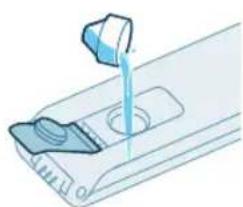
natural_image
Illustration of a mechanical device with a blue tool pouring liquid into a container (no text or symbols visible)natural_image
Illustration of a device with a scroll wheel and a paper slot, showing an orange arrow indicating rotation (no text or symbols)natural_image
Illustration of a hand inserting a device into a device panel, with an arrow indicating the process (no text or symbols present)natural_image
Illustration of a person using a vacuum cleaner to lift a vehicle (no text or symbols visible)natural_image
Illustration of a person using a vacuum cleaner to lift their arm, showing two sequential motion steps (no text or symbols)natural_image
Illustration of a mechanical device with a cylindrical component and a base, emitting sparks (no text or symbols)natural_image
Illustration of a mechanical assembly with a tool and a cylindrical component, no text or symbols present.natural_image
Illustration of a handheld vacuum cleaner above a cabinet (no text or symbols visible)natural_image
Illustration of a hand using a spray gun to clean debris, with an orange warning symbol and a red cross indicating no text or symbols.natural_image
Illustration of a robotic arm cutting into a cylindrical component (no text or symbols)natural_image
Illustration of a robotic arm gripping a bed, with a magnified inset showing the bed (no text or symbols present)natural_image
Illustration of a vacuum cleaner spraying water onto a cylindrical container with a magnified inset showing a weight (no text or symbols)natural_image
Illustration of a hand holding a flexible hose, with three steps showing the process (no text or symbols present)natural_image
Illustration of a robotic arm interacting with a mechanical component (no text or symbols visible)natural_image
Illustration of a hand holding a device with an arrow indicating direction (no text or symbols)natural_image
Illustration of a blue bottle pouring liquid into a container with a faucet above (no text or symbols)natural_image
Illustration of a blue cylindrical object with green liquid being poured into it, placed on a surface with a faucet in the background (no text or symbols)natural_image
Illustration of a device with a scroll wheel and an arrow indicating rotation (no text or symbols)natural_image
Illustration of a hand inserting a card into a device (no text or symbols visible)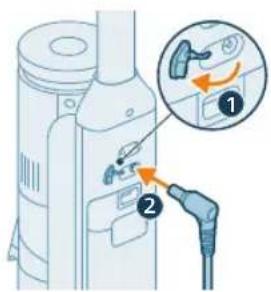
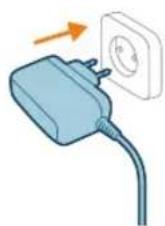
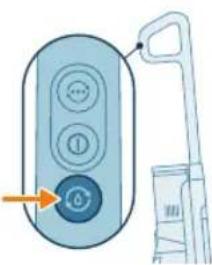
natural_image
Illustration of a handheld device with a control panel and handle, no text or symbols present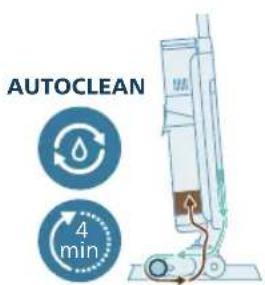
natural_image
Illustration of a hand holding a device with an arrow indicating direction (no text or symbols present)natural_image
Illustration of a blue bottle pouring liquid into a brown liquid, with a faucet above (no text or symbols)natural_image
Illustration of a faucet pouring liquid into a container with swirling bubbles (no text or symbols)natural_image
Illustration of a faucet spraying water into a mechanical component (no text or symbols)natural_image
Illustration of a hand holding a cylindrical device with an arrow pointing to it, no text or symbols present.natural_image
Illustration of a cylindrical device being inserted into a base with a spark effect (no text or symbols)natural_image
3D diagram of a mechanical component with an upward arrow indicating force or direction (no text or symbols)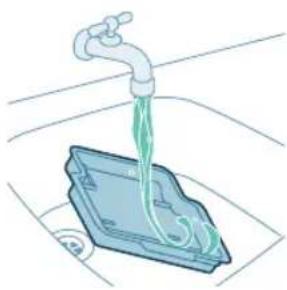
natural_image
Illustration of a faucet dispensing green liquid into a blue plastic tray (no text or symbols)natural_image
3D diagram of a device with an orange arrow pointing to a component, no text or symbols presentnatural_image
Illustration of hands holding a blue pen or tool with an arrow indicating motion (no text or symbols)natural_image
Illustration of a hand holding a blue wire or cable wrapped around it, with no visible text or symbols.natural_image
Mechanical assembly diagram showing a shaft and housing with directional arrows indicating motion (no text or symbols)natural_image
Mechanical assembly diagram showing a tool interacting with a component, with no visible text or symbols.natural_image
Diagram showing a mechanical component with two labeled parts (① and ②), no readable text or symbols present.170
Deutsch

natural_image
Illustration of a hand using a plastic tool to remove granular material into a trash bin (no text or symbols)natural_image
Diagram of a water purifier with a magnified inset showing internal components (no text or symbols)172 Deutsch
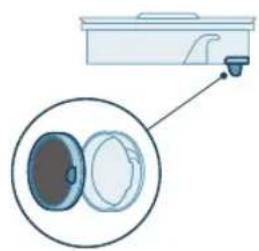
natural_image
Diagram of a kitchen appliance with a close-up view showing internal components (no text or symbols)natural_image
Illustration of two hands inserting a bulb into a container with granular material (no text or symbols)natural_image
Illustration of a faucet spraying water onto a small scale with a green checkmark (no text or symbols)
natural_image
Illustration of a hand holding a small object with liquid droplets (no text or symbols)
natural_image
Diagram of a mechanical device with a circular component and warning symbol (no text or labels)natural_image
Illustration of a hand pressing a component with an inset showing a close-up of the handle (no text or symbols)natural_image
Illustration of hands using pliers to handle a small mechanical component (no text or symbols visible)natural_image
Circular icon with icons including water, fire, water drop, toilet, and warning symbol (no text or numbers)natural_image
Simple 3D illustration of a light blue cylindrical object with a curved tip (no text or symbols)Sissejuhatus
natural_image
3D diagram of a device with a highlighted component and an arrow indicating downward motion (no text or symbols)Kui soovite ainult tolmuimemise seadet hoida ja laadida seinakinnitusel, kinnitage seinakinnitus komplekti kuuluvate kruvidega seinale. Kontrollige, et seinakinnitus oleks 105–115 cm körgusel pörandast.
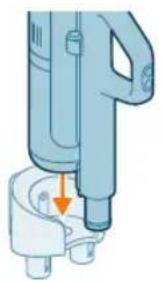
natural_image
Illustration of a mechanical device with a downward arrow indicating a component (no text or symbols present)natural_image
Illustration of a vacuum cleaner performing a printing or cleaning process, showing top and side views with arrows indicating motion (no text or symbols)natural_image
Illustration of a mechanical device with a screwdriver inserted, showing no text or symbolsnatural_image
Illustration of a handwashing device with a downward arrow indicating heat or relief (no text or symbols)natural_image
Illustration of a mechanical device with a tool emitting sparks, no text or symbols present3 Pange toru LED otsakusse.
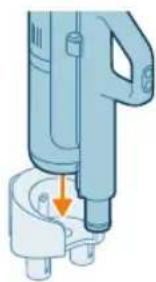
natural_image
Illustration of a handheld device with a downward arrow pointing to a small component (no text or symbols visible)4 Ainult tolmu imemise paigaldise hoiundamiseks asetage see seinakinnitusele. Kindlalt kinnitamiseks lükake ämber seinakinnitusse.
natural_image
Illustration of a mechanical device with a cylindrical component and directional arrows indicating motion (no text or symbols)Toiteseadme eemaldamine ja kinnitamine tolmu imemise ja mopi paigaldise korral
natural_image
Illustration of a spray canister emitting powder, showing spray and dust emission (no text or symbols)natural_image
Circular icon set with white symbols including water, fire, gear, and a starburst (no text or labels)natural_image
Circular icon with icons representing water, gas, water, and other symbols (no text or labels)natural_image
Illustration of a portable electronic device with a cable plugged into a plug, showing no text or symbols.natural_image
Diagram of a device with a close-up inset showing a hand interacting with a device (no text or symbols present)natural_image
Illustration of a mechanical device with a tool inserted, showing a drop and a small component (no text or symbols)natural_image
Illustration of a handheld electric shaver with a downward arrow indicating force application (no text or symbols present)natural_image
Circular icon set with eight distinct symbols including trees, water, and gear (no text or labels)natural_image
Circular icon set with icons including a tree, water drop, musical notes, and a battery symbol (no text or labels)natural_image
Illustration of a mechanical device with a tool inserted, showing a pipe or component (no text or symbols)natural_image
Illustration of a hand inserting a card into a device (no text or symbols visible)200 Eesti
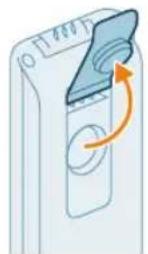
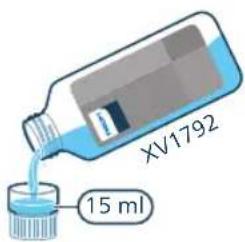
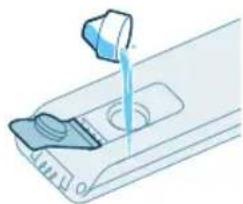
natural_image
Illustration of a hand pouring liquid into a container with a side panel (no text or symbols)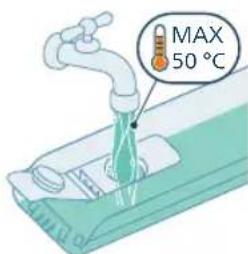
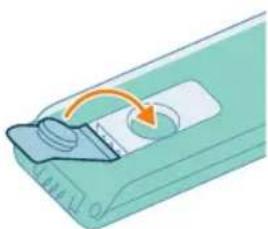
natural_image
Illustration of a device with a scroll wheel and an arrow indicating rotation (no text or symbols)2 Avage puhta vee paagi kork.
natural_image
Illustration of a hand inserting a card into a device (no text or symbols visible)natural_image
Illustration of a person using a vacuum cleaner to lift a cart (no text or symbols present)natural_image
Illustration of a person using a vacuum cleaner to lift a device, showing two sequential steps with no text or symbols.natural_image
Illustration of a printer emitting powder into a container with an arrow indicating emission (no text or symbols)natural_image
Illustration of a mechanical component being welded with a tool, showing sparks and motion (no text or symbols)3 Sisestage toru teine ots LED-düüsi (kostub klöpsatus).
natural_image
Illustration of a handheld device mounted on a cabinet (no text or symbols visible)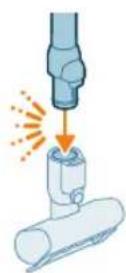
natural_image
Illustration of a mechanical tool interacting with a cylindrical component (no text or symbols)natural_image
Illustration of a vacuum cleaner cleaning a bed (no text or symbols)natural_image
Illustration of a vacuum cleaner spraying water onto a surface, with icons for a bed and a dog (no text or symbols)Hoiatus! Ärge kunagi imege seadme sisse vett ega mönda muud vedelikku.
natural_image
Illustration of a pipette dispensing liquid into a container with a magnified inset showing a cylindrical object (no text or symbols)natural_image
Illustration of a hand holding a fiber optic cable with a spiderweb and mechanical components (no text or symbols)natural_image
Illustration of a robotic arm gripping a mechanical component with an orange arrow indicating force (no text or symbols present)natural_image
Illustration of a hand inserting a device into a container with an arrow indicating direction (no text or symbols)natural_image
Illustration of a blue bottle pouring liquid into a brown liquid, with a faucet above (no text or symbols)4 Valage vesi musta vee paagist kraanikaussi.
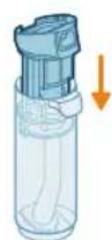
natural_image
Illustration of a blue cylindrical object with a water droplet inside, placed on a surface with a faucet above (no text or symbols)natural_image
Illustration of a device with a circular button and an arrow indicating rotation (no text or symbols)10 Sulgege veepaagi kork.
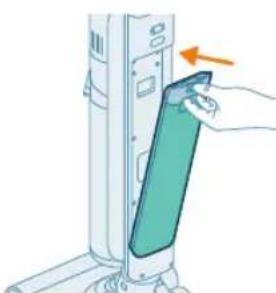
natural_image
Illustration of a hand inserting a device into a wall-mounted device with an arrow indicating the motion (no text or symbols present)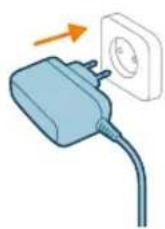
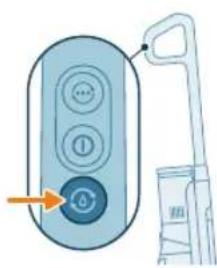
natural_image
Illustration of a remote control with a hand holding a device (no text or symbols visible)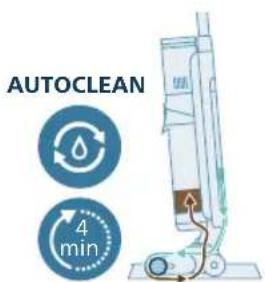

natural_image
Illustration of a hand inserting a device into a cylindrical container with liquid, showing an orange arrow (no text or symbols)12 Laadige seadet. Pange toitepistik seadme tagaküljel olevasse pistikupessa. Seejärel pange adapter seina pistikupessa.
natural_image
Illustration of a hand holding a cylindrical device with internal components, no text or symbols visible22 Pange musta vee paak tagasi seadmesse.
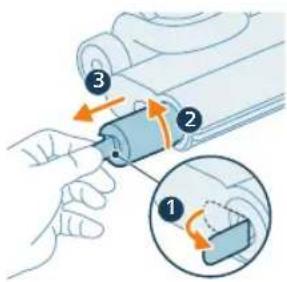
natural_image
Illustration of a cylindrical object being inserted into a tray with a flame, no text or symbols presentnatural_image
3D diagram of a mechanical component with an upward arrow, no text or symbols presentnatural_image
Illustration of a faucet dispensing liquid into a plastic container (no text or symbols)natural_image
3D diagram of a device with an orange arrow pointing to a component, no text or symbols presentnatural_image
Illustration of hands holding a smartphone with a hand pointing to it, no text or symbols presentnatural_image
Illustration of a hand holding a segmented blue object (no text or symbols)natural_image
Mechanical assembly diagram showing a piston and roller components with directional arrows indicating motion (no text or labels)natural_image
Mechanical assembly diagram showing a sliding mechanism with directional arrows indicating motion (no text or symbols)natural_image
Diagram showing a device with a circular component and an arrow indicating rotation (no text or symbols)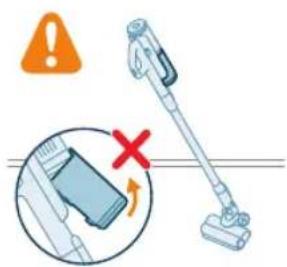
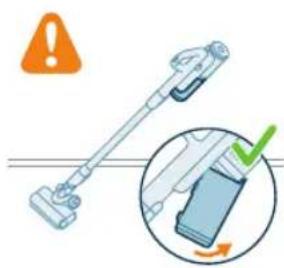
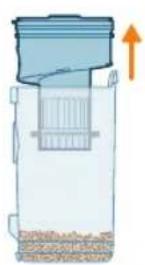
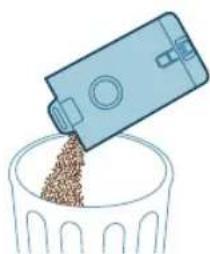
natural_image
Illustration of a blue plastic container pouring granular material into a glass bowl (no text or symbols)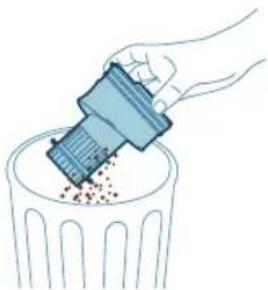
natural_image
Illustration of a hand using a tool to remove or dispose of granular material into a trash bin (no text or symbols)i Märkus. Eemaldage tolmukamber, hoides masinat püstises asendis.
natural_image
Diagram of a water filter device with a magnified inset showing internal components (no text or symbols)6 Pange tsüklon tolmukambrisse tagasi. Veenduge, et kaks osa oleksid kohakuti.

natural_image
Diagram showing a container with a lid and a close-up of its internal components (no text or symbols)natural_image
Illustration of two blue egg-shaped objects above a perforated base with granular material (no text or symbols)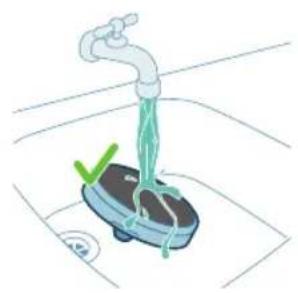
natural_image
Illustration of a hand washing a small appliance with a green checkmark and a white plate, no text or symbols present.
natural_image
Illustration of a hand holding a dark object with a small green droplet below (no text or symbols)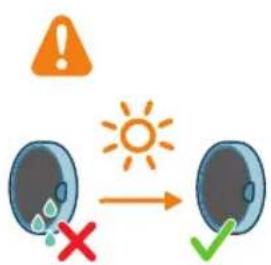
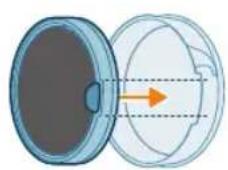
natural_image
Illustration of a faucet pouring liquid into a container with swirling flow (no text or symbols)natural_image
Illustration of a hand cleaning a rectangular object with a cloth (no text or symbols)natural_image
Diagram of a mechanical component with an arrow indicating rotation and warning symbol (no text or labels)natural_image
Illustration of a hand pressing a button into a device, with an inset showing the same button (no text or symbols present)natural_image
Illustration of a mechanical component with a blue funnel and orange arrow indicating direction (no text or symbols)natural_image
Illustration of hands using pliers to cut a blue mechanical component (no text or symbols)natural_image
Mechanical assembly diagram showing a component being inserted into a housing, with an inset close-up highlighting the internal structure (no text or symbols present)natural_image
Illustration of a hand pressing a circular component with motion arrows (no text or symbols)natural_image
Illustration of hands using pliers to handle a blue object (no text or symbols visible)natural_image
Circular icon with icons including water drop, traffic sign, and warning symbols (no readable text)natural_image
Simple 3D illustration of a light blue cylindrical object with a flared tip (no text or symbols)Introducción
www.philips.com/myvacuum9000s.
Descripción general
natural_image
3D diagram of a device with a highlighted component and an arrow indicating direction (no text or symbols)natural_image
Mechanical component diagram showing a lever and base with an arrow indicating direction (no text or symbols)natural_image
Illustration of a mechanical device with a screwdriver inserted, showing no text or symbolsnatural_image
Illustration of a portable air conditioner unit with cooling fan and warning symbol (no text or labels)natural_image
Illustration of a mechanical assembly with a tool and a cylindrical component, no text or symbols present.natural_image
Illustration of a handheld device with a downward arrow indicating a component or operation (no text or symbols present)natural_image
Illustration of a mechanical device with a cylindrical component and directional arrows indicating motion (no text or symbols)natural_image
Illustration of a spray canister emitting powder, showing spray and dust emission (no text or symbols)natural_image
Circular icon set with six symbolic icons (no text or labels)natural_image
Circular icon set with various mechanical and safety symbols (no readable text or labels)natural_image
Illustration of a portable electric vehicle charging station with a power plug and orange arrow indicating direction (no text or symbols)natural_image
Diagram of a device with a close-up inset showing a hand holding a device, no text or symbols present.natural_image
Illustration of a mechanical device with a tool inserted, showing a downward arrow pointing to a small component (no text or symbols present)natural_image
Illustration of a handheld device with a downward arrow indicating a process or operation (no text or symbols present)natural_image
Circular icon set with abstract symbols and no readable text or labelsnatural_image
Circular icon with six white symbols on a dark blue background, no text or labels present.natural_image
Illustration of a mechanical device with a lever and handle, no visible text or symbolsnatural_image
Illustration of a hand inserting a smartphone into a device (no text or symbols visible)
natural_image
Illustration of a hand pouring liquid into a container with a side panel (no text or symbols)natural_image
Illustration of a device with a scroll wheel and directional arrow (no text or symbols)natural_image
Illustration of a hand inserting a card into a device (no text or symbols visible)natural_image
Illustration of a person using a vacuum cleaner to lift a device (no text or symbols visible)natural_image
Illustration of a person using a handheld vacuum cleaner to lift a person's arm (no text or symbols present)natural_image
Illustration of a mechanical device with a cylindrical component and a handle, emitting spark (no text or symbols)natural_image
Illustration of a hand using a tool to press or install a cylindrical component, with no visible text or symbols.natural_image
Illustration of a handheld vacuum cleaner above a box (no text or symbols visible)natural_image
Illustration of a hand using a handheld device to clean material, with warning symbols and a red X mark (no text or labels)natural_image
Illustration of a mechanical assembly with a cylindrical component and a base, showing motion direction (no text or symbols)natural_image
Illustration of a vacuum cleaner cleaning a bed (no text or symbols)natural_image
Illustration of a vacuum cleaner spraying water onto a surface, with icons for a bed and a dog (no text or symbols)natural_image
Illustration of a hand cleaning a water pipe with warning symbols (no text or labels)natural_image
Illustration of a medical or laboratory procedure showing a pipette inserted into a container with a magnified inset (no text or symbols)natural_image
Illustration of a hand holding a fiber optic cable with a spiderweb and mechanical components (no text or symbols)natural_image
Illustration of a robotic arm performing a precision tool on a base (no text or symbols visible)natural_image
Illustration of a hand inserting a device into a container with an arrow indicating direction (no text or symbols)natural_image
Illustration of a blue bottle pouring liquid into a tiled floor with a faucet above (no text or symbols)natural_image
Illustration of a blue cylindrical object with a water droplet inside, placed on a surface with a faucet above (no text or symbols)natural_image
Illustration of a device with a circular button and an arrow indicating rotation (no text or symbols)natural_image
Illustration of a hand inserting a device into a wall-mounted device, with an arrow indicating the motion (no text or symbols present)
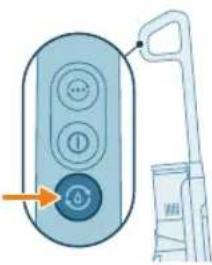
natural_image
Illustration of a remote control with a hand holding a device (no text or symbols visible)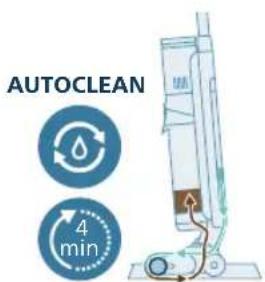
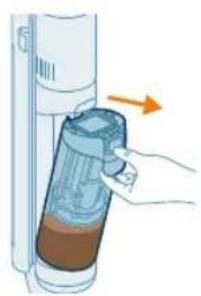
natural_image
Illustration of a hand inserting a container into a vertical tube with an arrow indicating direction (no text or symbols)natural_image
Illustration of a blue bottle pouring liquid into a container with a faucet above (no text or symbols)natural_image
Illustration of a faucet pouring liquid into a container with swirling flow lines (no text or symbols)natural_image
Illustration of a faucet pouring liquid into a mechanical component (no text or symbols)natural_image
Illustration of a hand holding a transparent cylindrical device with an arrow pointing to it (no text or symbols present)natural_image
Illustration of a cylindrical object being inserted into a base with an arrow indicating motion (no text or symbols)natural_image
3D diagram of a mechanical component with an upward arrow, no text or symbols present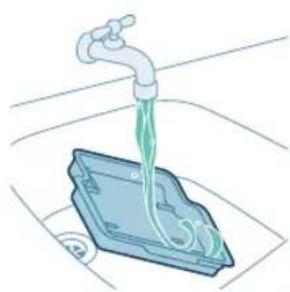
natural_image
Illustration of a faucet dispensing green liquid into a blue plastic container (no text or symbols)natural_image
3D diagram of a device with an orange arrow pointing to a component, no text or symbols presentnatural_image
Illustration of hands holding a smartphone with a hand pointing to it, no text or symbols presentnatural_image
Illustration of a hand holding a segmented blue object (no text or symbols)natural_image
Mechanical assembly diagram showing a piston and roller mechanism with directional arrows (no text or labels)natural_image
Mechanical assembly diagram showing a sliding mechanism with a tool and rollers (no text or symbols)natural_image
Diagram showing a device with a circular component and an arrow indicating rotation (no text or symbols)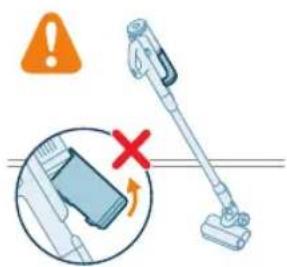
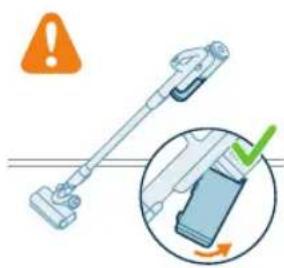
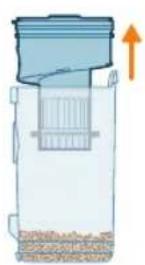
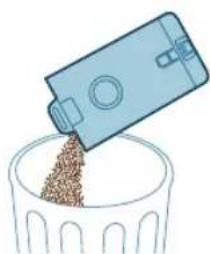
natural_image
Illustration of a blue plastic container pouring granular material into a glass bowl (no text or symbols)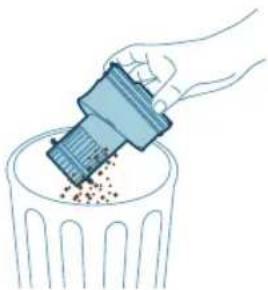
natural_image
Illustration of a hand using a tool to remove or dispose of granular material into a trash bin (no text or symbols)natural_image
Diagram of a water dispenser with a magnified inset showing internal components (no text or symbols)natural_image
Diagram of a kitchen sink with a close-up view of the interior (no text or symbols)natural_image
Illustration of two egg-shaped objects above a trash can with granular contents (no text or symbols)natural_image
Illustration of a hand washing a small appliance with a green checkmark and a white plate, no text or symbols present.natural_image
Illustration of a hand holding a sponge with liquid droplets (no text or symbols)natural_image
Illustration of a faucet pouring liquid into a container with swirling flow (no text or symbols)natural_image
Illustration of a hand cleaning a rectangular object with a cloth (no text or symbols)natural_image
Diagram of a door handle with a warning symbol and circular component (no text or labels)natural_image
Illustration of a hand pressing a button into a device, with an inset showing the same button (no text or symbols present)natural_image
Illustration of a mechanical component with a blue funnel and orange arrow indicating direction (no text or symbols)natural_image
Illustration of hands using pliers to cut a blue mechanical component (no text or symbols)natural_image
Mechanical assembly diagram showing a blue component being inserted into a housing, with an inset close-up highlighting the internal structure (no text or symbols present)natural_image
Illustration of a hand pressing a circular component with motion arrows (no text or symbols)natural_image
Illustration of hands using pliers to handle a blue object (no text or symbols)natural_image
Circular icon with icons representing various outdoor and indoor features (no text or symbols)natural_image
Circular icon with icons including water drop, lock, and warning sign (no readable text)natural_image
Simple 3D illustration of a light blue cylindrical object with a flared tip (no text or symbols)Introduction
natural_image
3D diagram of a device with a highlighted component and an arrow indicating downward motion (no text or symbols)Installation du support mural
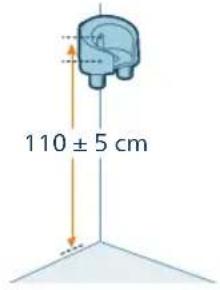
natural_image
Illustration of a mechanical device with a downward arrow indicating a component (no text or symbols present)natural_image
Illustration of a vacuum cleaner performing a step-by-step assembly (no text or symbols present)natural_image
Illustration of a mechanical device with a screwdriver inserted, showing no text or symbolsnatural_image
Illustration of a handwashing machine with a cylindrical container and orange spray effect (no text or symbols)natural_image
Illustration of a mechanical component being welded with a tool, showing sparks and motion (no text or symbols)natural_image
Illustration of a handheld device with a downward arrow pointing to a small component (no text or symbols visible)natural_image
Illustration of a mechanical device with a cylindrical component and directional arrows indicating motion (no text or symbols)natural_image
Illustration of a mechanical device with a cylindrical component and emitting sparks (no text or symbols)natural_image
Circular icon set with abstract symbols including water, gear, and a star (no text or labels)natural_image
Circular icon with abstract symbols including mountains, water, gear, and a button (no readable text or labels)natural_image
Illustration of a white cylindrical device with attached plug and cable, showing no text or symbolsnatural_image
Diagram of a device with a close-up view showing a hand interacting with a device (no text or symbols present)7 Fermez le cache.
natural_image
Illustration of a mechanical device with a tool inserted, showing a drop and a small component (no text or symbols)natural_image
Illustration of a handheld device with a downward arrow pointing to a plug (no text or symbols visible)natural_image
Circular icon set with eight distinct symbols including trees, water, and mechanical devices (no text or labels)natural_image
Circular icon set with abstract symbols and icons, no readable text or labelsnatural_image
Illustration of a mechanical device with a tool inserted, showing a pipe or pipe fitting (no text or symbols present)natural_image
Illustration of a hand inserting a card into a server rack (no text or symbols)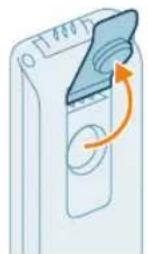
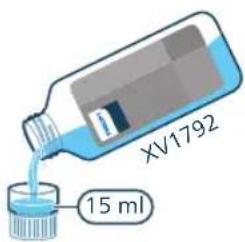
natural_image
Illustration of a hand pouring liquid into a container with a side panel (no text or symbols)natural_image
Illustration of a green electronic device with a circular button and an arrow indicating rotation (no text or symbols)natural_image
Illustration of a hand holding a smartphone next to a vertical panel, with an arrow indicating the action (no text or symbols present)natural_image
Illustration of a person using a vacuum cleaner to lift a cart (no text or symbols visible)natural_image
Illustration of a person using a handbag to lift a cart, showing two sequential motion steps (no text or symbols)natural_image
Illustration of a digital device with a speaker emitting sound waves (no text or symbols)natural_image
Illustration of a mechanical device with a lever and base, showing motion or force direction (no text or symbols)natural_image
Illustration of a handheld device mounted on a cabinet (no text or symbols visible)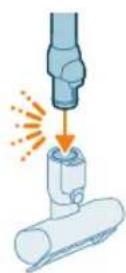
natural_image
Illustration of a hand using a handheld device to clean material, with warning symbols and a red X mark (no text or labels)natural_image
Illustration of a mechanical device emitting sparks from a cylindrical component (no text or symbols)natural_image
Illustration of a vacuum cleaner cleaning a bed (no text or symbols)natural_image
Illustration of a vacuum cleaner sweeping debris from a pipe, with icons for a device and a cat (no text or symbols)natural_image
Illustration of a medical or laboratory procedure showing a pipette inserted into a container with a magnified inset (no text or symbols)natural_image
Illustration of a blue mechanical component with a spiderweb and magnified detail (no text or symbols)natural_image
Illustration of a robotic arm gripping a mechanical component with an orange arrow indicating force (no text or symbols present)natural_image
Illustration of a hand holding a cylindrical device with a brown liquid, showing an arrow indicating direction (no text or symbols present)natural_image
Illustration of a blue bottle pouring liquid into a brown liquid, with a faucet above (no text or symbols)natural_image
Illustration of a blue cylindrical object with a water droplet inside, placed on a surface with a faucet above (no text or symbols)natural_image
Illustration of a device with a circular button and an arrow indicating rotation (no text or symbols)natural_image
Illustration of a hand inserting a device into a wall-mounted device, with an arrow indicating the motion (no text or symbols present)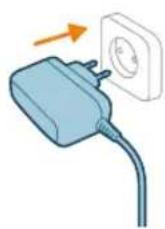

natural_image
Illustration of a remote control with a hand holding a toothbrush and a toothpaste can, no text or symbols present.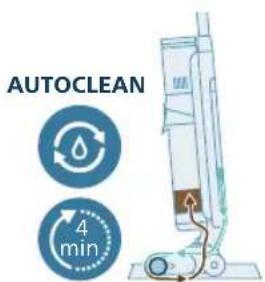
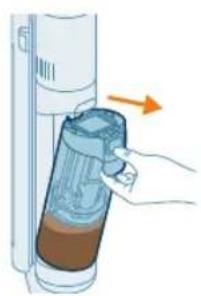
natural_image
Illustration of a hand inserting a container into a vertical tube with an arrow indicating direction (no text or symbols)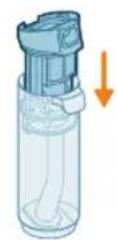
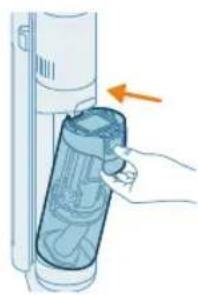
natural_image
Illustration of a hand inserting a plastic bag into a vertical tube, with an arrow indicating the process (no text or symbols present)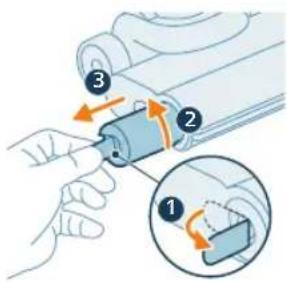
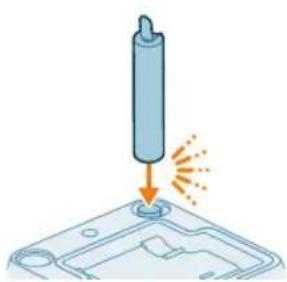
natural_image
Illustration of a cylindrical object being inserted into a tray with a flame, no text or symbols presentnatural_image
3D diagram of a mechanical component with an upward arrow indicating force or direction (no text or symbols)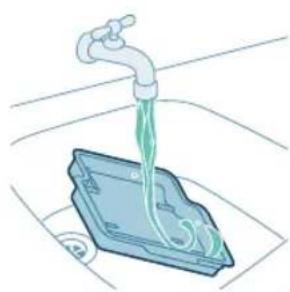
natural_image
Illustration of a faucet dispensing green liquid into a blue plastic container (no text or symbols)natural_image
3D diagram of a device with an orange arrow pointing to a component, no text or symbols presentnatural_image
Illustration of hands holding a pen or tool with an arrow indicating motion (no text or symbols)natural_image
Illustration of two hands holding a blue bandaged object (no text or symbols)natural_image
Mechanical assembly diagram showing a piston and roller components with orange arrows indicating motion direction (no text or labels)natural_image
Mechanical assembly diagram showing a tool interacting with a component, with no visible text or symbols.natural_image
Diagram showing a device with a circular component and an arrow indicating rotation (no text or symbols)312
Français
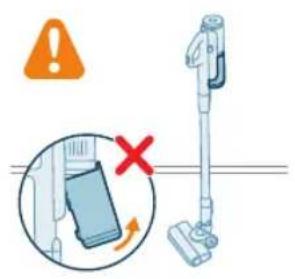
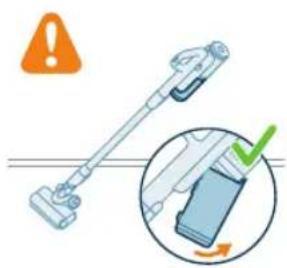
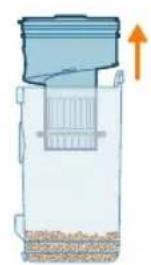
natural_image
Diagram of a container with a lid and internal structure, showing an upward arrow (no text or symbols)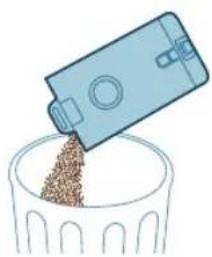
natural_image
Illustration of a blue plastic container pouring granular material into a glass bowl (no text or symbols)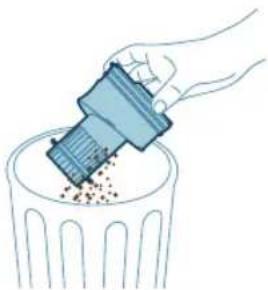
natural_image
Illustration of a hand using a tool to remove or spread debris into a trash bin (no text or symbols)natural_image
Diagram of a water dispenser with a magnified inset showing internal components (no text or symbols)natural_image
Diagram of a kitchen appliance with a lid and two circular components, no text or symbols presentnatural_image
Illustration of two hands inserting a bulb into a container with granular material (no text or symbols)
natural_image
Illustration of a hand washing a small appliance with a green checkmark and a white pipe (no text or symbols)
natural_image
Illustration of a hand holding a sponge with liquid droplets (no text or symbols)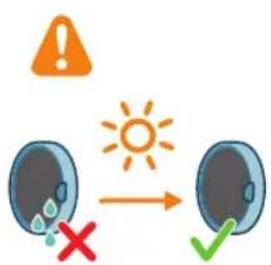
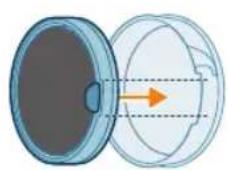
natural_image
Illustration of a faucet pouring liquid into a container with swirling flow (no text or symbols)natural_image
Illustration of a hand cleaning a rectangular object with a cloth (no text or symbols)natural_image
Diagram of a mechanical component with an arrow and warning symbol (no text or labels)natural_image
Illustration of a hand pressing a button into a mechanical component, with an inset showing the same lever mechanism (no text or symbols present)natural_image
Illustration of a mechanical component with a blue funnel and orange arrow indicating direction (no text or symbols)natural_image
Illustration of hands using scissors to tie a blue ribbon (no text or symbols)natural_image
Mechanical assembly diagram showing a blue component being inserted into a housing, with an inset close-up highlighting the internal structure (no text or symbols present)natural_image
Illustration of a hand pressing a circular component with motion arrows (no text or symbols)natural_image
Illustration of hands using a tool to adjust or install a blue mechanical component (no text or symbols visible)natural_image
Simple 3D illustration of a light blue cylindrical object with a protruding tip (no text or symbols)332 Hrvatski
Uvod
Zahvaljujemo na kupnji proizvoda tvrtke Philips. Kako biste iskoristili sve pogodnosti podrške koju nudi Philips, registrirajte svoj proizvod na web-mjestu www.philips.com/myvacuum9000s.
Općeniti opis
1 Zidni nosač
2 Nastavak za uske površine
3 Nastavak 2 u 1
4 Gumb Turbo za suho usisavanje
5 Gumb za uključivanje/isključivanje za suho usisavanje
6 Ručka i spremnik za prašinu za suho usisavanje
7 Produžena cijev
8 Spremište za dodatke na cijevi
9 Nastavak za usisavanje
10 Motorizirana turbo četka
11 Adapter
12 Jedinica napajanja
13 Indikator intenzivnog mokrog načina rada
14 Indikator napunjenosti spremnika za prljavu vodu
15 Indikator funkcije AutoClean
16 Indikator baterije
17 Indikator upijanja vode
18 Indikator zaglavljenog usisnog nastavka
19 Indikator pogreške
20 Indikator suhog turbo usisavanja
21 Ručka za mokro usisavanje
22 Gumb za promjenu načina usisavanja
23 Gumb za uključivanje/isključivanje za mokro usisavanje
24 Gumb za samočišćenje (AutoClean)
25 Spremnik za čistu vodu
26 Spremnik za prljavu vodu
27 Nastavak AquaSpin
28 Četkica za čišćenje 2 u 1
29 Stanica za postavljanje poslije čišćenja i pohranu
30 Ladica za uporabu poslije čišćenja
31 Deterdžent
Prije prve uporabe
Sastavljanje stanice za postavljanje poslije čišćenja i pohranu
Kako biste upotrebljavali funkciju samočišćenja AUTOCLEAN ili pohranili i napunili uređaj na stanici za postavljanje poslije čišćenja i pohranu, prvo morate sastaviti stanicu tako da utisnete držač uređaja na osnovnu ploču.
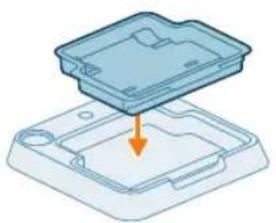
natural_image
3D diagram of a device with an orange arrow pointing to a component, no text or symbols presenti Napomena: provjerite je li ladica za uporabu poslije čišćenja postavljena na osnovnu ploču i je li temperatura u prostoriji u kojoj se uređaj pohranjuje, puni i čisti između 5 °C i 35 °C.
Ako na zidnom nosaču želite pohraniti i puniti samo usisavač, pričvrstite zidni nosač na zid isporučenim vijcima. Pobrinite se da je zidni nosač 105 – 115 cm iznad poda.
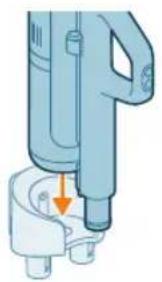
natural_image
Illustration of a mechanical device with a downward arrow indicating a component (no text or symbols present)i Napomena: na zidni nosač nije moguća pohrana uredaja u položaju za usisavanje i brisanje. Na zidni nosač moguće je pohraniti samo uredaj u položaju za usisavanje.
i Napomena: pobrinite se da temperatura u prostoriji u kojoj je uređaj pohranjen ili se tamo puni bude između 5 °C i 35 °C.
A Oprez: budite oprezni prilikom bušenja rupa u zidu za pričvršćivanje zidnog nosača kako biste izbjegli opasnost od strujnog udara.
Sastavljanje uređaja u položaj za usisavanje i brisanje
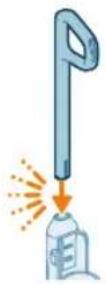
1 Da biste sastavili uređaj, umetnite ručku u glavno tijelo (čut ćete „klik“).
334 Hrvatski
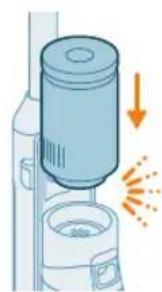
natural_image
Illustration of a vacuum cleaner emitting exhaust smoke, with no text or symbols present.2 Umetnite jedinicu napajanja u držak modula za mokro čišćenje iznad spremnika za prljavu vodu (mora se čuti škljocaj).
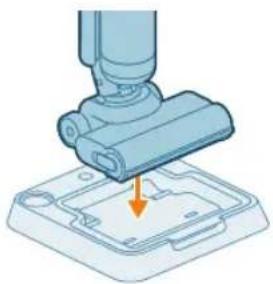
natural_image
Illustration of a robotic arm gripping a mechanical component with an orange arrow indicating force (no text or symbols present)3 Kako biste pohranili uredaj u položaju za usisavanje i brisanje, možete ga staviti u stanicu za postavljanje poslije čišćenja i pohranu.
Rastavljanje ručke
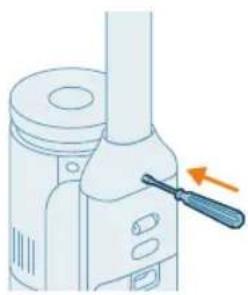
natural_image
Illustration of a mechanical device with a screwdriver inserted, showing no text or symbolsAko trebate ponovno rastaviti uredaj, slijedite korake u nastavku:
natural_image
Illustration of a handwashing device with a downward arrow indicating heat or relief (no text or symbols)1 Sklop samo za usisavanje sastavite tako da jedinicu napajanja gurnete u položaj ispod ručke (mora se čuti škljocaj).
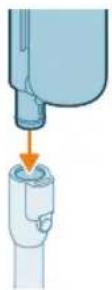
2 Ručnu jedinicu sa spremnikom za prašinu pričvrstite na cijev (mora se čuti škljocaj).
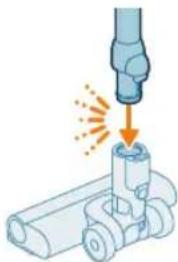
natural_image
Illustration of a mechanical component being welded with a tool, showing sparks and motion (no text or symbols)natural_image
Illustration of a handheld device with a downward arrow pointing to a small component (no text or symbols visible)4 Za pohranu sklopa samo za usisavanje postavite ga na zidni nosač. Ugurajte spremnik za prašinu u zidni nosač tako da se učvrsti.
Uklanjanje i pričvršćivanje jedinice napajanja
Uklanjanje i pričvršćivanje jedinice napajanja u sklopu samo za usisavanje
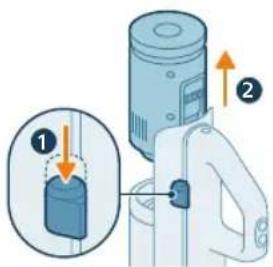
natural_image
Illustration of a mechanical device with a cylindrical component and directional arrows indicating motion (no text or symbols)Uklanjanje i pričvršćivanje jedinice napajanja u sklopu za usisavanje i brisanje
1 Pritisnite gumb na bočnoj strani uredaja.
2 Dok držite gumb pritisnutim, izvucite jedinicu napajanja iznad spremnika za prljavu vodu.
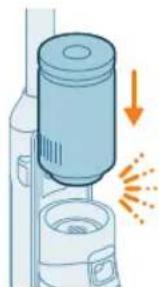
natural_image
Illustration of a mechanical device with a cylindrical component and a base, emitting sparks (no text or symbols)1 Da biste napunili uređaj, otvorite brtveni poklopac na stražnjoj strani uređaja.
2 Umetnite utikač za napajanje u utičnicu na stražnjoj strani uredaja.
natural_image
Circular icon set with white symbols including mountains, water, gear, and a starburst (no text or labels)4 Na zaslonu će treperiti ikona baterije i kružni segmenti, što znači da se uredaj puni.
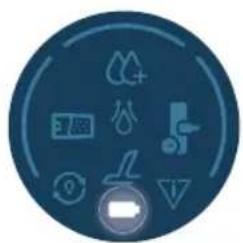
natural_image
Circular icon with icons representing water, gas, water, and other symbols (no text or labels)natural_image
Illustration of a portable electronic device with a cable plugged into a plug, showing no text or symbols.6 Izvadite utikač za napajanje iz utičnice na stražnjoj strani uređaja prije no što ga upotrijebite za čišćenje.
338 Hrvatski
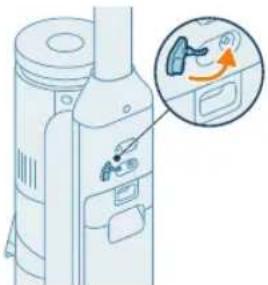
natural_image
Diagram of a refrigerator with an inset showing a close-up of the door (no text or symbols present)7 Zatvorite brtveni poklopac.
natural_image
Illustration of a mechanical device with a tool inserted, showing a drop and a small component (no text or symbols)Uredaj je opremljen litij-ionskom baterijom od 25 V. Punjenje traje 4 sata.
natural_image
Illustration of a handheld device with a downward arrow pointing to a plug (no text or symbols visible)2 Gurnite ručnu jedinicu sa spremnikom za prašinu u zidni nosač.
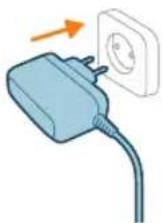
natural_image
Circular icon set with eight distinct symbols including trees, water, and mechanical devices (no text or labels)4 Na zaslonu će treperiti ikona baterije i kružni segmenti, što znači da se uređaj puni.
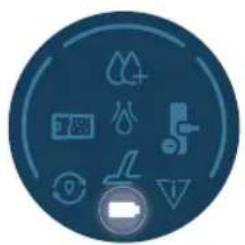
natural_image
Circular icon set with icons including water, fire, water drop, and battery (no text or symbols)natural_image
Illustration of a mechanical device with a tool inserted, showing a pipe or port (no text or symbols)6 Izvadite utikač za napajanje iz utičnice na stražnjoj strani uredaja prije no što ga upotrijebite za čišćenje.
natural_image
Illustration of a hand inserting a card into a server tower (no text or symbols)340 Hrvatski
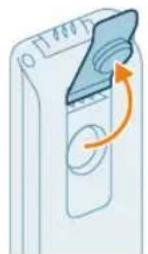
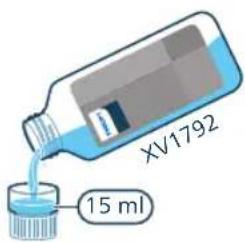
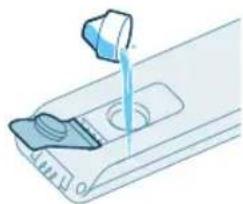
natural_image
Illustration of a hand pouring liquid into a container with a control panel (no text or symbols)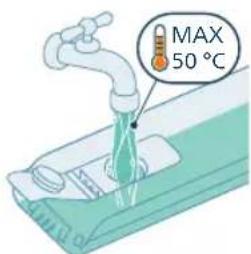
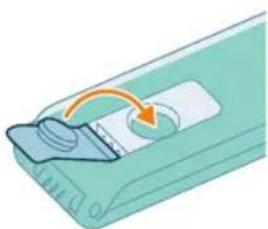
natural_image
Illustration of a mechanical component with an arrow indicating rotation or movement (no text or symbols)natural_image
Illustration of a hand inserting a green card into a wall-mounted device (no text or symbols visible)natural_image
Illustration of a person using a vacuum cleaner to lift a cart (no text or symbols visible)7 Izvadite uredaj iz stanice za postavljanje poslije čišćenja i pohranu i stavite ga na pod. Stanite nogom na nastavak AquaSpin i povucite ručku unatrag da biste otključali nastavak AquaSpin. Uredaj je sada spreman za korištenje.
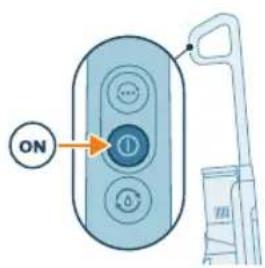
natural_image
Illustration of a person using a vacuum cleaner to lift a cart, showing two sequential motion steps (no text or symbols)natural_image
Illustration of a hand holding a cylindrical device with an arrow indicating motion or force (no text or symbols)1 Za usisavanje podova od mekih ili tvrdih materijala gurnite jedinicu napajanja na svoje mjesto na ručnoj jedinici (mora se čuti škljocaj).
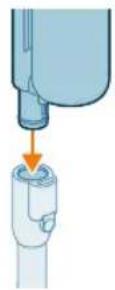
natural_image
Illustration of a mechanical device with a lever and base, showing motion or vibration (no text or symbols)5 Upotrijebite gumb Turbo za prebacivanje na višu postavku usisne snage.
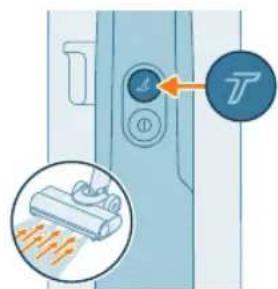
6 Kako biste vratili standardnu postavku snage, ponovno pritisnite gumb Turbo ⑦.
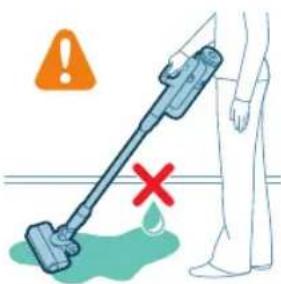
Savjet: LED diode u LED nastavku olakšavaju uočavanje prljavštine na podu. Cijev i LED nastavak omogućuju vam da dosegnete ispod niskog namještaja bez potrebe za okretanjem uredaja.
natural_image
Illustration of a handheld device mounted on a cabinet (no text or symbols visible)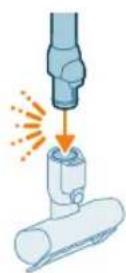
natural_image
Illustration of a mechanical assembly with a cylindrical component and a base, showing motion direction (no text or symbols)2 Za odvajanje LED mlaznice pritisnite gumb za otpuštanje (1) i izvucite cijev ili držak iz mlaznice (2).
natural_image
Illustration of a vacuum cleaner cleaning a bed (no text or symbols)natural_image
Illustration of a vacuum cleaner spraying water onto a surface, with icons for a bed and a dog (no text or symbols)natural_image
Illustration of a medical or laboratory procedure showing a pipette inserted into a container with a magnified inset (no text or symbols)3 Za odvajanje dugačkog nastavka za uske površine pritisnite gumb za otpuštanje (1) i iz njega izvucite cijev ili ručnu jedinicu (2).
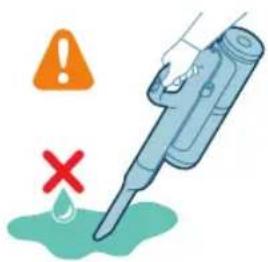
natural_image
Illustration of a hand holding a fiber optic cable with a spiderweb and mechanical components (no text or symbols)natural_image
Illustration of a robotic arm gripping a mechanical component, with an orange arrow indicating force direction (no text or symbols present)Kako biste spriječili neugodne mirise i naslage kamenca, nakon svake uporabe upotrijebite funkciju samočišćenja AUTOCLEAN. Način rada AUTOCLEAN pomaže vam da potpuno očistite svoj uređaj za približno 4 minute.
1 Uređaj u položaju za usisavanje i brisanje postavite u stanicu za postavljanje poslije čišćenja i pohranu.
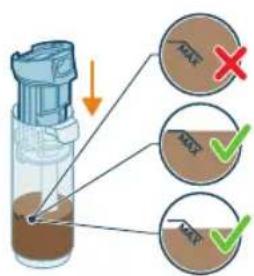
natural_image
Illustration of a hand holding a device with an arrow indicating direction (no text or symbols present)natural_image
Illustration of a blue bottle pouring liquid into a brown liquid, with a faucet above (no text or symbols)4 Izlijte vodu iz spremnika za prljavu vodu u odvod.
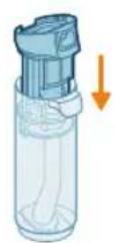
5 Vratite mokri filtar u spremnik za prljavu vodu.
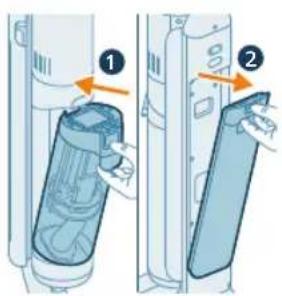
natural_image
Illustration of a blue cylindrical object with a white pipe inserted, showing liquid flow (no text or symbols)8 Izlijte sav preostali tekući deterdžent iz spremnika za čistu vodu u odvod.
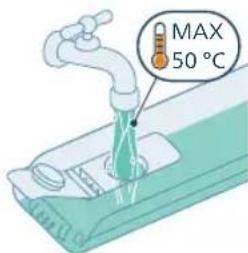
9 Napunite spremnik za čistu vodu hladnom ili mlakom vodom iz slavine barem do oznake AUTOCLEAN.
A Oprez: voda iz slavine koja se ulijeva u spremnik za čistu vodu ne smije biti toplija od 50 °C.
A Oprez: nemojte upotrebljavati deterdžent za funkciju AUTOCLEAN jer bi to moglo dovesti do prekomjernog pjenjenja.
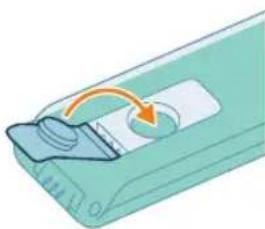
natural_image
Illustration of a device with a circular button and an arrow indicating rotation (no text or symbols)10 Zatvorite spremnik za vodu brtvenim poklopcem.
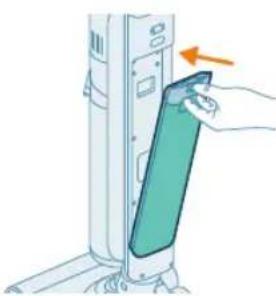
natural_image
Illustration of a hand inserting a card into a device (no text or symbols visible)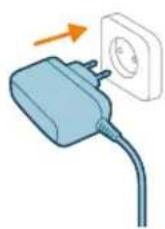
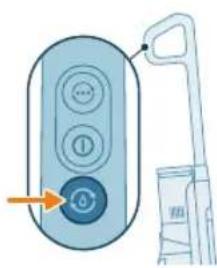
natural_image
Illustration of a remote control with a hand holding a toothbrush and a toothpaste can, no text or symbols present.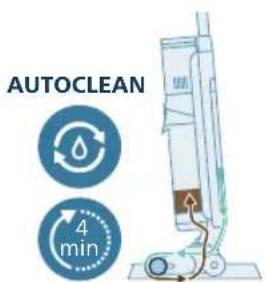
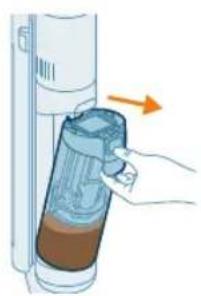
natural_image
Illustration of a hand inserting a container into a vertical tube with an arrow indicating direction (no text or symbols)natural_image
Illustration of a blue bottle pouring liquid into a container with a faucet above (no text or symbols)17 Izlijte vodu iz spremnika za prljavu vodu u odvod.
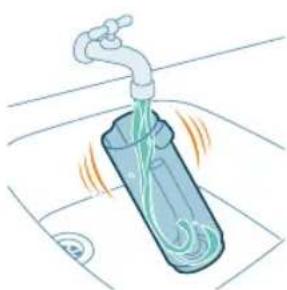
natural_image
Illustration of a faucet pouring liquid into a container with swirling flow lines (no text or symbols)18 Spremnik za čistu vodu operite pod mlazom vode iz slavine.
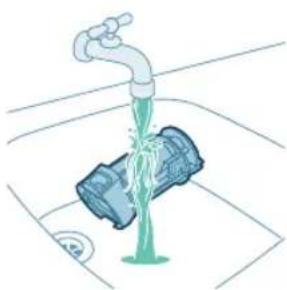
natural_image
Illustration of a faucet pouring liquid into a mechanical component (no text or symbols)19 Mokri filtar operite pod mlazom vode iz slavine.
i Napomena: uklonite rebrasti filtar prije pranja filtra za mokro čišćenje pod mlazom vode iz slavine.
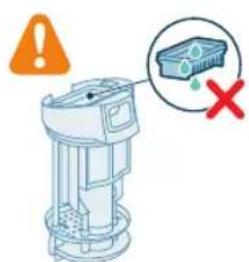
Upozorenje: rebrasti filtar ne smije se prati. Ako ga trebate očistiti, lagano njime lupkajte o kantu za otpatke kako biste oslobodili svu prljavštinu koja se u njemu nalazi.
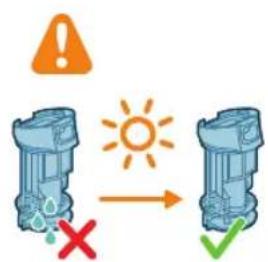
20 Ostavite filtar za mokro čišćenje da se osuši.
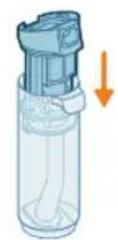
21 Vratite mokri filtar u spremnik za prljavu vodu.
natural_image
Illustration of a hand holding a cylindrical device with a blue lid, showing internal components and an orange arrow indicating direction (no text or symbols)22 Vratite spremnik za prljavu vodu u uređaj.
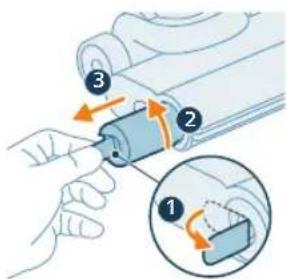
23 Za uklanjanje četke izvucite polugu sa strane (1) i okrenite je suprotno od kazaljke na satu (2). Izvucite četku iz nastavka AquaSpin (3).
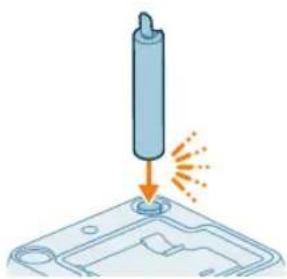
natural_image
Illustration of a cylindrical object being inserted into a base with an arrow indicating motion (no text or symbols)24 Kako biste omogućili da se četka osuši, stavite otvoreni kraj četke na predviđeni držač na stanici za postavljanje poslije čišćenja i pohranu.
i Napomena: sušenje može trajati približno 24 sata.
natural_image
3D diagram of a mechanical component with an upward arrow, no text or symbols present1 Uklonite ladicu za uporabu poslije čišćenja iz stanice za pohranu.
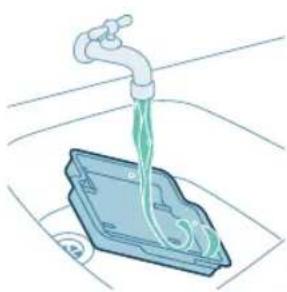
natural_image
Illustration of a faucet dispensing liquid into a plastic container (no text or symbols)2 Isperite ladicu za uporabu poslije čišćenja pod mlazom vode iz slavine i ostavite da se osuši prije nego što je vratite u stanicu za pohranu.
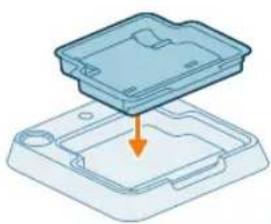
natural_image
3D diagram of a device with an orange arrow pointing to a component, no text or symbols present1 Za uklanjanje četke izvucite polugu sa strane (1) i okrenite je suprotno od kazaljke na satu (2). Izvucite četku iz nastavka AquaSpin (3).
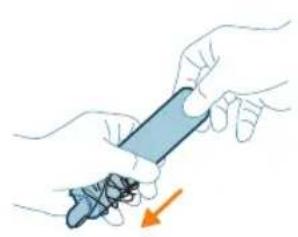
natural_image
Illustration of hands holding a smartphone with a hand pointing to it (no text or symbols present)2 Zapetljane dlake ili niti možete ukloniti s četke od mikrovlakana povlačenjem preko četke jednom rukom.
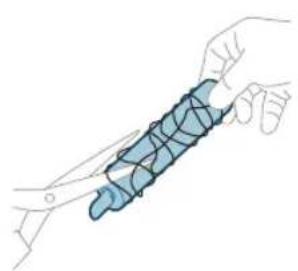
natural_image
Illustration of a hand holding a segmented blue object (no text or symbols)natural_image
Mechanical assembly diagram showing a piston and roller mechanism with orange arrows indicating motion (no text or labels)Ako je uređaj začepljen, najprije isključite uredaj i uklonite spremnik s prljavom vodom. Zatim uklonite začepljenje pomicanjem četke za čišćenje gore-dolje u usisnom kanalu modula glavnog tijela.
Čišćenje začepljenja iz nastavka AquaSpin
Ako je nastavak AquaSpin začepljen, uklonite četku s nastavka. Zatim pomičite četku za čišćenje gore-dolje u usisnom kanalu nastavka AquaSpin.
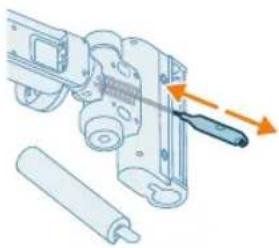
natural_image
Mechanical assembly diagram showing a sliding mechanism with orange arrows indicating motion direction (no text or symbols)Čišćenje uređaja u položaju samo za usisavanje
Pražnjenje spremnika za prašinu
Održavanje sustava za upravljanje prašinom
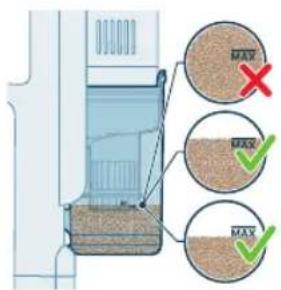
Ispraznite spremnik za prašinu nakon svake uporabe ili kada prašina dosegne indikator razine MAX.
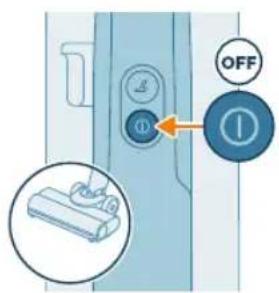
1 Isključite uredaj.

natural_image
Diagram showing a device with a circular component and an arrow indicating rotation (no text or symbols present)2 Držite uređaj pod kutom od 45 stupnjeva kao što je prikazano na ilustraciji. Uklonite spremnik za prašinu pritiskom gumba za otpuštanje. Gumb za otpuštanje nalazi se na dnu spremnika.
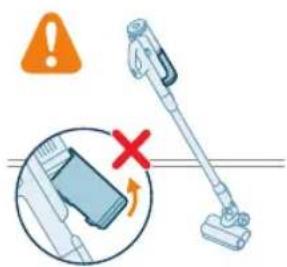
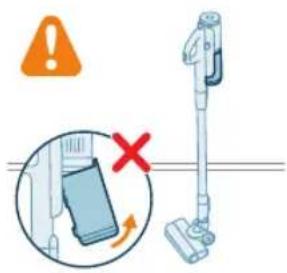
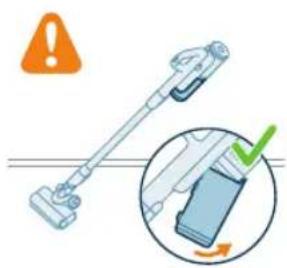
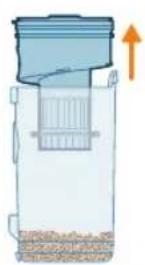
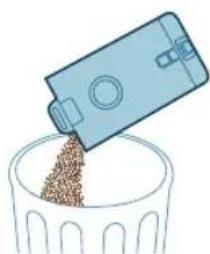
natural_image
Illustration of a blue plastic container pouring granular material into a glass bowl (no text or symbols)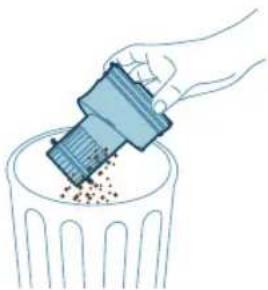
natural_image
Illustration of a hand using a tool to remove or spread debris into a trash bin (no text or symbols)i Napomena: uklonite spremnik za prašinu pritom držeći uređaj u uspravnom položaju.
3 Držite crnu dršku. Uklonite ciklonsku komoru iz spremnika za prašinu podizanjem iz spremnika.
4 Ispraznite prašinu prikupljenu u spremniku za prašinu u kantu za smeće.
5 Uklonite preostalu prašinu iz ciklonske komore tako da lagano njome lupkate o kantu za otpatke.
360 Hrvatski
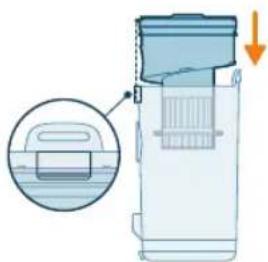
natural_image
Diagram of a water filter device with a magnified inset showing internal components (no text or symbols)natural_image
Diagram of a kitchen sink with a close-up view of the interior (no text or symbols)2 Izvadite perivi pjenasti filtar iz plastičnog kućišta filtra.
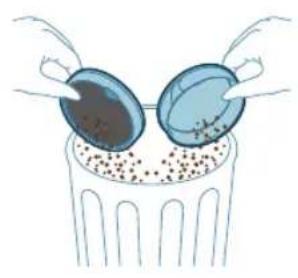
natural_image
Illustration of two blue egg-shaped objects above a perforated base with granular material (no text or symbols)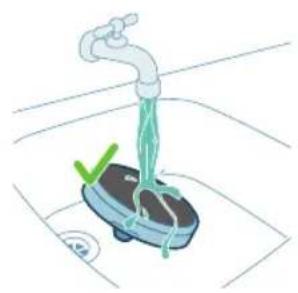
natural_image
Illustration of a hand washing a small appliance with a green checkmark and a white plate, no text or symbols present.
natural_image
Illustration of a hand holding a dark object with a small green droplet below (no text or symbols)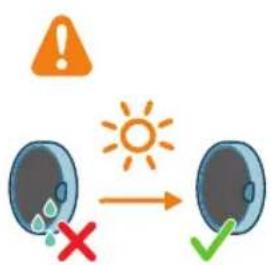
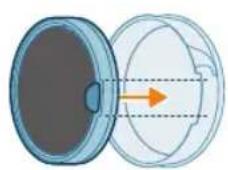
3 Istresite kućište filtra i pjenasti filtar iznad kante za smeće.
4 Isperite pjenasti filtar i gnječite ga dok iz njega ne počne izlaziti čista voda.
i Napomena: za najbolje rezultate čišćenja pustite vodu kroz filtar tako da je jezičak filtra okrenut prema dolje, time omogućujući ispiranje duboko zaglavljene prašine.
i Napomena: Ako uredaj redovito upotrebljavate, filtar od pjene perite najmanje jednom mjesečno.
5 Oprani filtar ostavite da se osuši 24 sata prije ponovnog postavljanja pjenastog filtra u kućište filtra.
362 Hrvatski
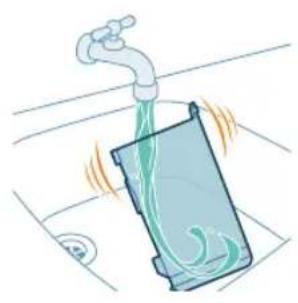
natural_image
Illustration of a faucet pouring liquid into a container with swirling flow (no text or symbols)natural_image
Illustration of a hand cleaning a rectangular object with a cloth (no text or symbols)7 Brisanjem osušite očišćeni spremnik za prašinu i relevantne dijelove.
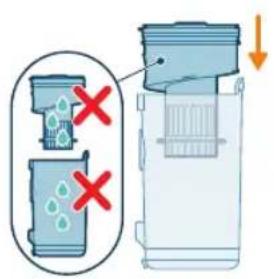
natural_image
Diagram of a door handle with a warning symbol and circular component (no text or labels)natural_image
Illustration of a hand pressing a button into a device, with an inset showing the same button being turned (no text or symbols present)2 Za pristup valjkastoj četki pronadite gumb na bočnoj strani nastavka. Pritisnite ga i zakrenite da biste ga otvorili.
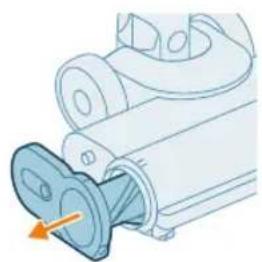
natural_image
Illustration of a mechanical component with a blue funnel and orange arrow indicating direction (no text or symbols)natural_image
Illustration of hands using pliers to cut a blue mechanical component (no text or symbols)4 Pažljivo uklonite zapetljanu kosu s valjkaste četke. Olakšajte si uklanjanje prljavštine škarama.
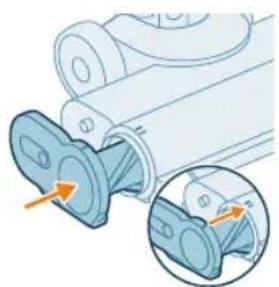
natural_image
Mechanical assembly diagram showing a blue component being inserted into a housing, with an inset close-up highlighting the internal structure (no text or symbols present)natural_image
Illustration of a hand pressing a circular component with motion arrows (no text or symbols)natural_image
Illustration of hands using pliers to handle a blue object (no text or symbols)2 Rukom ili pomoću škara uklonite prljavštinu s četke.
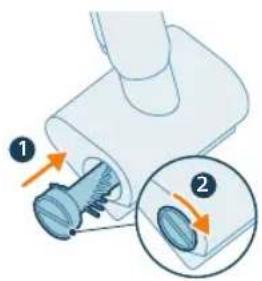
natural_image
Circular icon with icons including water, lungs, teeth, and a red heart (no text or symbols)Temperatura je preniska. Ako ikona baterije i ikona pogreške
istovremeno trepere u crvenoj boji, to znači da je temperatura okoline preniska ili previsoka.
Pobrinite se da temperatura u prostoriji u kojoj se uređaj upotrebljava, pohranjuje ili puni bude iznad 5 °C.
natural_image
Simple 3D illustration of a light blue cylindrical object with a protruding tip (no text or symbols)Introduzione
natural_image
3D diagram of a device with an orange arrow pointing to a component, no text or symbols presentnatural_image
Illustration of a mechanical device with a downward arrow indicating a component (no text or symbols present)natural_image
Illustration of a mechanical device with a cylindrical component and emitting sparks (no text or symbols)natural_image
Illustration of a robotic arm pressing down on a mechanical component (no text or symbols visible)natural_image
Illustration of a mechanical device with a screwdriver inserted, showing no text or symbolsnatural_image
Illustration of a mechanical device with an arrow indicating motion or force (no text or symbols present)natural_image
Illustration of a mechanical device with a lever and explosion effect (no text or symbols)natural_image
Illustration of a handheld device with a downward arrow pointing to a small component (no text or symbols visible)natural_image
Illustration of a mechanical device with a cylindrical component and directional arrows indicating motion (no text or symbols)natural_image
Illustration of a mechanical device with a cylindrical component and a base, emitting sparks (no text or symbols)natural_image
Circular icon set with abstract symbols and no readable text or labelsnatural_image
Circular icon set with various mechanical and safety symbols (no readable text or labels)natural_image
Illustration of a portable electric vehicle charging station with a power plug and orange arrow indicating direction (no text or symbols)natural_image
Diagram of a device with a close-up inset showing a hand holding a device, no text or symbols present.natural_image
Illustration of a mechanical device with a tool inserted, showing a downward arrow pointing to a small component (no text or symbols present)natural_image
Illustration of a handheld device with a downward arrow indicating a process or operation (no text or symbols present)natural_image
Circular icon set with abstract symbols and no readable text or labelsnatural_image
Circular icon with abstract symbols including plus, lock, gear, and control buttons (no readable text)natural_image
Illustration of a mechanical device with a tool inserted into a cylindrical component (no text or symbols visible)natural_image
Illustration of a hand inserting a device into a wall-mounted device (no text or symbols visible)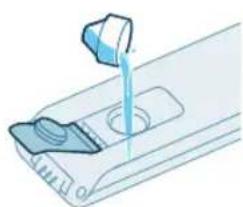
natural_image
Illustration of a mechanical device with a blue tool dispensing liquid into a port (no text or symbols)natural_image
Illustration of a device with a scroll wheel and directional arrow indicating rotation (no text or symbols)natural_image
Illustration of a hand inserting a device into a vertical panel, with an arrow indicating the process (no text or symbols present)natural_image
Illustration of a person using a vacuum cleaner to lift a bottle (no text or symbols visible)natural_image
Illustration of a person using a vacuum cleaner to lift their arm, showing two sequential motion steps (no text or symbols)natural_image
Illustration of a device emitting heat or vibration from a cylindrical component (no text or symbols)natural_image
Illustration of a mechanical assembly with a tool and a cylindrical component, no text or symbols present.natural_image
Illustration of a handheld industrial vacuum cleaner next to a cabinet (no text or symbols visible)natural_image
Illustration of a mechanical device with a cylindrical component being processed, showing motion direction (no text or symbols)natural_image
Diagram of a mechanical device interacting with a bed, showing a blue lever and a circular inset of a bed (no text or symbols)natural_image
Illustration of a vacuum cleaner spraying water with a magnified inset showing a bench and cat (no text or symbols)natural_image
Illustration of a mechanical component being cut off into a wireframe structure (no text or symbols)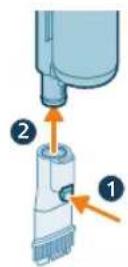
natural_image
Illustration of a hand holding a spray gun with warning symbols (no text or labels)natural_image
Illustration of a robotic arm performing a press or stamping operation on a base (no text or symbols visible)natural_image
Illustration of a hand holding a device with a brown liquid, showing an arrow indicating direction (no text or symbols present)natural_image
Illustration of a blue bottle pouring liquid into a brown liquid, with a faucet above and a circular pipe nearby (no text or symbols)natural_image
Illustration of a blue cylindrical object with green liquid being poured into it, placed on a surface with a faucet in the background (no text or symbols)natural_image
Illustration of a green electronic device with a circular component and an arrow indicating rotation (no text or symbols)natural_image
Illustration of a hand inserting a card into a device (no text or symbols visible)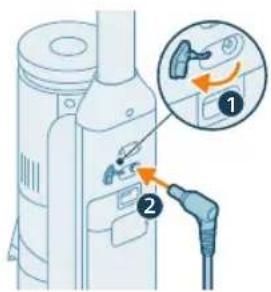
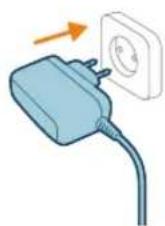
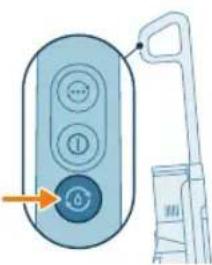
natural_image
Illustration of a remote control interface with a hand holding a device (no text or symbols visible)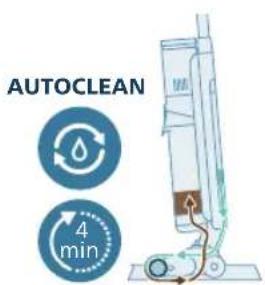
natural_image
Illustration of a hand holding a device with a brown liquid, showing an arrow indicating direction (no text or symbols present)natural_image
Illustration of a blue bottle pouring liquid into a brown liquid, with a faucet above (no text or symbols)natural_image
Illustration of a faucet spraying water into a blue cylindrical container with swirling liquid, placed on a surface (no text or symbols)natural_image
Illustration of a faucet pouring liquid into a container with a valve, no text or symbols presentnatural_image
Illustration of a hand holding a cylindrical container with liquid, next to a vertical tube (no text or symbols visible)natural_image
Illustration of a cylindrical device being inserted into a base with a spark effect (no text or symbols)natural_image
Isometric illustration of a mechanical component with an upward arrow, no text or symbols present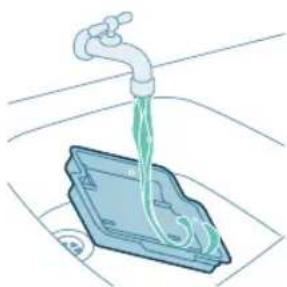
natural_image
Illustration of a faucet dispensing liquid into a blue plastic container (no text or symbols)natural_image
3D diagram of a device with an orange arrow pointing to a component, no text or symbols presentnatural_image
Illustration of hands holding a blue pen with an arrow indicating motion (no text or symbols)natural_image
Illustration of a hand holding a blue wire or cable wrapped around it, with no visible text or symbols.natural_image
Mechanical assembly diagram showing a shaft and housing with directional arrows indicating motion (no text or symbols)natural_image
Mechanical assembly diagram showing a tool interacting with a component, with no visible text or symbols.natural_image
Diagram showing a mechanical component with two labeled parts (1 and 2), no readable text or symbols present.
natural_image
Illustration of a hand using a plastic tool to remove granular material into a trash bin (no text or symbols)natural_image
Diagram of a water filter device with an inset showing a component (no text or symbols)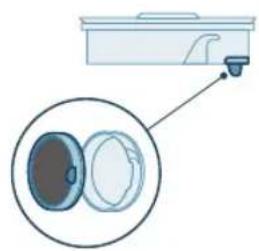
natural_image
Diagram of a kitchen appliance with a close-up view showing internal components (no text or symbols)natural_image
Illustration of two hands inserting a bulb into a container with granular material (no text or symbols)natural_image
Illustration of a faucet spraying water onto a small scale with a green checkmark (no text or symbols)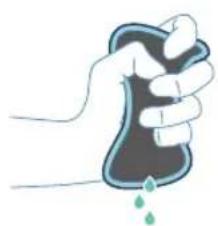
natural_image
Illustration of a hand holding a small object with a droplet falling (no text or symbols)408 Italiano
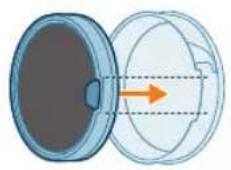
natural_image
Diagram showing a lid partially open to form a circular container with an arrow indicating direction (no text or symbols present)natural_image
Illustration of a faucet spraying water into a container with swirling green liquid (no text or symbols)natural_image
Illustration of a hand cleaning a blue rectangular object (no text or symbols)natural_image
Diagram of a door handle mechanism with warning symbol and circular component (no text or labels)natural_image
Illustration of a hand pressing a button into a device, with an inset showing the same button (no text or symbols present)natural_image
Mechanical component diagram showing a valve inserted into a housing (no text or symbols visible)natural_image
Illustration of hands using a tool to cut a blue object, no text or symbols presentnatural_image
Mechanical assembly diagram showing a component being inserted into a housing, with an inset close-up highlighting the internal structure (no text or symbols present)natural_image
Illustration of a hand pressing a circular component with motion arrows (no text or symbols)natural_image
Illustration of hands using scissors to handle a blue mechanical component (no text or symbols)natural_image
Circular icon with icons representing environmental or safety symbols (no readable text)natural_image
Simple 3D illustration of a light blue cylindrical object with a protruding neck (no text or symbols)levads
natural_image
3D diagram of a device with an orange arrow pointing to a component on a base (no text or symbols)natural_image
Mechanical component diagram showing a tool interacting with a base (no text or symbols visible)natural_image
Illustration of a vacuum cleaner performing a printing or cleaning process, showing top and side views with arrows indicating motion (no text or symbols)natural_image
Illustration of a mechanical device with a tool inserted, showing no text or symbolsnatural_image
Illustration of a handwashing device with a downward arrow indicating heat or relief (no text or symbols)natural_image
Illustration of a mechanical device with a tool emitting sparks, no text or symbols presentnatural_image
Illustration of a handheld device with a downward arrow pointing to a small component (no text or symbols visible)1 Nospiediet pogu roktura sānos.
2 Turot pogu nospiestu, izbīdiet barošanas bloku no rokas ierīces.
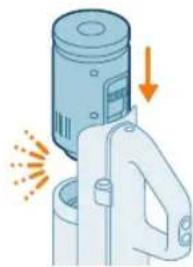
natural_image
Illustration of a mechanical device with a cylindrical component and directional arrows indicating motion (no text or symbols)natural_image
Illustration of a spray canister emitting powder with an orange arrow indicating emission (no text or symbols)natural_image
Circular icon set with abstract symbols including a flame, water drop, musical notes, and starburst (no text or labels)natural_image
Circular icon set with various mechanical and safety symbols (no readable text or labels)natural_image
Illustration of a gas station with a power plug and attached device (no text or symbols visible)natural_image
Diagram of a device with a close-up inset showing a hand holding a device, no text or symbols present.natural_image
Illustration of a mechanical device with a tool inserted, showing a drop and a small hole (no text or symbols)natural_image
Illustration of a handheld electric shaver with a downward arrow indicating compression (no text or symbols)natural_image
Circular icon set with abstract symbols and no readable text or labelsnatural_image
Circular icon with abstract symbols including plus, lock, gear, and control buttons (no readable text)natural_image
Illustration of a mechanical device with a lever and handle, no visible text or symbolsnatural_image
Illustration of a hand inserting a smartphone into a device (no text or symbols visible)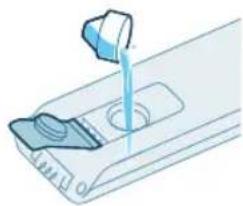
natural_image
Illustration of a hand pouring liquid into a container with a side panel (no text or symbols)natural_image
Illustration of a device with a scroll wheel and a paper slot, showing a rotation arrow (no text or symbols)natural_image
Illustration of a hand inserting a device into a device panel, with an arrow indicating the process (no text or symbols present)natural_image
Illustration of a person using a vacuum cleaner to lift a vehicle (no text or symbols visible)natural_image
Illustration of a person using a vacuum cleaner to lift a cart, showing two sequential motion steps (no text or symbols)natural_image
Illustration of a cylindrical device with an arrow indicating compression or heat transfer (no text or symbols)natural_image
Illustration of a mechanical tool impacting a cylindrical component (no text or symbols present)3 levietojiet caurules otru galu LED sprauslā (atskan klikškis).
natural_image
Illustration of a handheld device mounted on a cabinet (no text or symbols visible)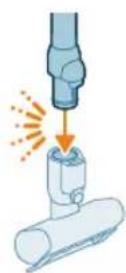
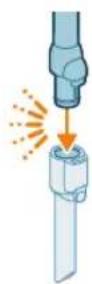
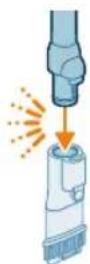
natural_image
Illustration of a mechanical tool interacting with a cylindrical component (no text or symbols)natural_image
Illustration of a vacuum cleaner cleaning a bed (no text or symbols)natural_image
Illustration of a vacuum cleaner spraying water onto a surface, with icons for a sofa and animal (no text or symbols)natural_image
Illustration of a medical or laboratory procedure showing a pipette inserted into a container with a magnified inset (no text or symbols)natural_image
Illustration of a mechanical component with a spiderweb and two close-up views (no text or symbols)natural_image
Illustration of a robotic arm interacting with a mechanical component (no text or symbols visible)natural_image
Illustration of a hand holding a device with an arrow indicating direction (no text or symbols present)natural_image
Illustration of a blue bottle pouring liquid into a brown liquid on a tiled floor, with a faucet above (no text or symbols)4 Izlejiet üdeni no netirā üdens tvertnes izlietnē.
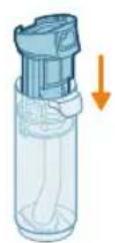
5 Uzlieciet mitro filtru atpakal netirā ūdens tvertnei.
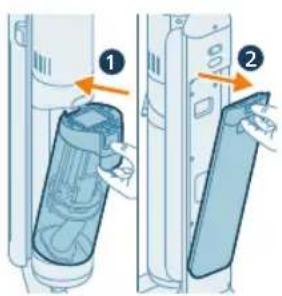
natural_image
Illustration of a blue cylindrical object with a water droplet inside, placed on a grid surface with a faucet above (no text or symbols)natural_image
Illustration of a device with a circular button and an arrow indicating rotation (no text or symbols)natural_image
Illustration of a hand inserting a device into a wall-mounted device (no text or symbols visible)11 levietojiet ierice tirā udens tvertni.
446 Latviešu
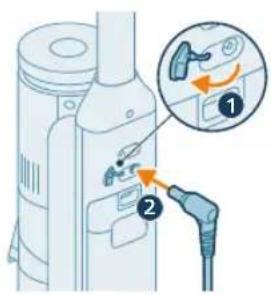
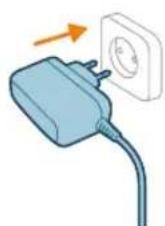
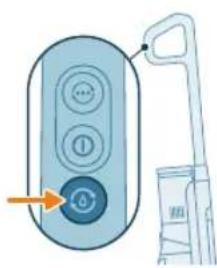
natural_image
Illustration of a remote control with a hand holding a device (no text or symbols visible)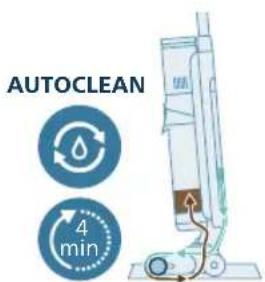

natural_image
Illustration of a hand inserting a container into a vertical tube with an arrow indicating direction (no text or symbols)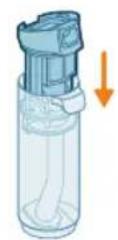
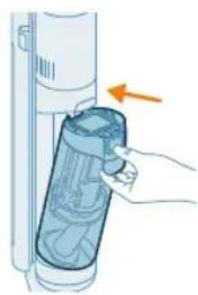
natural_image
Illustration of a hand inserting a plastic bag into a vertical tube, with an arrow indicating the process (no text or symbols present)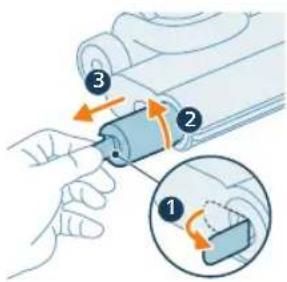
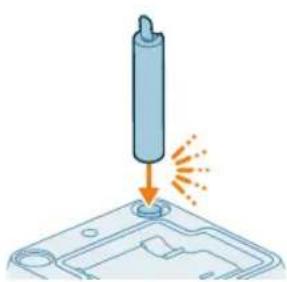
natural_image
Illustration of a cylindrical object being inserted into a tray with a flame, no text or symbols present20 Laujiet mitrajam filtram nožut.
21 Uzlieciet mitro filtru atpakal netirā ūdens tvertnei.
natural_image
3D diagram of a mechanical component with an upward arrow, no text or symbols presentnatural_image
Illustration of a faucet dispensing liquid into a plastic container (no text or symbols)natural_image
3D diagram of a device with an orange arrow pointing to a component, no text or symbols presentnatural_image
Illustration of hands holding a pen or tool with a downward arrow indicating motion (no text or symbols)natural_image
Illustration of a hand holding a blue bandage or wire, no text or symbols presentnatural_image
Mechanical assembly diagram showing a piston and roller mechanism with orange arrows indicating motion direction (no text or labels)AquaSpin sprauslas nosprostojumu nonemšana
natural_image
Mechanical assembly diagram showing a tool interacting with a component, with no visible text or symbols.natural_image
Diagram showing a device with a circular component and an arrow indicating rotation (no text or symbols)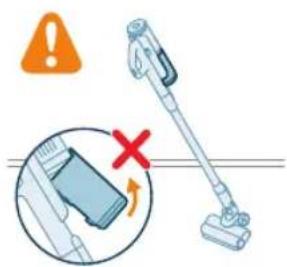
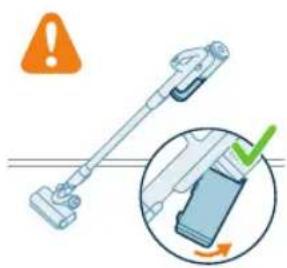
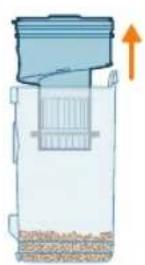
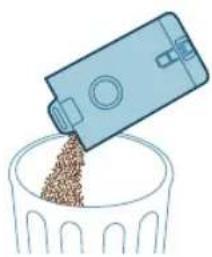
natural_image
Illustration of a blue plastic container pouring granular material into a glass bowl (no text or symbols)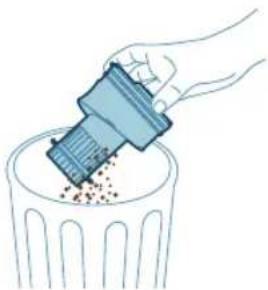
natural_image
Illustration of a hand using a tool to remove or dispose of granular material into a trash bin (no text or symbols)natural_image
Diagram of a water filter device with a magnified inset showing internal components (no text or symbols)natural_image
Diagram of a kitchen sink with a close-up view of the interior (no text or symbols)2 Iznemiet mazgājamo putu filtru no plastmasas filtra korpusa.
454 Latviešu
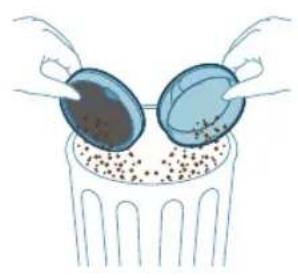
natural_image
Illustration of two blue egg-shaped objects above a perforated base with granular contents (no text or symbols)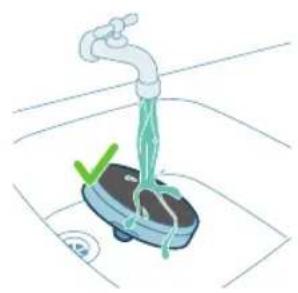
natural_image
Illustration of a hand washing a small boat with a green checkmark and a white checkmark on the side (no text or symbols)
natural_image
Illustration of a hand holding a sponge with liquid droplets (no text or symbols)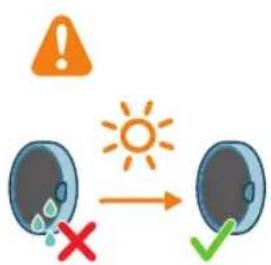
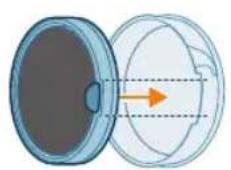
natural_image
Diagram showing a lid and a cross-section with an arrow indicating direction (no text or symbols)3 Pasitiet pa atkritumu tvertni gan ar filtra korpusu, gan ar putu filtru.
natural_image
Illustration of a faucet pouring liquid into a container with swirling flow (no text or symbols)natural_image
Illustration of a hand cleaning a rectangular object with a cloth (no text or symbols)natural_image
Diagram of a mechanical component with an arrow indicating rotation and warning symbol (no text or labels)natural_image
Illustration of a mechanical component with an arrow indicating direction, showing internal components and a magnified inset (no text or symbols)2 Lai piekjutu rullisu sukai, atrodiet pogu uzgaja sānos. Nospiediet to un pagrieziet, lai atbrivotu suku.
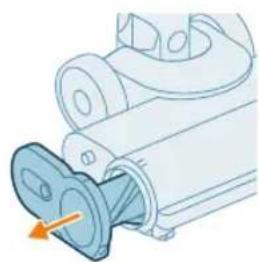
natural_image
Mechanical component diagram showing a shaft inserted into a housing (no text or symbols visible)natural_image
Illustration of hands using scissors to tie a blue object (no text or symbols)natural_image
Mechanical assembly diagram showing a blue component being inserted into a housing, with an inset close-up highlighting the internal structure (no text or symbols present)natural_image
Illustration of a hand pressing a circular component with motion arrows (no text or symbols)natural_image
Illustration of hands using pliers to handle a blue object (no text or symbols visible)natural_image
Circular icon with medical and safety symbols (no readable text or numbers)natural_image
Simple 3D illustration of a light blue cylindrical object with a protruding tip (no text or symbols)Ivadas
natural_image
3D diagram of a device with an orange arrow pointing to a component on a base (no text or symbols)natural_image
Mechanical component diagram showing a tool interacting with a base (no text or symbols visible)natural_image
Illustration of a vacuum cleaner performing a step-by-step assembly (no text or symbols present)natural_image
Illustration of a mechanical device with a tool inserted, showing no text or symbolsnatural_image
Illustration of a mechanical device with an arrow indicating motion or force (no text or symbols present)natural_image
Illustration of a hand using a tool to press or install a cylindrical component, with no visible text or symbols.3 Istatykite vamzdji antgalj su šviesos diodais.
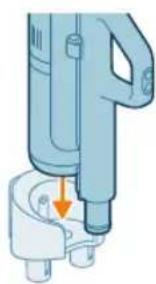
natural_image
Illustration of a handheld device with a downward arrow pointing to a small component (no text or symbols visible)natural_image
Illustration of a mechanical device with a cylindrical component and directional arrows indicating motion (no text or symbols)natural_image
Illustration of a spray canister emitting powder, showing spray and dust emission (no text or symbols)natural_image
Circular icon set with white symbols including mountains, water, gear, and a starburst (no text or labels)natural_image
Circular icon with icons representing water, gas, water, and other symbols (no text or labels)natural_image
Illustration of a portable electronic device with a cable plugged into a plug, showing no text or symbols.natural_image
Diagram of a device with an inset showing a close-up of a device's internal components (no text or symbols present)natural_image
Illustration of a mechanical device with a tool inserted, showing a drop and a small component (no text or symbols)natural_image
Illustration of a handheld electric shaver with a downward arrow indicating compression (no text or symbols)natural_image
Circular icon set with eight distinct symbols including trees, water, and gear (no text or labels)natural_image
Circular icon set with white symbols including mountains, water, and a battery symbol (no text or labels)natural_image
Illustration of a mechanical device with a tool inserted, showing a pipe or component (no text or symbols)natural_image
Illustration of a hand inserting a card into a server rack (no text or symbols)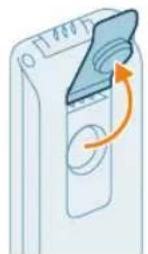
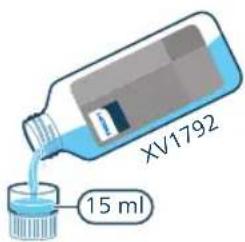
2 Atidarykite dangtelj ant švaraus vandens bakelio.
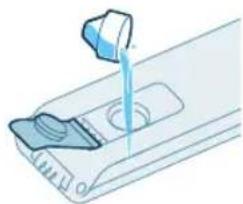
natural_image
Illustration of a hand pouring liquid into a container with a side panel (no text or symbols)natural_image
Illustration of a device with a scroll wheel and a circular button, no text or symbols present5 Uždarykite vandens bakelio sandarinimo dangtelj.
480 Lietuviškai
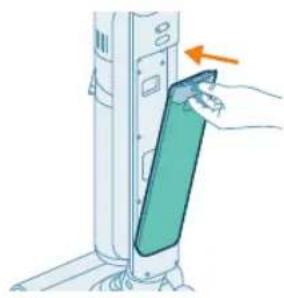
natural_image
Illustration of a hand inserting a card into a device (no text or symbols visible)natural_image
Illustration of a person using a vacuum cleaner to lift a cart (no text or symbols visible)natural_image
Illustration of a person using a carton to lift a person's leg, showing two sequential motion poses (no text or symbols)stumdydami jo išjungimo metu. Prireikus likusius vandens lašelius galite surinkti šluoste.
natural_image
Illustration of a device emitting heat from a nozzle (no text or symbols)natural_image
Illustration of a hand using a tool to press or install a cylindrical component, with no visible text or symbols.natural_image
Illustration of a handheld device mounted on a cabinet (no text or symbols visible)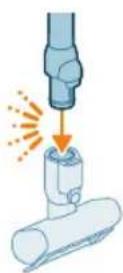
natural_image
Illustration of a hand using a handheld device to clean material, with warning symbols and a red X mark (no text or labels)natural_image
Illustration of a mechanical assembly with a cylindrical component and a base, showing motion direction (no text or symbols)natural_image
Illustration of a vacuum cleaner cleaning a bed (no text or symbols)natural_image
Illustration of a vacuum cleaner spraying water onto a surface, with icons for a bed and a dog (no text or symbols)natural_image
Illustration of a hand holding a cleaning tool with warning symbols (no text or labels)natural_image
Illustration of a medical or laboratory procedure showing a pipette inserted into a container with a magnified inset (no text or symbols)natural_image
Illustration of a mechanical component with a spiderweb and two close-up views (no text or symbols)natural_image
Illustration of a robotic arm gripping a mechanical component with an orange arrow indicating force (no text or symbols present)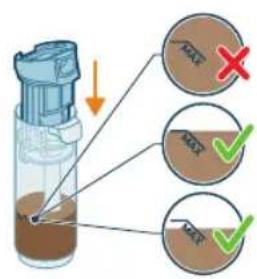
natural_image
Illustration of a hand holding a cylindrical device with a brown liquid, showing an arrow indicating direction (no text or symbols present)natural_image
Illustration of a blue bottle pouring liquid into a brown liquid, with a faucet above (no text or symbols)natural_image
Illustration of a blue cylindrical object with a water droplet inside, placed on a grid surface with a faucet above (no text or symbols)natural_image
Illustration of a device with a scroll wheel and an arrow indicating rotation (no text or symbols)10 Uždarykite vandens bakelj sandarinimo dangteliu.
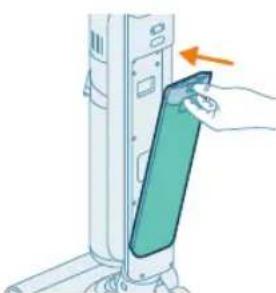
natural_image
Illustration of a hand inserting a device into a wall-mounted device, with an arrow indicating the motion (no text or symbols present)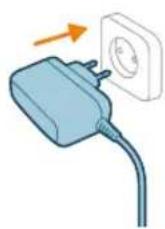
natural_image
Illustration of a remote control with a hand holding a device (no text or symbols visible)natural_image
Illustration of a hand inserting a container into a vertical tube with an arrow indicating direction (no text or symbols)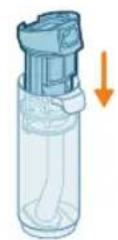
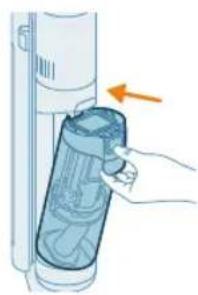
natural_image
Illustration of a hand inserting a plastic bag into a vertical tube, with an arrow indicating the process (no text or symbols present)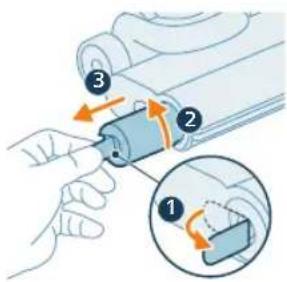
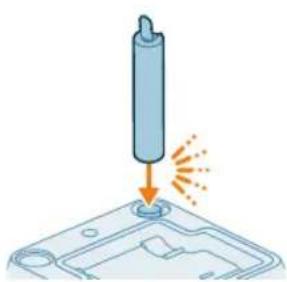
natural_image
Illustration of a cylindrical object being inserted into a tray with a flame, no text or symbols presentnatural_image
3D diagram of a mechanical component with an upward arrow indicating force or direction (no text or symbols)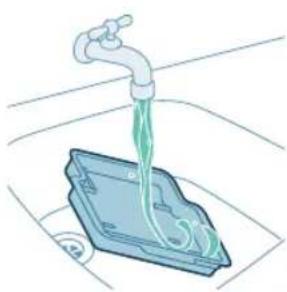
natural_image
Illustration of a faucet dispensing liquid into a plastic container (no text or symbols)natural_image
3D diagram of a device with an orange arrow pointing to a component, no text or symbols presentnatural_image
Illustration of two hands holding a blue object with an arrow indicating motion (no text or symbols)natural_image
Illustration of a hand holding a segmented blue object (no text or symbols)natural_image
Mechanical assembly diagram showing a piston and roller mechanism with orange arrows indicating motion (no text or labels)natural_image
Mechanical assembly diagram showing a sliding mechanism with tool and rollers (no text or symbols)Tik siurblio sąrankos valymas
natural_image
Diagram showing a device with a circular component and an arrow indicating rotation (no text or symbols present)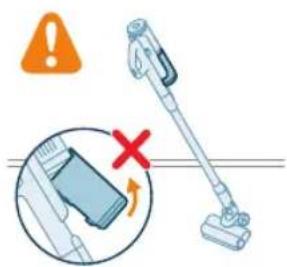
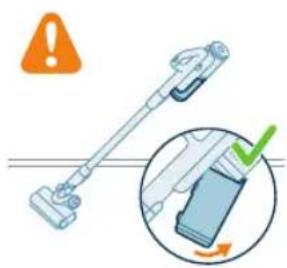
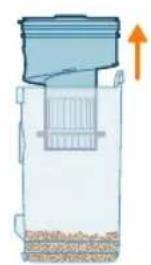
natural_image
Diagram of a container with granular material and an upward arrow indicating flow or movement (no text or symbols)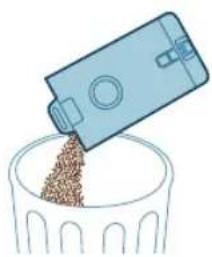
natural_image
Illustration of a blue plastic container pouring granular material into a glass bowl (no text or symbols)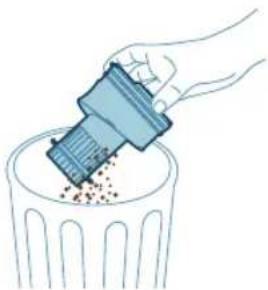
natural_image
Illustration of a hand using a tool to remove or dispose of granular material into a trash bin (no text or symbols)natural_image
Diagram of a water filter device with a magnified inset showing internal components (no text or symbols)natural_image
Diagram of a kitchen sink with a close-up view of the interior (no text or symbols)natural_image
Illustration of two blue egg-shaped objects above a perforated base with granular material (no text or symbols)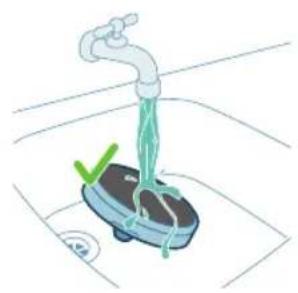
natural_image
Illustration of a hand washing a small appliance with a green checkmark and a white plate, no text or symbols present.
natural_image
Illustration of a hand holding a dark object with a small green droplet below (no text or symbols)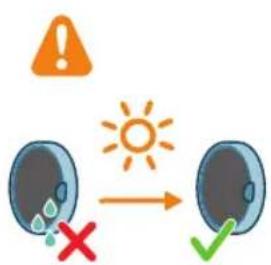
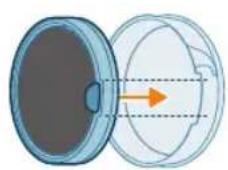
natural_image
Illustration of a faucet pouring liquid into a container with swirling flow (no text or symbols)natural_image
Illustration of a hand cleaning a rectangular object with a cloth (no text or symbols)natural_image
Diagram of a mechanical component with an arrow and warning symbol (no text or labels)natural_image
Illustration of a hand pressing a button into a mechanical component, with an inset showing the same lever mechanism (no text or symbols present)natural_image
Mechanical component diagram showing a shaft inserted into a housing (no text or symbols visible)natural_image
Illustration of hands using scissors to tie a blue object (no text or symbols)natural_image
Mechanical component diagram showing a blue mechanical part being inserted into a housing, with an inset close-up highlighting the internal structure (no text or symbols present)natural_image
Illustration of a hand pressing a circular component with motion arrows (no text or symbols)natural_image
Illustration of hands using a tool to adjust or install a blue mechanical component (no text or symbols visible)natural_image
Circular icon with icons including a bird, airplane, water drop, and red warning symbols (no text or labels)natural_image
Simple 3D illustration of a light blue cylindrical object with a protruding tip (no text or symbols)Bevezetés
natural_image
3D diagram of a device with an orange arrow pointing to a component on a base (no text or symbols)natural_image
Illustration of a mechanical device with a downward arrow indicating a component (no text or symbols present)natural_image
Illustration of a vacuum cleaner performing a step-by-step assembly (no text or symbols present)natural_image
Illustration of a mechanical device with a screwdriver inserted, showing no text or symbolsnatural_image
Illustration of a handwashing device with a downward arrow indicating heat or relief (no text or symbols)natural_image
Illustration of a mechanical device with a tool emitting sparks, no text or symbols presentnatural_image
Illustration of a handheld device with a downward arrow pointing to a small component (no text or symbols visible)natural_image
Illustration of a mechanical device emitting sparks, no text or symbols presentnatural_image
Illustration of a vacuum cleaner emitting exhaust plume (no text or symbols)natural_image
Circular icon set with abstract symbols including water, gear, and geometric shapes (no text or labels)natural_image
Circular icon with icons representing water, gas, water, and other symbols (no readable text or labels)natural_image
Illustration of a portable electric vehicle charging station with a power plug and orange arrow indicating direction (no text or symbols)natural_image
Diagram of a device with an inset showing a close-up of a device's lock and plug (no text or symbols present)natural_image
Illustration of a mechanical device with a tool inserted, showing a step and an arrow pointing to a small component (no text or symbols present)natural_image
Illustration of a handheld industrial device with a downward arrow indicating a component (no text or symbols present)natural_image
Circular icon set with abstract symbols and no readable text or labelsnatural_image
Circular icon set with abstract symbols and a battery symbol (no text or labels)natural_image
Illustration of a mechanical device with a tool inserted, showing a pipe or component (no text or symbols)natural_image
Illustration of a hand inserting a smartphone into a device, showing the next screen and cable (no text or symbols)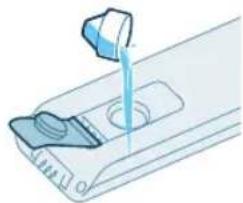
natural_image
Illustration of a mechanical device with a blue tool inserted into a slot (no text or symbols visible)natural_image
Illustration of a device with a scroll wheel and an arrow indicating rotation (no text or symbols)natural_image
Illustration of a hand inserting a green card into a vertical device (no text or symbols visible)natural_image
Illustration of a person using a vacuum cleaner to lift a cart (no text or symbols visible)natural_image
Illustration of a person using a manual vacuum cleaner to lift a cart, showing two sequential motion steps (no text or symbols)natural_image
Illustration of a digital device with a speaker emitting sound waves (no text or symbols)natural_image
Illustration of a mechanical device with a lever and base, showing motion or force direction (no text or symbols)natural_image
Illustration of a handheld device mounted on a cabinet (no text or symbols visible)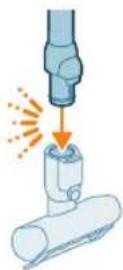
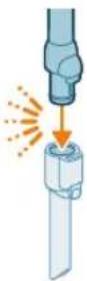
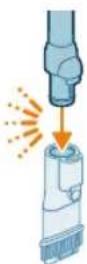
natural_image
Illustration of a hand using a handheld device to clean material, with warning symbols and a red X mark (no text or labels)natural_image
Illustration of a mechanical tool interacting with a cylindrical component (no text or symbols)natural_image
Illustration of a vacuum cleaner cleaning a bed (no text or symbols)natural_image
Illustration of a vacuum cleaner sweeping water, with icons for a bed and cat (no text or symbols)natural_image
Illustration of a medical or laboratory procedure showing a pipette inserted into a container with a magnified inset (no text or symbols)natural_image
Illustration of a mechanical component with a spiderweb and two close-up views (no text or symbols)natural_image
Illustration of a robotic arm gripping a mechanical component with an orange arrow indicating force (no text or symbols present)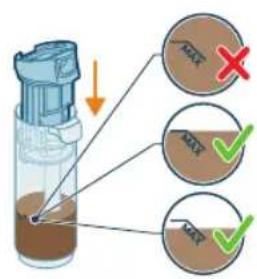
natural_image
Illustration of a hand holding a cylindrical device with a brown liquid, showing an arrow indicating direction (no text or symbols present)natural_image
Illustration of a blue bottle pouring liquid into a brown liquid on a tiled floor, with a faucet above (no text or symbols)natural_image
Illustration of a blue cylindrical object with green liquid dripping, placed on a grid surface with a faucet above (no text or symbols)natural_image
Illustration of a device with an orange arrow indicating rotation or movement (no text or symbols)natural_image
Illustration of a hand inserting a card into a device (no text or symbols visible)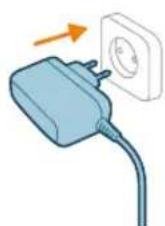
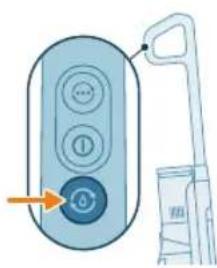
natural_image
Illustration of a remote control with a hand holding a toothbrush and a toothpaste can, no text or symbols present.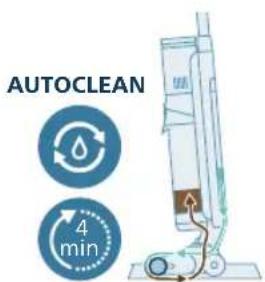
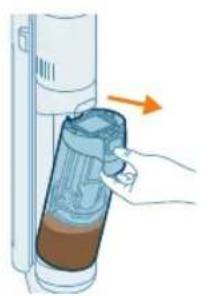
natural_image
Illustration of a hand inserting a container into a vertical tube with an arrow indicating direction (no text or symbols)natural_image
Illustration of a hand inserting a plastic bag into a vertical tube, with an arrow indicating the process (no text or symbols present)natural_image
Illustration of a cylindrical object being inserted into a tray with a flame, no text or symbols presentnatural_image
3D diagram of a device with an upward arrow indicating motion or force, no text or symbols presentnatural_image
Illustration of a faucet pouring liquid into a blue container with a green liquid, placed on a surface (no text or symbols)natural_image
3D diagram of a device with an orange arrow pointing to a component, no text or symbols presentnatural_image
Illustration of two hands holding a blue pen or tool, with an orange arrow indicating motion (no text or symbols)natural_image
Illustration of a hand holding a blue coiled spring or rope (no text or symbols)natural_image
Mechanical assembly diagram showing a shaft and housing with directional arrows indicating motion (no text or symbols)natural_image
Mechanical assembly diagram showing a tool interacting with a component, with no visible text or symbols.natural_image
Diagram showing a device with a circular component and a mechanical component, both with directional arrows indicating rotation (no text or symbols present)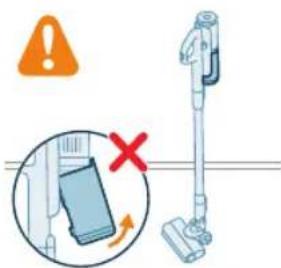
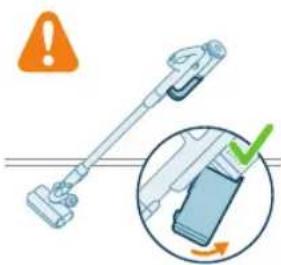
natural_image
Illustration of a blue plastic container pouring granular material into a glass bowl (no text or symbols)natural_image
Illustration of a hand using a plastic bin to lift granular material into a trash can (no text or symbols)natural_image
Diagram of a portable device with a handle and internal structure, showing a magnified view of its internal components (no text or symbols present)natural_image
Diagram of a kitchen appliance with a close-up view showing internal components (no text or symbols)natural_image
Illustration of two hands inserting a bulb into a trash bin with granular material (no text or symbols)natural_image
Illustration of a faucet spraying water onto a small blue tank with a green checkmark and a circular button (no text or symbols)546 Magyar

natural_image
Diagram of a mechanical device with a warning symbol and circular component (no text or labels)natural_image
Illustration of a hand pressing a button into a device, with an inset showing the same button (no text or symbols present)natural_image
Mechanical component diagram showing a blue circular component inserted into a housing (no text or symbols visible)natural_image
Illustration of hands using a tool to cut a blue object with coiled wires (no text or symbols)natural_image
Mechanical assembly diagram showing a component being inserted into a housing, with an inset close-up highlighting the internal structure (no text or symbols present)natural_image
Illustration of a hand pressing a circular component with motion arrows (no text or symbols)natural_image
Illustration of hands using a tool to interact with a blue mechanical device (no text or symbols visible)natural_image
Circular icon set with six symbols (water, water drop, valve, switch, gear, and red warning symbol) on a dark background, no readable text or labels.natural_image
Circular icon set with icons including water, fire, gear, and warning symbols (no readable text)natural_image
Circular icon with icons representing water sources, sensors, and warning symbols (no text or labels)Inleiding
natural_image
3D diagram of a device with a highlighted component and an arrow indicating direction (no text or symbols)natural_image
Mechanical component diagram showing a tool interacting with a base (no text or symbols visible)natural_image
Illustration of a vacuum cleaner performing a step-by-step assembly (no text or symbols present)natural_image
Illustration of a mechanical device with a screwdriver inserted, showing no text or symbolsnatural_image
Illustration of a mechanical device emitting sparks, no text or symbols presentnatural_image
Illustration of a hand using a tool to press or install a cylindrical component, with no visible text or symbols.natural_image
Illustration of a handheld device with a downward arrow pointing to a small component (no text or symbols visible)natural_image
Illustration of a mechanical device with a cylindrical component and directional arrows indicating motion (no text or symbols)natural_image
Illustration of a spray canister emitting powder with an orange arrow indicating emission (no text or symbols)natural_image
Circular icon set with white symbols including mountains, water, gear, and a starburst (no text or labels)natural_image
Circular icon with icons representing water, gas, water, and other symbols (no text or labels)natural_image
Illustration of a portable electronic device with a cable plugged into a plug, showing no text or symbols.natural_image
Diagram of a device with a close-up view showing a hand interacting with a device (no text or symbols present)natural_image
Illustration of a mechanical device with a tool inserted, showing a drop and a small component (no text or symbols)natural_image
Illustration of a handheld electric shaver with a downward arrow indicating compression (no text or symbols)natural_image
Circular icon set with eight distinct symbols including trees, water, and gear (no text or labels)natural_image
Circular icon with icons representing various smart devices or sensors (no text or symbols)natural_image
Illustration of a mechanical device with a tool inserted, showing a pipe or probe inserted into a cylindrical component (no text or symbols present)natural_image
Illustration of a hand inserting a smartphone into a device (no text or symbols visible)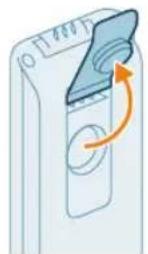
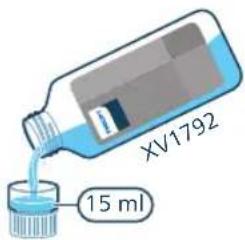
natural_image
Illustration of a hand pouring liquid into a container with a side panel (no text or symbols)natural_image
Illustration of a device with a scroll wheel and a circular button, no text or symbols presentnatural_image
Illustration of a hand inserting a card into a device (no text or symbols visible)natural_image
Illustration of a person using a vacuum cleaner to lift a cart (no text or symbols present)natural_image
Illustration of a person using a handbag to lift a cart, showing two sequential motion poses (no text or symbols)natural_image
Illustration of a device emitting heat or vibration from a cylindrical component (no text or symbols)natural_image
Illustration of a mechanical device with a lever and explosion effect (no text or symbols)natural_image
Illustration of a handheld device mounted on a box, no text or symbols present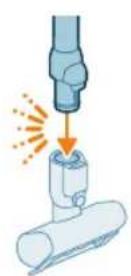
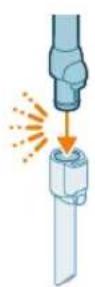
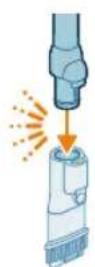
natural_image
Illustration of a hand using a handheld device to clean material, with warning symbols and a red X mark (no text or labels)natural_image
Diagram showing a mechanical assembly with a cylindrical component and a base, emitting sparks (no text or symbols)natural_image
Illustration of a vacuum cleaner cleaning a bed (no text or symbols)natural_image
Illustration of a vacuum cleaner sweeping debris from a pipe, with icons for a device and a cat (no text or symbols)natural_image
Illustration of a medical or laboratory procedure showing a pipette inserted into a container with a magnified inset (no text or symbols)natural_image
Illustration of a blue mechanical component with a spiderweb and magnified detail (no text or symbols)natural_image
Illustration of a robotic arm assembling a mechanical component with an orange arrow indicating force (no text or symbols present)natural_image
Illustration of a hand holding a device with an arrow indicating direction (no text or symbols)natural_image
Illustration of a blue bottle pouring liquid into a brown liquid, with a faucet above (no text or symbols)natural_image
Illustration of a blue cylindrical object with a water droplet inside, placed on a grid surface with a faucet above (no text or symbols)natural_image
Illustration of a device with a circular button and an arrow indicating rotation (no text or symbols)natural_image
Illustration of a hand inserting a device into a wall-mounted device with an arrow indicating the motion (no text or symbols present)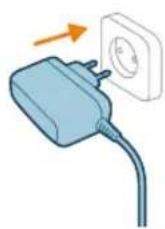
natural_image
Illustration of a remote control with a hand holding a device (no text or symbols visible)natural_image
Illustration of a hand inserting a container into a cylindrical device with an arrow indicating direction (no text or symbols)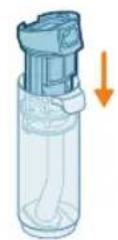
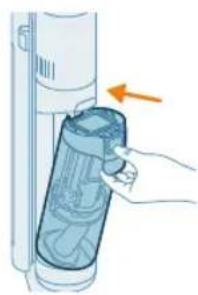
natural_image
Illustration of a hand inserting a plastic bag into a vertical tube, with an arrow indicating direction (no text or symbols)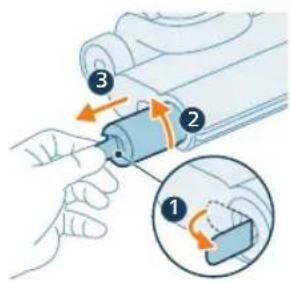
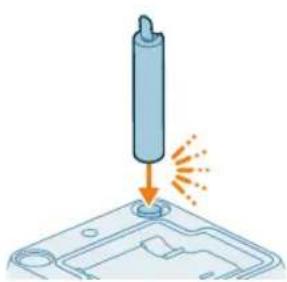
natural_image
Illustration of a cylindrical object being inserted into a tray with a flame, no text or symbols presentnatural_image
3D diagram of a mechanical component with an upward arrow indicating force or direction (no text or symbols)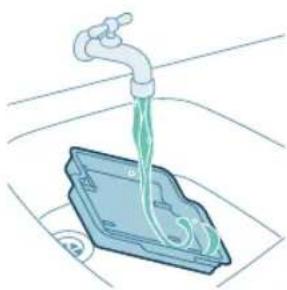
natural_image
Illustration of a faucet pouring liquid into a blue plastic container (no text or symbols)natural_image
3D diagram of a device with an orange arrow pointing to a component, no text or symbols presentnatural_image
Illustration of two hands holding a pen, with a downward arrow indicating compression or disassembly (no text or symbols present)natural_image
Illustration of a hand holding a segmented blue object (no text or symbols)natural_image
Mechanical assembly diagram showing a piston and roller mechanism with directional arrows (no text or labels)natural_image
Mechanical assembly diagram showing a tool interacting with a housing component (no text or symbols visible)natural_image
Diagram showing a device with a circular component and an arrow indicating rotation (no text or symbols present)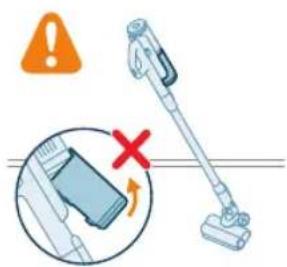
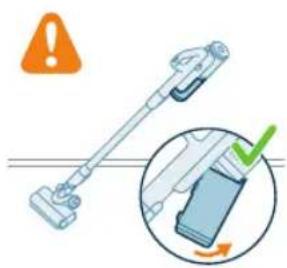
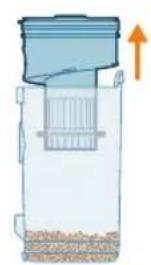
natural_image
Diagram of a container with granular material and an upward arrow indicating flow or movement (no text or symbols)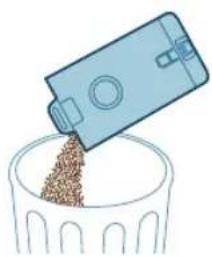
natural_image
Illustration of a blue plastic container pouring granular material into a glass bowl (no text or symbols)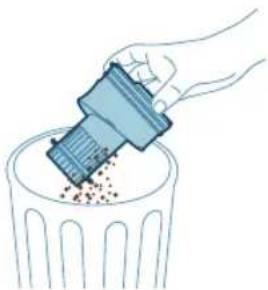
natural_image
Illustration of a hand using a tool to remove or dispose of granular material into a trash bin (no text or symbols)natural_image
Diagram of a water filter device with a magnified inset showing internal components (no text or symbols)natural_image
Diagram of a kitchen sink with a close-up view showing internal components (no text or labels)natural_image
Illustration of two blue egg-shaped objects above a perforated base with granular contents (no text or symbols)natural_image
Illustration of a faucet with a green checkmark and a circular base, no text or symbols present
natural_image
Illustration of a hand holding a sponge with liquid droplets (no text or symbols)natural_image
Illustration of a faucet pouring liquid into a container with swirling flow (no text or symbols)natural_image
Illustration of a hand cleaning a rectangular object with a cloth (no text or symbols)natural_image
Diagram of a mechanical component with a circular inset showing a warning symbol (no text or labels present)natural_image
Illustration of a mechanical component with an arrow indicating direction, showing internal components and a magnified inset (no text or symbols)natural_image
Mechanical component diagram showing a shaft and housing assembly (no text or symbols)natural_image
Illustration of hands using a tool to tie a blue ribbon or cable (no text or symbols present)natural_image
Mechanical assembly diagram showing a blue component being inserted into a housing, with an inset close-up highlighting the internal structure (no text or symbols present)natural_image
Illustration of a hand pressing a circular component with motion arrows (no text or symbols)1 Draai de borstel linksom om hem los te maken. Trek de borstel eruit zodra de vergrendeling los is.
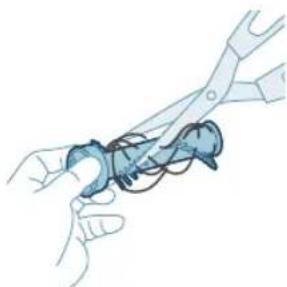
natural_image
Illustration of hands using pliers to handle a blue object (no text or symbols visible)natural_image
Circular icon with icons including a water drop, gear shift, and red warning symbols (no readable text)natural_image
Simple 3D illustration of a light blue cylindrical object with a flared tip (no text or symbols)610 Norsk
Innledning
natural_image
3D diagram of a device with an orange arrow pointing to a component, no text or symbols presentnatural_image
Illustration of a mechanical device with a downward arrow indicating a component (no text or symbols present)natural_image
Illustration of a vacuum cleaner performing a step-by-step assembly (no text or symbols present)natural_image
Illustration of a mechanical device with a tool and a close-up view showing the lever mechanism (no text or symbols)natural_image
Illustration of a mechanical device with an upward arrow and sparkles, no text or symbols presentnatural_image
Illustration of a hand using a tool to press or install a cylindrical component, with no visible text or symbols.natural_image
Illustration of a handheld device with a downward arrow pointing to a small component (no text or symbols visible)natural_image
Illustration of a portable air conditioner with a speaker emitting exhaust flames (no text or symbols)natural_image
Illustration of a mechanical device with a cylindrical component and a base, emitting light rays (no text or symbols)natural_image
Circular icon set with white symbols including mountains, water, gear, and a starburst (no text or labels)natural_image
Circular icon with icons representing water, gas, water, and other symbols (no text or labels)natural_image
Illustration of a portable electronic device with a cable plugged into a plug, showing no text or symbols.natural_image
Diagram of a device with a close-up inset showing a hand interacting with a device (no text or symbols present)natural_image
Illustration of a mechanical device with a tool inserted, showing a drop and a small component (no text or symbols)natural_image
Illustration of a handheld device with a downward arrow pointing to a plug (no text or symbols visible)natural_image
Circular icon set with eight distinct symbols including trees, water, and gear (no text or labels)natural_image
Circular icon set with icons including water, fire, water drop, and battery (no text or symbols)natural_image
Illustration of a mechanical device with a tool inserted, showing a pipe or port (no text or symbols)natural_image
Illustration of a hand inserting a card into a server tower (no text or symbols)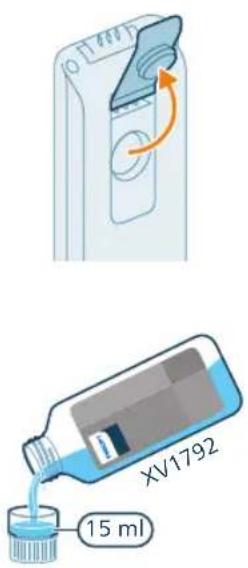
natural_image
Illustration of a hand pouring liquid into a container with a side panel (no text or symbols)3 Legg til 15 ml XV1792 Philips gulvrens til rentvannsbeholderen.
natural_image
Illustration of a mechanical component with an arrow indicating rotation or movement (no text or symbols)natural_image
Illustration of a hand inserting a card into a device, showing the card being inserted (no text or symbols present)6 Sett rentvannsbeholderen tilbake i apparatet.
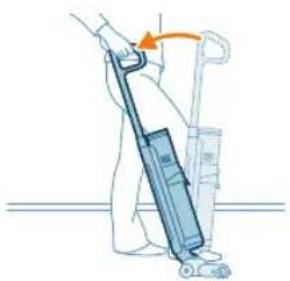
natural_image
Illustration of a person using a vacuum cleaner to lift a vehicle (no text or symbols visible)natural_image
Illustration of a person using a vacuum cleaner to lift a cart, showing two sequential motion steps (no text or symbols)natural_image
Illustration of a hand holding a cylindrical device with an arrow indicating motion or force (no text or symbols)natural_image
Illustration of a mechanical device with a lever and base, emitting sparks (no text or symbols)3 Sett den andre enden av røret inn i LED-munnstykket (klikk).
5 Bruk turboknappen för å bytte til en høyere oppsugingseffekt.
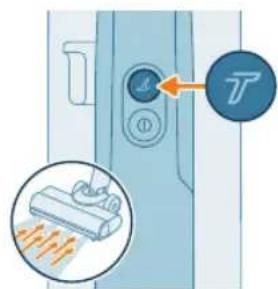
natural_image
Illustration of a handheld device mounted on a cabinet (no text or symbols visible)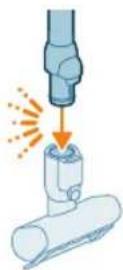
Tips: Det er også mulig å feste mini turbobørsten til slangen.

natural_image
Illustration of a mechanical tool interacting with a cylindrical component (no text or symbols present)natural_image
Illustration of a vacuum cleaner cleaning a bed (no text or symbols)natural_image
Illustration of a vacuum cleaner sweeping debris from a pipe, with icons for a device and a cat (no text or symbols)Advarsel: Ikke sug opp vann eller andre væsker.
natural_image
Illustration of a medical or laboratory procedure showing a pipette inserted into a container with a magnified inset (no text or symbols)Advarsel: Ikke sug opp vann eller andre væsker.
natural_image
Illustration of a mechanical component with a spiderweb and two views (no text or symbols)Advarsel: Ikke sug opp vann eller andre væsker.
natural_image
Illustration of a robotic arm gripping a mechanical component with an orange arrow indicating force (no text or symbols present)natural_image
Illustration of a hand inserting a device into a container with an arrow indicating direction (no text or symbols)natural_image
Illustration of a blue bottle pouring liquid into a brown liquid, with a faucet above (no text or symbols)4 Hell vannet ut av spillvannsbeholderen i vasken.
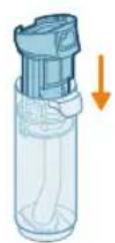
6 Sett den tomme spillvannsbeholderen tilbake i apparatet og ta ut rentvannsbeholderen.
630 Norsk
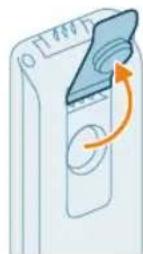
7 Fjern hetten fra rentvannsbeholderen.
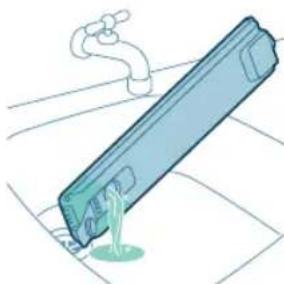
natural_image
Illustration of a blue cylindrical object with a green liquid, being poured into it by a pipe (no text or symbols)8 Hell ut resterende flytende vaskemiddel fra rentvannsbeholderen i vasken.
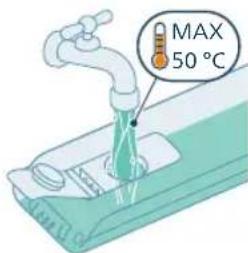
natural_image
Illustration of a device with a circular button and an arrow indicating rotation (no text or symbols)natural_image
Illustration of a hand inserting a device into a wall-mounted device (no text or symbols visible)11 Sett rentvannsbeholderen tilbake i apparatet.
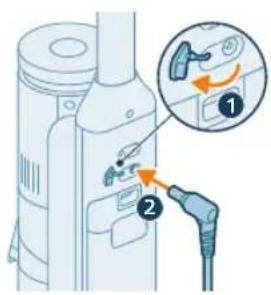
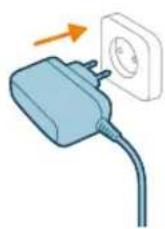
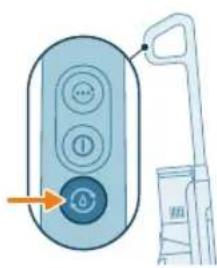
natural_image
Illustration of a remote control with a hand holding a device (no text or symbols visible)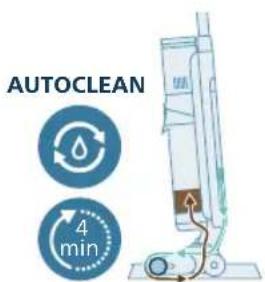
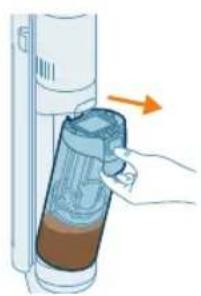
natural_image
Illustration of a hand inserting a device into a cylindrical container with liquid, showing an orange arrow (no text or symbols)natural_image
Illustration of a blue bottle pouring liquid into a container with a faucet above (no text or symbols)17 Hell vannet ut av spillvannsbeholderen i vasken.
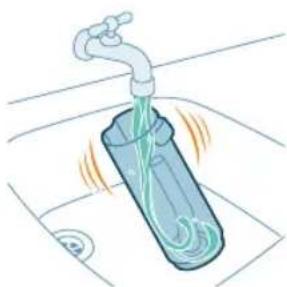
natural_image
Illustration of a faucet pouring liquid into a container with swirling flow lines (no text or symbols)natural_image
Illustration of a faucet pouring liquid into a mechanical component (no text or symbols)natural_image
Illustration of a hand inserting a plastic bag into a vertical tube, with an arrow indicating the process (no text or symbols present)22 Sett spillvannsbeholderen tilbake i apparatet.
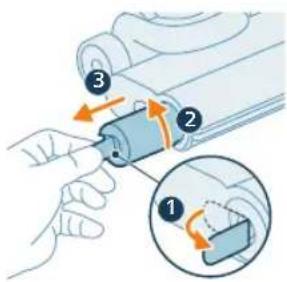
natural_image
Illustration of a cylindrical object being inserted into a base with an arrow indicating motion (no text or symbols)natural_image
3D diagram of a mechanical component with an upward arrow, no text or symbols present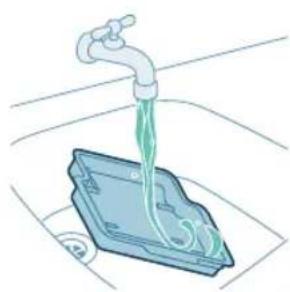
natural_image
Illustration of a faucet dispensing green liquid into a blue plastic container (no text or symbols)natural_image
3D diagram of a device with an orange arrow pointing to a component, no text or symbols presentnatural_image
Illustration of hands holding a smartphone with a hand pointing to it, no text or symbols presentnatural_image
Illustration of a hand holding a segmented blue object (no text or symbols)natural_image
Mechanical assembly diagram showing a piston and roller components with orange arrows indicating motion direction (no text or labels)natural_image
Mechanical assembly diagram showing a sliding mechanism with tool and rollers (no text or symbols)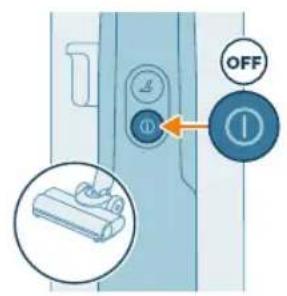
1 Slå av apparatet.
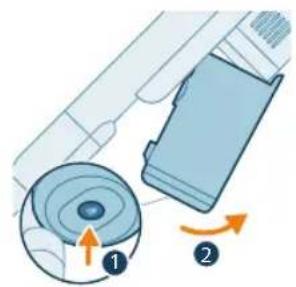
natural_image
Diagram showing a mechanical component with two labeled parts (1 and 2), no readable text or symbols present.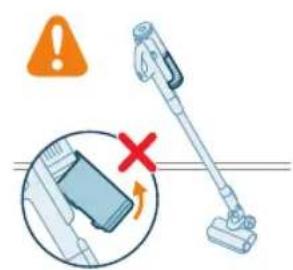
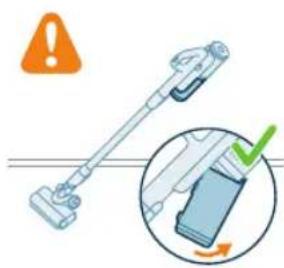
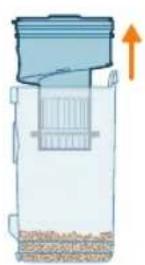
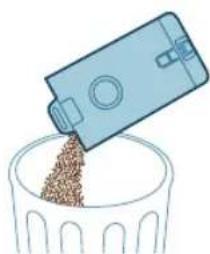
natural_image
Illustration of a blue plastic container pouring granular material into a glass bowl (no text or symbols)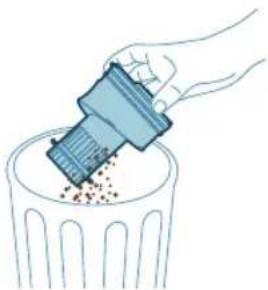
natural_image
Illustration of a hand using a tool to remove or dispose of granular material into a trash bin (no text or symbols)natural_image
Diagram of a mechanical device with a magnified inset showing internal components (no text or symbols)natural_image
Diagram showing a device with a lid and a magnified inset of its internal components (no text or symbols)2 Ta det vaskbare skumfilteret ut av filterhuset i plast.
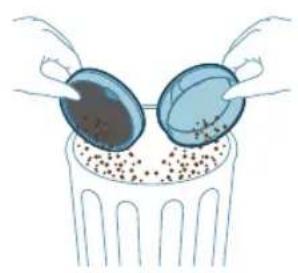
natural_image
Illustration of two egg-shaped objects above a trash can with granular contents (no text or symbols)3 Bank ut filterhuset og skumfilteret over en søppelbøtte.
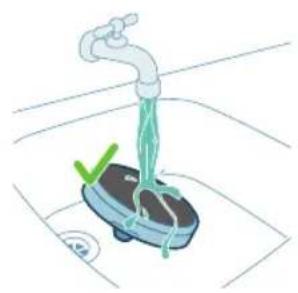
natural_image
Illustration of a hand washing a small appliance with a green checkmark and a white plate, no text or symbols present.natural_image
Illustration of a hand holding a sponge with liquid dripping (no text or symbols)5 La det vaskede skumfilteret få tørke i 24 timer før du setter det tilbake på plass i filterhuset.
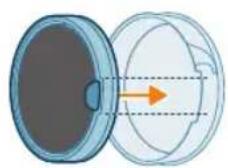
640 Norsk
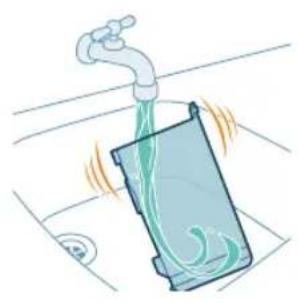
natural_image
Illustration of a faucet pouring liquid into a container with swirling flow (no text or symbols)natural_image
Illustration of a hand cleaning a rectangular object with a cloth (no text or symbols)natural_image
Diagram of a mechanical component with an arrow indicating rotation and warning symbol (no text or labels)natural_image
Illustration of a hand pressing a button into a device, with an inset showing the same button (no text or symbols present)natural_image
Illustration of a mechanical component with a blue funnel and orange arrow indicating direction (no text or symbols)natural_image
Illustration of hands using pliers to cut a blue mechanical component (no text or symbols)natural_image
Mechanical assembly diagram showing a blue component being inserted into a housing, with an inset close-up highlighting the internal structure (no text or symbols present)natural_image
Illustration of a hand pressing a circular component with motion arrows (no text or symbols)6 Fest børsterullen på munnstykket – det høres en "KLIKK"-lyd när den går i inngrep.
natural_image
Illustration of hands using a tool to adjust or install a blue mechanical component (no text or symbols visible)natural_image
Circular icon with icons representing various outdoor and indoor features (no text or symbols)natural_image
Circular icon with medical and safety symbols (no readable text or numbers)natural_image
Simple 3D illustration of a light blue cylindrical object with a flanged end (no text or symbols)656 Polski
Wprowadzenie
natural_image
3D diagram of a device with a lid and base, showing internal components and an orange arrow indicating direction (no text or symbols)natural_image
Illustration of a mechanical device with a downward arrow indicating a force or adjustment (no text or symbols present)natural_image
Illustration of a mechanical device with a screwdriver inserted, showing no text or symbolsnatural_image
Illustration of a mechanical device with a cylindrical component and a handle, emitting sparks (no text or symbols)natural_image
Illustration of a mechanical tool emitting sparks from a cylindrical component (no text or symbols)natural_image
Illustration of a mechanical device with a downward arrow indicating a process or operation (no text or symbols present)natural_image
Illustration of a mechanical device with a cylindrical component and directional arrows indicating motion (no text or symbols)natural_image
Illustration of a mechanical device with a cylindrical component and emitting sparks (no text or symbols)natural_image
Circular icon set with abstract symbols and no readable text or labelsnatural_image
Circular icon set with icons including a water drop, toilet, and control panel (no text or symbols)natural_image
Illustration of a portable electric vehicle charging station with a power plug and cable (no text or symbols visible)natural_image
Diagram of a device with a close-up inset showing a hand holding a device, no text or symbols present.natural_image
Illustration of a mechanical device with a tool inserted, showing a drop and a small circular mark on the base (no text or symbols)natural_image
Illustration of a handheld device with a downward arrow pointing to a connector (no text or symbols visible)natural_image
Circular icon set with abstract symbols and no readable text or labelsnatural_image
Circular icon set with abstract symbols and icons, no readable text or labelsnatural_image
Illustration of a mechanical device with a tool inserted, showing a pipe or lever (no text or symbols present)natural_image
Illustration of a hand inserting a device into a wall-mounted device (no text or symbols visible)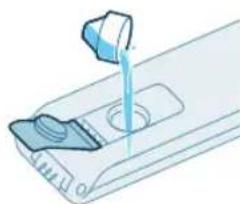
natural_image
Illustration of a hand pouring liquid into a container with a side panel (no text or symbols)natural_image
Illustration of a mechanical component with an arrow indicating rotation or movement (no text or symbols)natural_image
Illustration of a hand holding a smartphone next to a vertical device (no text or symbols visible)natural_image
Illustration of a person using a vacuum cleaner to lift a vehicle (no text or symbols visible)natural_image
Illustration of a person using a vacuum cleaner to lift a cart, showing two sequential motion steps (no text or symbols)natural_image
Illustration of a device being processed with a funnel and lid, showing heat emission (no text or symbols)natural_image
Illustration of a hand using a tool to press or install a cylindrical component, with no visible text or symbols.natural_image
Illustration of a handheld vacuum cleaner above a cabinet (no text or symbols)natural_image
Illustration of a hand using a handheld device to clean material, with warning symbols and a red X mark (no text or labels)natural_image
Illustration of a mechanical assembly with a cylindrical component and a base, showing motion direction (no text or symbols)natural_image
Illustration of a vacuum cleaner cleaning a bed (no text or symbols present)natural_image
Illustration of a vacuum cleaner spraying water onto a surface, with icons for a bed and a dog (no text or symbols)natural_image
Illustration of a medical or laboratory procedure showing a pipette inserted into a container with a magnified inset (no text or symbols)natural_image
Illustration of a hand holding a fiber optic cable with a spiderweb and mechanical components (no text or symbols)natural_image
Illustration of a robotic arm pressing down on a mechanical component (no text or symbols visible)natural_image
Illustration of a hand inserting a device into a container with liquid, showing an orange arrow (no text or symbols)natural_image
Illustration of a blue bottle pouring liquid into a brown liquid, with a faucet above (no text or symbols)natural_image
Illustration of a blue cylindrical object with a green liquid, being poured into it by a pipe (no text or symbols)natural_image
Illustration of a device with a scroll wheel and a circular button, no text or symbols presentnatural_image
Illustration of a hand inserting a device into a wall-mounted device (no text or symbols visible)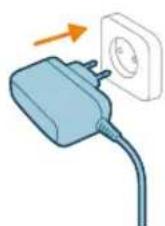
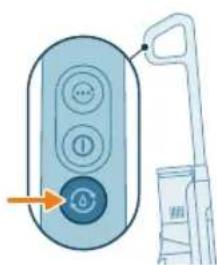
natural_image
Illustration of a remote control with a hand holding a device (no text or symbols visible)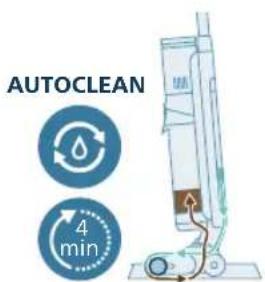
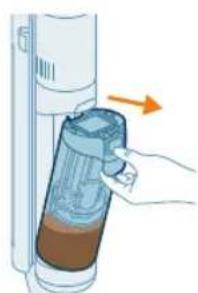
natural_image
Illustration of a hand holding a device with a brown liquid, showing an arrow indicating direction (no text or symbols present)natural_image
Illustration of a blue bottle pouring liquid into a container with a faucet above (no text or symbols)natural_image
Illustration of a faucet pouring liquid into a container with swirling flow lines (no text or symbols)natural_image
Illustration of a faucet pouring liquid into a mechanical component (no text or symbols)natural_image
Illustration of a hand holding a cylindrical device with an arrow pointing to it, no text or symbols present.natural_image
Illustration of a cylindrical object being inserted into a base with an arrow indicating motion (no text or symbols)natural_image
3D diagram of a mechanical component with an upward arrow, no text or symbols present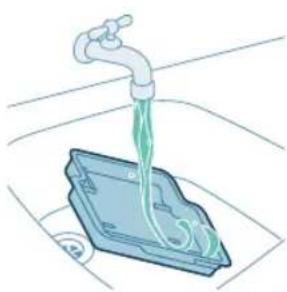
natural_image
Illustration of a faucet dispensing liquid into a plastic container (no text or symbols)natural_image
3D diagram of a device with an orange arrow pointing to a component, no text or symbols presentnatural_image
Illustration of hands holding a smartphone with a hand pointing to it, no text or symbols presentnatural_image
Illustration of a hand holding a segmented blue object (no text or symbols)natural_image
Mechanical assembly diagram showing a piston and roller mechanism with no visible text or symbolsnatural_image
Mechanical assembly diagram showing a tool interacting with a housing component, with no visible text or symbols.natural_image
Diagram showing a device with a circular component and an arrow indicating rotation (no text or symbols)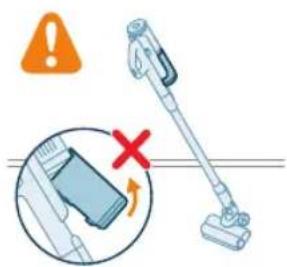
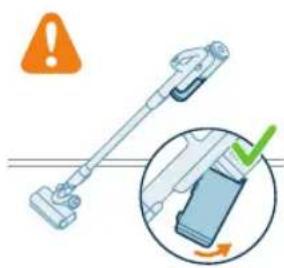
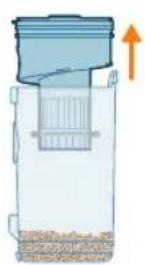
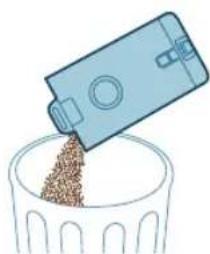
natural_image
Illustration of a blue plastic container pouring granular material into a glass bowl (no text or symbols)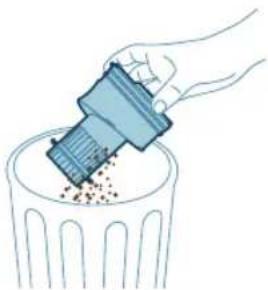
natural_image
Illustration of a hand using a tool to remove granular material into a trash bin (no text or symbols)natural_image
Diagram of a mechanical device with a magnified inset showing internal components (no text or symbols)natural_image
Diagram of a kitchen sink with a magnified inset showing two circular components (no text or symbols)natural_image
Illustration of two blue egg-shaped objects above a perforated base with granular material (no text or symbols)natural_image
Illustration of a faucet with a green checkmark and a circular base, no text or symbols presentnatural_image
Illustration of a hand holding a dark object with a small green droplet below (no text or symbols)natural_image
Illustration of a faucet pouring liquid into a container with swirling flow (no text or symbols)natural_image
Illustration of a hand cleaning a rectangular object with a cloth (no text or symbols)natural_image
Diagram of a door handle with a warning symbol and circular component (no text or labels)natural_image
Illustration of a hand pressing a button into a device, with an inset showing the same button (no text or symbols present)natural_image
Illustration of a mechanical component with a blue funnel and orange arrow indicating direction (no text or symbols)natural_image
Illustration of hands using pliers to cut a blue mechanical component (no text or symbols)natural_image
Mechanical assembly diagram showing a blue component being inserted into a housing, with an inset close-up highlighting the internal structure (no text or symbols present)natural_image
Illustration of a hand pressing a circular component with motion arrows (no text or symbols)natural_image
Illustration of hands using a tool to adjust or install a blue mechanical component (no text or symbols visible)natural_image
Circular icon with icons including water, lungs, teeth, and a red heart (no text or symbols)natural_image
Simple 3D illustration of a light blue cylindrical object with a flared tip (no text or symbols)Introdução
natural_image
3D diagram of a device with an orange arrow pointing to a component, no text or symbols presentnatural_image
Illustration of a mechanical device with a downward arrow indicating a force or adjustment (no text or symbols present)natural_image
Illustration of a vacuum cleaner performing a step-by-step assembly (no text or symbols present)natural_image
Illustration of a mechanical device with a tool and a close-up view showing the lever mechanism (no text or symbols)natural_image
Illustration of a handwashing device with a downward arrow indicating heat or relief (no text or symbols)natural_image
Illustration of a mechanical component being welded with a tool, showing sparks and motion (no text or symbols)3 Insira o tubo no bocal LED.
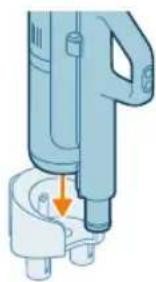
natural_image
Illustration of a handheld device with a downward arrow pointing to a small component (no text or symbols visible)natural_image
Illustration of a mechanical device with a cylindrical component and directional arrows indicating motion (no text or symbols)natural_image
Illustration of a spray canister emitting powder, showing spray and dust emission (no text or symbols)natural_image
Circular icon set with abstract symbols and no readable text or labelsnatural_image
Circular icon set with various mechanical and safety symbols (no readable text or labels)natural_image
Illustration of a portable electronic device with a plug inserted, showing no text or symbols.natural_image
Diagram of a device with a close-up inset showing a hand interacting with a device (no text or symbols present)natural_image
Illustration of a mechanical device with a tool inserted, showing a downward arrow pointing to a small component (no text or symbols present)natural_image
Illustration of a handheld electric shaver with a downward arrow indicating compression (no text or symbols)natural_image
Illustration of a hand inserting a smartphone into a device (no text or symbols visible)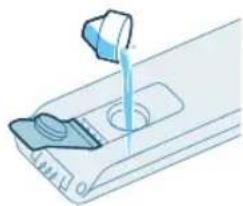
natural_image
Illustration of a hand pouring liquid into a container with a side panel (no text or symbols)natural_image
Illustration of a device with an orange arrow indicating rotation or movement (no text or symbols)natural_image
Illustration of a hand holding a device next to a computer tower, with an arrow indicating the action (no text or symbols present)natural_image
Illustration of a person using a vacuum cleaner to lift a person's arm (no text or symbols present)natural_image
Illustration of a person using a cart-mounted device with two different motion directions (no text or symbols)natural_image
Illustration of a cylindrical device emitting heat from a base, with an arrow indicating airflow (no text or symbols)natural_image
Illustration of a hand using a tool to press or install a cylindrical component, with no visible text or symbols.natural_image
Illustration of a handheld vacuum cleaner above a box (no text or symbols visible)natural_image
Illustration of a hand using a handheld device to clean material, with warning symbols and a red X mark (no text or labels)natural_image
Diagram showing a mechanical assembly with a cylindrical component and a base, emitting sparks (no text or symbols)natural_image
Illustration of a vacuum cleaner cleaning a bed (no text or symbols present)natural_image
Illustration of a vacuum cleaner spraying water onto a surface, with icons for a bed and a dog (no text or symbols)natural_image
Illustration of a medical or laboratory procedure showing a pipette inserted into a container with a magnified inset (no text or symbols)natural_image
Illustration of a mechanical component with a spiderweb and two close-up views (no text or symbols)natural_image
Illustration of a robotic arm gripping a mechanical component with an orange arrow indicating force (no text or symbols present)natural_image
Illustration of a hand holding a cylindrical device with a brown liquid, showing an arrow indicating direction (no text or symbols present)natural_image
Illustration of a blue bottle pouring liquid into a brown liquid, with a faucet above (no text or symbols)natural_image
Illustration of a blue cylindrical object with a water droplet inside, placed on a grid surface with a faucet above (no text or symbols)natural_image
Illustration of a device with a scroll wheel and directional arrow (no text or symbols)natural_image
Illustration of a hand inserting a device into a wall-mounted device with an arrow indicating the motion (no text or symbols present)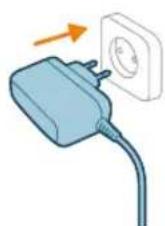
natural_image
Illustration of a remote control with a hand holding a device (no text or symbols visible)natural_image
Illustration of a hand inserting a device into a container with an arrow indicating direction (no text or symbols)natural_image
Illustration of a hand inserting a plastic bag into a cylindrical device (no text or symbols visible)natural_image
Illustration of a cylindrical object being inserted into a tray with a flame, no text or symbols presentnatural_image
3D diagram of a device with an upward arrow indicating motion or force, no text or symbols presentnatural_image
Illustration of a faucet pouring liquid into a blue container with bubbles (no text or symbols)natural_image
3D diagram of a device with an orange arrow pointing to a component, no text or symbols presentnatural_image
Illustration of two hands holding a blue pen or tool, with an orange arrow indicating motion (no text or symbols)natural_image
Illustration of a hand holding a blue coiled spring or rope (no text or symbols)natural_image
Mechanical assembly diagram showing a piston and shaft assembly with directional arrows (no text or labels)natural_image
Mechanical assembly diagram showing a tool interacting with a motor and rollers (no text or symbols)natural_image
Diagram showing a device with a circular component and a mechanical component, both with directional arrows indicating rotation (no text or symbols present)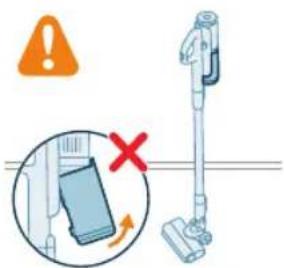
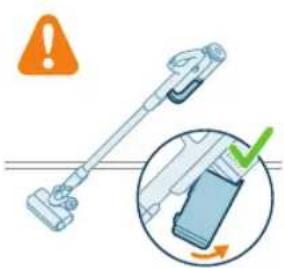
natural_image
Illustration of a blue plastic container pouring granular material into a glass bowl (no text or symbols)natural_image
Illustration of a hand using a plastic bin to lift granular material into a trash can (no text or symbols)natural_image
Diagram of a water filter device with an inset showing internal components (no text or symbols)natural_image
Diagram of a kitchen appliance with a close-up view showing internal components (no text or symbols)natural_image
Illustration of two hands inserting a bulb into a trash bin with granular contents (no text or symbols)natural_image
Illustration of a hand washing a small water bath with a green checkmark and a blue base, no text or symbols present.732 Português

natural_image
Diagram of a door handle mechanism with warning symbol and circular component (no text or labels)natural_image
Illustration of a hand pressing a button into a device, with an inset showing the same button (no text or symbols present)natural_image
Mechanical component diagram showing a blue circular component inserted into a housing (no text or symbols visible)3 Remova suavemente a escova rotativa e a tampa lateral do bocal.
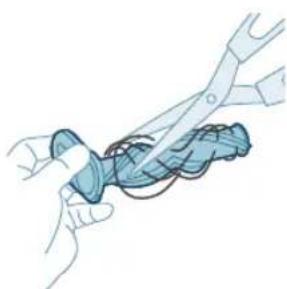
natural_image
Illustration of hands using a tool to cut a blue object with a coiled wire (no text or symbols)natural_image
Mechanical assembly diagram showing a component being inserted into a housing, with an inset close-up highlighting the internal structure (no text or symbols present)natural_image
Illustration of a hand pressing a circular component with motion arrows (no text or symbols)natural_image
Illustration of hands using pliers to handle a mechanical component (no text or symbols)natural_image
Circular icon with various safety symbols including water drop, gear, and warning symbol (no readable text)natural_image
Circular icon with icons including water droplets, gear, and warning symbols (no readable text)A temperatura é demasiado baixa.
Se o ícone da bateria e o ícone de erro acenderem a vermelho intermitentemente, significa que a temperatura ambiente está demasiado baixa ou demasiado alta.
natural_image
Circular icon with icons representing water sources, sensors, and lighting (no text or symbols)natural_image
Circular icon with icons representing water sources, sensors, and control buttons (no text or symbols)natural_image
Circular icon with icons including water drop, lock, and warning symbol (no readable text)natural_image
Simple 3D illustration of a light blue cylindrical object with a flanged end (no text or symbols)i Nota: Substitua o filtro e a escova de microfibra a cada 6 meses para garantir o máximo desempenho.
Introducere
natural_image
3D diagram of a device with an orange arrow pointing to a component, no text or symbols presentnatural_image
Mechanical component diagram showing a tool interacting with a base (no text or symbols visible)natural_image
Illustration of a vacuum cleaner performing a step-by-step assembly (no text or symbols present)natural_image
Illustration of a mechanical device with a tool and a close-up view showing the lever mechanism (no text or symbols)natural_image
Illustration of a mechanical device with an upward arrow indicating motion or force (no text or symbols)natural_image
Illustration of a hand using a tool to press or install a cylindrical component, with no visible text or symbols.natural_image
Illustration of a handheld device with a downward arrow pointing to a small component (no text or symbols visible)natural_image
Illustration of a mechanical device with a cylindrical component and directional arrows indicating motion (no text or symbols)natural_image
Illustration of a spray canister emitting powder, showing spray and dust emission (no text or symbols)natural_image
Circular icon set with abstract symbols including water, gear, and a star (no text or labels)natural_image
Circular icon with icons representing water, gas, water, and other symbols (no text or labels)natural_image
Illustration of a portable electric vehicle charging station with a power plug and orange arrow indicating direction (no text or symbols)natural_image
Diagram of a device with an inset showing a close-up of a device's internal components (no text or symbols present)natural_image
Illustration of a mechanical device with a tool inserted, showing a drop and a small component (no text or symbols)natural_image
Illustration of a handheld device with a downward arrow pointing to a plug (no text or symbols visible)natural_image
Circular icon set with eight distinct symbols including trees, water, and gear (no text or labels)natural_image
Circular icon with icons representing various smart devices or sensors (no text or symbols)natural_image
Illustration of a mechanical device with a tool inserted, showing a pipe or component (no text or symbols)natural_image
Illustration of a hand inserting a smartphone into a device (no text or symbols visible)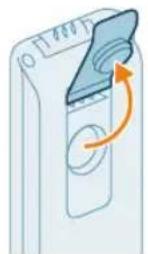
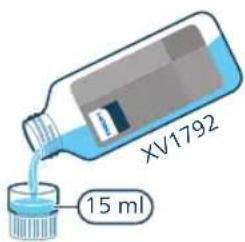
natural_image
Illustration of a hand pouring liquid into a container with a control panel (no text or symbols)natural_image
Illustration of a device with a scroll wheel and an arrow indicating rotation (no text or symbols)natural_image
Illustration of a hand inserting a card into a device (no text or symbols visible)natural_image
Illustration of a person using a vacuum cleaner to lift a cart (no text or symbols visible)natural_image
Illustration of a person using a vacuum cleaner to lift a cart, showing two sequential motion steps (no text or symbols)natural_image
Illustration of a hand holding a cylindrical device with an arrow indicating motion or force (no text or symbols)natural_image
Illustration of a mechanical assembly with a tool and a cylindrical component, no text or symbols present.natural_image
Illustration of a handheld device mounted on a cabinet (no text or symbols visible)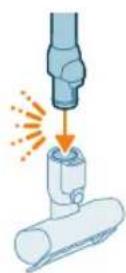
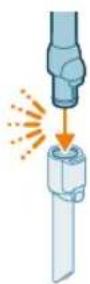
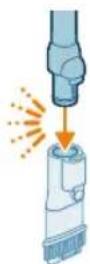
natural_image
Illustration of a hand using a handheld device to clean material, with warning symbols and a red X mark (no text or labels)natural_image
Illustration of a mechanical tool interacting with a cylindrical component (no text or symbols)natural_image
Illustration of a vacuum cleaner cleaning a bed (no text or symbols present)natural_image
Illustration of a vacuum cleaner spraying water onto a surface, with icons for a bed and a dog (no text or symbols)natural_image
Illustration of a medical or laboratory procedure showing a pipette inserted into a container with a magnified inset (no text or symbols)natural_image
Illustration of a blue mechanical component with a spiderweb and magnified detail (no text or symbols)natural_image
Illustration of a robotic arm gripping a mechanical component with an orange arrow indicating force (no text or symbols present)natural_image
Illustration of a hand holding a device with an arrow indicating direction (no text or symbols present)natural_image
Illustration of a blue bottle pouring liquid into a brown liquid on a tiled floor, with a faucet above (no text or symbols)natural_image
Illustration of a blue cylindrical object with a water droplet inside, placed on a grid surface with a faucet above (no text or symbols)natural_image
Illustration of a device with a scroll wheel and an arrow indicating rotation (no text or symbols)natural_image
Illustration of a hand inserting a card into a device (no text or symbols visible)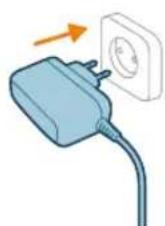
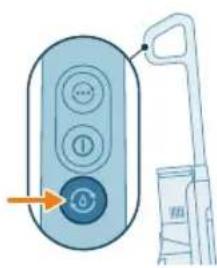
natural_image
Illustration of a remote control with a hand holding a toothbrush and a toothpaste can, no text or symbols present.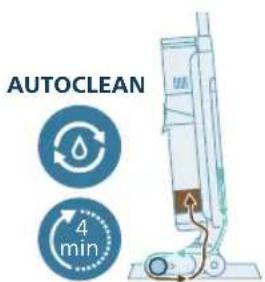
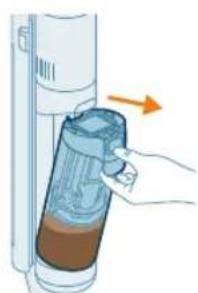
natural_image
Illustration of a hand inserting a container into a cylindrical device with an arrow indicating direction (no text or symbols)natural_image
Illustration of a hand holding a cylindrical device with a blue lid, showing internal components and an orange arrow indicating direction (no text or symbols)natural_image
Illustration of a cylindrical object being inserted into a base with an arrow indicating motion (no text or symbols)natural_image
3D diagram of a device with an upward arrow indicating motion or force, no text or symbols presentnatural_image
Illustration of a faucet pouring liquid into a blue container with a green liquid, placed on a surface (no text or symbols)natural_image
3D diagram of a device with an orange arrow pointing to a component, no text or symbols presentnatural_image
Illustration of two hands holding a blue pen or tool, with an orange arrow indicating motion (no text or symbols)natural_image
Illustration of a hand holding a blue coiled spring or rope (no text or symbols)natural_image
Mechanical assembly diagram showing a piston and shaft assembly with directional arrows (no text or labels)natural_image
Mechanical assembly diagram showing a tool interacting with a motor or actuator (no text or symbols visible)natural_image
Diagram showing a device with a circular component and a mechanical component, both with directional arrows indicating rotation (no text or symbols present)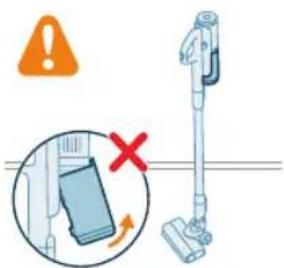
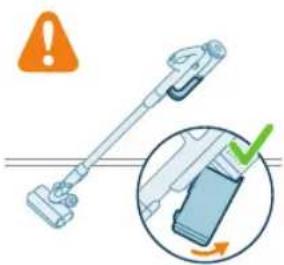
natural_image
Illustration of a hand holding a device with an orange warning symbol and a magnified inset showing a green checkmark (no text or symbols present)natural_image
Illustration of a blue plastic container pouring granular material into a glass bowl (no text or symbols)natural_image
Illustration of a hand using a plastic bin to remove granular material into a trash can (no text or symbols)natural_image
Diagram of a mechanical device with an inset showing a component inside water, no text or symbols present.natural_image
Diagram of a kitchen appliance with a close-up view showing internal components (no text or symbols)natural_image
Illustration of two hands inserting a bulb into a trash bin with granular material (no text or symbols)natural_image
Illustration of a faucet spraying water onto a small blue tank with a green checkmark indicating inspection (no text or symbols)
natural_image
Diagram of a mechanical device with a circular component and warning symbol (no text or labels)natural_image
Illustration of a hand pressing a button into a device, with an inset showing the same button (no text or symbols present)natural_image
Mechanical component diagram showing a valve inserted into a housing (no text or symbols visible)natural_image
Illustration of hands using a tool to cut a blue object with a coiled cable (no text or symbols)natural_image
Mechanical assembly diagram showing a component being inserted into a housing, with an inset close-up highlighting the internal structure (no text or symbols present)natural_image
Illustration of a hand pressing a circular component with motion arrows (no text or symbols)natural_image
Illustration of hands using scissors to handle a blue mechanical component (no text or symbols)natural_image
Circular icon set with six white symbols and a red triangular button, no readable text or labelsnatural_image
Circular icon with icons including water, fire, gear, and warning symbols (no readable text)natural_image
Circular icon with icons representing water sources, sensors, and warning symbols (no text or labels)natural_image
Circular icon set with six white symbols on a dark background, no text or labels presentnatural_image
Circular icon with medical symbols and a red warning sign, no readable text or numbers present.natural_image
Simple 3D illustration of a light blue cylindrical object with a flanged end (no text or symbols)Hyrje
natural_image
3D diagram of a device with an orange arrow pointing to a component, no text or symbols presentnatural_image
Illustration of a mechanical device with a downward arrow indicating a component (no text or symbols present)natural_image
Illustration of a vacuum cleaner performing a step-by-step assembly (no text or symbols present)natural_image
Illustration of a mechanical device with a tool inserted, showing no text or symbolsnatural_image
Illustration of a mechanical device emitting sparks, no text or symbols presentnatural_image
Illustration of a hand using a tool to drive a cylindrical component with an arrow indicating motion (no text or symbols)natural_image
Illustration of a handheld device with a downward arrow pointing to a small component (no text or symbols visible)natural_image
Illustration of a mechanical device with a cylindrical component and directional arrows indicating motion (no text or symbols)natural_image
Illustration of a spray canister emitting powder, showing spray and dust emission (no text or symbols)natural_image
Circular icon set with abstract symbols including water, gear, and a star (no text or labels)natural_image
Circular icon with icons representing water, gas, water, and other symbols (no text or labels)natural_image
Illustration of a portable electric vehicle charging station with a power plug and orange arrow indicating direction (no text or symbols)natural_image
Diagram of a device with a magnified inset showing a device interacting with a device (no text or symbols present)7 Mbyllni kapakun izolues.
natural_image
Illustration of a mechanical device with a tool inserted, showing a drop and a small component (no text or symbols)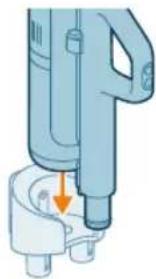
natural_image
Illustration of a handheld device with a downward arrow pointing to a plug (no text or symbols visible)natural_image
Circular icon set with abstract symbols and icons, no readable text or labelsnatural_image
Circular icon set with icons including water drop, flame, gear shift, and battery (no text or symbols)natural_image
Illustration of a mechanical device with a tool inserted, showing a pipe or port (no text or symbols)natural_image
Illustration of a hand inserting a smartphone into a server tower (no text or symbols visible)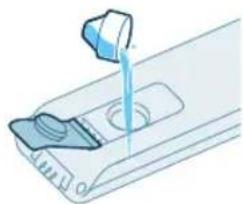
natural_image
Illustration of a hand pouring liquid into a container with a control panel (no text or symbols)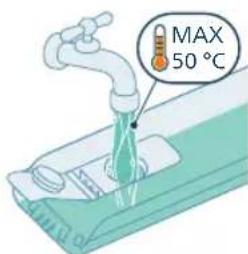
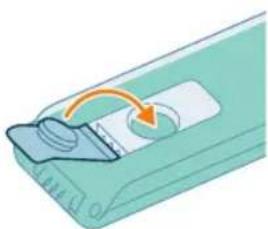
natural_image
Illustration of a device with a scroll wheel and an arrow indicating rotation (no text or symbols)natural_image
Illustration of a hand holding a smartphone next to a vertical panel, with an arrow indicating the action (no text or symbols present)natural_image
Illustration of a person using a vacuum cleaner to lift a cart (no text or symbols visible)natural_image
Illustration of a person using a vacuum cleaner to lift a cart, showing two sequential motion steps (no text or symbols)natural_image
Illustration of a mechanical device with a cylindrical component and a base, emitting sparks (no text or symbols)natural_image
Illustration of a mechanical device with a lever and base, emitting sparks (no text or symbols)natural_image
Illustration of a handheld device mounted on a cabinet (no text or symbols visible)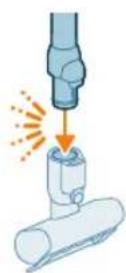
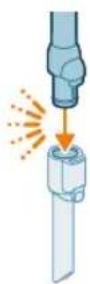
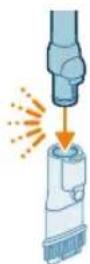
natural_image
Illustration of a mechanical tool interacting with a cylindrical component (no text or symbols)natural_image
Illustration of a vacuum cleaner cleaning a bed (no text or symbols)natural_image
Illustration of a vacuum cleaner spraying water onto a surface, with icons for a bed and a dog (no text or symbols)natural_image
Illustration of a medical or laboratory procedure showing a pipette inserted into a container with a magnified inset (no text or symbols)natural_image
Illustration of a mechanical component with a spiderweb and two views of a wire (no text or symbols)natural_image
Illustration of a robotic arm gripping a mechanical component with an orange arrow indicating force (no text or symbols present)natural_image
Illustration of a hand holding a cylindrical device with a brown liquid, showing an arrow indicating direction (no text or symbols present)natural_image
Illustration of a blue bottle pouring liquid into a brown liquid, with a faucet above (no text or symbols)natural_image
Illustration of a blue cylindrical object with liquid dripping, placed on a grid surface with a faucet above (no text or symbols)natural_image
Illustration of a device with a scroll wheel and a circular button, no text or symbols present10 Mbyllni enën e ujit me kapakun izolues.
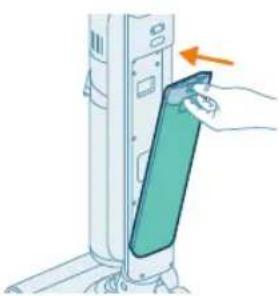
natural_image
Illustration of a hand inserting a card into a device (no text or symbols visible)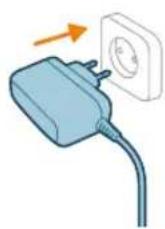
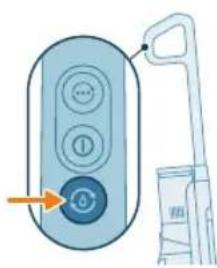
natural_image
Illustration of a remote control with a hand holding a toothbrush and a toothpaste can, no text or symbols present.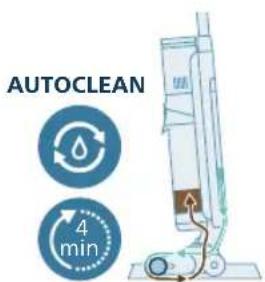
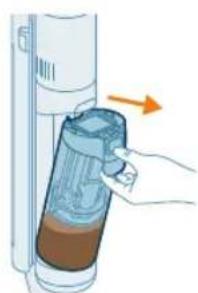
natural_image
Illustration of a hand inserting a container into a cylindrical device with an arrow indicating direction (no text or symbols)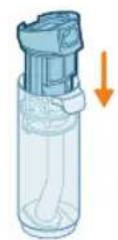
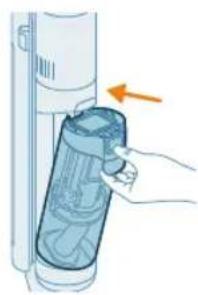
natural_image
Illustration of a hand inserting a plastic bag into a vertical tube, with an arrow indicating direction (no text or symbols)
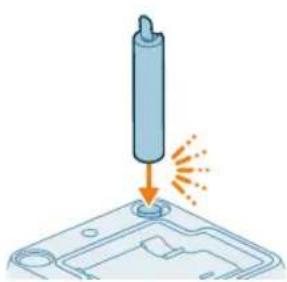
natural_image
Illustration of a cylindrical object being inserted into a base with an arrow indicating motion (no text or symbols)natural_image
3D diagram of a mechanical component with an upward arrow indicating force or direction (no text or symbols)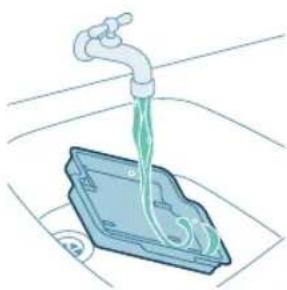
natural_image
Illustration of a faucet pouring liquid into a blue container with a coiled tube (no text or symbols)natural_image
3D diagram of a device with an orange arrow pointing to a component, no text or symbols presentnatural_image
Illustration of hands holding a pen or tool with an arrow indicating motion (no text or symbols)natural_image
Illustration of two hands holding a blue bandaged object (no text or symbols)natural_image
Mechanical assembly diagram showing a piston and roller components with directional arrows indicating motion (no text or labels)natural_image
Mechanical assembly diagram showing a sliding mechanism with directional arrows indicating motion (no text or symbols)natural_image
Diagram showing a device with a circular component and an arrow indicating rotation (no text or symbols)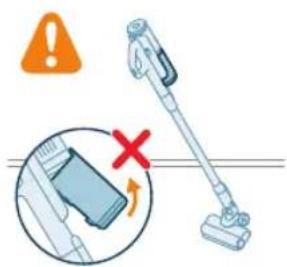
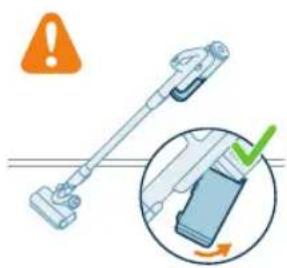
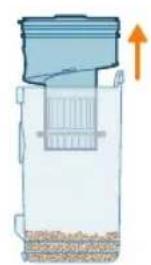
natural_image
Diagram of a container with a lid and internal structure, showing an upward arrow (no text or symbols)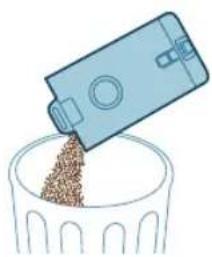
natural_image
Illustration of a blue plastic container pouring granular material into a glass bowl (no text or symbols)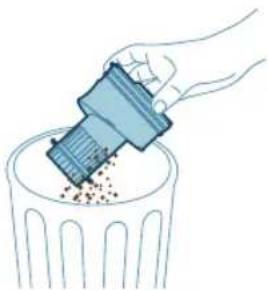
natural_image
Illustration of a hand using a tool to remove or dispose of granular material into a trash bin (no text or symbols)natural_image
Diagram of a water filter device with a magnified inset showing internal components (no text or symbols)natural_image
Diagram of a kitchen sink with a close-up view of the interior (no text or symbols)natural_image
Illustration of two blue egg-shaped objects above a perforated base with granular material (no text or symbols)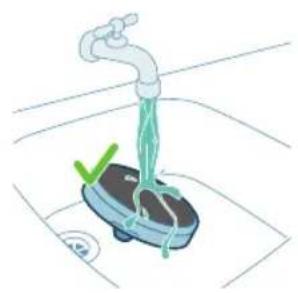
natural_image
Illustration of a hand washing a small water meter with a green checkmark and a white circular symbol (no text or labels)
natural_image
Illustration of a hand holding a dark object with a small droplet below (no text or symbols)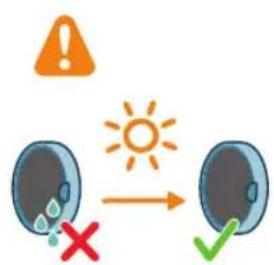
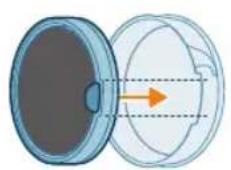
natural_image
Diagram showing a lid and a circular container with an arrow indicating direction (no text or symbols)natural_image
Illustration of a faucet pouring liquid into a container with swirling flow (no text or symbols)natural_image
Illustration of a hand cleaning a rectangular object with a cloth (no text or symbols)natural_image
Diagram of a mechanical component with a circular inset showing a warning symbol (no text or labels present)natural_image
Illustration of a hand pressing a button into a mechanical component, with an inset showing the same lever mechanism (no text or symbols present)natural_image
Mechanical component diagram showing a shaft and housing assembly (no text or symbols)natural_image
Illustration of hands using a tool to tie a blue ribbon or cable (no text or symbols present)natural_image
Mechanical assembly diagram showing a blue component being inserted into a housing, with an inset close-up highlighting the internal structure (no text or symbols present)natural_image
Illustration of a hand pressing a circular component with motion arrows (no text or symbols)natural_image
Illustration of hands using pliers to handle a blue object (no text or symbols visible)natural_image
Circular icon with icons including a water drop, gear shift, and red warning symbols (no readable text)natural_image
Simple 3D illustration of a light blue cylindrical object with a flanged tip (no text or symbols)Uvod
Hvala, ker ste se odločili za nakup tega izdelka Philips. Če želite v celoti izkoristiti podporo, ki jo ponuja Philips, izdelek registrirajte na strani www.philips.com/myvacuum9000s.
Splošni opis
natural_image
3D diagram of a device with an orange arrow pointing to a component, no text or symbols presenti Opomba: Poskrbite, da na podstavek položite pladenj za po čiščenju in da bo v prostoru, kjer boste aparat shranjevali, polnili in čistili, temperatura med 5 in 35 °C.
Če želite shraniti in polniti sklop samo za sesanje na stenskem nosilcu, pritrdite stenski nosilec na steno s priloženimi vijaki. Stenski nosilec naj bo 105–115 cm nad tlemi.
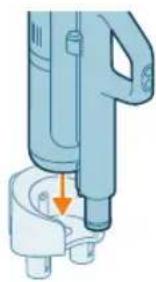
natural_image
Illustration of a handheld device with a downward arrow pointing to a connector (no text or symbols present)natural_image
Illustration of a vacuum cleaner performing a step-by-step assembly (no text or symbols present)natural_image
Illustration of a mechanical device with a screwdriver inserted, showing no text or symbolsČe morate aparat spet razstaviti, sledite spodnjim korakom:
natural_image
Illustration of a handwashing device with a downward arrow indicating heat or relief (no text or symbols)natural_image
Illustration of a mechanical assembly with a tool emitting sparks from a component (no text or symbols)3 Cev vstavite v nastavek LED.

natural_image
Illustration of a handheld device with a downward arrow pointing to a small component (no text or symbols visible)4 Če želite shraniti sklop samo za sesanje, ga vstavite v stenski nosilec. Posodo za prah potisnite v stenski nosilec, da se zaskoči.
Odstranjevanje in vstavljanje baterije
Odstranjevanje in vstavljanje baterije v sklopu samo za sesanje
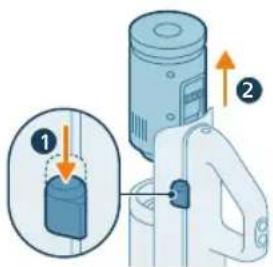
natural_image
Illustration of a mechanical device with a cylindrical component and directional arrows indicating motion (no text or symbols)Odstranjevanje in vstavljanje baterije v sklopu za sesanje in mokro čiščenje
1 Pritisnite gumb na strani aparata.
2 Medtem ko držite gumb, izvlecite baterijo iznad posode za umazano vodo.
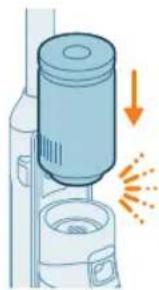
natural_image
Illustration of a spray canister emitting powder, showing spray and dust emission (no text or symbols)natural_image
Circular icon set with white symbols including mountains, water, gear, and a starburst (no text or labels)4 Na zaslonu bodo utripali ikona baterije in krožni segmenti, kar pomeni, da se aparat polni.
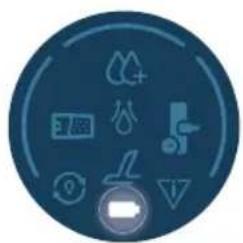
natural_image
Circular icon with icons representing water, gas, water, and other symbols (no text or labels)natural_image
Illustration of a portable electric vehicle charging station with a power plug and orange arrow indicating direction (no text or symbols)natural_image
Diagram of a device with an inset showing a close-up of a device's internal components (no text or symbols present)natural_image
Illustration of a mechanical device with a tool inserted, showing a drop and a small component (no text or symbols)Aparatu je priložena 25-voltna litij-ionska baterija. Polnjenje traja 4 ure.
natural_image
Illustration of a handheld device with a downward arrow pointing to a plug (no text or symbols visible)2 Potisnite ročno enoto s posodo za prah v stenski nosilec.
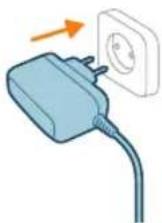
natural_image
Circular icon set with eight distinct symbols including trees, water, and gear (no text or labels)4 Na zaslonu bodo utripali ikona baterije in krožni segmenti, kar pomeni, da se aparat polni.
848 Slovenščina
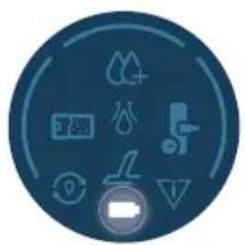
natural_image
Circular icon set with icons including water, fire, gear, and battery (no text or symbols)natural_image
Illustration of a mechanical device with a tool inserted, showing a pipe or port (no text or symbols)natural_image
Illustration of a hand inserting a card into a server tower (no text or symbols)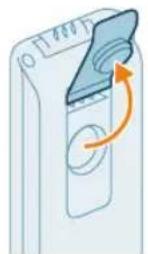
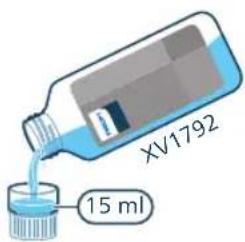
2 Odprite pokrovček na posodi za čisto vodo.
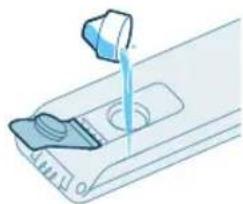
natural_image
Illustration of a hand pouring liquid into a container with a side panel (no text or symbols)3 V posodo za čisto vodo vlijte 15 ml čistila za tla Philips XV1792.
natural_image
Illustration of a mechanical component with an arrow indicating rotation or movement (no text or symbols)natural_image
Illustration of a hand inserting a card into a device (no text or symbols visible)6 Zbiralnik za čisto vodo nato vstavite nazaj v aparat.
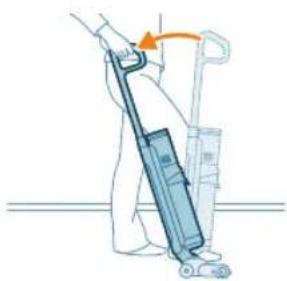
natural_image
Illustration of a person using a vacuum cleaner to lift a cart (no text or symbols visible)natural_image
Illustration of a person using a vacuum cleaner to lift a carton, showing two sequential motion steps (no text or symbols)natural_image
Illustration of a hand holding a cylindrical device with an arrow indicating motion or force (no text or symbols)natural_image
Illustration of a hand using a tool to press or install a cylindrical component, with no visible text or symbols.3 Drugi konec cevi vstavite v nastavek LED (zasliši se klik).
4 Za vklop aparata pritisnite gumb za vklop/izklop .
6 Še enkrat pritisnite gumb Turbo, da preklopite nazaj na običajno moč sesanja.
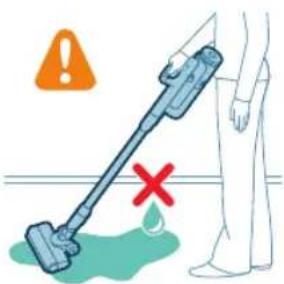
natural_image
Illustration of a handheld device mounted on a cabinet (no text or symbols visible)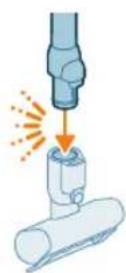
natural_image
Illustration of a hand using a handheld device to clean material, with warning symbols and a red X mark (no text or labels)natural_image
Illustration of a mechanical tool interacting with a cylindrical component (no text or symbols present)natural_image
Illustration of a vacuum cleaner cleaning a bed (no text or symbols)natural_image
Illustration of a vacuum cleaner spraying liquid onto a surface, with icons for a bed and a dog (no text or symbols)natural_image
Illustration of a medical or laboratory procedure showing a pipette inserted into a container with a magnified inset (no text or symbols)natural_image
Illustration of a mechanical component with a spiderweb and two close-up views (no text or symbols)natural_image
Illustration of a robotic arm gripping a mechanical component with an orange arrow indicating force (no text or symbols present)Funkcijo AUTOCLEAN uporabite po vsaki uporabi, da preprečite nabiranje vodnega kamna in neprijetnega vonja. Način AUTOCLEAN pomaga očistiti celoten aparat v približno 4 minutah.
1 Nastavek za sesanje in mokro čiščenje postavite na postajo za po čiščenju in za shranjevanje.
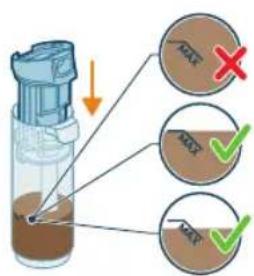
natural_image
Illustration of a hand holding a cylindrical device with a brown liquid, showing an arrow indicating direction (no text or symbols present)2 Pritisnite gumb, da odklenete zbiralnik za umazano vodo in ga odstranite.
3 Mokri filter odstranite iz zbiralnika za umazano vodo.
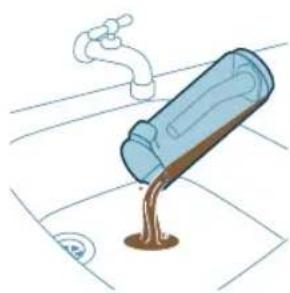
natural_image
Illustration of a blue bottle pouring liquid into a brown liquid, with a faucet above (no text or symbols)4 Vodo iz zbiralnika za umazano vodo izlijte v korito.
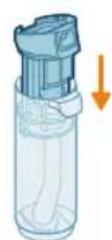
5 Mokri filter namestite nazaj na zbiralnik za umazano vodo.
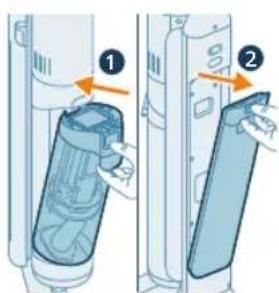
6 Prazen zbiralnik za umazano vodo namestite nazaj v aparat in vzemite ven zbiralnik za čisto vodo.
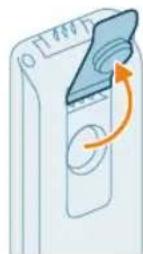
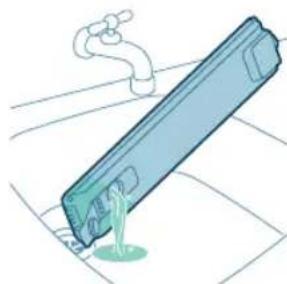
natural_image
Illustration of a blue cylindrical object with a water droplet inside, placed on a grid surface with a faucet above (no text or symbols)7 Odstranite pokrovček z zbiralnika za čisto vodo.
8 Morebitno preostalo tekočino z detergentom izlijte iz zbiralnika za čisto vodo v pomivalno korito.
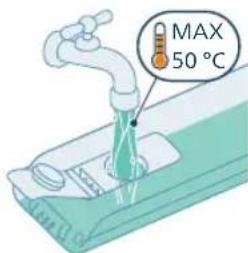
9 Zbiralnik za čisto vodo napolnite s hladno ali mlačno vodo iz pipe vsaj do oznake AUTOCLEAN.
A Opozorilo: Temperatura vode iz pipe, ki jo natakate v zbiralnik za čisto vodo, ne sme preseči 50 °C.
A Opozorilo: Za program AUTOCLEAN ne uporabite detergenta, saj bi se voda lahko preveč penila.
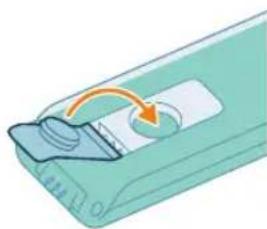
natural_image
Illustration of a device with a scroll wheel and directional arrow (no text or symbols)natural_image
Illustration of a hand inserting a card into a device (no text or symbols visible)11 Zbiralnik za čisto vodo nato vstavite nazaj v aparat.
862 Slovenščina
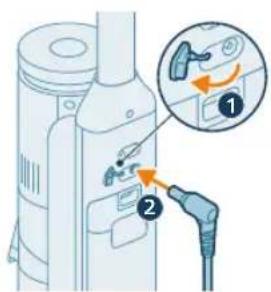
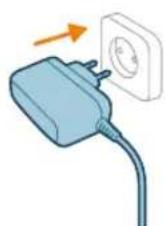
natural_image
Illustration of a remote control with a hand holding a device (no text or symbols visible)13 Pritisnite gumb Auto-Clean, da se zažene funkcija AUTOCLEAN. Pred zagonom funkcije Autoclean se prepričajte, da je polnilnik priključen.
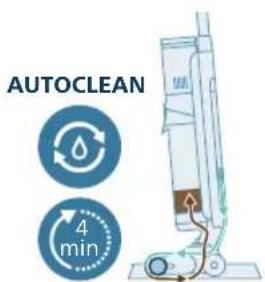
14 Aparat izvede cikel AUTOCLEAN.
i Opomba: Cikel Autoclean traja približno 4 minute. Za čim boljše rezultate pustite aparat delovati skozi celoten cikel AUTOCLEAN. Cikel AUTOCLEAN lahko kadar koli zaustavite ali prekličete.
natural_image
Illustration of a hand inserting a device into a container with liquid, showing an arrow indicating direction (no text or symbols)15 Ko je program AUTOCLEAN končan, pritisnite gumb, da odklenete posodo za umazano vodo in jo odstranite.

16 Mokri filter odstranite iz zbiralnika za umazano vodo.
17 Vodo iz zbiralnika za umazano vodo izlijte v korito.
18 Zbiralnik za umazano vodo očistite pod tekočo vodo.
19 Mokri filter očistite pod tekočo vodo.
⚠️ Opozorilo: Nagubanega filtra ne smete oprati. Če ga želite očistiti, ga nežno potolcite ob smetnjak in tako odstranite morebitno umazanijo, ki se je nabrala v njem.
864 Slovenščina
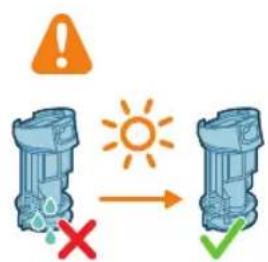
20 Počakajte, da se mokri filter posuši.
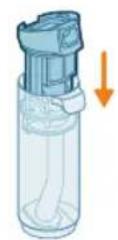
21 Mokri filter namestite nazaj na zbiralnik za umazano vodo.
natural_image
Illustration of a hand holding a cylindrical device with a blue lid, showing internal components and an orange arrow indicating direction (no text or symbols)22 Zbiralnik za umazano vodo nato vstavite nazaj v aparat.
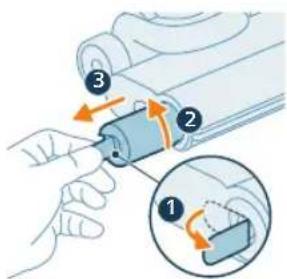
natural_image
Illustration of a cylindrical object being inserted into a base with an arrow indicating motion (no text or symbols)natural_image
3D diagram of a device with an upward arrow indicating motion or force, no text or symbols presentnatural_image
Illustration of a faucet pouring liquid into a blue container with a green liquid, placed on a surface (no text or symbols)natural_image
3D diagram of a device with an orange arrow pointing to a component, no text or symbols presentnatural_image
Illustration of two hands holding a blue pen or tool, with an orange arrow indicating motion (no text or symbols)natural_image
Illustration of a hand holding a blue coiled spring or rope (no text or symbols)natural_image
Mechanical assembly diagram showing a piston and shaft assembly with directional arrows (no text or labels)natural_image
Mechanical assembly diagram showing a tool interacting with a motor and rollers (no text or symbols)natural_image
Diagram showing a device with a circular component and a mechanical component, both with directional arrows indicating rotation (no text or symbols present)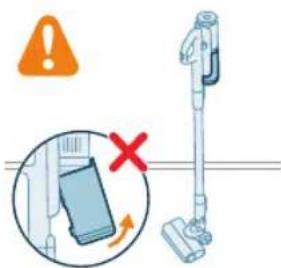
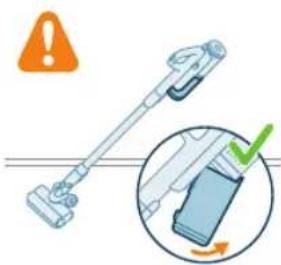
natural_image
Illustration of a blue plastic container pouring granular material into a glass bowl (no text or symbols)natural_image
Illustration of a hand using a plastic bin to lift granular material into a trash can (no text or symbols)natural_image
Diagram of a water filter device with an inset showing a component and a downward arrow indicating flow or movement (no text or symbols present)6 Ciklonski element vstavite nazaj v posodo za prah. Oba dela morata biti poravnana.
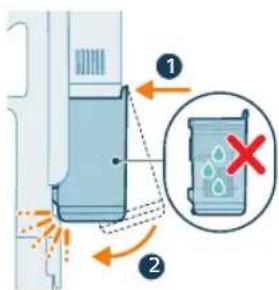
7 Sestavljeno posodo vstavite nazaj. Najprej poravnajte stran posode, na kateri je filter, nato jo pritrdite na mesto.
1 Filter obrnite v levo in ga odstranite iz posode za prah.
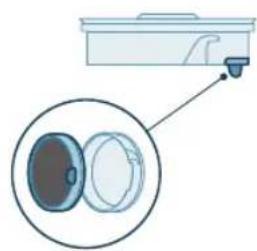
natural_image
Diagram of a kitchen appliance with a close-up view showing internal components (no text or symbols)natural_image
Illustration of two hands inserting a bulb into a trash bin with granular material (no text or symbols)3 Ohišje filtra in penasti filter stresite nad smetnjakom.
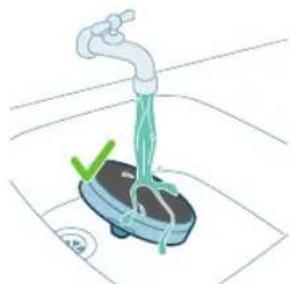
natural_image
Illustration of a faucet spraying water onto a small blue tank with a green checkmark and a circular button (no text or symbols)870 Slovenščina

4 Izpirajte in ožemajte penasti filter, dokler iz njega ne priteče čista voda.
A Opozorilo: Preden ponovno sestavite dele, pazite, da so vsi popolnoma suhi.
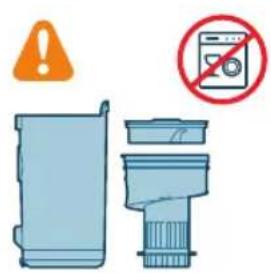
8 Filter vstavite v posodo za prah. Filter zasučite v desno, da se zaskoči.
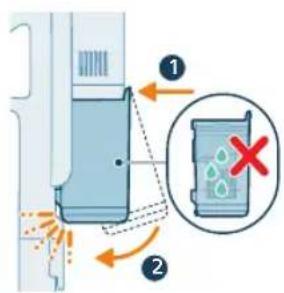
9 Sestavljeno posodo vstavite nazaj. Najprej poravnajte stran posode, na kateri je filter, nato jo pritrdite na mesto.
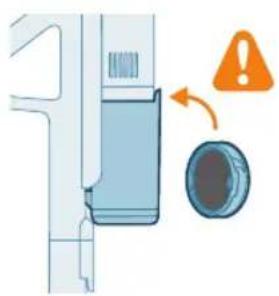
natural_image
Diagram of a door handle mechanism with warning symbol and circular component (no text or labels)natural_image
Illustration of a hand pressing a button into a device, with an inset showing the same button (no text or symbols present)natural_image
Mechanical component diagram showing a blue funnel inserted into a housing (no text or symbols visible)3 Previdno odstranite vrtljivo krtačo in stranski pokrovček nastavka.
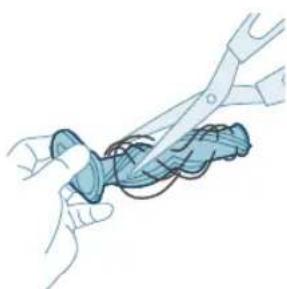
natural_image
Illustration of hands using a tool to cut a blue object with coiled wires (no text or symbols)natural_image
Mechanical component diagram showing a flanged part with an inset close-up of its internal structure (no text or symbols)5 Pri ponovnem sestavljanju poskrbite, da bo vrtljiva krtača pravilno poravnana.
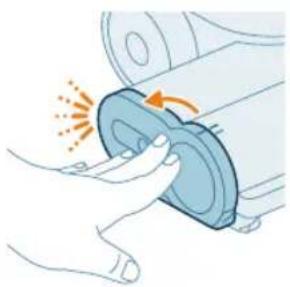
natural_image
Illustration of a hand pressing a circular component with motion arrows (no text or symbols)1 Krtačo zavrtite v nasprotni smeri urnega kazalca, da jo sprostite. Ko se krtača sprosti, jo izvlecite.
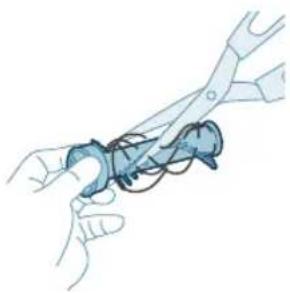
natural_image
Illustration of hands using scissors to handle a blue mechanical component (no text or symbols)3 Potisnite krtačo na mesto in jo zavrtite v smeri urnega kazalca, da se zaskoči.
Ikone na zaslonu in njihov pomen
Kode napak
natural_image
Circular icon with abstract symbols and a red triangular symbol (no readable text or labels)Pojavila se je sistemska napaka. Če ikona sveti neprekinjeno rdeče, pomeni, da ima sesalnik Philips AquaTrio 7000 Series sistensko napako.
natural_image
Circular icon set with icons including water drop, battery, and red warning symbols (no text or labels)Temperatura je prenizka. Če ikona za baterijo in ikona za napako skupaj utripata rdeče, pomeni, da je temperatura okolice prenizka ali previsoka.
V prostoru, kjer aparat uporabljate, ga shranjujete ali polnite, mora biti temperatura nad 5 °C.
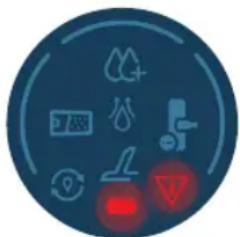
natural_image
Circular icon with medical and safety symbols (no readable text or numbers)natural_image
Circular icon with icons representing water sources, sensors, and control buttons (no text or symbols)natural_image
Circular icon with icons including mountains, water, and a red light indicator (no text or symbols)Suhi filter XV1771/10
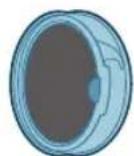
Mokri filter XV1770/10
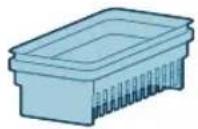
natural_image
Simple 3D illustration of a light blue cylindrical object with a flanged end (no text or symbols)886 Slovensky
Úvod
natural_image
3D diagram of a device with a highlighted component and an arrow indicating downward motion (no text or symbols)natural_image
Illustration of a mechanical device with a downward arrow indicating a component (no text or symbols present)natural_image
Illustration of a spray canister emitting powder from a bottle, with no visible text or symbolsnatural_image
Illustration of a robotic arm gripping a mechanical component with an orange arrow indicating force (no text or symbols present)natural_image
Diagram of a mechanical device with a screwdriver inserted, showing internal components and a directional arrow (no text or symbols)Ak zariadenie potrebujete znova rozobrat, postupujte takto:
1 Vsuňte kolík alebo plochý skrutkovač do otvoru na zadnej strane zariadenia a zdvihnite rukovát.
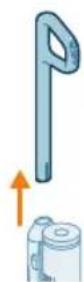
2 Vytiahnite rukovat zo zariadenia, pričom nadalej tlačte skrutkovač do otvoru.
natural_image
Illustration of a handwashing device with a downward arrow indicating heat or relief (no text or symbols)natural_image
Illustration of a mechanical assembly with a tool emitting sparks from a component (no text or symbols)3 Trubicu vložte do LED hubice.
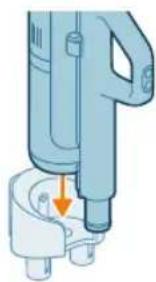
natural_image
Illustration of a handheld device with a downward arrow pointing to a small component (no text or symbols visible)natural_image
Illustration of a mechanical device with a cylindrical component and directional arrows indicating motion (no text or symbols)natural_image
Illustration of a vacuum cleaner emitting exhaust plume (no text or symbols)natural_image
Circular icon set with abstract symbols including water, gear, and geometric shapes (no text or labels)natural_image
Circular icon with icons representing water, gas, water, and other symbols (no readable text or labels)natural_image
Illustration of a portable electric vehicle charging station with a power plug and orange arrow indicating direction (no text or symbols)natural_image
Diagram of a device with an inset showing a close-up of a device's cable or connector (no text or symbols present)7 Zatvorte tesniaci kryt.
natural_image
Illustration of a mechanical device with a tool inserted, showing a drop and a small component (no text or symbols)Zariadenie je vybavené 25 V lítium-iónovou batériou. Nabíjanie trvá 4 hodiny.
1 Ak chcete zariadenie nabit, zasuňte napájaciu zástrčku do konektora na zadnej strane zariadenia.
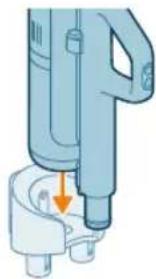
natural_image
Illustration of a handheld device with a downward arrow pointing to a small component (no text or symbols visible)natural_image
Circular icon set with eight distinct symbols including trees, water, and a gear-like structure (no text or labels)natural_image
Circular icon set with abstract symbols and arrows, no readable text or labelsnatural_image
Illustration of a mechanical device with a tool inserted, showing a pipe or component (no text or symbols)natural_image
Illustration of a hand inserting a smartphone into a device (no text or symbols visible)894 Slovensky
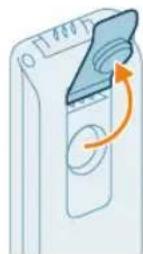
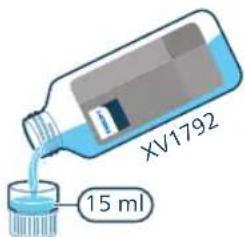
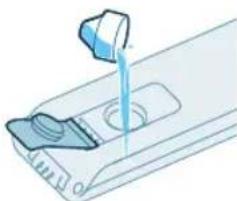
natural_image
Illustration of a mechanical device with a lever and base, showing fluid or material flow (no text or symbols)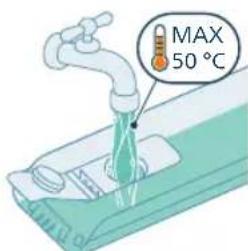
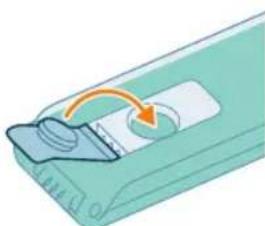
natural_image
Illustration of a device with an orange arrow indicating rotation or movement (no text or symbols)2 Otvorte uzáver na nádobe na čistú vodu.
3 Do nádoby na čistú vodu pridajte 15 ml čistiaceho prostriedku na podlahy Philips XV1792.
natural_image
Illustration of a hand inserting a card into a server rack (no text or symbols visible)natural_image
Illustration of a person using a vacuum cleaner to lift a cart (no text or symbols visible)natural_image
Illustration of a person using a vacuum cleaner to lift a cart, showing two sequential motion steps (no text or symbols)natural_image
Illustration of a hand holding a cylindrical device with an arrow indicating motion or force (no text or symbols)natural_image
Illustration of a hand using a tool to lift a cylindrical component, with no visible text or symbols.3 Druhý koniec trubice vložte do LED hubice (zaznie „cvaknutie“).
natural_image
Illustration of a handheld device mounted on a cabinet (no text or symbols visible)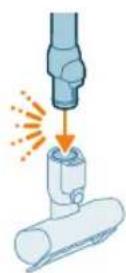
Tip: K trubici možno pripojit aj malú turbokefu.
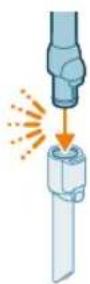
natural_image
Illustration of a mechanical tool interacting with a cylindrical component (no text or symbols)natural_image
Illustration of a vacuum cleaner cleaning a bed (no text or symbols)natural_image
Illustration of a vacuum cleaner sweeping debris from a pipe, with icons for a device and a cat (no text or symbols)Varovanie: Nevysávajte vodu ani iné kvapaliny.
natural_image
Illustration of a medical or laboratory procedure showing a pipette inserted into a container with a magnified inset (no text or symbols)Varovanie: Nevysávajte vodu ani iné kvapaliny.
natural_image
Illustration of a hand holding a fiber optic cable with a spiderweb and mechanical components (no text or symbols)Varovanie: Nevysávajte vodu ani iné kvapaliny.
natural_image
Illustration of a robotic arm gripping a mechanical component with an orange arrow indicating force (no text or symbols present)natural_image
Illustration of a hand inserting a device into a container with liquid, showing an orange arrow (no text or symbols)natural_image
Illustration of a blue bottle pouring liquid into a brown liquid, with a faucet above (no text or symbols)natural_image
Illustration of a blue cylindrical object with a white pipe inserted, showing liquid flowing from it (no text or symbols)natural_image
Illustration of a device with a scroll wheel and a circular button, no text or symbols present10 Uzavrite nádobu na vodu tesniacim uzáverom.
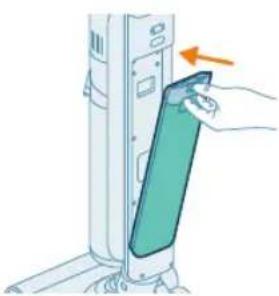
natural_image
Illustration of a hand inserting a card into a device (no text or symbols visible)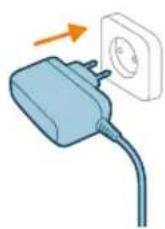
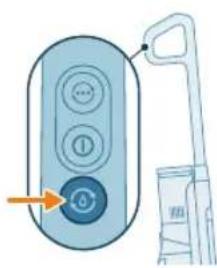
natural_image
Illustration of a remote control with a hand holding a toothbrush and a toothpaste can, no text or symbols present.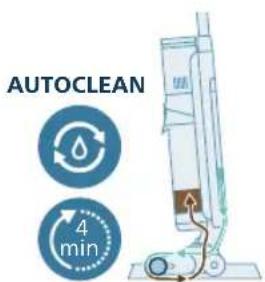
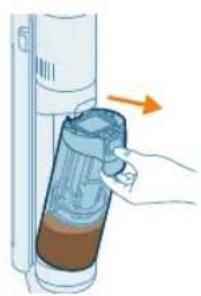
natural_image
Illustration of a hand inserting a container into a vertical tube with an arrow indicating direction (no text or symbols)12 Nabite zariadenie. Zapojte napájaciu zástrčku do konektora na zadnej strane zariadenia. Potom zasuňte adaptér do sietovej zásuvky.
natural_image
Illustration of a blue bottle pouring liquid into a container with a faucet above (no text or symbols)natural_image
Illustration of a faucet pouring liquid into a container with swirling flow lines (no text or symbols)natural_image
Illustration of a faucet pouring liquid into a mechanical component (no text or symbols)19 Mokrý filter vyčistite pod tečúcou vodou.
20 Mokrý filter nechajte vyschnút.
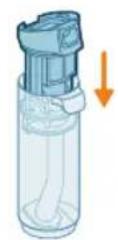
natural_image
Illustration of a hand inserting a plastic bag into a vertical tube, with an arrow indicating the process (no text or symbols present)natural_image
Illustration of a cylindrical object being inserted into a tray with an orange glow effect (no text or symbols)24 Aby kefa mohla vyschnút, položte otvorené konce kefy na určené držiaky na stanici na odloženie po použití a skladovanie.
natural_image
3D diagram of a mechanical component with an upward arrow indicating force or direction (no text or symbols)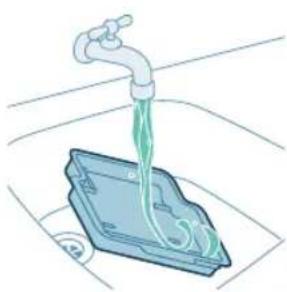
natural_image
Illustration of a faucet dispensing liquid into a plastic container (no text or symbols)2 Opláchnite podnos pod tečúcou vodou a nechajte ho uschnút. Až potom ho vložte spät do odkladacej stanice.
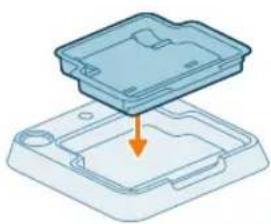
natural_image
3D diagram of a device with an orange arrow pointing to a component, no text or symbols presentnatural_image
Illustration of hands holding a smartphone with a hand pointing to it, no text or symbols presentnatural_image
Illustration of a hand holding a segmented blue object (no text or symbols)natural_image
Mechanical assembly diagram showing a piston and roller mechanism with no visible text or symbolsnatural_image
Mechanical assembly diagram showing a sliding mechanism with tool and rollers (no text or symbols)912 Slovensky
natural_image
Diagram showing a device with a circular component and an arrow indicating rotation (no text or symbols)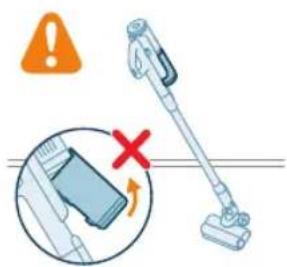
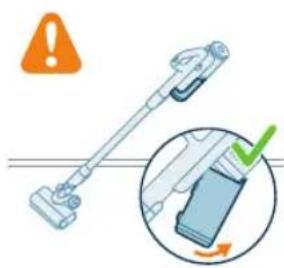
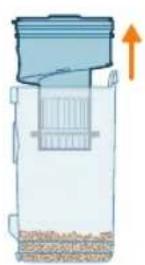
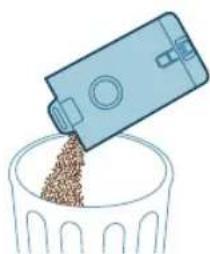
natural_image
Illustration of a blue plastic container pouring granular material into a glass bowl (no text or symbols)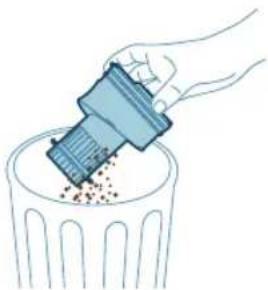
natural_image
Illustration of a hand using a tool to remove or dispose of granular material into a trash bin (no text or symbols)natural_image
Diagram of a mechanical device with a magnified inset showing internal components (no text or symbols)natural_image
Diagram of a kitchen sink with a magnified inset showing internal components (no text or labels)natural_image
Illustration of two hands inserting a bulb into a container with granular material (no text or symbols)natural_image
Illustration of a hand washing a small appliance with a green checkmark and a white checkmark, placed on a tiled floor (no text or symbols)
natural_image
Illustration of a hand holding a sponge with liquid droplets (no text or symbols)natural_image
Illustration of a faucet pouring liquid into a container with swirling flow lines (no text or symbols)natural_image
Illustration of a hand cleaning a rectangular object with a cloth (no text or symbols)natural_image
Diagram of a mechanical component with an arrow and warning symbol (no text or labels)natural_image
Illustration of a hand pressing a button into a device, with an inset showing the same button (no text or symbols present)natural_image
Mechanical component diagram showing a valve inserted into a housing (no text or symbols visible)3 Jemne vyberte valček kefy a bočné veko hubice.
918
Slovensky
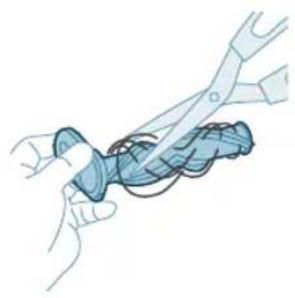
natural_image
Illustration of hands using pliers to cut a blue mechanical component (no text or symbols)natural_image
Mechanical assembly diagram showing a blue component being inserted into a housing, with an inset close-up highlighting the internal structure (no text or symbols present)natural_image
Illustration of a hand pressing a circular component with motion arrows (no text or symbols)6 Uzamknite valček kefy hubice utahovaním, kým nebudete počut cvaknutie.
natural_image
Illustration of hands using a tool to adjust or install a blue mechanical component (no text or symbols visible)natural_image
Circular icon with medical and safety symbols including oxygen, lungs, heart, and arrows (no readable text or labels)natural_image
Simple 3D illustration of a light blue cylindrical object with a flanged tip (no text or symbols)932 Srpski
Uvod
Hvala vam što ste kupili ovaj Philips proizvod! Da biste na najbolji način iskoristili podršku koju pruža kompanija Philips, registrujte proizvod na adresi www.philips.com/myvacuum9000s.
Opšti opis
1 Montaža na zid
2 Mlaznica za uske površine
3 Mlaznica 2 u 1
4 Turbo dugme za suvo usisavanje
5 Dugme za uključivanje/isključivanje za suvo usisavanje
6 Drška i posuda za prašinu za suvo usisavanje
7 Proširena cev
8 Spremište za dodatke na cevi
9 Mlaznica za usisivač
10 Motorizovana turbo četka
11 Adapter
12 Električno kućište
13 Indikator intenzivnog mokrog režima
14 Indikator napunjenosti DWT-a
15 Indikator za AutoClean
16 Indikator baterije
17 Indikator upijanja vode
18 Indikator zaglavljene mlaznice
19 Indikator greške
20 Indikator alarma za suvo turbo usisavanje
21 Drška za mokro usisavanje
22 Dugme za promenu režima usisavanja
23 Dugme za uključivanje/isključivanje za mokro usisavanje
24 Dugme za automatsko čišćenje
25 Rezervoar za čistu vodu
26 Rezervoar za prljavu vodu
27 Mlaznica AquaSpin
28 Četka za čišćenje 2 u 1
29 Stanica za postavljanje nakon čišćenja i odlaganje
30 Posuda za posle čišćenja
31 Deterdžent
Pre prve upotrebe
Sastavljanje stanice za postavljanje nakon čišćenja i odlaganje
Da biste koristili funkciju AUTOCLEAN (samočišćenje) ili odložili i napunili uredaj na stanici za postavljanje posle čišćenja i odlaganje, prvo morate da sastavite stanicu tako što ćete pritisnuti držač uređaja na osnovnu ploču.
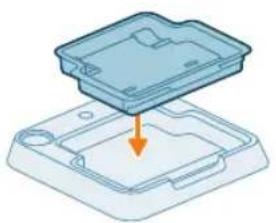
natural_image
3D diagram of a device with an orange arrow pointing to a component, no text or symbols presenti Napomena: Uverite se da je posuda za posle čišćenja postavljena na osnovnu ploču i da je temperatura u prostoriji u kojoj se uređaj odlaže, puni i čisti između 5 °C i 35 °C.
Ako na zidnom nosaču želite da odlažete i punite samo usisivač, pričvrstite zidni nosač na zid isporučenim vijcima. Proverite da li je zidni nosač 105 cm – 115 cm iznad poda.
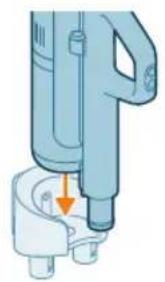
natural_image
Illustration of a mechanical device with a downward arrow indicating a force or adjustment point (no text or symbols present)i Napomena: Na zidni nosač nije moguće odlaganje uredaja u položaju za usisavanje i brisanje. Na zidni nosač je moguće odložiti uredaj samo u položaju za usisavanje.
i Napomena: Vodite računa da temperatura prostorije u kojoj se čuva ili puni aparat bude između 5 °C i 35 °C.
Oprez: Budite oprezni prilikom bušenja rupa u zidu za pričvršćivanje zidnog nosača kako biste izbegli opasnost od strujnog udara.
Sastavljanje uređaja u položaj za usisavanje i brisanje
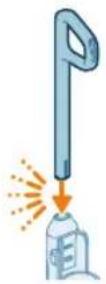
1 Da biste sklopili aparat, ubacite dršku u osnovu (uz škljocanje).
934 Srpski
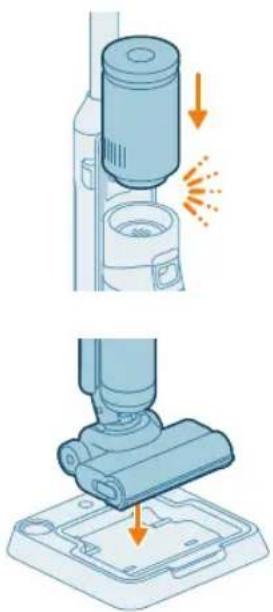
natural_image
Illustration of a vacuum cleaner performing a step-by-step assembly (no text or symbols present)natural_image
Illustration of a mechanical device with a screwdriver inserted, showing no text or symbolsAko je potrebno da ponovo rasklopite aparat, pratite korake u nastavku:
1 Gurnite iglu/odvijač u rupu na poledini aparata i podignite dršku.
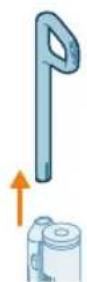
natural_image
Illustration of a handwashing machine with a cylindrical container and orange spray effect (no text or symbols)1 Za sastavljanje uređaja u položaj samo za usisavanje, gurnite električno kućište u položaj ispod drške (klik!).
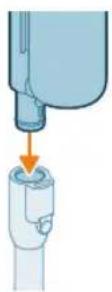
natural_image
Illustration of a mechanical component being welded with a tool, showing sparks and motion (no text or symbols)3 Umetnite cev u LED mlaznicu.
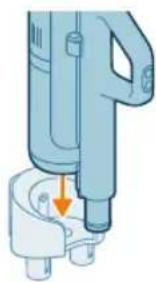
natural_image
Illustration of a handheld device with a downward arrow pointing to a small component (no text or symbols visible)4 Da biste sačuvali podešavanje položaja samo za usisavanje, postavite ga na zidni nosač. Gurnite korpu na zidni nosač da biste je pričvrstili.
936 Srpski
Uklanjanje i stavljanje električnog kućišta
1 Pritisnite dugme na dršci, sa strane.
2 Dok držite dugme pritisnuto, izvucite električno kućište iz ručnog usisivača.
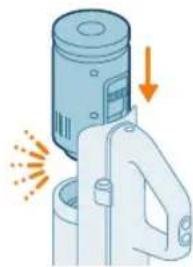
natural_image
Illustration of a mechanical device with a cylindrical component and directional arrows indicating motion (no text or symbols)3 Da biste priključili električno kućište, samo ga gurnite u položaj ispod drške (klik!). Uverite se da ste pravilno poravnali konektore da biste ga čvrsto priključili.
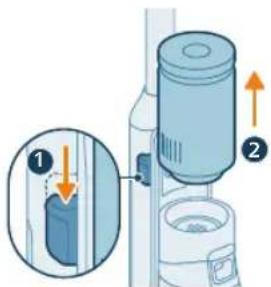
Uklanjanje i stavljanje električnog kućišta u položaju za usisavanje i brisanje
1 Pritisnite dugme na uredaju, sa strane.
2 Dok držite dugme pritisnuto, izvucite električno kućište preko rezervoara za prljavu vodu.
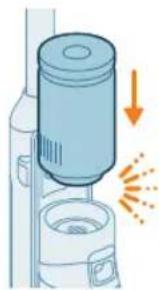
natural_image
Illustration of a spray canister emitting powder, showing spray and dust emission (no text or symbols)3 Da biste spojili električno kućište, samo ga gurnite u položaj (klik!). Uverite se da ste pravilno poravnali konektore da biste ga čvrsto priključili.
Punjenje
Punjenje za podešavanje usisavanja i brisanja
1 Da biste napunili uređaj, otvorite zaptivni poklopac na zadnjoj strani uređaja.
2 Umetnite utikač za napajanje u utičnicu na zadnjoj strani uređaja.
3 Uključite adapter u zidnu utičnicu
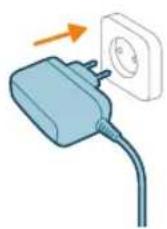

natural_image
Circular icon set with white symbols including mountains, water, gear, and a starburst (no text or labels)natural_image
Circular icon with icons representing water, gas, water, and other symbols (no text or labels)natural_image
Illustration of a portable electronic device with a cable plugged into a plug, showing no text or symbols.6 Izvucite utikač za napajanje iz utičnice na zadnjoj strani uređaja pre korišćenja uređaja za čišćenje.
938 Srpski
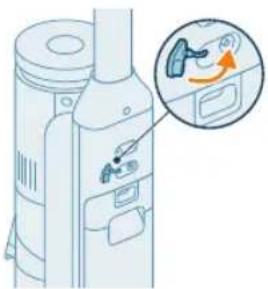
natural_image
Diagram of a device with an inset showing a close-up of a device's cable or connector (no text or symbols present)7 Zatvorite zaptivni poklopac.
Savet: Uredaj možete puniti u stanici za postavljanje nakon čišćenja i odlaganje.
natural_image
Illustration of a mechanical device with a tool inserted, showing a drop and a small component (no text or symbols)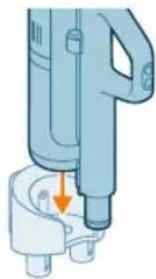
natural_image
Illustration of a handheld device with a downward arrow pointing to a plug (no text or symbols visible)2 Gurnite dršku sa kantom u zidni nosač.
3 Uključite adapter u zidnu utičnicu
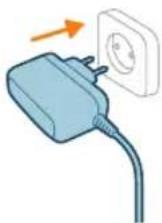
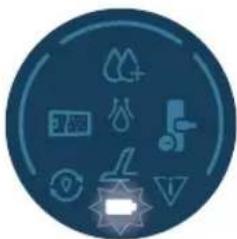
natural_image
Circular icon set with eight distinct symbols including trees, water, and mechanical devices (no text or labels)4 Ikona baterije i kružni segmenti će treperiti na ekranu kako bi označili da se uređaj puni.
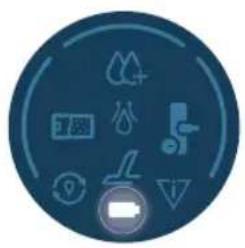
natural_image
Circular icon set with abstract symbols and icons, no readable text or labelsnatural_image
Illustration of a mechanical device with a tool inserted, showing a pipe or component (no text or symbols)6 Izvucite utikač za napajanje iz utičnice na zadnjoj strani uredaja pre korišćenja uredaja za čišćenje.
natural_image
Illustration of a hand holding a smartphone next to a vertical panel, with an orange arrow indicating motion (no text or symbols)940 Srpski
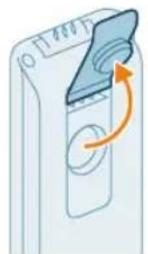
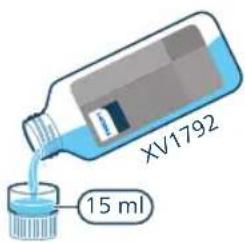
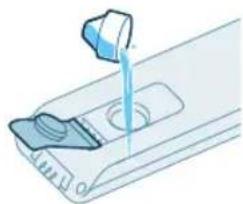
natural_image
Illustration of a hand pouring liquid into a container with a control panel (no text or symbols)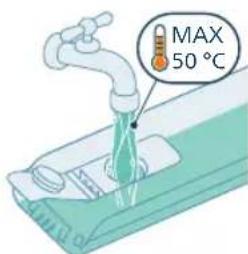
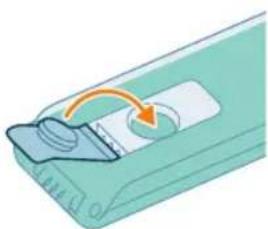
natural_image
Illustration of a device with a scroll wheel and an arrow indicating rotation (no text or symbols)natural_image
Illustration of a hand inserting a card into a device (no text or symbols visible)6 Vratite rezervoar za čistu vodu u uredaj.
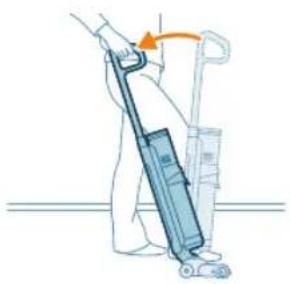
natural_image
Illustration of a person using a vacuum cleaner to lift a cart (no text or symbols present)natural_image
Illustration of a person using a vacuum cleaner to lift a cart, showing two sequential motion steps (no text or symbols)i Napomena: Odlaganja vremena isključivanja: Nakon pritiska na dugme za uključivanje/isključivanje, uređaj će raditi 6 sekundi pre nego što se potpuno isključi. To je normalno. Dodatnih 6 sekundi je potrebno da se očisti sva preostala voda u mlaznici i na podu
Funkcija pauziranja u podešavanju usisavanja i brisanja
natural_image
Illustration of a hand holding a cylindrical device with an arrow indicating motion or force (no text or symbols)1 Za usisavanje mekih ili tvrdih podova, gurnite kućište napajanja u položaj na dršci (klik!).
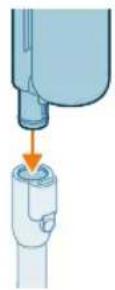
natural_image
Illustration of a mechanical device with a lever and base, emitting sparks (no text or symbols)3 Umetnite drugi kraj cevi u LED mlaznicu (klik).
A Oprez: Uverite se da je kućište filtera ubačeno u kantu za prašinu pre nego što nastavite sa čišćenjem.
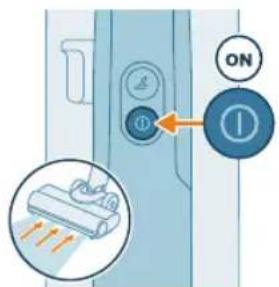
5 Koristite dugme Turbo da biste prešli na veću postavku usisne snage.
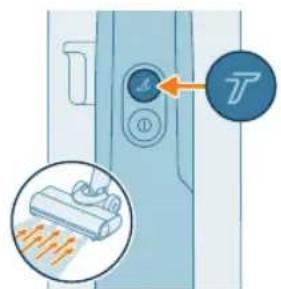
6 Da biste se vratili na normalnu postavku snage, ponovo pritisnite dugme Turbo ☑
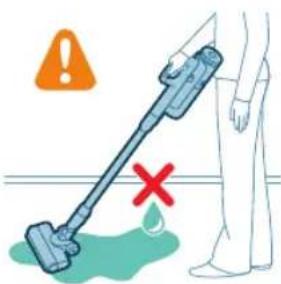
Savet: LED diode u LED mlaznici olakšavaju uočavanje prljavštine na podu. Cev i LED mlaznica vam omogućavaju da dosegnete ispod niskog nameštaja bez potrebe da okrećete uredaj.
Upozorenje: Nemojte usisavati vodu niti neku drugu tečnost.
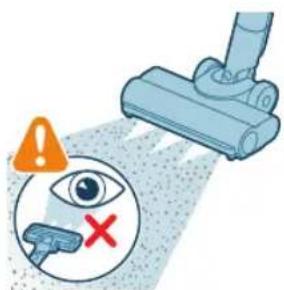
A Oprez: Nemojte gledati direktno u LED diode LED mlaznice niti usmeravati LED diode u nečije oči. LED svetlo je vrlo blještavo.
Upotreba cevi
natural_image
Illustration of a handheld device mounted on a cabinet (no text or symbols visible)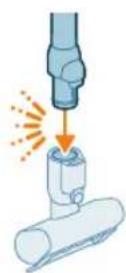
natural_image
Illustration of a hand using a handheld device to clean material, with warning symbols and a red X mark (no text or labels)Dršku bez mlaznice i cevi možete koristiti za čišćenje malih mrlja od prašine i prljavštine, kao što su prosute mrvice hleba ili za usisavanje stepeništa i polica.
Upozorenje: Nemojte usisavati vodu niti neku drugu tečnost.
natural_image
Illustration of a mechanical tool interacting with a cylindrical component (no text or symbols)2 Za odvajanje LED mlaznice pritisnite dugme za otpuštanje (1) i izvucite cev ili dršku iz mlaznice (2).
Upozorenje: Nemojte usisavati vodu niti neku drugu tečnost.
i Napomena: Na cev je moguće dodati kombinovani nastavak za uske površine.
Upotreba četke Mini Turbo
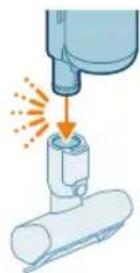
1 Da biste pričvrstili četku Mini Turbo, umetnite cev drške u četku Mini Turbo.
948 Srpski
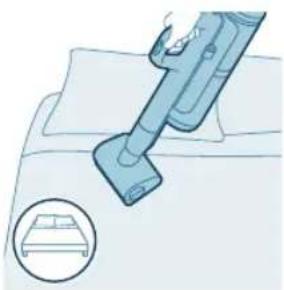
natural_image
Illustration of a vacuum cleaner cleaning a bed (no text or symbols)2 Četku Mini Turbo možete koristiti za standardno čišćenje, na primer, mekih površina poput kreveta i kauča. Postavku snage možete prilagoditi tako da odgovara vašim potrebama za čišćenje.
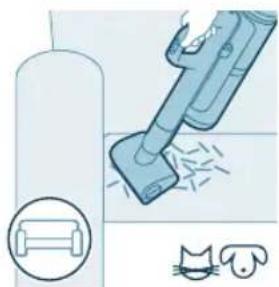
natural_image
Illustration of a vacuum cleaner sweeping debris from a pipe, with icons for a device and a cat (no text or symbols)3 Četku Mini Turbo možete koristiti za dodatno temeljno čišćenje, na primer za usisavanje dlaka kućnih ljubimaca ili za čišćenje malih mrlja prljavštine, poput prosutih mrvica hleba. Postavku snage možete prilagoditi tako da odgovara vašim potrebama za čišćenje.
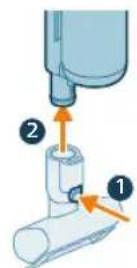
4 Za odvajanje četke Mini Turbo pritisnite dugme za otpuštanje (1) i izvucite dršku iz četke Mini Turbo (2).
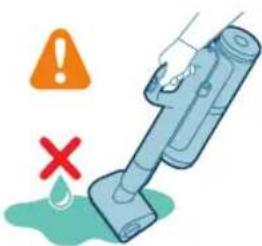
Upozorenje: Nemojte usisavati vodu niti neku drugu tečnost.
Upotreba dugačkog nastavka za uske površine
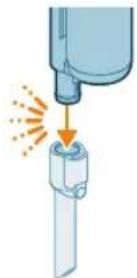
1 Za pričvršćivanje dugačkog nastavka za uske površine umetnite u njega cev ili dršku.

natural_image
Illustration of a medical or laboratory procedure showing a pipette inserted into a container with a magnified inset (no text or symbols)2 Dugački nastavak za uske površine možete koristiti za čišćenje uskih uglova ili teško dostupnih mesta. Postavku snage možete prilagoditi tako da odgovara vašim potrebama za čišćenje.
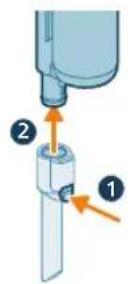
3 Za odvajanje dugačkog nastavka za uske površine pritisnite dugme za otpuštanje (1) i iz njega izvucite cev ili dršku (2).
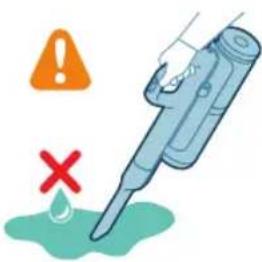
Upozorenje: Nemojte usisavati vodu niti neku drugu tečnost.
Upotreba kombinovanog nastavka
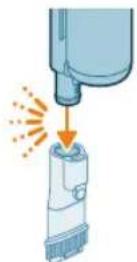
1 Za pričvršćivanje kombinovanog nastavka umetnite u njega cev ili dršku.
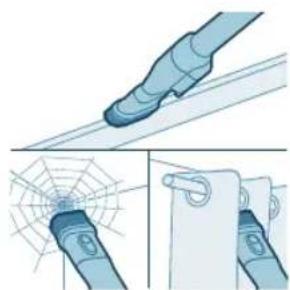
natural_image
Illustration of a blue mechanical component with a spiderweb and magnified detail (no text or symbols)2 Kombinovani nastavak je dizajniran za čišćenje okvira prozora, zavesa ili paučine, sa prilagodljivim otpuštanjem četke i podešavanjima osvetljenja.
950 Srpski
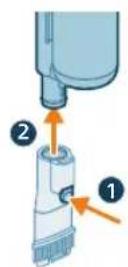
3 Za odvajanje kombinovanog nastavka za uske površine pritisnite dugme za otpuštanje (1) i iz njega izvucite kombinovani nastavak ili dršku (2).
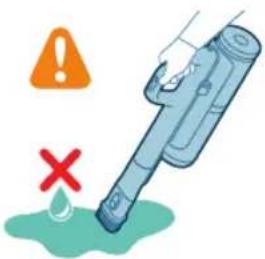
Upozorenje: Nemojte usisavati vodu niti neku drugu tečnost.
natural_image
Illustration of a robotic arm gripping a mechanical component, with an orange arrow indicating force direction (no text or symbols)natural_image
Illustration of a hand inserting a device into a container with an arrow indicating direction (no text or symbols)2 Pritisnite dugme da biste otključali i uklonili rezervoar za prljavu vodu.
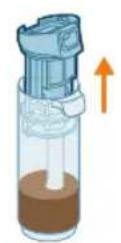
natural_image
Illustration of a blue bottle pouring liquid into a brown liquid, with a faucet above (no text or symbols)4 Prospite vodu iz rezervoara za prljavu vodu u sudoperu.
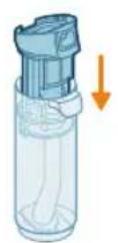
5 Vratite filter za mokro čišćenje u rezervoar za prljavu vodu.
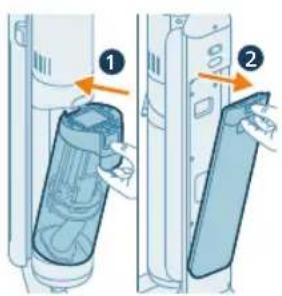
6 Vratite prazan rezervoar za prljavu vodu u uređaj i izvadite rezervoar za čistu vodu.
952 Srpski
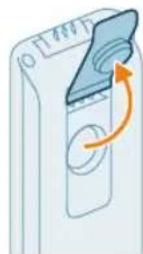
7 Skinite čep sa rezervoara za čistu vodu.
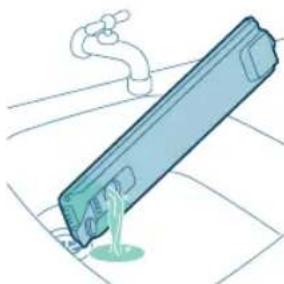
natural_image
Illustration of a blue cylindrical object with a green liquid, being poured into it by a pipe (no text or symbols)8 Prospite sav preostali tečni deterdžent iz rezervoara za čistu vodu u sudoperu.
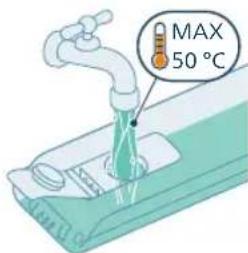
9 Napunite rezervoar za čistu vodu hladnom ili mlakom vodom iz slavine barem do oznake AUTOCLEAN.
A Oprez: Voda iz slavine koja se uliva u rezervoar za čistu vodu ne sme biti toplija od 50 °C.
A Oprez: Nemojte koristiti deterdžent za funkciju AUTOCLEAN jer bi to moglo dovesti do prekomernog stvaranja pene.
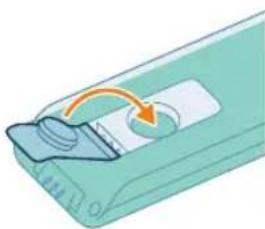
natural_image
Illustration of a device with a circular button and an arrow indicating rotation (no text or symbols)10 Zatvorite rezervoar za vodu zaptivnim poklopcem.
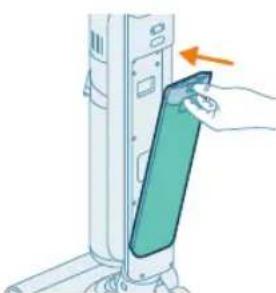
natural_image
Illustration of a hand inserting a device into a wall-mounted device with an arrow indicating the motion (no text or symbols present)11 Vratite rezervoar za čistu vodu u uređaj.
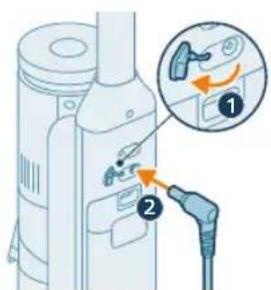
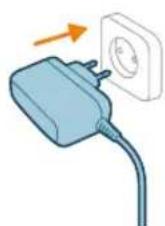
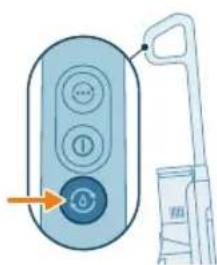
natural_image
Illustration of a remote control with a hand holding a device (no text or symbols visible)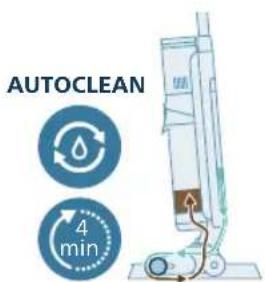
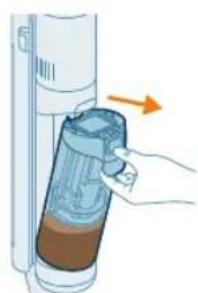
natural_image
Illustration of a hand inserting a container into a cylindrical device with an arrow indicating direction (no text or symbols)12 Napunite aparat. Umetnite utikač za napajanje u utičnicu na zadnjoj strani uredaja. Zatim umetnite adapter u zidnu utičnicu.
natural_image
Illustration of a blue bottle pouring liquid into a container with a faucet above (no text or symbols)17 Prospite vodu iz rezervoara za prljavu vodu u sudoperu.
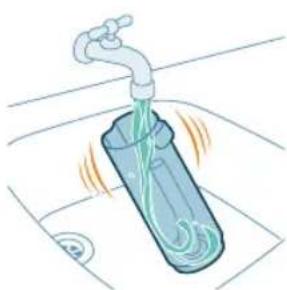
natural_image
Illustration of a faucet pouring liquid into a container with swirling flow lines (no text or symbols)natural_image
Illustration of a faucet pouring liquid into a mechanical component (no text or symbols)19 Filter za mokro čišćenje operite pod mlazom vode iz slavine.
i Napomena: Uklonite naborani filter pre pranja filterske jedinice za mokro čišćenje ispod slavine.
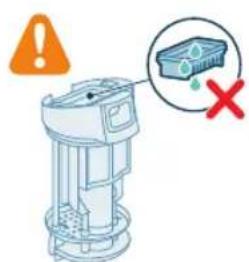
Upozorenje: Naborani filter se ne može prati. Ako je potrebno da ga očistite, lagano ga lupkajte uz kantu da biste oslobodili prljavštinu koja se uhvatila u njemu.
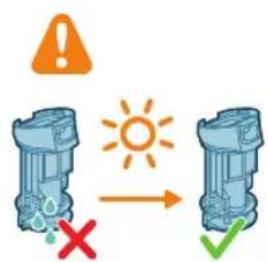
20 Pustite da se filter za mokro čišćenje osuši.
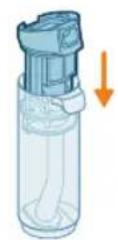
21 Vratite filter za mokro čišćenje u rezervoar za prljavu vodu.
i Napomena: Uverite se da je naborani filter postavljen na svoje mesto.
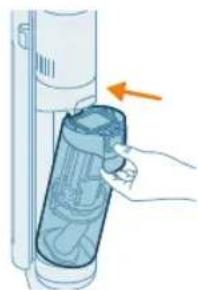
natural_image
Illustration of a hand holding a cylindrical device with a blue lid, showing internal components and an orange arrow indicating direction (no text or symbols)22 Vratite rezervoar za prljavu vodu u uredaj.
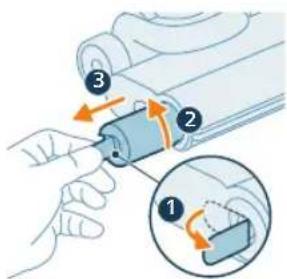
23 Da biste skinuli četku, izvucite ručicu sa strane (1) i okrenite je u smeru suprotnom od kretanja kazaljke na satu (2). Izvucite četku iz AquaSpin mlaznice (3)
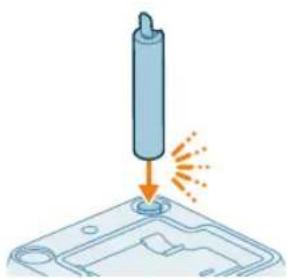
natural_image
Illustration of a cylindrical object being inserted into a base with an arrow indicating motion (no text or symbols)24 Da biste omogućili da se četka osuši, stavite otvoreni kraj četke na predviđeni držač stanice za postavljanje posle čišćenja i odlaganje.
i Napomena: Sušenje može trajati približno 24 sata.
956 Srpski
natural_image
3D diagram of a mechanical component with an upward arrow, no text or symbols present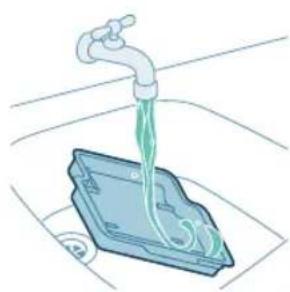
natural_image
Illustration of a faucet dispensing green liquid into a blue plastic container (no text or symbols)natural_image
3D diagram of a device with an orange arrow pointing to a component, no text or symbols present1 Da biste skinuli četku, izvucite ručicu sa strane (1) i okrenite je u smeru suprotnom od kretanja kazaljke na satu (2). Izvucite četku iz AquaSpin mlaznice (3).
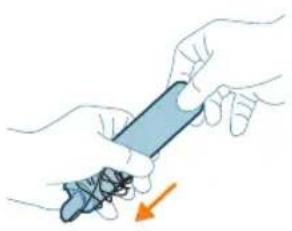
natural_image
Illustration of hands holding a blue object with an arrow indicating motion (no text or symbols)2 Možete ukloniti zapetljane dlake ili niti sa četke od mikrovlakana klizanjem niz četke od mikrovlakana jednom rukom.
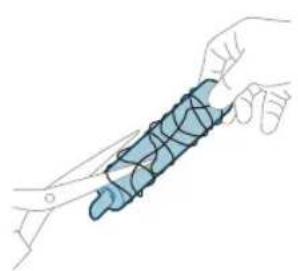
natural_image
Illustration of a hand holding a segmented blue object (no text or symbols)natural_image
Mechanical assembly diagram showing a piston and roller mechanism with directional arrows (no text or labels)Ako je aparat začepljen, najpre isključite aparat i skinite rezervoar sa prljavom vodom. Zatim uklonite začepljenje pomeranjem četke za čišćenje gore-dole u usisnom kanalu glavnog dela.
Čišćenje začepljenja iz mlaznice AquaSpin
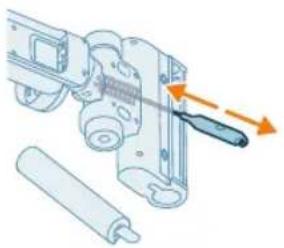
natural_image
Mechanical assembly diagram showing a sliding mechanism with a tool and rollers (no text or symbols)Ako je AquaSpin mlaznica začepljena, uklonite četku sa mlaznice. Zatim pomerite začepljenje pomeranjem četke za čišćenje gore-dole u AquaSpin mlaznici.
958 Srpski
Čišćenje uređaja u položaju samo za usisavanje
Pražnjenje posude za prašinu
Održavanje sistema za prikupljanje prašine
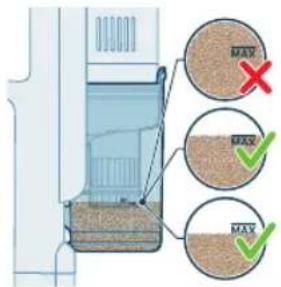
Ispraznite posudu za prašinu nakon svake upotrebe ili kada prašina dostigne indikator nivoa MAX.
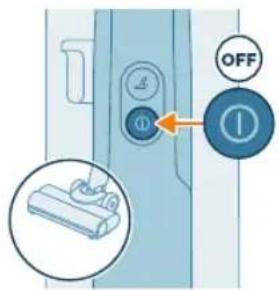
1 Isključite aparat.
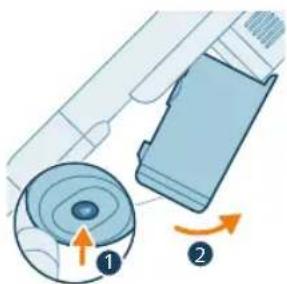
natural_image
Diagram showing a device with a circular component and an arrow indicating rotation (no text or symbols present)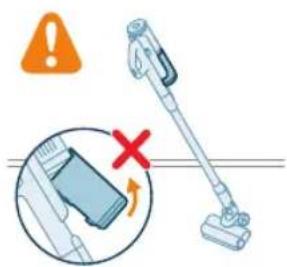
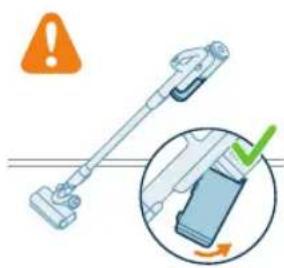
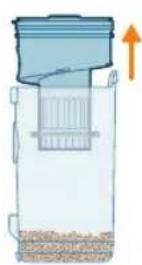
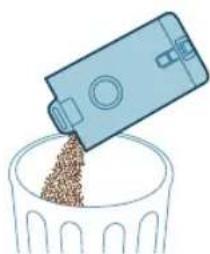
natural_image
Illustration of a blue plastic container pouring granular material into a glass bowl (no text or symbols)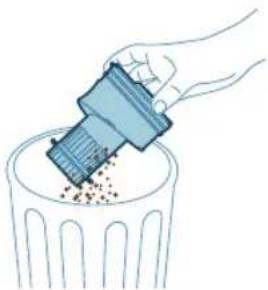
natural_image
Illustration of a hand using a tool to remove or dispose of granular material into a trash bin (no text or symbols)i Napomena: Izvadite posudu za prašinu držeći aparat u uspravnom položaju.
natural_image
Diagram of a mechanical device with a magnified inset showing internal components (no text or symbols)6 Vratite ciklonsku komoru u posudu za prašinu. Uverite se da su dva dela poravnata.
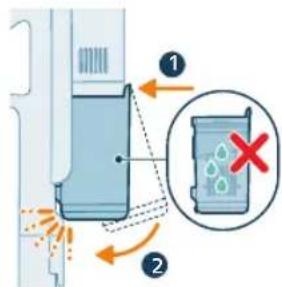
7 Vratite sklopljenu posudu. Prvo poravnajte stranu sa filterom na posudi pre nego što je zakačite.
Povremeno održavanje
Održavanje sistema za prikupljanje prašine
Čistite filter najmanje jednom mesečno.
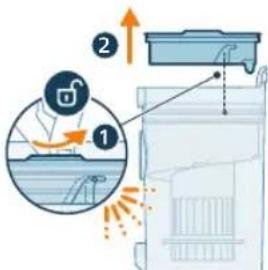
1 Okrenite filter u smeru suprotnom od kretanja kazaljke na satu da biste ga odvojili od posude za prašinu.

natural_image
Diagram of a kitchen appliance with a lid and two circular components, no text or symbols presentnatural_image
Illustration of two egg-shaped objects above a trash can with granular material (no text or symbols)3 Istresite kućište filtera i filter od pene iznad korpe za otpatke.
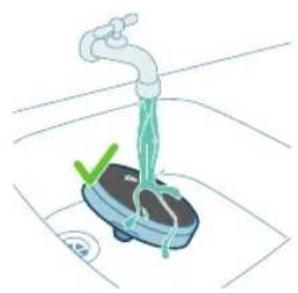
natural_image
Illustration of a hand washing a small appliance with a green checkmark and a white plate, no text or symbols present.
natural_image
Illustration of a hand holding a sponge with liquid droplets (no text or symbols)4 Ispirajte filter od pene i istisnite ga sve dok čista voda ne počne da izlazi.
i Napomena: za najbolje rezultate čišćenja, neka voda curi kroz filter tako da jezičak filtera bude okrenut nadole, kako bi se isprala prašina koja je prodrla duboko.
i Napomena: Ako uredaj redovno koristite, postarajte se da filter od pene perete barem jednom mesečno.
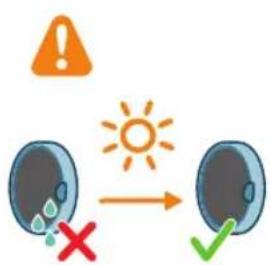
5 Ostavite oprani filter da se suši 24 sata pre nego što ponovo sklopite filter od pene u kućište filtera.
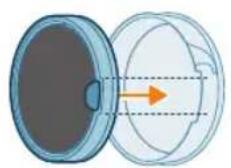
962 Srpski
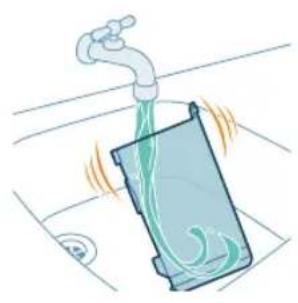
natural_image
Illustration of a faucet pouring liquid into a container with swirling flow (no text or symbols)6 Za temeljno održavanje, očistite posudu za prašinu i ciklonsku komoru pod mlazom tekuće vode ili u toploj vodi sa sapunicom.
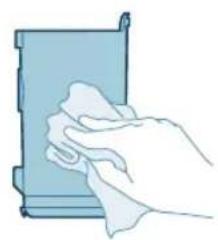
natural_image
Illustration of a hand cleaning a rectangular object with a cloth (no text or symbols)8 Vratite filter u posudu za prašinu. Okrenite filter u smeru suprotnom od kretanja kazaljki na satu kako biste ga pričvrstili.
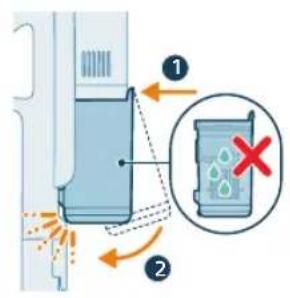
9 Vratite sklopljenu posudu. Prvo poravnajte stranu sa filterom na posudi pre nego što je zakačite.
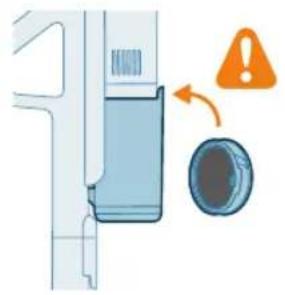
natural_image
Diagram of a door handle with a warning symbol and circular component (no text or labels)i Napomena: Nakon održavanja, pre upotrebe uvek proverite da li je filter u aparatu sklopljen.
Održavanje PrecisionPower pametne mlaznice
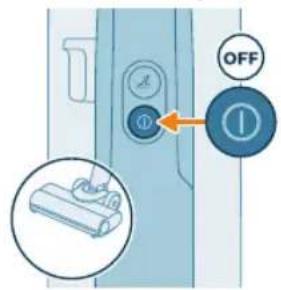
1 Uvek isključite aparat pre nego čišćenja valjkaste četke mlaznice.
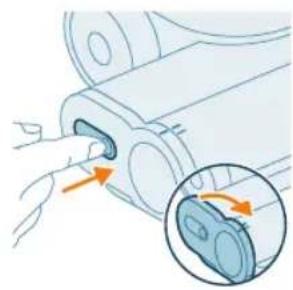
natural_image
Illustration of a hand pressing a button into a device, with an inset showing the same button (no text or symbols present)2 Da biste pristupili valjkastoj četki, pronadite dugme sa strane mlaznice. Pritisnite ga i okrenite da biste otvorili.
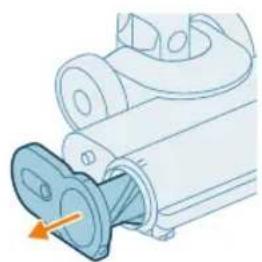
natural_image
Mechanical component diagram showing a valve inserted into a housing (no text or symbols visible)3 Nežno skinite valjkastu četku i bočni poklopac mlaznice.
964 Srpski
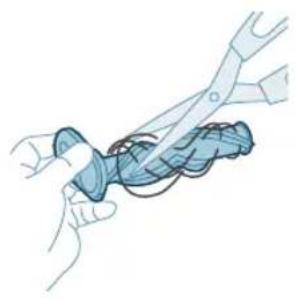
natural_image
Illustration of hands using pliers to cut a blue mechanical component (no text or symbols)4 Pažljivo otkačite svu zapetljanu kosu sa valjkaste četke. Makazama možete olakšati uklanjanje prljavštine.
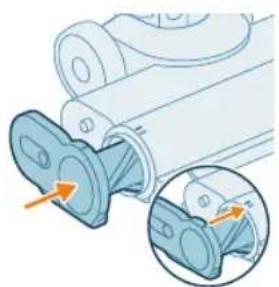
natural_image
Mechanical assembly diagram showing a blue component being inserted into a housing, with an inset close-up highlighting the internal structure (no text or symbols present)5 Prilikom ponovnog sklapanja, uverite se da je valjkasta četka pravilno poravnata.
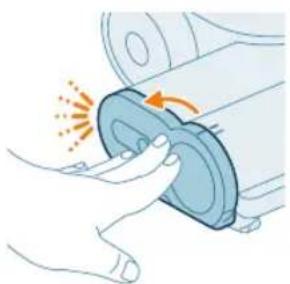
natural_image
Illustration of a hand pressing a circular component with motion arrows (no text or symbols)1 Okrenite četku u smeru suprotnom od kretanja kazaljke na satu da biste je otpustili. Izvucite četku kada je brava otpuštena.
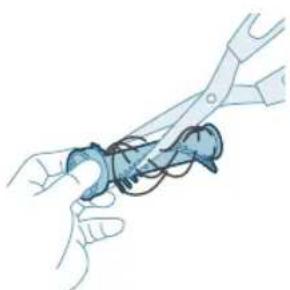
natural_image
Illustration of hands using pliers to handle a blue object (no text or symbols visible)2 Rukama ili makazama uklonite svu prljavštinu sa četke.
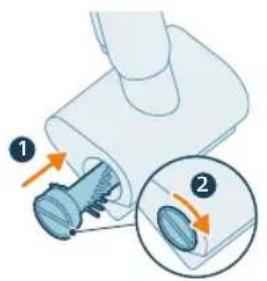
3 Gurnite četku u položaj i okrenite je u smeru kretanja kazaljke na satu da biste je zaključali u položaju.
natural_image
Circular icon with icons representing various outdoor and indoor features (no text or symbols)Postoji greška u sistemu. Ikona koja svetli crveno znači da usisivač
Philips AquaTrio serije 7000 ima sistemsku grešku.
natural_image
Circular icon with icons including a water drop, gear shift, and red warning symbols (no readable text)Temperatura je suviše niska. Ikona za bateriju i ikona greške koje trepere crveno označavaju da je temperatura okruženja ili preniska ili previsoka
Vodite računa da temperatura u prostoriji u kojoj se uređaj koristi, čuva ili puni bude iznad 5 °C.
Kôd greške Uzrok Rešenje
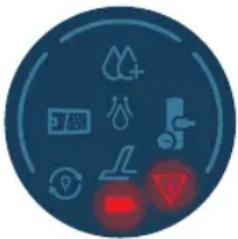 | Temperatura je suviše visoka. Ikona za bateriju i ikona greške koje trepere crveno označavaju da je temperatura okruženja ili preniska ili previsokaVodite računa da temperatura u prostoriji u kojoj se uređaj koristi, čuva ili puni bude ispod 35 °C. Nemojte da izlažete uređaj direktnoj sunčevoj svetlosti ili visokim temperaturama (blizu vrućih šporeta, u mikrotalasnim pećnicama ili na indukcionim šporetima). Baterije mogu da eksplodiraju ako se pregreju. | |
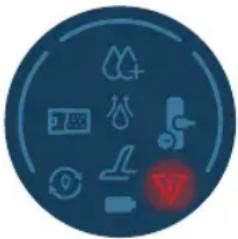 | Crvena ikona koja treperi znači da su otvori za dovod vazduha blokirani.Otvori za vazduh su blokirani. | Proverite da li postoje začepljenja u otvorima za vazduh i uklonite ih. Ako to ne reši problem, proverite da li ima začepljenja u celom vazdušnom prolazu i uklonite ih. To se odnosi na mlaznicu, cev i filter za mokro čišćenje u podešavanju za usisavanje i brisanje. U podešavanju samo usisavanja, ovo se odnosi na mlaznicu, cev, kantu za prašinu i filter od pene. |
 | Rezervoar za prljavu vodu je pun. | Otključajte rezervoar za prljavu vodu i izvadite ga. Izvadite filter za mokro čišćenje iz rezervoara za prljavu vodu i držite ga po strani. Prospite vodu iz rezervoara za prljavu vodu u sudoperu. |
 | Mlaznica AquaSpin se zaglavila. Ovo je sigurnosno isključivanje ako se nešto zaglavi u mlaznici (na primer, kabl za napajanje ili igračka). | Proverite da li na četkama, ležajevima, delovima motora i poklopcima ima dlaka ili drugih prepreka i uklonite ih. Ako nema prepreka, isključivanje i uključivanje uređaja moglo bi da reši problem. |
| Isključite iz struje pre upotrebe. Isključite uredaj iz napajanja da biste mogli da ga koristite. U suprotnom, neće se uključiti. Priključite uređaj na struju samo tokom punjenja i ciklusa AutoClean. | ||
Kôd greške Uzrok Rešenje
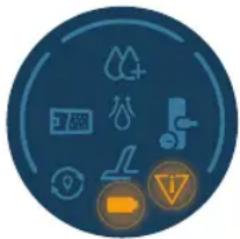 | Priključen je pogrešan punjač. Ikona baterije i ikona greške koje zajedno trepere ŽUTO označavaju da postoji greška u punjenju.1. Priključen je pogrešan punjač: Za punjenje aparata koristite samo originalni adapter.2. Iglica za punjenje nije pravilno/potpuno umetnuta: Uklonite iglicu za punjenje i ponovo je umetnite u uređaj3. Električno kućište nije ispravno ubačeno: izvadite i ponovo postavite električno kućište dok ne čujete definitivan zvuk „klik“, i priključite ispravan punjač |
 | Punjač nije priključen. Ikona AutoClean + ikona baterije koja brzo treperi (belo)Punjač mora biti povezan kako bi se pokrenuo program Auto-Clean.Proverite da li je uređaj pravilno postavljen u stanicu nakon čišćenja i za skladištenje.Priključite punjač. |
 | Snaga baterije nije dovoljna. Ikona AutoClean + ikona baterije koja brzo treperi (crveno)Ako je punjač priključen i ova ikona je prikazana, onda to znači da baterija nije dovoljno napunjena za pokretanje programa Auto-Clean.Ako je punjač priključen, sačekajte do 30 minuta da se baterija napuni. Zatim pritisnite dugme Auto-Clean i pokrenite program |
Zamena
natural_image
Simple 3D illustration of a light blue cylindrical object with a protruding tip (no text or symbols)i Napomena: Očistite filter i četku od mikrovlakana svakih 6 meseci kako biste osigurali maksimalne performanse.
Rešavanje problema
U ovom poglavlju su u kratkim crtama navedeni najčešći problemi sa kojima možete da se susretnete dok koristite aparat. Ukoliko ne možete da rešite problem pomoću liste mogućih problema u nastavku, posetite www.philips.com/support da biste pronašli listu najčešćih pitanja ili se obratite centru za korisničku podršku u svojoj zemlji.
Upotreba uređaja u položaju za usisavanje i brisanje
Johdanto
natural_image
3D diagram of a device with a highlighted component and an arrow indicating downward motion (no text or symbols)natural_image
Mechanical component diagram showing a tool interacting with a base (no text or symbols visible)natural_image
Illustration of a vacuum cleaner performing a printing or cleaning process, showing top and side views with arrows indicating motion (no text or symbols)natural_image
Illustration of a mechanical device with a tool inserted, showing no text or symbolsnatural_image
Illustration of a handwashing device with a downward arrow indicating heat or relief (no text or symbols)natural_image
Illustration of a mechanical device with a tool emitting sparks, no text or symbols presentnatural_image
Illustration of a handheld device with a downward arrow pointing to a small component (no text or symbols visible)natural_image
Illustration of a mechanical device with a cylindrical component and directional arrows indicating motion (no text or symbols)natural_image
Illustration of a spray canister emitting powder, showing spray and dust emission (no text or symbols)natural_image
Circular icon set with white symbols including mountains, water, gear, and a starburst (no text or labels)natural_image
Circular icon with icons representing water, gas, water, and other symbols (no text or labels)natural_image
Illustration of a portable electronic device with a cable plugged into a plug, showing no text or symbols.natural_image
Diagram of a refrigerator with an inset showing a close-up of the door (no text or symbols present)7 Sulje suojus.
natural_image
Illustration of a mechanical device with a tool inserted into a cylindrical component (no text or symbols visible)natural_image
Illustration of a handheld electric shaver with a downward arrow indicating force application (no text or symbols present)natural_image
Circular icon set with eight distinct symbols including trees, water, and gear (no text or labels)natural_image
Circular icon set with abstract symbols and arrows, no readable text or labelsnatural_image
Illustration of a mechanical device with a tool inserted, showing a pipe or port (no text or symbols)natural_image
Illustration of a hand inserting a device into a server rack (no text or symbols visible)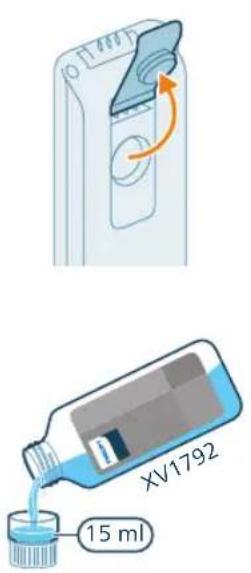
natural_image
Illustration of a hand pouring liquid into a container with a side panel (no text or symbols)natural_image
Illustration of a mechanical component with an arrow indicating rotation or movement (no text or symbols)natural_image
Illustration of a hand inserting a card into a device (no text or symbols visible)natural_image
Illustration of a person using a vacuum cleaner to lift a cart (no text or symbols visible)natural_image
Illustration of a person using a vacuum cleaner to lift a cart, showing two sequential motion steps (no text or symbols)natural_image
Illustration of a hand holding a cylindrical device with an arrow indicating motion or force (no text or symbols)natural_image
Illustration of a mechanical device with a lever and base, emitting sparks (no text or symbols)natural_image
Illustration of a handheld device mounted on a box, no text or symbols present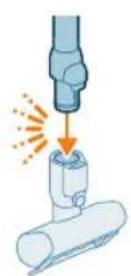
natural_image
Illustration of a mechanical tool interacting with a cylindrical component (no text or symbols)natural_image
Illustration of a vacuum cleaner cleaning a bed (no text or symbols)natural_image
Illustration of a vacuum cleaner spraying water onto a surface, with icons for a bed and a dog (no text or symbols)natural_image
Illustration of a medical or laboratory procedure showing a pipette inserted into a container with a magnified inset (no text or symbols)natural_image
Illustration of a mechanical component with a spiderweb and two views (no text or symbols)natural_image
Illustration of a robotic arm gripping a mechanical component with an orange arrow indicating force (no text or symbols present)natural_image
Illustration of a hand inserting a device into a container with an arrow indicating direction (no text or symbols)natural_image
Illustration of a blue bottle pouring liquid into a brown liquid, with a white faucet above (no text or symbols)natural_image
Illustration of a blue cylindrical object with a white pipe inserted, showing liquid flowing from it (no text or symbols)natural_image
Illustration of a device with a circular button and an arrow indicating rotation (no text or symbols)natural_image
Illustration of a hand inserting a card into a device (no text or symbols visible)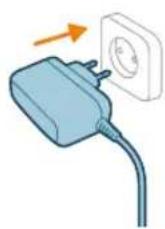
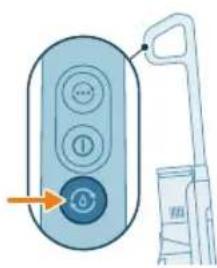
natural_image
Illustration of a remote control with a hand holding a toothbrush and a toothpaste can, no text or symbols present.