E30584 - Fastening device IFM - Free user manual and instructions
Find the device manual for free E30584 IFM in PDF.


User questions about E30584 IFM
0 question about this device. Answer the ones you know or ask your own.
Ask a new question about this device
Download the instructions for your Fastening device in PDF format for free! Find your manual E30584 - IFM and take your electronic device back in hand. On this page are published all the documents necessary for the use of your device. E30584 by IFM.
USER MANUAL E30584 IFM
Installation instructions
Mounting bracket
E30584
1 Safety instructions
- The product described is a subcomponent for integration into a system.
- The system architect is responsible for the safety of the system.
-
The system architect undertakes to perform a risk assessment and to create documentation in accordance with legal and normative requirements to be provided to the operator and user of the system. This documentation must contain all necessary information and safety instructions for the operator, the user and, if applicable, for any service personnel authorised by the architect of the system.
-
Read this document before setting up the product and keep it during the entire service life.
- The product must be suitable for the corresponding applications and environmental conditions without any restrictions.
- Only use the product for its intended purpose (→ Intended use).
- If the operating instructions or the technical data are not adhered to, personal injury and/or damage to property may occur.
- The manufacturer assumes no liability or warranty for any consequences caused by tampering with the product or incorrect use by the operator.
- Installation, set-up, operation and maintenance of the product must be carried out by qualified personnel authorised by the machine operator.
- Protect the product against damage.
2 Intended use
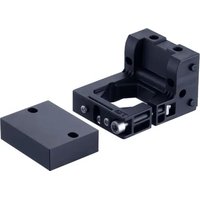
The mounting bracket makes it possible to install ifm sensors of the PG14xx type on a vertical or horizontal surface.
3 Installation
3.1 Installing the mounting bracket
The mounting bracket offers the following sensor installation options:
• Installation on a vertical surface on the back of the sensor (option A or B).
• Installation on a horizontal surface (option C or D).
▶ Select one of the installation options and prepare the two drill holes in the mounting surface.
▶ Install the mounting bracket using the supplied screws, as shown in the illustrations below.
▶ For wall mounting, use the supplied spacer block toe ensure sufficient space for the plug at the back of the device.
▶ Following the installation: Installing the device in the mounting bracket ➞ 4.


Fig. 1: Wall mounting
1: Spacer block


Fig. 2: Table mounting
3.2 Installing the device in the mounting bracket
The following example illustrates how to install a sensor that is connected to the process via a hose using a connection adapter.
▶ Install the mounting bracket securely on a surface ➞ 4.
▶ Insert the hose through the mounting bracket using a suitable connection adapter (A).
▶ Screw the connection adapter onto the sensor connection of the device (B).
▶ Use two opposing spanners to tighten the connection between the adapter and the device and adjust the display orientation if required (C).

Fig. 3: Installing the process connection. 1: Connection adapter; 2: Hose
▶ Insert the device into the mounting bracket (D).
▶ Adjust the orientation of the display and secure the device with the hexagon socket screw (E).

Fig. 4: Installing the device in the bracket

▶ Do not tighten the connection adapter while the device is seated in the mounting bracket (F): This may damage the bracket and prevent proper tightening.
3.3 Equipment identification
To identify the equipment, two options are available for attaching a label plate to the bracket using the supplied screws:

Fig. 5: Equipment
1: Round label plate
2: Rectangular label plate
Brand : IFM
Model : E30584
Category : Fastening device