HL-3260N - Printer BROTHER - Free user manual and instructions
Find the device manual for free HL-3260N BROTHER in PDF.


User questions about HL-3260N BROTHER
0 question about this device. Answer the ones you know or ask your own.
Ask a new question about this device
Download the instructions for your Printer in PDF format for free! Find your manual HL-3260N - BROTHER and take your electronic device back in hand. On this page are published all the documents necessary for the use of your device. HL-3260N by BROTHER.
USER MANUAL HL-3260N BROTHER
Imprimante laser Brother
HL-3260N
GUIDE DE L'UTILISATEUR
©2000 Brother Industries Ltd.
Transport de l'imprimante
http://www.brother.com
Conventions typographiques
Bac multi-usage (MP-5000) 4-29
Alimentation manuelle 4-29
Installation du bac multi-usage 4-29
Bac multi-usage (MP-5000) ...... Annexes-8
Echangeur (ST-5000) ...... Annexes-8
Unité duplex (DX-5000) ...... Annexes-9
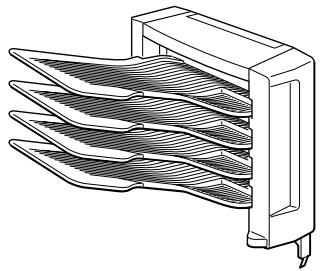
Boîte aux lettres (MX-5000).... Annexes-9
Unité passerelle (BU-5000).... Annexes-10
Finisseuse/Agrafeuse (FS-5000) ...... Annexes-10
IMPORTANT INFORMATION: REGULATIONS
Federal Communications Commission(FCC) Declaration of Conformity (For USA Only)
Responsible Party : Brother International Corporation 100 Somerset Corporate Boulevard Bridgewater, NJ 08807-0911, USA TEL : (908) 704-1700
declares, that the products
Product Name : Brother Laser Printer HL-3260N
Model Number : HL-3260N
Product Options : ALL
complies with Part 15 of the FCC Rules. Operation is subject to the following two conditions: (1) This device may not cause harmful interference, and (2) this device must accept any interference received, including interference that may cause undesired operation.
This equipment has been tested and found to comply with the limits for a Class B digital device, pursuant to Part 15 of the FCC Rules. These limits are designed to provide reasonable protection against harmful interference in a residential installation. This equipment generates, uses, and can radiate radio frequency energy and, if not installed and used in accordance with the instructions, may cause harmful interference to radio communications. However, there is no guarantee that interference will not occur in a particular installation. If this equipment does cause harmful interference to radio or television reception, which can be determined by turning the equipment off and on, the user is encouraged to try to correct the interference by one or more of the following measures:
- Reorient or relocate the receiving antenna.
- Increase the separation between the equipment and receiver.
- Connect the equipment into an outlet on a circuit different from that to which the receiver is connected.
- Consult the dealer or an experienced radio/TV technician for help.
Important
A shielded interface cable should be used in order to ensure compliance with the limits for a Class B digital device.
Changes or modifications not expressly approved by Brother Industries, Ltd. could void the user's authority to operate the equipment.
Industry Canada Compliance Statement (For Canada Only)
This Class B digital apparatus complies with Canadian ICES-003.
The purpose of the International ENERGY STAR Program is to promote the development and popularization of energy-efficient office equipments.
As an ENERGY STAR Partner, Brother Industries, Ltd. has determined that this product meets the ENERGY STAR guidelines for energy efficiency.

text_image
energyLaser Safety (110-120 V model only)
This printer is certified as a Class I laser product under the U.S.
Department of Health and Human Services (DHHS) Radiation
Performance Standard according to the Radiation Control for Health and Safety Act of 1968. This means that the printer does not produce hazardous laser radiation.
Since radiation emitted inside the printer is completely confined within protective housings and external covers, the laser beam cannot escape from the machine during any phase of user operation.
FDA Regulations (110-120 V model only)
U.S. Food and Drug Administration (FDA) has implemented regulations for laser products manufactured on and after August 2, 1976.
Compliance is mandatory for products marketed in the United States.
The label shown on the back of the printer indicates compliance with the FDA regulations and must be attached to laser products marketed in the United States.
MANUFACTURED:
BROTHER INDUSTRIES, LTD.
15-1 Naeshiro-cho, Mizuho-ku, Nagoya, 467-8561 Japan
This product complies with FDA radiation performance standards, 21 CFR Subchapter J.
- Caution: Use of controls, adjustments or performance of procedures other than those specified in this manual may result in hazardous radiation exposure.
DECLARATION OF CONFORMITY (EUROPE)
We, Brother Industries, Ltd.,
15-1, Naeshiro-cho, Mizuho-ku, Nagoya 467-8561, Japan.
declare that this product is in conformity with the following normative documents:
Safety: EN 60950, EN 60825
EMC: EN 55022 Class B, EN 55024
following the provisions of the Low Voltage Directive 73/23/EEC and the Electromagnetic Compatibility Directive 89/336/EEC (as amended by 91/263/EEC and 92/31/EEC).
Issued by:
Brother Industries, Ltd.
Information & Document Company
Radio Interference(220-240 V model only)
This printer complies with EN55022(CISPR Publication 22)/Class B.
Before this product is used, ensure that you use a double-shielded interface cable with twisted-pair conductors and that it is marked "IEEE1284 compliant". The cable must not exceed 1.8 metres in length.
IEC 60825 Specification (220-240 V model only)
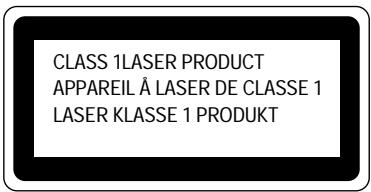
This printer is a Class 1 laser product as defined in IEC 60825 specifications. The label shown below is attached in countries where required.
text_image
CLASS 1LASER PRODUCT APPAREIL À LASER DE CLASSE 1 LASER KLASSE 1 PRODUKTThis printer has a Class 3B Laser Diode which emits invisible laser radiation in the Scanner Unit. The Scanner Unit should not be opened under any circumstances.
Caution: Use of controls, adjustments or performance of procedures other than those specified in this manual may result in hazardous radiation exposure.
For Finland and Sweden LUOKAN 1 LASERLAITE KLASS 1 LASER APPARAT
IMPORTANT - For Your Safety
To ensure safe operation the three-pin plug supplied must be inserted only into a standard three-pin power point which is properly earthed through the normal household wiring.
Extension cords should not be used with the equipment. If it is essential that an extension cord has to be used, it must be a three-pin plug type and correctly wired to provide proper grounding. Incorrectly wired extension cords may cause personal injury and equipment damage.
The fact that the equipment operates satisfactorily does not imply that the power is earthed and that the installation is completely safe. For your safety, if in any doubt about the effective grounding of the power, consult a qualified electrician.
Operator Safety
This machine is considered a CDRH class 1 laser device, safe for office/EDP use. The machine contains 5-milliwat, 700 – 800 nanometer wavelength, GaAIAs laser diodes. Direct (or indirect reflected) eye contact with the laser beam might cause serious eye damage. Safety precautions and interlock mechanisms have been designed to prevent any possible laser beam exposure to the operator.
Caution
Use of controls or adjustment or performance of procedures other than those specified in this manual might result in hazardous radiation exposure.
Disconnect Device
This printer must be installed near a power outlet that is easily accessible. In case of emergencies, you must disconnect the power cord from the power outlet to shut off the power completely.
Geräuschemission / Acoustic Noise Emission (For Germany Only)
Lpa < 70dB (A) DIN 45635-19-01-KL2
Wiring Information (For U.K. only)
Important
If the mains plug supplied with this printer is not suitable for your socket outlet, remove the plug from the mains cord and fit an appropriate three pin plug. If the replacement plug is intended to take a fuse then fit the same rating fuse as the original.
If a moulded plug is severed from the mains cord then it should be destroyed because a plug with cut wires is dangerous if engaged in a live socket outlet. Do not leave it where a child might find it!
In the event of replacing the plug fuse, fit a fuse approved by ASTA to BS1362 with the same rating as the original fuse.
Always replace the fuse cover. Never use a plug with the cover omitted.
WARNING - THIS PRINTER MUST BE EARTHED
The wires in the mains cord are colored in accordance with the following code :
GREEN AND YELLOW: EARTH
BLUE : NEUTRAL
BROWN : LIVE
The colors of the wires in the mains lead of this printer may not correspond with the colored markings identifying the terminals in your plug.
If you need to fit a different plug, proceed as follows.
Remove a length of the cord outer sheath, taking care not to damage the colored insulation of the wires inside.
Cut each of the three wires to the appropriate length. If the construction of the plug permits, leave the green and yellow wire longer than the others so that, in the event that the cord is pulled out of the plug, the green and yellow wire will be the last to disconnect.
Remove a short section of the colored insulation to expose the wires.
The wire which is colored green and yellow must be connected to the terminal in the plug which is marked with the letter “E” or by the safety earth symbol ± , or colored green or green and yellow.
The wire which is colored blue must be connected to the terminal which is marked with the letter "N" or colored black or blue.
The wire which is colored brown must be connected to the terminal which is marked with the letter “L” or colored red or brown.
The outer sheath of the cord must be secured inside the plug. The colored wires should not hang out of the plug.
CHAPITRE 1
A PROPOS DE L'IMPRIMANTE
Eléments fournis
text_image
Exploded diagram of electronic devices with numbered parts including a CD, connector, and display casetext_image
Technical diagram of a device with numbered components, including a magnified inset showing internal structure.Fig. 1-4
text_image
Technical diagram of a mechanical device with numbered components for identificationFig. 1-6
text_image
Technical diagram of a computer rack with labeled components 1 and 2
natural_image
Technical line drawing of a mechanical assembly with numbered components (no text or symbols)
natural_image
Technical line drawing of a multi-chamber office drawer or filing cabinet (no text or symbols visible)
natural_image
Technical line drawing of a rectangular electronic device with internal compartments and mounting brackets (no text or symbols)- Paper tray 1
- Paper tray 2
- Optional multi-purpose tray (MP-5000)
- Optional 500x2 sheets paper tray (LT-5100)
- Optional 2000 sheets paper tray (LT-5200)
Fig. 1-8
natural_image
Technical line drawing of an open storage unit with internal compartments and a directional arrow (no text or symbols)Fig. 1-9

natural_image
Diagram of a printer or printer being inserted into a rack, showing paper feeding into a tray (no text or symbols present)Fig. 1-10
Remarque
natural_image
Diagram of a printer or printer setup with a paper feeding into a rack, showing internal components and a magnified view of the printer's front panel (no text or symbols present)Fig. 1-11
natural_image
Isometric line drawing of a computer rack with internal compartments and storage unit (no text or symbols)Fig. 1-12
natural_image
Diagram of a computer setup showing a device being inserted into a rack, with no visible text or symbols.Fig. 1-13

Attention
text_image
Technical diagram showing a mechanical assembly with labeled components and directional arrows indicating movement or assembly.Fig. 1-14
natural_image
Technical line drawing of a mechanical assembly with no visible text or symbolsFig. 1-15
natural_image
Illustration of a printer or printer being inserted into a rack, with a magnified inset showing the paper's edge detail (no text or symbols present)Fig. 1-16
Remarque
natural_image
Diagram of a printer or printer setup with a paper feeding into a rack, showing no text or symbols.Fig. 1-17
text_image
Technical diagram showing a printer's internal structure with numbered components and directional arrows indicating assembly or movement.Fig. 1-18
natural_image
Diagram of a printer or printer device with an arrow indicating compression or disassembly (no text or symbols present)Fig. 1-19
natural_image
Technical line drawing of a mechanical assembly with a folded component and storage unit (no text or symbols)Fig. 1-20
natural_image
Diagram of a file drawer with an inset showing a folder and a magnified view of the drawer (no text or symbols present)Fig. 1-21
Remarque
natural_image
Technical line drawing of a mechanical assembly with a magnified inset showing a hand operating a component (no text or symbols present)Fig.1-22
natural_image
Diagram of a printer drawer with an inset showing the printer's internal structure (no text or symbols present)Fig. 1-26
natural_image
Diagram of a printer or printer system with a paper feeding into a rack, showing internal components and no visible text or symbols.Fig. 1-27
natural_image
Diagram of a file transfer or storage operation in an office environment, showing a folder with a paper feeding into a rack (no text or symbols visible)Fig. 1-28
Remarque
natural_image
Illustration of two hands holding cards, showing a folding and rolling motion (no text or symbols)Fig. 1-29
natural_image
Four line drawings of folded paper envelopes with geometric cutouts, shown against a gray background (no text or symbols)Remarque
♦ BR-Admin Professional
text_image
HL3260N 7 items, zero K available BR-Script PPD Installer Maintenance Tutorial Brother Solutions Center Manual ReadMe!Fig. 2-11
natural_image
Isometric line drawing of a multi-story building or enclosure with internal compartments and mounting feet (no text or symbols)A
natural_image
Line drawing of a rectangular electronic device with internal compartments and mounting base (no text or symbols)B
natural_image
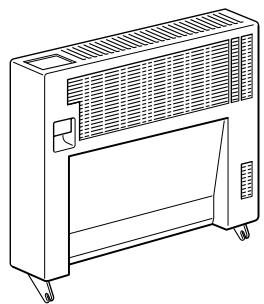
Line drawing of a portable air conditioner unit with ventilation grilles and wheels (no text or symbols)C
natural_image
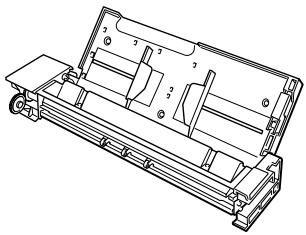
Technical line drawing of a mechanical assembly with no visible text or symbolsD
natural_image
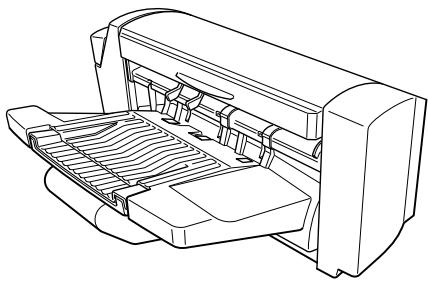
Line drawing of a printer with internal components and paper feed (no text or symbols)E
natural_image
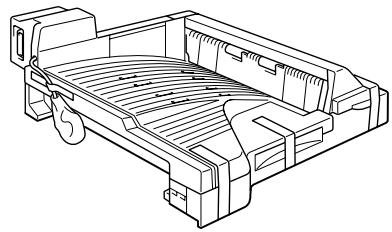
Technical line drawing of a vehicle chassis frame with no visible text or symbolsF
natural_image
Technical line drawing of a multi-tiered rack-mounted device (no text or symbols)G
natural_image
Technical line drawing of a mechanical or electronic device with no visible text or symbolsH
Fig. 4-1

Attention
natural_image
Technical line drawing of an internal electrical enclosure or housing with a black arrow indicating a component (no text or symbols present)Fig. 4-4
[LT-5200]
natural_image
Technical line drawing of a mechanical housing or enclosure with internal components and mounting brackets (no text or symbols)Fig. 4-5
natural_image
Technical line drawing of a mechanical device with directional arrows indicating movement or force (no text or symbols present)Fig. 4-6
natural_image
Illustration of hands installing or adjusting a stacked electronic device (no text or symbols visible)Fig. 4-7
natural_image
Technical line drawing of a multi-tiered electronic device with mounting base and ventilation ducts (no text or symbols)Fig. 4-8
natural_image
Illustration of hands inserting a file into an open storage cabinet (no text or symbols visible)Fig. 4-9
natural_image
Technical line drawing of a mechanical assembly with no visible text or symbolsFig. 4-11
natural_image
Technical line drawing of a mechanical assembly with no visible text or symbolsFig. 4-12
natural_image
Technical diagram of a mechanical or electrical component with no visible text or symbolsFig. 4-13
text_image
Technical diagram showing two mechanical assembly steps with labeled components and directional arrows indicating motion or movement.Fig. 4-14
Remarque
natural_image
Diagram showing a mechanical component with a circular inset view, no text or symbols presentFig. 4-16
16.
text_image
Diagram showing server rack with labeled components A4 and 3, highlighting a specific component in the inset.Fig. 4-17
Remarque
natural_image
Line drawing of a rectangular electronic device connected to a cable with a connector (no text or symbols)Fig. 4-18
natural_image
Diagram of a server rack with arrows indicating file transfer or movement, no text or symbols presentFig. 4-19
natural_image
Line drawing of an open industrial machine with a paper feed cover and a scroll wheel (no text or symbols)Fig. 4-20
text_image
Technical diagram of a printer internal structure with labeled parts and an inset showing mechanical components and part numbers.Fig. 4-21

natural_image
Technical line drawing of a mechanical assembly with a magnified inset showing internal components (no text or symbols)Fig. 4-22

natural_image
Illustration of hands using a tool to adjust or install electronic components, with arrows indicating direction (no text or symbols present)Fig. 4-23

natural_image
Line drawing of a mechanical device with an arrow indicating rotation or movement (no text or symbols present)Fig. 4-24
10.
natural_image
Technical line drawing of a printer internal structure with no visible text or symbolsFig. 4-25
text_image
Diagram of a printer with labeled parts and an inset showing a mechanical component with arrows indicating assembly or operation.Fig. 4-26
natural_image
Technical line drawing of an industrial machine with internal components and no visible text or symbolsFig. 4-27
natural_image
Technical line drawing of an open printer with internal components and a paperclip (no text or symbols)Fig. 4-28
natural_image
Technical line drawing of a computer monitor with cable and socket (no text or symbols)Fig. 4-31
natural_image
Technical diagram of a mechanical device with internal components and directional arrows indicating motion (no text or symbols)Fig. 4-33
natural_image
Diagram of a file cabinet with an open drawer and a magnified view showing the opening (no text or symbols present)Fig. 4-34
natural_image
Technical diagram of a mechanical assembly with labeled parts and a magnified inset showing rotational motion (no text or symbols present)Fig. 4-35
text_image
Technical diagram showing a mechanical assembly with labeled parts and an inset magnified view of a component being inserted.Fig. 4-36
natural_image
Technical diagram of a computer tower with an open door and directional arrow indicating motion (no text or symbols)Fig. 4-37

text_image
Technical diagram showing assembly of a device with labeled parts and exploded view, including zoomed-in views and numbered annotations.Fig. 4-38

natural_image
Diagram of a server rack with attached device and a magnified inset showing a device (no text or symbols present)Fig. 4-39
10.
natural_image
Technical diagram showing a mechanical assembly with arrows indicating process direction (no text or symbols present)Fig. 4-41
12.
text_image
Technical diagram showing mechanical assembly with labeled parts and directional arrows indicating movement or forceFig. 4-42

13.
natural_image
Diagram of a printer or printer stack with an open lid and directional arrows indicating motion (no text or symbols present)Fig. 4-43

14.
natural_image
Technical line drawing of a computer rack with attached cable and connector (no text or symbols)Fig. 4-44

15.
natural_image
Diagram of a printer's internal structure showing paper feeding into a stacker machine, with no visible text or symbols.Fig. 4-46
Bac multi-usage (MP-5000)
natural_image
Technical diagram of a mechanical assembly with labeled component (1), no readable text or symbols presentFig. 4-48

natural_image
Mechanical assembly diagram showing a lever mechanism with a rotating arrow (no text or symbols)Fig. 4-49
Remarque
natural_image
Diagram of a computer tower with labeled components and a magnified inset showing a mechanical component (no text or symbols present)Fig. 4-50

text_image
Technical diagram showing a mechanical assembly with labeled parts and an inset magnified view of a component detail.Fig. 4-51

natural_image
Technical diagram of a computer system with an open door, fan, and drive mechanism (no text or symbols)Fig. 4-52

text_image
Technical diagram showing assembly of a device with labeled parts and zoomed-in detail viewsFig. 4-53
Remarque
natural_image
Technical line drawing of a mechanical assembly with two views (top and side), no visible text or symbolsFig. 4-54
9.
natural_image
Technical line drawing of a door or cabinet with arrows indicating movement or assembly (no text or symbols present)Fig. 4-55
10.
text_image
Technical diagram showing a mechanical assembly with numbered components and directional arrows indicating motion or movement.Fig. 4-56
11.
natural_image
Line drawing of a car interior showing a seatbelt connected to an attached electrical outlet (no text or symbols)Fig. 4-57
Remarque
natural_image
Diagram of a printer's internal structure showing paper feeding into a printer, with an inset view of the printer's internal components (no text or symbols present)Fig. 4-58
natural_image
Diagram showing a server rack with an open storage unit and a close-up view of the internal components (no text or symbols)Fig. 4-59
Remarque
natural_image
Technical diagram of a mechanical assembly with directional arrows indicating motion (no text or symbols)Fig. 4-60

natural_image
Mechanical assembly diagram showing a document being inserted into a bracket with arrows indicating direction (no text or symbols present)Fig. 4-61
Remarque
natural_image
Line drawing of a hand holding a clipboard with a scroll, no text or symbols presentFig. 4-62
Remarque
natural_image
Line drawing of a mechanical device with ports and a scroll wheel (no text or symbols)Fig. 4-64
text_image
Diagram showing file transfer or download process with labeled arrows and a magnified inset of a monitor displaying a document.Fig. 4-66

text_image
① ② ZAEP710EFig. 4-67
Remarque
natural_image
Diagram of a printer's internal structure showing paper feeding into a printer, with an inset magnified view highlighting the printer's internal components (no text or symbols present)Fig. 4-68

natural_image
Technical diagram of a mechanical assembly with no visible text or symbolsFig. 4-69

natural_image
Technical line drawing of a printer internal structure with no visible text or symbolsFig. 4-71
natural_image
Technical line drawing of a vehicle chassis with airflow indicators and component labels (no readable text or symbols)Fig. 4-73
natural_image
Diagram of a server rack with an inset showing a file or folder structure (no text or symbols present)Fig. 4-74

text_image
Diagram illustrating a file transfer or storage operation with labeled components and directional arrows indicating flow or movement.Fig. 4-75

natural_image
Diagram of a printer or printer with a magnified inset showing a mechanical component (no text or symbols present)Fig. 4-76
natural_image
Technical line drawing of a mechanical assembly with no visible text or symbolsFig. 4-77

natural_image
Diagram of a car air conditioner unit with an inset showing a roller being inserted (no text or symbols present)Fig. 4-78

natural_image
Technical line drawing of a mechanical device with internal components and airflow direction arrow (no text or symbols)Fig. 4-79
natural_image
Technical line drawing of a mechanical device with two magnified insets showing internal components (no text or symbols)Fig. 4-80
natural_image
Diagram of a printer or printer with a magnified inset showing a hand holding a device (no text or symbols present)Fig. 4-81
natural_image
Illustration of a printer's internal structure with arrows indicating assembly or processing (no text or symbols present)Fig. 4-82
natural_image
Line drawing of a hand inserting a plug into a device component (no text or symbols)Fig. 4-83
natural_image
Technical diagram of a mechanical assembly with no visible text or symbolsFig. 4-84
text_image
Technical diagram of a mechanical component with labeled parts and an inset showing a close-up view of the internal structure.Fig. 4-86
Remarque
natural_image
Technical diagram of a mechanical assembly with no visible text or symbolsFig. 4-87
text_image
Technical diagram of a mechanical assembly with numbered components and magnified views highlighting parts in Chinese.Fig. 4-88
natural_image
Technical line drawing of a mechanical assembly with no visible text or symbolsFig. 4-89
7.
natural_image
Line drawing of a hand holding a device with a lock mechanism (no text or symbols)Fig. 4-90
8.
text_image
Diagram showing a hand holding a device with an inset magnified view highlighting a component labeled '①'Fig. 4-91

text_image
Diagram showing a mechanical component with two views of a device, one with a handle and the other with a foot.Fig. 4-92

natural_image
Technical line drawing of a mechanical assembly with no visible text or symbolsFig. 4-93
Carte CompactFlash
natural_image
Technical line drawing of an industrial machine with internal components and a directional arrow indicating motion (no text or symbols)Fig. 4-94
natural_image
Technical line drawing of an industrial machine with internal components and a black arrow indicating a directional component (no text or symbols present)Fig. 4-95
natural_image
Line drawing of two hands holding a small electronic component (no text or symbols)Fig. 4-96

natural_image
Illustration of hands inserting a memory into a rack device (no text or symbols visible)Fig. 4-97

natural_image
Diagram of a computer RAM module with arrows indicating rotation and assembly (no text or symbols)Fig. 4-98

natural_image
Technical line drawing of an industrial machine with internal components and a directional arrow indicating motion (no text or symbols)Fig. 4-99

natural_image
Technical line drawing of a mechanical device with internal components and a black arrow indicating a directional component (no text or symbols present)Fig. 4-101
natural_image
Technical line drawing of an internal device with labeled ports and screw placements (no text or symbols)Fig. 4-102
natural_image
Isometric line drawing of a mechanical component with multiple cylindrical pins and mounting holes (no text or symbols)Fig. 4-103
natural_image
Technical line drawing of a mechanical bracket assembly with screws and mounting holes (no text or symbols)Fig. 4-104
natural_image
Technical diagram of a mechanical component with a curved ribbed structure and a downward arrow indicating force or direction (no text or symbols present)Fig. 4-105
natural_image
Technical line drawing of a computer monitor internal structure with a black arrow indicating a cable or connector (no text or symbols present)Fig. 4-106
natural_image
Technical diagram of an internal computer case with labeled components and arrows indicating connection points (no text or symbols present)Fig. 4-107
natural_image
Technical line drawing of an internal electronic device with no visible text or symbolsFig. 4-108
natural_image
Line drawing of a server rack with two arrows indicating directional movement (no text or symbols)Fig. 5-2
natural_image
Technical line drawing of a mechanical device with an arrow indicating motion or assembly (no text or symbols present)Fig. 5-3
text_image
Diagram showing hands operating a mechanical device with labeled parts and directional arrows indicating movement or operation.Fig. 5-4

natural_image
Line drawing of a printer's internal structure with a hand inserting a button (no text or symbols)Fig. 5-5

text_image
Diagram of a printer internal structure with labeled parts, showing two numbered components and directional arrows.Fig. 5-6
6.
text_image
Diagram of a printer internal structure with labeled parts, showing two numbered components and a ZAET040E label.Fig. 5-8

natural_image
Technical line drawing of a mechanical assembly with a tool inserted, showing internal components and motion direction (no text or symbols)Fig. 5-9

natural_image
Diagram of a server rack with arrows indicating file transfer or movement, no text or symbols presentFig. 5-12
natural_image
Diagram of a file folder with arrows indicating rotation or movement, no text or symbols presentFig. 5-13
natural_image
Mechanical assembly diagram showing hands operating a lock mechanism (no text or symbols visible)Fig. 5-14
natural_image
Line drawing of a hand operating a mechanical device with a scroll wheel (no text or symbols)Fig. 5-15
Remarque
natural_image
Line drawing of a hand operating a mechanical device with a black arrow indicating direction (no text or symbols present)Fig. 5-17
natural_image
Technical line drawing of a mechanical assembly with an arrow indicating direction (no text or symbols present)Fig. 5-18
natural_image
Technical line drawing of a mechanical assembly with no visible text or symbolsFig. 5-19
natural_image
Illustration of a printer being inserted into a paper airplane, showing mechanical components and motion arrows (no text or symbols)Fig. 5-20
Remarque
natural_image
Diagram of a printer's internal structure showing paper feeding into a printer (no text or symbols visible)Fig. 5-21
natural_image
Diagram of a printer or printer with an open lid and directional arrows indicating motion (no text or symbols present)Fig. 5-22
natural_image
Illustration of hands inserting a device into a rack, showing internal compartments and storage (no text or symbols)Fig. 5-23

natural_image
Technical line drawing of a mechanical assembly with no visible text or symbolsFig. 5-24

natural_image
Mechanical assembly diagram showing a motor and gear mechanism with no visible text or symbolsFig. 5-25

text_image
Technical diagram of a mechanical assembly with numbered components and a magnified inset viewFig. 5-26

natural_image
Technical line drawing of a cylindrical mechanical component with a flanged end (no text or symbols)Fig. 5-27

Remarque
text_image
Technical diagram of a mechanical assembly with numbered components and directional arrows indicating motion or flow.Fig. 5-28

natural_image
Mechanical assembly diagram showing a rotating component with spring and housing (no text or symbols)Fig. 5-29
natural_image
Mechanical assembly diagram showing a bracket with internal components and a close-up view of a mechanical component (no text or symbols present)Fig. 5-30
natural_image
Illustration of a computer tower with a hand inserting a cable into the case (no text or symbols visible)Fig. 5-31
natural_image
Isometric line drawing of a multi-chamber storage unit with internal compartments and mounting holes (no text or symbols)Fig. 5-32
natural_image
Technical line drawing of a computer rack with a bracket and storage unit (no text or symbols)Fig. 5-33
Remarque
natural_image
Technical line drawing of an internal storage or rack system with no visible text or symbolsFig. 5-34
natural_image
Technical line drawing of a computer rack with internal components and a magnified inset showing a component detail (no text or symbols)Fig. 5-35
Remarque
natural_image
Diagram of a mechanical device with an arrow indicating rotation or movement, showing no text or symbols.Fig. 5-36
2. Retirez la cartouche vide.
natural_image
Technical diagram of a mechanical assembly with an inset showing a close-up of a component (no text or symbols present)Fig. 5-37

natural_image
Diagram showing a mechanical component being inserted into a housing, with arrows indicating direction (no text or symbols present)Fig. 5-38

natural_image
Diagram showing two mechanical components with directional arrows indicating movement or assembly (no text or symbols)Fig. 5-39

Remarque
natural_image
Illustration of a hand inserting a component into a device (no text or symbols visible)Fig. 5-40

natural_image
Diagram of a robotic arm with a magnified inset showing a mechanical component (no text or symbols present)Fig. 5-41

text_image
Diagram showing a car interior with a magnified view of the door handle and directional arrow indicating rotation or movement.Fig. 6-1
2. Retirez la cartouche.
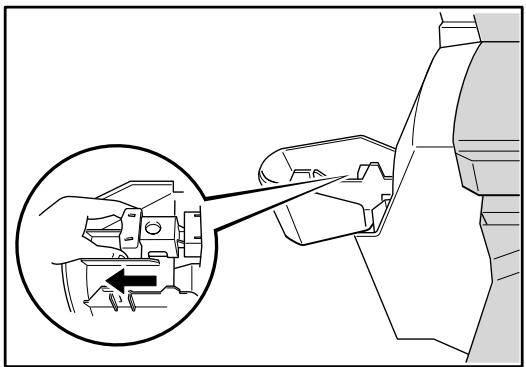
natural_image
Diagram of a hand operating a mechanical component with an inset showing a close-up of the component (no text or symbols present)Fig. 6-2
natural_image
Mechanical component diagram showing a valve mechanism with rotation arrow (no text or symbols)Fig. 6-3
natural_image
Mechanical component diagram showing a valve mechanism with rotation arrow (no text or symbols)Fig. 6-4
natural_image
Diagram of a robotic arm with a magnified inset showing a mechanical component (no text or symbols present)Fig. 6-5
text_image
E C B Z A Y D RFig. 6-6
natural_image
Diagram of a mechanical device with directional arrows indicating motion or movement (no text or symbols present)Fig. 6-7
natural_image
Diagram of a printer or printer with a paper sheet being inserted, showing a black arrow indicating compression or disassembly (no text or symbols present)Fig. 6-8
natural_image
Diagram of a computer monitor with an open screen and directional arrows indicating process (no text or symbols)Fig. 6-10
natural_image
Diagram of a printer's internal structure showing paper feeding into a rack, with no visible text or symbols.Fig. 6-11
natural_image
Illustration of a server rack with arrows indicating file transfer or data flow (no text or symbols present)Fig. 6-13
natural_image
Technical line drawing of a mechanical component with directional arrows indicating movement or force (no text or symbols)Fig. 6-14

natural_image
Diagram of a multi-tiered server rack with an open shelf and directional arrows indicating movement (no text or symbols)Fig. 6-15
natural_image
Illustration of a printer with paper sheets being inserted, showing mechanical components and paper spools (no text or symbols)Fig. 6-18
text_image
Diagram showing a printer's internal structure with labeled parts and directional arrows indicating assembly or process flow.Fig. 6-20
natural_image
Diagram of a printer or printer with paper sheets and arrows indicating movement or process (no text or symbols present)Fig. 6-21
natural_image
Diagram of a printer internal structure with arrows indicating flow direction (no text or symbols)Fig. 6-22
text_image
Diagram of a printer's internal structure with labeled parts and directional arrows indicating assembly or processing stepsFig. 6-23
natural_image
Diagram of a computer tower with an arrow indicating file transfer or operation, showing server racks and tower structure (no text or symbols)Fig. 6-24
natural_image
Illustration of a printer emitting powder into a slot, with no visible text or symbolsFig. 6-25
natural_image
Diagram of a mechanical component with an arrow indicating direction, no text or symbols presentFig. 6-26
natural_image
Line drawing of a printer with an arrow indicating the paper direction (no text or symbols present)Fig. 6-27
natural_image
Diagram of a printer or printer being inserted into a sheet of paper, with a black arrow indicating the paper's direction (no text or symbols present)Fig. 6-28
natural_image
Technical diagram of a mechanical assembly with directional arrows indicating motion or movement (no text or symbols present)Fig. 6-29
natural_image
Technical line drawing of a mechanical assembly with layered components and a paper clip (no text or symbols)Fig. 6-30
text_image
E C B Z D A Y RFig. 6-35
text_image
Newark Street: New York City, NY 100000 for the newark street, New York City, NY 100000. The following person(s) is given by: "Newark Street," "New York City," "New York Times," "New York City," "New York Times," "New York City," "New York Times," "New York City," "New York Times," "New York City," "New York Times," "New York City," "New York Times," "New York City," "New York Times," "New York City," "New York Times," "New York City," "New York Times," "New York City," "New York Times," "New York City," "New York Time," "New York City," "New York Times," "New York City," "New York Times," "New York City," "New York Times," "New York City," "New York Times," "New York City," "New York Times," "New York City," "New York Times," "New York City," "New York Times," "New York City," "New York Times," "New York City," "New York Times," "New York City," "New York City," "New York City," "New York City," "New York City," "New York City," "New York City," "New York City," "New York City," "New York City," "New York City," "New York City," "New York City," "New York City," "New York City," "New York City," "New York City," "New York City," "New York City," "New York City," "New YorkCity," "New York City," New York City, New York City, New York City, New York City, New York City, New York City, New York City, New York City, New York City, New York City, New York City, New York City, New York City, New York City, New York City, New York City, New York City, New York City, New York City, New York City, New York City, New York City, New York City, New York City, New York City, New York City, "Newark Street: New York City, NY 100000. for the newark street, New York City, NY 100000. the following person(s) is given by: "Newark Street." "New York City" and "New York Times" are given by: "Newark Street." "New York City" and "New York Times" are given by: "Newark Street." "New York City" and "New York Times" are given by: "Newark Street." "New York City" and "New York Times" are given by: "Newark Street." "New York City" and "New York Times" are given by: "Newark Street." "New York City" and "New York Times" (see Section 24-26). The following person(s) is given by: "Newark Street." "New York City" and "New York Times" are given by: "Newark Street." "New York City" and "New York Times" are given by: "Newark Street." "New York City" and "New York Times" are given by: "Newark Street." "New York City" and "New York Times" are given by: "Newark Street." "New York City" and “New York Times" are given by: "Newark Street." "New York City" and "New York Times" are given by: "Newark Street." "New York City" and "New York Times" are given by: "Newark Street." "New York City" and "New York Times" are given by: "Newark Street." "New York City" and "New York Times" are given by: "Newark Street." "New York City" and 'New York Times' are given by: "Newark Street." "New York City" and 'New York Times' are given by: "Newark Street." "New York City" and 'New York Times' are given by: "Newark Street." "New York City" and 'New York Times' are given by: "Newark Street." "New York City" and 'New York Times' are given by: "Newark Street." "New York City" and 'New York Times', are given by: 135.1978. The following person(s) is given by: 135.1978. The following person(s) is given by: 135.1978. The following person(s) is given by: 135.1978. The following person(s) is given by: 135.1978. The following person(s) is given by: 135.1978. The following person(s) is given by: 26.4444. The following person(s) is given by: 26.4444. The following person(s) is given by: 26.4444. The following person(s) is given by: 26.4444. The following person(s) is given by: 26.4444. The following person(s) is given by: 26.4444. The following person(s) is given by 26.4444. The following person(s) is given by: 26.4444. The following person(s) is given by: 26.4444. The following person(s) is given by: 26.4444. The following person(s) is given by: 26.4444. The following person(s) is given by: 26.4444. <|caption_end|> <|content_start|>newark street; New york city; NY 100000. for the newark street; New york city; NY 100000. the following person(s) is given by: "Newark Street." "New york city" and "newark time" are given by: 135.1978. The following person(s) is given by: 135.1978. "The following person(s) is given by: 135.1978. "The following person(s) is given by: 135.1978. "The following person(s) is given by: 135.1978. "The following person(s) is given by: 135.1978. "The following person(s) is given by: 135.1978. "The following person(s) in the city of Newark city, NY 100000. the following person(s) in the city of Newark city, NY 100000. the following person(s) in the city of Newark city, NY 100000. the following person(s) in the city of Newark city, NY 100000. the following person(s) in the city of Newark city, NY 100000. the following person(s) in the city of Newark city, "newark city", a new park city, a new park area, a new park area, a new park area, a new park area, a new park area, a new park area, a new park area, a new park area, a new park area, a new park area, a new park area, a new park area, a new park area, a new park area, a new park area, a new park area, "newark city", a new park area, a new park area, a new park area, a new park area, a new park area, a new park area, a new park area, a new park area, "newark city", a new park area, a new park area, a new park area, a new park area, a new park area, a new park area, "newark city", a new park area, a new park area, a new park area, a new park area, "newark city", a new park area, a new park area, a new park area, a new park area, "newark city", a new park area, a new park area, a new park area, "newark city", a new park area, a new park area, "newark city", a new park area, a new park area, "newark city", a new park area, a new park area, "newark city", a new park area, a new park area, "newark city", a new park area, a new park area, "newark city", a new park area, a new park area, "newark city", a new park area, a new park area; "newark city", a new park area, a new park area, "newark city", a new park area, a new park area, "newark city", a new park area, a new park area, "newark city", a new park area, a new park area, "newark city", a new park area, a new park area, "newark city", a new park area, a new park area, "newark city", a new park area, "newark city", a new park area, "newark city", a new park area, "newark city", a new park area, "newark city", a new park area, "newark city", a new park area, "newark city", a new park area, "newark city", a new park area, "newark city", a new park area, "newark city", a new park area, "newark city" "I'm going to go to me in the city of Newark city," I'm going to go to me in the city of Newark city." "I'm going to go to me in the city of Newark city," I'm going to go to me in the city of Newark city. "I'm going to go to me in the city of Newark city," I'm going to go to me in the city of Newark city. "I'm going to go to me in the city of Newark city," I'm going to go to me in the city of Newark city. "I'm going to go to me in the city of Newark city," I'm going to go to me in the city of Newark city. "I'm going to go to me in the cities of Newark city," I'm going to go to me in the city of Newark city. "I'm going to go to me in the cities of Newark city," I'm going to go to me in the city of Newark city. "I'm going to go to me in the cities of Newark city," I'm going to go to me in the city of Newark city. "I'm going to go to me in the cities of Newark city," I'm going to get me in the city of Newark city. "I'm going to go to me in the cities of Newark city," I'm going to go to me in the city of Newark city. "I'm going to go to me in the cities of Newark city," I'm going to go to me in the city of Newark city. "I'm going to go to me in the cities of Newark city," I'm going to go to me in the city of Newark city. I'm going to go to me in the cities of Newark city," I'm going to go to me in the city of Newark city. "I'm going to go to me in the cities of Newark city," I'm going to go to me in the city of Newark city. "I'm going to go to me in the cities of Newark city," I'm going to go to me in the city of Newark city. "I'm going to go to me in the cities off my home." I'm going to go to me in the city of Newark city. "I'm going to go to me in the cities off my home." I'm going to go to me in the city of Newark city. "I'm going to go to me in the cities off my home." I'm going to go to me in the city of Newark city. "I'm going to go to me in the cities off my home." I'm going to go to me in the city of Newarks. "I'm going to go to me in the cities off my home." I'm going to go to me in the city of Newarks. "I'm going to go to me in the cities off my home." I'm going to go to me in the city of Newarks. "I'm going to go to me in the cities off my home." I'm going to go to me in the city of Newarks. "I'm going to go to me in the cities off my home."I'm going to go to me in the city of Newarks. "I'm going to go to me in the cities off my home." I'm going to go to me in the city of Newarks. "I'm going to go to me in the cities off my home." I'm going to go to me in the city of Newarks. "I'm going to go to me in the cities off my home." I'm going to go to me in the city of Newarks. "I'm gonna you have been done at my home." I'm going to go back on my home. I'm going back on my home. I'm going back on my home. I'm going back on my home. I'm going back on my home. I'm going back on my home. I'm going back on my home. I'm going back on my home. I'm going back on my home. I'm going back on my home. I'm going back on my home. I'm going back on my home. I'm going back on my home. I'm going back on myHome."I'm going back on my home. I'm going back on my home. I'm going back on my home. I'm going back on my home. I'm going back on my home. I'm going back on my home. I'm going back on my home. I'm going back on my home. I'm going back on my home. I'm going back on my Home.I'm going back on my home.I'm going back on my home.I'm going back on my home.I'm going back on my home.I'm going back on my home.I'm going back on my home.I'm going back on my home.I'm going back on my home.I'm going back on my home.I'm going back on my home.I'm going back on my home.I'm going back on my home.I'm going back on my home.I'm going back on my home.I'm going back on my home.I's going back on my home.I'm going back on my home.I'm going back on my home.I'm going back on my home.I'm going back on my home.I'm going back on my home.I'm going back on my home.I'm going back on my home.I'm going back on my home.I'm going back on my home.I'm going back on my home.I'm going back on my home.I'm going back on my home.I'm going back on my home.I'm going Back on My Home.I'm going back on my home.I'm going back on my home.I'm going back on my home.I'm going back on my home.I'm going back on my home.I'm going back on my home.I'm going back on my home.I'm going back on my home.I'm going back on my home.I'm going back on my home.I'm going back on my home.I'm going back on my home.I'm going back on my home.I'm going back on my home.Jinny's shopping room will be seen for more than five times more than five times more than five times more than five times more than five times more than five times more than five times more than five times more than five times more than five times more than five times more than five times more than five times more than five times more than five times more than five times more than five times more than five times more than five times more than five times more than five times more than five times more than five times more than five times more than five times more than fivetimes more than five times more than five times more than five times more than five times more than five times more than five times more than five times more than five times more than five times more than five times more than five times more than five times more than five times more than five times more than five times more than five times more than five times more than five times more than five times more than five times more than five times more than five times more than five times more than five times more than five timeless more than five times more than five times more than five times more than five times more than five times more than five times more than five times more than five times more than five times more than five times more than five times more than five times more than five times more than five times more than five times more than five times more than five times more than five times more than five times more than five times more than five times more than five times more than five times more than five times more than five years ago "I've got out from my home." I've got out from my home.(now only one year ago).I've got out from my home.(now every one year ago).I've got out from my home.(now every two years ago).I've got out from my home.(now every three years ago).I've got out from my home.(now every four years ago).I've got out from my home.(now every six years ago).I've got out from my home.(now every eight years ago).I've got out from my home.(now every nine years ago).I've got out from my home.(now every ten years ago).I've got out from my home.(now every ten years ago).I've got out from my home.(now every ten years ago).I've got out from my home.(now every ten years ago).I've got out from my home.(now every ten years ago).I've got out from my home.(now every ten years ago).I've got out from my home.(now every ten years ago).I've got out from my home.(now every ten yearsago).I've got out from my home.(now every ten years ago).I've got out from my home.(now every ten years ago).I've got out from my home.(now every ten years ago).I've got out from my home.(now every ten years ago).I've got out from my home.(now every ten years ago).I've got out from my home.(now every ten years ago).I've got out from my home.(now every ten years ago).Stries
text_image
We can vote in the first session of the meeting with the Board of Directors, or any other party, who will vote in the second session of the meeting with the Board of Directors. We will vote in the third session of the meeting with the Board of Directors. We will vote in the fourth session of the meeting with the Board of Directors. We will vote in the fifth session of the meeting with the Board of Directors. We will vote in the sixth session of the meeting with the Board of Directors. We will vote in the seventh session of the meeting with the Board of Directors. We will vote in the eight sessions of the meeting with the Board of Directors. We will vote in the nine sessions of the meeting with the Board of Directors. We will vote in the 10th session of the meeting with the Board of Directors. We will vote in the 11th session of the meeting with the Board of Directors. We will vote in the 12th session of the meeting with the Board of Directors. We will vote in the 13th session of the meeting with the Board of Directors. We will vote in the 14th session of the meeting with the Board of Directors. We will vote in the 15th session of the meeting with the Board of Directors. We will vote in the 16th session of the meeting with the Board of Directors. We will vote in the 17th session of the meeting with the Board of Directors. We will vote in the 18th session of the meeting with the Board of Directors. We will vote in the 19th session of the meeting with the Board of Directors. We will vote in the 20th session of the meeting with the Board of Directors. We will vote in the 21st session of the meeting with the Board of Directors. We will vote in the 22nd session of the meeting with the Board of Directors. We will vote in the 23rd session of the meeting with the Board of Directors. We will vote in the 24th session of the meeting with the Board of Directors. We will vote in the 25th session of the meeting with the Board of Directors. We will vote in the 26th session of the meeting with the Board of Directors. We will vote in the 27th session of the meeting with the Board of Directors. We will vote in the 28th session of the meeting with the Board of Directors. We will vote in the 29th session of the meeting with the Board of Directors. We will vote in the 30th session of the meeting with the Board of Directors. We will vote in the 31st session of the meeting with the Board of Directors. We will vote in the 32nd session of the meeting with the Board of Directors. We will vote in the 33rd session of the meeting with the Board of Directors. We will vote in the 34th session of the meeting with the Board of Directors. We will vote in the 35th session of the meeting with the Board of Directors. We will vote in the 36th session of the meeting with the Board of Directors. We will vote in the 37th session of the meeting with the Board of Directors. We will vote in the 38th session of the meeting with the Board of Directors. We will vote in the 39th session of the meeting with the Board of Directors. We will vote in the 40th session of the meeting with the Board of Directors. We will vote in the 41st session of the meeting with the Board of Directors. We will vote in the 42nd session of the meeting with the Board of Directors. We will vote in the 43rd session of the meeting with the Board of Directors. We will vote in the 44th session of the meeting with the Board of Directors. We will vote in the 45th session of the meeting with the Board of Directors. We will vote in the 46th session of the meeting with the Board of Directors. We will vote in the 47th session of the meeting with the Board of Directors. We will vote in the 48th session of the meeting with the Board of Directors. We will vote in the 49th session of the meeting with the Board of Directors. We will vote in the 50th session of the meeting with the Board of Directors. We will vote in the 51st session of the meeting with the Board of Directors. We will vote in the 52nd session of the meeting with the Board of Directors. We will vote in the 53rd session of the meeting with the Board of Directors. We will vote in the 54th session of the meeting with the Board of Directors. We will vote in the 55th session of the meeting with the Board of Directors. We will vote in the 56th session of the meeting with the Board of Directors. We will vote in the 57th session of the meeting with the Board of Directors. We will vote in the 58th session of the meeting with the Board of Directors. We will vote in the 59th session of the meeting with the Board of Directors. We will vote in the 60th session of the meeting with the Board of Directors. We will vote in the 61st session of the meeting with the Board of Directors. We will vote in the 62nd session of the meeting with the Board of Directors. We will vote in the 63rd session of the meeting with the Board of Directors. We will vote in the 64th session of the meeting with the Board of Directors. We will vote in the 65th session of the meeting with the Board of Directors. We will vote in the 66th session of the meeting with the Board of Directors. We will vote in the 67th session of the meeting with the Board of Directors. We will vote in the 68th session of the meeting with the Board of Directors. We will vote in the 69th session of the meeting with the Board of Directors. We will vote in the 70th session of the meeting with the Board of Directors. We will vote in the 71st session of the meeting withthe Board on day (or day) to date from January to December, where you may be able to do so, or if you are not able to do so, you may be able to do so, or if you are not able to do so, you may be able to do so, or if you are not able to do so, you may be able to do so, or if you are not able to do so, you may be able to do so, or if you are not able to do so, you may be able to do so, or if you are not able to do so, you may be able to do so, orif you may be able to do so, you may be able to do so, you may be able to do so, you may be able to do so, you may be able to do so, you may be able to do so, you may be able to do so, you may be able to do so, you may be able to do so, you may be able to do so, you may be able to do so, you may be able to do so, you may be able to do so, you may be a lot or more than five days later than five days later than five days later than five days later than five days later than five days later than five days later than five days later than five days later than five days later than five days later than five days later than five days later than five days later than five days later than five days later than five days later than five days later than five days later than five days later than five days later than five days later than five days later than five days later than five days later than five days after five days after five days after five days after five days after five days after five days after five days after five days after five days after five days after five days after five days after five days after five days after five days after five days after five days after five days after five days after five days after five days after five days after five days after five days after five days after five days after five days after five days after five days after five days after five days after five days after five days after six days after six days after six days after six days after six days after six days after six days after six days after six days after six days after six days after six days after six days after six days after six days after six days after six days after six days after six days after six days after six days after seven days after seven days after seven days after seven days after seven days after seven days after seven days after seven days after seven days after seven days after seven days after seven days after seven days after seven days after seven days after seven days after seven days after seven days after seven days after seven days after seven days after seven days after seven days after seven days after seven days after seven days after seven days after seven days after seven days after seven days after seven days at ten o'clock by day two o'clock at night.natural_image
Blank black document page with a white curled corner on top (no text or symbols)Fig. 6-39
Page blanche
natural_image
Blank white page with a curled corner corner (no text or symbols)Fig. 6-40
Trou d'impression
text_image
have Come Parlor: Jia come, Chirli. I can tell you like you. I have Come Parlor I wish come 'stop'. Jia come, I can tell, I can't tell you like you. I have Come Parlor I am there! I can tell, I can't tell you like you. I have Come Parlor I am there! I can tell, I can't tell you like you. I have Come Parlor I am there! I can tell, I can't tell you like you. I have Come Parlor I am there! I can tell, I can't tell you like you. I have Come Parlor I am there! I can tell, I can't tell you like you. I wish come 'stop'. Jia come, I can tell, I can't tell you like you. I have Come Parlor I am there! I can tell, I can't tell you like you. I have Come Parlor I am there! I can tell, I can't tell you like you. I have Come Parlor I am there! I can tell, I can't tell you like you. I have Come Parlor I am there! I CAN'T take up to 10 o'clock, one's...a...a...a...a...a...a... I wish come Parlor: Jia come, Chirli. I can tell you like you for the time. Come Parlor: I don't know, I want to see them. I wish come Parlor: Jia come, Chirli. I can tell you like you for the time. I wish come Parlor: Jia come, Chirli. I can tell you like you for the time. I wish come Parlor: Jia come, Chirli. I can tell you like you for the time. I wish come Parlor: Jia come, Chirli. I can tell you like you for the time. I wish come Parlor: Jia come, Chirli. I can tell you like you for the time. I wish comes from the time. I wish come Parlor: Jia come, Chirli. I can tell you like you for the time. I wish come Parlor: Jia come, Chirli. I can tell you like you for the time. I wish come Parlor: Jia come, Chirli. I can tell you like you for the time. I wish come Parlor: Jia come, Chirli. I can tell you like you for the time. The other words are: - The other words are: - The other words are: - The other words are: - The other words are: - The other words are: - The other words are: - The other words are: - The other words are: - The other words are: - The other words are: - The other words are: - The other words are: - The other words are: - The other words are: - The other words are: - The other words are: - The other words are, - The other words are: - The other words are: - The other words are: - The other words are: - The other words are: - The other words are: - The other words are: - The other words are: - The other words are: - The other words are: - The other words are: - The other words are: - The other words are: - The other words are: - The other words are: - The other words are: - The other wls - The other wls - The other wls - The other wls - The other wls - The other wls - The other wls - The other wls - The other wls - The other wls - The other wls - The other wls - The other wls - The other wls - The other wls - The other wls - The other wls - The other vls - The other wls - The other wls - The other wls - The other wls - The other wls - The other wls - The other wls - The other wls - The other wls - The other wls - The other wls - The other wls - The other wls - The other wls - The other wls - The other wls -Fig. 6-41
Bac multi-usage (MP-5000)
$$ 2 = \text {Stries verticals} $$
$$ 3 = \text { S tries horizontales } $$
$$ n = \text { “I” } o u \text { “L” } $$
Accessoires ......2-7
Adresse IP 3-33
Afficheur LCD ......3-18, 6-1
Agrafe 5-20, 6-6
Alarme 3-17
alimentation 1-9
alimentation manuelle......4-29
B
Bac multi-usage ...... 4-29, 4-35, Annexe-8
Boîte aux lettres ...... 4-43, 6-17, Annexe-9
Bourrages......6-8
BR-Admin Professional ....2-16
BR-Script 3....2-1
C
Mode HP LaserJet 3-34, Annexe-17
Mode HP-GL .3-35, Annexe-18
Mode IBM ...... Annexe-18
Mode IBM Proprinter XL...3-35
Mode public 3-10
Module DIMM 4-57
N
Nettoyage 5-13
0
Option....2-5, 4-1