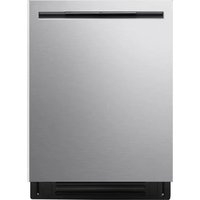
LDNPM545S - Dishwasher LG - Free user manual and instructions
Find the device manual for free LDNPM545S LG in PDF.


Pick your language and provide your email: we'll send you a specifically translated version.
| Product type | Built-in dishwasher 60 cm |
| Brand | LG |
| Model | LDNPM545S |
| Width | 59.8 cm |
| Height | 84.5 cm (adjustable up to 88 cm) |
| Depth | 57.5 cm (door closed) |
| Net weight | 49 kg |
| Power supply | 220-240 V, 50 Hz, 10 A |
| Energy class | A+++ |
| Annual water consumption | 2660 liters |
| Annual energy consumption | 192 kWh |
| Capacity | 14 place settings |
| Noise level | 44 dB (A) |
| Wash programs | Auto, Eco 50°C, Intensive 70°C, Quick 30min, Glass, Delicate, Pre-wash |
| Special functions | Half load, Delayed start up to 24h, Turbo drying, Steam, Wi-Fi ThinQ |
| Safety | Child lock, AquaStop anti-leak system, Overflow protection |
| Maintenance and cleaning | Cleaning mesh filter, salt drawer, wash arms, door gasket |
| Spare parts and repairability | Filters, wash arms, baskets, heating element, drain pump available as spare parts |
Frequently Asked Questions - LDNPM545S LG
How to install the LG LDNPM545S dishwasher?
Refer to the provided installation guide. Make sure the appliance is level and the water and electrical connections are correct. Use the adjustable feet to stabilize the appliance.
What to do if the dishwasher does not start?
Check that the door is properly closed, the program is selected, and the water tap is open. If the problem persists, reset the appliance by unplugging for 1 minute.
How to clean the dishwasher filters?
Remove the cylindrical filter by turning counterclockwise. Clean it under running water with a soft brush. Replace it by turning clockwise.
Why is there noise during washing?
It is normal to hear water spray and motor noises. If the noise is unusual, check that the wash arms are not blocked and that the dishes are properly loaded.
How to use the Delayed Start function?
Press the Delayed Start button until the desired time (1-24h) is displayed. Press Start/Pause to confirm. The cycle will start at the programmed time.
What to do if the dishes are not dry at the end of the cycle?
Use a rinse aid and activate the Turbo Drying option. Ensure the salt reservoir is full and the wash arms are not clogged.
How to reset the dishwasher?
To reset, turn off the appliance, press and hold the Start/Pause button for 3 seconds, then turn it back on. The current cycle will be canceled.
How much regenerating salt to use?
Fill the salt reservoir until water overflows (about 1 kg). Use only special dishwasher salt. The salt indicator will turn off after a few cycles.
How to connect the dishwasher to Wi-Fi?
Download the LG ThinQ app, create an account, and follow the instructions. On the appliance, press the Wi-Fi button to activate the connection, then complete via the app.
What does error code 'OE' mean?
Error code OE indicates a drainage problem. Check that the drain hose is not kinked or clogged, and clean the drain pump filter. If the problem persists, contact customer service.
User questions about LDNPM545S LG
0 question about this device. Answer the ones you know or ask your own.
Ask a new question about this device
No questions yet. Be the first to ask one.
Download the instructions for your Dishwasher in PDF format for free! Find your manual LDNPM545S - LG and take your electronic device back in hand. On this page are published all the documents necessary for the use of your device. LDNPM545S by LG.