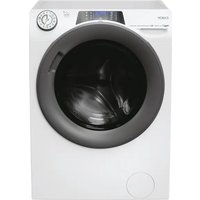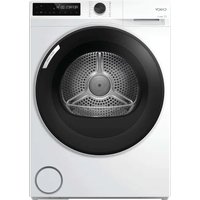
BR 10N2BX-S - Washing machine CANDY - Free user manual and instructions
Find the device manual for free BR 10N2BX-S CANDY in PDF.


Pick your language and provide your email: we'll send you a specifically translated version.
| Product type | Washing machine |
| Brand | Candy |
| Model | BR 10N2BX-S |
| Wash capacity | 6 kg |
| Maximum spin speed | 1000 rpm |
| Dimensions (H x W x D) | 85 x 60 x 60 cm |
| Net weight | 70 kg |
| Power supply | 220-240 V, 50 Hz, 10 A |
| Energy class | A+ |
| Wash programs | Cotton, Synthetic, Delicate, Quick, Wool |
| Options | Delay start, Prewash, Rinse hold, Variable spin |
| Spin type | Variable from 0 to 1000 rpm |
| Maximum temperature | 90 °C |
| Safety system | Child lock, Automatic stop in case of leak |
| Noise level (wash/spin) | 58 dB / 76 dB |
| Maintenance and cleaning | Clean the filter, detergent drawer and door seal regularly |
| Spare parts | Available via Candy after-sales service |
| Repairability | Repairability index: 7.2/10 (estimate) |
| Package contents | Washing machine, water inlet hose, drain hose, transport bolts, user manual |
Frequently Asked Questions - BR 10N2BX-S CANDY
How to install the Candy BR 10N2BX-S washing machine?
Place the machine on a flat and solid surface. Remove the transport bolts from the rear. Connect the water inlet hose to a 3/4 threaded tap, then connect the drain hose to a suitable outlet. Plug the power cord into a grounded socket.
How to start a wash cycle?
Select the desired program (e.g., cotton, synthetic) using the selector. Add detergent to the drawer (compartment II for main wash). Close the door, then press the Start/Pause button.
What to do if the machine does not turn on?
Check that the power cord is properly plugged in and that the electrical outlet works. Make sure the door is fully closed. If the problem persists, contact after-sales service.
How to clean the drain pump filter?
Unplug the machine. Open the lower flap, unscrew the filter cap by turning counterclockwise. Remove any debris, then screw the cap back on. Close the flap.
The machine vibrates a lot during spinning, what to do?
Check that the transport bolts have been removed. Make sure the machine is level by adjusting the adjustable feet. Avoid overloading the drum.
How to use the delay start?
Select the program, then press the Delay Start button. Set the desired delay time (from 1 to 24 hours). Press Start/Pause to start the countdown.
What do the displayed error codes mean?
Codes like E01 indicate a door problem, E02 a drainage problem, E03 a heating fault. Consult the manual for the full meaning and actions to take.
What detergent to use for this model?
Use a detergent suitable for the type of wash (powder for high temperature programs, liquid for short programs). Follow the dosages indicated on the detergent packaging.
How to maintain the door seal?
After each wash, leave the door slightly open to dry the seal. Clean the seal regularly with a damp cloth and check that no debris is in the folds.
Where to find spare parts for the Candy BR 10N2BX-S?
Spare parts (belt, pump, heating element, etc.) are available from Candy after-sales service or on specialised websites. Have the full model number ready.
User questions about BR 10N2BX-S CANDY
0 question about this device. Answer the ones you know or ask your own.
Ask a new question about this device
No questions yet. Be the first to ask one.
Download the instructions for your Washing machine in PDF format for free! Find your manual BR 10N2BX-S - CANDY and take your electronic device back in hand. On this page are published all the documents necessary for the use of your device. BR 10N2BX-S by CANDY.