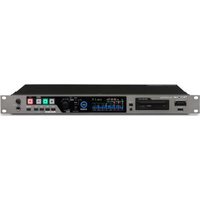
DA-6400DP - Hi-fi system TASCAM - Free user manual and instructions
Find the device manual for free DA-6400DP TASCAM in PDF.


| Product Type | Multitrack Digital Recorder |
| Brand | Tascam |
| Model | DA-6400DP |
| Format | 1U Rack Mount |
| Screen | Color 320x120 pixels |
| Recording Media | 2.5-inch removable SSD hard drive (caddy included) |
| Number of Channels | 64 channels at 44.1/48 kHz, 32 channels at 88.2/96 kHz |
| Resolution | 16/24 bits |
| Sampling Frequencies | 44.1 / 48 / 88.2 / 96 kHz |
| Digital Inputs/Outputs | 2 slots for input/output cards (sold separately) |
| Synchronization Connectors | Word Clock/Video BNC (in/out), Timecode BNC (in/out) |
| Network | Gigabit Ethernet: FTP, Telnet, VNC |
| Remote Control | RS-422, parallel port, network |
| USB Ports | 1 x USB 2.0 (front) for keys and keyboard, 1 x USB 3.0 (front) for PC connection |
| Headphone Output | 6.35 mm stereo jack with volume control |
| Power Supply | Mains, redundant (two cords) for DA-6400dp |
| Dimensions (approx.) | Width 482.6 mm, height 44.45 mm, depth 350 mm |
| Weight (approx.) | 5 kg |
| Supplied Accessories | Hard drive/SSD caddy, USB cable, rack mount kit, security screw kit, power cords (x2 for DP), instruction manual |
| Special Features | Power supply redundancy, firmware update via USB, network functions, timecode, markers |
| Safety | CE compliant, class A, grounding |
| Maintenance | Clean with a dry cloth |
| Spare Parts and Repairability | SSDs, input/output cards (sold separately), drive caddies; repair by approved service center |
Frequently Asked Questions - DA-6400DP TASCAM
User questions about DA-6400DP TASCAM
0 question about this device. Answer the ones you know or ask your own.
Ask a new question about this device
Download the instructions for your Hi-fi system in PDF format for free! Find your manual DA-6400DP - TASCAM and take your electronic device back in hand. On this page are published all the documents necessary for the use of your device. DA-6400DP by TASCAM.
USER MANUAL DA-6400DP TASCAM
DÉCLARATION DE CONFORMITÉ
natural_image
Symbolic icon of a person lifting a large object inside a circle with a diagonal line (no text or symbols)natural_image
Technical line drawing of a mechanical assembly with bolts and a rectangular frame (no text or symbols)ATTENTION
- TASCAM is a registered trademark of TEAC Corporation.
- This product contains the eT-Kernel RTOS-based software platform of eSOL Co., Ltd..
- Other company names, product names and logos in this document are the trademarks or registered trademarks of their respective owners.
Information is given about products in this manual only for the purpose of example and does not indicate any guarantees against infringements of third-party intellectual property rights and other rights related to them. TEAC Corporation will bear no responsibility for infringements on third-party intellectual property rights or their occurrence because of the use of these products.
With the exception of personal enjoyment and similar uses, copyrighted materials belonging to third parties cannot be used without permission from the rights holders in accordance with copyright law. Please use the equipment appropriately.
TEAC Corporation will bear no responsibility for rights infringements committed by users of this product.
natural_image
Technical line drawing of a mechanical assembly with hanging fasteners and a rectangular frame (no text or symbols)flowchart
graph TD
    A["GENERAL"] --> B["REC FILE FORMAT"]
    B --> C["REC OPTIONS"]
    C --> D["PLAY SETUP"]
    D --> E["INPUT ROUTING1"]
    E --> F["INPUT ROUTING2"]
    F --> G["SLOT 1"]
    G --> H["SLOT 2"]
    H --> I["TC SETUP 1"]
    I --> J["TC SETUP 2"]
    K["SYSTEM SETUP"] --> L["PREFERENCES"]
    L --> M["MEDIA"]
    M --> N["SNTP"]
    N --> O["NETWORK"]
    O --> P["PARALLEL OUTPUT"]
    P --> Q["PARALLEL INPUT"]
NOTE
Page REC OPTIONS ouverte
ATTENTION
natural_image
Illustration of a hand inserting a device into a folder (no text or symbols visible)natural_image
Technical line drawing of a computer drive or memory unit with ports and connectors (no text or symbols)NOTE
3 - Préparation
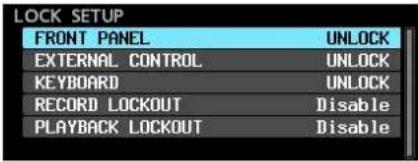
3. Pressez la molette MULTI JOG.
natural_image
Front view of a CD-ROM audio workstation with headphones connected to a microphone (no visible text or labels)ATTENTION
ATTENTION
Brand : TASCAM
Model : DA-6400DP
Category : Hi-fi system