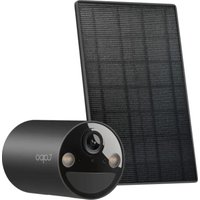
USER MANUAL Tapo C411 TP-LINK
For technical support, user guides, warranty, and more information
© 2025 TP-Link
Quick Start Guide
Solar-Powered Security Camera
7100001757 REV1.1.0
CONTENTS
1 / English 2 / Português Brasil 3 / Hrvatski 4 / Български 5 / Français 6 / Čeština 7 / Bahasa Indonesia 8 / Magyar 9 / Қазақша 10 / 日本語 11 / 中文 12 / Español
(Latinoamérica)
Get the Tapo app from the App Store or Google Play, and log in.
2 SETUP CAMERA
Press and hold the power button on your camera for about 3 seconds to turn it on.
Tap the + button in the app and select your camera model. Follow app instructions to complete setup.
Português Brasil
1 DOWNLOAD APP
Download the Tapo app from the App Store or Google Play, and log in.
2 CONFIGURATION
English:
For Camera:
TP-Link hereby declares that the battery camera is in compliance with the essential requirements and other relevant provisions of directives 2014/53/EU, 2009/125/EC, 2011/65/EU and (EU)2015/863.
The original EU Declaration of Conformity may be found at https://www.tapo.com/support/ce/.
TP-Link hereby declares that the battery camera is in compliance with the essential requirements and other relevant provisions of the Radio Equipment Regulations 2017.
The original UK Declaration of Conformity may be found at https://www.tapo.com/support/ukca/.
For Solar Panel:
TP-Link hereby declares that the solar panel is in compliance with the essential requirements and other relevant provisions of directives 2014/30/EU, 2014/35/EU, 2011/65/EU and (EU)2015/863.
The original EU declaration of conformity may be found at https://www.tapo.com/support/ce/.
TP-Link hereby declares that the solar panel is in compliance with the essential requirements and other relevant provisions of the Electromagnetic Compatibility Regulations 2016 and Electrical Equipment (Safety) Regulations 2016.
The original UK declaration of conformity may be found at https://www.tapo.com/support/ukca/.
Bulgarian:
3a kamepa:
TP-Link hereby declares that the camera with battery complies with the essential requirements and other relevant provisions of Directives 2014/53/EU, 2009/125/EC, 2011/65/EU and (EU) 2015/863.
The original EU declaration of conformity may be found at https://www.tapo.com/support/ce/. For more information:
TP-Link hereby declares that the device complies with the essential requirements and other relevant provisions of Directives 2014/30/EU, 2014/35/EU, 2011/65/EU and (EU) 2015/863.
The original EU declaration of conformity may be found at https://www.tapo.com/support/ce/.
Czech:
Pro Fotoaparát:
Originální prohlášení o shodě EU naleznete na https://www.tapo.com/support/ce/.
Estonian:
Kaamera jaoks:
Käesolevaga kinnitab TP-Link, et akuga kaamera vastab direktiivide 2014/53/EL, 2009/125/EÜ, 2011/65/EL ja (EL) 2015/863 põhinõuetele ja muudele asjakohastele sätetele.
For Camera:
- Do not attempt to disassemble, repair, or modify the device. If you need service, please contact us.
- Do not use damaged charger or USB cable to charge the device.
- Do not use any other chargers than those recommended.
- Do not use the device where wireless devices are not allowed.
- Keep the device away from fire or hot environments. DO NOT immerse in water or any other liquid.
- Adapter shall be easily accessible.
- This equipment can be powered only by equipment that complies with Power Source Class 2 (PS2) or Limited Power Source (LPS) defined in the standard of IEC 62368-1.
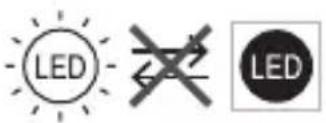
- Operating Temperature: -20°C ~ 45°C. The light source of this luminaire is not replaceable; when the light source reaches its end of life, the whole luminaire shall be replaced. (Only for floodlight cameras) Weight of the floodlight camera (solar panel excluded): 680 g (23.99 oz). (Only for floodlight cameras) Maximum projected area of the floodlight: 14739.6 mm² (22.85 sq in). (Only for floodlight cameras) This product contains a light source of energy efficiency class E. (Only for floodlight cameras)


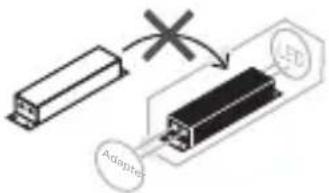
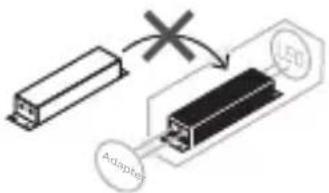
Non-replaceable light source
Non-replaceable control gear
CAUTION!
Avoid replacement of a battery with an incorrect type that can defeat a safeguard. Avoid disposal of a battery into fire or a hot oven, or mechanically crushing or cutting of a battery, that can result in an explosion. Do not leave a battery in an extremely high temperature surrounding environment that can result in an explosion or the leakage of flammable liquid or gas; Do not leave a battery subjected to extremely low air pressure that may result in an explosion or the leakage of flammable liquid or gas.
For Solar Panel
- Keep the device away from fire or hot environments. DO NOT immerse in water or any other liquid.
- Do not attempt to disassemble, repair, or modify the device. If you need service, please contact us.
- Avoid scratching and hitting the surface of the solar panel during use.
- Avoid contact with highly corrosive substances during use.
- The suitable temperature for Tapo Solar Panel and accessories is -20°C ~ 45°C. The working temperature range for battery charging should be maintained at 0°C ~ 45°C.
- Make sure the USB connector is fully plugged into your Tapo device.
- Make sure you follow the user manual to install the solar panel correctly.
- Make sure the waterproof gasket and other accessories can protect the connectors on your Tapo device.
The mounting height should not be higher than 2 meters.
Please read and follow the above safety information when operating the device. We cannot guarantee that no accidents or damage will occur due to improper use of the device. Please use this product with care and operate at your own risk.
If the device is not working properly, do not use it. If the device is damaged, do not use it. If you need to clean or repair it, contact us. Do not use the device near water or in wet conditions. Do not use the device with corrosive chemicals. The operating temperature for the solar panel and other components is -20°C to 45°C. The battery should be stored and used within the temperature range of 0°C to 45°C. Do not connect the USB cable with wet hands. Do not place the device in a location where it can fall into water. If the device gets wet, dry it thoroughly before using it again.
Do not use it.
Place it at least 2 meters away.
When installing the device, ensure that the surrounding area is free of flammable materials. Do not install the device in a place where it can be easily knocked over or damaged. Handle with care and follow the instructions.