Boom + Adhesive Mounts - Camera accessory GOPRO - Free user manual and instructions
Find the device manual for free Boom + Adhesive Mounts GOPRO in PDF.


User questions about Boom + Adhesive Mounts GOPRO
0 question about this device. Answer the ones you know or ask your own.
Ask a new question about this device
Download the instructions for your Camera accessory in PDF format for free! Find your manual Boom + Adhesive Mounts - GOPRO and take your electronic device back in hand. On this page are published all the documents necessary for the use of your device. Boom + Adhesive Mounts by GOPRO.
USER MANUAL Boom + Adhesive Mounts GOPRO
Boom + Adhesive Mounts
USERGUIDE

Whats Included
Ball Joint Camera Mount
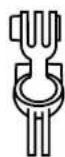
Boom Arms

Mounting Buckle
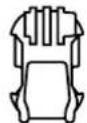
Curved Adhesive Mount
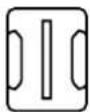
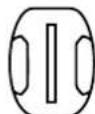
Mount
Triangulation Support Slicer

Hex Key Storage Clip

Assembly
ATTACHING BALL JOINT CAMERA MOUNT
Extend Boom arms. Interlock the fingers on the ball joint camera mount with the mounting fingers on the Boom arm. Use a hex screw to securely lock the ball joint in place.
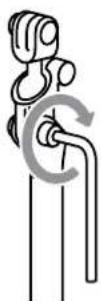
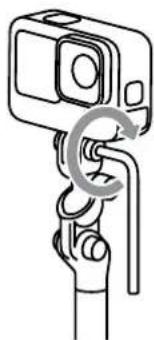
ATTACHING YOUR GOPRO
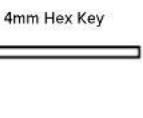
5X 4mm Hex ScrewsFlat Adhesiv Interlock the fingers on your GoPro with the mounting fingers on the Boom arm. Use a hex screw to securely lock your GoPro in place.

Note: You can use a thumb screw to secure your camera for shots when Boom is still and there is no vibration. Use a hex screw in cases where Boom is in motion or there's lots of vibration.
Mounting with the Adhesive Mounts Adjusting the Capture Angle
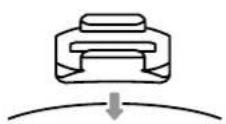
APPLY ADHESIVE MOUNTTO SURFACE
Thoroughly clean the area you want to use for mounting.
Only apply the mount to clean, dry smooth surfaces.
Apply the mount to the surface at least 24 hours before you use them.

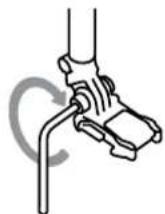
ATTACHING BOOM
- Interlock the fingers on the Boom arm with the mounting fingers on the adhesive mount. Use a hex screw to securely lock the arm in place.
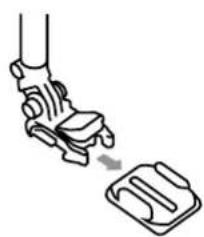
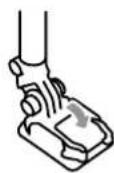
- Flip up the mounting buckle plug. Side the mounting buckle into the adhesive base. Press the mounting buckle plug into place so that it sits flush with the buckle.
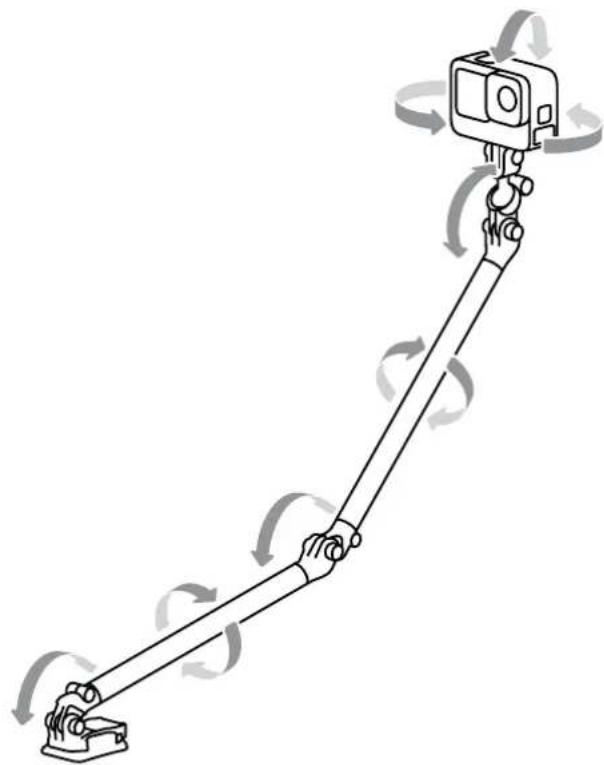
Tilt and rotate Boom to any position you want, then lock it in place using the hox key.
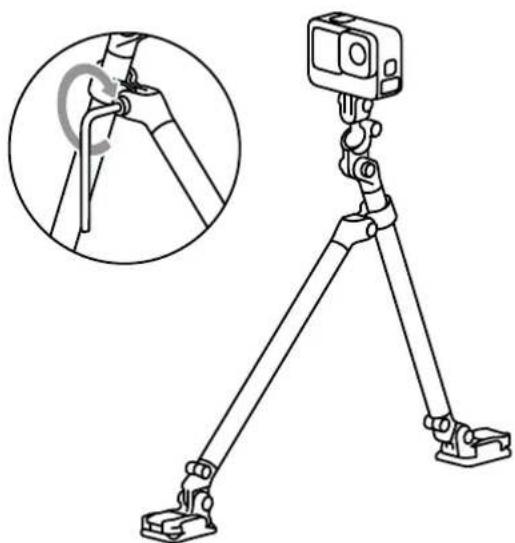
Triangulation
INSTALL TRIANGULATION SUPPORT SLIDER Dissemble Boom legs by removing center screw.

Attach the triangulation support slider to one of your Boom arms. This lets you use one arm to support the other to create ultra stable capture platforms.
PRO TIP: Add more Boom arms and triangulation support sliders (sold separately) to create even longer and more stable gear setups
Hex Key Storage
Attach hex key storage clip to one of your Boom arms for quick and easy access.
PRO TIP: Always attach the storage clip and hex key before putting your Boom away. This will help keep you from losing it.
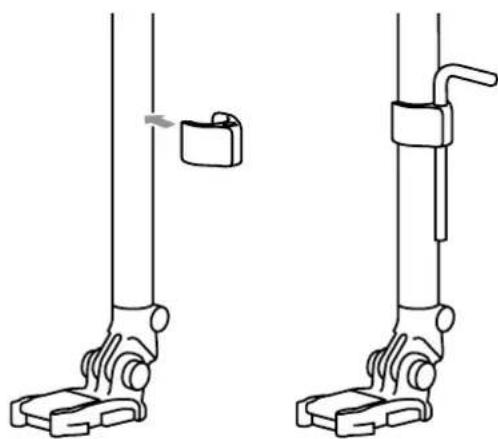
WARNING: Do not leave the hex key storage clip attached during high-speed or high-vibration activities.

WARNING: Use caution when using your Boom, GoPro, and its accessories. Always be aware of your surroundings to avoid injuring yourself and others. Always select a helmet that meets the applicable safety standard when you use a helmet with Boom or another GoPro mount. Always follow the helmet manufacturer's instructions on safe helmet use. If you attach your Boom to your helmet, GoPro recommends it be attached to the rear of the helmet.
Boom is not intended for and should not be used for skydiving, base jumping, bungee jumping or other aerial activities and sports.
Lifetime Warranty
This GoPro product is covered by a Lifetime Warranty against defects in materials and workmanship for the lifetime of the product for the benefit of the first purchaser or gift recipient. Products found to be defective will be repaired or replaced at GoPro's discretion. GoPro reserves the right to make all determinations under this warranty. Products failing due to normal wear and tear, abuse or natural breakdown of materials over extended use and time may be repaired or replaced for a fee. For product support please visit gopro.com/help.
ALL IMPLIED WARRANTYES OF MERCHANTABILITY OR FITNESS FOR A PARTICULAR PURPOSE ARE LIMITED TO THE DURATION OF THIS WARRANTY. GOPRO DISCLAIMS ALL OTHER EXPRESSED OR IMplied WARRANTYES OR CONDITIONS. TO THE EXTENT NOT PROHIBITED BY LAW, IN NO EVENT WILL GOPRO BE LIABLE FOR ANY LOSS OF REVENUE OR PROFIT, OR FOR ANY SPECIAL, INDIRECT, CONSEQUENTIAL, INCIDENTAL OR PUNITIVE DAMAGES, HOWEVER CAUSED, ARISING OUT OF OR RELATED TO THE USE OF OR INOPERABILITY OF THE PRODUCT, EVEN IF GOPRO HAS BEEN ADVISED OF THE POSSIBILITY OF SUCH DAMAGES, IN NO EVENT WILL GOPRO'S LIABILITY EXCEED THE AMOUNT PAID BY YOU FOR THE PRODUCT.
This Lifetime Warranty gives you specific legal rights, and you also may have other rights that vary from state to state or country to country. Some places do not allow limitations on implied warranties or the exclusion or limitation of incidental or consequential damages, so the above limitations or exclusions may not apply to you.
For Lifetime Warranty evaluation please visit www.gopro.com/help for a return authorization before shipping your product to GoPro. For warranty evaluation, your product must be accompanied by an explanation and receipt. All shipping for warranty evaluation must be pre-paid and insured. GoPro cannot be liable for lost in-bound packages. Damage not covered under the Lifetime Warranty may be repaired or replaced for a reasonable rate and a fee will be charged. Warranty void where prohibited.

LIFETIME WARRANTY
Visit gopro.com for more information
2023GoProInc. All rights reserved.
10-1235600HVA