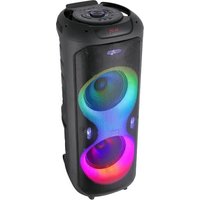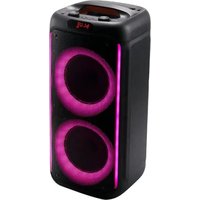
SOUNDBLAZE 600 - Speaker BoomTone DJ - Free user manual and instructions
Find the device manual for free SOUNDBLAZE 600 BoomTone DJ in PDF.


User questions about SOUNDBLAZE 600 BoomTone DJ
0 question about this device. Answer the ones you know or ask your own.
Ask a new question about this device
Download the instructions for your Speaker in PDF format for free! Find your manual SOUNDBLAZE 600 - BoomTone DJ and take your electronic device back in hand. On this page are published all the documents necessary for the use of your device. SOUNDBLAZE 600 by BoomTone DJ.
USER MANUAL SOUNDBLAZE 600 BoomTone DJ
https://www.msc-distribution.com/certifications/
English
INSTALLATION & SAFETY INSTRUCTIONS :
- Never install or use this device near a source of moisture: swimming pool, faucet, sink, bathtub, damp floor. Do not expose this equipment to dripping or splashing, and ensure that no objects containing liquids, such as vases, are placed on the unit. If any liquid or object enters the unit, immediately unplug it from the mains and contact your dealer.
- Do not install near heat sources such as radiators, heat registers or other heat-generating appliances, especially amplifiers. Do not block any ventilation openings. Install in accordance with the manufacturer's instructions.
- Always check that the speaker is placed on a flat, stable, level surface (make sure that the tripod legs are fully apart for perfect stability). It's best to ask someone to help you set up the speaker at height.
- BoomToneDJ accepts no liability for damage to property or persons caused by improper handling or non-observance of safety instructions. The warranty does not apply.
- Unauthorized modifications to the device are forbidden for reasons of safety and licensing (CE).
- The device is in protection class II, and must be supplied at 220 - 240V\~ 50/60 Hz via the adapter supplied. Never attempt to supply the device with any other voltage.
- Never connect or disconnect the mains plug with wet hands.
• To preserve the life of your battery, we recommend storing it fully charged.
- There are no user-replaceable parts or components. Do not attempt to open the unit yourself. In the event of a malfunction, contact your dealer. Any attempt by the user to repair the unit will invalidate the warranty.
- Never plug in the appliance immediately after moving it from a cold to a warm place. The condensation that forms could damage the unit or cause an electric
shock. Wait until the unit has reached room temperature before plugging it in. Wait for the condensation to evaporate, which may take several hours.
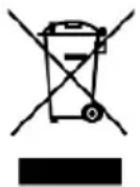
IMPORTANT NOTE: Electrical products must not be disposed of with household waste.
Please have them recycled at specialized centers. Consult your local authorities or your dealer about how to recycle them
WARNING
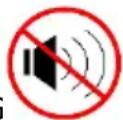
Hearing damage.
High power levels can cause lasting hearing damage. Avoid proximity to loudspeakers used at high power levels. Use hearing protection at high power levels. Avoid prolonged exposure to SPL levels in excess of 90dB.
COMMISSIONING
3- Before using for the first time, fully charge the battery (a 4-hour cycle is recommended). To do this, connect the AC adapter (not supplied) to a mains socket.
4- When storing your speaker, be sure to fully recharge the battery before storing. The battery is guaranteed for 6 months.
CONTROL PANEL
flowchart
graph TD
    A["MIC.VOL"] --> B["①"]
    B --> C["LED/M"]
    C --> D["②"]
    D --> E["PREV"]
    E --> F["⑥"]
    F --> G["⑦"]
    G --> H["MIC.PRI"]
    H --> I["③"]
    I --> J["PLAY"]
    J --> K["⑧"]
    K --> L["REC"]
    L --> M["④"]
    M --> N["VOLUME"]
    N --> O["⑤"]
    O --> P["⑨"]
    P --> Q["面板控制面板"]
    Q --> R["10"]
    Q --> S["11"]
    Q --> T["12"]
    Q --> U["13"]
    Q --> V["14"]
    Q --> W["15"]
    Q --> X["16"]
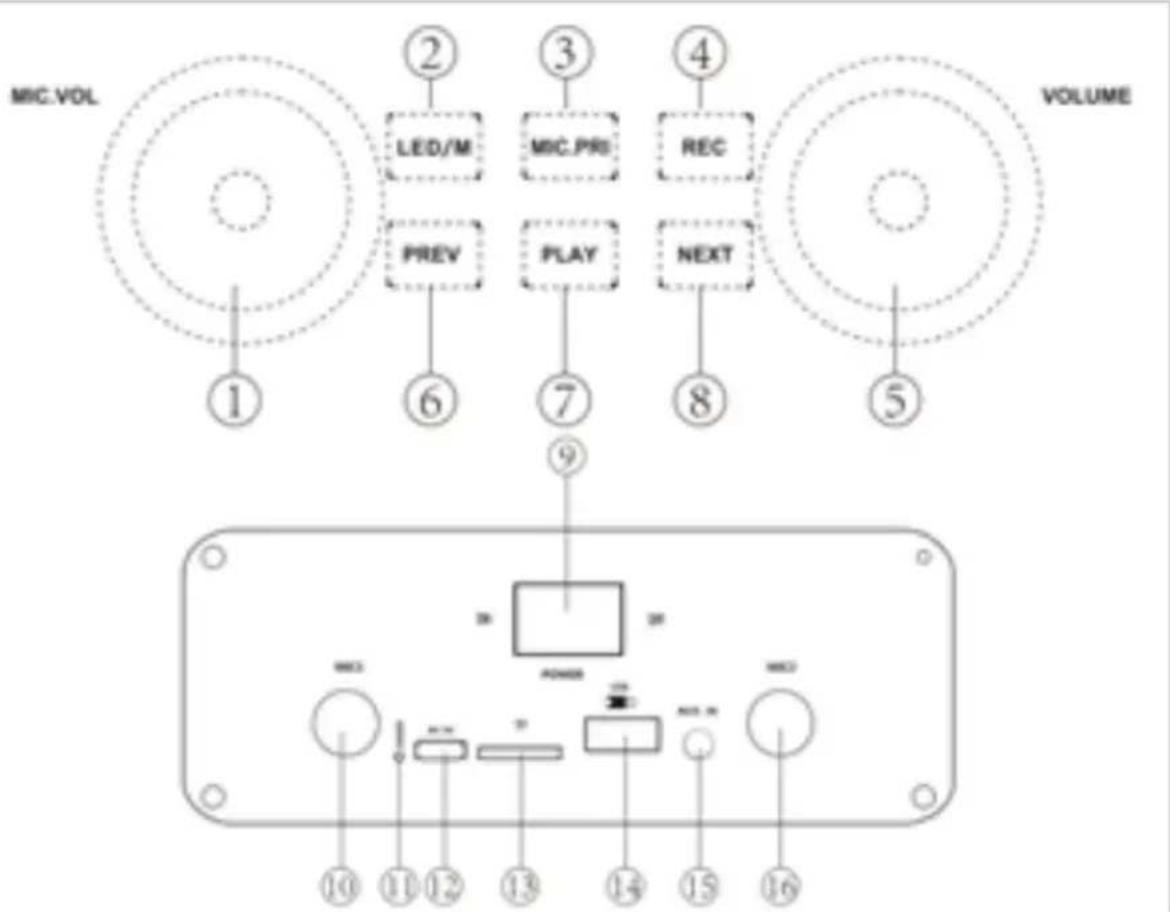
- Microphone input 1/2 volume control
- LED setting mode / Audio modes
Short press changes audio modes (BT/FM/USB/TF/AUX)
A long press turns the LEDs off. Changes LED color modes
No LEDs in FM mode
- Microphone priority button. When active, the microphone sound will be louder.
- REC button. Records only the sound from the microphone connected to a USB memory stick.
- Master volume button
- Previous button: Press briefly to select the previous channel/track
- Play/Pause/TWS: Play/stop music in USB/Micro SD/BT mode, scan FM channel in FM mode
- Next button : Press briefly to select the next channel / song
- On - OFF button
- 6.35MM microphone input jack (1)
-
LED charging indicator: red light when charging, light off when charging complete
-
DC 5V Type-C charging input socket. Adapter not supplied
- Micro SD card reader (Max. 32Gb)
- USB input for MP3 and wave files (Max. 32Gb)
- AUX 3.5 mm input jack for line input
- 6.35MM microphone input jack (2)
Increase echo volume: 8 + 3 -> Next + MIC.PRI
Decrease echo volume: 8 + 4 -> Next + REC
TWS MODE
(1) TWS connection: TWS connection is only for two active loudspeakers of the same model, cannot support a quantity greater than 2 pieces.
(2) Switch on two speakers, switch to BT mode for both speakers
(3) Please press the Play/Pause button on one speaker 2x. Two speakers will then automatically connect to each other.
(4) Connect the phone: open the phone's BT settings, search and connect the BT name, select the phone's music and enjoy TWS by playing in pairs with two speakers.
TECHNICAL SPECIFICATIONS
| Power supply | 5 VDC via USB Type-C max. 1 A / adapter not supplied |
| Speakers | 2x 6.5" / 16 cm |
| Maximum musical power | 300 W Peak |
| Battery type | Rechargeable 7.4 V – 3 000 mAh |
| Battery life | 3 to 4 hours |
| Charging time | 2 to 3 hours |
| Frequency response | 55 Hz - 20 kHz |
| Max. Bluetooth transmission power | 2 dBm |
| Bluetooth frequency range | 2402-2480 MHz |
| Carton dimensions | 562 x 306 x 298 mm |
| Product dimensions | 546 x 251 x 252 mm |
| Gross weight / Net weight | 5,28 kg / 4,5 kg |
The battery cannot be changed by the user. Please contact your dealer when the battery reaches the end of its life.
Simplified declaration of conformity
The undersigned, MSC Distribution, declares that the radio equipment of type SOUNDBLAZE 600 and brand Boomtone DJ complies with Directive 2014/53/EU.
The full text of the EU Declaration of Conformity is available at the following Internet address https://www.msc-distribution.com/certifications/
Espagnol
https://www.boomtonedj.com/boomtonedj-cube200-p103188.html