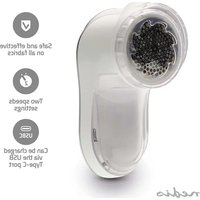
VCRLR10WT - Electric epilator NEDIS - Free user manual and instructions
Find the device manual for free VCRLR10WT NEDIS in PDF.


| Brand | Nedis |
| Model | VCRLR10WT |
| Product type | Rechargeable lint remover |
| Intended use | Remove lint from fabrics |
| Power supply | Built-in rechargeable battery, charges via USB-C port (5 V, 3 W) |
| Operating modes | 2 modes: Low and High |
| Adjustable protection | Yes, for delicate fabrics |
| LED charge indicator | Red: charging; Green: fully charged |
| Package contents | Lint remover, USB-C cable, protective cover |
| Blade material | Stainless steel (estimated) |
| Lint collector | Built-in, transparent to see the level |
| Safety | Do not use on worn clothing, do not immerse, do not expose to water |
| Maintenance | Clean with a dry cloth, do not use harsh chemicals |
| Charging temperature | 0 °C to 40 °C |
| Maximum charging time | 24 hours (do not exceed) |
Frequently Asked Questions - VCRLR10WT NEDIS
User questions about VCRLR10WT NEDIS
0 question about this device. Answer the ones you know or ask your own.
Ask a new question about this device
Download the instructions for your Electric epilator in PDF format for free! Find your manual VCRLR10WT - NEDIS and take your electronic device back in hand. On this page are published all the documents necessary for the use of your device. VCRLR10WT by NEDIS.
USER MANUAL VCRLR10WT NEDIS
Quick, Cordless, Fluff-Free
VCRLR10WT
natural_image
Line drawing of a cylindrical object with a textured interior and curved base (no text or symbols)
Quick start guide 5

Kurzanleitung 9

B
natural_image
Diagram of a toothbrush with internal cavity and external tooth, showing internal structure (no text or labels)C
natural_image
Diagram of a biological structure showing a cell nucleus with internal membrane and electron flow (no text or labels)D
natural_image
Diagram showing a double-headed arrow between two circular regions, one shaded with irregular patterns (no text or symbols)E
natural_image
Diagram showing a hand pressing down on a device inside a circular frame, with arrows indicating movement or force direction (no text or symbols)F
natural_image
Illustration of hands holding a device with directional arrows indicating movement or force (no text or symbols)G
Rechargeable Lint Remover
VCRLR10WT
For more information see the extended manual online: ned.is/vcrlr10wt
Intended use
This product is a lint remover with a built-in rechargeable battery designed to remove lint from various fabrics.
The product is intended for indoor use only.
This product is intended to be used in household and similar applications such as kitchen areas.
This product is not intended for use by persons (including children) with reduced physical, sensory, or mental capabilities or lack of experience and knowledge, unless they have been given supervision or instruction concerning the use of the product by a person responsible for their safety.
Children shall not play with the product.
The product is intended for use in household environments for typical housekeeping functions that may also be used by non-expert users for typical housekeeping functions, such as: shops, offices other similar working environments, farm houses, by clients in hotels, motels, and other residential type environments and/or in bed and breakfast type environments.
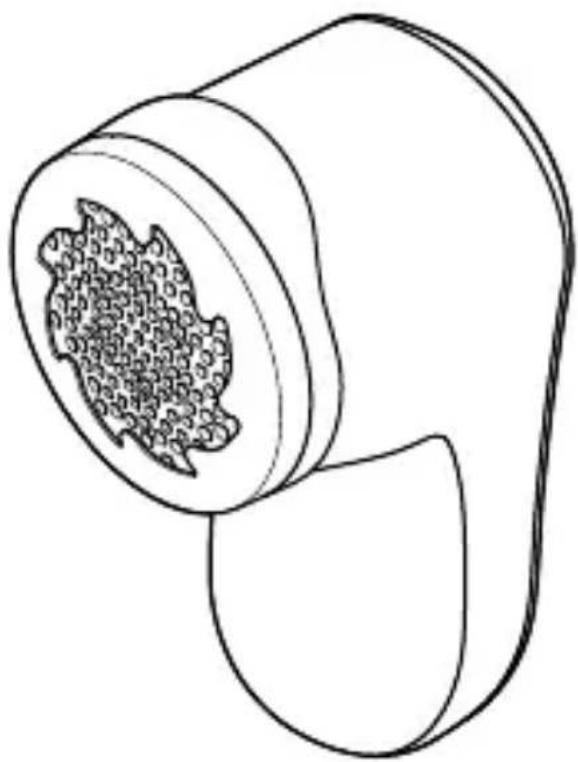
Main parts (image A)
1 Blade cover
2 Blade
3 Protective guard
4 Lint collector
5 Power setting switch
6 Indicator LED
7 USB-C charging port
8 USB charging cable
Safety instructions
WARNING
- Ensure you have fully read and understood the instructions in this document before you install or use the product. Keep the packaging and this document for future reference.
- Do not use the product if a part is damaged or defective. Replace a damaged or defective product immediately.
- Only use the product as described in this document.
- Do not use on clothes worn on the body.
- Do not use to shave hair.
- Do not open the product, there are no user serviceable parts inside.
- Do not immerse the product in water or other liquids.
- Do not expose the product to water, rain, moisture or high humidity.
- Do not expose the product to heat, cold or direct sunlight.
- Disconnect the product from the power source before cleaning.
- Do not let children play with the packaging material. Always keep the packaging material out of the reach of children.
- Do not drop the product and avoid bumping.
- Do not use aggressive chemical cleaning agents when cleaning the product.
- Only use the provided USB charging cable.
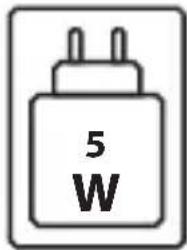
- Only use an external power source that matches the following specifications: 5V ; 3W.
- If the power cable is damaged, it must be replaced by the manufacturer, its service agent or similar qualified persons in order to avoid a hazard.
- Do not charge the product over 24 hours continually.
- Only charge the product at temperatures between 0°C - 40 °C.
- Disconnect the USB charging cable from the product when you notice a strange smell, or high temperature.
- Do not apply heavy pressure when using the product.
Charging the product
The product is delivered with a partially charged battery. For optimal battery life, fully charge the battery before using the product for the first time.
- Plug the USB-C connector of the USB charging cable into the USB-C charging port.
- Plug the other end of the USB charging cable into a 5V power source.
The indicator LED lights up red when the product is charging.
The indicator LED lights up green when the product is fully charged.
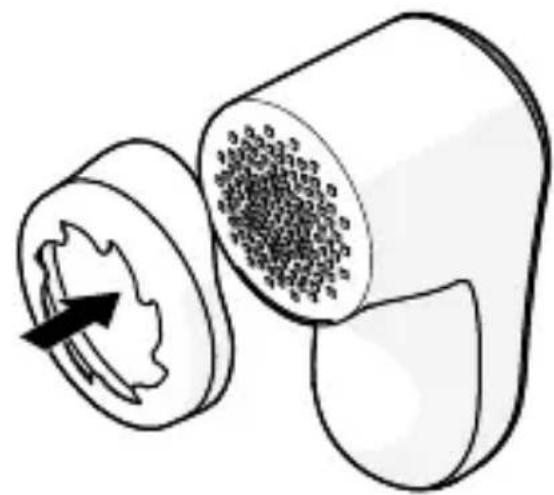
Attaching the protective guard (image B)
The protective guard can avoid damage to clothing. Use the protective guard when using the product on fragile fabric.
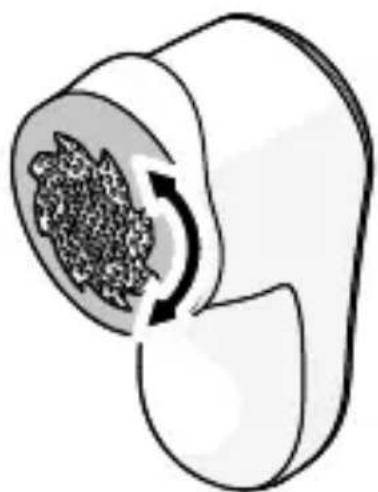
Adjusting the protective guard (image C)
The protective guard can be adjusted by rotating the guard.
Using the product
-
Lay the fabric on a flat and stable surface, such as a table.
-
Slide the power setting switch to switch on the product.
The product has two power modes; slide the power setting switch to the middle for light mode and to the top for strong mode.
- Gently move the product over the fabric.
not apply heavy pressure when using the product to avoid damaging the clothing.
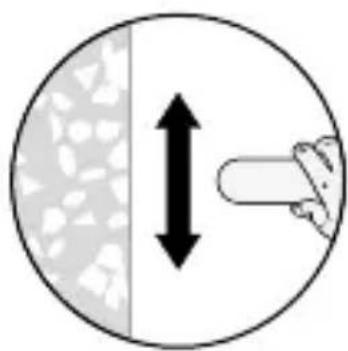
Knitted patterns (image D)
Move the product in the direction of the knitted patterns.
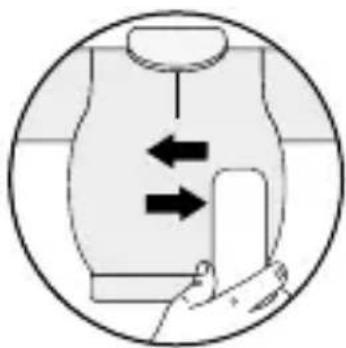
Quick trim (image E)
Move the product horizontally for a quick trim.
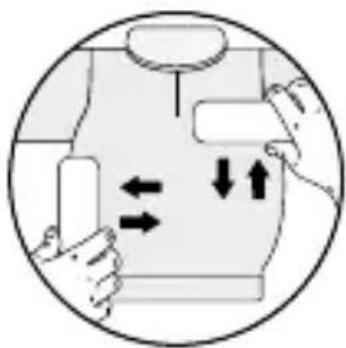
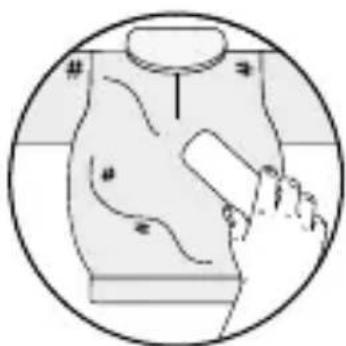
Thorough trim (image F)
Move the product vertically and horizontally for a thorough trim.
Clothes with decoration and uneven surfaces
(image G)
Avoid decorations and uneven surfaces.
Disposal
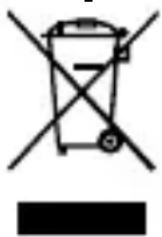
The product is designated for separate collection at an appropriate collection point. Do not dispose of the product with household waste.
For more information, contact the retailer or the local authority responsible for the waste management.
natural_image
Simple line drawing of a trash bin with crossed lines indicating no waste or discharge (no text or symbols)natural_image
Simple line drawing of a battery with a diagonal line crossing through it (no text or symbols)