Pointra - Electric care device TensCare - Free user manual and instructions
Find the device manual for free Pointra TensCare in PDF.


User questions about Pointra TensCare
0 question about this device. Answer the ones you know or ask your own.
Ask a new question about this device
Download the instructions for your Electric care device in PDF format for free! Find your manual Pointra - TensCare and take your electronic device back in hand. On this page are published all the documents necessary for the use of your device. Pointra by TensCare.
USER MANUAL Pointra TensCare
text_image
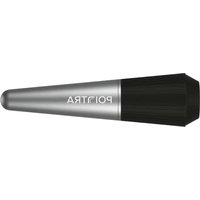
Technical diagram showing a conical device with internal channels and a circular component, labeled with parts 1, 2, and 3.- Charging Port – Access the charging port by unscrewing the silicone head.
- Multi-Function Button - Power On/Off & Mode Selection.
- Battery Indicator Light – Shows battery status and charging progress.
Technical Specification
Maximum Speed: 8000 rpm
Power Supply: 5V / 0.5A
Modes: 10 unique FVT (Focal Vibration Therapy) patterns
Operating Time: Up to 3 hours
Charging Time: Approximately 1 hour
Battery: 320mAh
Max Output: 1 W (max operating power)
Rated voltage: 3.7V
Weight: Approximately 116g
Size: 1.5cm x 3.7cm x 14cm
Turning On/Off
Press the power button to turn Pointra on — it will start in FVT mode 1.
Press the power button again to cycle through the 10 FVT modes.
To switch off, press and hold the power button for 1 second.
Pointra FVT Modes
Pointra cycles through 10 FVT modes — designed to target deep tissues, lift fascia layers and stimulate circulation.
Repeatedly press the power button to explore all modes. After the 10th mode, Pointra will return to FVT mode 1.
Warning: Do not exceed 10 minutes of continuous use per session.
①
②
③
④
⑤
⑥
⑦
⑧
⑨
⑩
Charging Your Device
Charge Pointra fully before your first use to protect battery life.
When the battery is below 20%, the indicator light will flash.
Access the charging port by unscrewing the silicone head.
Use the included charging cable to connect to a USB power adapter
The light will flash during charging and turn solid when fully charged.
Disconnect the charger after the battery is full.
text_image
Technical diagram showing a conical device with internal channels and a circular component, labeled with parts 1, 2, and 3.text_image
Technical diagram showing a conical device with internal channels and a circular component, labeled with parts 1, 2, and 3.text_image
① ② ③ ④ ⑤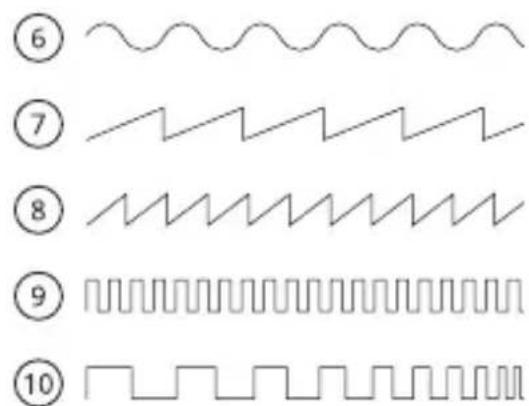
text_image
⑥ ⑦ ⑧ ⑨ ⑩text_image
Technical diagram showing a conical device with internal channels and a circular component, labeled with parts 1, 2, and 3.text_image
Technical diagram showing a conical device with internal channels and a circular component, labeled with parts 1, 2, and 3.text_image
① ② ③ ④ ⑤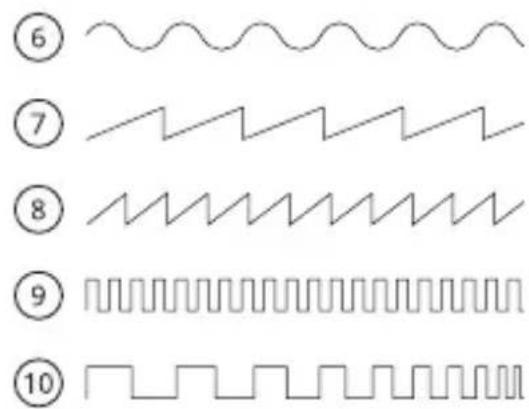
text_image
⑥ ⑦ ⑧ ⑨ ⑩Ricarica del dispositivo
SUZHOU PINOTEC CO., LTD. No.38, Jingyang Road, Wangting Town, Xiangcheng District, Suzhou, China
I-PNTRA-ML [UK,ES,FR,DE,IT] Rev 1.0 06.25