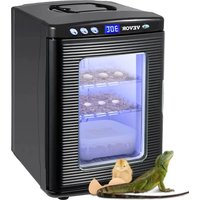
USER MANUAL XHC-25 Vevor
Technical Support and E-Warranty Certificate www.vevor.com/support
REPTILE INCUBATOR
USER MANUAL
We continue to be committed to providing you with tools at competitive prices. "Save Half", "Half Price", or any other similar expressions used by us only represent an estimate of savings you might benefit from buying certain tools with us compared to top brands and does not necessarily mean to cover all categories of tools offered. We kindly remind you to verify carefully when placing an order with us if you are actually saving half in comparison with the top major brands.
VEVOR®
TOUGH TOOLS, HALF PRICE
REPTILE INCUBATOR
XHC-25
Have product questions? Need technical support? Please feel free to contact us:
Technical Support and E-Warranty Certificate
www.vevor.com/support
This is the original instruction. Please read all manual instructions carefully before operating. VEVOR reserves a clear interpretation of the user manual. The appearance of the product shall be subject to the product you received. Please forgive us that we won't inform you of any technology or software updates on our product.
Safety precautions
WARNING:
Read these instructions before using this product. Failure to do so can result in serious injury. The basic precautions should always be followed, including the following:
- The reptile incubator may not be used or stored in hazardous areas. It is not allowed to use the appliance in hazardous locations.
- The reptile incubator must be checked to ensure that it is in proper working order and is operating safely prior to use. Otherwise, the appliance must not be used.
- The operator must use the reptile incubator properly. He must consider the local conditions and must pay attention to third parties, in particular children, when working with the reptile incubator.
- This reptile incubator is not intended for use by persons (including children) with reduced physical, sensory or mental abilities or lacking experience and/or knowledge, unless they are supervised by a person responsible for their safety or are instructed by these persons on the use of the device. Children should be supervised to ensure that they do not play with the reptile incubator.
SAVE THESE INSTRUCTIONS
Product Description
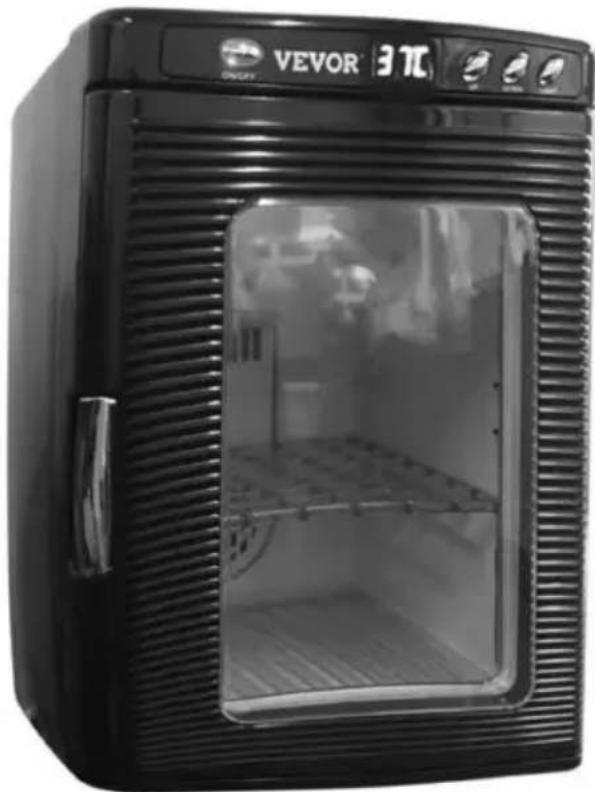
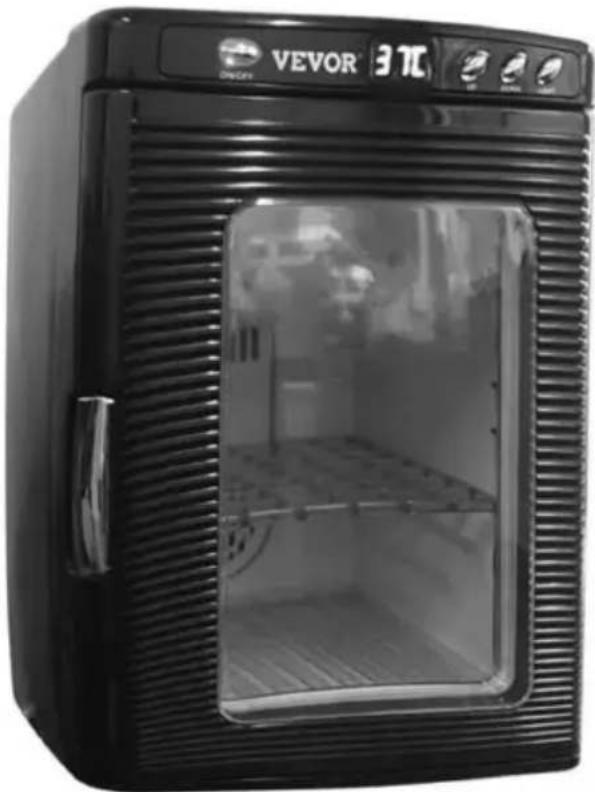
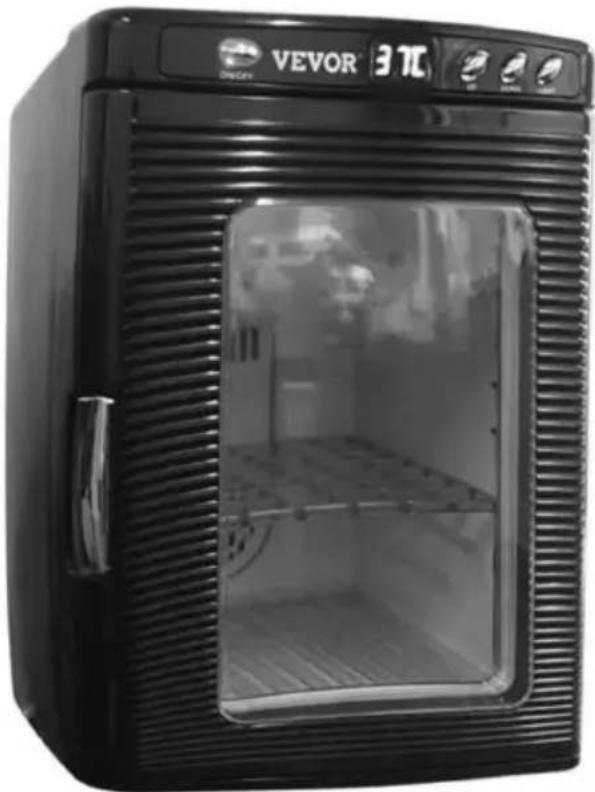
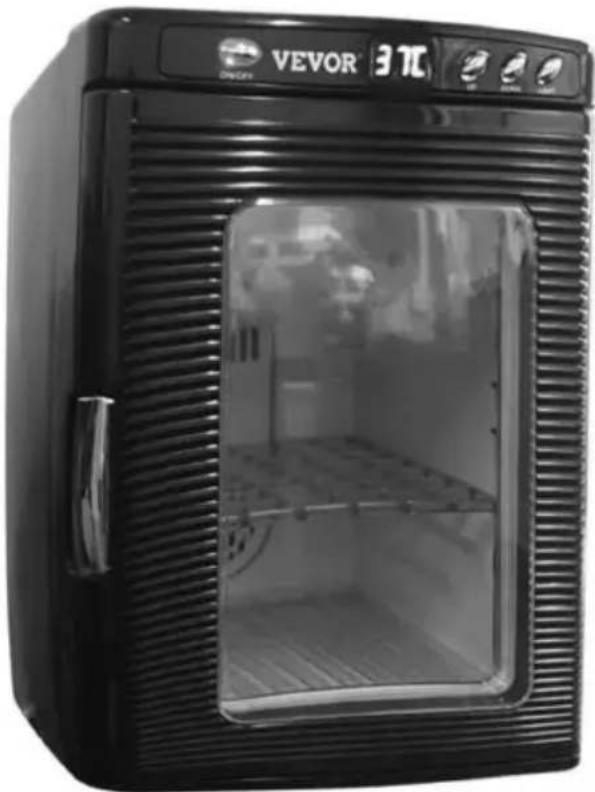
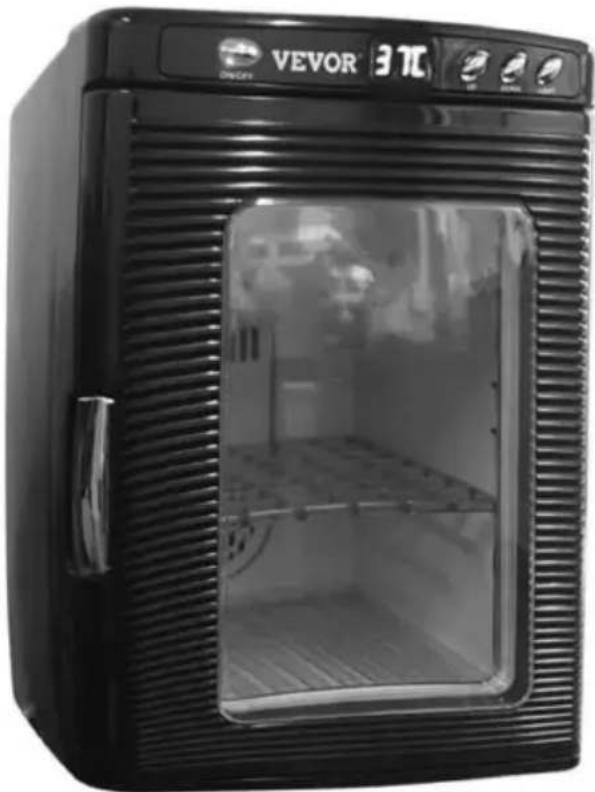
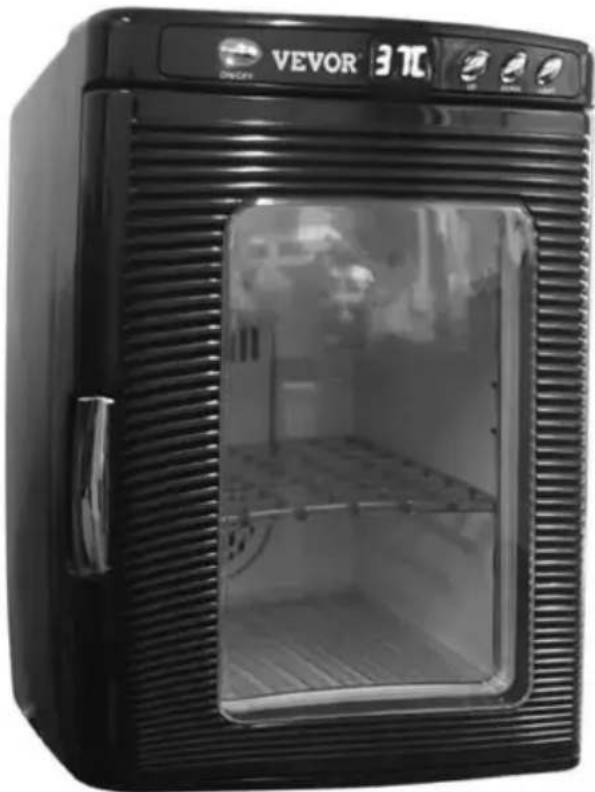
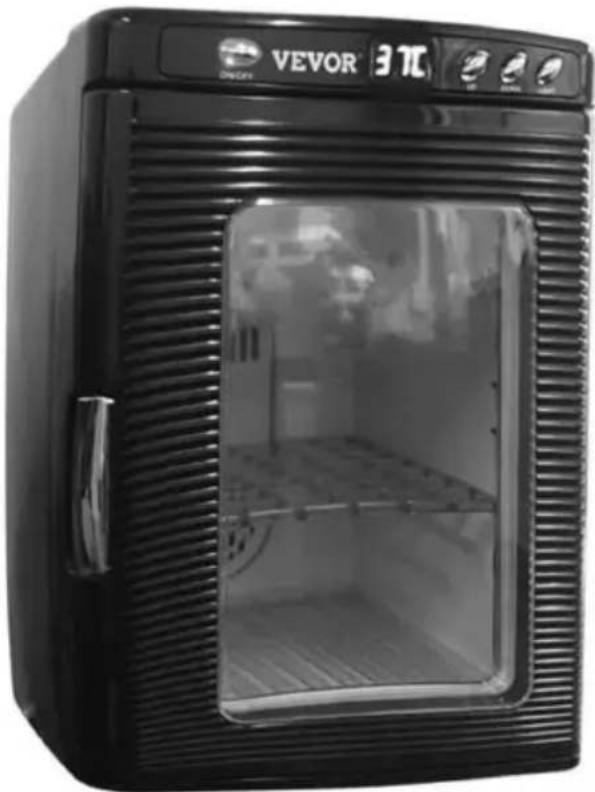
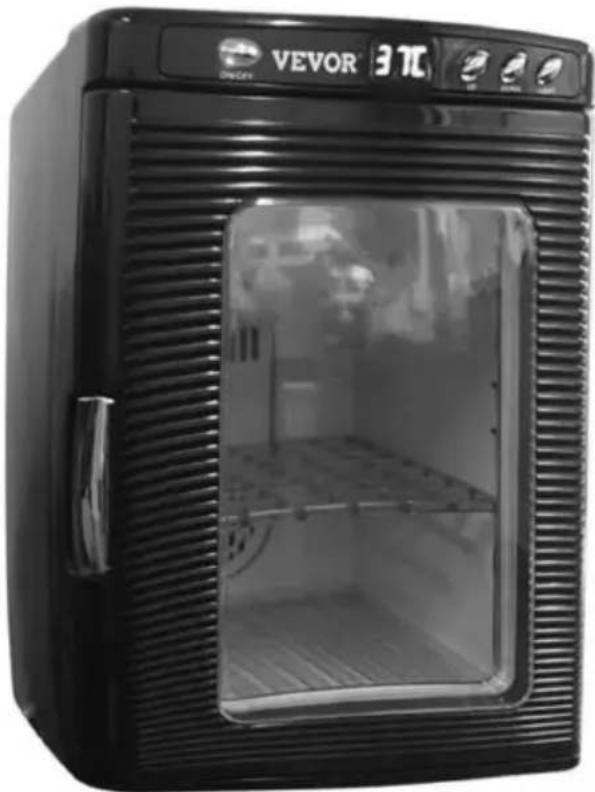
EZ Carry Handle
Digital Display
Car Adapter
Heats and Cools
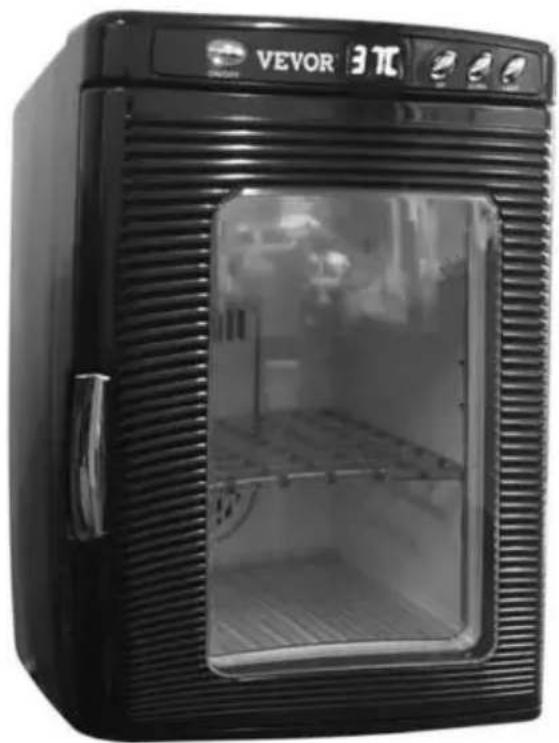
Interior LED Light
Adjustable Shelf
Clear Viewing Window
Digital Temperature Control
| Digital Temperature Control | Raise or lower the temperature from 5°C to 42°C, to provide a consistent environment for your eggs regardless of your location, climate, and season. |
| Large LED Digital Readout | Monitor the temperature status as it reaches your pre-selected setting. |
| Interior LED White | Light Switch is located on front panel and allows you to take a peek inside without disturbing your carefully maintained environment. |
| On/Off Switch | Switch is located on front panel and allows you to turn the unit on between uses. |
| Adjustable Shelfs | Shelf scan be adjusted to three different heights to allow maxim utilization of your space. |
| Slide out Tray | Add water to this tray to maintain high humidity. |
| Carry Handle/Car Adapter | For the first time, you are free to travel during hatching season this convenient carry handle and car outlet adapter. |
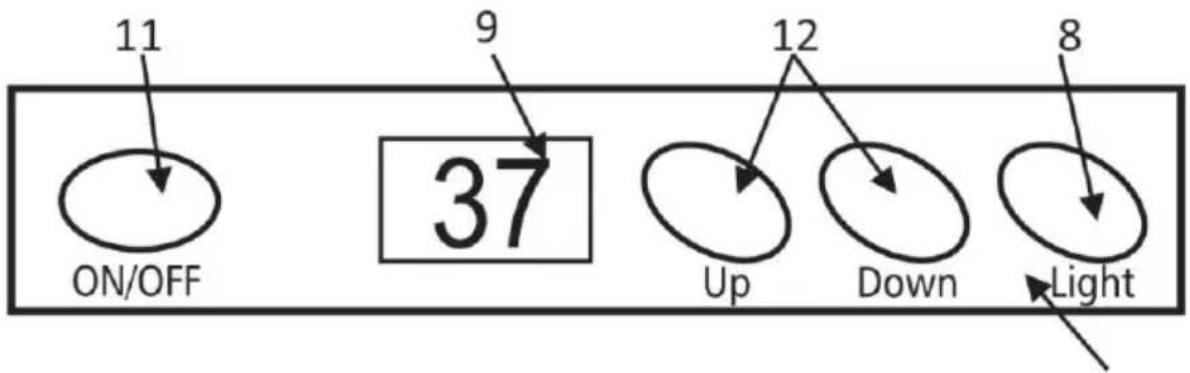
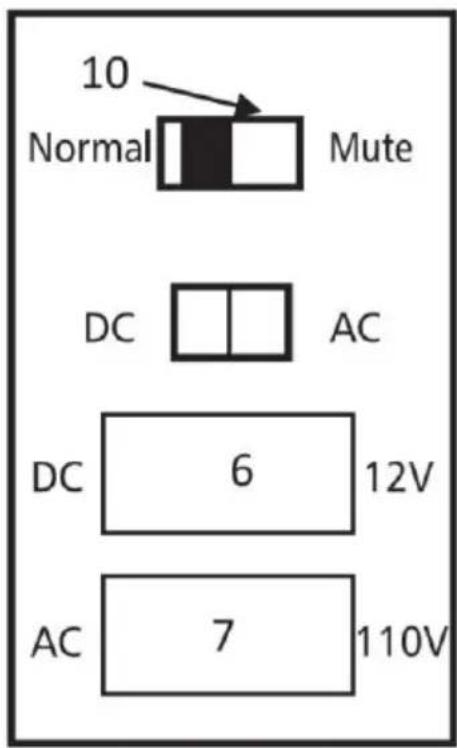
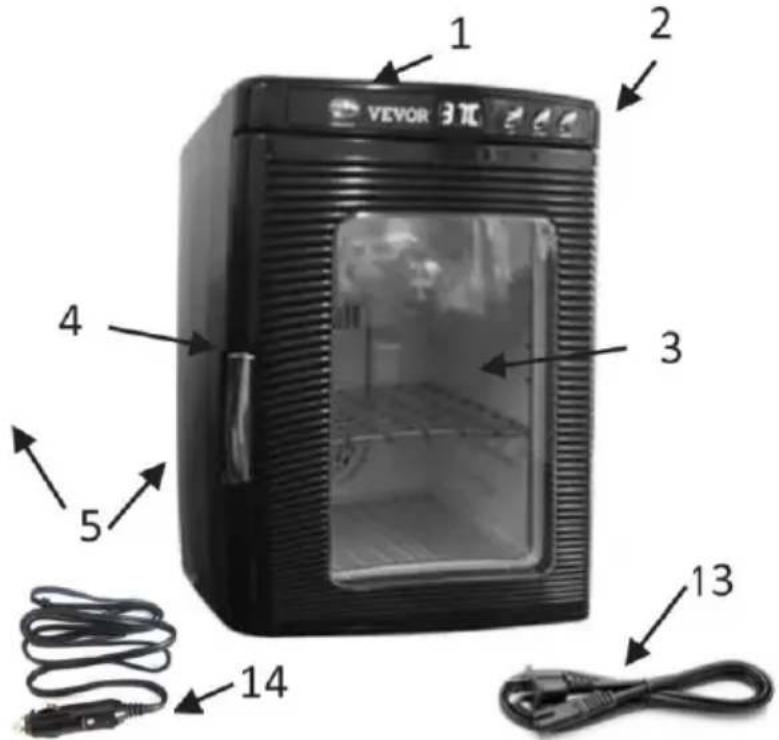
- Carry Handle 8. Interior Light Button
- Control Panel 9. LED Temp Display
- Door with Window 10. Mute/Normal Switch
- Self-Locking Handle 11. On/Off Button
- Switching Panel 12. Up/Down Temp Control
- DC Power 13. Household power cord
- AC Power 14. Car power cord
Technical Specifications
| ITEM | XHC-25 |
| Colour | White | Red | Black | Black |
| Operating Voltage | 12VDC or AC100V~110V 50Hz | 12VDC or AC220V~240V 60Hz |
| With two adapters designed for use in home or tra |
| Plug type | American standard plug | European plug |
| DC Power | Cool Mode 50W±20%, Hot Mode 40W±20% |
| Capacity | 25L |
| Operating Temperature Range | 5~42°C |
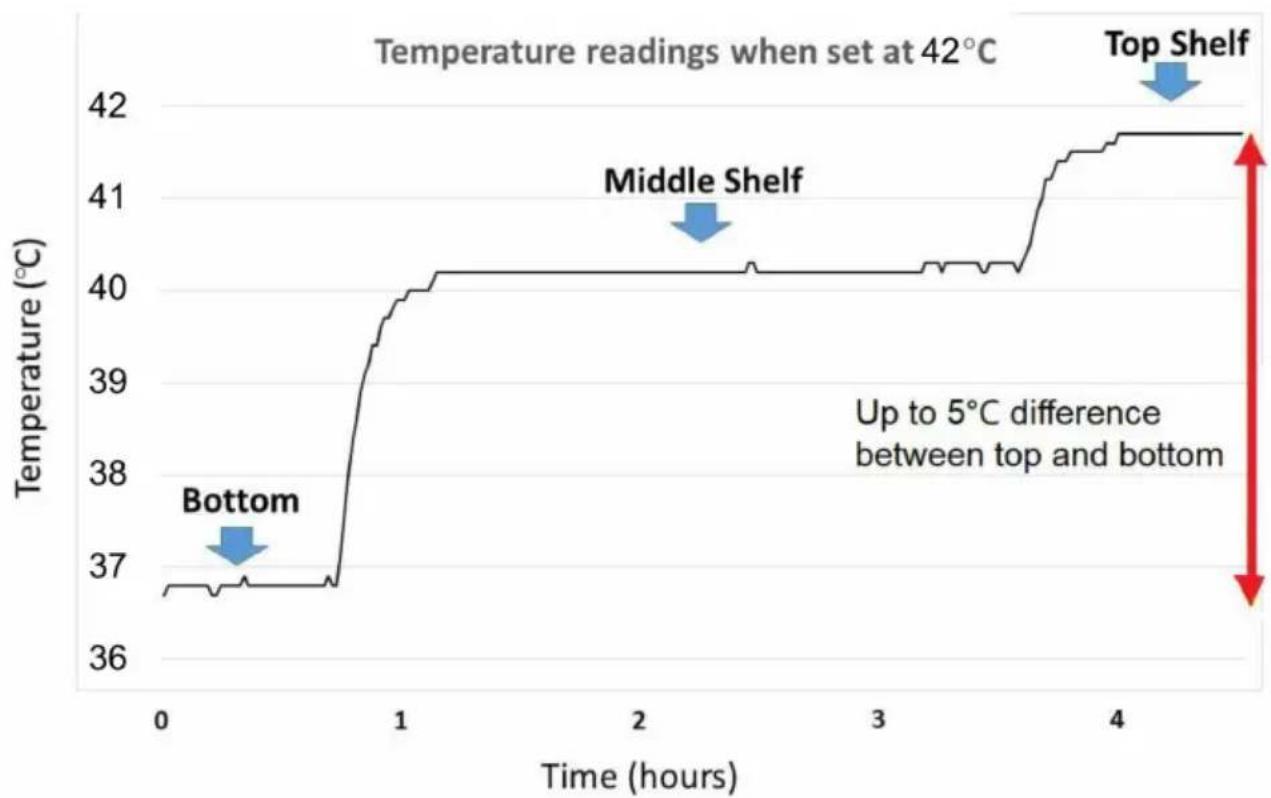
This will need to be performed BEFORE your eggs are ready for incubation!
- Fill your water tray. Use the slide out tray in the bottom of the unit to add humidity to your environment. Keep this tray filled with water throughout incubation. Since evaporation is based on the temperature at which you are incubating, you will need to check the water every day to maintain an optimal level.
- Set your temperature. Use the up/down buttons located on the front panel to adjust to your desired temp. The unit will automatically heat or based on the ambient temperature inside the unit to maintain a consistent temperature, with a variation of +/-1°. You will want to monitor this temperature over a period of 24 hours to ensure stabilization of the environment.
- Stabilize your temperature. Place small containers of water at each level within your incubator, checking the temperature of the water with a thermometer at 4 hour intervals. Make note of what the temperature was at each location. Adjust the temperature based on your readouts until you have an acceptable temperature range for your species of egg.
You are ready to Incubate!
Please research what temperatures and substrates are preferred for incubation of your specific species. A great resource for species specific information is Incubators.org!
On/Off Switch: Push the bottom to switch from off to on. Once switched, the unit will begin working and the outer LED will display the actual temperature inside the unit.
Temperature Adjustments: Use the up/down arrow keys on the front panel to adjust the temperature inside the unit.
Interior Light: Press the light switch on the front control panel to turn the interior light off or on.
Maintenance and Cleaning
- Accumulated dust will impede the airflow and affect the cooling and warming capability of the unit.
- Disconnect power before cleaning.
- Use a clean wet cloth and neutral detergents to clean. Strong chemicals may damage plastic parts.
- Do not immerse in water.
- For dirt on the ventilator, use a vacuum cleaner or soft brush to remove it, then wipe with a damp cloth.
Safety Precautions
- Keep out of reach of water or rain for proper use and to protect against electrical shock.
- Do not pull the power cord. Make sure the plug is tightly fitted into the power socket.
- Turn off the unit and disconnect from the socket when not in use.
- Do not touch the power plug if your hands are wet.
- To avoid electrical shock, do not open the rear cabinet for repair or cleaning unless done by an authorized agent.
- Place the unit on a safe, flat, stable surface when in use.
- Keep out of reach of children.
- Always use a surge protector when operating both the incubation unit and the egg turners. This will not only protect your unit from a power surge, it will also provide you with the additional outlets you will require to operate the egg turners.
Egg Turners
If you purchased 1 or 2 egg turners for your unit, there are simple instructions for set-up and use. You will want to place the shelf in the middle slots. One egg turner should be placed on top of that shelf with motor facing the left-hand side of the unit where the door handle is. If you have two turners, then the second turner should be placed in the bottom of the unit on top of the water tray, facing the same direction as top egg turner. You will still want to add water to the tray, as this is your source of humidity.
You will notice a notch near the top of the unit in the door frame. The cord from the egg turner on the top shelf should be pressed into this notch. You can use the handle of a butter knife to apply slight pressure to the cord if necessary. The same process should be repeated for the bottom turner, with the lower notch. Once your turners are set up, you will then want to place your eggs into the holes with the large end of the egg slightly high. Then, you can simply plug your egg turners in, close the door, and begin hatching eggs!
Need additional supplies?
We recommend visiting VEVOR and Incubators.org for all of your egg hatching supply needs. They carry a variety of products that are intended for use by both hobby and professional breeders, and provide excellent customer support.
- Find a suitable material for creating your new shelf from. We recommend a foam core board or corrugated plastic material. These supplies are available at a printing or craft shop. Whatever material you choose, make sure it is sturdy enough to support your eggs, and won't encourage bacterial growth or hold moisture.
- Use your supplied shelf as a template to create your new shelf by tracing the outline of it on to your selected material. You will have a little wiggle room, but try to stay as accurate as possible.
- Cut your new shelf out on the line you just traced. We suggest possibly cutting a few small holes—none close to the size of the deli cup you will be using to hold your eggs, but large enough to provide better airflow through the unit.
- You are finished! Insert your new shelf at one of the three levels, and enjoy even more space for your eggs.
Want more information?
At Incubators.org you can also find informative articles about the incubation process for your specific species of animal, as well as other types of helpful articles about incubation in general.
Display of set temperature (product in the state of heat war
1. Temperature correction function
(i.e., display temperature = reading temperature + correction temperature), the calibration temperature setting range is -5°C +5°C .
2. Correct the temperature state
Press the (+&-) key at the same time to enter the correction state; Use + - button to set the calibration temperature value;
In the calibration temperature state, no button is used to exit the calibrated state for 5 seconds.
In the calibration temperature state, press the + - button at the same time to exit the calibration state.
Product Structure Diagram
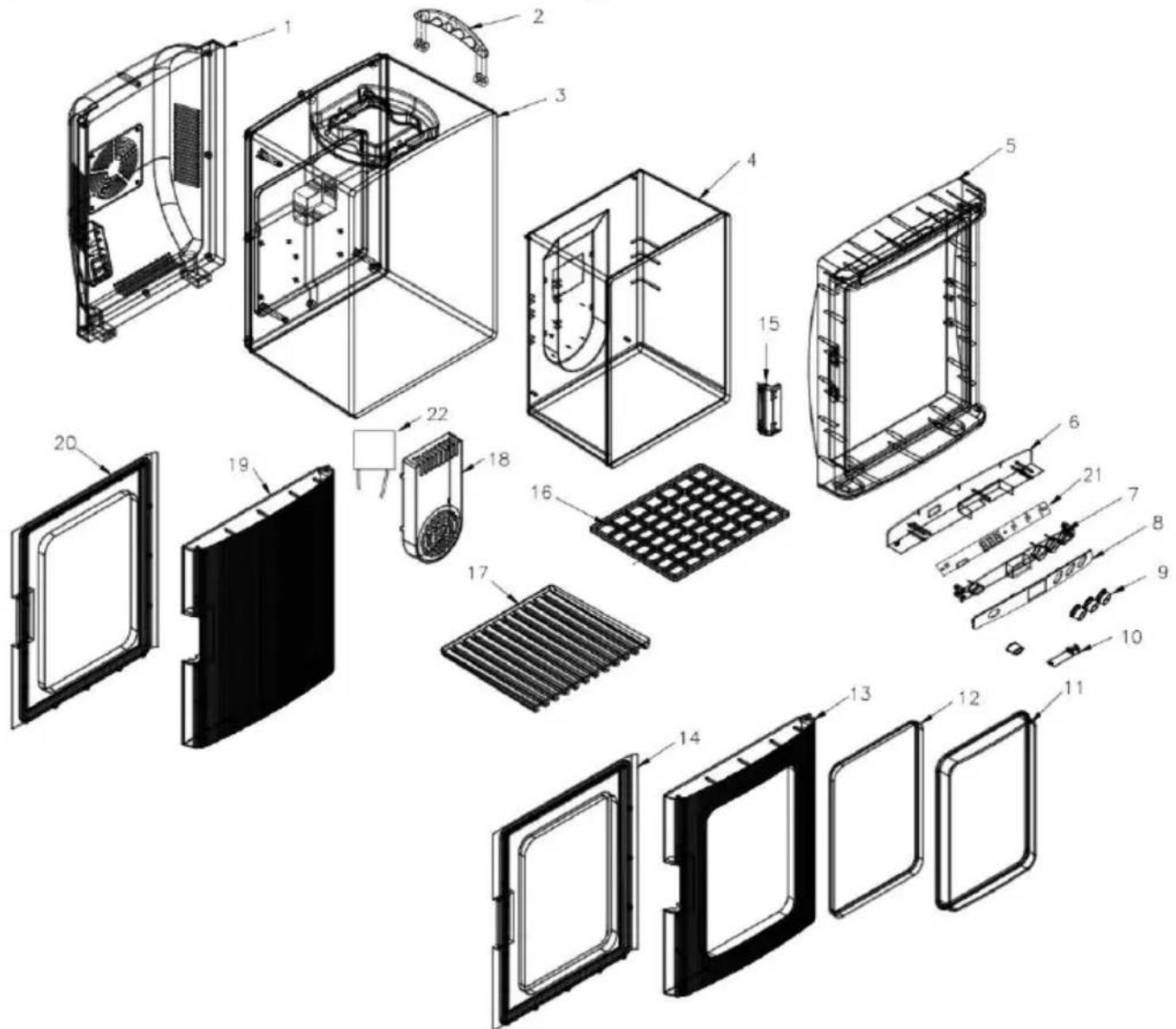
| NO. | Prat Name | NO. | Prat Name |
| 1 | Back Cover | 12 | Transparent Window Liner |
| 2 | Handle | 13 | Transparent Window Panel |
| 3 | Outer Tub | 14 | Transparent Window Liner |
| 4 | Inner Tub | 15 | Handle |
| 5 | Frame | 16 | Shelf |
| 6 | Monitor Stand | 17 | Drain Tray |
| 7 | Monitor Sover | 18 | Air Vent |
| 8 | Small Plastic Parts for The Frame | 19 | Solid Door Panel |
| 9 | Button | 20 | Solid Door Liner |
| 10 | Lamp Cover | 21 | Control Circuit Board |
| 11 | Transparent Window Cover | 22 | Refrigeration Modules |
Manufacturer: Shanghai Muxin Muye Youxiangongsi
Address: Room 1602A-1609, No. 11, Lane 803, Shuangcheng Road, Baoshan District, Shanghai 200000, CN.
Imported to AUS: SIHAO PTY LTD. 1 ROKEVA STREET, EASTWOOD NSW 2122, Australia
Imported to USA: Sanven Technology Ltd. Suite 250, 9166 Anaheim Place, Rancho Cucamonga, CA 91730
E-CrossStu GmbH
Mainzer Landstr. 69, 60329 Frankfurt am Main.
YH CONSULTING LIMITED.
C/O YH Consulting Limited, Office 147, Centurion House,
London Road, Staines-upon-Thames, Surrey, TW18 4AX
VEVOR®
TOUGH TOOLS, HALF PRICE
Technical Support and E-Warranty Certificate
www.vevor.com/support
VEVOR®
We continue to be committed to providing you with tools at competitive prices. "Save Half", "Half Price" or any other similar expressions used by us only represent an estimate of savings you might benefit from buying certain tools with us compared to top brands, and does not necessarily mean to cover all categories of tools offered by us. We kindly remind you to verify carefully when placing an order with us if you are actually saving half in comparison with the top major brands.
VEVOR®
TOUGH TOOLS, HALF PRICE
REPTILE INCUBATOR
XHC-25
Have product questions? Need technical support? Please feel free to contact us:
Technical Support and E-Warranty Certificate
www.vevor.com/support
This is the original instruction. Please read all manual instructions carefully before operating. VEVOR reserves a clear interpretation of the user manual. The appearance of the product shall be subject to the product you received. Please forgive us that we won't inform you of any technology or software updates on our product.
Interior LED Light
Adjustable Shelf
Heats and Cools
Clear Viewing Window
Digital Temperature Control
C/O YH Consulting Limited Office 147, Centurion House,
London Road, Staines-upon-Thames, Surrey, TW18 4AX
VEVOR®
TOUGH TOOLS, HALF PRICE
www.vevor.com/support
VEVOR®
We continue to be committed to providing you with tools at competitive prices. "Save Half," "Half Price," or any other similar expressions used by us only represent an estimate of savings you might benefit from buying certain tools with us compared to top brands and do not necessarily mean to cover all categories of tools offered. We kindly remind you to verify carefully when placing an order with us if you are actually saving half in comparison with the top major brands.
VEVOR®
TOUGH TOOLS, HALF PRICE
REPTILE INCUBATOR
XHC-25
Have product questions? Need technical support? Please feel free to contact us:
Technical Support and E-Warranty Certificate
www.vevor.com/support
This is the original instruction. Please read all manual instructions carefully before operating. VEVOR reserves a clear interpretation of the user manual. The appearance of the product shall be subject to the product you received. Please forgive us that we won't inform you of any technology or software updates on our product.
Interior LED Light
Adjustable Shelf
Clear Viewing Window
Digital Temperature Control
E-CrossStu GmbH
Mainzer Landstr.69, 60329 Frankfurt am Main.
YH CONSULTING LIMITED.
C/O YH Consulting Limited Office 147, Centurion House, London Road, Staines-upon-Thames, Surrey, TW18 4AX
VEVOR®
TOUGH TOOLS, HALF PRICE
We continue to be committed to provide you tools with competitive price. "Save Half,"Half Price" or any other similar expressions used by us only represent estimate of savings you might benefit from buying certain tools with us compared to top brands and does not necessarily mean to cover all categories of tools offered by are kindly reminded to verify carefully when you are placing an order with us if yo actually saving half in comparison with the top major brands.
VEVOR®
TOUGH TOOLS, HALF PRICE
REPTILE INCUBATOR
XHC-25
Have product questions? Need technical support? Please feel free to contact us:
Technical Support and E-Warranty Certificate
www.vevor.com/support
This is the original instruction. Please read all manual instructions carefully before operating. VEVOR reserves a clear interpretation of the user manual. The appearance of the product shall be subject to the product you received. Please forgive us that we won't inform you of any technology or software updates on our product.
Interior LED Light
Adjustable Shelf
Clear Viewing Window
Digital Temperature Control
C/O YH Consulting Limited Office 147, Centurion House,
London Road, Staines-upon-Thames, Surrey, TW18 4AX
VEVOR®
TOUGH TOOLS, HALF PRICE
www.vevor.com/support
VEVOR®
We continue to be committed to providing you with tools at competitive prices. "Save Half," "Half Price," or any other similar expressions used by us only represent an estimate of savings you might benefit from buying certain tools with us compared to top brands, and does not necessarily mean to cover all categories of tools offered by us. We kindly remind you to verify carefully when placing an order with us if you are actually saving half in comparison with the top major brands.
VEVOR®
TOUGH TOOLS, HALF PRICE
REPTILE INCUBATOR
XHC-25
Have product questions? Need technical support? Please feel free to contact us:
Technical Support and E-Warranty Certificate
www.vevor.com/support
This is the original instruction. Please read all manual instructions carefully before operating. VEVOR reserves a clear interpretation of the user manual. The appearance of the product shall be subject to the product you received. Please forgive us that we won't inform you of any technology or software updates on our product.
Safety Measures
WARNING:
Interior LED Light
Adjustable Shelf
Clear Viewing Window
Digital Temperature Control
Initial installation
C/O YH Consulting Limited Office 147, Centurion House,
London Road, Staines-upon-Thames, Surrey, TW18 4AX
VEVOR®
TOUGH TOOLS, HALF PRICE
www.vevor.com/support
VEVOR®
We continue to be committed to provide you tools with competitive price. "Save Half", "Half Price" or any other similar expressions used by us only represent estimate of savings you might benefit from buying certain tools with us compared to top brands and does not necessarily mean to cover all categories of tools offered by us. We kindly remind you to verify carefully when you are placing an order with us if you actually saving half in comparison with the top major brands.
VEVOR®
TOUGH TOOLS, HALF PRICE
REPTILE INCUBATOR
XHC-25
Have product questions? Need technical support? Please feel free to contact us:
Technical Support and E-Warranty Certificate
www.vevor.com/support
This is the original instruction. Please read all manual instructions carefully before operating. VEVOR reserves a clear interpretation of the user manual. The appearance of the product shall be subject to the product you received. Please forgive us that we won't inform you of any technology or software updates on our product.
Interior LED Light
Adjustable Shelf
Clear Viewing Window
Digital Temperature Control
C/O YH Consulting Limited Office 147, Centurion House,
London Road, Staines-upon-Thames, Surrey, TW18 4AX
VEVOR®
TOUGH TOOLS, HALF PRICE
We continue to be committed to providing you tools with competitive price. "Save Half," "Half Price" or any other similar expressions used by us only represent an estimate of savings you might benefit from buying certain tools with us compared to top brands and does not necessarily mean to cover all categories of tools offered. We kindly remind you to verify carefully when placing an order with us if you actually save half in comparison with the top major brands.
VEVOR®
TOUGH TOOLS, HALF PRICE
REPTILE INCUBATOR
XHC-25
Have product questions? Need technical support? Please feel free to contact us:
Technical Support and E-Warranty Certificate
www.vevor.com/support
This is the original instruction. Please read all manual instructions carefully before operating. VEVOR reserves a clear interpretation of the user manual. The appearance of the product shall be subject to the product you received. Please forgive us that we won't inform you of any technology or software updates on our product.
Interior LED Light
Adjustable Shelf
Heats and Cools
Clear Viewing Window
Digital Temperature Control
Imported in AUS: SIHAO PTY LTD. 1 ROKEVA STREET EASTWOOD NSW 2122 Australia
C/O YH Consulting Limited Office 147, Centurion House, London Road, Staines-upon-Thames, Surrey, TW18 4AX
VEVOR®
TOUGH TOOLS, HALF PRICE
We continue to be committed to providing you with tools at competitive prices. "Save Half", "Half Price" or any other similar expressions used by us only represent an estimate of savings you might benefit from buying certain tools with us compared to top brands and does not necessarily mean to cover all categories of tools offered. We kindly remind you to verify carefully when placing an order with us if you are actually saving half in comparison with the top major brands.
VEVOR®
TOUGH TOOLS, HALF PRICE
REPTILE INCUBATOR
XHC-25
Have product questions? Need technical support? Please feel free to contact us:
Technical Support and E-Warranty Certificate
www.vevor.com/support
This is the original instruction. Please read all manual instructions carefully before operating. VEVOR reserves a clear interpretation of the user manual. The appearance of the product shall be subject to the product you received. Please forgive us that we won't inform you of any technology or software updates on our product.
Precautions
WARNING:
Interior LED Light
Adjustable Shelf
Heats and Cools
Clear Viewing Window
Digital Temperature Control
STREET EASTWOOD NSW 2122 Australia
Imported to USA: Sanven Technology Ltd. Suite 250, 9166 Anahei
C/O YH Consulting Limited Office 147, Centurion House,
London Road, Staines-upon-Thames, Surrey, TW18 4AX
VEVOR®
TOUGH TOOLS, HALF PRICE
www.vevor.com/support