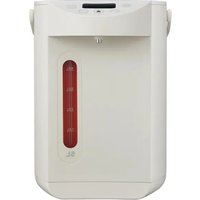
MKW50210BPW - Kettle MIDEA - Free user manual and instructions
Find the device manual for free MKW50210BPW MIDEA in PDF.


| Product type | Electric kettle |
| Brand | Midea |
| Model | MKW50210BPW |
| Capacity | 5.0 L |
| Power | 1000 W |
| Voltage | 120 V~ |
| Frequency | 60 Hz |
| Dimensions (approx.) | 30 x 20 x 30 cm |
| Weight (approx.) | 2.5 kg |
| Main material | Stainless steel and plastic |
| Functions | Boiling, keep warm, adjustable temperature (40-90 °C), dechlorination, ECO mode, child lock, altitude adaptation |
| Control type | Touch panel with LED display |
| Water dispensing | Electric pump with dispensing button |
| Safety | Child lock, automatic shut-off after 48 h, overheat protection (dry boil) |
| Cleaning and maintenance | Regular descaling recommended (vinegar or citric acid) |
| Cord length | Approximately 70 cm (short cord) |
| Polarized plug | Yes (one wider prong) |
| Use | Household only, indoor |
| Color | White |
Frequently Asked Questions - MKW50210BPW MIDEA
User questions about MKW50210BPW MIDEA
0 question about this device. Answer the ones you know or ask your own.
Ask a new question about this device
Download the instructions for your Kettle in PDF format for free! Find your manual MKW50210BPW - MIDEA and take your electronic device back in hand. On this page are published all the documents necessary for the use of your device. MKW50210BPW by MIDEA.
USER MANUAL MKW50210BPW MIDEA
THERMO POT
USER MANUAL
MKW50210BPW
Warning notices: Before using this product, please read this manual carefully and keep it for future reference. The design and specifications are subject to change without prior notice for product improvement. Consult with your dealer or manufacturer for details. The diagram above is just for reference. Please take the appearance of the actual product as the standard.
THANK YOU LETTER
Thank you for choosing Midea! Before using your new Midea product, please read this manual thoroughly to ensure that you know how to operate the features and functions that your new appliance offers in a safe way.
CONTENTS
THANK YOU LETTER 01
SAFETY INSTRUCTIONS 02
SPECIFICATIONS 05
PRODUCT OVERVIEW 06
OPERATION INSTRUCTIONS 07
CLEANING AND MAINTENANCE 11
TROUBLESHOOTING 13
TRADEMARKS, COPYRIGHTS AND LEGAL STATEMENT
DATA PROTECTION NOTICE 16
SAFETY INSTRUCTIONS
Intended Use
The following safety guidelines are intended to prevent unforeseen risks or damage from unsafe or incorrect operation of the appliance. Please check the packaging and appliance on arrival to make sure everything is intact to ensure safe operation. If you find any damage, please contact the retailer or dealer. Please note modifications or alterations to the appliance are not allowed for your safety concern. Unintended use may cause hazards and loss of warranty claims.
Explanation of Symbols

Danger
This symbol indicates that there are dangers to the life and health of persons due to extremely flammable gas.

Warning of electrical voltage
This symbol indicates that there is a danger to life and health of persons due to voltage.

Warning
The signal word indicates a hazard with a medium level of risk which, if not avoided, may result in death or serious injury.

Caution
The signal word indicates a hazard with a low degree of risk which, if not avoided, may result in minor or moderate injury.

Attention
The signal word indicates important information (e.g. damage to property), but not danger.

Observe instructions
This symbol indicates that a service technician should only operate and maintain this appliance in accordance with the operating instructions.
Read these operating instructions carefully and attentively before using/commissioning the unit and keep them in the immediate vicinity of the installation site or unit for later use!
IMPORTANT SAFEGUARDS
When using electrical appliances, basic safety precautions should always be followed including the following:
Read all instructions
- Do not operate any appliance with a damaged cord or plug or after the appliance malfunctions or has been damaged in any manner. Return appliance to the nearest authorized service facility for examination, repair, or adjustment.
- To protect against fire, electrical shock and injury to persons do not immerse cord, plugs, or other live parts in water or other liquid.
- Do not touch hot surfaces. Use handles or knobs.
- Scalding may occur if the lid is removed during the brewing cycles.
- Do not use outdoor. Household use only.
- Close supervision is necessary when any appliance is used by or near children.
- Do not use appliance for other than intended use.
- Unplug from outlet when not in use and before cleaning. Allow to cool before putting on or taking off parts, and before cleaning the appliance.
- The use of accessory attachments not recommended by the appliance manufacturer may cause injuries.
- Do not let cord hang over edge of table or counter, or touch hot surfaces.
- Do not place on or near a hot gas or electric burner, or in a heated oven.
• Always attach plug to appliance first, then plug cord into the wall outlet. To disconnect, turn any control
to “off”, then remove plug from wall outlet.
- A short power-supply cord is provided to reduce the risk resulting from becoming entangled in or tripping over a longer cord.
- This appliance has a polarized plug (one blade is wider than the other). To reduce the risk of electric shock, this plug is intended to fit into a polarized outlet only one way. If the plug does not fit fully into the outlet, reverse the plug. If it still does not fit, contact a qualified electrician. Do not attempt to modify the plug in any way.
- Longer detachable power-supply cords or extension cords are available and may be used if care is exercised in their use.
If a longer detachable power-supply cord or extension cord is used:
- The marked electrical rating of the cord set or extension cord should be at least as great as the electrical rating of the appliance.
- The cord should be arranged so that it will not drape over the countertop or tabletop where it can be pulled on by children or tripped over unintentionally; and
- If the appliance is of the grounded type, the cord set or extension cord should be a grounding-type 3-wire cord.
SAVE THESE INSTRUCTIONS
SPECIFICATIONS
| MKW50210BPWModel | |
| Voltage | 120V~ |
| Frequency | 60Hz |
| Power 1000W | |
| Capacity 5.0 L |
EN
PRODUCT OVERVIEW
Parts Name
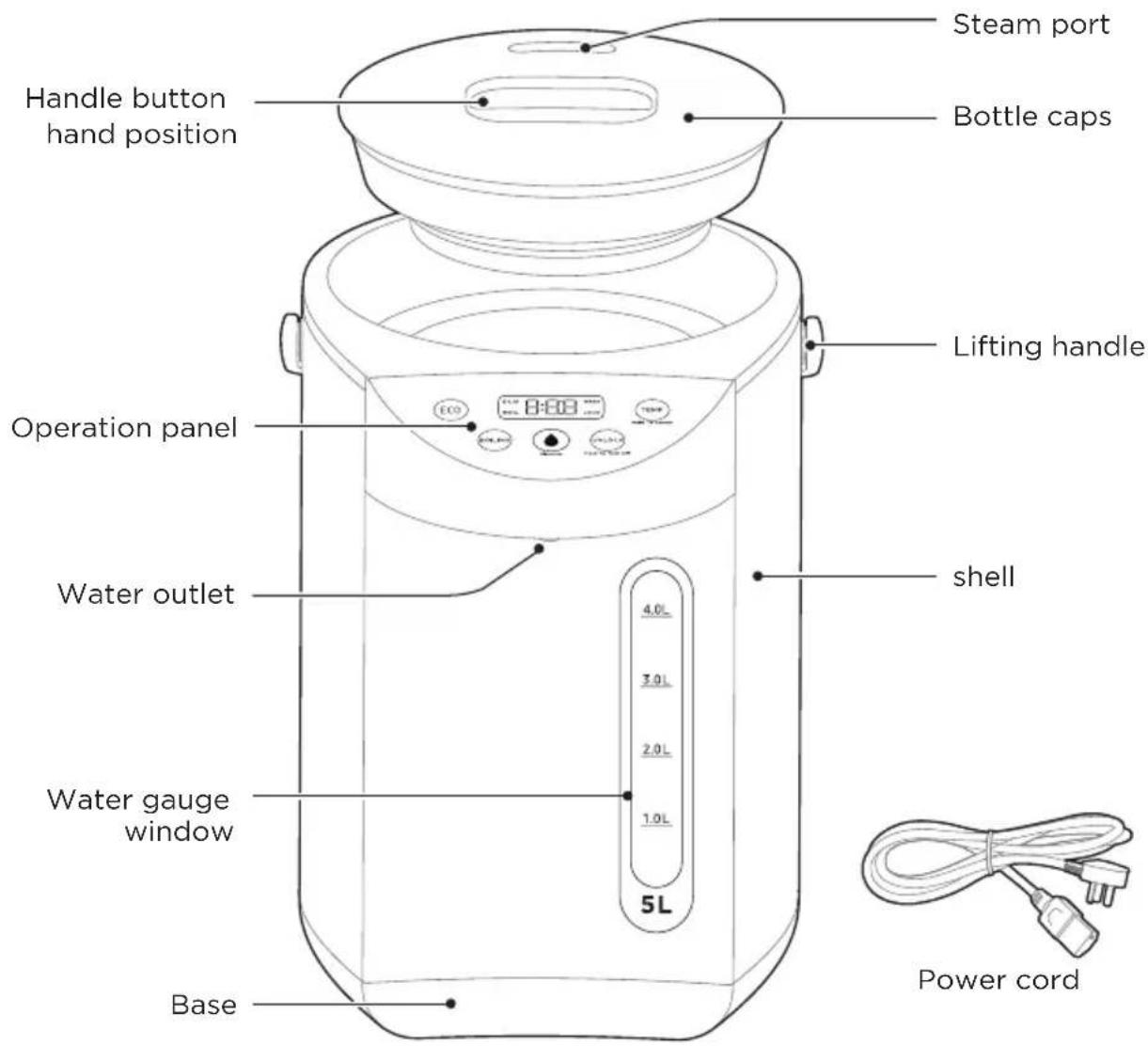
EN
NOTE
Il the pictures in this manual are for explanation purpose only. Any discrepancy between the real object and the illustration in the drawing shall be subject to the real subject. The product is subject to the actual product and configuration.
OPERATION INSTRUCTIONS

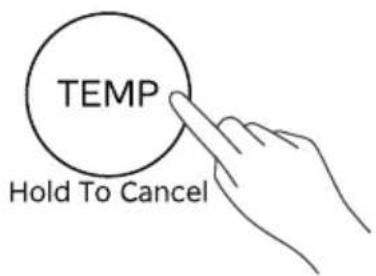
"TEMP" can only boil water to the selected insulation temperature, can not boil water!
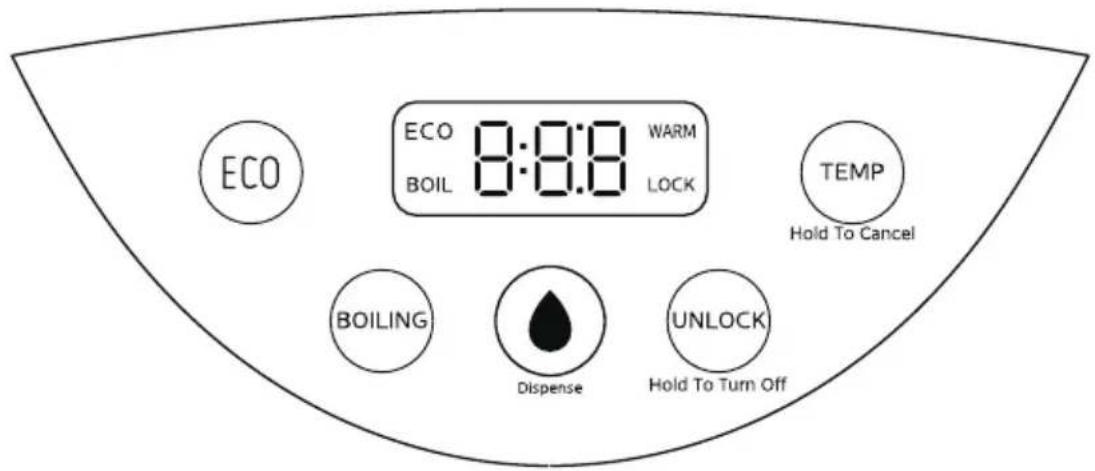
| Operation GuidelinesFunction | |
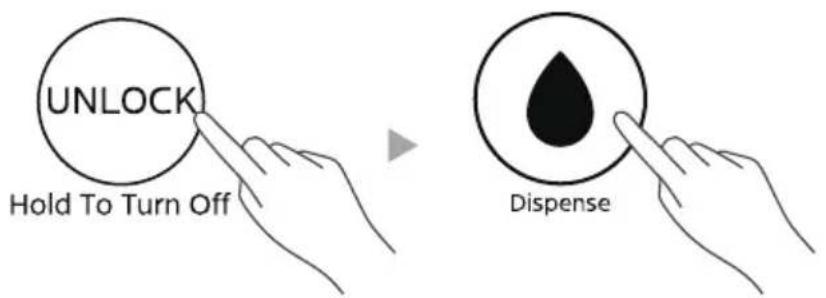
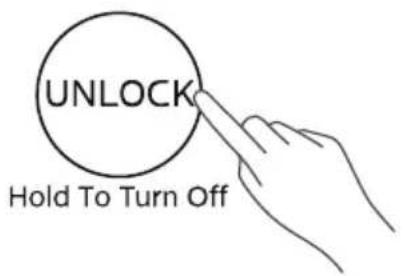
 Hold To Turn Off Hold To Turn Off | Click "UNLOCK", the child lock indicator light is off, press the "Dispense" key to water; Long press the "UNLOCK" for 3 seconds, the buzzer will beep for a long time to enter the shutdown state; In the shutdown state, click any key to enter the standby state. |
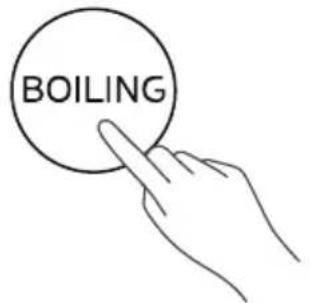
 | Boiling water dechlorination: Click "BOILING" to automatically boil water and dechlorinate. |
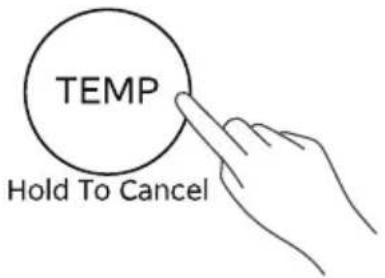
 Hold To Cancel Hold To Cancel | Click the "TEMP" key, and the number of fixed temperature segments 40-45-55-65-75-85-90°C cycle selection; Long press the "TEMP"key for 3 seconds to cancel the set temperature function. |
 | In standby state, click "UNLOCK" to unlock, and then long press the "Dispense" key to start water; During the water discharge process, release the "Dispense" key to stop the water discharge. |
 | Click "ECO" to enter the light sense energy saving mode. When the environment is bright, the product works normally; When the external environment is dark, the product stops working and enters the energy-saving mode. When the environment has light again, the product automatically restores the previous working state. |
Tips
- Before the first use or after a long time without use, water should be added to the liner capacity of 2-3L and then boiled for 1 to 2 times, in order to clean the liner, and the boiled water should not be drunk at this time!
• This product is suitable for use below 3000 meters above sea level. - Be careful not to wet the bottle when adding water.
- Heat preservation Settings can be performed while boiling water or after boiling water.
- In order to prevent the failure of the product dry burning, when the water volume of the water bottle is lower than the "add water" scale, please add water in time.
- If the power cable is removed, water cannot flow. Shutdown, standby and other states, press the "child lock", press the "water" key to water.
- Altitude adaptive program: If the boiling water does not open, flying water and other situations, the user can restore the factory Settings themselves, and re-remember the local altitude boiling point. Method: After power-up, within 30 seconds of standby, hold down the light energy saving key and the boiling water dechlorination key for 3 seconds at the same time, the display will show the running lamp and start to boil water, and return to the standby state after boiling water, and re-record the boiling point.
- During the heat preservation process, if the user does not press any key after 48 hours, the product will enter the shutdown state. Press any key to enter standby.
Boil Water And Keep Warm
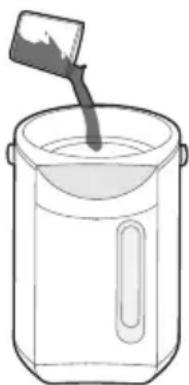
- Use the water container to fill the bottle with water between 1L and 5L, the water level does not exceed the maximum water level "MAX", close the top cover.
EN
natural_image
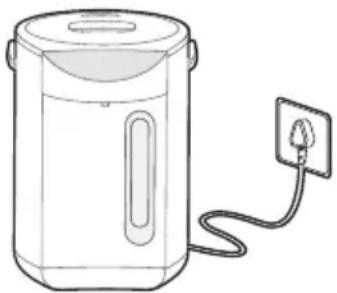
Line drawing of a cooking pot with a spatula pouring liquid (no text or symbols)- Power on, all displays are on, and the buzzer makes a long sound.
natural_image
Line drawing of a portable water heater with a plug inserted (no text or symbols)- Click the "BOILING" button. The product starts to boil water.
- Click "TEMP" to select the holding temperature, and the number of fixed temperature segments is 40-45-55-65-75-85-90°C for cycle selection.
- Click the "UNLOCK" key to unlock, and then press the "Dispense" key to water the product.
Fixed Temperature Heating

This step can only boil water to the selected fixed temperature, do not boil water, it is recommended to use direct drinking water.
- Click "TEMP" to select the fixed temperature temperature, and the number of fixed temperature segments is 40-45-55-65-75-85-90 C. After the temperature is selected, the product is heated to the selected temperature and then kept warm.
Child Lock
- After the power is powered on, the child lock indicator light is long on, and the "UNLOCK" function is activated, and the water cannot be discharged. Press the "UNLOCK" button, the child lock indicator is off, and the water function is available.
Open The Lid And Pour The Water
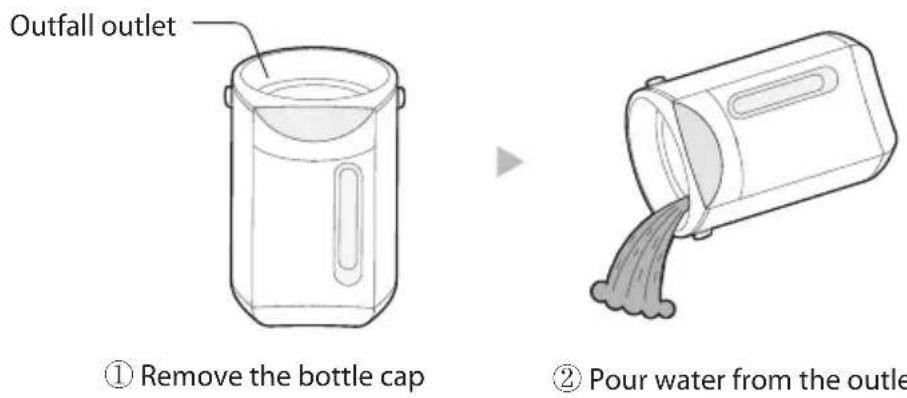
- Before pouring water, remove the bottle cap and then pour water from the pouring port.
CLEANING AND MAINTENANCE
Tips
- Before cleaning, make sure that the power plug is removed from the socket, and wait until the electric water bottle is cooled.
- In order to extend the service life of the electric water bottle, the mineral sediment (scale) in the water bottle should be cleaned regularly, and the scale removal agent (such as vinegar, citric acid) can be used to clean.
• After cleaning, there will be a small odor, you can add cold water, repeat the boiling according to the usual operation, and pour off the water several times to eliminate the odor of the detergent. - Do not wash the outside of the bottle with water, do not use steel wire balls and any chemical or abrasive powder cleaning agent to clean.
- Use a water-containing plastic sponge to wipe the inner liner, do not use detergent, grass brush, nylon brush. Do not use a dishwasher or dryer to bake, otherwise, the water bottle will be deformed and damaged.
Daily Cleaning
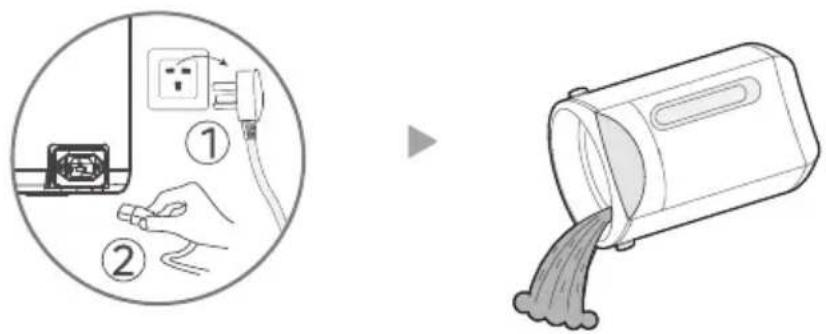
- Unplug the power plug, drain the bottle from the drain, and wipe the water with a dry towel.
EN
- Wipe the outside of the bottle with a wet towel that wrings out the water, and protect it against moisture, dust and insects for next use.
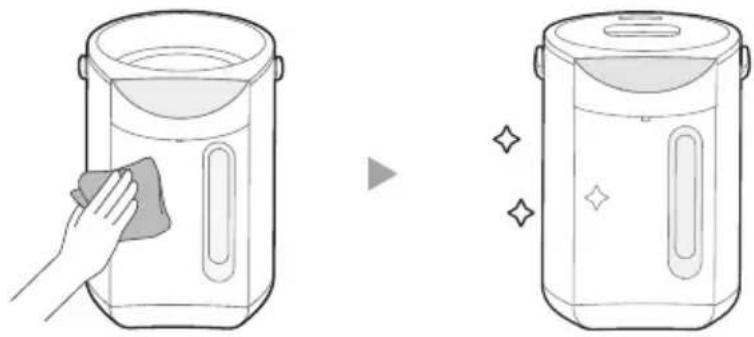
natural_image
Illustration of a hand cleaning a small container with a cloth, next to a second empty container with decorative sparkles (no text or symbols)Descaling Cleaning
- Disconnect the power supply and add detergent and water to the electric heating bottle.
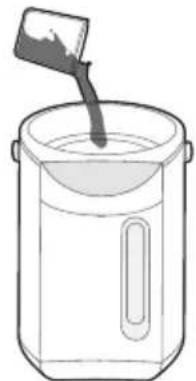
natural_image
Simple line drawing of a pot with a spoon inside, no text or symbols present- Cover the bottle, turn on the power supply, and boil the detergent solution.
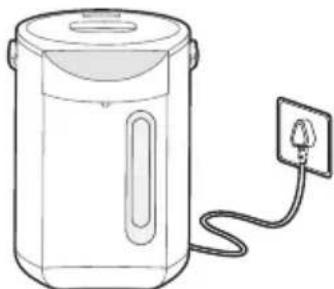
natural_image
Line drawing of a portable water heater with a power outlet connected to its side (no text or symbols)- Let it sit for a while and then pour away the detergent solution.
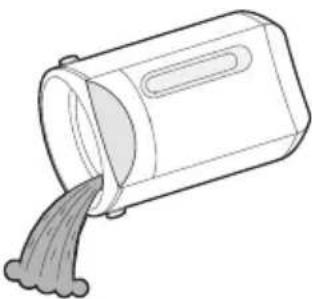
natural_image
Simple line drawing of a container pouring liquid into a container (no text or symbols)- Rinse the liner with clean water and dry with a clean soft cloth.
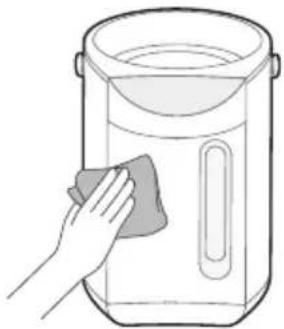
natural_image
Line drawing of a hand cleaning a container with a cloth (no text or symbols)TROUBLESHOOTING
Operation of your appliance can lead to errors and malfunctions. The following tables contain possible causes and notes for resolving an error message or malfunction. It is recommended to read the table below carefully in order to save your time and money that may cost for calling to the service center.
| Malfunction Possible Cause Solution | ||
| White or shiny suspended matter in hot water | Shed scale, mineral water (mineral water, ion water purifier treatment water) easy to produce scale, attached to the inner liner or floating in the water. | Please follow the descaling cleaning steps to remove scale. |
| Hot water smells bad | Tap water contains more chlorine for disinfection, which will produce chlorine smell. | Press the "BOILING" button. |
| The product has a small amount of plastic odor when used for the first time, and the odor will disappear after several uses. | Non-abnormal case. | |
| Lack of water flow | Filter mesh is blocked. Add the detergent to boil and clean, and then brush the mesh with a soft brush to make the mesh unobstructed. | |
| After boiling water for a period of time, the resulting bubbles enter the pump, and sometimes it is difficult to press out hot water. | First open the top cover, about 1 minute after no bubbling, then operate the water. | |
| No flow Locked state. Press the "UNLOCK" key. After the lock is released, press the "Dispense". | ||
| Hot water overflow | Add water above the full water mark. | Water reduction. |
| Machine casing heating | Due to the heat preservation at high temperature, the outside of the body can reach 60°C at high room temperature. | Non-abnormal case. |
EN
| Malfunction Possible Cause Solution | ||
| Screen display E1 | Sensor open circuit. | Power on again after power off, if still abnormal display, send to the after-sales service point for maintenance. |
| Screen display E2 | Sensor short circuit. | |
| The machine does not work properly after installed | The power cable is not plugged in or has poor contact. | Make sure the plug is properly inserted into the socket. |
| The switch on the body is not turned on. | Turn on the switch on the body. | |
| The remote does not work | The battery needs replacing. | Replace the battery. |
| The remote is being used more than 5m away from the fan. | Use the remote closer to the fan and make sure it is pointing directly at the display panel. | |
EN
TRADEMARKS, COPYRIGHTS AND LEGAL STATEMENT
Midea logo, word marks, trade name, trade dress and all versions there of are valuable assets of Midea Group and/or its affiliates (“Midea”), to which Midea owns trademarks, copyrights and other intellectual property rights, and all goodwill derived from using any part of an Midea trademark. Use of Midea trademark for commercial purposes without the prior written consent of Midea may constitute trademark infringement or unfair competition in violation of relevant laws.
This manual is created by Midea and Midea reserves all copyrights thereof. No entity or individual may use, duplicate, modify, distribute in whole or in part this manual, or bundle or sell with other products without the prior written consent of Midea.
All the described functions and instructions were up to date at the time of printing this manual. However, the actual product may vary due to improved functions and designs.
EN
DATA PROTECTION NOTICE
For the provision of the services agreed with the customer,
we agree to comply without restriction with all stipulations of applicable data protection law, in line with agreed countries within which services to the customer will be delivered, as well as, where applicable, the EU General Data Protection Regulation (GDPR).
Generally, our data processing is to fulfil our obligation under contract with you and for product safety reasons, to safeguard your rights in connection with warranty and product registration questions. In some cases, but only if appropriate data protection is ensured, personal data might be transferred to recipients located outside of the European Economic Area.
Further information are provided on request. You can contact our Data Protection Officer via MideaDPO@midea.com. To exercise your rights such as right to object your personal date being processed for direct marketing purposes, please contact us via MideaDPO@midea.com. To find further information, please follow the QR Code.
EN
LETTRE DE REMERCIEMENT
VUE D'ENSEMBLE DU PRODUIT 06
INSTRUCTIONS D'UTILISATION 07
NETTOYAGE ET ENTRETIEN 11
DÉPANNAGE 13
MARQUES, DROITS D'AUTEUR ET MENTIONS LEGALES 15
AVIS SUR LA PROTECTION DES DONNEES 16
CONSIGNES DE SÉCURITÉ
Usage prévu
VUE D'ENSEMBLE DU PRODUIT
Noms des Pièces
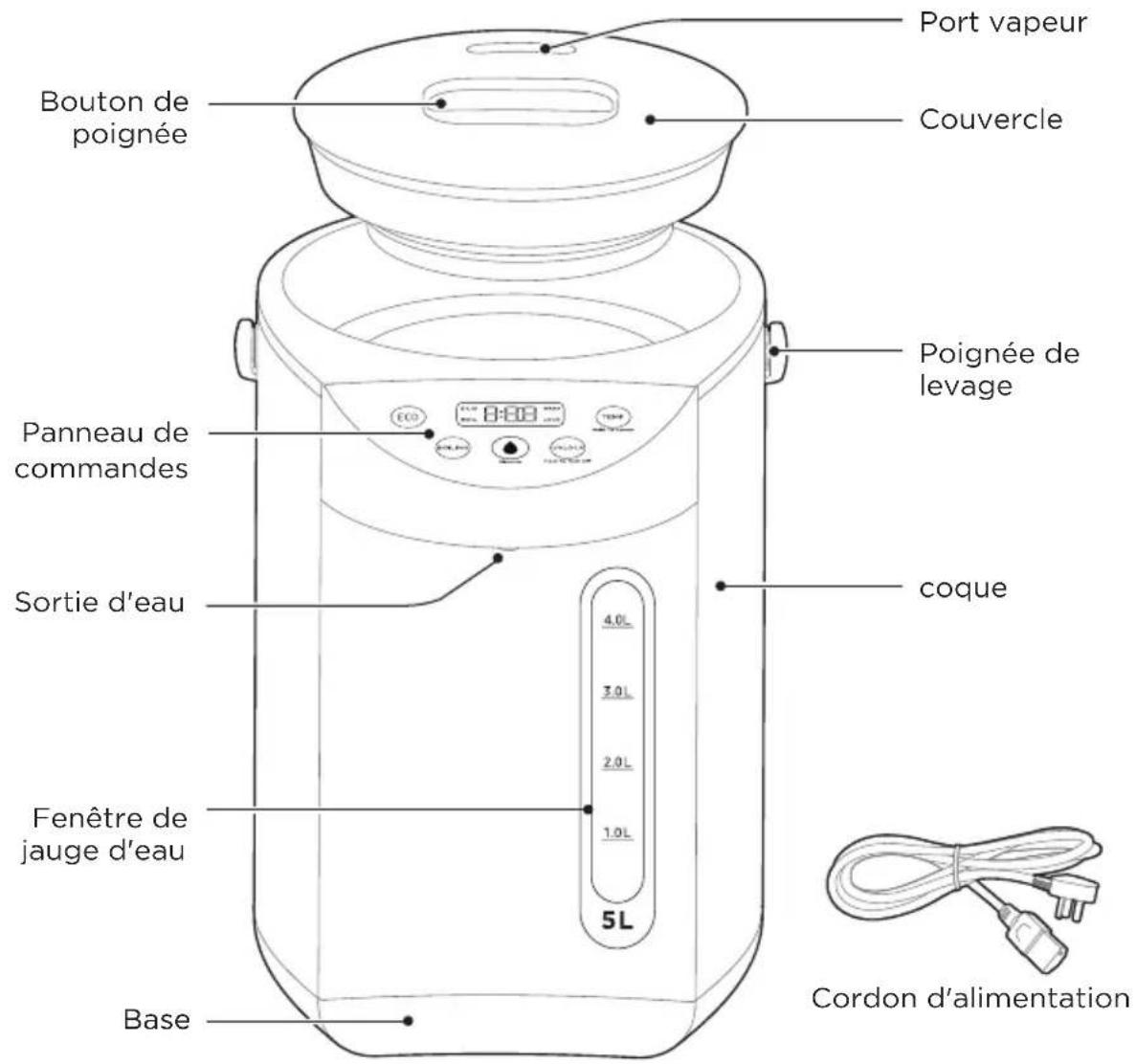
natural_image
Simple line drawing of a pot with a spoon pouring liquid into a container (no text or symbols)natural_image
Line drawing of a portable water heater with a plug inserted (no text or symbols)natural_image
Illustration of a hand cleaning a small container with a cloth, followed by a close-up of the same container (no text or symbols)natural_image
Simple line drawing of a pot with a spoon inside, no text or symbols presentnatural_image
Line drawing of a portable water heater with a power outlet connected to its side (no text or symbols)natural_image
Simple line drawing of a container pouring liquid into a cylindrical container (no text or symbols)natural_image
Line drawing of a hand cleaning a container with a cloth (no text or symbols)DÉPANNAGE
make yourself at home

- USER MANUAL
- THANK YOU LETTER
- CONTENTS
- SAFETY INSTRUCTIONS
- Intended Use
- Explanation of Symbols
- Danger
- Warning of electrical voltage
- Warning
- Caution
- Attention
- Observe instructions
- IMPORTANT SAFEGUARDS
- Read all instructions
- SAVE THESE INSTRUCTIONS
- SPECIFICATIONS
- PRODUCT OVERVIEW
- Parts Name
- NOTE
- OPERATION INSTRUCTIONS
- Tips
- Boil Water And Keep Warm
- Fixed Temperature Heating
- Child Lock
- Open The Lid And Pour The Water
- CLEANING AND MAINTENANCE
- Daily Cleaning
- Descaling Cleaning
- TROUBLESHOOTING
- TRADEMARKS, COPYRIGHTS AND LEGAL STATEMENT
- DATA PROTECTION NOTICE
- LETTRE DE REMERCIEMENT
- CONSIGNES DE SÉCURITÉ
- Usage prévu
- VUE D'ENSEMBLE DU PRODUIT
- Noms des Pièces
- DÉPANNAGE
Brand : MIDEA
Model : MKW50210BPW
Category : Kettle