
DHM-5-DT - Pallet Jack Vevor - Free user manual and instructions
Find the device manual for free DHM-5-DT Vevor in PDF.
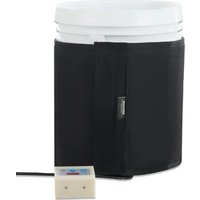


| Product Type | Drum Heater for Gas Cylinders |
| Brand | Vevor |
| Model | DHM-5-DT |
| Power Supply | 230 V / 50 Hz (EU) or 120 V / 60 Hz (US) |
| Power | 250 W |
| Suitable for | 5-gallon gas cylinders |
| Ambient temperature range | -30°C to 60°C |
| Temperature adjustment range | 0 to 63°C (0 to 145°F) |
| Main functions | Thermostat with timer, temperature adjustment, Celsius/Fahrenheit conversion, temperature difference adjustment |
| Included parts | Heating blanket, cover, power cord |
| Installation | Wrap around cylinder, tighten strap, plug into power outlet |
| Maintenance | Clean the surface, fold carefully, store in a dry and ventilated place |
| Safety | Check plug compatibility, do not overlap, avoid sharp objects |
| Warranty and support | Technical support and electronic warranty certificate at www.vevor.com/support |
Frequently Asked Questions - DHM-5-DT Vevor
User questions about DHM-5-DT Vevor
0 question about this device. Answer the ones you know or ask your own.
Ask a new question about this device
Download the instructions for your Pallet Jack in PDF format for free! Find your manual DHM-5-DT - Vevor and take your electronic device back in hand. On this page are published all the documents necessary for the use of your device. DHM-5-DT by Vevor.
USER MANUAL DHM-5-DT Vevor
Technical Support and E-Warranty Certificate www.vevor.com/support
Drum Heater
MODEL: DHM-5-DT
We continue to be committed to providing you with tools at competitive prices. "Save Half", "Half Price", or any other similar expressions used by us only represent an estimate of savings you might benefit from buying certain tools with us compared to top brands, and does not necessarily mean to cover all categories of tools offered. We kindly remind you to verify carefully when placing an order with us whether you are actually saving half in comparison with the top major brands.
MODEL: DHM-5-DT
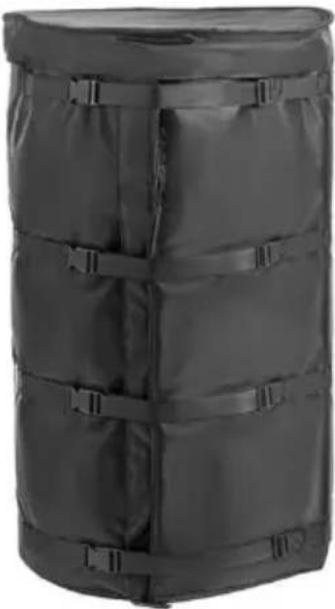
NEED HELP? CONTACT US!
Have product questions? Need technical support? Please feel free to contact us:
Technical Support and E-Warranty Certificate www.vevor.com/support
This is the original instruction. Please read all manual instructions carefully before operating. VEVOR reserves a clear interpretation of the user manual. The appearance of the product shall be subject to the product you received. Please forgive us that we won't inform you if there are any technology or software updates on our product.
Precautions for the use of heaters:
- Heater power supply and socket must be matched, and cannot be over-voltage used.
- Heaters cannot be used overlapping.
- Prevent sharp objects from scratching the heater.
| Model | Power (W) | Voltage (V) | Frequency (Hz) | Plug Type |
| DHM-5-DT | 250 | AC 230 | 50 | European Standard |
| 250 | AC 120 | 60 | American Standard |
| Suitable for gas cylinder specifications | 5 Gal |
| Use ambient temperature rang | -30°C ~ 60°C |
| Heating temperature adjustment range | 0-145°F / 0-63°C |
Part List
| Picture | Name | QTY. |
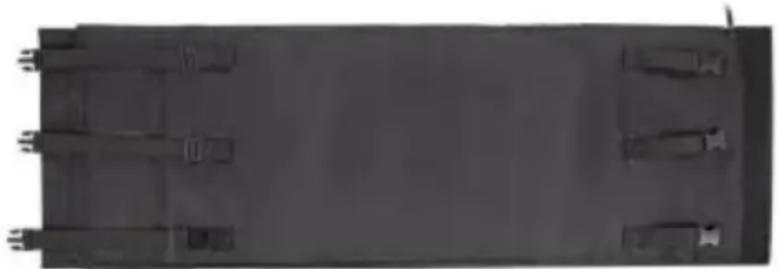 | Heated Blanket | 1 |
 | Lid | 1 |
Product Size
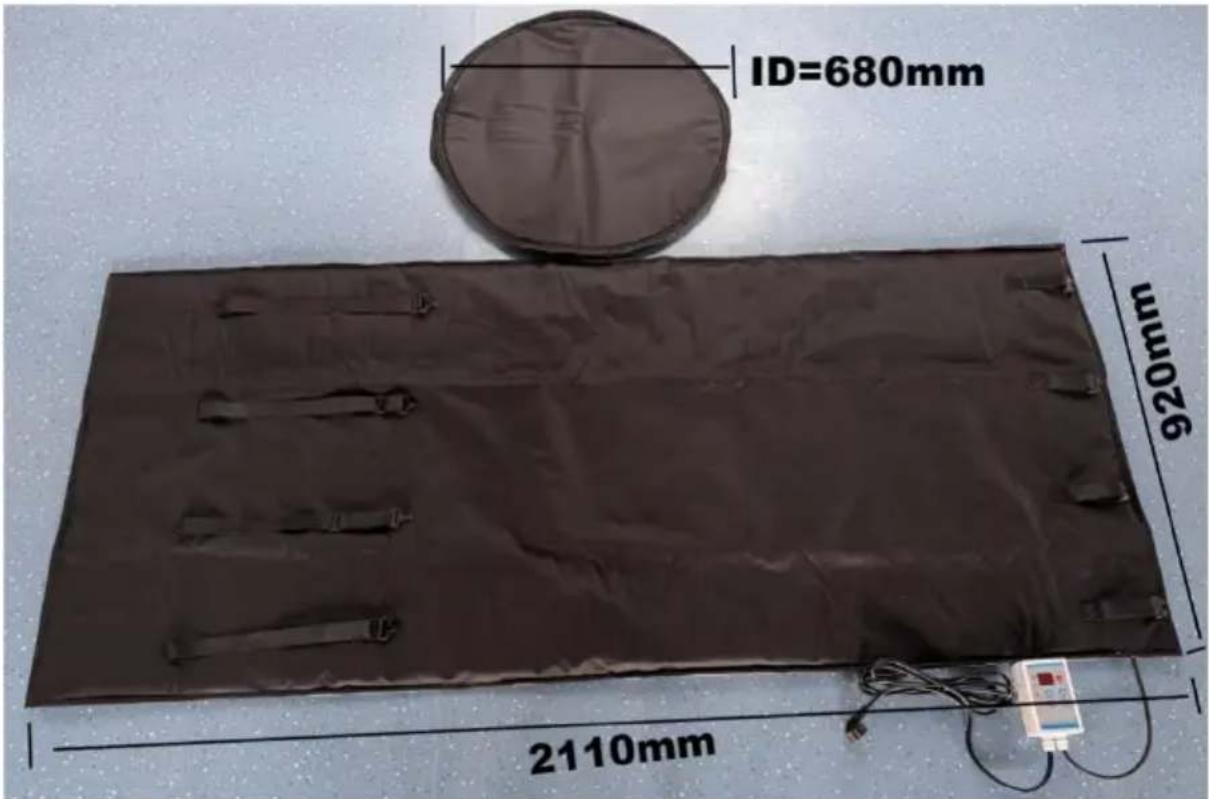
Installation Instructions
Step 1:

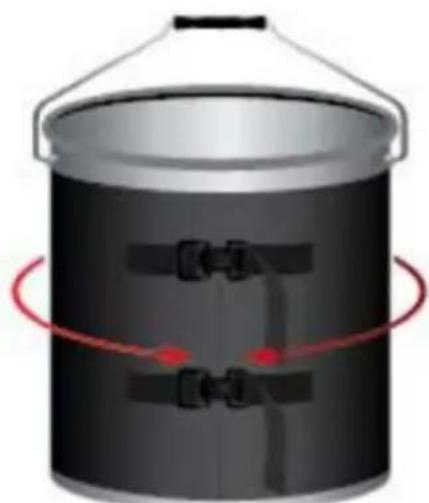
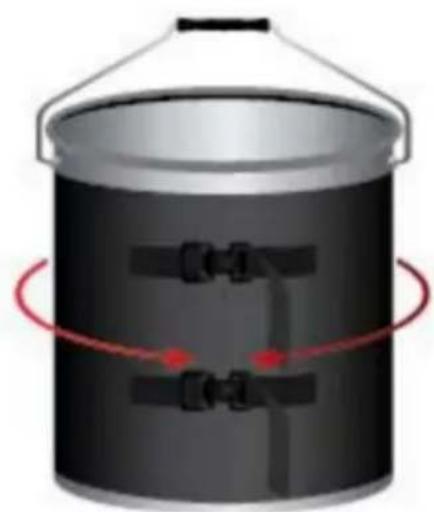
Open the package, check the plug of the heater, and ensure the voltage matches the current power outlet. After inspection, wrap the heater around the gas cylinder and tighten the upper sealing rope of the heater. Insert the strap through the buckle and pull the strap until the blanket is
snug against the bucket.
Step 2:
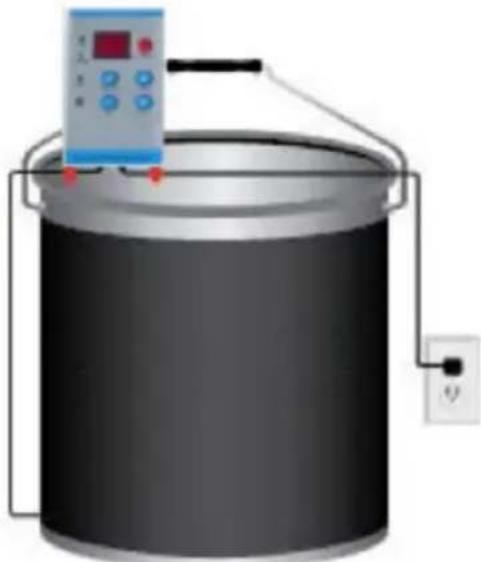
If using with a controller, plug the blanket into the controller and plug the controller into the power source.
Step 3:
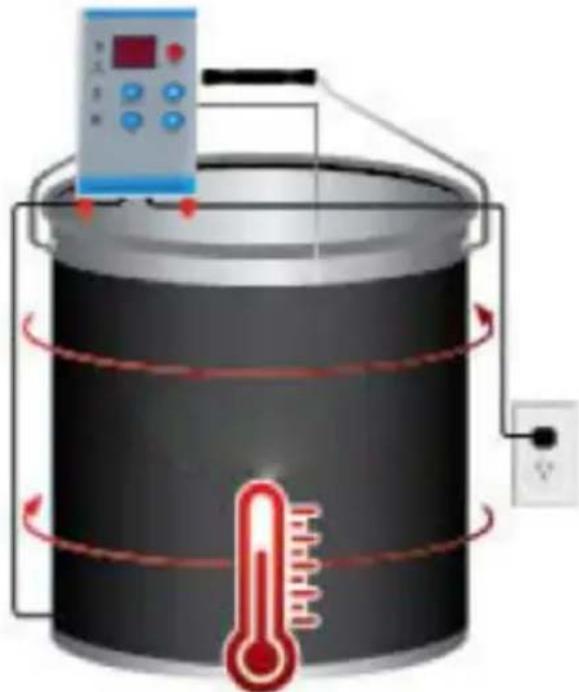
Insert the controller probe between the blanket and the bucket. Set the controller to the desired temperature range.
NOTE: When the heater is not in use, clean up surface dirt and place it neatly in a dry, ventilated area.
Thermostat Instructions For Use
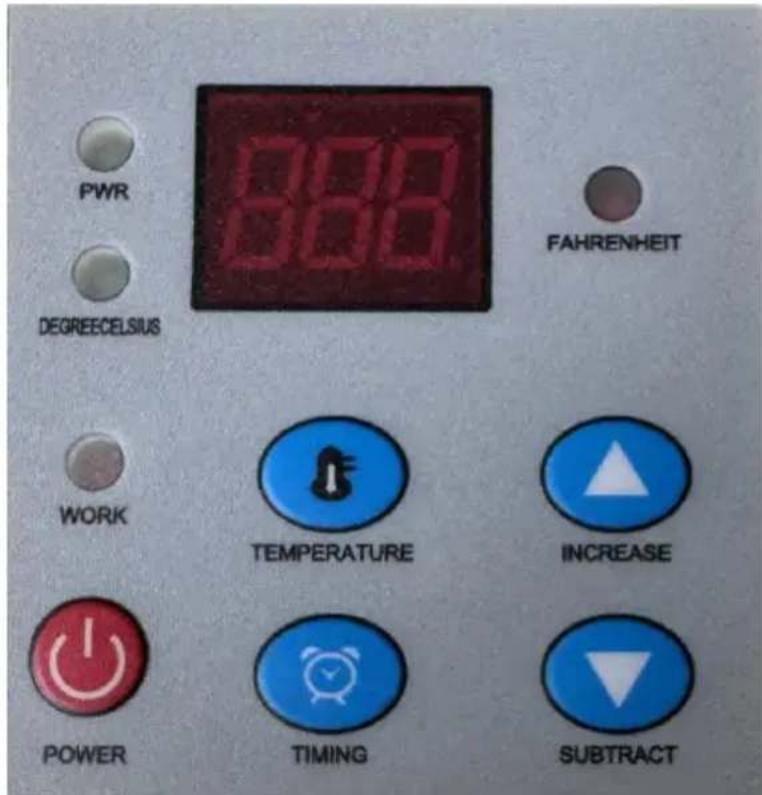
Temperature Setting:
In the power-on state, you can directly press the "up and down" arrows to select the temperature you want to set, and press the temperature symbol to confirm.
Timer shutdown:
Step 1: Press the "timing button" when the power is on;
Step 2: Press the "up and down" two arrows to select the heating time
Step 3: Press the "timing button" again to confirm.
Temperature difference setting:
Step 1: Press and hold the "temperature button" for about 10 seconds under the power-on condition;
Step 2: Select the temperature difference range you need, the temperature
difference setting range is 1-10 degrees;
Step 3: Press the "temperature button" to confirm after setting.
"Celsius" and "Fahrenheit" conversion:
Step 1: Check the thermostat and keep it off;
Step 2: Press and hold the power on button for about 5 seconds, the left EXCHANGE indicator will light up. If the EXCHANGE indicator is red, the temperature unit is Celsius; if the EXCHANGE indicator is green, the temperature unit is Fahrenheit.
| Q & A | ||
| Question | Picture | Answer |
| When the thermostat shows this icon. |  | Check or replace t sensor. |
NEED HELP? CONTACT US!
www.vevor.com/support
Trommelhörer
MODEL: DHM-5-DT
NEED HELP? CONTACT US!
www.vevor.com/support
VEVOR®
TOUGH TOOLS, HALF PRICE
NEED HELP? CONTACT US!
electronics www.vevor.com/support
VEVOR®
TOUGH TOOLS, HALF PRICE
NEED HELP? CONTACT US!
www.vevor.com/support
VEVOR®
TOUGH TOOLS, HALF PRICE
Technical support and e-warranty certificate www.vevor.com/support
Drum hoist
MODEL: DHM-5-DT
NEED HELP? CONTACT US!
Warranty certificate www.vevor.com/support
VEVOR®
TOUGH TOOLS, HALF PRICE
www.vevor.com/support
Drum hoist
MODEL: DHM-5-DT
NEED HELP? CONTACT US!
Installation instructions
Step 1: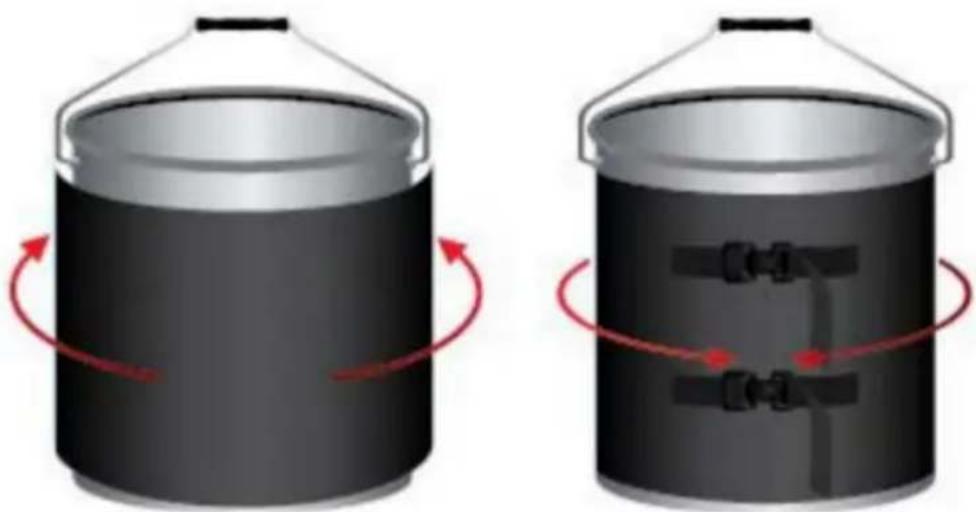
www.vevor.com/support
- DRUM HEATER
- MODEL: DHM-5-DT
- NEED HELP? CONTACT US
- PRECAUTIONS FOR THE USE OF HEATERS
- PART LIST
- PRODUCT SIZE
- INSTALLATION INSTRUCTIONS
- STEP
- THERMOSTAT INSTRUCTIONS FOR USE
- TEMPERATURE SETTING
- TIMER SHUTDOWN
- TEMPERATURE DIFFERENCE SETTING
- CELSIUS" AND "FAHRENHEIT" CONVERSION
- TROMMELHÖRER
- VEVOR®
- TOUGH TOOLS, HALF PRICE
- DRUM HOIST
Brand : Vevor
Model : DHM-5-DT
Category : Pallet Jack