
SF-884 - Scale Vevor - Free user manual and instructions
Find the device manual for free SF-884 Vevor in PDF.
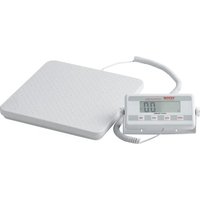


| Product Type | Electronic Medical Scale |
| Brand | Vevor |
| Model | SF-884 |
| Maximum Capacity | 250 kg (550 lb) |
| Accuracy | 50 g or 100 g depending on model |
| Weighing Units | Kilograms (kg) and pounds (lb) |
| Platform Dimensions | 12.9 x 12.5 inches (approx. 32.8 x 31.8 cm) |
| Power Supply | 4 AA batteries (1.5 V) or AC adapter |
| Main Functions | On/Off, unit change, hold (HOLD), tare, calibration |
| Auto Power Off | On battery: after 1, 3, or 5 minutes of inactivity (adjustable); on AC: no auto power off |
| Overload Indication | Displays "OL" |
| Low Battery Indication | Displays "IL" |
| Operating Temperature | 5 to 35°C |
| Platform Material | Non-slip platform (steel or plastic, not specified) |
| Maintenance and Cleaning | Wipe with a damp cloth; do not immerse in water; avoid magnetic fields and shocks |
| Safety | Use on a flat, stable surface; do not exceed maximum capacity; keep out of reach of children (small parts) |
| Certifications | CE, FCC (Part 15, Class B) |
| Included Accessories | Batteries (not specified), user manual |
| Compatibility | Medical use, clinics, gyms, schools, home use |
Frequently Asked Questions - SF-884 Vevor
User questions about SF-884 Vevor
0 question about this device. Answer the ones you know or ask your own.
Ask a new question about this device
Download the instructions for your Scale in PDF format for free! Find your manual SF-884 - Vevor and take your electronic device back in hand. On this page are published all the documents necessary for the use of your device. SF-884 by Vevor.
USER MANUAL SF-884 Vevor
Technical Support and E-Warranty Certificate www.vevor.com/support
PHYSICIAN SCALE
Model: SF-891 / SF-884
We continue to be committed to provide you tools with competitive price. "Save Half", "Half Price" or any other similar expressions used by us only represent estimate of savings you might benefit from buying certain tools with us compare major top brands and does not necessarily mean to cover all categories of tools us. You are kindly reminded to verify carefully when you are placing an order v are actually saving half in comparison with the top major brands.
Model: SF-891, SF-884
NEED HELP? CONTACT US!
Have product questions? Need technical support? Please feel free to contact us:
Technical Support and E-Warranty Certificate www.vevor.com/support
This is the original instruction, please read all manual instructions before operating. VEVOR reserves a clear interpretation of our user. The appearance of the product shall be subject to the product you. Please forgive us that we won't inform you again if there are any or software updates on our product.
 | Warning-To reduce the risk of injury, user must read instruct manual carefully. |
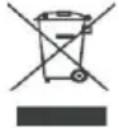 | CORRECT DISPOSALThis product is subject to the provision of european Directive 2012/19/EU. The symbol showing a wheelie bin crossed through indicates that the product requires separate refuse collection European Union. This applies to the product and all access marked with this symbol. Products marked as such may not discarded with normal domestic waste, but must be taken to acollection point for recycling electrical and electronic devices. |
 | Indoor Use Only |
 | Compliance is a EC security certification. |
 | FCC Information:CAUTION: Changes or modifications not expressly approved by party responsible for compliance could void the user's author operate the equipment!This device complies with Part 15 of the FCC Rules. Opera subject to the following two conditions:1) This product may cause harmful interference.2) This product must accept any interference received, including interference that may cause undesired operation.WARNING: Changes or modifications to this product not exp approved by the party.responsible for compliance could void user's authority to operate the product.Note: This product has been tested and found to comply with limits for a Class B digital device pursuant to Part 15 of the Rules, These limits are designed to provide reasonable prote against harmful interference in a residential installation.This product generates, uses and can radiate radio frequency energy, and if not installed and used in accordance with the instructions, may cause harmful interference to radiocommunications. However, there is no guarantee that interfere will not occur in a particular installation. If this product does harmful interference to radio or television reception,which can determined by turning the product off and on, the user is encouraged to try to correct the interference by one or more following measures.Reorient or relocate the receiving antenna.Increase the distance between the product and receiver.Connect the product to an outlet on a circuit different from which the receiver is connected.Consult the dealer or an experienced radio/TV technician for assistance. |
Thank you for using this product. Please read all of the instructions before using it. The information will help you achieve the best possible result.
WARNING:
Please read this manual carefully before using the product. Failure to do so may result in serious injury.
ELECTRIC SAFETY!
- Before using, check that the voltage power corresponds to the one shown on the appliance nameplate. Ensure that the voltage set on the machine corresponds to the electricity supply in your country.
- Do not operate any appliance with a damaged cord or plug or after it malfunctions or has been damaged in any manner. Return the appliance to the nearest authorized service facility for examination, repair, or adjustment.
- If the supply cord is damaged, it must be replaced by a special cord or assembly available from the manufacturer or its service agent.
- Do not let the cord hang over the edge of a table or counter or touch surface.
- Do not use appliances for other than intended use.
- To protect against fire, electric shock, or personal injury, do not immerse electric plugs, or appliances in water or other liquids.
- The use of accessories, which the appliance manufacturer does not recommend, may result in fire, electric shock, or personal injury.
- Do not use an extension cord with this product.
- The power cord should lie flat on a table or counter surface and may not over the edge. Please keep it away from hot surfaces and water.
- WARNING: This product contains small parts. If swallowed, it will pose a choking hazard. Keep these small parts away from children when assembling!
ATTENTION!

WARNING! Remove all packaging materials and keep them for future use. Packaging materials are not a toy.
WARNING! Don't let children play with the packaging materials.
they swallow the packaging materials, they will suffocate!
SAVE THESE INSTRUCTIONS
Thank you for selecting this digital scale, which provides clear and easily readable weight measurements. With its anti-slip platform, it ensures stability and safety, making it suitable for individuals with reduced mobility or those who may require additional support. This scale is ideal for a variety of settings including medical facilities, health clinics, gyms, weight management programs, schools, and for personal use at home.
1. Technical Specifications
| Capacity × Graduation | 100kg*50g、100kg*100g、200kg*50g、200kg*100g、250kg*50g、250kg*100g |
| Weighing units | Kg,lb |
| Weighing pan size | 12.9" x 12.5" |
| Overload indication | [O_Ld] |
| Low voltage indication | [LO] |
| Operating temperature | 5°C-35°C |
| Power Supplier | 4 x AA(1.5V) batteries or AC adap |
2. Introduction of Buttons
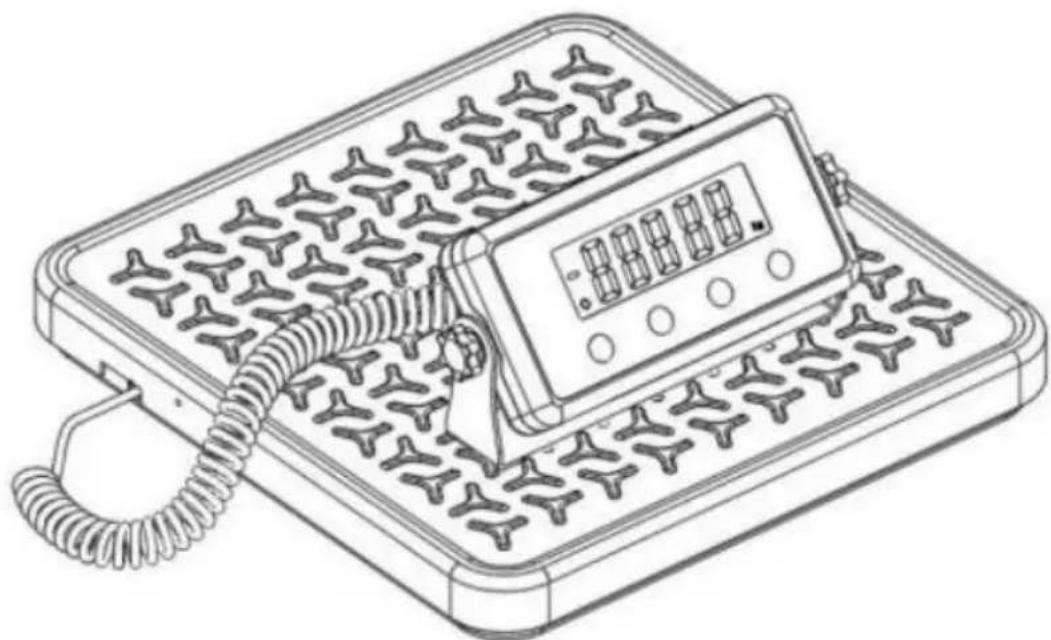
(1) ON/OFF BUTTON: Press the ON/OFF button to turn the scale on or off.
(2) UNIT BUTTON: Press the Mode button to switch units. (3) HOLD BUTTON: Lock or unlock the current weighing result. (4) TARE BUTTON: Enter or exit tare mode; the tare function eliminates the weight of the load.
3. Operation
(1) Place the scale on a solid and flat surface. (2) Press the ON/OFF button to turn on the scale; the scale starts a zeroing procedure which goes from 88.8.8.8 to 0.00 kg / 0.0 lb. (3) After the scale shows zero, start your weighing. (4) Press the Unit button to switch between lb and kg.
Notice: Only after the screen shows zero can you start weighing.
When turning on the scale, there must be nothing on the scale.
While the battery or power supply is connected, the scale will automatically turn on.
4. About Automatic Shutdown
Powered by batteries, if there is no operation, the machine will automatically shut down after 5 minutes.
Powered by electricity, the machine will not automatically shut down unless you press the ON/OFF button.
5. Calibration Tips (each scale has been calibrated before leaving the factory)
(1) In an environment without strong magnetic field interference or strong convection, place the scale on a flat surface. (2) Turn on the scale, press and hold the "unit" button for 5 seconds; the screen shows "CAL" and then you can only see "kg" on the screen. (3) Press the "UNIT" button to choose the calibration unit between kg and lb, then press TARE to confirm the unit. (4) Press UNIT to choose the calibration weight you will put (10 kg, 20 kg), then press TARE to confirm the weight. (5) The weight value you chose in the previous step will flash on the screen; put the counterweight on the scale, then press TARE; the screen will show "PASS". Congratulations, the calibration procedure is done.
Notice:
If you want to force quit the calibration procedure, press and hold ON/OFF.
6. Tips for Calibration (each scale has been calibrated before leaving the factory)
(1) In an environment without strong magnetic field interference or strong convection, put the scale on a flat surface. (2) Turn on the scale, press and hold the "unit" button for 5 seconds, the screen shows "CAL" and then you can only see "kg" on the screen. (3) Press the "UNIT" button to choose the calibration unit between kg and lb, then press TARE to confirm the unit. (4) Press UNIT to choose the calibration weight that you will put (10kg, 20kg), then press TARE to confirm the weight. (5) The weight value that you chose in the previous step will flash on the screen. Put the counterweight on the scale, then press TARE. The screen will show "PAS". Congratulations, the calibration procedure is done.
Notice:
If you want to force quit the calibration procedure, press and hold ON/OFF.
7. Care Instructions
(1) Take and put gently. (2) The machine should be used on a solid, flat, and stable surface, in an environment without shock, drafts, radiation, and strong electromagnetic interference. The four feet of the scale should be on the same level. (3) Please use within capacity (550lb); overload will permanently damage the sensor. (4) Don't leave weight on the scale when not in use. (5) Weighing Range: 0.5lb - 550lb (0.25kg - 250kg).
Notice:
8. The batteries are non-rechargeable.
9. Automatic shutdown time setting
(1) Powered by batteries, if there is no operation, the machine will automatically shut down after 5 minutes. (2) In the zero state, long-press the "TARE" button to enter the shutdown time selection.
Press the "TARE" button to switch between "1" (minute), "3" (minutes), "5" (minutes), and "-" (no shutdown).
Press the "MODE" button to confirm.
(3) Powered by electricity, the scale will not automatically shut down unless the ON/OFF button is pressed.
- If the customer enters the setting state by mistake, long press the ON/OFF button to turn off the scale, or remove the battery to exit the setting state.
- Pay attention to waterproofing; the product is not waterproof.
| QUESTIONS | MEASURES |
| There is no response after pressing ON/OFF key | Check whether the power supply is normalTry another powering style, battery or ada |
| A negative number is display on the screen | Press TARE button to reset to zero |
| The number keeps beating a can't fix at zero | Check whether scale is on a solid flat su and if there is an external force on the pan, such as artificial pressure, strong magnetic field interference or strong conve |
| There is no commodity on t scale,but the display is not zero | Check that whether scale is on a solid fl surface and whether there is strong electromagnetic interference in the environment. If not the above two factors, please press TARE but or calibrate the scale |
| Does not read the accurate weights | If trying several items and finding that the readings are inaccurate, please calibrate sc |
Manufacturer: Shanghai Muxin Muye Youxiangongsi
Address: Shuangchenglu 803nong11hao1602A-1609shi, Baoshanqu, Shanghai 200000 CN.
Imported to AUS: SIHAO PTY LTD.
1 ROKEVA STREET EASTWOOD NSW 2122 Australia
Imported to USA: Sanven Technology Ltd.
Suite 250, 9166 Anaheim Place, Rancho Cucamonga, CA 91730
| EC | REP |
E-CrossStu GmbH
Mainzer Landstr.69, 60329
Frankfurt am Main.
| UK | REP |
YH CONSULTING LIMITED.
C/O YH Consulting Limited Office 147,
Centurion House, London Road,
Staines-upon-Thames, Surrey, TW18 4AX
VEVOR®
TOUGH TOOLS, HALF PRICE
Technical Support and E-Warranty Certificate www.vevor.com/support
VEVOR®
TOUGH TOOLS, HALF PRICE
NEED HELP? CONTACT US!
www.vevor.com/support
Office 250, 9166 Anaheim Place, Rancho Cucamonga, CA 91730
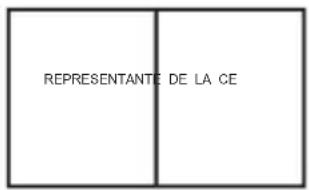
| REPRÉSENTANT CE |
E-CrossStu GmbH
Mainzer Landstr.69, 60329
C/O YH Consulting Limited Office 147,
Centurion House, London Road,
Staines-upon-Thames, Surrey, TW18 4AX
VEVOR®
TOUGH TOOLS, HALF PRICE
Suite 250, 9166 Anaheim Place, Rancho Cucamonga, CA 91730
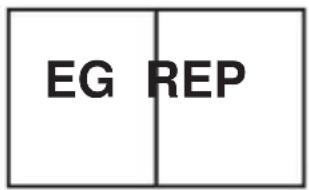
| Vertreter der EG |
E-CrossStu GmbH
Mainzer Landstr.69, 60329
Frankfurt am Main.
| UK REP |
YH CONSULTING LIMITED.
C/O YH Consulting Limited Office 147,
Centurion House, London Road,
Staines-upon-Thames, Surrey, TW18 4AX
VEVOR®
TOUGH TOOLS, HALF PRICE
Imported in AUS: SIHAO PTY LTD.
1 ROKEVA STREETEASTWOOD NSW 2122 Australia
Suite 250, 9166 Anaheim Place, Rancho Cucamonga, CA 91730
E-CrossStu GmbH
Mainzer Landstr.69, 60329
C/O YH Consulting Limited Office 147,
Centurion House, London Road,
Staines-upon-Thames, Surrey, TW18 4AX
VEVOR®
TOUGH TOOLS, HALF PRICE
Suite 250, 9166 Anaheim Place, Rancho Cucamonga, CA 91730
E-CrossStu GmbH
Centurion House, London Road,
Staines-upon-Thames, Surrey, TW18 4AX
VEVOR®
TOUGH TOOLS, HALF PRICE
NEED HELP? CONTACT US!
www.vevor.com/support
1 ROKEVA STREET EASTWOOD NSW 2122 Australia
Import to USA: Sanven Technology Ltd.
Suite 250, 9166 Anaheim Place, Rancho Cucamonga, CA 91730
| REPREZENT KE |
E-CrossStu GmbH
Mainzer Landstr.69, 60329
Frankfurt am Main.
C/O YH Consulting Limited Office 147,
Centurion House, London Road,
Staines-upon-Thames, Surrey, TW18 4AX
VEVOR®
TOUGH TOOLS, HALF PRICE
NEED HELP? CONTACT US!
Suite 250, 9166 Anaheim Place, Rancho Cucamonga, CA 91730
E-CrossStu GmbH
Mainzer Landstr.69, 60329
C/O YH Consulting Limited Office 147,
Centurion House, London Road,
Staines-upon-Thames, Surrey, TW18 4AX
VEVOR®
TOUGH TOOLS, HALF PRICE
Technical support and e-warranty certificate www.vevor.com/support
VEVOR®
TOUGH TOOLS, HALF PRICE
NEED HELP? CONTACT US!
Suite 250, 9166 Anaheim Place, Rancho Cucamonga, CA 91730
| EC | REP |
E-CrossStu GmbH
Mainzer Landstr.69, 60329
Frankfurt am Main.
| UK | REP |
YH CONSULTING LIMITED.
C/O YH Consulting Limited Office 147,
Centurion House, London Road,
Staines-upon-Thames, Surrey, TW18 4AX
VEVOR®
TOUGH TOOLS, HALF PRICE
- PHYSICIAN SCALE
- MODEL: SF-891 / SF
- MODEL: SF-891, SF
- NEED HELP? CONTACT US
- WARNING
- ELECTRIC SAFETY
- ATTENTION
- SAVE THESE INSTRUCTIONS
- TECHNICAL SPECIFICATIONS
- INTRODUCTION OF BUTTONS
- OPERATION
- ABOUT AUTOMATIC SHUTDOWN
- CALIBRATION TIPS (EACH SCALE HAS BEEN CALIBRATED BEFORE LEAVING THE FACTORY)
- NOTICE
- TIPS FOR CALIBRATION (EACH SCALE HAS BEEN CALIBRATED BEFORE LEAVING THE FACTORY)
- CARE INSTRUCTIONS
- THE BATTERIES ARE NON-RECHARGEABLE
- AUTOMATIC SHUTDOWN TIME SETTING
- VEVOR®
- TOUGH TOOLS, HALF PRICE
Brand : Vevor
Model : SF-884
Category : Scale