
A3-D28 - Lamp Vevor - Free user manual and instructions
Find the device manual for free A3-D28 Vevor in PDF.
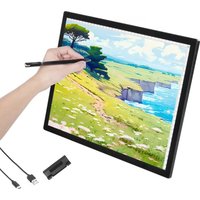


| Brand | Vevor |
| Model | A3-D28 |
| Product Type | Rechargeable LED light pad |
| Dimensions | 414 x 309 x 11 mm |
| Work Area | 383 x 278 mm |
| Input Voltage | 5 V (USB-C port) |
| Rated Power | 3.9 W |
| Color Temperature | 3000 ~ 6500 K (adjustable) |
| Brightness | 500, 1000, 1500, 2500, 3000 Lux (5 levels) |
| Battery Capacity | 2500 mAh Li-ion |
| Battery Life | 4 hours at maximum brightness |
| Charging Time | 2.5 hours |
| Charging Port | Type-C |
| Dimming Method | 6 levels + continuous adjustment |
| Indicator Lights | Red: charging; Blue: fully charged |
| Main Functions | Adjustable LED lighting, rechargeable, auto shut-off on low battery |
| Maintenance | Clean with a soft, dry cloth. Avoid moisture. |
| Safety | Auto shut-off on low battery; do not expose to water |
| Spare Parts | Built-in Li-ion battery (non-user replaceable) |
| General Information | Compliant with FCC Part 15. Separate collection of waste (WEEE). |
Frequently Asked Questions - A3-D28 Vevor
User questions about A3-D28 Vevor
0 question about this device. Answer the ones you know or ask your own.
Ask a new question about this device
Download the instructions for your Lamp in PDF format for free! Find your manual A3-D28 - Vevor and take your electronic device back in hand. On this page are published all the documents necessary for the use of your device. A3-D28 by Vevor.
USER MANUAL A3-D28 Vevor
Li-On Battery Bright Pad Instruction
[Product Introduction]
LED bright pads were originally created to facilitate sketching, and are now widely used for diamond art, tracing, weeding vinyl, stenciling, tattoo art, 2D animation, X-ray viewing, and so on. After several versions of updates and redesigns, we finally present the D28B rechargeable wireless bright pad.
[Specification]
Product Model: A3-D28
Input Voltage: 5V
Product Size: 414*309*11mm
Rated Power: 3.9W
Working Areas: 383*278mm
Color Temperature: 3000 \~ 6500K
Working Time: 4 Hours (@Max Bright)
Illumination: 500/1000/1500/2500/3000 Lux
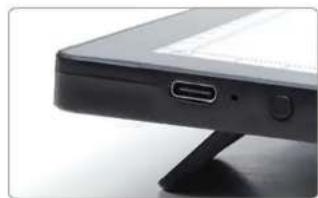
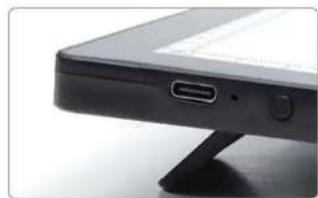
Charging Port: Type-C
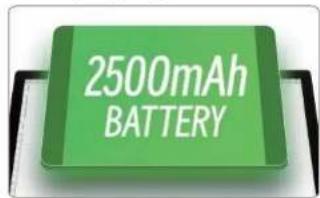
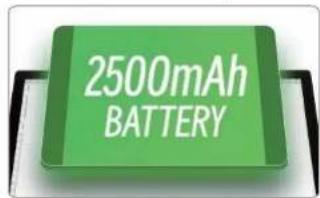
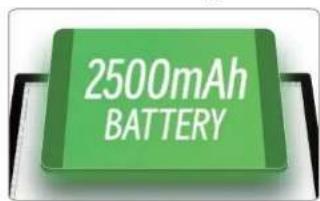
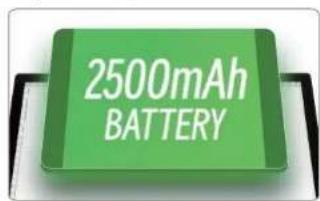
Battery Capacity: 2500mAh
Dimming Method: 6 levels + Stepless adjustment
[Easy Operation]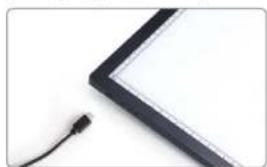
- Fully charge the bright pad
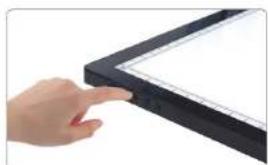
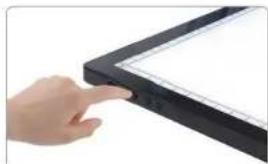
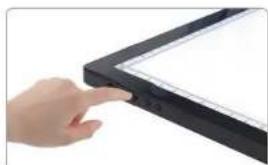
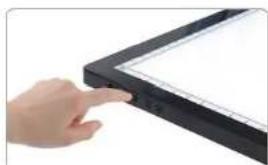
- After lightly pressing the switch, the bright pad starts to work. Press the + or - button to adjust the brightness to a suitable level.

- After placing the artwork in the working area, add copy paper to start sketching.
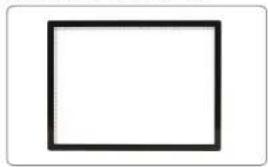
- Finish drawing, then turn off the power.
[New Design]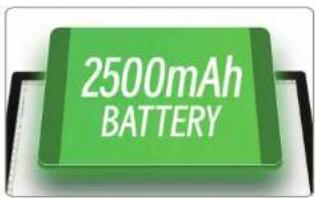
1. Built-in 2500mAh Li-On Battery
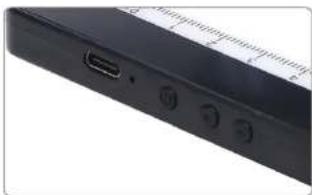
2. Physical button
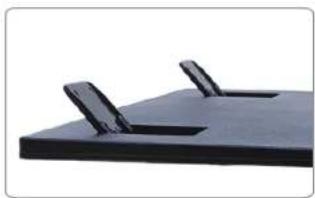
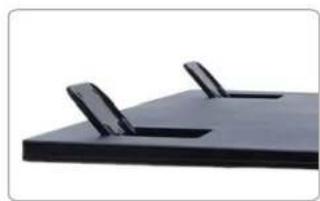
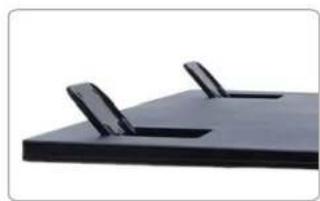
3. Folding stand
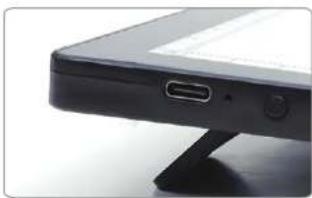
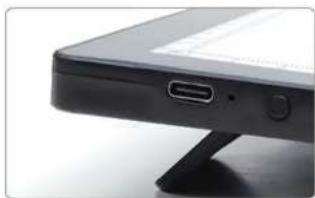
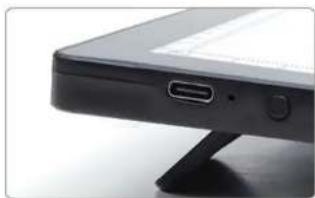
4. Type-C socket has a wide range of applications. Fast charge 2.5 hours, can be used for 4 hours.
[Caution]
- When the brightness of the bright pad is lower than usual, it will automatically power off, reminding you that it needs to be charged.
- To ensure that the life of the Li-On battery will be longer, the power switch must be turned off when charging.
- The red indicator light turns on to indicate that it is charging, and the blue light indicator turns on when it is fully charged.
- Under normal circumstances: It can be used for 4 hours after charging for 2.5 hours.
1. Fully charge the bright pad.

2. Physical button.
3. Folding stand.
1. Fully charge the bright pad.
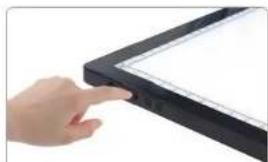

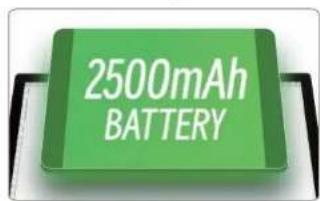
2. Physical button.

3. Folding stand.
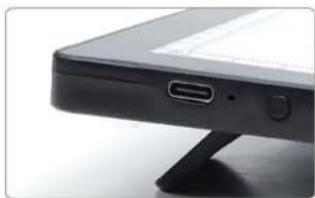
- Fully charge the bright pad.
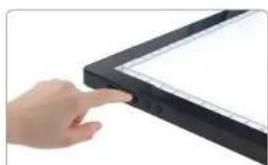
- Finish drawing, turn off the power.
2. Physical button.
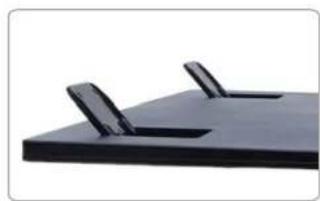
3. Folding stand.
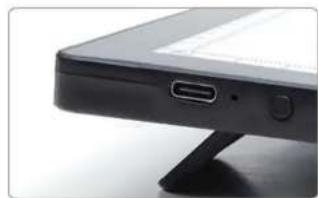
1. Fully charge the bright pad.
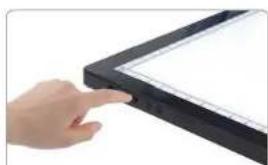

2. Physical button
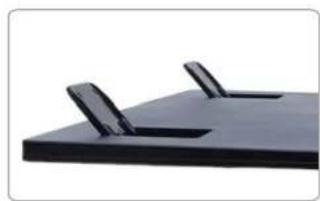
3. Folding stand
Li-On Battery Bright Pad Instruction
1. Full charge the bright pad

[New design]
2. Physical button
3. Folding stand
- Finish drawing, turn off the power
[Specification]
1. Full charge the bright pad
2. Physical button
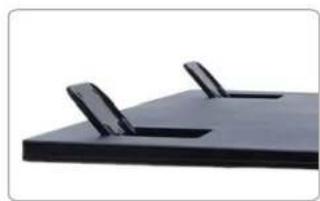
3. Folding stand
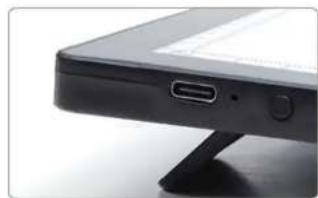
- Finish drawing, turn off the power
[Specification]
1. Full charge the bright pad
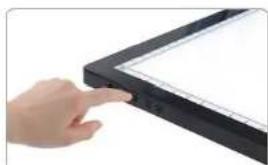
2. Physical button
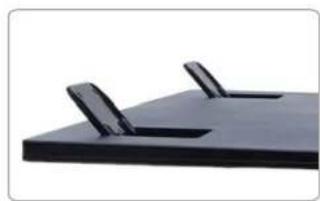
3. Folding stand
Technical Support and E-Warranty Certificate www.vevor.com/support
We continue to be committed to providing you with tools at competitive prices.
"Save Half", "Half Price" or any other similar expressions used by us only represent an estimate of savings you might benefit from buying certain tools with us compared to other brands and do not necessarily mean to cover all categories of tools offered by us. You are kindly reminded to verify carefully when placing an order with us if you are actually saving half compared to the top major brands.
NEED HELP? CONTACT US!
Have product questions? Need technical support? Please feel free to contact Technical Support and E-Warranty Certificate at www.vevor.com/support
This is the original instruction. Please read all manual instructions carefully before operating. VEVOR reserves a clear interpretation of our user manual. The appearance of the product shall be subject to the product you received. Please forgive us that we won't inform you again if there are any technology or software updates on our product.
FCC Information:
CAUTION: Changes or modifications not expressly approved by the party responsible for compliance could void the user's authority to operate the equipment!
This device complies with Part 15 of the FCC Rules. Operation is subject to the following two conditions:
1) This product may cause harmful interference. 2) This product must accept any interference received, including interference that may cause undesired operation. WARNING: Changes or modifications to this product not expressly approved by the party responsible for compliance could void the user's authority to operate the product.
Note: This product has been tested and found to comply with the limits for a Class B digital device pursuant to Part 15 of the FCC Rules. These limits are designed to provide reasonable protection against harmful interference in a residential installation.
This product generates, uses and can radiate radio frequency energy, and if not installed and used in accordance with the instructions, may cause harmful interference to radio communications. However, there is no guarantee that interference will not occur in a particular installation. If this product does cause harmful interference to radio or television reception, which can be determined by turning the product off and on, the user is encouraged
to try to correct the interference by one or more of the following measures.
- Reorient or relocate the receiving antenna.
- Increase the distance between the product and receiver.
- Connect the product to an outlet on a circuit different from the one to which the receiver is connected.
- Consult the dealer or an experienced radio/TV technician for assistance.

Correct Disposal
This product is subject to the provisions of European Directive 2012/19/EU. The symbol showing a wheelie bin crossed through indicates that the product requires separate refuse collection in the European Union. This applies to the product and all accessories marked with this symbol. Products marked as such may not be discarded with normal domestic waste, but must be taken to a collection point for recycling electrical and electronic devices.

BATTERY DISPOSAL
To minimize hazards to health and the environment at the end of the product's life, laws dealing with Waste Electrical and Electronic Equipment (WEEE) and the Waste Battery Directive require you to dispose of this product at a suitable collection facility where it is sent in order to remove the batteries and for appropriate recycling. Please contact your local authorities for more details on recycling and safe disposal of these in your area.
Manufacturer: Shanghai Muxin Muye Youxian Gongsi
Address: Shuangchenglu 803nong11hao1602A-1609shi, Baoshanqu, Shanghai 200000 CN.
EC REP: E-CrossStu GmbH
Mainzer Landstr.69, 60329 Frankfurt am Main.
UK REP: YH CONSULTING LIMITED.
C/O YH Consulting Limited Office 147, Centurion House, London Road, Staines-upon-Thames, Surrey, TW18 4AX
Imported to AUS: SIHAO PTY LTD.
1 ROKEVA STREET, EASTWOOD NSW 2122 Australia
Imported to USA: Sanven Technology Ltd.
Suite 250, 9166 Anaheim Place, Rancho Cucamonga, CA 91730
VEVOR®
TOUGH TOOLS, HALF PRICE
Technical Support and E-Warranty Certificate
www.vevor.com/support
VEVOR®
TOUGH TOOLS, HALF PRICE
UK REP: YH CONSULTING LIMITED.
C/O YH Consulting Limited Office 147, Centurion House, London Road,
Staines-upon-Thames, Surrey, TW18 4AX
Suite 250, 9166 Anaheim Place, Rancho Cucamonga, CA 91730
VEVOR®
TOUGH TOOLS, HALF PRICE
www.vevor.com/support
VEVOR®
TOUGH TOOLS, HALF PRICE
C/O YH Consulting Limited Bureau 147, Centurion House, London Road, Staines-upon-Thames, Surrey, TW18 4AX
Imported in Australia: SIHAO PTY LTD.
1 ROKEVA STREET, ASTWOOD NSW 2122, Australia
Office 250, 9166 Anaheim Place, Rancho Cucamonga, CA 91730
VEVOR®
TOUGH TOOLS, HALF PRICE
C/O YH Consulting Limited Office 147, Centurion House, London Road, Staines-upon-Thames, Surrey, TW18 4AX
Suite 250, 9166 Anaheim Place, Rancho Cucamonga, CA 91730
VEVOR®
TOUGH TOOLS, HALF PRICE
www.vevor.com/support
VEVOR®
TOUGH TOOLS, HALF PRICE
UK REP: YH CONSULTING LIMITED.
C/O YH Consulting Limited Office 147, Centurion House, London Road, Staines-upon-Thames, Surrey, TW18 4AX
Imported to AUS: SIHAO PTY LTD.
1 ROKEVA STREET EASTWOOD NSW 2122 Australia
Imported to USA: Sanven Technology Ltd.
Suite 250, 9166 Anaheim Place, Rancho Cucamonga, CA 91730
VEVOR®
TOUGH TOOLS, HALF PRICE
www.vevor.com/support
VEVOR®
TOUGH TOOLS, HALF PRICE
C/O YH Consulting Limited Office 147, Centurion House, London Road,
Staines-upon-Thames, Surrey, TW18 4AX
Imported to AUS: SIHAO PTY LTD.
1 ROKEVA STREET, EASTWOOD NSW 2122, Australia
Suite 250, 9166 Anaheim Place, Rancho Cucamonga, CA 91730
VEVOR®
TOUGH TOOLS, HALF PRICE
www.vevor.com/support
VEVOR®
TOUGH TOOLS, HALF PRICE
C/O YH Consulting Limited, Office 147, Centurion House, London Road, Staines-upon-Thames, Surrey, TW18 4AX
Imported into Australia: SIHAO PTY LTD.
1 ROKEVA STREET, EASTWOOD NSW 2122, Australia
Suite 250, 9166 Anaheim Place, Rancho Cucamonga, CA 91730
VEVOR®
TOUGH TOOLS, HALF PRICE
www.vevor.com/support
VEVOR®
TOUGH TOOLS, HALF PRICE
C/O YH Consulting Limited Office 147, Centurion House, London Road, Staines-upon-Thames, Surrey, TW18 4AX
Importer to Australia: SIHAO PTY LTD.
1 ROKEVA STREETEASTWOOD NSW 2122 Australia
Importer to USA: Sanven Technology Ltd.
Apartment 250, 9166 Anaheim Place, Rancho Cucamonga, California 91730
VEVOR®
TOUGH TOOLS, HALF PRICE
www.vevor.com/support
Brand : Vevor
Model : A3-D28
Category : Lamp