
ZB10U - Monitor stand Vevor - Free user manual and instructions
Find the device manual for free ZB10U Vevor in PDF.
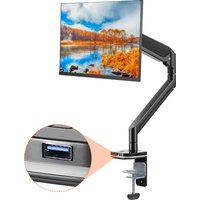


| Product Type | Desktop Monitor Mount |
| Brand | Vevor |
| Model | ZB10U |
| Maximum Load Capacity | 26,4 lb (12 kg) |
| Compatible VESA Standard | 75x75 mm, 100x100 mm |
| Product Dimensions (L x D x H) | 530 x 113 x 570 mm |
| Main Material | Steel and aluminum alloy |
| Color | Black |
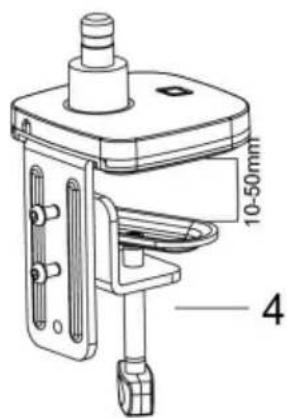
| Mounting Type | Clamp or desk grommet mount |
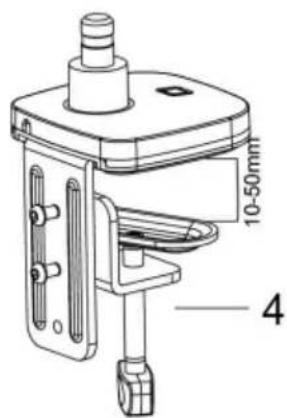
| Recommended Desk Thickness | Up to 75 mm (clamp) or grommet hole |
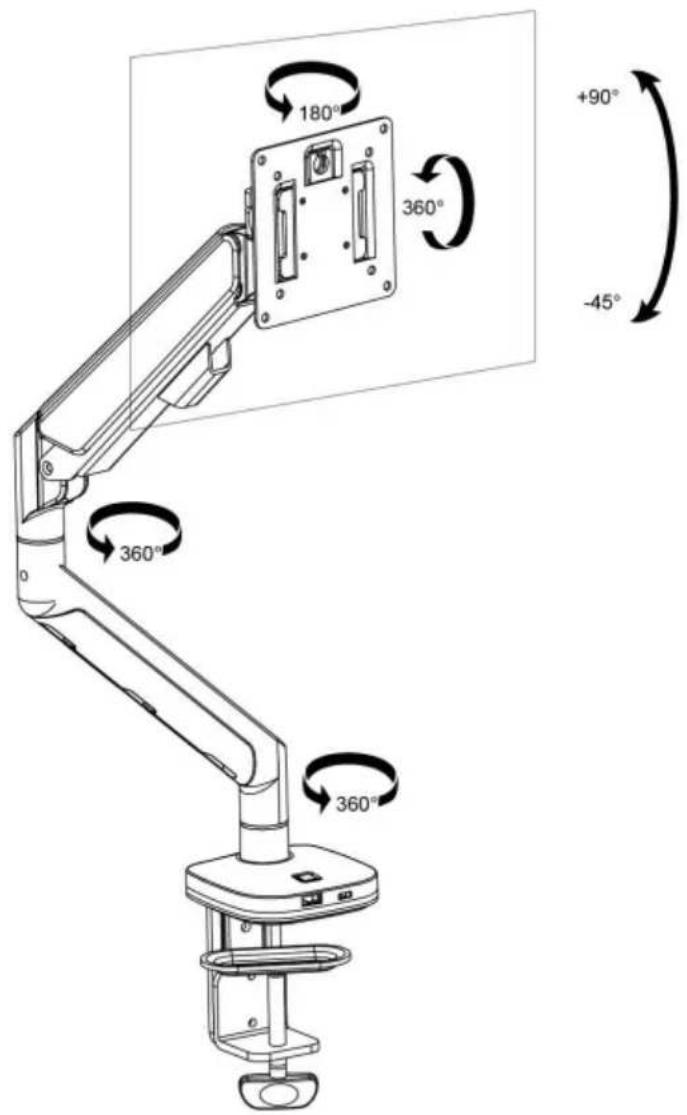
| Height Adjustment | Yes, via articulating arm |
| Tilt Adjustment | Yes, forward/backward tilt |
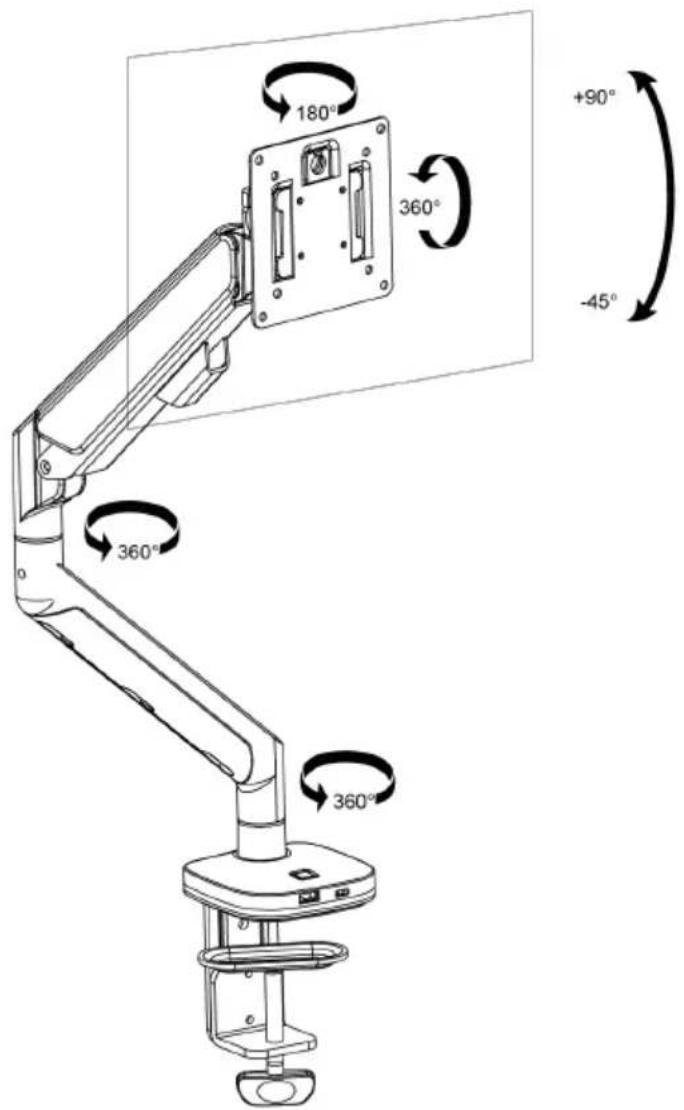
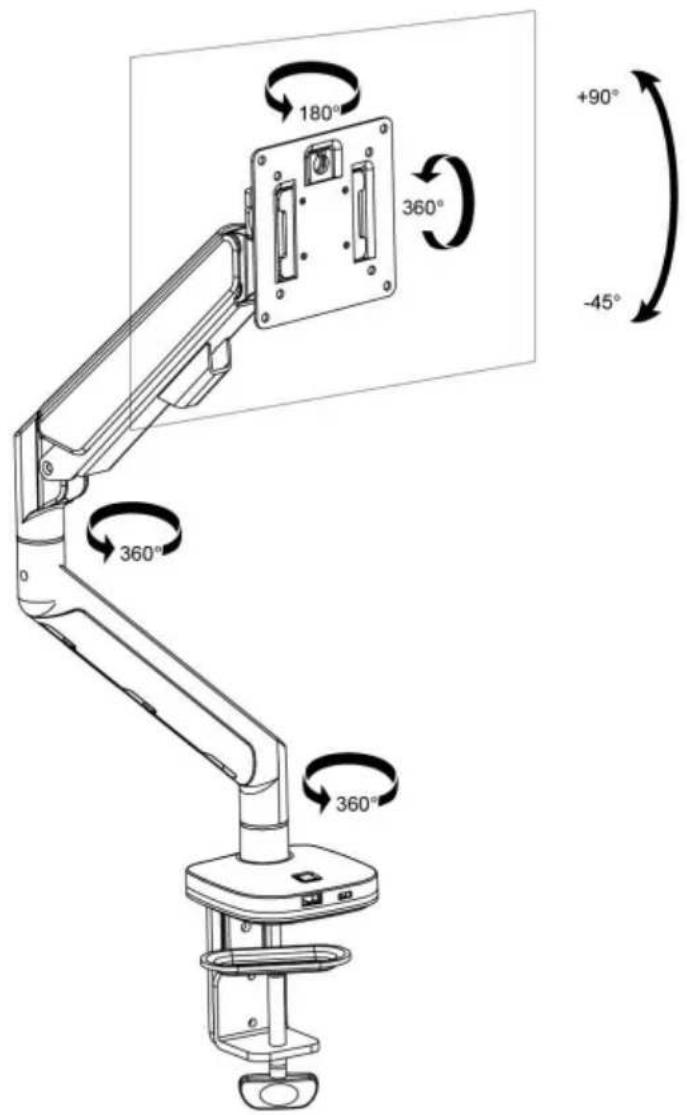
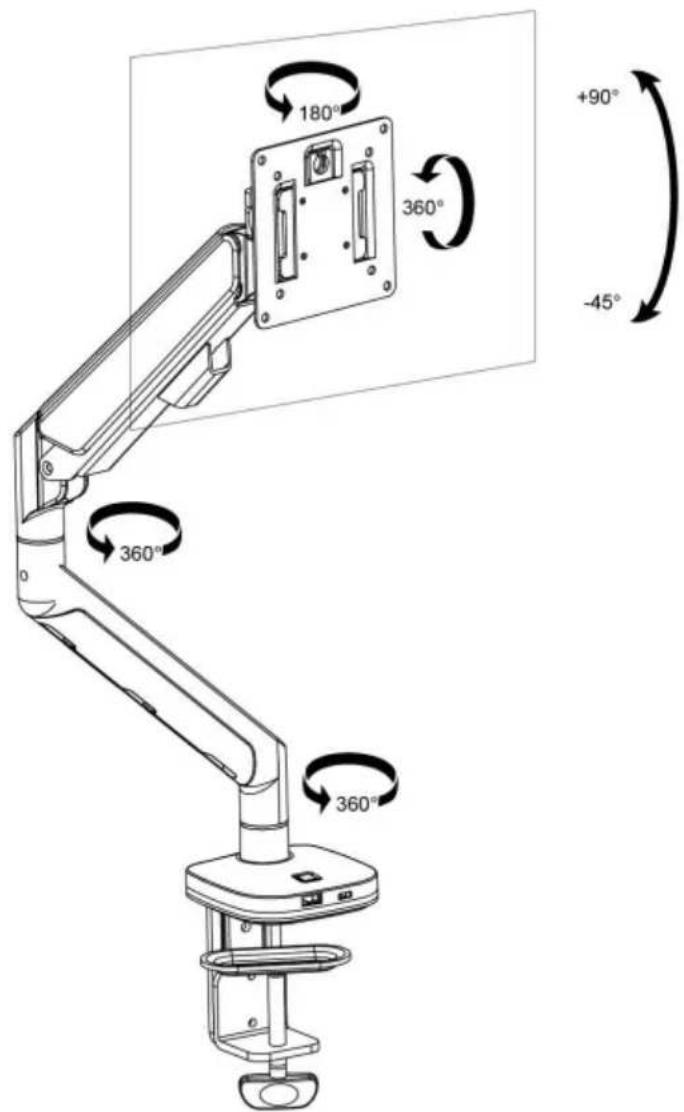
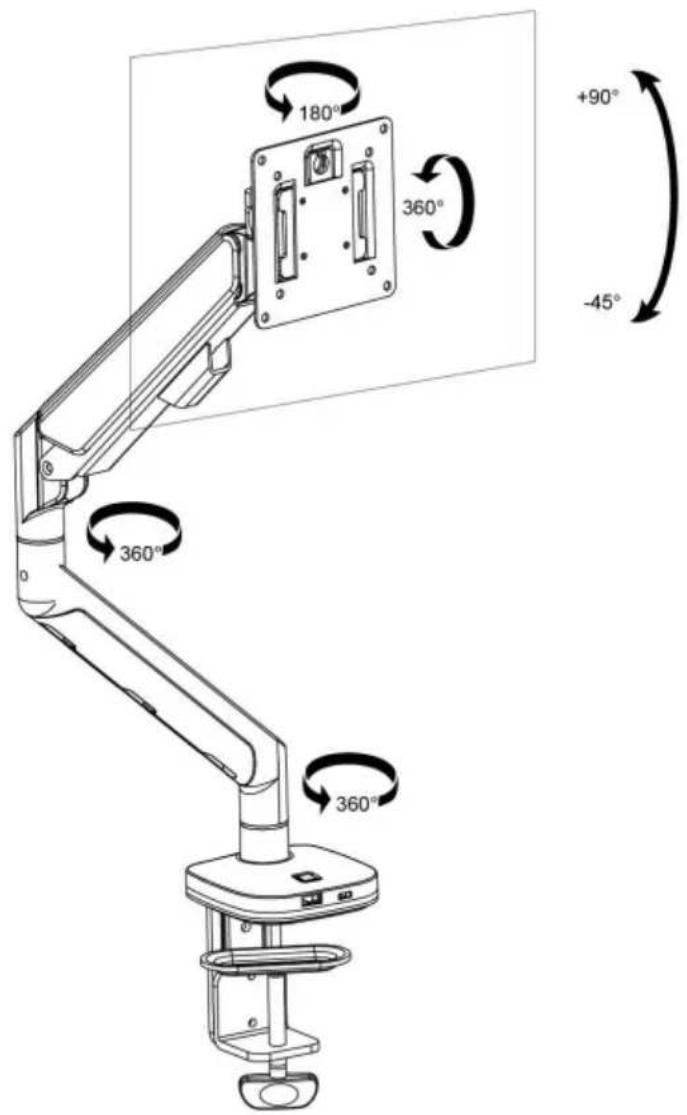
| Rotation Adjustment | Yes, 360° rotation |
| Pivot Adjustment | Yes, landscape/portrait pivot |
| Cable Management | Yes, integrated cable management clips |
| Intended Use | Indoor use only |
| Package Contents | Mounting arm, clamp, VESA plate, screws, tools |
| Care and Cleaning | Wipe with a soft, dry cloth. Do not use abrasive products. |
| Safety Instructions | Do not exceed max load, securely attach to surface, indoor use only. |
| Repairability | Spare parts available through manufacturer (vevor.com/support) |
Frequently Asked Questions - ZB10U Vevor
User questions about ZB10U Vevor
0 question about this device. Answer the ones you know or ask your own.
Ask a new question about this device
Download the instructions for your Monitor stand in PDF format for free! Find your manual ZB10U - Vevor and take your electronic device back in hand. On this page are published all the documents necessary for the use of your device. ZB10U by Vevor.
USER MANUAL ZB10U Vevor
Technical Support and E-Warranty Certificate www.vevor.com/support
MONITOR DESK MOUNT USER MANUAL
MODEL: ZB10U
We continue to be committed to provide you tools with competitive price. "Save Half", "Half Price" or any other similar expressions used by us only represents an estimate of savings you might benefit from buying certain tools with us compared to the major top brands and does not necessarily mean to cover all categories of tools offered by us. You are kindly reminded to verify carefully when you are placing an order with us if you are actually saving half in comparison with the top major brands.
VEVOR®
TOUGH TOOLS, HALF PRICE
MONITOR DESK MOUNT
MODEL: ZB10U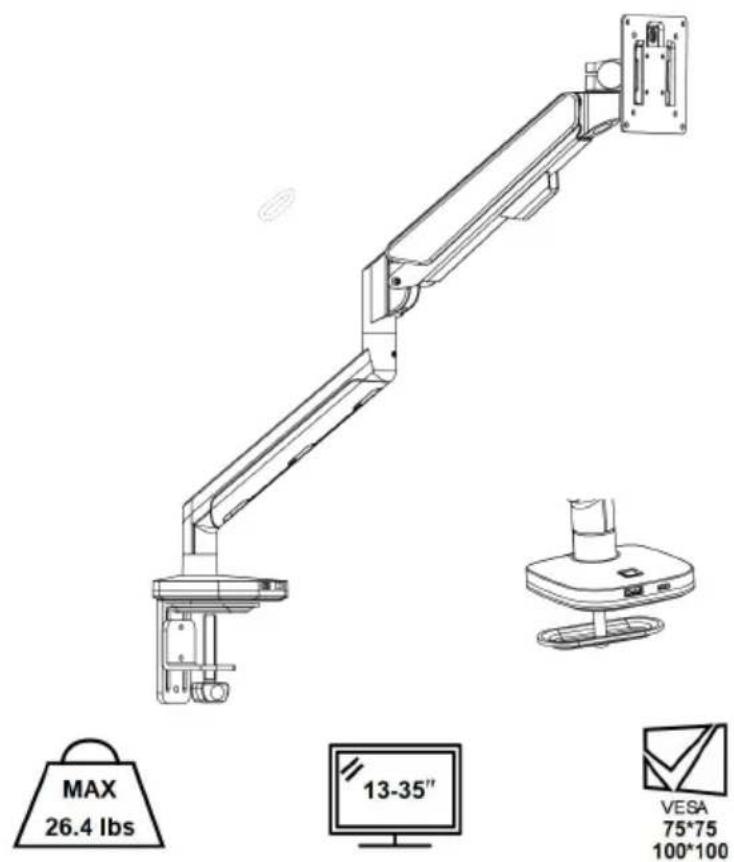
NEED HELP? CONTACT US!
Have product questions? Need technical support? Please feel free to contact us: Technical Support and E-Warranty Certificate www.vevor.com/support
This is the original instruction. Please read all manual instructions carefully before operating. VEVOR reserves a clear interpretation of the user manual. The appearance of the product shall be subject to the product you received. Please forgive us that we won't inform you again if there are any technology or software updates on our product.
WARNING:
Read this material before using this product. Failure to do so can result in serious injury.
Assembly precautions
- Assemble only according to these instructions. Improper assembly can create hazards.
- Keep the assembly area clean and well-lit.
- Keep bystanders out of the area during assembly.
- Do not assemble when tired or when under the influence of alcohol, or medication.
- The product capabilities apply to properly and completely assembled products only.
- For additional information regarding the parts listed in the following page please refer to the Assembly Diagram of this manual. Unwrap and separate all parts in a clean work area.
Use precautions
- Use with products heavier than the rated weights indicated may result instability causing possible injury.
- Mounts must be attached as specified in assembly instructions. Improper installation may result in damage or serious personal injury.
- Make sure that the supporting surface will safely support the combined weight of the equipment and all attached hardware and components.
- Use the mounting screws provided and DO NOT OVER TIGHTEN mounting screws.
- This product contains small items that could be a choking hazard if swallowed. Keep these items away from children.
- This product is intended for indoor use only. Using this product outdoor could lead to product failure and personal injury.
SAVE THIS MANUAL
PRODUCT PARAMETER
| Model | ZB10U |
| Safe Loading Weight | 26.4 lbs Max |
| VESA | 75*75mm, 100*100mm |
| Product Size | 530*113*570mm |
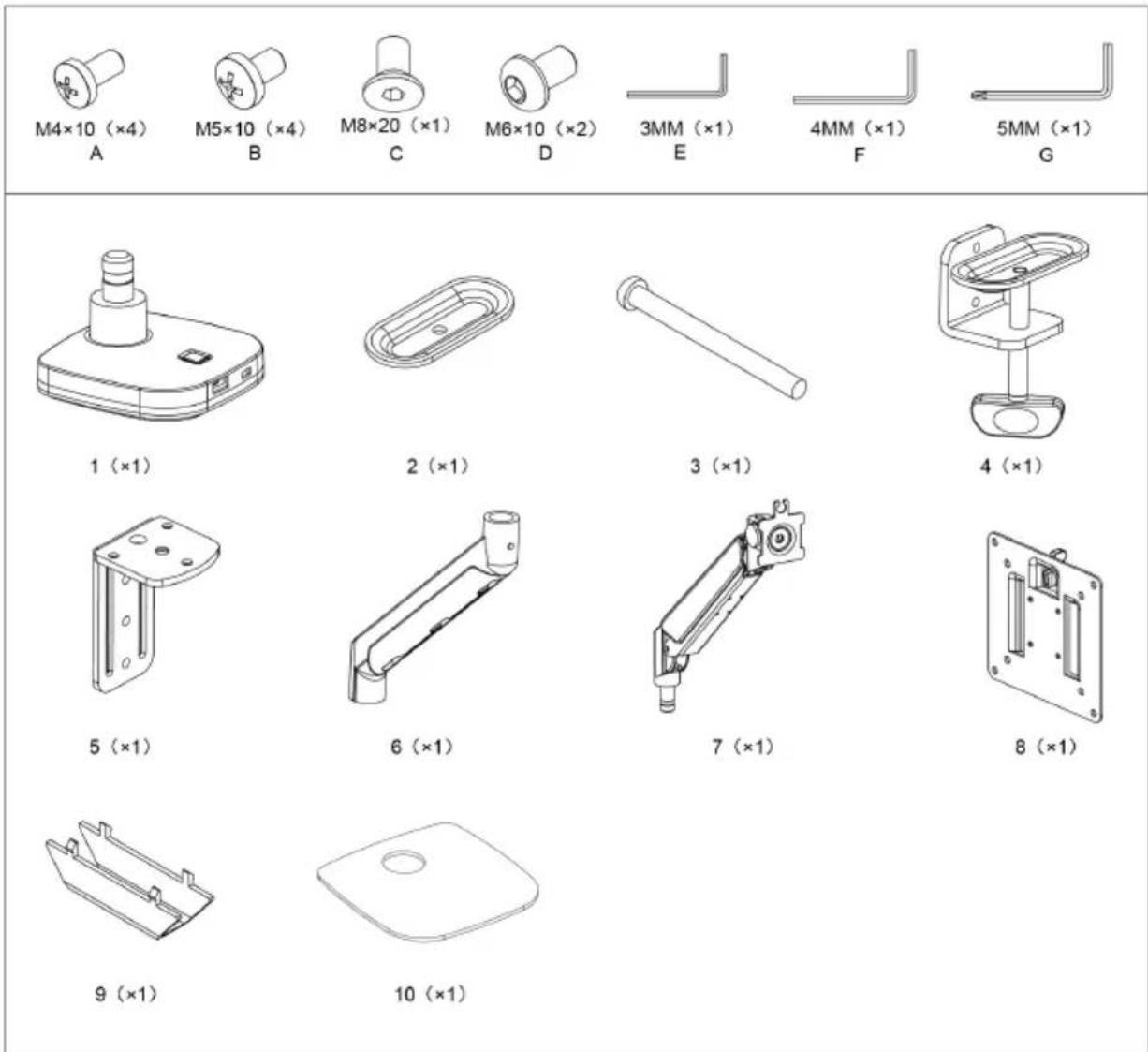
PARTS LIST
ASSEMBLY STEP
Method 1 ----1a
1a-1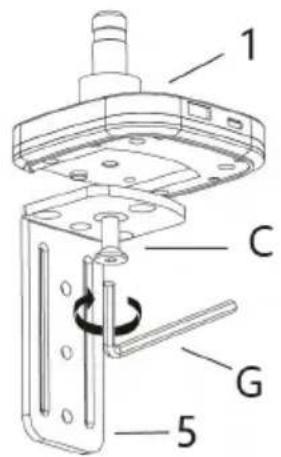
1a-2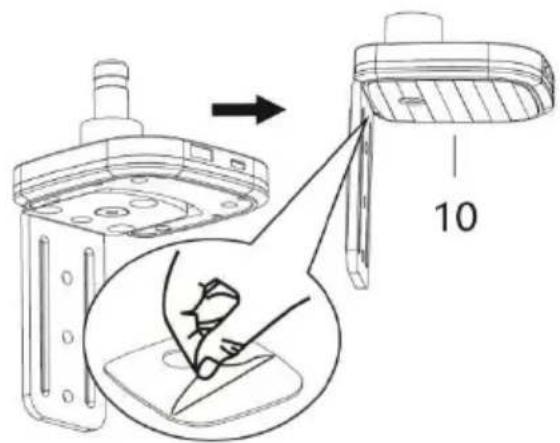
1a-3a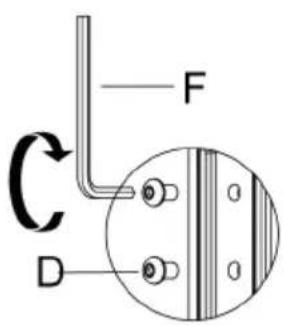
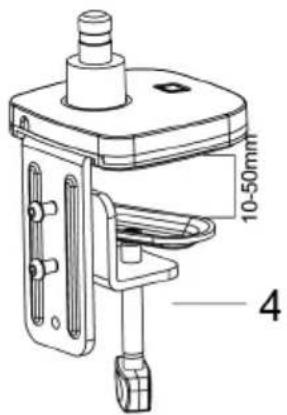
1a-3b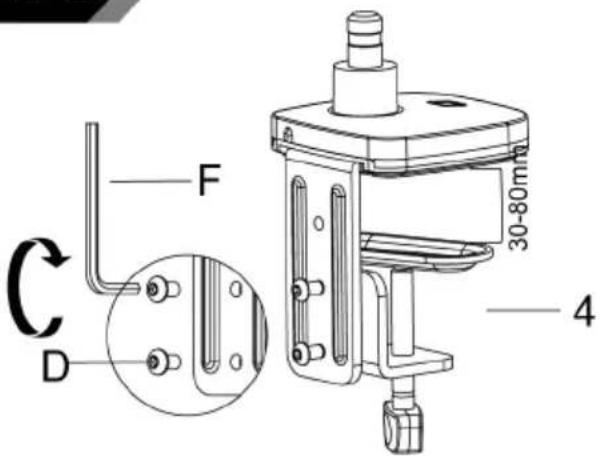
1a-4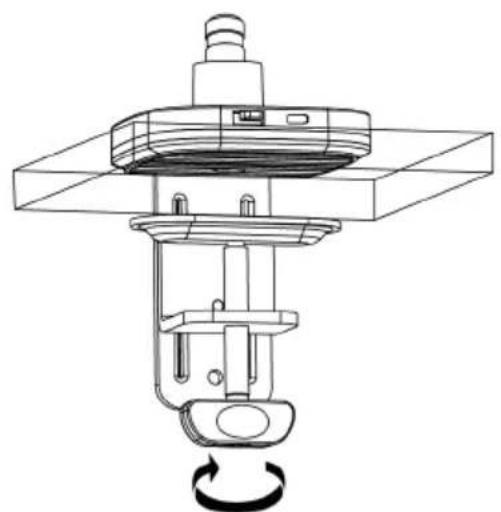
Method 2----1b
(Desktop has a hole for item 2 to go through)
1b-1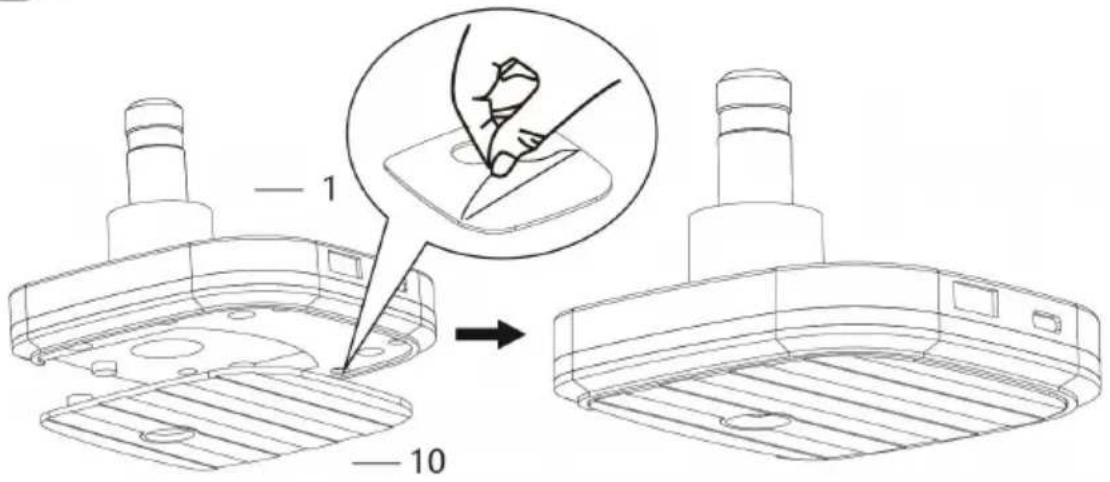
1b-2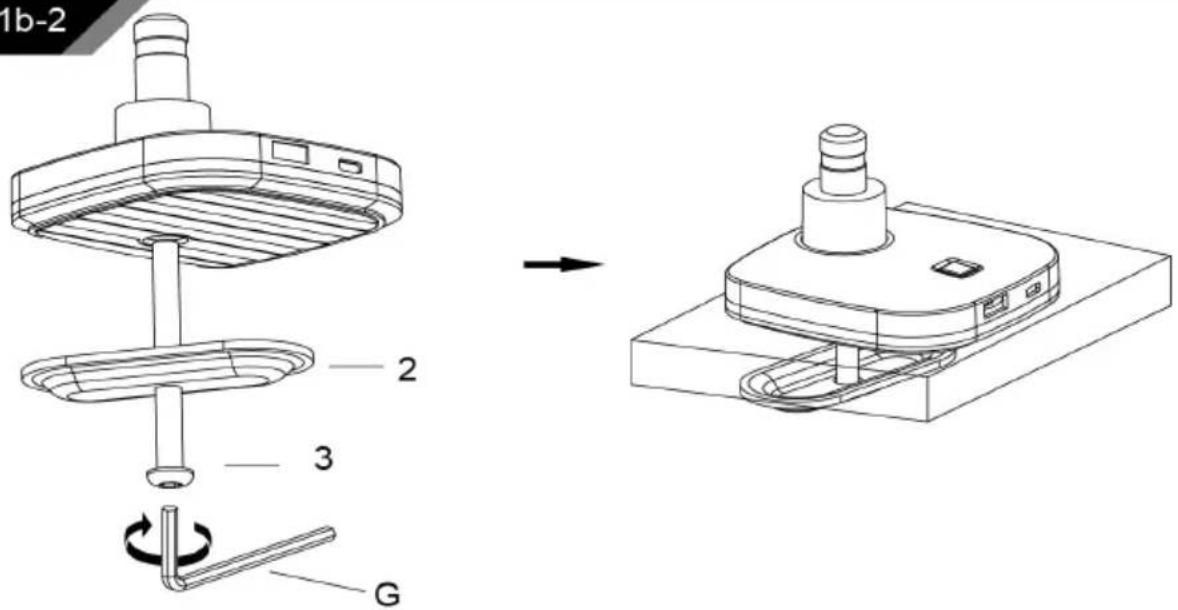
2
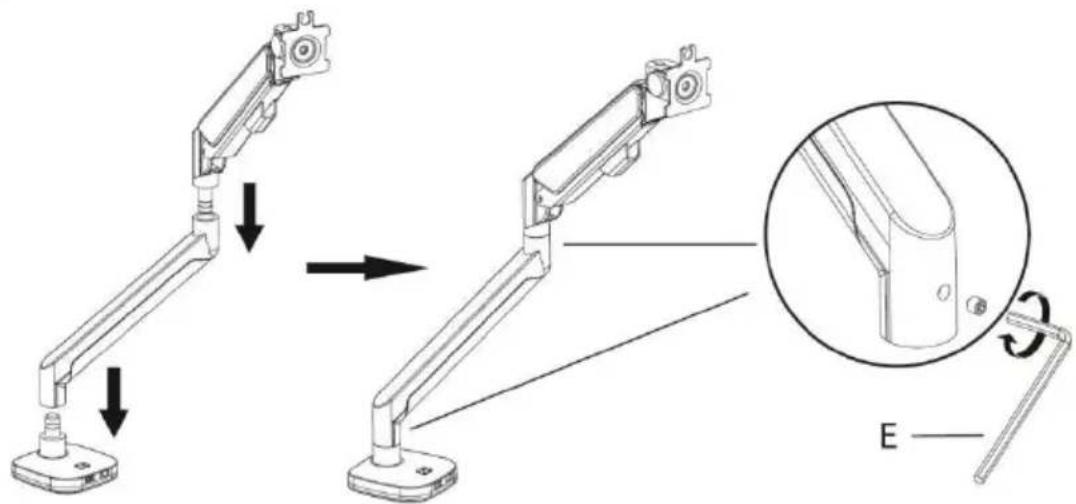
3
Connect With Monitor
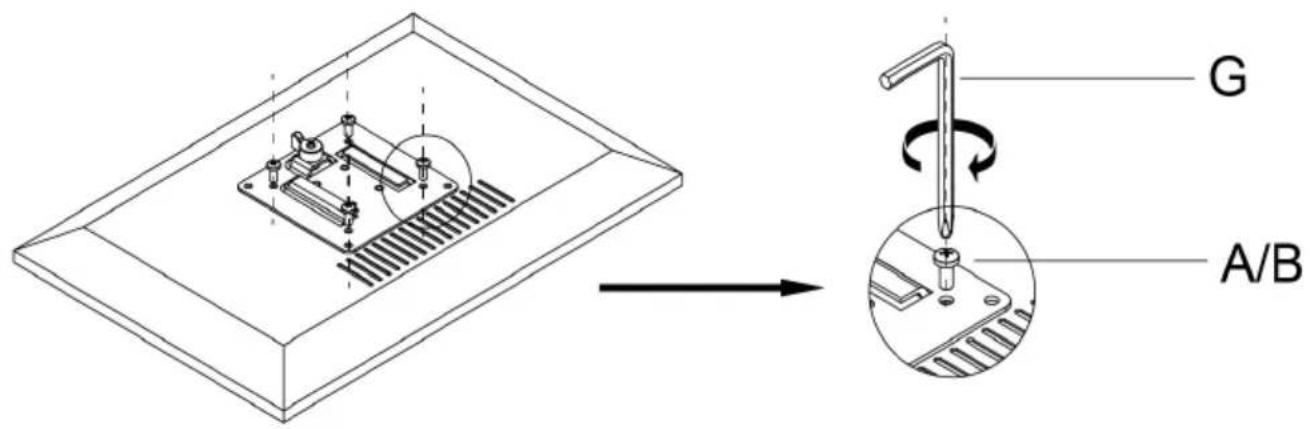
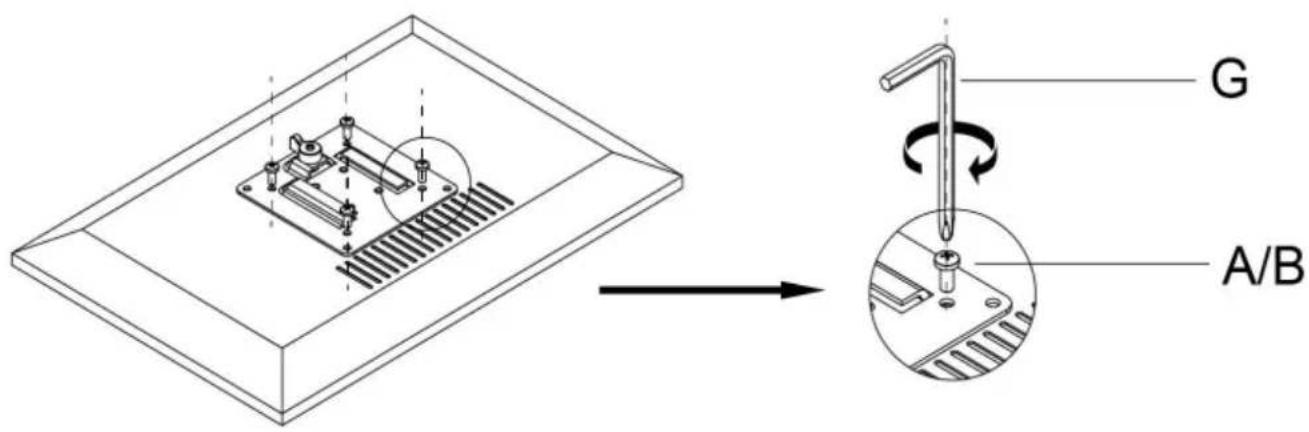
Use a wrench (G) to screw the screws (A/B) into the four holes at the back of the monitor to avoid damaging the monitor by over tightening the screws.
4
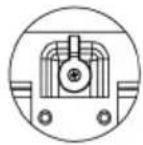
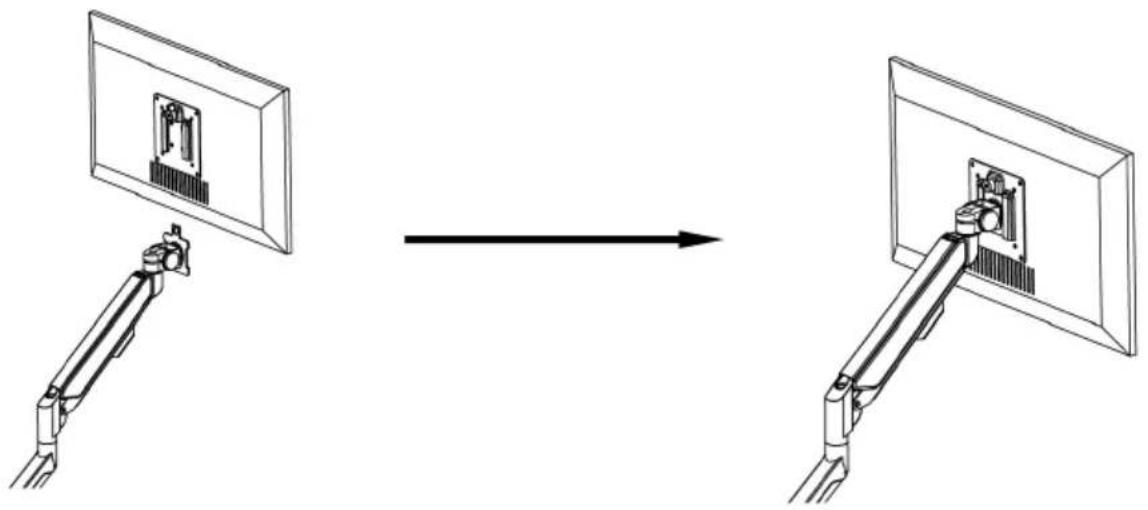
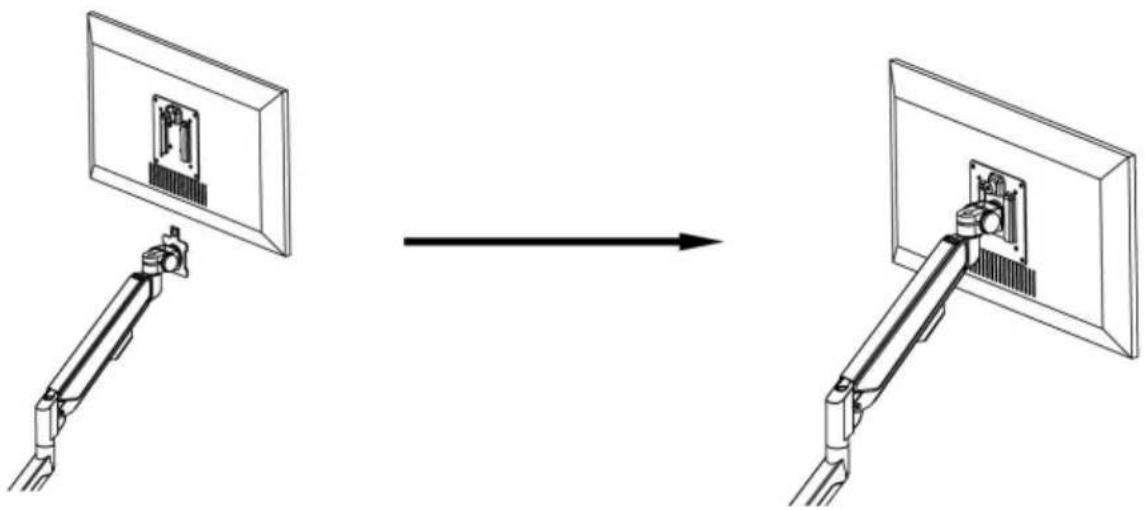
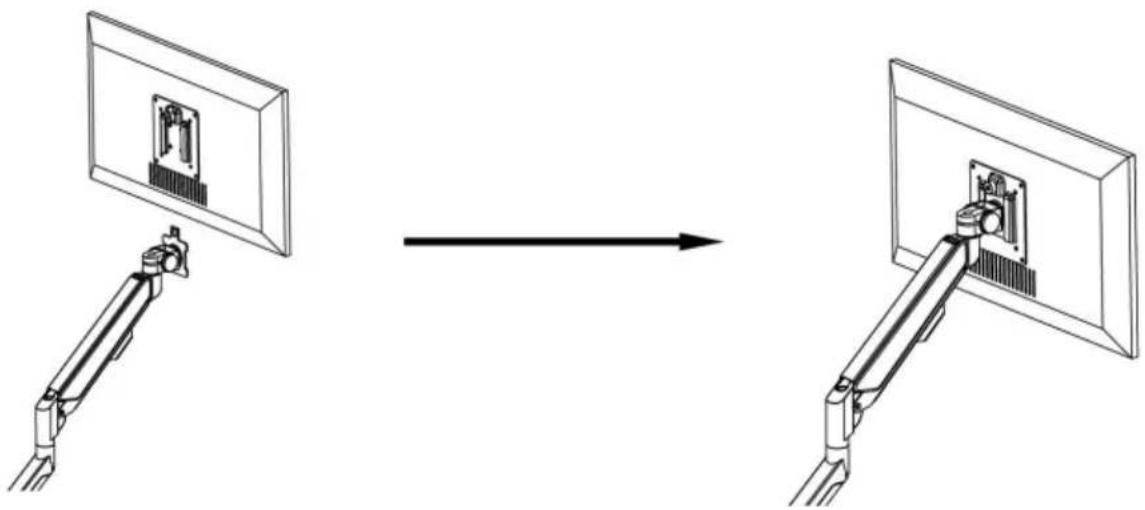
When the display is inserted into the quick release head, make sure the knob is vertical.
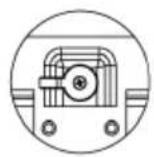
After insertion, rotate the knob 90 degrees to the left.
5-1
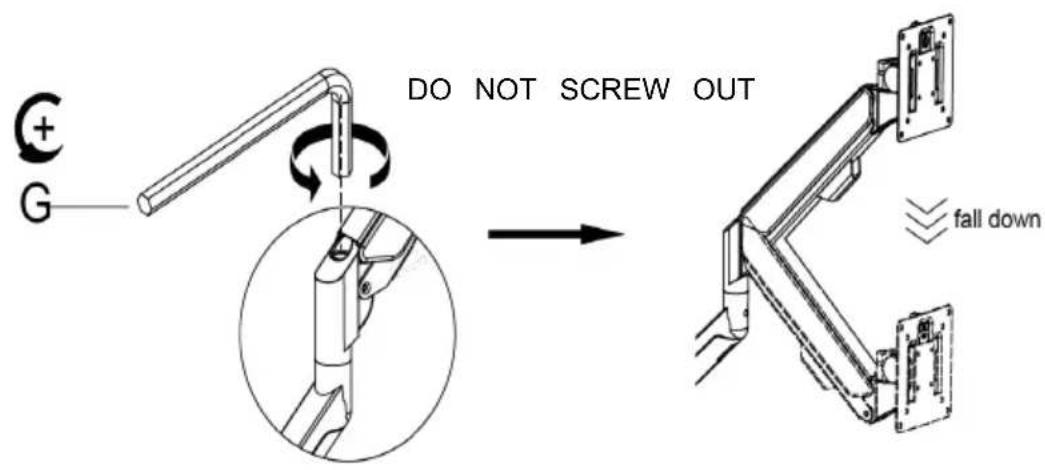
Case 1: Monitor/Arm falls down (after installing your monitor)
Press the arm to keep it in a horizontal position, then use the Allen key to adjust the screw on the arm. Turn counter-clockwise ("+" direction) to increase gas spring tension until it can hold the weight of your monitor.
Note: You may need to turn the screw many circles to tighten the arm.
5-2
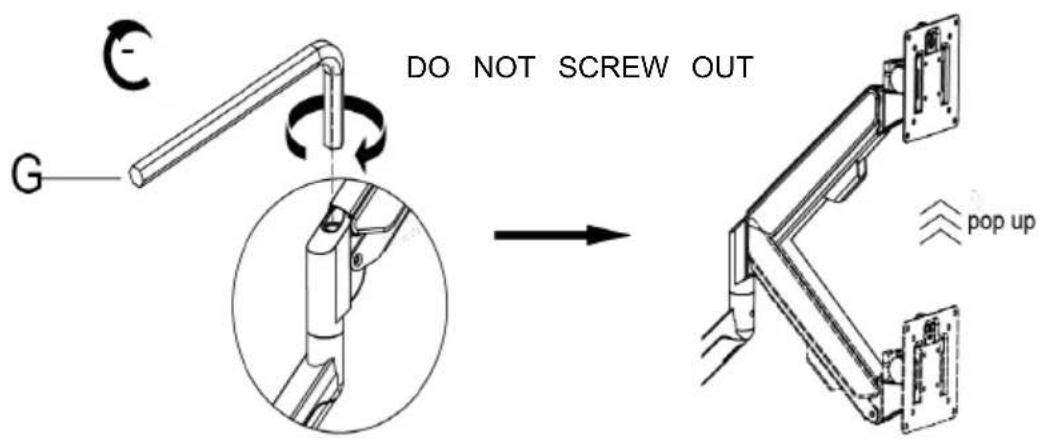
Case 2: Monitor/Arm pops up (after installing your monitor)
Press the arm to keep it in a horizontal position, then use the Allen key to adjust the screw on the arm. Turn clockwise ("-" direction) to reduce gas spring tension until it can stay in the position needed.
Note: You may need to turn the screw many circles to tighten the arm.
6 Adjust flexibility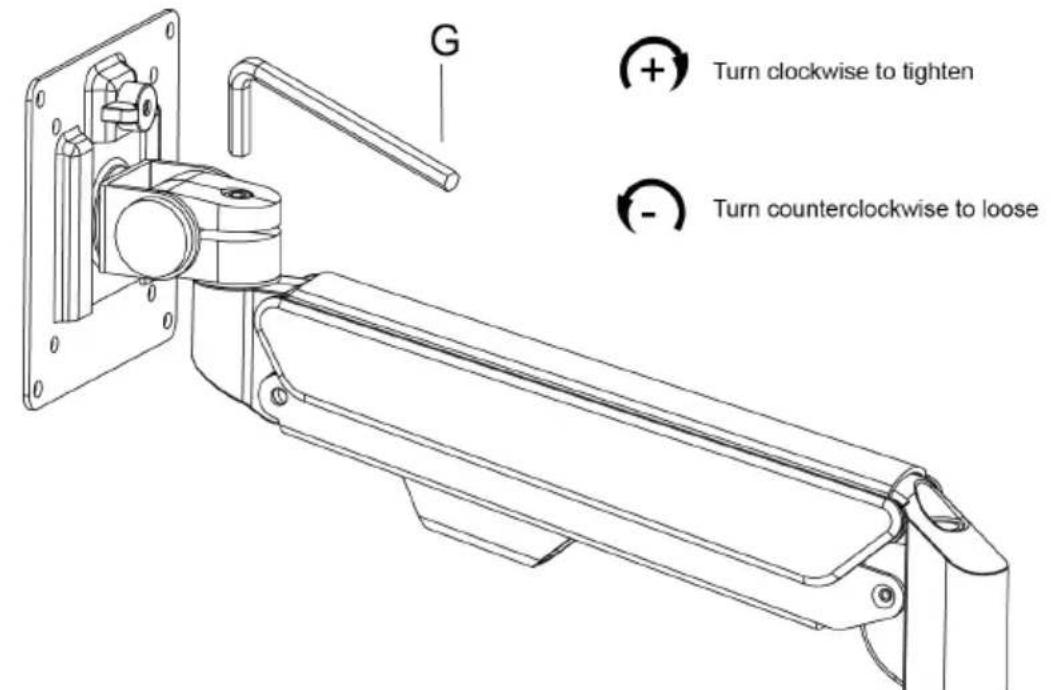
If you feel the pitching angle is too tight or too loose when adjusting the mount, please adjust the screw.
7 Limit screw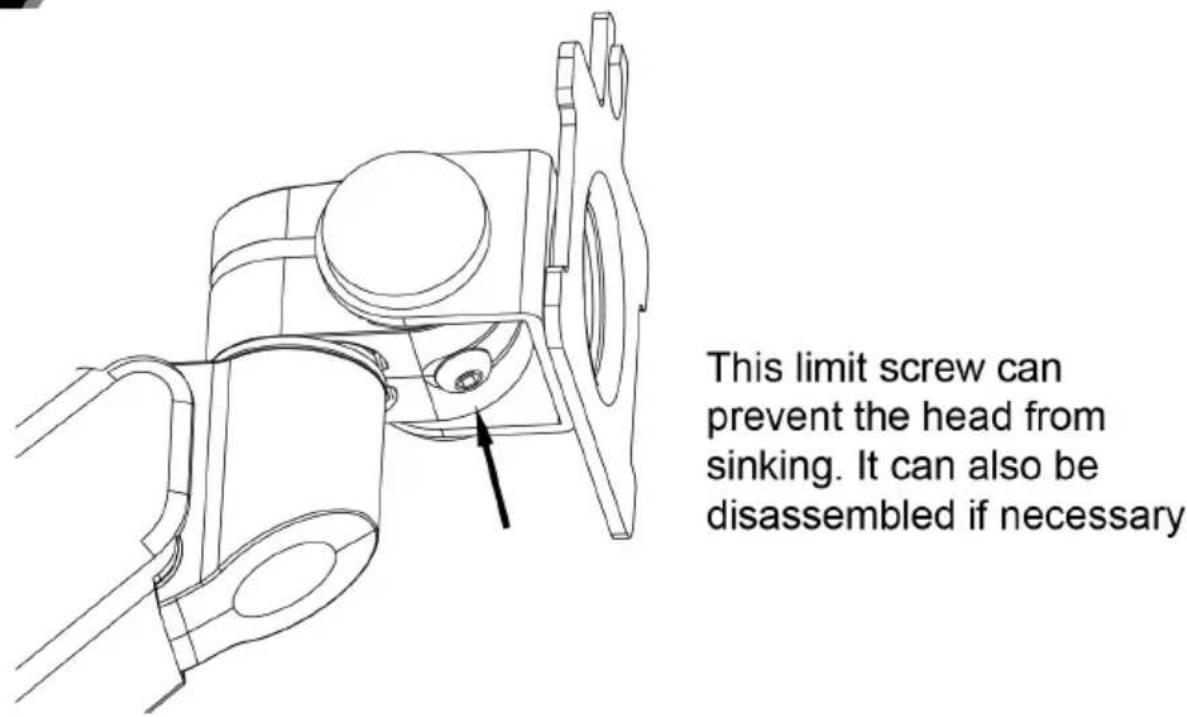
8 Cable management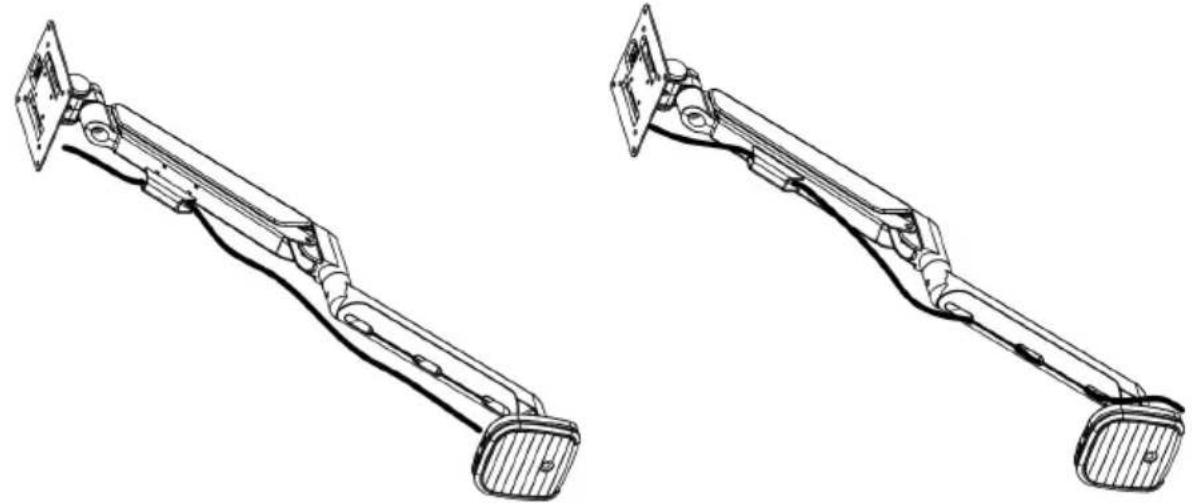
9 Adjustable instruction
Press the switch for 3 seconds to turn on and off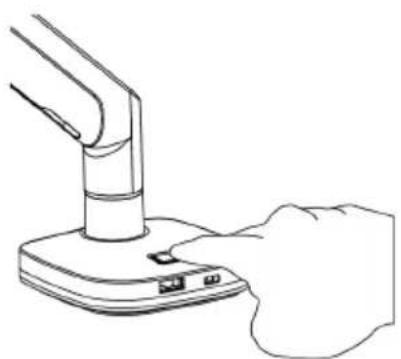
Manufacturer: Shanghai Muxin Muye Youxian Gongsi
Address: Shuangcheng Road 803, Nong 11, Hao 1602A-1609 Shi, Baoshan District, Shanghai 200000 CN.
Imported to AUS: SIHAO PTY LTD. 1 ROKEVA STREET EASTWOOD NSW 2122
Australia
Imported to USA: Sanven Technology Ltd. Suite 250, 9166 Anaheim Place, Rancho Cucamonga, CA 91730
E-CrossStu GmbH
Mainzer Landstr. 69, 60329
Frankfurt am Main.
| REPU |
YH CONSULTING LIMITED.
K/O YH Consulting Limited Office 147, Centurion
House, London Road, Staines-upon-Thames,
Surrey, TW18 4AX
VEVOR®
TOUGH TOOLS, HALF PRICE
Technical Support and E-Warranty Certificate www.vevor.com/support
VEVOR®
TOUGH TOOLS, HALF PRICE
www.vevor.com/support
1a-3a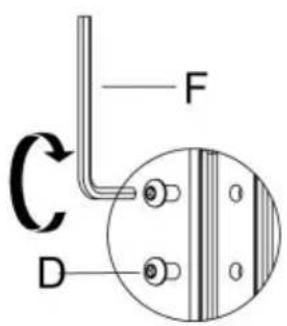
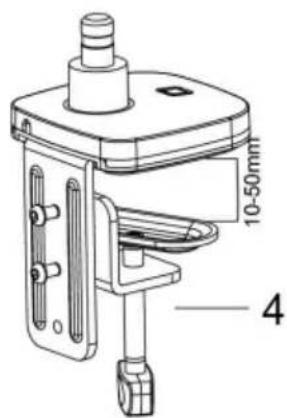
1a-3b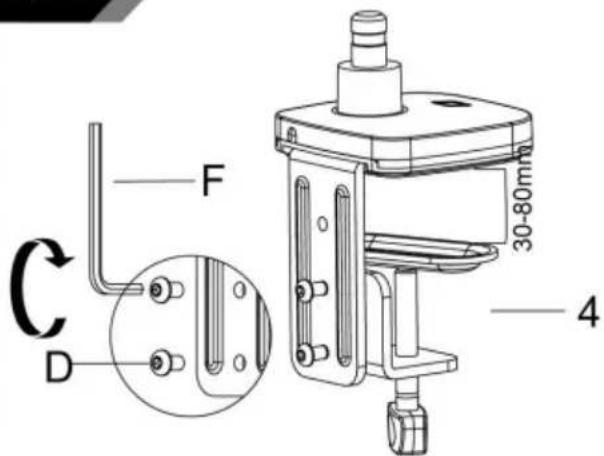
1a-4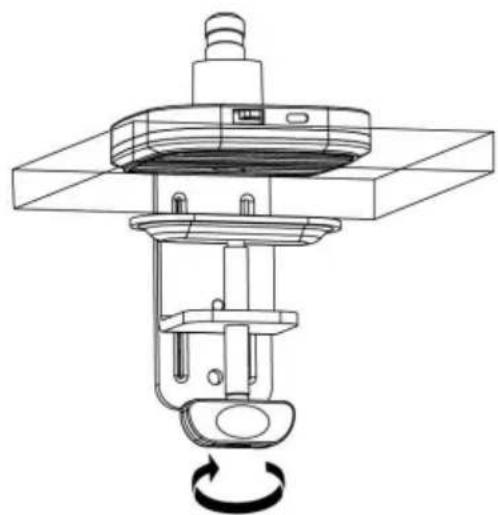
Method 2----1b
3
Connect With Monitor
Use a wrench (G) to screw the screws (A/B) into the four holes at the back of the monitor to avoid damaging the monitor by over tightening the screws.
4
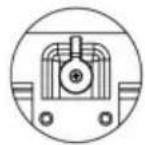
When the display is inserted into the quick release head, make sure the knob is vertical.
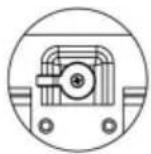
After insertion, rotate the knob 90 degrees to the left.
5-1
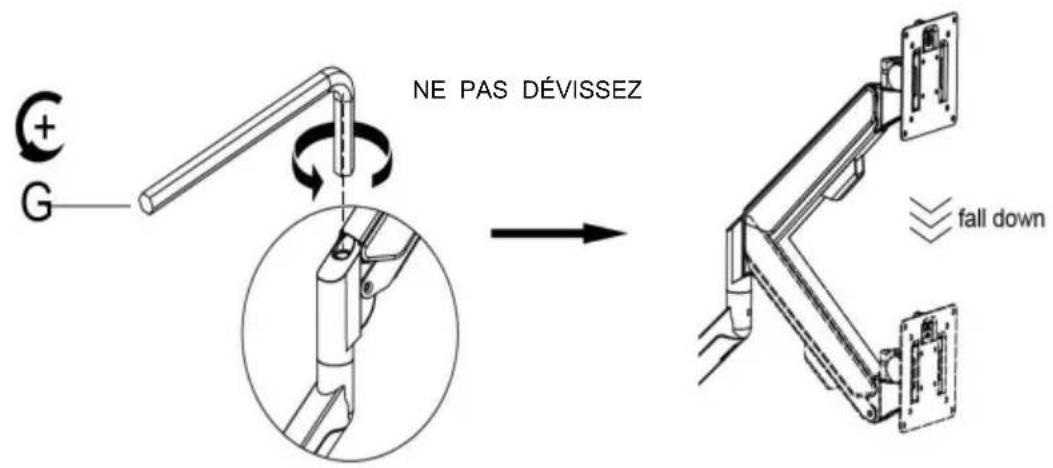
Case 1: Monitor/Arm falls down (after installing your monitor)
Press the arm to keep it in a horizontal position, then use the Allen key to adjust the screw on the arm. Turn counter-clockwise ("+" direction) to increase gas spring tension until it can hold the weight of your monitor.
Note: You may need to turn the screw many circles to tighten the arm.
5-2
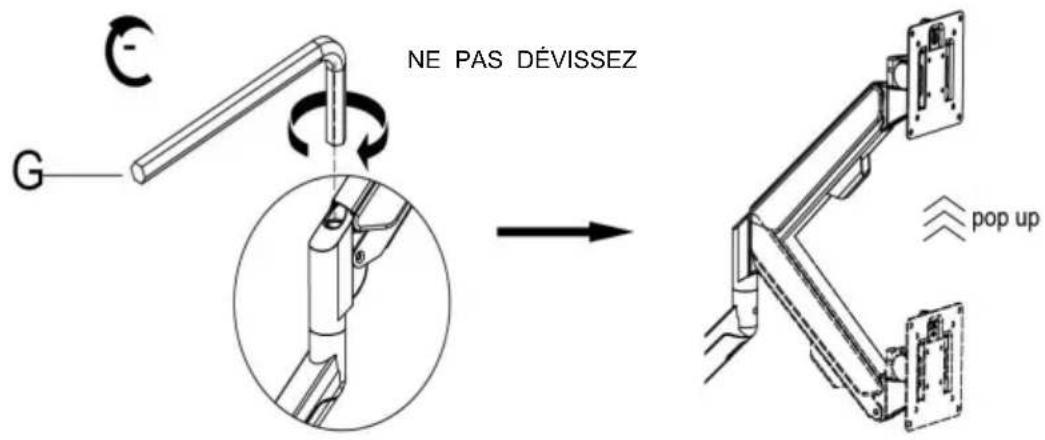
Case 2: Monitor/Arm pops up (after installing your monitor)
Press the arm to keep it in a horizontal position, then use the Allen key to adjust the screw on the arm. Turn clockwise ("-" direction) to reduce gas spring tension until it can stay in the needed position.
Note: You may need to turn the screw many circles to tighten the arm.
6 Adjust flexibility
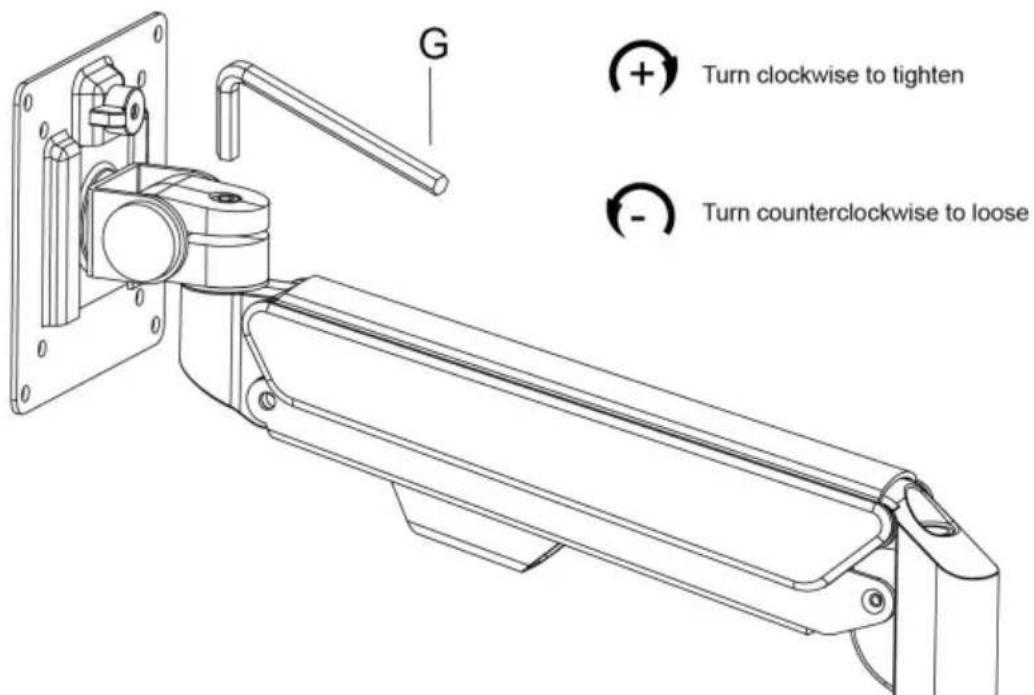
If you feel the pitching angle is too tight or too loose when adjusting the mount, please adjust the screw.
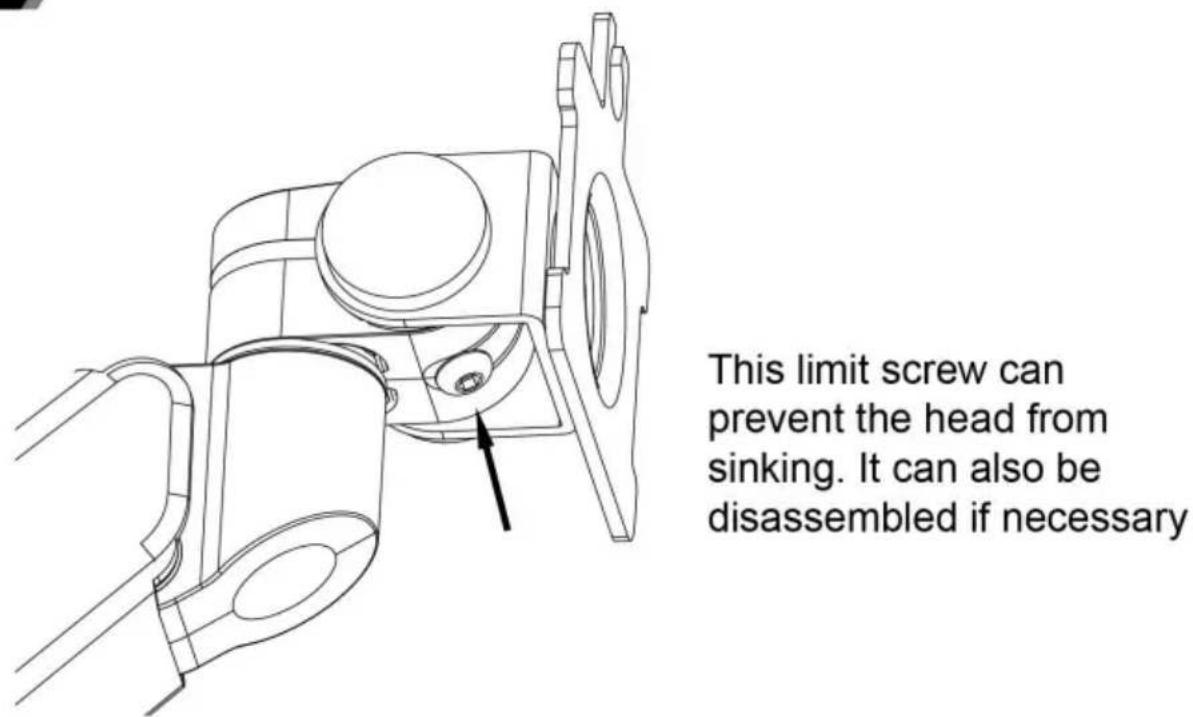
7 Limit screw
8 Cable management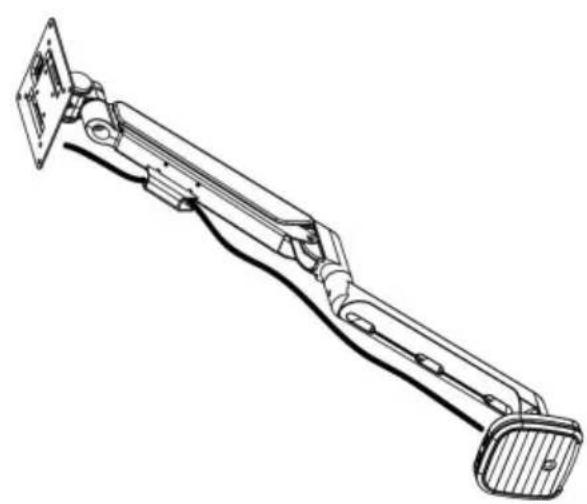
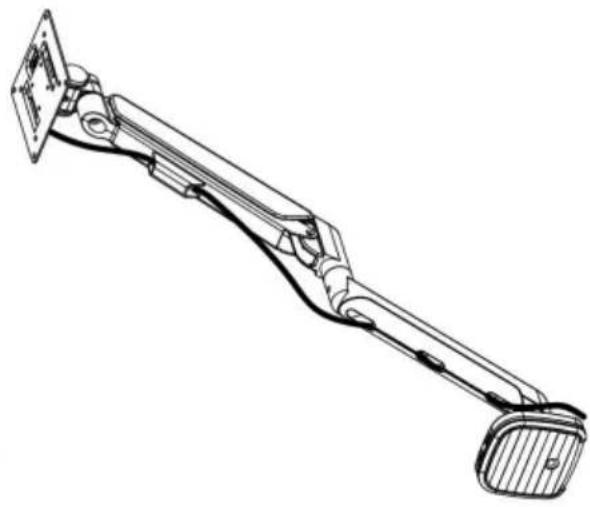
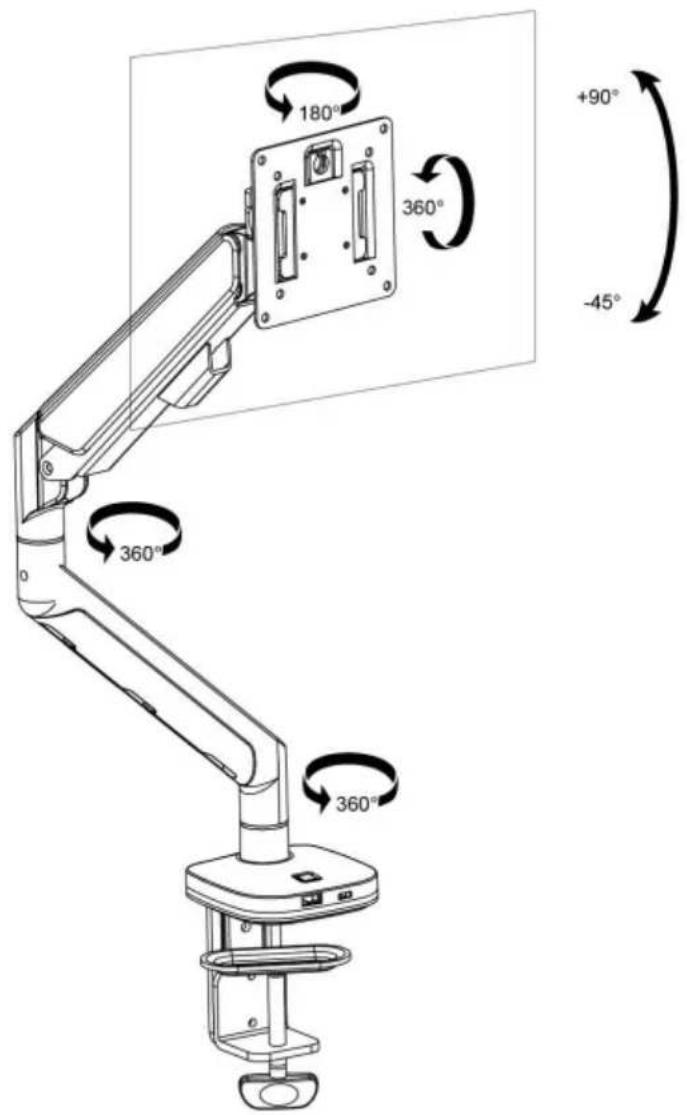
9 Adjustable instruction
Press the switch for 3 seconds to turn on and off.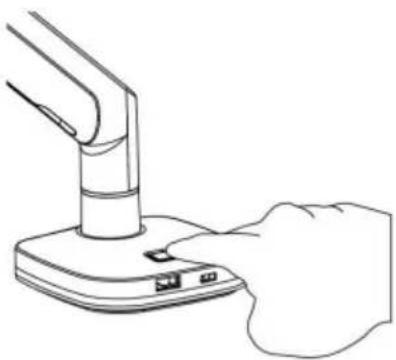
Shuangchenglu 803nong11hao1602A-1609shi, baoshanqu, shanghai 200000 CN.
Imported into AUS: SIHAO PTY LTD. 1 ROKEVA STREETEASTWOOD NSW 2122 Australia Imported into USA:
Sanven Technology Ltd. Suite 250, 9166 Anaheim Place, Rancho Cucamonga, CA 91730
E-CrossStu GmbH
Mainzer Landstr.69, 60329
A/S YH Consulting Limited Office 147, Centurion
House, London Road, Staines-upon-Thames,
Surrey, TW18 4AX
VEVOR®
TOUGH TOOLS, HALF PRICE
www.vevor.com/support
1a-3a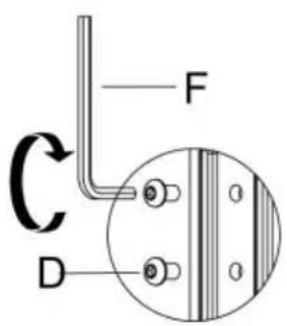
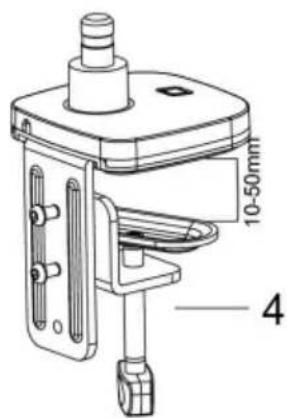
1a-3b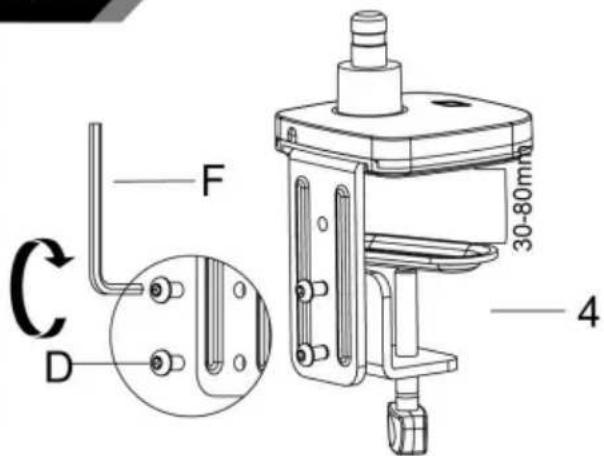
1a-4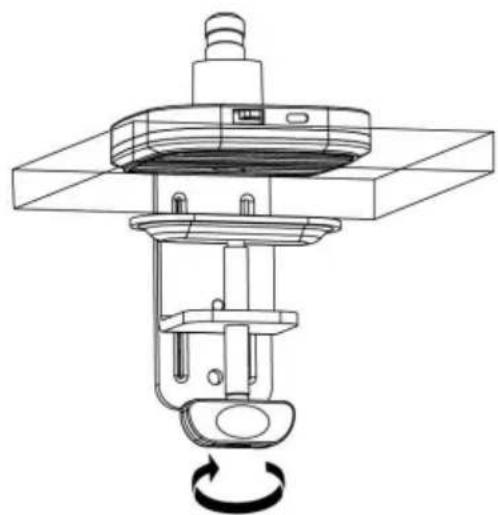
Method 2----1b
3
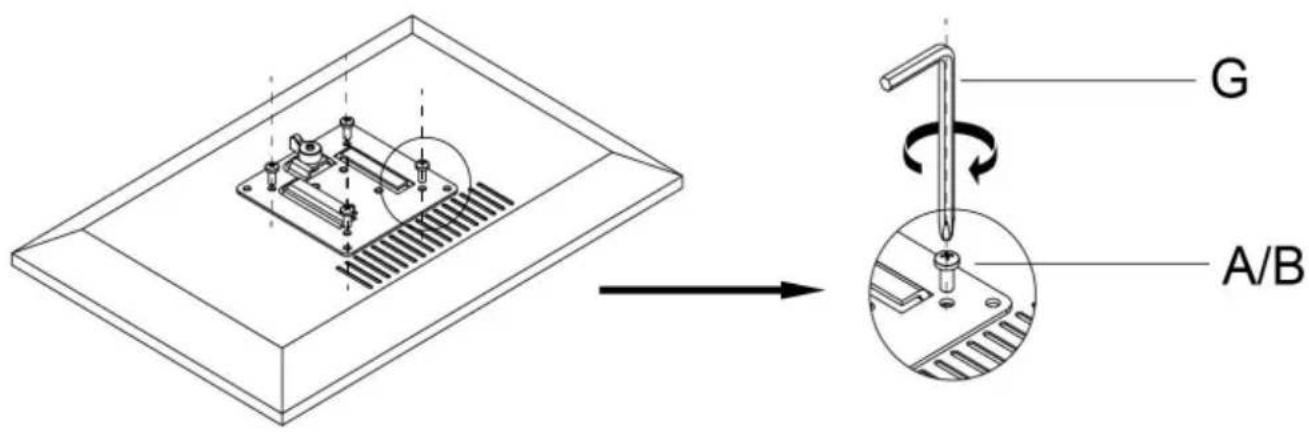
Connect With Monitor
Use a wrench (G) to screw the screws (A/B) into the four holes at the back of the monitor to avoid damaging the monitor by over tightening the screws.
4
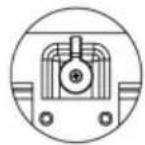
When the display is inserted into the quick release head, make sure the knob is vertical.
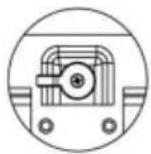
After insertion, rotate the knob 90 degrees to the left.
5-1
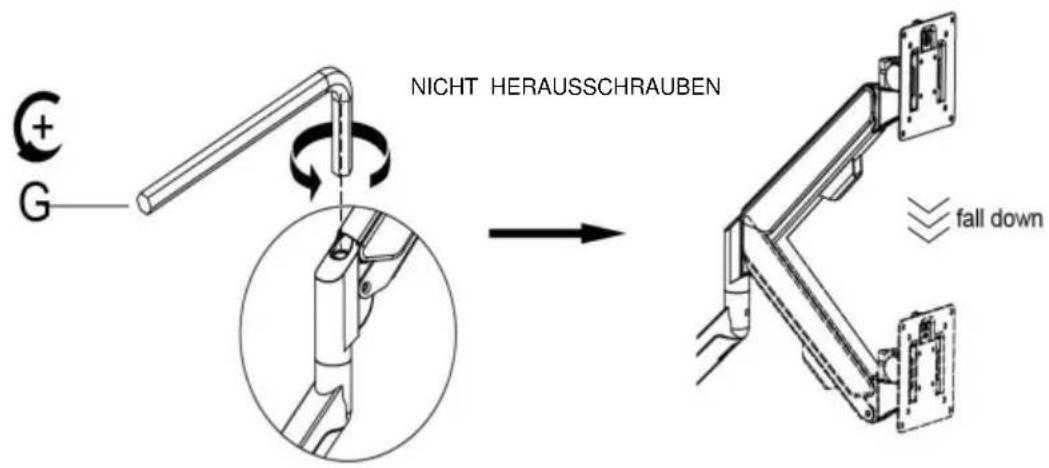
Case 1: Monitor/Arm fall down (after install your monitor)
Press the arm to make it keep it in horizontal position and then use the Allen Key to adjust the screw on the arm. Turn counter-clockwise (" + " direction) to increase gas spring tension till can hold the weight of your monitor.
Note: You may need to turn the screw by many circles to tighten the arm.
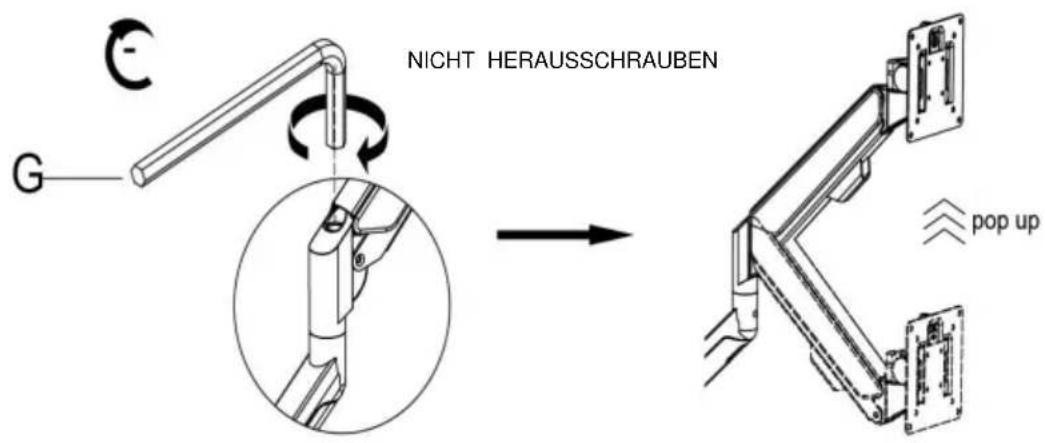
Case 2: Monitor/Arm pops up (after install your monitor)
Press the arm to make it keep it in horizontal position and then use the Allen Key to adjust the screw on the arm. Turn clockwise (" - " direction) to reduce gas spring tension till can stay the position needed.
Note: You may need to turn the screw by many circles to tighten the arm.
6 Adjust flexibility
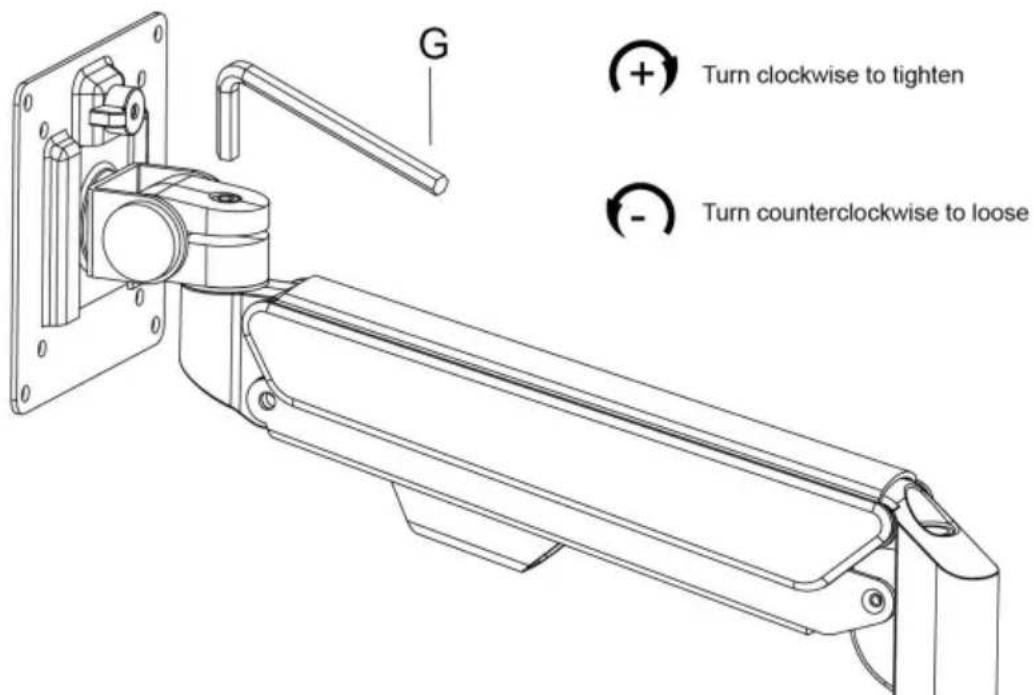
If you feel the pitching angle too tight or too loose when adjusting the mount, please adjust the Screw
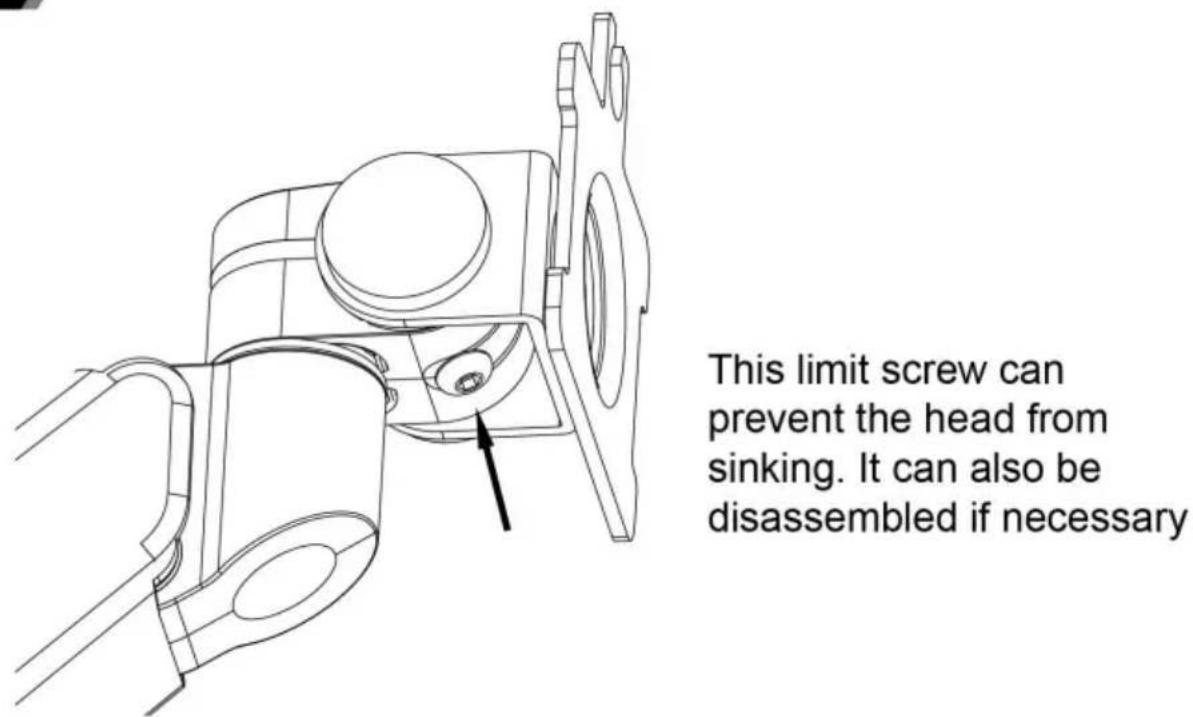
7 Limit screw
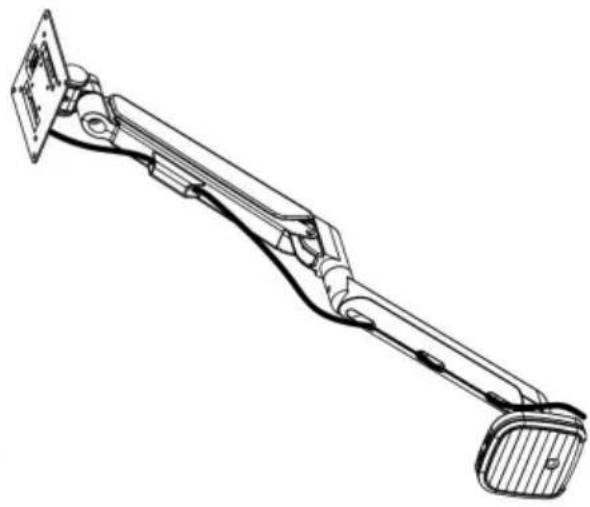
8 Cable management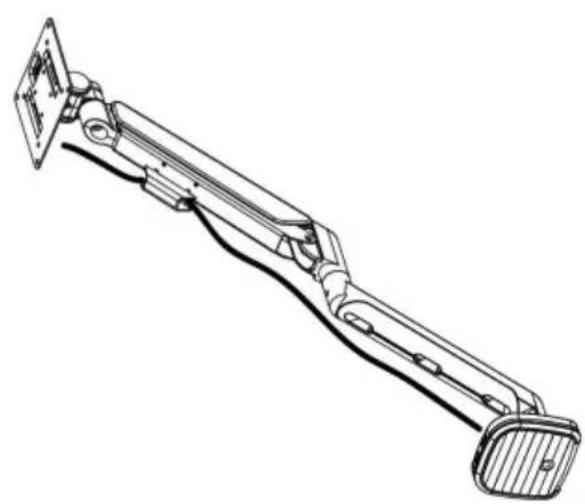
9 Adjustable instruction
Press the switch for 3 seconds to turn on and off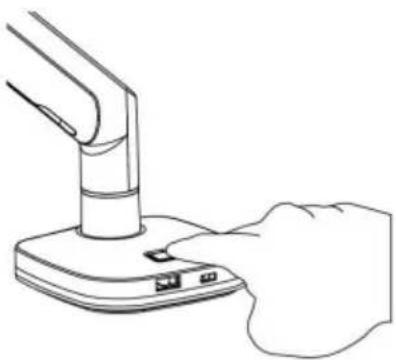
Manufacturer: Shanghaimuxinmuyeyouxiangongsi Address:
Shuangchenglu 803nong11hao1602A-1609shi, baoshanqu, Shanghai 200000 CN.
C/O YH Consulting Limited Office 147, Centurion
Haus, London Road, Staines-upon-Thames,
Surrey, TW18 4AX
VEVOR®
TOUGH TOOLS, HALF PRICE
www.vevor.com/support
1a-3a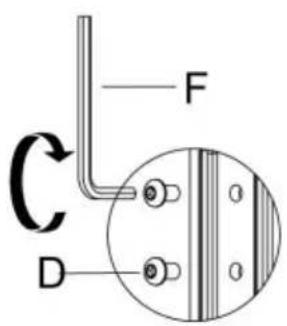
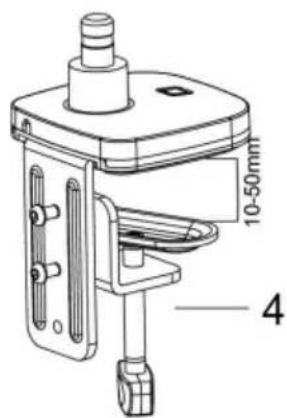
1a-3b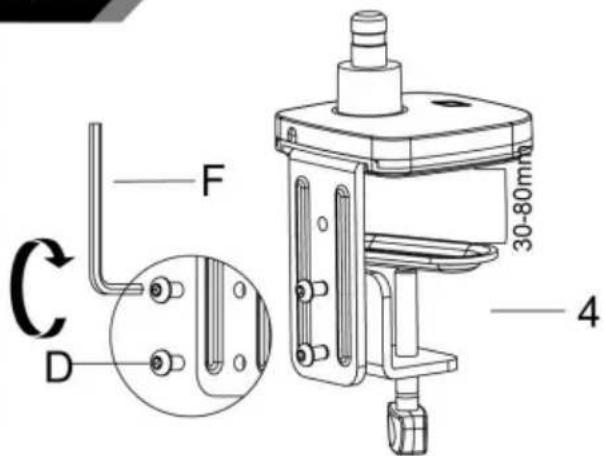
1a-4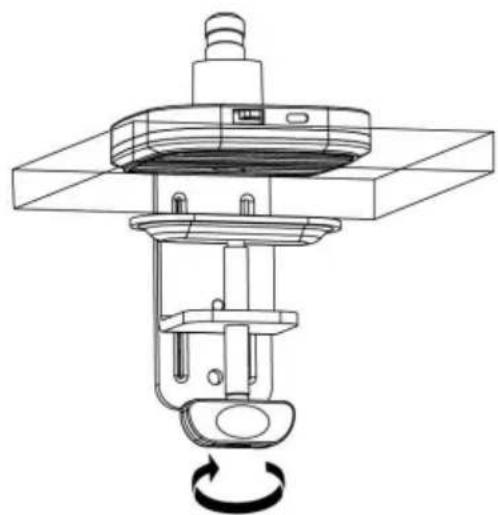
Method 2----1b
3
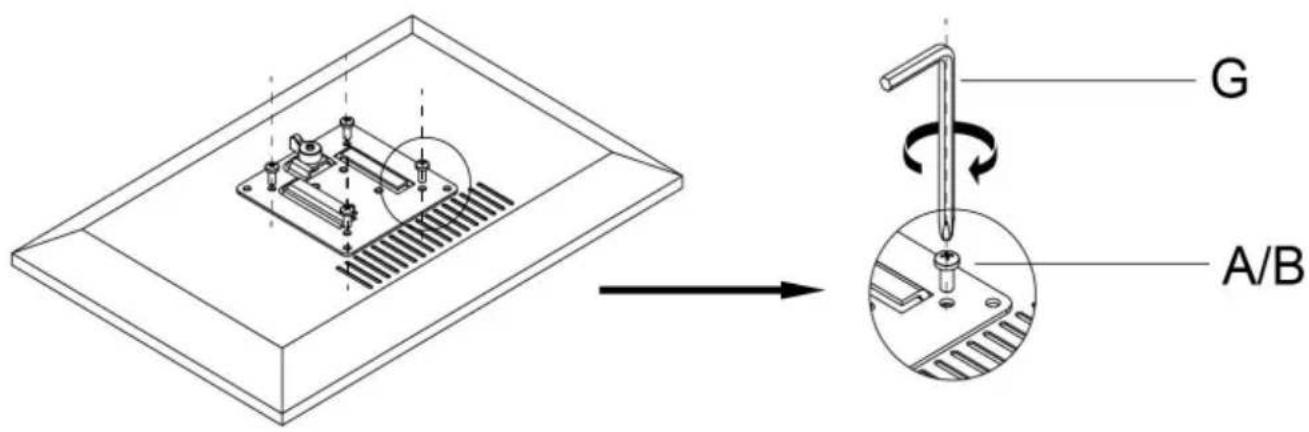
Connect With Monitor
Use a wrench (G) to screw the screws (A/B) into the four holes at the back of the monitor to avoid damaging the monitor by over tightening the screws.
4
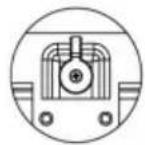
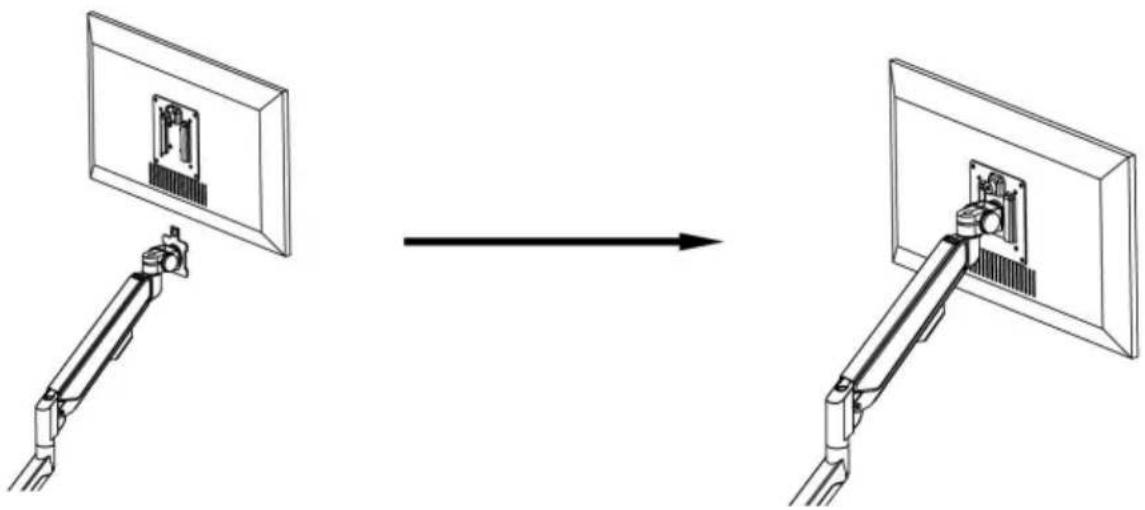
When the display is inserted into the quick release head, make sure the knob is vertical.
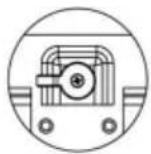
After insertion, rotate the knob 90 degrees to the left.
5-1
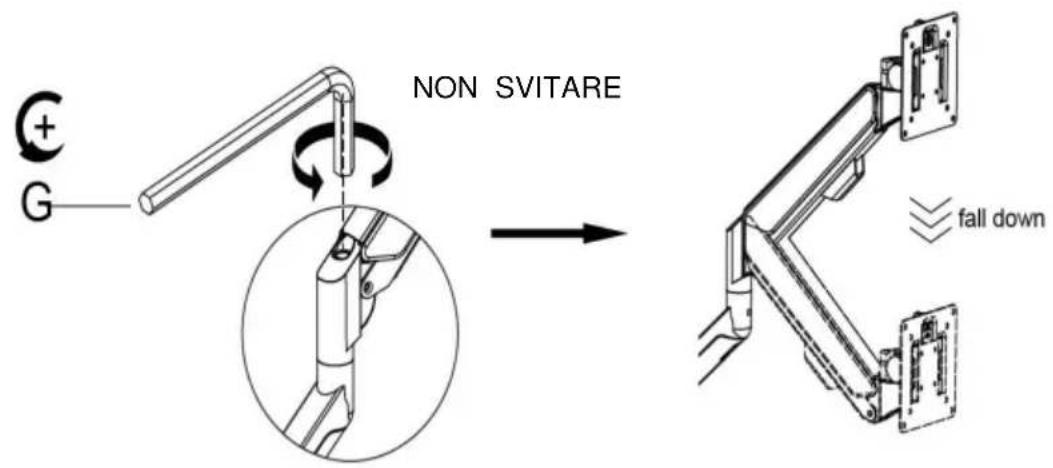
Case 1: Monitor/Arm fall down (after install your monitor)
Press the arm to make it keep it in horizontal position and then use the Allen Key to adjust the screw on the arm. Turn counter-clockwise (" + " direction) to increase gas spring tension till can hold the weight of your monitor.
Note: You may need to turn the screw by many circles to tighten the arm.
5-2
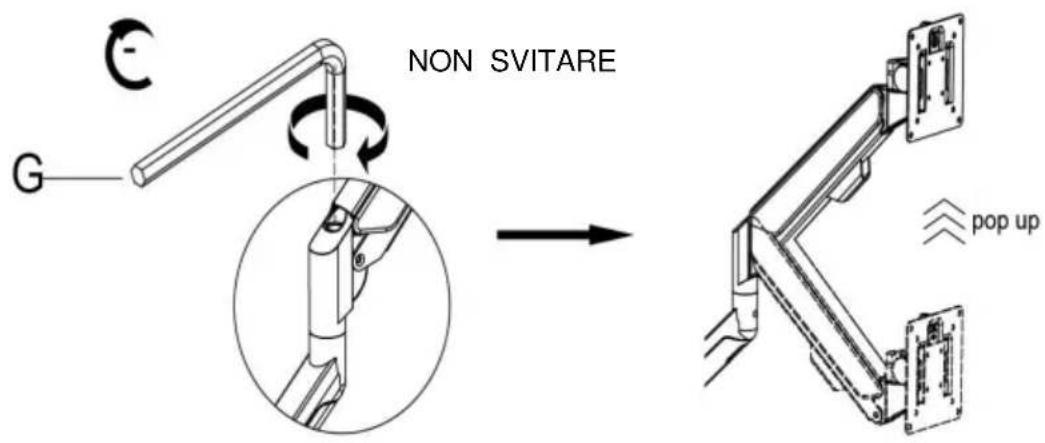
Case 2: Monitor/Arm pops up (after install your monitor)
Press the arm to make it keep it in horizontal position and then use the Allen Key to adjust the screw on the arm. Turn clockwise (" - " direction) to reduce gas spring tension till can stay the position needed.
Note: You may need to turn the screw by many circles to tighten the arm.
6 Adjust flexibility
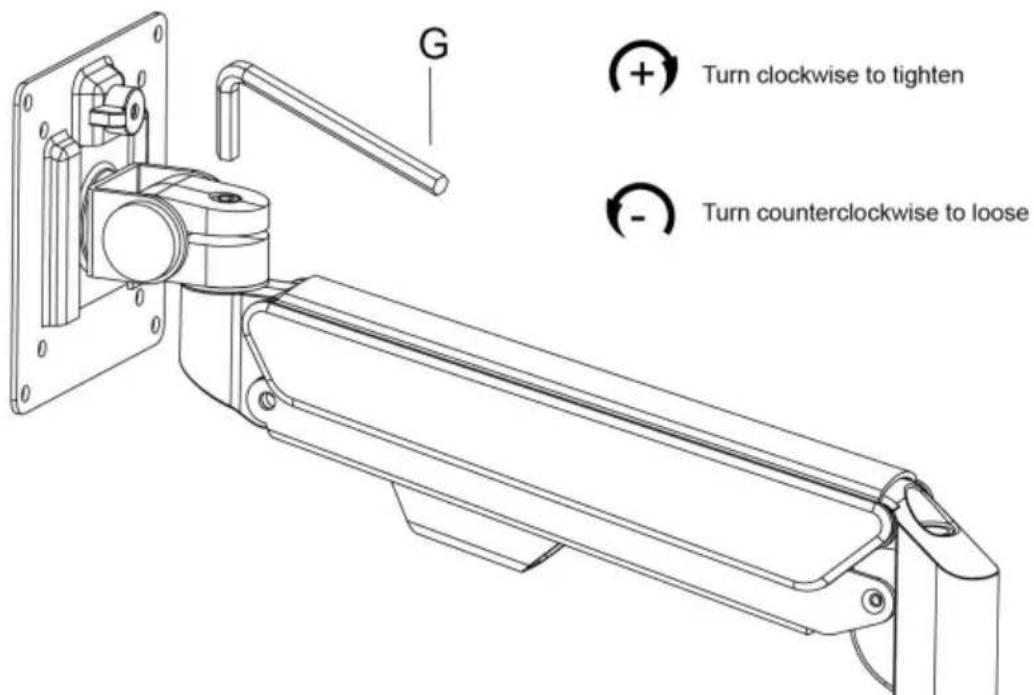
If you feel the pitching angle too tight or too loose when adjusting the mount, please adjust the Screw
7 Limit screw
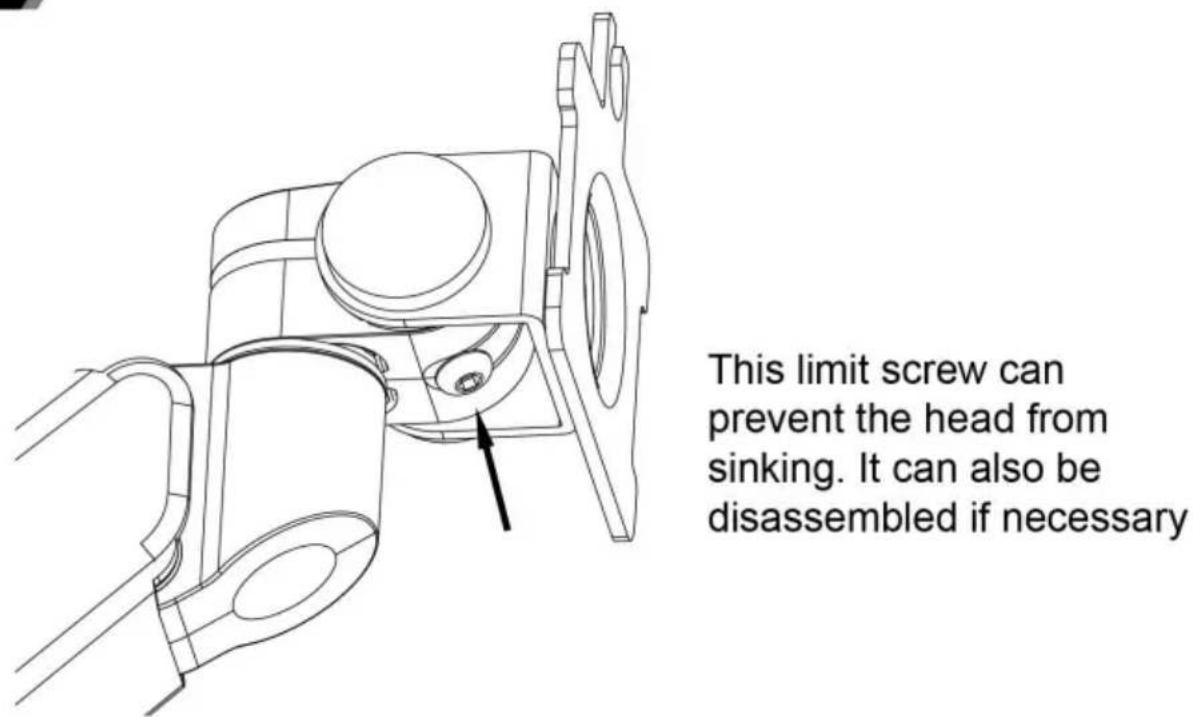
8 Cable management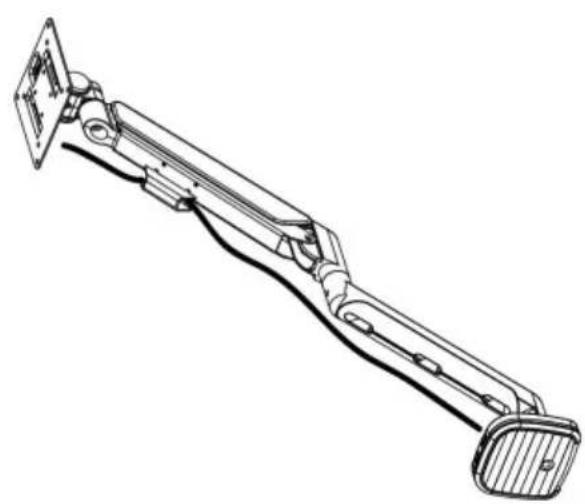
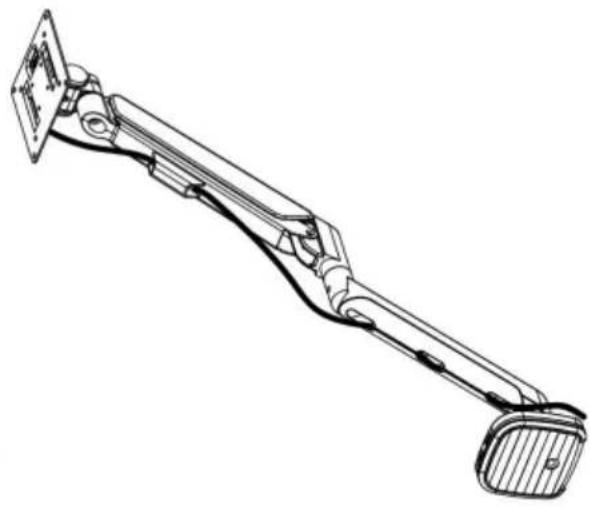
9 Adjustable instruction
Press the switch for 3 seconds to turn on and off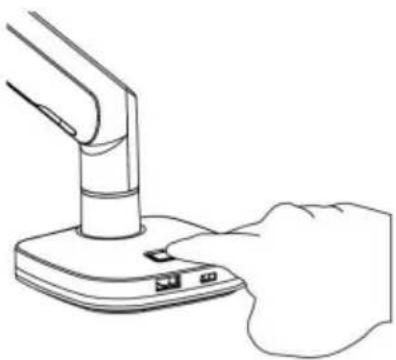
C/O YH Consulting Limited Ufficio 147, Centurion
Casa, London Road, Staines-upon-Thames,
1a-3a
1a-3b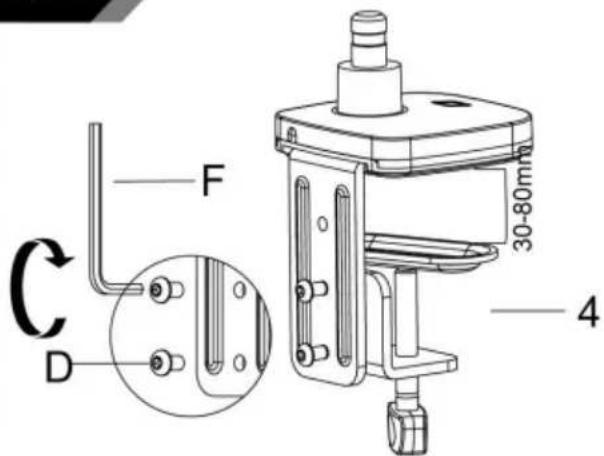
1a-4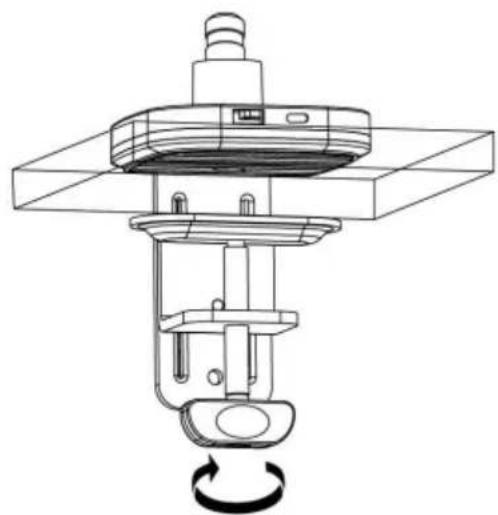
Method 2----1b
3
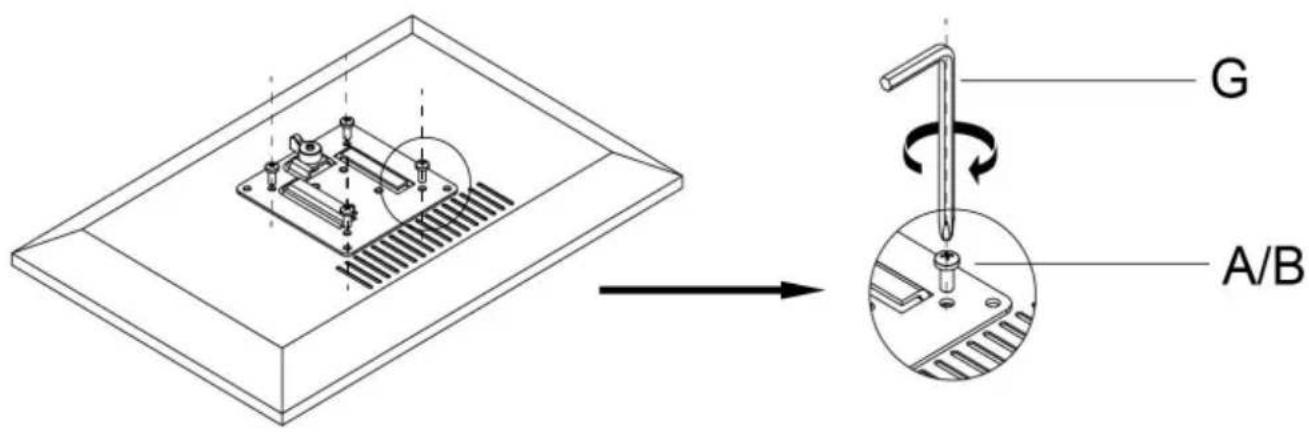
Connect With Monitor
Use a wrench (G) to screw the screws (A/B) into the four holes at the back of the monitor to avoid damaging the monitor by over tightening the screws.
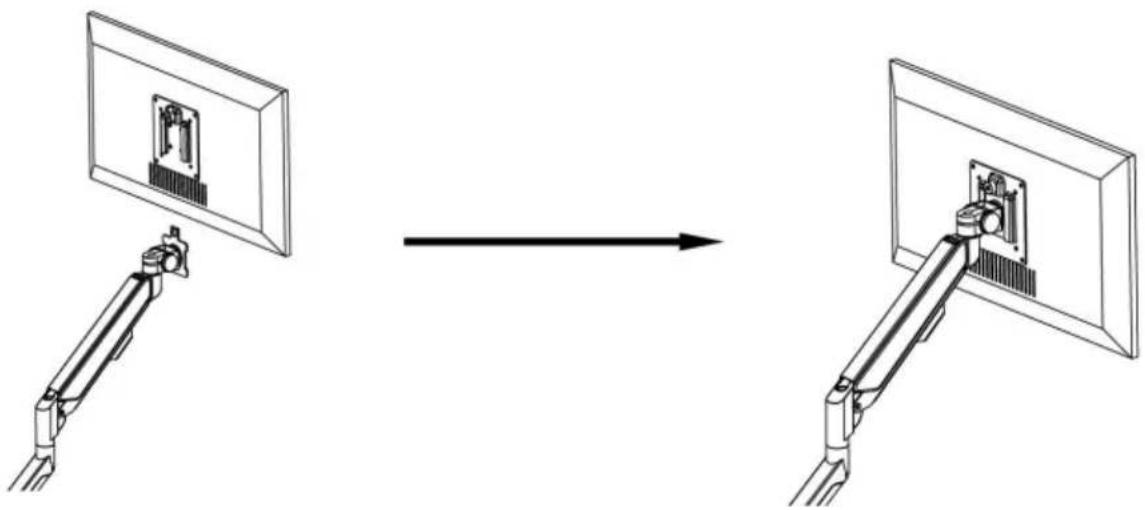
4
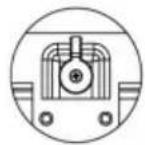
When the display is inserted into the quick release head, make sure the knob is vertical.
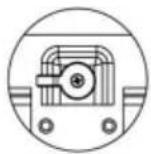
After insertion, rotate the knob 90 degrees to the left.
5-1
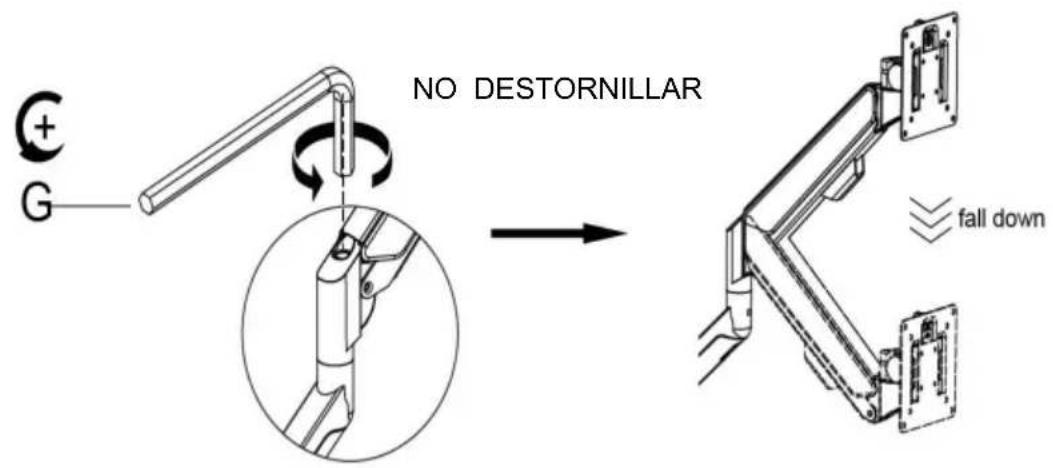
Case 1: Monitor/Arm fall down (after install your monitor)
Press the arm to make it keep it in horizontal position and then use the Allen Key to adjust the screw on the arm. Turn counter-clockwise(" + " direction) to increase gas spring tension till can hold the weight of your monitor.
Note: You may need to turn the screw by many circles to tighten the arm.
5-2
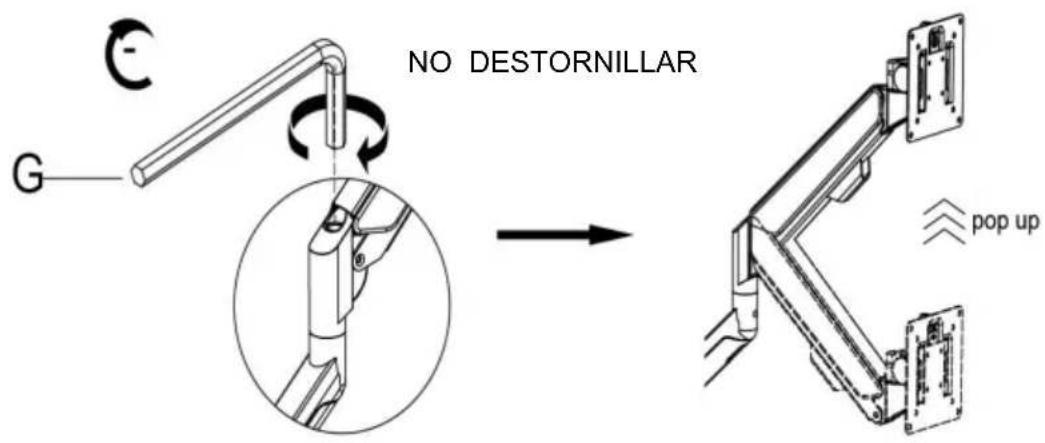
Case 2: Monitor/Arm pops up (after install your monitor)
Press the arm to make it keep it in horizontal position and then use the Allen Key to adjust the screw on the arm. Turn clockwise(- " direction) to reduce gas spring tension till can stay the position needed.
Note: You may need to turn the screw by many circles to tighten the arm.
6 Adjust flexibility
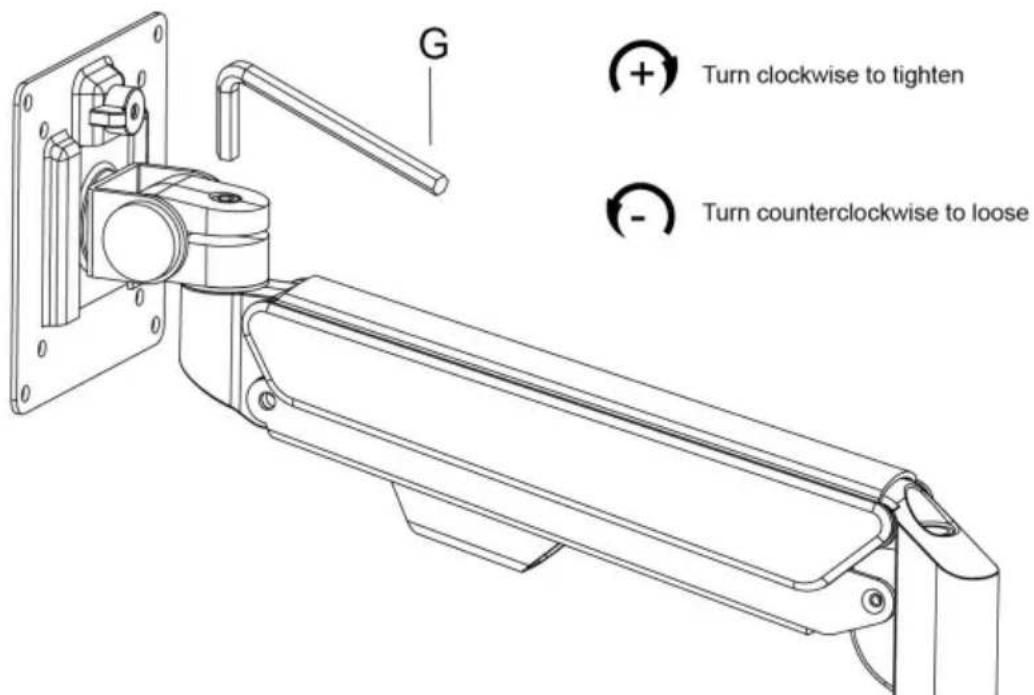
If you feel the pitching angle too tight or too loose when adjusting the mount, please adjust the Screw
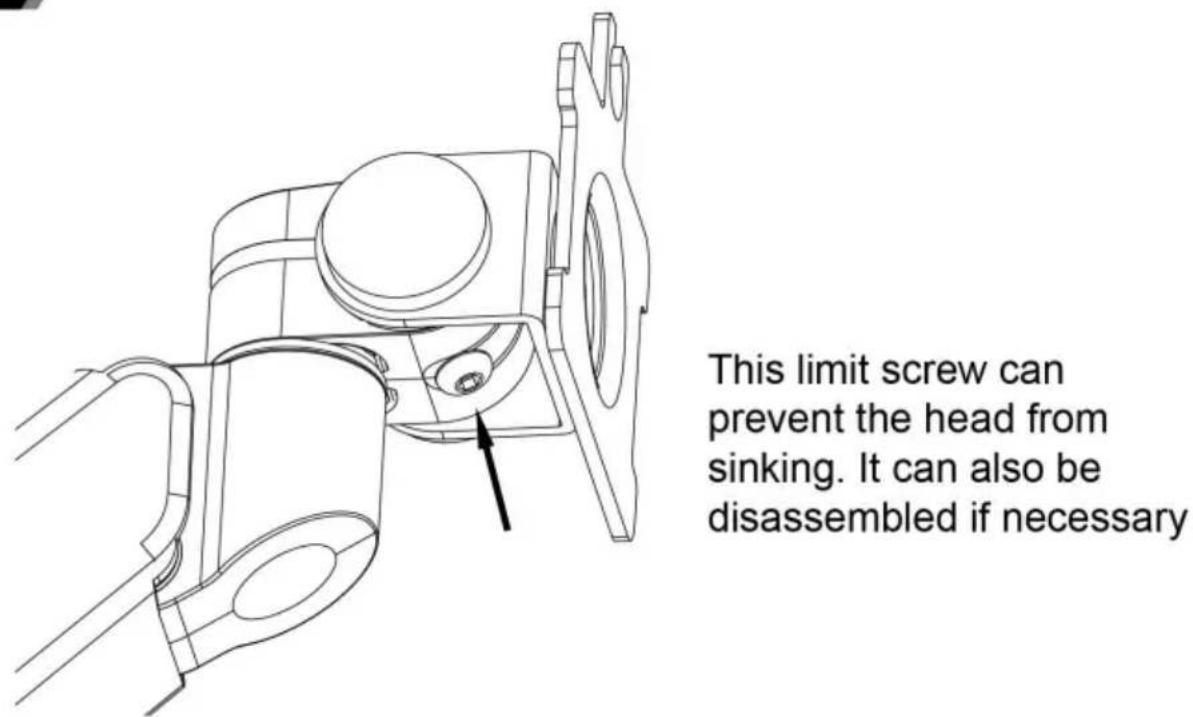
7 Limit screw
8 Cable management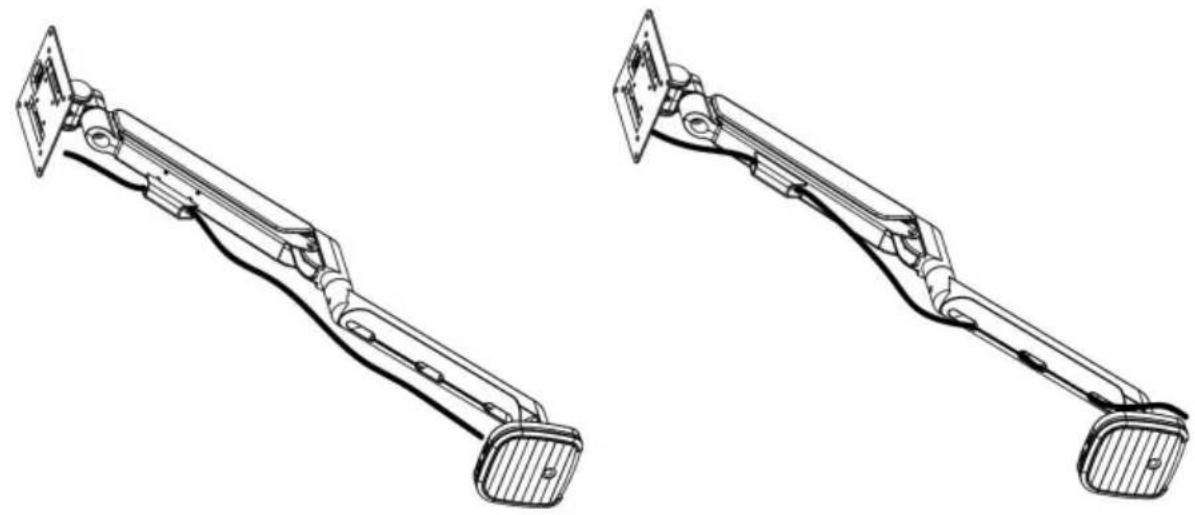
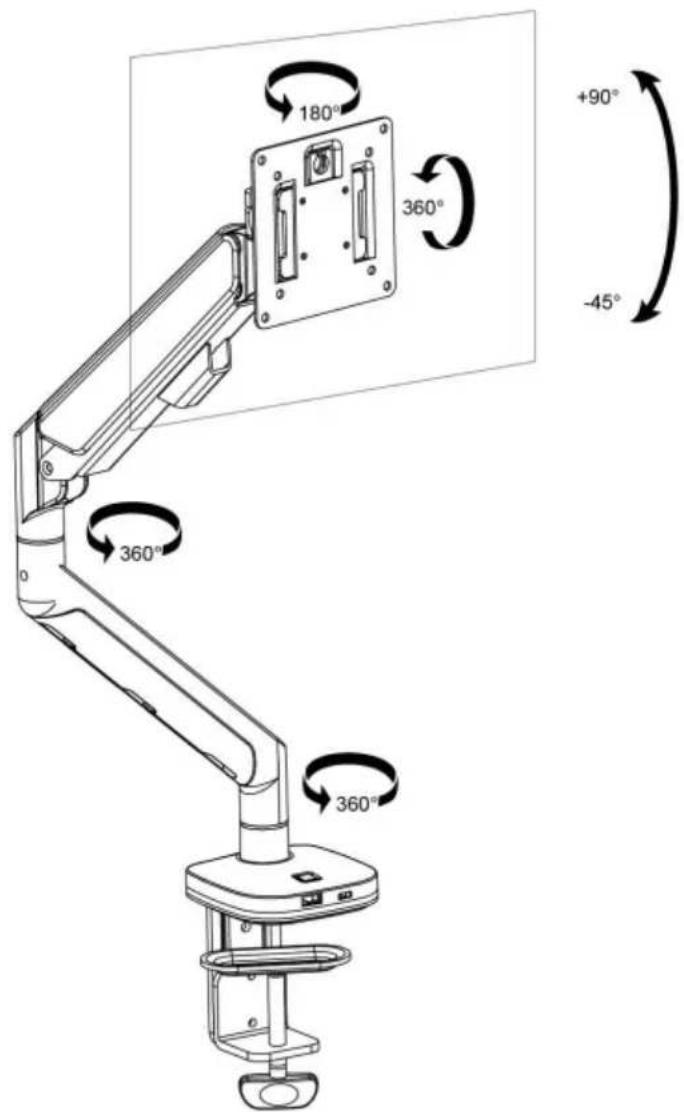
9 Adjustable instruction
Press the switch for 3 seconds to turn on and off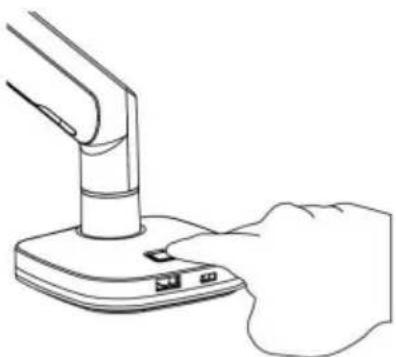
Casa, London Road, Staines-upon-Thames,
Surrey, TW18 4AX
VEVOR®
TOUGH TOOLS, HALF PRICE
www.vevor.com/support
1a-3a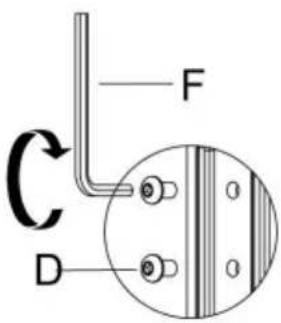
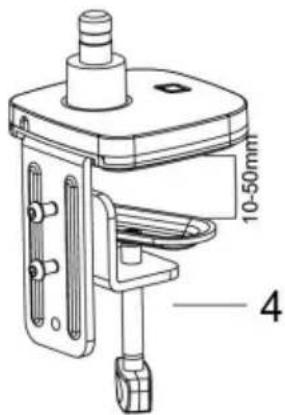
1a-3b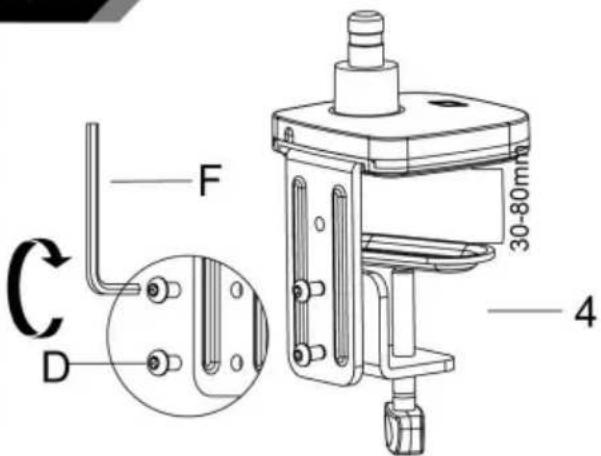
1a-4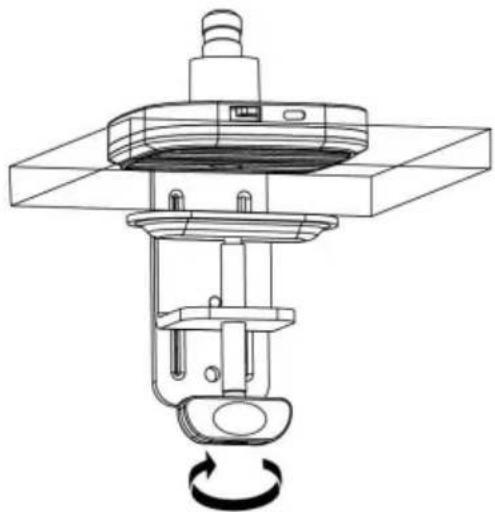
Method 2----1b
3
Connect With Monitor
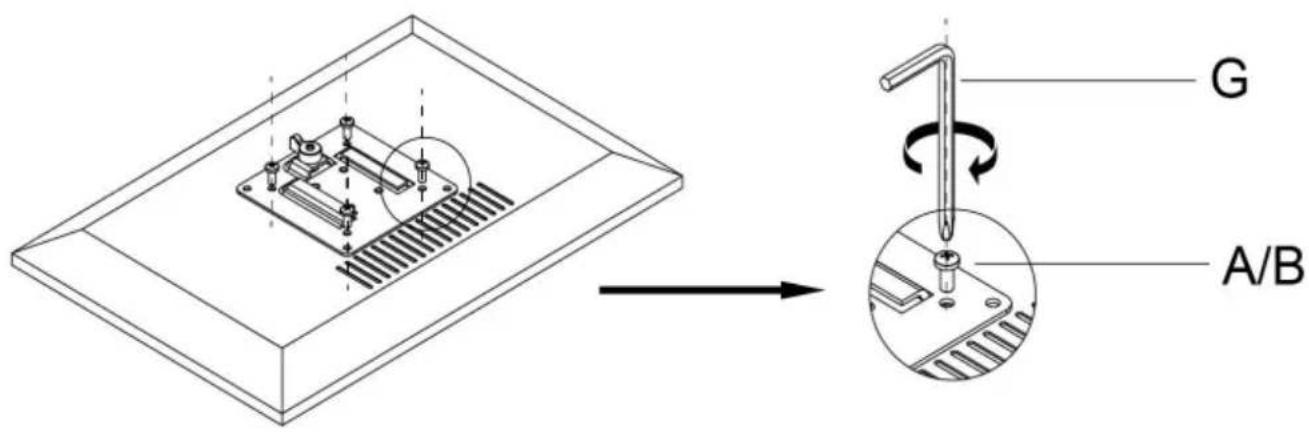
Use a wrench (G) to screw the screws (A/B) into the four holes at the back of the monitor to avoid damaging the monitor by over tightening the screws.
4
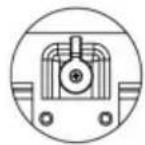
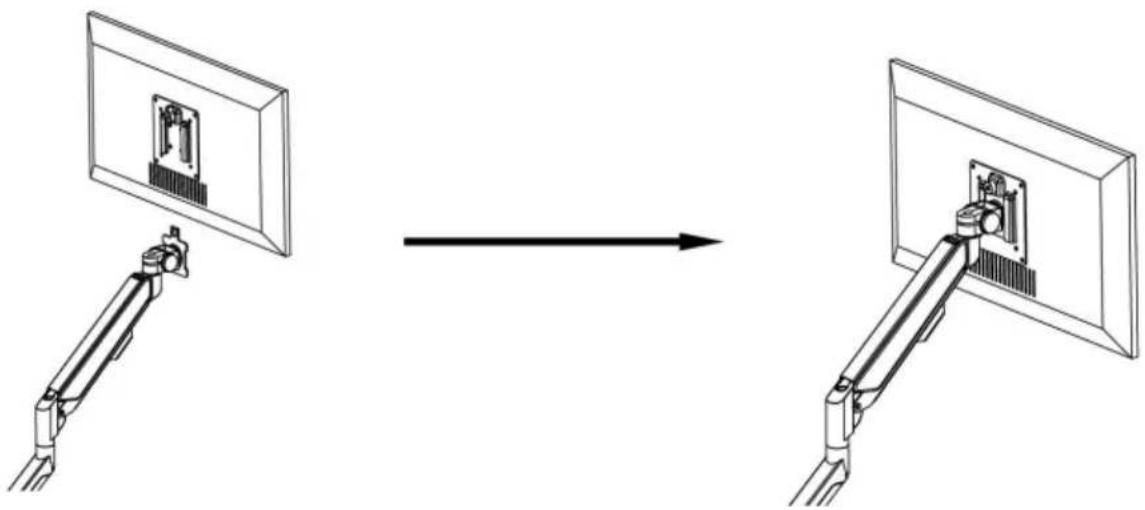
When the display is inserted into the quick release head, make sure the knob is vertical.
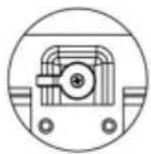
After insertion, rotate the knob 90 degrees to the left.
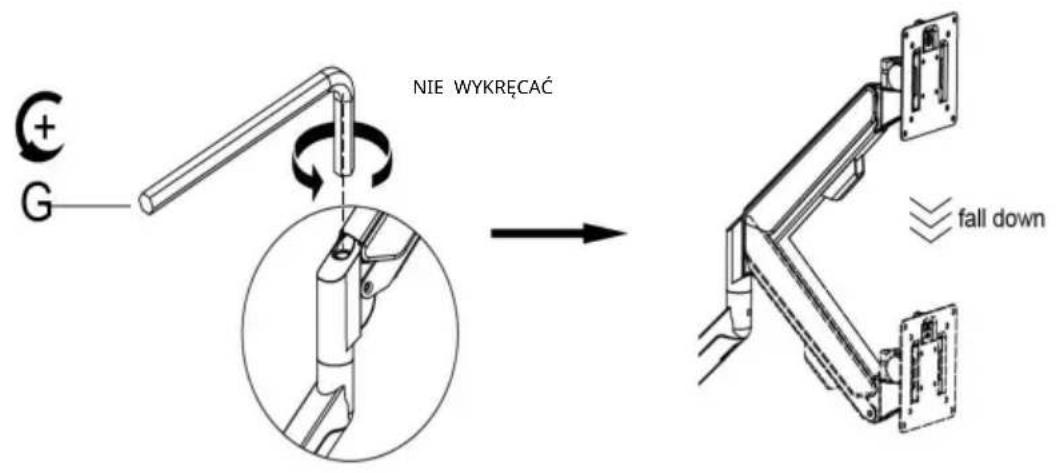
5-1
Case 1: Monitor/Arm falls down (after installing your monitor)
Press the arm to keep it in a horizontal position, then use the Allen key to adjust the screw on the arm. Turn counter-clockwise ("+" direction) to increase gas spring tension until it can hold the weight of your monitor.
Note: You may need to turn the screw many times to tighten the arm.
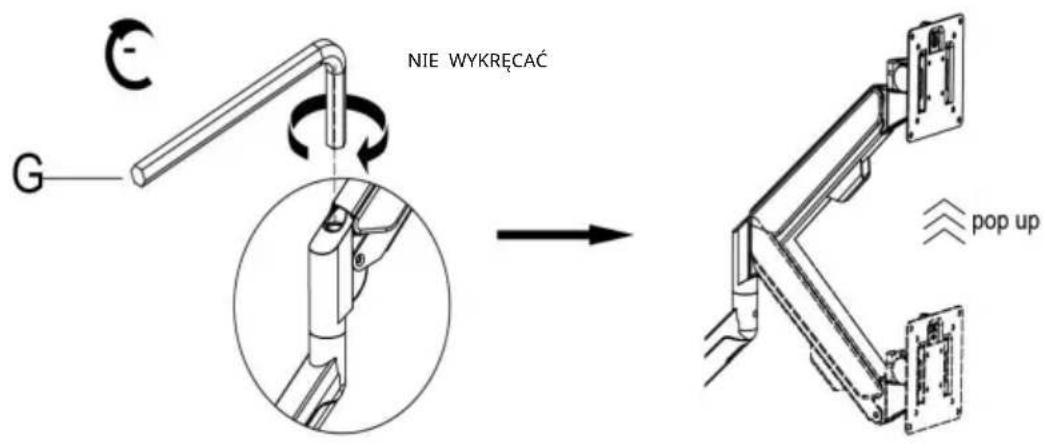
5-2
Case 2: Monitor/Arm pops up (after installing your monitor)
Press the arm to keep it in a horizontal position, then use the Allen key to adjust the screw on the arm. Turn clockwise ("-" direction) to reduce gas spring tension until it can stay in the desired position.
Note: You may need to turn the screw many times to tighten the arm.
6 Adjust flexibility
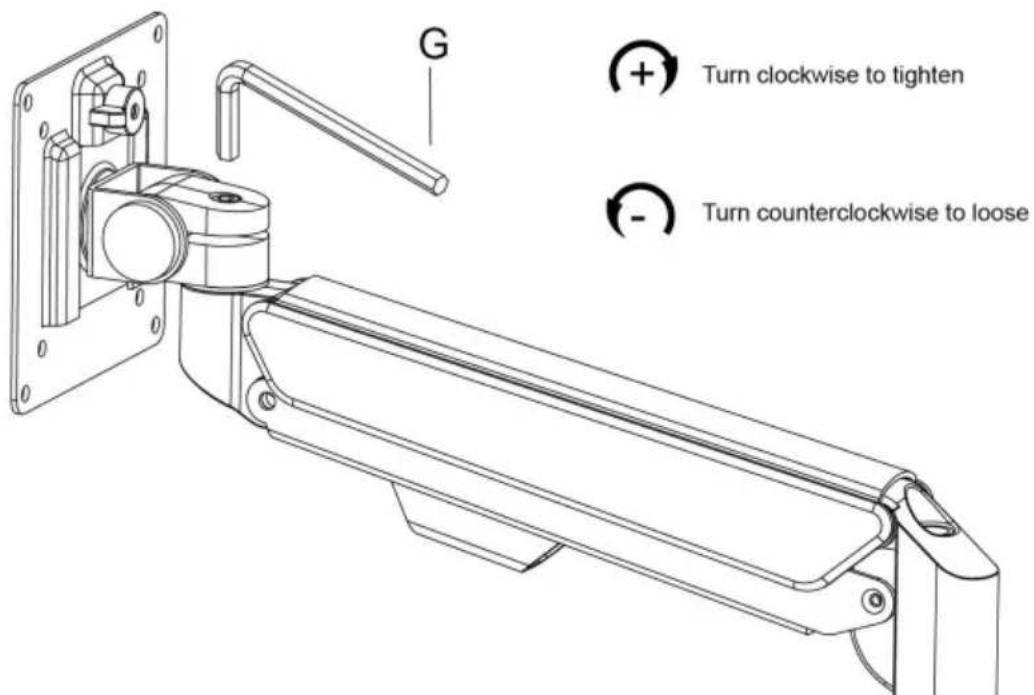
If you feel the pitching angle is too tight or too loose when adjusting the mount, please adjust the screw.
7 Limit screw
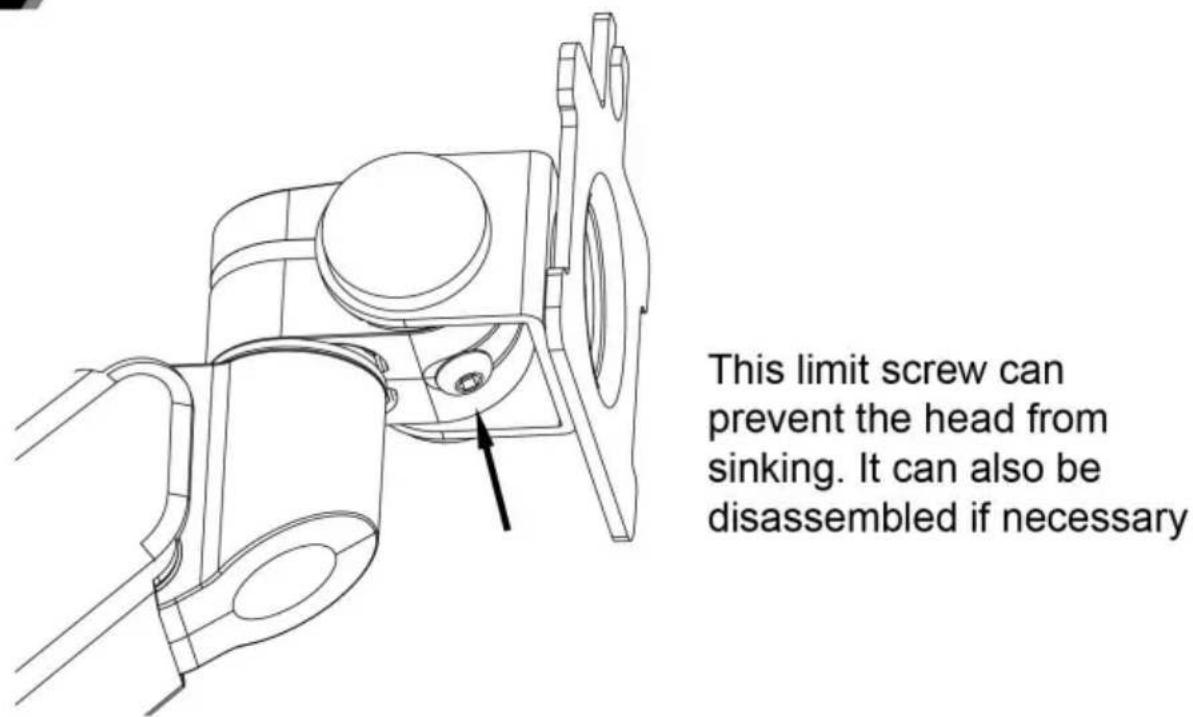
8 Cable management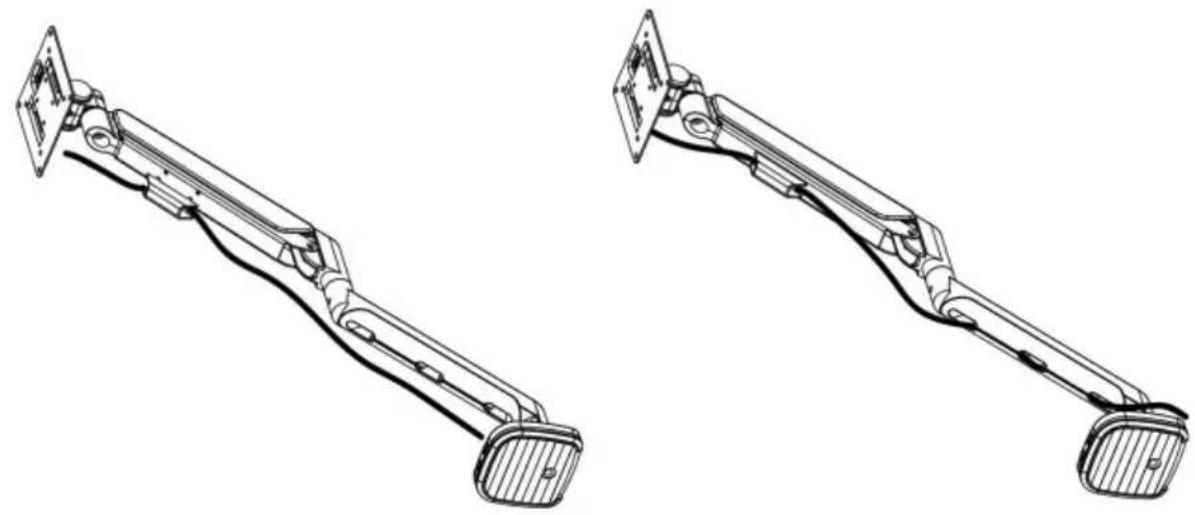
9 Adjustable instruction
Press the switch for 3 seconds to turn on and off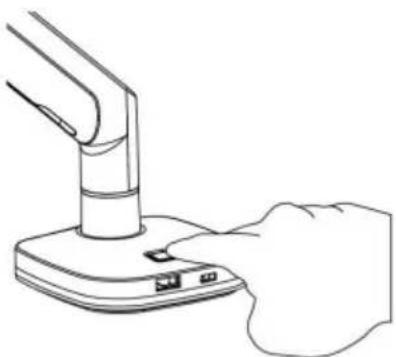
Manufacturer: Shanghaimuxinmuyeyouxiangongsi Address:
Shuangchenglu 803nong11hao1602A-1609shi, baoshanqu, Shanghai 200000 CN.
Imported into AUS: SIHAO PTY LTD. 1 ROKEVA STREETEASTWOOD NSW 2122 Australia Imported into USA:
Sanven Technology Ltd. Suite 250, 9166 Anaheim Place, Rancho Cucamonga, CA 91730
| Przedstawiciel UE |
E-CrossStu GmbH
Mainzer Landstr.69, 60329
Frankfurt am Main.
| REP WIELKIEJ BRYTANII |
YH CONSULTING LIMITED.
C/O YH Consulting Limited Office 147, Centurion
House, London Road, Staines-upon-Thames,
Surrey, TW18 4AX
VEVOR®
TOUGH TOOLS, HALF PRICE
NEED HELP? CONTACT US!
www.vevor.com/support
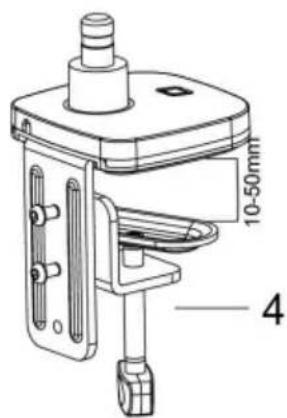
1a-3a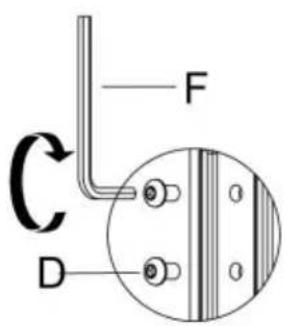
1a-3b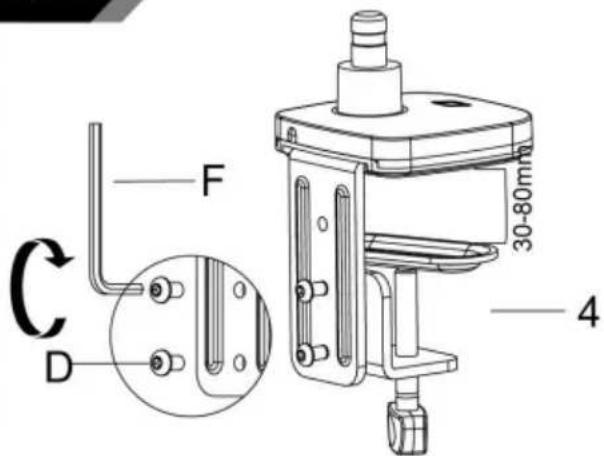
1a-4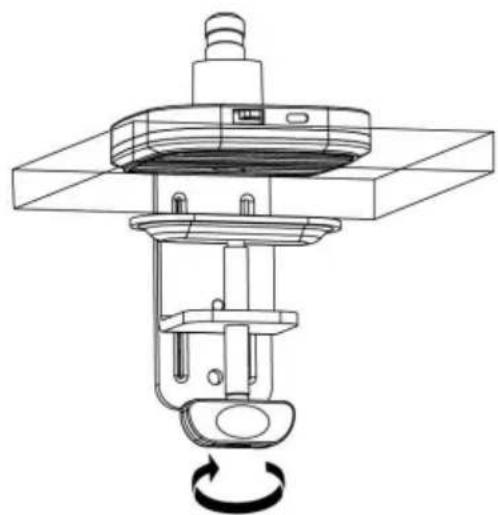
Method 2----1b
3
Connect With Monitor
Use a wrench (G) to screw the screws (A/B) into the four holes at the back of the monitor. Avoid damaging the monitor by over-tightening the screws.
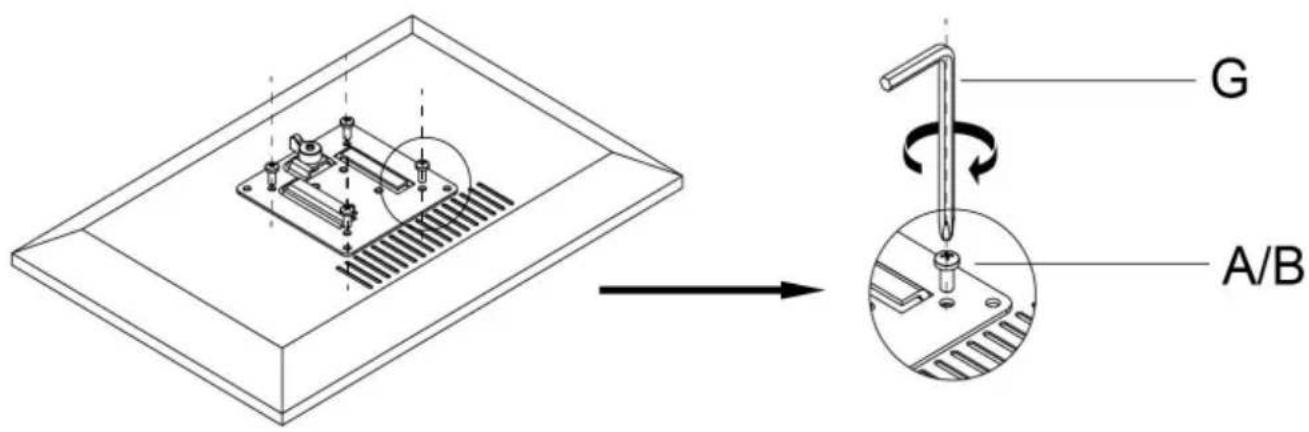
4
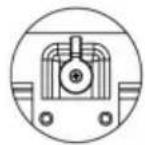
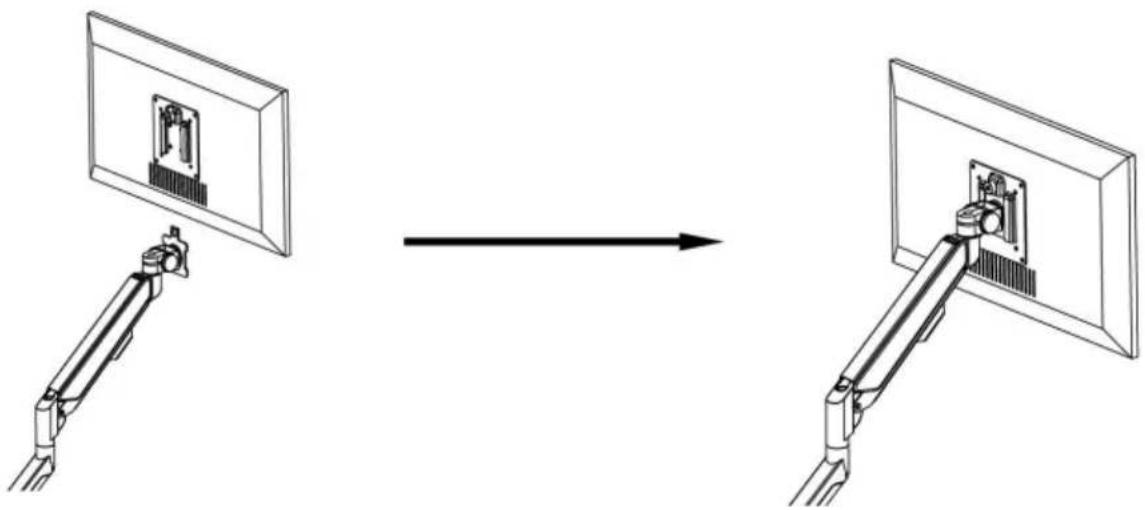
When the display is inserted into the quick release head, make sure the knob is vertical.
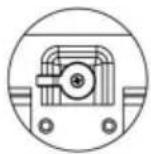
After insertion, rotate the knob 90 degrees to the left.
5-1
Case 1: Monitor/Arm falls down (after installing your monitor)
Press the arm to keep it in a horizontal position, then use the Allen key to adjust the screw on the arm. Turn counter-clockwise ("+" direction) to increase gas spring tension until it can hold the weight of your monitor.
Note: You may need to turn the screw many circles to tighten the arm.
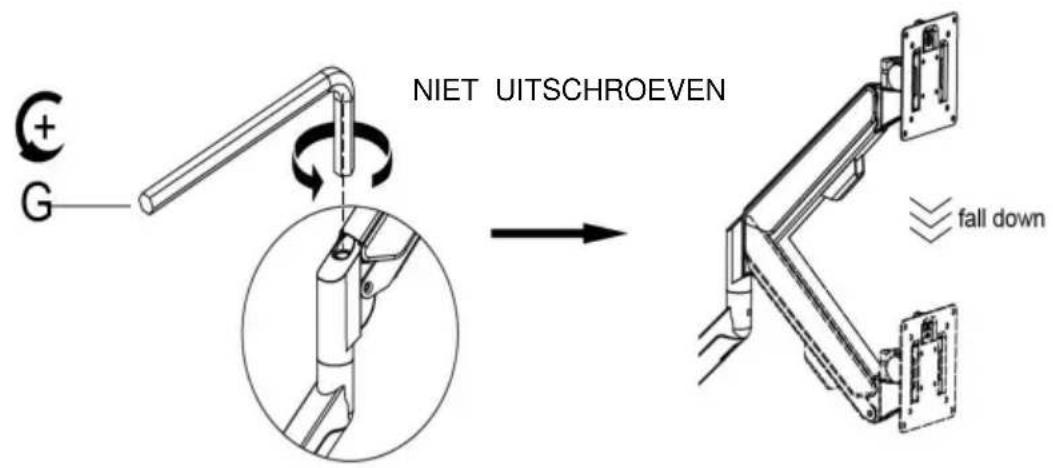
5-2
Case 2: Monitor/Arm pops up (after installing your monitor)
Press the arm to keep it in a horizontal position, then use the Allen key to adjust the screw on the arm. Turn clockwise ("-" direction) to reduce gas spring tension until it can stay in the position needed.
Note: You may need to turn the screw many circles to tighten the arm.
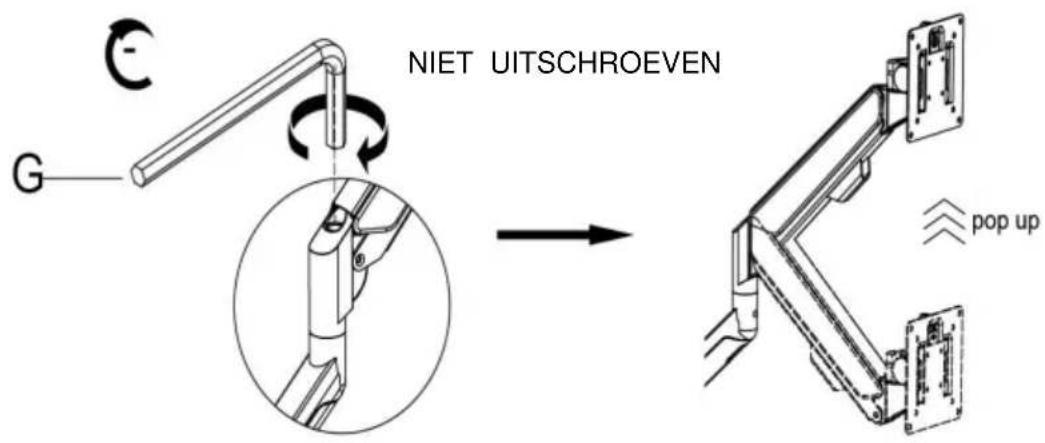
6 Adjust flexibility

If you feel the pitching angle is too tight or too loose when adjusting the mount, please adjust the screw.
7 Limit screw
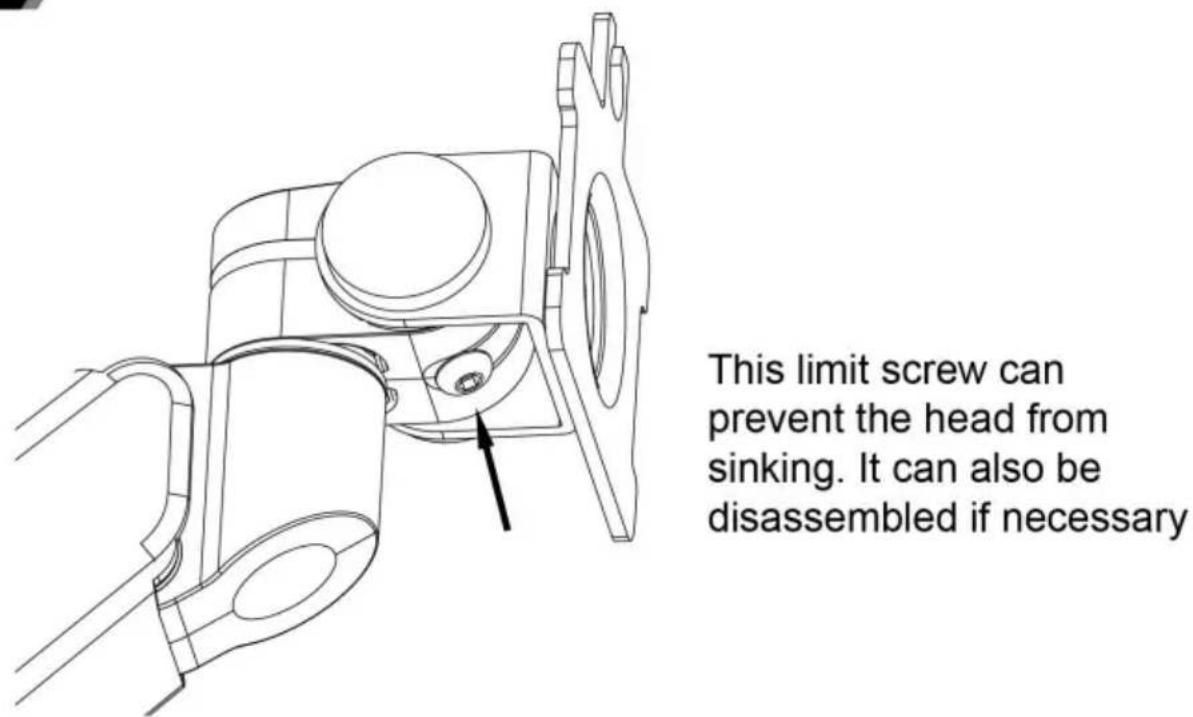
8 Cable management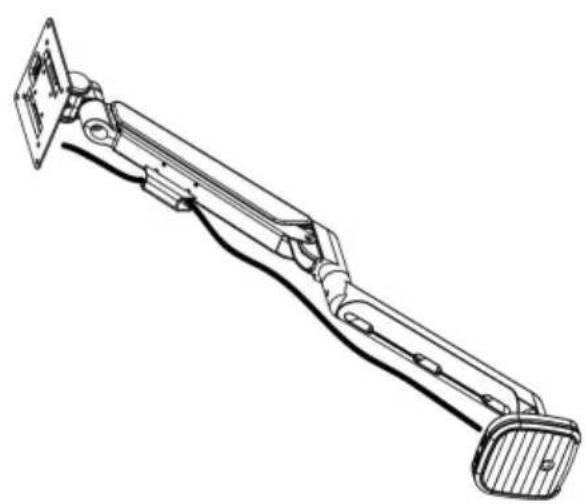
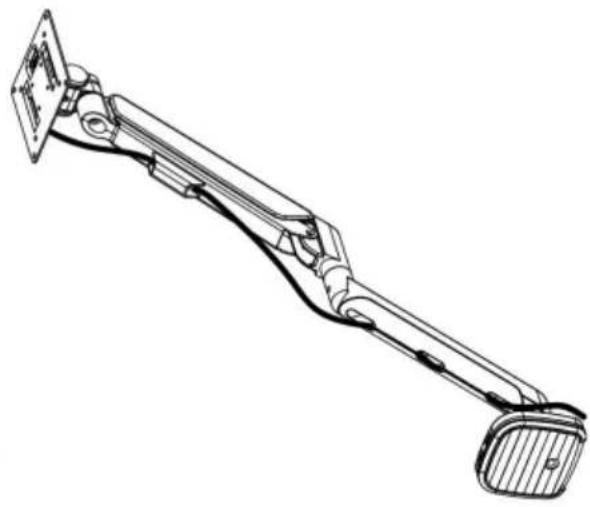
9 Adjustable instruction
Press the switch for 3 seconds to turn on and off.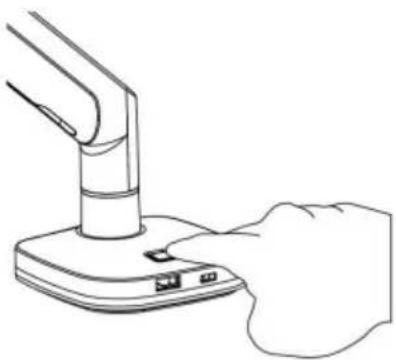
Manufacturer: Shanghaimuxinmuyeyouxiangongsi Address:
Shuangchenglu 803nong11hao1602A-1609shi, Baoshanqu, Shanghai 200000 CN.
C/O YH Consulting Limited Kantoor 147, Centurion
Huis, London Road, Staines-upon-Thames,
Surrey, TW18 4AX
VEVOR®
TOUGH TOOLS, HALF PRICE
Technical support and e-warranty certificate www.vevor.com/support
VEVOR®
TOUGH TOOLS, HALF PRICE
1a-3a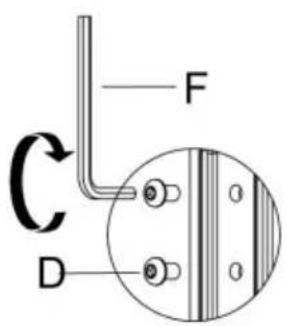
1a-3b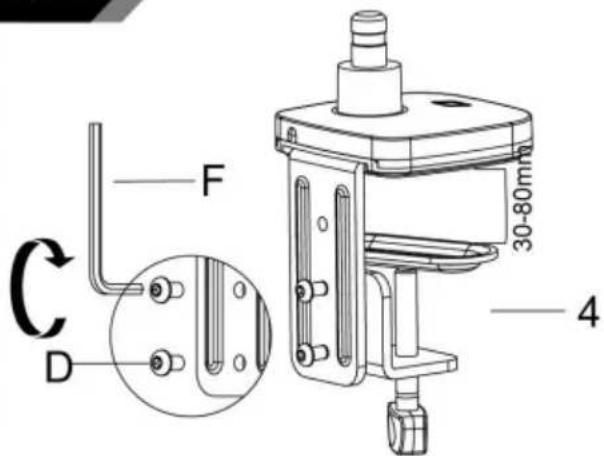
1a-4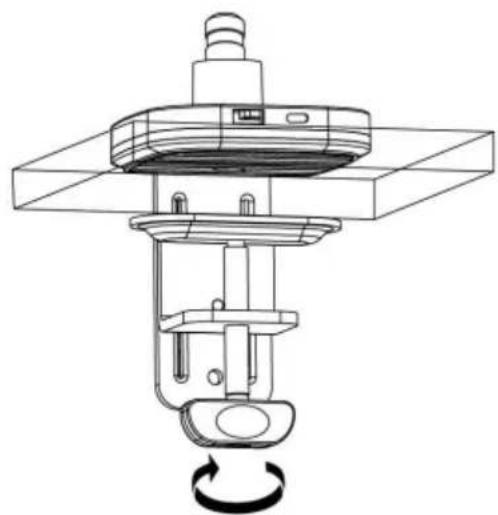
Method 2----1b
3
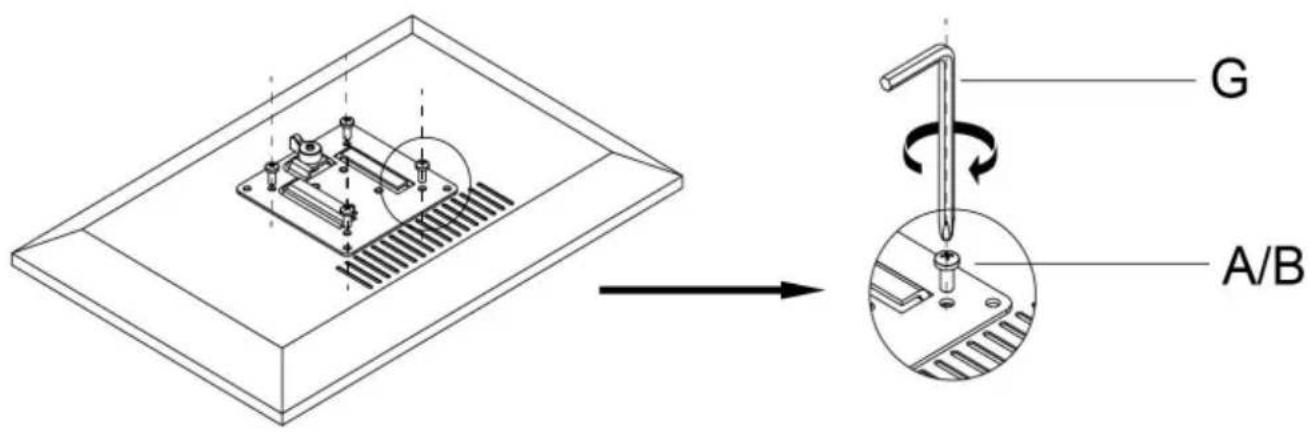
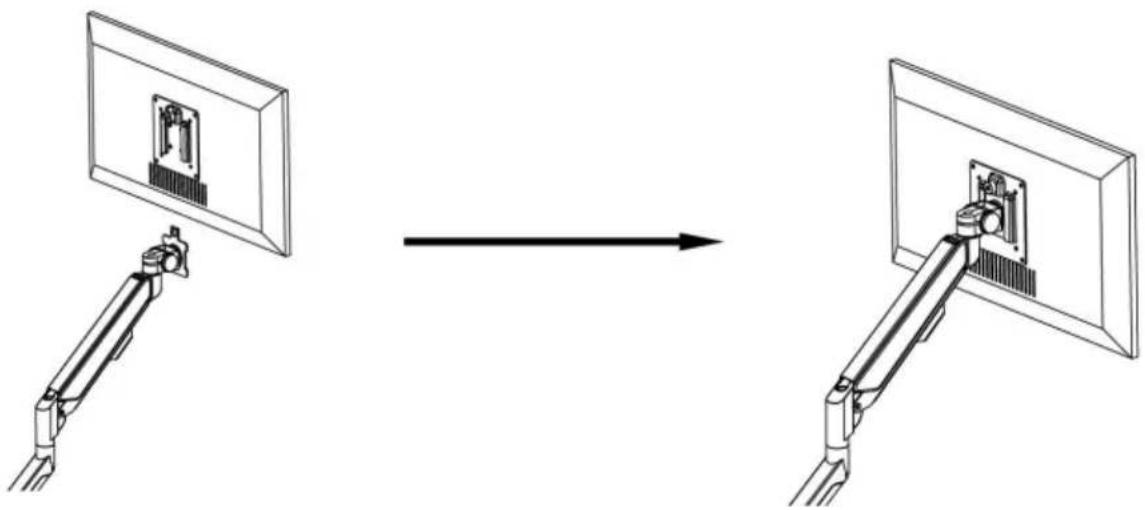
Connect With Monitor
Use a wrench (G) to screw the screws (A/B) into the four holes at the back of the monitor to avoid damaging the monitor by over tightening the screws.
4
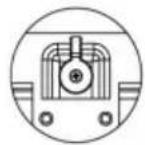
When the display is inserted into the quick release head, make sure the knob is vertical.
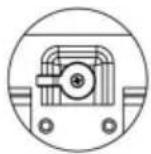
After insertion, rotate the knob 90 degrees to the left.
5-1
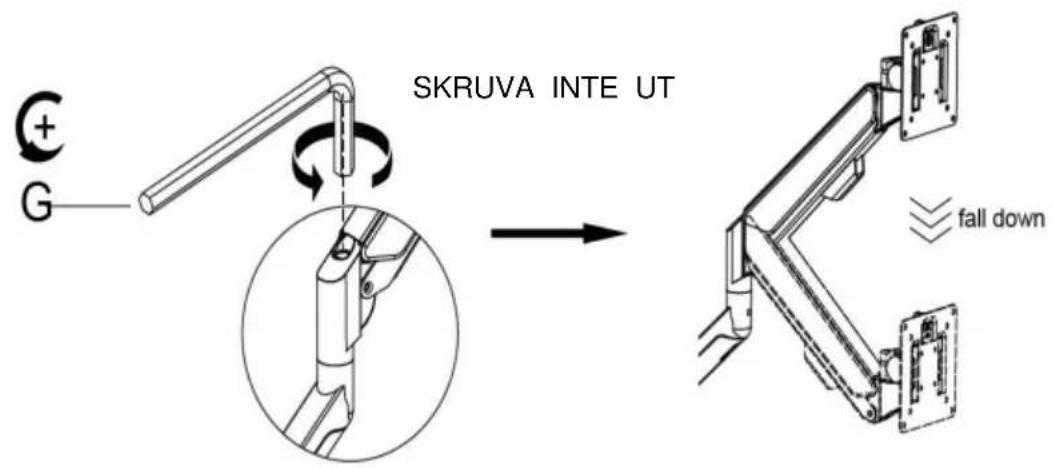
Case 1: Monitor/Arm falls down (after installing your monitor)
Press the arm to keep it in a horizontal position, then use the Allen key to adjust the screw on the arm. Turn counter-clockwise ("+" direction) to increase gas spring tension until it can hold the weight of your monitor.
Note: You may need to turn the screw many circles to tighten the arm.
5-2
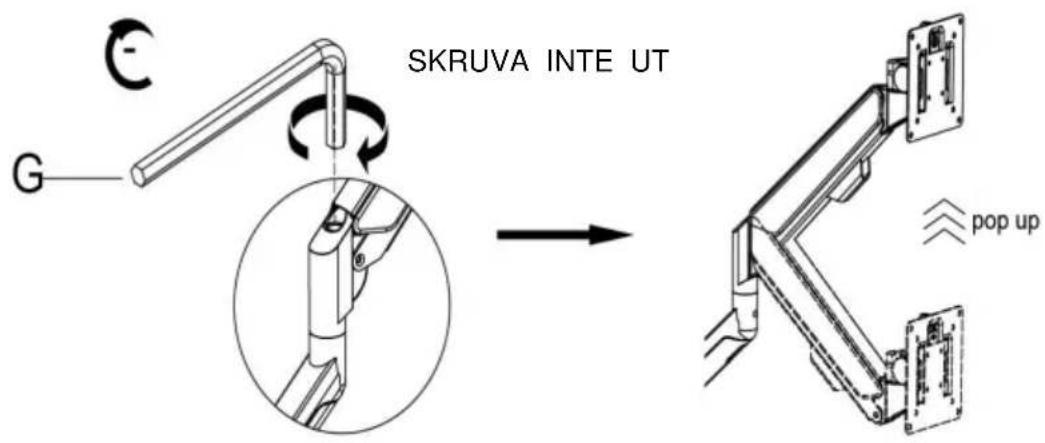
Case 2: Monitor/Arm pops up (after installing your monitor)
Press the arm to keep it in a horizontal position, then use the Allen key to adjust the screw on the arm. Turn clockwise ("-" direction) to reduce gas spring tension until it can stay in the needed position.
Note: You may need to turn the screw many circles to tighten the arm.
6 Adjust flexibility
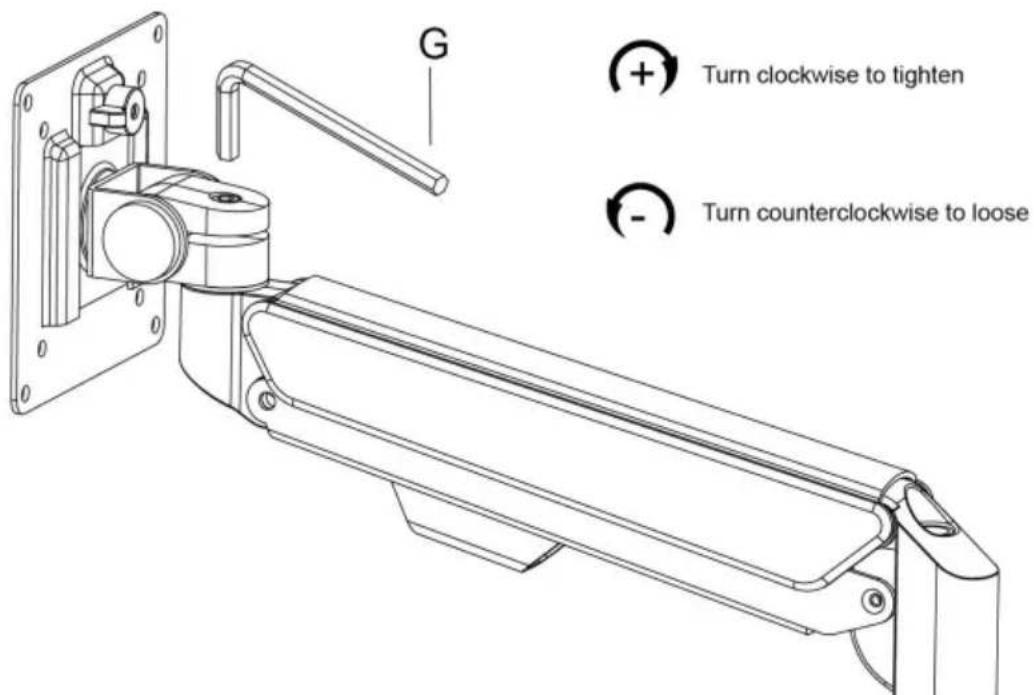
If you feel the pitching angle is too tight or too loose when adjusting the mount, please adjust the screw.
7 Limit screw
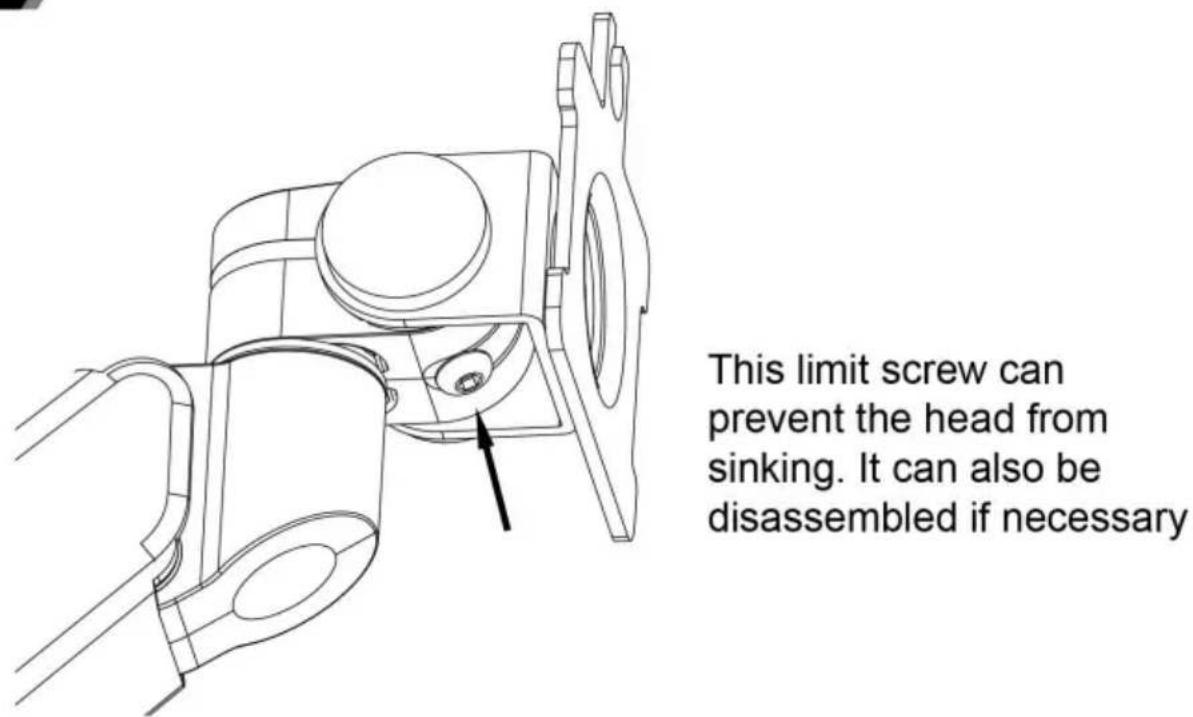
8 Cable management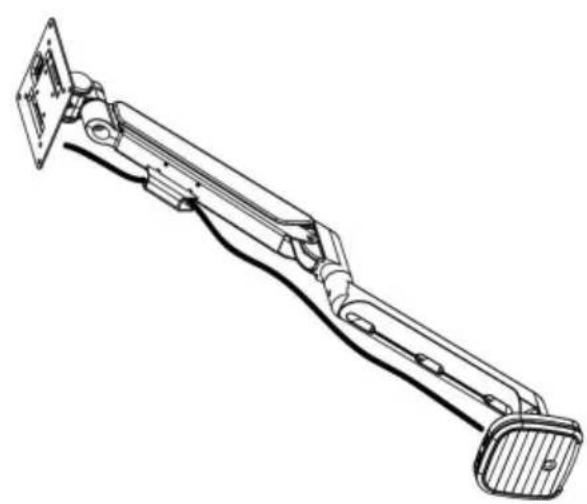
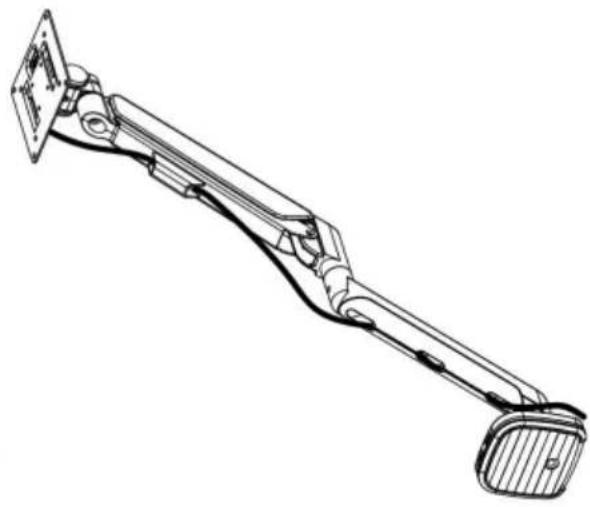
9 Adjustable instruction
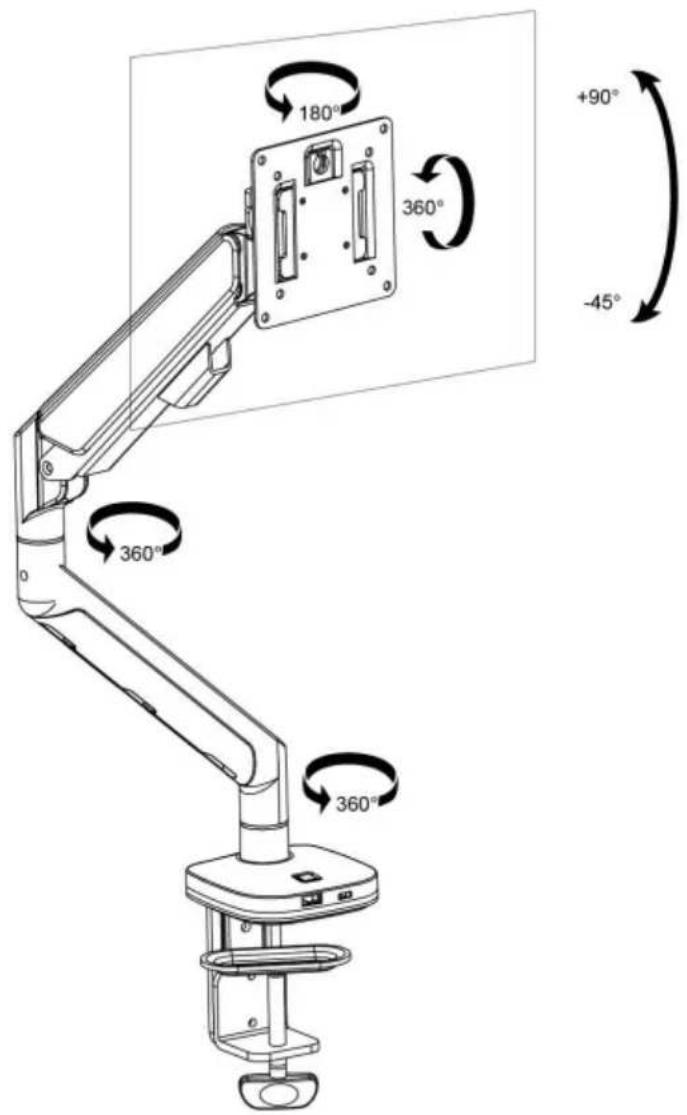
Press the switch for 3 seconds to turn on and off.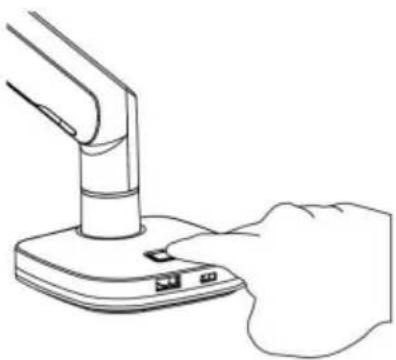
Shuangchenglu 803nong11hao1602A-1609shi, Baoshanqu, Shanghai 200000 CN.
Imported to AUS: SIHAO PTY LTD. 1 ROKEVA STREET EASTWOOD NSW 2122 Australia. Imported to USA:
Sanven Technology Ltd. Suite 250, 9166 Anaheim Place, Rancho Cucamonga, CA 91730
| EC | REP |
E-CrossStu GmbH
Mainzer Landstr. 69, 60329
Frankfurt am Main.
| UK | REP |
YH CONSULTING LIMITED.
C/O YH Consulting Limited Office 147, Centurion
House, London Road, Staines-upon-Thames,
Surrey, TW18 4AX
VEVOR®
TOUGH TOOLS, HALF PRICE
- MONITOR DESK MOUNT USER MANUAL
- VEVOR®
- NEED HELP? CONTACT US
- WARNING
- ASSEMBLY PRECAUTIONS
- USE PRECAUTIONS
- SAVE THIS MANUAL
- PRODUCT PARAMETER
- PARTS LIST
- ASSEMBLY STEP
- METHOD 1 ----1A
- METHOD 2----1B
- (DESKTOP HAS A HOLE FOR ITEM 2 TO GO THROUGH)
- CONNECT WITH MONITOR
- CASE 1: MONITOR/ARM FALLS DOWN (AFTER INSTALLING YOUR MONITOR)
- CASE 2: MONITOR/ARM POPS UP (AFTER INSTALLING YOUR MONITOR)
- TOUGH TOOLS, HALF PRICE
- ADJUST FLEXIBILITY
- LIMIT SCREW
- CASE 1: MONITOR/ARM FALL DOWN (AFTER INSTALL YOUR MONITOR)
- CASE 2: MONITOR/ARM POPS UP (AFTER INSTALL YOUR MONITOR)
Brand : Vevor
Model : ZB10U
Category : Monitor stand