
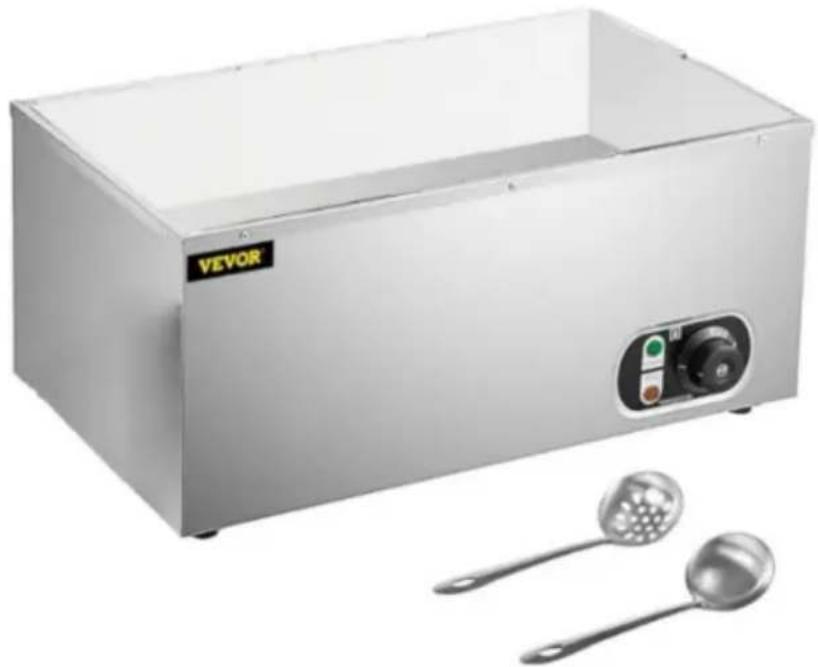
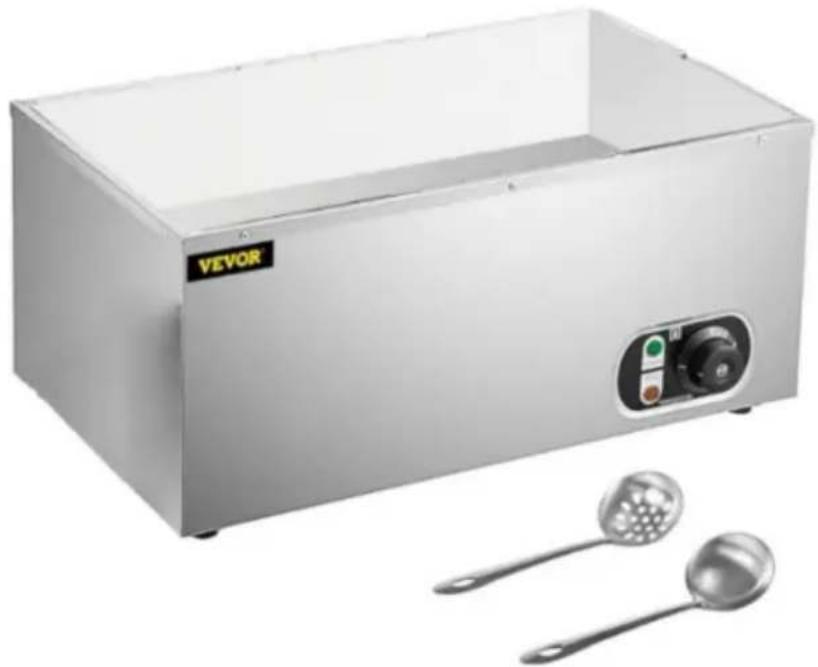
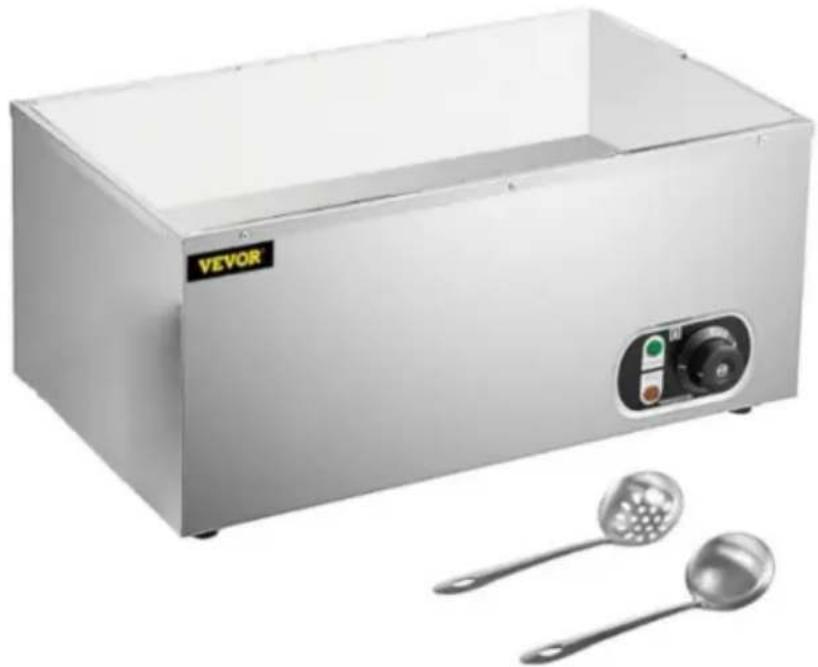
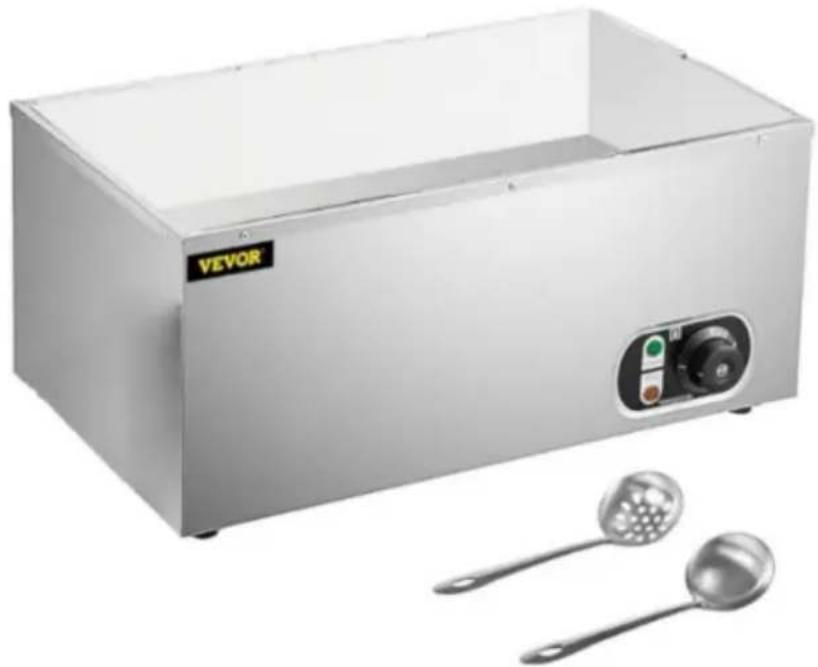
M-112 - Electric bain-marie Vevor - Free user manual and instructions
Find the device manual for free M-112 Vevor in PDF.
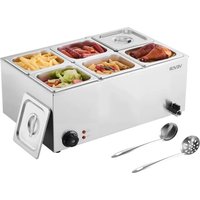


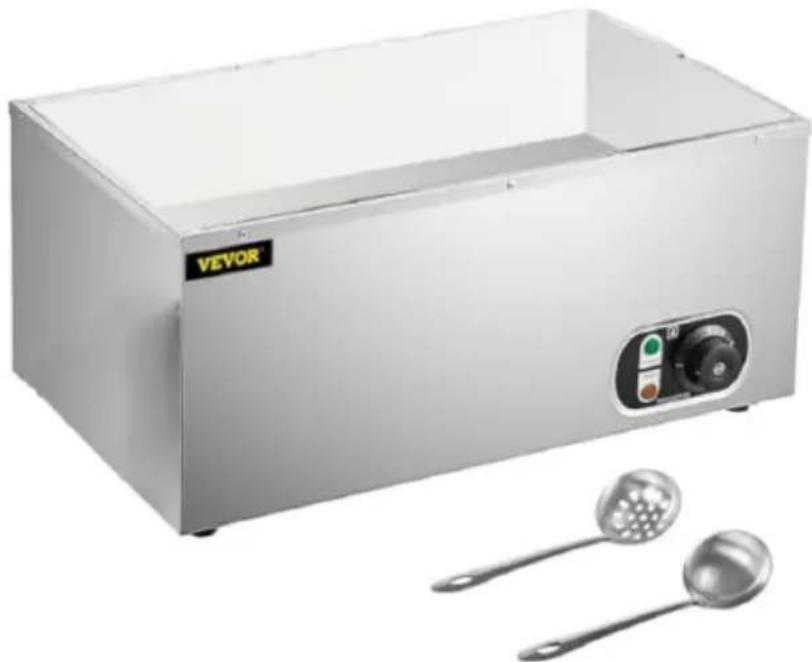
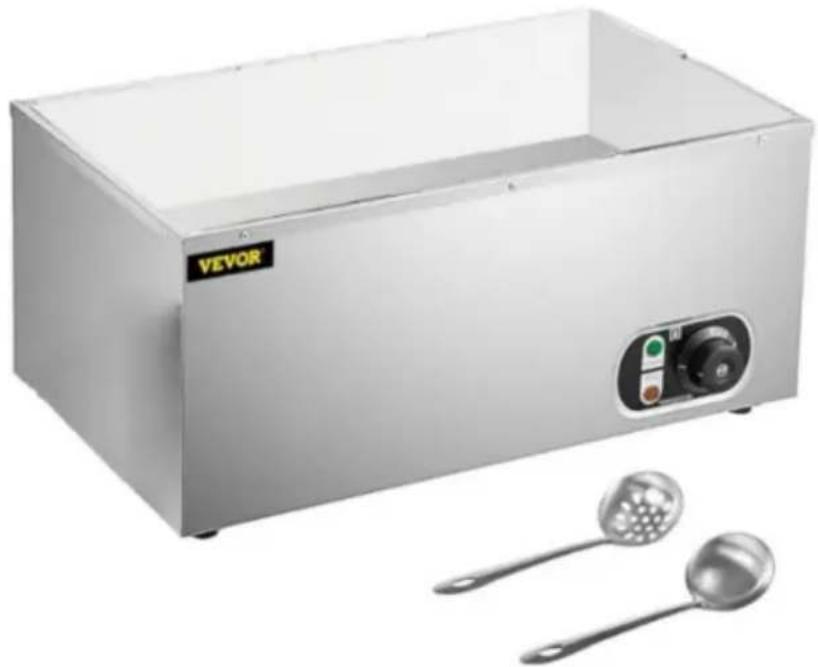
| Product Type | Electric bain-marie |
| Brand | Vevor |
| Model | M-112 |
| Temperature range | 0°C to 80°C |
| Power supply | 220-240 V ~50 Hz |
| Tank material | Stainless steel |
| Control | Rotating temperature control dial |
| Operation indicator | Indicator light |
| Safety system | Thermal safety switch (overheat and dry-run protection) |
| Tank capacity | Respect MIN and MAX marks |
| Maintenance | Clean with a damp cloth and mild detergent; do not immerse |
| Cleaning of pans | Stainless steel gastronorm pans are dishwasher safe |
| Essential safety instructions | Read the manual, do not operate without water, keep out of reach of children |
| Storage | In a cool, dry place, clean and dry appliance |
| Disposal | Complies with WEEE Directive 2012/19/EC – separate recycling |
| Warranty | Electronic warranty certificate available at www.vevor.com/support |
| Technical support | www.vevor.com/support |
| Compatible models | M-100, M-300, M-112 |
| Recommended use | Heat and keep warm products in containers |
| Precautions | Do not use near water, do not touch hot surfaces without protection |
Frequently Asked Questions - M-112 Vevor
User questions about M-112 Vevor
0 question about this device. Answer the ones you know or ask your own.
Ask a new question about this device
Download the instructions for your Electric bain-marie in PDF format for free! Find your manual M-112 - Vevor and take your electronic device back in hand. On this page are published all the documents necessary for the use of your device. M-112 by Vevor.
USER MANUAL M-112 Vevor
Technical Support and E-Warranty Certificate www.vevor.com/support
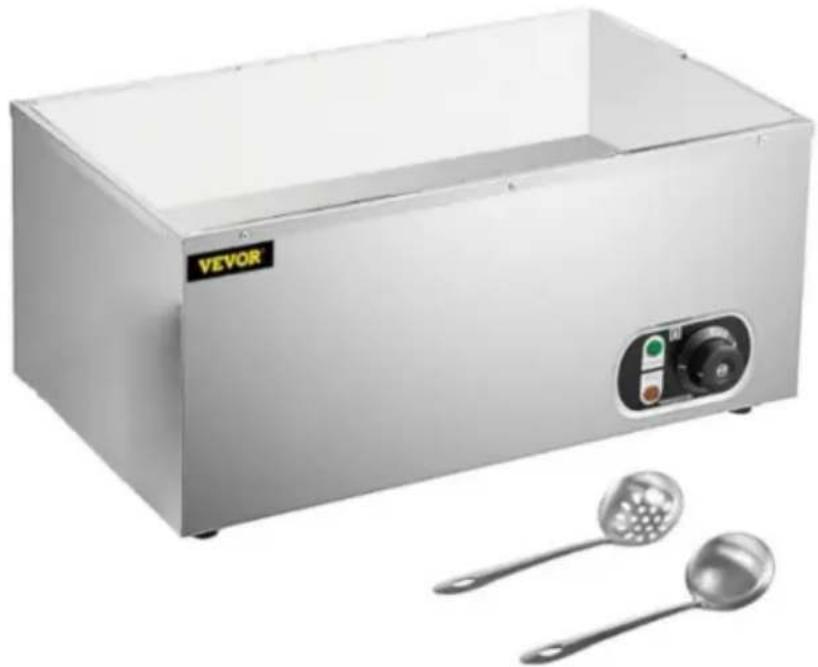
ELECTRIC BAIN MARIE
MODEL: M-100/M-300/M-112
We continue to be committed to providing you with tools at competitive prices. "Save Half", "Half Price", or any other similar expressions used by us only represent an estimate of savings you might benefit from buying certain tools with us compared to top brands, and does not necessarily mean to cover all categories of tools offered. We kindly remind you to verify carefully when placing an order with us that you are actually saving half in comparison with the top major brands.
MODEL: M-100, M-300, M-112
NEED HELP? CONTACT US!
Have product questions? Need technical support? Please feel free to contact us:
Technical Support and E-Warranty Certificate www.vevor.com/support
This is the original instruction. Please read all manual instructions carefully before operating. VEVOR reserves a clear interpretation of the user manual. The appearance of the product shall be subject to the product you received. Please forgive us that we won't inform you of any technology or software updates on our product.
 | Warning-To reduce the risk of injury, user must re instructions manual carefully. |
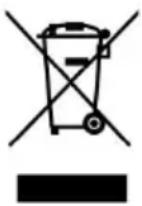 | CORRECT DISPOSALThis product is subject to the provision of European D 2012/19/EC. The symbol showing a wheelie bin cros through indicates that the product requires separate re collection in the European Union. This applies to the and all accessories marked with this symbol. Products as such may not be discarded with normal domestic w must be taken to a collection point for recycling electr electronic devices |
ELECTRICAL SAFETY
a) The plug must fit the socket. Do not modify the plug in any way. Original plugs and matching sockets reduce the risk of electric shock. b) Avoid touching earthed elements such as pipes, heaters, boilers, and refrigerators. There is an increased risk of electric shock if the earthed device is exposed to rain, comes into direct contact with a wet surface, or is operating in a damp environment.
Water getting into the device increases the risk of damage to the device and of electric shock.
c) Use the cable only for its designated use. Never use it to carry the device or to pull the plug out of a socket. Keep the cable away from sources of heat, oil, sharp edges, or moving parts. Damaged or tangled cables increase the risk of electric shock.
d) If working with the device outdoors, make sure to use an extension cord suitable for outdoor use. Using an extension cord suitable for outdoor use reduces the risk of electric shock.
e) If using the device in a damp environment cannot be avoided, a residual current device (RCD) should be applied. The use of an RCD reduces the risk of electric shock.
f) Do not use the device if the power cord is damaged or shows signs of wear.
A damaged power cord should be replaced by a qualified electrician or the manufacturer's service centre.
g) To avoid electric shock, do not immerse the cord, plug or device in water or other liquids. Do not use the device on wet surfaces.
h) Do not use in very humid environments or in the direct vicinity of water tanks.
SAFETY IN THE WORKPLACE
a) Make sure the workplace is clean and well lit.
b) If there are any doubts as to the correct operation of the device, contact the manufacturer's support service.
c) Only the manufacturer's service point may repair the device. Do not attempt any repairs independently!
d) In case of fire, use a powder or carbon dioxide (CO2) fire extinguisher (one intended for use on live electrical devices) to put it out.
e) Children or unauthorised persons are forbidden to enter a work station. Regularly inspect the condition of the safety labels. If the labels are damaged, they must be replaced.
f) Please keep this manual available for future reference. If this device is passed on to a third party, the manual must be passed on with it.
g) Keep packaging elements and small assembly parts in a place not available to children.
h) Keep the device away from children and animals.
i) If this device is used together with another equipment, the remaining instructions for use shall also be followed.

PLEASE NOTE! When using the device, protect children and other bystanders.
PERSONAL SAFETY
a) Do not use the device when tired, ill, or under the influence of narcotics or medication that can significantly impair the ability to operate the device.
b) The device is not designed to be handled by persons (including those with limited mental and sensory functions or persons lacking relevant experience and/or knowledge) unless they are supervised by a person responsible for their safety or they have received instruction on how to operate the device. c) The device can be handled only by physically fit persons who are capable of handling it, properly trained, familiar with this manual, and trained within the scope of occupational health and safety. d) When working with the device, use common sense and stay alert. Temporary loss of concentration while using the device may lead to injuries. e) To prevent the device from accidentally switching on, make sure the switch is in the OFF position before connecting to a power source. f) The device is not a toy. Children must be supervised to ensure that they do not play with the device. g) Do not put your hands or other items inside the device while it is
SAFE DEVICE USE
a) Do not use the device if the ON/OFF switch does not function properly (does not switch the device on and off). Devices which cannot be switched on and off using the ON/OFF switch are hazardous, should not be operated, and must be repaired. b) Disconnect the device from the power supply before commencing adjustment, cleaning, and maintenance. Such a preventive measure reduces the risk of accidental activation. c) When not in use, store in a safe place, away from children and people not familiar with the device who have not read the user manual. The device may pose a hazard in the hands of inexperienced users. d) Keep the device in perfect technical condition. Keep the device out of the reach of children. e) Device repair or maintenance should be carried out by qualified people only, using original spare parts. This will ensure safe use. f) To ensure the operational integrity of the device, do not remove
factory-fitted guards and do not loosen any screws.
g) Do not move, adjust, or rotate the device in the course of work. h) Clean the device regularly to prevent stubborn grime from accumulating. i) The device is not a toy. Cleaning and maintenance may not be carried out by children without supervision by an adult person.
j) It is forbidden to interfere with the structure of the device in order to change its parameters or construction.
k) Keep the device away from sources of fire and heat.
l) Take care not to get burns by the steam when
INSTALLATION
A) The machine must be positioned on a flat and stable surface. Make sure the appliance is level; it may operate less effectively if not level.
B) Choose a surface where the machine is not exposed to direct sunlight or close to a direct source of heat such as a cooker, oven, or radiator.
C) When positioning the appliance, maintain a distance of 10 cm (4 inches) between the appliance and walls or other objects for ventilation and ease of use.
D) Make sure the power cable is accessible at all times.
E) Plug the power plug into the main socket.
OPERATION GUIDE
A) Place the Bain marie on a solid, level surface.
B) Pour water into the water tank. Take care not to over-fill: the water level should be between "MIN" and "MAX". Remove any excess water before use. The water level should exceed the heating pipe. Dry burning is forbidden.
C) Turn the Bain marie to the desired temperature within the range 0~80°C. The power indicator light will glow, showing that the unit is on. Turn to 0 and the unit does not work.
D) Fill the reservoir with water. Keep the water level between the "MIN" and "MAX" markers located inside the reservoir.
E) Select the desired temperature using the temperature control dial.
The indicator light will illuminate.
F) Allow the appliance to reach the selected temperature. The indicator light switches off when the selected temperature has been reached. G) Place your container or product inside the reservoir. ATTENTION! Do not use bare hands; protect your hands or use utensils. H) Regularly check the water level when operational; replenish the reservoir if required. ATTENTION! Operating the machine without adequate water will activate the thermal safety switch and switch off the appliance. I) Switch off the appliance when not in use. ATTENTION! The appliance and water will remain hot for a period after it has been switched off.

NOTE!
If abnormal phenomena occur during use, the use must be stopped immediately. After checking and troubleshooting, use can be continued.
TROUBLESHOOTING
The following overview will help you understand the control panel and possible problems. However, only qualified engineers should attempt to open or repair the machine.
Contact your supplier when in doubt.
| Problem | Possible Cause | Possible Solution |
| The appliance does not work. | The appliance is switched off.The power supply is interrupted.The voltage is n correct.Unknown defect | Switch on the appliance.Check the power supply, plug in power cable.Use compatible power source.Contact supplier |
| The appliance is o but does not get warm (indicator illuminated). | ·Temperature set to minimum.·Temperature controller is broken.·Heating element is broken. | ➢Adjust Temperature setting.➢Replace part.➢Replace part. |
| Temperature cannot be adjusted. | ·Temperature controller is broken. | ➢Replace part. |
| The appliance is working but the indicator is not illuminated. | ·Indicator is broken | ➢Replace part. |
| Thermal safety switch activated. | ·Insufficient or no water in reservoir. | ➢Contact supplier. |
MAINTENANCE AND CLEANING
A) Maintenance and repairs should only be done by certified engineers. B) Regularly check and clean the appliance, its parts and accessories (where applicable). C) Regularly check the power plug and power cable for damage. If it is damaged, do not use the appliance. Instead, have it repaired by a qualified electrical engineer. D) Always switch off and disconnect the power supply before cleaning or maintenance. E) Make sure the appliance has cooled down completely before cleaning or maintenance. F) ATTENTION! Never use aggressive cleaning agents or abrasives. Do not use solvents or petrol-based cleaning agents. Some cleaning agents may leave harmful residues or cause damage to the machine. G) Clean the casing and reservoir using a damp cloth and warm water with a mild food-safe detergent. Always dry the appliance and accessories
after cleaning using a soft cloth. The Stainless Steel Gastronorm containers (supplied) are dishwasher safe.
H) ATTENTION! Do not use any scourer or sharp or pointed objects during cleaning, as this may cause damage to the machine.
I) ATTENTION! Never hose down the machine or immerse it in water or any other liquid. Instead, wipe the exterior with a damp cloth. Do not use a steam cleaner to clean the appliance.
J) ATTENTION! Never let the power cable or power plug get wet or
STORAGE
A) Make sure the appliance is cleaned properly before storage.
B) Coil up the power cord and put it away. Store in a cool and dry place.
DISCARDING
When discarding the appliance, do so in compliance with the rules and regulations of local authorities.
VEVOR®
TOUGH TOOLS, HALF PRICE
Technical Support and E-Warranty Certificate
www.vevor.com/support
VEVOR®
TOUGH TOOLS, HALF PRICE
MODEL: M-100, M-300, M-112
NEED HELP? CONTACT US!
MODEL: M-100, M-300, M-112

www.vevor.com/support
VEVOR®
TOUGH TOOLS, HALF PRICE
MODEL: M-100, M-300, M-112
electronics www.vevor.com/support
VEVOR®
TOUGH TOOLS, HALF PRICE
MODEL: M-100, M-300, M-112
MODEL: M-100, M-300, M-112
NEED HELP? CONTACT US!
WORKPLACE SAFETY
MODEL: M-100, M-300, M-112
NEED HELP? CONTACT US!
warranty certificate www.vevor.com/support
VEVOR®
TOUGH TOOLS, HALF PRICE
MODEL: M-100/M-300/M-112
MODEL: M-100, M-300, M-112
NEED HELP? CONTACT US!
www.vevor.com/support



Brand : Vevor
Model : M-112
Category : Electric bain-marie