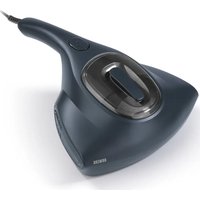
09637 - Vacuum Cleaner N8WERK - Free user manual and instructions
Find the device manual for free 09637 N8WERK in PDF.


| Brand | N8WERK |
| Model | 09637 (gray) |
| Product Type | Anti-dust mite vacuum cleaner with UV-C lamp |
| Power Supply | 220-240 V ~ 50-60 Hz |
| Maximum Power | 300 W |
| Protection Class | II |
| Model Number | C011 |
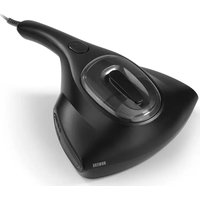
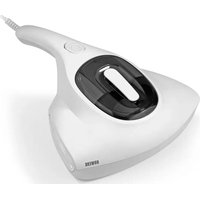
| Article References | 01997 (black), 09635 (white), 09637 (gray) |
| Package Contents | Device body, dust container, EPA filter, UV-C lamp, instruction manual |
| Main Functions | Vacuuming, vibration, UV-C disinfection |
| UV-C Lamp | Germicidal ultraviolet lamp with automatic safety shut-off |
| Safety Switches | Two safety switches for UV-C lamp; automatic shut-off if the device is lifted |
| Dust Container | With EPA filter, to be emptied after each use |
| EPA Filter | Cleanable by rinsing with cold water; replacement every 12 to 18 months |
| Vibration Head | Vibrating plate to loosen dust |
| Recommended Use | Mattresses, sheets, duvets, upholstered furniture; textile surfaces |
| Lamp Maintenance | Clean with a dry cloth after cooling; replace every 12 to 24 months |
| Operating Conditions | Indoor use only; avoid moisture and liquids |
| Warranty | Legal warranty; exclusions for improper use, deterioration, unauthorized repairs |
| Disposal | Do not dispose of with household waste; recycle UV-C lamp separately |
Frequently Asked Questions - 09637 N8WERK
User questions about 09637 N8WERK
0 question about this device. Answer the ones you know or ask your own.
Ask a new question about this device
Download the instructions for your Vacuum Cleaner in PDF format for free! Find your manual 09637 - N8WERK and take your electronic device back in hand. On this page are published all the documents necessary for the use of your device. 09637 by N8WERK.
USER MANUAL 09637 N8WERK
GEFAHR - STROMSCHLAG- GEFAHR
Cleaning and Storage 13
Troubleshooting 13
Warranty and Limitations of Liability 14
Disposal 14
Technical Data 14
ITEMS SUPPLIED
- Motor unit 1 x
- Dust container 1 x
- EPA filter 1 x
- UV-C lamp 1 x
○ Operating instructions 1 x
Check the items supplied for completeness and the components for transport damage. If you find any damage, do not use the device but contact our customer service department.
Remove any possible films, stickers or transport protection from the device.
Never remove the rating plate and any possible warnings!

Possible dirt residues in the dust container can be attributed to quality checks and do not constitute a defect with the device.
AT A GLANCE
Device - from above (Picture A)
1 Handle
2 On / Off switch
3 Ventilation slots
4 Motor unit
5 Viewing window
6 Dust container with EPA filter
Device - from below (Picture B)
7 Vibration head
8 Safety switch - left
9 Castors
10 Suction opening
11 Safety switch - right
12 Cover of UV-C lamp
13 UV-C lamp (under the cover)
Dear Customer,
We are delighted that you have chosen the N8WERK dust mite vacuum cleaner and hope you have a lot of fun with it.
If you have any questions about the device and about spare parts/accessories, contact the customer service department via our website: n8werk.com
Information About the Operating Instructions
Before using the device for the first time, please read through these operating instructions carefully and keep them for future reference and other users. They form an integral part of the device. The manufacturer and importer do not accept any liability if the information in these operating instructions is not complied with.
SYMBOLS

Danger symbols: These symbols indicate possible dangers. Read the associated safety notices carefully and follow them.


Supplementary information

Read operating instructions before use!

Circuit symbol for alternating current

Protection class II
SIGNAL WORDS
Signal words indicate hazards if the associated notices are not followed.
DANGER – high risk, results in serious injury or death
WARNING – medium risk, may result in serious injury or death
CAUTION – low risk, may result in minor or moderate injury
NOTICE – may result in risk of damage to material
INTENDED USE
■ This device is intended to be used to kill off bacteria and remove dust, germs and domestic dust mites. It is suitable for use on mattresses, bed sheets, bed covers, upholstered furniture and similar items.

On no account should the device be used to suck up the following:
- liquids or wet substances (e.g. wet carpet shampoo)
- glowing ash, cigarette ends, matches, etc.
- inflammable or explosive substances
- very fine dust (e.g. concrete dust), ash or toner
- pointed, hard objects such as large pieces of broken glass
■ The device is suitable for personal use only and not for commercial applications.
■ Use the device only for the specified purpose and only as described in the operating instructions. Any other use is deemed to be improper.

SAFETY NOTICES

Warning: Note all safety notices, instructions, illustrations and technical data provided with this device. Failure to follow the safety notices and instructions may result in electric shock, fire and / or injuries.
■ This device must not be used by children. The device and the connecting cable must be kept away from children.
This device may be used by people with reduced physical, sensory or mental abilities or a lack of experience and/or knowledge if they are supervised or have received instruction on how to use the device safely and have understood the dangers resulting from failure to comply with the relevant safety precautions.. Children must not play with the device.
■ The device must always be disconnected from the mains power when it is left unattended and before it is assembled, disassembled or cleaned.
■ Never immerse the device and the connecting cable in water or other liquids and ensure that they cannot fall into water or become wet.
In the interest of your own safety, inspect the device for damage each time before you use it. Only use the device if it is not damaged! If the device or the connecting cable of the device are damaged, they must be replaced by the manufacturer, customer service department or a similarly qualified person (e.g. specialist workshop) in order to avoid any hazards.

DANGER - DANGER OF ELEC- TRIC SHOCK
■ Use and store the device only in closed rooms.
■ Do not use the device in rooms with high humidity.
■ If the device does fall into water, switch off the power supply immediately. Do not attempt to pull it out of the water
while it is connected to the mains power!
■ Never touch the device and the connecting cable with wet hands when the device is connected to the mains power.
■ Never suck up liquids. Do not pour any liquids into the dust container. Keep the motor unit away from moisture or wet conditions!

WARNING - DANGER OF FIRE
■ Do not connect the device along with other consumers (with a high wattage) to a multiple socket in order to prevent overloading and a possible short circuit (fire).
■ Do not use the device in conjunction with extension cables.
■ Do not operate the device in the vicinity of combustible material. Do not place any combustible materials (e.g. cardboard, paper, wood, plastic) in or on the device.
■ Do not cover the device during operation.

WARNING - DANGER OF INJURY
Risk of damage to the eyes and skin!
- Germicidal ultraviolet rays are harmful to the eyes and skin. Never expose yourself or other people and animals to direct or reflected rays! If you come into contact with the rays, consult a doctor immediately. - Make sure that the safety switches of the UV-C lamp are not blocked!
- Keep children and animals away from the packaging material. There is a danger of suffocation!
■ Make sure that the connecting cable does not present a trip hazard.
- Keep animals, hair, jewellery, wide clothing, fingers and all other body parts away from the suction opening of the device. They could become caught. Should the vacuum cleaner become stuck, switch the device off immediately.
■ Do not touch the vibration head during operation.
■ Make sure that the connecting cable is kept out of the reach of small children and animals. There is a danger of strangulation!
NOTICE – RISK OF DAMAGE TO MATERIAL AND PROPERTY
■ Lay the connecting cable in such a way that it does not become squashed or bent and does not come into contact with hot surfaces.
■ Switch off the device and pull the mains plug out of the plug socket if an error occurs during operation or before a thunderstorm. When you pull the mains plug out of the plug socket, always pull on the mains plug and never the mains cable!
■ The device must be switched off when inserting or removing the mains plug.
■ Never pull or carry the device by the connecting cable.
■ Do not try to lubricate the castors with lubricant or oil. This would cause dust and dirt to increasingly adhere to the castors.
■ Protect the device from heat sources, naked flames, sub-zero temperatures, persistent moisture, wet conditions and impacts.
■ Never place heavy objects on the device or the connecting cable.
■ Use only original accessories from the manufacturer in order to guarantee that there is no interference that may prevent the device from working and to avoid possible damage.
SAFETY DEVICES
The device has two safety switches (8, 11). The UV-C lamp (13) only switches on if both safety switches are pressed into the motor unit (4) (automatic switch-off function of the UV-C lamp deactivated). This happens automatically when the device is placed on a flat surface. If the safety switches lose contact with the surface below, the automatic switch-off function is activated and the UV-C lamp stops being lit.
TIPS AND HINTS
- Always clean mattresses on both sides.
We recommend cleaning new mattresses once a month. Older mattresses should initially be cleaned every day for a week. We then recommend cleaning them once a month.
The filters should be replaced every 12 – 18 months; the UV-C lamp (13) should be replaced every 12 – 24 months. If you have any questions about spare parts, please contact the customer service department via our website: n8werk.com
USE
Please Note!
■ The device should only be used if it has been correctly assembled! The dust container and EPA filter must be inserted and must not be damaged! If dirt were to get inside the motor unit, this could damage the motor.
■ Make sure that the safety switches of the UV-C lamp are not blocked!
■ Always test the device first on a small, inconspicuous spot.
- Fully unwind the connecting cable.
- Connect to a plug socket that is properly installed. The mains voltage must match the technical data of the device. The plug socket must be readily accessible so that the connection to the mains can quickly be isolated.
- Place the device down flat on the surface which is to be cleaned.
- Press the On / Off switch (2) to switch on the device. The device starts to vacuum and the UV-C lamp (13) switches on.

You can look through the viewing window (5) to check whether the UV-C lamp is switched on. The vibrating plate (7) shakes up the surface which is to be cleaned and the dust which is agitated is sucked in through the suction opening (10).
- Guide the device over the surface to be cleaned.
- After vacuuming, press the On / Off switch to switch off the device.
- Pull the mains plug out of the plug socket.
CLEANING AND STORAGE
Please Note!
■ Empty the dust container each time after you use the device. The EPA filter must also be regularly cleaned in order to prevent overloading of the motor.
■ Do not use any sharp or abrasive cleaning agents or cleaning pads to clean the device. These may damage the surfaces.
○ Make sure that the mains plug has been pulled out and the device is disconnected from the power.
- Wipe down the motor unit (4) if necessary with a damp soft cloth. Then dry with a soft cloth.
- Wipe out the recess for the dust container (6) with a duster.
- Check the connecting cable regularly for any damage.
EMPTYING THE DUST CONTAINER
- Pull the dust container (6) up and out of the motor unit (4).
- Reach into the opening and pull the EPA filter out of the dust container.
- Empty the dust container.
- Wipe out the dust container with a dry duster if necessary.
CLEANING THE EPA FILTER
- Tap out the EPA filter and clean it with a soft brush if necessary.
PLEASE NOTE: For thorough cleaning, the filter can be rinsed under running, cold (!) water. Allow the EPA filter to dry completely before it is inserted back into the dust container.
- Insert the dust container with EPA filter into the motor unit (4) (Picture C).
CLEANING THE UV-C LAMP
Please Note!
■ CAUTION – Danger of burns! The UV-C lamp will become hot during use. Allow the UV-C lamp to cool sufficiently after using the device.
- Undo the two screws on the cover (12) of the UV-C lamp (13) and take off the cover.
- Wipe down the UV-C lamp with a dry duster.
NOTICE: Make sure that you do not touch the UV-C lamp with your fingers!
- Place the cover back on and fix it in place with the two screws.
STORAGE
Store the device in a dry, clean, frost-free place that is protected from direct sunlight and cannot be accessed by children or animals.
TROUBLESHOOTING
If the problem cannot be solved with the steps below, contact the customer service department.

Do not attempt to repair an electrical device yourself!
The device cannot be switched on.
The plug socket is defective.
▶ Try another plug socket.
There is no mains voltage.
▶ Check the fuse of the mains connection.
Low suction force.
The dust container (6) is too full.
▶ Empty the dust container.
The EPA filter is very dirty.
▶ Clean the EPA filter.
The suction opening (10) is blocked.
▶ Switch off the device, pull the mains plug out of the plug socket and remove the blockage.
The UV-C lamp (13) does not light up.
The automatic switch-off function of the UV-C lamp has been activated.
▶ Check the safety switches (see the "Safety Devices" chapter).
WARRANTY AND LIMITATIONS OF LIABILITY
The warranty does not cover faults caused by incorrect handling, damage or attempted repairs. The same applies to normal wear and tear.
We do not accept any liability for damage or consequential damage resulting from:
o failure to follow the operating instructions
- improper or unsuitable handling
- repairs which are not carried out properly
- unauthorised modifications
- use of outside parts or spare parts
- use of unsuitable additional parts or accessories
DISPOSAL
Please Note!
■ The UV-C lamp should be removed prior to disposal of the device and disposed of separately from the device. Notes on how to remove the UV-C lamp can be found in the "Cleaning and Storage" chapter – "Cleaning the UV-C Lamp".

Dispose of the packaging material in an environmentally friendly manner so that it can be recycled.
The adjacent symbol (crossed-out bin underlined) means that used devices should not be disposed of in the domestic waste, but should instead be taken to special collection and return systems.
Owners of used devices from private households can take them free of charge to the collection points of the public waste disposal authorities or the disposal points which are set up by manufacturers and distributors under the Electrical Equipment Act. Businesses which market electrical and electronic devices are also obliged to take back used devices.
TECHNICAL DATA
Article number: 01997 (black), 09635 (white), 09637 (grey)
Model number: C011
Power supply: 220 - 240 V \~ 50 - 60 Hz
Power: max. 300 W
Protection class: II
ID of operating instructions: Z 01997_09635_09637 M N8W V3 0122 mh/dk

All rights reserved.
SOMMAIRE
Composition 15
Aperçu général 15
Symboles 16
- GEFAHR - STROMSCHLAG- GEFAHR
- ITEMS SUPPLIED
- Never remove the rating plate and any possible warnings!
- AT A GLANCE
- Device - from below (Picture B)
- Dear Customer,
- Information About the Operating Instructions
- SYMBOLS
- SIGNAL WORDS
- INTENDED USE
- SAFETY NOTICES
- DANGER - DANGER OF ELEC- TRIC SHOCK
- WARNING - DANGER OF FIRE
- WARNING - DANGER OF INJURY
- Risk of damage to the eyes and skin!
- NOTICE – RISK OF DAMAGE TO MATERIAL AND PROPERTY
- SAFETY DEVICES
- TIPS AND HINTS
- USE
- Please Note!
- CLEANING AND STORAGE
- EMPTYING THE DUST CONTAINER
- CLEANING THE EPA FILTER
- CLEANING THE UV-C LAMP
- STORAGE
- TROUBLESHOOTING
- The device cannot be switched on.
- Low suction force.
- The UV-C lamp (13) does not light up.
- WARRANTY AND LIMITATIONS OF LIABILITY
- DISPOSAL
- TECHNICAL DATA
- SOMMAIRE
Brand : N8WERK
Model : 09637
Category : Vacuum Cleaner