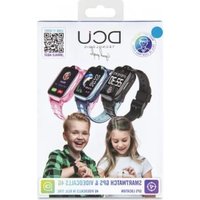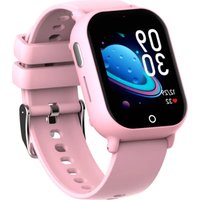
LittleOne 4G - Smartwatch DCU - Free user manual and instructions
Find the device manual for free LittleOne 4G DCU in PDF.


User questions about LittleOne 4G DCU
0 question about this device. Answer the ones you know or ask your own.
Ask a new question about this device
Download the instructions for your Smartwatch in PDF format for free! Find your manual LittleOne 4G - DCU and take your electronic device back in hand. On this page are published all the documents necessary for the use of your device. LittleOne 4G by DCU.
USER MANUAL LittleOne 4G DCU
LittleOne 4G for kids
IOS - ANDROID
34159035 / 34159036 / 34159037
LOOK IT HERE!
¡MÍRALO AQUÍ!
text_image
QR code image containing encoded data, no visible human-readable textManual de usuario
User manual
Manual d'usuari
Mode d'emploi
Manual de usuário
3
14
25
36
47
ESP
ENG
CAT
FRA
PORT
text_image
QR code image containing encoded data, no visible human-readable texttext_image
S:04 ACCOUNT Password Auto copy Language Options Login Access Log1 Remove Client read and agree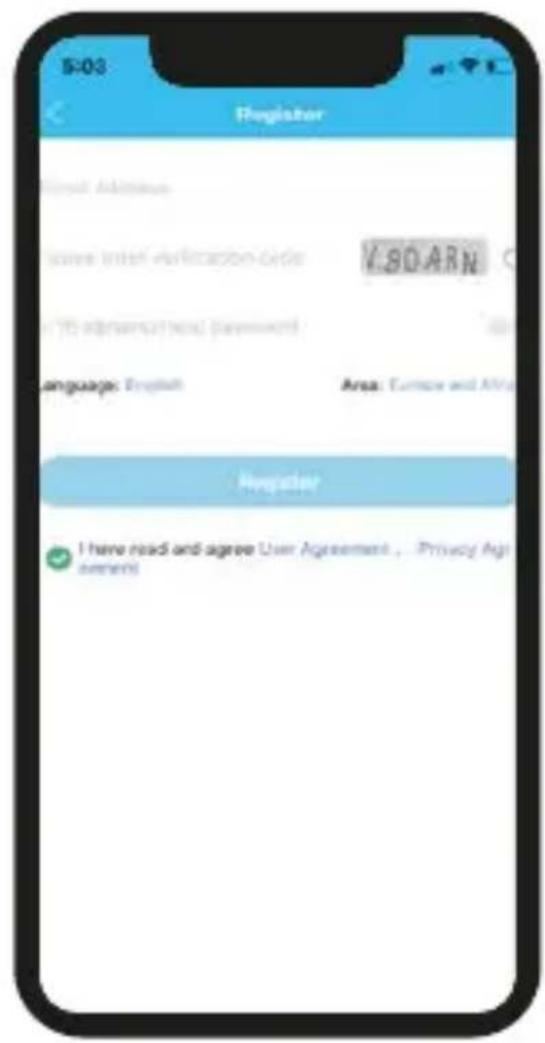
text_image
5:03 Register Email Address Save Internet Application Grids V.80ARN 10 ad-hotel/-mail password Language: English Area: Europe and Africa Register I have read and agree User Agreement, Privacy AgreementsThank you very much for purchasing this watch, the DCU team has been working hard to offer you a comfortable, beautiful and functional watch.
If you have any questions that this manual cannot solve, we will be happy to assist you, you can write to info@dcutec.com and in less than 24 hours we will answer you. We wish you enjoy it!
If you want to know a little more, go to www.dcutec.com or visit our Instagram profile @dcutecnologic. Sometimes we do raffles.
Please read the manual carefully before using the device. Pictures and products in the manual for reference only.
1. BEFORE STARTING
- Charge the smartwatch to 100% before first use. Use the supplied cable with a standard 5V 2A max. charger. Do not use fast charging chargers, do not use USB ports on computers computers or other devices above 5V 2A. This can damage the battery
- You must purchase a 4G LTE SIM card, it must be a new number line (duplicate SIM cards are not allowed) ask the phone company before purchasing the card, you should indicate that it is for use in a smartwatch. (Please turn off the watch before inserting the SIM Card)
WARNING: If your SIM card has a PIN code, before installing it on your watch, install it on a mobile phone and disable the PIN code.
-
SIM card is necessary to activate data flow, GPRS and caller display functions.
-
Download the APP SeTracker2 in your smartphone and pair your smartwatch using the provided QR code.
2. INSTALL THE SIM CARD.
-
Make sure that the device is off the power.
-
Take off the SIM card protective cover.3. Insert the SIM card into the slot and make sure that the card's chip part is on the up side Then put the protective cover.
-
Make sure that the device is off the power.
- Take off the SIM card protective cover.3. Insert the SIM card into the slot and make sure that the card's chip part is on the up side Then put the protective cover.
3. SWITCH ON AND OFF
Switch on :
If the smartwatch is off the power, long press the power button to turn on.
Shut down :
1: Enter the settings, choose the power off option.
2: When the device is crashed, you can use remote shut down on the APP SeTracker2.
3: When there is not a SIM card, long press the power button to turn off the device.
4.FUNCTIONAL AREA DIAGRAM
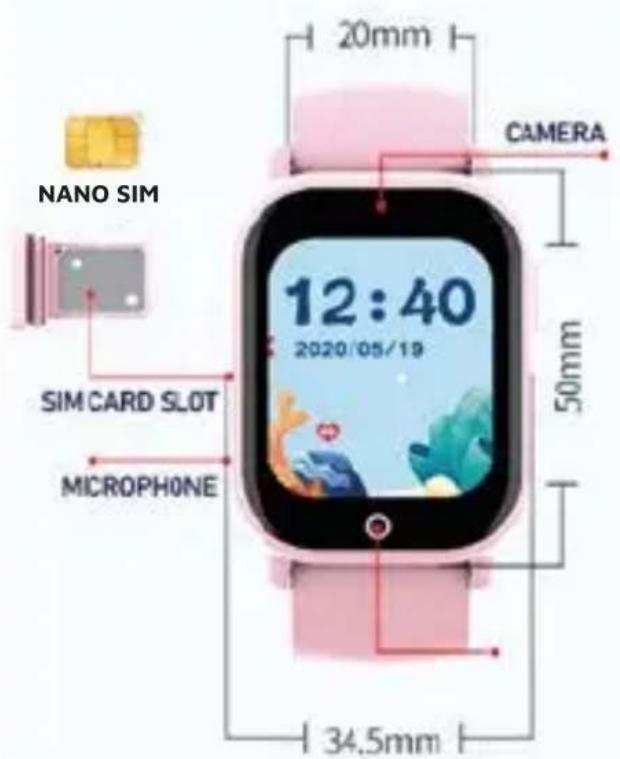
text_image
NANO SIM SIM CARD SLOT MICROPHONE 20mm CAMERA 12:40 2020/05/19 50mm 34.5mm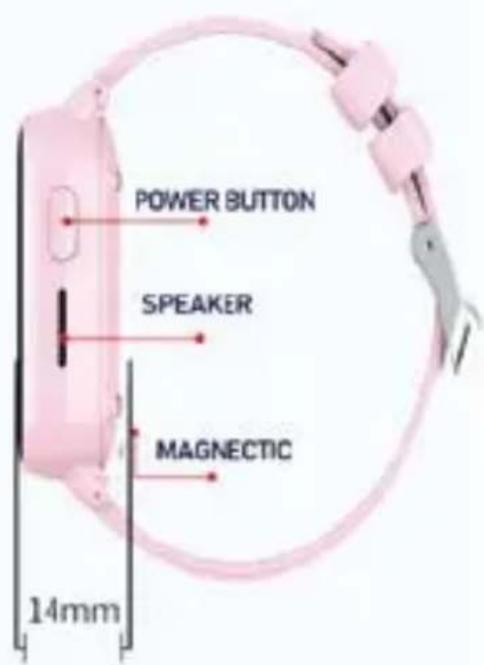
text_image
POWER BUTTON SPEAKER MAGNETIC 14mm5. DOWNLOAD THE APP
5.1 Download
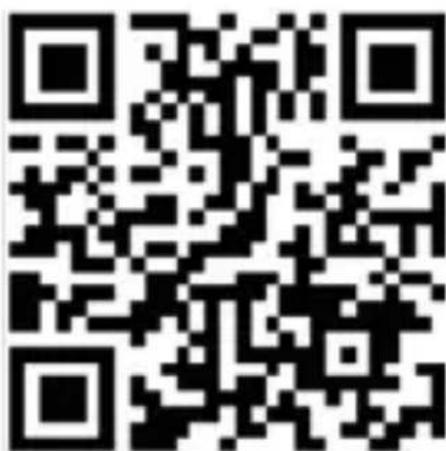
Download and install the SeTracker2 mobile application on your Smartphone: scan the QR code, download the application or search for "SeTracker2" in the iOS application store or the Android Play Store
text_image
QR code image containing encoded data, no visible human-readable textENG
5.2 Register and login in.
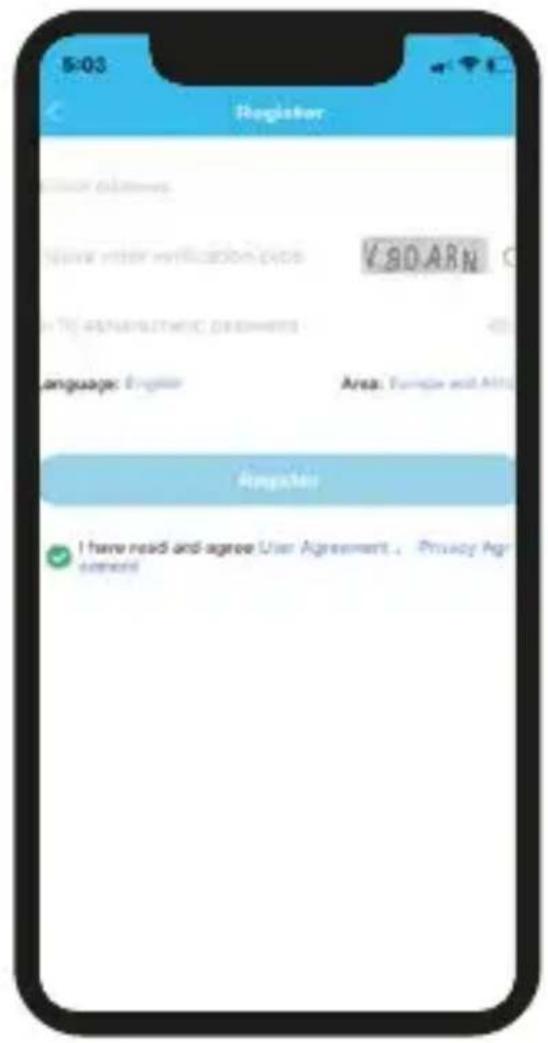
Creating a user account and login: follow the steps in the APP to register and login in, select the language and location. Attention: Use the parent email to sign up.
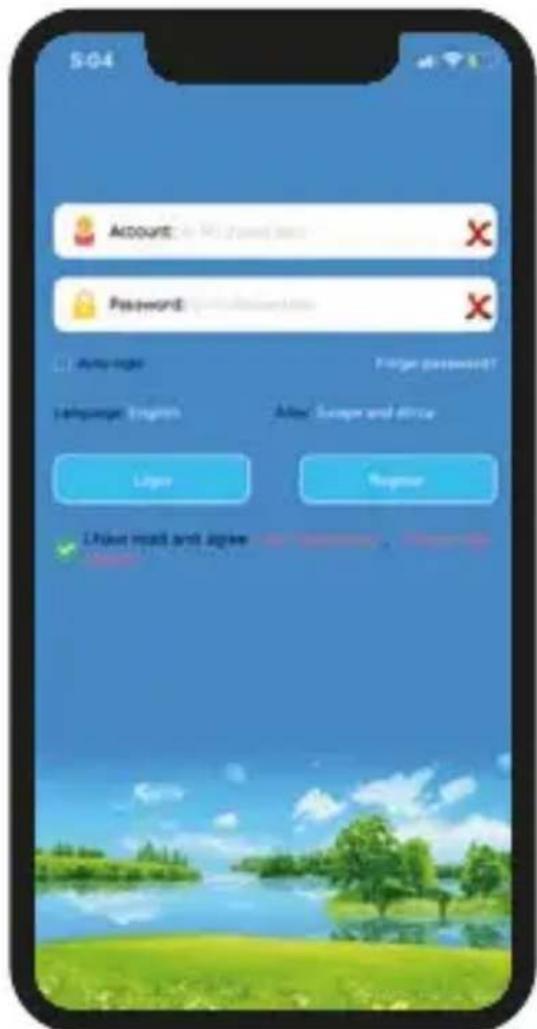
text_image
504 Account: No. 173 (used here) Password: No. 173 (used here) Login status Language: English Address: Europe and Africa Lower Right Left: read and logie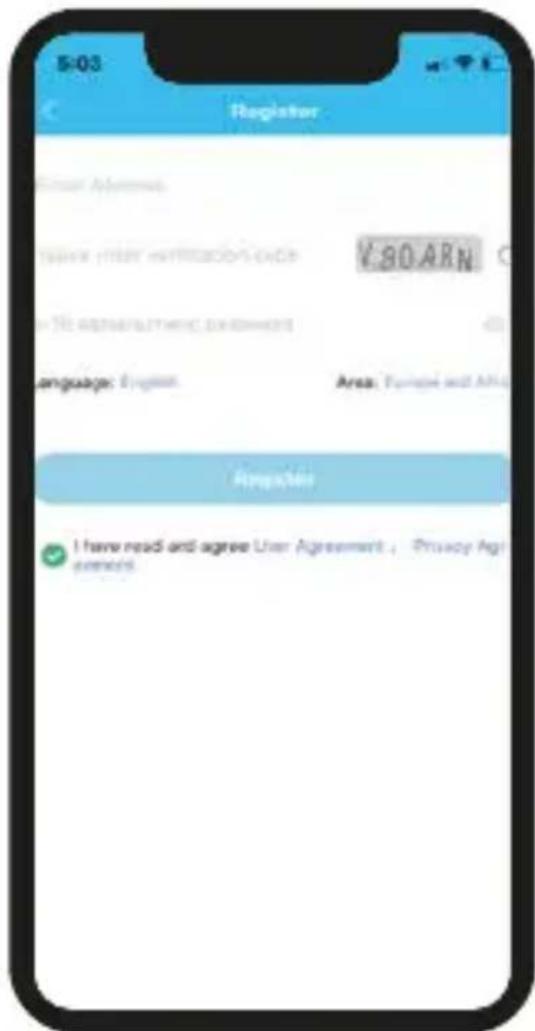
text_image
5-03 Register User Address Write your verification code ¥80 ARN in the establishment of users Language: English Area: Finland and Africa Register I have read and agree User Agreement, Privacy Agreements5.3 Pair with the device.
After registration, to pair the APP with the Smartwatch, scan the QR code that will be found on the watch.
Please note: the registration code is a 15-digit QR code, not the barcode.
After you have paired the Smartwatch, you will enter to the main interface of the APP.
Tip: After your account is linked to the Smartwatch, you will be the administrator, if other phones or accounts wish to be linked to the watch, the account you're using will receive a notification request for authorization.
PLEASE NOTE THAT: with the same email you can only create one account in the APP, but you can connect more than 1 watch to the account and the same watch can be associated with several accounts (father, mother, etc.).
6. GENERAL FUNCTIONS
- Location: GPS +AGPS+ LBS +WIFI Location real time on Map.
- Trace: Find the trace in APP.
- Safety area: Set fence (safety area) in the device (Max 3 fences), And notify you in APP when watch wearer reach or out of the appointed area.
- Contact: Setting up maximum 30 members of your friends or relative in APP.
- Dial interface: Dial interface is supported. You can turn on or off this function in switch settings of APP.
- SOS: 3 emergency contacts can be set. Press the SOS BUTTON (The button on some models is the power button) for 3 more seconds and it will make an emergency call to the appointed contacts in turns. If there is no one answering, it will continue to dial twice in turns and stop.
- Message notification: Notify you when the device turns on or off the SOS function in SMS. (The fees of SMS are calculated according to your local carrier)
- Alarms: Set 3 alarm clocks
- Camera: Take a photo
- Album: Save the photos, and you can delete in it or upload photos to the APP.
- Remote photo-taking: Enter the interface in the APP and click the "Remote Photo" option to remotely control the watch and the photo will upload to the APP.
- Micro chat: Real time chat between the device and the APP. APP can text or send 15s voice message to the device. And
ENG
device can read one unread message each time and only send voice message.
- Video call: Make a video call with the bind account on Mobile or another device.
- Silent mode: Ring or Silent
- Do not disturb: Set 4 periods in one time. Block all calls and keep silent mode in this appointed period.
- Settings: Change UI, Volume control (Medium, Ringtone, Sleep time), Brightness, Languages, Power off, About device (Model, Version, IMEI), Clean data.
· Quick math : Game for kids - Stopwatch: For time measuring
- Calculator: For usual math calculating
- Family members: Show the account of family members who is bind with the device.
- Scenarios sounds: 2 modes (Ring or Silent)
- Love heart: You can set this in the APP. And the Love heart can be only shown on the interface of watch.
- Remote shutdown: Remote shutting down order to the watch when it is power on.
- Remote restart: Send a remote restarting command to the watch. And restart the device.
7. MAIN FUNCTIONS OF THE APP SETRACKER2
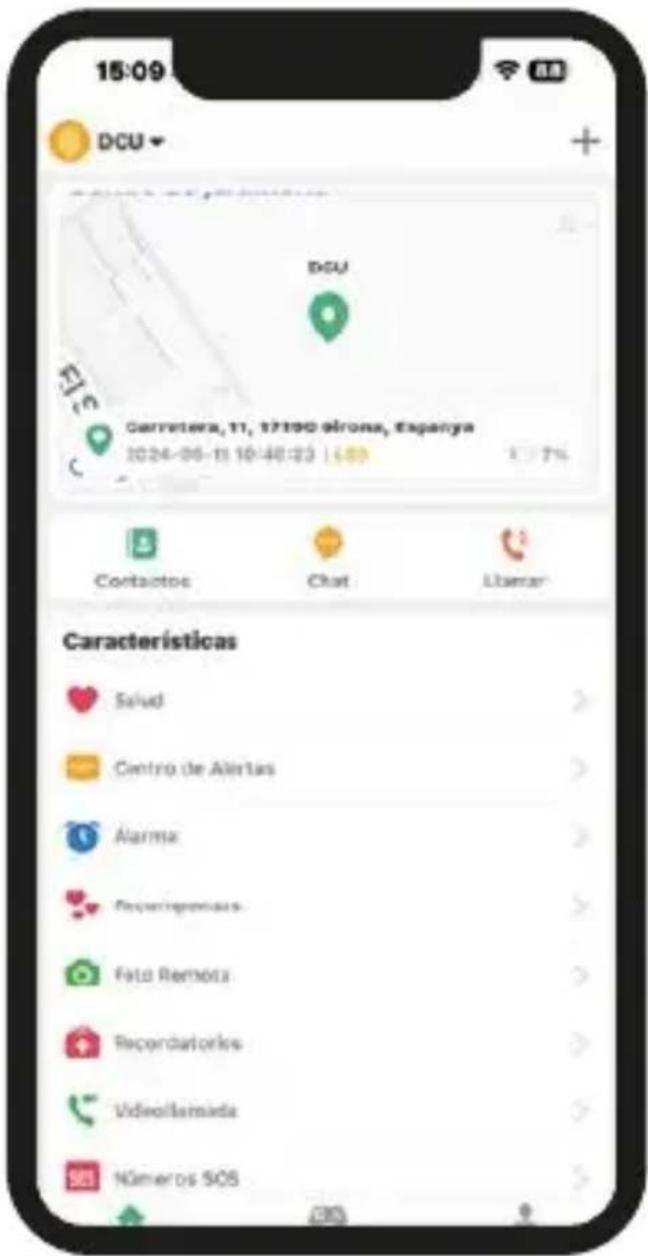
On the main interface you can access to the main functions
7.1 Location and history: access to the map to see the location in real time. Click the positioning icon to get the current location.
text_image
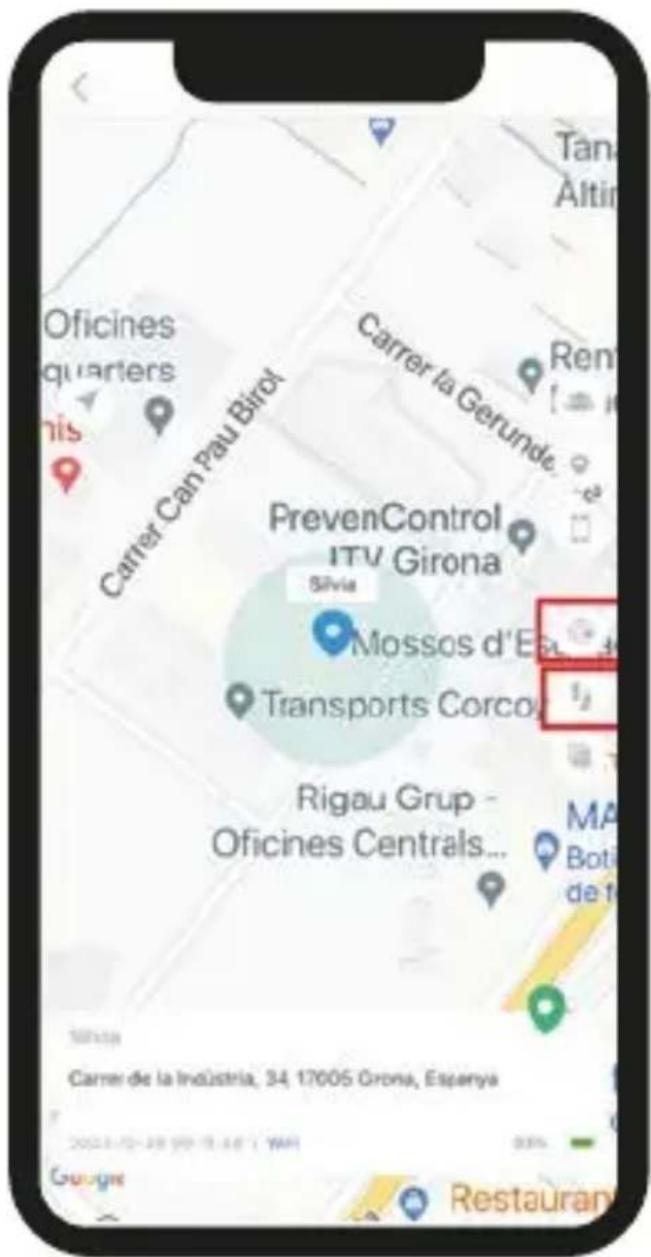
15:09 DCU DCU Carretera, 11, 17190 Girona, España 2024-06-11 10:40:23 1:00 Contactos Chat Licencar Características Salud Centro de Alertas Alarma Recomplementos Foto Remoto Recordatorles Videollamada Números SOSClick on the "Location History" icon 📋 on the right side to view the history of locations within a time interval.
ENG

Click on the "Security area" icon : from this option you can define a security area of at least 200m and up to 2km. You will receive an alarm when your Smartwatch exits this area.
text_image
Oficines quarters Carrer Can Pau Birot Carrer la Gerunde PrevenControl ITV Girona Silvia Mossos d'Esta Transports Corco Rigau Grup - Oficines Centrals... Tana Altin Ren 12 13 MA Boti de t Sivita Carrer de la Industria, 34 17005 Grona, Espanya 2021/02/2019 (WAI) Restaurant7.2 From the main screen of the APP, "HOME", you can access the different functions and configure the various parameters of the Smartwatch:

text_image
Contactos Chat Llamar- Phonebook: you can set up to 30 phone numbers, these 30 numbers can be dialed with the Smartwatch and make two-way calls.
- Voice chat. Enter to listen/send voice messages and send them to your Smartwatch and other smartwatches who bended friends with you. You can create new voice message with a minimum of 3 seconds and a maximum of 15 seconds.
- Calls: Make a phone call to the connected device

- Health: information about daily steps, calories and sleep information
- Alert messages. Displays emergency messages, safe zone and low battery alert.
- Alarm clock: you can set up 3 alarms.
- Love rewards: You can send heart-shaped love rewards that will be displayed on your child's Smartwatch.
- Remote camera: From this option you can view the photos taken from the Smartwatch and also take a picture remotely from the application to see an image of what is around the smartwatch.
- Video call: starts a new video call with your kid's smartwatch
- SOS Number Settings - Up to three numbers can be configured from APP. Press and hold the SOS button on the Smartwatch for 5s in case of an emergency, a call will be made to the first number automatically, if the call isn't answered, the smartwatch will dial the next number.
- Modes to update the location:
There are 3 work modes for updating the location. The battery life of the Smartwatch depends on the mode of operation.
- The refresh interval is every 10 minutes
- The refresh interval is every hour
- Sleep mode: get manual location
- Listen Monitor (sound guardian): Enter the parents' phone number. The Smartwatch can call the configured numbers, the Smartwatch can't hear the sound around the mobile phone, only the mobile phones can hear the sound around the Smartwatch. This function will be automatically disable when you enter in a country where the laws doesn't allow it.
- Family members: displays the administrator account and linked accounts.
- Sound mode: Ring or Silent
- Don't disturb mode: You can set different time slots where the smartwatch will not ring or be used.
- Alert SMS settings: You can configure the phone where you want to receive the SMS and enable/disable alert SMS by low battery and SOS button.
- LBS: enable/disable LBS positioning
- Find device: Activate this option to search your watch. The device beeps for 1 minute.
- Contacts: add 15 contacts
- Restrict smartwatch functions: You can enable/disable smartwatch's functions.
- Language: select your language
- Setting the time zone
- Retrieve SMS from the smartwatch
- Reject unknown calls: if you activate this option, only the phone numbers that you added to the smartwatch contacts will be able to call the smartwatch, other number will be rejected. If there is an unknown call, a record will be listed on the APP.
- Remote Power Off - The Smartwatch can be turned off remotely from this option.
- Factory Reset: you can reset smartwatch by dial *#174741#*
- Remote factory reset
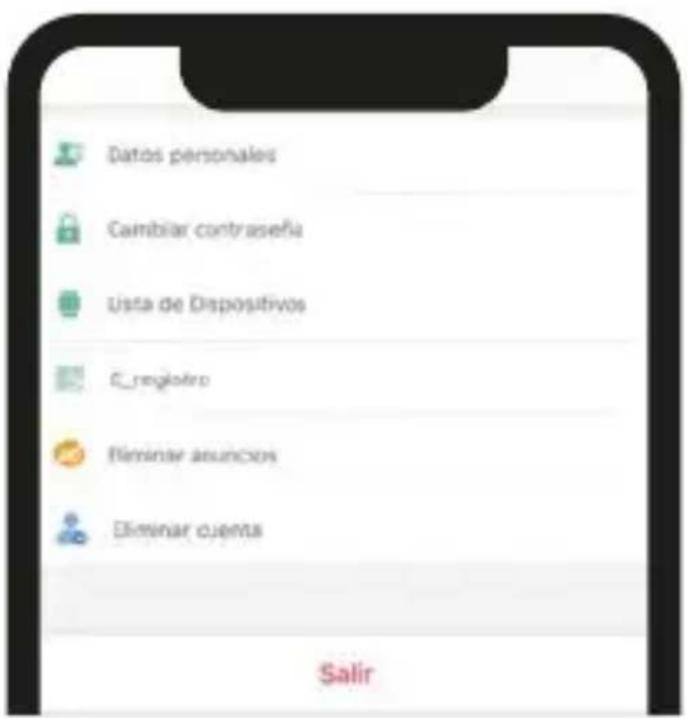
7.3 "ME" Interface
• Personal information
- Modify Password: You can change your account login password.
- Device List - You can view the devices associated with the APP. If the ID listed doesn't match to the Smartwatch ID, the smartwatch can't be connected to the APP.
- Sign out - Exit the current account
8.1 SOS Emergency Alarm
Press the SOS side button on the Smartwatch for 5 seconds, the Smartwatch will call the 3 SOS numbers configured from the APP. A call will be made to the first number automatically, if you don't answer the call, the Smartwatch will dial the next number and it will continue to dial until it makes two rounds. At the same time, the Smartwatch will send an SMS notification to the APP.
8.2 Low battery alarm
When the battery is less than 20%, an alarm will be activated and the Smartwatch will send a warning message to the phone number configured from the APP via SMS.
8.3 Remote Off
The Smartwatch can be remotely turned off by the application.
8.4 Answer and hang up a call
Press the green Smartwatch icon to answer the call. Press the red Smartwatch icon to hang up the call.
8.5 Camera: Take pictures
8.6 Quick math : Game for kids
9.PROBLEMS FIXING
If the device cannot connect to the server in your first time of using, and on the APP shows the device is out of line. Please check the following conditions:
1) Your SIM card is 4G and network is normal or not.
2) Data flow service is turned on and normal or not.
3) If there is still not working, please contact with DCU Tecnologic for more details and help.
4) If you cannot register, there are 2 problems usual:
-
The code of device does not exist or it has registered before, under this condition you must contact with DCU Tecnologic for help or you can reset smartwatch by dial *#174741#* on the Smartwatch
-
Account has registered before. Under this condition, you just change this account is OK.
DCU Tecnologic's Customer service
Live web chat: www.dcutec.com/eng
Email: info@dcutec.com
Telephone: +34 972244105
text_image
QR code image containing encoded data, no visible human-readable textCAT
text_image
5-03 Register User accounts Write your verification code V.80.ARN Language: Engineer Area: Europe and Africa Register I have read and agree User Agreement, Privacy Agreementtext_image
QR code image containing encoded data, no visible human-readable textFRA
text_image
5-03 Register Email Address NAME: ITEMS WRITLEASON CODE ¥ 80 ARN(Sprains/Thurs) (penetrated)
Language: English Area: Europe and Africa Registrar I have read and agree User Agreement. Privacy Ag ementsService client DCU Tecnologic
text_image
QR code image containing encoded data, no visible human-readable textPORT
text_image
5:04 ACCOUNT Password Login status Login password Language: English Login Register Login need and agree 确定