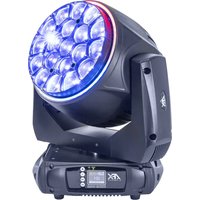
BEEDREAM-1940RGB - Lighting AFX - Free user manual and instructions
Find the device manual for free BEEDREAM-1940RGB AFX in PDF.


| Product type | LED light effect |
| Brand | AFX |
| Model | BEEDREAM-1940RGB |
| Dimensions (L x W x H) | 286 x 414 x 412 mm |
| Weight | 16 kg |
| Power supply | 100-240 V~, 50/60 Hz |
| Electrical class | Class I (mandatory grounding) |
| Usage | Indoor only |
| Minimum safety distance | 0.5 m between the luminaire and any object or surface |
| Max. ambient temperature | 40°C |
| Max. surface temperature | 85°C (do not touch during operation) |
| Max. continuous operation time | 8 hours, then cool down before reuse |
| Control protocol | DMX512 |
| Available DMX modes | 26, 38, 102, 114 channels |
| Operating modes | Auto, Music-controlled, Master/Slave, Manual |
| Pan movement | 630°, 540° or 360° (selectable) |
| Tilt movement | 270°, 180° or 90° (selectable) |
| Microphone sensitivity | 0-99% |
| Sound level at 1 m | 55 dB |
| Package contents | 1 light effect, 2 omega brackets, 1 signal cable, 1 Powercon cord, 1 manual |
| Maintenance | Clean the external lenses every 3 weeks with glass cleaner and a soft cloth; clean the air vents regularly |
| Replaceable parts | Fuse (identical to original model); light source not replaceable (discard the device if defective) |
| Safety | Do not look directly at the light beam; do not open the housing; disconnect before maintenance; use a safety cable |
Frequently Asked Questions - BEEDREAM-1940RGB AFX
User questions about BEEDREAM-1940RGB AFX
0 question about this device. Answer the ones you know or ask your own.
Ask a new question about this device
Download the instructions for your Lighting in PDF format for free! Find your manual BEEDREAM-1940RGB - AFX and take your electronic device back in hand. On this page are published all the documents necessary for the use of your device. BEEDREAM-1940RGB by AFX.
USER MANUAL BEEDREAM-1940RGB AFX
WITH LED RING - 19 X 40W RGB
natural_image
Technical line drawing of a mechanical clamp or optical device with hexagonal lattice pattern (no text or symbols)DMX Channels - p. 3-12
GB - User Manual - p. 13
| Mode/Channel | Value | Function | |||
| 114 | 102 | 38 | 26 | ||
| 1 | 1 | 1 | 1 | Pan | |
| 0..255 | PAN Movement | ||||
| 2 | 2 | 2 | 2 | Pan-fine | |
| 0..255 | Fine control of Pan movement | ||||
| 3 | 3 | 3 | 3 | Tilt | |
| 0..255 | Tilt Movement | ||||
| 4 | 4 | 4 | 4 | Tile-fine | |
| 0..255 | Fine control of Tilt movement | ||||
| 5 | 5 | 5 | 5 | Speed pan/tile | |
| 0..225 | max to min speed | ||||
| 226..235 | blackout by movement | ||||
| 236..255 | no function | ||||
| 6 | 6 | 6 | 6 | Dimmer | |
| 0..255 | Dimmer 0%...100% | ||||
| 7 | 7 | 7 | 7 | Shutter | |
| 0..31 | Shutter closed | ||||
| 32..63 | shutter open | ||||
| 64..95 | Strobe effect slow to fast | ||||
| 96..127 | shutter open | ||||
| 128..159 | Pulse-effect in sequences slow to fast | ||||
| 160..191 | shutter open | ||||
| 192..223 | Random strobe effect slow to fast | ||||
| 224..255 | shutter open | ||||
| 8 | 8 | 8 | 8 | Red | |
| 0..255 | 0-100% Red dimmer from dark to bright | ||||
| 9 | 9 | 9 | 9 | Green | |
| 0..255 | 0-100% Green dimmer from dark to bright | ||||
| 10 | 10 | 10 | 10 | Blue | |
| 0..255 | 0-100% Blue dimmer from dark to bright | ||||
| 11 | 11 | 11 | 11 | White | |
| 0..255 | 0-100% White dimmer from dark to bright | ||||
| 12 | 12 | 12 | 12 | Zoom | |
| 0..255 | ln(near) to out(far) | ||||
| 13 | 13 | 13 | 13 | Zoom Rotation | |
| 0..15 | Zoom rotation stop | ||||
| 16..63 | shake slow to fast(width by Zoom Angle) | ||||
| 64..156 | Forwards rotation from fast to slow | ||||
| 157..162 | Zoom rotation stop | ||||
| 163..255 | Backwards rotation from slow to fast | ||||
| 14 | 14 | 14 | 14 | Zoom Angle | |
| 0..255 | Zoom Angle(0°~60°) | ||||
| 15 | 15 | 15 | 15 | Virtual color | |
| 0..0 | No Function | ||||
| 1..13 | Red | ||||
| 14..27 | Green | ||||
| 28..41 | Blue | ||||
| 15 | 15 | 15 | 15 | 42..55 | White |
| 56..69 | Red+White | ||||
| 70..83 | Green+White | ||||
| 84..97 | Blue+White | ||||
| 98..111 | Green+Blue | ||||
| 112..125 | Red+Blue | ||||
| 126..139 | Red+Green | ||||
| 140..153 | Green+Blue+White | ||||
| 154..167 | Red+Blue+White | ||||
| 168..181 | Red+Green+White | ||||
| 182..195 | Red+Blue+Green+White | ||||
| 196..202 | 2700K | ||||
| 203..209 | 3200K | ||||
| 210..216 | 3500K | ||||
| 217..223 | 5000K | ||||
| 224..230 | 5500K | ||||
| 231..237 | 6000K | ||||
| 238..244 | 6500K | ||||
| 245..251 | 7000K | ||||
| 252..255 | 8000K | ||||
| 16 | 16 | 16 | 16 | Color Temp | |
| 0..15 | No Function | ||||
| 16..45 | Below 3200K | ||||
| 46..75 | 3200K - 3500K | ||||
| 76..105 | 3500K - 5000K | ||||
| 106..135 | 5000K - 5500K | ||||
| 136..165 | 5500K - 6000K | ||||
| 166..195 | 6000K - 6500K | ||||
| 196..225 | 6500K - 7000K | ||||
| 226..255 | 7000K - 8000K | ||||
| 17 | 17 | 17 | 17 | Visual Tungsten Lamp | |
| 0..15 | No Function | ||||
| 16..255 | Tungsten lamp effect is gradually enhanced | ||||
| 18 | 18 | Foreground color for patterns | |||
| Choose Foreground color for Dynamic/Static Scene,no function for Multicolor Scene | |||||
| 0..0 | No Function | ||||
| 1..13 | Red | ||||
| 14..27 | Green | ||||
| 28..41 | Blue | ||||
| 42..55 | White | ||||
| 56..69 | Red+White | ||||
| 70..83 | Green+White | ||||
| 84..97 | Blue+White | ||||
| 98..111 | Green+Blue | ||||
| 112..125 | Red+Blue | ||||
| 136..139 | Red+Green | ||||
| 140..153 | Green+Blue+White | ||||
| 154..167 | Red+Blue+White | ||||
| 168..181 | Red+Green+White | ||||
| 18 | 18 | 182..195 | Red+Blue+Green+White | ||
| 196..202 | 2700K | ||||
| 203..209 | 3200K | ||||
| 210..216 | 3500K | ||||
| 217..223 | 5000K | ||||
| 224..230 | 5500K | ||||
| 231..237 | 6000K | ||||
| 238..244 | 6500K | ||||
| 245..251 | 7000K | ||||
| 252..255 | 8000K | ||||
| 19 | 19 | Foreground dimmer | |||
| 000..255 | Foreground dimmer 0 – 100%. | ||||
| 20 | 20 | Background color for patterns | |||
| Choose Background color for Dynamic/Static Scene,no function for Multicolor Scene | |||||
| 0..0 | No Function | ||||
| 1..13 | Red | ||||
| 14..27 | Green | ||||
| 28..41 | Blue | ||||
| 42..55 | White | ||||
| 56..69 | Red+White | ||||
| 70..83 | Green+White | ||||
| 84..97 | Blue+White | ||||
| 98..111 | Green+Blue | ||||
| 112..125 | Red+Blue | ||||
| 126..139 | Red+Green | ||||
| 140..153 | Green+Blue+White | ||||
| 154..167 | Red+Blue+White | ||||
| 168..181 | Red+Green+White | ||||
| 182..195 | Red+Blue+Green+White | ||||
| 196..202 | 2700K | ||||
| 203..209 | 3200K | ||||
| 210..216 | 3500K | ||||
| 217..223 | 5000K | ||||
| 22 | 224..230 | 5500K | |||
| 231..237 | 6000K | ||||
| 238..244 | 6500K | ||||
| 245..251 | 7000K | ||||
| 252..255 | 8000K | ||||
| 21 | 21 | Background dimmer | |||
| 000..255 | Background dimmer 0 – 100%. | ||||
| 22 | 22 | Patterns | |||
| 000..015 | No function | ||||
| 016..031 | Static patterns | ||||
| 032..036 | Dynamic Scene1 | ||||
| 037..041 | Dynamic Scene2 | ||||
| 042..046 | Dynamic Scene3 | ||||
| 047..051 | Dynamic Scene4 | ||||
| 22 | 22 | 052..056 | Dynamic Scene5 | ||
| 057..061 | Dynamic Scene6 | ||||
| 062..066 | Dynamic Scene7 | ||||
| 067..071 | Dynamic Scene8 | ||||
| 072..076 | Dynamic Scene9 | ||||
| 077..081 | Dynamic Scene10 | ||||
| 082..086 | Dynamic Scene11 | ||||
| 087..091 | Dynamic Scene12 | ||||
| 092..096 | Dynamic Scene13 | ||||
| 097..101 | Dynamic Scene14 | ||||
| 102..106 | Dynamic Scene15 | ||||
| 107..111 | Dynamic Scene16 | ||||
| 112..116 | Dynamic Scene17 | ||||
| 117..121 | Dynamic Scene18 | ||||
| 122..126 | Dynamic Scene19 | ||||
| 127..131 | Dynamic Scene20 | ||||
| 132..136 | Dynamic Scene21 | ||||
| 137..141 | Dynamic Scene22 | ||||
| 142..146 | Dynamic Scene23 | ||||
| 147..151 | Dynamic Scene24 | ||||
| 152..156 | Dynamic Scene25 | ||||
| 157..161 | Dynamic Scene26 | ||||
| 162..166 | Dynamic Scene27 | ||||
| 167..171 | Dynamic Scene28 | ||||
| 172..176 | Dynamic Scene29 | ||||
| 177..181 | Dynamic Scene30 | ||||
| 182..186 | Dynamic Scene31 | ||||
| 187..191 | Dynamic Scene32 | ||||
| 192..196 | Multicolor Dynamic Scene1 | ||||
| 197..201 | Multicolor Dynamic Scene2 | ||||
| 202..206 | Multicolor Dynamic Scene3 | ||||
| 207..211 | Multicolor Dynamic Scene4 | ||||
| 212..216 | Multicolor Dynamic Scene5 | ||||
| 217..221 | Multicolor Dynamic Scene6 | ||||
| 222..226 | Multicolor Dynamic Scene7 | ||||
| 227..231 | Multicolor Dynamic Scene8 | ||||
| 232..236 | Multicolor Dynamic Scene9 | ||||
| 237..241 | Multicolor Dynamic Scene10 | ||||
| 242..246 | Multicolor Dynamic Scene11 | ||||
| 247..251 | Multicolor Dynamic Scene12 | ||||
| 252..255 | Multicolor Dynamic Scene13 | ||||
| 23 | 23 | Static patterns or patterns speed | |||
| Static Patterns(If Patterns channel is in the interval 016 – 031) | |||||
| 000..005 | static scene1 | ||||
| 006..011 | static scene2 | ||||
| 012..017 | static scene3 | ||||
| 018..023 | static scene4 | ||||
| 024..029 | static scene5 | ||||
| 23 | 23 | 030..035 | static scene6 | ||
| 036..041 | static scene7 | ||||
| 042..047 | static scene8 | ||||
| 048..053 | static scene9 | ||||
| 054..059 | static scene10 | ||||
| 060..065 | static scene11 | ||||
| 066..071 | static scene12 | ||||
| 072..075 | static scene13 | ||||
| 078..083 | static scene14 | ||||
| 084..089 | static scene15 | ||||
| 090..095 | static scene16 | ||||
| 096..101 | static scene17 | ||||
| 102..107 | static scene18 | ||||
| 108..113 | static scene19 | ||||
| 114..119 | static scene20 | ||||
| 120..125 | static scene21 | ||||
| 126..131 | static scene22 | ||||
| 132..137 | static scene23 | ||||
| 138..143 | static scene24 | ||||
| 144..149 | static scene25 | ||||
| 150..155 | static scene26 | ||||
| 156..161 | static scene27 | ||||
| 162..167 | static scene28 | ||||
| 168..173 | static scene29 | ||||
| 174..179 | static scene30 | ||||
| 180..185 | static scene31 | ||||
| 186..191 | static scene32 | ||||
| 192..197 | Multicolor static scene1 | ||||
| 198..203 | Multicolor static scene2 | ||||
| 204..209 | Multicolor static scene3 | ||||
| 210..215 | Multicolor static scene4 | ||||
| 216..221 | Multicolor static scene5 | ||||
| 222..227 | Multicolor static scene6 | ||||
| 228..233 | Multicolor static scene7 | ||||
| 234..239 | Multicolor static scene8 | ||||
| 240..245 | Multicolor static scene9 | ||||
| 246..251 | Multicolor static scene10 | ||||
| 252..255 | Multicolor static scene11 | ||||
| Dynamic Patterns(If Patterns channel is in the interval 032 - 255) | |||||
| 000..023 | No function | ||||
| 024..137 | Forward speed from zero speed to fast speed | ||||
| 138..141 | Stop movement | ||||
| 142..255 | Reverse speed from zero speed to fast speed | ||||
| 24 | 18 | 24 | 18 | Pix_Dimmer | |
| 0..255 | Pix_Dimmer 0%...100% | ||||
| 25 | 19 | 25 | 19 | Pix_Strobe | |
| 0..255 | Pix_Strobe Speed 0%...100% | ||||
| 26 | 20 | 26 | 20 | Pix_Red | |
| 0..255 | 0-100% Pix_Red dimmer from dark to bright | ||||
| 27 | 21 | 27 | 21 | Pix_Green | |
| 0..255 | 0-100% Pix_Green dimmer from dark to bright | ||||
| 28 | 22 | 28 | 22 | Pix_Blue | |
| 0..255 | 0-100% Pix_Blue dimmer from dark to bright | ||||
| 29 | 23 | 29 | 23 | Pix_color | |
| 0..0 | No Function | ||||
| 1..15 | Red | ||||
| 16..31 | Green | ||||
| 32..47 | Blue | ||||
| 48..63 | Red+Blue | ||||
| 64..79 | Red+Green | ||||
| 80..95 | Green+Blue | ||||
| 96..111 | Red+Blue+Green | ||||
| 112..127 | 2700K | ||||
| 128..143 | 3200K | ||||
| 144..159 | 3500K | ||||
| 160..175 | 5000K | ||||
| 176..191 | 5500K | ||||
| 192..207 | 6000K | ||||
| 208..223 | 6500K | ||||
| 224..239 | 7000K | ||||
| 240..255 | 8000K | ||||
| 30 | 24 | 30 | 24 | Pix_Macro | |
| 0..15 | No Function | ||||
| 16..29 | Pix Dynamic Scene1 | ||||
| 30..43 | Pix Dynamic Scene2 | ||||
| 44..57 | Pix Dynamic Scene3 | ||||
| 58..71 | Pix Dynamic Scene4 | ||||
| 72..85 | Pix Dynamic Scene5 | ||||
| 86..99 | Pix Dynamic Scene6 | ||||
| 100..113 | Pix Dynamic Scene7 | ||||
| 114..127 | Pix Dynamic Scene8 | ||||
| 128..143 | Pix Dynamic Scene9 | ||||
| 142..155 | Pix Dynamic Scene10 | ||||
| 156..169 | Pix Dynamic Scene11 | ||||
| 170..183 | Pix Dynamic Scene12 | ||||
| 184..197 | Pix Dynamic Scene13 | ||||
| 198..211 | Pix Dynamic Scene14 | ||||
| 212..225 | Pix Dynamic Scene15 | ||||
| 226..239 | Pix Dynamic Scene16 | ||||
| 240..255 | Pix Dynamic Scene17 | ||||
| 31 | 25 | 31 | 25 | Pix_Macro_Speed | |
| 0..255 | Slow to Fast | ||||
| 32 | 32 | Expand Patterns | |||
| 0..15 | No Function | ||||
| 16..29 | Pix Dynamic Scene1 | ||||
| 30..43 | Pix Dynamic Scene2 | ||||
| 44..57 | Pix Dynamic Scene3 | ||||
| 58..71 | Pix Dynamic Scene4 | ||||
| 72..85 | Pix Dynamic Scene5. | ||||
| 32 | 32 | 86..99 | Pix Dynamic Scene6 | ||
| 100..113 | Pix Dynamic Scene7 | ||||
| 114..127 | Pix Dynamic Scene8 | ||||
| 128..143 | Pix Dynamic Scene9 | ||||
| 142..155 | Pix Dynamic Scene10 | ||||
| 156..169 | Pix Dynamic Scene11 | ||||
| 170..183 | Pix Dynamic Scene12 | ||||
| 184..197 | Pix Dynamic Scene13 | ||||
| 198..211 | Pix Dynamic Scene14 | ||||
| 212..225 | Pix Dynamic Scene15 | ||||
| 226..239 | Pix Dynamic Scene16 | ||||
| 240..255 | Pix Dynamic Scene17 | ||||
| 33 | 33 | Pix_Foreground dimmer | |||
| 0..255 | Pix_Expand Patterns Foreground dimmer 0 – 100%. (Foreground Color Share with "Pix_Macro"Channel) | ||||
| 34 | 34 | Pix_Background dimmer | |||
| 0..255 | Pix_Expand Patterns Background dimmer 0 – 100%. | ||||
| 35 | 35 | Pix_Background Red | |||
| 0..255 | Pix_Expand Patterns Background Red( 0 – 100%) | ||||
| 36 | 36 | Pix_Background Green | |||
| 0..255 | Pix_Expand Patterns Background Green (0 – 100%) | ||||
| 37 | 37 | Pix_Background Blue | |||
| 0..255 | Pix_Expand Patterns Background Blue( 0 – 100%) | ||||
| 38 | 26 | Red in Pixel 1 | |||
| 0..255 | Red in pixel 1 saturation control (0-100%) | ||||
| 39 | 27 | Green in Pixel 1 | |||
| 0..255 | Green in pixel 1 saturation control (0-100%) | ||||
| 40 | 28 | Blue in Pixel 1 | |||
| 0..255 | Blue in pixel 1 saturation control(0-100%) | ||||
| 41 | 29 | White in pixel 1 | |||
| 0..255 | White in pixel 1 saturation control(0-100%) | ||||
| 42 | 30 | Red in pixel 2 | |||
| 0..255 | Red in pixel 2 saturation control(0-100%) | ||||
| 43 | 31 | Green in pixel 2 | |||
| 0..255 | Green in pixel 2 saturation control(0-100%) | ||||
| 44 | 32 | Blue in pixel 2 | |||
| 0..255 | Blue in pixel 2 saturation control(0-100%) | ||||
| 45 | 33 | White in pixel 2 | |||
| 0..255 | White in pixel 2 saturation control(0-100%) | ||||
| 46 | 34 | Red in Pixel 3 | |||
| 0..255 | Red in pixel 3 saturation control (0-100%) | ||||
| 47 | 35 | Green in pixel 3 | |||
| 0..255 | Green in pixel 3 saturation control(0-100%) | ||||
| 48 | 36 | Blue in pixel 3 | |||
| 0..255 | Blue in pixel 3 saturation control(0-100%) | ||||
| 49 | 37 | White in pixel 3 | |||
| 0..255 | White in pixel 3 saturation control(0-100%) | ||||
| 50 | 38 | Red in Pixel 4 | |||
| 0..255 | Red in pixel 4 saturation control (0-100%) | ||||
| 51 | 39 | Green in pixel 4 | |||
| 0..255 | Green in pixel 4 saturation control(0-100%) | ||||
| 52 | 40 | Blue in pixel 4 | |||
| 0..255 | Blue in pixel 4 saturation control(0-100%) | ||||
| 53 | 41 | White in pixel 4 | |||
| 0..255 | White in pixel 4 saturation control(0-100%) | ||||
| 54 | 42 | Red in Pixel 5 | |||
| 0..255 | White in pixel 5 saturation control (0-100%) | ||||
| 55 | 43 | Green in pixel 5 | |||
| 0..255 | Green in pixel 5 saturation control(0-100%) | ||||
| 56 | 44 | Blue in pixel 5 | |||
| 0..255 | Blue in pixel 5 saturation control(0-100%) | ||||
| 57 | 45 | White in pixel 5 | |||
| 0..255 | White in pixel 5 saturation control(0-100%) | ||||
| 58 | 46 | Red in Pixel 6 | |||
| 0..255 | White in pixel 6 saturation control (0-100%) | ||||
| 59 | 47 | Green in pixel 6 | |||
| 0..255 | Green in pixel 6 saturation control(0-100%) | ||||
| 60 | 48 | Blue in pixel 6 | |||
| 0..255 | Blue in pixel 6 saturation control(0-100%) | ||||
| 61 | 49 | White in pixel 6 | |||
| 0..255 | White in pixel 6 saturation control(0-100%) | ||||
| 62 | 50 | Red in Pixel 7 | |||
| 0..255 | White in pixel 7 saturation control (0-100%) | ||||
| 63 | 51 | Green in pixel 7 | |||
| 0..255 | Green in pixel 7 saturation control(0-100%) | ||||
| 64 | 52 | Blue in pixel 7 | |||
| 0..255 | Blue in pixel 7 saturation control(0-100%) | ||||
| 65 | 53 | White in pixel 7 | |||
| 0..255 | White in pixel 7 saturation control(0-100%) | ||||
| 66 | 54 | Red in Pixel 8 | |||
| 0..255 | Red in pixel 8 saturation control (0-100%) | ||||
| 67 | 55 | Green in Pixel 8 | |||
| 0..255 | Green in pixel 8 saturation control (0-100%) | ||||
| 68 | 56 | Blue in Pixel 8 | |||
| 0..255 | Blue in pixel 8 saturation control(0-100%) | ||||
| 69 | 57 | White in pixel 8 | |||
| 0..255 | White in pixel 8 saturation control(0-100%) | ||||
| 70 | 58 | Red in pixel 9 | |||
| 0..255 | Red in pixel 9 saturation control(0-100%) | ||||
| 71 | 59 | Green in pixel 9 | |||
| 0..255 | Green in pixel 9 saturation control(0-100%) | ||||
| 72 | 60 | Blue in pixel 9 | |||
| 0..255 | Blue in pixel 9 saturation control(0-100%) | ||||
| 73 | 61 | White in pixel 9 | |||
| 0..255 | White in pixel 9 saturation control(0-100%) | ||||
| 74 | 62 | Red in Pixel 10 | |||
| 0..255 | Red in pixel 10 saturation control (0-100%) | ||||
| 75 | 63 | Green in pixel 10 | |||
| 0..255 | Green in pixel 10 saturation control(0-100% | ||||
| 76 | 64 | Blue in pixel 10 | |||
| 0..255 | Blue in pixel 10 saturation control(0-100%) | ||||
| 77 | 65 | White in pixel 10 | |||
| 0..255 | White in pixel 10 saturation control(0-100%) | ||||
| 78 | 66 | Red in Pixel 11 | |||
| 0..255 | Red in pixel 11 saturation control (0-100%) | ||||
| 79 | 67 | Green in Pixel 11 | |||
| 0..255 | Green in pixel 11 saturation control (0-100%) | ||||
| 80 | 68 | Blue in Pixel 11 | |||
| 0..255 | Blue in pixel 11 saturation control(0-100%) | ||||
| 81 | 69 | White in pixel 11 | |||
| 0..255 | White in pixel 11 saturation control(0-100%) | ||||
| 82 | 70 | Red in pixel 12 | |||
| 0..255 | Red in pixel 12 saturation control(0-100%) | ||||
| 83 | 71 | Green in pixel 12 | |||
| 0..255 | Green in pixel 12 saturation control(0-100%) | ||||
| 84 | 72 | Blue in pixel 12 | |||
| 0..255 | Blue in pixel 12 saturation control(0-100%) | ||||
| 85 | 73 | White in pixel 12 | |||
| 0..255 | White in pixel 12 saturation control(0-100%) | ||||
| 86 | 74 | Red in Pixel 13 | |||
| 0..255 | Red in pixel 13 saturation control (0-100%) | ||||
| 87 | 75 | Green in pixel 13 | |||
| 0..255 | Green in pixel 13 saturation control(0-100% | ||||
| 88 | 76 | Blue in pixel 13 | |||
| 0..255 | Blue in pixel 13 saturation control(0-100%) | ||||
| 89 | 77 | White in pixel 13 | |||
| 0..255 | White in pixel 13 saturation control(0-100%) | ||||
| 90 | 78 | Red in Pixel 14 | |||
| 0..255 | Red in pixel 14 saturation control (0-100%) | ||||
| 91 | 79 | Green in pixel 14 | |||
| 0..255 | Green in pixel 14 saturation control(0-100%) | ||||
| 92 | 80 | Blue in pixel 14 | |||
| 0..255 | Blue in pixel 14 saturation control(0-100%) | ||||
| 93 | 81 | White in pixel 14 | |||
| 0..255 | White in pixel 14 saturation control(0-100%) | ||||
| 94 | 82 | Red in Pixel 15 | |||
| 0..255 | White in pixel 15 saturation control (0-100%) | ||||
| 95 | 83 | Green in pixel 15 | |||
| 0..255 | Green in pixel 15 saturation control(0-100%) | ||||
| 96 | 84 | Blue in pixel 15 | |||
| 0..255 | Blue in pixel 15 saturation control(0-100%) | ||||
| 97 | 85 | White in pixel 15 | |||
| 0..255 | White in pixel 15 saturation control(0-100%) | ||||
| 98 | 86 | Red in Pixel 16 | |||
| 0..255 | White in pixel 16 saturation control (0-100%) | ||||
| 99 | 87 | Green in pixel 16 | |||
| 0..255 | Green in pixel 16 saturation control(0-100%) | ||||
| 100 | 88 | Blue in pixel 16 | |||
| 0..255 | Blue in pixel 16 saturation control(0-100%) | ||||
| 101 | 89 | White in pixel 16 | |||
| 0..255 | White in pixel 16 saturation control(0-100%) | ||||
| 102 | 90 | Red in Pixel 17 | |||
| 0..255 | White in pixel 17 saturation control (0-100%) | ||||
| 103 | 91 | Green in pixel 17 | |||
| 0..255 | Green in pixel 17 saturation control(0-100%) | ||||
| 104 | 92 | Blue in pixel 17 | |||
| 0..255 | Blue in pixel 17 saturation control(0-100%) | ||||
| 105 | 93 | White in pixel 17 | |||
| 0..255 | White in pixel 17 saturation control(0-100%) | ||||
| 106 | 94 | Red in Pixel 18 | |||
| 0..255 | Red in pixel 18 saturation control (0-100%) | ||||
| 107 | 95 | Green in Pixel 18 | |||
| 0..255 | Green in pixel 18 saturation control (0-100%) | ||||
| 108 | 96 | Blue in Pixel 18 | |||
| 0..255 | Blue in pixel 18 saturation control(0-100%) | ||||
| 109 | 97 | White in pixel 18 | |||
| 0..255 | White in pixel 18 saturation control(0-100%) | ||||
| 110 | 98 | Red in pixel 19 | |||
| 0..255 | Red in pixel 19 saturation control(0-100%) | ||||
| 111 | 99 | Green in pixel 19 | |||
| 0..255 | Green in pixel 19 saturation control(0-100%) | ||||
| 112 | 100 | Blue in pixel 19 | |||
| 0..255 | Blue in pixel 19 saturation control(0-100%) | ||||
| 113 | 101 | White in pixel 19 | |||
| 0..255 | White in pixel 19 saturation control(0-100%) | ||||
| 114 | 102 | 38 | 26 | Special function | |
| 0..19 | No function | ||||
| 20..29 | No function | ||||
| 30..39 | No function | ||||
| 40..79 | No function | ||||
| 80..89 | All Motor reset | ||||
| 90..94 | SCAN Motor Reset | ||||
| 95..99 | Focus Motor Reset | ||||
| 100..119 | Internal program 1 | ||||
| 120..139 | Internal program 2 | ||||
| 140..159 | Internal program 3 | ||||
| 160..179 | Internal program 4 | ||||
| 180..199 | Internal program 5 | ||||
| 200..219 | Internal program 6 | ||||
| 220..239 | Internal program 7 | ||||
| 240..255 | Internal Sound program 1 | ||||
USER MANUAL
UNPACKING INSTRUCTIONS
Immediately upon receiving a fixture, carefully unpack the carton, check the contents to ensure that all parts are present and have been received in good condition. Notify the freight company immediately and retain packing material for inspection if any parts appear to be damaged from shipping or the carton itself shows signs of mishandling. Keep the carton and all packing materials. In the event that a fixture must be returned to the factory, it is important that the fixture be returned in the original factory box and packing.
CONTENTS OF THE CARTON
- 1 x LED light effect
- 2x omega clamp
- 1x Powercon cable
- 1x DMX lead
- 1x User Manual
EXPLANATION OF SYMBOLS ON THE SILKSCREEN
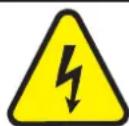
The triangle containing a lightning symbol is used to indicate whenever your health is at risk (due to electrocution, for example).

CAUTION DO NOT OPEN THE HOUSING SHOCK HAZARD
An exclamation mark in a triangle indicates particular risks in handling or operating the appliance.
UK CA The unit complies with UK standards
For indoor use only
Minimum distance between the appliance and other objects
Don't stare into the light beam

IMPORTANT NOTE: Electric products must not be put into household waste. Please bring them to a recycling centre. Ask your local authorities or your dealer about the way to proceed.
Please read this manual carefully before operating this product.
SAFETY RECOMMENDATIONS
- Please read these instructions carefully, they include important information about the installation, usage and maintenance of this product.
- Please keep this User Guide for future reference. If you sell the unit to another user, be sure that he also receives this instruction booklet.
- Always make sure that you are connecting to the proper voltage, and that the line voltage you are connecting to is not higher than that stated on the bottom of the fixture.
- The appliance is part of class I and must exclusively connected to an earthed mains outlet.
- This product is intended for indoor use only!
- To prevent risk of fire or shock, do not expose fixture to rain or moisture. Make sure there are no flammable materials close to the unit while operating.
- The unit must be installed in a location with adequate ventilation, at least 20in (50cm) from adjacent surfaces. Be sure that no ventilation slots are blocked.
- The minimum distance luminaire from that part of the luminaire or lamp to the lighted object is 0.5m.
- The max. ambient temperature (Ta) is 40ircC . Don't operate the fixture at higher temperatures.
- The surface temperature of the unit may reach up to 85°C. DO NOT TOUCH the housing bare-hand during its operation. Turn off the power and allow about 15 minutes for the unit to cool down before replacing or servicing.
-
DO NOT OPEN the unit within 5 minutes after switching off.
-
In the event of a serious operating problem, stop using the unit immediately. Never try to repair the unit by yourself. Repairs carried out by unskilled people can lead to damage or malfunction. Please contact the nearest authorized technical assistance center. Always use the same type of spare parts.
- Make sure the power cord is never crimped or damaged.
- Never disconnect the power cord by pulling or tugging on the cord.
- Avoid direct eye exposure to the light source while it is on as sensitive persons may suffer an epileptic shock (especially meant for epileptics)!
- The product is for decorative purposes only and not suitable as a household room illumination.
- If the external flexible cable or cord of this luminaire is damaged, it shall be exclusively replaced by the manufacturer or his service agent or a similar qualified person in order to avoid a hazard.
- The lenses, housing or ultraviolet filter must be replaced if they are visibly damaged.
- The light source of this device is not replaceable. If it is defective, the entire unit must be discarded.
DISCONNECT DEVICE
Where the MAINS plug or an appliance coupler is used as the disconnect device, the disconnect device shall remain readily operable.
FUSE REPLACEMENT
Disconnect the power cord before replacing a fuse and always replace with the same type fuse.
With a screwdriver wedge the fuse holder out of its housing.
Remove the damaged fuse from its holder and replace with exactly the same type of fuse.
Insert the fuse holder back in its place and reconnect power.
Warning: If after replacing the fuse you continue to blow fuses, STOP using the unit. Contact customer support for further instructions. Continuing to use the unit may cause serious damage.
FIXTURE LINKING (FIG4)
You will need a serial data link to run light shows of one or more fixtures using a DMX-512 controller or to run synchronized shows on two or more fixtures set to a master/slave operating mode. The combined number of channels required by all fixtures on a serial data link determines the number of fixtures that the data link can support.
Important: Fixtures on a serial/data link must be daisy chained in one single line.
DATA CABLING
To link fixtures together you must use data cables. If you choose to create your own cable, please use data-grade cables that can carry a high quality signal and are less prone to electromagnetic interference.
DMX CONNECTOR CONFIGURATION
Termination reduces signal errors. To avoid signal transmission problems and interference, it is always advisable to connect a DMX signal terminator.
INSTALLATION (FIG.3)
The unit should be mounted via its screw holes on the bracket. Always ensure that the unit is firmly fixed to avoid vibration and slipping while operating. Always ensure that the structure to which you are attaching the unit is secure and is able to support a weight of 10 times of the unit's weight.
The installation must always be secured with a secondary safety attachment, e.g. an appropriate safety rope. Never stand directly below the device when mounting, removing or servicing the fixture. This fixture may be mounted in any position provided there is adequate room for ventilation.
The LED moving head provides a unique mounting bracket assembly that integrates the bottom of the base, the included 'omega bracket' and the safety cable rigging point in one unit (see illustration). When mounting this fixture on a truss, be sure to use an appropriate clamp with the included omega bracket using a M10 screw fitted through the center hole of the 'omega bracket'. As an added safety measure, be sure to attach at least one properly rated safety cable to the fixture using one of the safety cable rigging points integrated in the base assembly.
POWER LINK
Connect an IEC cable from the POWER OUT connector of the 1st unit to the POWER IN connector of the second unit, etc.
CONTROL PANEL (FIG. 2)
To access the main menu press the MENU button. Press the UP or DOWN buttons until you reach function you wish to change. When you reach the function you wish to change, press the ENTER button. When a function is selected, use the UP or DOWN buttons to change the function settings. Once your changes are made, press the ENTER button.
Tip: Press UP & DOWN buttons at the same time for 3 seconds. The display will reverse.
FUNCTION MENU
| MENU DESCRIPTION | |||
| DMX | DMX address A001-AXXX DMX address setting | ||
| Channel Mode | 26CH 26 channel mode | ||
| 38CH 38 channel mode mode | |||
| 102CH 102 channel mode mode | |||
| 114CH 114 channel mode mode | |||
| Auto run | Internal program 1-8 | Auto runState: Master/Alone | |
| Auto run (On/off) | |||
| Music control | Internal program 1-8 | Sound control | |
| State: Master/Alone | |||
| SET | Reset Default Yes/No Reset default | ||
| Signal set Wired DMX Wired DMX | |||
| Reverse Pan (on/off) | Reverse Pan | ||
| Reverse Tilt (on/off) | Reverse Tilt | ||
| Select Pan 630/540/360 | Select Pan | ||
| Select Tilt 270/180/90 | Select Tilt | ||
| Mic sensitivity 0-99% Mic sensitivity | |||
| OFF signal mode (On/Off) | Off at original status and ON at reset sta-tus | ||
| Scan Quick mode (On/Off) Scan Quick mode | |||
| Theater mode (On/Off) | Fan Silent mode | ||
| Totem mode OFF/CEN./R/L | Totem mode: Centre/Right/Left (dé-fault:Off) | ||
| Manual control | Reset | Total reset | Reset All |
| Scan reset | Reset Scan | ||
| Zoom Reset | Reset Zoom | ||
| Channel | PAN=XXX... | Channel control | |
| Advanced Access code 0888) | Calibration | PAN=XXX... | Calibration |
| UID code | XX XX XX XX XX XX | UID code setting | |
CLEANING
Due to fog residue, smoke, and dust cleaning the internal and external lenses should be carried out periodically to optimize light output.
- Clean regularly the air vents and fans.
- Use normal glass cleaner and a soft cloth to wipe down the out-side casing.
- Clean the external optics with glass cleaner and a soft cloth every 20 days.
- Always be sure to dry all parts completely before plugging the unit back in.
SPECIFICATIONS
Power supply 100-240V\~50/60Hz
Power Consumption....720W
Light Source 19 x 40W RGB LED + 46 x 0.2W SMD RGB LED
Pan 630° / 540° / 360°
Tilt....270° / 180° / 90°
Noise level @1m 55dB
Weight 16kg
Dimensions 286 x 414 x 412mm
MANUEL D'UTILISATION
DÉBALLAGE
DISPOSITIF DE COUPURE
REPLACEMENT DU FUSIBLE
INSTALLATION (FIG. 3)
Consommation....720W
Source lumineuse....19 LED RGB 40W + 46 LED SMD RGB 0.2W
INSTALLATIE (AFB. 3)
natural_image
Close-up of a black rectangular object with a dashed white line, no visible text or symbolsAFX LIGHT
View the item on our website
- USER MANUAL
- UNPACKING INSTRUCTIONS
- CONTENTS OF THE CARTON
- EXPLANATION OF SYMBOLS ON THE SILKSCREEN
- SAFETY RECOMMENDATIONS
- DISCONNECT DEVICE
- FUSE REPLACEMENT
- FIXTURE LINKING (FIG4)
- DATA CABLING
- DMX CONNECTOR CONFIGURATION
- INSTALLATION (FIG.3)
- POWER LINK
- CONTROL PANEL (FIG. 2)
- CLEANING
- SPECIFICATIONS
- MANUEL D'UTILISATION
- DÉBALLAGE
- DISPOSITIF DE COUPURE
- REPLACEMENT DU FUSIBLE
- INSTALLATION (FIG. 3)
- INSTALLATIE (AFB. 3)
- AFX LIGHT
Brand : AFX
Model : BEEDREAM-1940RGB
Category : Lighting