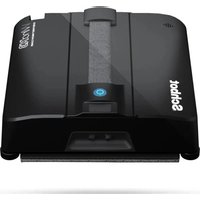
WIND X3 - Robot vacuum Schbot - Free user manual and instructions
Find the device manual for free WIND X3 Schbot in PDF.


| Product Type | Robot window vacuum cleaner |
| Brand | Schbot |
| Model | WIND X3 |
| Main unit dimensions | 229 x 229 x 69 mm |
| Net weight | Approximately 1.45 kg |
| Power supply | Power adapter 100‑240 V~, 50/60 Hz, output 24 V / 3 A |
| Rated power | 72 W |
| Battery type | Rechargeable Li‑ion, capacity 500 mAh |
| Charging time | Approximately 2 hours |
| UPS backup time | 20 to 30 minutes in case of power failure |
| Water tank capacity | Approximately 60 ml |
| Minimum glass area | 60 x 40 cm |
| Noise level | Less than 75 dB |
| Cleaning modes | Automatic (Z, N), spot, directional (up, down, left, right), left/right zone |
| Water spraying | 4 adjustable motorized nozzles (normal, strong, on/off) |
| Remote control included | Yes, with AAA batteries |
| Mobile app | Compatible with Smart Life (iOS/Android) |
| Connectivity | Bluetooth |
| Included accessories | 2 cleaning cloths, remote control, adapter, power cord, 4 replacement nozzles, measuring cup, clog removal needle kit, safety rope, manual |
| Maintenance | Washing cloths, cleaning motorized wheels, replacing nozzles |
| Safety | Safety rope, edge sensors, obstacle stop, anti-drop system |
| Warranty | 1 year limited against manufacturing defects |
Frequently Asked Questions - WIND X3 Schbot
User questions about WIND X3 Schbot
0 question about this device. Answer the ones you know or ask your own.
Ask a new question about this device
Download the instructions for your Robot vacuum in PDF format for free! Find your manual WIND X3 - Schbot and take your electronic device back in hand. On this page are published all the documents necessary for the use of your device. WIND X3 by Schbot.
USER MANUAL WIND X3 Schbot
Ultra Robot Window Cleaner
WIND X3
Featured with Four Self-Water-Spray Nozzles

USER MANUAL
EN-DE-FR-ES-IT
Thanks for purchasing Schbot Robot Window cleaner WIND X3 featured with four self-water-spray hole type.
We hope WIND X3 will bring you a smarter and more convenient lifestyle.
If you encounter any problem not mentioned herein, please contact sales@schbot.com.
For more details, please visit our official website: http://www.Schbot.com.

Please read all instructions before using this product, and keep it properly for future reference.
Table of Contents
2-3 Safety Instructions and Warning
4 Specification
5 What's in the package
6-7 Product Description
Main Unit
Remote
8-10 Function Menu
10 Indicator Introduction & Abnormity
11-12 Installation
Charging
Cleaning cloth installment
Fill Up the Water Tank
Safety Rope Fixing
12-13 To Use WIND X3
14-15 App Use
16 Maintenance
17 Product Warranty
17-19 Questions & Answers
19 Troubleshooting
20 Correct Disposal & Conformity
Safety Instructions and Warning
Please read all instructions carefully, and keep it at hand for setting up, using and maintaining WIND X3. Any operation that against the following instruction may damage the device or cause injury.
WIND X3 is not to be used by children. Persons with reduced physical, sensory or mental capabilities, or lack of experience and knowledge may only use this device if they are supervised or have been given instruction about how to use it safely and understand what risks are involved.
Notes for Main Unit and Components
Use only the original adapter, plug and battery. Use of other types will result in malfunction and / or danger.
Use the proper electric outlet and make sure no heavy objects are placed on the adapter or power cord.
Allow adequate ventilation around the adapter when using it to operate the device. Do not cover the adapter with objects that will reduce cooling.
Always switch WIND X3 off before carrying out any cleaning or maintenance work.
Do not use WIND X3 in a high moisture environment. Never handle the adapter with wet hands.
Connect the adapter to a proper power source. The voltage requirements can be found on the adapter.
- Do not use broken adapter, power cord or plug. The plug must be removed from the outlet before cleaning or remaining the device.
- Do not unplug the plug by pulling the power cord.
Do not attempt to service the adapter and battery. Replace the whole unit if it is damaged or exposed to high moisture. Contact Schbot dealer for help and maintenance.
The battery used in this device may present a risk of fire or chemical burn if mistreated. Do not disassemble, short circuit, heat above 40°C (104°F) , or incinerate.
Do not expose your WIND X3, adapter and battery to rain or excess humidity, and keep it away from liquids (such as beverages, faucets, and so on).
Avoid exposing your WIND X3, adapter to direct sunlight or intense light source, and keep it away from heat source (such as radiators, space heater, stoves and so on).
Do not place your WIND X3 in the vicinity of strong magnetic fields.
Do not use it on cracked glass or to clean other surface with uneven area as it may fall off due to insufficient suction power.
Operating WIND X3 at temperature: 0°C - 40°C (32 F - 104 F)
WIND X3 must be used in accordance with the instruction manual.
Manufacturer can not take any responsibilities for any damages or injuries caused by improper use.
Warning
Check if the safety rope and extension cable are broken or not before use.
- Fasten the safety rope and tie it to indoor fixtures before using WIND X3.
Set danger warning area downstairs for no-balcony window and door.
Battery shall be charged (Green light is on on the robot) before use.
Do not use it on rainy or moist days.
Switch power on before you put device onto glass.
Make sure WIND X3 can stick and stand on glass surface while put onto glass.
Make sure to put the cleaning pad on the bottom of WIND X3 correctly to avoid water leakage.
Do not spray or pour water onto WIND X3 and adapter.
- Keep hair, loose clothing, fingers and all parts of body away from the openings and moving parts.
Do not use in areas with existed flammable or combustible liquids, gas.
▲ Please fully charge (about 2 hrs) and turn off WIND X3 and place it in a cool and dry place if you do not use it for a long time. Charge it every 3 months at least to avoid battery dead.
Please turn the switch on when you are going to use WIND X3, so that you can check the status of indicator.
Note:
1.WIND X3 is not a cordless cleaner, it can only work properly when connects to the adapter and power source.
2.WIND X3 should be charged fully at initial use: an UPS (Uninterrupted Power Supply) system is embedded in the device. When UPS is fully charged, it supports WIND X3 to stay on the working surface for 20-30 minutes if there is a sudden power outage.
| Product Model | WIND X3 |
| Size of Main Unit | 229*229*69 mm |
| Net Weight | About 1.45KG |
| Adapter Input | 100-240VAC ~ 50/60Hz |
| Adapter Output | 24.0V==3.00A |
| Rated Wattage | 72W |
| Battery Type | Rechargeable Li-ion Battery |
| Battery Capacity | 500mAh |
| Robot Rated Voltage | 24V== |
| Charging Time | About 2 hours |
| The Min. workable Surface | 60 x 40 cm |
| Water Tank Capacity | About 60 ml |
| Working Noise | <75dB |
| Spraying Drive Type | Motor-Driven Water Spray |
| ※ The datas come from the lab of Schbot Robotics OÜ. It may be slightly different from the users' data, please subject to the actual products. For continuous products improvement, we reserve the right to any technical and design change without prior notice. | |
What's in the package
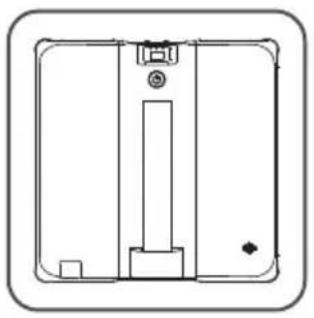
WIND X3 x 1pc with Safety Rope
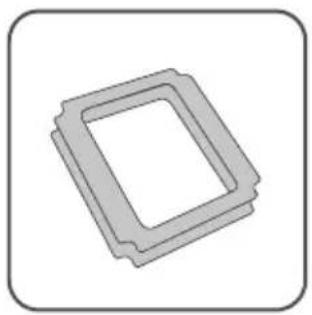
Cleaning cloth x 2 pcs
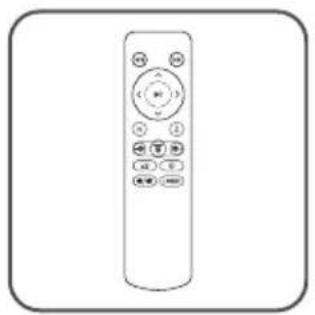
Remote x 1pcs
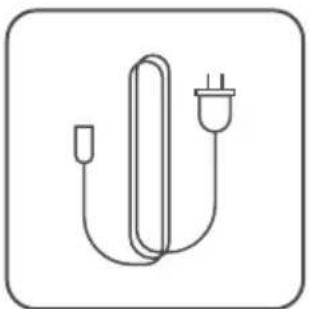
AC Plug x 1pcs (with power cord)
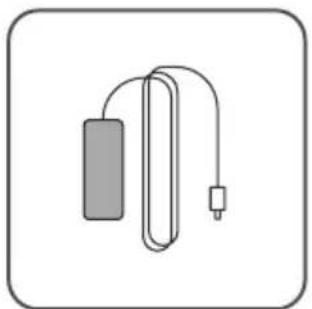
Adapter x 1pcs
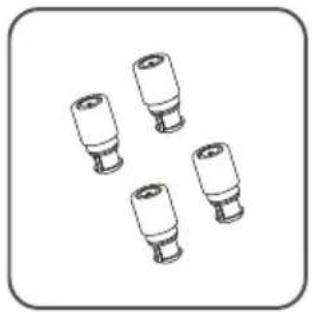
Spray nozzle x 4 pcs
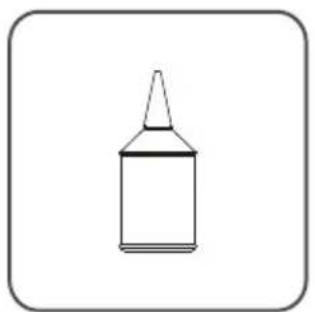
Measuring Cup x 1pcs
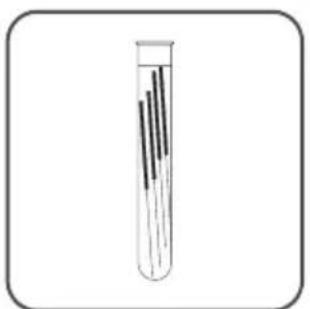
Unclogging Needle Kit x 1set
User Manual x 1pcs
Accessories of some models may be slightly different and they are subject to the actual received products.
Product Description
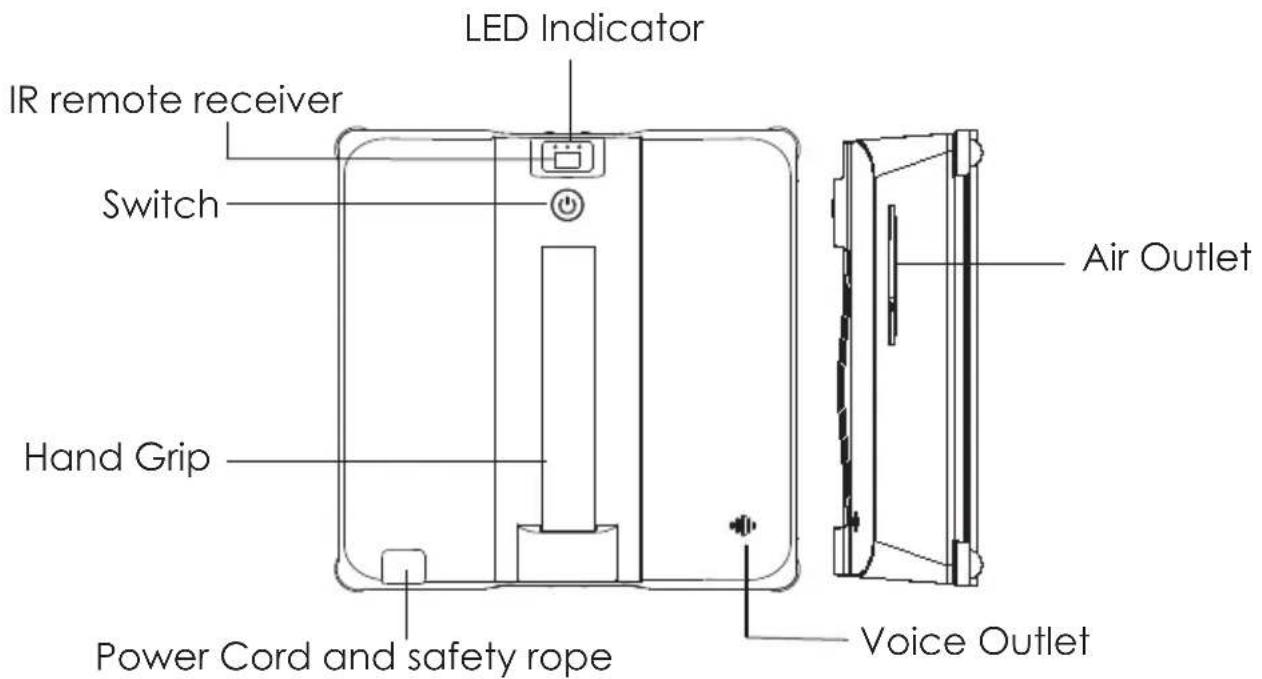
Main Unit
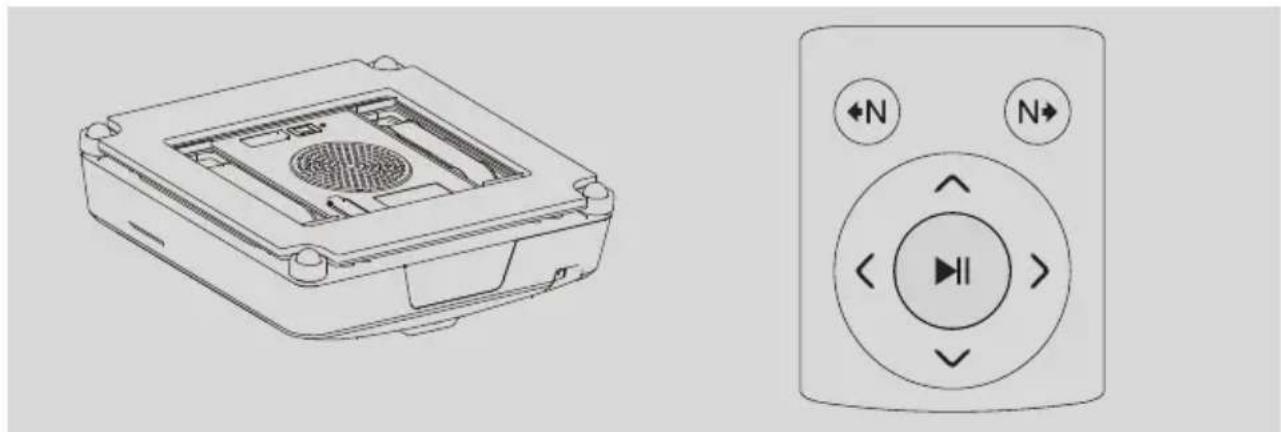
Top + Side View
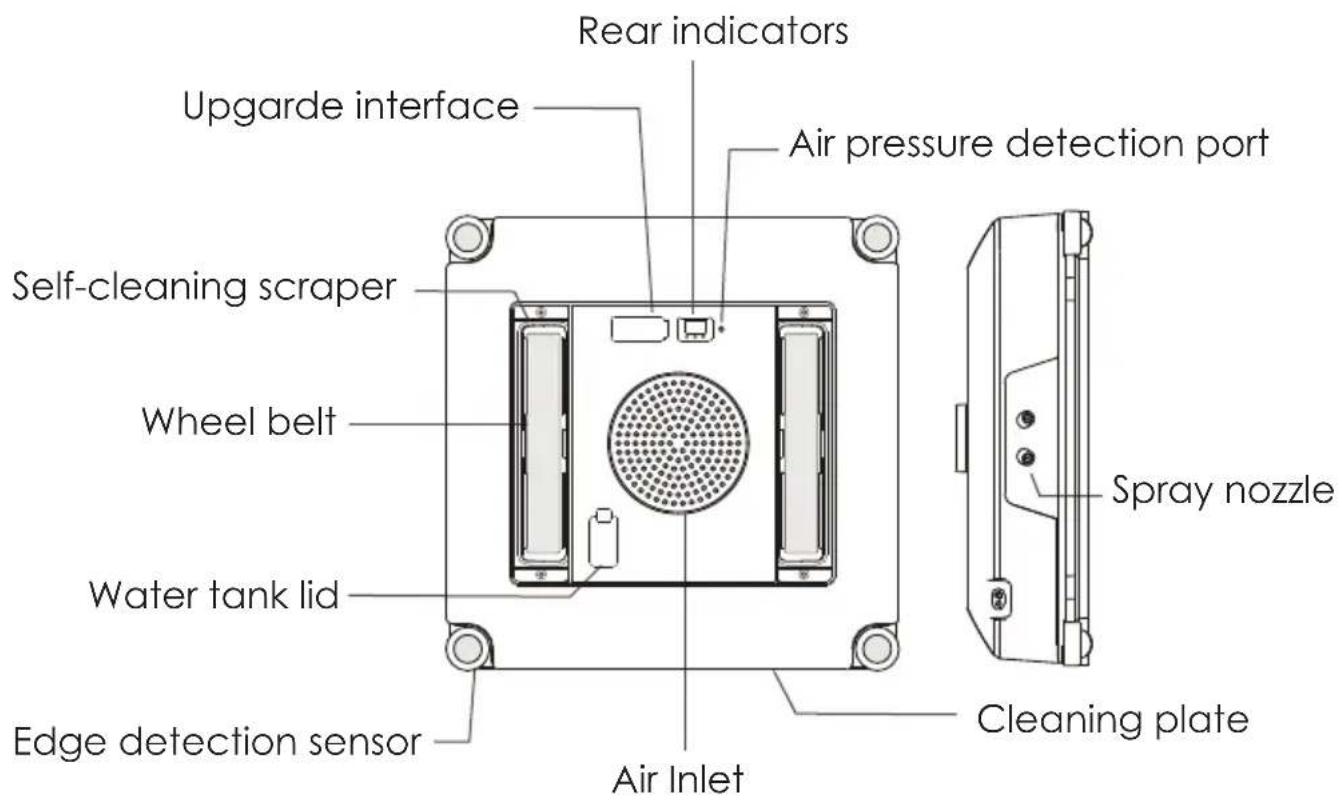
Bottom + Side View
Remote instruction
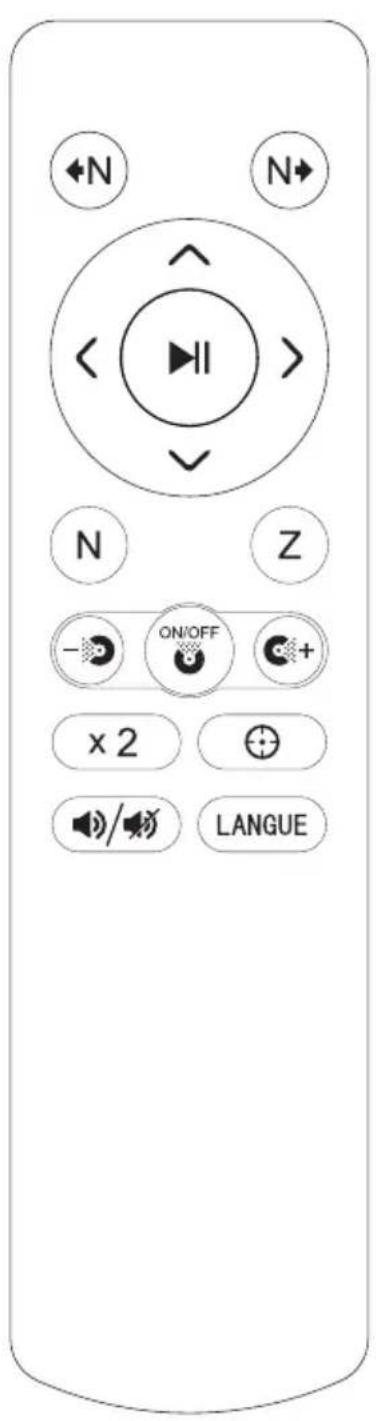
| +N | Cleaning the left area in N-Type |
| +N | Cleaning the right area in N-Type |
| ^ | Cleaning upwards button |
| √ | Cleaning downwards button |
| < | Cleaning leftwards button |
| > | Cleaning rightwards button |
| # | Cleaning starts / pause button |
| N | Auto N-Type cleaning button |
| Z | Auto Z-Type cleaning button |
| - | Regular spray button |
| + | Strong spray button |
| Water spray on / off button | |
| x2 | Deep cleaning button |
| Spot cleaning button | |
| Voice on / off button | |
| LANGUAGE | Language settings button |
Remote Control
Notice:
- Please place 2 x AAA battery into the remote before use. Make sure that the positive and negative are not reversed to avoid short circuit or injuries.
- In order to prevent misuse, please pause the device first before using other commands, otherwise, the commands will be invalid.
Function Menu
※ Please make sure the edge of WIND X3 is 8cm or more away from window frames or corners before cleaning (as Fig.B on Page 13).
Z-Type cleaning mode
Start WIND X3 in the center of the glass. It will detect the frame upwards first, and the frame left second, after that, it will start cleaning with Z shaped path.
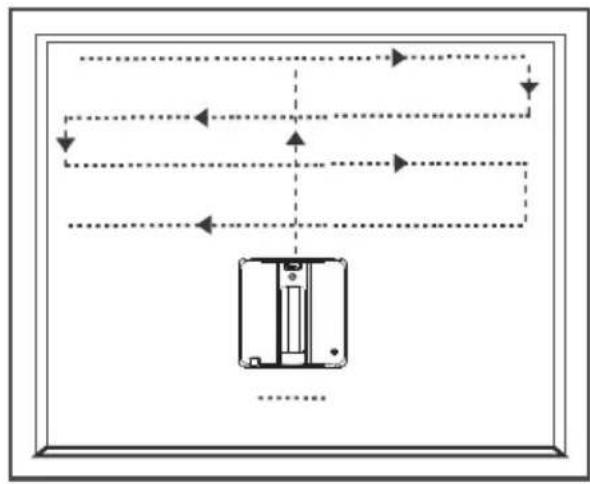
"Z" Shaped Path
N-Type cleaning mode
Start WIND X3 in the center of the glass. It will detect the frame upwards first, and the frame left second, after that, it start cleaning with N shaped path.
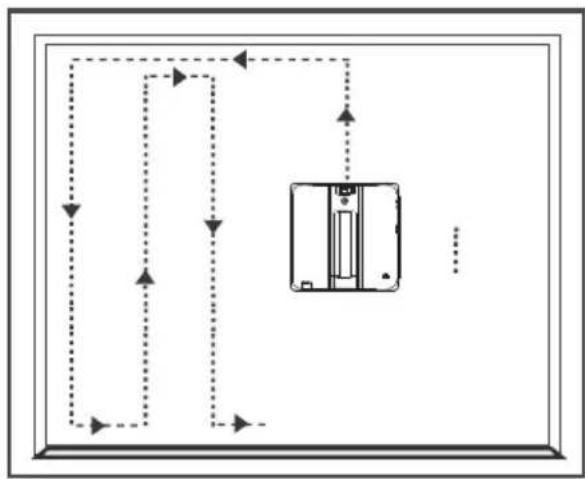
"N" Shaped Path
× 2 Deep cleaning mode
Press the button on remote or App, WIND X3 will clean the glass with "Z" & "N" shaped path.
+
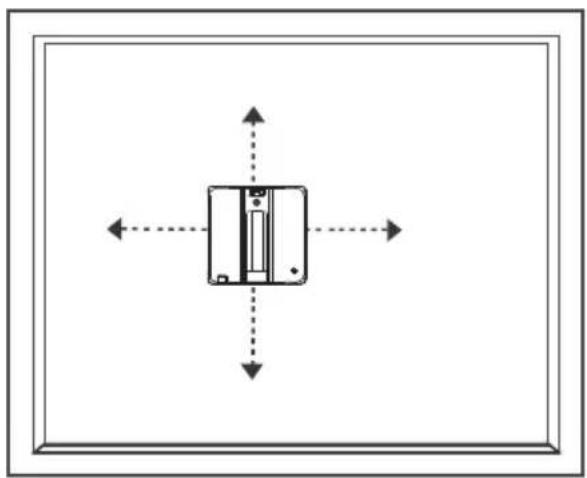
Spot cleaning mode
Press the button on remote or App, WIND X3 will perform up and down, left and right reciprocating cleaning four times respectively.
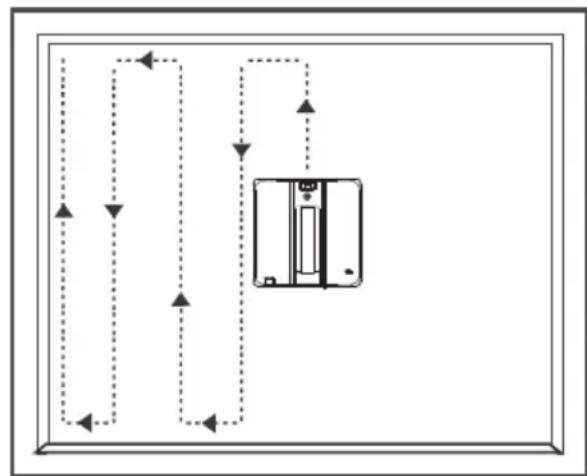
Cleaning the left area in N-Type
Put WIND X3 on the glass, press the button on remote or App, it will only clean the left area of the robot in N-Type.
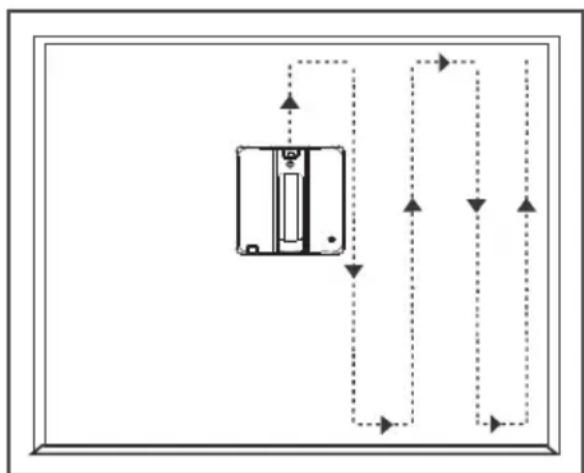
N Cleaning the right area in N-Type
Put WIND X3 on the glass, press the button on remote or App, it will only clean the right area of the robot in N-Type.
Upwards/Downwards/Leftwards/Rightwards cleaning
Put WIND X3 on the glass, press the button < on remote or App, the robot will do the upward cleaning, downward cleaning, leftward cleaning, downward cleaning respectively, then stop at the border.
Start / Pause
Put WIND X3 on the glass, press the button on remote or App to start auto cleaning, generally, WIND X3 will clean with N shaped path at auto cleaning mode, press the button again to pause the robot.
Users can press the button on the robot to start or pause auto cleaning mode, too.
LANGUE Language Setting
Press the language button on remote or App to switch between different language voices if the robot is multilingual. Please press the button on remote to switch the language, then press the button to confirm it.
Notice:
- Generally, WIND X3 will return to the start position after automatical cleaning is finished, it is normal that some times the start position and return position are slightly different.
- The cleaning path is for reference, please subject to the actual products.
Indicator Introduction & Abnormity
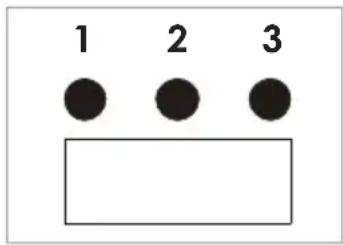
| Number | Color | Status | |||
| On | Blinks | Off | |||
| 1 | Charging indicator | Orange | Charging | / | If the power is off, all the indicators will be off. |
| Green | Fully charged | / | |||
| 2 | Power indicator | White | Powering on | / | |
| 3 | Spray indicator | Blue | water spray off | water spray on | |
| Red | / | Abnormal | |||
| Blue + Red | / | Abnormal | |||
| Abnormity | Abnormal Staus |
| Barometer abnormal | Red blinks 4 times + Beeps 4 times |
| Gyroscope abnormal | Red blinks 5 times + Beeps 5 times |
| Microcontroller abnormal | Red blinks 8 times + Beeps 8 times |
| Edge detection sensor abnormal | Blue is always on + Red blinks |
| Movement abnormal | Red and blue blinks alternately + long beeps |
Installation
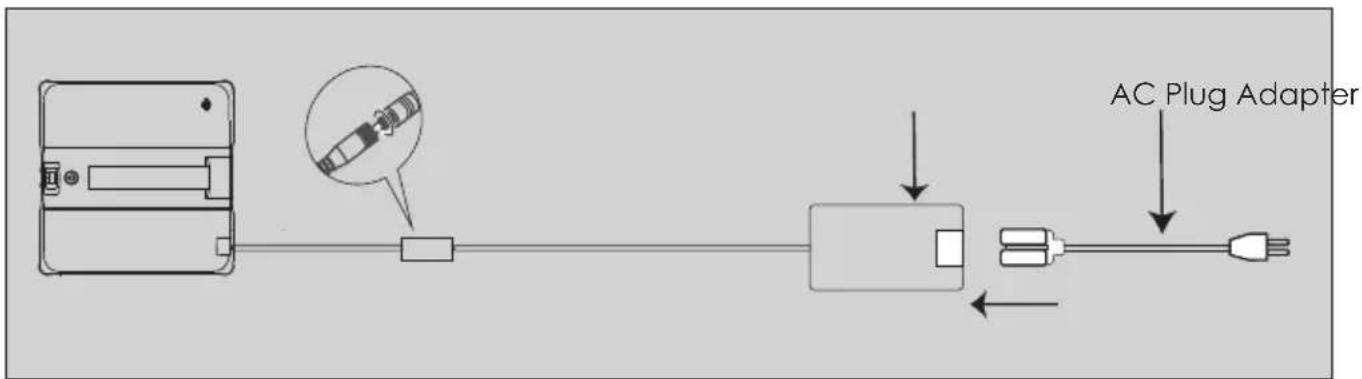
Charging
Connecting the adapter, AC cord and the robot properly as below image, then insert the plug into the power outlet:
Charging Indicator:
Solid orange: Charging
Solid green: Fully charged (2 hrs charging).
Cleaning cloth installation
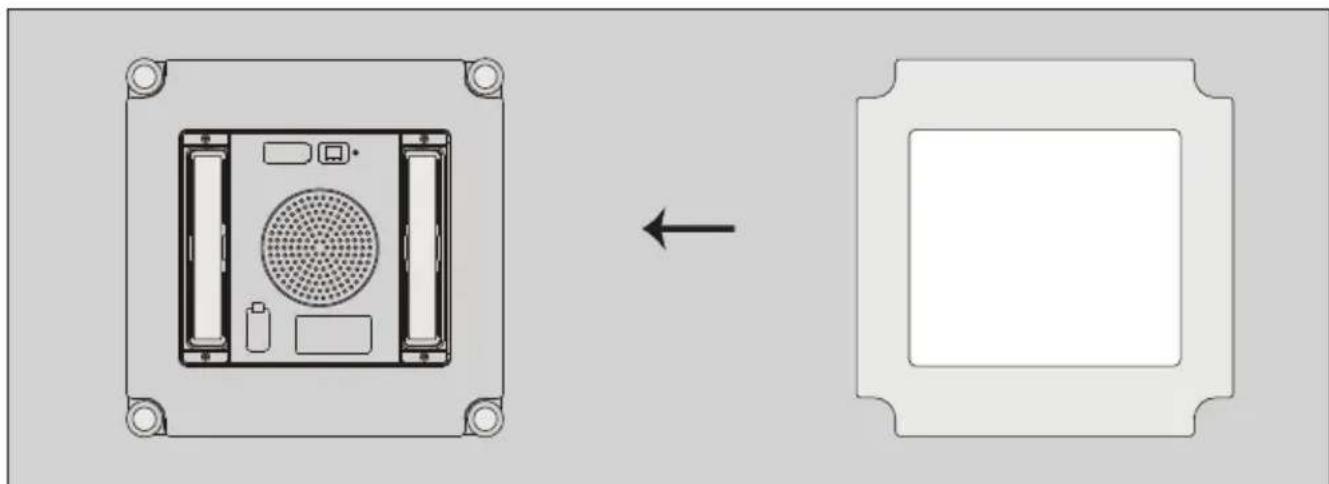
- Use the original cleaning cloth, align it with the cleaning plate and attach it to the velcro then flatten the cloth properly.
- The cloth should not cover the wheel belts or edge detection sensors.
- Please do not spray too much water on the cleaning cloth when use to avoid slippery.
Fill up the water tank
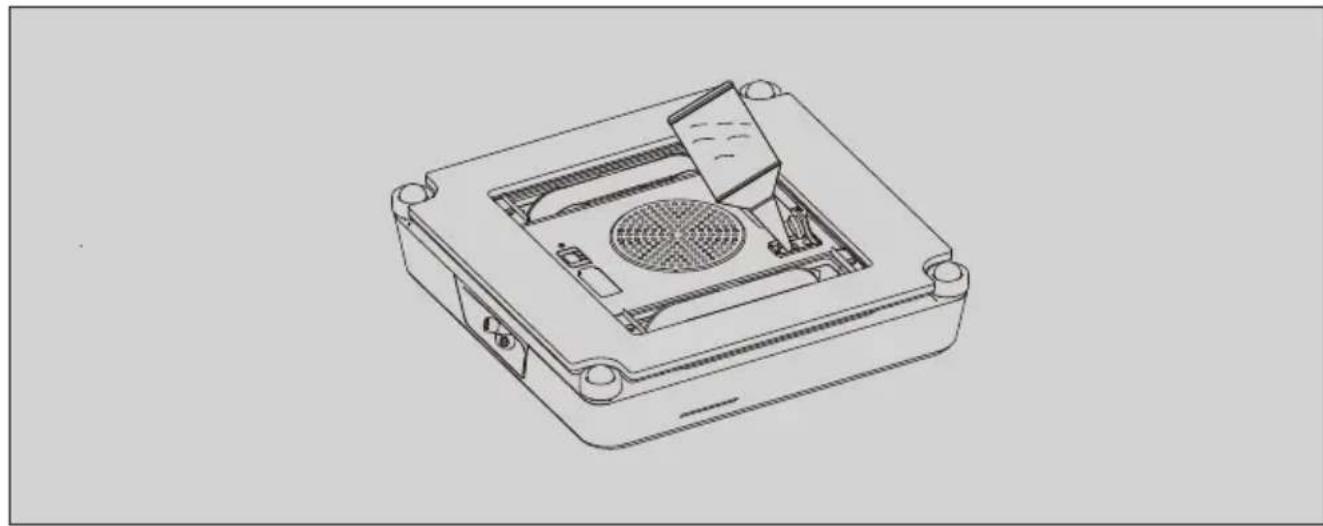
Open the water tank lid, fill up the water tank with clean water before starting it, then seal the lid tightly (do not add pure water for cleaning).
- Do not add dirty water or thick liquids into the water tank.
- Do not add corrosive or flammable liquids into the water tank.
Safety rope fixing
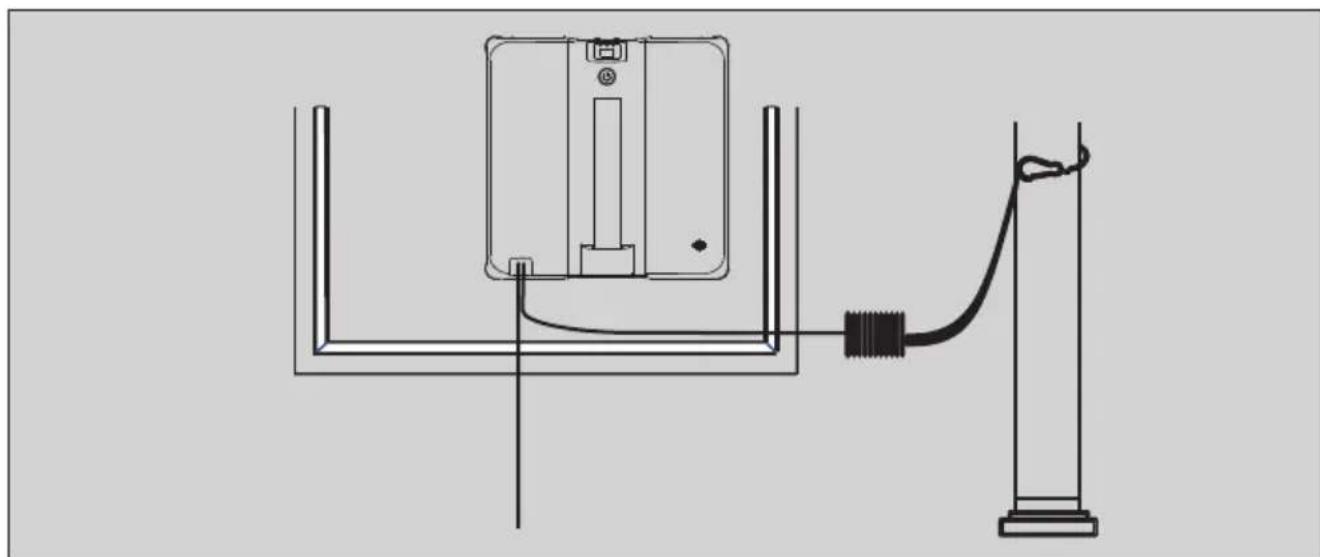
The safety rope must be tied on the indoor fixtures tightly before use. Make sure the length of the safety rope is appropriate for cleaning.
Note:
1). Please check the safety rope, make sure the rope is not damaged and the knot is not loose.
2). Set danger-warninging area downstairs for no-balcony window and door before use.
To use WIND X3
- Please charge the WIND X3 fully, place the cleaning cloth on the cleaning plate, fill up the water tank and fasten the safety rope tightly before use.
- Plug WIND X3 into power outlet, wait for a while until the voice broadcast is finished.
① Hold and press the regular spray button on remote until water spray out from 2 left nozzles.
② Hold and press the strong spray button on remote until water spray out from 2 right nozzles.
- hold and press the switch button on WIND X3 for about 3 seconds to turn WIND X3 on, then put it on the window glass firmly.
Note:
Make sure the edge of WIND X3 is 8cm or further away from window frames or corners before cleaning (Fig B).
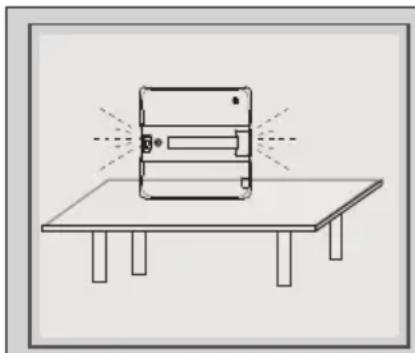
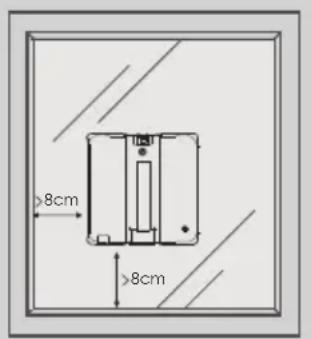
Fig A Fig B
-
Start:
1). Short press the switch button on the robot to start auto-cleaning.
2). Short press the button on the remote to start auto-cleaning.
3). Users can also press other buttons on the remote or the App (if it has) to operate WIND X3. -
Pause:
Short press the switch button again or short press the button on the remote again to pause the device.
- Generally, WIND X3 will return to its starting point automatically after cleaning is finished. There is a beep remind when cleaning is finished. * Use remote to move WIND X3 to a reachable location if it doesn't return to the starting point.
7). Hold the hand grip and the safety rope, press switch button ⑦ for 3 seconds, then take the device off from the window.
8). Clean the cloth in time and dry it for future use.
9). Empty the water tank if you are not going to use it for a long time.
10). UPS: The UPS is 20-30 mintues, if there is a sudden power outage, please remove the machine in time.
App Use
Note: App version is an optional version, for details, please subject to the local seller.
1. App downloading
Scan the below QR code to download the App of "Smart Life" from App Store (IOS devices) or Google Play (Android devices).

2. Log in/Register "Smart Life" ID.
Enter the App, log in with your "Smart Life" ID directly, or follow the instructions and creat a new user ID, then log in and enter App interface.
3. Connect WIND X3 to the App.
1). Turn on your Bluetooth first.
2). Enter the App, tap the "+" icon or "Add Device" as Fig.1.
3). Plug the robot into the power outlet, wait until the voice broadcast is finished. Quick and short press the start button on the robot for 3 times to reset the Bluetooth, the buzz will beep 3 times and say reset the network.
4). Then check the App, it will detect and discover the device as Fig.2., add your device, the App will connect your device automatically, click done and finish the connection.
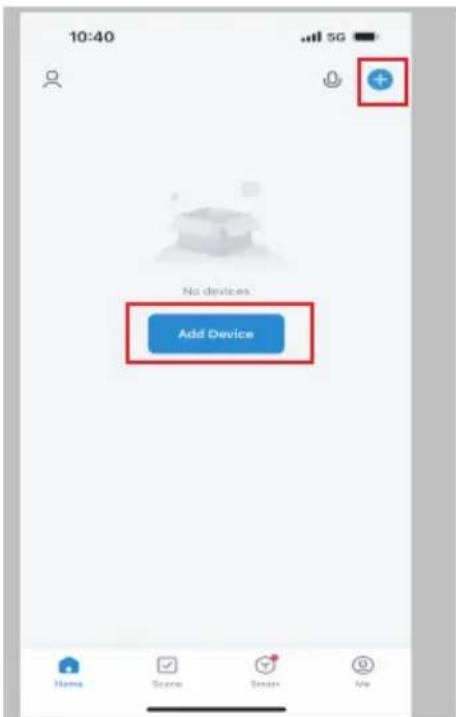
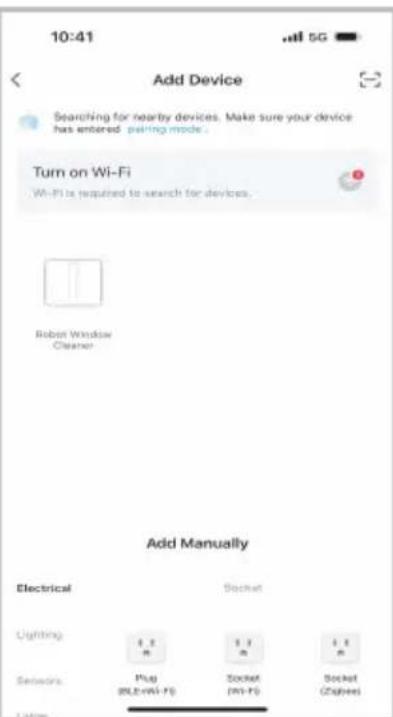
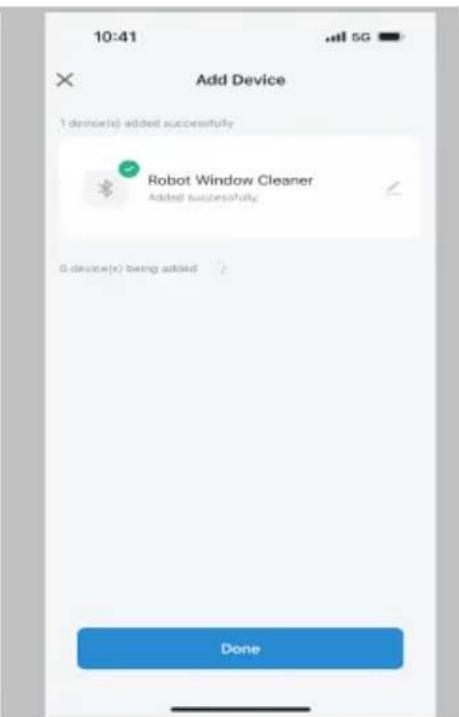
Fig.1 Fig.2 Fig.3
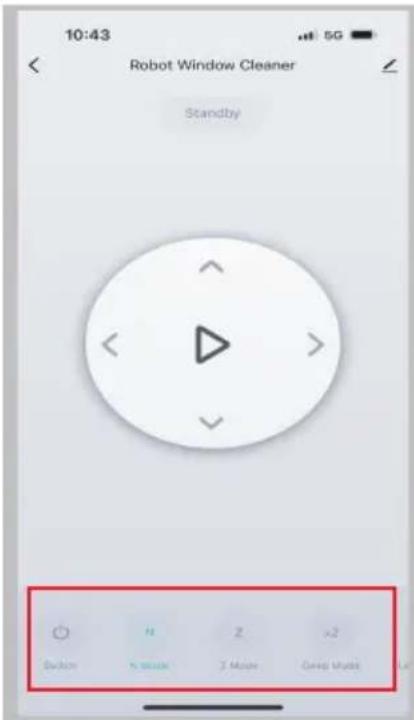
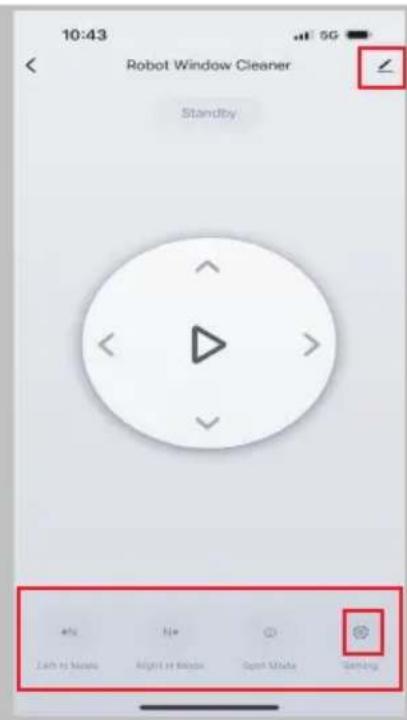
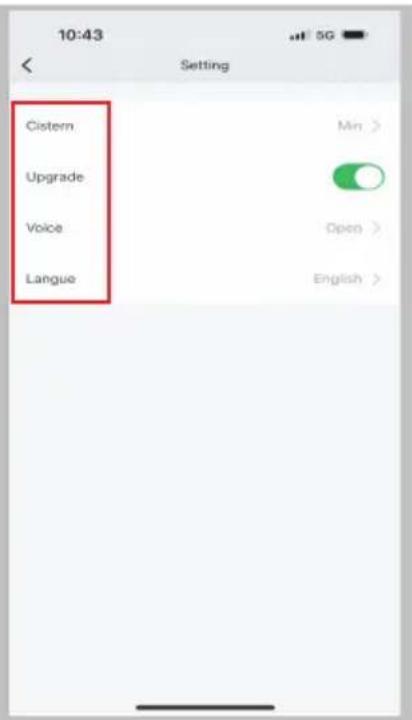
Fig.4 Fig.5 Fig.6
5). Tap the robot icon on the App, enter the interface as Fig.4, swipe right and enter the interface as Fig.5, users can now use the robot by clicking the buttons on the App.
6). Click the setting icon "..." and enter the interface as Fig.6 to set the water spray volume, the voice swtich and the language voice.
7). Click the icon “ ” to check more about the robot as Fig.7.
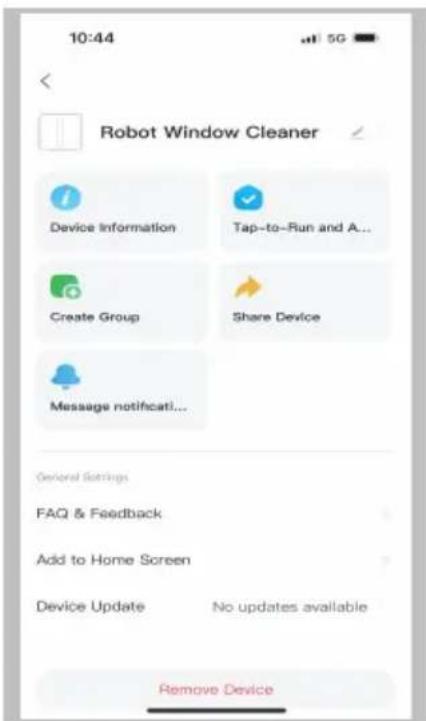
Fig.7
Note:
- If you need to reconnect the App, please unplug the device first, then plug the power outlet again, quick and short press the start button on the robot to reset the network.
- The interface and the operation about the App are for reference due to continuous optimization of the product, please subject to the final actual products.
Maintenance
- After each cleaning, wash the cleaning cloth and dry them for future use.
- Wipe the main unit with sofy and dry cloth regularly.
- Clean the wheel belt as below:
1). Plug the WIND X3 into the power outlet;
2). Turn over the unit as the picture, press the upwards button “ ” on the remote, then the wheel belt will rotate automatically.
3). Wipe off the dirt on the wheel belt with moist paper towel, then press the upwards wards button "^" again to exist the program.
4). Dry the wheel belt and store it.
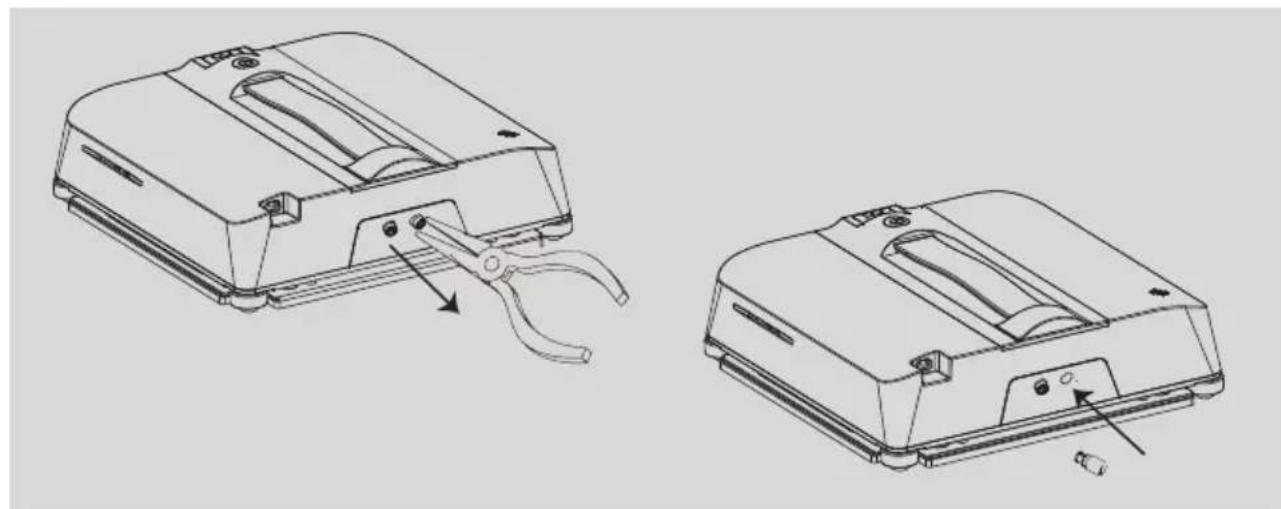
- Replace the spray nozzle:
The nozzle may be clogged after the robot has been used for a period of time:
1). Use a needle nose pliers to remove the nozzles as below picture;
2). Put the new nozzles on the original position and fix it.
- Empty the water tank if you do not use it for a long time.
- Charge WIND X3 at least every 3 months if you don't use it for a long time.
- Cleaning cloth is consumables, replace it according to usage.
- Store the WIND X3 in a cool and dry place away from direct sunlight.
Product Warranty
- The WIND X3 has a 1 year limited warranty against original defects in workmanship or material.
The warranty only applies to the authorized distributors of Schbot. - Improper usage or not in accordance with the user manual will void the warranty.
The application of force majeure will be invalid. - Normal reductions, such as battery aging, mopping cloth aging are not guaranteed.
Note:
Please keep and provide your invoice and S/N when making a claim.
Questions & Answers
Q1: What types of windows can be cleaned with WIND X3?
A: From floor-to-ceiling windows, small size windows (minimum not less than 60 cm× 40 cm /23.62 inch x15.75 inch), frameless windows, etc. It can be suitable for most windows.
Q2: Can WIND X3 work on seamed glass?
A: It can work if the gap between the parts is less than 5mm , but the gap needs to be sealed, no air leakage, and no height difference.
Q3: Streaks appear after cleaning.
A: If water streaks appear after cleaning, it is recommended to replace a dry and cleaning cloth, then turn off the water spray and wipe again.
Q4: WIND X3 keeps alerting "insufficient water" even the tank is full.
A: Please confirm if you added purified water, purified water is not applicable for the cleaner, please replace with clean tap water.
Q5: WIND X3 may fall or slip on some window frames.
A: Please check if the window frames are irregular-shaped, or if the corners and the frames are uneven, or if the frames are cracked. Please do not use WIND X3 on windows with such conditions.
Q6: Can WIND X3 work on an inclined surface?
A: We do not recommend consumers to use the machine on an inclined surface.
Q7: WIND X3 can not be turned on when hold and press the switch.
A: 1). WIND X3 can be turned on only after the power source is plugged in properly.
2). If the battery capacity is low, WIND X3 may not be turned on at first please charge it. We strongly recommend you charge the cleaner fully at initial use.
Q7: How to clean the window glass if the glass is heavy dirty?
A: 1). If there is sand or hard debris on the glass, please clean it manually first to avoid scratching the glass when use. Then put WIND X3 on the glass and start to clean, please switch off the water spray at the first cleaning. 2).
After the first cleaning finished, please replace a piece of cleaning mop, and start cleaning at second time (make sure the water spray is turned on).
3). After the second time cleaning finished, please replace a piece of dry cleaning mop, and start cleaning again, please turn off the water spray at the third cleaning time.
Q8: How to clean the window glass if the glass is not too dirty?
A: Please follow the two steps:
1). Put the dry cleaning mop on WIND X3, start it, make sure the water spray is turned on.
2). After the first cleaning finished, please replace a piece of cleaning mop and start, please turn off the water spray at the second cleaning time.
Q9: WIND X3 does not stop after the cleaning work is finished.
A: Please press the button on the remote or the App to stop WIND X3 manually if WIND X3 finished the cleaning work.
Q10: WIND X3 did not finish the cleaning work due to some reasons.
A: Put the device on the point that it stopped, press the button < or > on remote to continue cleaning work.
Q11: Can users spray some water manually on the glass before use?
A: It is not recommended to spray water on the glass before use to prevent the device from slipping.
Q12: Can users add cleaning agent into the water tank for use?
A: Users can add the cleaning agent that is no thick, no foam and diluted into the tank. Spray nozzles may be blocked if the dilution ratio is not controlled properly.
Q13: How to remove W20-DP if there is a sudden power outage?
A: 1). Hold the safety rope tightly and keep your hand as close to the device as possible.
2) Make sure that the safety rope parallel to the working surface, then slowly pull the device in front of you and remove it.
Q14: WIND X3 can not connect to the smart App (App version).
A:1).Unplug the power supply first.
2). Follow the step of Page 14, 3.3 to reset the bluetooth.
3). Follow the guideline of App connection and connect to the smart App.
Troubleshooting
| Malfunction | Possible Causes | Solutions |
| WIND X3 gets slippery or works in irregular pattern. | 1. Glass is too dirty or too wet. 2. Cleaning cloth is too dirty or too wet. 3. Glass is too dry. | 1. Use a clean cloth. 2. Cleaning the driving wheels. 3. Do not use it in moist or rainy days. 4. Spray some water on the cloth first if the glass is too dry. |
| Remote does not work. | 1. No battery inside or battery has low power in remote. 2. Remote is broken. | 1. Replace the battery. 2. Replace the remote with new one. |
| WIND X3 got stuck on glass frames. | Edge detection misjudgement. | Stop WIND X3 first, pull the robot lightly to reachable location, then try again. |
| Squeaky sound when use. | Glass is too dry or edge detection sensors are too dirty. | 1.Spray a little water on the cleaning cloth before use. 2. Clean the edge detection sensors and use again. |
| WIND X3 does not return to the starting point after cleaning. | The friction index of glass is different. | Use remote control to operate the device so as to return to reachable location. |
| WIND X3 does not spray when use at first time or after refill the water tank. | 1.The water pipe is short of water at initial use. 2. The water pipeline is blocked. 3. Pure water was added into the tank. | 1. Plug WIND X3, press the buttons or on remote to fill the water pipe until the nozzle sprays water. 2. Do not add pure water into the tank for cleaning. 3. Use the unclogging needle kit to unclog the spray nozzle (Fig.8). 4. Replace the spray nozzle. |
| Movement abnormal | 1. Cleaning cloth is not installed properly. 2. The wheels are stuck by something. | 1. Reinstall the cloth properly. 2. Check and clean the wheels. |
| * Re-connect the power outlet and restart the device if the problems can not be solved by the mentioned methods. Or please contact the local seller or email sales@schbot.com for further services. | ||
Correct Disposal & Conformity
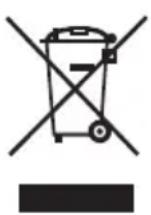
The symbol on the product or on its package indicates that this product may not be treated as household waste. Instead, it should be taken to the appropriate collection point for the recycling of electrical and electronic equipment. By ensuring this product is disposed of correctly, you will help prevent potential negative consequences for the environment and human health which could otherwise be caused by inappropriate waste handling of this product. For more detailed information about recycling of this product, please contact your local council, your household waste disposal service or the shop where you purchased the product.

The product was tested and found to be in compliance with: Directive 2014/53/EU, and 2014/35/EU, RoHS 2.0 Directive (EU) 2015/863.
FCC Statement:
This device complies with Part 15 of the FCC Rules. Operation is subject to following two conditions:
(1) This device may not cause harmful interference; (2) This device must accept any interference received, including interference that may cause undesired operation.
Warning: Changes or modifications not expressly approved by the party responsible for compliance could void the user's authority to operate the equipment.
We reserve the right to changes in text, design, and technical specifications which are subject to change without prior notice.
Manufacturer:
Schbot Robotics OÜ
Reg.code: 12018287, VAT no: EE101416263
AH Tammsaare tee 47, Tallinn 11316, Estonia
Supervised by
E-mail: sales@schbot.com
Phone: +372 6864077
www.schbot.com
Schbot
Ultra-Roboter
Fensterreiniger
WIND X3
- ULTRA ROBOT WINDOW CLEANER
- WIND X3
- TABLE OF CONTENTS
- SAFETY INSTRUCTIONS AND WARNING
- NOTES FOR MAIN UNIT AND COMPONENTS
- WARNING
- NOTE
- WHAT'S IN THE PACKAGE
- PRODUCT DESCRIPTION
- REMOTE INSTRUCTION
- REMOTE CONTROL
- NOTICE
- FUNCTION MENU
- Z-TYPE CLEANING MODE
- N-TYPE CLEANING MODE
- × 2 DEEP CLEANING MODE
- SPOT CLEANING MODE
- CLEANING THE LEFT AREA IN N-TYPE
- N CLEANING THE RIGHT AREA IN N-TYPE
- UPWARDS/DOWNWARDS/LEFTWARDS/RIGHTWARDS CLEANING
- START / PAUSE
- LANGUE LANGUAGE SETTING
- INDICATOR INTRODUCTION & ABNORMITY
- INSTALLATION
- CHARGING
- CLEANING CLOTH INSTALLATION
- FILL UP THE WATER TANK
- SAFETY ROPE FIXING
- TO USE WIND X3
- APP USE
- APP DOWNLOADING
- LOG IN/REGISTER "SMART LIFE" ID
- CONNECT WIND X3 TO THE APP
- MAINTENANCE
- PRODUCT WARRANTY
- QUESTIONS & ANSWERS
- CORRECT DISPOSAL & CONFORMITY
- FCC STATEMENT
- SCHBOT
- ULTRA-ROBOTER
- FENSTERREINIGER
Brand : Schbot
Model : WIND X3
Category : Robot vacuum