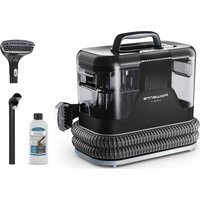
Clean It IN5010 - Iron ROWENTA - Free user manual and instructions
Find the device manual for free Clean It IN5010 ROWENTA in PDF.


| Product type | Steam stain cleaner (vacuum and spray) |
| Brand | Rowenta |
| Model | Clean It IN5010 |
| Power supply | Mains (with power cord) |
| Voltage | 220-240 V (estimate) |
| Power | Approx. 1500 W (estimate for a steam cleaner) |
| Clean water tank capacity | Up to MAX mark (estimate 500 ml) |
| Dirty water tank capacity | Empty after each use (estimate 400 ml) |
| Suction hose length | Approx. 1.5 m (estimate) |
| Power cord length | Approx. 2 m (estimate) |
| Weight | Approx. 2.5 kg (estimate) |
| Dimensions (L x W x H) | Approx. 30 x 20 x 25 cm (estimate) |
| Main functions | Spraying water/cleaner solution, brushing, simultaneous suction |
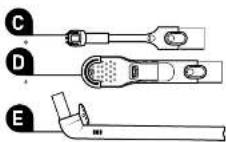
| Included accessories | Star brush, large brush, Auto-Clean accessory, storage bag |
| Auto-Clean | Automatic rinsing of the suction hose |
| Maintenance | Empty the dirty water tank after each use, clean brushes with clean water, do not wash in dishwasher |
| Safety | Do not turn on without tanks in place, do not remove tanks while operating |
| Recommended cleaner | Rowenta fabric & carpet cleaner (exclusive) |
| Warranty | 2 years (standard, not specified in manual) |
Frequently Asked Questions - Clean It IN5010 ROWENTA
User questions about Clean It IN5010 ROWENTA
0 question about this device. Answer the ones you know or ask your own.
Ask a new question about this device
Download the instructions for your Iron in PDF format for free! Find your manual Clean It IN5010 - ROWENTA and take your electronic device back in hand. On this page are published all the documents necessary for the use of your device. Clean It IN5010 by ROWENTA.
USER MANUAL Clean It IN5010 ROWENTA
The perfect solution to effectively clean everyday stains
natural_image
Line drawing of a cleaning or dust purifier device with mesh insulation and handle (no text or symbols)www.rowenta.com
Rowenta CLEAN IT
Scan to view a video
about CLEAN IT
it'aspiration multi usage
- Rongement du
corcon électrique

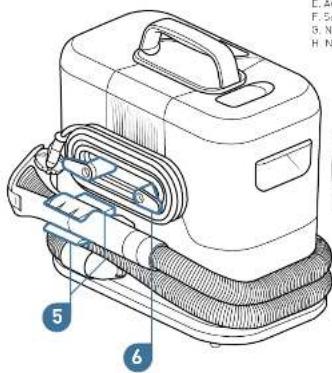
Accessories
natural_image
Line drawing of a mechanical device with gears and a handle (no text or symbols)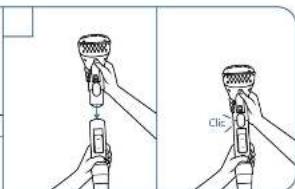
natural_image
Illustration of a hand pouring liquid into a container with a tool, showing mechanical components and tubing (no text or symbols)natural_image
Illustration of a hand using a vacuum cleaner to clean or repair a textured surface (no text or symbols visible)natural_image
Technical line drawing of a mechanical assembly inside a circular frame (no text or symbols)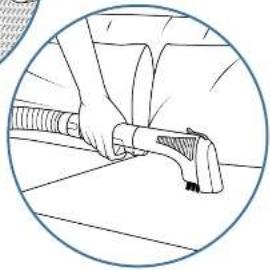
natural_image
Illustration of a person using a handheld device to interact with a surface (no text or symbols visible)EN
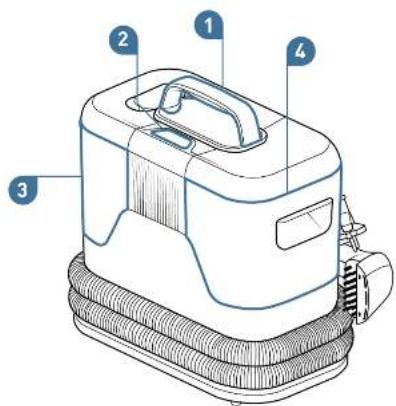
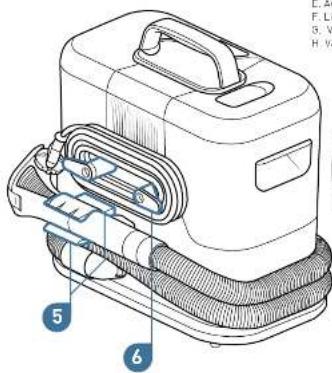
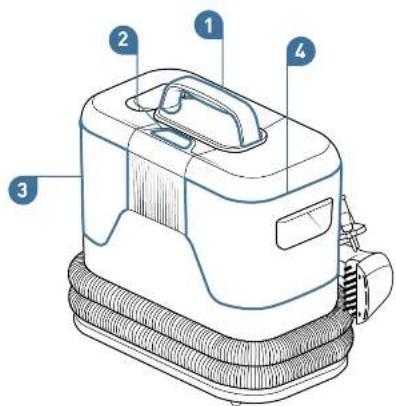
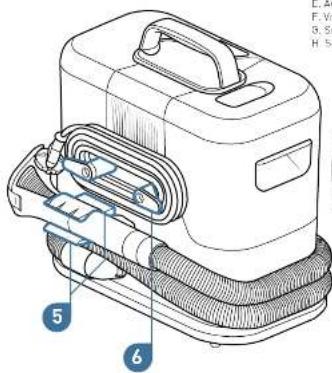
Introducing your CLEAN IT
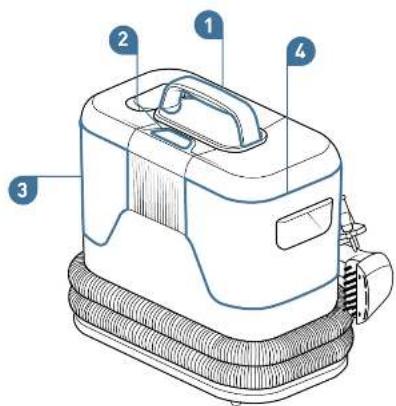
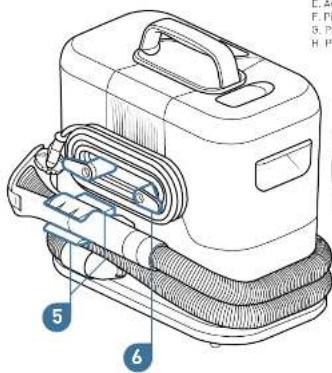
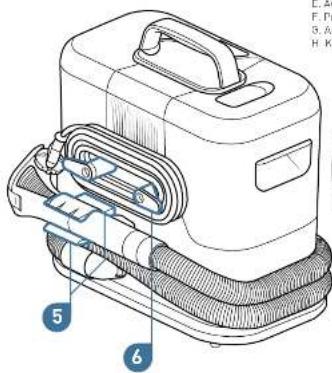
Appliance
- Carving needle
- On/off button
- Clean water tank
- Diter water bars
- Mult-use auction
base storage - Power cord storage
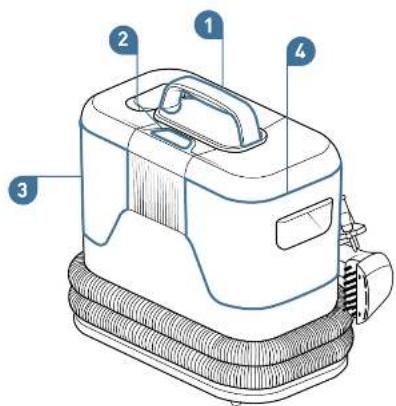
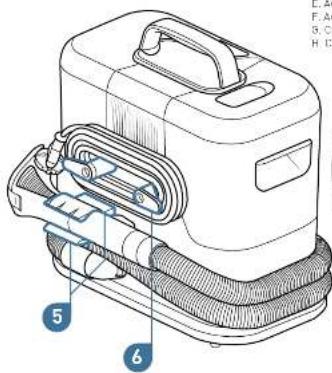
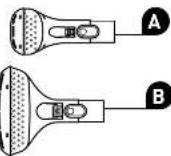
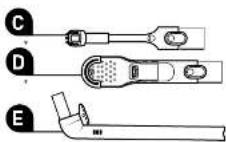
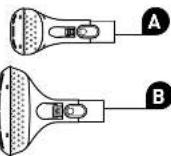
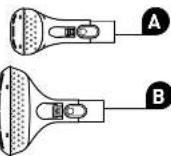
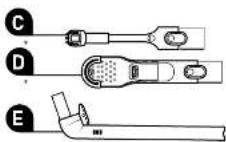
Accessories
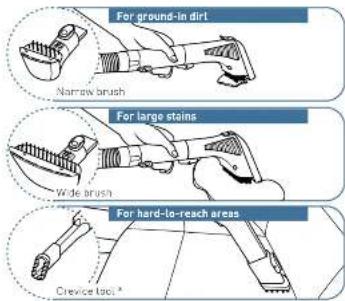
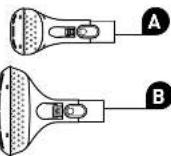
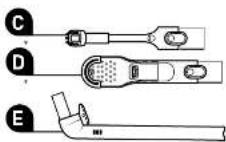
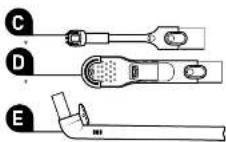
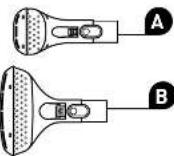
A. Neurous house
B. Wide brush
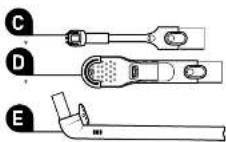
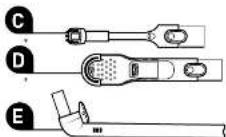
C. Crevice boc
0. Shoe brush
E. Auto-clean
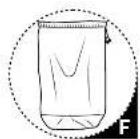
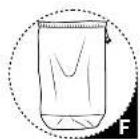
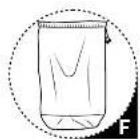
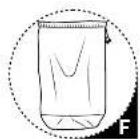
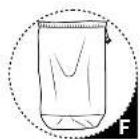
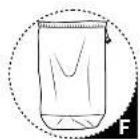
F. Accessory storage bed
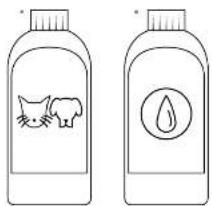
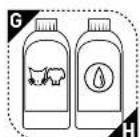
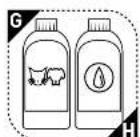
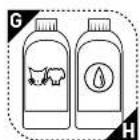
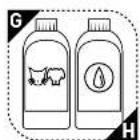
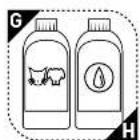
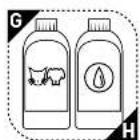
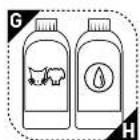
5. Carpet & fabric cleaner for pets 250 ml
H. Carpet & fabric cleaner 250 ml
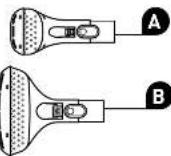
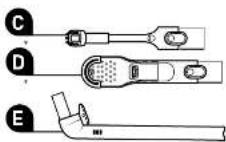
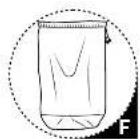
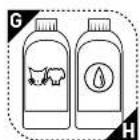
* Depending on models, " Available for purchase in 1-1 version on www.nowenta.com
EN
Installing your CLEAN IT

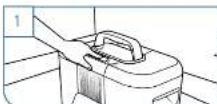
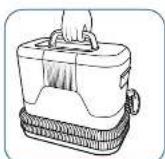
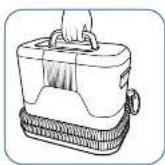
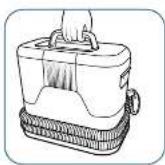
Carrying and positioning the appliance
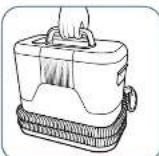
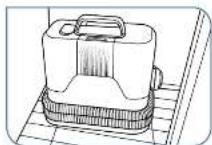
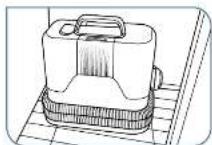
Hold the appliance by the carry handle.
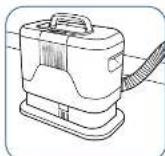
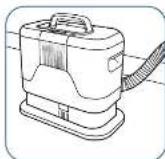
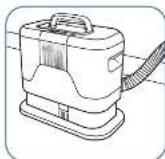
Always positin your device on solid, level ground for use.
Do not place the product on a carpet with piles longer than 10 mm.
Filling the water tank
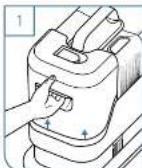
Remove the clean water tank.
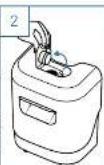
Open the water tank cap,
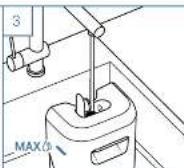
Fill the tank with cold water up to the mark MAX according to the surface area to be cleaned [small] large surface area
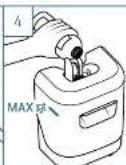
Pour in the cleaner up to the mark indicated. Use only CLEAN IT cleaners.
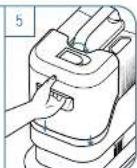
Close the cap and reposition the water tank on the appliance.
Connecting the appliance and unwinding the hose
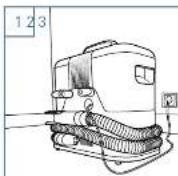
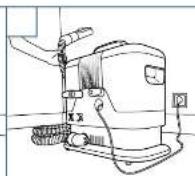
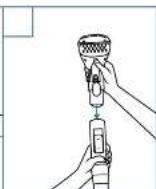
Using your CLEAN IT
Tip: Perform a preliminary test on a non-visible part of the fabric you wish to clean. You can find all the tips on page 21
When the clean water tank is empty, turn off the unit before removing the water tank to refill it.
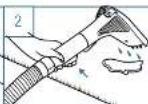
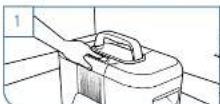
Turn on your appliance. Do not start the appliance without the water tanks properly fitted. Do not remove the tanks while the appliance is in use.
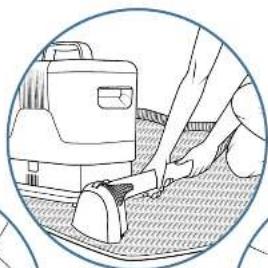
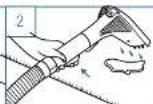
Spray the water/cleaner mixture onto the stain by pressing the trigger.
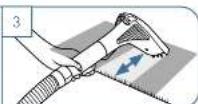
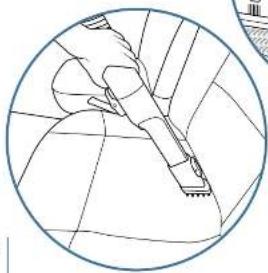
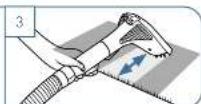
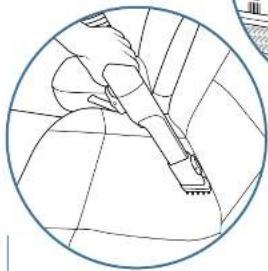
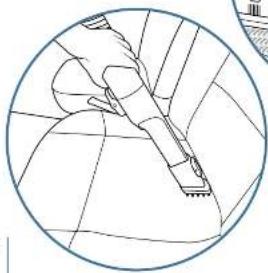
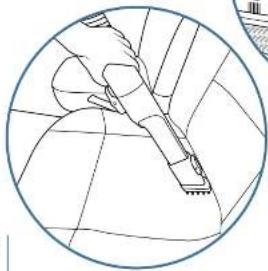
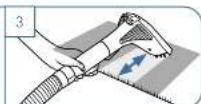
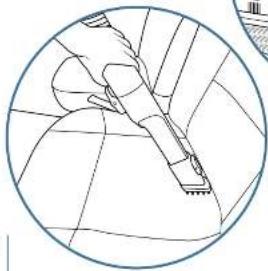
Brush and vacuum in the surface to be cleaned from top to bottom. Repeat as many times as is needed to clean the stain.
Using your CLEAN IT Maintaining your CLEAN IT
Accessories
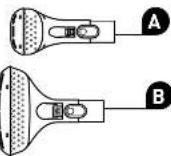
This appliance has four compatible cleaning accessories that are designed for various uses.

Cleaners
Cleaning solutions designed to effectively clean stains. Use only CLEAN IT cleaners to keep your appliance working over time.
The markings should be followed to ensure correct measurement.
Available for purchase in 1-1 version on www.rowenta.com
* Depending on models
Emptying the dirty water tank after each use
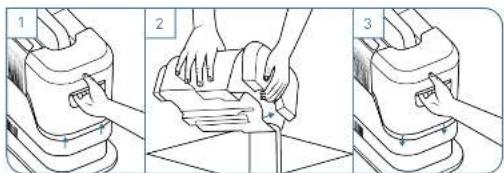
Remove the dirty water tank.
Remove the lid and empty the water then rinse the water tank and lid.
Close the Ud and reposition the tank on the appliance.
Cleaning the different parts of your product
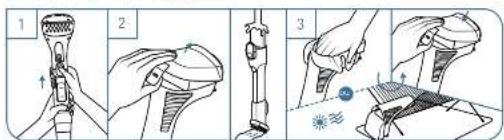
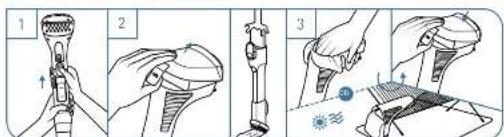
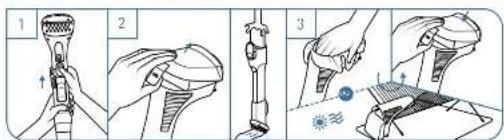
Remove the accessory from the handle of the suction basin.
For the narrow and wide brushes; rinse the accessory by removing the cover.
Use a soft, clean cloth to dry the accessory, or let it air-dry before reassembling the components.
Cleaning the dirty water tank

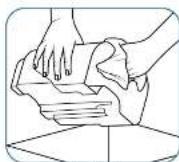
For a light clean, pour a few drops of washing-up liquid into the tank and wash it by hand. Leave to air-dry before reas-sambling the components.
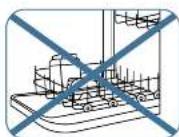
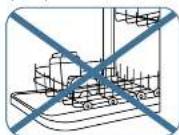
Do not wash the water tanks of the product in the dishwasher.

Maintaining your CLEAN IT Storing your CLEAN IT
Using the auto-clean attachment
Rises the suction hose after use to prevent unpleasant odours and maintain your appliance.
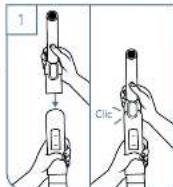
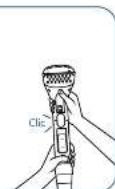
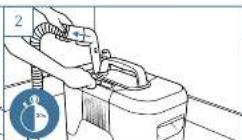
Attach the auto-clean attachment to the multi-purpose suction hose cuff.
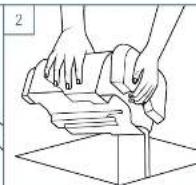
Empty the dirty water tank if it is full.
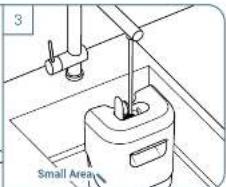
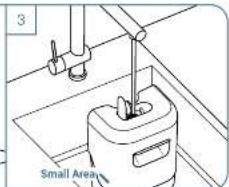
Make sure that the clean water tank is filled up to the mark. Small Area
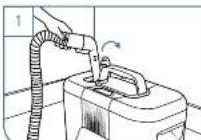
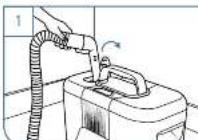
Remove the clean water tank cap and put the auto-clean attachment into the bottom of the tank.
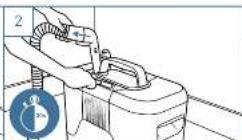
Press the start button and let the appliance run for 30 seconds to clean the suction pipe
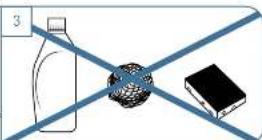
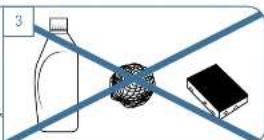
Do not use chemicals or abrasive products to maintain your appliance.
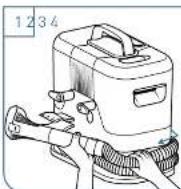
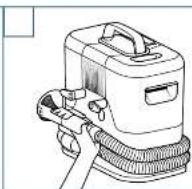
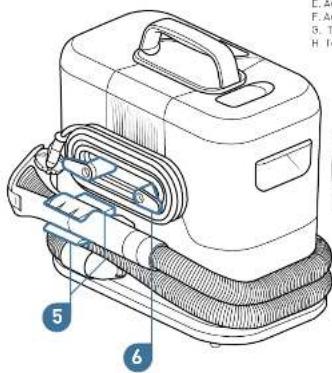
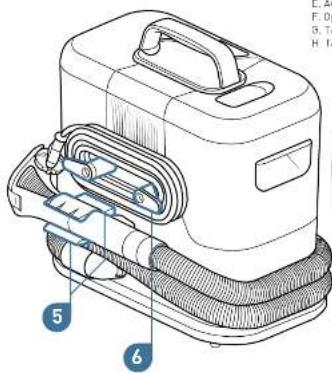
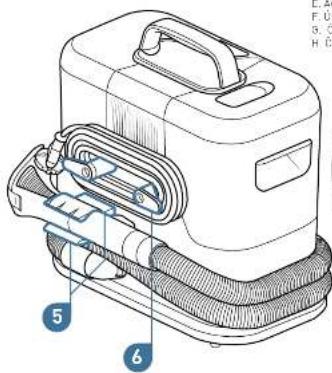
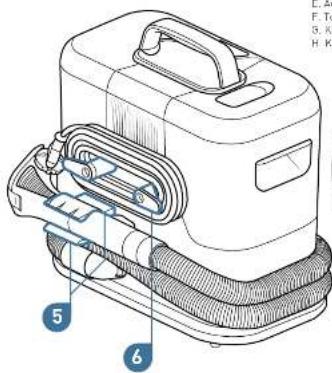
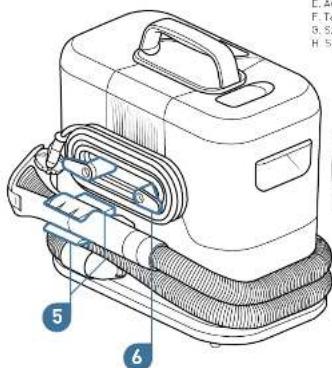
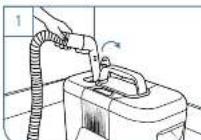
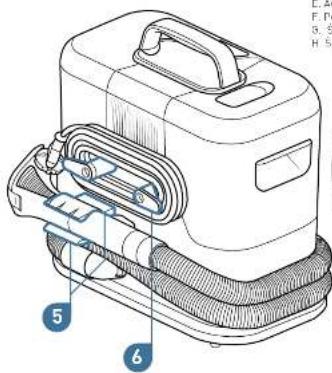
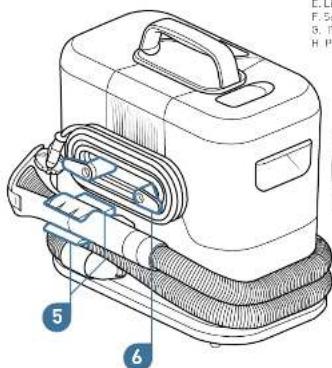
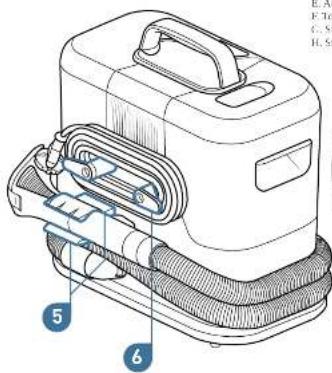
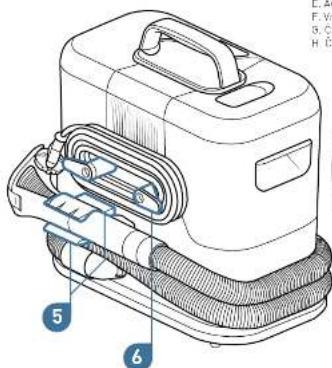
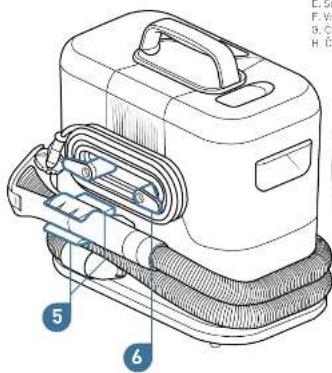
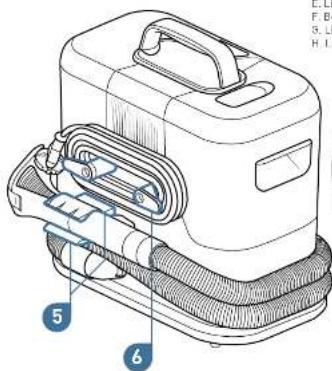
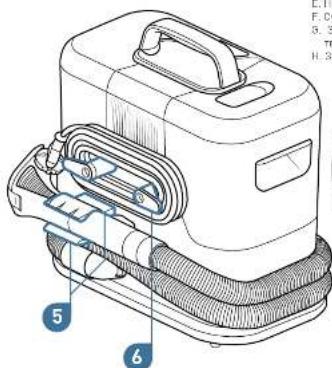
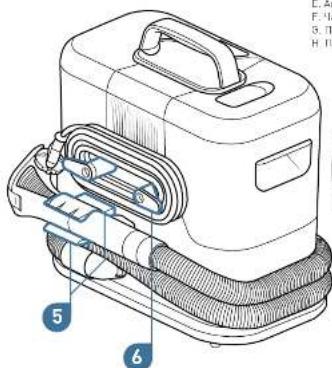
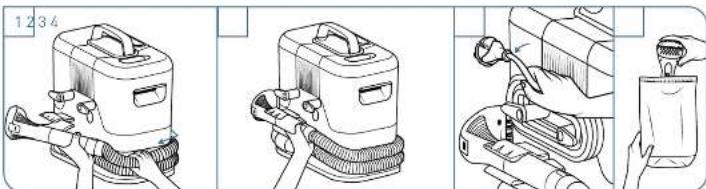
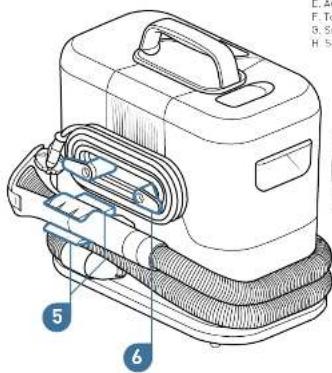
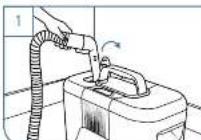
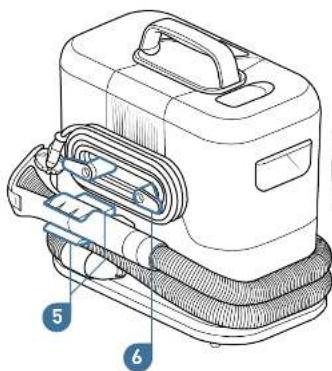
Wrap the multi-purpose section hose around the appliance.
Clp the hose cut into its holder.
natural_image
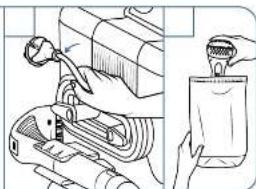
Technical illustration of a mechanical assembly with a tool and a hand holding a spray bottle (no text or symbols present)Wind the power core around its holder.
Store accessories in the storage bag*
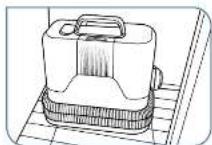
Place the device in a dry place.
Our tips for effectively cleaning stains:
The power the stain, the more effective the cleaning will be
Do not put warm water into the clean water tank. The stain could sat into the fabric
- After spraying the water/cleaning solution onto the stain, leave to act for a few minutes before
vacuuming
- To prevent rings or colour changes when drying, it is recommended to treat the entire area
around the stain rather than just the stain itself,
- Before cleaning, remove excess dirt with a cloth.
* Depending on macals
The perfect solution to effectively clean everyday stains
natural_image
Illustration of a hand using a tool to clean or repair a surface, with a small device in the background (no text or symbols visible)Scan to view a video about CLEAN IT
natural_image
Technical line drawing of a mechanical component inside a circular frame (no text or symbols)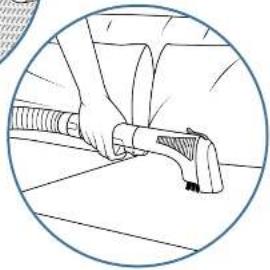
natural_image
Illustration of a person using a handheld device to interact with a surface (no text or symbols visible)DE
Zubehör
natural_image
Two identical line drawings of a bottle with animal silhouettes and a droplet symbol (no text or labels)natural_image
Illustration of a hand using a tool to clean or repair a surface, with a small device in the background (no text or symbols visible)natural_image
Technical line drawing of a mechanical component inside a circular frame (no text or symbols)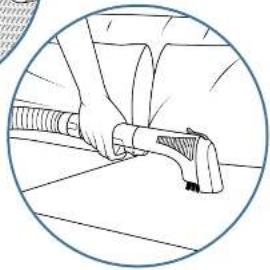
natural_image
Illustration of a person using a handheld device to interact with a surface (no text or symbols visible)NL
Accessoire
natural_image
Two identical line drawings of bottles with animal and water droplets, no text or symbols present.natural_image
Illustration of a mechanical assembly with a tool and a hand holding a spray bottle (no text or symbols present)natural_image
Illustration of a hand using a tool to clean or repair a surface, with a small device in the background (no text or symbols visible)natural_image
Technical line drawing of a mechanical component inside a circular boundary (no text or symbols)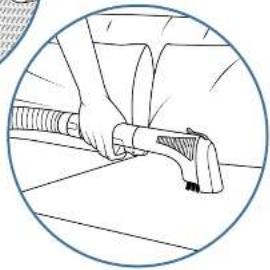
natural_image
Illustration of a person using a handheld device to interact with a surface (no text or symbols visible)CZ
Představujeme
spotřebič CLEAN IT
Spotrebic
Přístušensky
natural_image
Illustration of a hand using a tool to clean or repair a surface, with a small device in the background (no text or symbols visible)natural_image
Technical line drawing of a mechanical component inside a circular boundary (no text or symbols)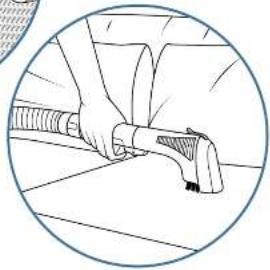
natural_image
Illustration of a person using a handheld device to interact with a surface (no text or symbols visible)ET
Tutvustame teile toodet CLEAN IT
Seade
- Kandeläepöde
- Toiterapp
- Рубина зем радк
- Määrslurud vee peak
- Mitraatstarbelise
imemisyskoliku holdik - Teitsiuhme baidik
Lisatarvikud
Δ Kilas-er bar
B. Li Han
D. Derman
1. Brangde to Errich
C. 1806JE
II. Kingathan
E. Automatne puhastus
F. Lisalarvikule hoiukoli
5. Valpade la kangaste puhastusvahend lemmikloomadeca 250 ml
H. Valpade ja kangaste rubastusvahend zal, ml
* Clenevait modelist. ** Seadavs: 1 versionina addressli www.rowerts.com
CLEAN ITi seadistamine

Kirnilage automaalse puhasla- mise lisalarvik milmeotlarbelse imem-svooliku manseti külçe.
natural_image
Illustration of a hand pouring liquid into a container with a tool, showing mechanical components and tubing (no text or symbols)Keerake Ioilejuhe cma hold ku Umber
Hoiustage lisatarvikuld halukohis*
Asetage seade kuica kahta.
natural_image
Technical line drawing of a mechanical assembly inside a circular frame (no text or symbols)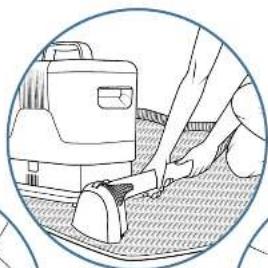
natural_image
Illustration of a hand using a tool to clean or repair a surface, with a small device in the background (no text or symbols visible)natural_image
Illustration of a person using a handheld device to interact with a surface (no text or symbols visible)EL
* Andorra se to portela, ** Andorra y/o ayora de ekbon 1 L'ordu, Eukon www.roverta.com
- Indicate to proscoptry, a suplato
natural_image
Technical line drawing of a mechanical assembly inside a circular frame (no text or symbols)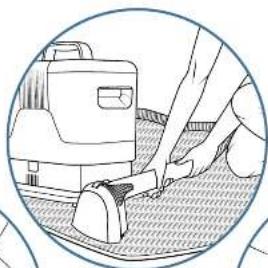
natural_image
Illustration of a hand using a tool to clean or repair a surface, with a small device in the background (no text or symbols visible)natural_image
Illustration of a person using a handheld device to interact with a surface (no text or symbols visible)HU
Tartozékok
Ha a victartely üres,
fristet kivazla
Special data source of the second author
natural_image
Illustration of a mechanical assembly with a tool and a hand holding a spray bottle (no text or symbols present)natural_image
Technical line drawing of a mechanical component inside a circular frame (no text or symbols)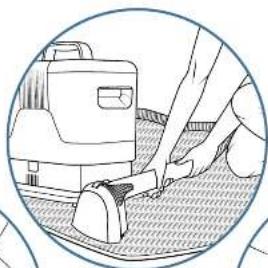
natural_image
Illustration of a hand using a tool to clean or repair a surface, with a small device in the background (no text or symbols visible)natural_image
Illustration of a person using a handheld device to interact with a surface (no text or symbols visible)IT
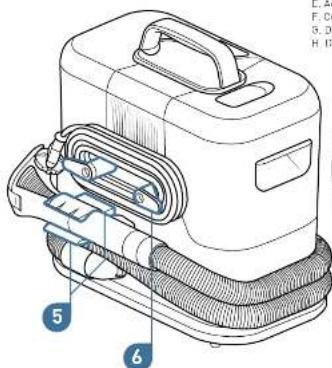
Accessori
A. Sprassola stellis
B. Espazza/Jacos
The following table is provided in the image.
E. Accessory to per-pat
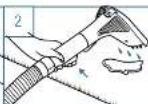
When the clean water tank is empty, turn off the unit before removing the water tank to refill it.

natural_image
Illustration of a washing machine tool and a hand holding a clear plastic container (no text or symbols present)natural_image
Technical line drawing of a mechanical assembly inside a circular frame (no text or symbols)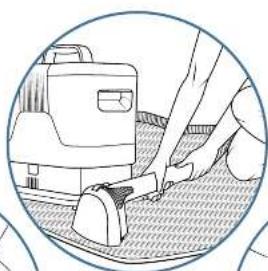
natural_image
Illustration of a hand using a tool to clean or repair a surface, with a small device visible in the background (no text or symbols)natural_image
Illustration of a person using a handheld device on a surface (no text or symbols visible)LV
lepazīstiet savu CLEAN IT
lerice
- Rokturis pācnāsāsanai
- Los quejas y zalo quejas
года - Tirā úpers Iverlne
- Natira Odens tvechno
- Daudzfunkcionaliza
sukšanas šlatrone
olabātava
e Strāvas veda glabātava
Piederumi
, _max
B. Pla12 cika
D. Pieta Sche
E. Šovénić výšniki
C. Stear 418 (2g)
11. April 2023
E. Automatiskes liréanas piederums
F. Pieder unu glabásienes meiss
5. Pakāju un audumu Īīršanas Udzeklis 250 mL lololum dživniekem
H. Paklăiu un audumu i Prăšanas, Tezekius 2011m
* Afkarlos no modela.** Var legedallies 1 Uverslu vietne www.rowenta.com
LV
natural_image
Two identical line drawings of bottles with animal silhouettes and water droplets (no text or symbols)Nopemiet netira udens
tvarini.
Nenemiet vaku un izlejist odeni, pes tam izsakalajiet ivertni un vaku.
Aizverlei vaku un uzleclat
liverni uzierices.
Dažadu lerices daju tirisana
natural_image
Illustration of a hand using a tool to clean or repair a surface, with a small device in the background (no text or symbols visible)natural_image
Technical line drawing of a mechanical component inside a circular boundary (no text or symbols)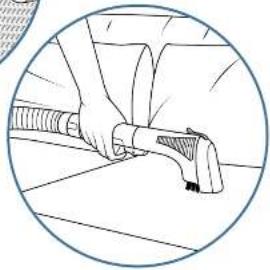
natural_image
Illustration of a person using a handheld device to interact with a surface (no text or symbols visible)LT
Pristatome _CLEAN IT™
Prietoisas
1 Nesimo cankena
2. ljungimo [Ejungimo]
mynukas
3. Searaus vandens bakelis
4. Našvaraus vandens hakelis
5. Vieta universali isiurbimo
zarno
6. Vieta maltinimo laiciu
Priedai
A. Six-tens (enveloped
B. Platus Sepetys
C. Pušlams skirtas irapius
0. Synthesis antenna
Γ. Automatologie volumo singular
E. Autoshetno valynio preda
F. Prima varuklas mavimis
5. A jointedness can be used to find the 70% sol
H. Kluru ir audiolu valiklis 250 ml
* Priklauismalnuo modelu, ** Italpos versija galima jsgyt: www.rowenta.com
„CLEAN IT“ jrengimas

Isit kinkive, kad évarous vanders baketis pripildylas ik: nurodylos zymes: Mezas pavirš aus plotas
10
Nuimkite šversus vandens bakeličangtelj ir i bakelič dugnă dekite automatinio valyma prieda.
natural_image
Illustration of a mechanical device being processed with a hand pouring liquid into a container (no text or symbols visible)natural_image
Technical line drawing of a mechanical component inside a circular frame (no text or symbols)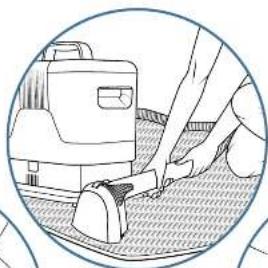
natural_image
Illustration of a hand using a tool to clean or repair a surface, with a small device in the background (no text or symbols visible)natural_image
Illustration of a person using a handheld device to interact with a surface (no text or symbols visible)PL
Akcesoria
natural_image
Line drawing of a cleaning or cleaning machine tool (no text or symbols visible)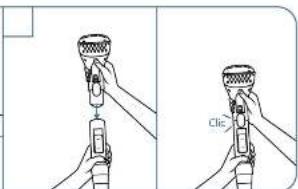
12
- Euro €, Suisse Bank, Japan Branch (or its business card).
natural_image
Technical line drawing of a mechanical component inside a circular frame (no text or symbols)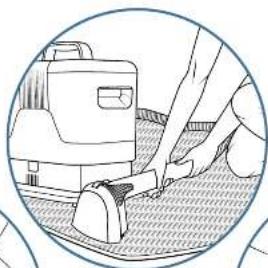
natural_image
Illustration of a hand using a tool to clean or repair a surface, with a small device in the background (no text or symbols visible)natural_image
Illustration of a person using a handheld device to interact with a surface (no text or symbols visible)PT
Apresentamos-the o CLEAN IT
Aparelho
Acessórios
natural_image
Line drawing of a mechanical device with attached components (no text or symbols)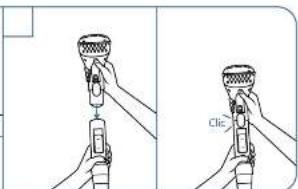
Antes de utilizar, desenrete
Retire a reservatorio de agua suja.
natural_image
Illustration of a hand using a tool to clean or repair a surface, with a small device in the background (no text or symbols visible)natural_image
Cross-sectional diagram of a mechanical assembly inside a circular boundary (no text or labels)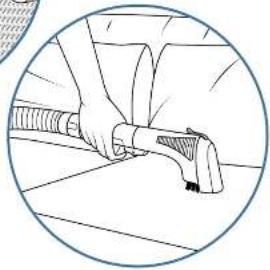
natural_image
Illustration of a person using a handheld device to interact with a surface (no text or symbols visible)RO
Vā prezentām
CLEAN IT Aparat
Appliance
-
Måner pentru transport
-
Buton parrotoprit
-
Rezarvor de apa curata
-
Rezarvor de apa murdara
-
Spatiu de depozitare tur cuir die aspirare multifunctionala
-
Bratis de depozitara catalu
de alimentare
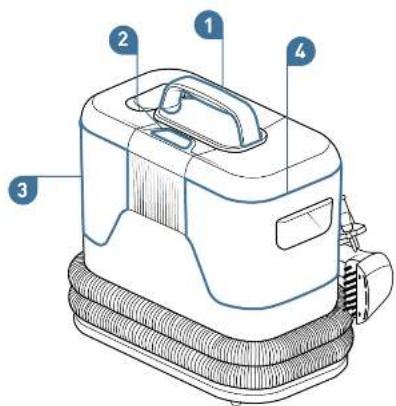
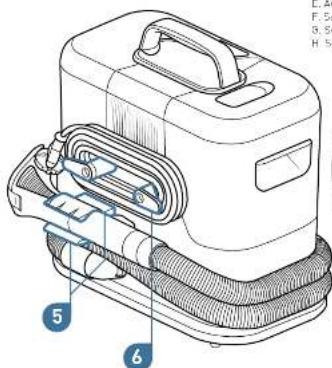
Accesorii
A. Petrie inquistă
B. Perle latã
natural_image
Line drawing of a mechanical device with gears and a handle (no text or symbols)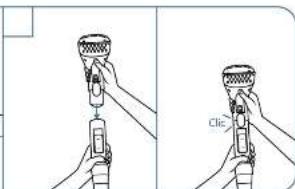
natural_image
Illustration of a hand using a tool to clean or repair a surface, with a small device in the background (no text or symbols visible)natural_image
Technical line drawing of a mechanical component inside a circular boundary (no text or symbols)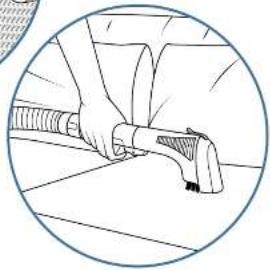
natural_image
Illustration of a person using a handheld device to interact with a surface (no text or symbols visible)SR
Pribor
A. Ucka Žerka
B. Šimka Čečka
C. Alat za pukocine
D. Cetka za cunele
E. Automatsko čísčenie
E Torba za skladisjenje dodatne opreme
C. Sredsve za člšćenje repiha I šcarina za kučne lubirace 250 ml
H. Smulsva za čišćenje repaha i šcarina 250 ml
* U zavisnosti od modela. *‡ Dostupu za supovimo u I-I verziji za www.zowesta.com
SR
natural_image
Line drawing of a cleaning or cleaning machine tool (no text or symbols visible)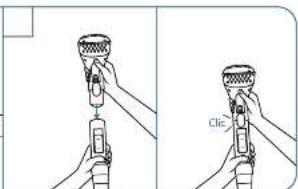
Pre upotrebe, polpuno odmolačke kal: za nepajanje i ukjučite ut kač.
Petpane odmalajte ušisno trevo.
Pričvrstje željen i dodalak na manžetru creva. Čučete klik kada je na mestu.
natural_image
Two identical line drawings of bottles with animal silhouettes and water droplets (no text or symbols)natural_image
Technical illustration of a mechanical assembly with a tool and a spray bottle (no text or symbols)Place the device in a dry place.
natural_image
Illustration of a hand using a tool to clean or repair a surface, with a small device in the background (no text or symbols visible)Skenirajte da biste videli video o uređaju CLEAN IT
natural_image
Technical line drawing of a mechanical component inside a circular boundary (no text or symbols)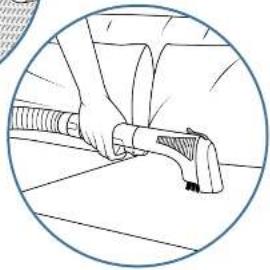
natural_image
Illustration of a person using a handheld device to interact with a surface (no text or symbols visible)SK
Prístušenslvo
A. Uzka kela
B. Siroká kela
C. Štrinovy nadstaves
II. Kota na topánky
E. Automaticke čistenie
F. Vrecku na odkledanie pristušenstva
6. Čistič kobercov a tkanín pre domáce zvierata 250 ml
H. Cistic kebercov a tkanin 250 ml

* V zavislosti od modely. ** Kožnost začipenia vo verzli s objemom 1 i na www.rowente.com
SK
Inštalácia zariadenia CLEAN IT

Prenăšanie a umiestnenie spotrebica
Spotreb E držie za prenášeciu
zučevé.
natural_image
Line drawing of a mechanical device with gears and a power outlet (no text or symbols)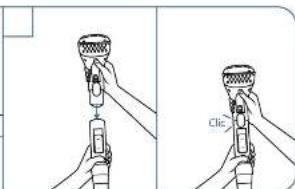
Na zabezpečenie správného merania by sa malí dodržavat značky.
* V zavislosli od modelav, ** Možnost zakupenia vo verzil s cojemom 11 na www.rowenta.com
* V závistost od medalov
Odsiraine nadstavec Uoke a stroke kely: Odsiraine z manženy sacoj kryta oplachnite nadstavec.
Pred opalovnou montážou komponentov
nadstavec osušte čistou, makkou handrič-
kau alone ha nachajte vysušti na vzduchá.
Čistenie zasobnika na špinavu vodu
natural_image
Illustration of a hand pouring liquid into a container with a tool, showing mechanical components and tubing (no text or symbols)natural_image
Illustration of a hand using a tool to clean or repair a surface, with a small device in the background (no text or symbols visible)natural_image
Technical line drawing of a mechanical component inside a circular boundary (no text or symbols)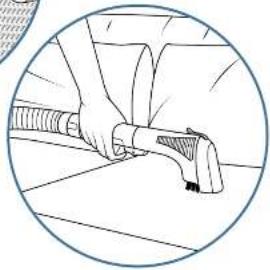
natural_image
Illustration of a person using a handheld device to interact with a surface (no text or symbols visible)SL
Spoznajte CLEAN IT
Naprava
Pripomočki
natural_image
Line drawing of a mechanical device with no visible text or symbols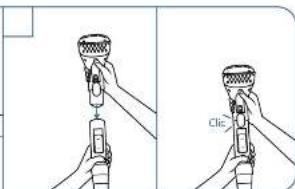
Za zagolov lev oravilnega odmeranja upostevajte oznake.
* Devisno od modela, ** Na valja za nakup v 1-litrski razlžči na www.rowenta.com
* Cdevane oil modela
Preprčajte se, da je rezervuar za čista vado napaljen do oznake: Za majhno površine
10
Odstrešte pokruvček rezervoanja za čisto vodo in vstevite nastavek za sa- modejno čiščenja v dno rezervoanja.
natural_image
Technical illustration of a mechanical assembly with a tool and a spray bottle (no text or symbols)natural_image
Illustration of a hand using a tool to clean or repair a surface, with a small device in the background (no text or symbols visible)Skenirajte za ogled videoposnetka o napravi CLEAN IT
natural_image
Cross-sectional diagram of a mechanical assembly inside a circular boundary (no text or labels)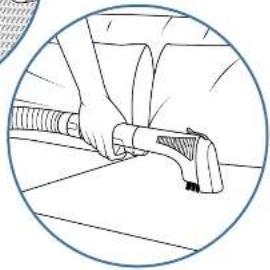
natural_image
Illustration of a person using a handheld device to interact with a surface (no text or symbols visible)ES
Accessories
natural_image
Two identical line drawings of bottles with animal silhouettes and water droplets (no text or symbols)natural_image
Technical illustration of a mechanical assembly with a tool and a spray bottle (no text or symbols)natural_image
Illustration of a hand using a tool to clean or repair a surface, with a small device in the background (no text or symbols visible)natural_image
Technical line drawing of a mechanical component inside a circular boundary (no text or symbols)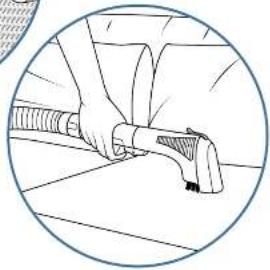
natural_image
Illustration of a person using a handheld device to interact with a surface (no text or symbols visible)UK
Аксесуари
natural_image
Two identical line drawings of bottles with animal silhouettes and water droplets (no text or symbols)190
natural_image
Illustration of a hand using a tool to clean or repair a surface, with a small device in the background (no text or symbols visible)natural_image
Cross-sectional diagram of a mechanical assembly inside a circular boundary (no text or labels)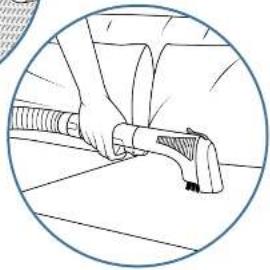
natural_image
Illustration of a person using a handheld device to interact with a surface (no text or symbols visible)BG
Аксесовари
A. T0891-4154
В. Широка натка
natural_image
Line drawing of a mechanical device with gears and a power outlet (no text or symbols)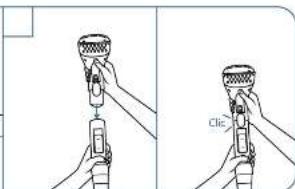
Do not use chemicals or abrasive products to maintain your appliance.
natural_image
Illustration of a hand using a tool to clean or repair a surface, with a small device visible in the background (no text or symbols)natural_image
Technical line drawing of a mechanical component inside a circular frame (no text or symbols)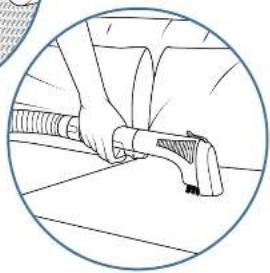
natural_image
Illustration of a person using a handheld device on a surface (no text or symbols visible)BS
Predstavljamo vaš CLEAN IT
Aparal
Pribor
A. Link to k
B. Europa delca
D. 2104-05-06
C. 2014 28 GSKD P
11. 玉林省 95 比能
E. Automatske čistenje
F. Torba ze od.saganje or bore
5. Sredstvo za čišćenje tepilha i tkarina za kučne Ujubimce 250 ml
H. Sredstvo za čiščanje tepina | tkanina 200 ml

* U zevnost od modela. ** Dostupno za kupovinu u 1-1 verzji na www.roventa.com
BS
Instaliranje vašeg aparata CLEAN IT

Prenošenje i postavtjanje aparata
Držilo aparat za ručku za nošenje,
Lvijok postavete
aparat na čvrstu,
ravni podlogu za
korištenje.
Ne slavlja je proizvod na tepih sa florem višim od 10 mm.
natural_image
Line drawing of a cleaning or cleaning machine with no visible text or symbols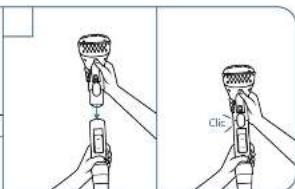
Prije upotrebe do kraje odimnajle kebal za nepajanje i ukopčajte utika.
Do kraje oemola je usismo crijevo.
Pričvrstije željen i dodalak na manžetru crijeva. Čučete klik kada je na mjestu.
Korištenje vašeg aparata CLEAN IT
Izvadita spromnik za
prljavu vodu.
Skinite poklopac i ispraznite vedu, a zatim isperi te spremnik, za vedu i poklopac.
Zatverite pokupac vratite suremnik na aparal.
Cišenje različitih dijetova vaseg proizvoda
Skinile dudenta s manžete za usisno crjovo
Za oske i široke četke. Sknite poklopec i sperite nestevak.
Konstite čistu, meku krou da osušite nastavak ili ga ostavte da se osuši na zraku prije počavnog sastavljanja komponenti.
Čišenje rezervoara za prljavu vodu
Za tagano čiščanje ulijta na kaliko kapi tečnosti za pranje pesuđa u spremnik i operite ga ručno. Ostatve da se osuši na zraku prije poravenog sastavljan ja kompananti.
Spremnike za vodu ili proizvod
no majte prati u madi ni za
prani o posuda.
Održavanje vašeg aparata CLEAN IT Čuvanje vašeg CLEAN IT
Upotreba nastavka za automalsko čišćenje
Isperite usione crijeve neken upotreba da biste sprijacil nougadro mirise i održati aperat čistim.
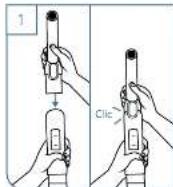
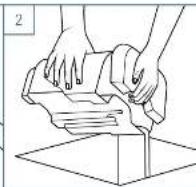
Pričvrst je dodatak za automatsko i spraznite spremnik za prijevu vodu čiščenje na manželna za višenami- ako je pun.
Prevjerite da li je spremnik za čistu vodu napunjen da oznake: Mala povrsina
Sknite poktopac spremnika za čistu vodu i stavite codatak za autometsko čišćenje na dno spremnika
Pritsnite tipku za pokretanje i ostavite aparat da radi 30 sekundi ca očistite usisru člev.
natural_image
Illustration of a mechanical device with a tool and a hand holding a spray bottle (no text or symbols present)Oinotajje všenamjensko us stro crijevo oko aparata.
natural_image
Illustration of a hand using a sewing machine to clean or repair a textured surface (no text or symbols visible)Skenirajte i pogledajte video o CLEAN IT
natural_image
Technical line drawing of a mechanical component inside a circular frame (no text or symbols)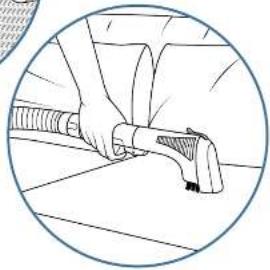
natural_image
Illustration of a person using a handheld device to interact with a surface (no text or symbols visible)HR
Pribor
A. Link to k
B. Europa delia
D. 2104 CENK
C. 2014: 28 pm-30 min
- 2005 年 12 月
E. Automatske čistenje
* Olsno o medellma. ** Dostupno za kupowinu u verzili od 1 Line web-mjestu www.rowenta.com
HR
Postavljanje uređaja CLEAN IT

Nošenje i postavljanje uređaja
Uradaj držita za
dršku za nošenje,
Urođaj za uporčno obavezno postevite
na čvršlo, ravnu
podlogu
Ne slavja je pruizvod
na tepih s resama
dužima ad 10 mm.
Prije uporabe polpuna odmolajte kabel za nepajanje i uk jučite ut kač.
Do kraje oemola je usismo crijevo.
Pričvrstje željen i dodalak na manžeto crijeva. Kad sjedne na mesto, začut čete „klik“.
Uporaba uređaja CLEAN IT
Sevjet: obevite priprem- ru provjeru na nevoi- jivcna dijsla tkanro koju želite očistili. Sve sevjete možele proneći na 221. stranić
Koda je spremnik za čislu vodu prazan, isključne jadmico prija nego što izvadita spremnik za vodu da bista ga poravno napanila.
natural_image
Illustration of a hand using a sewing machine to clean or repair a textured surface (no text or symbols)Skenirajte kako biste pogledali videozapis o uređaju CLEAN IT
natural_image
Technical line drawing of a mechanical component inside a circular frame (no text or symbols)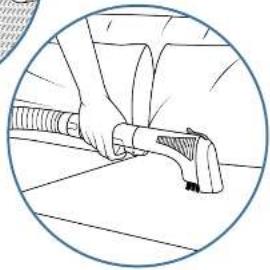
natural_image
Illustration of a person using a handheld device to interact with a surface (no text or symbols visible)AR
تقديم جهاز
الخاص بك CLEAN IT
الخف العمل
اجها: 1. سَبْنِ
20
m = 311
الحقيمة العزيض
natural_image
Illustration of a hand using a sewing machine to clean or repair a textured surface (no text or symbols visible)natural_image
Technical line drawing of a mechanical assembly inside a circular frame (no text or symbols)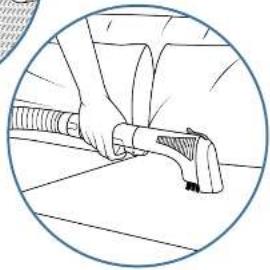
natural_image
Illustration of a person using a handheld device to interact with a surface (no text or symbols visible)
- Rowenta CLEAN IT
- Accessories
- EN
- Appliance
- Using your CLEAN IT
- Using your CLEAN IT Maintaining your CLEAN IT
- Maintaining your CLEAN IT Storing your CLEAN IT
- Our tips for effectively cleaning stains:
- DE
- Zubehör
- NL
- Accessoire
- CZ
- Spotrebic
- Přístušensky
- ET
- Seade
- Lisatarvikud
- EL
- HU
- Tartozékok
- IT
- Accessori
- LV
- lerice
- Piederumi
- LT
- Prietoisas
- Priedai
- PL
- Akcesoria
- PT
- Aparelho
- Acessórios
- RO
- Accesorii
- SR
- Pribor
- SK
- Prístušenslvo
- Inštalácia zariadenia CLEAN IT
- Čistenie zasobnika na špinavu vodu
- SL
- Naprava
- Pripomočki
- ES
- UK
- Аксесуари
- BG
- Аксесовари
- BS
- Aparal
- Instaliranje vašeg aparata CLEAN IT
- Korištenje vašeg aparata CLEAN IT
- Održavanje vašeg aparata CLEAN IT Čuvanje vašeg CLEAN IT
- HR
- Postavljanje uređaja CLEAN IT
- Uporaba uređaja CLEAN IT
- AR
Brand : ROWENTA
Model : Clean It IN5010
Category : Iron