USER MANUAL Pixel Pro 2.0 C Avionaut

AVIONAUT
Pixel PRO 2.0 C
40 cm - 86 cm / max. 13 kg
- Instruction manual & Warranty • User's manual & Warranty • Operating instructions & Warranty • User's manual & Warranty
- User's manual & Warranty
- User's manual & Warranty
- User's manual & Warranty
- User's manual & Warranty
- Instructions for use and warranty • User manual & Warranty • Instructions for use and warranty
- User's manual & Warranty
- User's manual & Warranty
- User's manual & Warranty
- Instructions for use and warranty • Instructions for use & warranty • Instructions for use and warranty
- Instruction Manual & Warranty
- Instruction Manual & Warranty
- Instruction Manual & Warranty
- Operating Manual & Warranty • Operating Instructions and Warranty • User Manual & Warranty • Operating Instructions and Warranty
- User Manual and Warranty
- Operating Instructions and Warranty
index

8
20
28
29
| BG | 33 | EST | 79 | LT | 122 | SE | 166 |
| CZ | 40 | FI | 85 | LV | 128 | SK | 172 |
| DE | 46 | FR | 91 | NO | 134 | SL | 178 |
| DK | 53 | HEB | 98 | PL | 140 | TUR | 184 |
| ELL | 59 | HR | 103 | PT | 146 | UA | 190 |
| EN | 66 | HU | 109 | RO | 152 | | |
| ES | 72 | IT | 115 | RU | 159 | | |

AVIONAUT
3


AVIONAUT




AVIONAUT

AVIONAUT

AVIONAUT


AVIONAUT
18
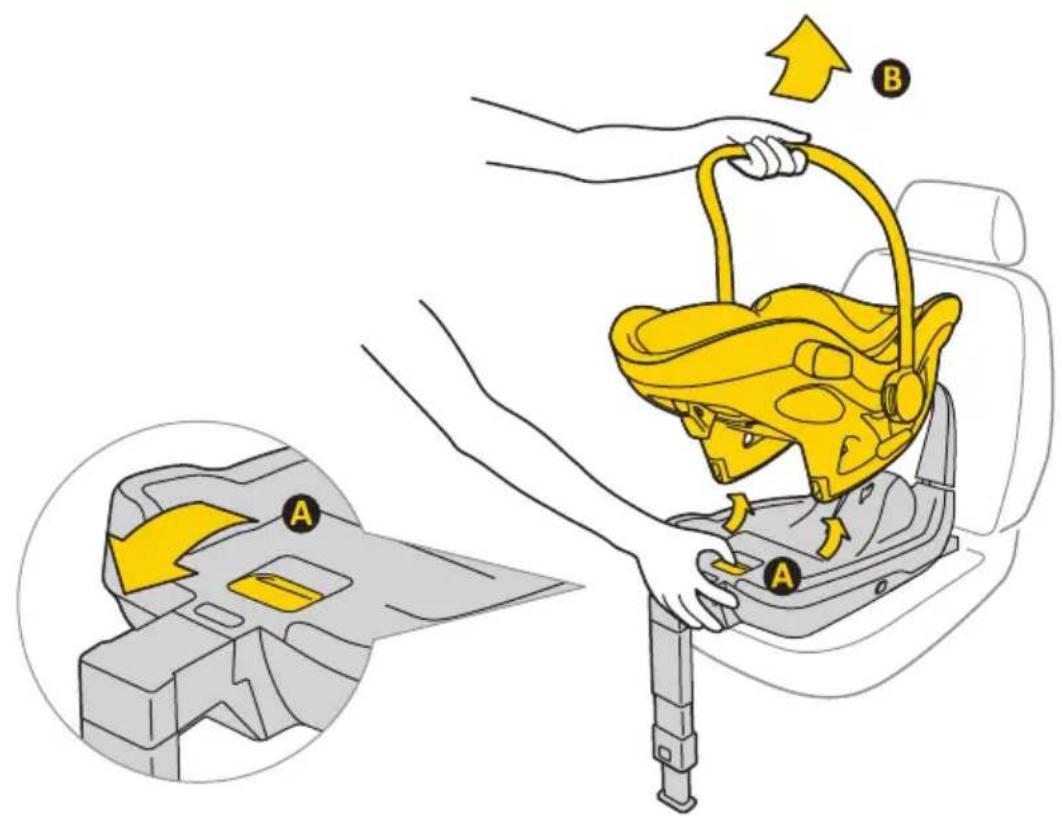
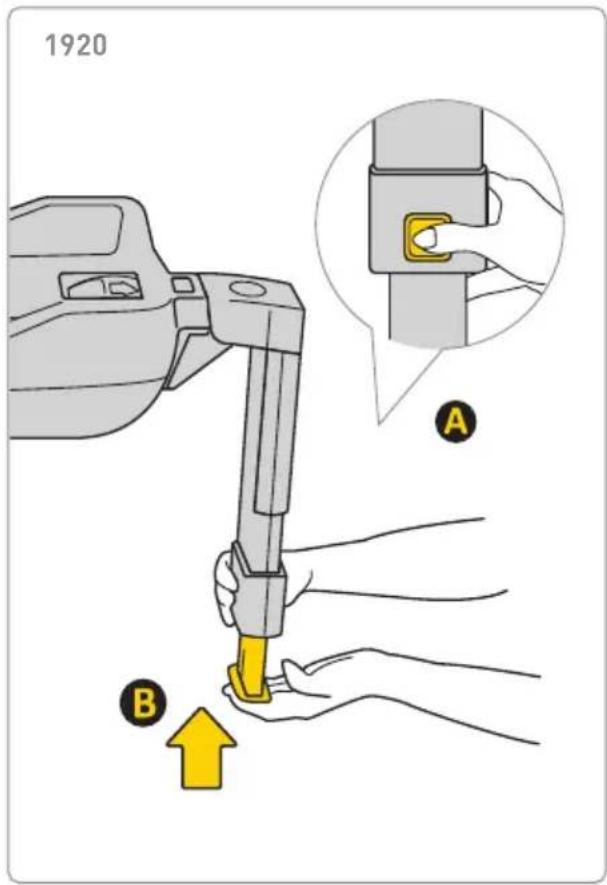
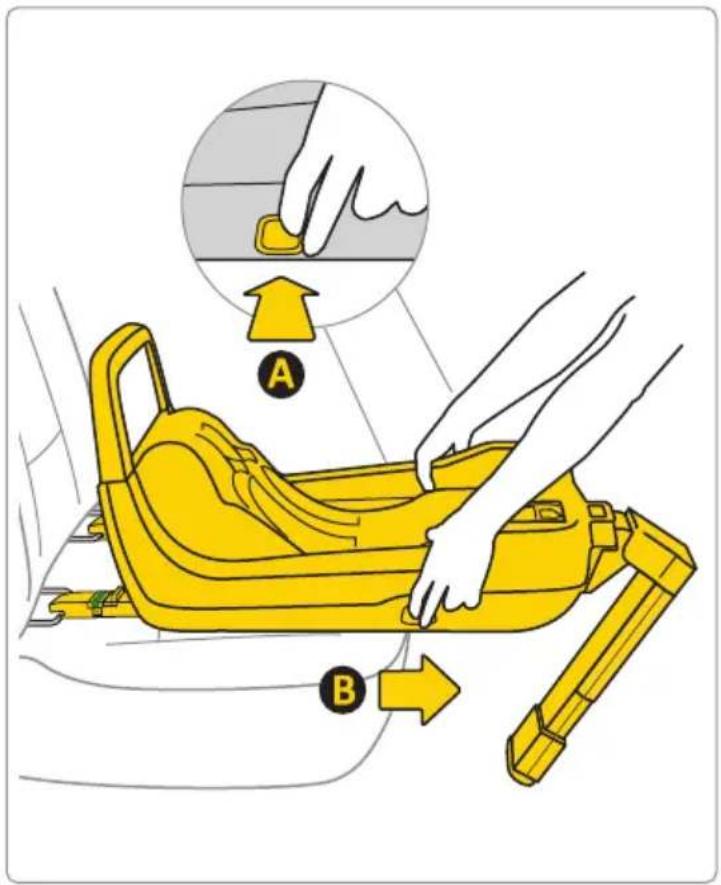
20
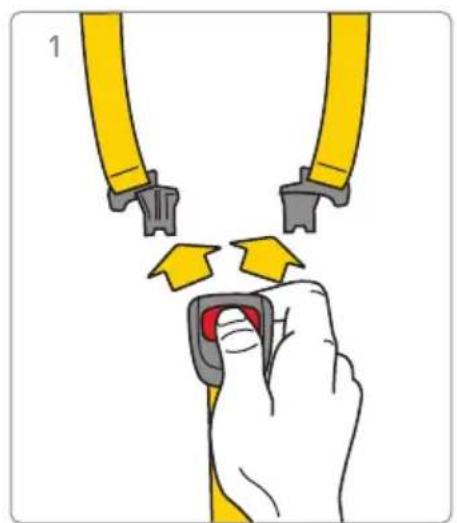
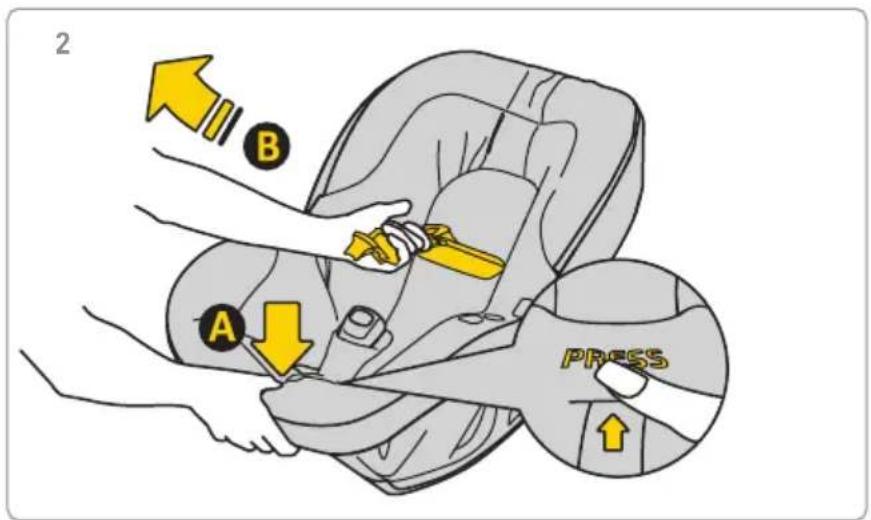
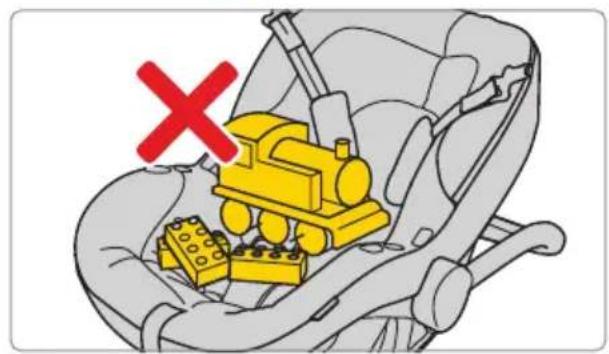


AVIONAUT
5
6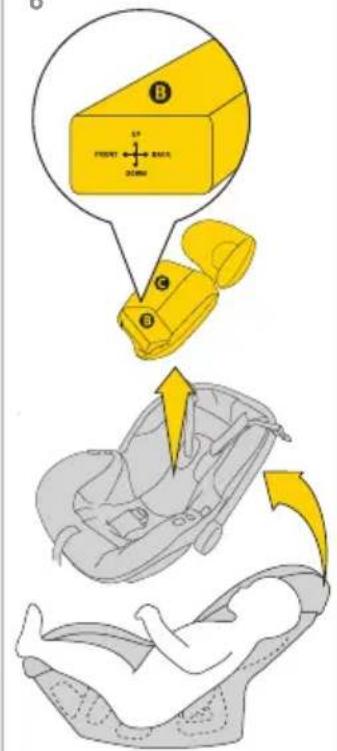
ca. >60cm ca. 55-60cm ca. 40-55cm
22

AVIONAUT

24

AVIONAUT
26

AVIONAUT
28


AVIONAUT

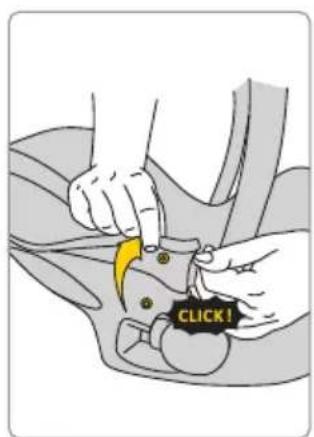
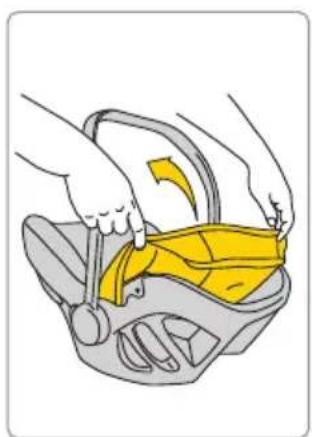
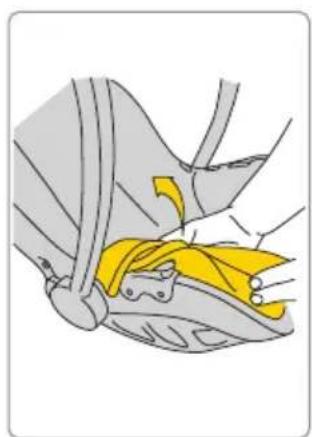
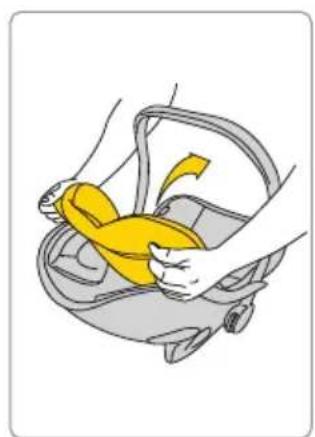


AVIONAUT
User's manual for the Avionaut® Pixel PRO 2.0 C™ child safety seat
Important!
Do not read this manual hastily. Read it carefully, save it for the future and keep it always at hand. If in doubt, please contact us. Please travel safely and treat each car ride seriously. Even when the destination is only a few blocks away.
We recommend that the instructions shall be kept with the car seat during its life period.
Warning:
Do not modify the Pixel PRO 2.0 C child safety seat in any way, as it may affect the child's safety during its use.
Warning:
Never place the Pixel PRO 2.0 C child safety seat on an elevated surface, e.g. on a table or chair.
Warning:
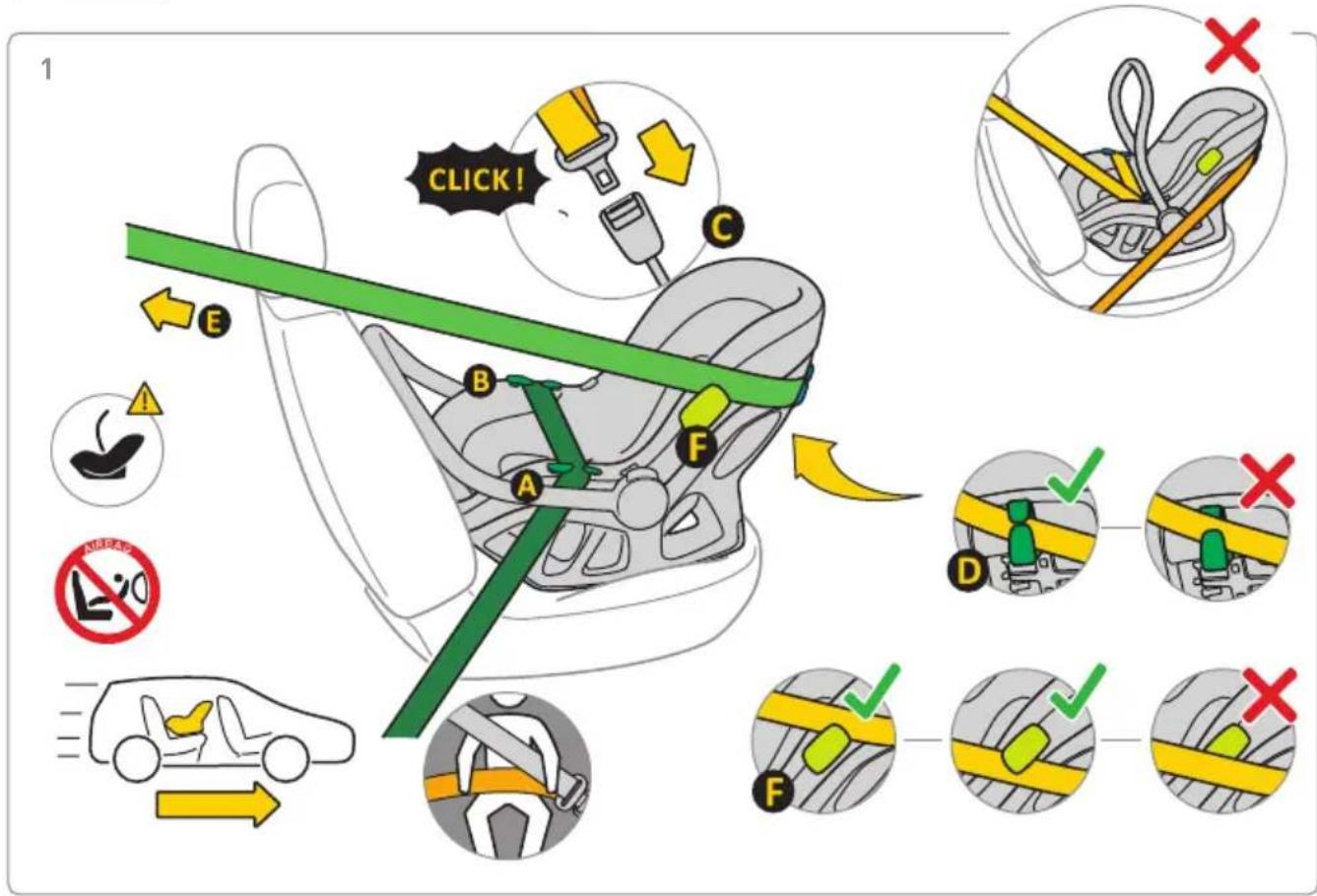
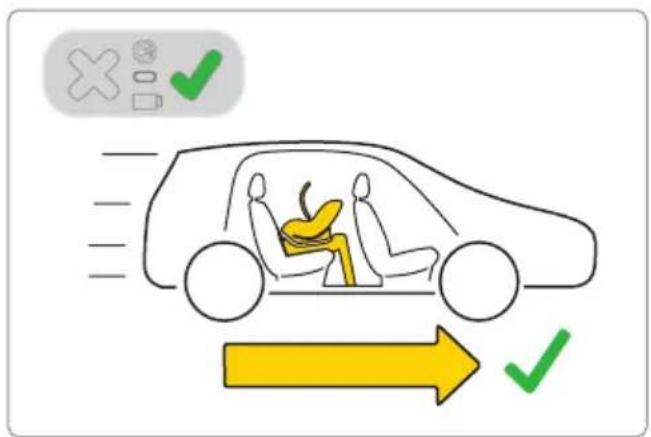
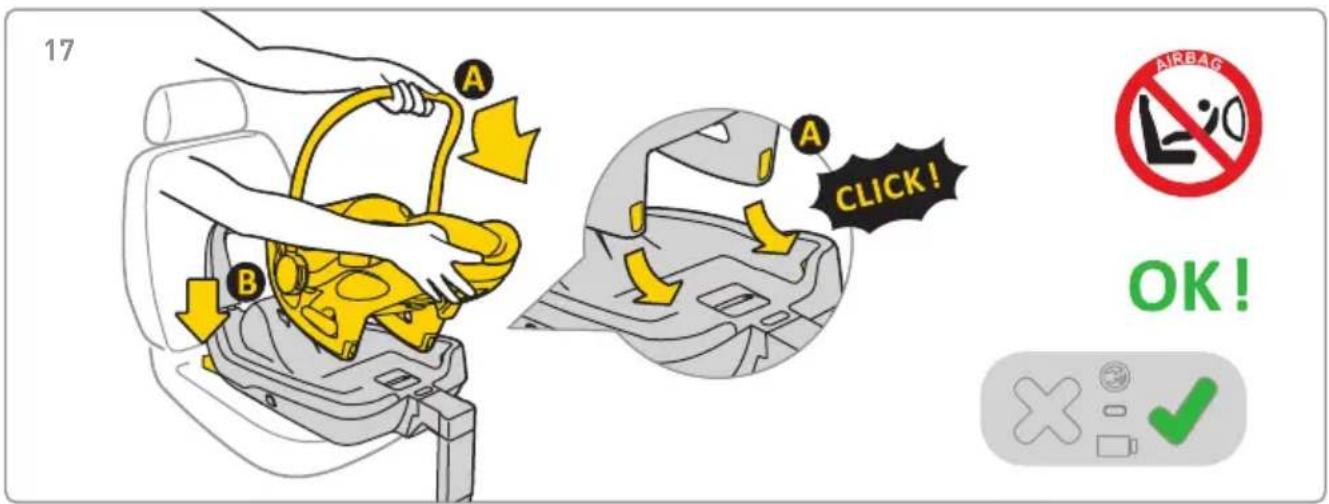
Never install the Pixel PRO 2.0 C child safety seat facing backwards to the driving direction in the front passenger seat with an active airbag.
Attention:
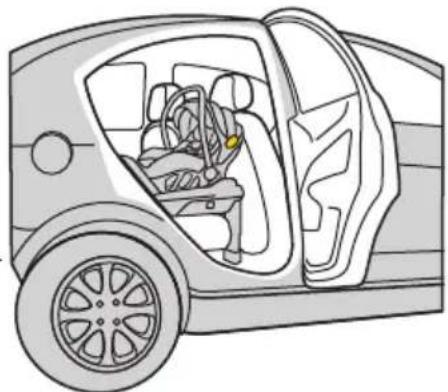
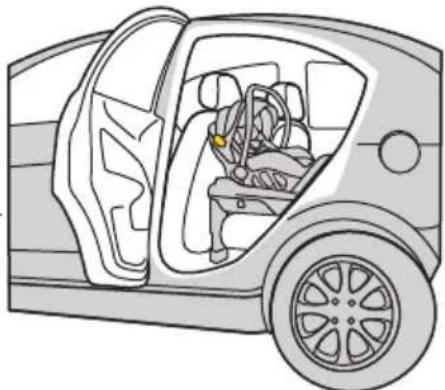
The Pixel PRO 2.0 C child safety seat should only be installed in the car facing backwards to the driving direction.
Warning:
For more information, please refer to the vehicle manufacturer's handbook.
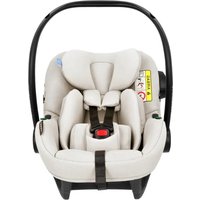
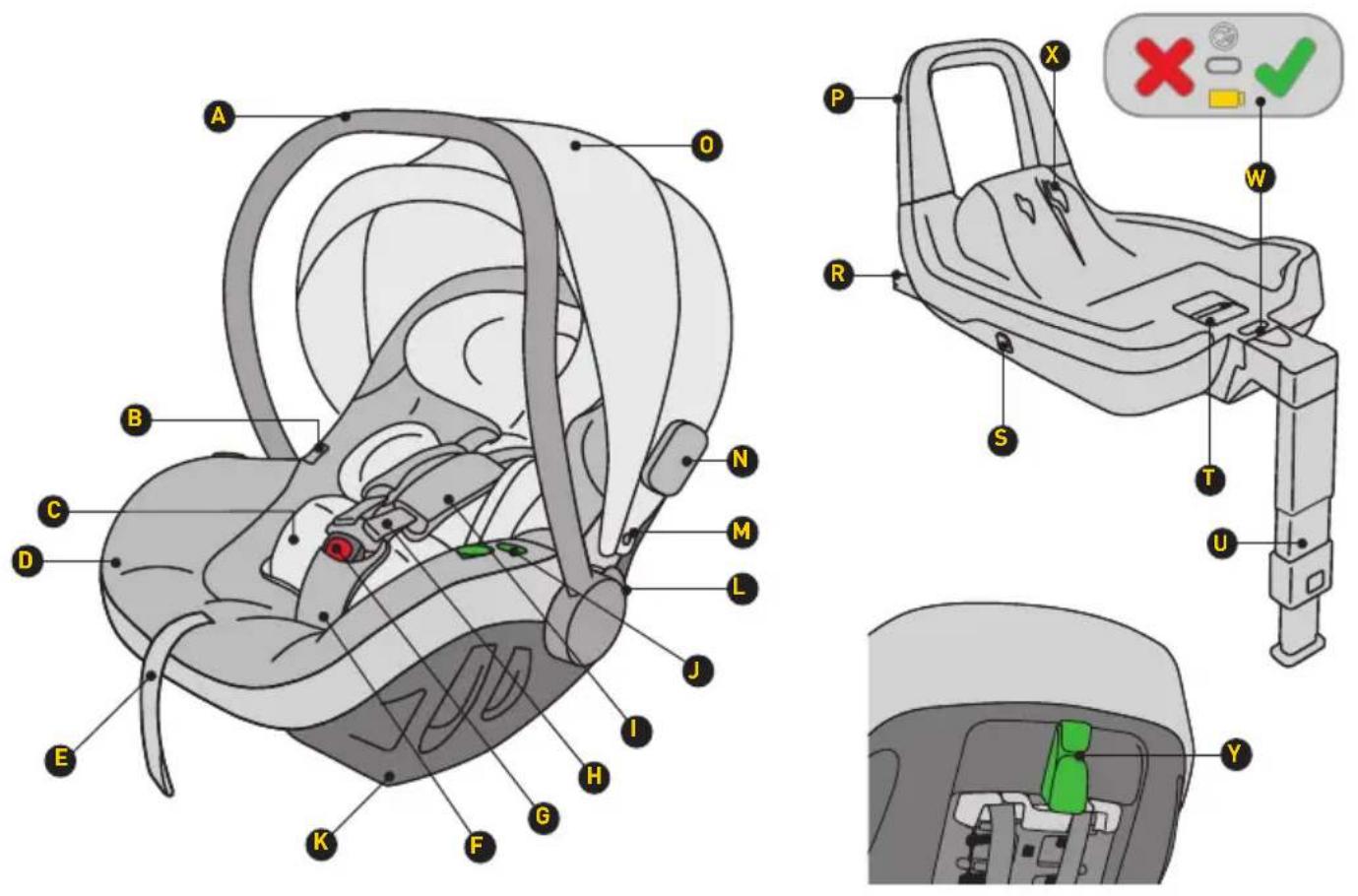
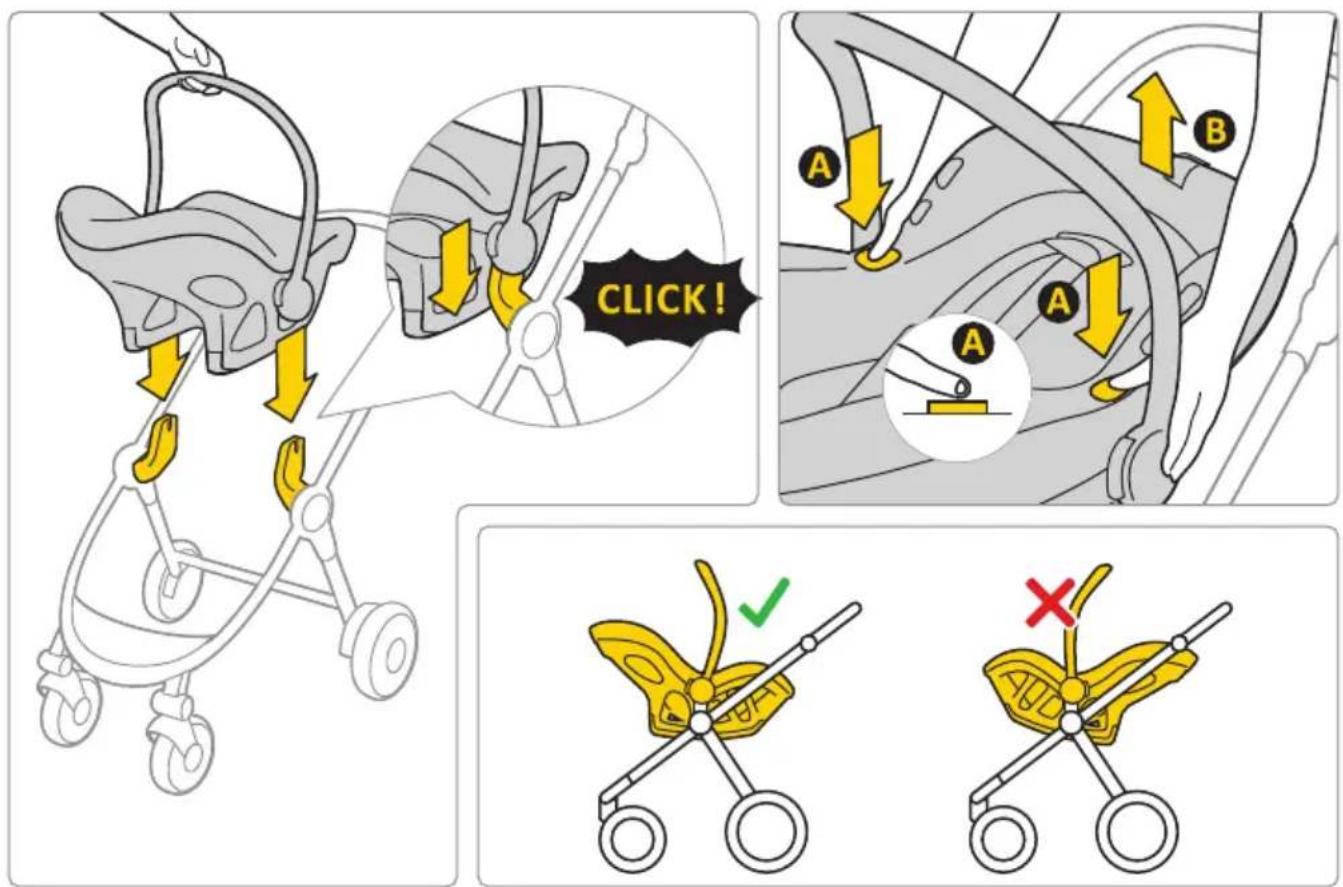
A Carrying handle B Button for releasing the seat from the stroller C Pixel PRO 2.0 C insert D Upholstery E Belt for adjusting the length of the harness belts F Crotch belt with protector G Harness belt lock
H Harness shoulder belts
I Harness shoulder belts with detachable protectors
J Hook to guide the hip part of the car seat belt
K Base mount
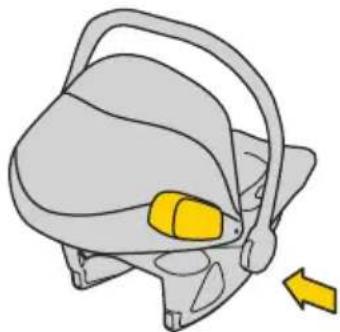
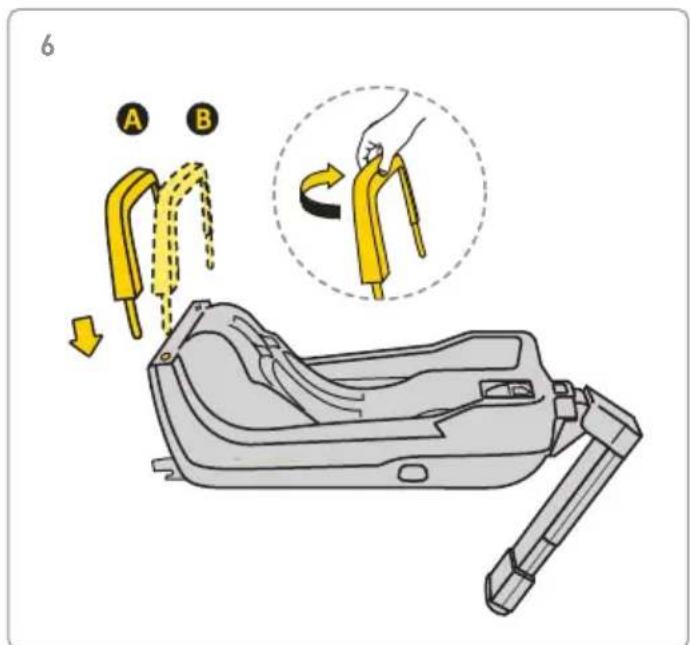
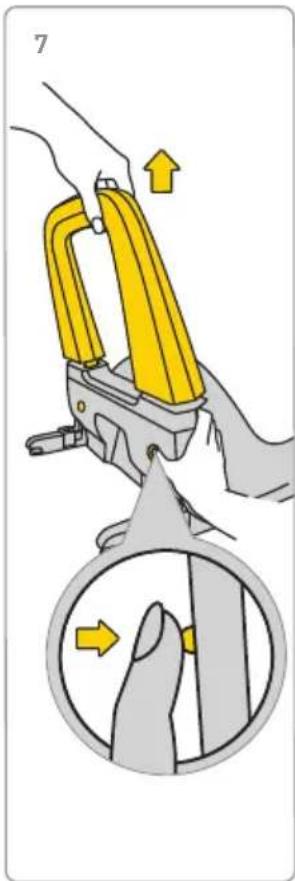
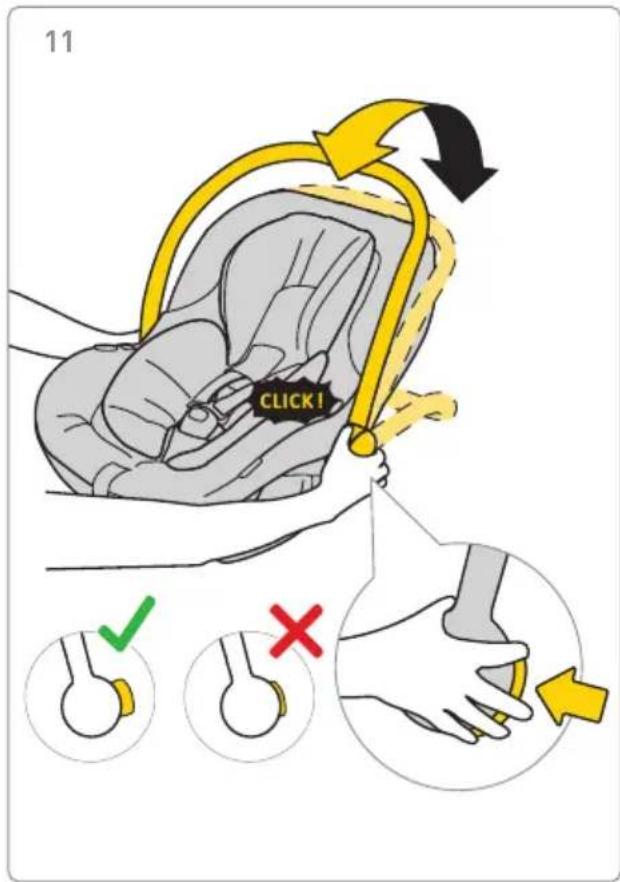
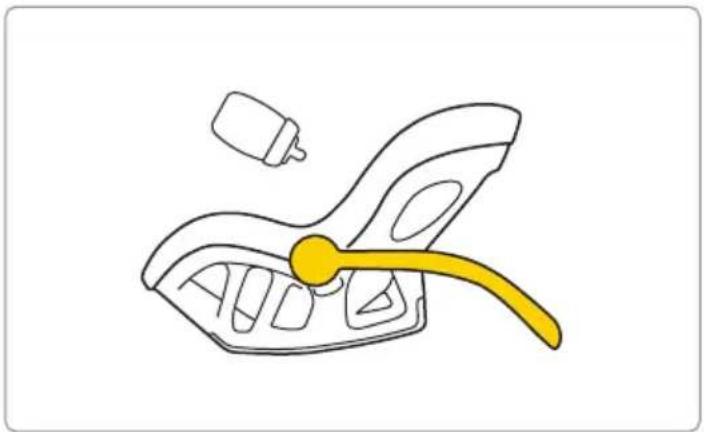
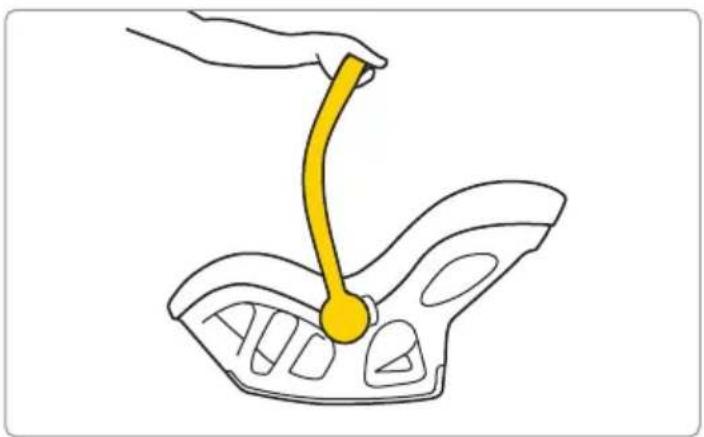
L Adjustment button for setting the carrying handle
M Visor mount
N Bumper
O Sun visor
P Anti-rotation frame
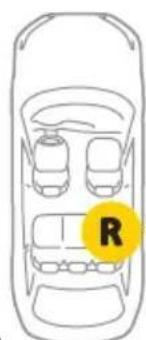
R ISOFIX base attachment catch
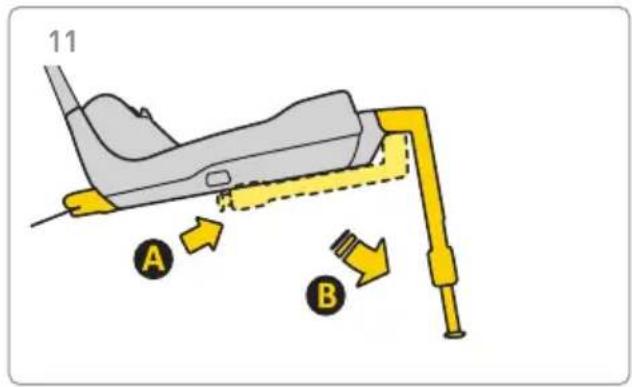
S Button to pull out the ISOFIX connector
T Child safety seat release lever
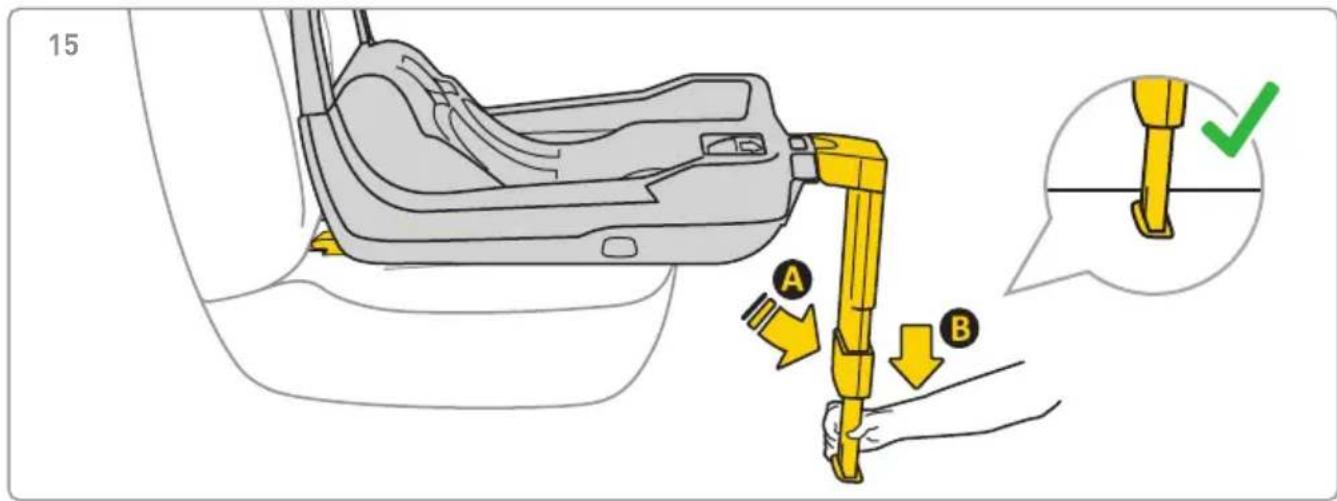
U Adjustable leg
W Control panel
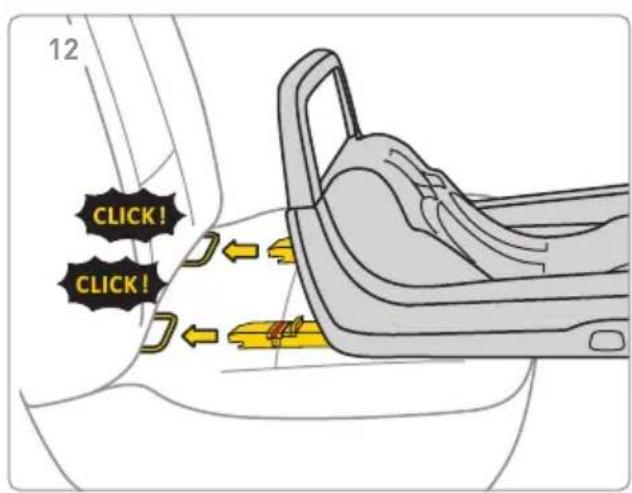
X Mechanisms for attaching the seat
Y Hook for guiding the shoulder part of the car seat belt
Safety, use and travel
- Before purchase, each child safety seat should be installed in the car to check whether it can be properly installed and used in a given car. Matching the child safety seat model to the car type is one of the most important safety criteria. The seller's
assistance during the first installation also guarantees that the installation will be fully correct.
- Remember that parents are always responsible for the safety of the child while driving.
- Never leave the child in the safety seat unattended in the car or outside it.
- Never hold your child on your lap while the car is in motion.
- The safest place for your child while travelling is the back seat of the car.
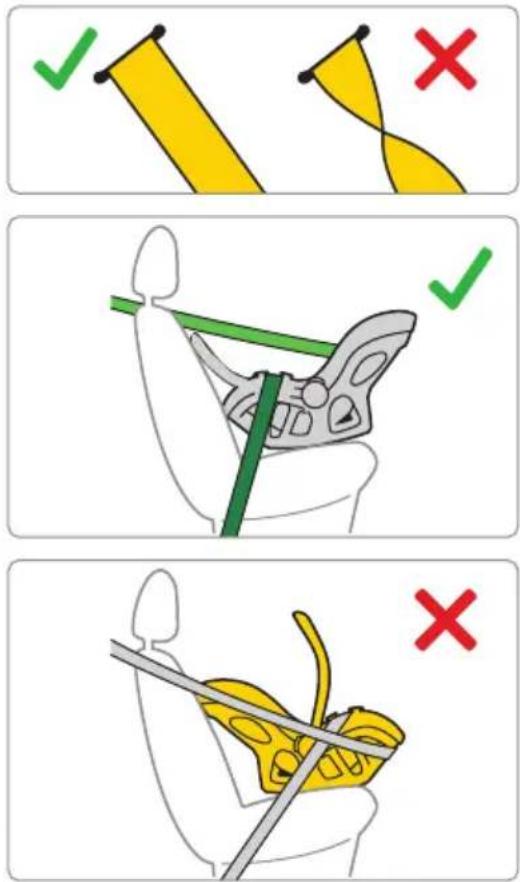
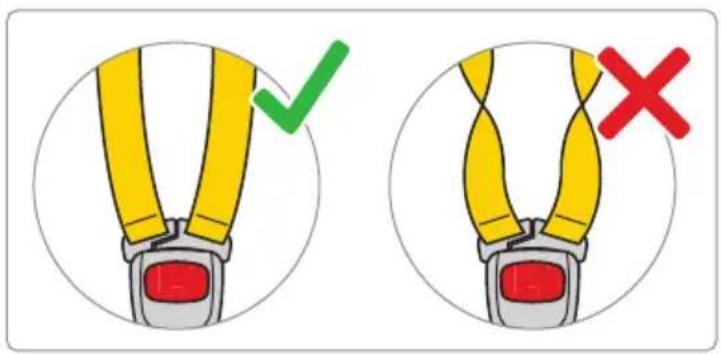
- Before each trip, make sure that the seat belts are not damaged or twisted.
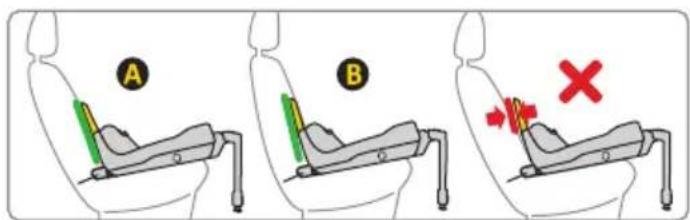
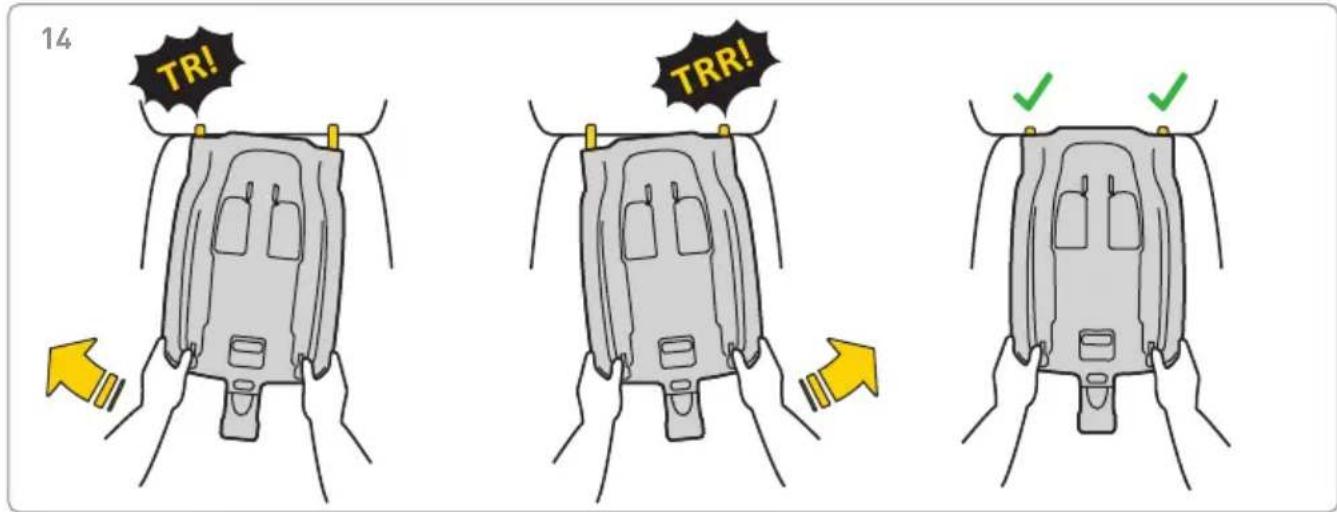
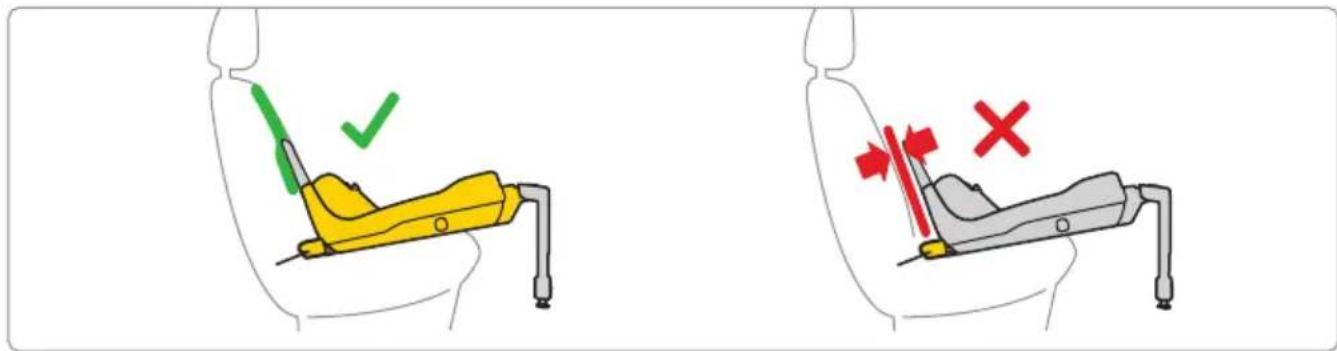
- When the child safety seat is installed, the rear seat backrest must be locked and cannot move.
- Before each trip, make sure that the Pixel PRO 2.0 C child safety seat has not been pinched in the door or exposed to the movement of luggage or the seat backrest.
- Make sure all luggage in the car is securely attached.
- Do not use the Pixel PRO 2.0 C child safety seat without upholstery, as it is part of the child safety system.
• Take short breaks during longer trips. Your child also needs movement.
- Always cover the child safety seat when you leave the car parked in a sunny place. The upholstery as well as the metal and plastic parts can get extremely hot and burn your child.
- Always secure the child in the safety seat by fastening the child with the harness belts, also when using the safety seat outside the car.
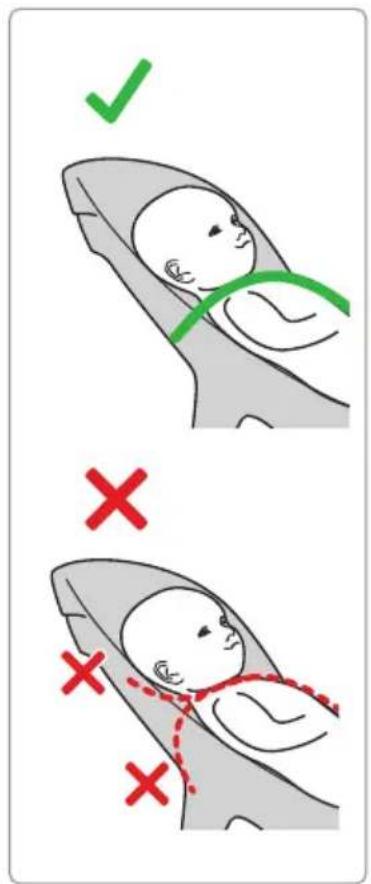
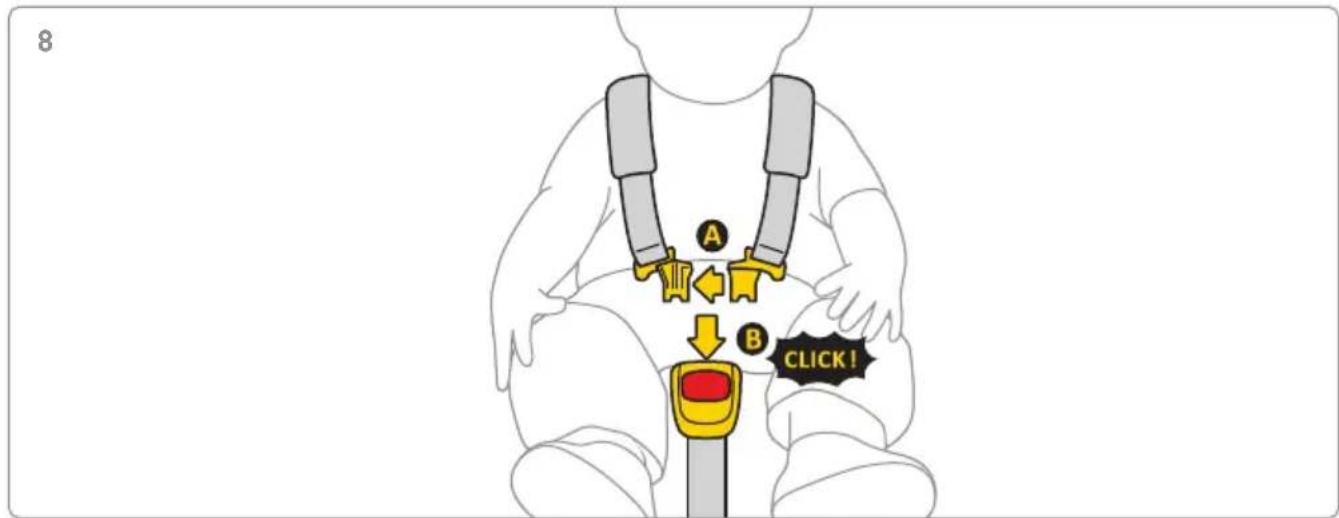
- Make sure that the harness belts are properly fastened so that the child is correctly positioned in the seat.
- We do not recommend buying used child safety seats – you can never be sure of their history. However, if you decide to buy a used child safety seat, choose one whose use history is known.
- Do not use the Pixel child safety seat for more than 10 years.
- Replace your child safety seat if it has been involved in an accident.
- Do not make any modifications to the child safety seat. They may cause partial or total loss of product safety.
- The child safety seat must always be secured in the car, even if no child is carried in it.
- The manufacturer takes into account the fact that the child safety seat can leave dents in the upholstery
of the vehicle seat. This is unavoidable due to the requirement of tight fitting of the safety seat. The manufacturer is not responsible for any damage caused by this.
- Make sure that the belts are properly fastened so that the child is correctly positioned in the seat.
- Harness belts holding the child cannot be used without covers.
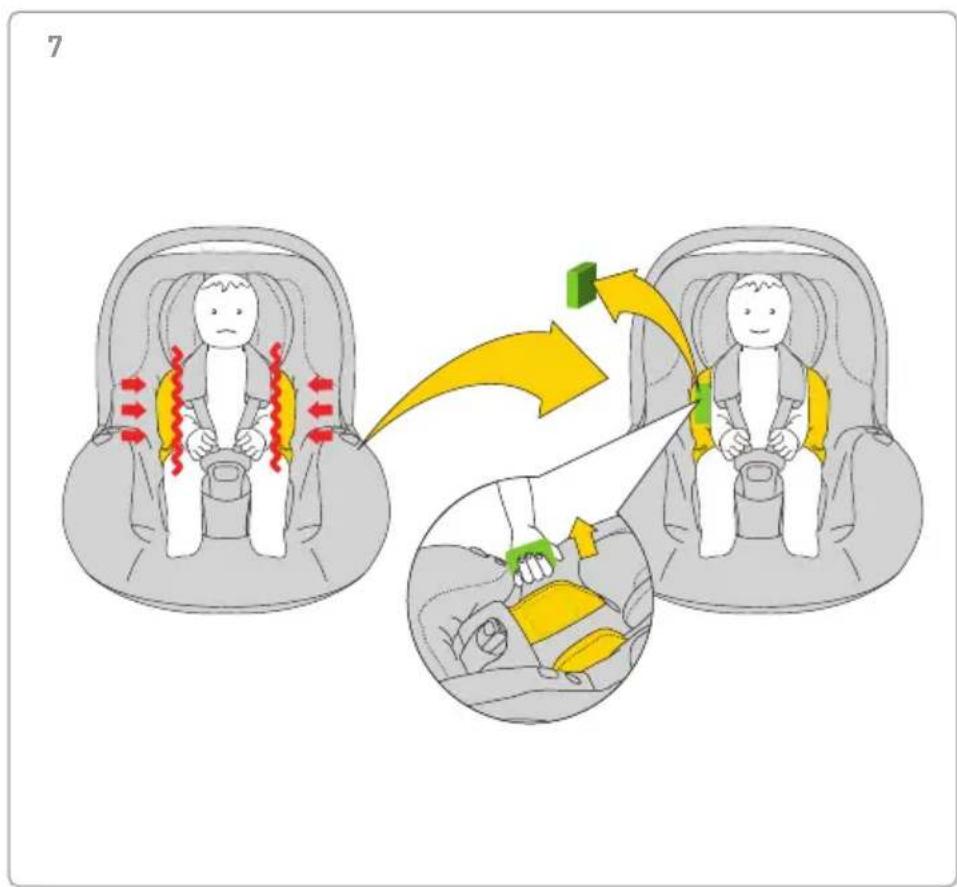
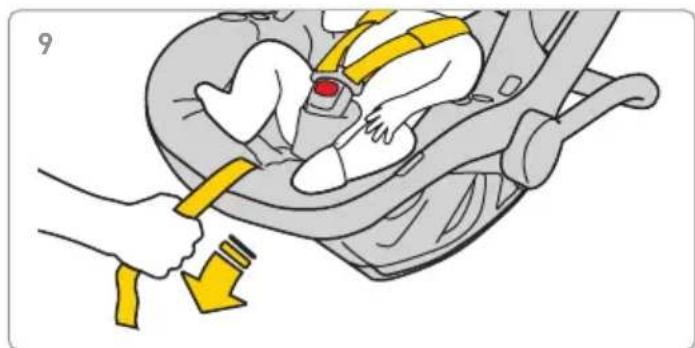
- Make sure that you can place a maximum of one finger between the harness and the child (1 cm). If this distance is greater, tighten the harness,
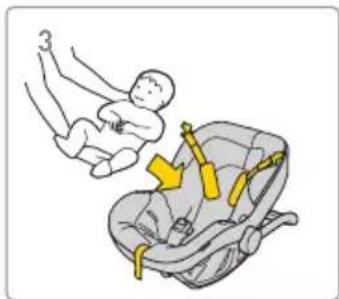
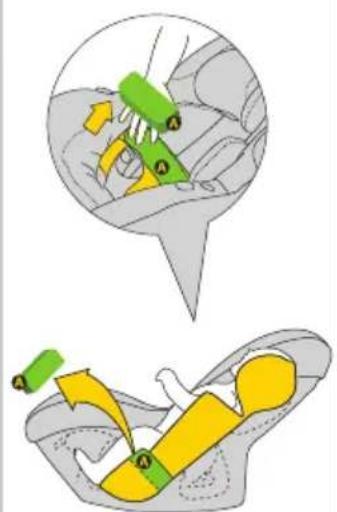
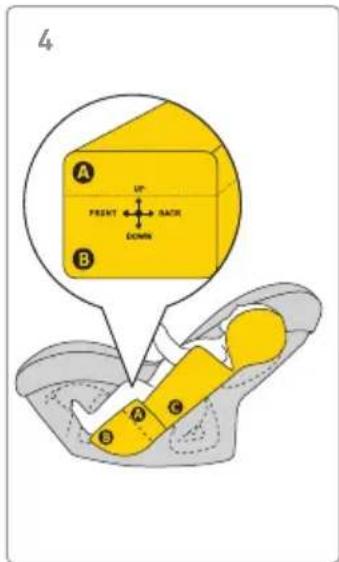
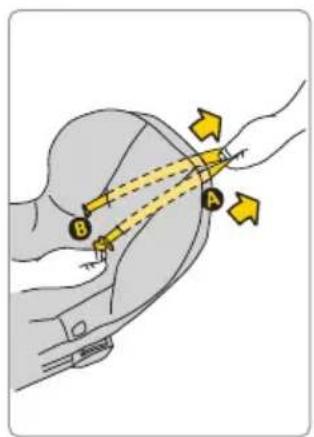
- The Pixel PRO 2.0 C insert consists of several elements. Adjust them so that the height of the seat's harness belts puts them parallel to the level of the child's shoulders. REMEMBER: Each child has different body proportions – check the belt position in relation to the shoulders on a regular basis. This is necessary to maintain the child's safety in the seat.
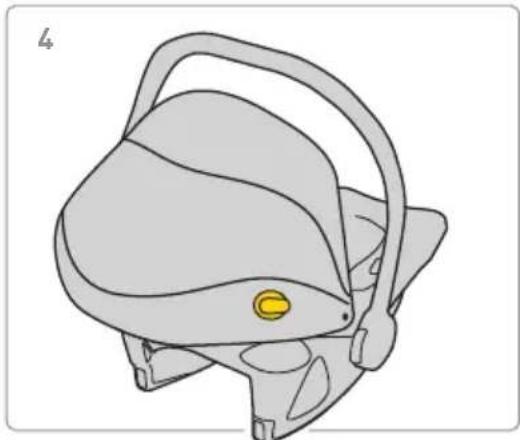
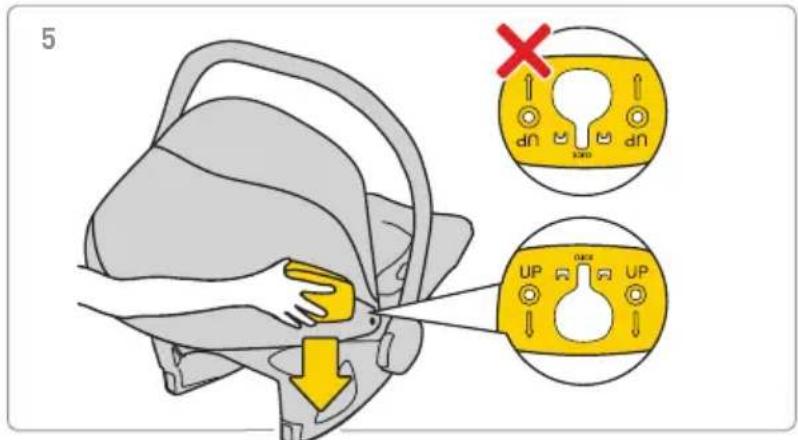
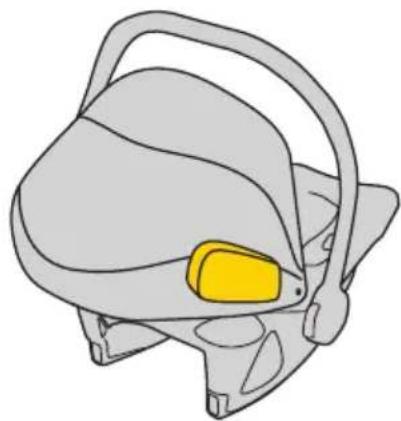
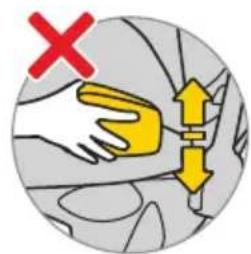
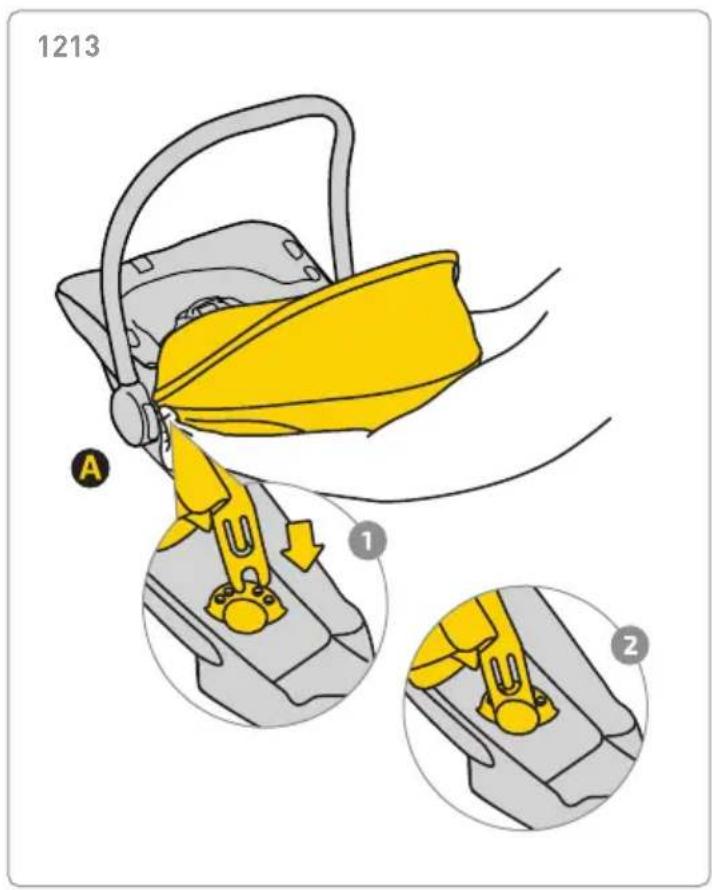
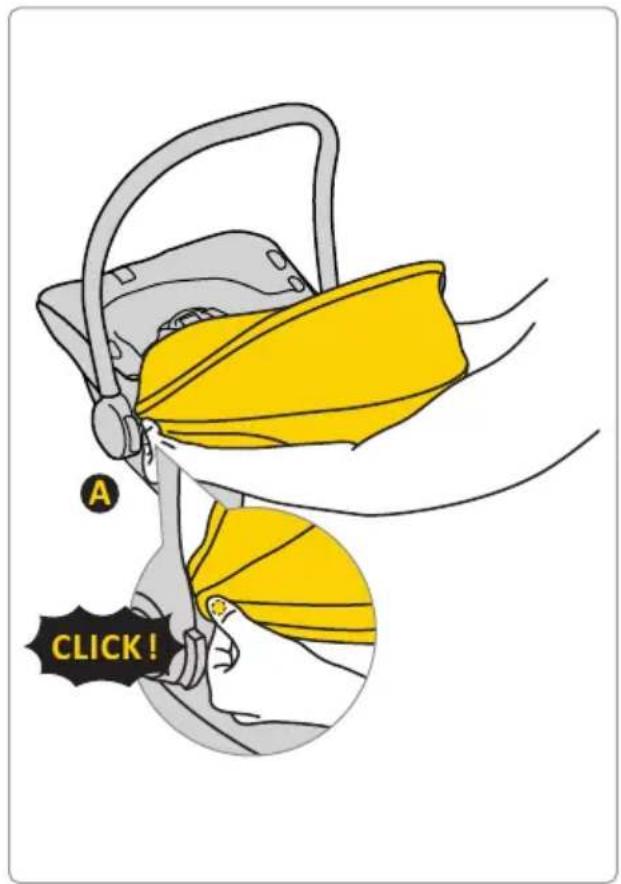
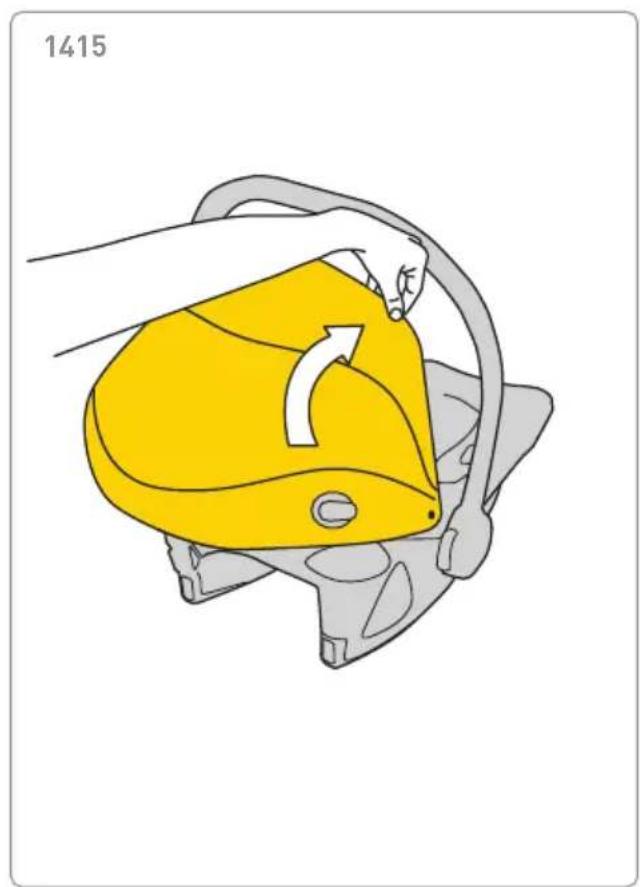
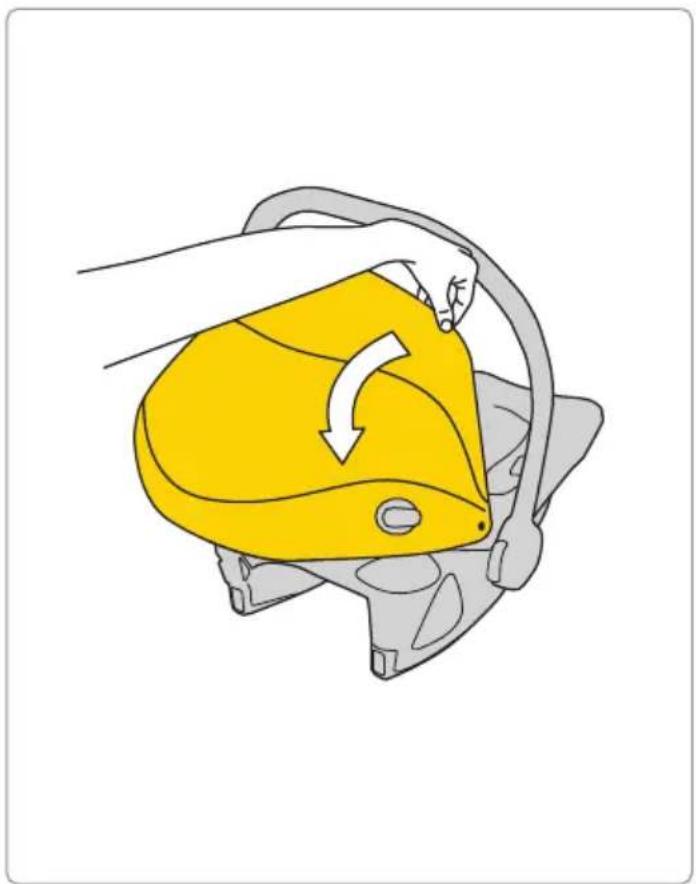
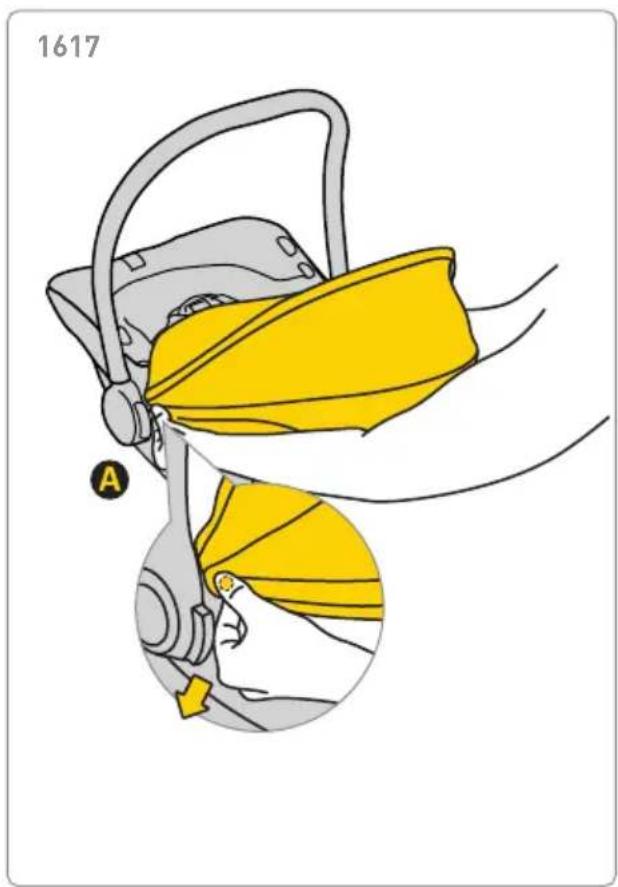
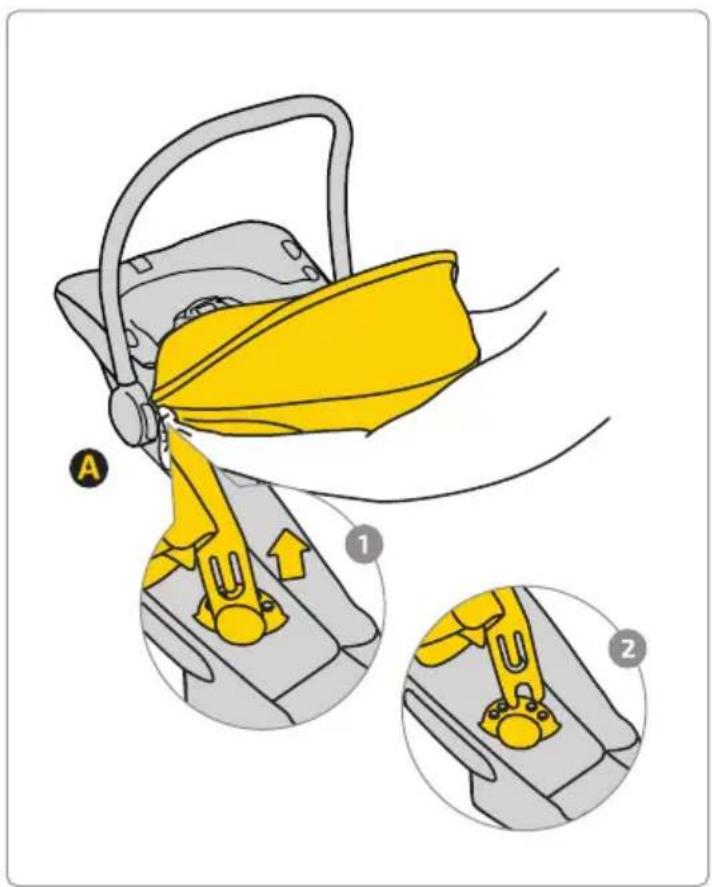
- If you want to protect your child from the sun, attach and unfold the sun visor. The visor is a separate part of the child safety seat.
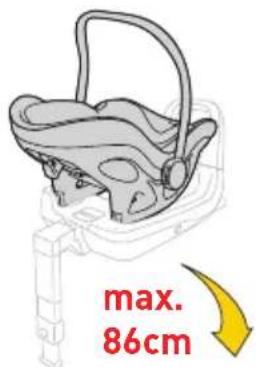
- Use the Pixel PRO 2.0 C child safety seat when your child is between 40 cm and 86 cm tall and weighs not more than 13 kg.
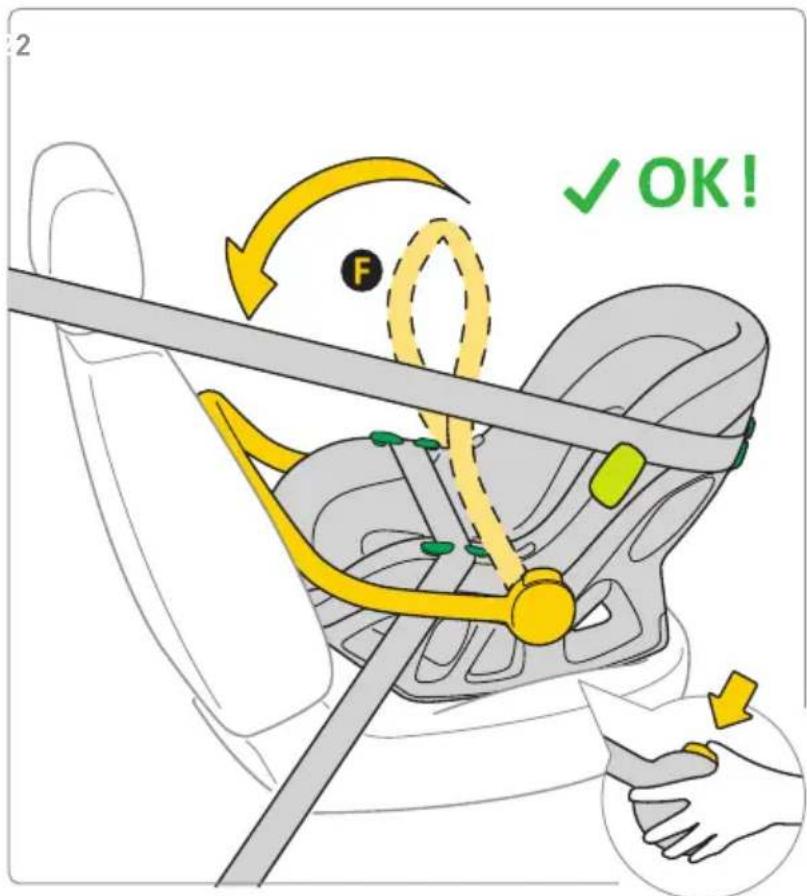
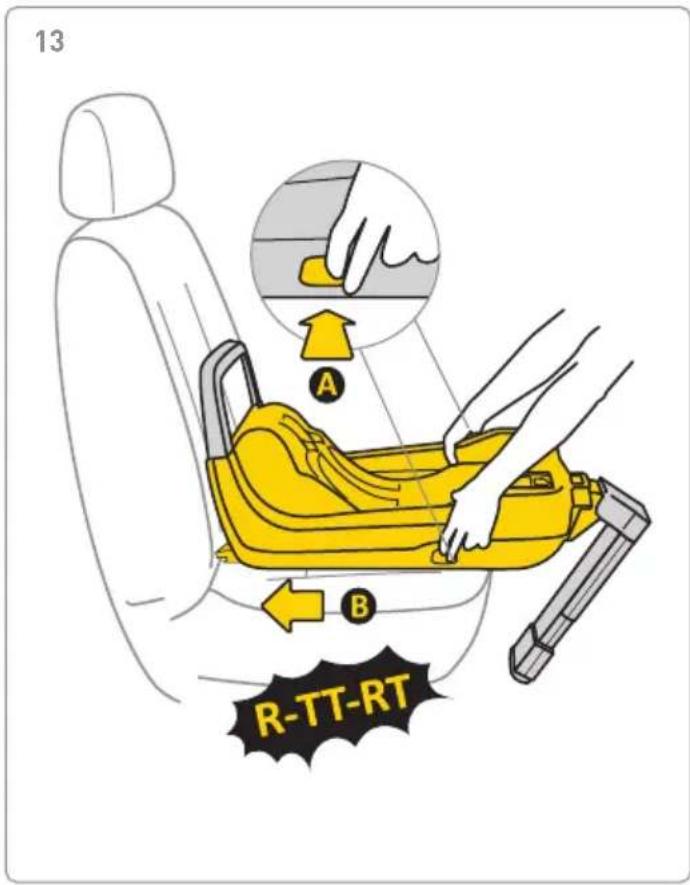
- When installing the Pixel PRO 2.0 C seat, use the seat facing forwards, which is equipped with three-point safety belts. The belts should be tightened and pulled through all points of the seat marked in blue. Instructions for the correct installation can be found in this manual and on the Pixel sticker, which is located on the side of the seat.
- Use only a child safety seat facing forward that is equipped with three-point safety belts in accordance with the ECE R16 standard.
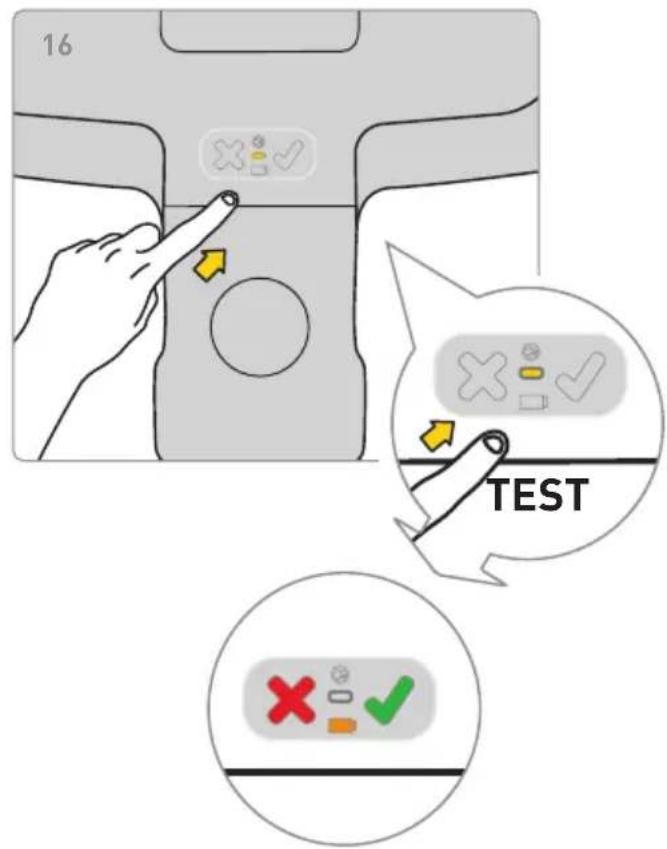
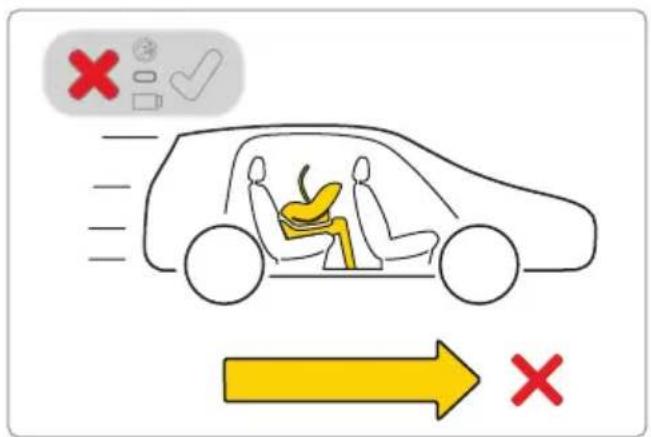
- Test the correct installation of the child safety seat. If one of the LEDs lights up red, correct the seat installation and perform the test again. Do this until the green LED lights up.
- The Pixel PRO 2.0 C safety seat is sold in a set including a bumper which must be placed on the side of the safety seat.
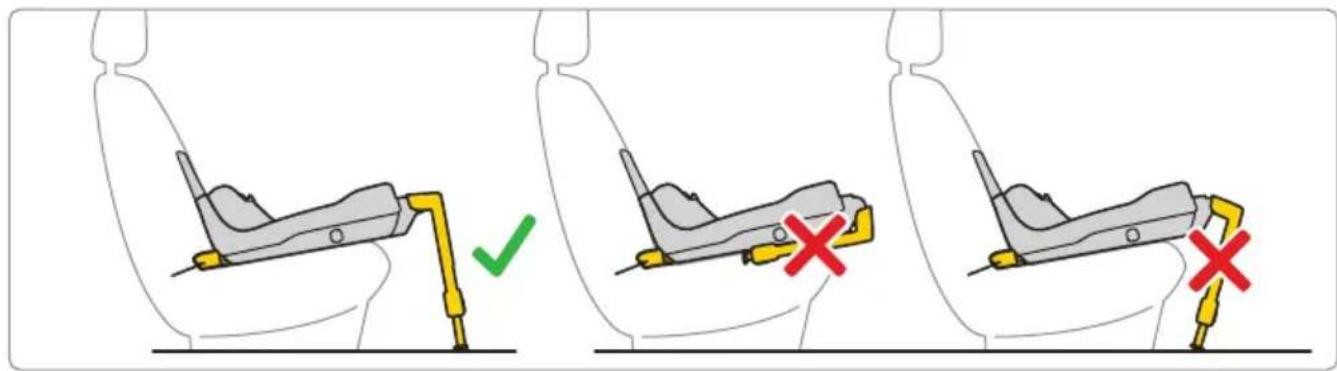
- It shall be recommended that any straps holding the restraint to the vehicle should be tight, that any support-leg should be in contact with the vehicle floor, that any straps or impact shields restraining the child should be adjusted to the child's body, and that straps should not be twisted.
Maintenance and hygiene
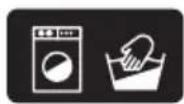
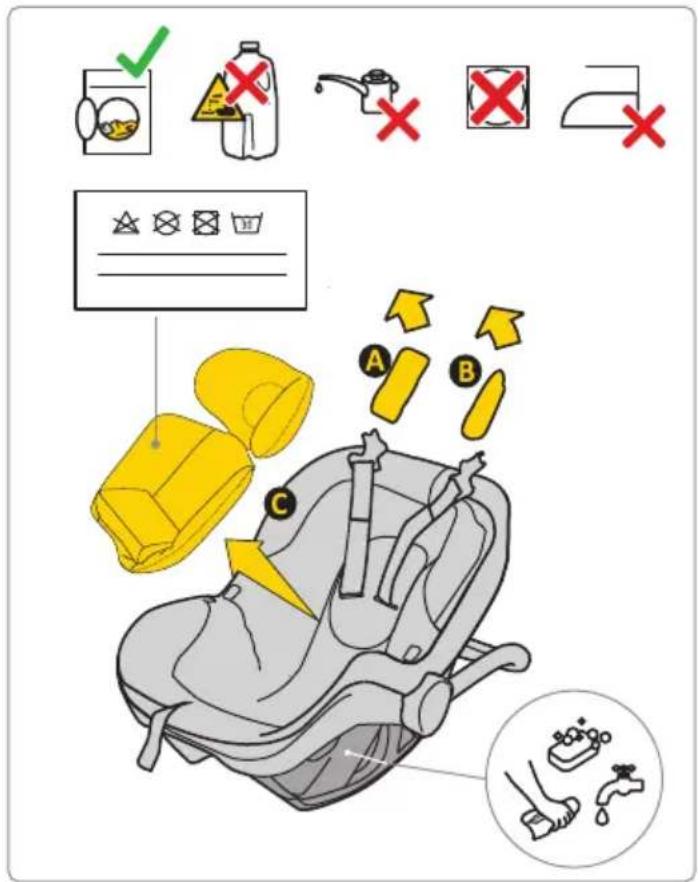
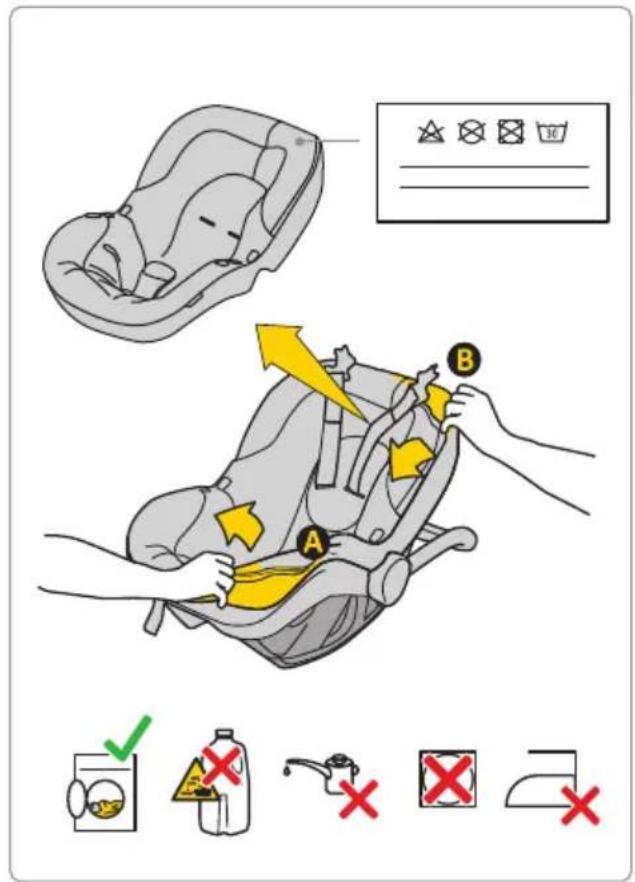
- The upholstery of the Pixel PRO 2.0 C child safety seat can be machine washed at temperatures up to 30°C at speeds up to 600 rpm.
- Other elements of the safety seat can be washed with soap and a soft sponge.
- Keep your child safety seat clean. Do not use any moisturising agents or aggressive cleaning agents.
- Do not use any lubricants, harsh chemicals or moisturisers for moving parts or other parts of the seat.
Environment
- Keep plastic packaging parts out of reach of the child to avoid the risk of suffocation.
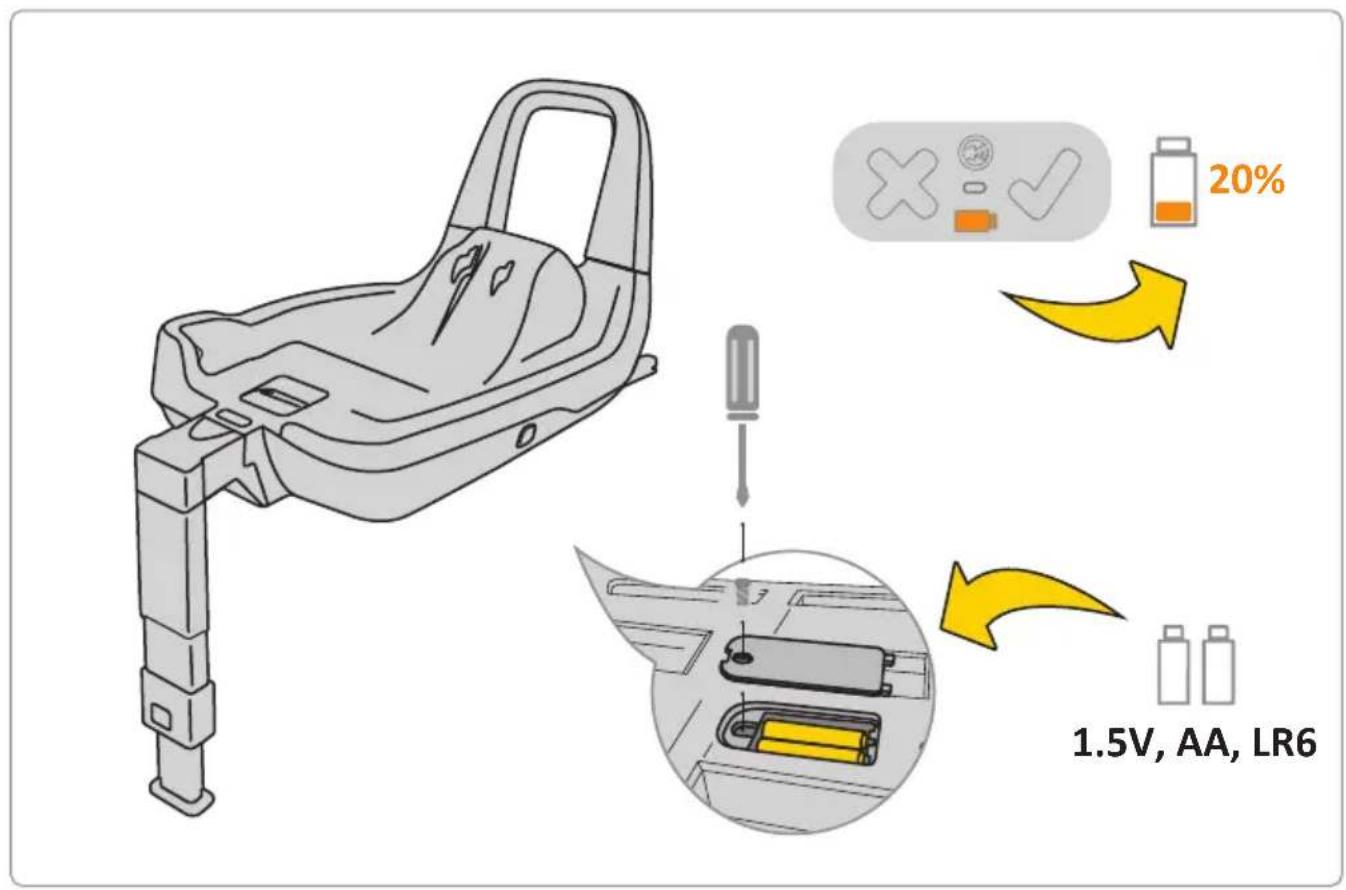
- The batteries powering the information panel placed in the base of the child safety seat are subject to proper disposal.
- For reasons of environmental protection, after using the seat, please dispose of it in the appropriate waste management facility, in accordance with applicable local regulations.
Questions
If you have any questions, call your seller or authorised distributor. Prepare the following information:
— The age, height and weight of your child,
— The make and type of the car and the position of the seat on which you will install the Pixel PRO 2.0 C child safety in the car.
Warranty
- The Pixel PRO 2.0 C child safety seat is covered by a 24-month warranty.
- We hereby assure you that the product has been manufactured in accordance with current EU requirements regarding safety and quality standards and that at the time of purchase the product is free from manufacturing and material defects.
- The warranty is valid in the country of purchase and is satisfied by the authorised distributor.
- The warranty covers all manufacturing defects in regard to the materials and workmanship, provided that the product is used in accordance with the user's manual, under normal conditions, by the first end-user and within 24 months from the date of purchase. Avionaut assumes responsibility for the repair or replacement of the defective product, but the
guarantor decides about the choice of how to remove the defect and process the complaint.
- The warranty does not cover damage caused by daily use, such as the wear of fabric as well as the natural loss of colours and deterioration of the materials resulting from the normal ageing of the product.
- The warranty also does not apply in the event of damage to the product due to accidental damage, non-observance of the user's manual, improper use, damage due to negligence, fire, contact with liquid or other external causes.
- At the time of filing a complaint, the Pixel PRO 2.0 C child safety seat must have all labels or an identification number and may only be serviced by a person authorised to do so.
Do you want to file a complaint?
- Do you want to file a complaint? When you see a defect and want to file a complaint, please contact the seller from whom you purchased the Pixel PRO 2.0 C seat. When making a complaint, you must provide proof of purchase that must be made within 24 months prior to the service request.
- If it is necessary to send the product to a service centre, you should return the product to the
distributor or seller. At the same time, the shipping method and its costs should be agreed on, because in the absence of such agreement, the guarantor may refuse to cover the shipping costs. Damage and/or defects that are not covered by our warranty or consumer rights, and/or damage and/or defects of the product not covered by our warranty may be removed at the agreed fee.
- Replace your child safety seat with a new one if it has been involved in an accident. To do this, you will need: a note from the police regarding the accident, a photo from an accident with a visible seat or information from the police about this fact, proof of purchase, confirmation from the insurer of not including the child safety seat in the insurance claim, the warranty card and sending the seat, which was involved in the accident to us.
Consumer rights
- The consumer has rights in accordance with relevant legislation, which may vary from country to country. This warranty does not affect consumer rights subject to relevant national legislation.
- This warranty has been prepared by Ł.KARWALA, a company registered in Poland.
Company address:
Ł.KARWALA
Szarlejka,
(1) Purchased products with removed or altered labels or identification numbers are considered unauthorised. Due to the fact that the authenticity of such products cannot be determined, the warranty does not cover them.