
SS-21075 - Computer cooling system Sogo - Free user manual and instructions
Find the device manual for free SS-21075 Sogo in PDF.
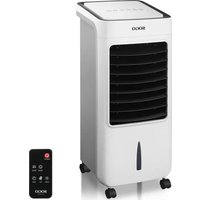


| Product Type | Evaporative Air Cooler |
| Brand | Sogo |
| Model | SS-21075 |
| Power Supply | 220-240 V ~ 50/60 Hz |
| Rated Power | 80 W |
| Maximum Airflow | 300 m³/h |
| Noise Level | ≤ 55 dB |
| Air Ejection Speed | 8.6 m/s |
| Water Tank Capacity | 4.0 L |
| Recommended Cooling Area | 12.5 m² (125 sq ft) |
| Number of Speeds | 3 (low, medium, high) |
| Timer | Programmable from 0.5 h to 7.5 h |
| Oscillation Function | Yes (SWING button) |
| Ventilation Modes | Natural and Sleep |
| Cooling Type | Evaporative with Reusable Ice Packs |
| Number of Ice Packs Included | 2 |
| Air Filter | Washable |
| Humid Curtain (Paper) | Cleanable with Water |
| Casters | 4 casters (2 with brake, 2 without) |
| Certifications | CE, Electromagnetic Compatibility, WEEE |
| After-Sales Service | sogosat@sogosat.com / +34 902 222 161 |
Frequently Asked Questions - SS-21075 Sogo
User questions about SS-21075 Sogo
0 question about this device. Answer the ones you know or ask your own.
Ask a new question about this device
Download the instructions for your Computer cooling system in PDF format for free! Find your manual SS-21075 - Sogo and take your electronic device back in hand. On this page are published all the documents necessary for the use of your device. SS-21075 by Sogo.
USER MANUAL SS-21075 Sogo

Portable air cooler
Caution: please read and preserve these important instructions
Air filter
Rear part
Control panel
Dear consumer, Please read these instructions carefully before use in order to avoid damage due to incorrect use and to better understand the functions of this product. Please pay particular attention to the safety guide.
If you pass the device on to a third party, these Operating Instructions must also be handed over.
Please keep them for future references.
A copy of this instruction manual in various languages is available on our website: www.sogo.es.
IMPORTANT SAFEGUARDS:
- Use as per the rating voltage on the product.
- Do not repair or remake the appliance by yourself, it should be repaired by a qualified technician.
- Do not operate the appliance with wet hands, in order to avoid a shock hazard.
- If the supply cord is damaged, it must be replaced by the manufacturer, its service agent or similarly qualified persons in order to avoid a damage or hazard.
- When the appliance is not in use, switch off and unplug it.
- Do not insert foreign objects into air outlets and inlets to avoid damage.
- Do not use the appliance near explosive or combustible gases. Avoid prolonged direct exposure to sunlight.
- Use the appliance only on a flat, stable surface.
- Do not use outdoors.
- The water level in the tank should never exceed the "MAX" mark. When humidifying, the water level should not fall below the "MIN" mark.
- After adding water to the tank, do not tilt or tip it over when placing or moving it. If you need to move it, push it slowly from the side to
avoid spilling.
- Do not tilt the appliance. If it tips over and water spills inside, unplug the power supply first. Then send it to a repair center or after-sales service for inspection and repair.
- Do not cover the air vent.
- Clean the exterior with a slightly damp cloth. Do not use any detergents or solutions. Do not rinse the appliance with water.
- Do not place air outlets and inlets near walls or curtains.
- Do not knock or shake the appliance while in use, as this may cause it to stop automatically.
- The water in the tank can easily spoil and develop odors in summer; change the water frequently.
- This appliance is not intended for use by persons (including children) with reduced physical, sensory, or mental capabilities, or lack of experience and knowledge, unless they have been given supervision or instruction concerning use of the appliance by a person responsible for their safety.
- Children should be supervised to ensure that they do not play with the appliance.
- To avoid the risk caused by instability of the unit, you must fix the castors firmly according to the manual.
- Should it be necessary to move the unit after water has been added, roll it gently to the required position and activate the bracket of the castors.
- The power cord has a "Y" type connection and must be changed by professional technicians if necessary.
- This appliance can be used by children aged from 8
years and above if they have been given supervision or instruction concerning use of the appliance in a safe way and understand the hazards involved. Children shall not play with the appliance. Cleaning and user maintenance shall not be made by children unless they are older than 8 years and supervised.
- Keep the appliance and its cord out of reach of children aged less than 8 years.
- Do not use this appliance with a programmer, counter, or another device which can automatically turn it on because if the appliance is covered or incorrectly positioned there is a danger of fire.
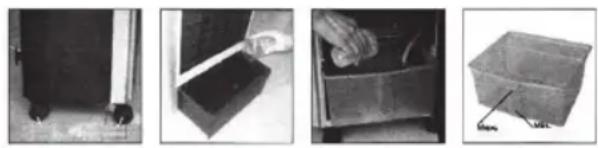
Assembling castors:
Put the appliance on a flat surface, take out the wrench from the foam box, then assemble the castors.
Attention: the back castors are with brake, but the front ones are without. (map 1)

Function Control Panel
- "ON/OFF" button
- Press the button to start the unit, the indicator "LOW" will appear on the control panel and the air cooler will start working at low speed.
- Press the button again to switch off the unit.
- "SPEED" button
- There are three speed settings: Low, Medium, and High. When the unit is switched on, it starts at low speed. Press the speed button to select the required speed. Based on the selection, the Low, Medium, or High indicator will appear on the control panel.
- "WIND" button
- It has two settings: Sleep and Nature. If this function is activated, the air flow will keep changing continuously. If this function is deactivated, the air flow will be continuous based on the selected speed.
- "TIMER" button
- Off timer can be programmed using this button from 0.5 hr to 7.5 hr. Pressing each time the button will increase the off timer by 0.5 hr. On the control panel, digits will appear to indicate if timer is activated.
- "SWING" button
- Press the button, the indicator "SWING" appears on the control panel and the vertical bars will start moving to circulate air.
- "COOLER" button
- Press the button when air cooler is working, the indicator "COOL" will appear on the control panel.
How to fill water in the water tank
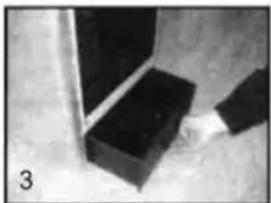
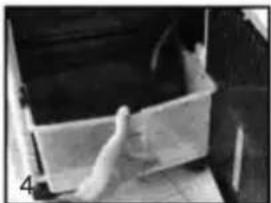
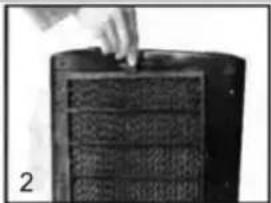
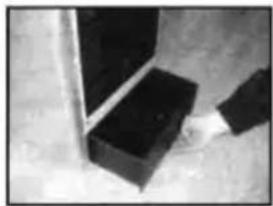
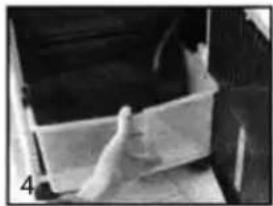
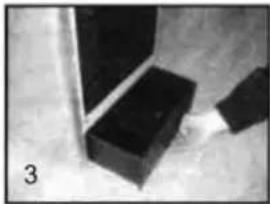
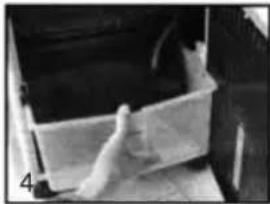
Pull out the water tank from the bottom of the back side after opening the lock. Fill the tank with 1/3 of water.
Please note the display of water level while pouring in the water.
The water level of the water tank must be less than “max.” and more than “min” when the cooling function needs to be activated.
The frozen ice boxes (or ice) can be inserted in the water tank to make the air even cooler.
Warning:
The water level of the water tank must be less than "MAX" after ice boxes (or ice) is inserted in the water tank.
How to use ice boxes
Ice box can be filled with water and kept in the refrigerator. Once the water inside the icebox is converted to ice, insert the icebox in the water tank of the air cooler. This will make the water inside the tank cooler and the air output will be cooler than normal air. It comes with two iceboxes so that one box can be placed in the fridge and the other one in the water tank.
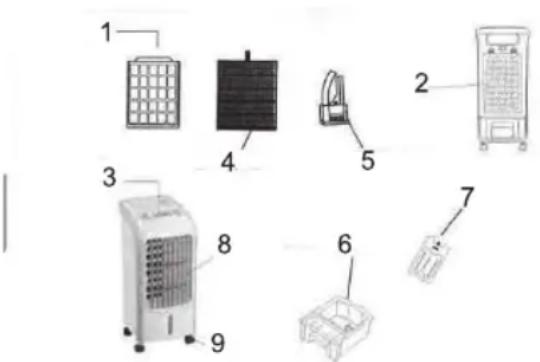
1 Air Filter 2 Back side 3 Control panel 4 Wet Curtain paper 5 Water pump 6 Water tank 7 Icebox 8 Outlet 9 Casters with lock
Cleaning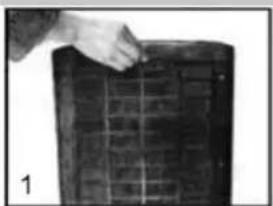
- Clean air filter:
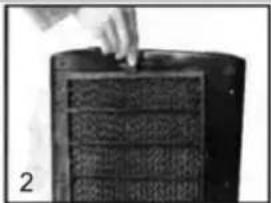
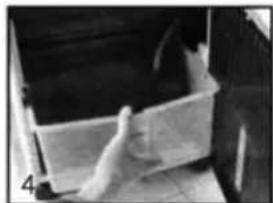
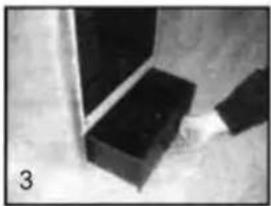
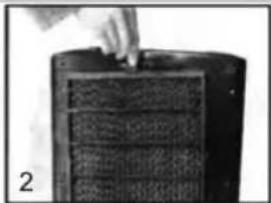
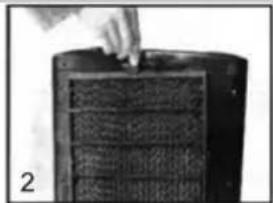
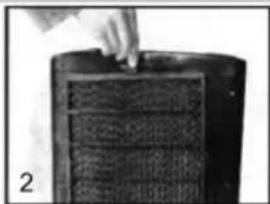
Pull off the plug, and unscrew the air filter using a screwdriver. Take it out by pressing two buttons by hand. Clean the air filter with neutral cleaner or a soft brush and then clean it with water.
Clean the wet curtain paper:
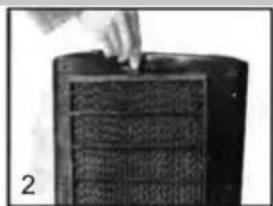
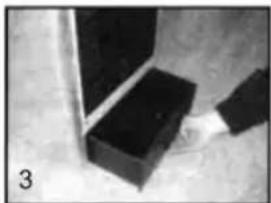
Make sure the unit is unplugged. After cleaning the air filter, take out the wet curtain paper from the air cooler. Clean it with water or with some cleaner and a soft brush. Don't rub it forcefully, as it can damage the wet curtain paper.
Important:
In order to avoid leaks, the wet curtain paper must be installed smoothly.
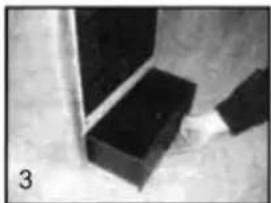
- Clean water tank:
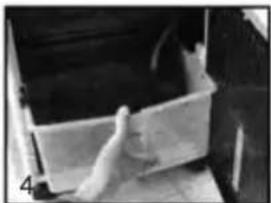
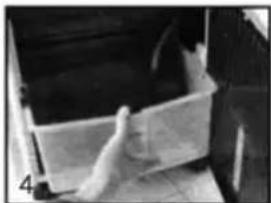
Make sure the unit is unplugged. Take the water tank out after unlocking it. Please note, the tank would not come out completely as the water pump is attached to it. Wipe it with a clean towel and a little cleaner. Then clean it with water. Mount back all the parts.
Once all the cleaning is done, close the water tank and lock it. Place back the wet curtain paper. If you don't put it correctly, it won't fit in.
There is only one way you can place it, so don't force it if it doesn't fit in. Just flip it and try again.
Once it is correctly placed, put back the air filter and close it with the screw.
- Clean the housing:
Wipe off the housing with neutral cleaner and a soft cloth.
Important:
While cleaning the air cooler, the user must pull off the plug and cut off the power. The control panel cannot be exposed to water.
Technical Specification:
| Model No: SS-21065 | |
| Voltage / Frequency 220 – | 240V ~ 50/60Hz |
| Input Power 80W | |
| Air Flow 300m3/hr | |
| Noise level <= 55Db | |
| Air Throw Distance 8.6 m/s | |
| Tank Capacity 4.0L | |
| Cooling Capacity 12.5m2 | (125 sq ft) |
DECLARATION OF CONFORMITY
This device complies with Low Voltage Directive 2014/35/EC, Electromagnetic Compatibility Directive 2014/30/EU, Directive 2011/65/EU on the restriction of the use of certain hazardous substances in electrical and electronic equipment, and Directive 2009/125/EC on the eco-design requirements applicable to energy-related products.

DECLARATION OF CONFORMITY
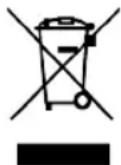
This symbol means that in case you wish to dispose of the product once its working life has ended, take it to an authorized waste agent for the selective collection of waste electrical and electronic equipment (WEEE).
Imported by:
Sanysan Appliances S.L, NIF: B98753056, C/ Barcas 2, 2
46002 Valencia, Spain
Product made in P.R.C. – Designed by SOGO based on the European Quality Standards
Customer Service: www.sogosat.com / sogosat@sogosat.com / 0034 902 222 161
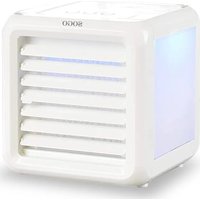
Brand : Sogo
Model : SS-21075
Category : Computer cooling system