
OD8K21B - Warming drawers and cabinets AEG - Free user manual and instructions
Find the device manual for free OD8K21B AEG in PDF.
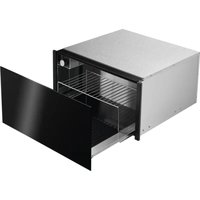


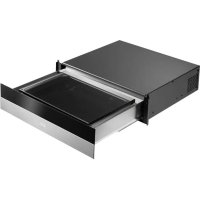
| Product type | Built-in warming drawer (dish warmer) |
| Brand | AEG |
| Model | OD8K21B |
| Dimensions (W x H x D) | Approx. 600 x 140 x 550 mm (standard estimate) |
| Net weight | Approx. 15 kg (estimate) |
| Power supply | 230 V ~ 50 Hz |
| Rated power | Approx. 1000 W (estimate) |
| Temperature range | 30 °C to 80 °C |
| Maximum capacity | 15 kg |
| Heating system | Electric heating element with forced hot air ventilation |
| Controls | ON/OFF switch with indicator light and rotary thermostat |
| Heating functions | Defrost (30°C), dough rising, yogurt (30°C), glass/cup warming (45°C), dish warming (60°C), keep warm (70°C), food heating (80°C) |
| Front panel material | Stainless steel or aluminum depending on finish |
| Interior coating | Removable and washable non-slip mat |
| Safety | Protection grid to prevent contact with heating element and fan |
| Installation | Requires a qualified electrician; must be built into a cabinet of suitable dimensions |
| Maintenance | Clean with a damp cloth and mild dish soap; do not use steam cleaner or abrasives |
| Spare parts and repairability | Original parts available; repairs by authorized service only |
| Environmental information | Recyclable through WEEE channels; packaging recyclable |
| Standards | Compliant with EU directives |
Frequently Asked Questions - OD8K21B AEG
User questions about OD8K21B AEG
0 question about this device. Answer the ones you know or ask your own.
Ask a new question about this device
Download the instructions for your Warming drawers and cabinets in PDF format for free! Find your manual OD8K21B - AEG and take your electronic device back in hand. On this page are published all the documents necessary for the use of your device. OD8K21B by AEG.
USER MANUAL OD8K21B AEG
EN User manual | Warming Drawer
Welcome to AEG! Thank you for choosing our appliance.

Get usage advice, troubleshooting, service and repair information at:
aeg.com/support
Subject to change without notice.
CONTENTS
- SAFETY INFORMATION......2
- SAFETY INSTRUCTIONS ....4
- PRODUCT DESCRIPTION......6
- CONTROL PANEL....6
- BEFORE FIRST USE....7
- DAILY USE 7
- WARMING FUNCTIONS 8
- CARE AND CLEANING 9
- TROUBLESHOOTING....10
- ENVIRONMENTAL CONCERN....10
1. SAFETY INFORMATION

WARNING!
This appliance is intended to be used in household and similar applications such as:
- staff kitchen areas in shops, offices and other working environments;
- farm houses
- by clients in hotels, motels and other residential type environments;
- bed and breakfast type environments.
Before the installation and use of the appliance, carefully read the supplied instructions. The manufacturer is not responsible if an incorrect installation and use causes injuries and damages. Always keep the instructions with the appliance for future reference.
1.1 Children and vulnerable people safety
Risk of suffocation, injury or permanent disability.
- This appliance can be used by children aged from 8 years and above and persons with reduced physical, sensory or mental capabilities or lack of experience and knowledge if they have been given supervision or instruction concerning use of the appliance in a safe way and understand the hazards involved.
- Do not let children play with the appliance.
- Keep all packaging away from children.
- Keep children and pets away from the appliance when it operates or when it cools down. Accessible parts are hot.
- Cleaning and user maintenance shall not be made by children without supervision.
- Children of less than 3 years should be kept away unless continuously supervised.
1.2 General safety
- Only a qualified person must install this appliance and replace the cable.
- During use, the appliance becomes hot. Care should be taken to avoid touching heating elements inside the device. Always use oven gloves to insert or remove accessories or ovenproof cookware.
- Before maintenance, cut the power supply.
- Do not use a steam cleaner to clean the appliance.
- Do not use harsh abrasive cleaners or sharp metal scrapers to clean the glass door since they can scratch the surface, which may result in shattering of the glass.
- Do not let children play with the appliance.
- Depending on the temperature selected and the operating time, the temperature inside the appliance may reach 80°C. When taking crockery out of the crockery warmer, protect your hands using oven gloves or a tea towel.
- Do not sit or hang on the drawer – the telescopic runners would be damaged. The maximum load capacity of the drawer is 15 kg.
- Do not store synthetic containers or flammable objects inside the crockery warmer. When you switch on the appliance, such containers and objects may melt or catch fire. Fire hazard!
- Do not use the appliance as a space heater. The high temperatures reached could cause flammable objects close to the appliance to catch fire.
- When you stop using the appliance at the end of its working life, disconnect it from the power supply and render the electrical cable unusable so that it is not a hazard to children, for example.
2. SAFETY INSTRUCTIONS
2.1 Installation

WARNING!
Only a qualified person must install this appliance.
Remove all the packaging.
- Do not install or use a damaged appliance.
- Obey the installation instruction supplied with the appliance. • Always be careful when you move the appliance. Always wear safety gloves.
- Do not pull the appliance by the handle (if present).
- The kitchen cabinet and the recess must have suitable dimensions.
- Keep the minimum distance from the other appliances and units.
- Make sure that the appliance is installed below and adjacent safe structures.
- Parts of the appliance carry current. Close the appliance with furniture to prevent touching the dangerous parts.
- The sides of the appliance must stay adjacent to appliances or to units with the same height.
2.2 Electrical connection

WARNING!
Risk of injury, burns and electrical shock or explosion.
- All electrical connections should be made by a qualified electrician. The appliance must be earthed.
- Make sure that the electrical information on the rating plate agrees with the power supply. If not, contact an electrician.
- Always use a correctly installed shock-proof socket.
- Do not use multi-plug adapters and extension cables.
- Make sure not to cause damage to the mains plug and to the mains cable. Should the mains cable need to be replaced, this must be carried out by our Authorised Service Centre.
- The shock protection of live and insulated parts must be fastened in such a way that it cannot be removed without tools.
- Connect the mains plug to the mains socket only at the end of the installation. Make sure that there is access to the mains plug after the installation.
- If the mains socket is loose, do not connect the mains plug.
- Do not pull the mains cable to disconnect the appliance. Always pull the mains plug.
- Use only correct isolation devices: line protecting cut-outs, fuses (screw type fuses removed from the holder), earth leakage trips and contactors.
- The electrical installation must have an isolation device which lets you disconnect the appliance from the mains at all poles. The isolation device must have a contact opening width of minimum 3 mm.
- This appliance complies with the E.E.C. Directives.
- Connect the mains plug to the mains socket only at the end of the installation. Make sure that there is access to the mains plug after the installation.
- If the mains socket is loose, do not connect the mains plug.
2.3 Use

WARNING!
Risk of injury, fire or damage to the appliance.
- Use the appliance in a household only.
- Do not change the specification of this appliance.
- Make sure that the ventilation openings are not blocked.
- Do not let the appliance stay unattended during operation.
- Deactivate the appliance after each use.
- Do not operate the appliance with wet hands or when it has contact with water.
- Do not use the appliance as a work surface or as a storage surface.
- Open the appliance door carefully. The use of ingredients with alcohol can cause a mixture of alcohol and air.
- Do not let sparks or open flames come in contact with the appliance when you open the door. Do not put flammable products or items that are wet with flammable products in, near, or on the appliance.
- Do not put food in direct contact with glass
2.4 Care and cleaning

WARNING!
Risk of injury, fire or damage to the appliance.
- Do not use harsh abrasive cleaners or metal scrapers/scourers to clean the appliance since they can scratch the surface.
- Do not use steam cleaners to clean the appliance.
- Do not use high pressure or steam jet cleaning appliances. The steam may affect electrical components and cause a short circuit. The steam pressure may also cause damage to the appliance's surfaces and components in the long term.
2.5 Disposal

WARNING!
Risk of damage to the appliance.
- Disconnect the appliance from the mains supply.
- Cut off the mains cable and discard it.
- Disconnect the appliance from the mains supply.
- Cut off the mains cable and discard it.
2.6 Service
• To repair the appliance contact an Authorised Service Centre - Use original spare parts only
3. PRODUCT DESCRIPTION
3.1 General overview
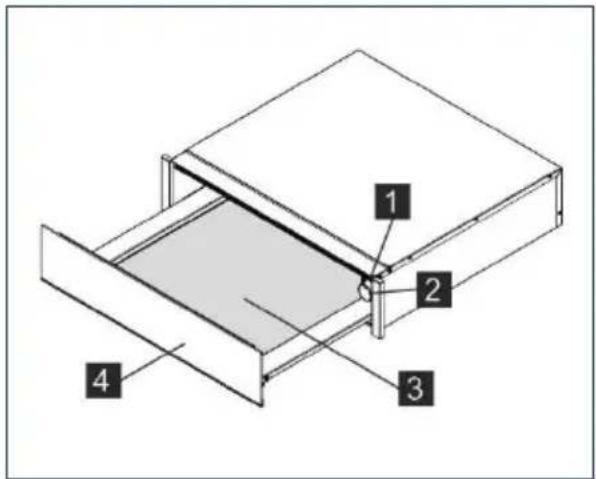
1 ON/OFF switch and light. 2 Thermostat. 3 Non-slip base.
3.2 How it works
This appliance is equipped with a warm air circulation system. A fan distributes the heat generated by an electrical heating element throughout the interior of the appliance. The thermostat allows the user to set and control the temperature for the crockery. The circulating hot air that is generated heats up the crockery quickly and evenly.
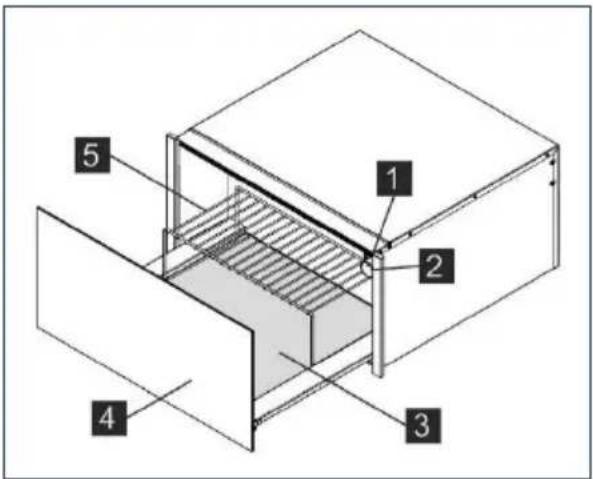
4 Front panel with push-push mechanism or handle. 5 Support rack (depending on the model).
A protective grille prevents accidental contact with the heating element and fan.
The base of the drawer is covered with non-slip material to stop dishes from moving when the drawer is opened or closed.
4. CONTROL PANEL
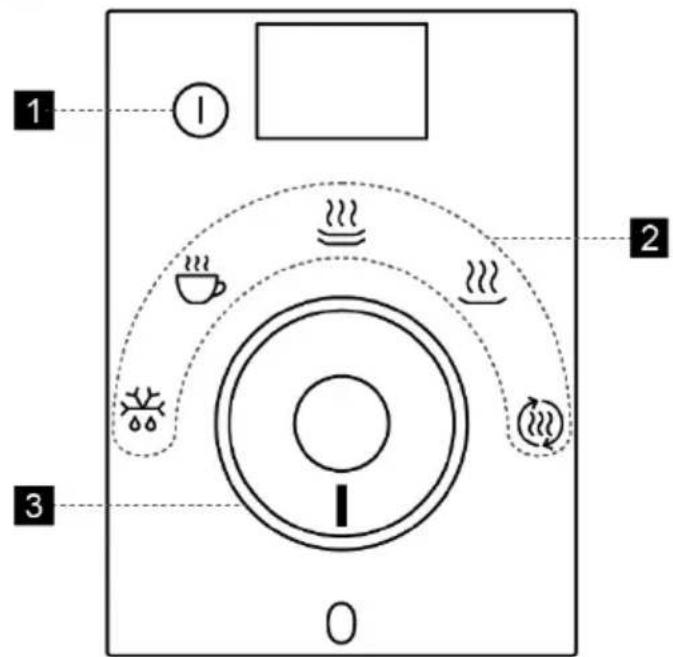
4.1 Programmer
The control panel is only visible when the drawer is open.
1 ON/OFF switch and light. 2 Function icons. 3 Thermostat knob.
5. BEFORE FIRST USE
5.1 Initial Cleaning
Then heat the warming drawer for at least 2 hours. To do this, turn the temperature control to the maximum position (see section "Selecting temperature").
Make sure the kitchen is well-ventilated when you are doing this.
The appliance's parts are treated with a special product. This may cause an unpleasant odour to be released during this initial heating. Both the odour and any fumes that may form will disappear after a short time and neither signifies that there is anything wrong with the connection or the appliance.
Refer to "Care and cleaning" chapter.
Clean the appliance before first use.
6. DAILY USE
6.1 Using the warming drawer
To use the warming drawer, proceed as follows:
- Place the crockery in the drawer.
- Do not arrange plates vertically in front of the ventilation slots. The warm air would not be able to fully escape from the slots. This would lead to uneven heating of crockery.
- Select the desired function by turning the thermostat knob to the corresponding position.
- Switch on the appliance by pressing the switch; the corresponding light will come on.
- Close the drawer.
Be careful not to use too much force when closing the drawer since it may open up again. Before taking out the warm crockery you must switch off the warming drawer by pressing the switch again.
6.2 Temperature setting
The thermostat knob allows you to select temperatures between 30 and 80°C.

WARNING!
Do not force the thermostat knob to the left beyond the "0" position, or to the right beyond the maximum temperature, as this could damage it.
As soon as the selected temperature is reached, the heating element will turn off. When the temperature drops back below the selected value, the heating element will turn on again.
The temperature scale is marked with absolute temperatures in °C and also has symbols which correspond to the optimum temperatures for groups of crockery.
7. WARMING FUNCTIONS
| Symbol | °C | Function | Hints & tips |
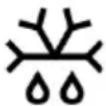 | 30°C | Defrosting.Dough proving.Yoghurt fermentation. | -Cover the dough.Cover the tub. |
 | 45°C | Warming cups and glasses. | - |
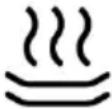 | 60°C | Warming dinner plates.Reheating delicate foodstuffs. | -Preheat the dish. |
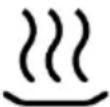 | 70°C | Keeping foodstuffs warm. | Preheat the dish and cover the food. |
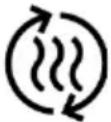 | 80°C | Reheating foodstuffs. | Preheat the dish. |
* The temperatures refer to the drawer when empty and closed.
7.1 Heating time
Various factors affect heating times:
• The material and thickness of the crockery; - Load size; • How the crockery is arranged; • Temperature setting; • Repeated opening and closing of the drawer.
It is therefore not possible to give precise heating times.
As you use the warming drawer regularly, you will learn the best settings for your crockery.
Suggestions for the “keep warm” and “reheat” function:
Preheat the warming drawer for 15 minutes to ensure it is at the required internal temperature.
8. CARE AND CLEANING
Cleaning is the only maintenance activity that is generally required.

ATTENTION!
The warming drawer must be disconnected from the power supply before cleaning.
Unplug the device from the socket or isolate its power supply circuit. Do not use harsh or abrasive cleaning products, scouring pads/sponges or sharp objects, since this could cause stains or scratches.
Never use high pressure or steam jet cleaning appliances.
8.1 Appliance front and control panel
The warming drawer can be cleaned using just a damp cloth. If it is very dirty, add a few drops of washing-up liquid to the water.
Wipe the surfaces dry using a dry cloth. For stainless-steel fronted warming drawers, special products for stainless-steel surfaces can be used.
These products prevent the build-up of dirt on such surfaces. Apply a thin layer of this product on the surface using a soft cloth.
On aluminium fronted warming drawers, use a delicate glass cleaning product and a soft, lint-free cloth. Wipe horizontally without applying.
8.2 Interior of the warming drawer
Clean the interior of the warming drawer regularly using a damp cloth. If it is very dirty, add a few drops of washing-up liquid to the water. Wipe the surfaces dry using a dry cloth. Avoid water entering the air circulation opening. Only use the warming drawer again when it is completely dry.
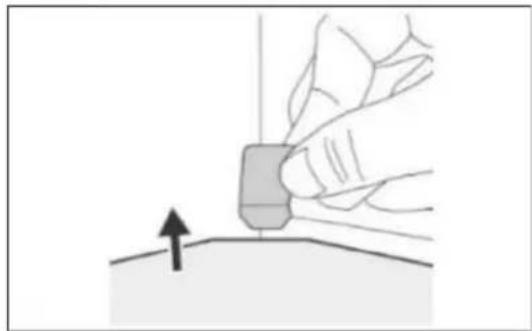
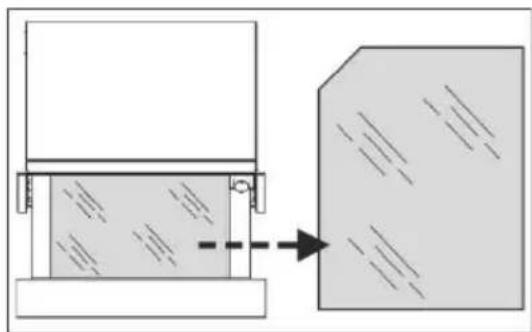
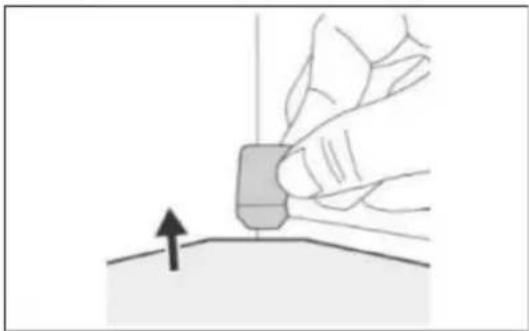
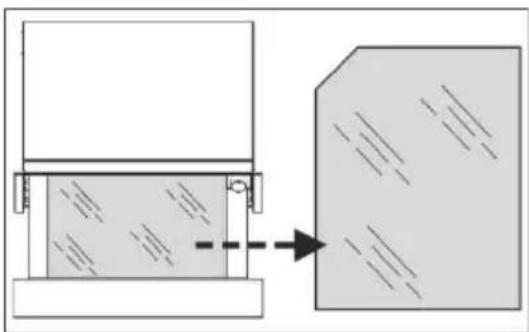
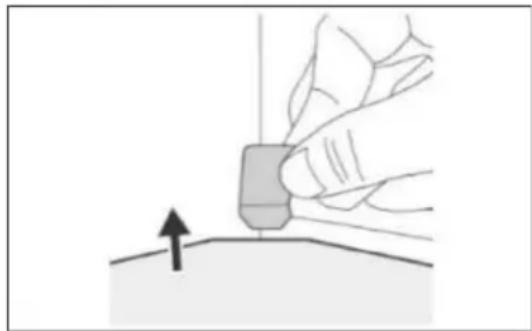
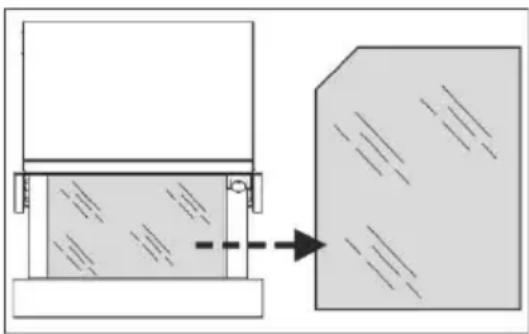
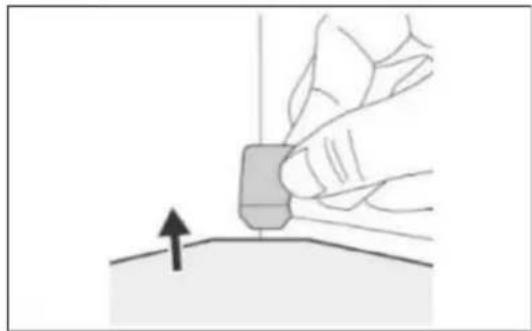
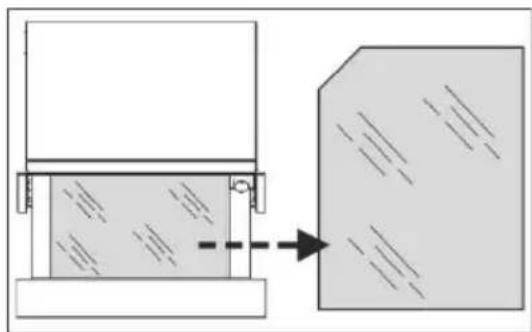
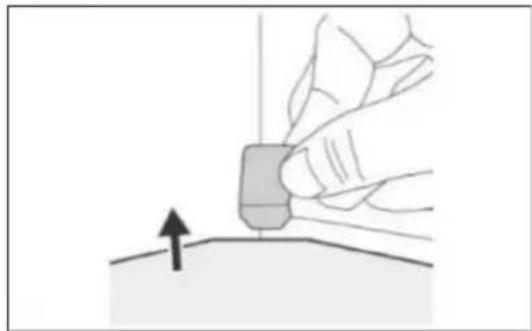
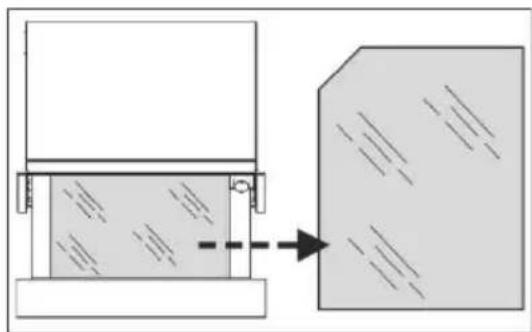
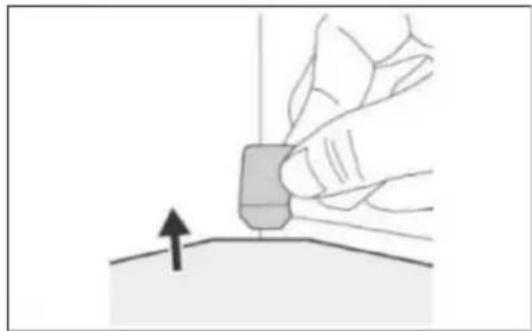
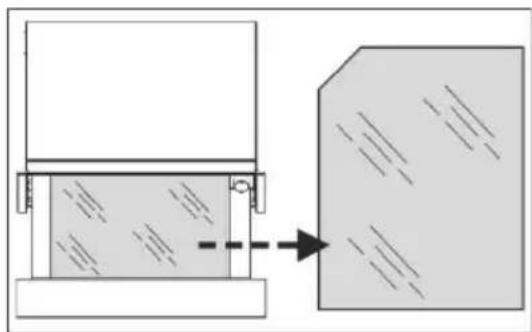
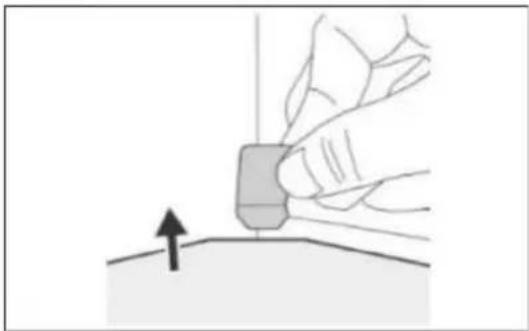
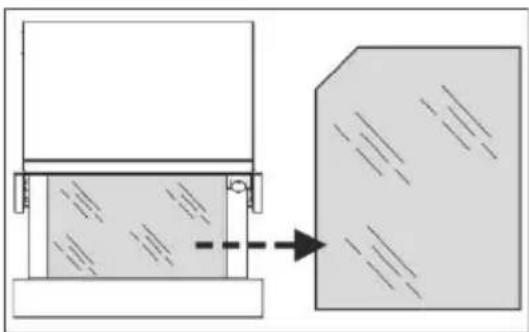
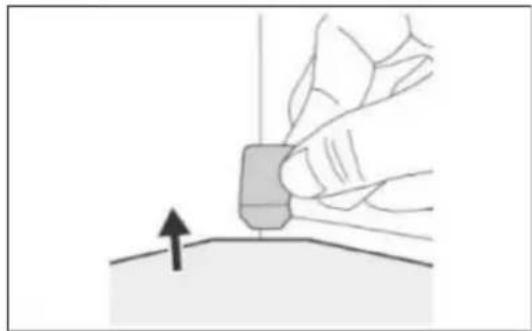
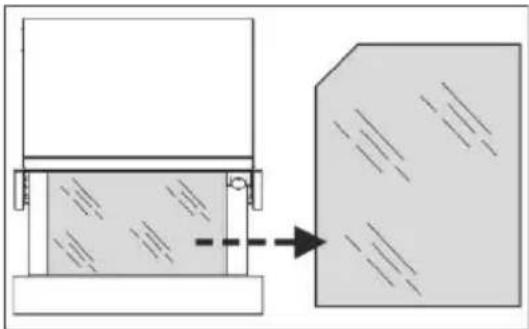
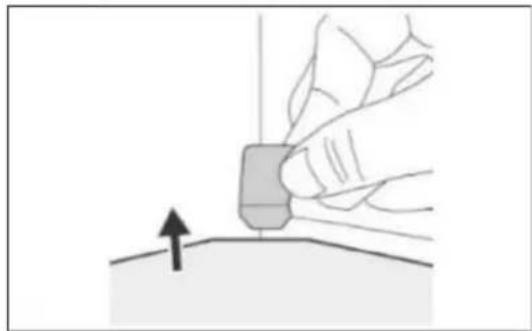
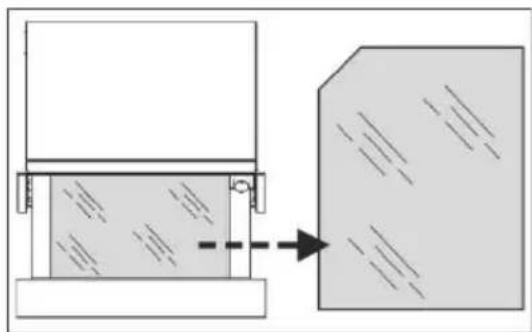
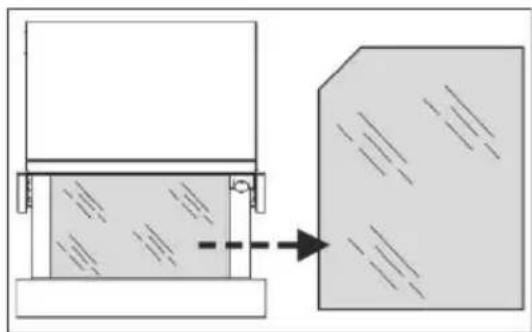
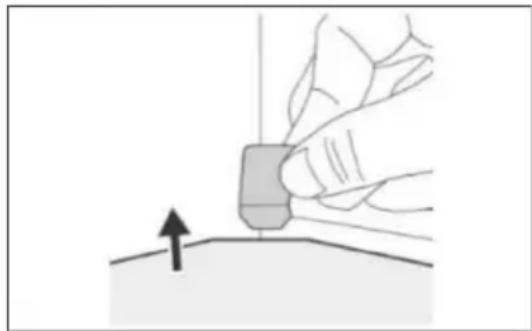
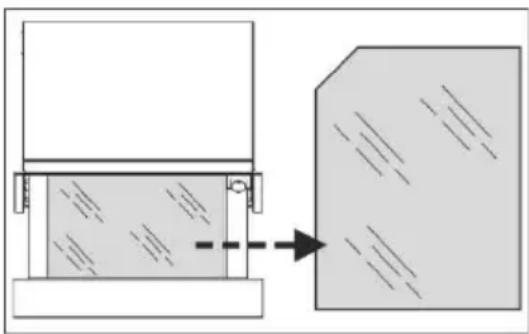
Glass removal (on selected models)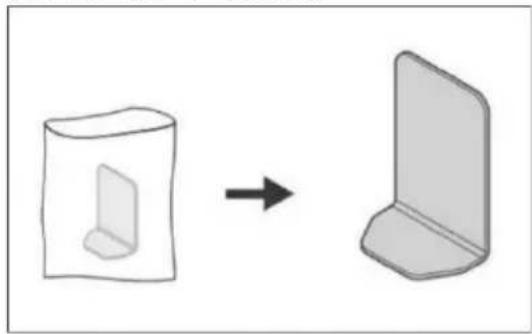
Non-slip base
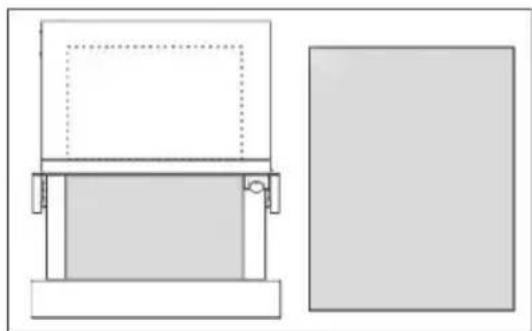
The non-slip surface mat can be removed to facilitate cleaning of the drawer.
The mat can be cleaned by hand using hot water with a few drops of washing-up liquid. Dry thoroughly.
The non-slip mat should only be repositioned when it is completely dry.
9. TROUBLESHOOTING

WARNING!
Any repairs must only be performed by a specialized technician.
Any repair performed by a person not authorized by the manufacturer is potentially dangerous. However, the following faults can be resolved by the user without calling Technical Assistance.
Before contacting Technical Assistance, check on the following:
- The crockery does not warm up sufficiently. Check whether:
- the appliance is on;
- the appropriate temperature has been selected;
- the air circulation orifices are not blocked by the crockery
- the crockery was left to warm up for sufficient time.
- Heating time depends on several factors, such as, for example:
- the material and thickness of the crockery;
- load size
- how the crockery is arranged.
- The crockery does not heat up at all. Check whether:
- you can hear the noise of the fan. If the fan is running, this means that the heating element is defective. If the fan is not running, this means that it is faulty;
- the fuse has blown or the circuit breaker has tripped.
• The crockery is too hot
- the temperature selector is not working.
- The ON/OFF switch does not light up:
- the switch indicator light has blown.
10. ENVIRONMENTAL CONCERNS

Recycle materials with the following symbol.
Place the packaging in the corresponding containers for recycling.
Help protect the environment and human health and to recycle waste from electrical and electronic appliances.

Do not dispose of appliances marked with the following symbol with general household waste.
Take the product to your local recycling facility or contact your local council.
Anti-slip base
9. TROUBLESHOOTING

WARNING!
Anti-slip base
9. TROUBLESHOOTING

WARNING!
Anti-slip base
9. TROUBLESHOOTING

WARNING!
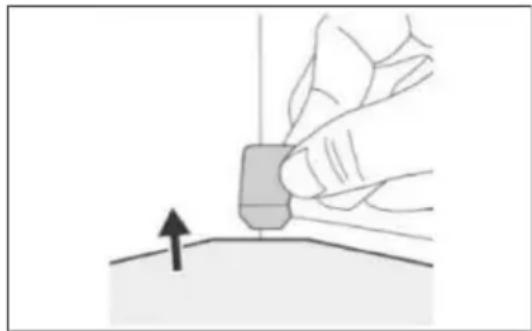
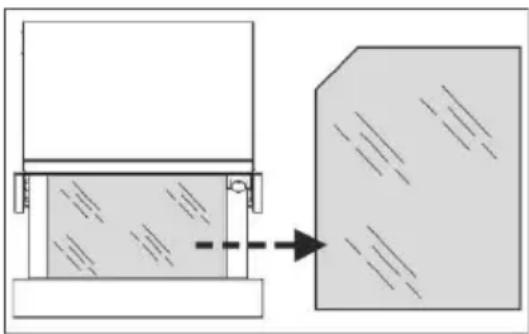
Anti-slip base
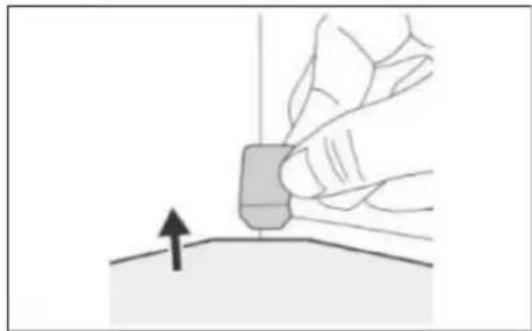
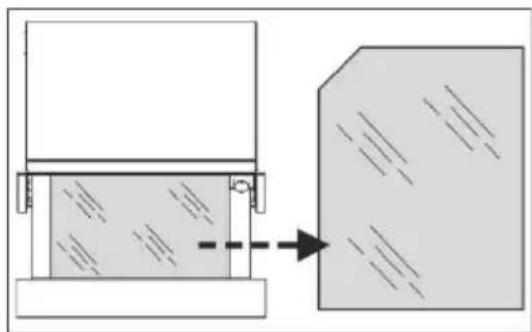
Anti-slip base

WARNING!
Remove all packaging.
Non-slip mat
9. TROUBLESHOOTING

WARNING:
7. HEATING FUNCTIONS
Anti-slip mat
9. TROUBLESHOOTING

WARNING!
Non-slip mat
9. TROUBLESHOOTING

NOTE!

9. TROUBLESHOOTING

NOTE!
9. TROUBLESHOOTING

WARNING!
- WELCOME TO AEG! THANK YOU FOR CHOOSING OUR APPLIANCE
- CONTENTS
- SAFETY INFORMATION
- WARNING
- CHILDREN AND VULNERABLE PEOPLE SAFETY
- GENERAL SAFETY
- SAFETY INSTRUCTIONS
- INSTALLATION
- ELECTRICAL CONNECTION
- USE
- CARE AND CLEANING
- DISPOSAL
- SERVICE
- PRODUCT DESCRIPTION
- GENERAL OVERVIEW
- HOW IT WORKS
- CONTROL PANEL
- PROGRAMMER
- BEFORE FIRST USE
- INITIAL CLEANING
- DAILY USE
- USING THE WARMING DRAWER
- TEMPERATURE SETTING
- WARMING FUNCTIONS
- HEATING TIME
- SUGGESTIONS FOR THE “KEEP WARM” AND “REHEAT” FUNCTION
- CLEANING IS THE ONLY MAINTENANCE ACTIVITY THAT IS GENERALLY REQUIRED
- ATTENTION
- APPLIANCE FRONT AND CONTROL PANEL
- INTERIOR OF THE WARMING DRAWER
- NON-SLIP BASE
- TROUBLESHOOTING
- ENVIRONMENTAL CONCERNS
- ANTI-SLIP BASE
- NON-SLIP MAT
- HEATING FUNCTIONS
- ANTI-SLIP MAT
- NOTE
Brand : AEG
Model : OD8K21B
Category : Warming drawers and cabinets