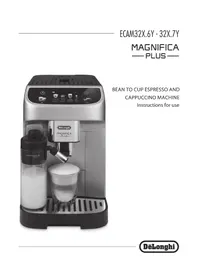
USER MANUAL La Specialista Arte EC9155.MB DELONGHI
DeLonghi
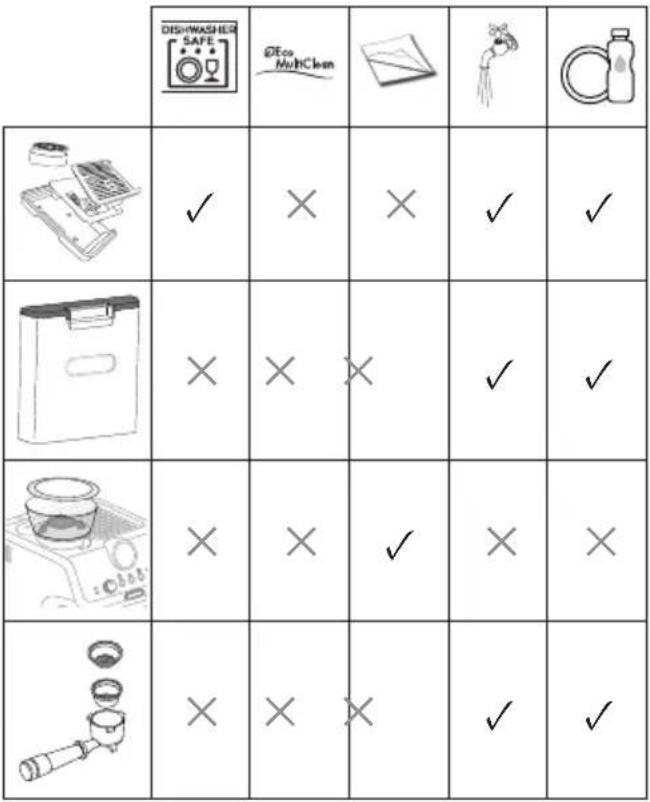
| DISHWASHER SAFE | GEco MyHClean | | | |
| × | √ | √ | × | × |
| → |
| DISWASHER SAFE | DEco MulHClean | | | |
| √ | × | × | √ | √ |
| × | × | × | √ | √ |
| × | × | √ | × | × |
| × | × | × | √ | √ |
9. CLEANING THE COFFEE GRINDER
Before using the appliance, always read the safety warnings.
1. DESCRIPTION
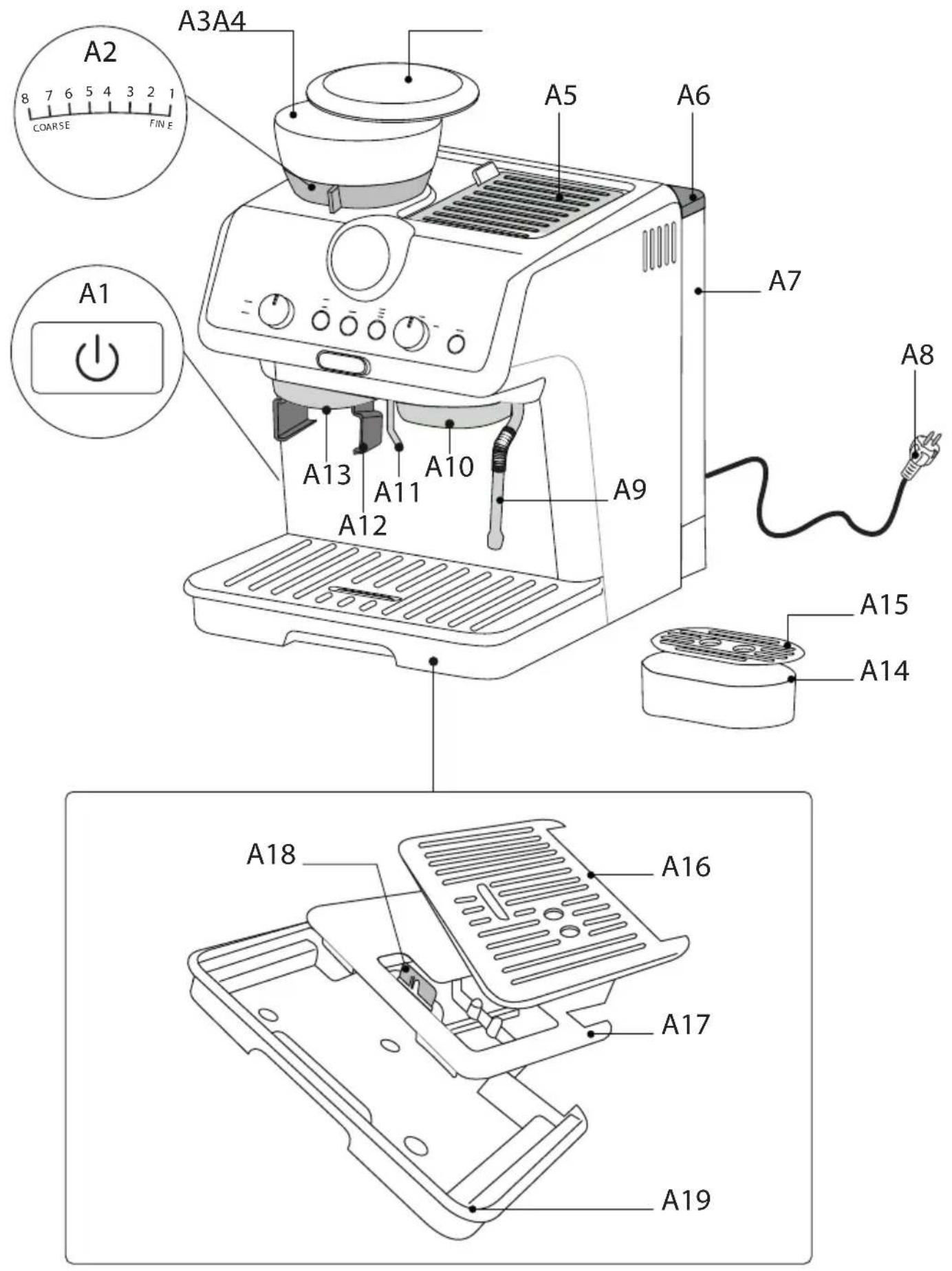
1.1 Description of appliance - A
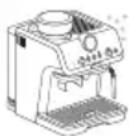
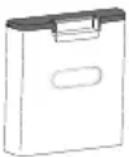
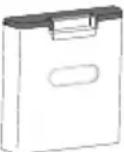
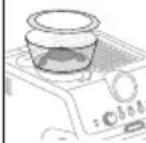
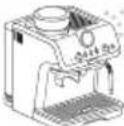
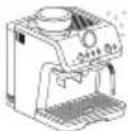
A1. Main switch (ON/OFF) A2. Grinding level selector A3. Beans container A4. Beans container lid A5. Accessory door A6. Water tank lid A7. Water tank A8. Power cord A9. Steam wand A10. Coffee spout A11. Hot water spout A12. Housing for grinding filter holder A13. Coffee mill outlet A14. Small cup support A15. Small cup grille A16. Cup/mug grille A17. Cup/mug grille support A18. Drip tray water level indicator A19. Drip tray
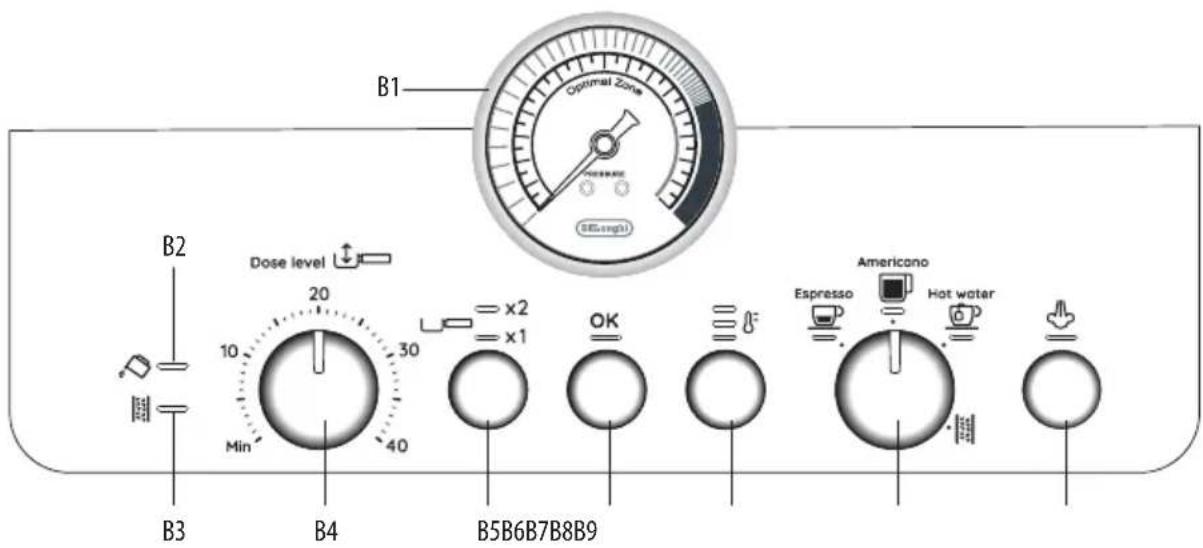
1.2 Description of control panel - B
B1. Pressure gauge B2. "No water" indicator B3. "Descale" indicator B4. Ground coffee quantity dial B5. 1 or 2 cup button (to use the corresponding coffee filter) B6. "OK" button: to deliver the beverage/confirm B7. "Coffee temperature" button B8. Function selector dial - Espresso - Americano - Hot water - Descaling B9. "Steam" button: to deliver steam
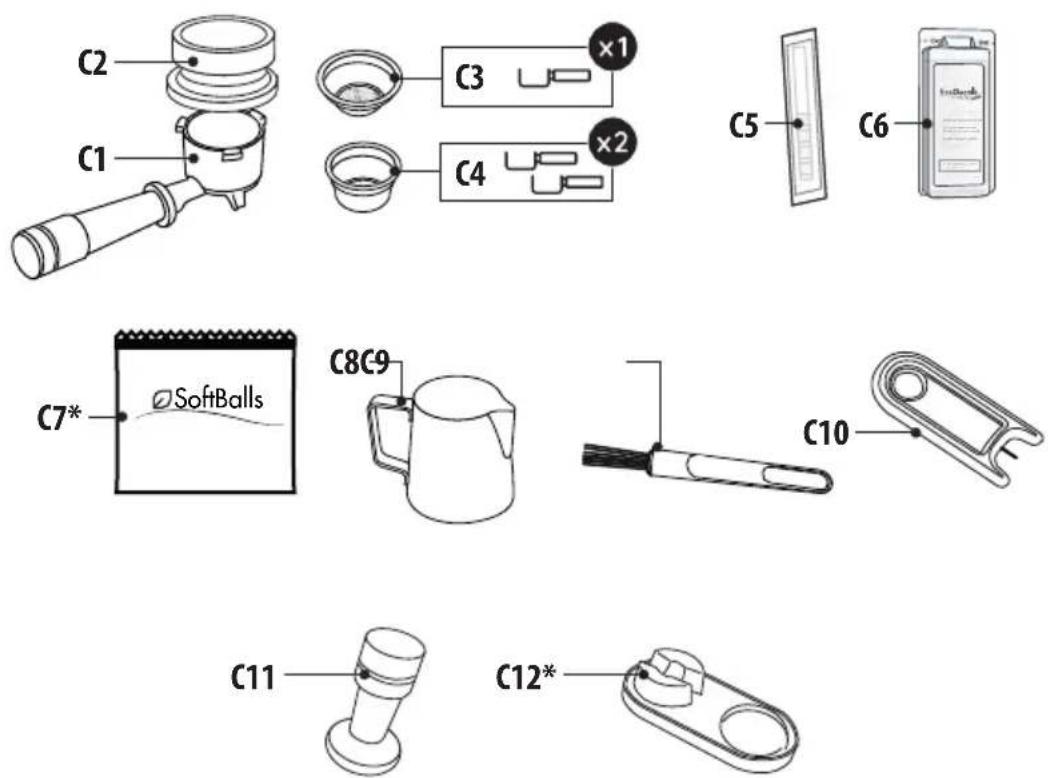
1.3 Description of accessories - C
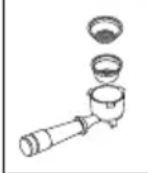
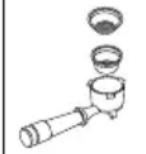
C1. Filter holder C2. Dosing and tamping guide C3. 1 cup filter C4. 2 cup filter C5. "Total Hardness Test" paper C6. Descaler C7. Softballs (*certain models only) C8. Milk jug C9. Cleaning brush C10. Steam wand cleaning needle
C11. Presser C12. Pressing mat (*certain models only)
1.4 Optional cleaning accessories recommended by the manufacturer
For more information, visit www.delonghi.com.

Cleaner
EAN: 8004399333307
2. PREPARING THE APPLIANCE
Wash all accessories with warm water and washing-up liquid, then proceed as follows:
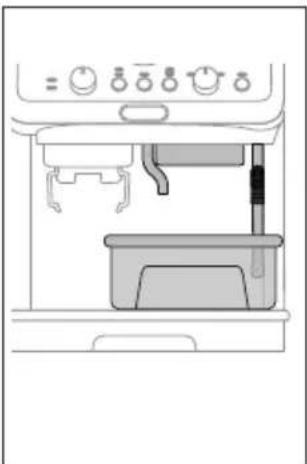
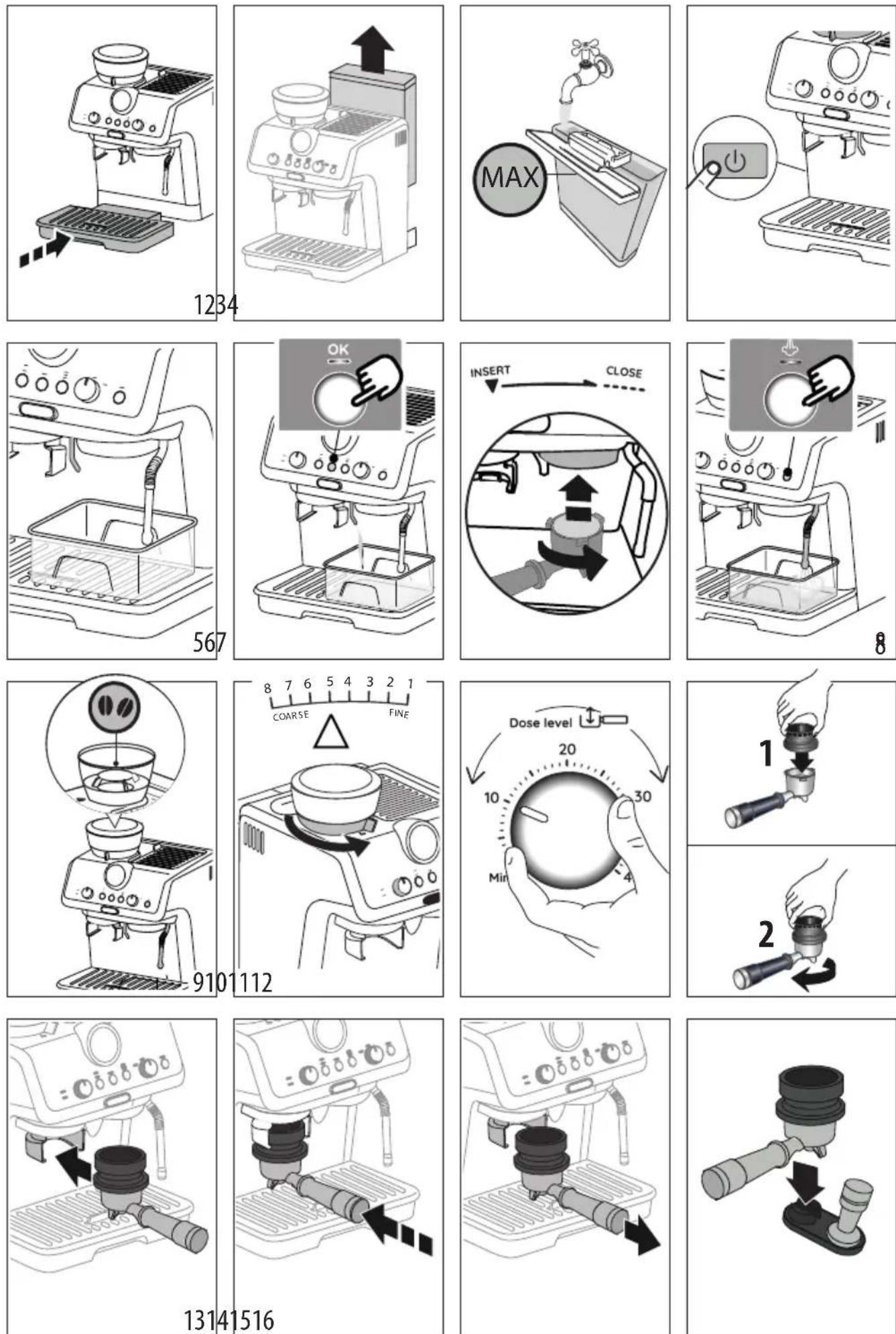
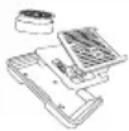
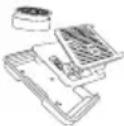
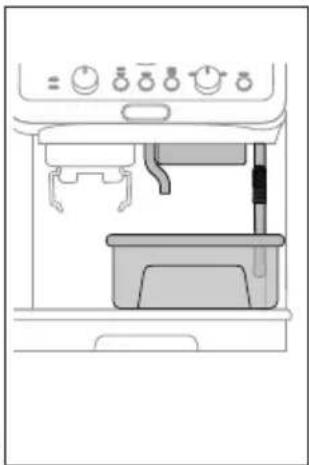
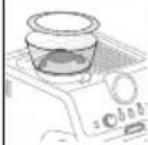
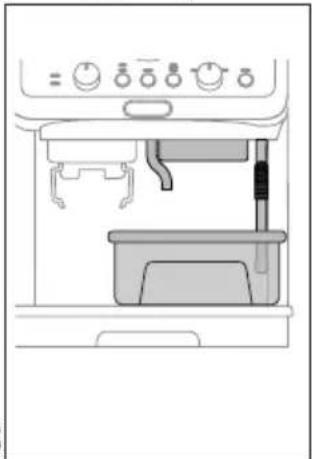
- Insert the drip tray (A19) complete with cup grille (A16) and relative support (A17) (fig. 1);
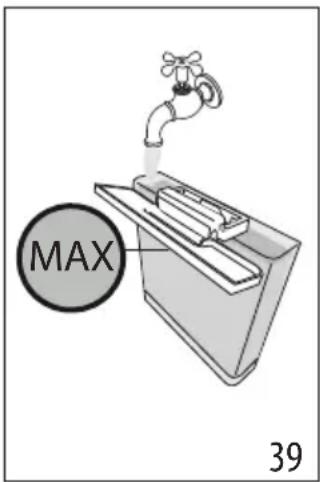
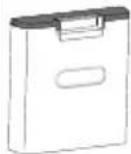
- Extract the water tank (A7) (fig. 2) and fill with fresh clean water, taking care not to exceed the MAX level (fig. 3).
- Put the tank back in the appliance.
Important: Never operate the appliance without water in the tank or without the tank.
Please note: You should customise water hardness as soon as possible following the instructions in section "7. Settings menu".
3. SETTING UP THE APPLIANCE
- Plug into the mains socket. Press the main switch (A1) (fig. 4);
- Place a container with a minimum capacity of 100 ml under the hot water spout (A11) (fig. 5);
- Press the OK button (B6) (fig. 6). Delivery begins and stops automatically. Empty the container. Before using the coffee maker, the internal circuits of the machine must be rinsed. Proceed as follows:
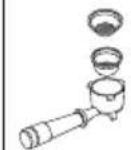
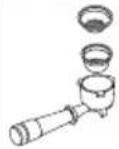
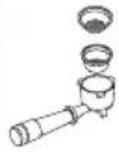
- Place the coffee filter (C3) or (C4) in the filter holder (C1)
- Attach the filter holder (C1) complete with filter to the appliance. To attach correctly, align the filter holder handle with "INSERT" (fig. 7), then turn the handle to the right until it is aligned in the "CLOSE" position;
- Place a container under the filter holder and steam wand (A9);
- Press the OK button (B6). Delivery begins;
- When delivery has finished, press the steam button (B9) (fig. 8) and deliver steam for a few seconds to rinse the steam circuit. For best results, repeat 3 or 4 times. The purpose of this procedure is to purge any water from the circuit before using steam to prepare a beverage. The appliance is ready for use. Please note: We also recommend rinsing the internal circuits if the appliance is not used for a long period. The first time you use the appliance, you need to make 4-5 cups of coffee before the appliance starts to give satisfactory results. Pay particular attention to the quantity of pre-ground coffee
in the filter ((C3) or (C4)) (see instructions in section "4.1 Step 1 - Grinding").
Proceed as described in section "The "perfect dose"".
4. MAKING COFFEE
4.1 Step 1 - Grinding
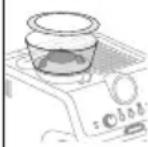
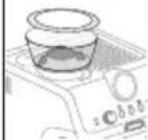
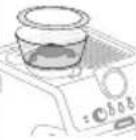
- Put coffee beans in the container (A3) (fig. 9). It is best to grind only a quantity of beans sufficient for immediate use, so that the coffee will always be fresh.
- The default grinding setting is 5 (medium ground). If this is too fine or too coarse, adjust the level according to personal taste and the type of coffee used (adjust only when the coffee mill is in operation (fig. 10).
Please note: A grinding level between 3 and 6 is recommended for most coffees. Grinding with 1 or 2 selected produces a very fine result. Use only with very special coffee (light roast) or when you notice non-optimal coffee quality due to wear of the burrs (grinding too coarse).
- Place one of the coffee filters (C3) or (C4) in the filter holder (C1). Press (B5) to select preparation of 1 or 2 cups. This also doubles the quantity of espresso delivered.
- Set the quantity by adjusting the dial (B4), starting from the minimum position (fig. 11).
The first time you use it, leave the dial in the Min. position. In the beginning, it is normal to make a few attempts before finding the optimal setting. We suggest you start with the default values, then modify them if necessary following the suggestions in section "Adjusting the quantity of ground coffee in the filter".
- Attach the dosing and tamping guide (C2) to the filter holder: 1 press; 2 rotate to lock (fig. 12).
- Insert the filter holder in the coffee mill outlet (A13) (fig. 13).
- Press the filter holder until you hear a "click" (fig. 14), then release. Grinding starts and stops automatically.
Please note: To manually stop grinding, just press the filter holder again (until you hear a click).
Adjusting the quantity of ground coffee in the filter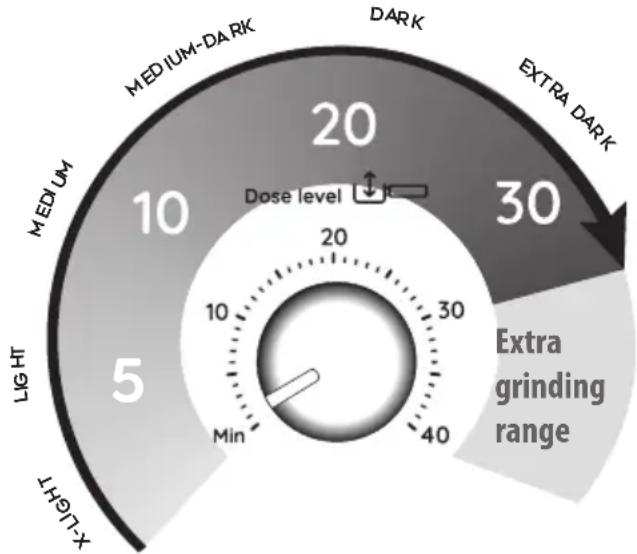
Different varieties of coffee bean give different results when ground: consequently, the initial adjustment of the dosage requires special care.
This illustration shows how to regulate the dosage, based on the roast colour: this should be taken as a general guide, given that in practice, the final adjustment can vary according to the composition of the beans.
- Set the quantity (to the raised mark inside the coffee filter), starting from the minimum position. The numbers on the dial are a handy reference to note down once the quantity in the filter is ideal. The numbers do not correspond to the coffee mill settings, measurement units (g/oz) or grinding time.
- Looking at the roast colour of your particular beans, turn the dial slowly to find the right adjustment.
4.2 Step 2 - Tamping
- After grinding, remove the filter holder (fig. 15).
- Tap the dosing and tamping guide (C2) to level the ground coffee.
- (Certain models only): rest the filter holder in the housing on the pressing mat (C12) (fig. 16).
- Press the coffee using the presser (C11) (fig. 17).
- Remove the dosing and tamping guide by turning it anti-clockwise and pulling upwards (fig. 18) and check that the quantity is correct (see "The "perfect dose"").
- Attach the filter holder to the coffee outlet (A10) (fig. 19).
Please note: Coffee left on the edges of the filter after pressing does not in any way compromise the quality of the brewing and therefore the end result.
The "perfect dose"
- The perfect quantity corresponds to the raised line inside the coffee filters;
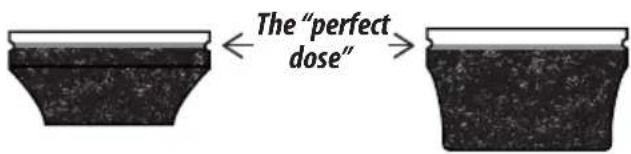
- Make sure the coffee is at the right level after tamping. It might be necessary to adjust the level a few times using the dial (B4) before the ideal dosage is achieved.
- If the coffee is extracted too strongly or too weakly even at the ideal dosage, this can be corrected by grinding the beans more finely or more coarsely (see "4.1 Step 1 - Grinding"). To correct over-extraction (coffee released too slowly), select a coarser setting. To correct under-extraction (coffee released too quickly), select a finer setting.
4.3 Step 3 - Brewing
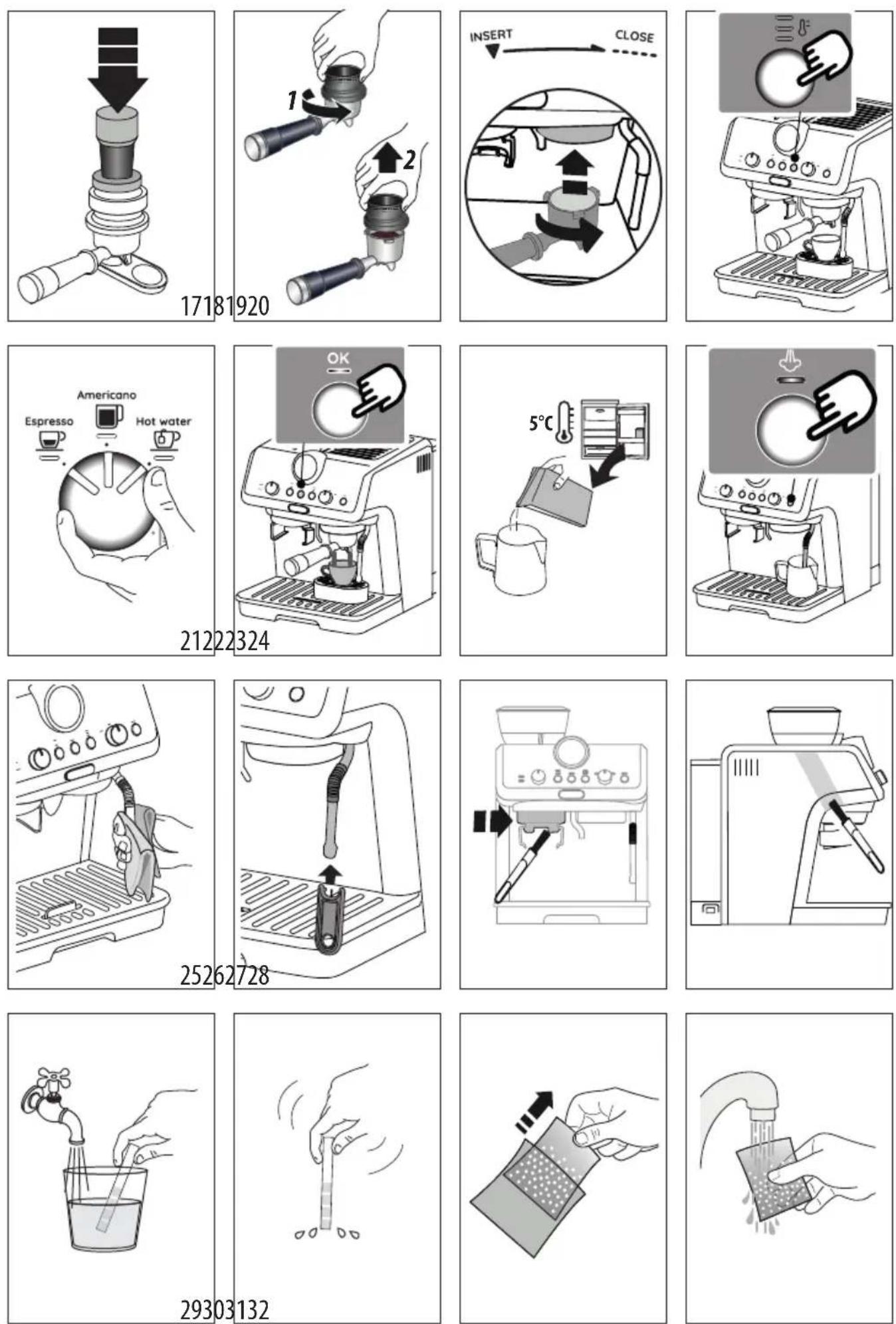
- Select the temperature (fig. 20) (see "Coffee preparation temperature").
- Select the desired beverage (fig. 21). If the beverage has been programmed (see section "6. Programming beverage quantities"), the beverage light flashes briefly.
- Press OK (B6) to start brewing (fig. 22) (pre-infusion and infusion). Delivery of the coffee will stop automatically.
Coffee preparation temperature
The water temperature is controlled during the entire preparation process to ensure its stability during the extraction step. The Specialista Arte has 3 infusion temperatures* in a range between 92 and 96 °C.
The temperature effectively utilized will depend typically on the variety of been and the roast: Robusta beans require a lower temperature, and Arabica beans a higher temperature. The same applies for dark roasted beans or for light roasted beans, respectively.
| Temperature level | Corresponding indicator light | Roast colour |
| MIN Dark | | |
| MED Medium-dark | | |
| MAX Light - medium | | |
* This is the temperature of the water in the thermoblock. It is therefore not the temperature of the beverage in the
cup or the temperature of the beverage at the moment of release from the outlets of the filter holder.
5. MAKING MILK BEVERAGES
5.1 Frothing the milk
- Fill the jug (C8) with the amount of milk to be warmed/frothed, bearing in mind that the milk doubles or triples in volume (fig. 23). For a denser and more evenly distributed froth, best results will be achieved using whole cow's milk at refrigerator temperature (about 5 °C).

- Place the jug under the steam wand and press the steam button (B9) (fig. 24).
- To froth the milk, rest the steam wand (A9) on the surface of the liquid. This mixes air with the milk and steam.
- Keep the steam wand in contact with the surface, taking care not to let in too much air and create excessively large bubbles.
- Immerse the steam wand below the surface of the milk, this creates a vortex in the liquid. Once the milk is heated to the desired temperature, press the steam button again and wait for the flow of steam to stop completely before removing the milk jug from the machine.
Barista tips:
- Fresh milk is best. Always use fresh milk straight from the fridge.
- For best results, always replace the milk jug in the fridge when not in use. • Whole milk ensures optimum results. The appearance and texture of froth depending on the nature of the dairy milk or vegetable beverages utilized. • After frothing the milk, eliminate unwanted bubbles by swirling the jug gently.
Cleaning the steam wand
- Following use, always wipe the steam wand (fig. 25) with a cloth to remove residual deposits of milk. The recommended procedure for in-depth cleaning is to use Eco MultiClean: this product ensures maximum hygiene by removing milk proteins and fats, and can be used for cleaning the entire machine.
- Release steam for a few seconds to clean the wand (fig. 8).
- Wait until the steam wand has cooled down. To ensure the wand works efficiently over time, use the special cleaning tool (C10) to free the holes (fig. 26) of any obstruction.
6. PROGRAMMING BEVERAGE QUANTITIES
- Prepare the appliance to deliver 1 or 2 cups of the beverage you want to make, as far as attaching the filter holder (C1) complete with the (C3) or (C4) filter and ground coffee.
- Turn the dial (B8) to select the beverage being programmed.
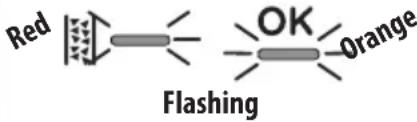
- Press and hold the OK button (B6) until the machine delivers the desired quantity. The OK button light flashes orange to confirm you are in programming mode.
- When the desired quantity has been reached, release the OK button. The quantity is programmed.
Please note:
- You can programme beverages, but not steam delivery.
- Programming changes the quantity of beverage delivered, but not the quantity of ground coffee.
- When a programmed beverage is selected, the corresponding light flashes briefly.
- "2x" beverages can be programmed separately.
| Coffee recipe | Default quantity | Programmable quantity |
| Espresso | ≈35 ml from ≈15 to ≈90 ml |
| Espresso 2x | ≈70 ml from ≈30 to ≈180 ml |
| Americano | ≈120 ml | • espresso: from ≈15 to ≈90 ml• water: from ≈25 to ≈150 ml |
| Americano X2 | ≈240 ml | • espresso: from ≈30 to ≈180 ml• water: from ≈50 to ≈240 ml |
| Hot water | ≈250 ml from ≈65 to ≈300ml |
| 1. Access the menu: |
| Press together and hold for 3 seconds | | 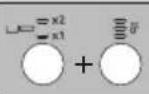 | |
| 2. Select the setting to be adjusted |
 |
| Corresponding setting | Turn to | Press again to change the setting | Press again to change the setting |
| Pre-infusion pause | Espresso | The indicator light corresponding to the setting currently selected comes on | 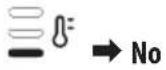 |
 c c |
 c c |
| Extra grinding adjustment | Americano | The indicator light corresponding to the setting currently selected comes on | 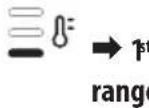 e e |
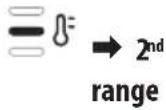 |
| Auto-off | Hot water | The indicator light corresponding to the setting currently selected comes on | 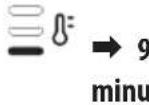 tes tes |
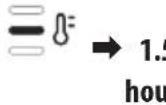 rs rs |
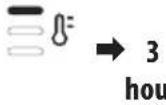 rs rs |
| Water hardness | | The indicator light corresponding to the setting currently selected comes on |  : : |
 . . |
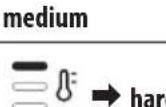 d /very hard d /very hard |
| → |
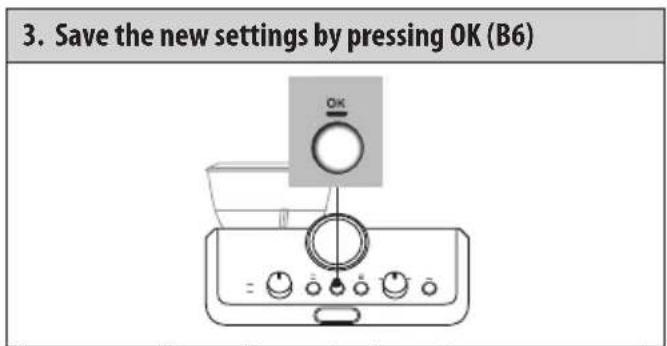
Please note: The appliance exits the settings menu automatically if there is no activity for 30 seconds.
7.1 Reset default settings
The OK light (B6) flashes briefly to confirm the reset.
| 1. Access the menu: |
| Press together and hold for 3 seconds | 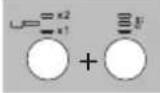 |
| 2. Reset default settings |
| Press and hold the steam button (B9) for 3 seconds. |  |
The OK light (B6) flashes briefly to confirm the reset.
8. CLEANING THE APPLIANCE
Important!
- Do not use solvents, abrasive detergents or alcohol to clean the coffee machine.
- Do not use metal objects to remove encrustations or coffee deposits as they could scratch metal or plastic surfaces.
- Should the machine remain idle for more than a week, it is advisable to carry out a rinse cycle before preparing any beverages.
Danger!
- Never immerse the coffee maker in water when cleaning: it is an electrical appliance.
- Before commencing any cleaning operation on the outside of the machine, turn it off, unplug it from the mains socket and wait for it to cool down.
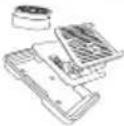
| DISWASHER SAFE | DEo MuHClean | | | |
| × | √ | √ | × | × |
| √ | × | × | √ | √ |
| → |
| DIS-WASHER SAFE | @Eco MultClean | | | |
| × | × | × | √ | √ |
| × | × | √ | × | × |
| × | × | × | √ | √ |
9. CLEANING THE COFFEE MILL
- Clean the attachment area with the brush (C9) (fig. 27).
- Use the brush to clean the coffee guide (fig. 28).
Efficient grinding
The burrs are subject to wear over time. As time goes by, to achieve the perfect quantity, you need to turn the dial (B4) towards the highest numbers. When you reach a setting of between 30 and 40, you need to set the extra grinding range (see section "7. Settings menu" - "Extra grinding range"). When the quantity of ground coffee becomes less than expected, contact a service centre to have the burrs replaced. With the new burrs fitted, adjust the coffee mill by accessing the settings menu and selecting the first range of the "extra grinding adjustment" setting. Next, turn the ground coffee quantity dial (B4) to the Min position and set the quantity as for first-time use (see "La "dose perfetta").
10. WATER HARDNESS
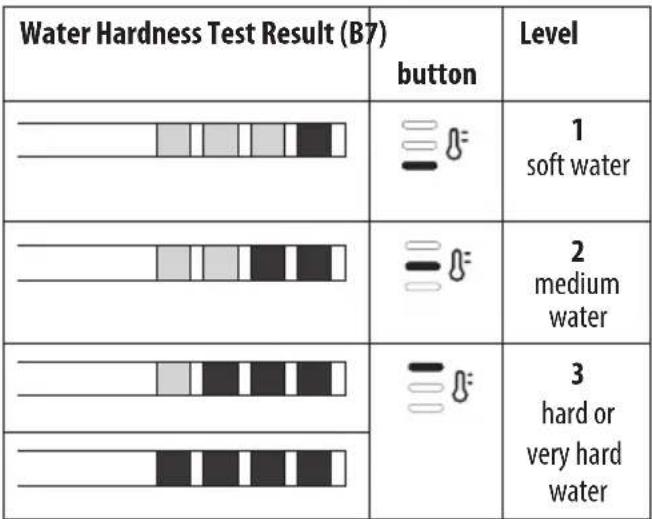
The descale light (B3) comes on following a predetermined period of operation that depends on a water hardness setting. The machine can also be programmed according to the actual hardness of the local water supply, in which case descaling may be required less frequently (see section "7. Settings menu").
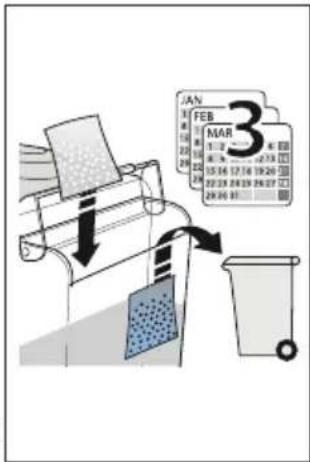
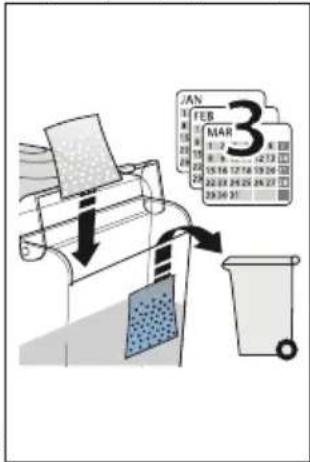
- Remove the "TOTAL HARDNESS TEST" indicator paper (C5) from its pack.
- Immerse the paper completely in a glass of water for about one second (fig. 29).
- Remove the strip from the water and shake lightly (fig. 30).
- Set the machine accordingly, as indicated in the section "7. Settings menu".
11. HOW TO USE SOFTBALLS (CERTAIN MODELS ONLY)
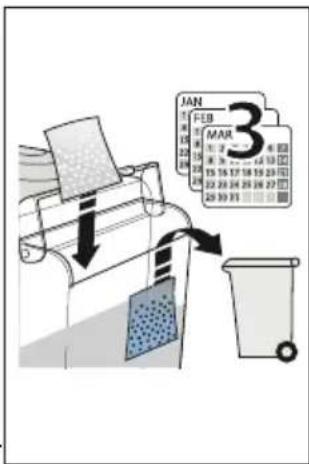
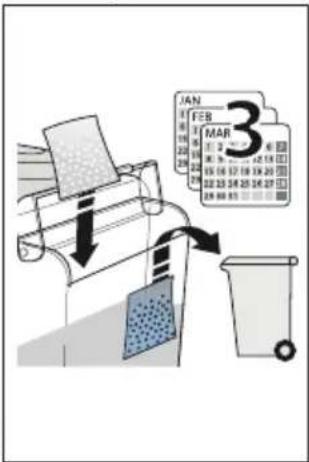
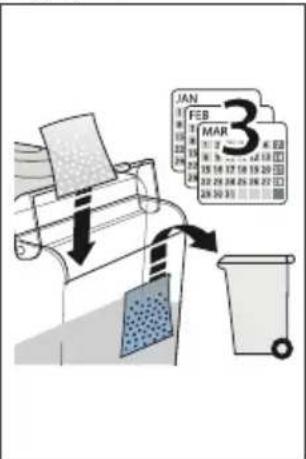
Softballs (C7) are an innovative treatment system that prolongs the life of the machine, without altering the properties of the water, while ensuring consistently creamy and aromatic coffee. To optimize the effectiveness of the treatment, leave Softballs in the water overnight before use.
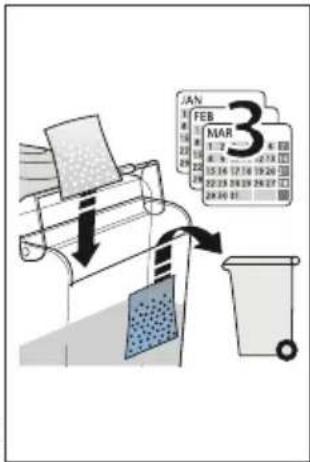
- Take the sachet of Softballs from the wrapper (fig. 31).
- Rinse the sachet of Softballs under running water (fig. 32).
- Immerse the sachet in the water tank (A7) (fig. 33).
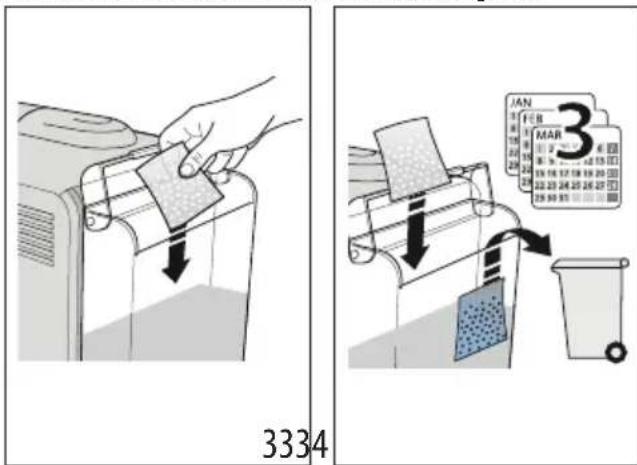
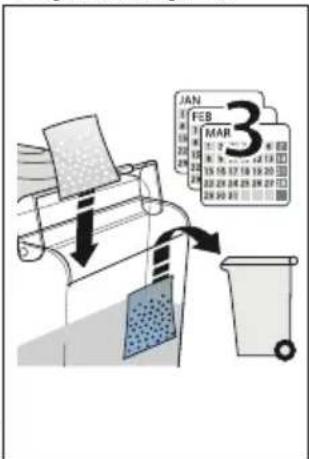
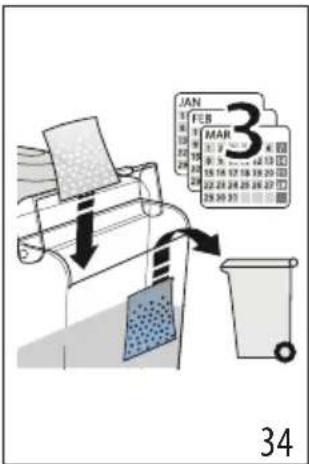
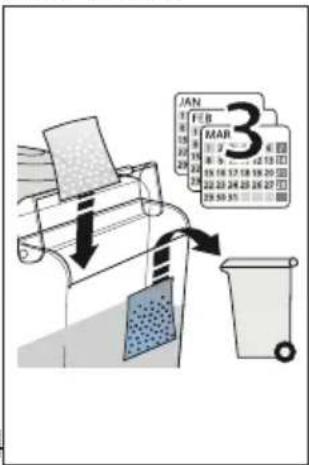
- Change the sachet of Softballs every 3 months (fig. 34).
12. DESCALING
Important!
- Before using the descaler, (C6) read the instructions and the labelling on the pack.
- Use De'Longhi descaler only. Using unsuitable descaler and/or performing descaling incorrectly may result in faults not covered by the manufacturer's guarantee.
- Descaler can cause damage to delicate surfaces. If the product is accidentally spilt, dry immediately.
| To descale |
| Descaler De’Longhi descaler |
| Container Capacity 2 litres |
| Time ~40min | |
- When the indicator light (B) comes on, you need to descale the appliance. You can start descaling at any time.
- Remove and empty the drip tray (A19), then reposition it in the machine.
- Empty the water tank (A7). (If present, remove the softballs and place them in a glass of water until they can be re-inserted at the end of the descaling process.)
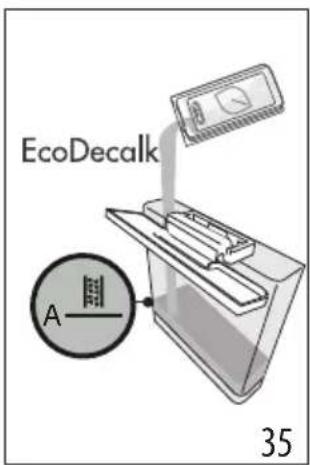
- Pour the descaler into the water tank (C6) up to the level A ____ marked on the inside of the tank (corresponding to the contents of one 100ml pack) (fig. 35).
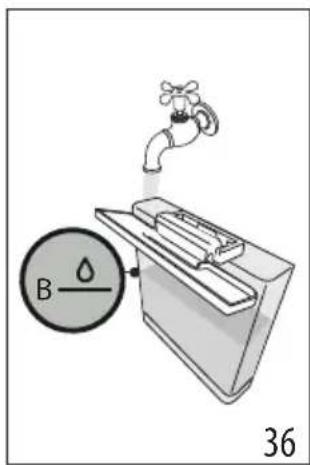
- Add water (1 litre) up to level B ⬇ (fig. 36). Now reposition the water tank in the machine.
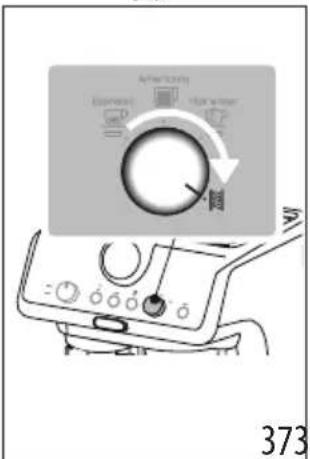
- Turn the dial (B8) to (fig. 37): The OK light turns orange and the light flashes.
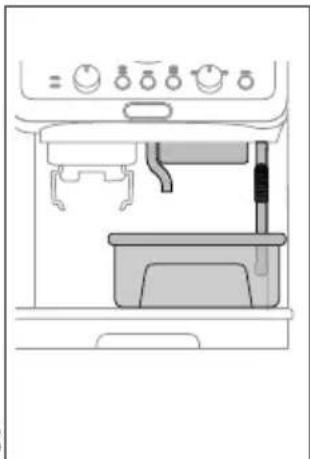
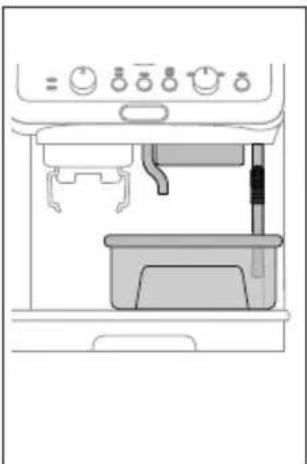
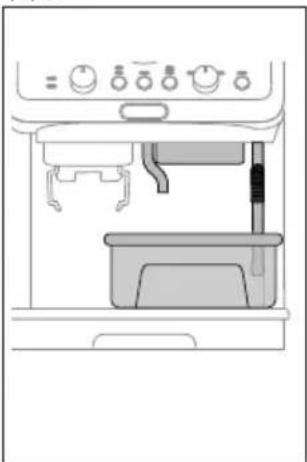
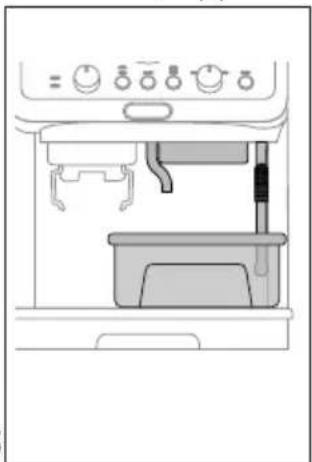
- Make sure the filter holder (C1) is not attached. Position a container under the coffee spouts (A10) and hot water spout (A11) and another under the steam wand (A9) (fig. 38).
- Press and hold the OK button (B6) for at least 3 seconds. The OK light flashes.
- The descaling programme starts and the descaler liquid comes out of the spouts. The descale programme removes limescale deposits from inside the appliance by automatically performing a series of rinses and pauses until the tank is empty.
Descaling ceases and the OK light turns white. This means that a rinse cycle must be carried out:
- Empty the containers used to collect the descaler solution and reposition them under the spouts.
- Remove the water tank, empty out any residual descaler solution, rinse under running water and fill with fresh water up to the MAX level (fig. 39). Put the tank back in its housing.
- Press the OK button. The rinse cycle starts.
- When rinsing is complete, delivery stops. The light flashes red and the OK light goes out.
- Empty the recipient used to collect the rinse water.
- Remove and empty the drip tray (A19), then reposition it in the machine.
- Remove the tank, fill with fresh water and reposition in the machine. (If present, rinse the softballs with running water and put back in the tank).
- Turn the function selection dial (B8) to one of the beverages. The machine is now ready for use.
Please note:
- The descaling cycle can be started up at any time (even if the relative light has not yet come on).
- Should descaling be started up by mistake, it can be stopped by pressing the OK button and holding for 10 seconds; the rinse cycle cannot be stopped.
13. EXPLANATION OF INDICATOR LIGHTS
| LIGHTS EXPLANATION OF INDICATORLIGHTS | OPERATION |
| All lights blink briefly Turning the machine on Self-diagnosis | |
| OK On | The machine has been turned on for the first time and the water circuit must be filled |
| OK + AmericanoHot waterOn(The indicators (and show)the respective selections) | The machine is ready to deliver fluids Set up the machine and proceed with preparation of the beverage |
| OK Flashing | The machine is warming up |
| On | There is not enough water in the tank (A7) or the tank is not correctly in place |
| → |
| LIGHTS EXPLANATION OF INDICATORLIGHTS | OPERATION |
 Flashing Flashing | An attempt is being made to prepare a be-erage, but with water tank (A7) empty | Fill the tank with water |
| Because the beans are too finely ground, the coffee is delivered too slowly or not at all | Remove the filter holder (C1) and repeat the coffee-making steps, bearing in mind the indications given in sections “4.1 Step 1 - Grinding” and “4.2 Step 2 - Tamping” |
| The coffee filter (C3) or (C4) is obstructed | Rinse the filters under running water |
| The tank (A7) is not properly in place and the relative valves are not open | Press down lightly on the tank to open the valves |
| Limescale in the water circuit Descale as described in section “12. Descaling” |
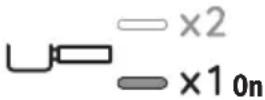 | 1 cup preparation is selected The entire | preparation procedure (from grinding to delivery) is set to make 1 cup |
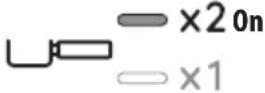 | 2 cup preparation is selected The entire | preparation procedure (from grinding to delivery) is set to make 2 cups |
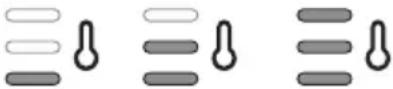 MIN MED MAXOn MIN MED MAXOn | Select one of the available temperatures | See “Coffee preparation temperature” |
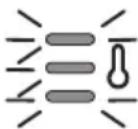 Flashing Flashing | General alarm Turn the machine off and wait 10 minutes before turning on again. If the problem continues, contact customer services. |
 Flashing Flashing | The steam function is selected and underway | After a few seconds, the machine starts deliv-ering steam |
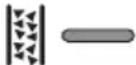 On-red On-red | Descaling is required Carry out descaling as described in section “12. Descaling” |
 | Descaling is selected Press OK to start descaling or turn the dial to a beverage |
 | Descaling proceeds. The machine deliv-ers descaling solution | Proceed by completing the descaling cycle (see “12. Descaling”) |
| → |
| LIGHTS EXPLANATION OF INDICATORLIGHTS | OPERATION |
 | The first phase of the descaling cycle is complete. You now need to proceed with rinsing. |
| Red [IMAGE]Flashing | The machine proceeds with the rinsing phase to complete the descaling cycle. |
- TROUBLESHOOTING
| PROBLEM CAUSE SOLUTION | | |
| There is water in the drip tray (A19) | This water comes from the internal circuits of the machine and is a normal consequence of their operation | Empty and clean the drip tray on a regular basis |
| The machine fails to produce espresso coffee | No water in the tank (A7) Fill the tank | |
| The OK light (B6) is on, meaning that the coffee circuit or the steam circuit is empty | Press the button associated with the OK light to fill the circuit |
| Blockage in the coffee filter (C3) or (C4) Rinse the filters under running water |
| Coffee ground too finely Adjust the quantity and grinding level |
| The tank (A7)is not properly in place and the valves at the bottom are not open | Press down lightly on the tank to open the valves at the bottom |
| Limescale in the water circuit Descale as described in section “12. Descaling” |
| The filter holder (C1) cannot be attached to the appliance | The ground coffee has not been tamped or the quantity is excessive | Repeat phase 1 (section “4. Making coffee”) using less coffee. If you are using the 1 cup filter, make sure the 1X light (B5) is on. |
| The espresso coffee drips from the edges of the filter holder (C1) instead of from the holes | The filter holder is not correctly in place Attach the filter holder correctly (fig. 19) |
| The coffee spout gasket has lost flexibility or is dirty | Contact a customer services centre to have it replaced |
| Blockage in the coffee filter (C3) or (C4) · Rinse the filters under running water· Adjust the grinding settings |
| The espresso cream is too light (delivered from the spout too fast) | The machine settings need to be reappraised | See instructions in section “The “perfect dose”” |
| The espresso cream is too dark (delivered from the spout too slowly) | The machine settings need to be reappraised | See instructions in section “The “perfect dose”” |
| On completion of the descale cycle, the machine calls for a further rinse | During the rinse cycle, the water tank (A7) has not been filled to the MAX level | Repeat the rinse cycle (see section “12. Descaling”) |
| → |
| The machine does not grind the coffee Foreign matter has found its way into the coffee mill | Turn the selector (A2) to 8 and remove all beans with a vacuum cleaner until the beans container (A3) is empty and clean. If the problem continues, contact customer services |
| Changing to a different type of coffee • You are recommended to pour only the | amount of beans to be used into the beans container (A3)• To empty the container, vacuum out the contents with a vacuum cleaner or grind all the beans in the container until completely empty.• Add new type of coffee beans• If the amount of ground coffee does not give the perfect dose, proceed to set up the machine as for first-time use |
| After grinding, the coffee filter (C3) or (C4) is empty | The funnel of the coffee mill is clogged | Clean as described in section “9. Cleaning the coffee mill”. |
| After grinding, the amount of coffee in the filter (C3) or (C4) does not give the “perfect dose” | The quantity of ground coffee needs adjusting | Adjust the quantity of coffee with the dial (B4), following the instructions in section “The “perfect dose””. If the dial is already in the max. position, proceed as described in section “7. Settings menu” - “Extra grinding adjustment” |
| You are using the 2 cup filter (C4) Make sure the 2X light is on |
| Over time the burrs wear down | Contact Customer Services |
• Hot water (Eau chaude)
• Détartrage
4.3 Phase 3 - Distribution (brewing)
| DISHWASHER SAFE | DEco Multiclean | | | |
 | × | √ | √ | × | × |
 | √ | × | × | √ | √ |
 | × | × | × | √ | √ |
 | × | × | √ | × | × |
 | × | × | × | √ | √ |
9. CLEANING THE COFFEE GRINDER
|  |  |  | [00WD] |  |
 | × | √ | √ | × | × |
 | √ | × | × | √ | √ |
 | × | × | × | √ | √ |
 | × | × | √ | × | × |
 | × | × | × | √ | √ |
A16. Rooster cup holder/mug
A17. Cup holder/mug
- Hot water
- Descaling
| DISHWASHER SAFE | DEco MultClean | | | |
 | × | √ | √ | × | × |
 | √ | × | × | √ | √ |
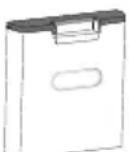 | × | × | × | √ | √ |
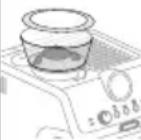 | × | × | √ | × | × |
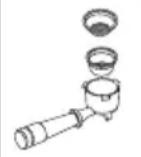 | × | × | × | √ | √ |
9. CLEANING THE COFFEE GRINDER
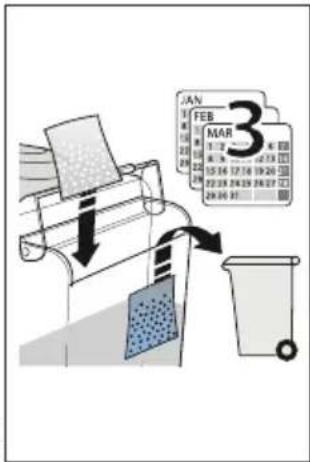
| DISWASHER SAFE | ∅Eco MyHClean | | | |
| × | √ | √ | × | × |
| → |
| DISWASHER SAFE | DEco MulHClean | | | |
| √ | × | × | √ | √ |
| × | × | × | √ | √ |
| × | × | √ | × | × |
| × | × | × | √ | √ |
9. CLEANING THE COFFEE GRINDER
| DISHWASHER SAFE | ∅Eco MyHClean | | | |
| × | √ | √ | × | × |
| → |
| DISWASHER SAFE | DEco MulHClean | | | |
| √ | × | × | √ | √ |
| × | × | × | √ | √ |
| × | × | √ | × | × |
| × | × | × | √ | √ |
9. CLEANING THE COFFEE GRINDER
- Clean the coupling area with the brush (C9) (fig. 27).
- Using the brush, clean the coffee ramp (fig. 28).
Efficient grinding
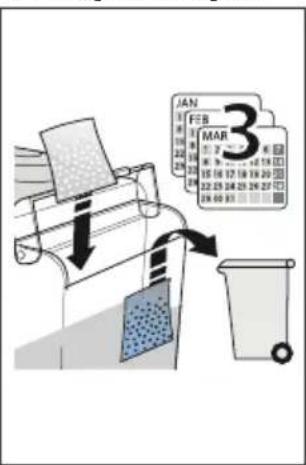
- Replace the Softballs sachet every 3 months (fig. 34).
12. DESCALING
Caution!
|  |  |  | [3SH5] |  |
 | × | √ | √ | × | × |
 | √ | × | × | √ | √ |
 | × | × | × | √ | √ |
 | × | × | √ | × | × |
 | × | × | × | √ | √ |
4.1 Phase 1 - Grinding
4.3 Phase 3 - Brewing
| DISWASHER SAFE | DEco MultClean | | | |
 | × | × | × | √ | √ |
 | × | × | √ | × | × |
 | × | × | × | √ | √ |
9. CLEANING THE COFFEE GRINDER
4.3 Phase 3 - Dispensing (brewing)
| DISWASHER SAFE | ∅Eco MyHClean | | | |
| × | √ | √ | × | × |
|
| DISWASHER SAFE | DEco MulHClean | | | |
| √ | × | × | √ | √ |
| × | × | × | √ | √ |
| × | × | √ | × | × |
| × | × | × | √ | √ |
9. CLEANING THE COFFEE GRINDER

| DISHWASHER SAFE | ∅Top MinClean | | | |
| × | √ | √ | × | × |
| √ | × | × | √ | √ |
| → |
| DESHWASHER SAFE | @Eco MultClean | | | |
| × | × | × | √ | √ |
| × | × | √ | × | × |
| × | × | × | √ | √ |
9. CLEANING THE COFFEE GRINDER
| DISHWASHER SAFE | ∅Eco MultClean | | | |
| × | √ | √ | × | × |
| √ | × | × | √ | √ |
| → |
| DESHWASHER SAFE | @Eco MultClean | | | |
| × | × | × | √ | √ |
| × | × | √ | × | × |
| × | × | × | √ | √ |
9. CLEANING THE COFFEE GRINDER
| DISHWASHER SAFE | DFo MultClean | | | |
 | × | √ | √ | × | × |
 | √ | × | × | √ | √ |
 | × | × | × | √ | √ |
 | × | × | √ | × | × |
 | × | × | × | √ | √ |
- Save the parameters by pressing the OK (B6) button.
| DISWASHER SAFE | DEco MulHClean | | | |
| × | × | √ | × | × |
| × | × | × | √ | √ |
9. CLEANING THE COFFEE GRINDER
| DISHWASHER SAFE | GEce MyHClean | | | |
| × | √ | √ | × | × |
| → |
| DISWASHER SAFE | DEco MulHClean | | | |
| √ | × | × | √ | √ |
| × | × | × | √ | √ |
| × | × | √ | × | × |
| × | × | × | √ | √ |
| DISHWASHER SAFE | ∅Eco MuHClean | | | |
| × | √ | √ | × | × |
| √ | × | × | √ | √ |
| → |
| DESHWASHER SAFE | @Eco MultClean | | | |
| × | × | × | √ | √ |
| × | × | √ | × | × |
| × | × | × | √ | √ |
9. CLEANING THE GRINDER
9. CLEANING THE COFFEE GRINDER
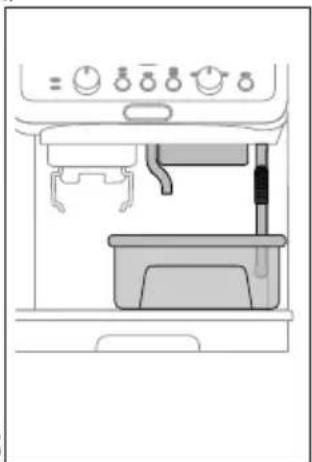
- Clean the attachment zone with the brush (C9) (fig. 27).
- Using the brush, clean the coffee chute (fig. 28).
Effective grinding
| DISWASHER SAFE | DEco MultClean | | | |
 | × | √ | √ | × | × |
 | √ | × | × | √ | √ |
 | × | × | × | √ | √ |
 | × | × | √ | × | × |
 | × | × | × | √ | √ |
9. CLEANING THE COFFEE GRINDER
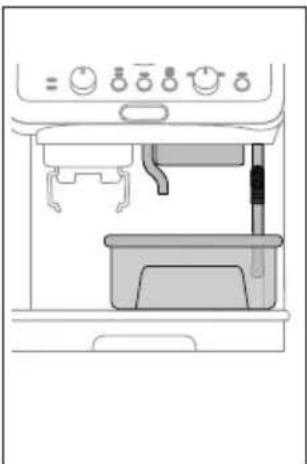
A4. Bean container capacity
| DIS-WASHERSAFE | DEcoMulticlean | | | |
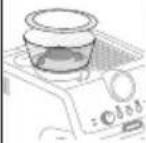
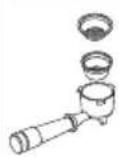
 | × | √ | √ | × | × |
 | √ | × | × | √ | √ |
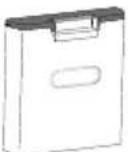 | × | × | × | √ | √ |
 | × | × | √ | × | × |
 | × | × | × | √ | √ |
9. CLEANING THE GRATER