TSA0805 - Kitchen scale Teesa - Free user manual and instructions
Find the device manual for free TSA0805 Teesa in PDF.


| Product type | Kitchen scale |
| Brand | Teesa |
| Model | TSA0805 |
| Power supply | 2 AAA batteries (not included) |
| Maximum capacity | 5 kg |
| Minimum capacity | 5 g |
| Accuracy | 1 g |
| Weight units | g / lb:oz |
| Volume units | ml / fl'oz |
| Bowl material | Stainless steel |
| Bowl capacity | 1.8 L |
| Housing material | Plastic |
| Display | LCD screen |
| Main functions | Weighing, water and milk volume measurement, tare function, zero reset |
| Auto-off | Yes, after 2 minutes of inactivity |
| Low battery indicator | Yes (displays "Lo") |
| Overload indicator | Yes (displays "Err") |
| Cleaning | Soft damp cloth, no chemicals |
| Safety | Do not immerse, indoor use only |
| Country of manufacture | PRC (People's Republic of China) |
Frequently Asked Questions - TSA0805 Teesa
User questions about TSA0805 Teesa
0 question about this device. Answer the ones you know or ask your own.
Ask a new question about this device
Download the instructions for your Kitchen scale in PDF format for free! Find your manual TSA0805 - Teesa and take your electronic device back in hand. On this page are published all the documents necessary for the use of your device. TSA0805 by Teesa.
USER MANUAL TSA0805 Teesa
flowchart
graph TD
    A["Start: 87 ml Weight, Milk, Water"] --> B["Step 1: 0 ml Weight, Milk, Water"]
    B --> C["Step 2: 587 ml Weight, Milk, Water"]
    C --> D["End: 605 g Weight, Milk, Water"]
ZERO / TARA
flowchart
graph TD
    A["87 mL Weight Milk Water MODE"] --> B["0 mL Weight Milk Water MODE"]
    B --> C["587 mL Weight Milk Water MODE"]
    C --> D["605 g Weight Milk Water MODE"]
NULL / TARA FUNKTION
Thank you for purchasing TEESA appliance. Please read this operation instruction carefully before use, and keep it for future use. Distributor does not take responsibility for damages caused by inappropriate handling and use of the product.
SAFETY INSTRUCTIONS
Follow basic safety precautions, including the following:
- Read this instruction manual carefully and keep it for future reference.
- Place the device on flat, stable and firm surface.
- The product is not waterproof. Do not place the appliance in water or any liquid.
- Remove the battery if the product is not going to be used for a long time.
- Appliance for indoor use only.
- Do not attempt to repair this appliance yourself. Only authorized and qualified personnel may repair this device. Never disassemble this product.
- Clean this device with soft, slightly damp cloth only. Do not use any chemical agents or abrasives to clean this product.
- Plastic parts should be cleaned immediately after contact with fat, spices vinegar and strongly flavored/colored foods. Avoid contact with acid citrus juices.
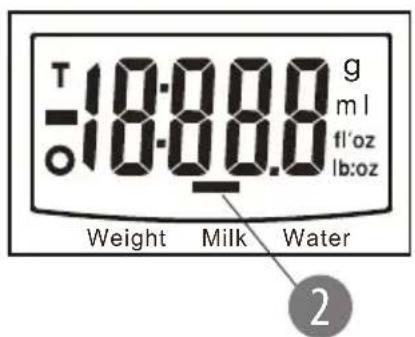
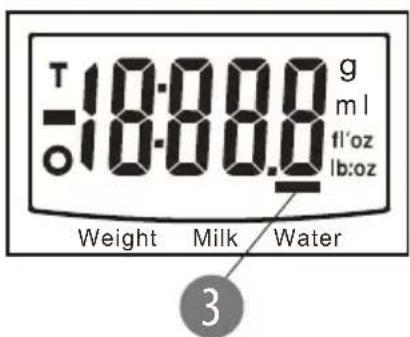
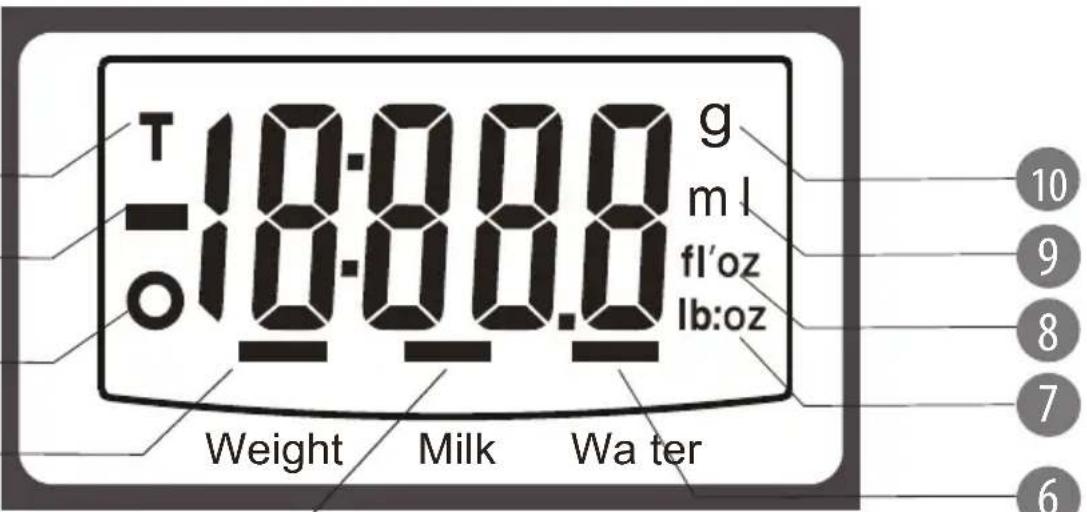
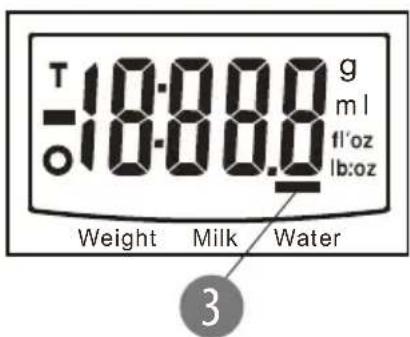
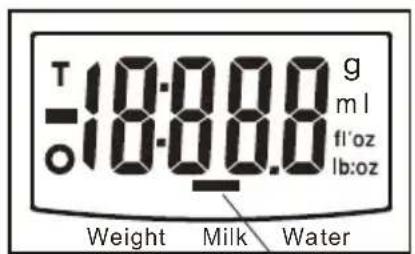
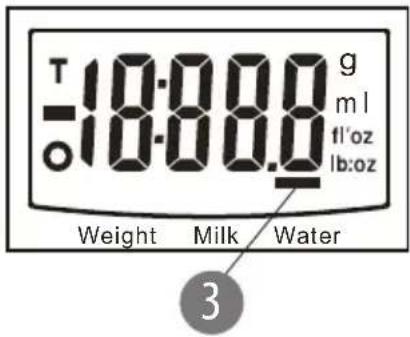
DISPLAY
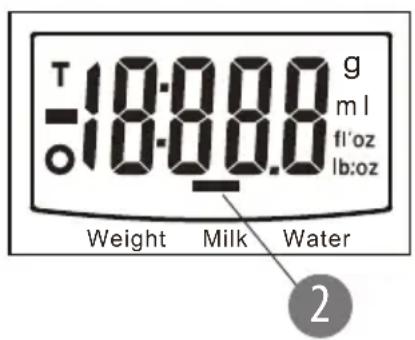
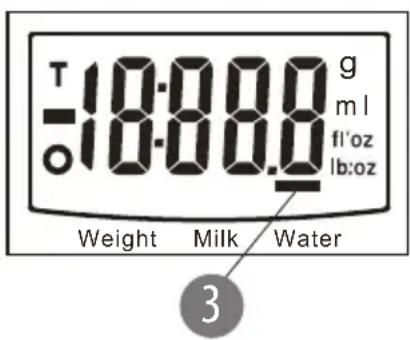
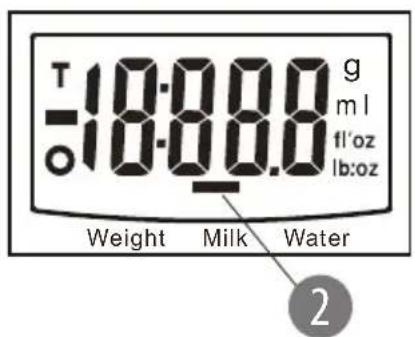
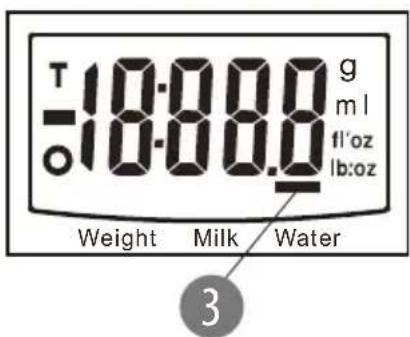
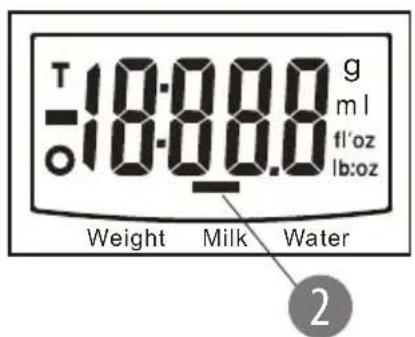
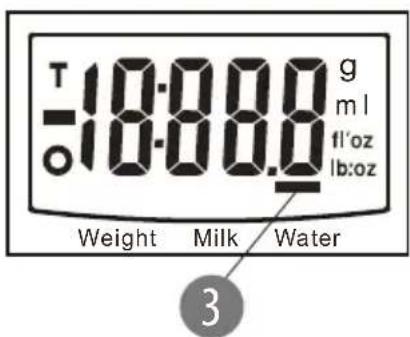
- Tare weight
- Negative value
- Zero weight
- Weight mode
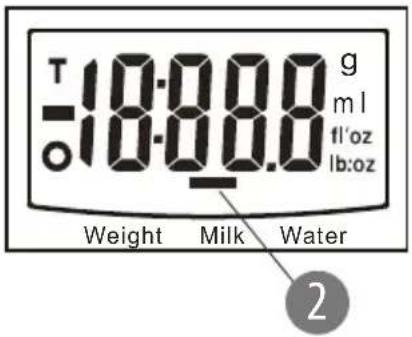
- Milk volume mode
- Water volume mode
- Weight unit (lb:oz)
- Volume unit (fl'oz)
- Volume unit (ml)
- Weight unit (g)
1
2
3
4
5
BATTERY INSTALLATION
- Open the battery cover.
- Install 2 new AAA batteries (please note the correct polarity).
MODES
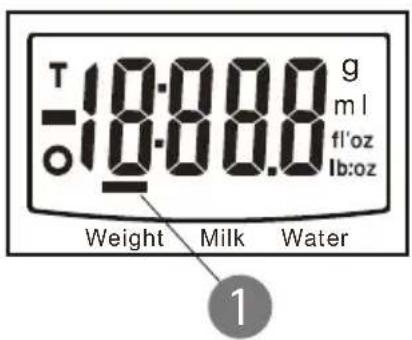
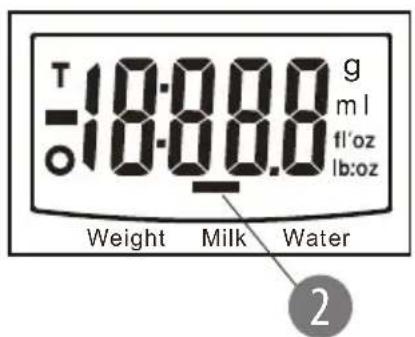
- Weight mode
- Milk volume mode
- Water volume mode
UNIT SELECTION
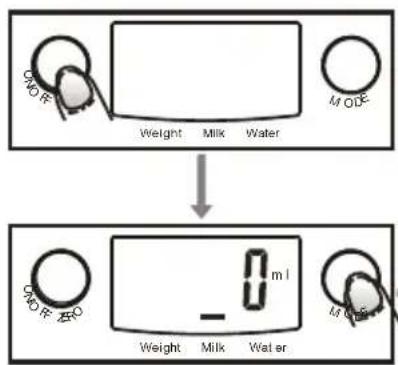
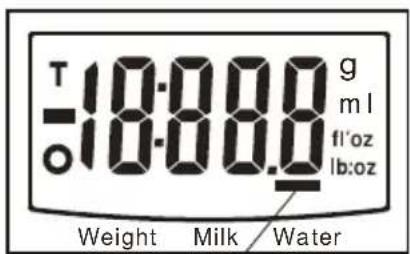
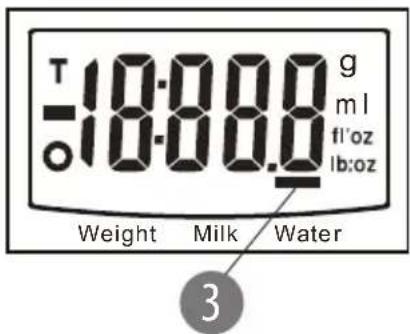
This scale has two unit systems: metric (g, ml) and imperial (lb:oz, fl'oz). To change unit system press MODE button after switching on the scale, when display shows as below:
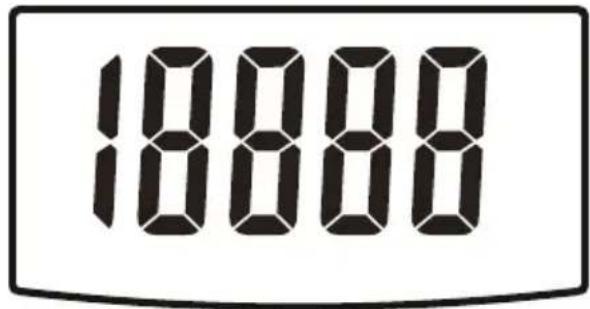
Please note, when setting g as weight unit, the default volume unit is ml; when setting lb:oz as weight unit, the default volume unit is fl'oz.
WEIGHT MODE
- Place the scale on a solid and flat surface.
- Place bowl (if used) on the scale before turning on the scale.
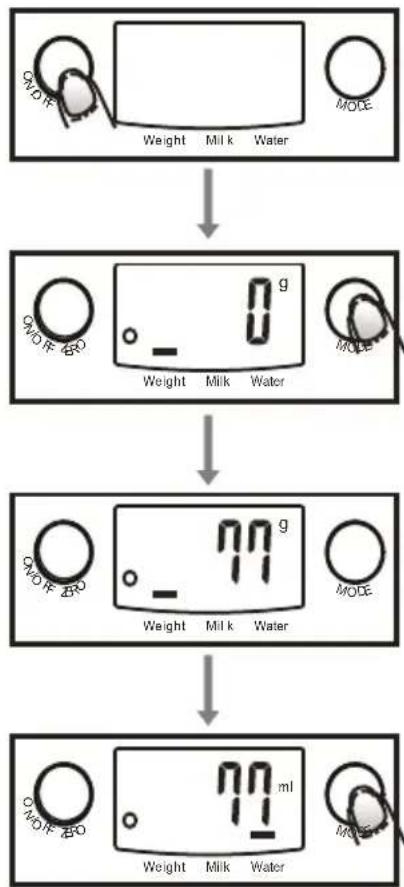
- Press ON/OFF to enter weighing mode. The display will show all information.
- Press MODE to select desired unit.
- Put the product on the scale to start weighing, LCD will show the weight.
- If the weighing object is water or milk, press MODE button to select volume mode; the volume will be displayed on the screen.
flowchart
graph TD
    A["0.1g Water"] --> B["Weight"]
    B --> C["Milk"]
    C --> D["Water"]
    D --> E["0.1g Water"]
    E --> F["Weight"]
    F --> G["Milk"]
    G --> H["Water"]
    H --> I["0.1g Water"]
    I --> J["Weight"]
    J --> K["Milk"]
    K --> L["Water"]
    L --> M["0.1g Water"]
VOLUME MODE
- Place the scale on a solid and flat surface.
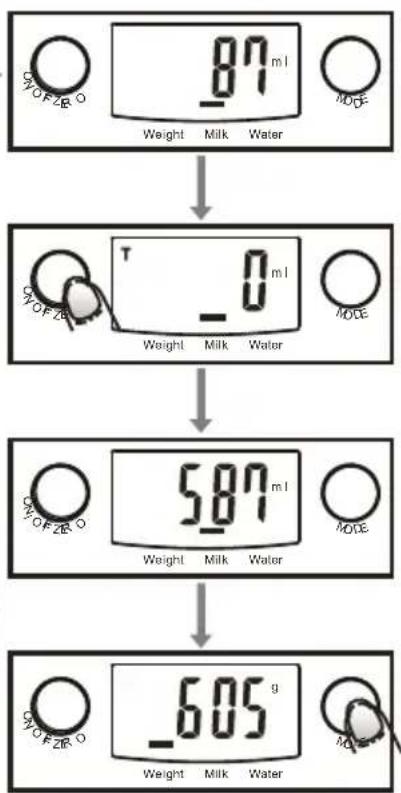
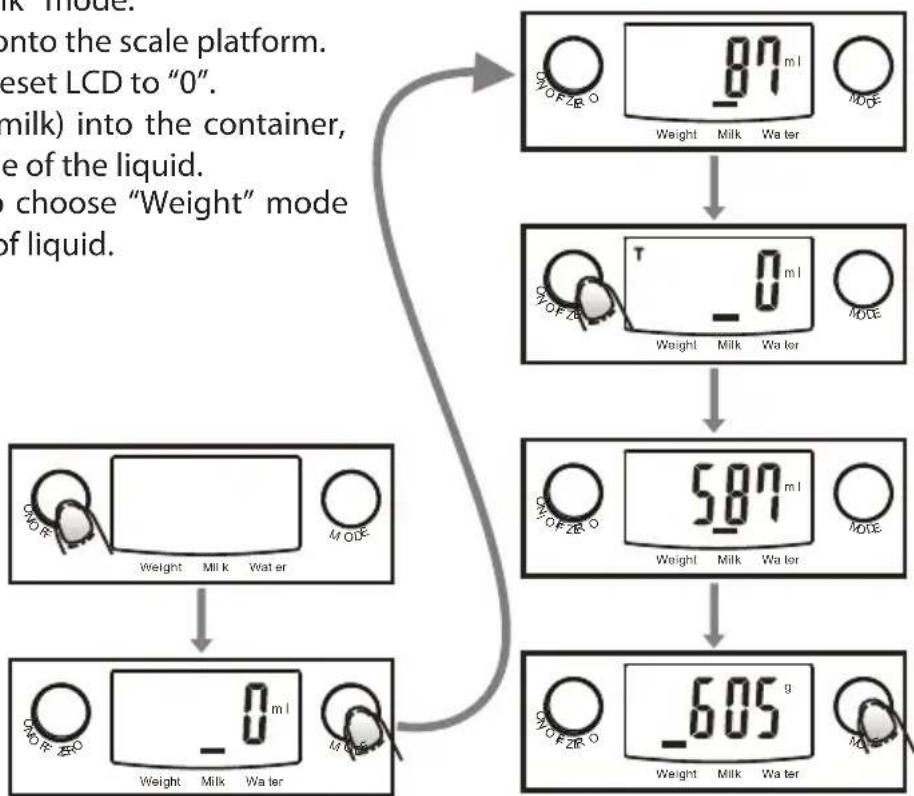
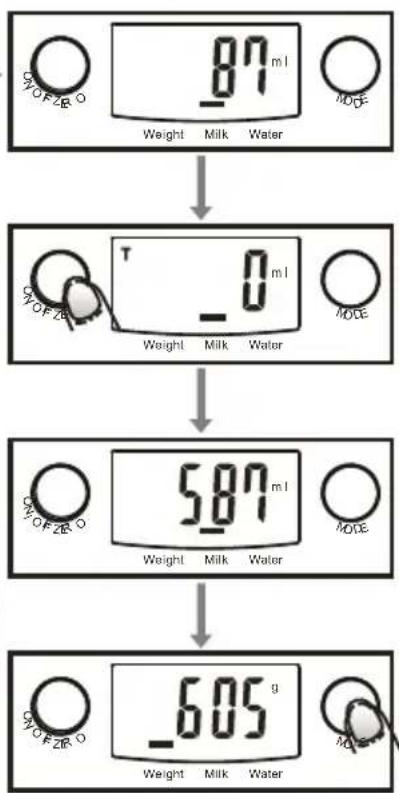
- Press ON/OFF to turn on the scale. Wait until LCD shows "0", and press MODE button to choose "Water" or "Milk" mode.
- Put a liquid container onto the scale platform.
- Press ZERO button to reset LCD to "0".
- Pour liquid (water or milk) into the container, LCD shows the volume of the liquid.
- Press MODE button to choose "Weight" mode and view the weight of liquid.
flowchart
graph TD
    A["87 mL Weight"] --> B["0 mL Weight"]
    B --> C["587 mL Weight"]
    C --> D["605 g Weight"]
    style A fill:#f9f,stroke:#333
    style B fill:#ccf,stroke:#333
    style C fill:#cfc,stroke:#333
    style D fill:#fcc,stroke:#333
ZERO / TARE FUNCTION
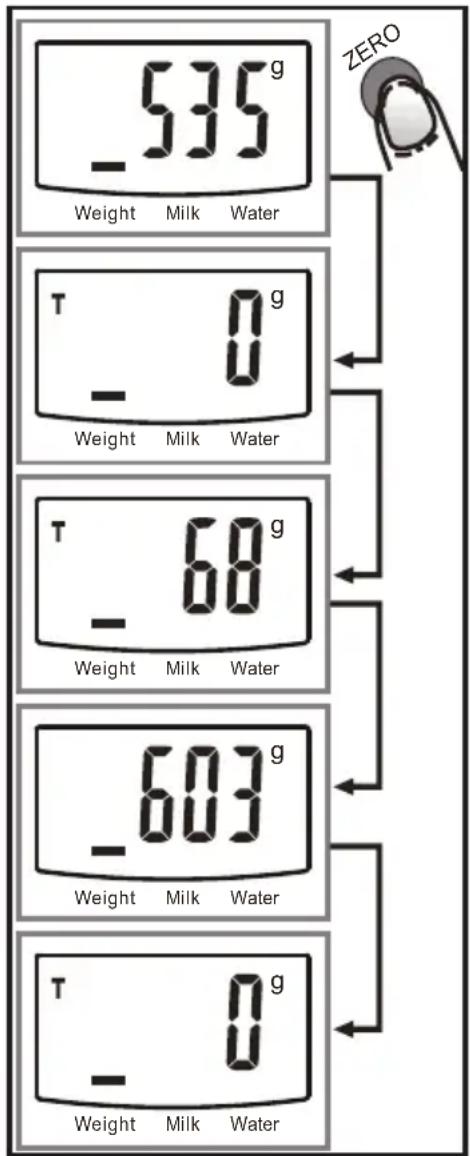
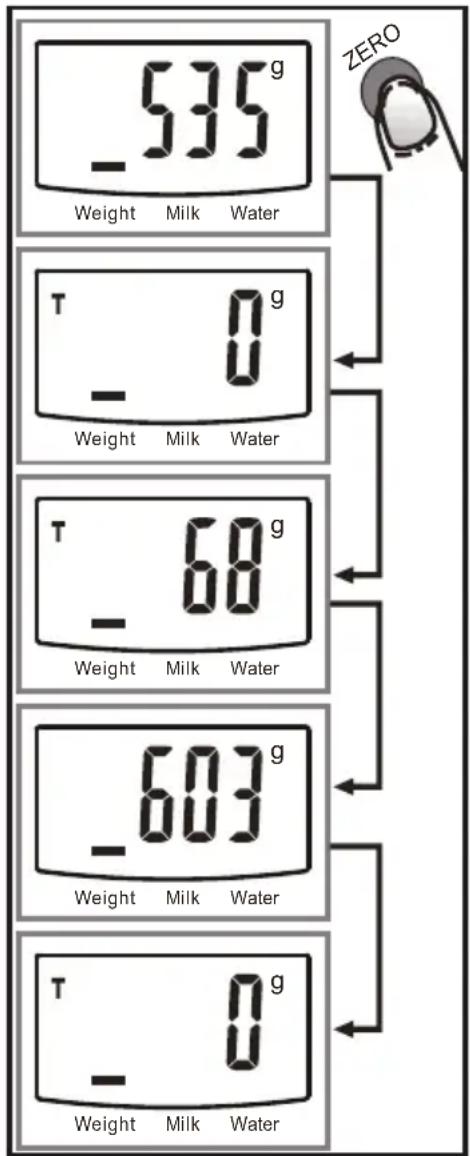
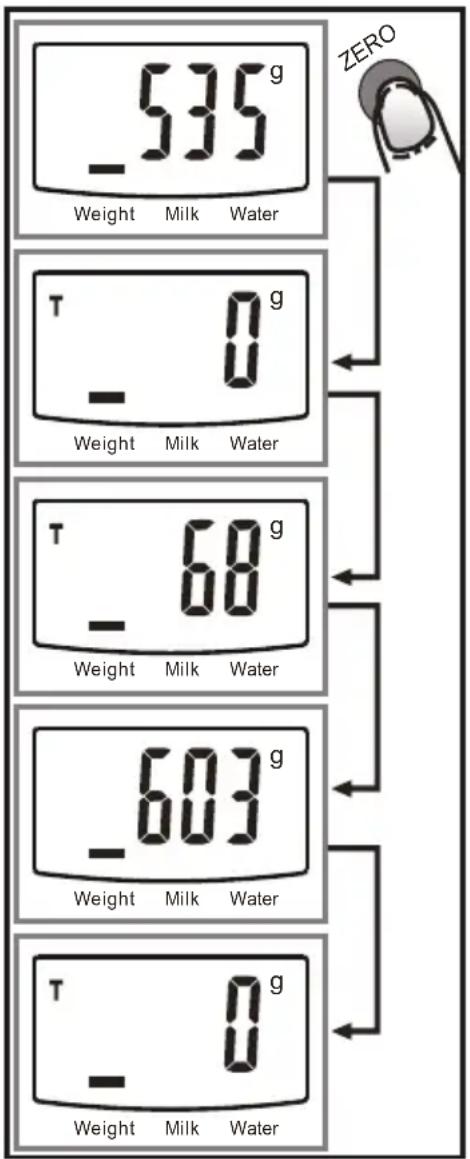
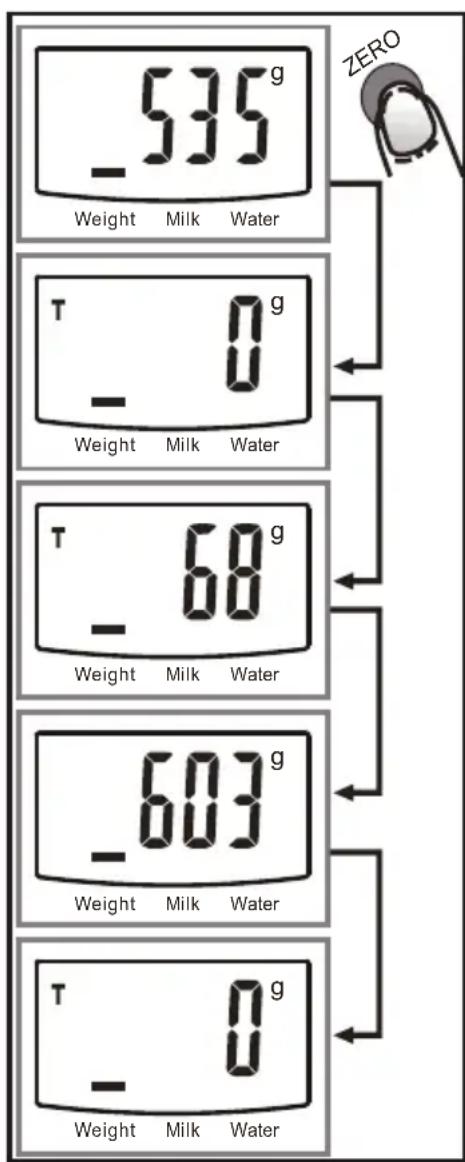
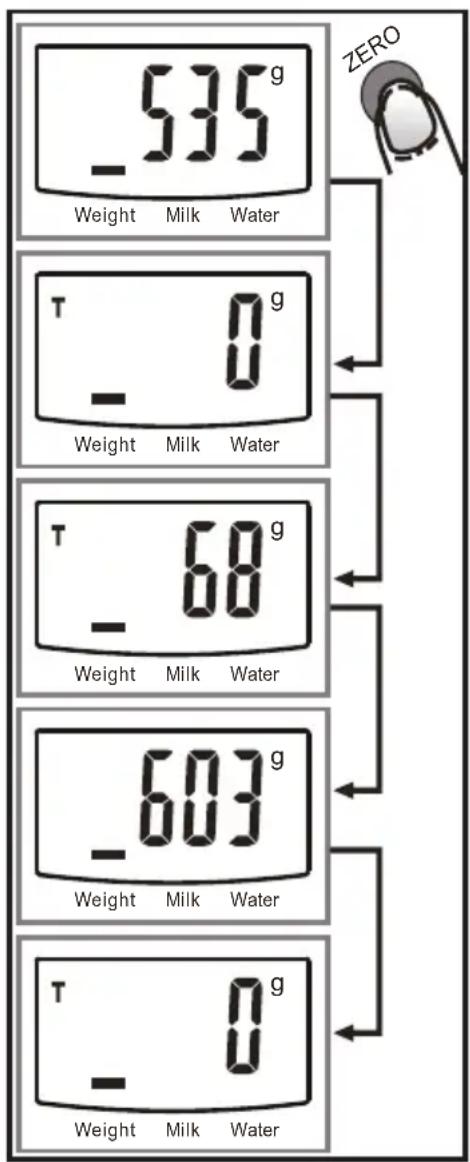
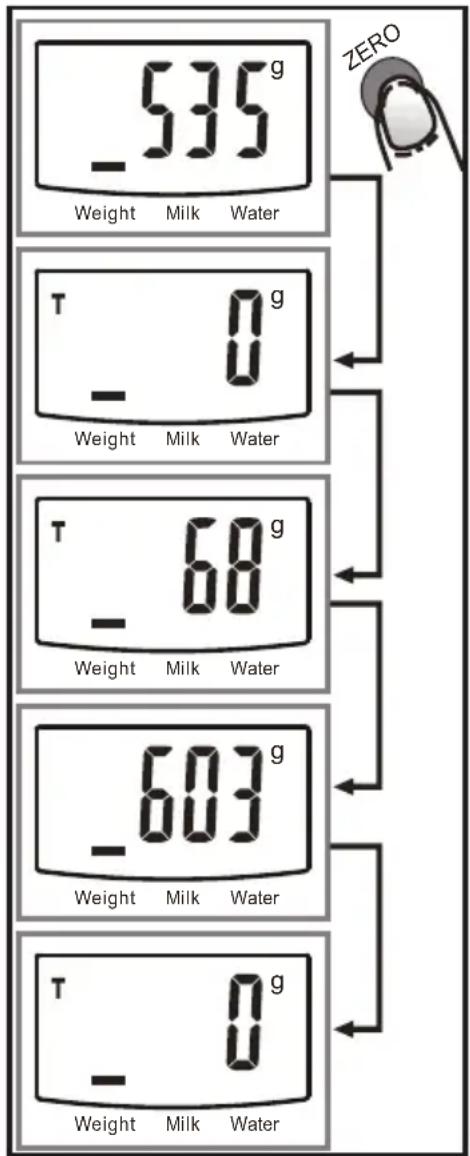
To weigh different loads consecutively without removing loads from the scale, put first load on the scale. The display will show its weight. Press ZERO button to reset the reading. Add next product. The display will show weight of the second product. Repeat the process accordingly to your needs.
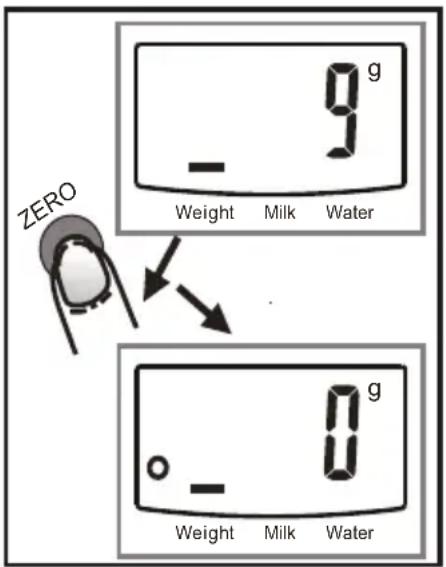
Condition 1: ZERO function
When total sum of all loads on scale = <4% of scale's max. weight capacity (200 g for 5000 g capacity).
LCD will show “----” or “0g” each time ZERO is pressed. “--” means not stable, please wait for a moment. “0g” and meanwhile an icon “o” on lower left corner of LCD means “ZERO” function is active. Max. weight capacity remains unchanged.
Condition 2: TARE function
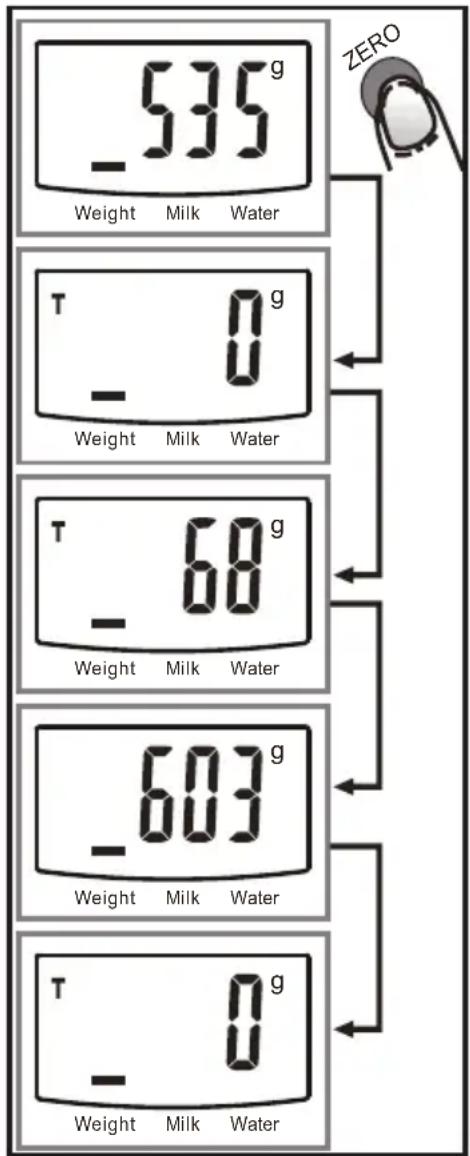
When total sum of all loads on scale >4% of scale's max. weight capacity (200 g for 5000 g capacity).
LCD will show “----” or “0g” each time ZERO is pressed. “----” means not stable, please wait for a moment. “0g” and meanwhile an icon “TARE” on upper left corner of LCD means “TARE” function is active. Max. Weight capacity is reduced by total weight of all loads.
AUTO SHUT OFF
The scale will automatically turn off if the display shows "0" or the same weight reading for 2 minutes.
MANUAL SHUT OFF
Press ON/OFF button to turn off the scale manually.
Note: when display shows "0" press ON/OFF to turn off the scale. When display shows weight reading, press and hold ON/OFF button to turn off the scale.
ERROR INDICATIONS
| Lo Low battery Replace batteries! | |
| Err Overload Remove the weight |
FEATURES
• Indicates volume of water and milk
• Two weight unit system: g / lb:oz
• Two volume unit system: ml / fl'oz
• Low battery / overload indication
SPECIFICATION
Maximum load: 5 kg
Minimum load: 5 g
Graduation: 1 g
Units: g, lb:oz, ml, fl.oz
Stainless steel 1,8 l bowl
Outer casing made of plastic
Auto off
Tare function
Power supply: 2x AAA battery (batteries not included)
EN
English
Correct Disposal of This Product
(Waste Electrical & Electronic Equipment)

(Applicable in the European Union and other European countries with separate collection systems) This marking shown on the product or its literature, indicates that it should not be disposed with other household wastes at the end of its working life. To prevent possible harm to the environment or human health from uncontrolled waste disposal, please separate this from other types of wastes and recycle it responsibly to promote the sustainable reuse of material resources. Household users should contact either the retailer where they purchased this product, or their local government office, for details of where and how they can take this item for environmentally safe recycling. Business users should contact their supplier and check the terms and conditions of the purchase contract. This product should not be mixed with other commercial wastes for disposal.
Made in China for LECHPOL ELECTRONICS Sp. z o.o. Sp.k., ul. Garwolińska 1, 08-400 Miętne.
flowchart
graph TD
    A["Weight 87 ml"] --> B["Weight -0 ml"]
    B --> C["Weight 587 ml"]
    C --> D["Weight -605 g"]
ZÉRO / TARE
CARACTÉRISTIQUES DU PRODUIT
Alimentation : 2X piles AAA (piles non fournies)
France
flowchart
graph TD
    A["87 mL Weight Milk Water MODE"] --> B["587 mL Weight Milk Water MODE"]
    B --> C["605 g Weight Milk Water MODE"]
flowchart
graph TD
    A["Control knob"] --> B["Weight"]
    B --> C["Milk"]
    C --> D["Water"]
    D --> E["0.1 mL meter"]
    E --> F["Control knob"]
    F --> G["Weight"]
    G --> H["Milk"]
    H --> I["Water"]
    I --> J["0.1 mL meter"]
flowchart
graph TD
    A["87 mL Weight Milk Water MODE"] --> B["0 mL Weight Milk Water MODE"]
    B --> C["587 mL Weight Milk Water MODE"]
    C --> D["605 g Weight Milk Water MODE"]
ZÉRÓ / TÁRA
- Weegmodus
- Melkvolumemodus
- Watervolumemodus
SELECTIE VAN EENHEDEN
flowchart
graph TD
    A["Weight"] --> B["Milk"]
    B --> C["Water"]
    D["0.0 g"] --> E["Weight"]
    E --> F["Milk"]
    F --> G["Water"]
    H["0.0 g"] --> I["Weight"]
    I --> J["Milk"]
    J --> K["Water"]
    L["0.0 g"] --> M["Weight"]
    M --> N["Milk"]
    N --> O["Water"]
    P["0.0 g"] --> Q["Weight"]
    Q --> R["Milk"]
    R --> S["Water"]
VOLUME MODUS
1
2
3
- Mod greutate
- Mod volum lapte
- Mod volum apa
SELECTARE UNITATE DE MASURA
flowchart
graph TD
    A["0.1g Water"] --> B["0.1g Milk Water"]
    B --> C["0.1g Water"]
    C --> D["11ml"]
MOD VOLUM
FUNCTIA ADUCERE LA ZERO (TARARE)
Cazul 2: Functia TARARE
VÝBER JEDNOTIEK
flowchart
graph TD
    A["87 mL Weight Milk Water MODE"] --> B["0 mL Weight Milk Water MODE"]
    B --> C["587 mL Weight Milk Water MODE"]
    C --> D["605 g Weight Milk Water MODE"]
NULA / TARE