Openrock S - Earphones OneOdio - Free user manual and instructions
Find the device manual for free Openrock S OneOdio in PDF.


User questions about Openrock S OneOdio
0 question about this device. Answer the ones you know or ask your own.
Ask a new question about this device
Download the instructions for your Earphones in PDF format for free! Find your manual Openrock S - OneOdio and take your electronic device back in hand. On this page are published all the documents necessary for the use of your device. Openrock S by OneOdio.
USER MANUAL Openrock S OneOdio
Open-Ear Air Conduction Sport Earbuds

text_image
OpenRockUser Manual

Language Guide
English 1
日本語 7
Français 9
Deutsch 11
Русский 13
Español 15
Italiano 17
Português 19
Polski 21
한국어 23

Packaging List
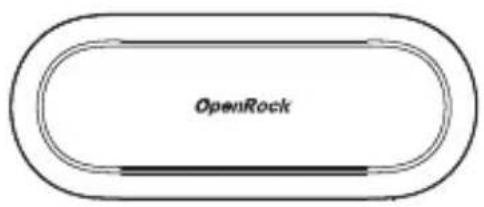
text_image
OpenRock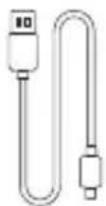
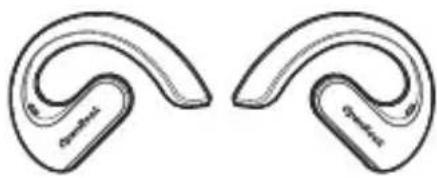
natural_image
Two curved, segmented ear-like objects with no visible text or symbols

Overview
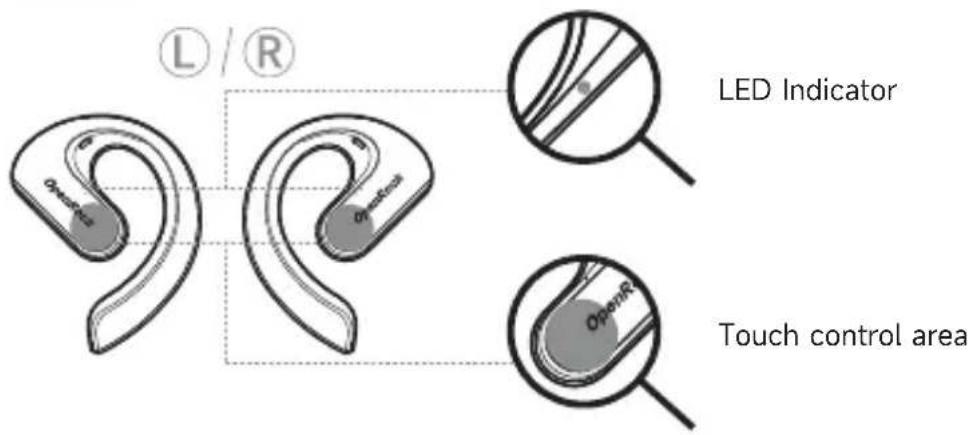
text_image
L / R LED Indicator Touch control area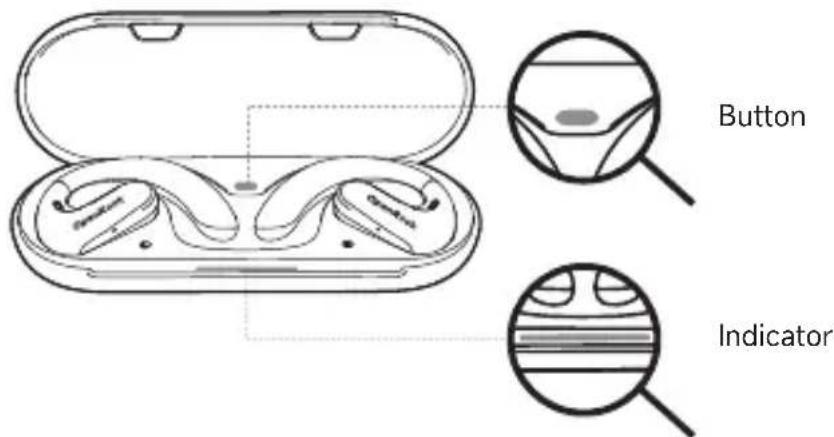
text_image
Button Indicator
Power On/Power Off
Power on
Open the lid to automatically power on the earphones. For manual control, hold the touch control area for 3 seconds when the earphones are OFF.
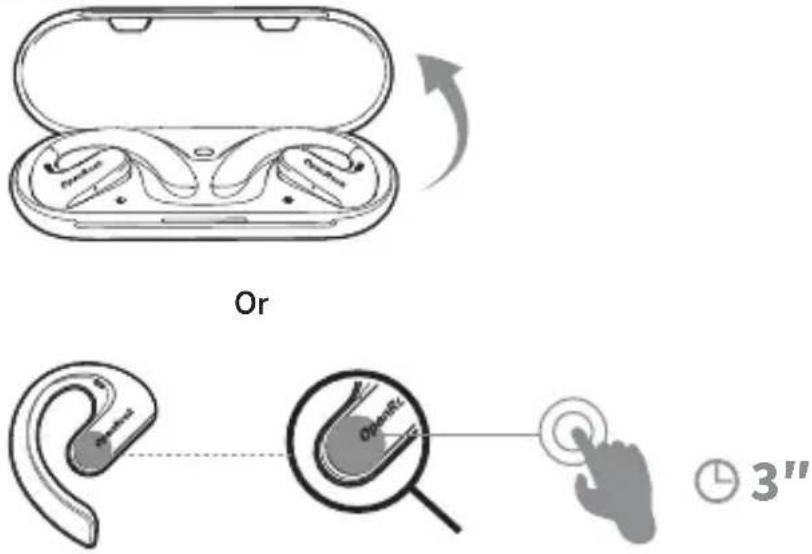
text_image
Or 3"Power off
Place the earphones back inside the charging case and close the lid to automatically power them off. For manual control, hold the touch control area for 5 seconds when the earphones are ON.
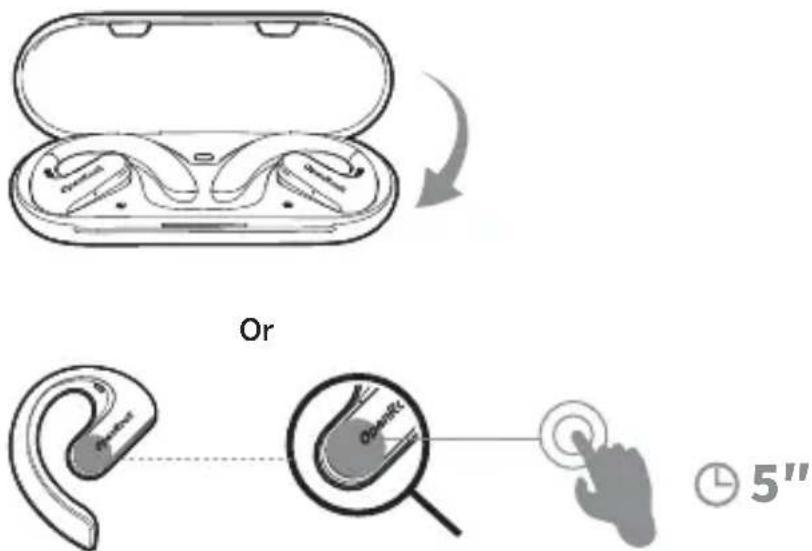
text_image
Or 5"
Bluetooth Pairing
First time use
- Open the charging case, take out the earphones and remove the charging protective film.
- Place the earphones back into the charging case and close the lid.
- Wait 10 seconds, then open the charging case lid, the earphones will automatically turn on.
- The LED indicator will flash white to signify pairing mode.
- On your device, select "OpenRock S" from the list of available Bluetooth devices.
- After pairing successfully, the white indicator of the earphones will remain ON for 1 second.
- Take out the earphones for use.
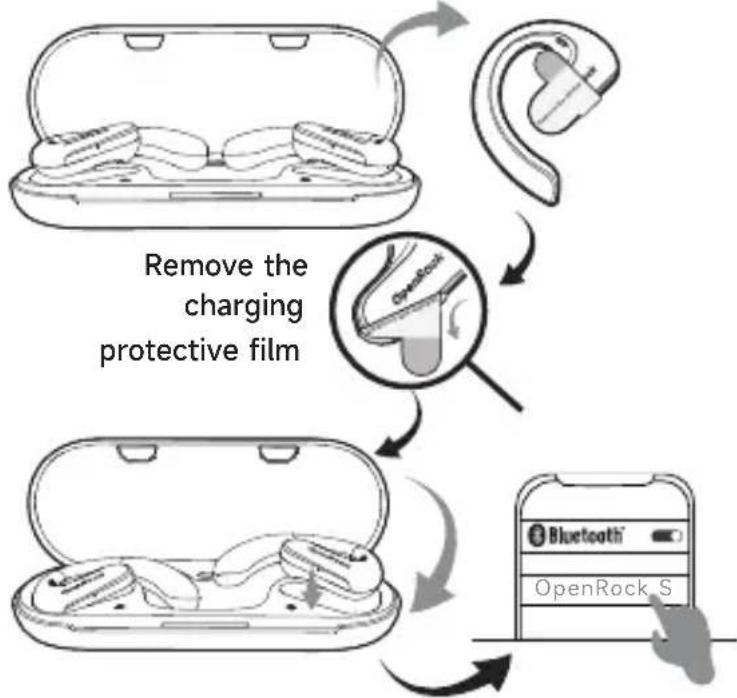
flowchart
graph TD
    A["Remove the charging protective film"] --> B["Close-up of earbuds"]
    B --> C["Close-up of open microphone with 'OpenRock' lens"]
    C --> D["Close-up of open microphone with 'Bluetooth' logo and 'OpenRock S' label"]
    D --> E["Close-up of open microphone with 'Bluetooth' logo and 'OpenRock S' label"]
Manual Bluetooth pairing (Pairing again)
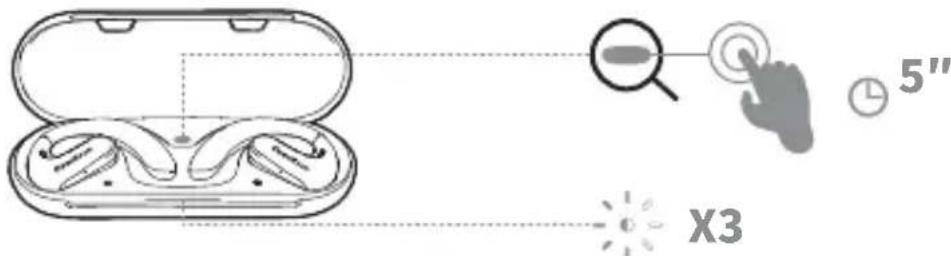
- Place the earphones inside the charging case and keep the case open.
- Press and hold the button on the charging case for 5 seconds.
- The indicator light on the charging case will flicker three times.
- Choose "OpenRock S" from the Bluetooth list on the device to be paired.
- After pairing successfully, the white indicator of the earphones will remain ON for 1 second.
- Take out the earphones to use.
text_image
5" X3
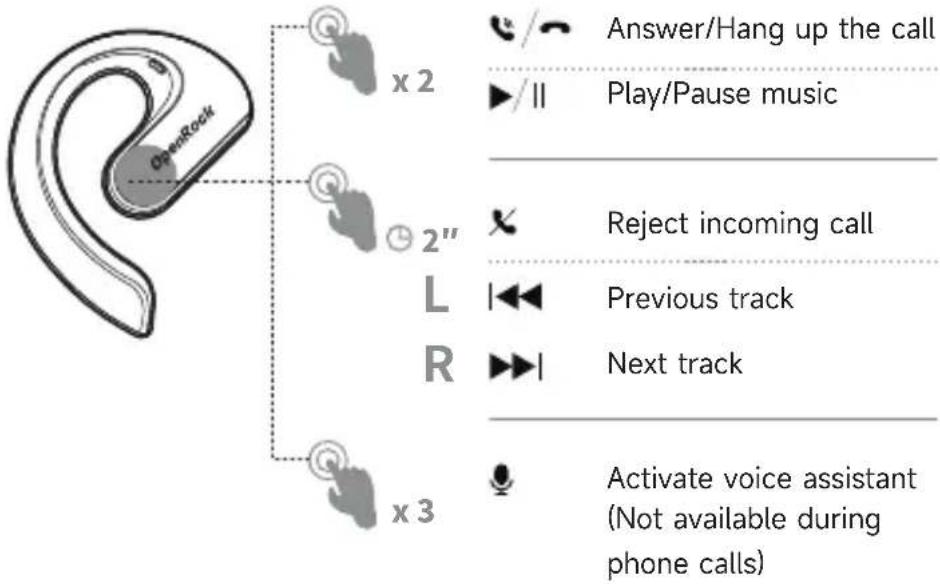
Controlling the Earphone
text_image
OpenRock x 2 Answer/Hang up the call Play/Pause music 2" Reject incoming call L | Previous track R | Next track x 3 Activate voice assistant (Not available during phone calls)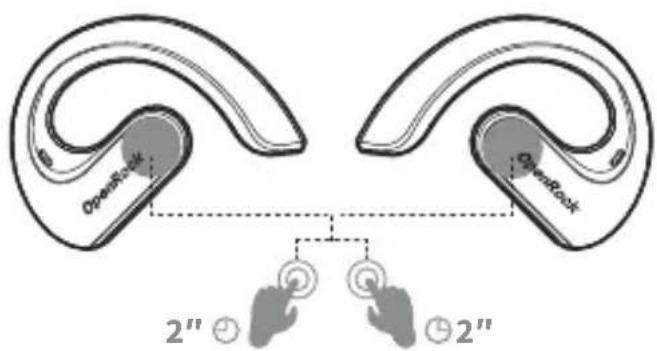
text_image
OpenRock OpenRock 2" ⊙ 2" ⊙ 2"Hold both sides simultaneously for 2 seconds
Switch sound effects between Rock Mode ⇌ Relax Mode
(Not available during phone calls or music playback)

Battery Display
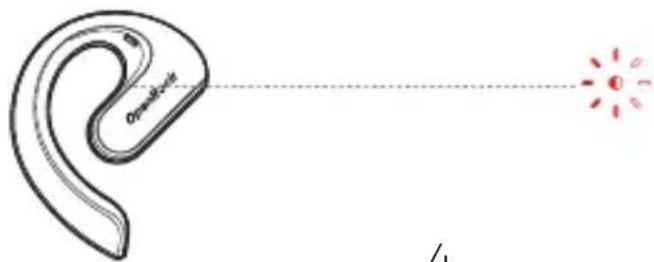
Earphone low battery reminder
When earphone battery has only 10 minutes of playback remaining, the LED indicator will flash red twice every 5 minutes, and the earphone will play a voice message saying "Low Battery".
text_image
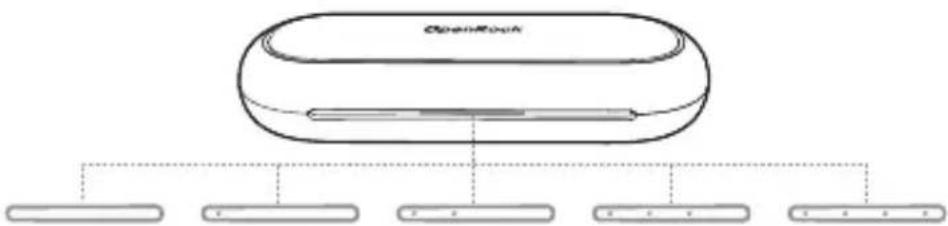
On-Back 4Charging case battery display
The four white LED indicators on the charging case indicate the five battery levels: 0%, 25%, 50%, 75%, and 100%.
text_image
OpenBook0% 25% 50% 75% 100%

Charging Guidance
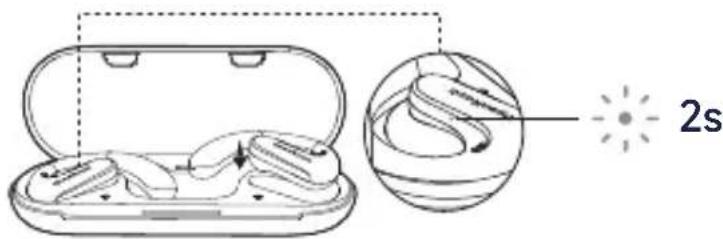
Charging the earphones
- Place the earphones in the charging case. The earphones LED indicator will remain on for 2 seconds.
text_image
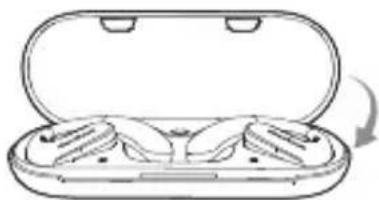
2s- Close the lid to charge the earphones.
natural_image
Line drawing of an open cylindrical device with internal compartments and a curved arrow indicating rotation (no text or symbols)Charging the charging case
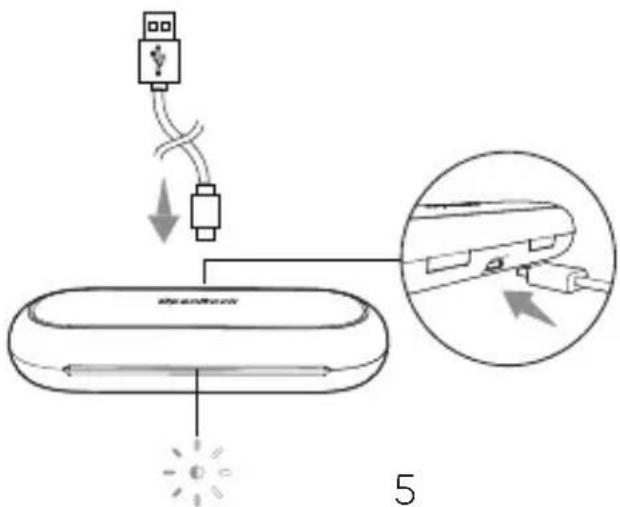
Plug in the charging case with a USB Type-C charging cable to a 5V charger. The LED indicator on the case will flash during charging.
text_image
5
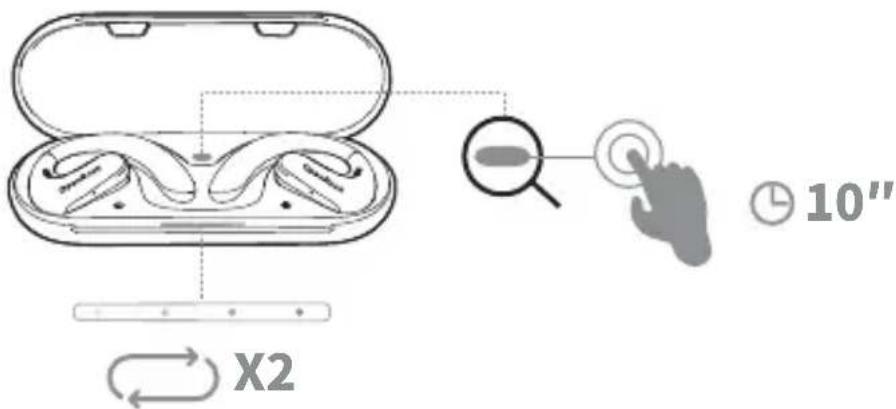
- Place the earphones in the charging case. Keep the case open.
- Press and hold the charging case button for 10 seconds.
- The charging case LED indicator will flash twice from left to right.
- Pairing settings have now been reset.
text_image
X2 10"
Specifications
Driver size: 16.2 mm
Frequency response range: 20 Hz - 20 kHz
Microphone: Single side 2×MEMS
Bluetooth version: 5.3
Bluetooth connection distance: 10 m
Battery life:
19 hours (earphone)
60 hours (including charging case)
Audio decoding: AAC, SBC
Rated input: 5 V = 450 mA
Full charge duration: 1.5 hours
1 hour playback after charging for 5 minutes
Weight:
12 g (single earphone)
132 g (complete set)
Waterproof grade: IPX5

主な仕様

各部の名称
0%, 25%, 50%, 75%, 100%

충전 안내
이어폰 충전
Our friendly customer service team are ready and waiting to help. Here is how you can contact us:
Global: oneodio.com/pages/support
Japan: oneodio.jp/pages/support
Global: +85269403848 (Mon to Fri 9:00 am-6:30 pm, UTC +8 HKT)
EC REP
C&E Connection E-Commerce (DE) GmbH
Add.: Zum Linnegraben 20, 65933,
Frankfurt am Main, Germany
Tel.: +4906927246648
Email: info@ce-connection.de
UK REP
APEX CE SPECIALISTS LIMITED
Add.: 89 Princess Street,
Manchester, M1 4HT, UK
Tel.: +441616371080
Email: info@apex-ce.com
US Agent
TRANS-PAC CHINA LLC
Add.: 3715 S 182nd Street, C120 Seatac, WA 98188-9993, US
Tel.: +1 (818) 818-0538
Email: lisaleeinchina@gmail.com
Manufacturer: YI ZHAO (SHENZHEN) CO., LIMITED
Add.: 6th Floor, T3 Creative Building, Shenzhen Colorful Huiwei Cultural and Creative Expo City, No. 5010 Baoan Avenue, Caowei Community, Hangcheng Street, Baoan District, Shenzhen City, Guangdong Province, China.
Email: info@oneodio.com
Tel.: +85269403848
6th Floor, T3 Creative Building, Creative Expo City, No.5010 Baoan
Avenue, Hangcheng Street, Baoan Shenzhen, China

text_image
FR +