MIH742FY18K1Y - Hob MIDEA - Free user manual and instructions
Find the device manual for free MIH742FY18K1Y MIDEA in PDF.


| Brand | Midea |
| Model | MIH742FY18K1Y |
| Product type | Induction electric hob |
| Number of cooking zones | 4 zones |
| Product dimensions (W×D×H) | 600 x 520 x 230 mm |
| Built-in dimensions (A×B) | 560 x 480 mm |
| Supply voltage | 220-240V~ / 380-415V 3N~ 50/60 Hz |
| Installed electric power | 7400 W |
| Heating technology | Induction cooking |
| Cooking zone diameters | Front left: 180 mm, Rear left: 150 mm, Front right: 185x210 mm, Rear right: 185x210 mm |
| Hob energy consumption | 180.7 Wh/kg |
| Energy efficiency class | A++ (integrated hood) |
| Main functions | Touch controls, timer, child lock, pause, boost, flexible zone, automatic hood |
| Maintenance and cleaning | Regular cleaning of grease and carbon filters, water tank |
| Safety | Automatic shut-off, pan detection, overheat protection, child lock, hot surface indicator |
| Spare parts and repairability | Replaceable grease and carbon filters, removable water tank |
Frequently Asked Questions - MIH742FY18K1Y MIDEA
User questions about MIH742FY18K1Y MIDEA
0 question about this device. Answer the ones you know or ask your own.
Ask a new question about this device
Download the instructions for your Hob in PDF format for free! Find your manual MIH742FY18K1Y - MIDEA and take your electronic device back in hand. On this page are published all the documents necessary for the use of your device. MIH742FY18K1Y by MIDEA.
USER MANUAL MIH742FY18K1Y MIDEA
INDUCTION HOB WITH INTEGRATED EXTRACTOR HOOD
USER MANUAL
MIH742FY18K1Y
Warning notices: Before using this product, please read this manual carefully and keep it for future reference.
The design and specifications are subject to change without prior notice for product improvement.
Consult with your dealer or manufacturer for details.
The diagram above is just for reference. Please take the appearance of the actual product as the standard.
MOT DE REMERCIEMENT
VUE D'ENSEMBLE DU PRODUIT 12
GUIDE DE DÉMARRAGE RAPIDE 14
INSTRUCTIONS SUR LE FONCTIONNEMENT 16
NETTOYAGE ET ENTRETIEN 27
DÉPANNAGE 33
CONSIGNES DE SÉCURITÉ
Usage prévu
natural_image
Three circular diagrams showing a crosshair on a sphere, a crosshair on a pan, and a frying pan with chopsticks (no text or symbols)VUE D'ENSEMBLE DU PRODUIT
Vue de Dessus
natural_image
Three identical cooking pots with crossed X marks on their bases, placed horizontally (no text or symbols)Utilisation
natural_image
Simple line drawing of a cooking pot on a stand (no text or symbols)natural_image
Two hand gestures with a minus sign and a plus sign, no text or symbols presentnatural_image
Two hand diagrams with a horizontal line and a plus sign, no text or symbols present
natural_image
Hand pointing at a square button with sparkles (no text or symbols)
REMARQUE
natural_image
Pure diagram of a control panel with circular and rectangular elements, no text or symbols presentnatural_image
Technical line drawing of a mechanical assembly with internal components and directional arrows (no text or symbols)natural_image
Exploded view diagram of a multi-chamber air conditioner unit showing internal components and mounting base (no text or labels)natural_image
Technical line drawing of a mechanical component with an inset view showing internal structure (no text or symbols)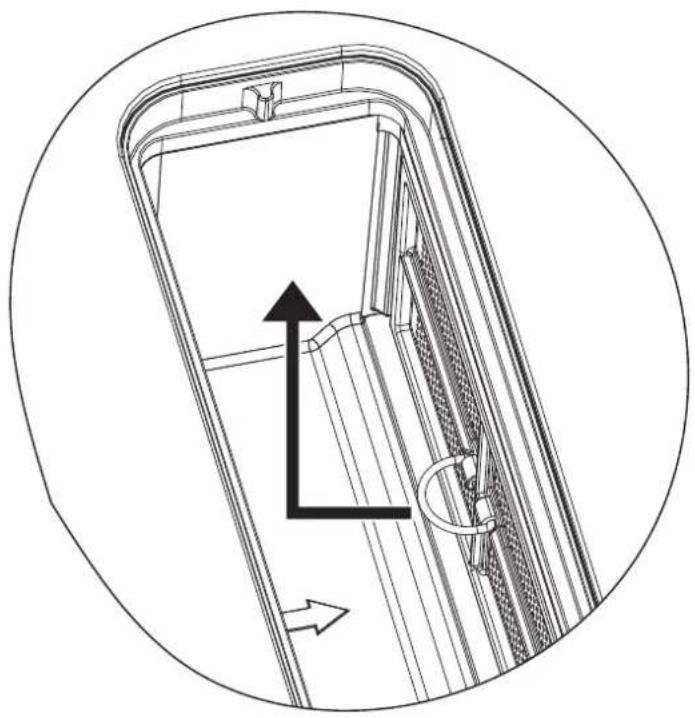
natural_image
Technical line drawing of a door frame with internal structure and directional arrows (no text or symbols)natural_image
Technical line drawing of a multi-section mechanical housing or enclosure with internal components and structural details (no text or symbols)DÉPANNAGE
Thank you for choosing Midea! Before using your new Midea product, please read this manual thoroughly to ensure that you know how to operate the features and functions that your new appliance offers in a safe way.
CONTENTS
THANK YOU LETTER 01
SAFETY INSTRUCTIONS 02
SPECIFICATIONS 09
PRODUCT OVERVIEW 12
QUICK START GUIDE 14
OPERATION INSTRUCTIONS 16
CLEANING AND MAINTENANCE 27
TROUBLESHOOTING 33
SAFETY INSTRUCTIONS
Intended Use
The following safety guidelines are intended to prevent unforeseen risks or damage from unsafe or incorrect operation of the appliance. Please check the packaging and appliance on arrival to make sure everything is intact to ensure safe operation. If you find any damage, please contact the retailer or dealer. Please note modifications or alterations to the appliance are not allowed for your safety concern. Unintended use may cause hazards and loss of warranty claims.
Explanation of Symbols
| DangerThis symbol indicates that there are dangers to the life and health of persons due to extremely fiammable gas. | |
| Warning of electrical voltageThis symbol indicates that there is a danger to life and health of persons due to voltage. | |
| WarningThe signal word indicates a hazard with a medium level of risk which, if not avoided, may result in death or serious injury. | |
| CautionThe signal word indicates a hazard with a low degree of risk which, if not avoided, may result in minor or moderate injury. | |
| AttentionThe signal word indicates important information (e.g. damage to property), but not danger. | |
| Observe instructionsThis symbol indicates that a service technician should only operate and maintain this appliance in accordance with the operating instructions. |
Read these operating instructions carefully and attentively before using/commissioning the unit and keep them in the immediate vicinity of the installation site or unit for later use!
SAFETY WARNINGS
Your safety is important to us. Please read this information before using your cooktop. Please strictly observe the instructions in this manual. No liability will be assumed for any problems, damage or fires caused by failure to comply with the instructions in this manual. The device is intended for domestic use only, to cook food and extract the fumes generated by cooking. No other use is allowed (e.g. heating rooms). The manufacturer declines any liability for inappropriate use or incorrect setting of the controls.
The product may have different aesthetic features with respect to the illustrations in this handbook, however the operating, maintenance and installation instructions remain the same.
This manual must be stored for future consultation at any time. If sold, transferred or moved, it must remain with the product.
INSTALLATION
EN
- Disconnect the appliance from the mains electricity supply before carrying out any work or maintenance on it.
- Connection to a good earth wiring system is essential and mandatory.
- Alterations to the domestic wiring system must only be made by a qualified electrician.
- Failure to follow this advice may result in electrical shock or death.
- -Installation or maintenance must be performed by a qualified technician, in compliance with the manufacturer's instructions and with local safety regulations. Do not repair or replace any part of the device unless specifically stated in the operating manual.
- Earthing the device is compulsory.
- The power cable must be long enough, to allow the device, built-in to the cabinet, to be connected to the electrical network.
- In order to ensure the installation complies with current safety standards, a regular omnipolar switch is required that assures the complete disconnection of the mains under category III over-voltage conditions, in accordance with the installation rules.
- Do not use multiple sockets or extension cords. -Once installation is complete, the electrical components must no longer be accessible by the user.
- Before connecting the device to the electrical network: check the data plate (on the bottom of the device) to ensure that the voltage and power correspond to the network values and that the connection socket is suitable. If in doubt, consult a qualified electrician.
Cut Hazard
• Take care - panel edges are sharp.
- Failure to use caution could result in injury or cuts. Important Safety Instructions.
Important Safety Instructions
- Read these instructions carefully before installing or using this appliance.
- No combustible material or products should be placed on this appliance at any time.
- Please make this information available to the person responsible for installing the appliance as it could reduce your installation costs.
- In order to avoid a hazard, this appliance must be installed according to these instructions for installation.
- This appliance is to be properly installed and earthed only by a suitably qualified person.
- This appliance should be connected to a circuit which incorporates an isolating switch providing full disconnection from the power supply.
- Failure to install the appliance correctly could invalidate any warranty or liability claims.
- This appliance can be used by children aged from 8 years and above and persons with reduced physical, sensory or mental capabilities or lack of experience and knowledge if they have been given supervision or instruction concerning use of the appliance in a safe way and understand the hazards involved.
- Children shall not play with the appliance. Cleaning and user maintenance shall not be made by children without supervision.
- If the supply cord is damaged, it must be replaced by the manufacturer, its service agent or similarly qualified persons in order to avoid a hazard.
- Warning: If the surface is cracked, switch off the appliance to avoid the possibility of electric shock, for hob surfaces of glass-ceramic or similar material which protect live parts
- Metallic objects such as knives, forks, spoons and lids should not be placed on the hob surface since they can get hot
- A steam cleaner is not to be used.
- Do not use a steam cleaner to clean your cooktop.
- The appliance is not intended to be operated by means of an external timer or separate remote-control system.
- WARNING: Danger of fire: do not store items on the cooking surfaces.
-
The cooking process has to be supervised. A short term cooking process has to be supervised continuously.
-
WARNING: Unattended cooking on a hob with fat or oil can be dangerous and may result in fire. NEVER try to extinguish a fire with water, but switch off the appliance and then cover flame e.g. with a lid or a fire blanket.
- After use, switch off the hob from its control device and do not rely on the pot detector.
- Avoid spills; when boiling or heating liquids, lower the heat supply.
- Do not leave the heating elements on with pots and pans empty or without containers.
- Once cooking is complete, turn off the relative zone.
- Never use aluminium foil to cook with, and never directly place products packaged with aluminium on top of the cooking surface. The aluminium would melt and irreparably damage your device.
- Never heat a tin or a tin can containing foods without first opening it: it might explode!
Electrical Shock Hazard
- Do not cook on a broken or cracked cooktop. If the cooktop surface should break or crack, switch the appliance off immediately at the mains power supply (wall switch) and contact a qualified technician.
- Switch the cooktop off at the wall before cleaning or maintenance.
- Failure to follow this advice may result in electrical shock or death.
Health Hazard
- This appliance complies with electromagnetic safety standards.
- However, persons with cardiac pacemakers or other electrical implants (such as insulin pumps) must consult with their doctor or implant manufacturer before using this appliance to make sure that their implants will not be affected by the electromagnetic field.
- Failure to follow this advice may result in death.
Hot Surface Hazard
- During use, accessible parts of this appliance will become hot enough to cause burns.
- Do not let your body, clothing or any item other than suitable cookware contact the Induction glass until the surface is cool.
- Keep children away.
- Handles of saucepans may be hot to touch. Check saucepan handles do not overhang other cooking zones that are on. Keep handles out of reach of children.
- Failure to follow this advice could result in burns and scalds.
Cut Hazard
- The razor-sharp blade of a cooktop scraper is exposed when the safety cover is retracted. Use with extreme care and always store safely and out of reach of children.
- Failure to use caution could result in injury or cuts.
Important Safety Instructions
- Never leave the appliance unattended when in use. Boilover causes smoking and greasy spillovers that may ignite.
- Never use your appliance as a work or storage surface.
- Never leave any objects or utensils on the appliance.
- Do not place or leave any magnetisable objects (e.g. credit cards, memory cards) or electronic devices (e.g. computers, MP3 players) near the appliance, as they may be affected by its electromagnetic field.
- Never use your appliance for warming or heating the room.
- After use, always turn off the cooking zones and the cooktop as described in this manual (i.e. by using the touch controls). Do not rely on the pan detection feature to turn off the cooking zones when you remove the pans.
- Do not allow children to play with the appliance or sit, stand, or climb on it.
- Do not store items of interest to children in cabinets above the appliance. Children climbing on the cooktop could be seriously injured.
- Do not leave children alone or unattended in the area where the appliance is in use.
- Children or persons with a disability which limits their ability to use the appliance should have a responsible and competent person to instruct them in its use. The instructor should be satisfied that they can use the appliance without danger to themselves or their surroundings.
- Do not repair or replace any part of the appliance unless specifically recommended in the manual. All other servicing should be done by a qualified technician.
- Do not place or drop heavy objects on your cooktop.
- Do not stand on your cooktop.
- Do not use pans with jagged edges or drag pans across the Induction glass surface as this can scratch the glass.
- Do not use scourers or any other harsh abrasive cleaning agents to clean your cooktop, as these can scratch the Induction glass.
- This appliance is intended to be used in household and similar applications such as: -staff kitchen areas in shops, offices and other working environments; -farm houses; -by clients in hotels, motels and other residential type environments; -bed and breakfast type environments.
- WARNING: The appliance and its accessible parts become hot during use.
- Care should be taken to avoid touching heating elements.
- Children less than 8 years of age shall be kept away unless continuously supervised.
- The room must be properly ventilated when the cooker hood is used at the same time as other combustion devices, gas or otherwise.
- The hood must be regularly cleaned both internally and externally (AT LEAST ONCE PER MONTH), in strict accordance with the maintenance instructions.
- Failure to follow the rules for hood cleaning and filter replacement and cleaning shall result in a fire hazard.
- It is strictly prohibited to flame food. The use of an open flame may damage the filters and cause a fire hazard; it must therefore be avoided under all circumstances. Extra care must be taken when frying to prevent the oil from overheating and catching fire.
- CAUTION: When the hob is on, the accessible parts of the hood may become hot.
- In regards to the technical and safety measures that must be adopted for fume extraction, regulations issued by local authorities must be strictly followed.
- The extracted air must not be conveyed through the same ducts used to extract the fumes generated by gas combustion or other types of combustion devices. Never use the hood unless the grill has been correctly assembled!
- Use only the fastening screws supplied with the product for its installation, or if not supplied, purchase the correct type of screws. Use screws with the right length, as indicated in the installation guide.
- When the cooker hood is used together with other devices powered with non-electrical energy, the negative pressure of the room must not exceed 4 Pa (4 x 10⁻⁵ bar). This can be achieved whenever the air needed for combustion is able to enter through openings that cannot be sealed, for example in doors, windows, incoming/exhaust air wall boxes or by other technical means. An incoming/ex-haust air wall box alone does not ensure compliance with the limit.
- Recommendations for correct use in order to reduce the impact on the environment: When starting to cook, turn on the hood at minimum speed and leave it on for a few minutes even after cooking is complete. Increase the speed only if there is a large amount of fumes and steam, using the Booster function only in extreme cases. To keep the odour reduction system running efficiently, replace the carbon filter/s when necessary.
- To ensure the high performance of the grease filter, clean it when necessary. To improve efficiency and mini mise noise, use the maximum ducting diameter indicated in this manual.
• Leaving fat or oil cooking on an unattended hob can be dangerous and may lead to fires. -
Never leave hot oil or fat unattended.
-
Never operate the appliance without grease filter.
- Never work with naked flames close to the appliance (e.g. flambéing) around the grease filters.
- Do not install the appliance near a solid fuel heating appliance (e.g. wood- or coal-burning) unless the heating appliance has a sealed, non-removable cover. There must be no flying sparks.
- Allow the appliance to cool down before cleaning.
- If hot liquids penetrate the appliance, only remove the grease filter or the overflow container once the appliance has cooled down.
- There is a slight odor when unpacking, and it will soon disappear.
- WARNING: Use only hob guards designed by the manufacturer of the cooking appliance or indicated by the manufacturer of the appliance in the instructions [RYI] for use as suitable or hob guards incorporated in the appliance. The use of inappropriate guards can cause accidents.
- Range hoods and other cooking fume extractors may adversely affect the safe operation of appliances burning gas or other fuels (including those in other rooms) due to back flow of combustion gases. These gases can potentially result in carbon monoxide poisoning. After installation of a range hood or other cooking fume extractor, the operation offlued gas appliances should be tested by a competent person to ensure that backflow of combustion gases does not occur.
- there is a fire risk if cleaning is not carried out in accordance with the instructions
- CAUTION: Accessible parts may become hot when used with cooking appliances.
- regulations concerning the discharge of air have to be fulfilled.
- CAUTION: This appliance is not intended to be used with gas hobs.
Congratulations on the purchase of your new Induction Hob. We recommend that you spend some time to read this Instruction / Installation Manual in order to fully understand how to install correctly and operate it. For installation, please read the installation section. Read all the safety instructions carefully before use and keep this Instruction / Installation Manual for future reference.
SPECIFICATIONS
| Cooking Hob | MIH742FY18K1Y |
| Cooking Zones | 4 Zones |
| Supply Voltage | 220-240V~ 380-415V 3N~ 50Hz or 60Hz |
| Installed Electric Power | 7400W |
| Product Size W×D×H(mm) | 600X520X230 |
| Building-in Dimensions A B (mm) | 560X480 |
| Motor BLDC |
EN
| ValueSymbol Unit | |||
| Type of hob | Electric hob | ||
| Number of cooking zone Four zones | |||
| Heating technology | Induction cooking | ||
| Diameter of useful surface for cooking zone ∅ | 180 | mmLeft front | |
| Diameter of useful surface for cooking zone ∅ | Left rear | 150 | mm |
| Diameter of useful surface for cooking zone ∅ | Right front | 185*210 | mm |
| Diameter of useful surface for cooking zone ∅ | 185*210 | mmRight rear | |
| Energy consumption per cooking zone or area | EC_electric cooking | Left front : 176.3Left rear: 184.5Right front area: 185.7Right middle area: 181.2Right rear area: 176.5 | Wh/kg |
| Energy consumption for the hob 180.7 | EC_electric hob | Wh/kg | |
| Energy consumption | |||
| Annual energy consumption | kWh/a12.6AEChood | ||
| -A++-Energy effic | |||
| -34.6EEIhoodEne | |||
| Fluid dynamic efficiency | FDEhood | 31.1 | - |
| -Fluid dynamic efficiency class | - | ||
| Lighting | |||
| lux/WN/ALEhoodLig | |||
| -N/A-Lighting eff | |||
| Grease filtering | |||
| %90.8GFEhoodGr | |||
| -B-Grease filtering | |||
| Air flow volume (ducted extraction) | |||
| Maximum air flow at lowest setting in normal use | m3/h245.3- | ||
| Maximum air flow at 8thspeed setting in normal use | m3/h388.8- | ||
| Maximum air flow at highest setting in normal use | m3/h512.8- | ||
| Maximum air flow at boost setting in normal use | 638.4- | m3/h | |
| Noise(ducted extraction) | |||
| Airborne acoustical A-weighted sound power emissions at lowest setting | - | 45 | dB |
| Airborne acoustical A-weighted sound power emissions at 8thspeed setting | - | 54 | dB |
| Airborne acoustical A-weighted sound power emissions at highest setting | - | 61 | dB |
| Airborne acoustical A-weighted sound power emissions at highest setting | - | 65 | dB |
| Power consumption | |||
| Power consumption in off mode | PO | WN/A | |
| Power consumption in standby mode | PS | 0.4 | W |
| Air flow volume (recirculated extraction) | |||
| m3/h261.7-Maximum | |||
| Maximum air flow at 8thspeed setting | - | m3/h370.2 | |
| Maximum air flow at highest setting | - | 464.0 | m3/h |
| Maximum air flow at highest setting | - | 496.6 | m3/h |
| Noise(recirculated extraction) | |||
| Airborne acoustical A-weighted sound power emissions at lowest setting | dB52- | ||
| Airborne acoustical A-weighted sound power emissions 8 ^th speed setting | dB58- | ||
| Airborne acoustical A-weighted sound power emissions at highest setting | dB63- | ||
| Airborne acoustical A-weighted sound power emissions at boost setting | dB64- | ||
Weight and Dimensions are approximate. Because we continually strive to improve our products we may change specifications and designs without prior notice.
| Cooking zone | The base diameter of induction cookware | |
| Minimum (mm) Maximum (mm) | ||
| 150 | 100 | 150 |
| 120180 | 180 | |
| 120 | 180210*185 | |
| 230 210*380210*380 (bridge) | ||
EN

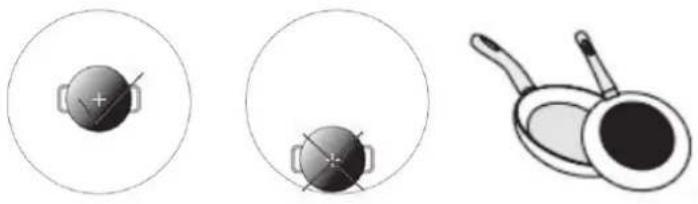
NOTE
• The use of small POTS needs to be placed in a central area for cooking;
• Using a bad pan requires a larger size for heating.
natural_image
Three circular diagrams showing a crosshair device, a magnified view of a pan with a handle, and a separate close-up of the pan (no text or symbols)PRODUCT OVERVIEW
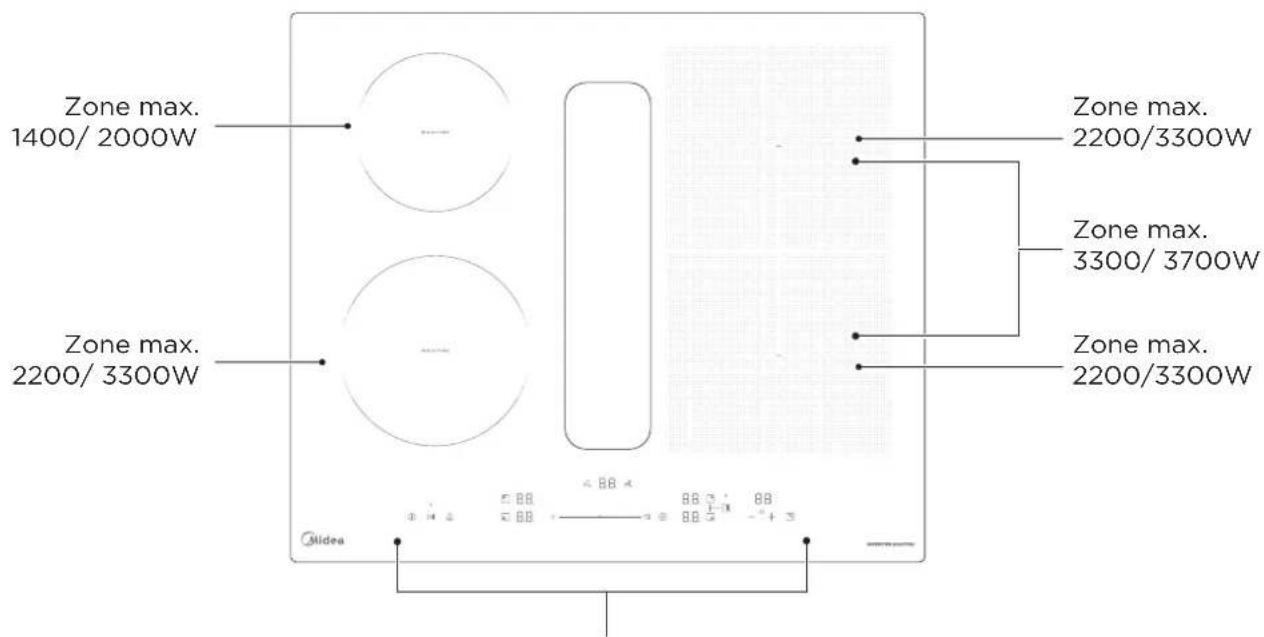
Top View
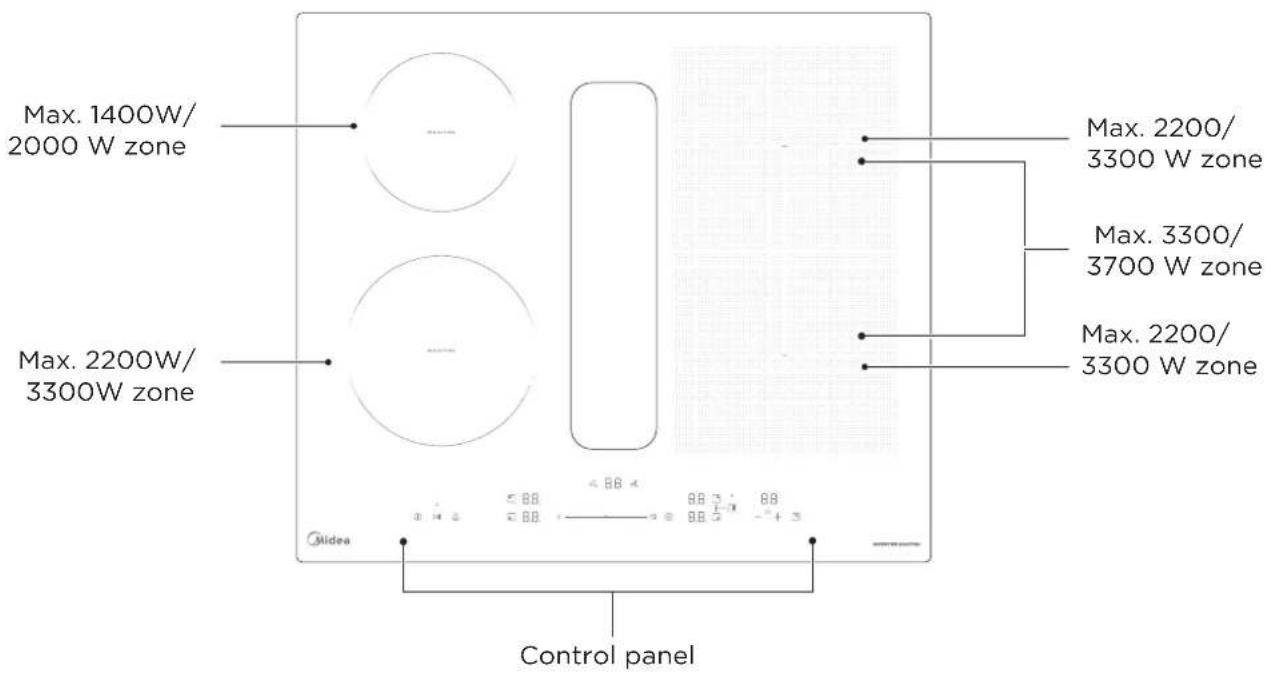
EN
Top View
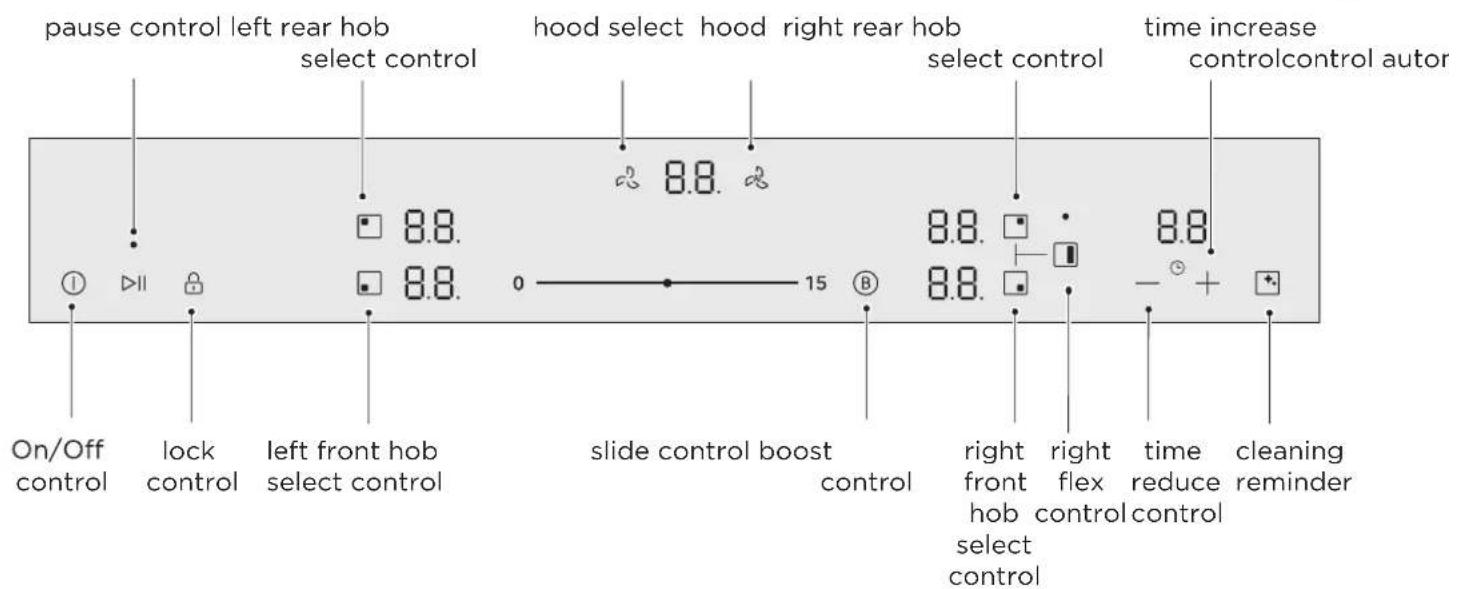

NOTE
All the pictures in this manual are for explanation purpose only. Any discrepancy between the real object and the illustration in the drawing shall be subject to the real subject.
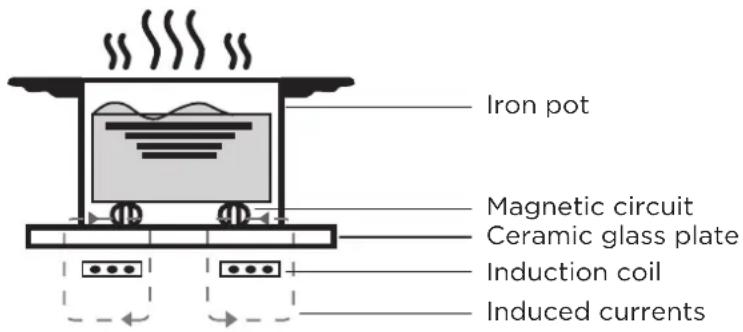
Working Theory
Induction cooking is a safe, advanced, efficient, and economical cooking technology. It works by electromagnetic vibrations generating heat directly in the pan, rather than indirectly through heating the glass surface. The glass becomes hot only because the pan eventually warms it up.
Before Using Your New Induction Hob And Hood
- Read this guide, taking special note of the ‘Safety Warnings’ section.
- Remove any protective film that may still be on your Induction hob.
EN
Operating Mode
You can use your appliance in air extraction mode or circulating-air mode.
Air extraction mode
The air which is drawn in is cleaned by the grease filters and conveyed to the exterior by a pipe system.

Air recirculation mode
The air which is drawn in is cleaned by the grease fil-ters and an odour filter, and conveyed back into the room.

The factory default mode is air extraction mode. You can perform the following steps to switch modes as required.
Refer to the user menu settings function and enter the h1 option for setting according to the actual situation.
QUICK START GUIDE
Take care when frying as the oil and fat heat up very quickly, particularly if you're using Power Boost. At extremely high temperatures oil and fat will ignite spontaneously and this presents a serious fire risk.
Tips and tricks
- When water comes to the boil, reduce the temperature setting.
- Using a lid will reduce cooking times and save energy by retaining the heat.
- Minimize the amount of liquid or fat to reduce cooking times.
- Start cooking on a high setting and reduce the setting when the food has heated through.
Simmering, cooking rice
- Simmering occurs below boiling point, at around 85^ , when bubbles are just rising occasionally to the surface of the cooking liquid. It is the key to delicious soups and tender stews because the flavours develop without overcooking the food. You should also cook egg-based and flour thickened sauces below boiling point.
- Some tasks, including cooking rice by the absorption method, may require a setting higher than the lowest setting to ensure the food is cooked properly in the time recommended.
Searing steak
To cook juicy flavorsome steaks:
- Stand the meat at room temperature for about 20 minutes before cooking.
- Heat up a heavy-based frying pan.
- Brush both sides of the steak with oil. Drizzle a small amount of oil into the hot pan and then lower the meat onto the hot pan.
- Turn the steak only once during cooking. The exact cooking time will depend on the thickness of the steak and how cooked you want it. Times may vary from about 2 - 8 minutes per side. Press the steak to gauge how cooked it is - the firmer it feels the more 'well done' it will be.
- Leave the steak to rest on a warm plate for a few minutes to allow it to relax and become tender before serving.
For Stir-frying
- Choose an induction compatible flat-based wok or a large frying pan.
- Have all the ingredients and equipment ready. Stir-frying should be quick. If cooking large quantities, cook the food in several smaller batches.
- Preheat the pan briefly and add two tablespoons of oil.
- Cook any meat first, put it aside and keep warm.
- Stir-fry the vegetables. When they are hot but still crisp, turn the cooking zone to a lower setting, return the meat to the pan and add your sauce.
- Stir the ingredients gently to make sure they are heated through.
- Serve immediately.
Detection of Small Articles
When an unsuitable size or non-magnetic pan (e.g. aluminium), or some other small item (e.g. knife, fork, key) has been left on the hob, the hob automatically go on to standby in 1 minute.
Heat Settings
The settings below are guidelines only. The exact setting will depend on several factors, including your cookware and the amount you are cooking. Experiment with the induction hob to find the settings that best suit you.
| Heat setting Suitability | |
| 1 - 2 | ·delicate warming for small amounts of food·melting chocolate, butter, and foods that burn quickly·gentle simmering·slow warming |
| 3 - 5 | ·reheating·rapid simmering·cooking rice |
| 6 - 11 · pancakes | |
| 12 - 14 | ·fried·cooking pasta |
| 15 / P | ·stir-frying·searing·bringing soup to the boil·boiling water |
OPERATION INSTRUCTIONS
Touch Controls
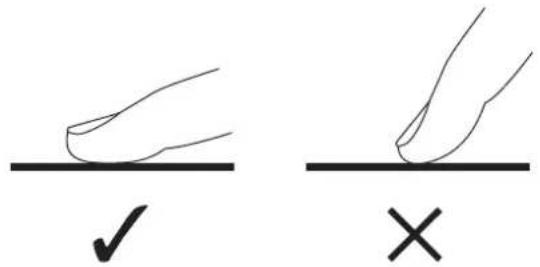
- The controls respond to touch, so you don't need to apply any pressure.
- Use the ball of your finger, not its tip.
- You will hear a beep each time a touch is registered.
- Make sure the controls are always clean, dry, and that there is no object (e.g. a utensil or a cloth) covering them. Even a thin film of water may make the controls difficult to operate.
Choosing the Right Cookware
EN

- Only use cookware with a base suitable for induction cooking.
Look for the induction symbol on the packaging or on the bottom of the pan.
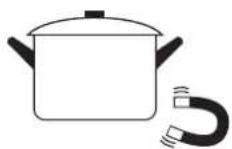
- You can check whether your cookware is suitable by carrying out a magnet test.
Move a magnet towards the base of the pan. If it is attracted, the pan is suitable for induction.
• If you do not have a magnet:
-
Put some water in the pan you want to check.
-
If U does not flash in the display and the water is heating, the pan is suitable.
• Cookware made from the following materials is not suitable: pure stainless steel, aluminium or copper without a magnetic base, glass, wood, porcelain, ceramic, and earthenware.
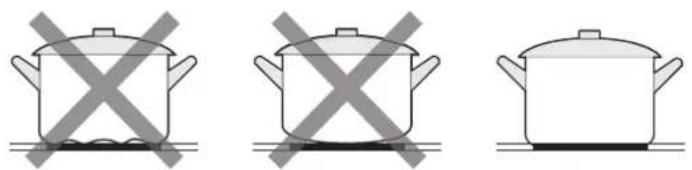
- Do not use cookware with jagged edges or a curved base.
natural_image
Three identical cooking pots with crossed X marks, no text or symbols present- Make sure that the base of your pan is smooth, sits flat against the glass, and is the same size as the cooking zone. Use pans whose diameter is as large as the graphic of the zone selected. Using a pot a slightly wider energy will be used at its maximum efficiency. If you use smaller pot efficiency could be less than expected. Pot too small could be undetected by the hob. Always centre your pan on the cooking zone.

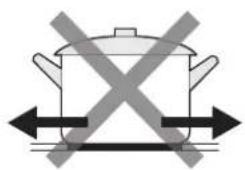
- Always lift pans off the Induction hob - do not slide, or they may scratch the glass.
natural_image
Simple line drawing of a cooking pot with crossed arrows indicating pressure or resistance (no text or symbols)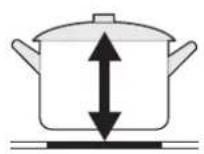
How to Use
EN 1. Start Cooking
- Long press the ON/OFF control. After power on, the buzzer beeps once, all displays show “-” or “- -”, indicating that the induction hob has entered the state of power on mode. Note: In power on mode, it automatically enters standby mode after 20 seconds of no button operation.
-
Touch the selection key to turn on the hob.
-
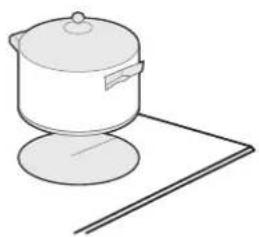
Place a suitable pan on the cooking zone that you wish to use.
• Make sure the bottom of the pan and the surface of the cooking zone are clean and dry.
natural_image
Simple line drawing of a cooking pot on a stand (no text or symbols)- Slide the slider to set the gear. After the hob is running, the hood automatically enters the automatic mode and the hood digital display shows A.
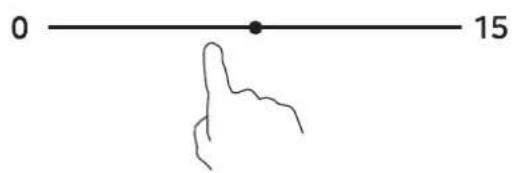
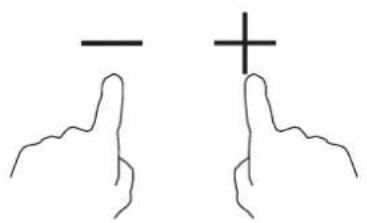
- The timer can be set by using the '+' or '-' buttons.
natural_image
Two hand gestures with a minus sign and a plus sign, no text or symbols presentIf the display flashes ≥ U ≤ alternately with the heat setting
This means that:
- you have not placed a pan on the correct cooking zone or,
- the pan you're using is not suitable for induction cooking or,
- the pan is too small or not properly centered on the cooking zone.
No heating takes place unless there is a suitable pan on the cooking zone.
The display “∪” will automatically disappear after 1 minute if no suitable pan is placed on it.
2. Finish Cooking
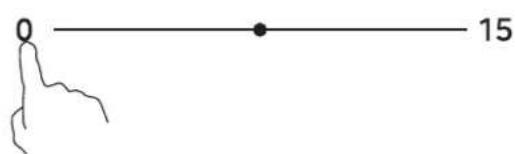
- Silde the slider to set the gear to 0.
- Turn the whole cooktop off by touching the ON/OFF control.
- Beware of hot surfaces
H/h will show which cooking zone is hot to touch. It will disappear when the surface has cooled down to a safe temperature. It can also be used as an energy saving function if you want to heat further pans, use the hotplate that is still hot.

3. Locking the Controls
- Long-term child lock:
You can lock the controls to prevent unintended use (for example children accidentally turning the cooking zones on).
In power on state, when the controls are locked, all the controls except the ON/OFF control and UNLOCK control are disabled.
- Temporary child lock:
Clean the operating area during cooking.
| To lock the controls | |
| In heating mode, short press the lock control to enter temporary child lock state. | Hob indicator will show “Lo” for some times The time indicator will display a 30 second countdown. |
| Long press the lock control for 3 second to enter long-term child lock state. | All indicator will show “Lo” for some times. |
| To unlock the controls | |
| In temporary child lock state, short press the lock control to remove temporary child locks.In temporary child lock state, remove the child lock after the countdown to 0. | |
| In long-term child lock state, touch and hold the lock control for 3 second to remove long-term child locks. | |
EN

When the hob is in the long-term lock heating mode, all the controls are disable except the ON/OFF and LOCK control, you can always turn the induction hob off with the ON/OFF control in an emergency.
When in long-term child lock shutdown mode, the digital display will prompt "Lo" after turning on, and the child lock needs to be released before opening the hob.
Temporary child lock can only be entered while working.
4. Timer control
You can set it to turn one or more cooking zones off after the set time is up.
The timer of maximum is 99 min.
The timer of default value is 1 min.
Set one zone
The time can be set only after the hob or hood is running.
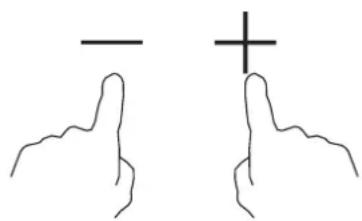
Set the time by touching timer '+' or '-' control.
Touch the “-” or “+” control of the timer once will decrease or increase by 1 minute.
Touch and hold the “-” or “+” control of the timer will decrease or increase by 10 minutes.
Touching the “-” and “+” together for 1s, the time is cancelled.
natural_image
Two hand gestures with a horizontal line and a plus sign, no text or symbols present5. Pause control
You can enter pause mode only when the hob is running.
After entering pause mode, hob and hood enter the lowest gear for operation.
enter pause
In heating mode, touch the pause control to enter pause state.
In pause mode, the digital display shows || or || ||.
Remove pause
In pause mode, touch the pause control to remove the pause state and restore it to the state before entering pause.
The pause will exit after 10 minutes, with close hob and hood.
6. Boost control
Activate the boost function
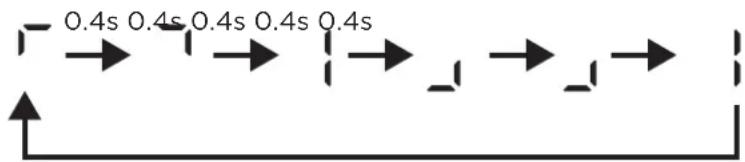
In heating mode, Touching the B button. Make sure the display shows boost animation or "b". Note: Hood displays "b" in boost mode, hob displays shows boost animation in boost mode.

- Max boost animation
flowchart
graph LR
    A["Start"] --> B["0.4s"]
    B --> C["0.4s"]
    C --> D["0.4s"]
    D --> E["1"]
    E --> F["1"]
    F --> G["1"]
    G --> H["1"]
    H --> I["End"]
Cancel the Boost function
Touching the heating zone slider control that you wish to cancel the boost function.
Turn the whole cooktop off by touching the ON/OFF control.
- The cooking zone returns to its original setting after 10 minutes.
- The flex cooking zone and hood returns to its original setting after 5 minutes.
-
If the original heat setting equals 0, it will return to max digital level after boost ends.
-
When two burners on the same side are operating independently, if one burner is running on boost mode and the other burner is also switched to boost mode, both burners will switch to level 9.
- When two burners on the same side are operating independently, if one burner is running in boost mode and the other burner is started and set to a certain level, and the total power of the two burners exceeds the total power limit of 3700W for one side, then by default, neither burner can operate in boost mode.
7. Flexible control
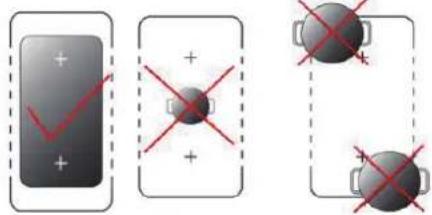
Flexible use
- Place a big pan on the flexible zone center that you wish to use.
• Make sure the bottom of the pan and the surface of the cooking zone are clean and dry.
• Make sure the length of the pot is greater than 23cm.
EN
- Touch the flex key to turn on the hob.
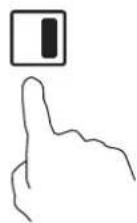
- Slide the slider to set the gear.
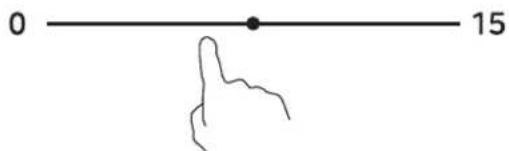

NOTE
When the cooking zone is working independently, press the flex zone key to enter the flex zone mode, and select the highest gear of the cooking zone to turn on the flex zone.
When heating in flex zone mode, only a single area covered by cookware will automatically exit flex zone mode.
Hood automatic
Automatically run the hood based on the status of induction.
In Hood automatic mode, after all cooking zones are turned off, the hood will be turned off 2 minutes later.
Cannot enter In Hood automatic mode without cooking zone enabled.
Hood automatic use
After pressing the power button to turn on the device, activate the cooking zone and set the gear, the system will automatically enter Hood automatic mode. the hood digital display shows A.
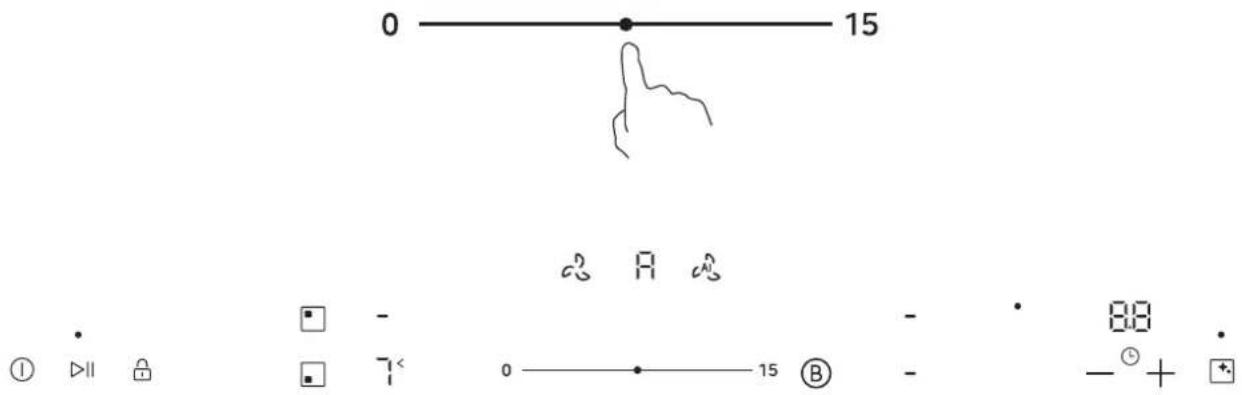
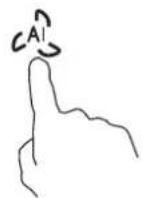
After entering Hood automatic mode, the Hood digital display shows A. When the Hood automatic button is pressed, the Hood gear is set to 0, and the range hood is turned off and exits Hood automatic mode.
Cleaning Tips
After running both hood and induction for 80 hours, the indicator light will light up.
- Check if the filter screen is dirty. If it is dirty, please follow the cleaning instructions in the filter screen cleaning section for cleaning.
- Clean the water storage box according to the disassembly and assembly instructions.
- After cleaning the water storage box, the indicator light will automatically turn off.

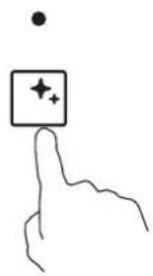
You can also reset the prompt time by long pressing the cleaning button for 3 seconds, and the cleaning timer will restart. If the indicator light is on, it will turn off.
natural_image
Hand holding a square button with star and plus symbols (no text or labels)
NOTE
Excessive grease can affect the integrated extractor's suction performance, and water stored in the water collection box for too long may develop odors. Regular cleaning is recommended.
8. Default Working Times
Auto shut down is a safety protection function for your induction hob. It shut down automatically if ever you forget to turn off your cooking. The default working times for various power levels are shown in the below table:
EN
| Power level 7 | 1 | 2 | 3 | 4 | 5 | 6 | 8 | 9 | |
| Default working timer (hour) | 8 | 8 | 8 | 6 | 6 | 6 | 4 | 4 | 4 |
| Power level | 10 | 11 | 12 | 13 | 14 | 15 | |||
| Default working timer (hour) | 2 | 2 | 2 | 1.5 | 1.5 | 1.5 |
| Hood level 7 | 1 | 2 | 3 | 4 | 5 | 6 | 8 | 9 | |
| Default working timer (hour) | 8 | 8 | 8 | 6 | 6 | 6 | 4 | 4 | 4 |
| Hood level | 10 | 11 | 12 | 13 | 14 | 15 | |||
| Default working timer (hour) | 3 | 3 | 3 | 2 | 2 | 2 |
| Hood boost | Single hob boost Flex boost |
| 5min | 10min 5min |
When the boost ends, it will exit to the gear before entering the boost, and when entering the front gear is 0, it will exit to the 15th gear after the boost ends When the pot is removed, the induction hob can stop heating immediately and the hob automatically switch off after 1 minutes.

People with a heart pace maker should consult with their doctor before using this unit.
User menu settings
The user menu function can be used to
CO: Restore factory settings
C3: Power limit setting
C4: Quality testing of cookware
C5: Sound switch
C7: Digital tube brightness setting
C8: Pan transfer functions switch
H1: Hood circulation system mode Setting
H2: Hood Delay Closing Time Setting
H3: Reset the working time of the filter screen setting
1. Instructions for Entry Method
Menu item switch button (short press to activate): "LOCK"
Configuration parameter switch button (short press to activate): "BOOST"
Parameter save button (long press for 3 seconds): "LOCK"
Step 1: Press the power button to turn on the device while it is turned off;
Step 2: Long press the "LOCK" button for 3 seconds to enter the child lock state;
Step 3: Long press the "BOOST" button for 3 seconds to enter the menu configuration mode for confirmation, and automatically release the child lock. At this time, the Left Front digital display shows "c";
Step 4: Short press the “BOOST” button to enter the menu configuration mode. The LF digital display will show the current menu number (e.g. c3), and the timer digital display will show the value corresponding to the current menu number (e.g. 1); (Pressing other buttons in this step will automatically exit)
Step 5: Short press the "LOCK" button to switch menu numbers (e.g. c3->c4->c4...);
Step 6: Short press the "BOOST" button to switch the value corresponding to the current menu number (e.g. 0->1);
Step 7: Long press the "LOCK" button for 3 seconds to save all modified menu parameters and exit menu mode;
| Channel number | Configuration Content Configuration Options Description | |
| c0 Restore factory settings | 0: not recover- default1: recoverDefault:0 | |
| c3 Power limit setting | 2.8/3.5/4.5/5.8/7.4kwDefault:7.4kw | |
| c4 Quality testing of cookware | 0: Do not enter the cookware quality testing1: Enter the cookware quality testingAfter entering, long press the hob selection button 3s to enter the pot quality inspection (after 12 seconds, the quality level (0-10) will be displayed on the digital tube)Default:0 | |
| c5 Sound switch | 0: Sound activated1: sound turning offDefault:0 | |
| Channel number | Configuration Content Configuration Options Description | |
| c7 Digital tube brightness setting | 1-5: brightness levelDefault:3 | |
| c8 Pan transfer functions switch | 0: OFF1: ONDefault: 0 | |
| h1 | Hood circulation system mode Setting | 0- Reserved - Not Used1: Internal circulation2: External circulationDefault:2 |
| h2 Hood Delay Closing Time Setting | 0: off1: 1min2: 2 min5: 5 min10: 10 min20: 20 minDefault:0 | |
| h3 | Reset the working time of the filter screen setting | 0: not recover1: recoverDefault:0 |
EN
Hood Delay Closing Instructions:
You can set and enable the Hood Delay Closing function through the menu. The available time settings are 1 minute, 2 minutes, 5 minutes, 10 minutes, and 20 minutes. Once successfully set, after the hob and hood have been running for a while, pressing the power button to turn off the power will cause the range hood to continue running until the set time is reached before it stops.
Pan transfer functions description:
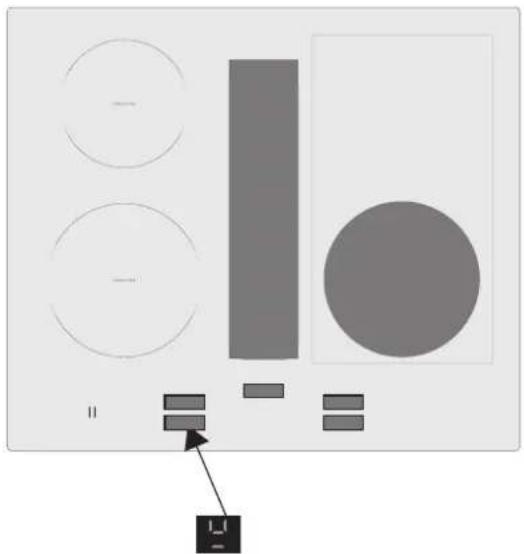
After starting Pan transfer functions, turn on Hob except for boost mode, and move the cookware to the inactive cooking zone. When the transfer detection is completed, the digital display of the cooking zone to be transferred will flash and emit a prompt sound. At this time, press the pause button to confirm the transfer.
If the transferred HOB has a timed setting, the timed state and time will be transferred together. Flex zone or single HOB will not perform the transfer when running boost mode
If any cooking zone starts the boost mode, there will be no transfer function Example:
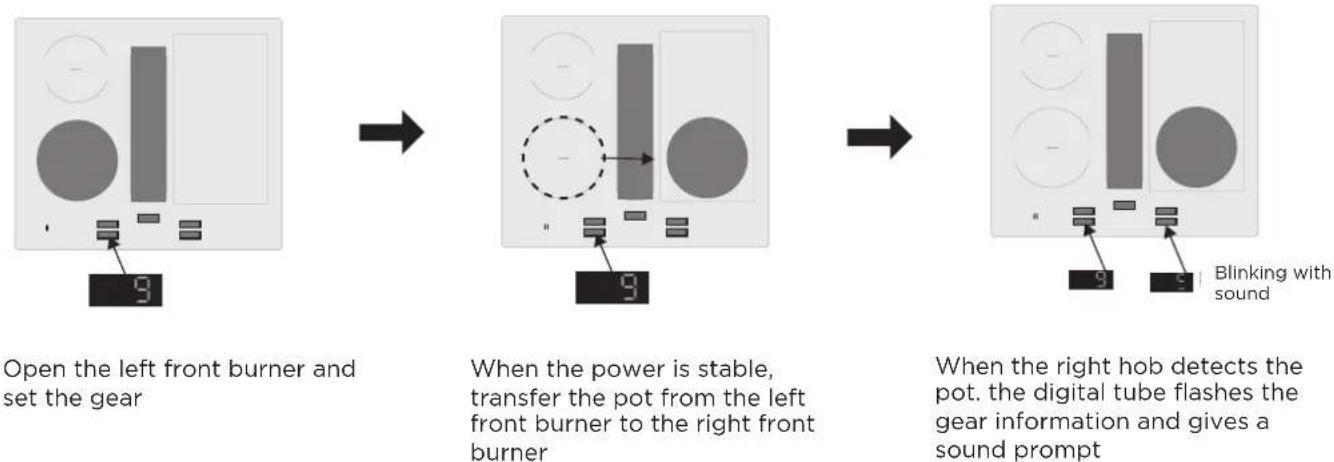
Confirmation
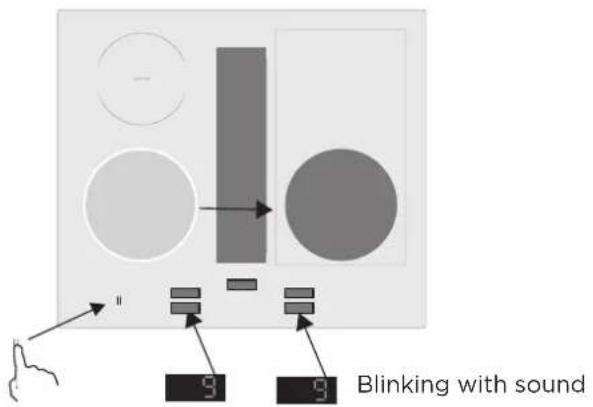
Press the pause key to confirm the transfer

The right front burner is heated at the left front burner gear
Disconfirmation
EN
natural_image
Diagram showing a vertical bar, circle, and rectangle with a labeled arrow pointing to the bottom-right corner (no text or symbols present)- Left front digital tube shows no pan icon
- The transfer is cancelled after pressing another key or 10 seconds
CLEANING AND MAINTENANCE
To keep your appliance working efficiently for a longtime, it is important to clean and maintain it carefully.
Cleaning the Hob
| What? How? Important! | ||
| Everyday soiling on glass. (fingerprints, marks, stains left by food or non-sugary spillovers on the glass) | 1. Switch the power to the cooktop off.2. Apply a cooktop cleaner while the glass is still warm (but not hot!)3. Rinse and wipe dry with a clean cloth or paper towel.4. Switch the power to the cooktop back on. | ·When the power to the cooktop is switched off, there will be no‘hot surface’indication but the cooking zone may still be hot! Take extreme care.·Heavy-duty scourers, some nylon scourers and harsh/abrasive cleaning agents may scratch the glass. Always read the label to check if your cleaner or scourer is suitable.·Never leave cleaning residue on the cooktop: the glass may become stained. |
| Boilovers, melts, and hot sugary spills on the glass. | Remove these immediately with a fish slice, palette knife or razor blade scraper suitable for Ceramic glass cooktops, but beware of hot cooking zone surfaces:1. Switch the power to the cooktop off at the wall.2. Hold the blade or utensil at a 30° angle and scrape the soiling or spill to a cool area of the cooktop.3. Clean the soiling or spill up with a dish cloth or paper towel.4. Follow steps 2 to 4 for ‘Everyday soiling on glass’ above. | ·Remove stains left by melts and sugary food or spillovers as soon as possible. If left to cool on the glass, they may be difficult to remove or even permanently damage the glass surface.·Cut hazard: when the safety cover is retracted, the blade in a scraper is razor-sharp. Use with extreme care and always store safely and out of reach of children. |
| Spillovers on the touch controls. | 1. Switch the power to the cooktop off.2. Soak up the spill.3. Wipe the touch control area with a clean damp sponge or cloth.4. Wipe the area completely dry. with a paper towel.5. Switch the power to the cooktop back on. | ·The cooktop may beep and turn itself off, and the touch controls may not function while there is liquid on them. Make sure you wipe the touch control area dry before turning the cooktop back on. |
Cleaning The Grille, Grease Filter, Activated Carbon Filter
The grease filters filter the grease from the cooking vapour. To keep it in good working order, you must clean the grease filter regularly.

WARNING...Risk of fire!
Fatty deposits in the grease filters may catch fire.
- Never operate the appliance without a grease filter.
- Clean the grease filters regularly.
- Never work with naked flames close to the appliance (e.g. flambéing).
- Do not install the appliance near a solid fuel heating appliance (e.g. wood- or coal-burning) unless
The heating appliance has a sealed, non-removable cover. There must be no flying sparks.
1. ATTENTION
Falling grease filters may damage the hob below. (It is recommended to clear the grease filter every 7 days)
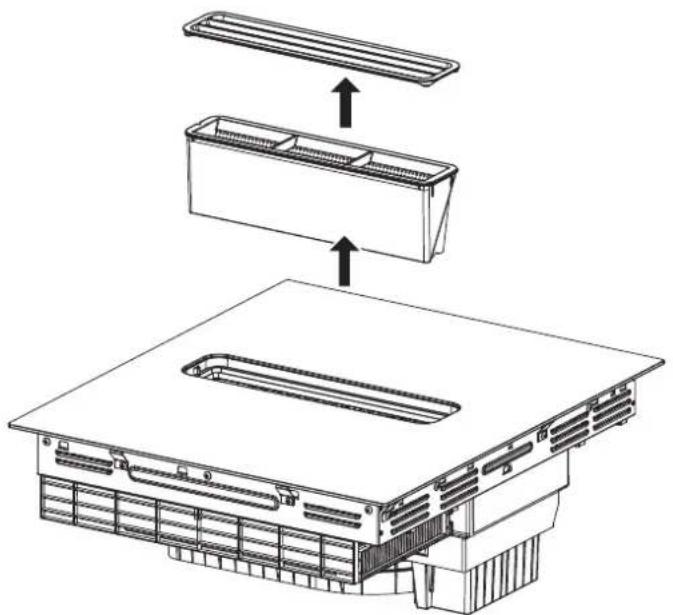
Remove the grille and the grease filter, and dispose of them properly.
- Grease may accumulate in the bottom of the container. Hold the grease filter level to prevent grease from dripping out.
| Code | Accessories Description | Quantity | |
| C Grille 1 | 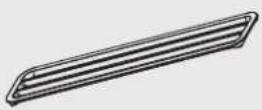 | ||
| D Grease Filter | 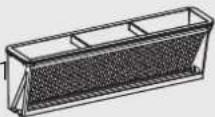 |
Take out the grid and grease filter from top to bottom
natural_image
Technical line drawing of a mechanical assembly with three components and directional arrows indicating assembly steps (no text or symbols present)Cleaning the grease filters or grille manually
- Soak the grease filter or grille in hot soapy water.
- Use a brush to clean the grease filter or grille.
Do not use aggressive, acidic or alkaline cleaning products.
Use special grease solvent for stubborn dirt.
- Rinse the grease filters thoroughly.
- Allow the grease filters to drain.
Cleaning the grease filter in the dishwasher
- Place the grease filters loosely in the dishwasher and do not jam it in.
For optimum cleaning results, lay the grease filter on the filter side in the dishwasher.
Do not clean heavily soiled grease filters with utensils.
Do not use aggressive, acidic or alkaline cleaning products.
- Start the dishwasher, Select a temperature of no more than 70.°C.
- Allow the grease filters to drain.
Cleaning The Activated Carbon Filter
| Code Accessories Description Quantity | |||
| C Grille 1 | 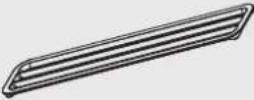 | ||
| D Grease Filter | 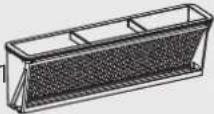 | ||
| G Activated Carl | 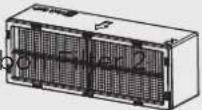 | ||
Take out the grid, grease filter and activated carbon filter one by one from top to bottom
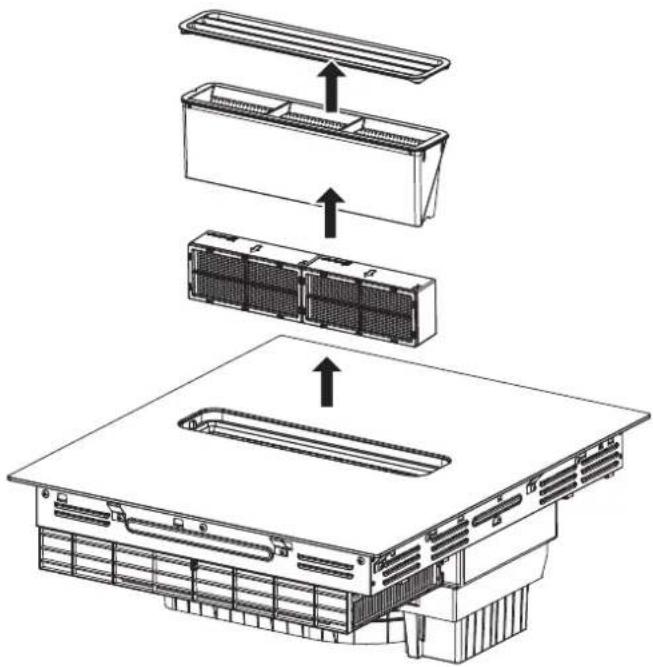
Pull out the activated carbon filter by hand using the metal ring and lift it upwards.
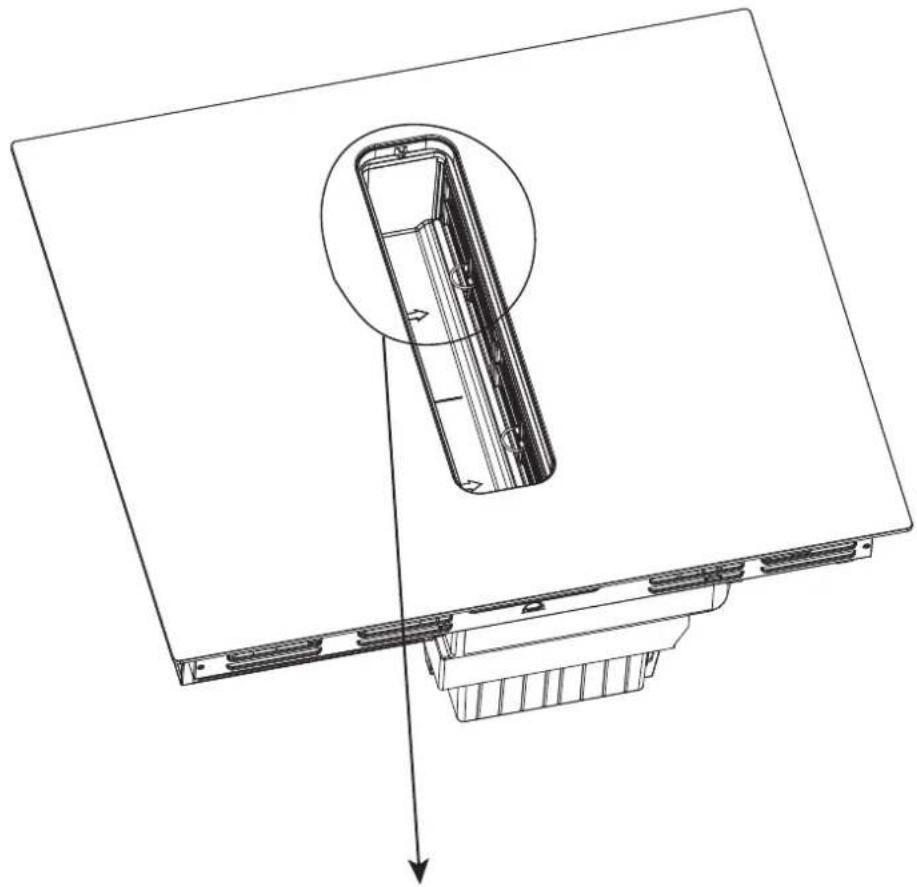
natural_image
Technical line drawing of a mechanical component with an inset showing a cylindrical part inserted into a housing (no text or symbols present)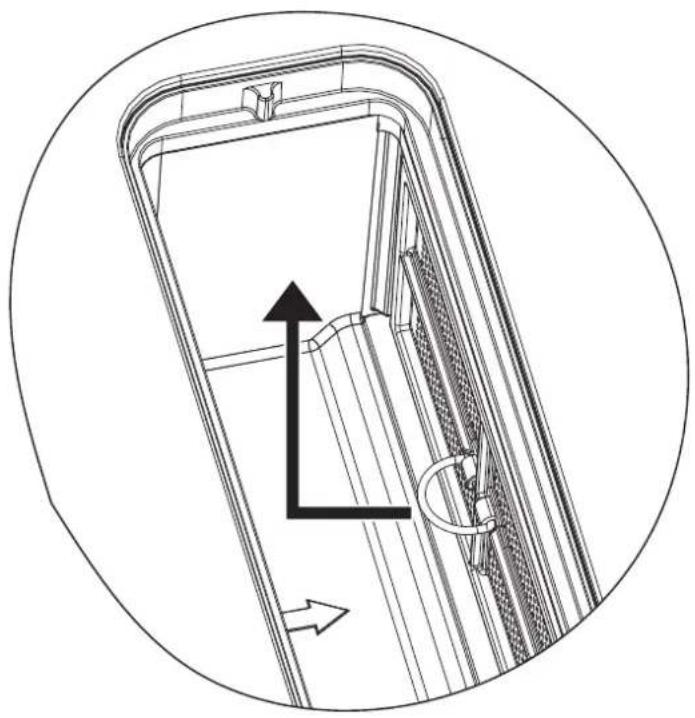
natural_image
Technical line drawing of a door frame with internal structure and directional arrows (no text or symbols)Cleaning and replacement
- Place the activated carbon filter in the dishwasher, add detergent, and use the standard mode (1.5h\~3h) to clean.
- Soak the activated carbon filter in hot water (60-80°C) for 1-2 hours, add detergent to the hot water, and rinse with clean water after soaking.
- To maintain the good working condition of the activated carbon filter, please clean it regularly; replace it promptly when its lifespan expires after 5 years of use.
- You can obtain activated carbon filter from specialist retailers or customer service.
- Refer to the installation manual for installation of the activated carbon filter.
Drying
- Place the cleaned activated carbon block in the oven and bake for 3 hours (150°C).
- Use a warm air blower to dry it for 0.5 hours.

NOTE
- Do not use highly alkaline or heavy oil-based detergents (we recommend using dishwashing tablets/powders from Finish, Somat, or Ecover), as they may cause damage to the activated carbon filter.
- The temperature of the hot water should not exceed 80^ C, as this may cause damage to the activated carbon filter.
- Do not exceed a baking temperature of 200^ C, as this may cause damage to the activated carbon filter.
- Do not use external force to scrub the activated carbon block, as this may cause damage to the activated carbon filter.
Cleaning The Water Storage Tank
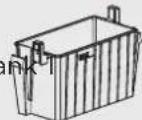
Code Accessories Description Quantity
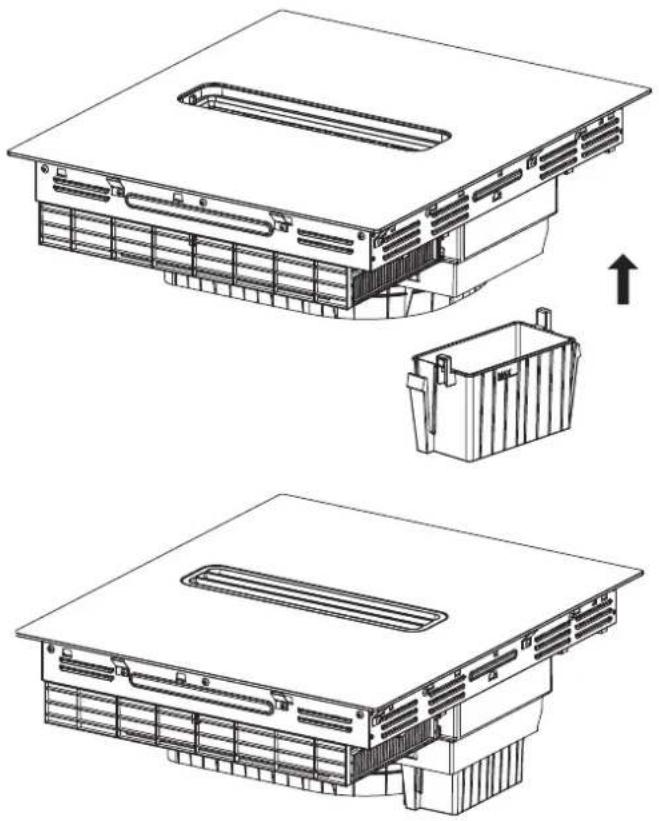
H Water Storage Ta
Press the buckles on the water storage tank with both hands and pull it down.
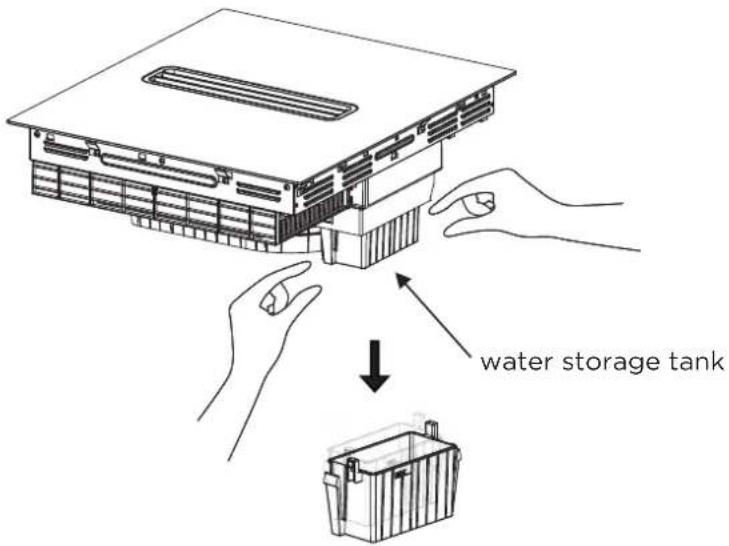
Cleaning
Rinse the water storage tank with warm water. If there are oil stains, you can add a cleaning agent to assist in cleaning.
Installation of water storage tank
natural_image
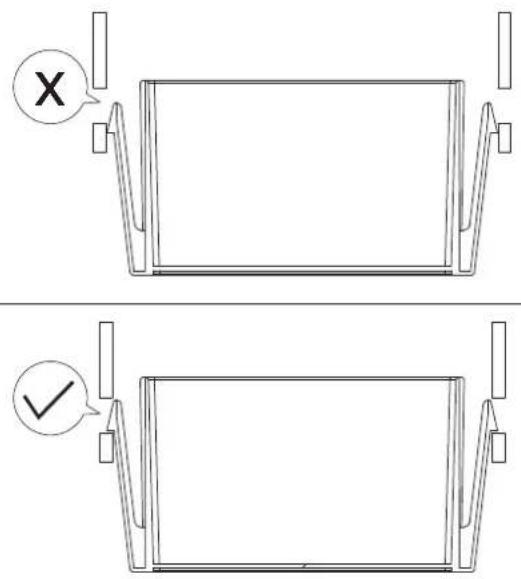
Technical line drawing of a multi-layered electronic device housing with internal components and mounting brackets (no text or symbols)Make sure the buckle of the water tank is properly installed
TROUBLESHOOTING
Operation of your appliance can lead to errors and malfunctions. The following tables contain possible causes and notes for resolving an error message or malfunction. It is recommended to read the tables carefully below in order to save your time and money that may cost for calling to the service center.
Failure Display and Inspection
The induction hob is equipped with a self diagnostic function. With this test the technician is able to check the function of several components without disassembling or dismounting the hob from the working surface.
Troubleshooting
1) Failure code occur during customer using & Solution;
| Failure code Problem Solution | |||
| Auto-Recovery | |||
| EN | EL,EH | Supply voltage is abnormal. | Please inspect whether power supply is normal.Power on after the power supply is normal. |
| C1 | High temperature of ceramic plate sensor. | Wait for the temperature of ceramic plate return to normal.Touch “ON/OFF” button to restart unit. | |
| C2 | High temperature of IGBT. | Wait for the temperature of IGBT return to normal.Touch “ON/OFF” button to restart unit.Check whether the fan runs smoothly; if not , replace the fan. | |
| High temperature of IPM.b2 | Wait for the temperature of IPM return to normal.Touch “ON/OFF” button to restart unit. | ||
| b3 | The current of the hood driver board is abnormal. | Touch “ON/OFF” button to restart unit. | |
| 0 ↑ | The water storage tank has been removed. | Check if the water tank is properly installed. | |
| EF | Multiple function key are pressed at the same time. | Clean the operation panel. | |
| FC | Filter replacement tips. | hood and induction are used together for approximately 750 hours before it is recommended to replace the activated carbon filter.Please replace the carbon filter, refer to the carbon filter replacement guide.After the replacement is completed, please follow the user menu instructions to enter h3 for recovery operation. | |
Failure code Problem Solution
No Auto-Recovery
| E2 | Ceramic plate temperature sensor failure--short circuit. | Check the connection or replace the ceramic plate temperature sensor. |
| E1 | Ceramic plate temperature sensor failure--open circuit. | |
| E7 | Ceramic plate temperature sensor failure--invalid. | |
| E4 | Temperature sensor of the IGBT failure - short circuit. | Replace the inverter driver board. |
| E3 | Temperature sensor of the IGBT failure - open circuit. | |
| b5/b7 | Ventilation system error or Ventilation system air duct fully blocked. | Touch “ON/OFF” button to restart unit.Check whether there are foreign objects inside the smoker.Check whether the connecting cable is damaged.Replace the hood driver board or motor. |
| bd | The communication between the display board and the hood driver board fails. | Replace the hood driver, power board, or display board, and check whether the connecting cable is damaged. |
| EU | The connection between the display board and the main board is fail or touch IC communication fail. | Replace the inverter driver board, power board, or display board, and check whether the connecting cable is damaged. |
| Replace the cooling fan.Fan abnormalityF5 |
EN
| Failure Problem | Solution A Solution B | ||
| The LED does not come on when unit is plugged in. | No power supplied. | Check to see if plug is secured tightly in outlet and that outlet is working. | |
| The accessorial power board and the display board connected failure. | Check the connection. | ||
| The accessorial power board is damaged. | Replace the accessorial power board. | ||
| The display board is damaged. | Replace the display board. | ||
| Some buttons can't work, or the LED display is not normal. | The display board is damaged. | Replace the display board. | |
| The Cooking Mode Indicator comes on, but heating does not start. | High temperature of the hob. | Ambient temperature may be too high. Air Intake or Air Vent may be blocked. | |
| There is something wrong with the fan. | Check whether the fan runs smoothly; if not , replace the fan. | ||
| The power board is damaged. | Replace the power board. | ||
| Heating stops suddenly during operation and the display flashes “u”. | Pan Type is wrong. | Use the proper pot (refer to the instruction manual.) | Pan detection circuit is damaged, replace the power board. |
| Pot diameter is too small. | |||
| Cooker has over heated; | Unit is overheated. Wait for temperature to return to normal.Push “ON/OFF” button to restart unit. | ||
| Heating zones of the same side ( Such as the first and the second zone ) would display “u”. | The power board and the display board connected failure; | Check the connection. | |
| The display board of communicate part is damaged. | Replace the display board. | ||
| The Main board is damaged. | Replace the power board. | ||
| Fan motor sounds abnormal. | The fan motor is damaged. | Replace the fan. |
The above are the judgment and inspection of common failures.
Please do not disassemble the unit by yourself to avoid any dangers and damages to the induction hob.

make yourself at home

www.midea.com
© Midea 2022 all rights reserved
| MIDEA | Midea Europe GmbH Ludwig-Erhard-Str.14, 65760 Eschborn. Germany | kundenservice@midea.com |
| MIDEA ITALIA S.R.L. Via Luigi Bodio 29/37 -Milano (MI) 20158 Italy | assistenza@midea.com | |
| Midea Electrics France 253 RUE SAINT-HONORE 75001 PARIS | service_france@midea.com | |
| MIDEA HOME APPLIANCES UK LTD Conavon Court Ground Floor, 12 Blackfriars Street, Salford,Manchester M3 5BQ UK | service_uk@midea.com |
- INDUCTION HOB WITH INTEGRATED EXTRACTOR HOOD
- USER MANUAL
- MOT DE REMERCIEMENT
- CONSIGNES DE SÉCURITÉ
- Usage prévu
- VUE D'ENSEMBLE DU PRODUIT
- Utilisation
- REMARQUE
- DÉPANNAGE
- CONTENTS
- SAFETY INSTRUCTIONS
- Intended Use
- Explanation of Symbols
- SAFETY WARNINGS
- INSTALLATION
- EN
- Cut Hazard
- Important Safety Instructions
- Electrical Shock Hazard
- Health Hazard
- Hot Surface Hazard
- SPECIFICATIONS
- NOTE
- PRODUCT OVERVIEW
- Working Theory
- Before Using Your New Induction Hob And Hood
- Operating Mode
- Air extraction mode
- Air recirculation mode
- QUICK START GUIDE
- Tips and tricks
- Simmering, cooking rice
- Searing steak
- For Stir-frying
- Detection of Small Articles
- Heat Settings
- OPERATION INSTRUCTIONS
- Touch Controls
- Choosing the Right Cookware
- How to Use
- EN 1. Start Cooking
- If the display flashes ≥ U ≤ alternately with the heat setting
- Finish Cooking
- Locking the Controls
- Timer control
- Set one zone
- Pause control
- enter pause
- Remove pause
- Boost control
- Activate the boost function
- Cancel the Boost function
- Flexible control
- Flexible use
- Hood automatic
- Hood automatic use
- Cleaning Tips
- Default Working Times
- User menu settings
- Instructions for Entry Method
- Hood Delay Closing Instructions:
- Pan transfer functions description:
- Confirmation
- Disconfirmation
- CLEANING AND MAINTENANCE
- Cleaning The Grille, Grease Filter, Activated Carbon Filter
- WARNING...Risk of fire!
- ATTENTION
- Cleaning the grease filters or grille manually
- Cleaning the grease filter in the dishwasher
- Cleaning The Activated Carbon Filter
- Cleaning and replacement
- Drying
- Cleaning The Water Storage Tank
- Code Accessories Description Quantity
- Cleaning
- Installation of water storage tank
- Make sure the buckle of the water tank is properly installed
- TROUBLESHOOTING
- Failure Display and Inspection
- Failure code Problem Solution
Brand : MIDEA
Model : MIH742FY18K1Y
Category : Hob