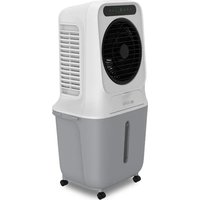
BC25ACP2501W - Air Conditioning Be Cool - Free user manual and instructions
Find the device manual for free BC25ACP2501W Be Cool in PDF.


| Product Type | Air Cooler (Evaporative Cooling) |
| Brand | Be Cool |
| Model | BC25ACP2501W |
| Dimensions (L x D x H) | 418 x 333 x 840 mm |
| Net Weight | 7.1 kg |
| Rated Voltage | 220-240 V~ |
| Frequency | 50 Hz |
| Rated Power | 90 W |
| Water Tank Capacity | 25 Liters |
| Max. Air Flow | 1200 m³/h |
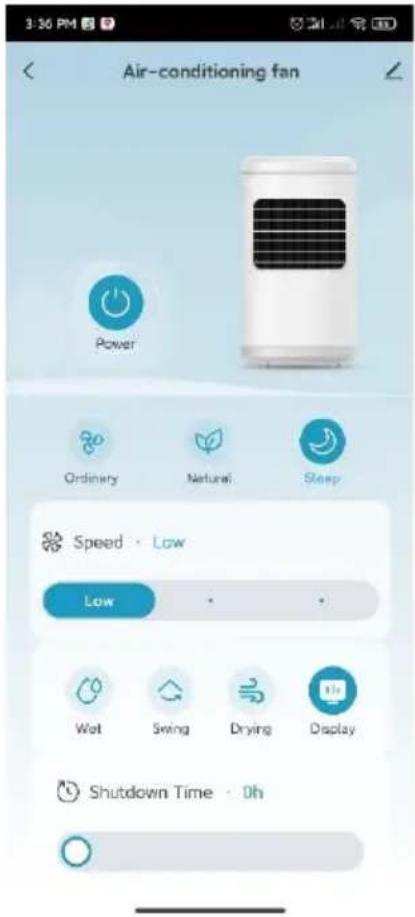
| Fan Speeds | 3 (Low, Medium, High) |
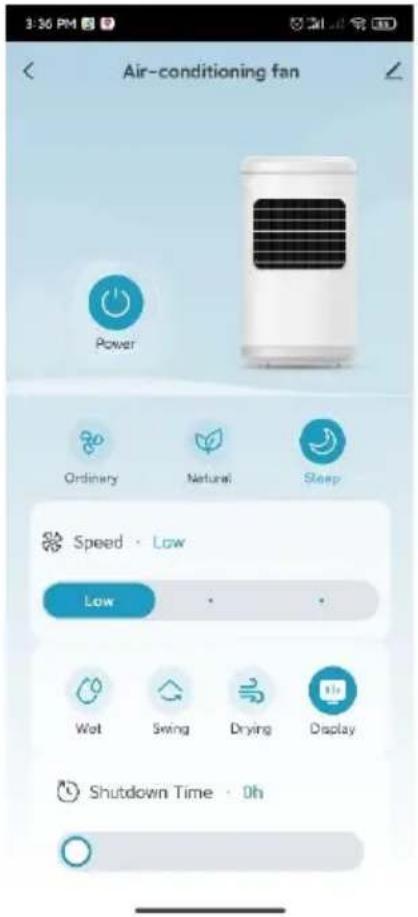
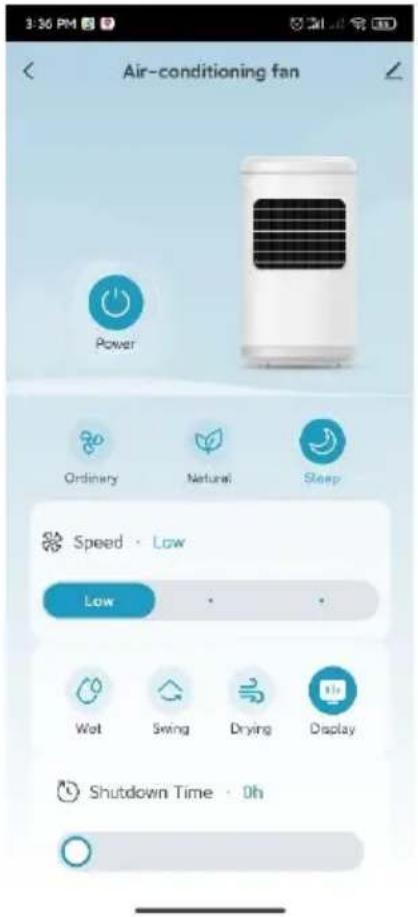
| Wind Modes | Normal, Natural, Sleep |
| Cooling / Humidification Function | Yes, with water pump and cooling packs |
| Oscillation (Swing) | Yes |
| Timer | 1 to 9 hours (automatic shut-off) |
| WiFi / App | Yes, compatible with Tuya app |
| Remote Control | Yes, with CR2032 battery |
| Included Batteries | 2 cold accumulators (cooling packs) |
| Casters | 4 (assembled at delivery) |
| Cleaning and Maintenance | Clean the tank and filter regularly; use a soft cloth |
| Safety | Water shortage protection, automatic shut-off in case of tipping (not specified), child lock not mentioned |
| Warranty | 2 years (valid in Austria, conditions included) |
Frequently Asked Questions - BC25ACP2501W Be Cool
User questions about BC25ACP2501W Be Cool
0 question about this device. Answer the ones you know or ask your own.
Ask a new question about this device
Download the instructions for your Air Conditioning in PDF format for free! Find your manual BC25ACP2501W - Be Cool and take your electronic device back in hand. On this page are published all the documents necessary for the use of your device. BC25ACP2501W by Be Cool.
USER MANUAL BC25ACP2501W Be Cool
natural_image
Line drawing of a portable air conditioner unit with fan and wheels (no text or symbols)HERZLICHEN GLÜCKWUNSCH!
BE COOL
BE COOL
Inbetriebnahme
natural_image
Exterior view of a white electric heater unit and its gray portable air conditioner unit (no visible text or symbols)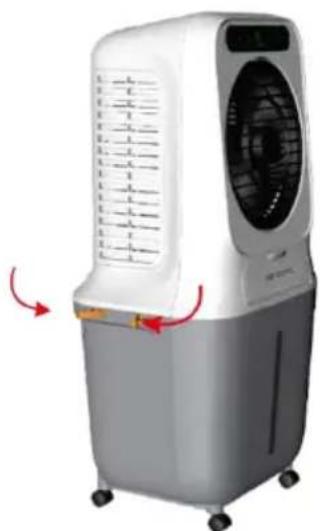
natural_image
White and gray air conditioner unit with cooling fan and wheels, showing red directional arrows (no text or symbols visible)natural_image
Line drawing of an air conditioner unit with control panel and fan (no text or symbols)Abb. 1
natural_image
Line drawing of an air conditioner with a water dispenser emitting mist (no text or symbols)Abb. 2
natural_image
Line drawing of a portable air fryer with a handle, shown from top and bottom views (no text or symbols)Abb. 3
natural_image
Line drawing of a container with wheels and a watering can pouring liquid from above (no text or symbols)Abb. 4
natural_image
Line drawing of a container with a vertical slot and two side wheels (no text or symbols)Abb. 5
Please take out the pump when using and put it back after use.
Abb. 6

Please clean the water tank after using.
Abb. 7
natural_image
Technical line drawing of a rectangular electronic device with a perforated metal panel and mounting holes (no text or symbols)Reset the device first.
Power on the device and confirm that the indicator is blinking rapidly. Note: please complete the network distribution within 3 minutes after resetting the device.
natural_image
Simple circular diagram with a yellow dot and a plus symbol inside, no text or labels present.Perform net pairing as prompted.
Ensure that the device is powered on.

01:58
flowchart
graph LR
    A["Scan devices"] --> B["Register or Cloud"]
    B --> C["Initimize the device"]
Gerät wird gesucht
BE COOL
10:32 AM
82
Done
Added successfully

Skyscraper Ice Smart Device added successfully
natural_image
Line drawing of an air conditioner unit with fan and wheels (no text or symbols)FÉLICITATIONS !
MERCI D'AVOIR CHOISI UN PRODUIT BE COOL
ONT DÉCIDÉ.
BE COOL


VEUILLEZ LIRE ATTENTIVEMENT LE MODE D'EMPLOI AVANT DE COMMENCER L'INSTALLATION, L'UTILISATION OU L'ENTRETIEN. PROTÉGEZ-VOUS ET PROTÉGEZ LES AUTRES EN RESPECTANT LES CONSIGNES DE SÉCURITÉ. LE NON-RESPECT DES INSTRUCTIONS POURRAIT ENTRAÎNER DES DOMMAGES CORPORELS ET/OU MATÉRIELS ET/OU LA PERTE DU DROIT À LA GARANTIE !
INFORMATIONS IMPORTANTES SUR LA SÉCURITÉ, L'EMPLACEMENT ET LE RACCORDEMENT ÉLECTRIQUE
BE COOL
Mise en service
natural_image
Exterior view of a white portable air conditioner unit and its gray plastic container (no visible text or symbols)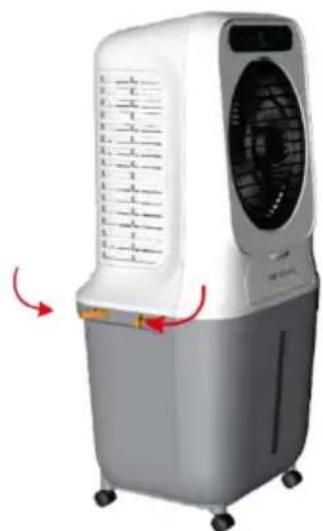
natural_image
White and gray air conditioner unit with ventilation grille and control panel, showing red directional arrows (no text or symbols visible)natural_image
Line drawing of a portable air conditioner unit with cooling fan and control panel (no text or symbols)Fig. 1
natural_image
Line drawing of an air conditioner with a water drop emitting mist (no text or symbols)Fig. 2
natural_image
Line drawing of a portable air conditioner unit with cooling fan and open lid, plus a hand inserting a component (no text or symbols)Fig. 3
natural_image
Simple line drawing of a watering can with water droplets (no text or symbols)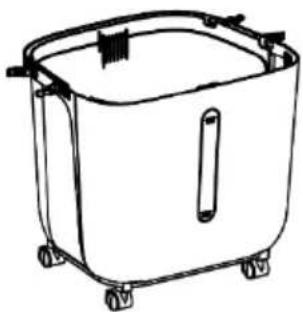
natural_image
Line drawing of a rectangular container with wheels and a handle (no text or symbols)Fig. 4
natural_image
Simple line drawing of a container with a vertical rod and two side-mounted wheels (no text or symbols)Fig. 5
Please take out the pump when using and put it back after use.
Fig. 6

Please clean the water tank after using.
Fig. 7
natural_image
Technical line drawing of a rectangular electronic device with a perforated metal panel and mounting bracket (no text or symbols)Reset the device first.
Power on the device and confirm that the indicator is blinking rapidly. Note: please complete the network distribution within 3 minutes after resetting the device.
natural_image
Simple circular diagram with a yellow dot and a plus symbol inside, no text or labels present.Perform net pairing as prompted.
Ensure that the device is powered on.

01:58
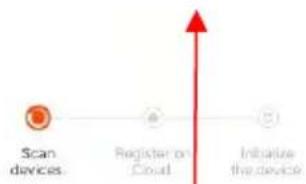
flowchart
graph LR
    A["Scan devices"] --> B["Register on Cloud"]
    B --> C["Initiative the device"]
Appareil recherché
BE COOL
10:32 AM
82
Done
Added successfully

Skyscraper Ice Smart Device added successfully
natural_image
Line drawing of an air conditioner unit with fan and wheels (no text or symbols)CONGRATULAZIONI!
GRAZIE PER AVER SCELTO UN PRODOTTO BE COOL HANNO DECISO.
BE COOL


LEGGERE ATTENTAMENTE LE ISTRUZIONI PER L'USO PRIMA DI INIZIARE L'INSTALLAZIONE, IL FUNZIONAMENTO O LA MANUTENZIONE. PROTEGGERE SE STESSI E GLI ALTRI SEGUENDO LE ISTRUZIONI DI SICUREZZA. LA MANCATA OSSERVANZA DELLE ISTRUZIONI PUÒ CAUSARE LESIONI PERSONALI E/O DANNI MATERIALI E/O INVALIDARE LA GARANZIA!
INFORMAZIONI IMPORTANTI SULLA SICUREZZA, L'UBICAZIONE E IL COLLEGAMENTO ELETTRICO
BE COOL
Messa in servizio
natural_image
Exterior view of a white air conditioner unit with control panel and gray storage unit (no visible text or symbols)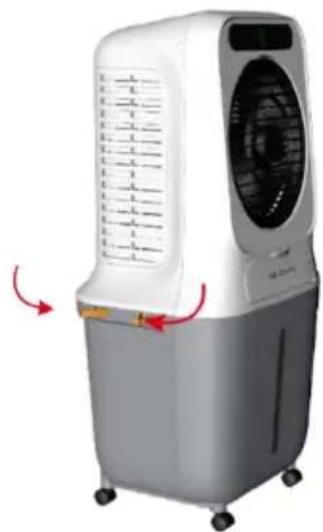
natural_image
White and gray air conditioner unit with cooling fan and wheels, showing airflow direction arrows (no text or symbols)natural_image
Line drawing of a portable air conditioner unit with control panel and fan (no text or symbols)Fig. 1
natural_image
Line drawing of an air conditioner with a water dispenser emitting mist (no text or symbols)Fig. 2
natural_image
Line drawing of a portable air conditioner unit with cooling fan and open lid, plus a hand inserting a component (no text or symbols)Fig. 3
natural_image
Simple line drawing of a watering can pouring water (no text or symbols)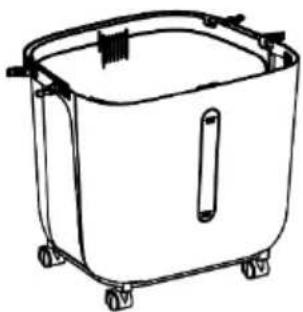
natural_image
Line drawing of a rectangular container with wheels and a handle (no text or symbols)Fig. 4

natural_image
Simple line drawing of a container with a vertical slot and two side wheels (no text or symbols)Fig. 5
Please take out the pump when using and put it back after use.
Fig. 6

Please clean the water tank after using.
Fig. 7
natural_image
Technical line drawing of a rectangular electronic device with a perforated metal panel and mounting holes (no text or symbols)Reset the device first.
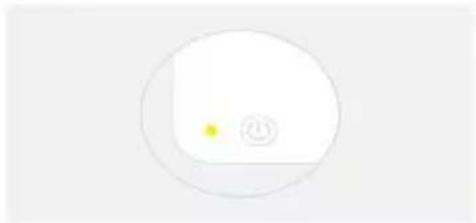
Power on the device and confirm that the indicator is blinking rapidly. Note: please complete the network distribution within 3 minutes after resetting the device.
natural_image
Simple circular diagram with a yellow dot and a plus symbol inside, no text or labels present.Perform net pairing as prompted.
Ensure that the device is powered on.

01:58
flowchart
graph LR
    A["Scan devices"] --> B["Register or Cloud"]
    B --> C["Initimize the device"]
Skyscraper Ice Smart Device added successfully
natural_image
Line drawing of an air conditioner unit with fan and wheels (no text or symbols)GEFELICITEERD!
BEDANKT VOOR HET KIEZEN VAN EEN PRODUCT VAN BE COOL HEBBEN BESLOTEN.
BE COOL


LEES DE BEDIENINGSINSTRUCTIES ZORGVULDIG DOOR VOORDAT U BEGINT MET DE INSTALLATIE, HET GEBRUIK OF HET ONDERHOUD. BESCHERM UZELF EN ANDEREN DOOR DE VEILIGHEIDSINSTRUCTIES OP TE VOLGEN. HET NIET OPVOLGEN VAN DE INSTRUCTIES KAN LEIDEN TOT PERSOONLIJK LETSEL EN/OF MATERIËLE SCHADE EN/OF HET VERVALLEN VAN DE GARANTIE!
BELANGRIJKE INFORMATIE OVER VEILIGHEID, LOCATIE EN ELEKTRISCHE AANSLUITING


BESCHRIJVING VAN HET APPARAAT
BE COOL
Inbedrijfstelling
natural_image
Exterior view of a white portable air conditioner unit and its gray plastic water heater (no text or symbols visible)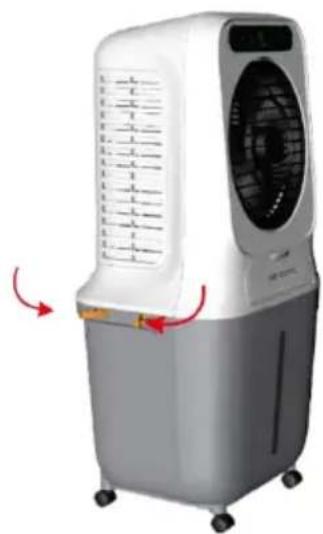
natural_image
White and gray air conditioner unit with ventilation grille and control panel, showing red directional arrows (no text or symbols)natural_image
Line drawing of a portable air conditioner unit with control panel and fan (no text or symbols)Fig. 1

natural_image
Line drawing of an air conditioner unit with a water drop diagram indicating airflow or dust emission (no text or symbols)Fig. 2
natural_image
Line drawing of a portable air conditioner unit with cooling fan and open lid, plus a hand inserting a component (no text or symbols)Fig. 3
natural_image
Simple line drawing of a watering can with water droplets (no text or symbols)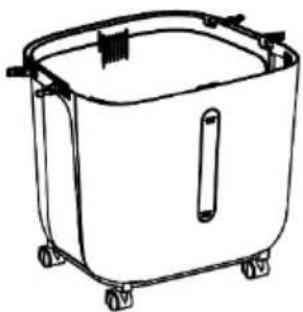
natural_image
Line drawing of a rectangular container with wheels and a handle (no text or symbols)Fig. 4
natural_image
Simple line drawing of a container with a vertical rod and two side-mounted wheels (no text or symbols)Fig. 5
Please take out the pump when using and put it back after use.
Fig. 6

Please clean the water tank after using.
Fig. 7
natural_image
Technical line drawing of a rectangular electronic device with star-shaped cutouts and mounting holes (no text or symbols)Account registreren, inloggen, wachtwoord herstellen:
Reset the device first.
Power on the device and confirm that the indicator is blinking rapidly. Note: please complete the network distribution within 3 minutes after resetting the device.
natural_image
Simple circular diagram with a yellow dot and a plus symbol inside, no text or labels present.Perform net pairing as prompted.
Ensure that the device is powered on.

01:58
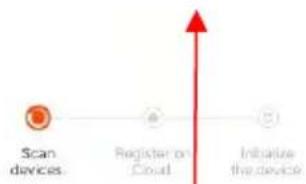
flowchart
graph LR
    A["Scan devices"] --> B["Register on Cloud"]
    B --> C["Initiative the device"]
Apparaat gezocht
BE COOL
10:32 AM
82
Done
Added successfully

Skyscraper Ice Smart Device added successfully
natural_image
Line drawing of an air conditioner unit with fan and wheels (no text or symbols)¡ENHORABUENA!
GRACIAS POR ELEGIR UN PRODUCTO DE BE COOL HAN DECIDIDO.
BE COOL

BE COOL
Puesta en servicio
natural_image
Exterior view of a white electric air purifier with control panel and gray base (no text or symbols visible)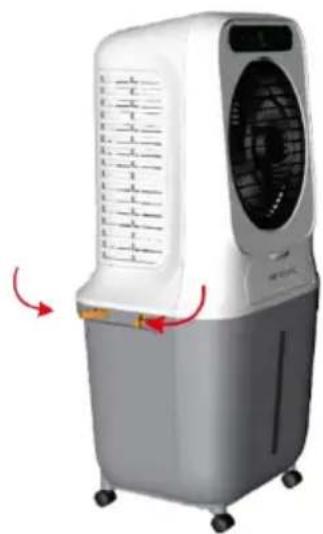
natural_image
White and gray air conditioner unit with ventilation grille and control panel, shown with red directional arrows (no text or symbols)natural_image
Line drawing of an air conditioner unit with fan and control panel (no text or symbols)Fig. 1
natural_image
Line drawing of an air conditioner with a water drop emitting mist (no text or symbols)Fig. 2
natural_image
Line drawing of a portable air conditioner unit with cooling fan and open lid, plus a hand inserting a component (no text or symbols)Fig. 3
natural_image
Simple line drawing of a watering can with water droplets (no text or symbols)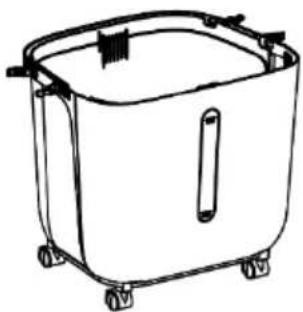
natural_image
Line drawing of a rectangular container with wheels and a handle (no text or symbols)Fig. 4
natural_image
Simple line drawing of a container with a vertical slot and two side wheels (no text or symbols)Fig. 5
Please take out the pump when using and put it back after use.
Fig. 6

Please clean the water tank after using.
Fig. 7
natural_image
Technical line drawing of a rectangular electronic device with a perforated metal panel and mounting feet (no text or symbols)Reset the device first.
Power on the device and confirm that the indicator is blinking rapidly. Note: please complete the network distribution within 3 minutes after resetting the device.
natural_image
Simple circular diagram with a yellow dot and a plus symbol inside, no text or labels present.Perform net pairing as prompted.
flowchart
graph TD
    A["Input"] --> B
    style A fill:#f9f,stroke:#333
    style B fill:#ccf,stroke:#333
Ensure that the device is powered on.

01:58
flowchart
graph LR
    A["Scan devices"] --> B["Register or Cloud"]
    B --> C["Initimize the device"]
Dispositivo deseado
BE COOL
10:32 AM
82
Done
Added successfully

Skyscraper Ice Smart Device added successfully
natural_image
Line drawing of an air conditioner unit with fan and wheels (no text or symbols)GRATULUJEME!
DĚKUJEME, ŽE JSTE SI VYBRALI PRODUKT OD SPOLEČNOSTI BE COOL
ROZHODLI JSME SE.
BE COOL

PŘED ZAHÁJENÍM INSTALACE, PROVOZU NEBO ÚDRŽBY SI POZORNĚ PŘEČTĚTE NÁVOD K OBSLUZE. DODRŽOVÁNÍM BEZPEČNOSTNÍCH POKYNŮ CHRAŇTE SEBE I OSTATNÍ. NEDODRŽENÍ POKYNŮ MŮŽE MÍT ZA NÁSLEDEK ZRANĚNÍ OSOB A/NEBO POŠKOZENÍ MAJETKU A/NEBO ZTRÁTU ZÁRUKY!
DŮLEŽITÉ INFORMACE O BEZPEČNOSTI, UMÍSTĚNÍ A ELEKTRICKÉM PŘIPOJENÍ
BE COOL
Uvedení do provozu
natural_image
Exterior view of a white air conditioner unit and its gray storage unit (no visible text or symbols)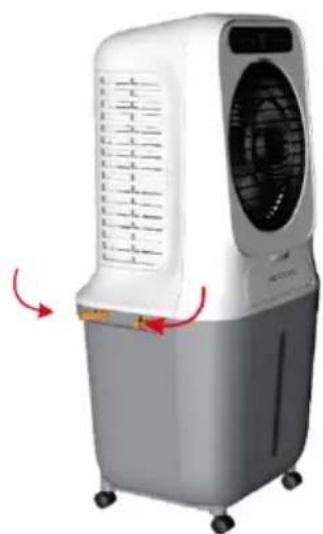
natural_image
White and gray air conditioner unit with ventilation grille and control panel, shown with red directional arrows indicating airflow (no text or symbols visible)natural_image
Line drawing of a portable air conditioner unit with cooling fan and control panel (no text or symbols)Obr. 1
natural_image
Line drawing of an air conditioner with a water drop emitting mist (no text or symbols)Obr. 2
natural_image
Line drawing of a portable air conditioner unit with top and side views showing internal components (no text or symbols)Obr. 3
natural_image
Simple line drawing of a watering can pouring water (no text or symbols)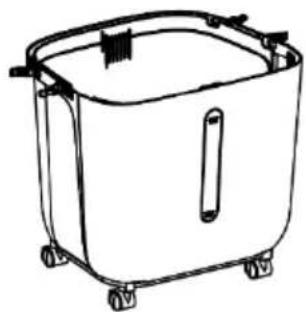
natural_image
Line drawing of a rectangular container with wheels and a handle (no text or symbols)Obr. 4
natural_image
Simple line drawing of a container with a vertical slot and two side wheels (no text or symbols)Obr. 5
Please take out the pump when using and put it back after use.
Obr. 6

Please clean the water tank after using.
Obr. 7
natural_image
Technical line drawing of a rectangular electronic device with star-shaped cutouts and mounting holes (no text or symbols)Reset the device first.
Power on the device and confirm that the indicator is blinking rapidly. Note: please complete the network distribution within 3 minutes after resetting the device.
natural_image
Simple circular diagram with a yellow dot and a plus symbol inside, no text or labels present.Perform net pairing as prompted.
Ensure that the device is powered on.

01:58
flowchart
graph LR
    A["Scan devices"] --> B["Register or Cloud"]
    B --> C["Initimize the device"]
Hledané zařízení
BE COOL
10:32 AM
82
Done
Added successfully

Skyscraper Ice Smart Device added successfully
natural_image
Line drawing of an air conditioner unit with fan and wheels (no text or symbols)GRATULUJEME!
ĐAKUJEME, ŽE STE SI VYBRALI PRODUKT OD SPOLOČNOSTI BE COOL
ROZHODLI SA.
BE COOL


PRED ZAČATÍM INŠTALÁCIE, PREVÁDZKY ALEBO ÚDRŽBY SI POZORNE PREČÍTAJTE NÁVOD NA OBSLUHU. DODRŽIAVANÍM BEZPEČNOSTNÝCH POKYNOV CHRÁNTE SEBA AJ OSTATNÝCH. NEDODRŽANIE POKYNOV MÔŽE MAŤ ZA NÁSLEDOK ZRANENIE OSÔB A/ALEBO POŠKODENIE MAJETKU A/ALEBO STRATU PLATNOSTI ZÁRUKY!
DÔLEŽITÉ INFORMÁCIE O
BEZPEČNOSTI, UMIESTNENÍ A ELEKTRICKOM PRIPOJENÍ

BE COOL
natural_image
Exterior view of a white air conditioner unit and its gray portable water heater (no text or symbols visible)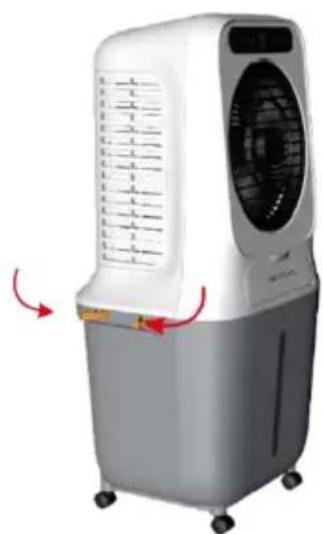
natural_image
White and gray air conditioner unit with ventilation slots and a digital display (no visible text or symbols)natural_image
Line drawing of an air conditioner unit with cooling fan and wheels (no text or symbols)Obr. 1
natural_image
Line drawing of an air conditioner unit with a water drop emitting mist (no text or symbols)Obr. 2
natural_image
Line drawing of a portable air conditioner unit with top and side views showing internal components (no text or symbols)Obr. 3
natural_image
Simple line drawing of a watering can pouring water (no text or symbols)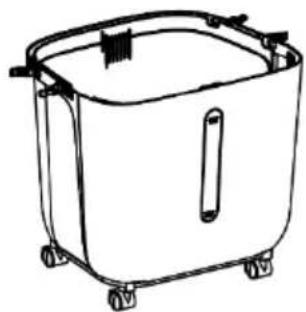
natural_image
Line drawing of a rectangular container with wheels and a handle (no text or symbols)Obr. 4
natural_image
Simple line drawing of a container with a vertical slot and two side wheels (no text or symbols)Obr. 5
Please take out the pump when using and put it back after use.
Obr. 6

Please clean the water tank after using.
Obr. 7
natural_image
Technical line drawing of a rectangular electronic device with a perforated metal panel and mounting holes (no text or symbols)Reset the device first.
Power on the device and confirm that the indicator is blinking rapidly. Note: please complete the network distribution within 3 minutes after resetting the device.
natural_image
Simple circular diagram with a yellow dot and a plus symbol inside, no text or labels present.Perform net pairing as prompted.
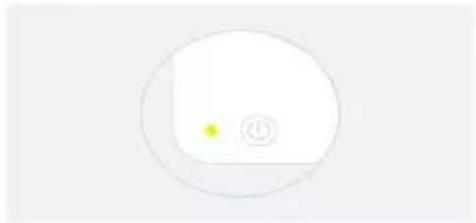
Ensure that the device is powered on.

01:58
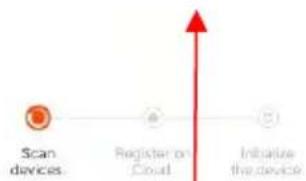
flowchart
graph LR
    A["Scan devices"] --> B["Register or Cloud"]
    B --> C["Initimize the device"]
Hl'adané zariadenie
BE COOL
10:32 AM
82
Done
Added successfully

Skyscraper Ice Smart Device added successfully
natural_image
Line drawing of an air conditioner unit with fan and wheels (no text or symbols)FELICITĂRI!
VĂ MULȚUMIM PENTRU CĂ AȚI ALES UN PRODUS DE LA BE COOL AU DECIS.
BE COOL

VĂ RUGĂM SĂ CITIȚI CU ATENȚIE INSTRUCȚIUNILE DE UTILIZARE ÎNAINTE DE A ÎNCEPE INSTALAREA, FUNCTIONAREA SAU ÎNTREȚINEREA. PROTEJAȚI-VĂ PE DVS. ȘI PE CEILALȚI PRIN RESPECTAREA INSTRUCTIUNILOR DE SIGURANȚĂ. NERESPECTAREA INSTRUCTIUNILOR POATE DUCE LA VĂTĂMĂRI CORPORALE ȘI/SAU PAGUBE MATERIALE ȘI/SAU INVALIDAREA GARANȚIEI!
INFORMATII IMPORTANTE PRIVIND SIGURANTA, AMPLASAREA ŞI CONEXIUNEA ELECTRICĂ



BE COOL
natural_image
Exterior view of a white air conditioner unit and its gray portable water heater (no text or symbols visible)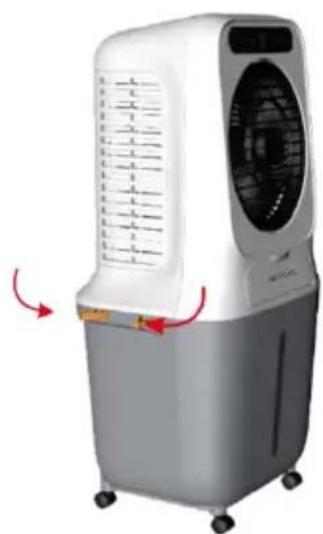
natural_image
White and gray air conditioner unit with ventilation grille and control panel, shown with red directional arrows (no text or symbols)natural_image
Line drawing of an air conditioner unit with cooling fan and wheels (no text or symbols)Fig. 1
natural_image
Line drawing of an air conditioner with a water drop emitting bubbles (no text or symbols)Fig. 2
natural_image
Line drawing of a portable air conditioner unit with top and side views showing internal components (no text or symbols)Fig. 3
natural_image
Simple line drawing of a watering can with water droplets (no text or symbols)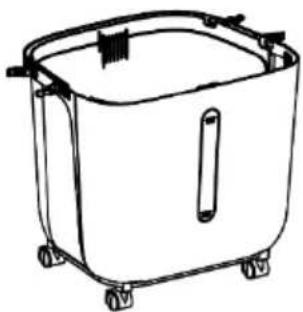
natural_image
Line drawing of a rectangular container with wheels and a handle (no text or symbols)Fig. 4
natural_image
Simple line drawing of a container with a vertical rod and two side wheels (no text or symbols)Fig. 5
Please take out the pump when using and put it back after use.
Fig. 6

Please clean the water tank after using.
Fig. 7
natural_image
Technical line drawing of a rectangular electronic device with a perforated metal panel and mounting holes (no text or symbols)Reset the device first.
Power on the device and confirm that the indicator is blinking rapidly. Note: please complete the network distribution within 3 minutes after resetting the device.
natural_image
Simple circular diagram with a yellow dot and a plus symbol inside, no text or labels present.Perform net pairing as prompted.
Ensure that the device is powered on.

01:58
flowchart
graph LR
    A["Scan devices"] --> B["Register or Cloud"]
    B --> C["Initimize the device"]
Dispozitiv dorit
BE COOL
10:32 AM
82
Done
Added successfully

Skyscraper Ice Smart Device added successfully
natural_image
Line drawing of an air conditioner unit with fan and wheels (no text or symbols)GRATULACJE!
DZIEKUJEMY ZA WYBRANIE PRODUKTU OD BE COOL
PODJĘLI DECYZJE.
BE COOL


PRZED ROZPOCZEĘCIEM INSTALACJI, OBSŁUGI LUB KONSERWACJI NALEŻY UWAŻNIE PRZECZYTAĆ INSTRUKCJĘ OBSŁUGI. NALEŻY CHRONIĆ SIEBIE I INNYCH, POSTĘPUJĄC ZGODNIE Z INSTRUKCJAMI BEZPIECZEŃSTWA. NIEPRZESTRZEGANIE INSTRUKCJI MOŻE SPOWODOWAĆ OBRAŻENIA CIAŁA I/LUB USZKODZENIE MIENIA I/LUB UNIEWAŻNIENIE GWARANCJI!
WAŻNE INFORMACJE
DOTYCZĄCE
BEZPIECZEŃSTWA,
LOKALIZACJI I PODŁĄCZENIA
ELEKTRYCZNEGO


BE COOL
BE COOL
Uruchomienie
natural_image
Exterior view of a white air conditioner unit and its gray portable water heater (no text or symbols visible)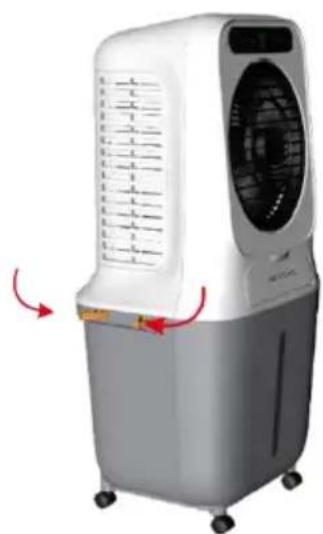
natural_image
White and gray air conditioner unit with ventilation slots and control panel, shown with red directional arrows (no text or symbols)natural_image
Line drawing of an air conditioner unit with control panel and fan (no text or symbols)Rys. 1
natural_image
Line drawing of an air conditioner unit with a water drop emitting mist (no text or symbols)Rys. 2
natural_image
Line drawing of a portable air conditioner unit with cooling fan and open lid, plus a hand inserting a component (no text or symbols)Rys. 3
natural_image
Simple line drawing of a watering can with water droplets (no text or symbols)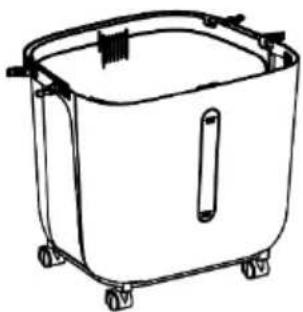
natural_image
Line drawing of a rectangular container with wheels and a handle (no text or symbols)Rys. 4
natural_image
Simple line drawing of a container with a vertical rod and two side wheels (no text or symbols)Rys. 5
Please take out the pump when using and put it back after use.
Rys. 6

Please clean the water tank after using.
Rys. 7
natural_image
Technical line drawing of a rectangular electronic device with a perforated metal panel and mounting bracket (no text or symbols)Reset the device first.
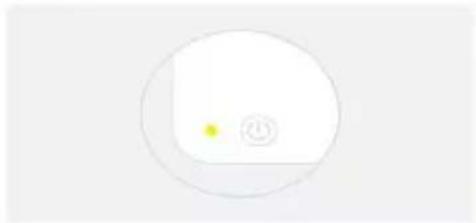
Power on the device and confirm that the indicator is blinking rapidly. Note: please complete the network distribution within 3 minutes after resetting the device.
natural_image
Simple circular diagram with a yellow dot and a plus symbol inside, no text or labels present.Perform net pairing as prompted.
Ensure that the device is powered on.

01:58
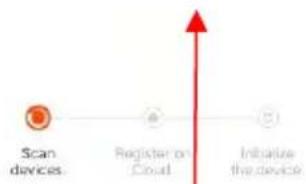
flowchart
graph LR
    A["Scan devices"] --> B["Register on Cloud"]
    B --> C["Initiative the device"]
Skyscraper Ice Smart Device added successfully
natural_image
Line drawing of an air conditioner unit with fan and wheels (no text or symbols)ČESTITAMO!
HVALA, KER STE IZBRALI IZDELEK BE COOL
SE JE ODLOČILO.
BE COOL


Aktualna navodila za uporabo in drugi jeziki
PRED ZAČETKOM NAMESTITVE, DELOVANJA ALI VZDRŽEVANJA NATANČNO PREBERITE NAVODILA ZA UPORABO. Z UPOŠTEVANJEM VARNOSTNIH NAVODIL ZAŠČITITE SEBE IN DRUGE. NEUPOŠTEVANJE NAVODIL LAHKO POVZROČI TELESNE POŠKODBE IN/ALI MATERIALNO ŠKODO IN/ALI RAZVELJAVITEV GARANCIJE!
POMEMBNE INFORMACIJE O VARNOSTI, LOKACIJI IN ELEKTRIČNEM PRIKLJUČKU

BE COOL
Oddaja v uporabo
Pred prvim zagonom
Razpakiranje naprave
natural_image
Exterior view of a white air conditioner unit and its gray portable water heater (no text or symbols visible)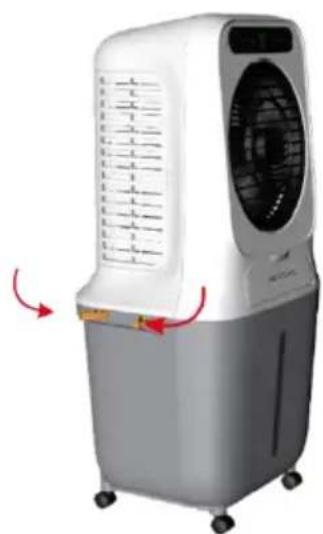
natural_image
White and gray air conditioner unit with ventilation slots and control panel, shown with red directional arrows (no text or symbols)natural_image
Line drawing of an air conditioner unit with cooling fan and wheels (no text or symbols)Slika 1
natural_image
Line drawing of an air conditioner unit with a water drop emitting mist (no text or symbols)Slika 2
natural_image
Line drawing of a portable air conditioner unit with cooling fan and open lid, plus a hand inserting a component (no text or symbols)Slika 3
natural_image
Simple line drawing of a watering can with droplets (no text or symbols)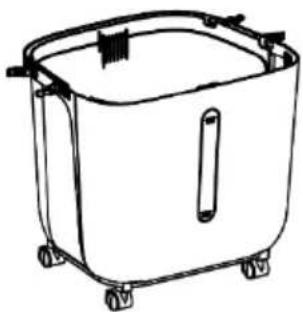
natural_image
Line drawing of a rectangular container with wheels and a handle (no text or symbols)Slika 4
natural_image
Simple line drawing of a container with a vertical slot and two side wheels (no text or symbols)Slika 5
Please take out the pump when using and put it back after use.
Slika 6

Please clean the water tank after using.
Slika 7
natural_image
Technical line drawing of a rectangular electronic device with star-shaped cutouts and mounting holes (no text or symbols)Za nove uporabnike: za registracijo kliknite "Ustvari nov račun".
Prijavite se v svoj račun in odprite aplikacijo. Kliknite "Dodaj napravo" ali simbol "+" v zgornjem desnem kotu, da začnete povezavo. Izberite "Small appliance air cooler (WIFI)" in vnesite geslo Wi-Fi omrežja, s katerim je povezan vaš pametni telefon.
BE COOL
Cancel
EZ Mode ⇌
Reset the device first.
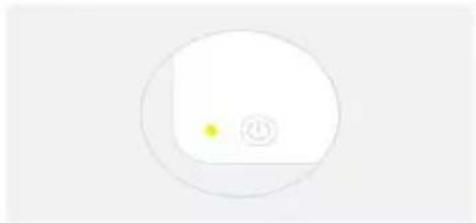
Power on the device and confirm that the indicator is blinking rapidly. Note: please complete the network distribution within 3 minutes after resetting the device.
natural_image
Simple circular diagram with a yellow dot and a plus symbol inside, no text or labels present.Perform net pairing as prompted.
Ensure that the device is powered on.

01:58
flowchart
graph LR
    A["Scan devices"] --> B["Register or Cloud"]
    B --> C["Initimize the device"]
Iskana naprava
BE COOL
10:32 AM
82
Done
Added successfully

Skyscraper Ice Smart Device added successfully
natural_image
Line drawing of an air conditioner unit with fan and wheels (no text or symbols)UVJETI ČESTITAMO!
MNOGI ZAHVALJUJUĆI, DA ONA SE ZA A PROIZVOD IZ BUDI COOL ODLUČIO IMATI.
BE COOL


Aktualni korisnički priručnici i drugi jezici
Preuzmite aktualne upute za uporabu na raznim jezicima putem poveznice www.becool.at/downloads ili skenirajte prikazani QR kod. Slijedite upute na web stranici.

MOLIMO VAS, PAŽLJIVO PROČITAJTE UPUTE ZA KORISNIKE PRIJE UGRADNJE, RADA ILI ODRŽAVANJA. ZAŠTITITE SEBE I DRUGE PRIDRŽAVANJEM SIGURNOSNIH UPUTA. NEPRIDRŽAVANJE UPUTA MOŽE REZULTIRATI OSOBNIM OZLJEDAMA I/ILI ŠTETOM NA IMOVINI I/ILI PONIŠTENJEM JAMSTVA!
VAŽNE INFORMACIJE DO SIGURNOST, MJESTO I ZA ELEKTRIČNI PRIKLJUČAK
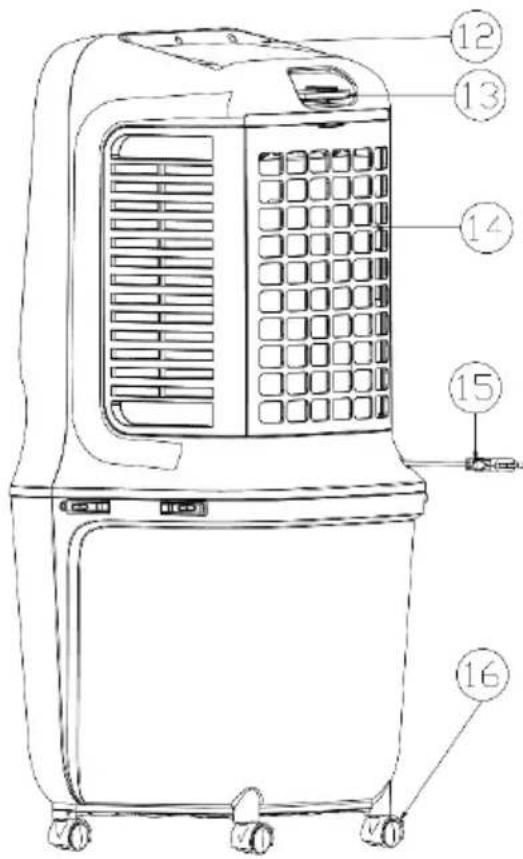
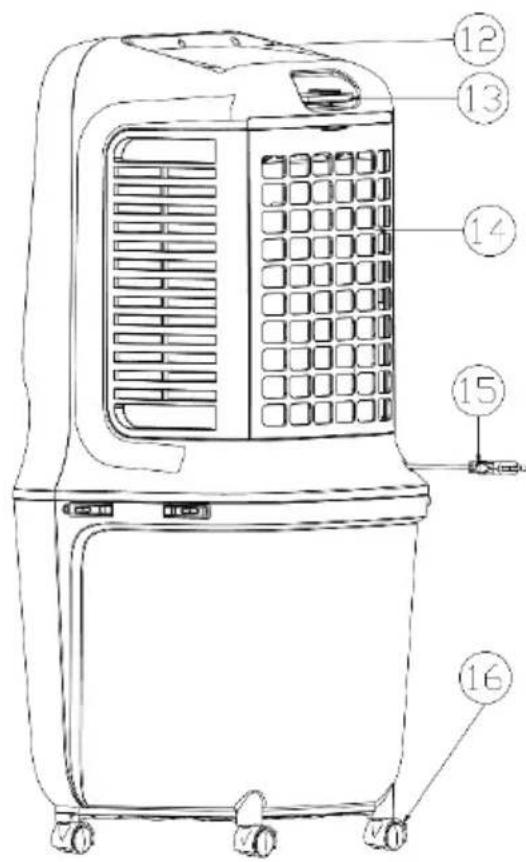
| 1) Upravljačka ploča | 2) Zaslon | 3) Lopatica rotora |
| 4) Rešetka za izlaz zraka | 5) Prednji poklopac | 6) Prednje kućište |
| 7) Osovina za punjenje vode | 8) Spremnik za vodu | 9) Indikator razine vode |
| 10) Saćasti filter | 11) Držač spremnika za vodu | 12) Stražnje kućište |
| 13) Pretinac za daljinski upravljač | 14) Rešetka za dovod zraka | 15) Kabel za napajanje |
BE COOL
Indikatori i kontrole




| Tipka zauključivanje/isključivanje | Tipka za brzinu(VISOKA/SREDNJA/NISKA) | |
 sati) sati) | Tipka mjerača vremena (1 – 9 |  Tipka Mode/WIFI Tipka Mode/WIFI |
 | Tipka za hlađenje iovlaživanje |  Tipka za osciliranje Tipka za osciliranje |
Daljinski upravljač
BE COOL
Puštanje u rad
Prije prve uporabe
Raspakirajte uređaj
natural_image
Exterior view of a white air conditioner unit and its gray portable water heater (no text or symbols visible)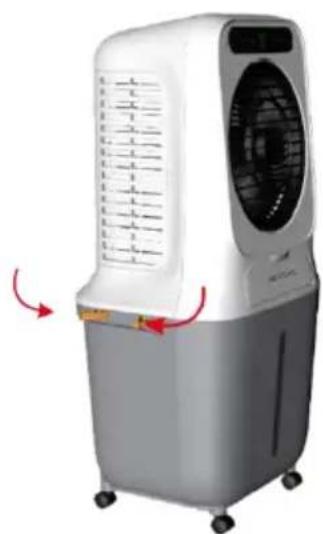
natural_image
White and gray air conditioner unit with ventilation grille and control panel, shown with red directional arrows (no text or symbols)Ugradnja pumpe za vodu i punjenje spremnika za vodu:
natural_image
Line drawing of a portable air conditioner unit with cooling fan and wheels (no text or symbols)Abb. 1
natural_image
Line drawing of an air conditioner with a water drop emitting mist (no text or symbols)Abb. 2
Prije dodavanja vode, otvorite 4 zasuna spremnika za vodu kako biste odvojili kućište od spremnika za vodu i polako ulijte vodu u spremnik za vodu (pogledajte sliku 3 i sliku 4).
Nakon punjenja vratite kućište na spremnik za vodu i pričvrstite zasune.
BE COOL
natural_image
Line drawing of a portable air conditioner unit with top and side views showing internal components (no text or symbols)Abb. 3
natural_image
Simple line drawing of a watering can with droplets (no text or symbols)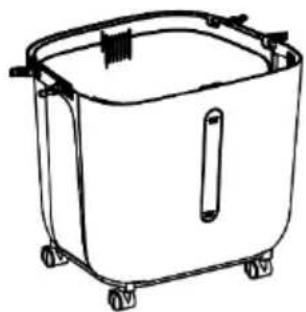
natural_image
Line drawing of a rectangular container with wheels and a handle (no text or symbols)Abb. 4
natural_image
Simple line drawing of a container with a vertical slot and two side wheels (no text or symbols)Abb. 5
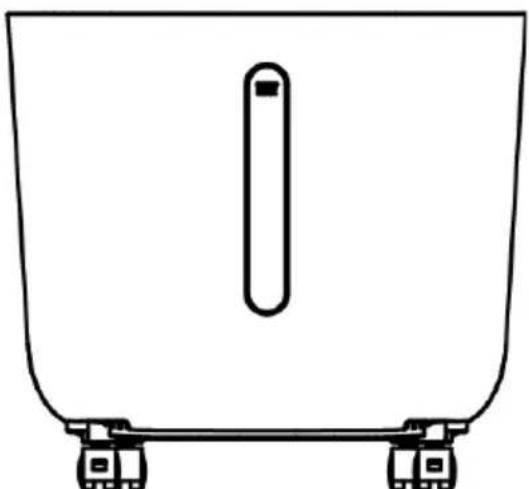
Prilikom punjenja spremnika za vodu obratite pozornost na indikator razine vode na prednjoj strani spremnika za vodu (vidi sliku 5).
- Pazite da maksimalna razina vode nije premašena.
- Svakako koristite čistu vodu iz slavine.
- Prijateljska napomena: Kada se uređaj koristi prvi put, ako voda u spremniku za vodu ima malu promjenu boje ili blagi miris, to je normalna pojava. Nije toksičan, bezopasan i neće utjecati na vaše zdravlje.
BE COOL
Korištenje pumpe za vodu:
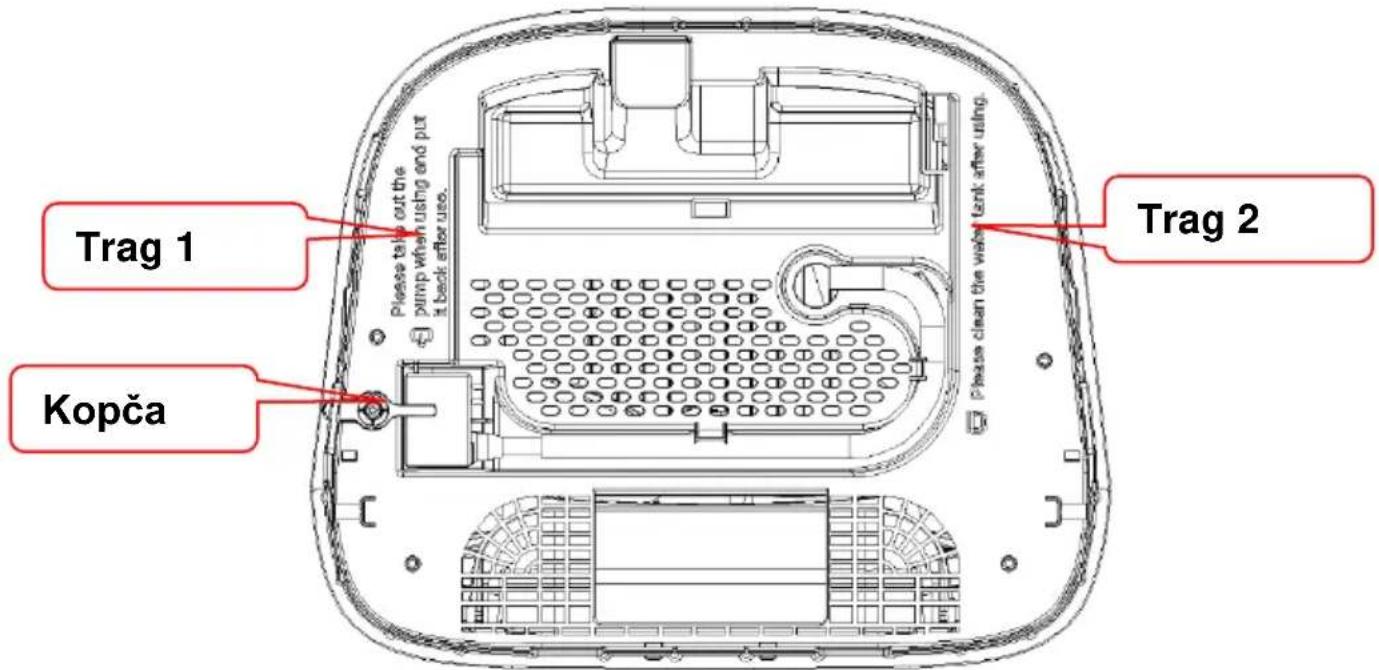
Nakon uklanjanja kućišta, provjerite napomenu na dnu (pogledajte sliku 6 i sliku 7)
Please take out the pump when using and put it back after use.
Slika 6

Please clean the water tank after using.
Slika 7
natural_image
Technical line drawing of a rectangular electronic device with a perforated metal panel and mounting holes (no text or symbols)Registirajte račun, prijavite se, oporavite lozinku:
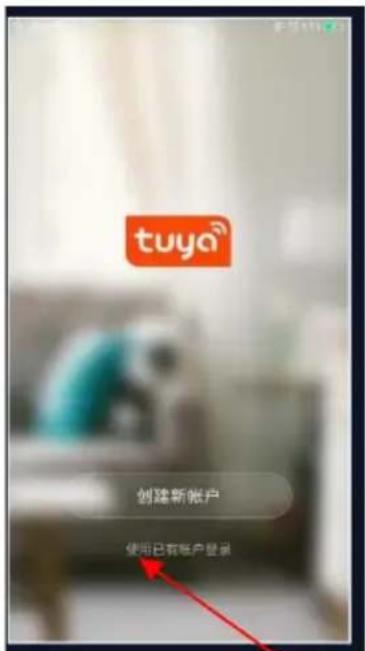
Prijavite se na svoj račun i otvorite aplikaciju. Kliknite na "Dodaj uređaj" ili ikonu "+" u gornjem desnom kutu za početak veze. Odaberite "Small Appliance Air Cooler (WIFI)" i unesite lozinku za Wi-Fi mrežu na koju je povezan vaš pametni telefon.
BE COOL
Cancel
EZ Mode ⇌
Reset the device first.
Power on the device and confirm that the indicator is blinking rapidly. Note: please complete the network distribution within 3 minutes after resetting the device.
natural_image
Simple circular diagram with a yellow dot and a plus symbol inside, no text or labels present.Perform net pairing as prompted.
flowchart
graph TD
    A["Input"] --> B
    style A fill:#f9f,stroke:#333
    style B fill:#ccf,stroke:#333
Provjerite treperi li indikatorska lampica.
Cancel
Adding device...
Ensure that the device is powered on.

01:58
flowchart
graph LR
    A["Scan devices"] --> B["Register or Cloud"]
    B --> C["Initimize the device"]
Traženje uređaja
BE COOL
10:32 AM
82
Done
Added successfully

Skyscraper Ice Smart Device added successfully
Air cooler BC25ACP2501W
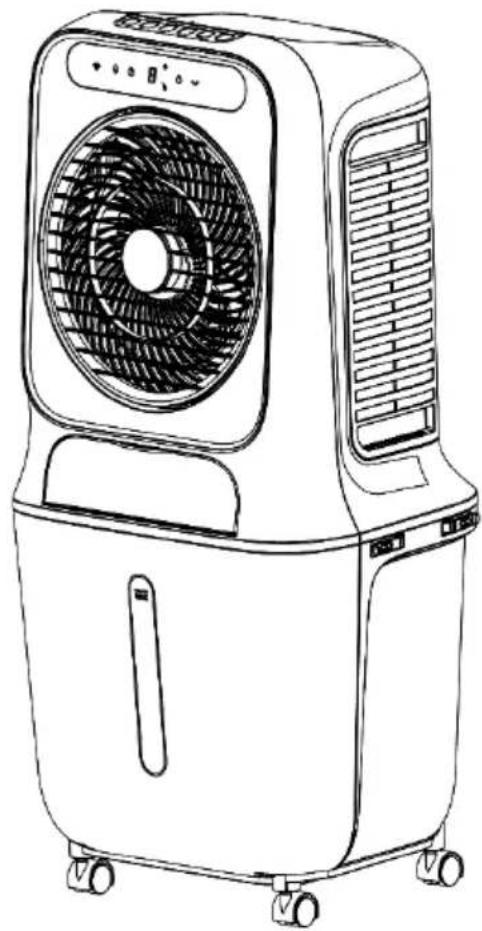
natural_image
Line drawing of an air conditioner unit with fan and wheels (no text or symbols)CONGRATULATIONS!
THANK YOU FOR CHOOSING A PRODUCT FROM BE COOL HAVE DECIDED.
BE COOL

Current operating instructions and other languages
Download the latest operating instructions in various languages via the link www.becool.at/downloads or scan the QR code shown. Follow the instructions on the website.

PLEASE READ THE OPERATING INSTRUCTIONS CAREFULLY BEFORE STARTING INSTALLATION, OPERATION OR MAINTENANCE. PROTECT YOURSELF AND OTHERS BY FOLLOWING THE SAFETY INSTRUCTIONS. FAILURE TO FOLLOW INSTRUCTIONS COULD RESULT IN PERSONAL INJURY AND/OR PROPERTY DAMAGE AND/OR VOID THE WARRANTY!
IMPORTANT INFORMATION ON SAFETY, LOCATION AND ELECTRICAL CONNECTION

To avoid the risk of operating errors and to make better use of the appliance, please read the operating instructions before use.
BE COOL
- The appliance is intended for household and indoor use only.
- When using this appliance, you must use a qualified power outlet that has been tested and meets the requirements. Please check the voltage used when moving the appliance.
- This appliance is not intended for use by persons (including children) with reduced physical, sensory or mental capabilities, or lack of experience and knowledge, unless they have been given supervision or instruction concerning use of the appliance by a person responsible for their safety. Children should be supervised to ensure that they do not play with the appliance.
- This appliance can be used by children aged from 8 years and above and persons with reduced physical, sensory or mental capabilities or lack of experience and knowledge if they have been given supervision or instruction concerning use of the appliance in a safe way and understand the hazards involved. Children must not play with the appliance. Cleaning and maintenance work must not be carried out by children without supervision.
- If the mains cable is damaged, it must be replaced by the manufacturer, its customer service department or similarly qualified persons in order to avoid a hazard.
- Disconnect the mains plug during filling and cleaning.
- Do not touch the mains cable plug with wet hands as there is a risk of electric shock.
- Do not pull on the cable when disconnecting the mains cable.
BE COOL
-
Do not fold the mains cable and do not place any heavy objects on it.
-
It is strictly forbidden to insert foreign objects such as wooden or metal sticks into the air inlet and outlet, as this can lead to leaks, short circuits and possible product damage.
-
Do not spray pesticides and flammable sprays near the product, as these can damage the product.
-
Avoid pointing the air outlet of the appliance directly at children for long periods of time, as this may make them ill or affect their health.
-
When using the device, make sure that the mains cable plug is free of foreign objects and that the plug is fully inserted.
-
Unusual handling. If the product emits a strange odor and unusual noises during use, please stop using it immediately and unplug it from the mains.
-
If you have poured water into the appliance, do not tip or bump it when setting it up or moving it to avoid splashes. If the product has been tipped out and there is water in the appliance, unplug it immediately and wait 24 hours for it to dry before switching it on again.
-
The water level in the water tank should not exceed the maximum water level line.
-
If the appliance's water tank is full of water, do not grab the handle to lift the entire machine, otherwise the water in the water tank will overflow. You can only press the handle to move the appliance and only when it is confirmed that there is no or very little water in the water tank can you grab the handle to move the appliance. Lift the entire machine.
-
When humidifying the air, it is strictly forbidden to
BE COOL
dismantle and assemble the air filter net and the holder of the humid curtain, otherwise water droplets will spray out of the air outlet.
-
If you leave the appliance or do not use it for a longer period of time, you must switch it off and disconnect the mains plug from the socket.
-
If the product is defective, please send it to the repair shop or notify customer service and do not disassemble or replace the parts without authorization. Arbitrary disassembly or modification will impair the safety of the product.
-
WARNING: Risk of burns from chemicals. Keep batteries away from children.
-
Do not swallow the battery, risk of chemical burns.
-
This product contains a button cell battery. If the button cell battery is swallowed, it can cause severe internal burns within just 2 hours.
-
If the battery compartment cannot be closed securely, stop using the product and keep it away from children.
-
If you think batteries may have been swallowed or may have entered any part of your body, seek medical advice immediately.
-
The batteries contain environmentally hazardous substances; they must be removed from the appliance and disposed of safely before scrapping.
-
Note that high humidity can promote the growth of biological organisms in the environment.
-
Ensure that the area around the humidifier does not become damp or wet. If the output of the humidifier cannot be reduced, use the humidifier intermittently. Make sure that no absorbent materials such as carpets, curtains, drapes or tablecloths become damp.
BE COOL
-
Never leave water in the container when the appliance is not in use.
-
Empty and clean the humidifier before storage. Clean the humidifier before the next use.
Recycling, disposal, declaration of conformity
 | RECYCLINGThe packaging materials can be recycled. It is therefore recommended to dispose of them in sorted waste |
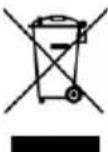 | DISPOSALThe "crossed-out dustbin" symbol requires the separate disposal of waste electrical and electronic equipment (WEEE). Electrical and electronic equipment may contain hazardous and environmentally harmful substances. Therefore, do not dispose of them in unsorted residual waste, but at a designated collection point for waste electrical and electronic equipment. This will help to protect resources and the environment. For further information, please contact your dealer or the local authorities. Directive 2012/19/EU |
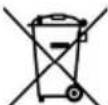 | BATTERY DISPOSALIn accordance with current legislation on batteries, accumulators and related waste, the crossed-out wheeled garbage can symbol on the battery indicates that it is prohibited to dispose of used batteries in household waste. Batteries and accumulators contain highly polluting substances. The user is obliged to dispose of used batteries at the collection points in the municipality or in the appropriate containers. The service is free of charge. In this way, the legal requirements are complied with and the environment is protected.This model is equipped with batteries of type: CR2032. |
 | DECLARATION OF CONFORMITYWe hereby confirm that this product complies with the essential requirements, regulations and directives of the EU. You can view the detailed declaration of conformity at any time under the following link:https://www.schuss-home.at/downloads |
Errors and technical modifications excepted.
BE COOL
SCOPE OF DELIVERY
The BE COOL cooler is supplied with:
- 1 × air cooler
- 1× remote control
- 1× operating instructions
- 2× ice packs
- 4 × castors
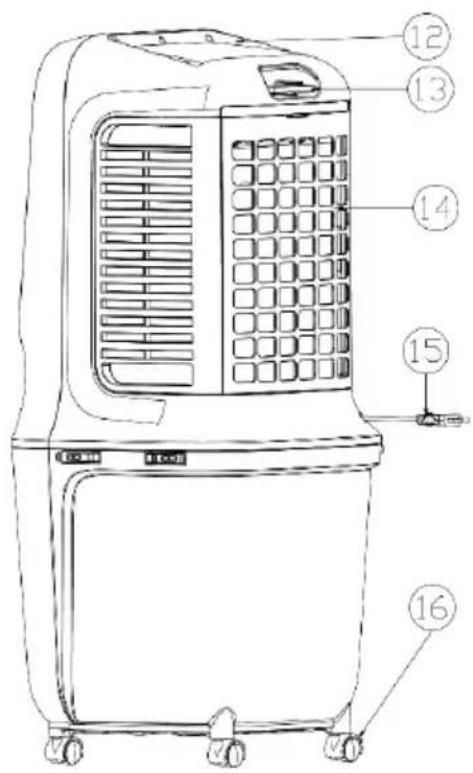
DESCRIPTION OF THE DEVICE
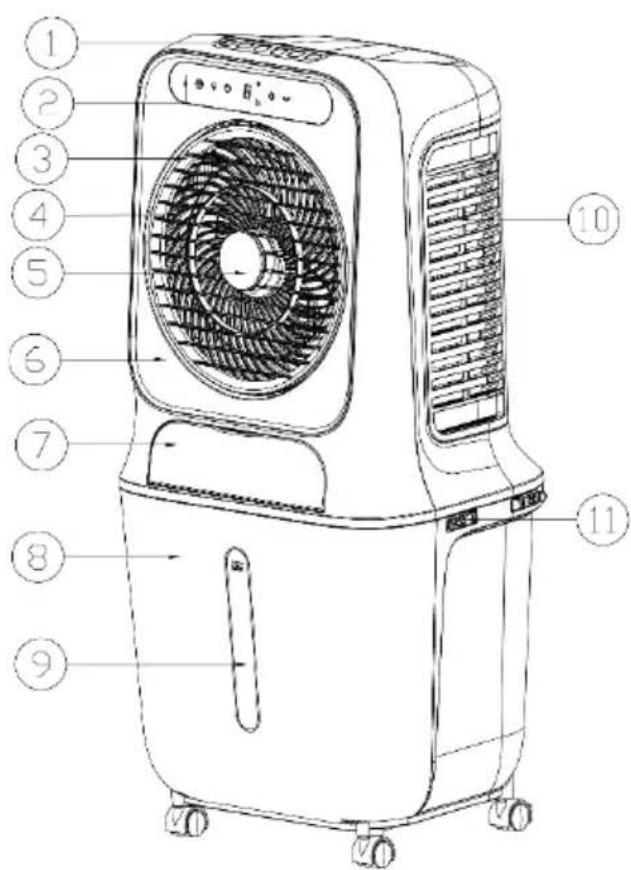
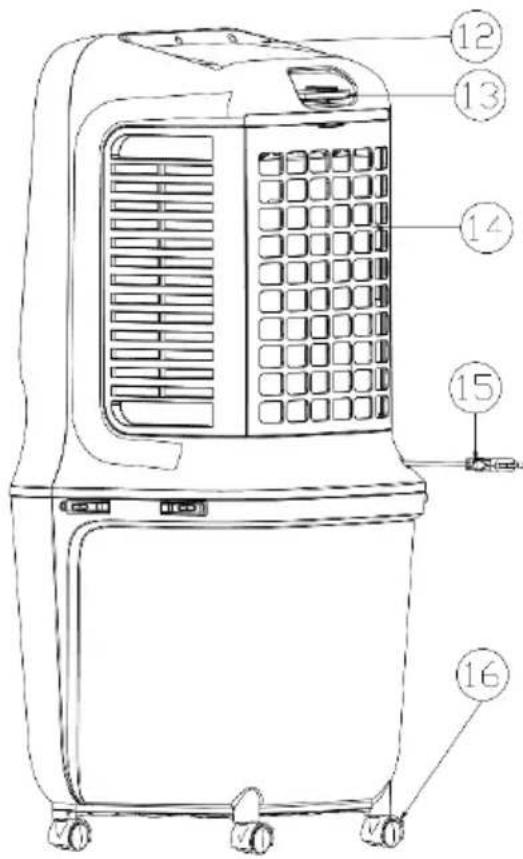
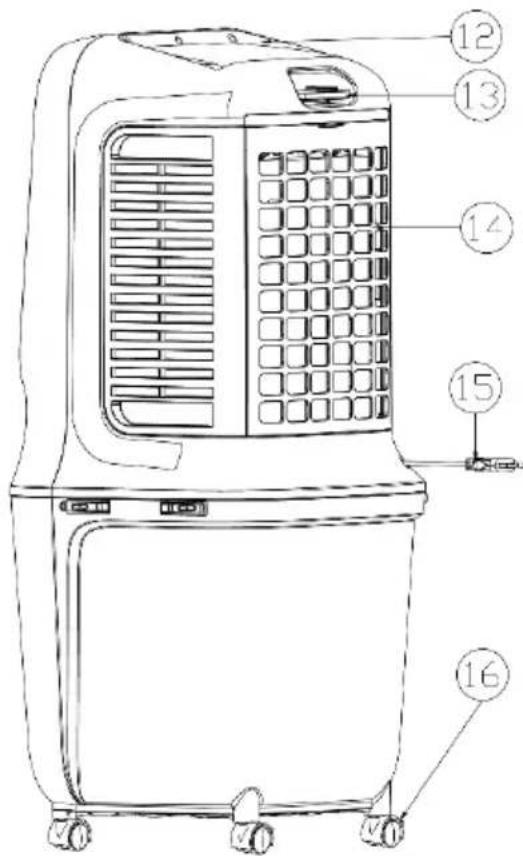
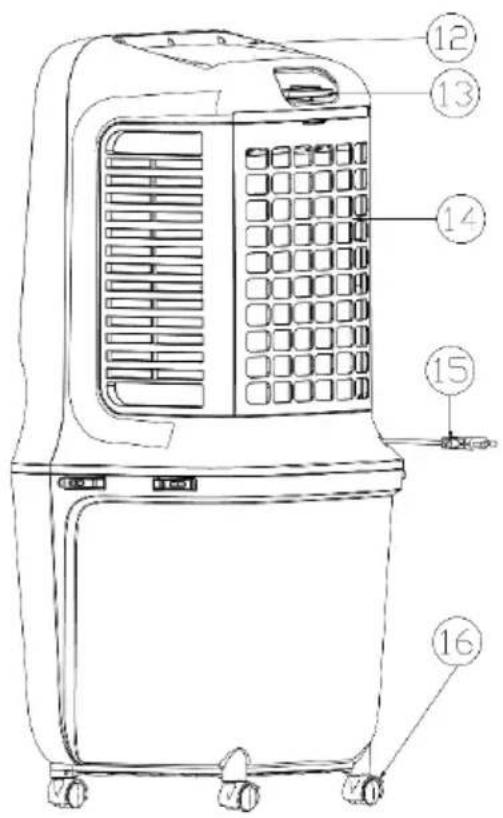
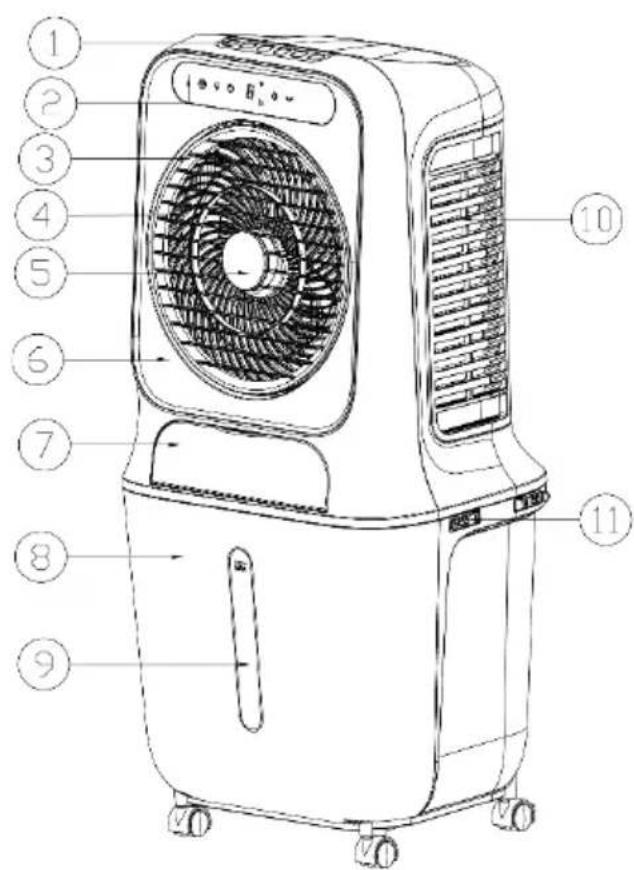
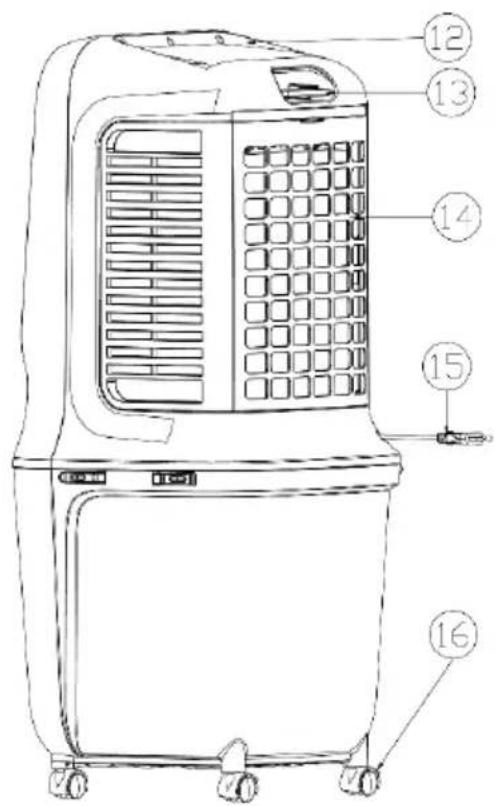
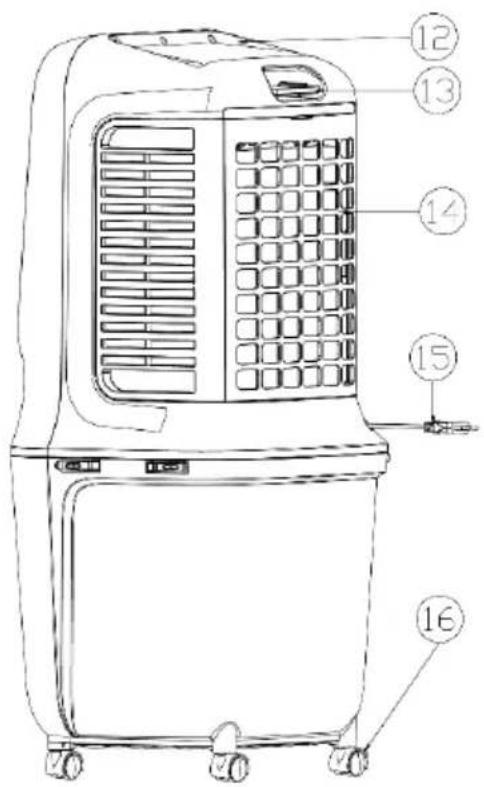
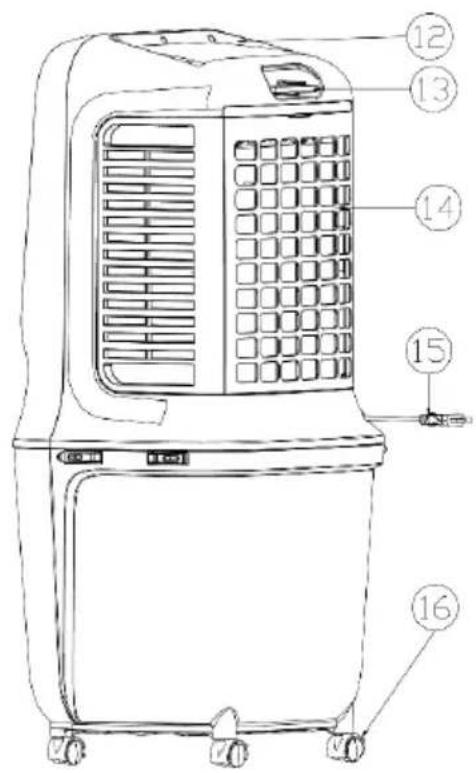
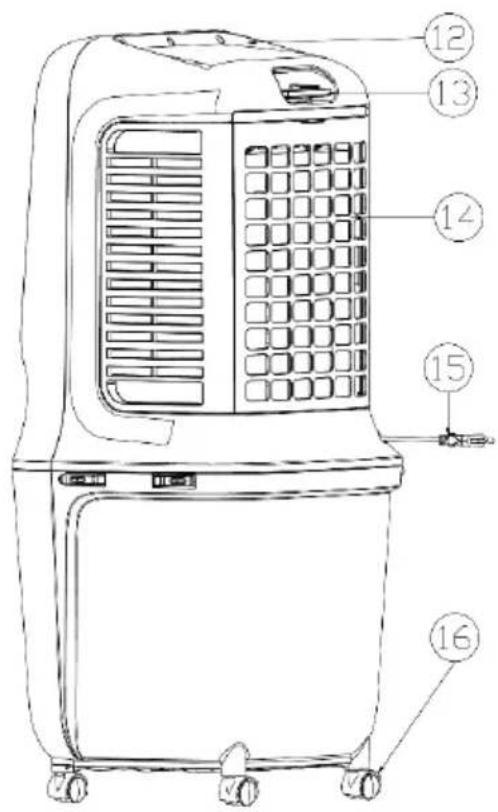
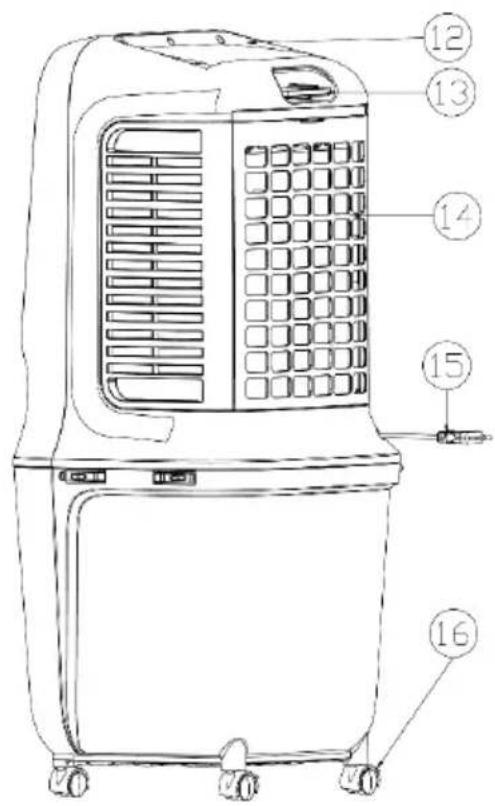
| 1) Control panel | 2) Display panel | 3) Rotor blade |
| 4) Air outlet grille | 5) Front cover | 6) Front housing |
| 7) Water filling shaft | 8) Water tank | 9) Water level indicator |
| 10) Honeycomb filter | 11) Holder for water tank | 12) Rear housing |
| 13) Compartment for remote control | 14) Air inlet grille | 15) Mains cable |
BE COOL
Indicators and control elements






 | On/off button | Speed button (HI/MID/LOW) |
 | Timer button (1 - 9 hours) | Mode / WIFIbutton |
 button button | Cooling and humidification | Oscillation button |
Remote control
Preparing the remote control - Inserting or replacing the battery
Please note the following instructions:
Initial operation:
To operate the remote control for the first time, please pull the plastic cover out of the battery compartment on the back of the remote control.
Change the battery:
- Pull out the battery holder on the back of the remote control and remove the old battery from the holder:
BE COOL
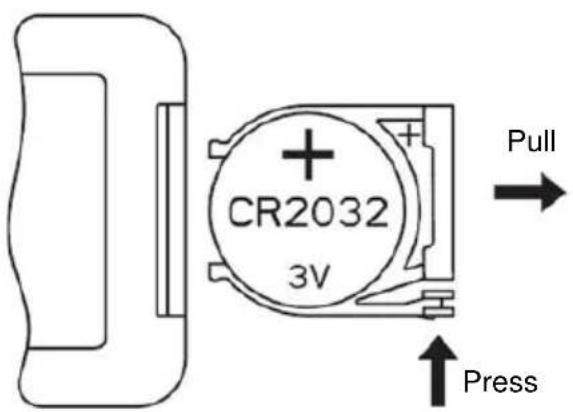
- Now insert a new CR2032 battery, always paying attention to the polarity markings (+/-) on the battery and the battery holder.
- Then push the battery holder all the way back into the remote control.
Correct use of the remote control
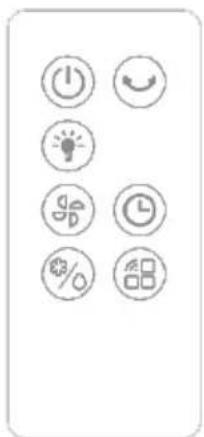
Point the remote control directly at the front of the appliance and make sure that there are no obstacles between the remote control and the appliance
| ON/OFF button | Cooling mode | ||
| Oscillation button | Mode/Wifi | ||
| Cooling and humidification button | Timer | ||
| Display lighting | |||
BE COOL
Commissioning
Before initial commissioning
Unpacking the device
- Open the box and remove the appliance.
- Remove the packaging completely from the device.
- Unwind the power cable completely, taking care not to damage it.
Installation
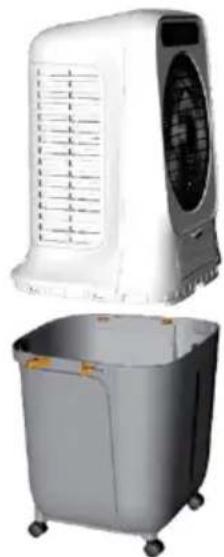
After unpacking the product, fit the castors.
Remove the water pump from the water tank according to the instructions and place the appliance cover on the water tank. As soon as the four fastening buckles are engaged, the appliance is ready for use.
natural_image
Exterior view of a white air conditioner unit and its gray portable water heater (no text or symbols visible)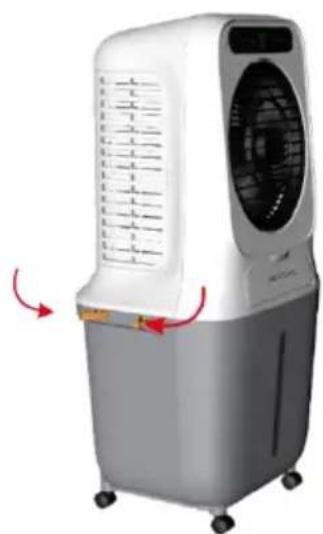
natural_image
White and gray air conditioner unit with ventilation slots and control panel, shown with red directional arrows (no text or symbols)Installing the water pump and filling the water tank:
Within 1 minute after an indicator light lights up, the brightness of the indicator light is reduced to a third of the original brightness if no action is taken on the button during this time.
At this point, the button is reactivated and the indicator light shines at full brightness again
BE COOL
If the appliance is not switched on for the first time, press the "On/Off" button "
" in standby mode and the appliance will retain the status it had before it was switched off, with the exception of the functions: Timer, Sleep mode and Dry air.
Filling up the water
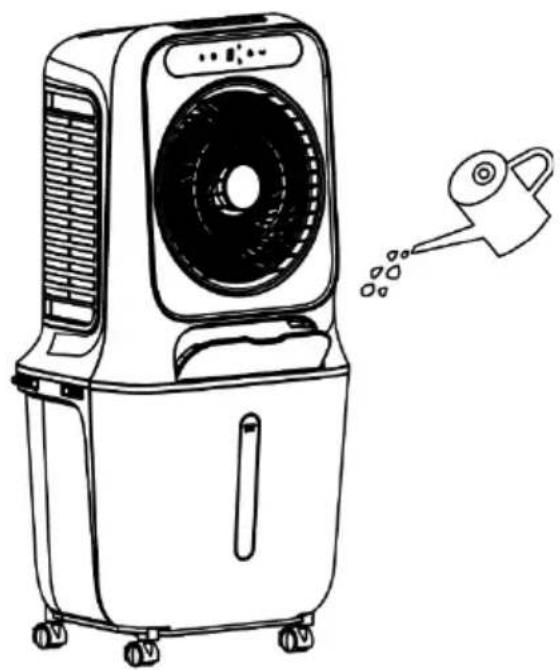
If you want to switch on the cooling and humidification function, please fill the water tank with water.
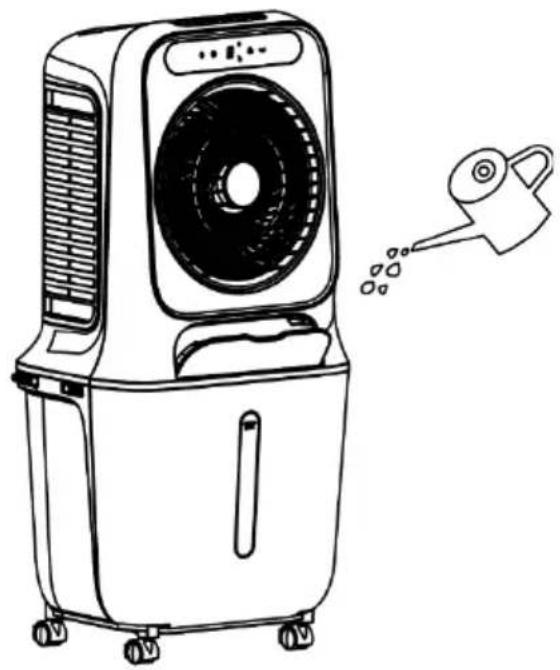
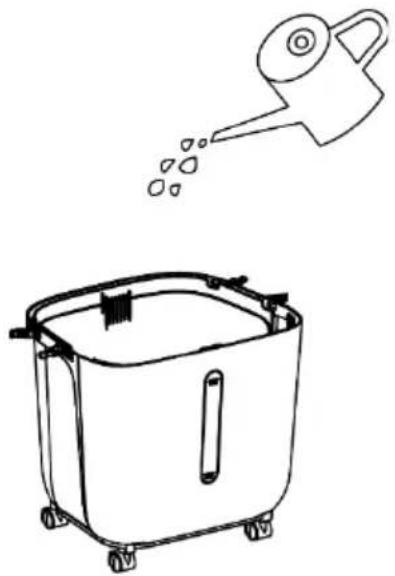
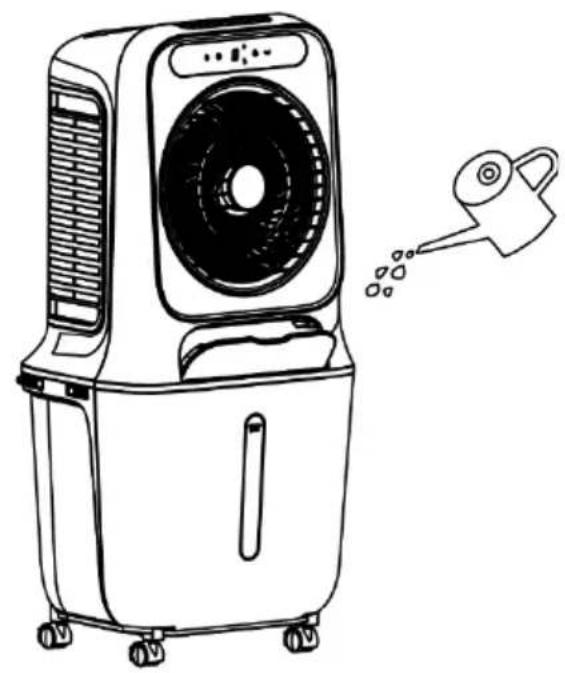
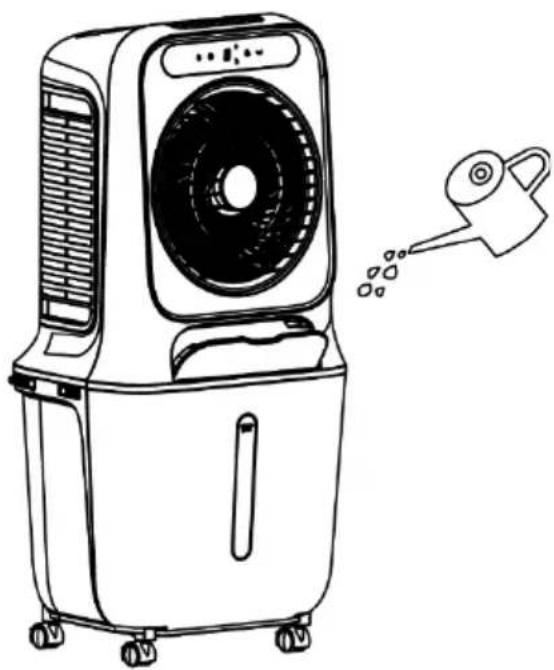
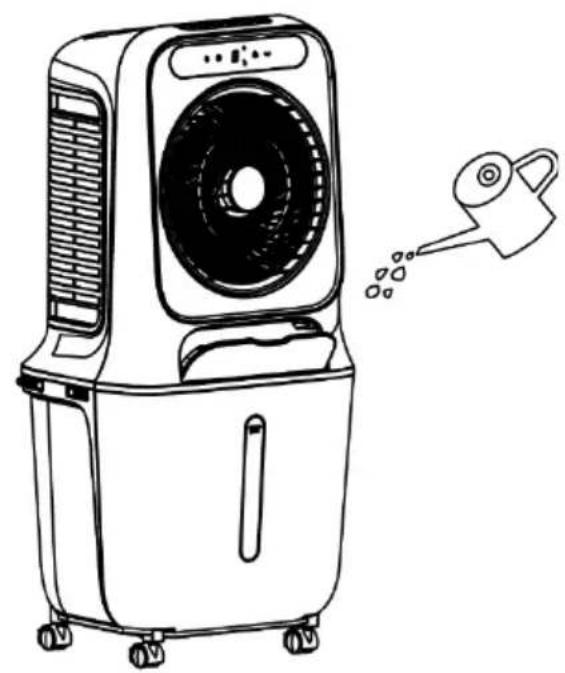
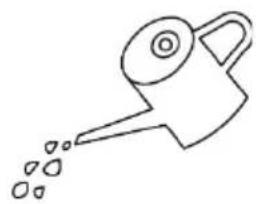
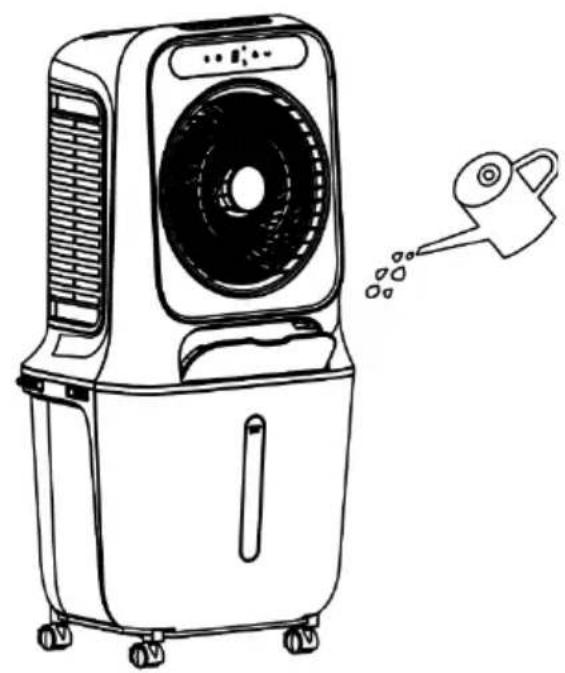
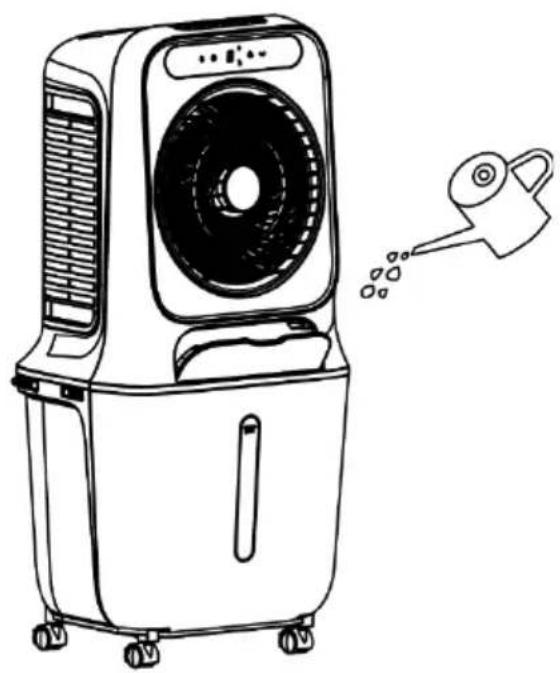
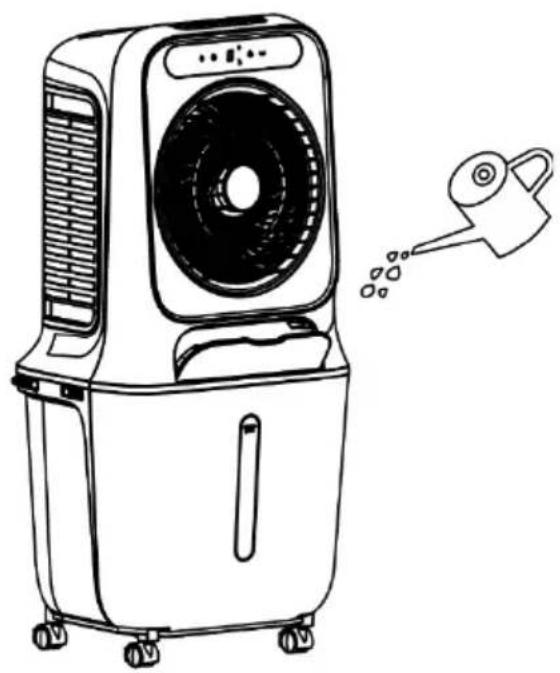
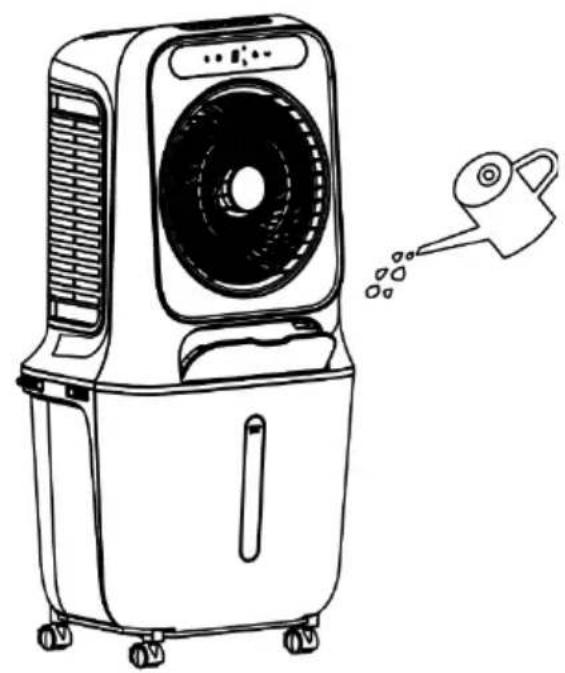
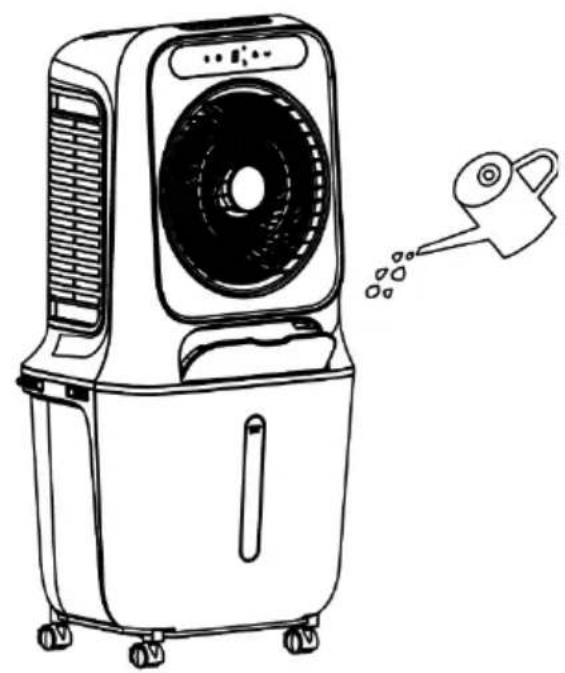
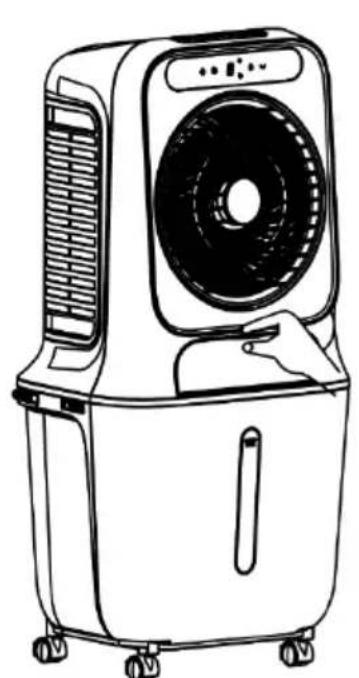
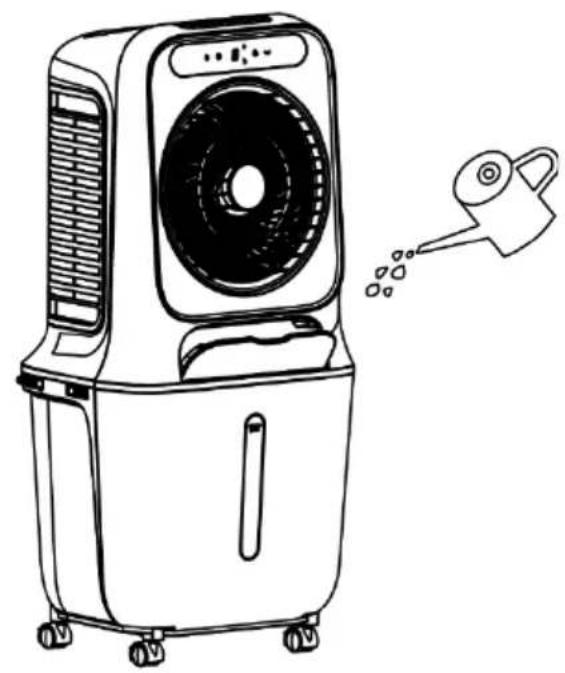
Before adding water, open the water filler chute and slowly pour water into the water tank (see figure 1 and figure 2). After filling, close the water filler shaft again.
natural_image
Line drawing of a portable air conditioner unit with control panel and fan (no text or symbols)Fig. 1
natural_image
Line drawing of an air purifier with a water drop emitting mist (no text or symbols)Fig. 2
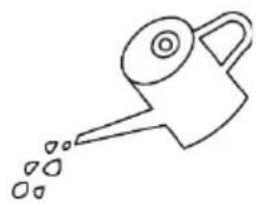
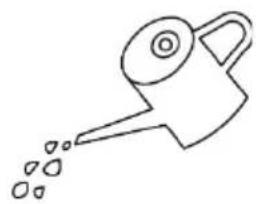
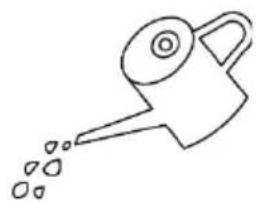
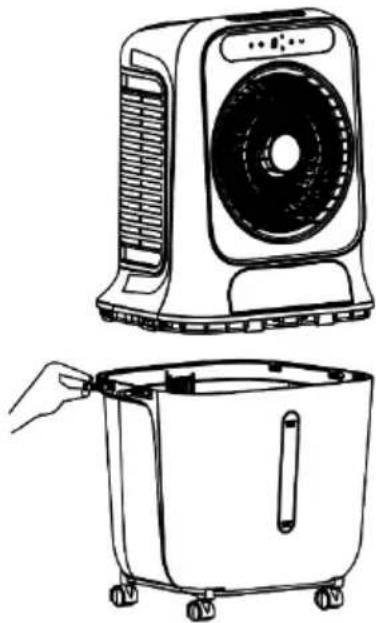
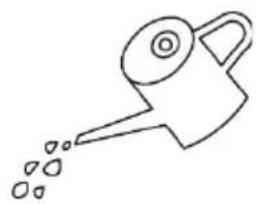
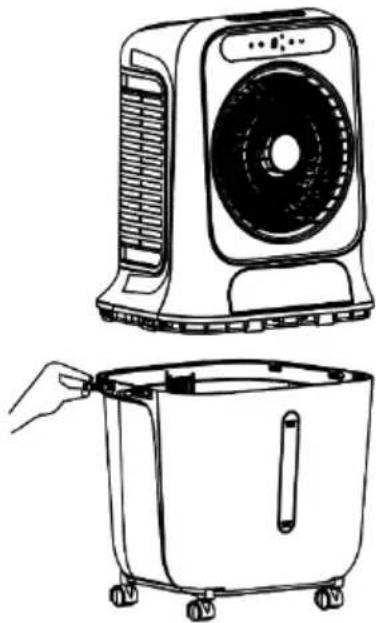
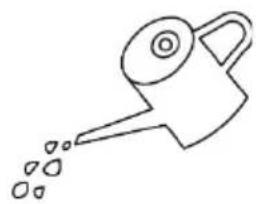
Before adding water, open the 4 latches of the water tank to separate the housing from the water tank and slowly pour water into the water tank (see figure 3 and figure 4).
After filling, place the housing back on the water tank and secure the latches.
BE COOL
natural_image
Line drawing of a portable air conditioner unit with top and side views showing internal components (no text or symbols)Fig. 3
natural_image
Simple line drawing of a watering can with droplets (no text or symbols)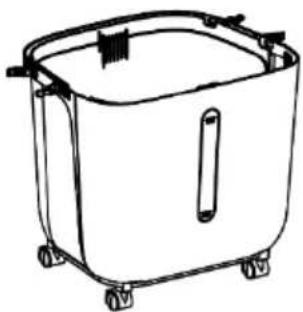
natural_image
Line drawing of a rectangular container with wheels and a handle (no text or symbols)Fig. 4
natural_image
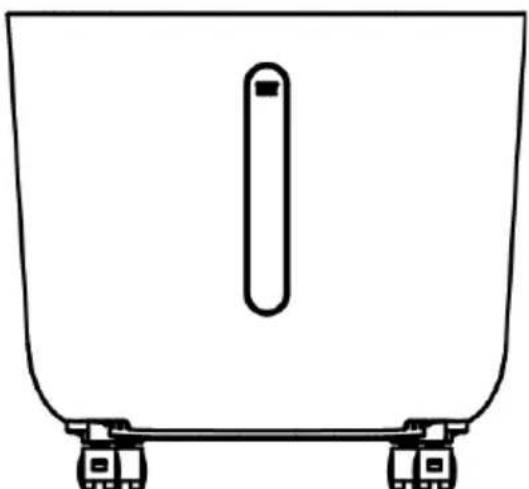
Simple line drawing of a container with a vertical slot and two side wheels (no text or symbols)Fig. 5
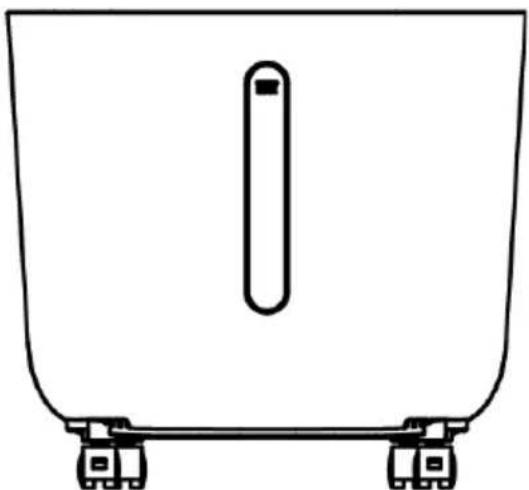
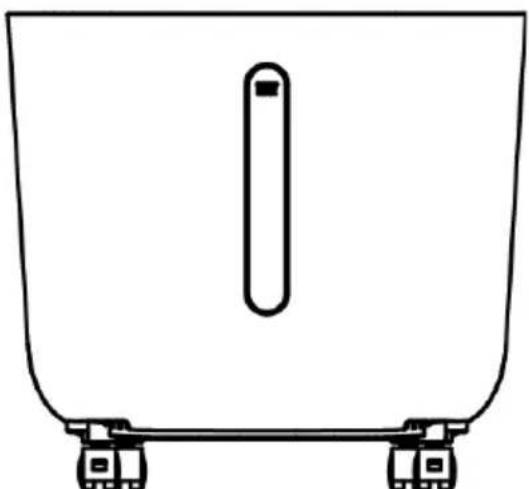
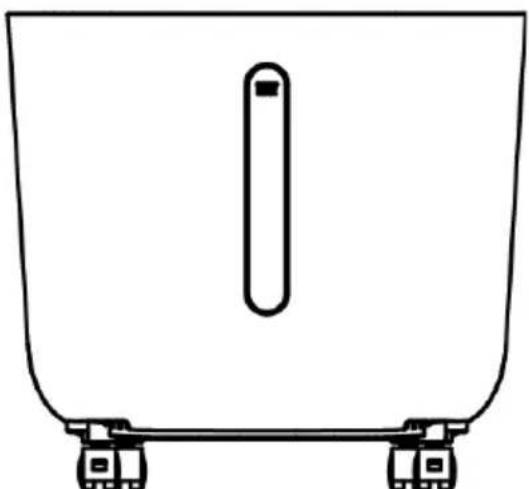
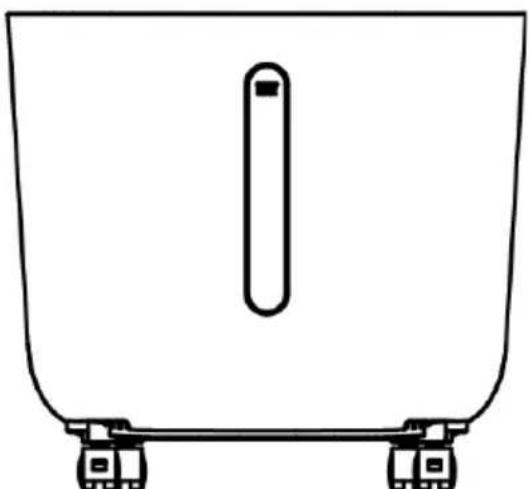
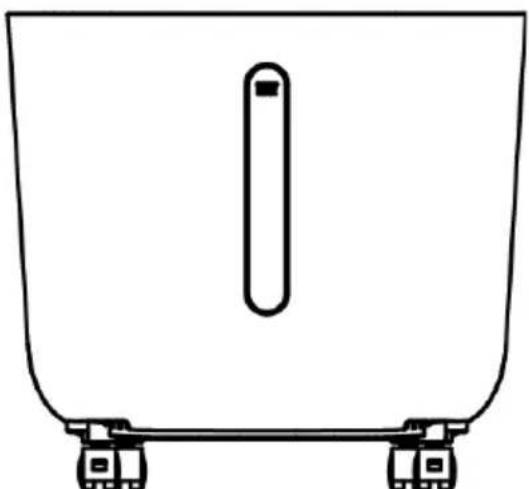
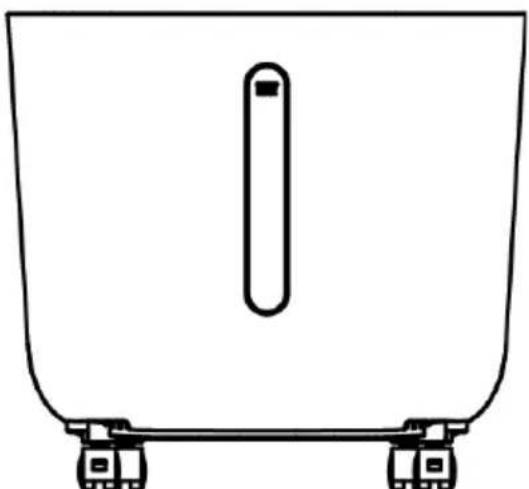
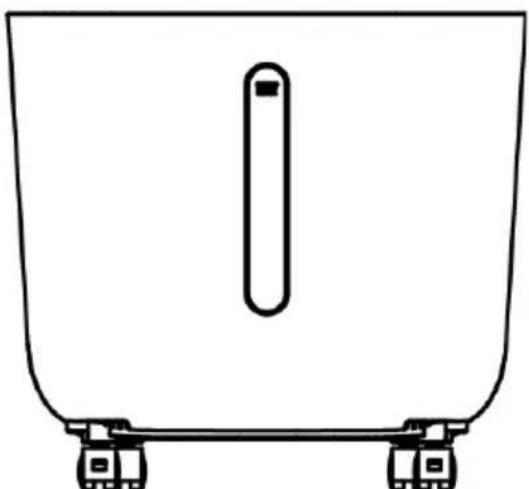
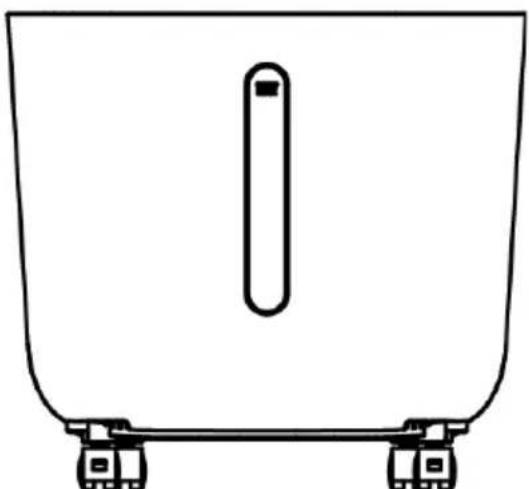
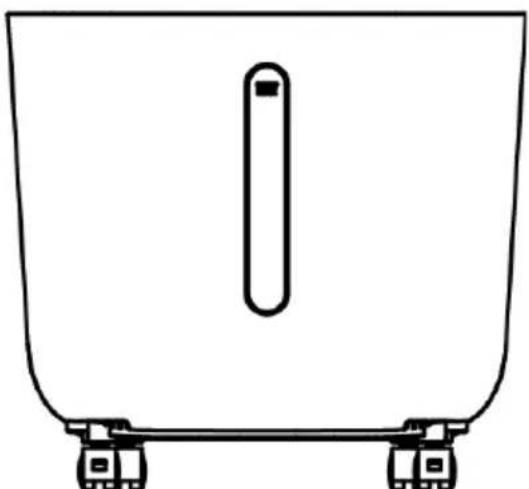
When filling the water tank, pay attention to the water level indicator on the front of the water tank (see figure 5).
- Make sure that the maximum water level is not exceeded.
• Always use clean tap water. - Friendly note: If the appliance is used for the first time and the water in the water tank has a slight discoloration or a slight odor, this is a normal phenomenon. It is non-toxic, harmless and does not affect your health.
BE COOL
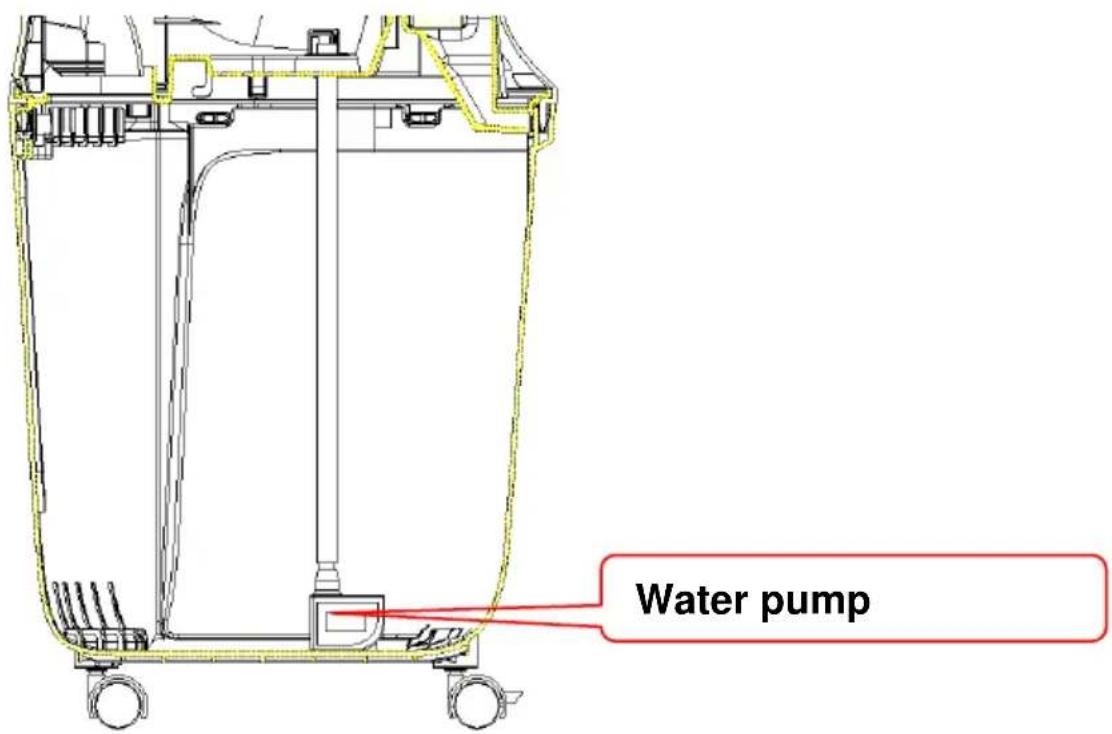
Use of the water pump:
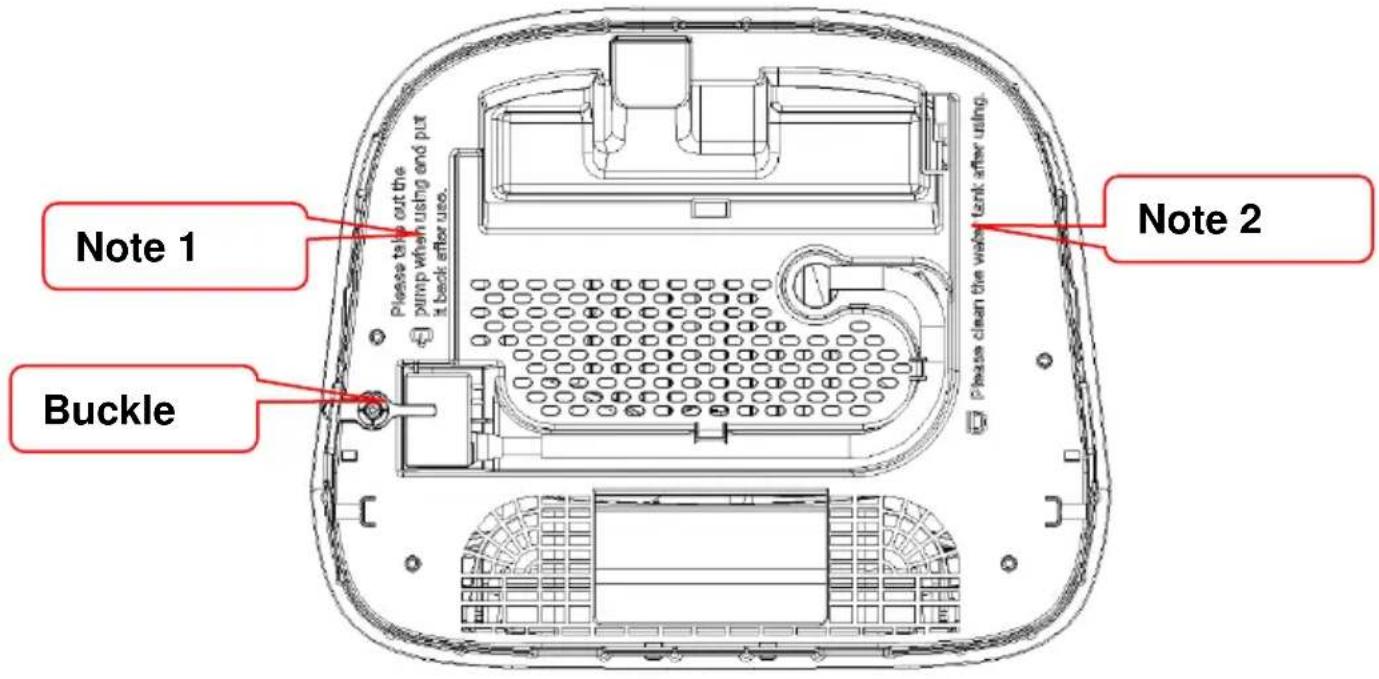
After you have removed the housing, please make sure to check the note on the bottom (see Figure 6 and Figure 7)
Please take out the pump when using and put it back after use.
Fig. 6

Please clean the water tank after using.
Fig. 7
Turn the water pump lock anticlockwise and remove the water pump and the water pipe from the storage tank (the water pipe is secured with two locks). This allows the water pump to sink to the bottom of the water by itself.
BE COOL
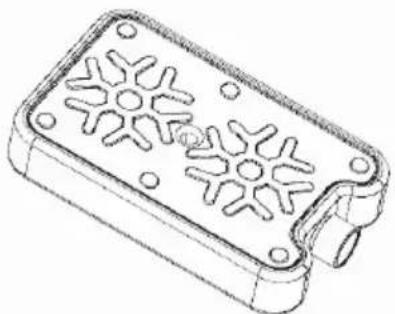
Use of the cool packs:
natural_image
Technical line drawing of a rectangular electronic device with a perforated metal panel and mounting holes (no text or symbols)Cooling packs have cold and heat storage properties that can absorb the heat in the water, keeping the water temperature in the water tank lower than the ambient temperature for several hours and making the air flow of the cooling fan cooler.
- Place the cool pack in the freezer until it is completely frozen.
- Place the frozen cool pack in the water tank. After about 10 minutes, the water temperature in the tank will be lower than the ambient temperature.
- Do not open the lid of the ice container and do not swallow its contents.
BE COOL
Operation:
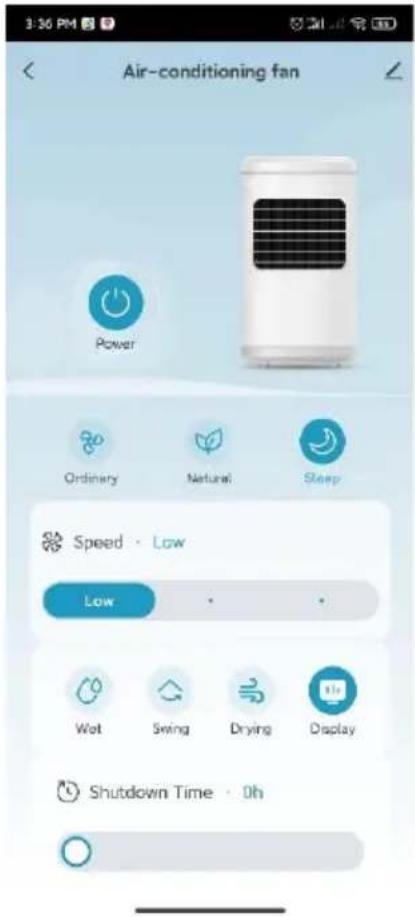
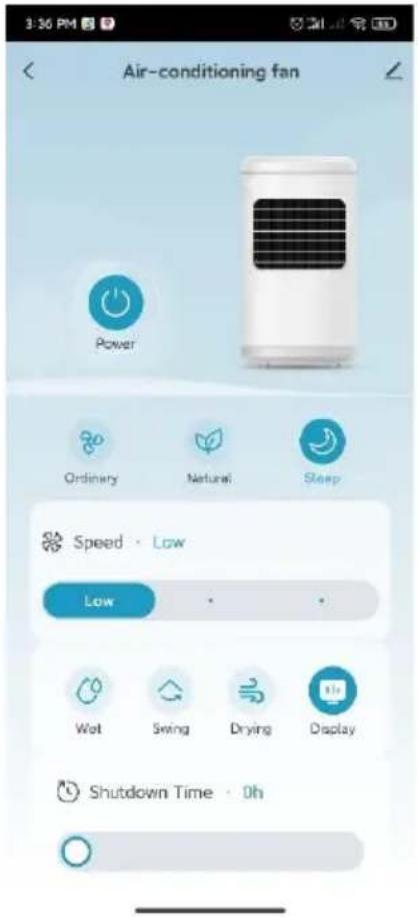
After plugging in the mains adapter, the device switches to standby mode and all functions are activated.
Displays are switched off. With the exception of the ON/OFF button, it is not possible to press any other buttons.
1."

ON/OFF
In standby mode, press the "ON/OFF" button once after switching on to switch the device on. The default state when switching on is:
a) Fan: The appliance starts in low wind speed mode, the wind speed indicator lights up and the digital display shows '1'. (When the appliance is first switched on, it is set to medium wind speed for 3 seconds, after which it automatically switches to low wind speed and switches to standby mode. If the device was operating at low wind speed before being switched off, it will run at medium wind speed for 3 seconds after being switched on and then switch back to low wind speed mode).
b) Other functions are switched off and the corresponding indicator lights are off.
2) If you press the "ON/OFF" button in working mode, all functions are switched off and the device switches to standby mode.
2."

Vind speed
1) When switched on, press the " " button to set the wind speed. You can select between low speed → medium speed → high speed → back to low speed according to the cycle. The digital display shows:
- '1' for low,
- '2' for medium and
- '3' for high speed
button. Press the button repeatedly to run through the cycle again.
BE COOL
2) Dry air function:
- When the appliance is switched on, press and hold the "button for 3 seconds to activate the dry air function. The high-speed wind is started, the wind speed display flashes and the appliance runs for 20 minutes. During this time, all other function buttons except the on/off button and the screen off button are deactivated. At the end of the 20 minutes, the device automatically switches to standby mode.
- While the dry air function is active, all other function buttons except the
on/off button " and the screen off button " " are deactivated. (To end the dry air function, press and hold the corresponding button for 3 seconds).
- After 20 minutes of high-speed operation, the appliance switches off automatically and switches to standby mode.
3. " " Timer
- When switched on, press the timer button " " to set the timer switch-off function.
- The time range for the time setting is 0-9 hours and is shown in whole hours on the digital display ('0' means no time setting). If you press the timer button while the appliance is switched on, the time display lights up and the digital display flashes to show the set time. This means that the timer setting is active. You can now press the timer button repeatedly to set the desired time. Press any button (except the On/Off button) or wait 5 seconds to exit the setting mode. After the time setting has been completed, the digital display alternately shows the remaining time and the current wind speed in 10-second intervals. When the set timer expires, the device switches off automatically and switches to standby mode.
BE COOL
4. "Wind modes and display
- When the device is switched on for the first time, it starts in normal
wind mode. To change the wind mode, press the " " button. The modes change in the following order: Normal wind → Natural wind → Sleep wind → Normal wind. The corresponding indicator lights show the active mode.
Normal wind:
- In this mode, the device operates at the wind speed set by the user. Three levels are available: high, medium and low. The fan runs at a constant speed.
Natural wind:
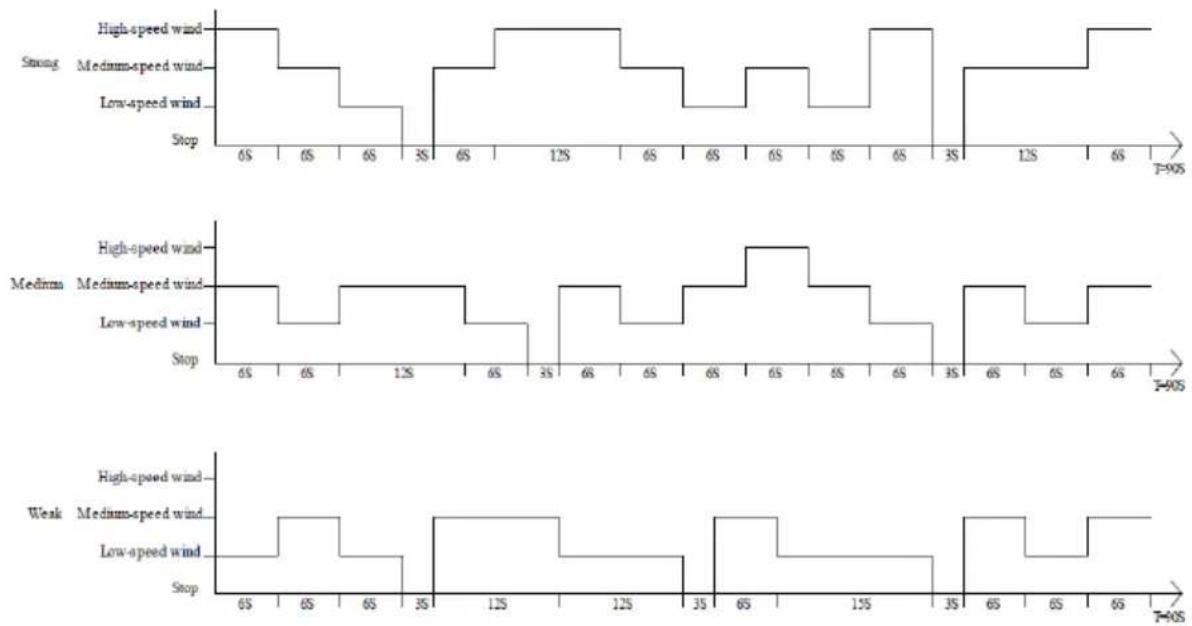
- In this mode, the wind speed automatically changes between high, medium and low based on a programmed pattern. This mode imitates the natural wind and creates a softer and more pleasant wind feeling.
BE COOL
The specific program waveform of the natural wind mode is as follows:
- The device automatically reduces the wind speed based on the set level and a programmed time sequence.
- Sleeping wind at high speed: The appliance switches from high speed to medium speed and then to low speed after 30 minutes.
- Sleeping wind at medium speed: After 30 minutes at medium speed, the appliance switches to low speed.
- Sleeping wind at low speed: The appliance remains constant at low speed.
During sleep mode, the wind speed adjusts automatically and the wind speed display changes accordingly. For example, if the device starts at medium speed in sleep mode, it switches to low speed after 30 minutes and the display changes from "2" to "1".
BE COOL
5. "Cooler/humidifier
[Non-Text]
- Press the " " button to switch the cooling/humidification function on or off:
○ Switched on: The water pump starts to work and the indicator light illuminates.
○ Switched off: The water pump stops and the indicator light goes out.
Protective function in case of water shortage
- When the cooling function is activated, the water pump operates for 45 seconds. If the water tank is detected as empty within 5 seconds, the pump stops automatically to prevent damage.
- The indicator light flashes at 0.5 second intervals to indicate a lack of water and the humidification function is switched off.
- Press the cooling/humidification button again to switch off the display and end the alarm.
6. "Swivel function/oscillation"
When switched on, press the " " button to switch the swivel function on or off:
- Swivel function activated: The wind vane starts to move and the indicator light comes on.
- Swivel function deactivated: The vane stops and the indicator light goes out.
7. "Switch off the screen (this button is located on the remote control):
- When the device is switched on, press the " " "Screen off" button on the remote control to switch off all displays and set the device to 'Screen off' mode.
- When the device is in screen-off mode, press any button for the first time to switch the displays back on without changing the current settings. You can then press other buttons to perform the desired functions.
BE COOL
8. wifi function:
- When the device is switched on, press the " " button for 5 seconds. The WiFi indicator starts to flash and you can configure the device in standard mode in the app.
- If no connection is established within 3 minutes, the WiFi display switches off automatically.


- To reconnect, press the " " button again for 5 seconds. The WiFi indicator flashes and the network can be set up again via the app.
Remarks:
1) WIFI display after 10 seconds of switching off:
- If you switch off the device within 10 seconds of switching it on, the WIFI display is reset to its previous state.
- However, if you switch the device off and on again after 10 seconds, the WIFI display is switched off and the device goes into energy-saving mode. To restart the device, press and hold the settings button for 5 seconds.
2) WIFI pairing and automatic reconnection:
- If no connection to the network is established within 3 minutes during the pairing process, the WIFI indicator goes out. Press and hold the Set button for 5 seconds to restart the device and pair again.
- After pairing is complete and the router is switched off, the WIFI indicator goes out. As soon as the router is switched on again, the device automatically reconnects to the network.
BE COOL
Installing the app
Go to the relevant app store (Google Play or Apple App Store) and search for "Tuya". Alternatively, you can scan the QR code below to download the app directly and register.

Register account, log in, recover password:
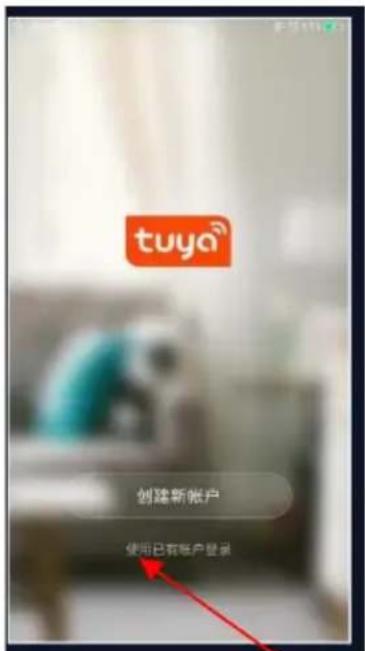
Tap on "Agree" to go to the registration page.
BE COOL
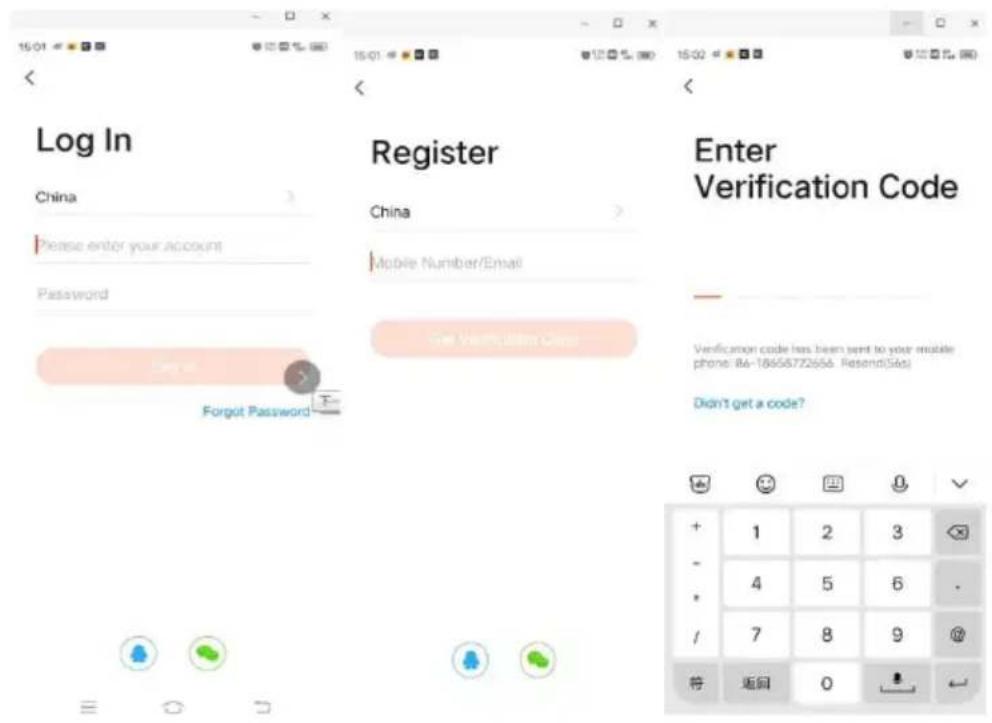
For new users: Click on "Create new account" to register.
- For existing users: If you already have a Tuya account, simply log in with your access data.
BE COOL
The procedure for linking the Tuya app
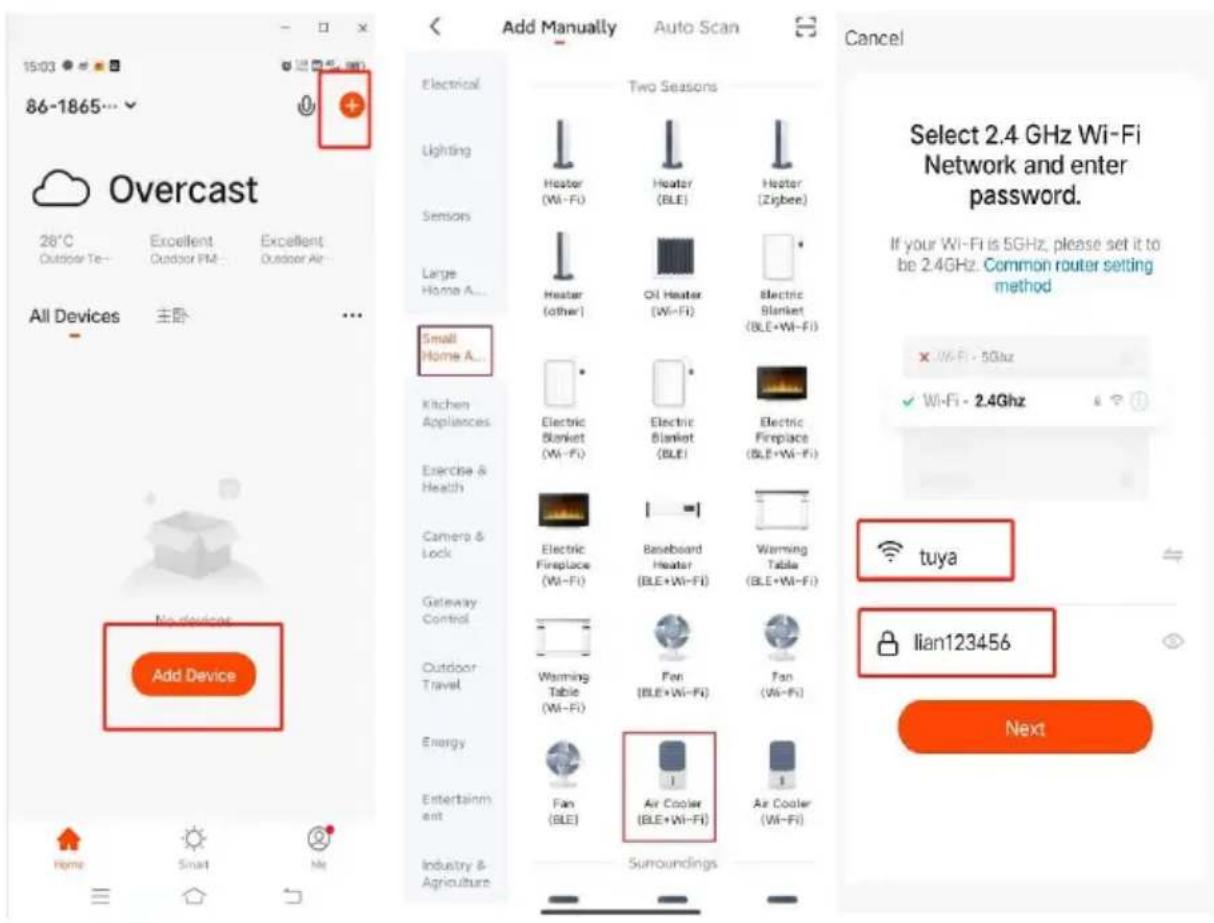
Log in to your account and open the app. Click on "Add device" or the "+" symbol in the top right corner to start the connection. Select "Small appliance air cooler (WIFI)" and enter the Wi-Fi password of the network to which your smartphone is connected.
BE COOL
Cancel
EZ Mode ⇌
Reset the device first.
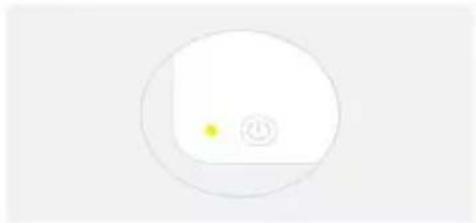
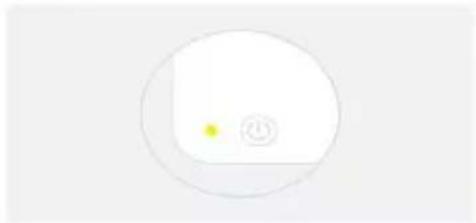
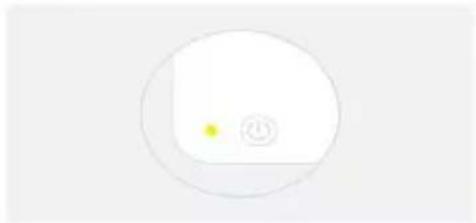
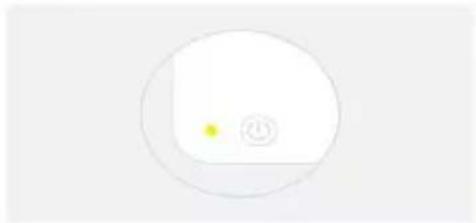
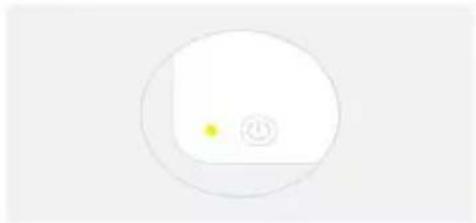
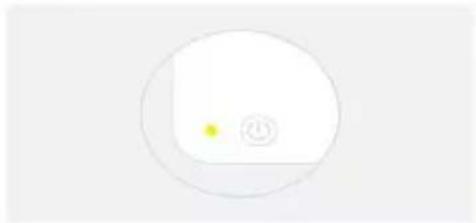
Power on the device and confirm that the indicator is blinking rapidly. Note: please complete the network distribution within 3 minutes after resetting the device.
natural_image
Simple circular diagram with a yellow dot and a plus symbol inside, no text or labels present.Perform net pairing as prompted.
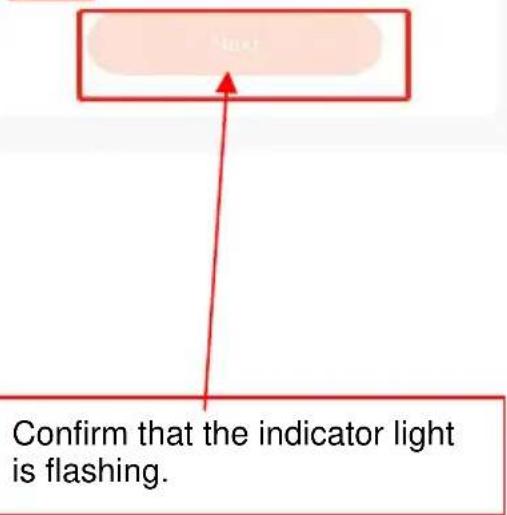
Cancel
Adding device...
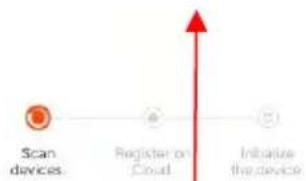
Ensure that the device is powered on.

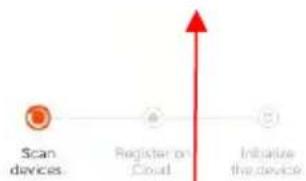
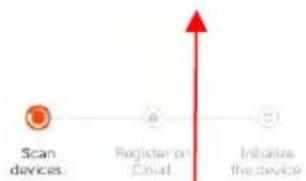
01:58
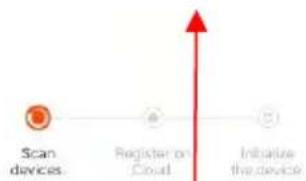
flowchart
graph LR
    A["Scan devices"] --> B["Register or Cloud"]
    B --> C["Initimize the device"]
Device wanted
BE COOL
10:32 AM
82
Done
Added successfully

Skyscraper Ice Smart Device added successfully
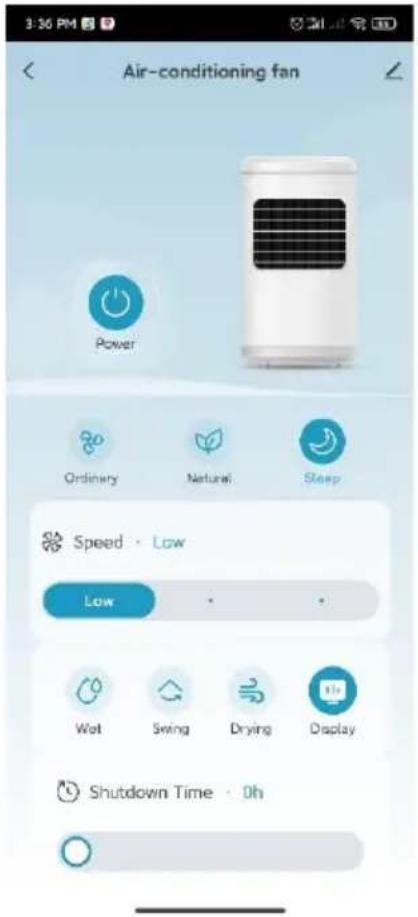
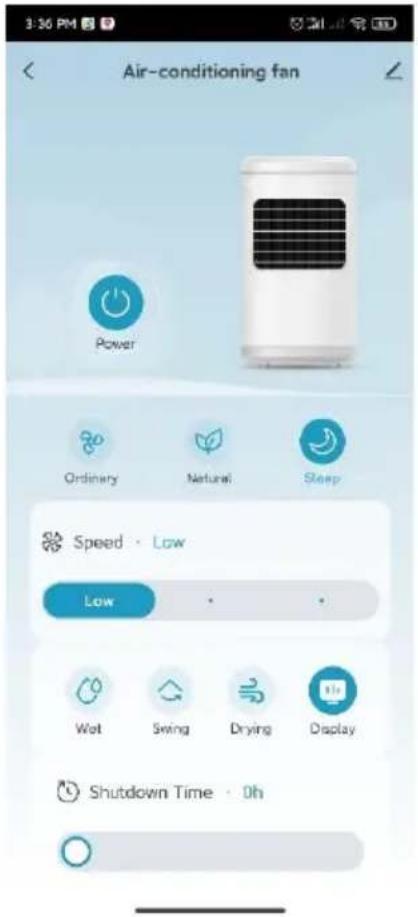
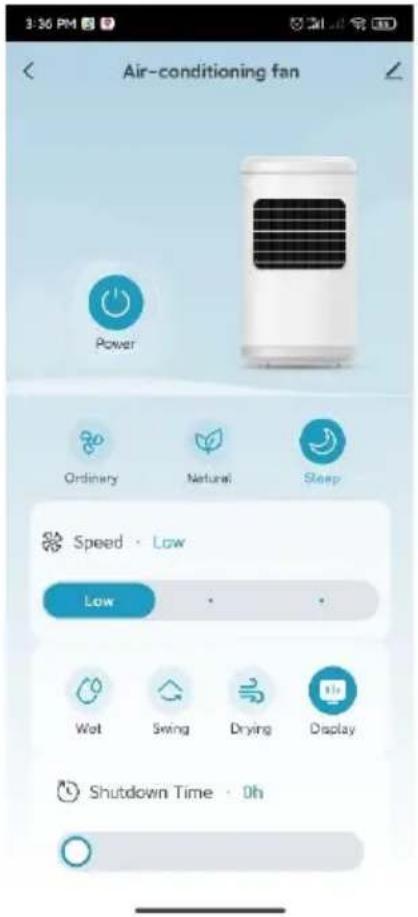
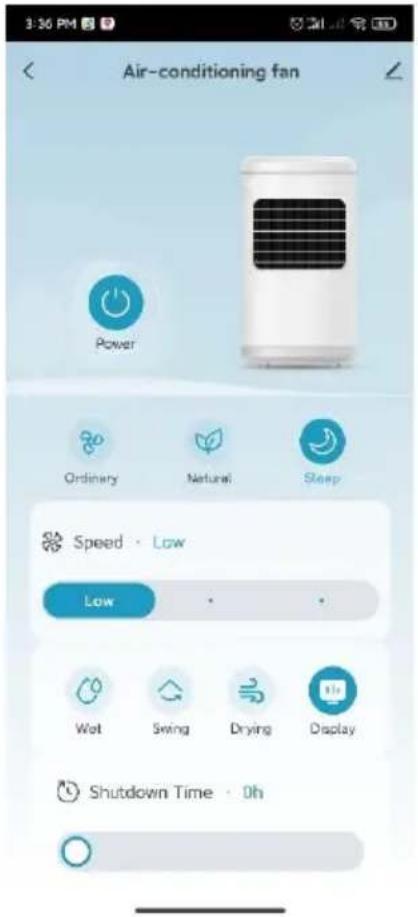
Once pairing is complete, you can call up the main interface and control the device via the app.
BE COOL
Cleaning instructions

Do not use any chemicals when cleaning.
Switch off the power supply and disconnect the mains plug.
⚠️ Please ensure that the power cable is disconnected from the mains before cleaning, otherwise there is a risk of electric shock.
Clean the outer surface:
- If the surface is dusty, wipe it with a soft cloth. If it is very dirty, use lukewarm water (below 50 °C) and a mild detergent. Then wipe dry with a soft cloth.
- Do not use aggressive cleaning agents such as benzine or thinner, as these can damage the surface.
Clean the water tank:
- Pull out the mains plug and turn the locking knob to remove the water tank.
- Clean the tank with a cloth and some detergent, rinse it with water and pour away the waste water.
Clean the housing surface:
- Wipe the housing with a damp cloth, but never rinse it directly with water.
- Do not use any aggressive cleaning agents or solvents.
- Make sure that the mains plug is disconnected before cleaning the appliance to avoid electric shock.
After cleaning:
- Reassemble all parts, such as the water tank and the cooling mats, correctly.
- Connect the device and check that it is working properly.
Maintenance:
- If you are not going to use the appliance for a long time, unplug it from the mains, pack it away and protect it from dust.
- Make sure that all parts, especially the cooling mat and the water tank, are dry before storing the appliance.
Technical data
BE COOL
| Technical information | |
| Nominal voltage | 220 V- 240 V~ |
| Frequency | 50 Hz |
| Nominal input power | 90 W |
| Water tank capacity | 25 L |
| Speed levels | 3 |
| Air circulation | 1200m3/hour |
| Product dimensions | 418 x 333 x 840 mm |
| Net weight | 7.1 kg |
| Contact addresses for further information and service line: | Schuss Horne Electronic GmbHScheringgasse 3, A-1140 ViennaTel: +43 (1) 97 0 21 - 0www.becool.atFB-No.: 23697 4 t / FB-Court: Vienna |
BE COOL
WARRANTY
With this quality product from BE COOL, you have made a decision for innovation, durability and reliability.
For this BECOOL appliance we grant a warranty period of 2 years from the date of purchase valid in Austria! If, contrary to expectations, service work is required on your appliance during this period, we hereby guarantee to repair it free of charge (spare parts and labor) or (at Schuss's discretion) to replace the product. If neither repair nor replacement is possible for economic reasons, we reserve the right to issue a current value credit note.
In the case of air conditioners, please always contact the customer hotline as a first step (see sticker on the appliance or the front page of the operating instructions); in the case of fans, please contact your specialist dealer or us directly. Please note that repair work not carried out by an authorized workshop in Austria will immediately invalidate this warranty.
This guarantee does not cover
• We do not accept any liability for consequential damage in the event of improper use
• Repair or replacement of parts due to normal wear and tear
• Damage due to non-compliance with the operating instructions
• Devices that are used - even partially - for commercial purposes
• devices mechanically damaged by external influences (fall, impact, breakage, improper use, etc.) as well as signs of wear and tear of an aesthetic nature.
• Devices that have been handled improperly
• Devices that have not been opened by our authorized service workshop.
- Damage caused by improperly closed condensation drain valves on air conditioning units or incorrectly inserted water tanks.
• Unfulfilled consumer expectations.
• Damage caused by force majeure, water, lightning, overvoltage.
• Devices where the type designation and/or serial number on the device has been changed, deleted, made illegible or removed.
• services outside our authorized workshops, the transport costs to an authorized workshop or to us and back, as well as the associated risks.
We would like to emphasize that within the warranty period, a lump sum of € 60,- (indexed based on CPI 2010, June 2015) will be charged for operating errors or if no error is detected.
The provision of a warranty service (repair or replacement of the device) does not extend the absolute warranty period of 2 years from the date of purchase.
The 2-year guarantee is only valid on presentation of the proof of purchase (must include the name and address of the dealer and the full name of the appliance) and the corresponding guarantee certificate, on which the appliance type and the serial number (visible on the box and on the back or bottom of the appliance) must be noted! Without the warranty certificate, only the statutory warranty applies!
We expressly point out that the statutory warranty rights are not affected by this guarantee and remain unaffected. Schuss Home Electronic GmbH and its vicarious agents shall only be liable for damages in the event of gross negligence or intent. Liability for loss of profit, expected but unrealized savings, consequential damages and damages from third party claims is excluded. Damage to or for recorded data is always excluded from the liability for damages.
Congratulations on your choice. We hope you enjoy using your BE COOL appliance!
ADDRESS
Schuss Home Electronic GmbH
A-1140 Vienna, Scheringgasse 3
Tel.: +43 (0)1/ 970 21
Type designation: ....
Serial number: ....
This warranty certificate must be handed over to the authorized service workshop together with the appliance in the event of a warranty claim.
BE COOL
EU-KONFORMITÄTSERKLÄRUNG EU-DECLARATION OF CONFORMITY
SCHUSS HOME ELECTRONIC
Declares, that the product
Manufacturer Hersteller
EMC Directive (EMC): 2014/30/EU Directive of the European Parliament and of the Council of 26 February 2014 on the harmonisation of the laws of the Member States relating to electromagnetic compatibility; Official Journal of the EU L96, 29/03/2014, p. 79–106
EN IEC 55014-1:2021
EN IEC 61000-3-2:2019+A1:2021
EN 61000-3-3:2013+A1:2019+A2:2021
EN IEC 55014-2:2021
Low Voltage Directive (LVD):2014/35/EU Directive of the European Parliament and of the Council of 26 February 2014 on the harmonisation of the laws of the Member States relating to the making available on the market of electrical equipment designed for use within certain voltage limits; Official Journal of the EU L96, 29/03/2014, p. 357–374
EN 60335-1:2012+A11:2014+A13:2017+A1:2019+A2:2019+A14:2019+A15:2021
EN 60335-2-80:2003+A1:2004+A2:2009
BE COOL
EN 60335-2-98:2003 + A1:2005 + A2:2008 + A11:2019
EN 62233:2008
Ökodesign-Richtlinie Energy-Related-Products-Directive (ErP)2009/125/EC;
Official Journal EU L346/51 (20.12.2016) and associated regulation 2016/2282
Official Journal EU L72/7 (10.03.2012) and associated regulation 206/2012
EN IEC 60879:2019
EN 50564:2011
EN IEC 60704-1:2021
EN IEC 60704-2-7:2020
RoHS Directive: 2011/65/EU Directive of the European Parliament and of the Council of 8 June 2011 on the restriction of the use of certain hazardous substances in electrical and electronic equipment; Official Journal of the EU L174, 1/07/2011, p. 88–110
Reach SVHC(EC)NO. 1907/2006 Schuss Home Electronic GmbH hereby confirms that in the products we supply, there are no substances of very high concern (SVHC) in the candidate list (last ECHA update from June 14, 2023, 235 substances) above 0.1% in accordance with Article 33 of the REACH Regulation (EC) No .1907/2006 are included
Place and date of issue:
Vienna, 2023-05-08
Authorized representative of manufacture
Scharl, Alexander
Senior product and purchasing manager i.V.
Declaration reference:
SCHUSS HOME ELECTRONIC GMBH
Scheringgasse 3, 1140 Wien, AUSTRIA
Hungarian [Hu] EU MEGFELELŐSÉGI NYILATKOZAT
Lithuanian [Lt] ES ATITIKTIES DEKLARACIJA
Polish [PI] DEKLARACJA ZGODNOŚCI UE
Slovenian [Sl] IZJAVA EU O SKLADNOSTI


- HERZLICHEN GLÜCKWUNSCH!
- BE COOL
- Inbetriebnahme
- Reset the device first.
- Added successfully
- Mise en service
- Messa in servizio
- Inbedrijfstelling
- Puesta en servicio
- Uvedení do provozu
- Uruchomienie
- Aktualna navodila za uporabo in drugi jeziki
- Oddaja v uporabo
- Pred prvim zagonom
- Razpakiranje naprave
- UVJETI ČESTITAMO!
- Aktualni korisnički priručnici i drugi jezici
- Daljinski upravljač
- Puštanje u rad
- Prije prve uporabe
- Raspakirajte uređaj
- Ugradnja pumpe za vodu i punjenje spremnika za vodu:
- Adding device...
- Air cooler BC25ACP2501W
- CONGRATULATIONS!
- Current operating instructions and other languages
- SCOPE OF DELIVERY
- Remote control
- Preparing the remote control - Inserting or replacing the battery
- Initial operation:
- Change the battery:
- Correct use of the remote control
- Commissioning
- Before initial commissioning
- Unpacking the device
- Installation
- Installing the water pump and filling the water tank:
- Filling up the water
- Operation:
- 1."
- ON/OFF
- 2."
- Vind speed
- 2) Dry air function:
- " " Timer
- "Wind modes and display
- Normal wind:
- Natural wind:
- "Cooler/humidifier
- Protective function in case of water shortage
- "Swivel function/oscillation"
- "Switch off the screen (this button is located on the remote control):
- wifi function:
- Remarks:
- Installing the app
- Cleaning instructions
- Clean the outer surface:
- Clean the water tank:
- Clean the housing surface:
- After cleaning:
- Maintenance:
- Technical data
- WARRANTY
- This guarantee does not cover
- EU-KONFORMITÄTSERKLÄRUNG EU-DECLARATION OF CONFORMITY
Brand : Be Cool
Model : BC25ACP2501W
Category : Air Conditioning