ATL RF145 A+ - Refrigerator ATLANTIC - Free user manual and instructions
Find the device manual for free ATL RF145 A+ ATLANTIC in PDF.


| Product type | Built-in refrigerator-freezer |
| Brand | ATLANTIC |
| Model | ATL RF145 A+ |
| Energy class | A+ |
| Annual energy consumption | 227 kWh/year |
| Total net volume | 214 L |
| Net refrigerator volume | 176 L |
| Net freezer volume | 38 L |
| Freezer star rating | 4 stars |
| Freezing capacity | 2 kg/24h |
| Power failure autonomy | 960 min (from -18°C to -9°C) |
| Climate class | N (16°C - 32°C) |
| Voltage and frequency | 220-240 V / 50 Hz |
| Dimensions (W x D x H) | 540 x 545 x 1445 mm |
| Weight (estimated) | 38 kg |
| Refrigerant | R600a (flammable) |
| Refrigerator defrost type | Automatic |
| Freezer defrost type | Manual |
| Interior lighting | Bulb <= 15 W |
| Door reversibility | Yes |
| Accessories included | Plastic scraper, ice cube tray, egg holder, 4 door bins, 2 vegetable drawers |
| Installation type | Built-in (integrated) |
Frequently Asked Questions - ATL RF145 A+ ATLANTIC
User questions about ATL RF145 A+ ATLANTIC
0 question about this device. Answer the ones you know or ask your own.
Ask a new question about this device
Download the instructions for your Refrigerator in PDF format for free! Find your manual ATL RF145 A+ - ATLANTIC and take your electronic device back in hand. On this page are published all the documents necessary for the use of your device. ATL RF145 A+ by ATLANTIC.
USER MANUAL ATL RF145 A+ ATLANTIC

EINBAU-KÜHLSCHRANK
Kühl - Gefrier - Kombination
Bedienungsanleitung
Built-in Freezer - Fridge
User manual
RÉFRIGÉRATEUR COMBINÉ ENCASTRÉ
Kühlschrank abtauen
BEVOR SIE DEN KUNDENDIENST RUFEN
Abb. D Abb. E
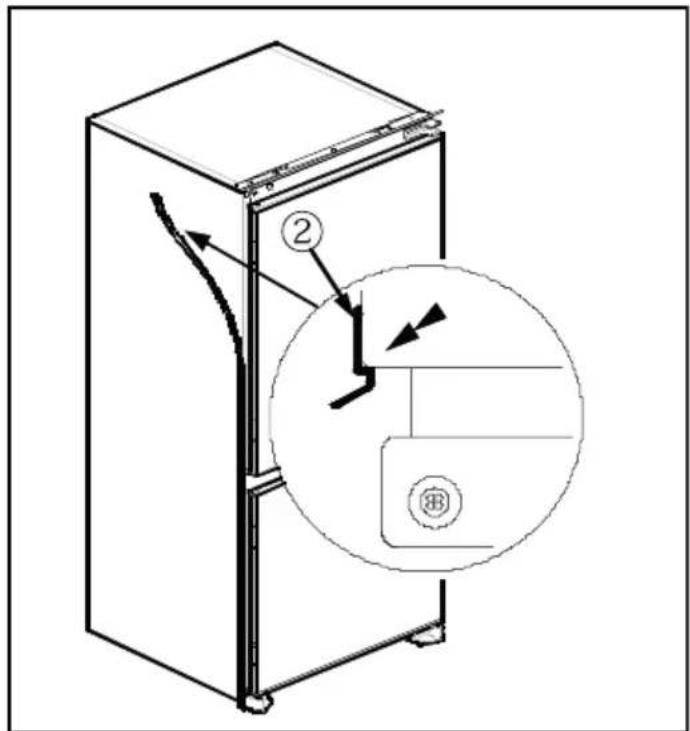
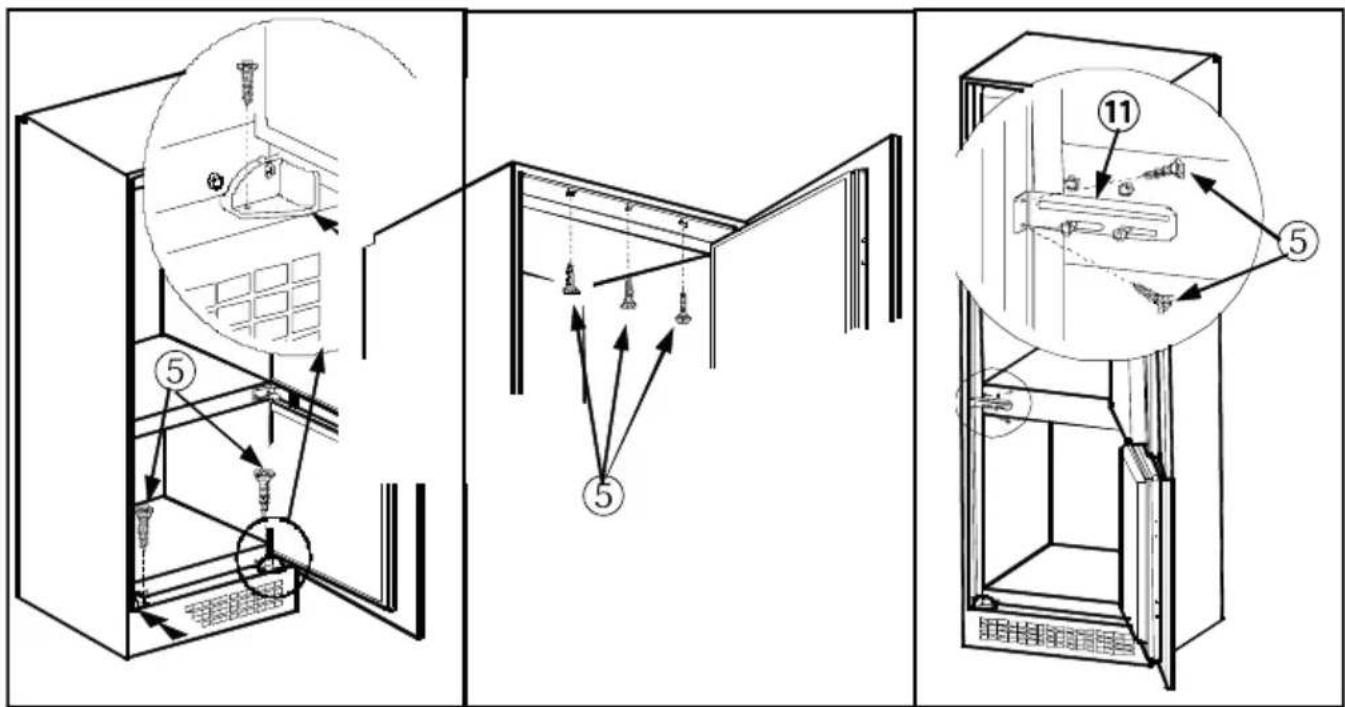
Abb. J
BEFORE USING THE APPLIANCE ....23
General warnings....23
Safety warnings....25
Installing and operating your fridge 26
Before Using your Fridge 27
HOW TO OPERATE THE APPLIANCE....27
Thermostat setting 27
Accessories....28
Ice tray 28
FOOD STORAGE IN THE APPLIANCE 28
Refrigerator Compartment 28
Freezer Compartment....28
CLEANING AND MAINTENANCE....29
Defrosting....30
Replacing the Light bulb....31
SHIPMENT AND REPOSITIONING ....31
BEFORE CALLING YOUR AFTER SALES SERVICE......31
Tips For Saving Energy....33
PARTS OF THE APPLIANCE AND THE COMPARTMENTS..34
Product patt list ....35
Product fiche 35
Installation instructions and door reversibility....36
The operating instructions apply to several models. Differences may therefore occur.
General warnings

WARNING: Keep ventilation openings, in the appliance enclosure or in the built-in structure, clear of obstruction.

WARNING: Do not use mechanical devices or other means to accelerate the defrosting process, other than those amended by the manufacturer.

WARNING: Do not use electrical appliances inside the food storage compartments of the appliance, unless they are of the recommended by the manufacturer.

WARNING: Do not damage the refrigerant circuit.
WARNING: To avoid a hazard due to the instability of the chance, it must be fixed in accordance with the instructions.

- If your appliance uses R600a as a refrigerant – you can learn this information from the label on the cooler- you should be careful during shipment and installation to prevent your appliance's cooler elements from being damaged. Although R600a is an environmentally friendly and natural gas. As it is explosive, in the vent of a leak due to damage to the cooler elements, move your edge from open flame or heat sources and ventilate the room here the appliance is located for a few minutes.
- While carrying and positioning the fridge, do not damage the cooler gas circuit.
- Do not store explosive substances such as aerosol cans with a flammable propellant in this appliance.
-
This appliance is intended to be used in household and similar applications such as;
-
staff kitchen areas in shops, offices and other working environments
- farm houses and by clients in hotels, motels and other residential type environments
- bed and breakfast type environments;
- catering and similar non-retail applications
- If the socket does not match the refrigerator plug, it must be replaced by the manufacturer, its service agent or similarly qualified persons in order to avoid a hazard.
- This appliance is not intended for use by persons (including children) with reduced physical, sensory or mental capabilities, or lack of experience and knowledge, unless they have been given supervision or instruction concerning use of the appliance by a person responsible for their safety. Children should be supervised to ensure that they do not play with the appliance.
- A specially grounded plug has been connected to the power cable of your refrigerator. This plug should be used with a specially grounded socket of 16 amperes. If there is no such socket in your house, please have it installed by an authorized electrician.
- This appliance can be used by children aged from 8 years and above and persons with reduced physical, sensory or mental capabilities or lack of experience and knowledge if they have been given supervision or instruction concerning use of the appliance in a safe way and understand the hazard involved. Children shall not play with the appliance. Cleaning and user maintenance, shall not be made by children without supervision.
- If the supply cord is damaged, it must be replaced by the manufacturer, its service agent or similar qualified persons in order to avoid a hazard.
Old and out-of-order fridges
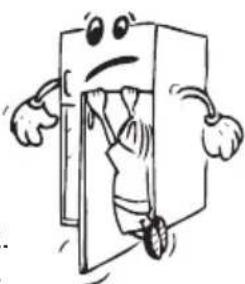
- If your old fridge has a lock, break or remove the lock before discarding it, because children may get trapped inside it and may cause an accident.
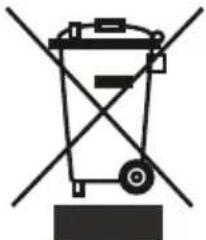
- Old fridges and freezers contain isolation material and refrigerant with CFC. Therefore, take care not to harm environment when you are discarding your old fridges.
Please ask your municipal authority about the disposal of the WEEE for the reuse, recycle and recovery purposes.
Notes:
- Please read the instruction manual carefully before installing and using your appliance. We are not responsible for the damage occurred due to misuse.
- Follow all instructions on your appliance and instruction manual, and keep this manual in a safe place to resolve the problems that may occur in the future.
- This appliance is produced to be used in homes and it can only be used in domestic environments and for the specified purposes. It is not suitable for commercial or common use. Such use will cause the guarantee of the appliance to be cancelled and our company will not be responsible for the losses to be occurred.
- This appliance is produced to be used in houses and it is only suitable for cooling / storing foods. It is not suitable for commercial or common use and/or for storing substances except for food. Our company is not responsible for the losses to be occurred in the contrary case.
Safety warnings
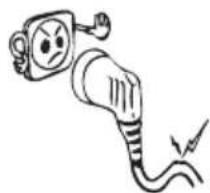
- Do not use multiple receptacles or extension cord.
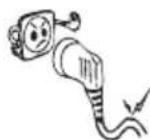
- Do not plug in damaged, torn or old plugs.
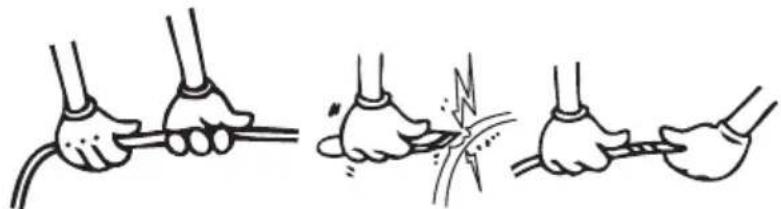
- Do not pull, bend or damage the cord.
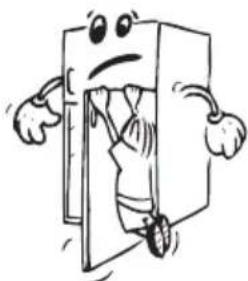
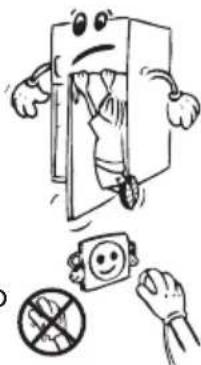
- This appliance is designed for use by adults, do not allow children to play with the appliance or let them hang off the door.
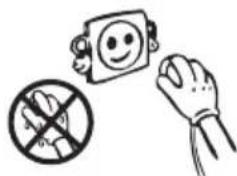
- Do not plug-in or out the plug from the receptacle with wet hands to prevent electrocution!
- Do not place glass bottles or beverage cans in the freezer department. Bottles or cans may explode.
- Do not place explosive or flammable material in your fridge for you safety. Place drinks with higher alcohol amount vertically and by closing their necks tightly in the fridge department.

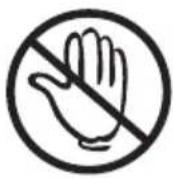
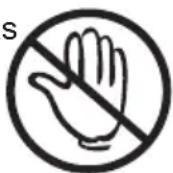
- When taking ice made in the freezer department, do not touch it, ice may cause ice burns and/or cuts.
- Do not touch frozen goods with wet hands! Do not eat ice-cream and ice cubes immediately after you have taken them out of the freezer department!
- Do not re-freeze frozen goods after they have melted. This may cause health issues like food poisoning.
- Do not cover the body or top of fridge with lace. This affects the performance of your fridge.
- Fix the accessories in the fridge during transportation to prevent damage to accessories.
Installing and operating your fridge
Before starting to use your fridge, you should pay attention to the following points:
- Operating voltage for your fridge is 220-240 V at 50Hz.
- The plug must be accessible after installation.
- There can be an odor when you first switch on the appliance. It will disappear after the appliance starts to cool.
- Before making the connection to the power supply, ensure that the voltage on the nameplate corresponds to the voltage of electrical system in your home.
- Insert the plug into a socket with an efficient ground connection. If the socket has no ground contact or the plug does not match, we suggest you to call an authorized electrician for assistance.
- The appliance must be connected with a properly installed fused socket. Power supply (AC) and voltage at the operating point must with the details on the name plate of the appliance (name plate is located on the inside left of the appliance).
• We do not take responsibility for damages that occur due to ungrounded usage. - Place your fridge in a place that it would not be exposed to direct sunlight.
- Your fridge should never be used outdoors or left under the rain.
- Your appliance should be at least 50 cm away from stoves, Gas ovens and heater cores,
and should be at least 5 cm away from electrical ovens.
- When your fridge is placed next to a deep freezer, there should be at least 2 cm between them to prevent humidity on the outer surface.
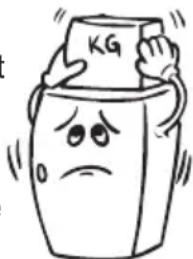
- Do not place heavy items on the appliance.
- Clean the appliance thoroughly, especially in the interior, before use (See Cleaning and Maintenance).
- Installation procedure into the kitchen unit is given in the The installation procedure into the kitchen unit is given in the Installation Manual. This product is intended to be used in proper kitchen units only.
- The adjustable front legs should be adjusted to an appropriate height to allow your freezer to operate in a stable and proper way. You can adjust the legs by turning them clockwise (or in the opposite direction). This should be done before placing food in the freezer.
- Before using your fridge, wipe all parts back with warm water added with a tea spoonful of sodium bicarbonate, and then rinse with clean water and dry. Place all parts after cleaning.
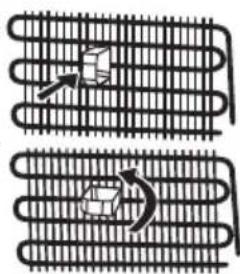
• Install the plastic distance guide (the part with black vanes at the rear) by turning it 90° as shown in the figure to prevent the condenser from touching the wall.
- Refrigerator should be placed against a wall with a free distance not exceeding 75 mm.
Before Using your Fridge
- When it is operated for the first time or after transportation, keep your fridge in the upright position for 3 hours and plug it on to allow efficient operation. Otherwise, you may damage the compressor.
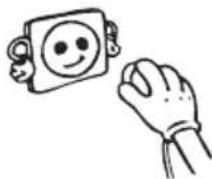
- Your fridge may have a smell when it is operated for the first time; the smell will fade away when your fridge starts to cool.
HOW TO OPERATE THE APPLIANCE
Thermostat setting
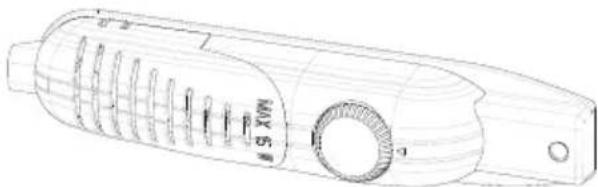
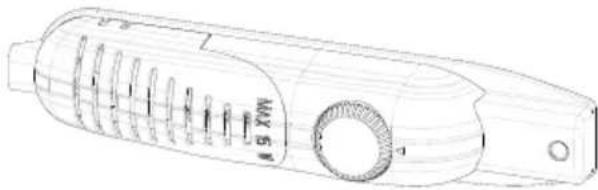
- Thermostat automatically regulates the inside temperature of the refrigerator compartment and freezer compartment. By rotating the knob from position 1 to 5, colder temperatures can be obtained.
- The “•” position shows thermostat is closed and no cooling is available.
- For short-term storage of food in the freezer compartment, you can set the knob between minimum and medium position (1-3).
- For long-term storage of food in the freezer compartment, you can set knob medium position.(3-4)
- Note that; the ambient temperature, temperature of the freshly stored food and how often the door is opened, affects the temperature in the refrigerator and freezer compartments. If required, change the temperature setting.
- When you first switch on the appliance, you should ideally try to run it without any food in for 24 hours and not open the door. If you need to use it straight away, try not to put much food inside.
- If the unit is switched off or unplugged, you must allow at least 5 minutes before restarting in order not to damage the compressor.
- The freezer of the refrigerator cools down to -18°C and less.
Accessories
Ice tray
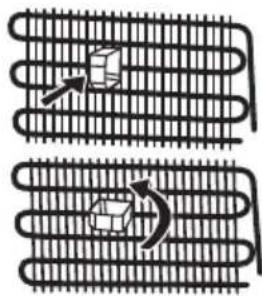
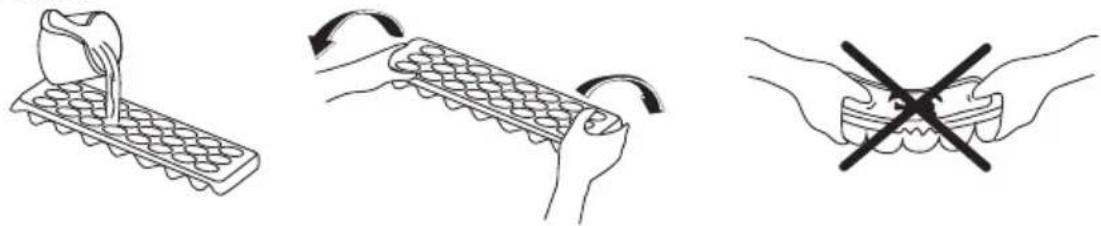
- Fill the ice tray with water and place in freezer compartment.
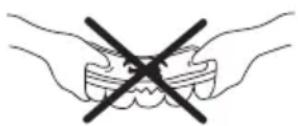
• After the water completely turned into ice, you can twist the tray as shown below to get the ice cube.
PART 3. FOOD STORAGE IN THE APPLIANCE
Refrigerator Compartment
Refrigerator compartment is used for storing fresh food for few days.
- Do not place food in direct contact with the rear wall of the refrigerator compartment. Leave some space around food to allow circulation of air.
- Do not place hot food or evaporating liquid in the refrigerator.
• Always store food in closed containers or wrapped.
- To reduce humidity and avoid formation of frost, never place liquids in unsealed containers in the refrigerator.
- Meat of all types, wrapped in packages, is recommended to be placed on the glass shelf just above the vegetable bin, where the air is colder.
- You can put the fruits and vegetables into crisper without packing.
- To avoid the cold air escaping, try not to open the door too often, and not leave the door open for a long time.
Freezer Compartment
Freezer compartment is used for freezing fresh foods and for storing frozen foods for the period of time indicated on packaging, and for making ice cubes.
- For freezing fresh food; wrap and seal fresh food properly, that is the packaging should be air tight and shouldn't leak. Special freezer bags, aluminum foil (heavy grade, in doubt double wrap), polythene bags and plastic containers are ideal.
- Do not allow the fresh food to be frozen to come into contact with the already frozen food.
• Always mark the date and the content on the pack and do not exceed the stated storage time.
- In case of a power failure or malfunction, the freezer compartment will maintain a sufficiently low temperature for food storage. However, avoid opening the freezer door to slow down the temperature rise within the freezer compartment.
- The maximum amount of fresh foods that can be loaded in the freezer within 24 hours is indicated on the name plate (see Freezing Capacity).
- Never place warm food in the freezer compartment.
- When purchasing and storing frozen food products; ensure that the packaging is not damaged.
- The storage time and the recommended temperature for storing frozen foods are indicated on the packaging. For storing and using, follow the manufacturer's instructions. If no information is provided, food should not be stored for more than 3 months.
- Place frozen food in the freezer compartment as soon as possible after buying it.
- Once the food is thawed, it must not be refrozen; you must cook it as quickly as possible in order to consume or to freeze once again.
CLEANING AND MAINTENANCE
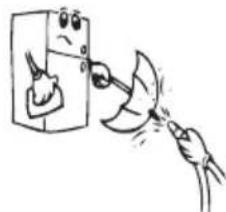
- Disconnect the appliance from the power supply before cleaning.
- Do not pour water over the appliance.
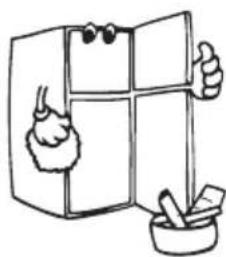
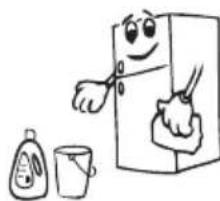
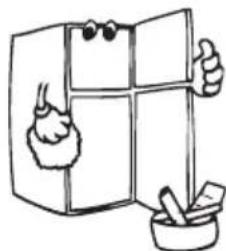
- The refrigerator compartment should be cleaned periodically using a solution of bicarbonate of soda and lukewarm water.
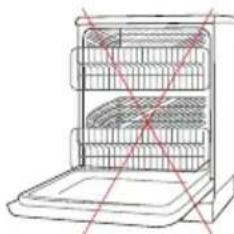
- Clean the accessories separately with soap and water. Do not put them in the dishwasher.
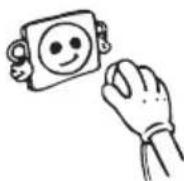
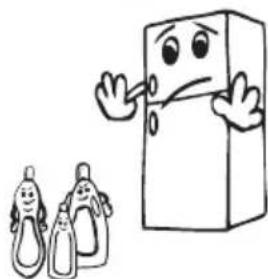
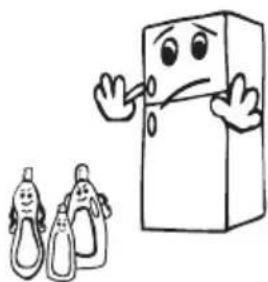
- Do not use abrasive products, detergents or soaps. After washing, rinse with clean water and dry carefully. When the cleaning operations have been completed, reconnect the plug with dry hands.
Defrosting
Defrosting the Refrigerator compartment:
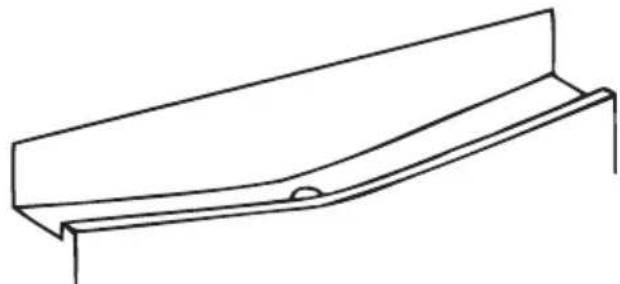
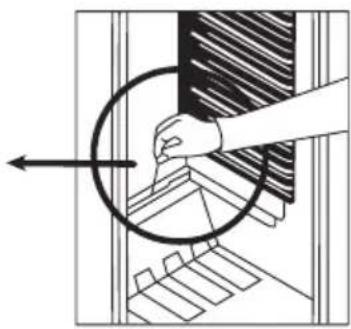
- Defrosting occurs automatically in refrigerator compartment during operation; the defrost water is collected by the evaporating tray and evaporates automatically.
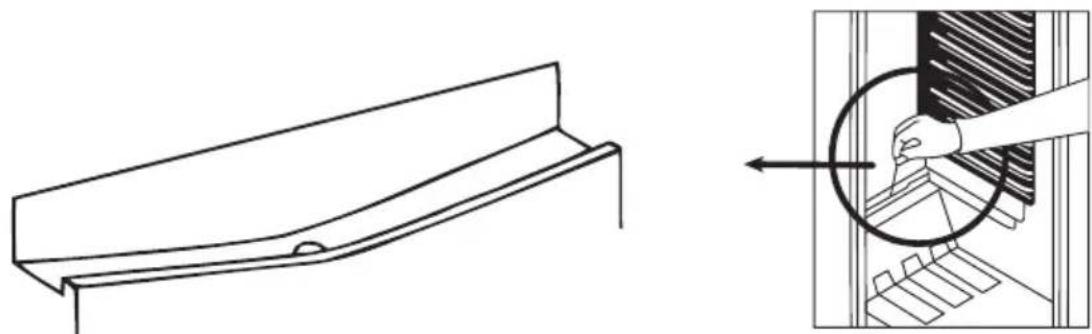
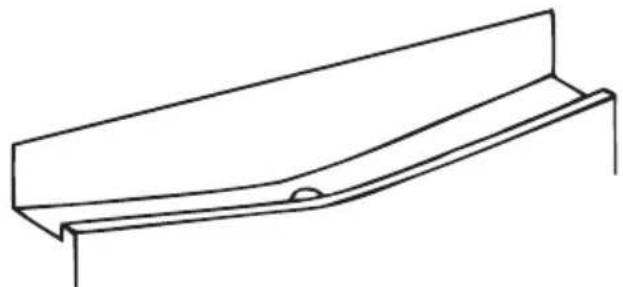
- The evaporating tray and the defrost water drain hole should be cleaned periodically with defrost drain plug to prevent the water from collecting on the bottom of the refrigerator instead of flowing out.
- You can also pour 1/2 glass of the water to drain hole to clean inside.
Defrosting the Freezer compartment:
WARNING: Never use sharp metal tools, unless recommended by manufacturer, for this operation as they can damage the refrigeration circuit.
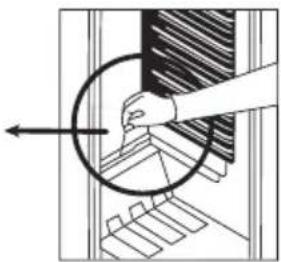
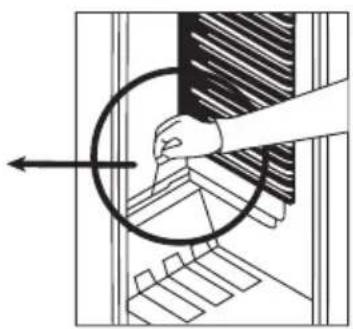
After a period of time, frost will build up in certain areas in the freezer compartment. The frost, accumulated in the freezer compartment, should be removed periodically (use the plastic scraper if available).
Complete defrosting will become necessary if the frost layer exceeds 3-5 mm to maintain the efficiency of the freezer.
- The day before you defrost, set the thermostat dial to position "5" to freeze the foods completely.
- During defrosting, frozen foods should be wrapped in several layers of paper and kept in a cool place. The inevitable rise in temperature will shorten their storage life. Remember to use these foods within a relatively short period of time.
- Set the thermostat knob to position “•” and switch off the appliance.
- Leave the door open to accelerate defrosting. Remove the defrost water from the compartment.
- Clean the interior by hand with lukewarm water and a little detergent.
Never use abrasive products or aggressive cleaning agents.
- Dry the inside of the unit, plug on the mains, and set the thermostat knob to position "5". After 24 hours, reset the thermostat to the desired position.
Replacing the Light bulb
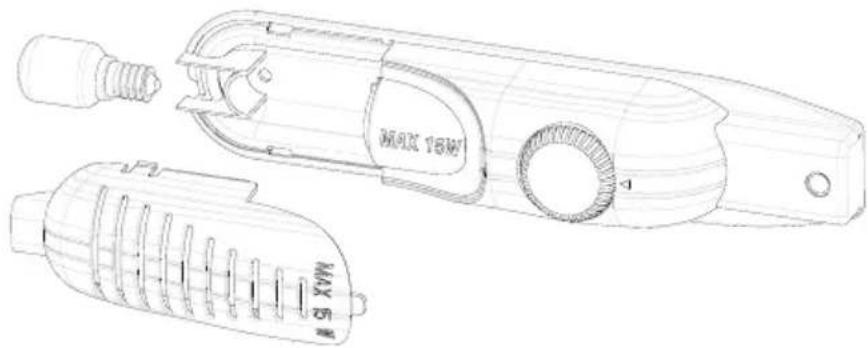
When replacing the bulb of the refrigerator compartment;
- Unplug the unit from the power supply,
- Press the hooks on the sides of the light cover top and remove the light cover
- Change the present light bulb with a new one of not more than 15 W.
- Replace the light cover and after waiting 5 minutes plug the unit.
SHIPMENT AND REPOSITIONING
Transportation and changing of installation position
- Original package and foam may be kept for re-transportation (optionally).
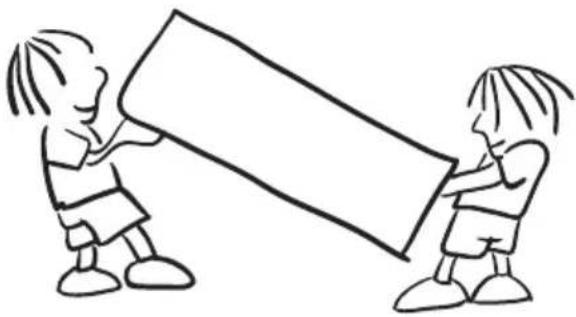
- You should fasten your fridge with thick package, bands or strong cords and follow the instructions for transportation on the package for re-transportation.
- Remove movable parts (shelves, accessories, vegetable bins etc.) or fix them into the fridge against shocks using bands during re-positioning and transportation.
PART 6. BEFORE CALLING YOUR AFTER SALES SERVICE
If your refrigerator is not working properly, it may be a minor problem, therefore check the following.
The appliance does not operate,
Check if;
• There is a power failure,
• The mains plug is not properly plugged in, or is loose
- The thermostat setting is on position “•”,
- The socket is defective. To check this, plug in another appliance that you know which is working into the same socket.
The appliance performs poorly;
Check if;
- You have overloaded the appliance,
• The doors are not closed perfectly, - There are not enough ventilation ducts on the kitchen unit as mentioned in the Installation Manual.
If there is noise;
The cooling gas which circulates in the refrigerator circuit may make a slight noise (bubbling sound) even when the compressor is not running. Do not worry, this is quite normal. If these sounds are different check if;
- The appliance is installed firmly as described in the Installation Manual.
- The objects on the appliance are vibrating.
f there is water in the lower part of the refrigerator;
Check if;
The drain hole for defrost water is not clogged (use defrost drain plug to clean the drain hole).
If your fridge is not cooling enough;
Your fridge is designed to operate in the ambient temperature intervals stated in the standards, according to the climate class stated in the information label. We do not recommend operating your fridge out of stated temperatures value limits in terms of cooling effectiveness.
| Climate Class | Ambient Temperature °C |
| T Between 16 and 43 (°C) | |
| ST Between 16 and 38 (°C) | |
| N Between 16 and 32 (°C) | |
| SN Between 10 and 32 (°C) | |
Recommendations
- In order to increase space and improve the appearance, the “cooling section” of refrigerators is positioned inside the back wall of the refrigerator compartment. When the compressor is working, this wall is covered with frost or water drops. Do not worry. This is quite normal. The appliance should be defrosted only if an excessively thick ice layer forms on the back wall.
- If the appliance is not used for a long time (for example during the summer holidays), set the thermostat knob to position “•”. Defrost and clean the refrigerator leaving the door open to prevent the formation of mildew and smell.
Conformity Information
- This appliance is designed for use at an ambient temperature within the 16°C - 32°C range.
- The appliance is designed in compliance with the IEC60335-1 / IEC60335-2-24, 2004/108/EC standards.
Tips For Saving Energy
- Install the appliance in a coll, well ventilated room, but not in direct sunlight and not near heat source (radiator, cooker.. etc). Otherwise use an insulating plate.
- Allow ward food and drinks to cool down outside the appliance.
- When thawing frozen food, place it in the refrigerator compartment. The low temperature of the frozen food will help to cool the refrigerator compartment when it is thawing. So it causes energy saving. If the frozen food is put out, it causes wastage of energy.
- When placing, drinks and slops they must be covered. Otherwise humidity increases at the appliance. Therefore the working time gets longer. Also covering drinks and slops helps to save smell and taste.
- When placing food and drinks, open the appliance door as briefly as possible.
- Keep close the covers of any different temrepature compartment in the appliance (crisper, chiller ...etc).
- Door gasket must be clean and pliable. Replace gaskets if worn.
PART 7. PARTS OF THE APPLIANCE AND THE COMPARTMENTS
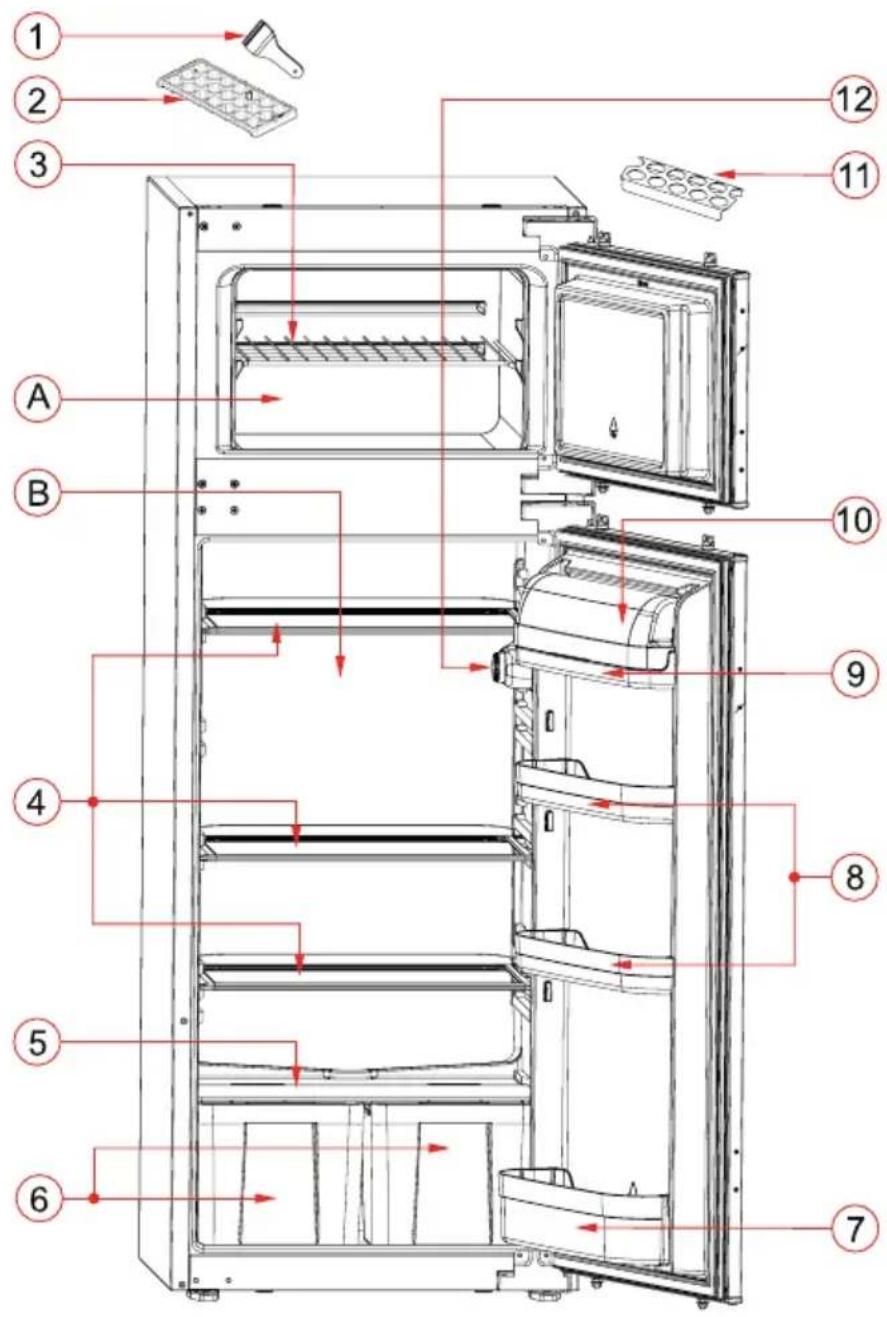
The purpose of this presentation is informing you about the parts of your appliance. The parts may vary depending on the model of the appliance.
A) Freezer compartment
B) Fridge compartment
1) Ice blade
2) Ice box
3) Freezer compartment shelf
4) Fridge compartment shelves
5) Crisper cover
6) Crispers
7) Bottle shelf
8) Door middle shelves
9) Butter-Cheese shelf
10) Butter-Cheese shelf cover *
11) Egg holder
12) Termostat box
* In some models
Product patt list
| Mark / Model | ATLANTIC |
| Built-in Freezer - Fridge | |
| Fridge shelves 4 | |
| Crispers 2 | |
| Door shelves 4 | |
| Egg holder 1 | |
| Ice box 1 | |
| Plastic ice blade 1 | |
| User manual / Installation booklet Yes | |
| Warranty documents Yes |
Product fiche
| Mark / Model | ATLANTIC | |
| Built-inFreezer - Fridge | ||
| Model ATL RF145 A+ | ||
| Energy class A+ | ||
| Annual energy consumption kWh / Year 227 | ||
| Total gross volume | Lt | 217 |
| Total net volume | Lt | 214 |
| Freezer net volume | Lt | 38 |
| Refrigerator net volume | Lt | 176 |
| Star rating | **** | |
| Temperature rise time | Min. | 960 Minutes (-18°C to -9°C) |
| Freezing capacity | kg / 24h | 2 |
| Climate class | G/N (16°C - 32°C) | |
| Voltage and Frequency | V / Hz | 220-240V / 50Hz |
| Dimensions (W x D x H) | mm | 540 x 545 x 1445 |
Installation instructions and door reversibility
Installation
! Before installation, read the instructions carefully.
! Fit the refrigerator/freezer in stable kitchen units only.
! If necessary, reverse the door according to instructions.
! Check the installation dimensions according to fig.C. The position of the joint between the unit doors must be level with the position of the joint between the appliance doors.
- See fig.A for the necessary attachment components.
- Insert trim flap 1 into slot and screw by screws 6 . (fig.D)
- Pass the power cord through ventilation shaft and position it so that the appliance could be easily plugged in once it has been installed. (fig.B - fig.C)
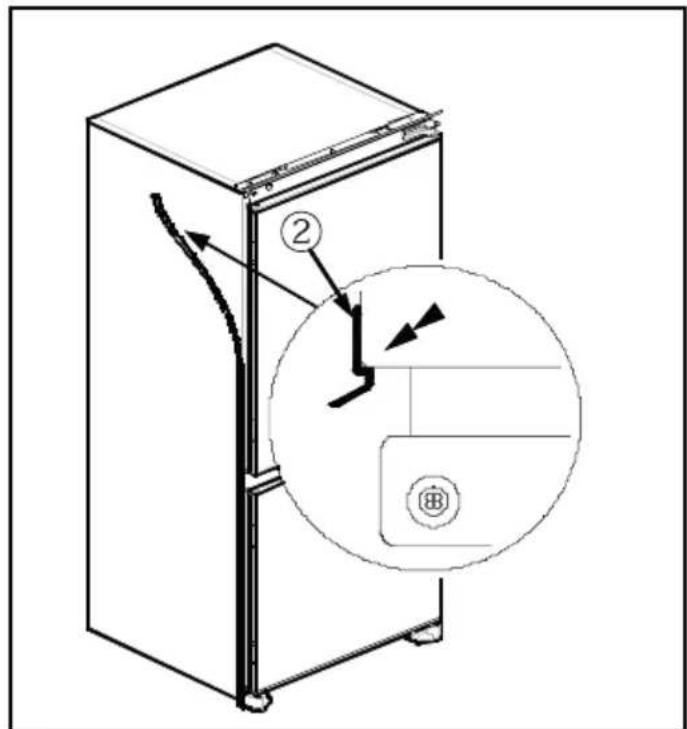
- Take out the trim gasket 2 located on the side panel of the appliance and stick it on reverse side of the door hinges of the appliance. (fig.D - fig.E)
- Raise appliance and slide into kitchen unit. Push appliance to the reverse side of door hinges providing that trim gasket 2 covers space between appliance and the kitchen unit.
- Align front feet with front surface of kitchen unit. (fig.F)
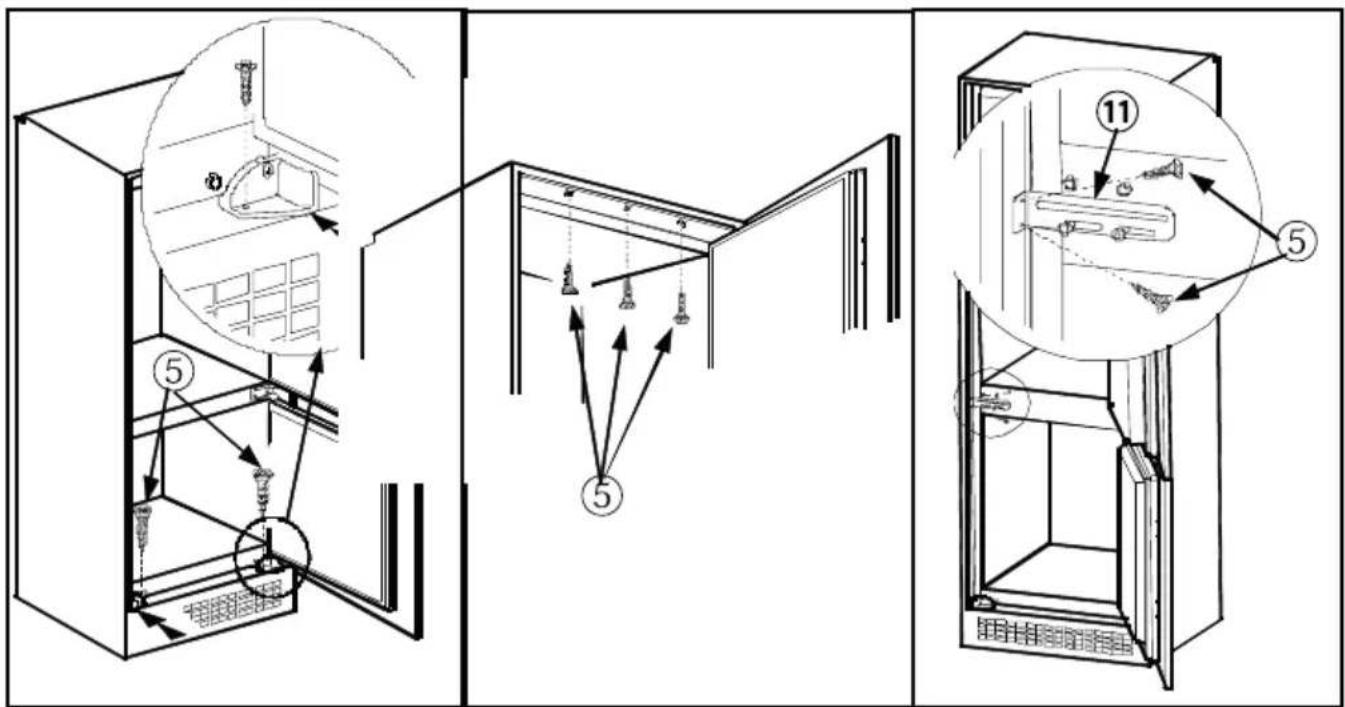
- Screw the front feet by using screws 5 . (fig.F)
- Screw trim flap 1 to kitchen unit using screws 5 . (fig.G)
- Screw fixing bracket 11 , as leaned to kitchen unit by using screws 5 . Repeat this for the opposite side. (fig.H)
- Screw guides 3 to appliance doors with screws 6 . Lean appliance doors to unit door as it is opened at right angle. Slide rails 4 into guides 3 aligning the groove. Screw the rails 4 to the unit doors with screws 5 . (fig.J)
- Set 1\~2 mm gap on handle side between unit itself and unit doors by adjusting guides 3 . That is vital for appliance performance. (fig.J)
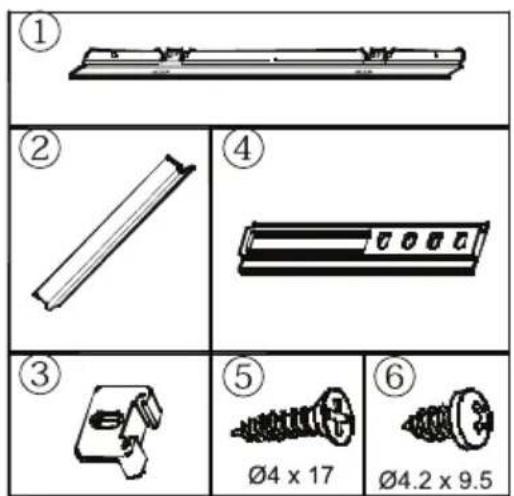
Figure A
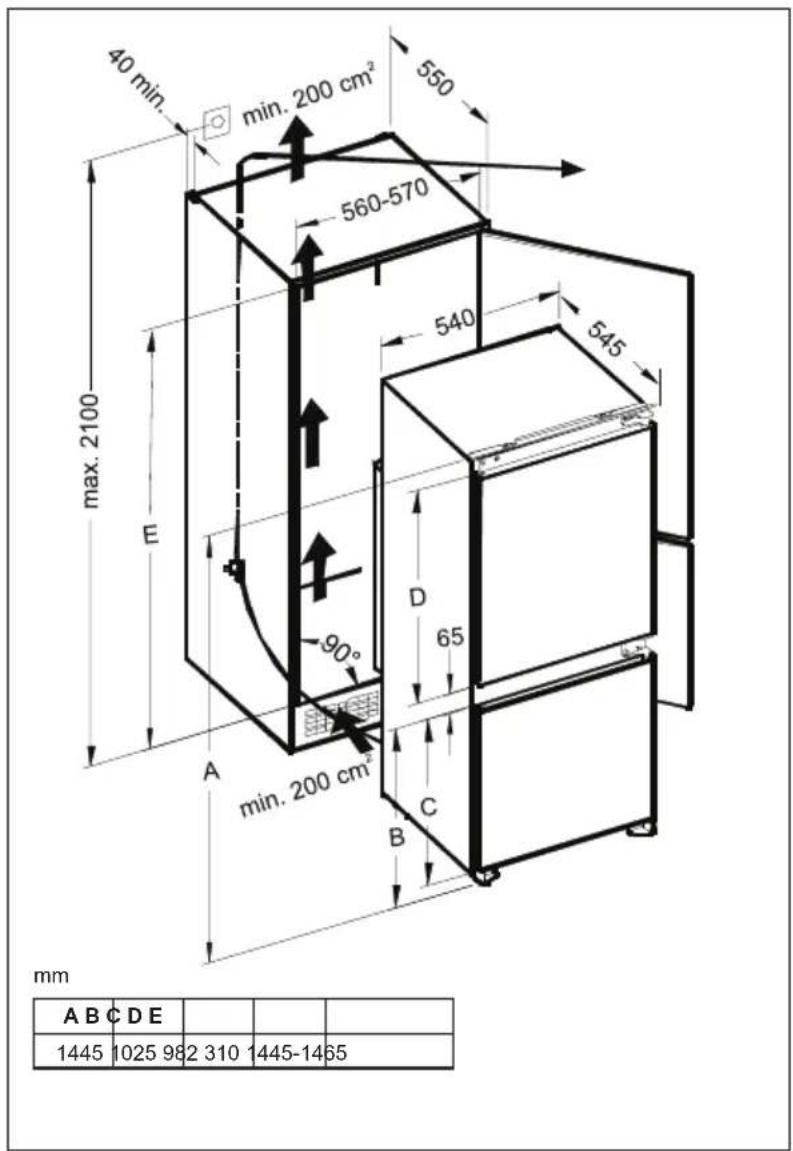
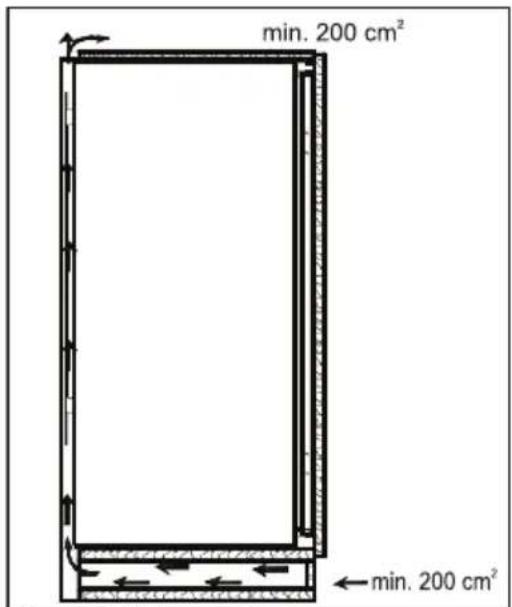
Figure B Figure C
| A B C D E | ||||
| 1445 | 1025 98 | 2 310 | 1445-14 | 65 |
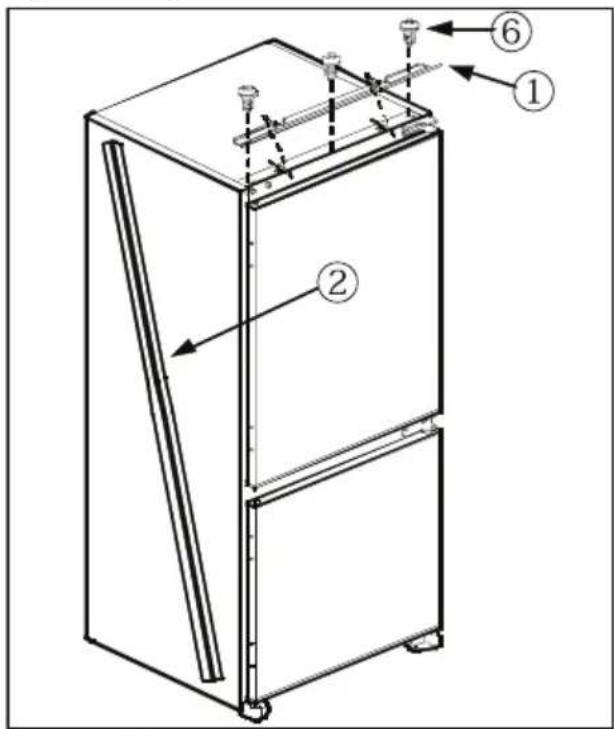
Figure D Figure E
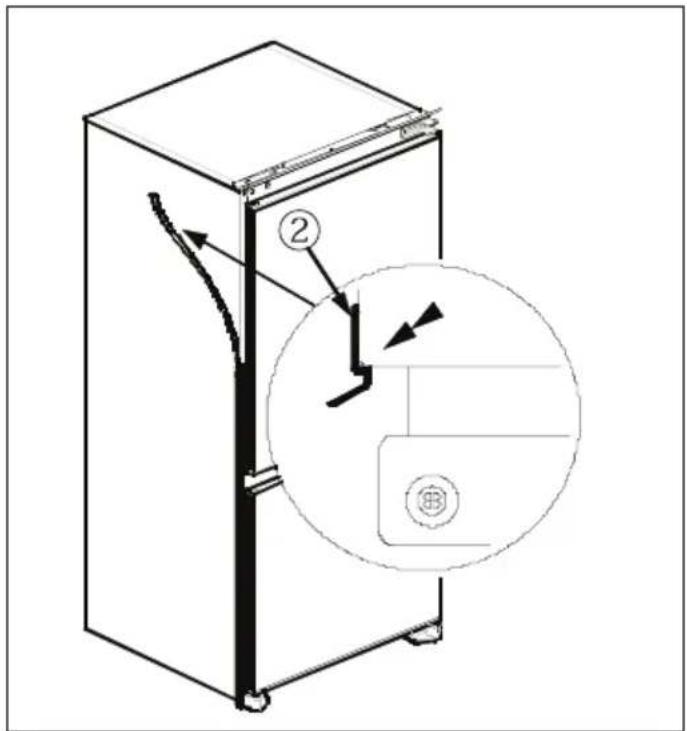
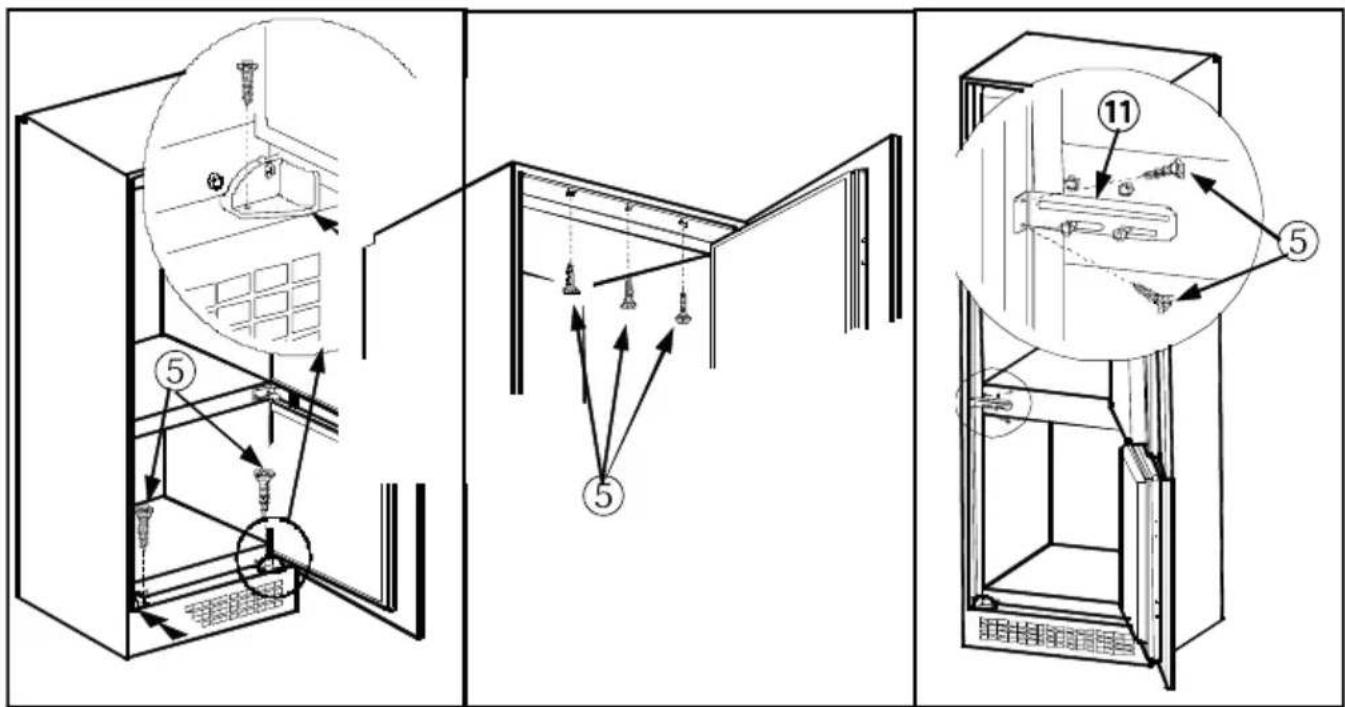
Figure F Figure G Figure H
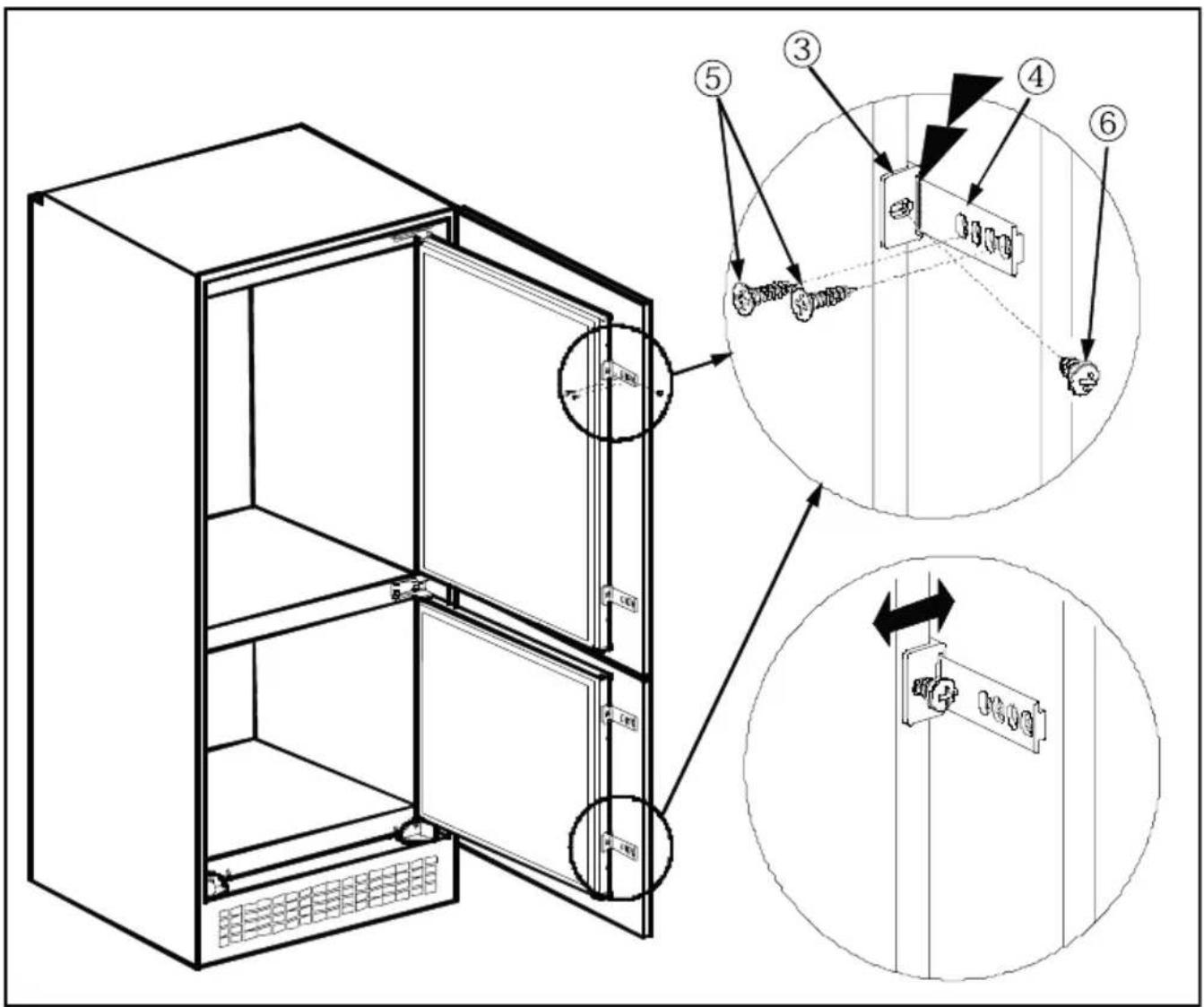
Figure J
Door reversing
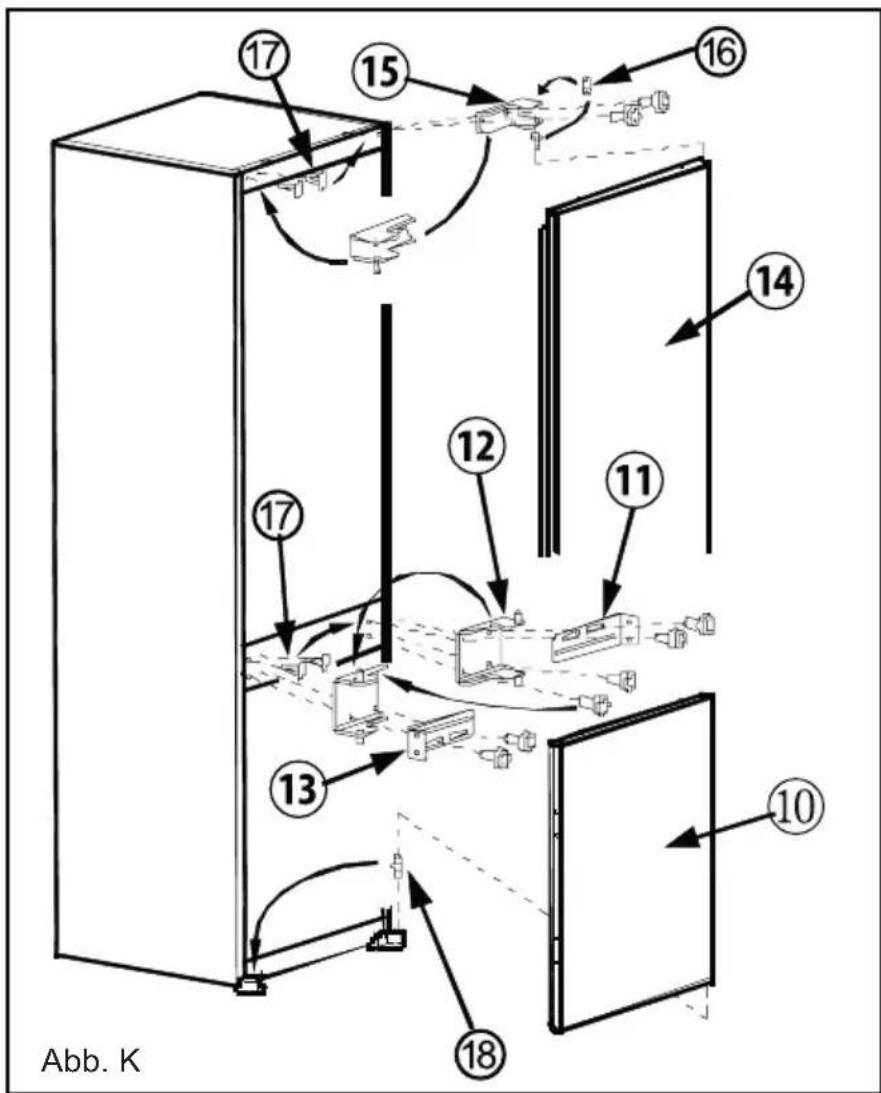
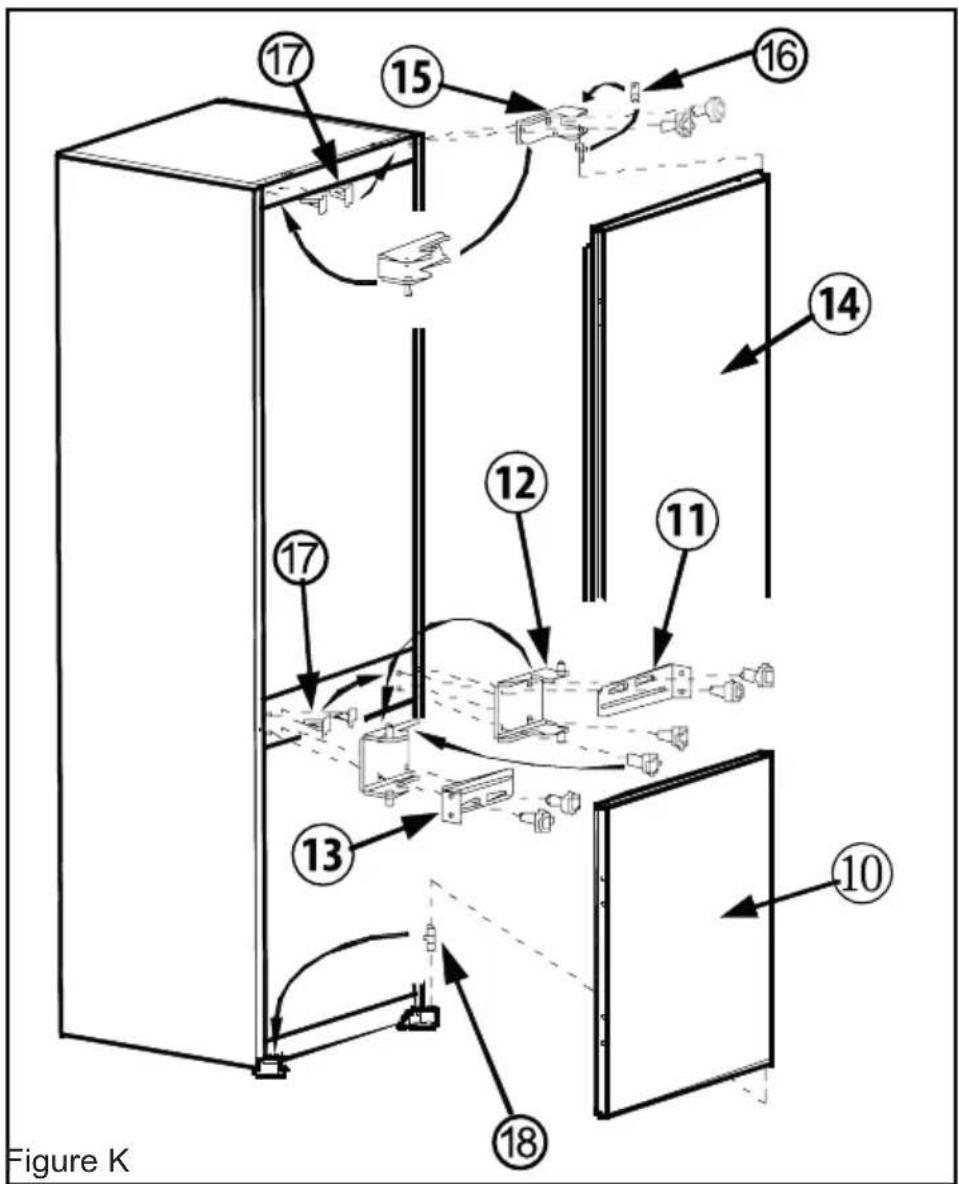
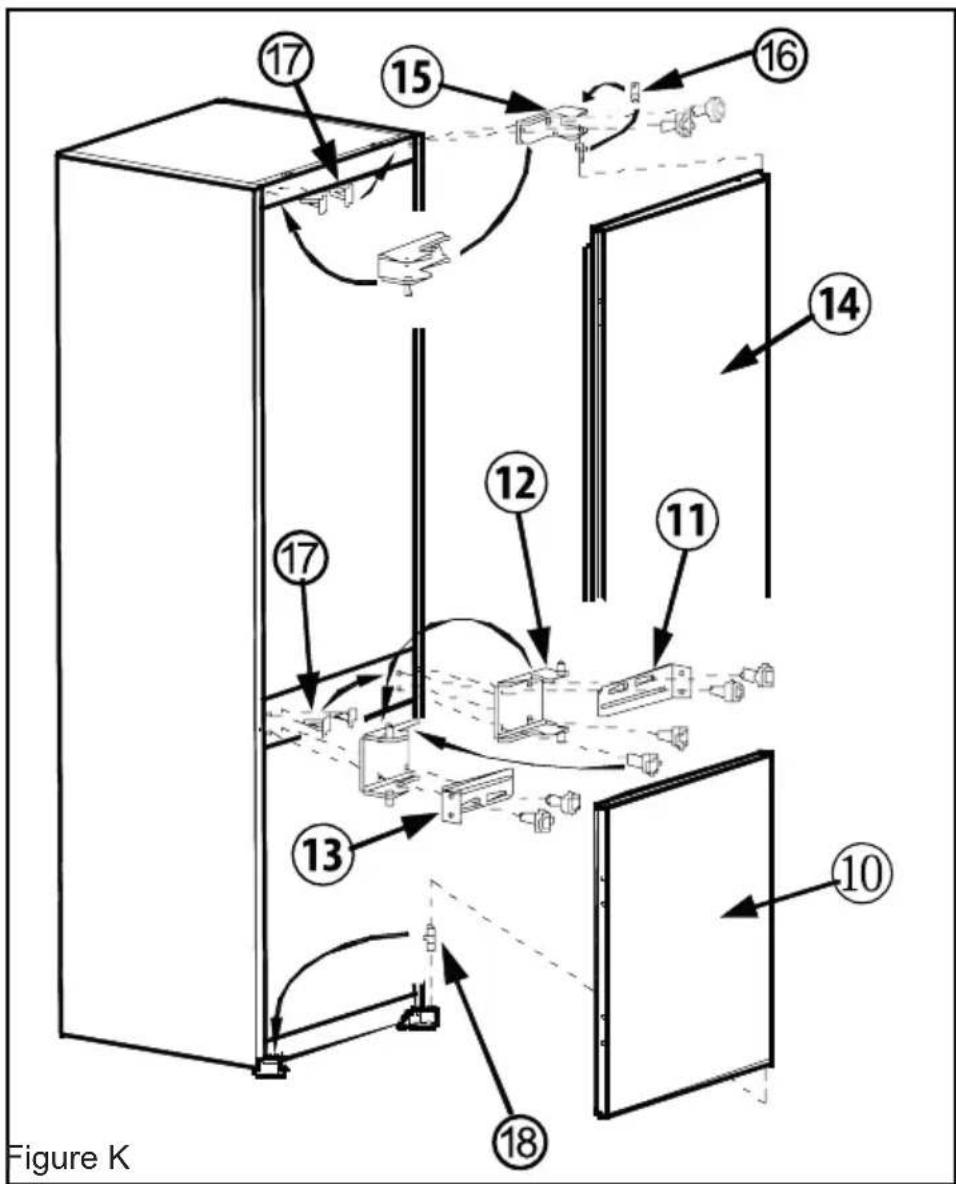
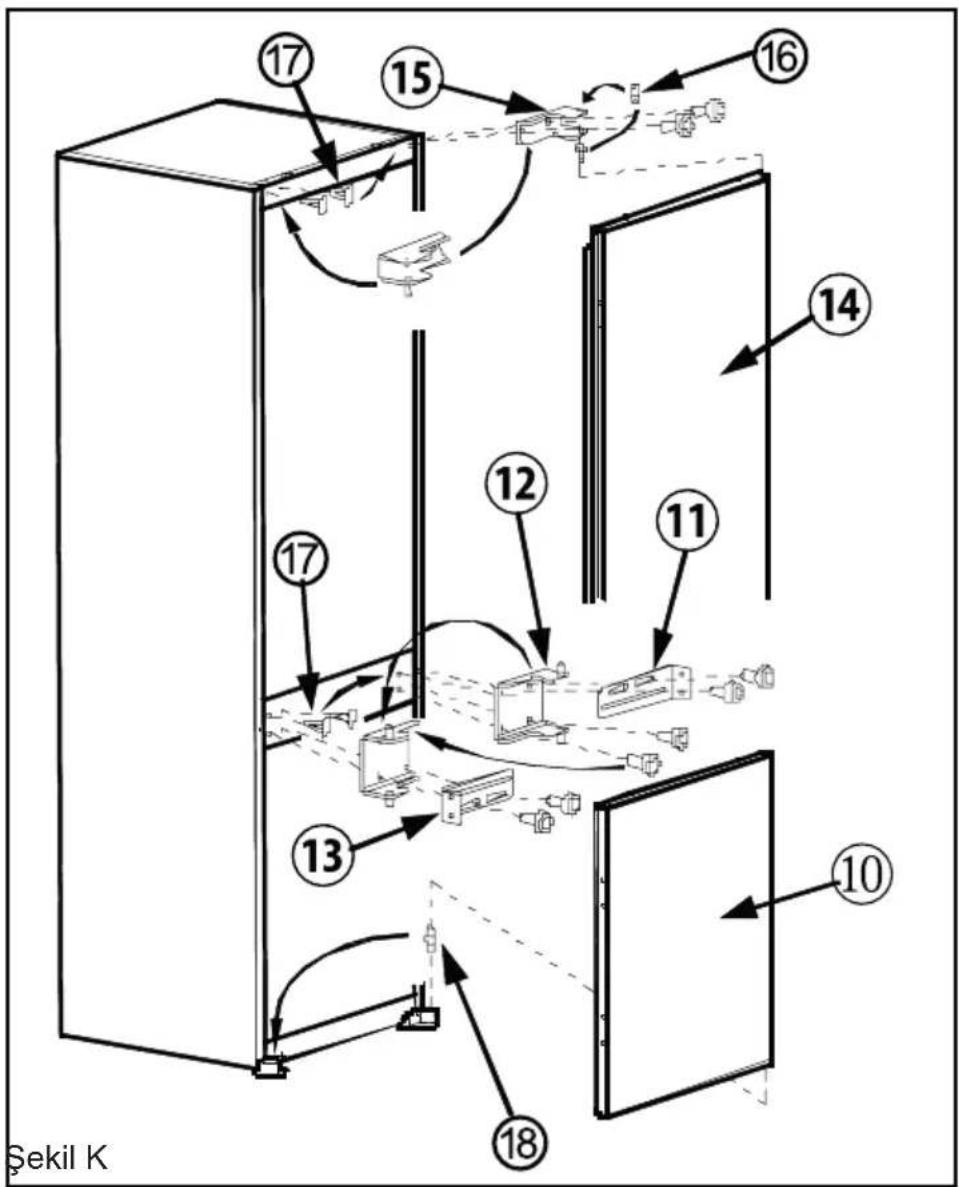
- Unscrew upper door hinge 15 and take upper door 14 to safe place.
- Unscrew door hinge pin 16 and screw it to opposite side firmly and take to safe place.
- Unscrew middle door hinge 12 and take lower door 10 to safe place. Screw back fixing bracket 11 to original position without middle door hinge 12 .
- Take door lower pin 18 to opposite side.
- Take hole plugs 4 to empty holes on opposite side.
- Place lower door 40 over door lower pin 18 and close onto cabinet.
- Unscrew fixing bracket 3 . Position middle door hinge 12 onto lower door 10 . Place fixing bracket 11 onto middle door hinge 12 and screw together onto cabinet firmly.
- Place upper door 14 over middle door hinge 12 and position upper door hinge 15 over upper door 14 and then screw upper door hinge 15 firmly onto opposite side of original position.
TABLE DES MATIÈRES
AVANT D'UTILISER L'APPAREIL....41
PARTIE 4. NETTOYAGE ET ENTRETIEN
TRANSPORT ET DEPLACEMENT
PARTIE 6. AVANT D'APPELER LE SERVICE APRÈS-VENTE
Figure D Figure E
FR -57- -57-
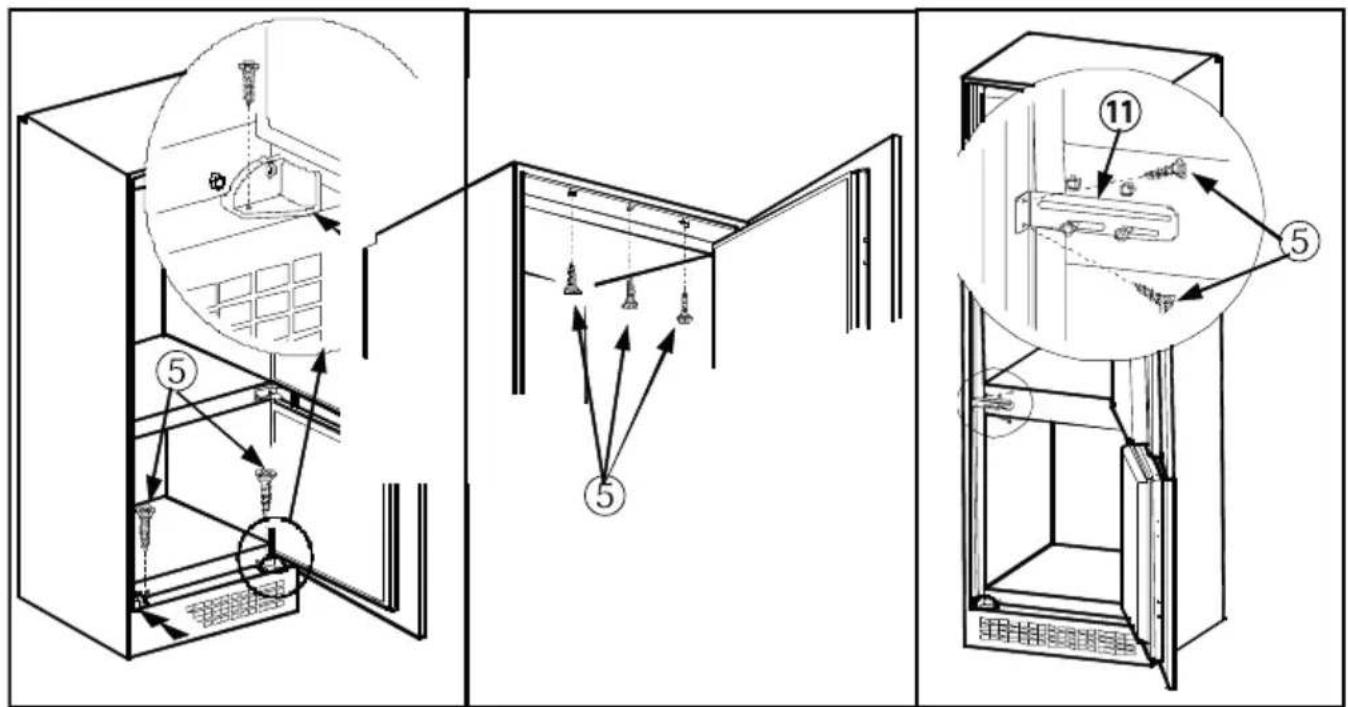
Figure F Figure G Figure H
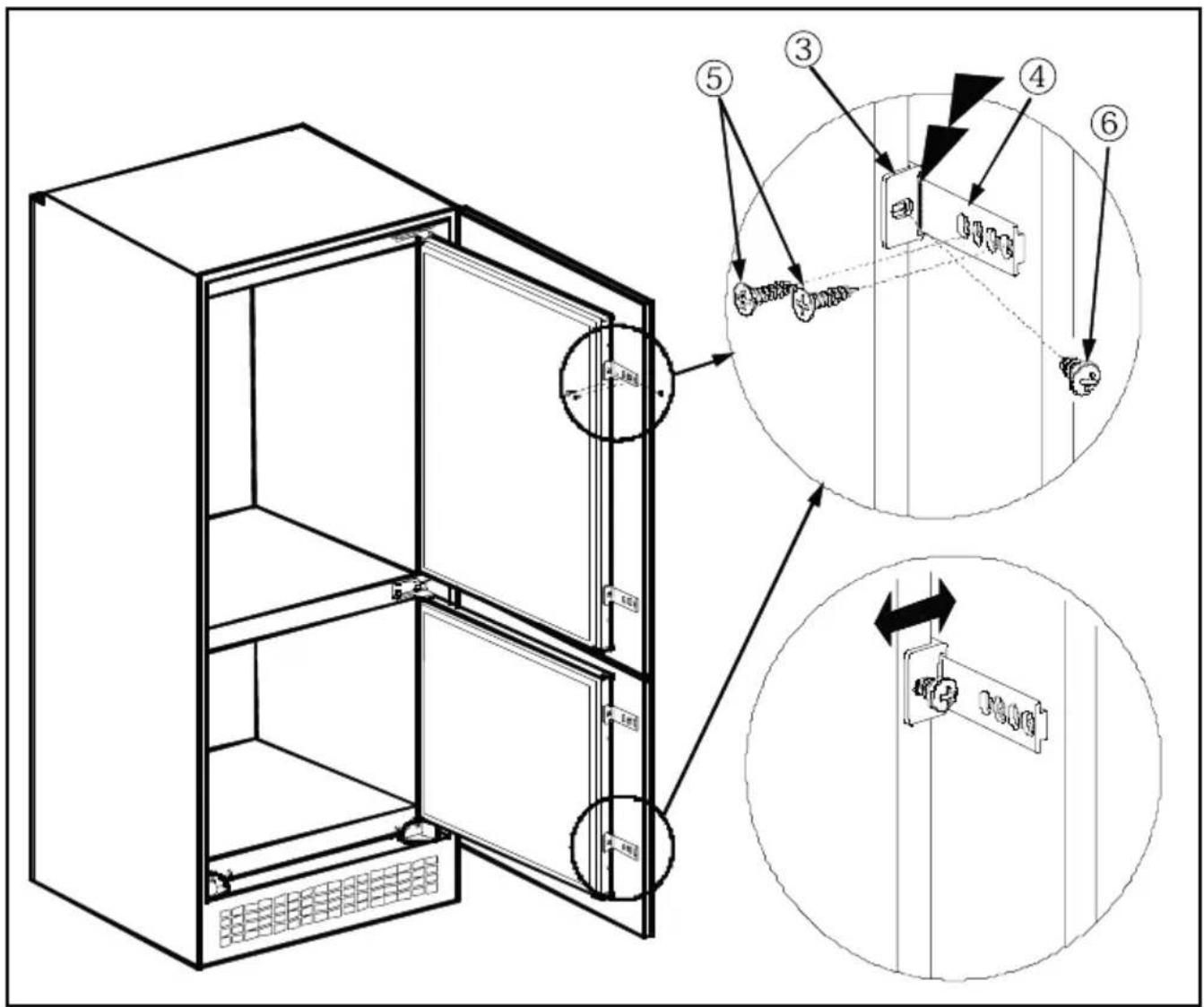
Figure J
BÖLÜM - 2. KULLANIM BİLGİLERİ
Sıcaklık Ayarları
Eritme
Soğutucu Bölme
BÖLÜM - 5. TAŞINMA VE YER DEĞİŞTİRME
BÖLÜM - 6. SERVİS ÇAĞIRMADAN ÖNCE
Şekil D Şekil E

Şekil J
Kapı Yönü Değişimi


- KÜHLSCHRANK ABTAUEN
- BEVOR SIE DEN KUNDENDIENST RUFEN
- BEFORE USING THE APPLIANCE ....23
- HOW TO OPERATE THE APPLIANCE....27
- FOOD STORAGE IN THE APPLIANCE 28
- CLEANING AND MAINTENANCE....29
- SHIPMENT AND REPOSITIONING ....31
- BEFORE CALLING YOUR AFTER SALES SERVICE......31
- PARTS OF THE APPLIANCE AND THE COMPARTMENTS..34
- GENERAL WARNINGS
- OLD AND OUT-OF-ORDER FRIDGES
- NOTES
- SAFETY WARNINGS
- INSTALLING AND OPERATING YOUR FRIDGE
- BEFORE USING YOUR FRIDGE
- HOW TO OPERATE THE APPLIANCE
- THERMOSTAT SETTING
- ACCESSORIES
- ICE TRAY
- PART 3. FOOD STORAGE IN THE APPLIANCE
- REFRIGERATOR COMPARTMENT
- FREEZER COMPARTMENT
- CLEANING AND MAINTENANCE
- DEFROSTING
- DEFROSTING THE FREEZER COMPARTMENT
- REPLACING THE LIGHT BULB
- SHIPMENT AND REPOSITIONING
- TRANSPORTATION AND CHANGING OF INSTALLATION POSITION
- PART 6. BEFORE CALLING YOUR AFTER SALES SERVICE
- THE APPLIANCE DOES NOT OPERATE
- CHECK IF
- THE APPLIANCE PERFORMS POORLY
- IF THERE IS NOISE
- F THERE IS WATER IN THE LOWER PART OF THE REFRIGERATOR
- IF YOUR FRIDGE IS NOT COOLING ENOUGH
- RECOMMENDATIONS
- CONFORMITY INFORMATION
- TIPS FOR SAVING ENERGY
- PART 7. PARTS OF THE APPLIANCE AND THE COMPARTMENTS
- INSTALLATION INSTRUCTIONS AND DOOR REVERSIBILITY
- INSTALLATION
- DOOR REVERSING
- TABLE DES MATIÈRES
- AVANT D'UTILISER L'APPAREIL....41
- PARTIE 4. NETTOYAGE ET ENTRETIEN
- TRANSPORT ET DEPLACEMENT
- PARTIE 6. AVANT D'APPELER LE SERVICE APRÈS-VENTE
- BÖLÜM - 2. KULLANIM BİLGİLERİ
- SICAKLIK AYARLARI
- ERITME
- SOĞUTUCU BÖLME
- BÖLÜM - 5. TAŞINMA VE YER DEĞİŞTİRME
- BÖLÜM - 6. SERVİS ÇAĞIRMADAN ÖNCE
- KAPI YÖNÜ DEĞIŞIMI
Brand : ATLANTIC
Model : ATL RF145 A+
Category : Refrigerator