USER MANUAL CRE 50E DOMETIC
natural_image
Exterior view of a modern stainless steel refrigerator (no visible text or symbols)
natural_image
Exterior view of a modern stainless steel refrigerator (no visible text or symbols)
natural_image
Exterior view of a modern stainless steel refrigerator (no visible text or symbols)
CRE0050, CRE0065, CRE0080
EN
Compressor refrigerator
Installation and Operating Manual.....14
DE
© 2020 Dometic Group. The visual appearance of the contents of this manual is protected by copyright and design law. The underlying technical design and the products contained herein may be protected by design, patent or be patent pending. The trademarks mentioned in this manual belong to Dometic Sweden AB. All rights are reserved.
8
9
10
11
12
natural_image
Technical line drawing of a refrigerator with an upward arrow indicating motion (no text or symbols present)
13
natural_image
Technical line drawing of a mechanical enclosure or enclosure with an upward arrow indicating force or motion (no text or symbols present)
14
line
| l/m | Ø/mm² (12 V) | Ø/mm² (24 V) |
| --- | ------------ | ------------ |
| 0 | 2 | 2 |
| 22 | 16 | 14 |
| 28 | — | — |
19
CRE 50
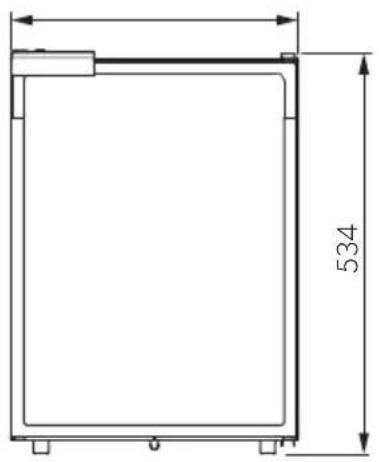
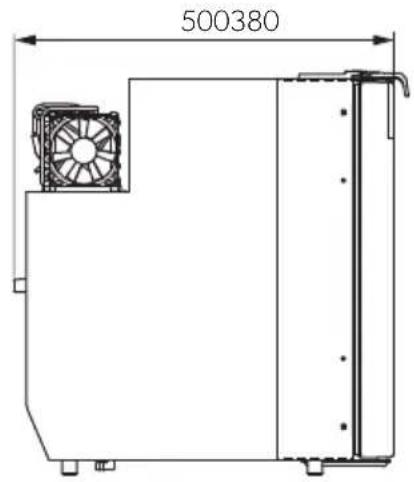
20
CRE 65
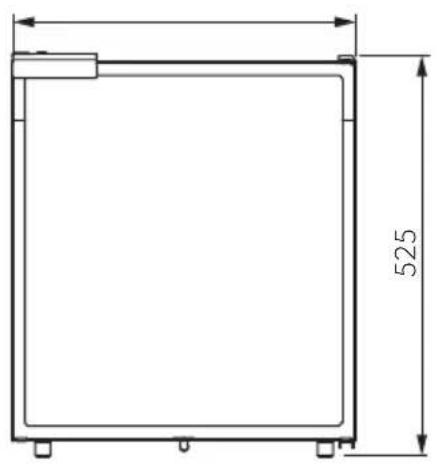
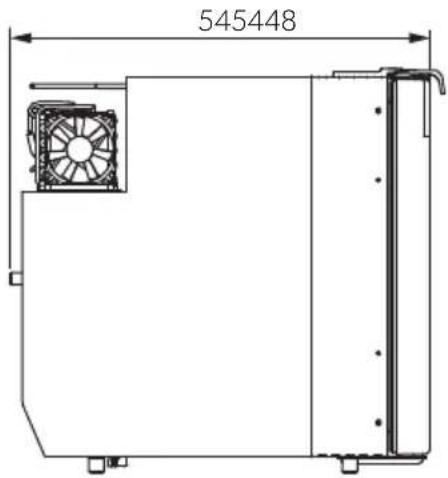
21
CRE 80
natural_image
Technical drawing of a rectangular frame with dimension标注 (no text or symbols)
Please carefully read and follow all instructions, guidelines and warnings included in this product manual in order to ensure that you install, use and maintain the product properly at all times.
By using the product, you hereby confirm that you have read this disclaimer, all instructions, guidelines and warnings carefully and that you understand and agree to abide by the terms and conditions as set forth herein.
You agree to use this product only for the intended purpose and application and in accordance with the instructions, guidelines and warnings as set forth in this product manual as well as in accordance with all applicable laws and regulations.
A failure to read and follow the instructions and warnings set forth herein may result in an injury to yourself and others, damage to your product or damage to other property in the vicinity.
Dometic accepts no liability for any loss, damage or injury incurred, directly or indirectly, from the installation, use or maintenance of the product not in compliance with the instructions and warnings in the product manual.
This product manual, including the instructions, guidelines and warnings, and related documentation may be subject to changes and updates. For up-to-date product information, please visit: documents.dometic.com, dometic.com.
Table of contents
1 Explanation of symbols ..... 14
2 Safety instructions....15
3 Scope of delivery .....18
4 Accessories....18
5 Intended use....18
6 Technical description .....19
7 Installing and connecting the refrigerator 20
8 Using the refrigerator 25
9 Cleaning and maintenance. 29
10 Warranty 29
11 Disposal 29
12 Troubleshooting 30
13 Technical data 33
1 Explanation of symbols

DANGER!
Safety instruction: Indicates a hazardous situation that, if not avoided, will result in death or serious injury.

WARNING!
Safety instruction: Indicates a hazardous situation that, if not avoided, could result in death or serious injury.

CAUTION!
Safety instruction: Indicates a hazardous situation that, if not avoided, could result in minor or moderate injury.

NOTICE!
Indicates a situation that, if not avoided, can result in property damage.

NOTE
Supplementary information for operating the product.
2 Safety instructions
The manufacturer accepts no liability for damage in the following cases:
- Faulty assembly or connection
- Damage to the product resulting from mechanical influences and incorrect connection voltage
• Alterations to the product without express permission from the manufacturer
- Use for purposes other than those described in the operating manual
2.1 General safety

WARNING! Failure to obey these warnings could result in death or serious injury.
Electrocution hazard
- Installations in washrooms and areas exposed to water, must be performed by a qualified technician.
- Do not operate the device if it is visibly damaged.
- If this device's power cable is damaged, it must be replaced by the manufacturer, customer service or a similarly qualified person in order to prevent safety hazards.
- This device may only be repaired by qualified personnel. Inadequate repairs may cause serious hazards.
Health hazard
- This device can be used by children aged from 8 years and above and persons with reduced physical, sensory or mental capabilities or lack of experience and knowledge if they have been given supervision or instruction concerning use of the device in a safe way and understand the hazards involved.
• Children shall not play with the device.
- Cleaning and user maintenance shall not be made by children without supervision.
- Children aged from 3 to 8 years are allowed to load and unload refrigerating devices.
Explosion hazard
- Do not store any explosive substances, such as spray cans with propellants, in the device.

CAUTION! Failure to obey these cautions could result in minor or moderate injury.
Risk of crushing
- Do not put your fingers into the hinge.
Health hazard
- Foodstuff may only be stored in its original packaging or in suitable containers.

NOTICE! Damage hazard
- Check that the voltage specification on the type plate is the same as that of the power supply.
- Never pull the plug out of the socket by the connection cable.
- Disconnect the device and other electric consumers from the battery before connecting the quick charging device.
- Disconnect the device or switch it off when you turn off the engine. Otherwise you may discharge the battery.
- The device is not suitable for storing substances which are caustic or contain solvents.
- Keep the drainage outlet clean at all times.
- Do not open the refrigerant circuit under any circumstances.
- Never transport the device in a horizontal position, so that no oil can leak out of the compressor.
- Make sure that the refrigerant circuit is not damaged during transportation. The refrigerant in the refrigerant circuit is highly flammable. In the event of any damage to the refrigerant circuit:
- Avoid naked flames and sparks.
- Air the room well.
- Set up the device in a dry location where it is protected against splashing water.
2.2 Operating the device safely

DANGER! Failure to obey these warnings will result in death or serious injury.
Electrocution hazard
- Do not touch exposed cables with your bare hands.

CAUTION! Failure to obey these cautions could result in minor or moderate injury.
Electrocution hazard
- Before starting the device, ensure that the power supply line and the plug are dry.
Health hazard
- Opening the door for long periods can cause significant increase of the temperature in the compartments of the device.
- Clean regularly surfaces that can come in contact with food and accessible drainage systems.
- Store raw meat and fish in suitable containers in the device, so that it is not in contact with or can drip onto other food.
- If the device is left empty for long periods:
- Switch off the device.
- Defrost the device.
- Clean and dry the device.
- Leave the door open to prevent mould developing within the device.

NOTICE! Damage hazard
- Do not use electrical devices inside the cooling device unless they are recommended by the manufacturer for that purpose.
- Do not place it near naked flames or other heat sources (heaters, direct sunlight, gas ovens etc.)
• Danger of overheating!
Always ensure sufficient ventilation so that the heat generated during operation can dissipate. Make sure that the device is sufficiently far away from walls and other objects so that the air can circulate.
- Ensure that the ventilation vents are not covered.
- Do not fill the inner container with ice or fluid.
- Never immerse the device in water.
- Protect the device and the cable against heat and moisture.
- Make sure that foodstuffs do not touch the walls of the cooling area.
3 S c o p e o f d
Quantity Description
1 Refrigerator with shelves
1 Outlet port
1 Installation and operating manual
4 A c c e s s o r i
Available as accessories (not included in the scope of delivery):
Description Explanation Ref. no.
Rectifier Transforms an input voltage of 100 to 240 V\~ to 24 V=, 9600000445 so that the refrigerator can be connected to an AC power supply.
5 Intended use
The refrigerator is designed for installation in caravans and motorhomes and on boats. It is only suitable for installation in a fitted niche. Once it is installed, only the front of the device may be accessible.
The refrigerator is only suitable for cooling, freezing and storing foodstuffs.
This product is only suitable for the intended purpose and application in accordance with this instruction. Any other use, deviating from the intended use, is not allowed! Dometic accepts no liability for any loss, damage or injury incurred, directly or indirectly due to other as the intended use.

WARNING!
The refrigerator is not intended for the proper storage of medicine.

CAUTION! Health hazard!
Please check if the cooling capacity of the refrigerator is suitable for storing the food you wish to cool.
6 Technical description
The CoolMatic CRE series cooling devices can cool products and keep them cool. Products can be deep-frozen in the freezer compartment.
All materials used in the refrigerator are compatible for use with foodstuffs. The refrigerant circuit is maintenance-free.
When used on boats the refrigerator can be subjected to a short-term inclination of 30^ .
The temperature is set using the control panel on the inside left of the refrigerator.
Four temperature ranges from +0 °C to +12 °C are available for selection.
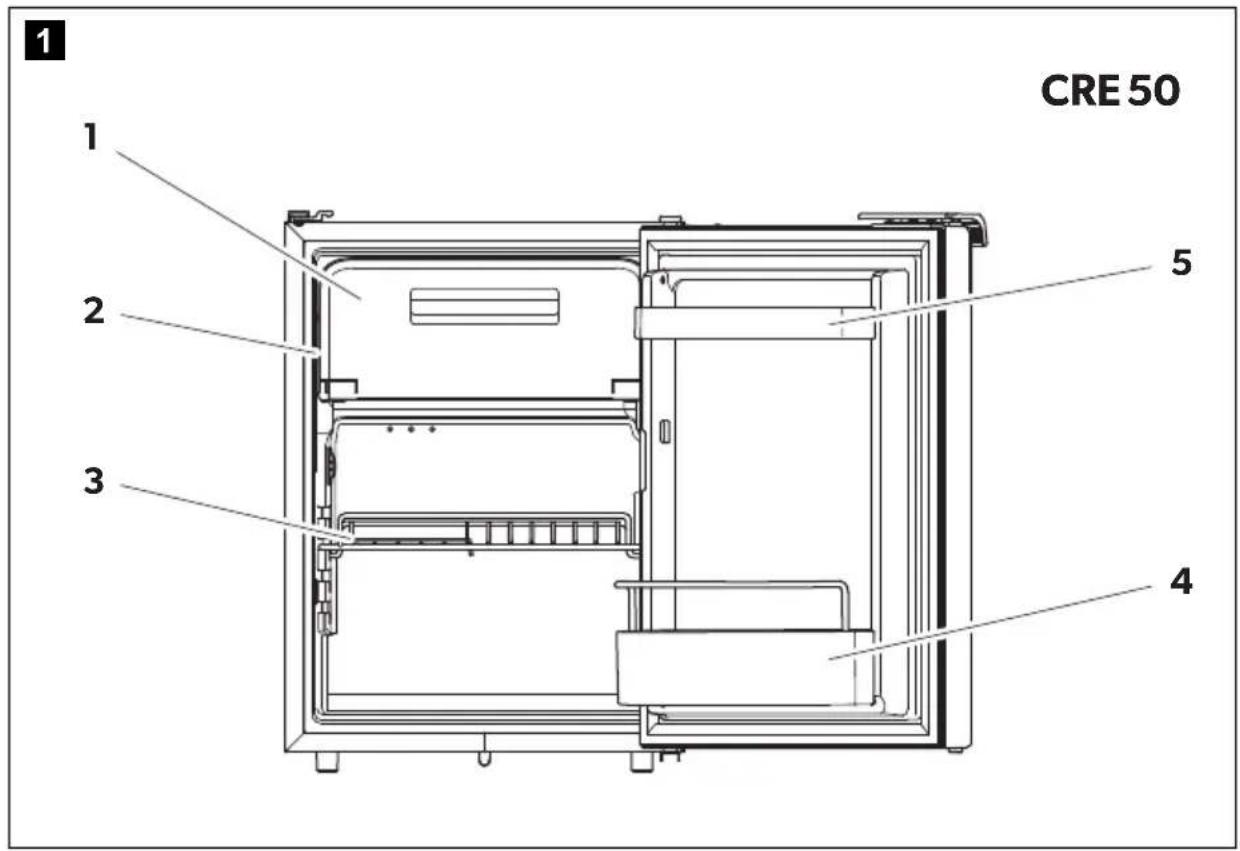
6.1 Control elements inside the fridge
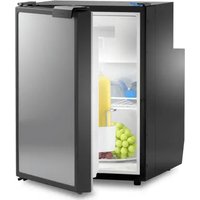
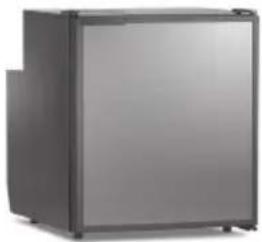
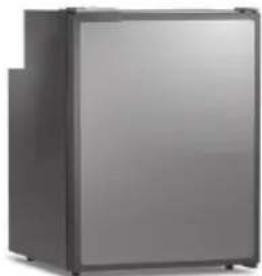
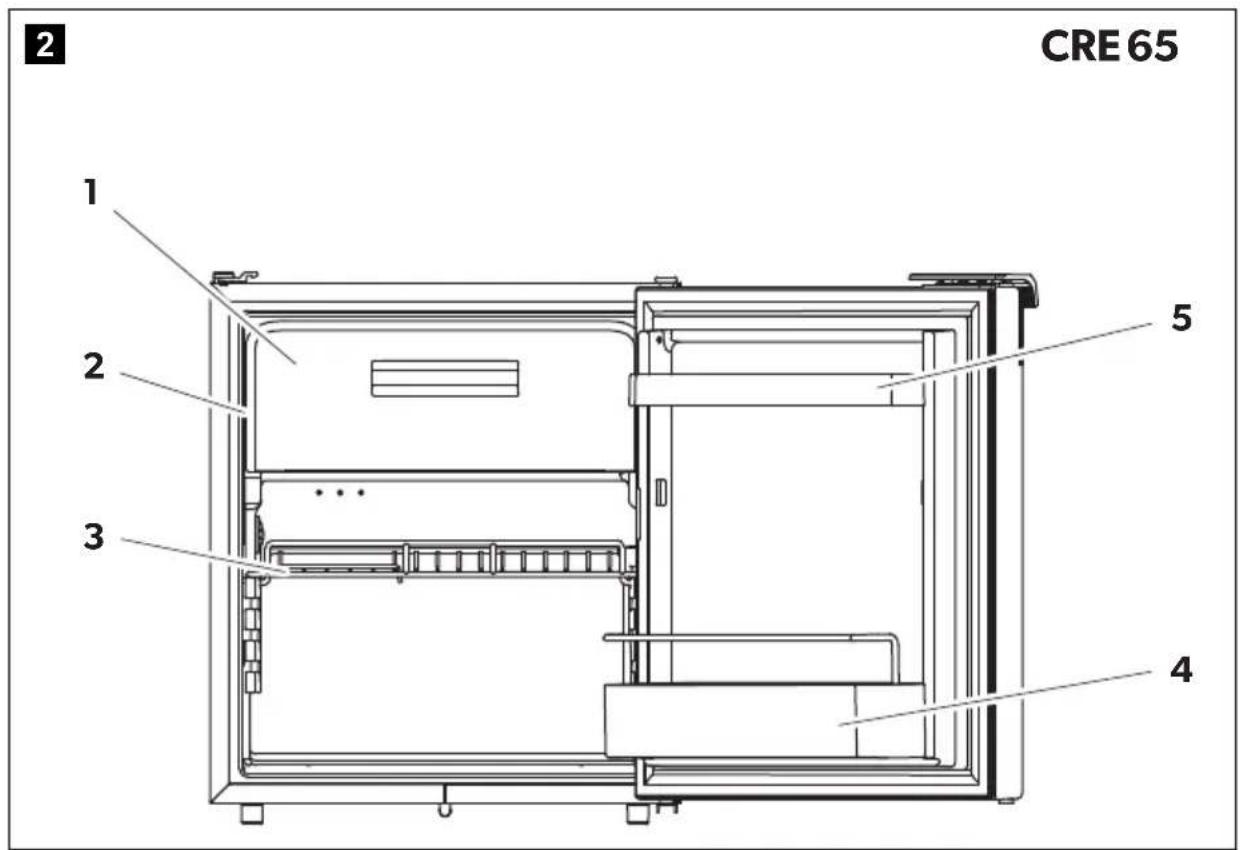
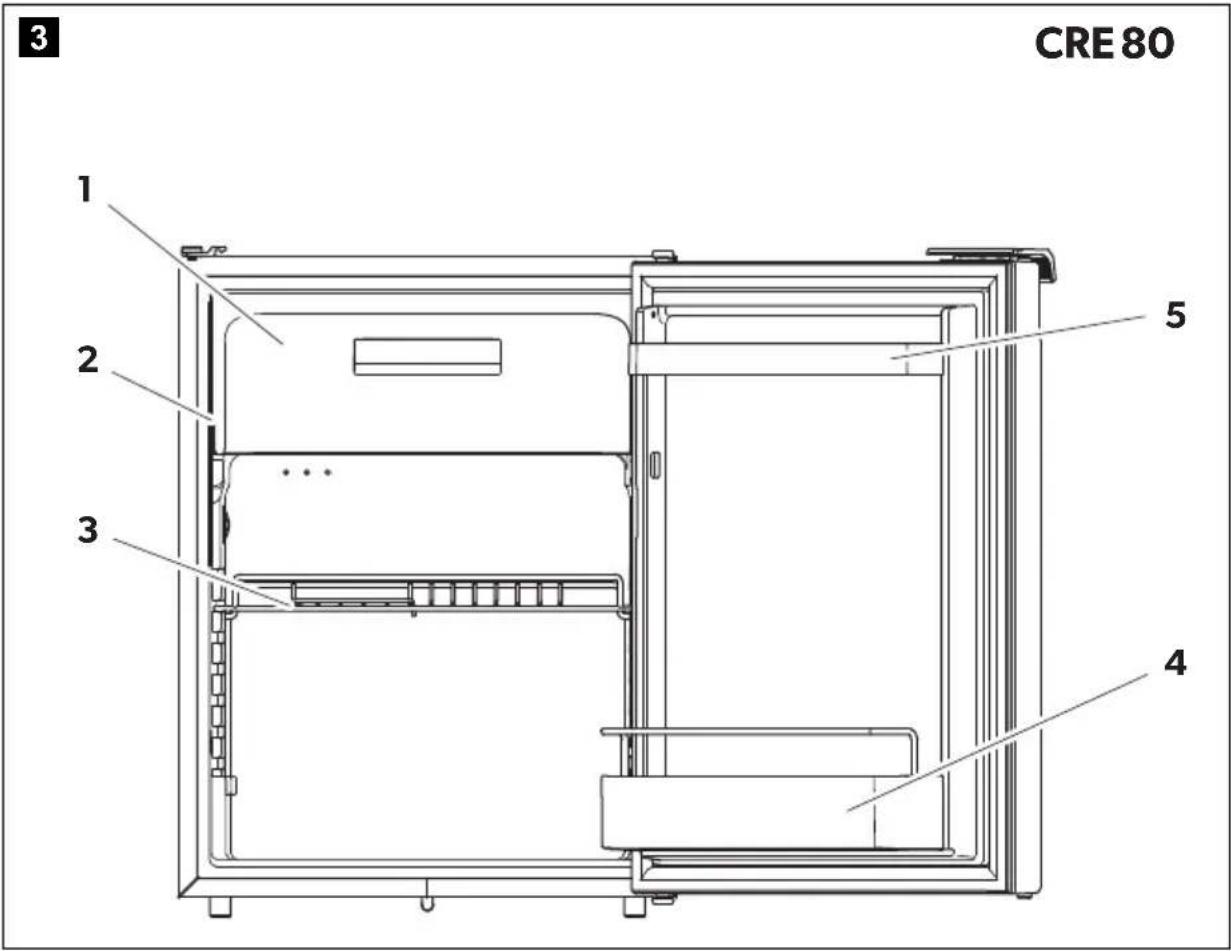
The various types of refrigerators are shown in the following illustrations:
- CRE0050: fig. 1, page 3
- CRE0065: fig. 2, page 3
- CRE0080: fig. 3, page 4
No. Explanation
1 Freezer compartment
2 Control panel
3 Wire shelf (folding, so that bottles can be put in the fridge)
No. Explanation
4 Bottle restraint (to hold bottles in the door)
5 Compartment
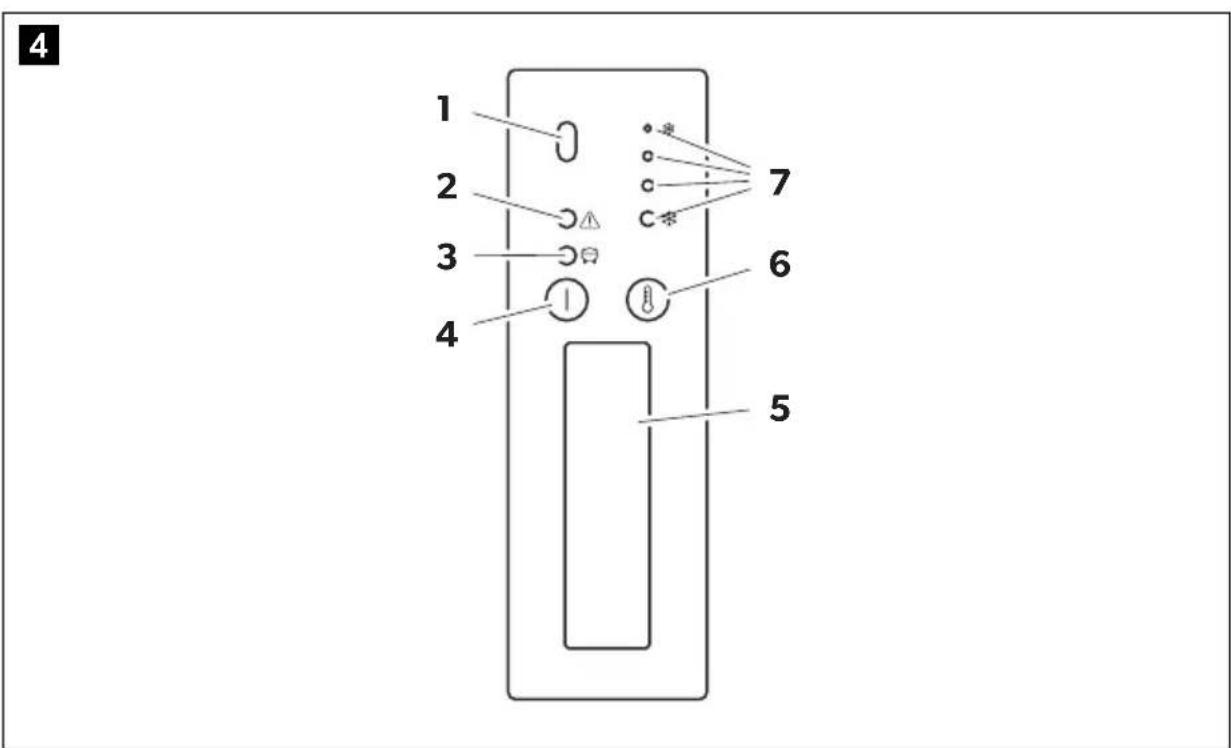
6.2 Control elements
No. in fig. 4, page 4 Explanation
1 IR sensor for switching the interior light
2 Red LED: Fault indication
3 LED Blue: Compressor is running
LED Orange: Compressor is off
4 On/off button
5 Inner lighting
6 Temperature selection button
7 LEDs: Temperature levels
7 Installing and connecting the refrigerator
7.1 Safety instructions for installation on boats
Please note the following instructions for installation on boats:

DANGER!
If the device is powered by the mains, ensure that the voltage supply has a residual current circuit breaker.

NOTICE!
- The device can be tilted sideways up to 30^ for only a short period of time. When setting up the refrigerator, note that it must be fastened to take account of this. If you have any questions regarding installation, consult your specialist dealer.
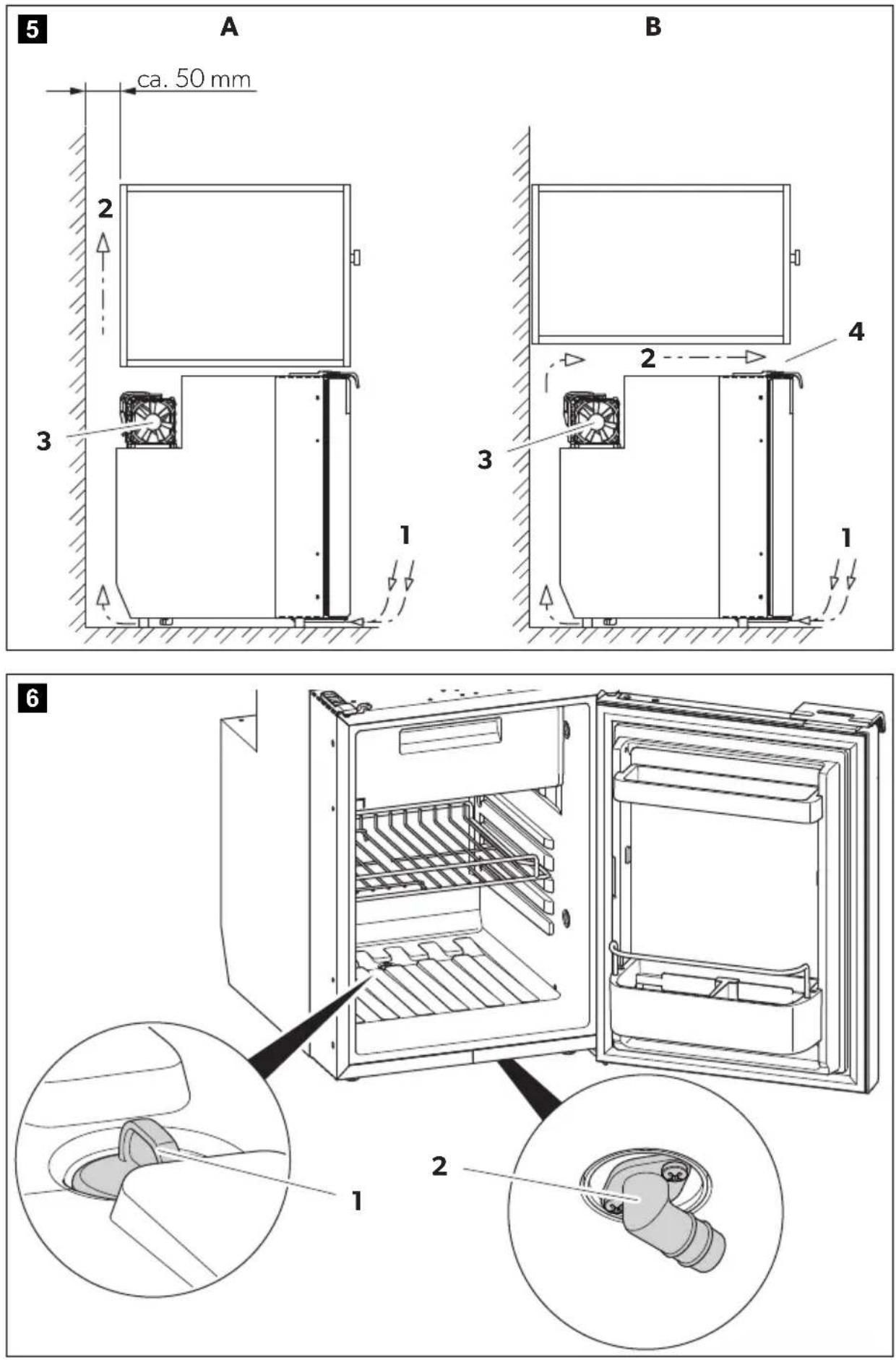
• Install the refrigerator so that the warm air produced can easily escape (either upwards or to the sides, fig. 5, page 5).
- The device is designed for ambient temperatures between +16 °C and +38 °C.
7.2 Notes on installing the refrigerator

WARNING! Fire hazard!
- When positioning the device, ensure the supply cord is not trapped or damaged.
- Do not locate multiple portable socket-outlets or portable power supplies at the rear of the device.
Observe the following when installing the refrigerator:
- Install the refrigerator so that the warm air produced can easily escape (either upwards or to the sides, fig. 5, page 5).
Key to fig. 5, page 5
No. Explanation
| 1 Cold intake air |
| 2 Hot waste air |
| 3 Condenser |
| 4 Spacing above the refrigerator if there is not sufficient space for the air to circulate above or at the side. |
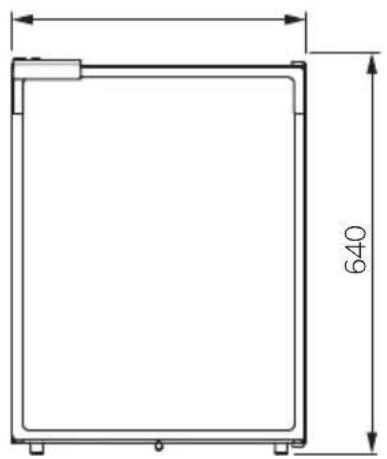
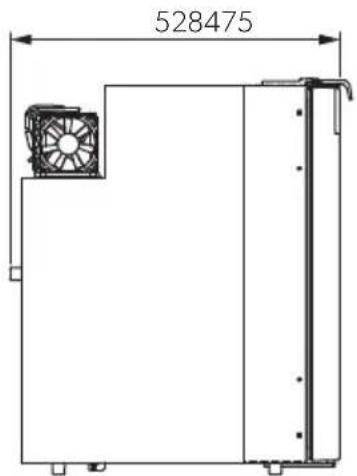
- Observe the following installation dimensions:
- CRE0050: 550 × 390 × 544 mm
- CRE0065: 595 × 458 × 535 mm
- CRE0080: 578 × 485 × 650 mm
- Keep objects clear of openings in the housing or installation structure (such as ventilation slots, etc.).
- Condensate is produced when the refrigerator is operating normally. You can either wipe up the condensate on the floor of the refrigerator in regular intervals, or drain it through an outlet in the floor of the refrigerator (see chapter "Mounting the outlet port (optional)" on page 22).
7.3 Mounting the outlet port (optional)
▶ Connect a hose with an inside diameter of 10 mm (not included) to the outlet port.
▶ Lay the refrigerator on its side in order to access the bottom side.

NOTICE!
Do not switch on the device until it stood in an upright position for a period of 4 hours.
▶ Mount the outlet port (fig. 6 2, page 5) aligned to the front or to the back according to the desired outlet direction.
▶ Remove the drain plug (fig. 6 1, page 5) inside the refrigerator.
7.4 Installing the refrigerator
Proceed as follows to install the refrigerator:
▶ If you wish to drain the condensate through a hose:
Mount the outlet port (see chapter "Mounting the outlet port (optional)" on page 22)
▶ Undo the transport lock (chapter "Releasing the lock" on page 28).
▶ Open the refrigerator door.
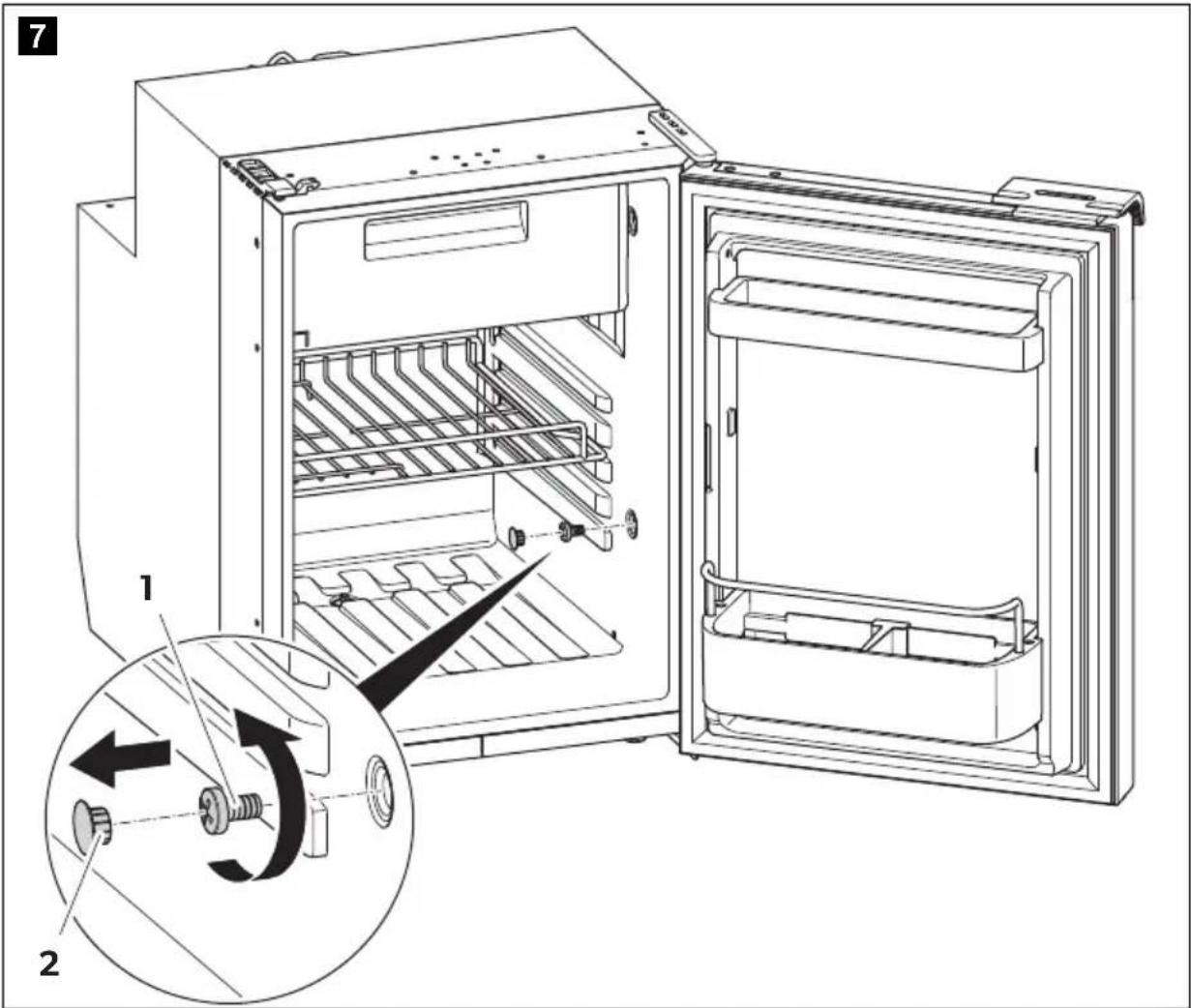
▶ Remove the blanking plugs (fig. 7 2, page 6).
▶ Push the refrigerator into the recess.
▶ Fix the refrigerator in place using suitable screws (fig. 7 1, page 6).
▶ Press the blanking plugs (fig. 7 2, page 6) into the openings.
7.5 Changing the door hinge
You can change the hinge of the door, so that it opens to the left rather than the right.
▶ Proceed as shown in fig. 8, page 7 to fig. 9, page 7, to change the hinges.
7.6 Replacing the door panel

NOTICE! Risk of damage!
The door panel must be replaced only when the refrigerator is upright.
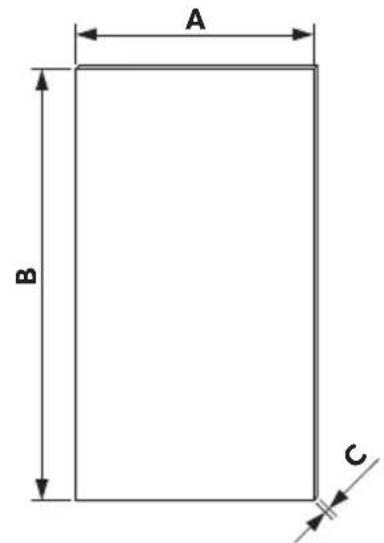
The decorative trim has the following measurements (see fig. 10, page 8):
Model A B C
| CRE0050 350 ± 0.5 mm 474 ± 0.5 mm 0.5 mm |
| CRE0065 419 ± 0.5 mm 468 ± 0.5 mm |
| CRE0080 445 ± 0.5 mm 582 ± 0.5 mm |
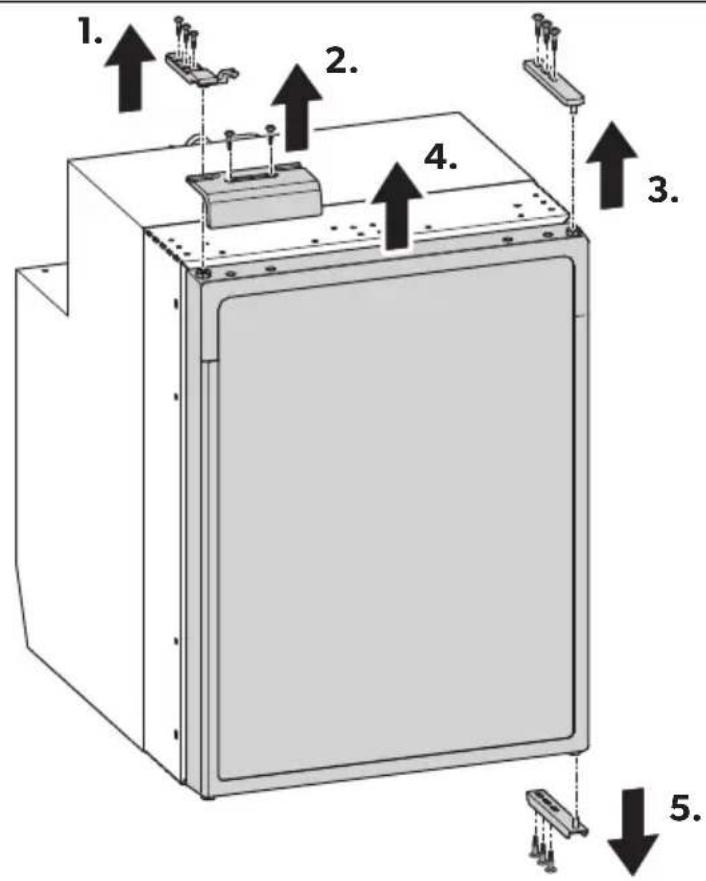
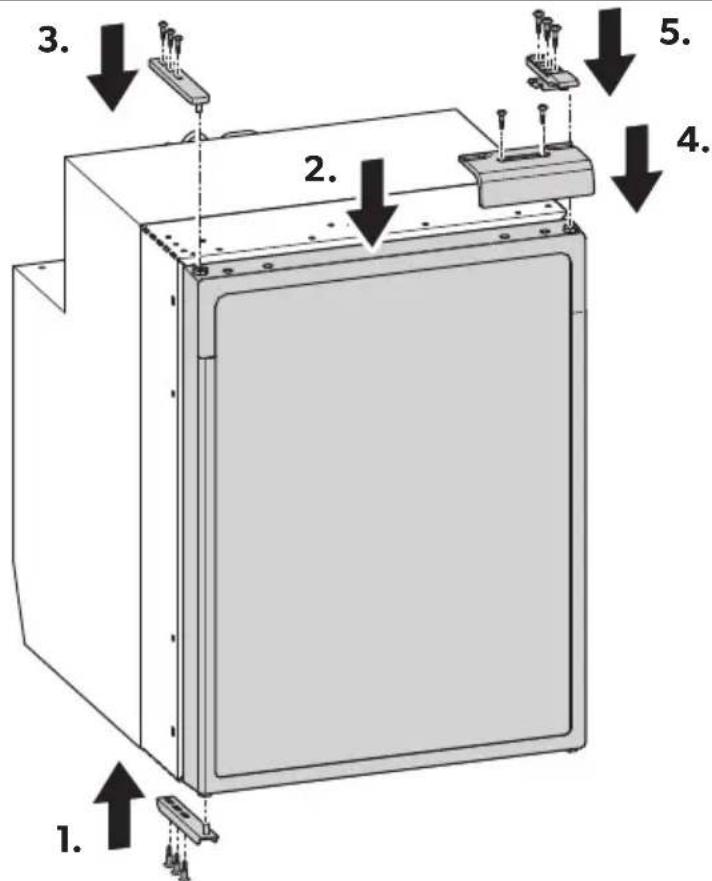
Removing and installing the decorative trim
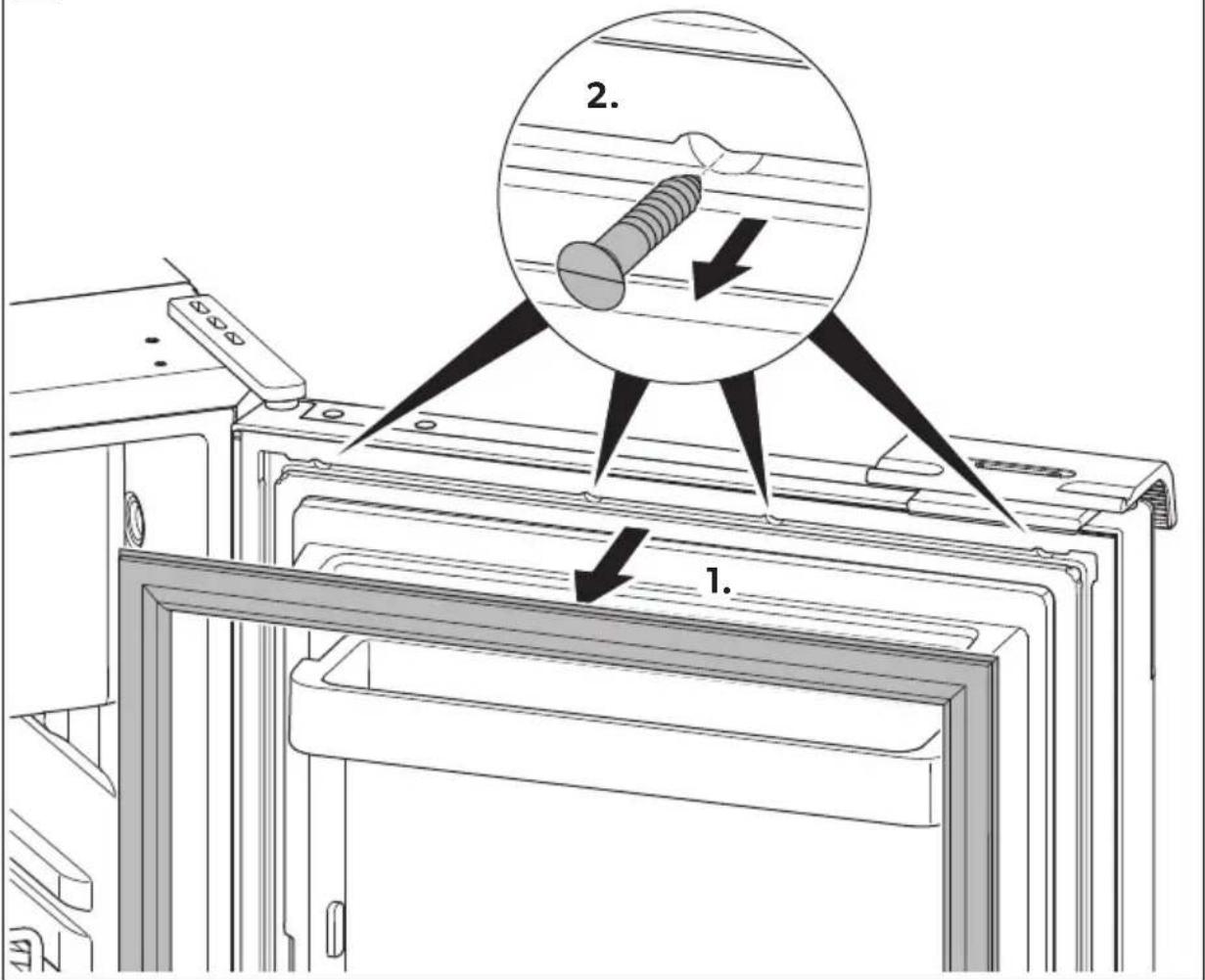
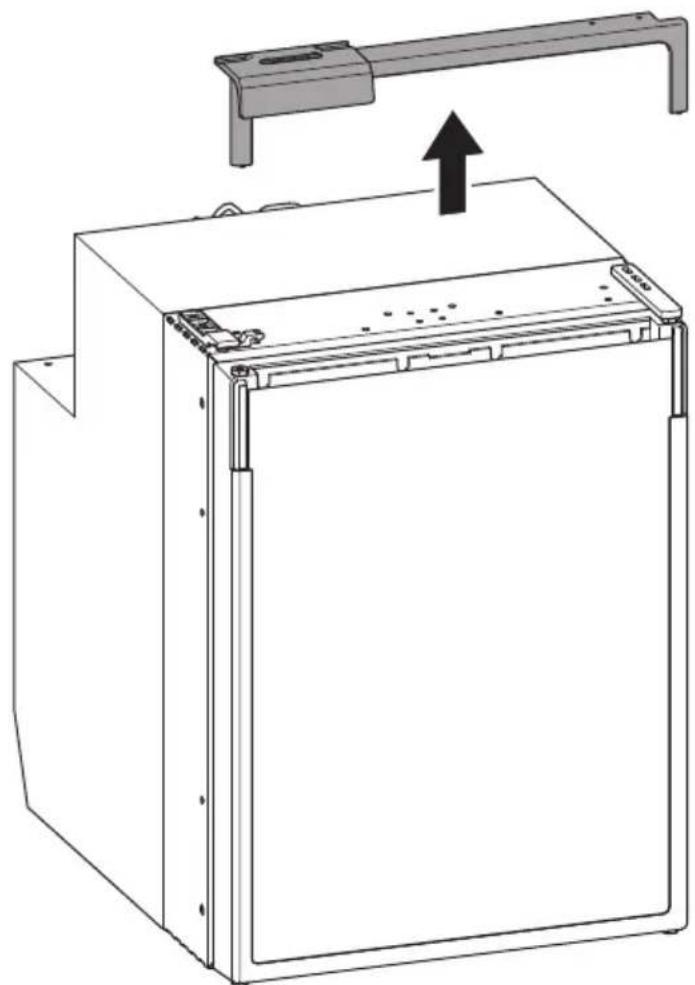
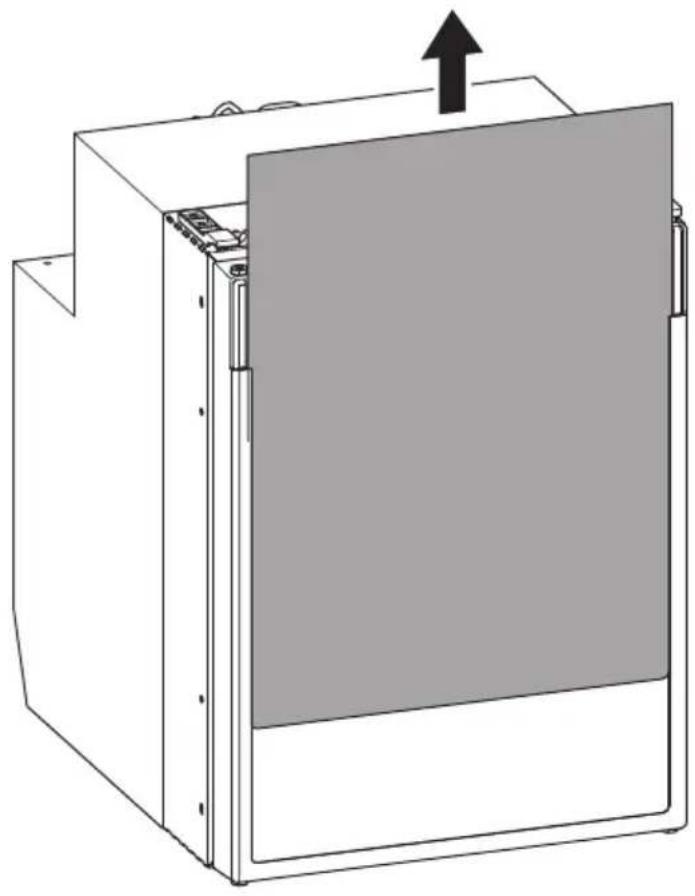
▶ Proceed as shown (fig. 11, page 8 to fig. 13, page 10) to remove the decorative trim.
▶ Proceed in reverse sequence to install the decorative trim.
7.7 Connecting the refrigerator to DC voltage

NOTICE!
- To avoid voltage drops and loss of performance, keep the connection cable as short as possible.
Avoid additional switches, plugs or power strips.
- Disconnect the cooling device and other electric consumers from the battery before you connect the battery to a quick charging device. Overvoltage can damage the electronics of the device.
The refrigerator can be operated with DC voltage supply (12/24 V---).
For safety reasons, the refrigerator is equipped with an electronic system to prevent the polarity being reversed. This protects the refrigerator against reversed polarity when connecting to a battery and against short circuiting.
To protect the battery, the refrigerator switches off automatically if the voltage is insufficient (see table below).
| 12 V | 24 V |
| Cut-off voltage | 10.4 V | 22.8 V |
| Cut-in voltage | 11.7 V | 24.2 V |
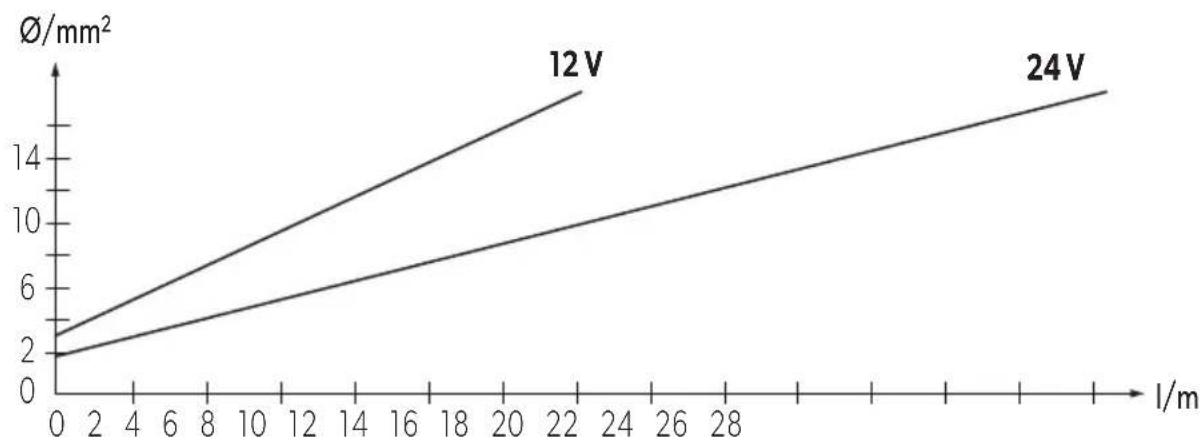
▶ Determine the required cross section of the cable in relation to the cable length according to fig. 14, page 10.
Key to fig. 14, page 10:
Coordinate axis Meaning Unit
| Cable length m
∅Cable cross section mm²

NOTICE!
Make sure the polarity is correct.
Before starting up the device for the first time, check whether the operating voltage and the battery voltage match (see type plate).
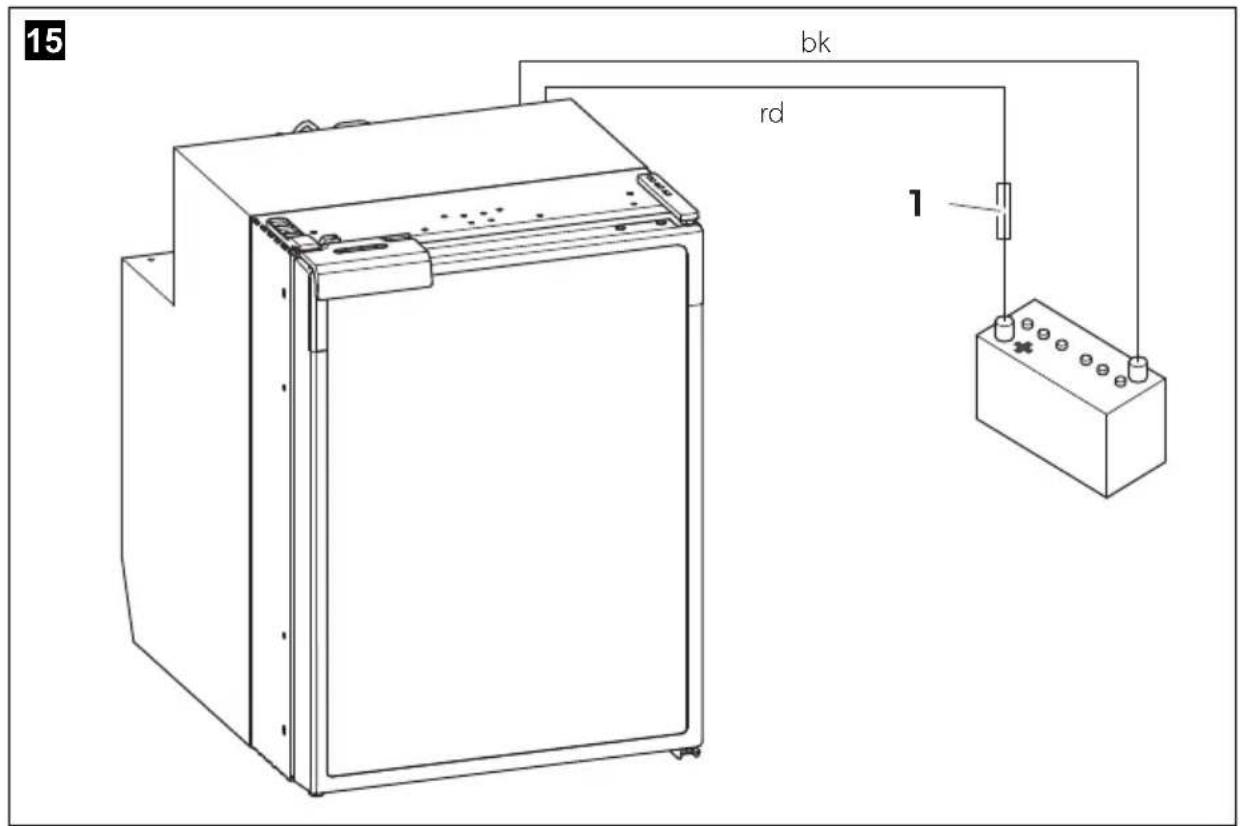
▶ Connect your refrigerator to a plug socket which is fuse-protected with at least 15 A (at 12 V---) or 7.5 A (at 24 V---) (fig. 15 1, page 11).
▶ Connect the red cable (fig. 15 rd, page 11) to the positive terminal of the battery.
▶ Connect the black cable (fig. 15 bk, page 11) to the negative terminal of the battery.
7.8 Connecting the refrigerator to AC voltage

DANGER! mortal danger!
- Never handle plugs and switches with wet hands or if you are standing on a wet surface.
- If you are operating your refrigerator on board a boat with an AC power supply using a shore connection, you must install a residual current circuit breaker between the AC power supply and the refrigerator.
Seek advice from a trained technician.
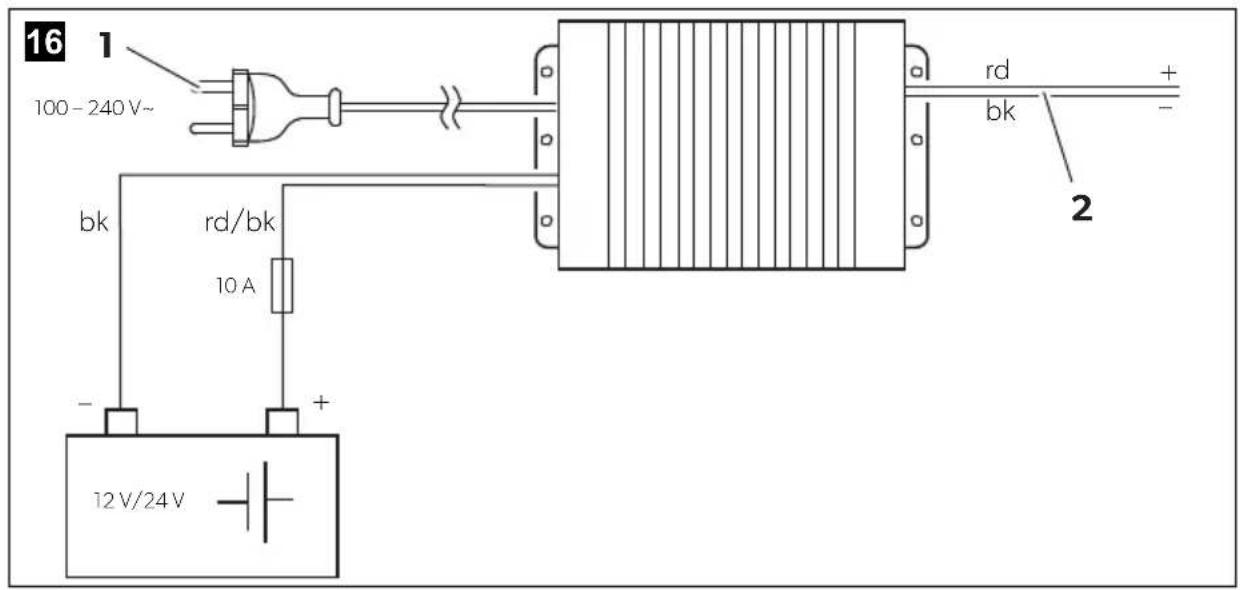
You can connect the refrigerator to an AC power if you use the MPS35 rectifier (accessory).
The MPS35 rectifier features a priority circuit which conserves the battery connected. When an power supply is used, the rectifier automatically switches from battery to mains operation.
When disconnected from the AC power supply, the rectifier automatically switches back to battery operation. Mains operation via the rectifier always takes priority over battery operation.
In mains operation the output voltage of the rectifier will always be 24 V. When the rectifier is in 12 V or 24 V battery operation, the input voltage will be passed through so that the output voltage equals the input voltage.
Proceed as follows when you connect the refrigerator to the AC supply:
▶ Attach the rectifier on the back of the refrigerator.
▶ Connect the rectifier to the battery as shown in fig. 16, page 11:
- Red/black cable: positive battery terminal
- Black cable: negative battery terminal
▶ Connect the rectifier to the refrigerator (fig. 16 2, page 11):
- Red cable: positive rectifier terminal
- Black cable: negative rectifier terminal
▶ Plug the connector into the AC socket (fig. 16 1, page 11).
8 Using the refrigerator
The refrigerator conserves fresh foodstuffs. The freezer compartment conserves frozen foodstuffs and freezes fresh foodstuffs.

NOTICE!
- Do not place any electrical devices inside the cooler. The only exceptions are devices approved for the purpose by the manufacturer.
- Ensure that food or liquids in glass containers are not excessively refrigerated. Liquids expand when they freeze and can therefore destroy glass containers.
- Food may only be stored in its original packaging or in suitable containers.
- Make sure that you only put items in the cooler which may be kept at the selected temperature.
- The lamp can only be replaced by the manufacturer, service agent or similarly qualified person to avoid hazard.

NOTE
- Before starting your new refrigerator for the first time, you should clean it inside and outside with a damp cloth for hygienic reasons (please also refer to the chapter “Cleaning and maintenance” on page 29).
- Do not use force to press the flap of the freezer.
- Do not pull out the dividing wall if there is ice in the freezer.
- Do not remove the sticker which covers the control element (fig. 4, page 4).
8.1 Energy saving tips
- Choose a well ventilated location which is protected from direct sunlight.
- Allow hot food to cool down first before you put it in the refrigerator.
- Do not open the refrigerator more often than necessary.
- Do not leave the door open for longer than necessary. If the door is left open for more than 5 minutes, the light starts to flash.
- Defrost your refrigerator as soon as a layer of ice forms.
- Avoid unnecessarily low temperature settings.
8.2 Switching on the refrigerator
▶ Switch the refrigerator on by pressing the button.

NOTE
After switching on, the refrigerator needs some time before the compressor starts up.
8.3 Setting the temperature
▶ Press the button repeatedly until the desired temperature level is set. Each button press illuminates a LED. The illuminated LED changes top down. To switch from the last level to the first level press the button again.

NOTE
The cooling performance can be affected by:
• the ambient temperature
• the amount of food to be conserved
- the frequency with which the door is opened
If the ambient temperature is at 16 °C to 20 °C , set the refrigerator to at least level 2.
8.4 Conserving foodstuffs

NOTICE!
- Do not conserve warm foodstuffs in the refrigerator.
- Do not place glass containers containing liquid in the freezer compartment.

NOTE
Food which can easily absorb tastes and odours, as well as liquids and products with a high alcohol content, should be conserved in air-tight containers.
You can conserve foodstuffs in the refrigerator. The time for which the food can be conserved in this way is usually stated on the package.
The refrigerator is divided in different zones with different temperatures:
8.5 Defrosting the freezer

NOTICE!
Never use mechanical tools to remove ice or to loosen objects frozen to the inside of the refrigerator. The only exceptions are devices approved for the purpose by the manufacturer.
This is how to defrost the refrigerator:
▶ Empty the contents.
▶ If necessary, put them in another cooling device to keep them chilled.
▶ Press the! button until the refrigerator switches off.
Leave the door completely open.
8.6 Releasing the lock
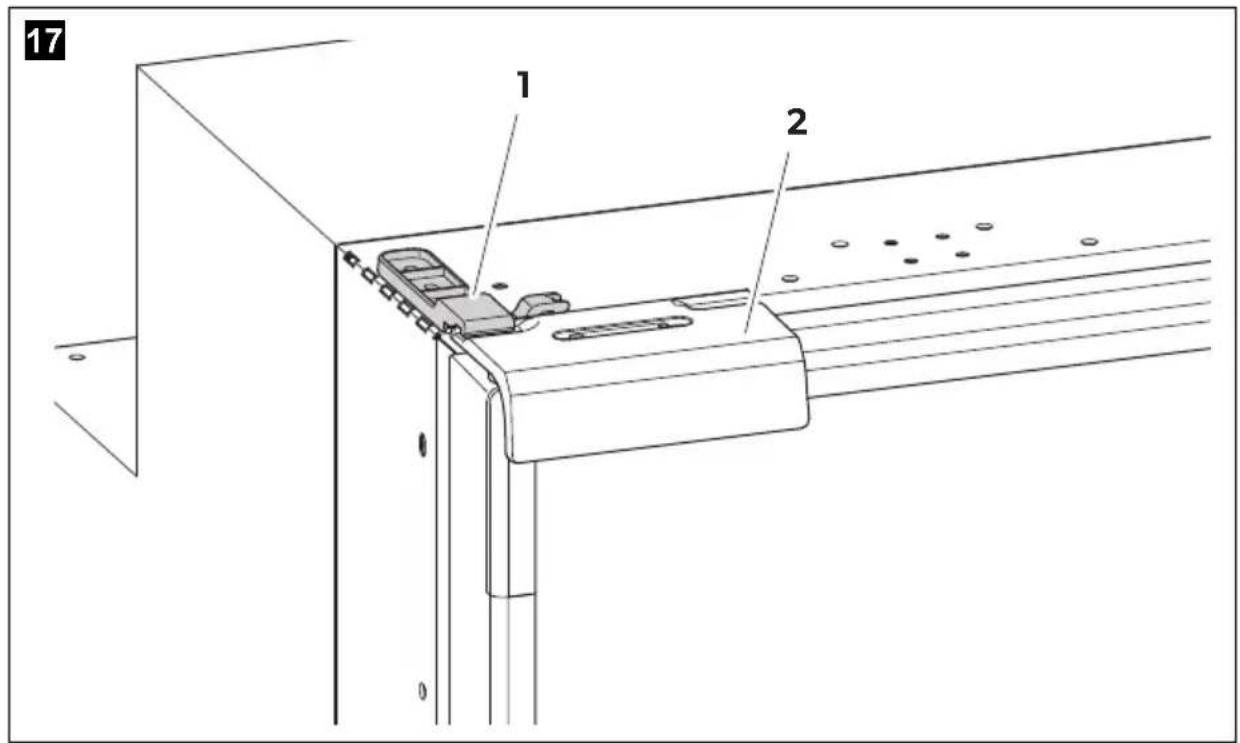
The refrigerator has a locking mechanism (fig. 17 1, page 12) which is also used to protect it during transport. The door is secured when it is locked.
▶ To open the door, lift the handle (fig. 17 2, page 12) up and open it.
8.7 Switching off and storing the refrigerator
If you do not intend to use the refrigerator for a long time, proceed as follows:
▶ Press the! button until the refrigerator switches off.
▶ Disconnect the connection cable from the battery or disconnect the plug on the AC cable plug from the rectifier.
▶ Clean the refrigerator (see chapter "Cleaning and maintenance" on page 29).
▶ Close the door.
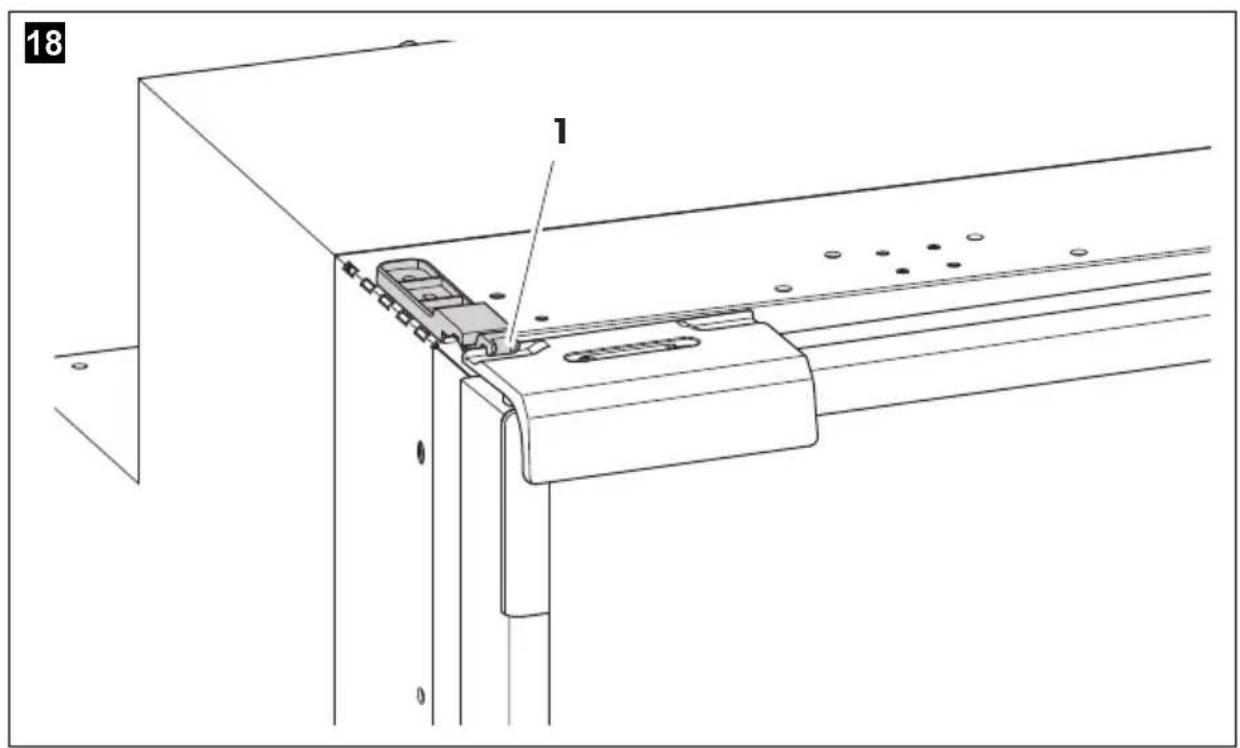
▶ Turn the ventilation lock (fig. 18 1, page 12) until it latches in.
√ The door stays open thus preventing smells from arising.
9 Cleaning and maintenance

NOTICE!
- Do not use abrasive cleaning agents or hard objects during cleaning as these can damage the refrigerator.
- Do not use hard or pointed tools to speed up the defrosting process.
▶ Always disconnect the device from the power supply before you clean and service it.
▶ Clean the refrigerator regularly and as soon as it becomes dirty with a damp cloth.
▶ Make sure that no water drips into the seals. This can damage the electronics.
▶ Wipe the refrigerator dry with a cloth after cleaning.
10 Warranty
The statutory warranty period applies. If the product is defective, please contact the manufacturer's branch in your country (see dometic.com/dealer) or your retailer.
For repair and warranty processing, please include the following documents when you send in the device:
• A copy of the receipt with purchasing date
- A reason for the claim or description of the fault
11 Disposal

WARNING! Children beware!
Before disposing of your old refrigerator:
• Take off the doors.
- Leave storage surfaces in the refrigerator so that children cannot climb inside.
▶ Place the packaging material in the appropriate recycling waste bins wherever possible.
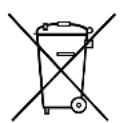
If you wish to finally dispose of the product, ask your local recycling centre or specialist dealer for details about how to do this in accordance with the applicable disposal regulations.