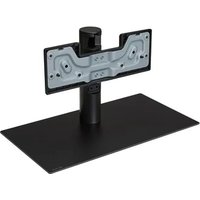
ST-G4SN55 - Flat screen mount LG - Free user manual and instructions
Find the device manual for free ST-G4SN55 LG in PDF.


| Product type | Flat screen TV stand |
| Brand | LG |
| Model | ST-G4SN55 |
| Dimensions (W x D x H) | 485 x 263 x 267 mm |
| Weight | 4.6 kg |
| Compatible with | LG G4 55-inch TVs (55G4*) |
| Material | Metal and plastic |
| Color | Black (estimated) |
| Maximum load | Up to 25 kg (estimated) |
| VESA standard | 300 x 300 mm (estimated) |
| Main features | Desktop stand, possibility of wall mounting via eye bolts, integrated cable management |
| Installation | Requires at least two people, simple assembly with included screws |
| Maintenance and cleaning | Wipe gently with a soft dry cloth; do not rub too hard to avoid scratches |
| Safety | Do not allow children to climb, use only LG-approved accessories, securely attach to wall if necessary |
| Package contents | Stand, screws, user manual |
| Warranty | LG manufacturer's warranty (according to country) |
| Repairability | Spare parts available via LG customer service (estimated) |
| General information | Designed for stability and safety, complies with LG safety standards |
Frequently Asked Questions - ST-G4SN55 LG
User questions about ST-G4SN55 LG
0 question about this device. Answer the ones you know or ask your own.
Ask a new question about this device
Download the instructions for your Flat screen mount in PDF format for free! Find your manual ST-G4SN55 - LG and take your electronic device back in hand. On this page are published all the documents necessary for the use of your device. ST-G4SN55 by LG.
USER MANUAL ST-G4SN55 LG
Please read this manual carefully before operating your set and retain it for future reference.
ST-G4SN55
ST-G4SN65
The model and serial number of the product are located on the back and on one side of the product. Record them below in case you ever need service.
Model
Serial No.
* Image shown may differ from your product.
Safety instructions

This symbol is intended to alert the user to the presence of important operating and maintenance (servicing) instructions in the literature accompanying the appliance.
Please read these safety precautions carefully before using the product.

- When lifting or moving the product, at least two people are required due to the heavy weight of the product.
- The product may fall down, causing a malfunction or injury.
• Do not let children hang on or climb onto the product.
- The product may fall down, causing an injury or even death.
- Do not install the product in a place which is unstable or vibrating or a place where the product is not completely supported such as a shaky shelf or a tilted place.
- The product may fall down or overturn, causing an injury or malfunction.
• Put the product on a flat and firm floor.
- When moving or handling a product assembled with the Stand, be cautious about damaging the exterior of the product.
- When there is a stain or fingerprint left on the surface, wipe it off gently.
- When removing a stain, do not use excessive force. Wiping with excessive force may cause scratches or discoloration on the product.
- Only use the authorized stand and wall mounting bracket made specifically for LG products.
- Pursuant to Consumer Protection Law, LG Electronics will not be held responsible for any product malfunction, material damage or injury caused by using products not authorized by LG Electronics.
Assembling and Preparing
Accessories
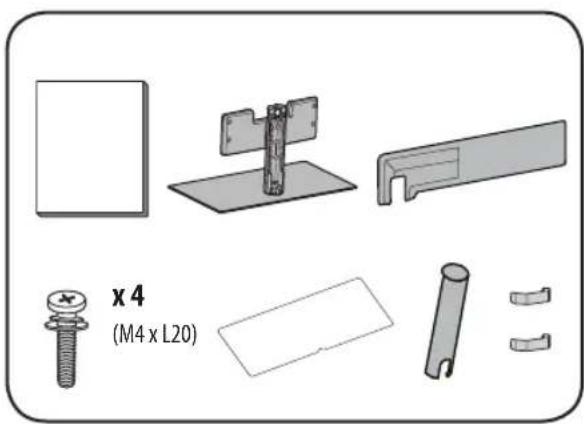
natural_image
Technical illustration of mechanical components including a screw, bracket, plate, and housing (no text or symbols)How to Assemble the Stand

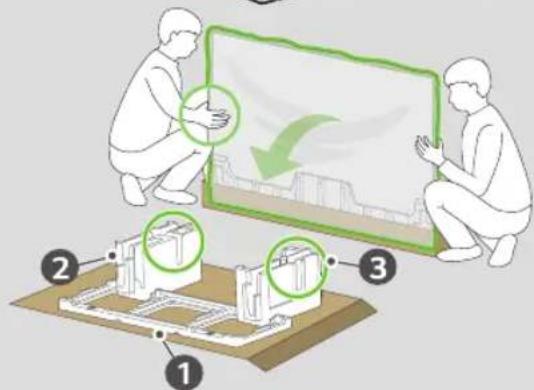
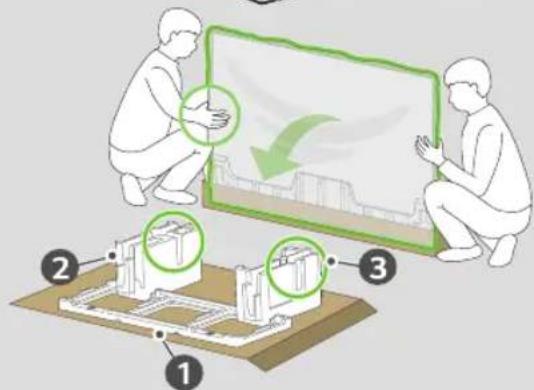
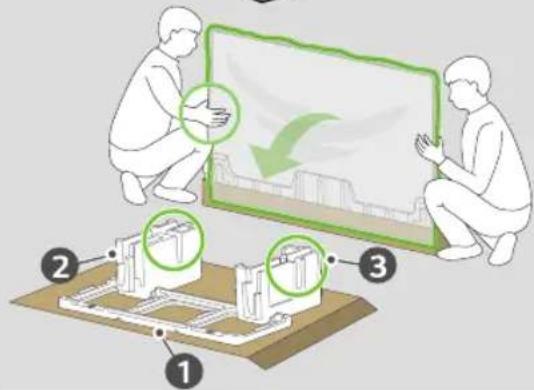
- When assembling the stand, put the product on a table or a flat floor with its screen facing downward. Here, first put a soft and fluffy cloth on the place, and then put the product on top of it to prevent the screen from being damaged.
- When assembling the stand, ensure that all of the provided screws are attached. If the screws are not fully tightened, the product may tilt or tip over, resulting in damage. Tightening the screws with excessive force may cause them to come off due to abrasion of the screw joint.
- When assembling the product, do not use foreign substances (oil, lubricant, etc.) on the screws.
- It may cause damage to the product.
- Before installing a wall mount support, disassemble the Stand by conducting the method to assemble the stand in a reverse order.
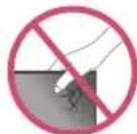
55G4*
65G4*A, 65G4*W
1
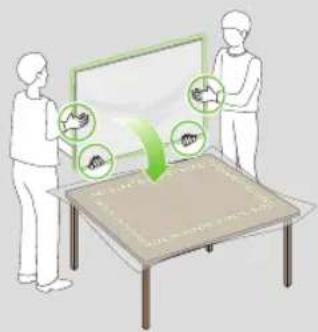
65G4*S
1
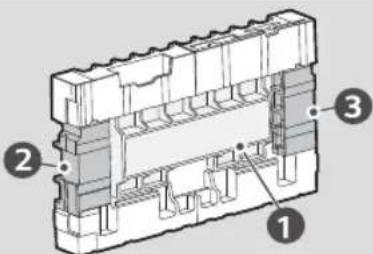
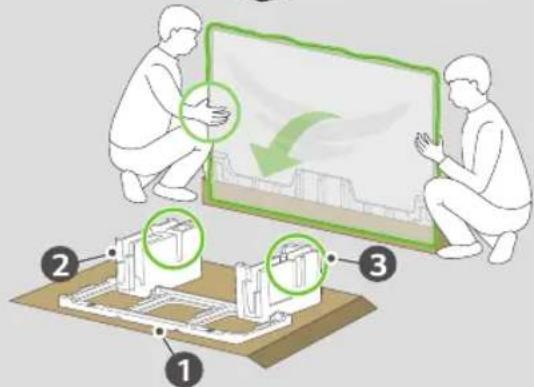
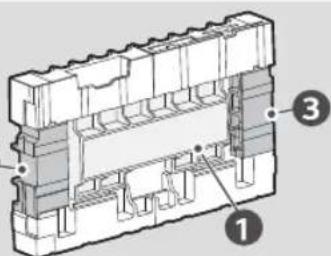
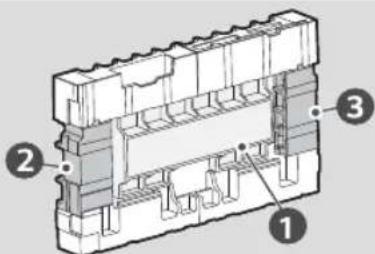
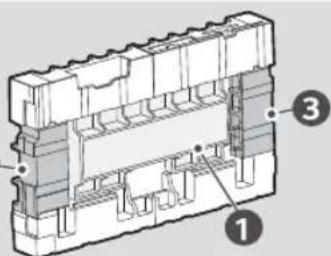
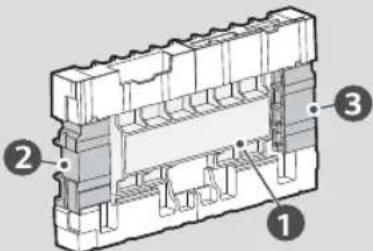
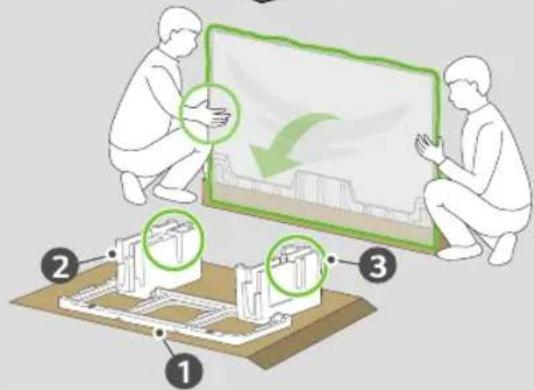
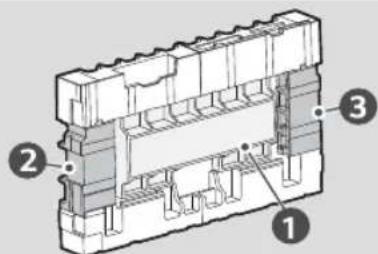
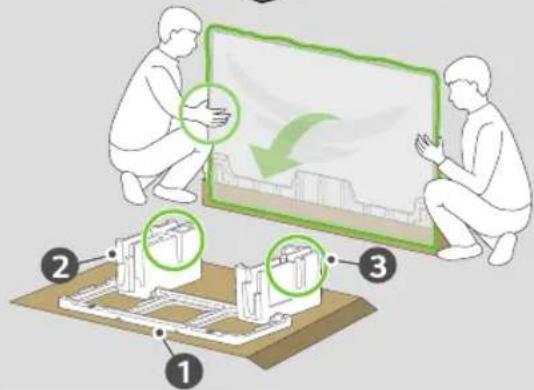
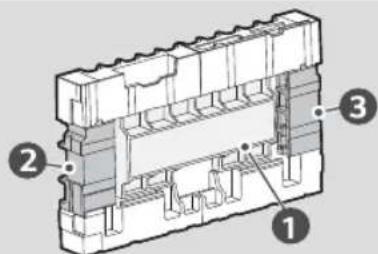
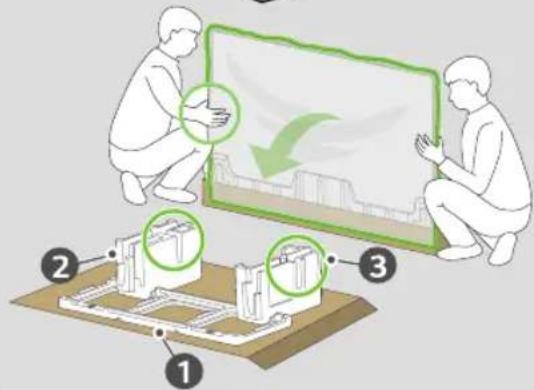
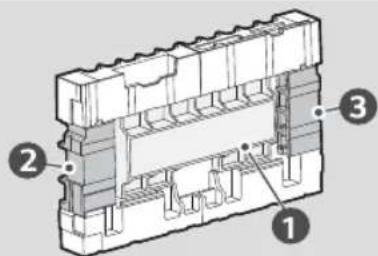
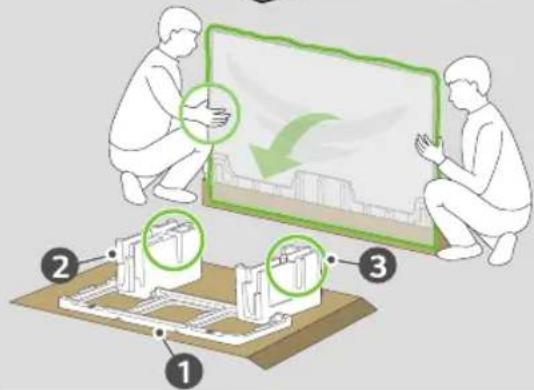
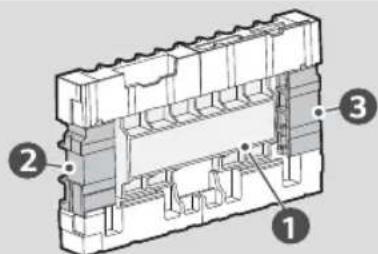
* If you have a TV packaging box, it is more convenient to mount the TV as above and assemble it.
55G4*
65G4*
※
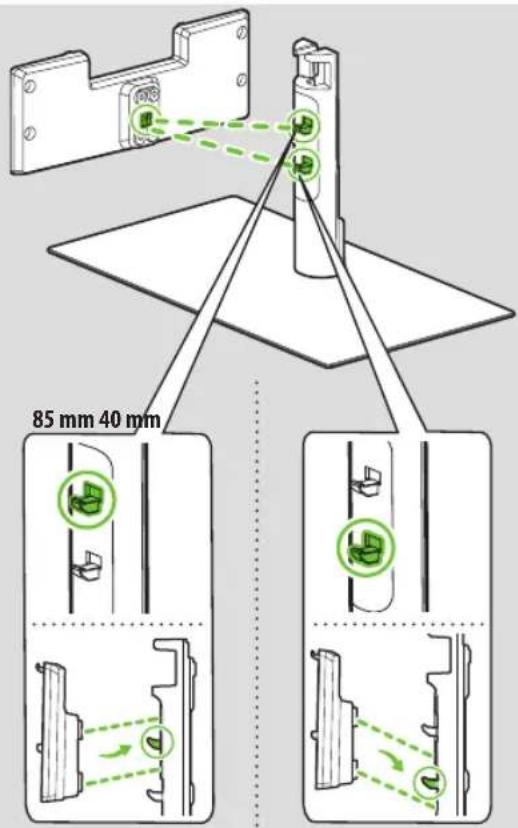
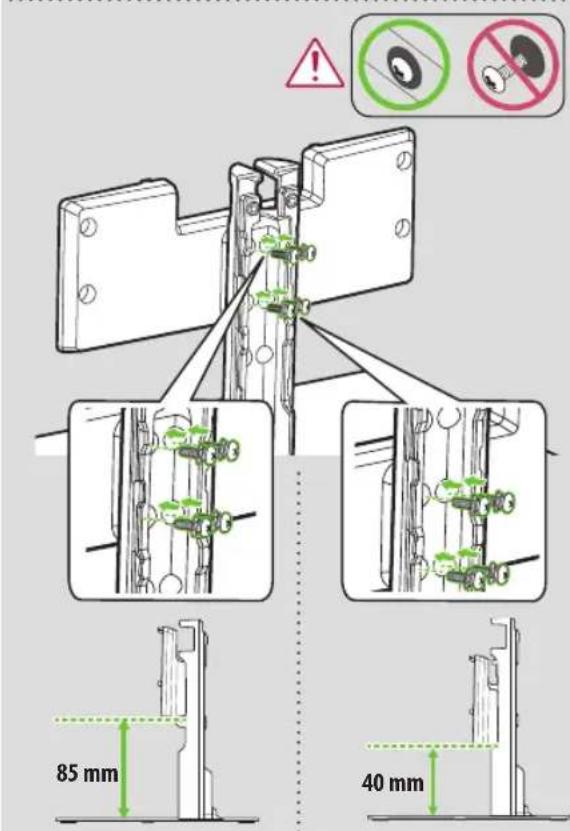
* If you have a TV packaging box, it is more convenient to mount the TV as above and assemble it.
55G4* 65G4*
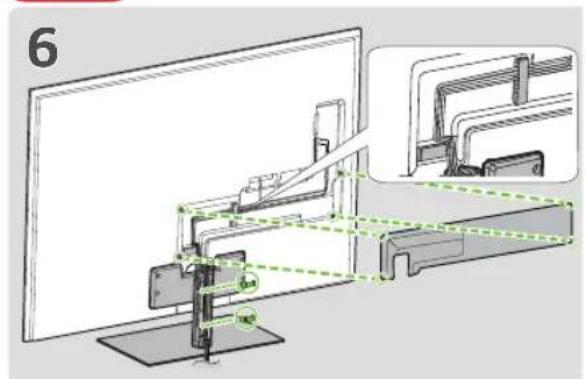
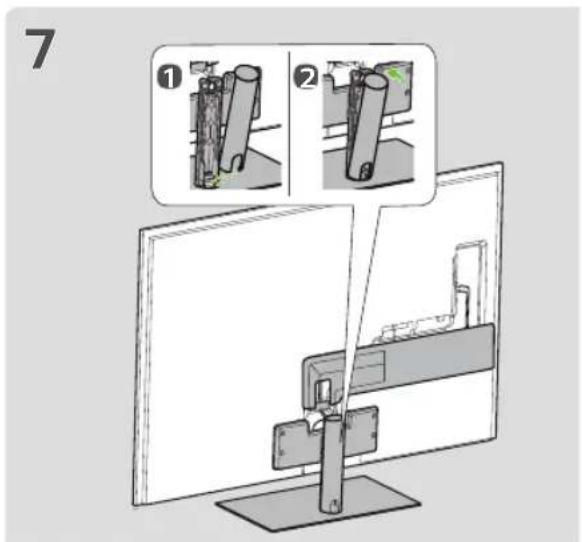
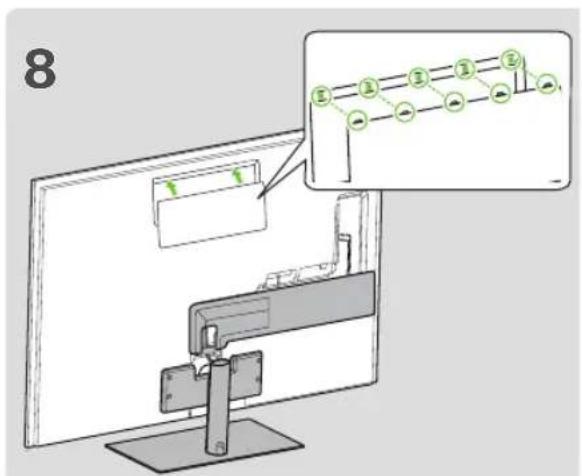
* The figure is an example, and the user can freely arrange the lines.
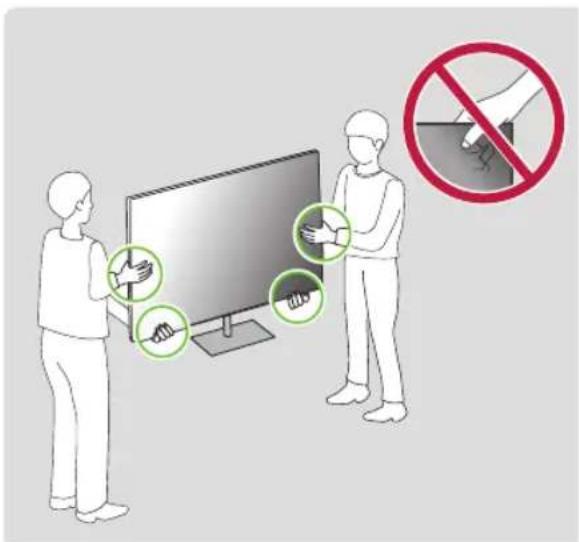
Mounting on a Table
1 Lift and tilt the TV into its upright position on a table.
- Leave a 10 cm (minimum) space from the wall for proper ventilation.
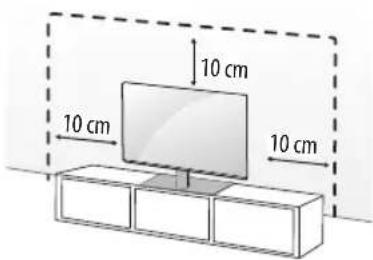
2 Connect the power cord to a wall outlet.

- If you install the TV on a stand, you need to take actions to prevent the product from overturning. Otherwise, the product may fall over, which may cause injury.
- Do not use any unapproved items to ensure the safety and product life span.
- Any damage or injuries caused by using unapproved items are not covered by the warranty.
- When installing on a cabinet or a shelf using a stand, make sure its width is greater than that of the TV.
- If the TV is placed on the stand, its screen may be tilted back slightly. If the stand is not level because an object is placed under the stand or it is not on a flat surface, the product may fall and cause injury or product damage.
Securing the TV to a Wall
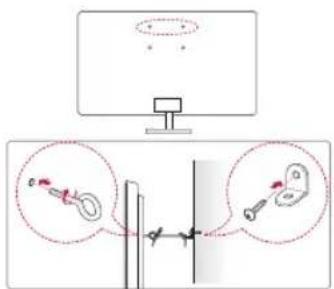
1 Insert and tighten the eye-bolts, or TV brackets and bolts on the back of the TV.
- If there are bolts inserted at the eye-bolts position, remove the bolts first.
2 Mount the wall brackets with the bolts to the wall.
Match the location of the wall bracket and the eye-bolts on the rear of the TV.
3 Connect the eye-bolts and wall brackets tightly with a sturdy rope. Make sure to keep the rope horizontal with the flat surface.
- Use a platform or cabinet that is strong and large enough to support the TV securely.
- Brackets, bolts and ropes are not provided. You can obtain additional accessories from your local dealer.
Specifications
| Model Name | Width x Depth x Height (mm) | Weight (kg) |
| ST-G4SN55 | 485 x 263 x 267 4.6 | |
| ST-G4SN65 |
Support
MANUEL D'UTILISATION
natural_image
Exploded view diagram of a mechanical assembly with components and part numbers (no text labels or symbols)Comment assembler le support

65G4*S
1
2
natural_image
Technical illustration of mechanical components including a bolt, bracket, and housing (no text or symbols)natural_image
Illustration of two people interacting with a screen and a table, showing abstract icons (no text or symbols)65G4*S
1

65G4*S
1
2
natural_image
Illustration of two people interacting with a screen displaying icons, no text or symbols present65G4*S
1
Montagem na mesa
natural_image
Exploded view diagram of mechanical components including a bolt, bracket, and housing (no text or symbols)Установка подставки

65G4*S
1
Установка на столе
65G4*S
1
Montaje en una mesa
natural_image
Illustration of two people interacting with a screen and a table, showing abstract icons around it (no text or symbols)65G4*S
1
將產品架設在桌面
65G4*S
1
Brand : LG
Model : ST-G4SN55
Category : Flat screen mount