Bongo D40 XL Connected - Scooter CECOTEC - Free user manual and instructions
Find the device manual for free Bongo D40 XL Connected CECOTEC in PDF.


| Product type | Electric scooter |
| Brand | Cecotec |
| Model | Bongo D40 XL Connected |
| Dimensions (folded) | 112.3 x 57.15 x 54.5 cm |
| Dimensions (unfolded) | 112.3 x 57.15 x 112.5 cm |
| Weight | 17.4 kg |
| Maximum range | Up to 40 km (Comfort mode) |
| Maximum speed | 25 km/h (Sport mode) |
| Motor | Maximum power 700 W, rated 350 W |
| Battery | Lithium-ion, 36 V, 10 Ah |
| Charging time | 5 to 6 hours |
| Tires | 10 inches (pneumatic) |
| Recommended tire pressure | 36 PSI / 2.5 bar / 250 kPa |
| Maximum user weight | 100 kg |
| Minimum age | 16 years (check local regulations) |
| Riding modes | Pedestrian (6 km/h), Comfort (18 km/h), Sport (25 km/h) |
| Connectivity | Mobile app via QR code |
| Lighting | Front and rear light |
| Brakes | Rear disc brake with sound signal |
| Folding system | Yes |
| Kickstand | Yes |
| Protection degree | IPX4 (splash resistant) |
| Charger | Model CP4215, input 100-240 V, output 42 V DC 1.5 A |
| Operating temperature | -10 °C to 40 °C |
| Maximum gradient | 12° |
Frequently Asked Questions - Bongo D40 XL Connected CECOTEC
User questions about Bongo D40 XL Connected CECOTEC
0 question about this device. Answer the ones you know or ask your own.
Ask a new question about this device
Download the instructions for your Scooter in PDF format for free! Find your manual Bongo D40 XL Connected - CECOTEC and take your electronic device back in hand. On this page are published all the documents necessary for the use of your device. Bongo D40 XL Connected by CECOTEC.
USER MANUAL Bongo D40 XL Connected CECOTEC
natural_image
Exterior view of a modern electric scooter with black body and red accents, no visible text or symbols on the vehicle itself.bongo
Safety instructions 9
-
Warnings 61
-
Parts and components 63
-
Before use 64
-
Product assembly 65
-
Operation 65
-
Cleaning and maintenance 67
-
Error codes 68
-
Technical specifications 69
-
Disposal of old electrical and electronic appliances 70
-
Technical support and warranty 71
-
Copyright 71
-
Declaration of conformity 71
SOMMAIRE
Read these instructions thoroughly before using the device. Keep this instruction manual for future reference or new users.
- Cecotec shall not be liable for any problem caused by misuse of the device or non-compliance of both the traffic rules and the instructions in this manual.
- This electric scooter is an entertainment device. However, in some jurisdictions, it is allowed to be used on public roads. Make sure you comply with the local traffic rules when using the electric scooter in these situations, as it will be considered a vehicle. Ride in a civilised manner and pay attention to people and obstacles around you to prevent accidents.
- Remember that, if you follow the instructions and warnings in this manual, as well as the traffic rules in your area, you will reduce the risks, but you will not completely prevent them.
- Remember that the higher the speed, the greater the braking distance. Remember that hard braking can cause slips and falls.
- Keep a safe distance with other people and vehicles. Respect pedestrians and give them way whenever possible. When you come closer to a pedestrian, reduce the speed and stay on the right side. Avoid frightening or surprising pedestrians. Overtake other vehicles on the left whenever possible (applicable to countries where vehicles drive on the right).
- Wear protective equipment, like a helmet and elbow/knee pads to avoid or reduce injuries in case of accidents or falls. You must use footwear.
- We recommend you practice with the electric scooter before riding it in public areas.
- Make sure both you and the people using the electric scooter read and understand these instructions completely. Do not allow anyone to use the electric scooter if they aren't familiar with how it works.
- Avoid jumping over obstacles such as kerbs, steps, or manholes with the electric scooter. Match the speed and trajectory to those of a pedestrian to cross these obstacles. It is recommended to get off the electric scooter when these obstacles become dangerous due to their height, shape, or slipperiness.
- Make sure the wheels are not damaged and all parts and components of the electric scooter are correctly installed before each use. If you notice any of the parts is loose, hear strange noises, or the electric scooter does not work correctly, stop using it immediately and contact the official Cecotec Technical Support Service.
- Do not use the electric scooter in a manner that could damage other objects or other people.
- It is not allowed to modify the electric scooter in any manner, as this could alter its performance or damage its structure and cause damage or injury. Do not use any accessories or parts not approved by the manufacturer. Do not modify or tamper with the electric scooter, including the steering tube and sleeve, power, folding mechanism, and/or braking system. Any unauthorised change will void the device warranty.
- To prevent the electric scooter from being damaged or causing an accident, do not use it under the rain.
-
The electric scooter is not intended to be used by children from 0 to 16 years old. It can be used by children over the age of 16, as long as they are given continuous supervision. Check the current local regulations.
-
This device can be used by children aged 16 and above, and persons with reduced physical, sensory, or mental capabilities or lack of experience and knowledge, as long as they have been given supervision or instruction concerning the use of the device in a safe way and understand the hazards involved. Do not allow children to play with the device.
- Supervise children to prevent them from playing with the device. Close supervision is necessary when the electric scooter is being used by or near children.
- Do not modify the braking system to avoid affecting the safety of the device.
- Make sure that the mains voltage matches the voltage stated on the device marking and that the wall outlet is earthed before charging the device.
- Check the charger cable and casing regularly for visible damage. Do not use the electric scooter if the charger cable, socket, or structure are damaged, do not work properly, or have fallen, and contact the the official Cecotec Technical Support Service immediately. If the power cable is damaged, it must be replaced with a special cable or set to be supplied by the official Cecotec Technical Support Service. The power cable is to be properly discarded.
- When you wish to disconnect the charger, pull from the plug, never the cable. Do not handle the plug or the electric scooter with wet hands.
- Remember that changing wheels is a complicated process, and it is advisable to let authorised personnel or the official Cecotec Technical Support Service take care of it. Damages caused by misuse will void the guarantee.
-
Check wheel pressure before every use. Remember that a low pressure may reduce the battery life.
-
Use this electric scooter only with the power supply provided and with original Cecotec batteries compatible with this model.
- WARNING: to recharge the battery, use only the power supply unit provided with the device, reference CP4215.
- Non-rechargeable batteries should not be recharged.
- We recommend you charge the battery after every use and before it completely runs out of battery.
- WARNING! Keep plastic packaging out of the reach of children to prevent suffocation.
Battery safety instructions
- This electric scooter includes a lithium-ion battery.
- Unplug the battery from the charger before riding the electric scooter and before folding or unfolding it.
- Charge the battery at a room temperature between 0 °C and 40 °C so as to ensure efficient operation of the electric scooter.
- Do not burn or expose batteries to high temperatures, as they may explode.
- The battery may leak under extreme conditions. Do not touch any liquid that leaks from the battery. If the liquid gets into contact with skin, wash immediately with soap and water. If the liquid gets into the eyes, wash them immediately with clean water for a minimum of 10 minutes and seek medical attention. Wear gloves to handle the battery and dispose of it immediately in accordance with local regulations.
- Avoid contact between the battery and small metallic objects such as paper clips, coins, keys, nails, or screws.
- Never modify the charger in any way.
-
The battery must be removed from the device for safe disposal.
-
Battery ingestion can cause burns, perforation of soft tissue, and death. It can cause severe burns within two hours of the ingestion.
- In case of battery ingestion, please seek medical help immediately.
- The battery supply terminals must not be short-circuited.
- If the device is stored for a long period of time, you should remove the battery.
- The battery must be inserted in the correct position. When replacing batteries, check the polarity.
INSTRUCTIONS DE SÉCURITÉ
6. LIMPIEZA Y MANTENIMIENTO
You must read and follow the safety instructions in this manual before riding the electric scooter. Use approved safety equipment such as helmets or knee pads. This device is intended for use as a personal mobility vehicle for the purpose of transporting a single person in a public or private place.
Fig. 2
Do not use the vehicle with rainy weather.
Fig. 3
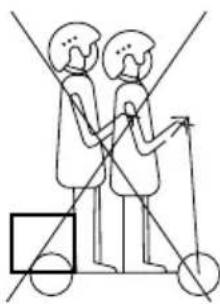
The electric scooter cannot be used by more than one person at a time.
Fig. 4
This device cannot be used by children under 16. Check the current local regulations. Strictly consider your health and body condition. You should consult your doctor to determine if you have any physical or health conditions that could create a risk to your safety or prevent you from using the electric scooter properly.
Fig. 5
Maximum weight allowed: 100 kg.
Recommended maximum user height: up to 2 metres.
Fig. 6.
Do not ride the electric scooter under the influence of alcoholic drinks, drugs, or medicine whose consumption is not compatible with driving.
Fig. 7
Do not use the phone or listen to music while riding the electric scooter.
Fig. 8
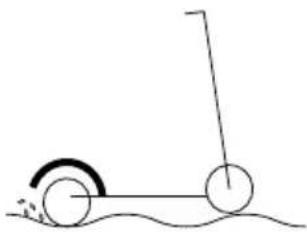
Pay special attention when riding when there is sand, puddles, mud, ice, snow, or stairs and when it is dark, or the floor is wet. Do not touch the brake disc in poor lighting conditions or after use, as it may still be hot.
Fig. 9
Do not use the electric scooter in hazardous areas where there could be flammable or explosive substances, liquids, or dirt.
ENGLISH
Fig. 10
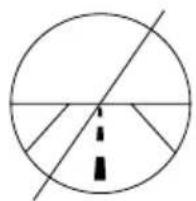
This electric scooter is not designed to be driven on motorways, highways, or intercity roads. Check the current legislation of your local authority on where electric scooters are allowed to be ridden.
Fig. 11
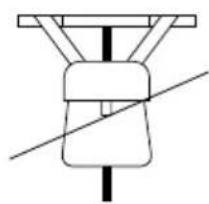
Do not place heavy objects on the handlebar. Any load attached to the handlebar will affect the stability of the vehicle.
Fig. 12
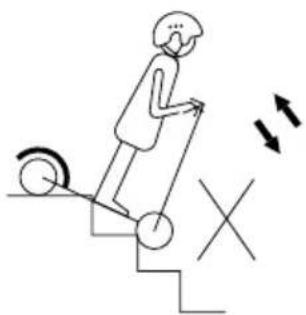
Avoid climbing up and down the stairs with the electric scooter.
Fig. 13
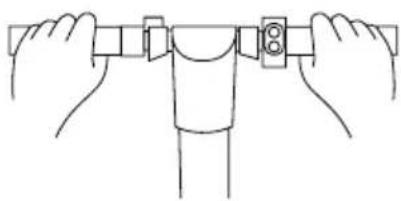
Always ride with both hands on the handlebar.
Fig. 14
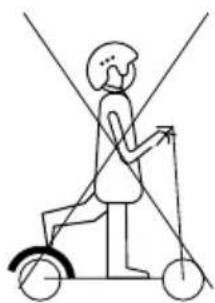
Do not ride the electric scooter with just one foot.
Fig. 15
Do not press the accelerator when walking along with the electric scooter.
Fig. 16
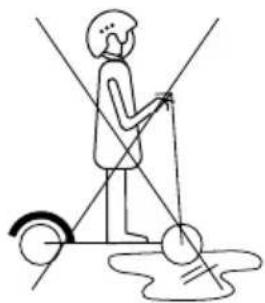
Note that the braking distance will be longer in puddles, wet surfaces, and/or in wet-weather conditions. The electric scooter is intended for use on flat, level, and dry surfaces.
Fig. 17
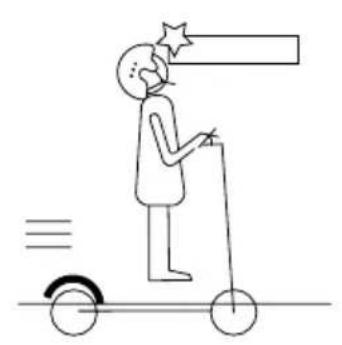
Watch your head when riding under roofed areas, like a door.
Fig. 18
When riding at high speed, do not turn the handlebar abruptly.
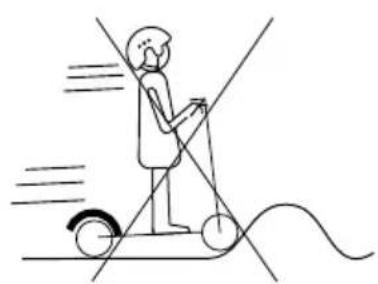
Fig. 19
Do not ride at high speed over obstacles like steps, kerbs, or speed bumps.
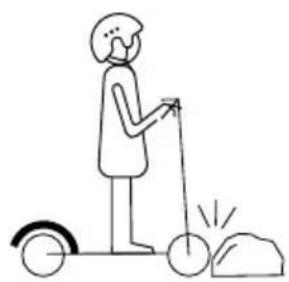
Fig. 20
Do not hit obstacles with the wheels.
Fig. 21
Do not touch the motor immediately after driving, it may be at high temperature.
- WARNING! Regularly check the condition of components or parts subject to wear or fatigue, such as the main frame, fork, wheels, brakes, etc. This will allow you to detect cracks or damage in high-stress areas that may indicate the component's service life has been exceeded and it needs to be replaced. Regular maintenance of the electric scooter and its components will extend its service life. Periodically check the tightness of the bolted parts, especially the wheel axles, the folding mechanism, the steering system, and the braking system.
- Contact your vendor to be referred to an appropriate training organisation.
- Avoid high traffic or overcrowded areas and anticipate your path and speed by respecting the traffic code and watching out for pedestrians on pavements.
- Make sure pedestrians/cyclists are aware of your nearby presence upon approach when you are not seen and/or heard. Remember to cross protected areas on foot and in all situations take care of yourself and others. Remove any sharp edges that may have been caused by the use of the vehicle.
- Use the vehicle only for its intended purpose. This vehicle is not designed for stunt use.
2. PARTS AND COMPONENTS
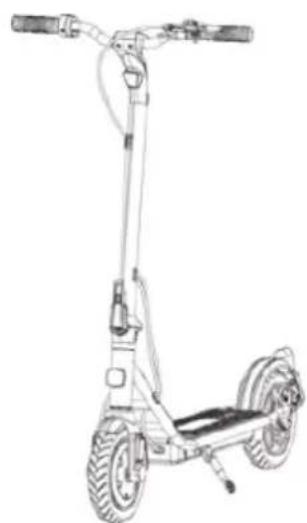
Fig. 22
- Accelerator
- Display
- Brake lever and bell
- Handlebar grips
- Handlebar
- Headlight
- Stem
- Folding mechanism
- Front fender
- Front wheel/motor
- Deck
- Taillight
- Rear fender
- Rear brake disc
- Kickstand
Fig. 23
- Light
- Drive mode
- Speed indicator
- Configuration mode
ENGLISH
- Lock system
- Temperature sensor
- Trip/ODO
- Distance
- Speed units
- Warning
- Battery level
- Pedestrian mode
- Brake lever and bell
- Function button
- Power button
- Accelerator
- Display
NOTE:
the graphics in this manual are schematic representations and may not exactly match the device.
3. BEFORE USE
- This scooter features packaging designed to protect it during transport. Take the scooter out of its box and remove all packaging materials. You can keep the original box and other packaging elements in a safe place. This will help you prevent product damage when transporting it in the future. In case the original packaging is disposed of, make sure all packaging materials are recycled accordingly.
- Make sure all parts and components are included and in good conditions. If there is any piece missing or not in good condition, immediately contact the official Cecotec Technical Support Service.
Box content
Fig. 24
- Bongo Serie D40 XL Connected electric scooter
- Charger
- 1 Allen key
- 1 set of Allen screws
- Instruction manual
4. PRODUCT ASSEMBLY
Unfolding
- Detach the retaining bracket and pull the stem upwards.
- Raise the stem and move the folding lever to the closed position to lock the stem in place.
- Adjust the brakes with the Allen key.
Folding Fig. 25
- Press the blue plate to release the folding lever.
- Move the folding lever.
- Turn the folding lever downwards and then the stem.
- Align the locking hook with the hole in the retaining bracket.
Assembling the handlebar
- Connect the male connection cable of the handlebar to the female cable of the stem. Make sure the male and female ports are correctly aligned.
- Insert the handlebar into the top of the stem and screw it in place.
Caution: Be careful not to damage the cable during the process.
Checking the screws
Some of the screws of the electric scooter may loosen during delivery. Please check all screws and tighten them before turning on the electric scooter.
Charging the electric scooter
- The scooter is fully charged when the LED light on the charger changes from red (charging) to green (charging complete).
- The charging port is located on the bottom left-side area of the scooter, protected by a rubber cap to prevent dirt or water from entering.
- Remove the rubber cap.
- Connect the charger to the charging port.
- When charging is complete, refit the rubber cap.
5. OPERATION
5.1. Switch-on and driving. Fig. 23
- Hold down the power button for 2 seconds.
- Step on the deck with one foot and use the other one to propel yourself forward.
- Place both feet on the deck.
- Press the accelerator with your right hand. The electric motor will deliver power when the speed of the scooter is equal to or greater than 3 km/h.
- Press the accelerator to increase the speed.
ENGLISH
- Push the brake lever to stop or to ride more slowly.
- Get off the electric scooter only when you ride at a very low speed or when you are still.
- Fold down the kickstand (15, Fig. 22) to park the electric scooter when not in use.
5.2 Driving modes. Fig. 23
Control panel

Power button:
- Long press: switch the electric scooter on or off.
-
Short press: switch between the following modes:
-
PEDESTRIAN mode: the mode indicator on the display will show a person walking. In this mode, the scooter can reach 6 km/h. The taillight will flash when driving in this mode.
-
COMFORT mode: In this mode, the scooter can reach 25 km/h.
-
SPORT mode: the mode indicator on the display will show a white "S". In this mode, the scooter can reach 25 km/h.
NOTE: measured with a weight of 80 kg, fully charged battery, flat surface, no inclination, no wind, and a ambient temperature of approx. 25 °C.

Function button:
- Short press: switch the scooter lights on or off.
- Long press (3 seconds): enter the settings menu.

Scooter lock:
- Make 5 short presses on the power button to lock the scooter. The lock symbol will appear on the display.
- Make 5 short presses on the power button to unlock the scooter. The lock symbol will disappear on the display.
5.3 Settings menu
- Once inside the settings menu, press the power button to switch between P0, and P1.
-
Press the function button to navigate between the different settings functions. Access the desired function by pressing the power button and toggle between 0 and 1 by pressing the function button. Select the desired setting by pressing the power button. To return to the main settings menu, wait a few seconds without pressing any buttons. The different settings functions are:
-
PO: units of measurement, km/h (0) or mph (1). Speed can be measured in kilometres per hour (0) or miles per hour (1).
-
P1: total trip distance measurement (ODO) or current trip (TRIP).
5.4 Wheel use
- For a correct operation of the electric scooter, you should check and ensure the correct pressure on the wheels before every use.
- The optimum pressure for these wheels is de 36 PSI / 2.5 bars / 250 kPa.
- We recommend you carry out periodic checks to ensure the pressure is within the recommended values to achieve efficient operation.
- During the shelf life of the wheels, we recommend using heat-sealing gels to prevent punctures and maintain maximum effectiveness and performance.
5.5 Pairing
By scanning the following QR code you will be able to access the app download option and an instruction manual explaining how to pair your appliance::

6. CLEANING AND MAINTENANCE
- Make sure the device is not plugged to the power supply or switched on before cleaning or maintenance.
- Use a soft cloth to clean the exterior housing of the electric scooter.
- Never use alcohol, petrol, paraffin, corrosive, or abrasive products to clean the electric scooter.
- Never immerse the electric scooter in water or any other liquid to clean it, as this could damage the electronic parts permanently.
- Never use pressurised water to clean the electric scooter.
- Do not try to repair the electric scooter on your own. Should it not work correctly or be damaged, please contact the official Cecotec Technical Support Service.
- Self-tapping nuts and other fasteners may loosen their hold and need to be retightened.
Brake disc
You must check the brake discs are in perfect condition, matching the brake calliper: fix this easily with the Allen key provided. Brake pads are consumable parts and must be replaced when their shelf life expires.
Storage
- Make sure the electric scooter is charged before storing it for long periods of time. Charge it at least once a month.
ENGLISH
- Charge it only if the room temperature is between 0 °C and 35 °C and store it at a temperature between -10 °C and 35 °C.
- Do not store the electric scooter outdoors. Store it in a safe and dry place. Cover it to protect it from dust if necessary.
Battery release
To properly remove the battery for later recycling, you must remove the screws located on the underside, on the side opposite the deck of the scooter.
7. ERROR CODES
If the electric scooter displays any of the following error codes, you should not attempt to disassemble or repair the electric scooter yourself. Repairs carried out by unqualified persons may result in injury or serious malfunctions. Please contact the place where you bought the device or the official Cecotec Technical Support Service. The repair must be carried out by an authorised technician, and you must use only original spare parts.
| Error code Description | |
| E0 Overheating protection | |
| E1 Motor failure | |
| E2 Motor phase failure | |
| E3 Brake failure | |
| E4 Accelerator failure | |
| E5 Low voltage protection | |
| E6 Communication failure between controller and the display | |
| E7 Surge protection | |
| E8 Motor start-up signal | |
| E9 Motor block failure |
- TECHNICAL SPECIFICATIONS
| Product reference: 07354 | ||
| Product: Bongo Serie D40 | XL Connected electric scooter | |
| Features Measuring units | Specifications | |
| Dimensions Folded 112.3 x | 57.15 x 54.5 cm | |
| Unfolded 112.3 x 57.15 x 112.5 cm (1) | ||
| Weight Electric scooter weight 17.4 kg | ||
| User requirements Max. weight 100 kg | ||
| Technical specifications Runtime | Up to 40 km (3) | |
| Max. speed | ||
| Max. inclination | ||
| Operating temperature | ||
| Storage temperature | ||
| IP protection rating | ||
| Motor Max. power | 700 W | |
| Rated power | 350 W | |
ENGLISH
| Battery Type-model Li-Ion | JT-ESB10-20 | |
| Charging time 5 - 6 h | ||
| Capacity 10 Ah | ||
| Rated voltage 36 V | ||
| Max. charge voltage 42 V | ||
| Max. charging current 3 A | ||
| Wheels Wheel 10" | ||
| Charger Model CP4215 | ||
| Inlet 100-240 V 50/60 Hz 3 A | ||
| Outlet 42 V DC, 1.5 A | ||
| Protection IP 20; T= 0- 40°C; Class I | ||
| Driving modes and ranges (4) | PEDESTRIAN 55 Km | |
| COMFORT 40 Km | ||
| SPORT | 32 Km |
(1) Height from the floor to the upper part of the handlebar.
(2) Check the current local regulations.
(3) Range measured with a 80 kg weight, completely charged battery, Comfort mode on a flat surface, no wind, and a room temperature of approximately 25^ C.
(4) Measured with a weight of 80 kg, fully charged battery, flat surface, no inclination, no wind, and an ambient temperature of approx. 25^ C.
The total value of the exposed vibration in the hand-arm system does not exceed 2.5 m/s ^2 . The weighted acceleration to which the whole body is submitted does not exceed 0.5 m/s ^2 . The A-weighted emission sound pressure level at work stations is less than or equal to 70 dB.
Technical specifications may change without prior notification to improve product quality.
Made in China | Designed in Spain
9. DISPOSAL OF OLD ELECTRICAL AND ELECTRONIC APPLIANCES
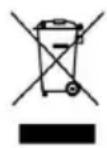
This symbol indicates that, according to the applicable regulations, the product and/or batteries must be disposed of separately from household waste. When this product reaches the end of its shelf life, you should dispose of the cells/batteries/accumulators and take them to a collection point designated by the local authorities.
For detailed information on the most appropriate way to dispose of electrical and electronic equipment and/or batteries, consumers should contact their local authorities.
Compliance with the above guidelines will help protecting the environment.
10. TECHNICAL SUPPORT AND WARRANTY
Cecotec shall be liable to the end user or consumer for any lack of conformity that exists at the time of delivery of the product under the terms, conditions, and deadlines established by the applicable regulations.
It is recommended that repairs be carried out by qualified personnel.
If at any moment you detect any problem with your product or have any doubt, do not hesitate to contact the official Cecotec Technical Support Service at +34 963 210 728.
11. COPYRIGHT
The intellectual property rights over the texts in this manual belong to CECOTEC INNOVACIONES, S.L. All rights reserved. The contents of this publication may not, in whole or in part, be reproduced, stored in a retrieval system, transmitted, or distributed by any means (electronic, mechanical, photocopying, recording or similar) without the prior authorization of CECOTEC INNOVACIONES, S.L.
12. DECLARATION OF CONFORMITY
MANUFACTURER: CECOTEC INNOVACIONES S.L
ADDRESS: Av. Reyes Católicos, 60, 46910, Alfafar, Valencia (Spain)
DESCRIPTION: Personal mobility vehicle
PRODUCT IDENTIFICATION: Bongo Serie D40 XL Connected
FUNCTION: Electric vehicle with motor
MODEL: 07354
ENGLISH
It certifies the product described has been designed, manufactured, and tested and complies with all applicable provisions.
EU DIRECTIVES IMPLEMENTED:
- Directive 2006/42/CE on machinery.
- Directive 2014/53/EU on the harmonisation of the laws of the Member States relating to the placing on the market of radio equipment.
- Directive 2011/65/EU and delegated directive (EU) 2015/863 on the restriction of the use of certain hazardous substances in electrical and electronic equipment.
APPLICABLE HARMONISED NORMS:
- EN 60335-1:2012+A11:2014+A13:2017+A1:2019+A14:2019+A2:2019+A15:2021
- EN ISO 12100:2010
- EN 17128:2020
- EN 300 328 V2.2.2
- EN 301 489-1 V 2.2.3
- EN 301 489-17 V 3.2.4
- EN 62479:2010
- EN IEC 61000-6-3:2021
- EN IEC 61000-6-1:2019
- EN IEC 61000-3-2:2019 +A1
- EN 61000-3-3:2013 +A1 +A2
1. AVERTISSEMENTS
Img. 1
6. NETTOYAGE ET ENTRETIEN
PRODUTO: Bongo Serie D40 XL Connected
6. SCHOONMAAK EN ONDERHOUD
6. CZYSZCZENIE I KONSERWACJA
STOSOWANE DYREKTYWY UE:
6. ČIŠTĚNÍ A ÚDRŽBA
natural_image
Simple line drawing of a cloud with raindrops inside a circle, no text or symbols present.Fig./Img./Abb./Afb./Rys.2
natural_image
Simple line drawing of two figures with directional arrows and circles, no text or symbols presentFig./Img./Abb./Afb./Rys. 3
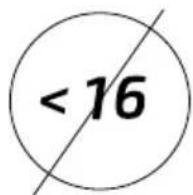
Fig./Img./Abb./Afb./Rys. 4

Fig./Img./Abb./Afb./Rys. 5
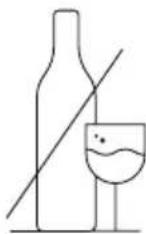
Fig./Img./Abb./Afb./Rys. 6
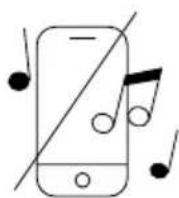
Fig./Img./Abb./Afb./Rys. 7
natural_image
Simple line drawing of a wheeled vehicle with wheels and a stick (no text or symbols)Fig./Img./Abb./Afb./Rys. 8
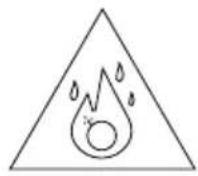
Fig./Img./Abb./Afb./Rys. 9
natural_image
Simple geometric diagram showing a circle with intersecting lines and a dashed vertical line (no text or symbols)Fig./Img./Abb./Afb./Rys. 10
natural_image
Pure mechanical diagram showing a lever and pivot (no text or symbols)Fig./Img./Abb./Afb./Rys.11
natural_image
Simple line drawing of a person climbing stairs with motion arrows indicating movement (no text or symbols)Fig./Img./Abb./Afb./Rys. 12
natural_image
Line drawing of hands holding a mechanical component with a numbered inset (no text or symbols)Fig./Img./Abb./Afb./Rys. 13
natural_image
Simple line drawing of a person riding a scooter with a diagonal line crossing through the center (no text or symbols)Fig./Img./Abb./Afb./Rys. 14
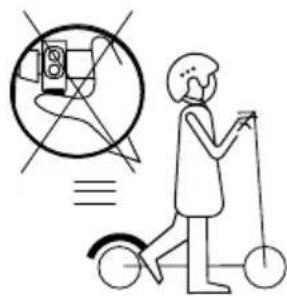
Fig./Img./Abb./Afb./Rys. 15
natural_image
Simple line drawing of a person using a streetlamp to lift a vehicle (no text or symbols)Fig./Img./Abb./Afb./Rys. 16
natural_image
Simple line drawing of a person riding a scooter with a star and motion lines (no text or symbols)Fig./Img./Abb./Afb./Rys. 17

natural_image
Diagram showing two hands holding a cylindrical object with a curved arrow indicating rotation (no text or symbols)Fig./Img./Abb./Afb./Rys. 18
natural_image
Simple line drawing of a person riding a scooter with motion lines indicating speed (no text or symbols)Fig./Img./Abb./Afb./Rys. 19
natural_image
Simple line drawing of a person using a scooter with a stick and wheels (no text or symbols)Fig./Img./Abb./Afb./Rys. 20
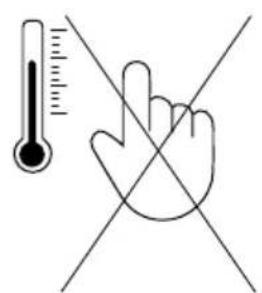
Fig./Img./Abb./Afb./Rys. 21
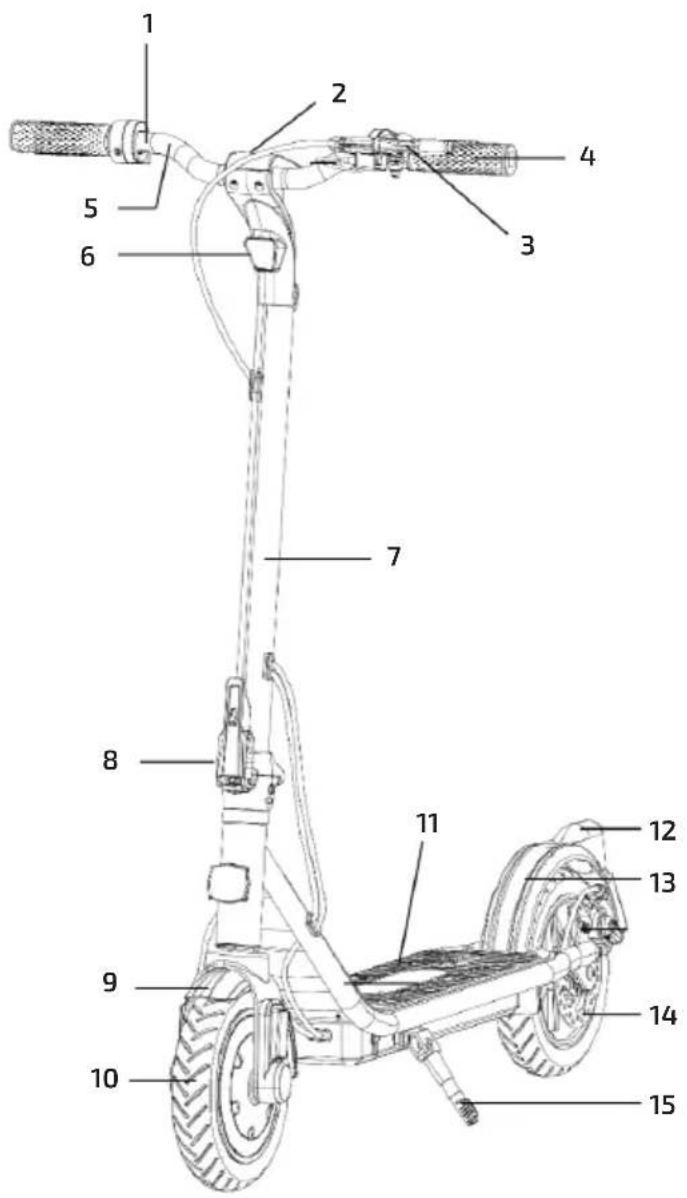
Fig./Img./Abb./Afb./Rys. 22
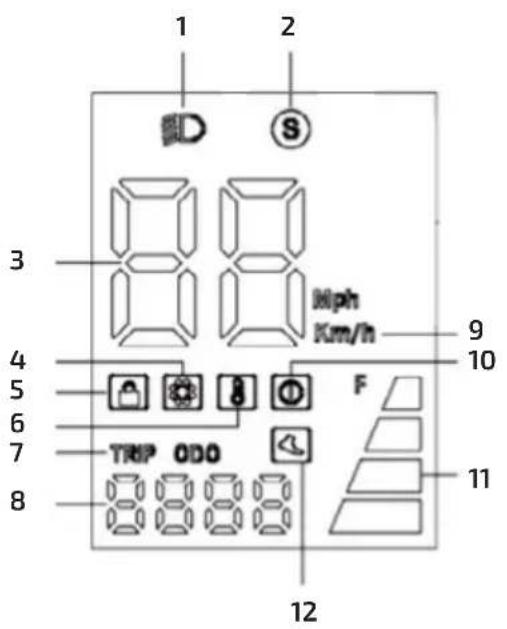
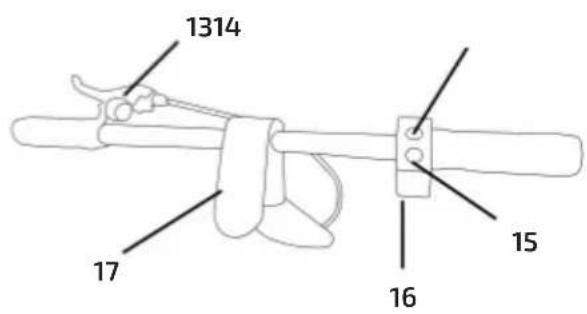
Fig./Img./Abb./Afb./Rys. 23
1
natural_image
Line drawing of a three-wheeled electric scooter with visible wheels and suspension arms (no text or symbols)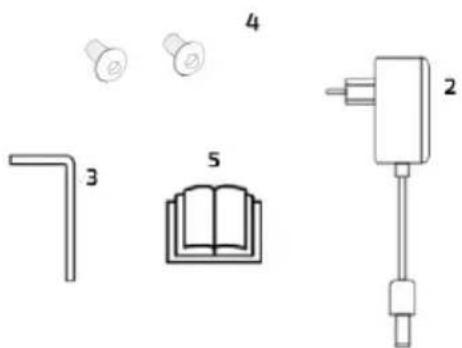
natural_image
Pure electrical circuit components without any text or symbolsFig./Img./Abb./Afb./Rys. 24
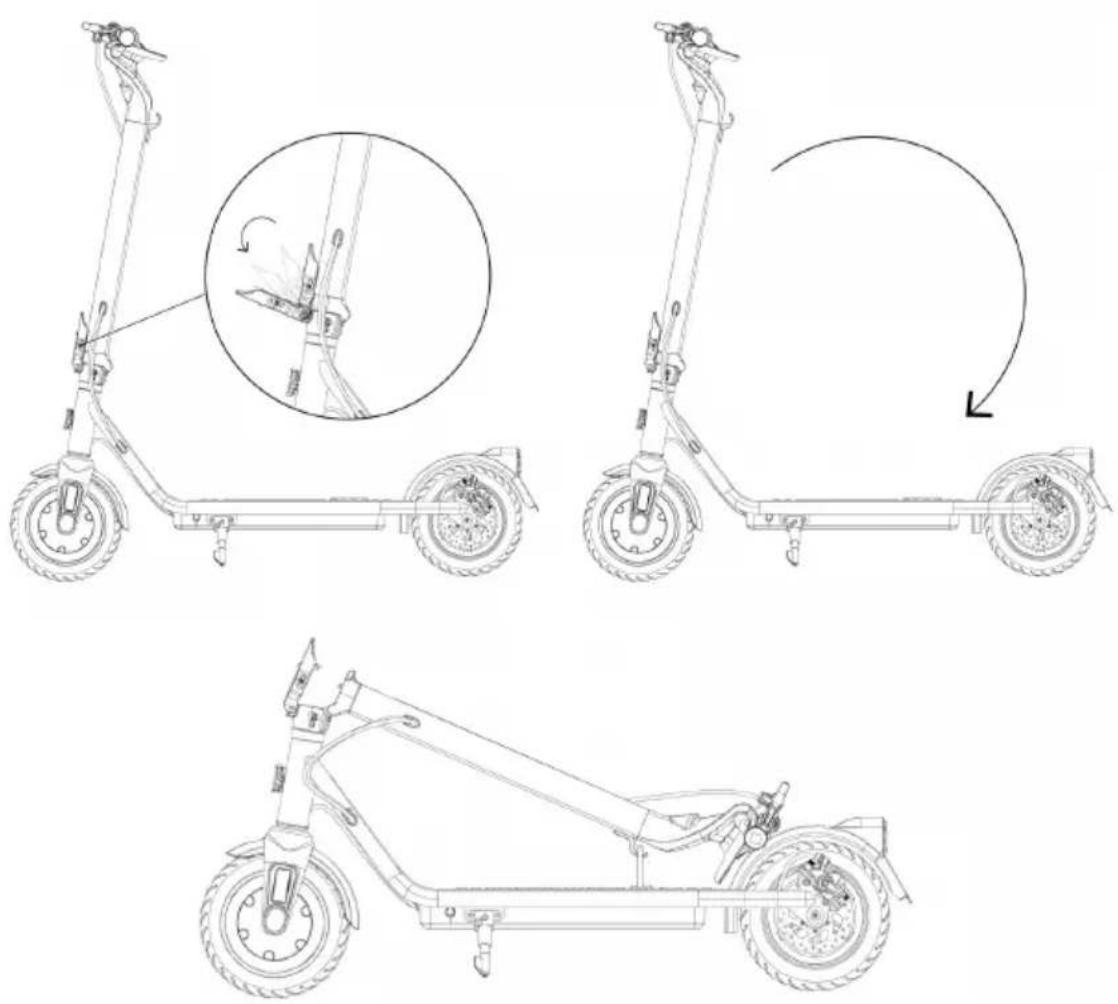
Fig./Img./Abb./Afb./Rys. 25
www.cecotec.es