
306919 - Scissors Brandson - Free user manual and instructions
Find the device manual for free 306919 Brandson in PDF.


| Product Type | Cordless Grass Shear and Hedge Trimmer |
| Brand | Brandson |
| Model | 306919 |
| Dimensions (H x W x D) | 125 mm x 120 mm x 350 mm |
| Battery Type | Lithium-ion 12 V DC, 1500 mAh |
| Charger | 100-240 V AC, 50-60 Hz, protection class II |
| Charging Time | Approximately 3 to 5 hours |
| Sound Power Level (Lwa) | 90 dB(A), K=3 dB(A) |
| Sound Pressure Level (Lpa) | 79 dB(A), K=3 dB(A) |
| Vibration Level | 3.1 m/s², K=1.5 m/s² |
| Main Functions | Cutting grass (edges) and trimming hedges (branches up to 7 mm diameter) with interchangeable blades |
| Package Contents | Shear, grass blade, hedge trimmer blade, battery charger |
| Maintenance and Cleaning | Clean with a damp cloth and mild soap; oil the blades regularly; do not use solvents |
| Safety | Double safety button (circuit breaker + on); protection against accidental start; blade continues to rotate after stop |
| Intended Use | For private gardens and hobby use; not for professional, commercial or industrial use |
| Storage | Dry, frost-free place, out of reach of children; battery protected from extreme temperatures |
| Weight | Approximately 1.5 kg (estimate) |
| Protection Rating | Not waterproof; do not expose to rain |
| Warranty | Warranty void if used improperly or modified without authorization |
| Recycling | Follow WEEE regulations; do not dispose with household waste; battery recyclable |
Frequently Asked Questions - 306919 Brandson
User questions about 306919 Brandson
0 question about this device. Answer the ones you know or ask your own.
Ask a new question about this device
Download the instructions for your Scissors in PDF format for free! Find your manual 306919 - Brandson and take your electronic device back in hand. On this page are published all the documents necessary for the use of your device. 306919 by Brandson.
USER MANUAL 306919 Brandson
ENG: Current drivers, user manuals and other relevant documents for this product can be found on our homepage.

natural_image
Technical line drawing of a mechanical component with multiple blades and a central circular feature (no text or symbols)natural_image
Technical line drawing of a mechanical component with gear-like teeth and a central cylindrical feature (no text or symbols)Warning! This device can be dangerous! Careless or improper use may result in injuries to yourself and others.

Please read all instructions carefully so that you understand how to operate the device and always know what you're doing.
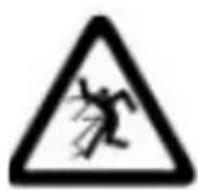
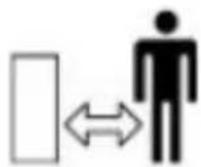
Do not allow pedestrians or un-qualified persons to come close to the device.


Always wear ear protection, protective glasses and gloves.
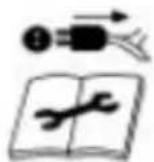
Switch off the device! Always disconnect the plug from the socket before adjusting or cleaning or if the device or mains cable is faulty.

Do not expose the device to rain. Do not keep it in the open and do not leave it in the rain.
Caution! The cutter may continue running for some time after being switched off! Be careful not to cut yourself!
IMPORTANT SAFETY GUIDELINES FOR THIS DE- VICE
Read all the safety guidelines and instructions carefully!
Not following the safety guidelines and instructions may result in electric shock, fire and/or serious injuries.
Retain all the safety guidelines and instructions for future reference. The term "Power tool" used in the following safety instructions refers to power tools with a mains cable or to cordless power tools without a mains cable.
Workplace safety
- Keep the workplace organised and well lit. Dirty or dark workplaces result in accidents.
- Do not operate power tools in potentially explosive surroundings, e.g., near flammable liquids, gases, etc.
Power tools may generate sparks, which can ignite flammable materials! - Keep bystanders and children away when using the power tool. You could lose control of the tool if you get distracted.
Electrical safety
- The power tool plug has to fit into a properly installed socket. The plug should not be changed or modified.
Never use adapters with earthed power tools. Proper plugs and sockets reduce the risk of electric shock. - Avoid body contact with earthed surfaces such as heaters, refrigerators or pipes. There is a risk of electric shock.
- Keep power tools away from moisture and rain. The risk of electric shock increases if water gets into power tools!
- Do not misuse the cable under any circumstances! Never carry the power tool by its cable. Do not hang it by the cable or do not pull the cable to disconnect the plug from the socket. Keep the cable away from heat, oil, sharp edges or moving parts! Damaged or entangled cable increases the risk of electric shock!
- If you operate the power tool outdoors, make certain to use an extension cable suitable for outdoor use. Using a cable suitable for outdoors reduces the risk of electrical shock.
Personal safety
- Ensure that you are always alert. Be aware of what you are doing and use common sense when working. Do not use a power tool if you are under the influence of alcohol, drugs or medication, or are tired! Carelessness while using power tools may result in serious physical injuries.
- Always wear personal protective equipment and safety glasses when using the power tool. Wearing appropriate protective clothing, such as ear protection, safety glasses, safety shoes and helmet can reduce the risk of injuries, depending on the type and use of the power tool.
- Prevent the power tool from starting unintentionally. Always check whether the device is switched off before connecting it to the battery or the power supply, picking it up or carrying it. Accidents may occur if you keep your finger on the switch while carrying the tool or if you connect the power tool to the power supply when the tool is switched on.
-
Remove any setting tools or wrench before switching on the power tool. Any tool or object left in a rotating part of the device may result in injuries.
-
Always maintain a normal posture when using power tools and ensure that your footing is secure at all times and that you maintain your balance. This allows you to control the power tool better in unexpected situations.
- Always wear suitable clothing when using a power tool. Never wear loose clothing or jewellery. Keep your hair, clothing and gloves always away from moving parts.
This type of clothing or hair can get caught in moving parts!
- If connecting attachments for dust extractors and collectors are available, they should be properly mounted and used. The use of dust extractors can reduce risks caused by dust.
Use and handling of power tools
- Never overload the power tool under any circumstances. Always use the appropriate power tool for your work. Working with the incorrect power tool reduces the safety considerably.
- Never use a power tool if the switch is faulty. A device that cannot be switched on or off has to be immediately repaired and should not be used.
- Before changing the settings or the accessories on the power tool, or storing the device, it must be disconnected from the mains supply and/or the battery. These measures reduce the risk of the device switching on accidentally.
- Keep the unused power tool out of reach of children. Do not allow those who are not familiar with the usage instructions of the device to use it. Power tools are dangerous in the hands of inexperienced users.
- Maintain your power tools properly. Check your tool for misalignment, damage and other conditions that may affect the operation. In case it is damaged, have the power tool repaired by a specialist before using it again.
- Keep the cutting tools clean and sharp. Well maintained tools with sharp blades are less prone to damage, and are better to handle.
- Use the power tool, accessories and tool inserts in accordance with these instructions. Take the conditions and the work to be carried out into account.
Use and handling of cordless tools
- Charge the battery using only the charger specified by the manufacturer. A charger that is suitable for a certain type of battery can be a fire hazard if used with a different battery.
- Use power tools only with the explicitly specified batteries. There is a risk of fire and injury if other batteries are used!
- Never store the battery when it is not being used along with other metal objects, such as paper clips, coins and screws. The battery terminals may be shorted under certain circumstances and cause a fire.
- In the event of misuse, fluid may start leaking from the battery. Avoid contact with the fluid. In the event of accidental contact, rinse the affected area immediately with water. If the fluid gets into the eye, obtain medical treatment in addition. The fluid from the battery may cause burns and skin irritation.
Maintenance
- Have the device serviced by a qualified technician and use only identical spare parts.
- Keep the handles free of oil, grease and other liquids to ensure a firm grip.
Safety warnings for grass trimmers
- When using the grass trimmer, always wear protective glasses, protective mask, gloves and appropriate headgear.
-
Keep all body parts away from the blade unit. Do not try to remove the material or to hold the material being cut when the blade is running. Remove any jammed material only after switching off the device. Carelessness when using the device can lead to serious injuries!
-
Hold the device firmly and securely.
- Do not use the product during rain. Make sure you keep it in a dry condition indoors. There is a risk of electric shock when using on wet surfaces!
- Do not insert your hands, fingers, hair or other body parts and objects into the device.
- Never block the blade.
- Carry the grass trimmer using the handle after the blade stops completely. Handling the device carefully reduces the risk of injury!
- Hold the power tool using the insulated handles, because the blade may come into contact with concealed power cables or its own power cord.
- High motor speed may result in severe damages and cause injuries. Overheating of the motor or the control circuit can result in a fire.
- When the tool is being operated, make sure that people or animals are not within a radius of 3 meters. The user is responsible for the safety of others in the work area.
- Wait until the power tool has come to a stop before placing it down.
- Never touch the blade of the grass trimmer.
- Do not use the device during rest periods or very early in the morning or late at night. Make sure that you do not disturb other people nearby.
- This device is not intended to be used by individuals (including children) with reduced physical, sensory, or mental capabilities or lack of experience and/or knowledge unless they are supervised by a person responsible for their safety or have been instructed on how to use the device by any such authorised person. Children should be supervised to ensure that they do not play with the device.
- Small children should be supervised to ensure that they do not play with the device.
- Keep body parts and objects away from rotating parts.
- Do not trim the grass especially if there are children or pets nearby.
- Never allow children or those who are not familiar with these instructions to use the device. National regulations may restrict the age of the user.
- The user is responsible for accidents or damage to others or their property.
-
Always wear sturdy shoes and long pants. Do not use the device barefoot or when wearing open sandals.
Wearing tight-fitting gloves, non-slip footwear and protective glasses is recommended. Do not wear loose clothing or jewellery that could get caught in moving parts. -
Inspect the surface to be trimmed carefully and remove any wires and other foreign objects.
- Before use, always check if the blade unit is worn out or damaged. Never work with a damaged or excessively worn out blade.
- Use the device only in daylight or good artificial light. Never use the grass trimmer with faulty guards or the guards removed. Make sure that all the supplied handles and guards are mounted when operating the grass trimmer. Never use a grass trimmer that has been impermissibly modified.
-
Always ensure a secure footing when operating the grass trimmer. Always be aware of your surroundings and be prepared for any dangerous situations that you may not hear while trimming.
-
Check the grass trimmer for damage and get it repaired if the trimmer has come into contact with a foreign object.
- Store the grass trimmer in a dry, safe place out of the reach of children.
- Do not try to repair the device unless you have the necessary training.
- The device is provided a safety switch in the handle as contact protection for the moving blade unit.
- Do not use the device if you can operate it with only one switch or entirely without the switch.
- Caution! Turn off the garden tool before maintenance or cleaning.
- Disconnect the device from the power supply when it is not being used.
- After switching off the grass trimmer, the blade continues to run for a few more seconds. Caution! Do not touch the moving blade!
Ensure that you keep all the safety instructions carefully!

Caution!: Always follow these safety guidelines! Familiarise yourself with the corresponding product! Not following and misusing the safety guidelines given in this manual may cause serious injuries!
Important safety instructions for batteries
- Please note all the safety instructions and warnings given in this manual and the warnings related to the battery, charger and power tool before using the battery.
- Do not disassemble the battery!
- If the operating time of the battery is significantly lower than usual, then stop using the device immediately.
There is a risk of overheating or explosion.
- If battery fluid gets into your eyes, wash it out immediately! Obtain medical treatment immediately! There is a risk of losing your eyesight.
- Do not short-circuit the battery. Do not touch the contacts using conductive materials. Do not store the device along with conductive materials.
- Do not allow any liquid to come into contact with the battery. A short circuit generates a very high flow of current and can result in overheating or burns.
- Do not store the power tool or the battery in places where the temperature exceeds 50°C!
- Never try to burn the battery even if it is damaged. The battery may explode in the fire!
- Ensure that the battery is never dropped or exposed to any impact. Do not use the battery if it has been dropped or has been shaken.
Notes on battery service life
- Charge the battery only when it is completely empty. Switch off the power tool if you notice a reduction in its capacity. Charge the battery subsequently.
• Overcharging the batteries reduces its service life. Avoid charging a fully charged battery. - Allow the battery to cool down before charging it. Charge the battery at a room temperature between 10^ and 40^ .
Intended use
The devices are designed for trimming lawn edges and small lawns in private and hobby gardens.
Devices for private and hobby gardens are not suitable for use in public places, parks and sports centres, along roads, on farms or in the forest. In order for the tool to be used correctly, it is essential to follow the instructions given in the manufacturer's manual.
Important! Never use the tool for shredding material for composting, as this poses a potential risk to people and property.
The tool should only be used for its specified purpose. Any other use is considered as misuse. The user/operator and not the manufacturer will be responsible for any kind of resulting damages or injuries.
Please note that our devices are not designed for commercial or industrial applications. Our warranty expires if the device is used for commercial or industrial applications or for similar purposes.
Ensure that you keep the safety instructions carefully!
Thank you for purchasing a Brandon product. Please read the following operating instructions carefully so that you can enjoy your purchased appliance for a long time. Before using the delivered goods, check that they are complete, faultless and undamaged.
1. Scope of delivery
- Grass shears
- Hedge trimmer blade / grass blade
- Battery charger
2. Technical data
| Power supply | 12V DC 1500mAh battery100-240 V AC 50-60 Hz (charger) |
| Dimensions (HxWxL) 125 mm x 120 mm x 350 mm | |
| Rechargeable battery 12V DC 1500mAh Akku | |
| Sound power level (Lwa) 90 dB(A), K=3 dB(A) | |
| Sound pressure level (Lpa) | 79 dB(A), K=3 dB(A) |
| Vibration level 3.1 m/s2, K=1.5m/s2 | |
| Charging time approx. 3-5 Stunden | |
| Protection class (charger) II | |
3. Product details
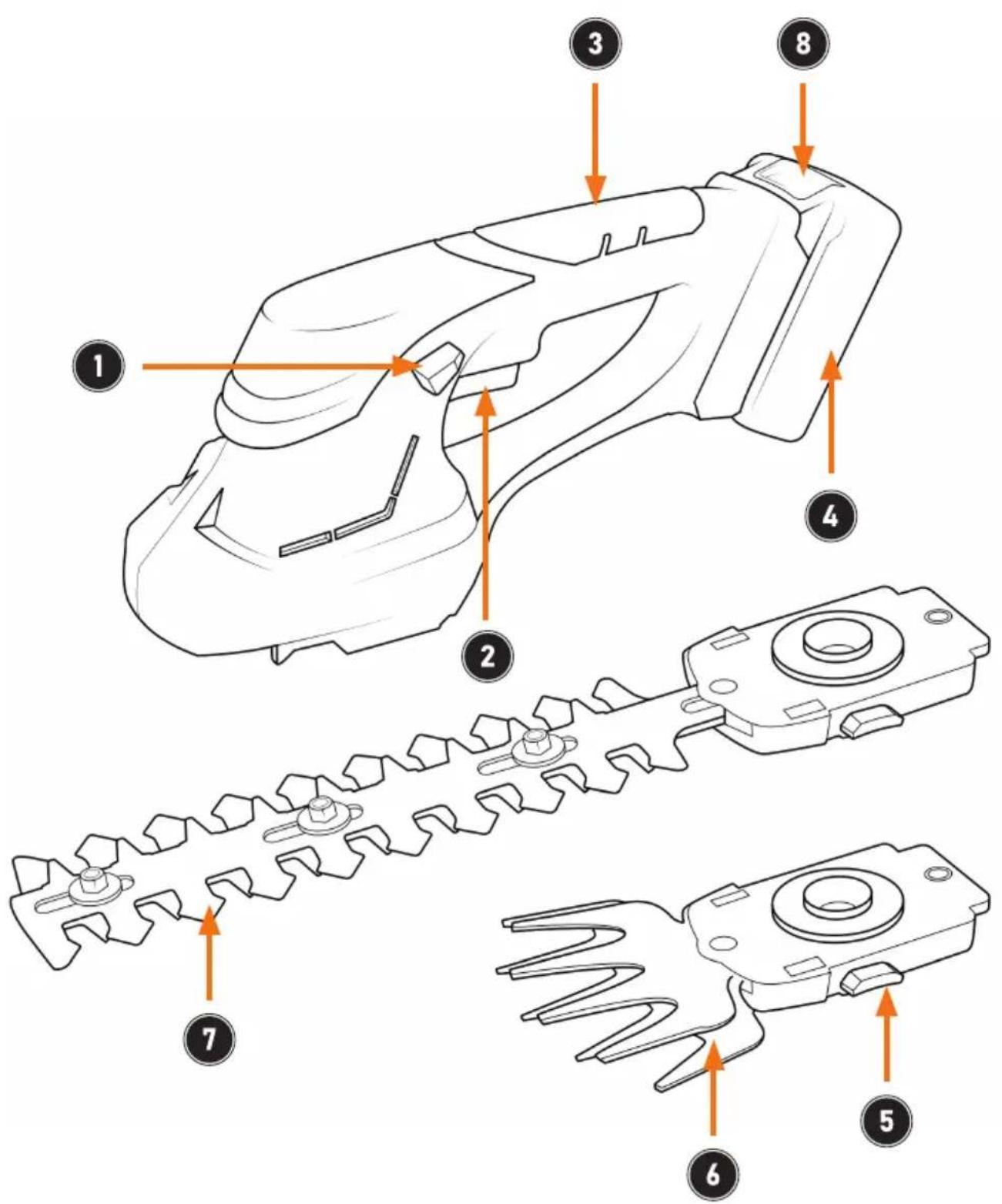
| Number Description | |
| 1 Safety button (circuit breaker) | |
| 2 On button | |
| 3 Handle | |
| 4 Battery | |
| 5 Blade release button | |
| 6 Blade unit (grass shears) | |
| 7 Blade unit (hedge trimmer) | |
| 8 Battery release |
4. Start-up
Remove the appliance from the packaging and remove all packaging material. When using the device for the first time, check the integrity of the product and its components as well as its function. Fully charge the battery with the supplied charger before commissioning.
Remove the protective cover from the blade unit. Ensure that the blade unit is not touching any objects. Ensure that the safety button (circuit breaker) is not activated. When using the grass shears, hold the handles firmly so that you can guide the appliance optimally. The appliance is now ready for use.
To start the appliance, press the „Safety switch“ (1) and the „On button“ (2) of the appliance simultaneously. Both buttons must be pressed, otherwise the appliance will not switch on.

ATTENTION!
- Please do not cover any ventilation slots!
- Leave the appliance to rest for at least 15 minutes after continuous operation and draining the battery.
• Always hold the appliance firmly! Always ensure that you are standing securely when using the appliance.
5. Charging the battery
Charge the battery using the charger supplied. To do this, connect the power supply unit to a properly connected socket and the hollow plug connection of the battery. There is a status LED on the device. As long as the LED lights up red, the charging process is in progress. As soon as the battery is fully charged, the device is ready for use.

Caution! Allow the battery to cool down completely before starting the charging process.
You can check the battery status by removing the battery from the device and pressing the small button on the front. The battery status indicator next to the button shows the battery status in 3 LEDs. (1 LED = must be charged, 2 LEDs = partially charged, 3 LEDs = battery is sufficiently charged)
6. Usage
Always hold the appliance firmly with both hands. Only use the appliance if you have read and understood the operating instructions and all relevant safety instructions. Only use the product for its intended purpose. Press the „Safety switch“ (1) and the „On button“ (2) simultaneously to start the appliance.
Switch off the device
To switch off the appliance, release the „circuit breaker“ (1) and the „On button“ (2).

Note: When the motor is switched off, the blade unit continues to run for a moment. Sparks may also appear in the ventilation slots during operation. However, this is not an indication of a defect!
7. Blade change

Caution! Risk of injury! Exercise extreme caution when changing the blades!
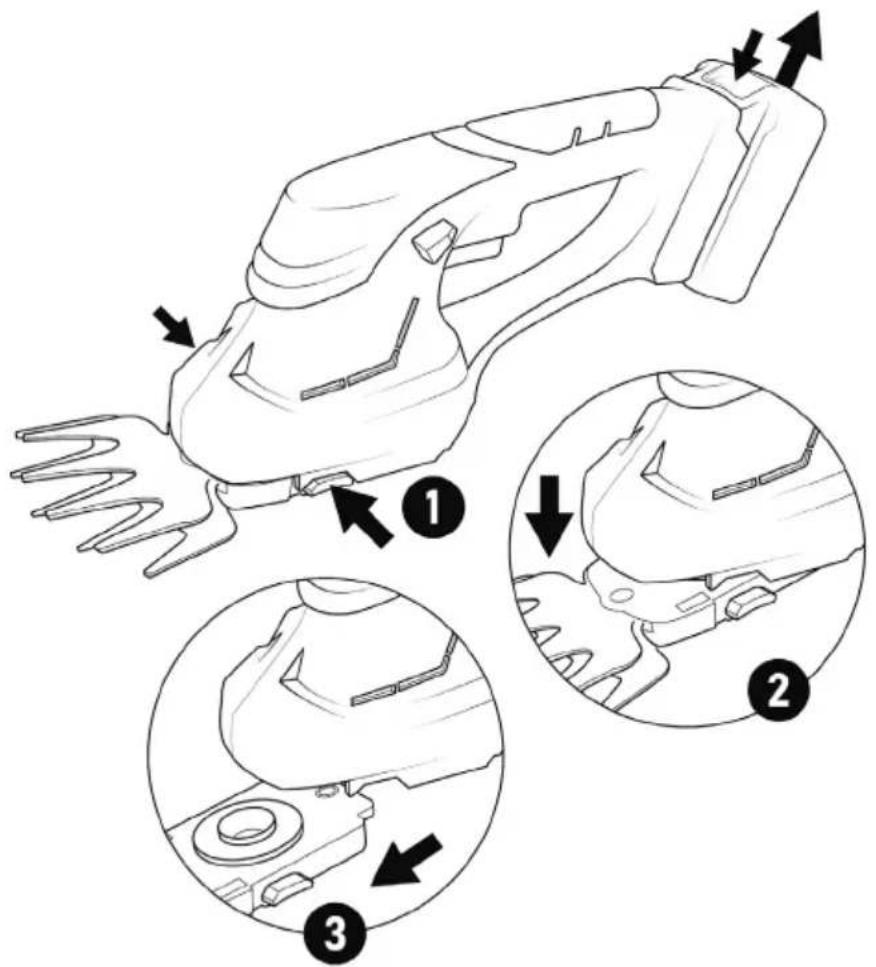

Make sure that you remove the battery from the appliance when you change the blades.
The appliance is supplied with two cutting blades:
- Grass knife for cutting grass and very thin branches.
-
Hedge cutter for cutting branches up to a diameter of approx. 7 mm.
-
Press the blade release buttons and carefully lift the grass blade or hedge blade downwards (see illustration)
-
To insert the new blade, proceed in reverse order to the removal procedure. Insert the grass or hedge blade so that the blade pin slides into the guide on the motor unit.
-
Push the blade onto the motor unit until the lock engages with an audible click.
8. Trimming
Cutting grass
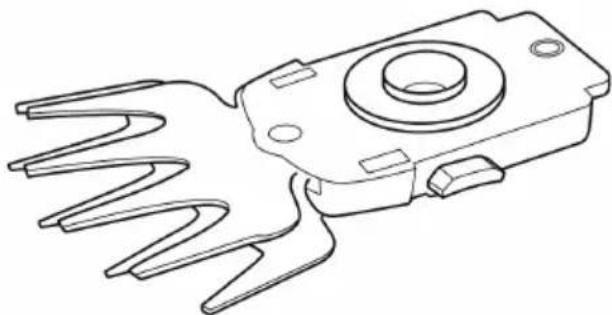
Place the grass cutter attachment on the appliance.
natural_image
Technical line drawing of a mechanical component with multiple blades and a central circular feature (no text or symbols)Allow the grass cutter to glide over the ground. The best results are achieved when the lawn is dry.
If you notice a drop in cutting performance, recharge the device immediately to prevent the battery from discharging completely.
Hedge trimming
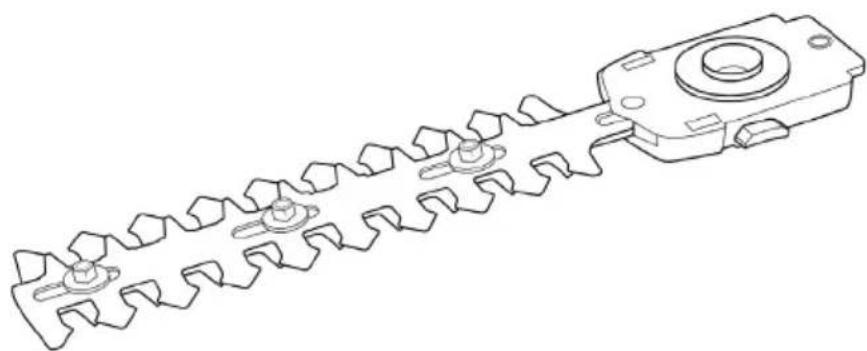
Place the hedge trimmer attachment on the appliance.
natural_image
Technical line drawing of a mechanical component with gear-like teeth and a central cylindrical feature (no text or symbols)The tool can be used for trimming small hedges and shrubs. Hold the tool at a slight angle in relation to the hedge you wish to trim.
First cut the sides from bottom to top and then the top.
Watch out for foreign objects in or on the hedge that could damage the blades.
- In general, hedges that lose their leaves in autumn should be pruned in June and October.
- Hedges that do not lose their leaves should be pruned in April and August.
9. Cleaning and care
- Keep all safety devices, vents and the motor housing as free of dirt and dust as possible. Wipe the appliance with a clean cloth or blow it out with compressed air at low pressure.
• We recommend that you clean the appliance immediately after each use. - Clean the appliance regularly with a damp cloth and a little soft soap. Do not use any cleaning agents or solvents; these could damage the plastic parts of the appliance. Make sure that no water can penetrate the appliance.
- A few drops of oil (e.g. sewing machine oil) will improve the cutting performance of the blades, but never apply grease to the blades.
- To ensure a consistently accurate cut, it is also important to remove grass clippings and dirt between the upper and lower blades.

Important! Never clean the tool under running water - and especially never under high pressure - due to the potential danger to persons and property. Store the appliance and the blade units (grass trimmer + hedge trimmer) in a dry and frost-proof place. Choose a place where children cannot enter.
11. Condition of the knife unit
Check the blade unit for wear, bends and damage at regular intervals. If you recognise any irregularities, you must not continue to use the appliance as it is. In this case, contact our customer service or a qualified person. If the blade unit is used correctly, you should not need to repair the blade unit.
12. Storage
Before you start storing the grass shears, make sure that the appliance has been cleaned. Store the appliance in a dry, well-ventilated place that is out of the reach of children. Keep the appliance away from corrosive substances such as garden chemicals and salts.
Always put the protective cover on the blade unit for storage.
Store and charge the batteries in a cool room. Excessively cold or warm environments can significantly reduce the service life of the battery.
13. Troubleshooting
If you notice any errors, please do not hesitate to contact our customer service.
| Error Troubleshooting / cause | |
| Grass shears do not start | Charge batteryDefective battery |
| Device runs with Interruptions | Internal wiring of the device is defectiveSwitch is defectiveBattery power too low / charge battery |
| Blade unit gets hot | Blade unit is bluntExcessive friction due to lack of lubrication |
| Strong noises / strong vibrations | Device defective |

ATTENTION!
14. Safety instructions and disclaimer
Never attempt to open the appliance to carry out repairs or modifications. Avoid contact with the mains voltage. Do not short-circuit the product. The appliance is not waterproof. Please only use it in dry conditions. Protect it from high humidity, water and snow.
Keep the device away from high temperatures.
Do not expose the device to sudden temperature changes or strong vibrations, as this could damage the electronic parts. Check the device for damage before use. The appliance should not be used if it has been knocked or damaged in any other way. Please observe the national regulations and restrictions. Do not use the device for purposes other than those described in the instructions.
This product is not a toy. Keep it out of the reach of children or mentally impaired persons. Any repair or modification to the appliance that is not carried out by the original supplier will invalidate the warranty or guarantee. The appliance may only be used by persons who have read and understood these instructions. The device specifications may change without prior notice.

15. Disposal instructions
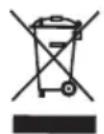
According to the European WEEE Directive, electrical and electronic devices may not be disposed of with household waste. Their components must be recycled or disposed of separately, as toxic and hazardous components can cause lasting damage to the environment if disposed of incorrectly.
As a consumer, you are obliged under the Electrical and Electronic Equipment Act (ElektroG) to return electrical and electronic equipment free of charge at the end of its life to the manufacturer, the point of sale or to public collection centres set up for this purpose. Details are regulated by the respective state law.
The symbol on the product, the operating instructions and/or the packaging refers to these regulations. By separating, recycling and disposing of old appliances in this way, you are making an important contribution to protecting our environment.

16. Notes on battery disposal
In connection with the sale of batteries or the delivery of devices containing batteries, the supplier is obliged to inform the customer of the following: The customer is legally obliged to return used batteries as the end user. The customer can return used batteries that the supplier carries or has carried as new batteries free of charge to the supplier's dispatch warehouse (dispatch address). The symbols shown on the batteries have the following meaning: Pb = battery contains more than 0.004 per cent lead by mass, Cd = battery contains more than 0.002 per cent cadmium by mass, Hg = battery contains more than 0.0005 per cent mercury by mass.
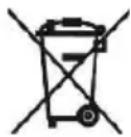
The crossed-out wheelie bin symbol means that the battery must not be disposed of with household waste.

WEEE Directive: 2012/19/EU
WEEE Register No.: DE 67896761
Hereby, the company WD Plus GmbH declares that the device 306919 is in compliance with the essential requirements and other relevant provisions of Directive 2006/42/EC. A complete declaration of conformity is available at WD Plus GmbH, Wohlenbergstraße 16, 30179 Hanover, https://www.ganzeinfach.de


natural_image
Technical line drawing of a mechanical component with multiple blades and a central circular feature (no text or symbols)natural_image
Technical line drawing of a mechanical component with gear-like teeth and a central cylindrical feature (no text or symbols)natural_image
Symbol of a trash bin crossed with a diagonal line, no text or labels present
natural_image
Technical line drawing of a mechanical component with multiple blades and a central circular feature (no text or symbols)natural_image
Technical line drawing of a mechanical component with gear-like teeth and a central circular feature (no text or symbols)natural_image
Two black circular icons: one showing a hand gesture, the other showing a helmet with a shield (no text or symbols)
natural_image
Technical line drawing of a mechanical component with multiple blades and a central circular feature (no text or symbols)natural_image
Technical line drawing of a mechanical component with gear-like teeth and a central cylindrical feature (no text or symbols)MO-FR 9:30am - 18pm CET

brandson-equipment.de
- IMPORTANT SAFETY GUIDELINES FOR THIS DE- VICE
- Workplace safety
- Electrical safety
- Personal safety
- Use and handling of power tools
- Use and handling of cordless tools
- Maintenance
- Safety warnings for grass trimmers
- Ensure that you keep all the safety instructions carefully!
- Important safety instructions for batteries
- Notes on battery service life
- Intended use
- Ensure that you keep the safety instructions carefully!
- Scope of delivery
- Technical data
- Product details
- Start-up
- ATTENTION!
- Charging the battery
- Caution! Allow the battery to cool down completely before starting the charging process.
- Usage
- Switch off the device
- Blade change
- Trimming
- Cutting grass
- Hedge trimming
- Cleaning and care
- Condition of the knife unit
- Storage
- Troubleshooting
- Safety instructions and disclaimer
- Disposal instructions
- Notes on battery disposal
Brand : Brandson
Model : 306919
Category : Scissors