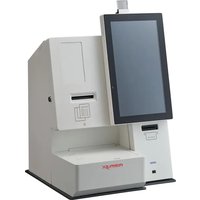
HK-2100 - Cash register Posiflex - Free user manual and instructions
Find the device manual for free HK-2100 Posiflex in PDF.


| Product type | Cash register (point of sale terminal) |
| Brand | Posiflex |
| Model | HK-2100 |
| Dimensions (W x D x H) | Approximately 36 x 28 x 35 cm |
| Weight | Approximately 5.5 kg |
| Power supply | 100-240 V AC, 50/60 Hz |
| Power consumption | 60 W (max) |
| Processor | Intel Celeron (or equivalent) |
| RAM (Memory) | 4 GB |
| Storage | 64 GB SSD |
| Screen | 15-inch touch screen |
| Operating system | Windows 10 IoT |
| Connectivity | USB, Ethernet, serial ports |
| Main functions | Sales management, ticket printing, barcode scanning, electronic payment |
| Maintenance and cleaning | Clean with a soft, dry cloth. Avoid any liquid on the device. |
| Safety | Do not open the device. Unplug before cleaning. Use a grounded outlet. |
| Battery | Removable internal battery (replacement by an authorized technician) |
| Spare parts available | Screen, power supply unit, battery, cables |
| Repairability | By an authorized technician. Unauthorized opening voids the warranty. |
| Warranty | 1 year (subject to conditions) |
| Operating temperature | 0°C to 40°C |
| Operating humidity | 20% to 80% (without condensation) |
Frequently Asked Questions - HK-2100 Posiflex
User questions about HK-2100 Posiflex
0 question about this device. Answer the ones you know or ask your own.
Ask a new question about this device
Download the instructions for your Cash register in PDF format for free! Find your manual HK-2100 - Posiflex and take your electronic device back in hand. On this page are published all the documents necessary for the use of your device. HK-2100 by Posiflex.
USER MANUAL HK-2100 Posiflex
PT-600 Pedestal for the Stellar User Manual

SOME IMPORTANT NOTES
FCC NOTES
This equipment has been tested and found to comply with the limits for a Class A digital device, pursuant to part 15 of the FCC Rules. These limits are designed to provide reasonable protection against harmful interference when the equipment is operated in a commercial environment. This equipment generates, uses, and can radiate radio frequency energy and, if not installed and used in accordance with the instruction manual, may cause harmful interference to radio communications. Operation of this equipment in a residential area is likely to cause harmful interference in which case the user will be required to correct the interference at his own expense
This device complies with part 15 of the FCC Rules. Operation is subject to the following two conditions: (1) This device may not cause harmful interference, and (2) this device must accept any interference received, including interference that may cause undesired operation.
CE CLASS A WARNING
This equipment is compliant with Class A of CISPR 32. In a residential environment this equipment may cause radio interference.
AVERTISSEMENT CE CLASSE A
Warranty will terminate automatically when the machine is opened by any person other than the authorized technicians. The user should consult his/her dealer for the problem happening. Warranty voids if the user does not follow the instructions in application of this merchandise. The manufacturer is by no means responsible for any damage or hazard caused by improper application. Please note that all of HK series kiosk are NOT designed to work direct sunshine both indoors and outdoors.
LIMITES DE GARANTIE
This equipment is not suitable for use in locations where children are likely to be present. Never open the equipment. For safety reasons, the equipment should be opened only by qualified skilled person. The power outlet socket must be located near the equipment and must be easily accessible.
CONSIGNES DE SÉCURITÉ
Power cord shall be connected to a socket-outlet with earthing connection.
ATTENTION
Risk of explosion if battery is replaced by an incorrect type. Dispose of expended battery in accordance with local disposal regulations.
AVERTISSEMENT DE BATTERIE
- Place the main stand vertically on the ground (upside down) and align the main base plate, please see picture below. Next, insert the four M5-10L flat head screws into the screw holes and tighten down. This will affix the main base plate to the main stand.
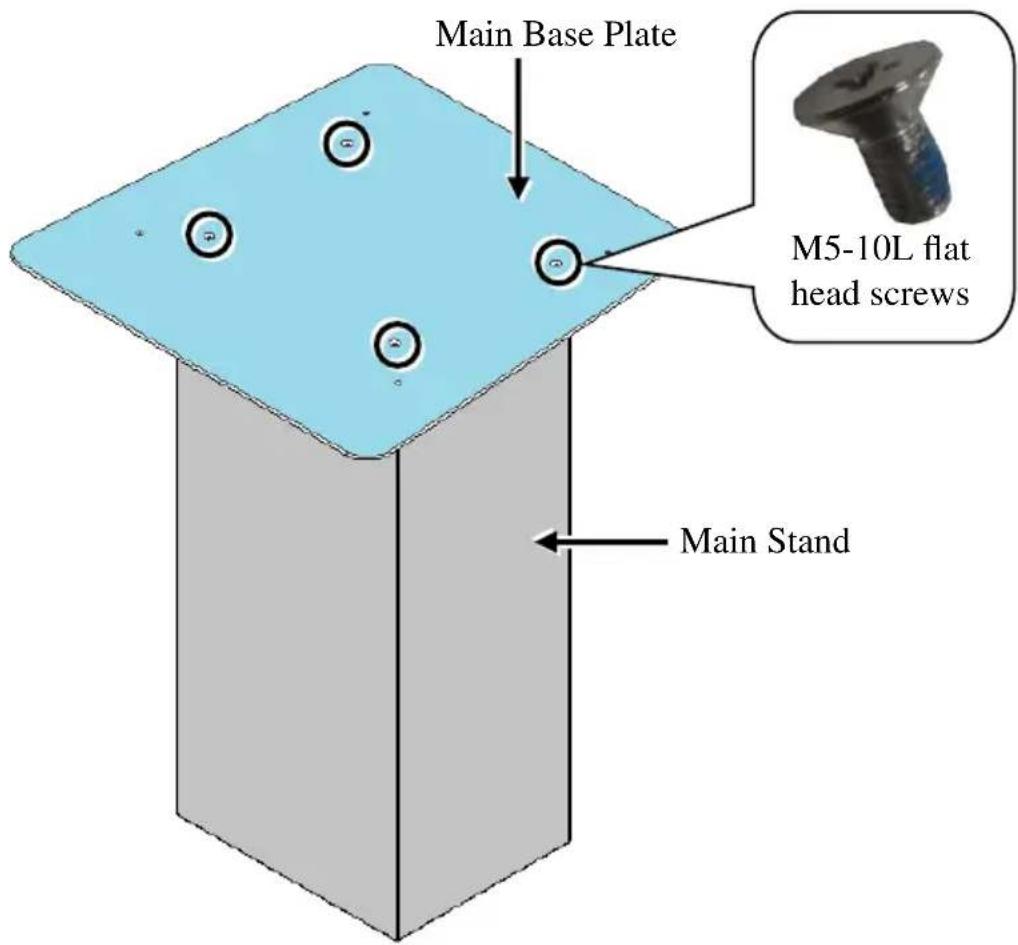
- After installing the main base plate, stand the main stand up.

- Fix the countertop plate onto the stand, and then fix it with four M5-8L screws.
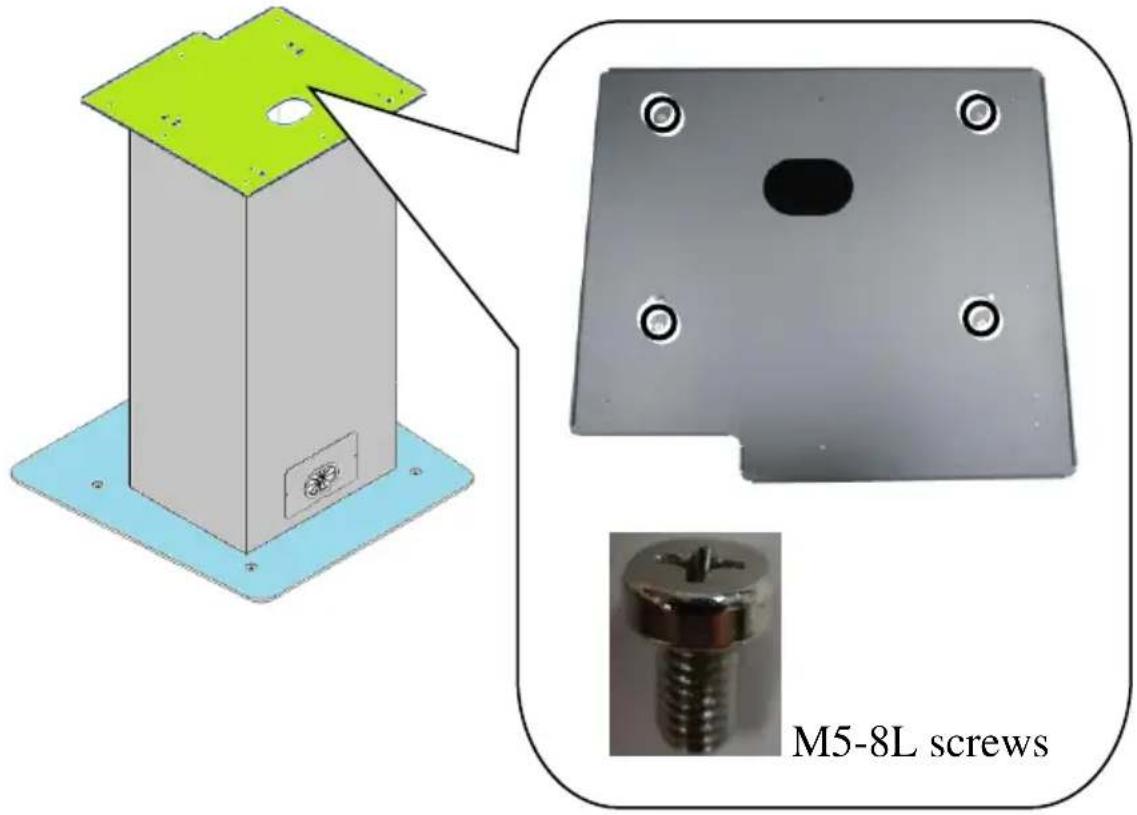
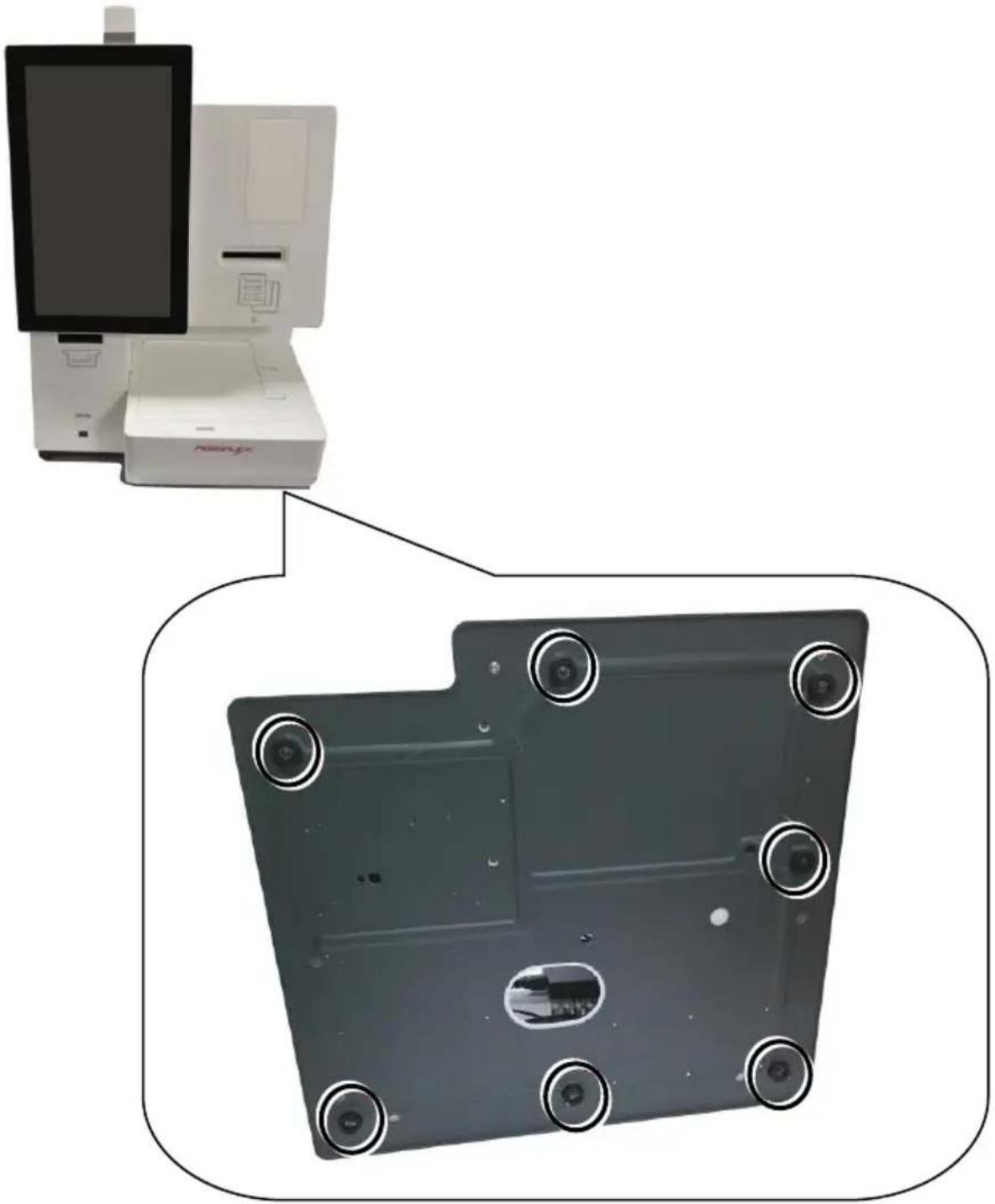
- (1) Turn the bottom side of the countertop unit face to you.
(2) Remove the seven screws and rubber feet.
natural_image
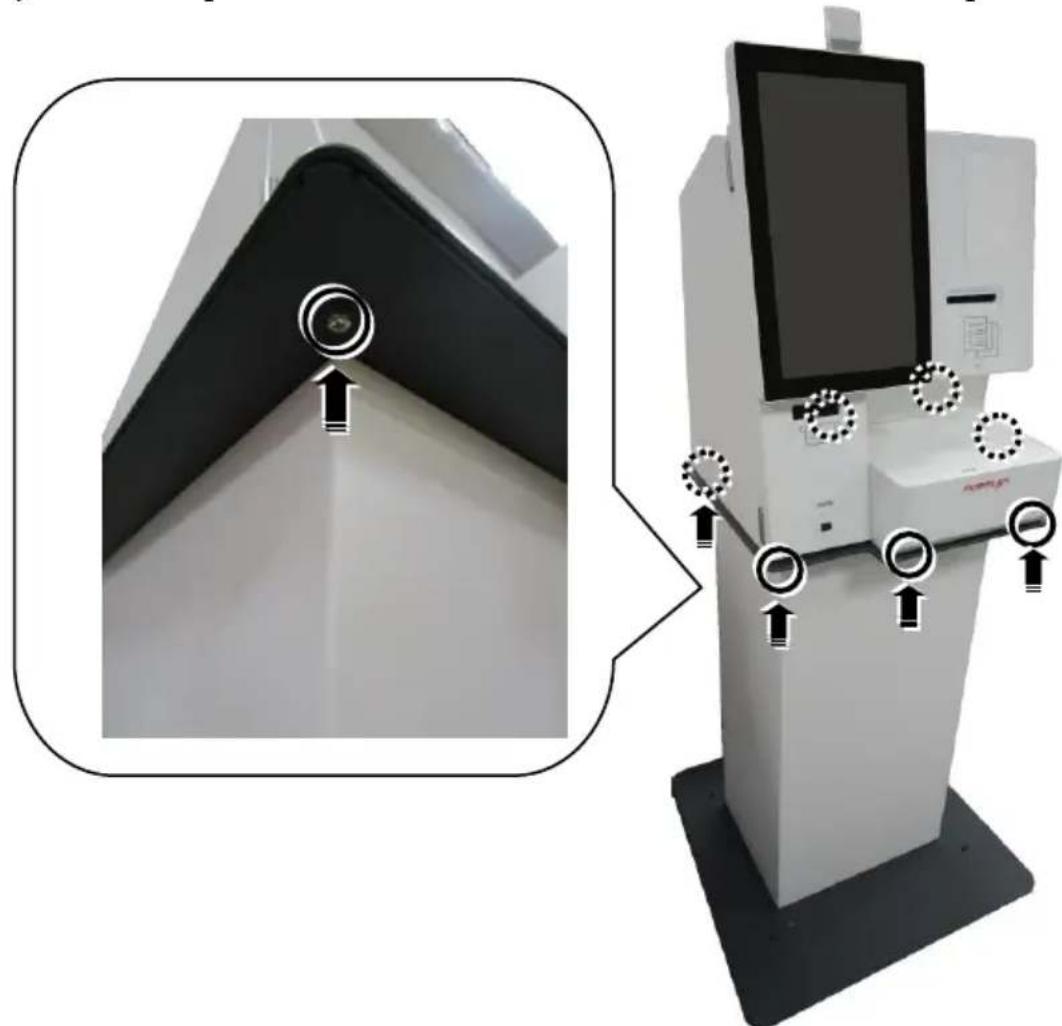
Diagram showing a medical device mounted on a laptop and its internal panel with camera lenses (no text or symbols present)- Carefully put the HK system unit on the pedestal, and remember to pass the cable through the cable exit on the countertop plate. Fix the HK system to the pedestal with seven #6/32 screws from bottom to top.
natural_image
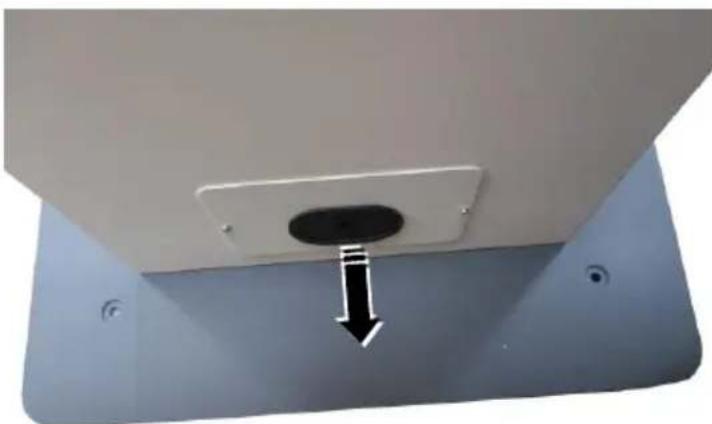
Diagram of a medical imaging machine with directional arrows indicating motion or force (no text or symbols present)- Take out the power cord cable through cable exit of the pedestal.
natural_image
Close-up of a ceiling-mounted electronic component with a black arrow pointing to a circular opening (no text or symbols visible)※ The product information and specifications are subject to change without prior notice.